
MEGALIFE B2 ZEN [email protected]
Limited warranty · Support & claims
12
1 · Contact us
Email [email protected] with your name, IMEI,
date of purchase and a short description of the fault.
2 · Wait for return instructions
We reply with a return authorisation and shipping instructions.
Do not ship a device without one.
3 · Prepare the device
Back up data, remove SIM and memory cards, and pack the
device protected.
Setup guide + video
megalifephone.com/setup
Megalife BSD, Ltd. · 5 HaYarkon St., Bnei Brak · Made in China
T H E L U X U R Y O F L E S S
B2 ZEN
User Manual
Android 13 · T9 keypad + 2.83" touchscreen · 4G dual SIM
Setup guide and video: megalifephone.com/setup
Read this manual and the safety information before using your device. Warranty terms are at the back.
REV C

M E G A L I F E B 2 Z E N · U S E R M A N U A L s u p p o r t @ m e g a l i f e p h o n e . c o m
2
Contents
1 Safety first
2 Specifications
3 Buttons and ports
4 Cards and first start
5 Everyday use
6 Connections
7 Apps and storage
8 Settings
9 Battery and charging
10 Troubleshooting
11 Warranty summary
12 Health and safety
13 Regulatory information
Before you start
Your B2 ZEN is a managed, distraction-free device. Software policy, the app
catalogue and technical support are all handled from the Megalife app on the
phone.
Setup guide and video: megalifephone.com/setup
1 · Safety first
— Charge only with a 5 V / 2 A charger. Fast-charge and high-voltage chargers
are not supported and can damage the battery.
— This device runs a customised Android 13 build. Do not root or flash it —
doing so breaks security, may stop the device working and voids the warranty.
— Protect the touchscreen from sharp objects, heavy pressure, water, damp,
direct sun and high temperatures.
— Do not use the device while driving or in hazardous environments. Children
should be supervised.
— Do not disassemble the device. Service must be carried out by an authorised
partner.
— Keep the device and small parts away from infants and young children.
7 Regulatory information
8 Hebrew basic instructions
9 French basic instructions
10–12 Full warranty & setup registration
MEGALIFE B2 ZEN [email protected]
Limited warranty · Exclusions
11
What is not covered
Accidental damage, liquid ingress, drops,
crushing or cosmetic wear.
Unauthorised disassembly, repair, rooting or
flashing of the operating system.
Use of non-approved chargers. Charge only
with a 5 V / 2 A supply.
Consumable wear of the battery, and loss of
data. Back up before service.
Third-party software or content, and any
device with a removed or altered IMEI.
Service is provided by the seller or an
authorised Megalife service partner.

MEGALIFE B2 ZEN [email protected]
Limited warranty · Registration & coverage
10
Registration
Warranty registration is completed during
device setup. No paper registration card
needs to be completed or sent in.
Keep your receipt: warranty claims require
proof of purchase and the device IMEI.
What is covered
Device: 12 months from the date of
purchase against defects in materials and
workmanship.
Charger and USB-C cable: 3 months.
This warranty does not affect your statutory
consumer rights.
M E G A L I F E B 2 Z E N · U S E R M A N U A L s u p p o r t @ m e g a l i f e p h o n e . c o m
3
Power and battery
Charging: input 100–240 V, 50/60 Hz, 0.5 A; output 5 V, 2 A (10 W). Do not
pierce, crush, short-circuit, burn or heat the battery above 45 °C. Replace only
with the specified battery, and recycle used batteries according to local law.
2 · Specifications
Screen 2.83" capacitive touchscreen, 480 × 640, multi-touch
System Android 13 (Megalife OS, managed)
Input T9 physical keypad and touchscreen
Network 4G dual SIM dual standby, Wi-Fi, Bluetooth 5.0, hotspot
Storage Internal storage, microSD (TF) up to 128 GB
Cameras Front camera; rear camera with flash
Ports USB-C charge / data, dual SIM slot, TF slot
Other Physical quick-dial, breathing light
3 · Buttons and ports
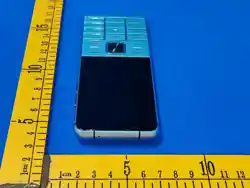
Front
Touchscreen, earpiece / speaker, front camera and the T9 keypad: left soft key,
right soft key, call key, power / end key, OK key, four-way navigation keys,
number keys 0–9 and the * and # keys.
Sides, top and bottom
— Left side: SIM 1 / SIM 2 and microSD (TF) card tray.
— Right side: volume up and volume down.
— Top: microphone. Bottom: USB-C port.
— Back: rear camera and Megalife badge on the battery cover.
4 · Cards and first start
Insert SIM and memory card
With the device powered off, open the side tray with the supplied pin. Place SIM
cards with the chip facing up and the microSD card with the chip facing down,
then push the tray fully home.
Power on
Press and hold the power / end key for 3–5 seconds.
Unlock
Press the left soft key, then the * key.
Update first
After you connect to Wi-Fi, open Settings > System > System update and install
the latest software before you start using the phone. Updates include security and
app policy fixes.

M E G A L I F E B 2 Z E N · U S E R M A N U A L s u p p o r t @ m e g a l i f e p h o n e . c o m
4
5 · Everyday use
Keys
Call key Answer a call, open the dialler
Power / end End a call, return home, hold for power on / off
OK key Confirm a selection, page through lists
Number keys Dial, and type in English or Hebrew
Touchscreen
— Tap to open an app; press and hold an icon for its options.
— Swipe down from the top edge for the notification shade.
— Swipe to scroll; swipe with two fingers to take a screenshot.
Calls, messages and contacts
— Dial from the keypad or the touchscreen, and choose either SIM for the call.
— Hold a number key to quick-dial a saved contact.
— Send and receive text and picture messages.
— Add, edit, group and back up contacts; contacts can be stored on either SIM.
6 · Connections
Dual SIM Settings > Network & internet > SIMs — set the default
SIM for calls, messages and data, or turn a SIM off.
Wi-Fi
Settings > Network & internet > Internet — turn on
Wi-Fi, choose a network and enter the password.
Bluetooth Settings > Connected devices — pair headphones,
speakers and wearables.
Hotspot Settings > Network & internet > Hotspot & tethering —
share mobile data.
7 · Apps and storage
— microSD card: after inserting a card you can store photos, videos and files on
it.
— Camera: photo and video with flash; the volume key can act as a shutter.
The B2 ZEN is a managed, distraction-free device. Apps are installed
from the Megalife app catalogue. Installation of unknown apps is
blocked by design. Request additional apps and technical support from
the Megalife app on the phone.
MEGALIFE B2 ZEN [email protected]
Démarrage rapide · Français
9
1 · Insérer la carte SIM
Téléphone éteint, ouvrez le tiroir SIM avec la broche.
Insérez la carte puis refermez doucement.
2 · Allumer
Maintenez le bouton marche/arrêt pendant 3 à 5
secondes. Choisissez la langue du téléphone.
3 · Connecter le Wi-Fi
Dans les paramètres réseau, choisissez votre réseau
et saisissez le mot de passe.
4 · Mettre à jour
Ouvrez Paramètres > Système > Mise à jour du
système. Installez la dernière version avant
utilisation.
5 · Configurer le téléphone
Connectez-vous à votre compte Megalife et terminez
la configuration. La garantie est enregistrée lors de
cette configuration.
Appels et sécurité
Composez un numéro puis appuyez sur la touche
d’appel. Utilisez uniquement une alimentation 5 V /
2 A. Gardez le téléphone au sec.
Guide et vidéo : megalifephone.com/setup

MEGALIFE B2 ZEN [email protected]
הוראות התחלה פשוטות
8
תוטושפ הלחתה תוארוה
SIM תסנכה · 1
וסינכה .הכיסה תרזעב SIM-ה תריגמ תא וחתפ ,יובכ ןופלטהשכ
.תונידעב ורגסו סיטרכה תא
ןופלטה תלעפה · 2
ורחב .תוינש 5–3 ךשמל הלעפהה ןצחל לע הכורא הציחל וצחל
.רישכמה תפש תא
Wi-Fi-ל רוביח · 3
תא וניזהו םכלש תשרה תא ורחב ,תשרה תורדגה תא וחתפ
.המסיסה
הנכות ןוכדע · 4
ןוכדעה תא וניקתה .תכרעמ ןוכדע ,תכרעמ ,תורדגה וחתפ
.שומישה ינפל ןורחאה
רישכמה תרדגה · 5
םושיר .הרדגהה תא ומילשהו Megalife ןובשחל וסנכיה
.רישכמה תרדגה תרגסמב עצבתמ תוירחאה
תוחיטבו שומיש
קפס םע קר ונעט .החישה ןצחל לע וצחלו רפסמ ודילקה ,גויחל
.שבי רישכמה לע ורמש .V / 2 A 5 חוכ
קרב ינב 5 ןוקריה · מ״עב ד״סב ףיילהגמ
M E G A L I F E B 2 Z E N · U S E R M A N U A L s u p p o r t @ m e g a l i f e p h o n e . c o m
5
8 · Settings (Android 13)
— Display: brightness, adaptive brightness, screen timeout, font size, dark
theme, breathing light.
— Sound and vibration: ringtones, alert sounds, individual volumes, haptics.
— Wallpaper: system wallpapers and your own images.
— Accessibility: large fonts, magnification and spoken feedback.
— Security: screen lock, face unlock, app permissions.
— Privacy and location: per-app permissions and the location switch.
— Safety and emergency: medical information, emergency contacts, crash
detection.
— System: language and input, gestures, date and time, software update, reset.
9 · Battery and charging
— Charge with the supplied USB-C cable and a 5 V / 2 A charger; avoid heavy
use while charging.
— Recharge before the level drops very low, and avoid repeated full discharges.
— For long storage, leave the battery at about 50 % and power the device off.
— To save power, turn off Bluetooth and hotspot when not needed and shorten
the screen timeout.
10 · Troubleshooting
Touch not responding Remove water or protective film from the screen and
restart.
Keys not responding Clean around the keys and restart. If the device is
wet, let it dry fully first.
No signal or calls Reseat the SIM, toggle airplane mode, and check
carrier coverage.
Wi-Fi drops or lag Reconnect to the network and close background
apps.
Not charging Try the original cable, clean the port and use a 5 V /
2 A charger.
Forgotten passcode A factory reset clears device data; contacts stored on
the SIM remain.
Still stuck? Open the Megalife app on the phone and submit a support request,
or email [email protected].
11 · Warranty summary
— Device: 12 months. Charger and cable: 3 months.
— Not covered: accidental or liquid damage, drops, disassembly, rooting or
flashing, and non-approved parts or chargers.

M E G A L I F E B 2 Z E N · U S E R M A N U A L s u p p o r t @ m e g a l i f e p h o n e . c o m
6
— Hardware faults only. Third-party software issues and data loss are not covered
12 · Health and safety
Electrical safety
— Use only the specified battery and power supply. Other supplies may be
unsafe.
— Connect only to correctly earthed, standards-compliant sockets and
equipment.
— Use approved accessories only, and do not connect incompatible products.
— Keep metal objects such as coins and keys away from the charging port and
contacts.
General care
— Keep the device away from heat sources, damp and rapid temperature
change. Let it reach room temperature before switching it on.
— Do not insert objects into openings, and do not block vents.
— Do not place the device above a vehicle airbag or in its deployment zone.
— Unplug before cleaning. Use a slightly damp cloth — never liquid or aerosol
cleaners.
— Lower the volume before using headphones. Prolonged loud audio can
damage hearing.
— Take breaks during long typing sessions and use predictive text to reduce
keystrokes.
— Like all wireless phones, this device cannot guarantee a connection in every
environment. Do not rely on it alone for emergency communication.
Radio frequency exposure
The device has a built-in antenna. Hold it in its normal operating position and
avoid covering the antenna area, which can reduce call quality and make the
device transmit at higher power. The measured specific absorption rate (SAR) is
within the limits set by the applicable regulations; keep the device at least 10 mm
from the body during use.
Full warranty terms are at the back of this manual.
MEGALIFE B2 ZEN [email protected]
13 · Regulatory information
7
CE This device carries the CE mark and complies
with the applicable EU legislation on radio
equipment, low voltage, electromagnetic
compatibility and the restriction of hazardous
substances (RoHS). RF exposure meets the
applicable SAR limits; keep the device at least 10
mm from the body during use. Charge only with a
5 V / 2 A supply.
Disposal Do not dispose of this device or its
battery with household waste. Take it to a
designated collection point for electrical and
electronic equipment recycling.
Keep this manual and proof of purchase for future reference.

FCC Statement
This device complies with part 15 of the FCC rules. Operation is subject to the following two
conditions: (1) this device may not cause harmful interference, and (2) this device must accept
any interference received, including interference that may cause undesired operation.
Changes or modifications not expressly approved by the party responsible for compliance could
void the user's authority to operate the equipment.
NOTE: This equipment has been tested and found to comply with the limits for a Class B digital
device, pursuant to part 15 of the FCC Rules. These limits are designed to provide reasonable
protection against harmful interference in a residential installation. This equipment generates
uses and can radiate radio frequency energy and, if not installed and used in accordance with the
instructions, may cause harmful interference to radio communications. However, there is no
guarantee that interference will not occur in a particular installation. If this equipment does
cause harmful interference to radio or television reception, which can be determined by
turning the equipment off and on, the user is encouraged to try to correct the interference by
one or more of the following measures:
• Reorient or relocate the receiving antenna.
• Increase the separation between the equipment and receiver.
• Connect the equipment into an outlet on a circuit different from that to which the receiver is
connected.
• Consult the dealer or an experienced radio/TV technician for help.
The device has been evaluated to meet general RF exposure requirement. The device can be used
in portable exposure condition without restriction.
The device has been evaluated to meet general RF exposure requirement.
The device can be used in an uncontrolled environment without restriction.
This device meets the government's requirements for exposure to radio waves. The guidelines
are based on standards that were developed by independent scientific organizations through
periodic and thorough evaluation of scientific studies. The standards include a substantial safety
margin designed to assure the safety of all persons regardless of age or health. The SAR limit of
USA (FCC) is 1.6 W/kg averaged. Device types: Mobile Phone (FCC ID: 2BXPK-B2) has also been
tested against this SAR limit. SAR information can be viewed on‐line at
http://www.fcc.gov/oet/ea/fccid/. Please use the device FCC ID number for search. This device
was tested simulation typical 0 mm to head and 10mm to body. To maintain compliance with FCC
RF exposure requirements, use accessories should maintain a separation distance between the
user's bodies mentioned above, use accessories should not contain metallic components in its
assembly, the use of accessories that do not satisfy these requirements may not comply with FCC
RF exposure requirements, and should be avoided.