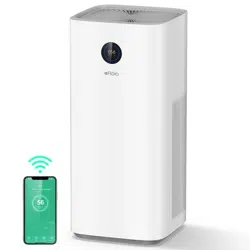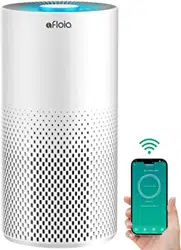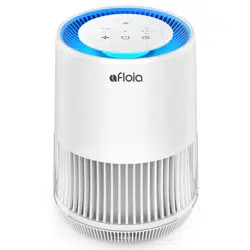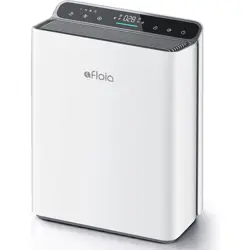
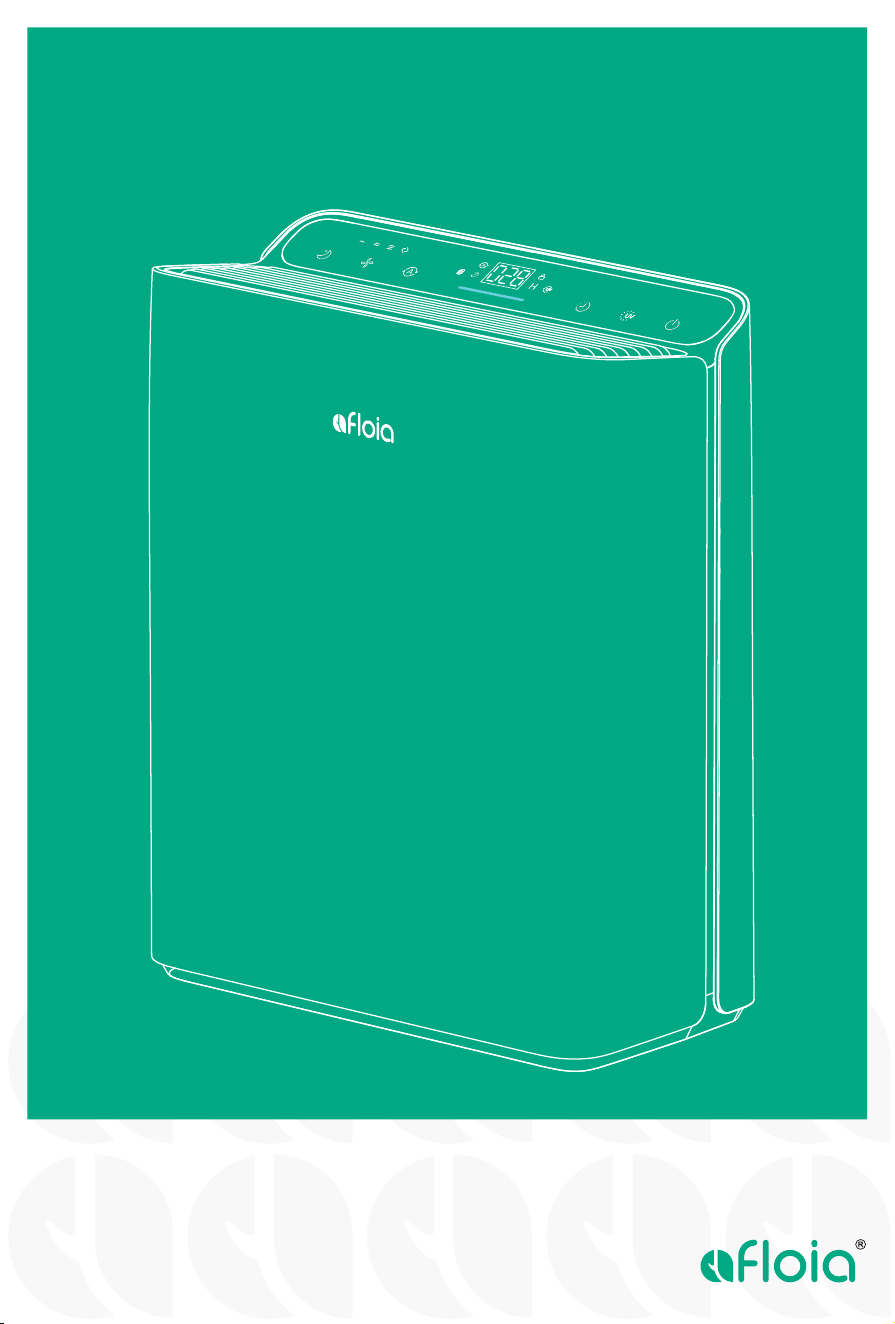
AIR PURIFIER EUROPA
USER MANUAL
PLEASE DO NOT RETURN
THIS PRODUCT TO RETAILER
If you are missing parts, having ANY
questions or problems when using this
product, please contact:
Facebook messenger
Email : service@afloia.com
24/7 LIVE CHAT SUPPORT
STOP
Thank you very much for using our products.
Please read the user manual carefully before use, and keep it for future reference.

●
TOP FEATURES OF AFLOIA AIR PURIFIER
CONTROLS AND DISPLAY
●
GET STARTED
WARM TIPS
USING YOUR EUROPA AIR PURIFIER
ABOUT FILTER
Before Use
During Use
2
3~4
5
6
7~8
9~11
CONTENTS
CAUTION / ATTENTION 12~14
●
TROUBLESHOOTING
●
Before Asking for
Support
Service Information
15~16
17PRODUCT SPECIFICATIONS
2
Dear customers,
Please keep this User Manual for your reference.
This manual will guide you if you have any questions or
troubleshooting problems.
Please read the instructions carefully before using the product and keep them properly.
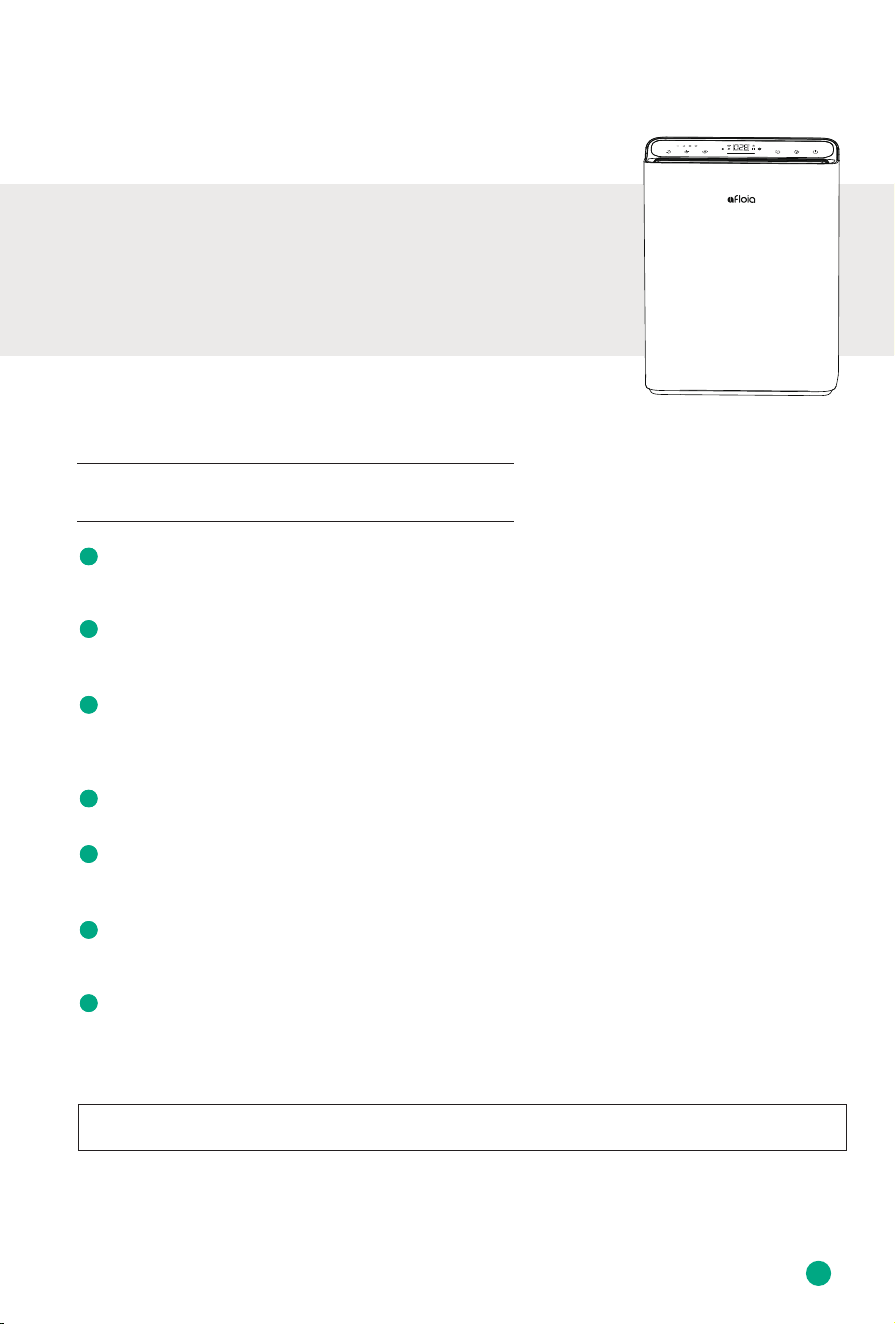
TOP FEATURES of Afloia AIR PURIFIER
Thank you for purchasing Afloia Air Purifier.
Air Quality Monitoring
The air purifier display shows real-time air quality, and the light bar below will
change color based on the air quality.
Auto Mode
In auto mode, the air purifier will automatically adjust the fan speed based on
real-time air quality to maintain a good level of air quality.
Air Purification
The air purifier has a 3-stage filtration system (pre-filter, high-ecient filter,
activated carbon filter). Improved filter with larger expansion area and longer
length than others.
Timer Setting
You can set the timer from 2 to 24 hours depending on preference.
Adjustable Fan Speed & Sleep Mode
You could choose from 4 fan speeds: low/medium/high/turbo. One-click to switch
on Sleep Mode, the air purifier will run more quietly and the panel will light o.
Child Lock
In child lock mode, the panel will be locked (all buttons become inactive),
preventing children from accidentally touching it.
Filter Replacement Indicator
The built-in filter replacement indicator reminds users when the filter needs to be
replaced.
CONTROLS AND DISPLAY
3
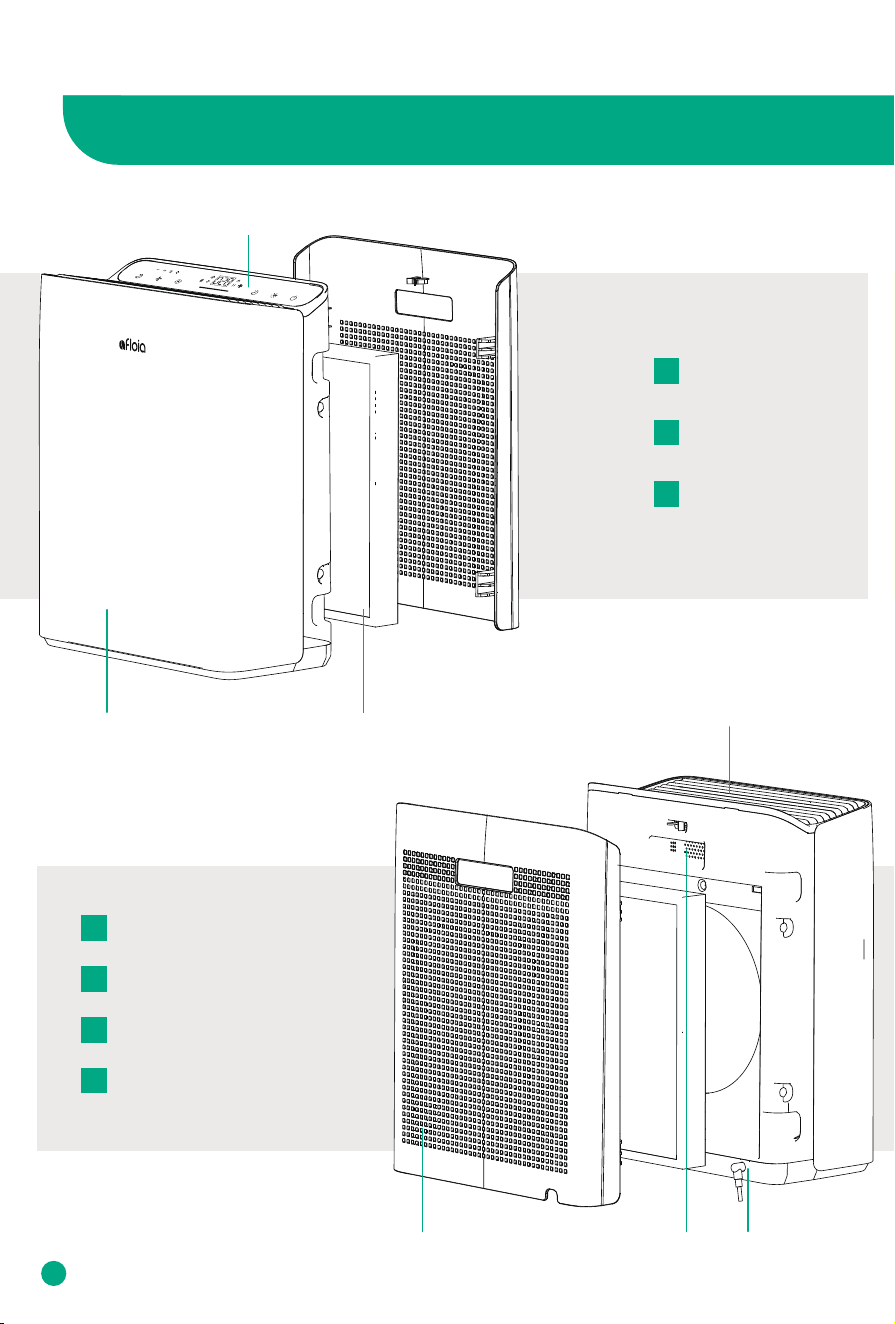
Front
Back
Air Outlet
Air Quality Sensor
Front Cover
Display
3-Stage Filter
Back Cover (Air Inlet)
Power Cord Input
D
A
E
F
G
B
C
D
E F G
CB
A
4
CONTROLS AND DISPLAY
K L M N O QP R S T U
H I J
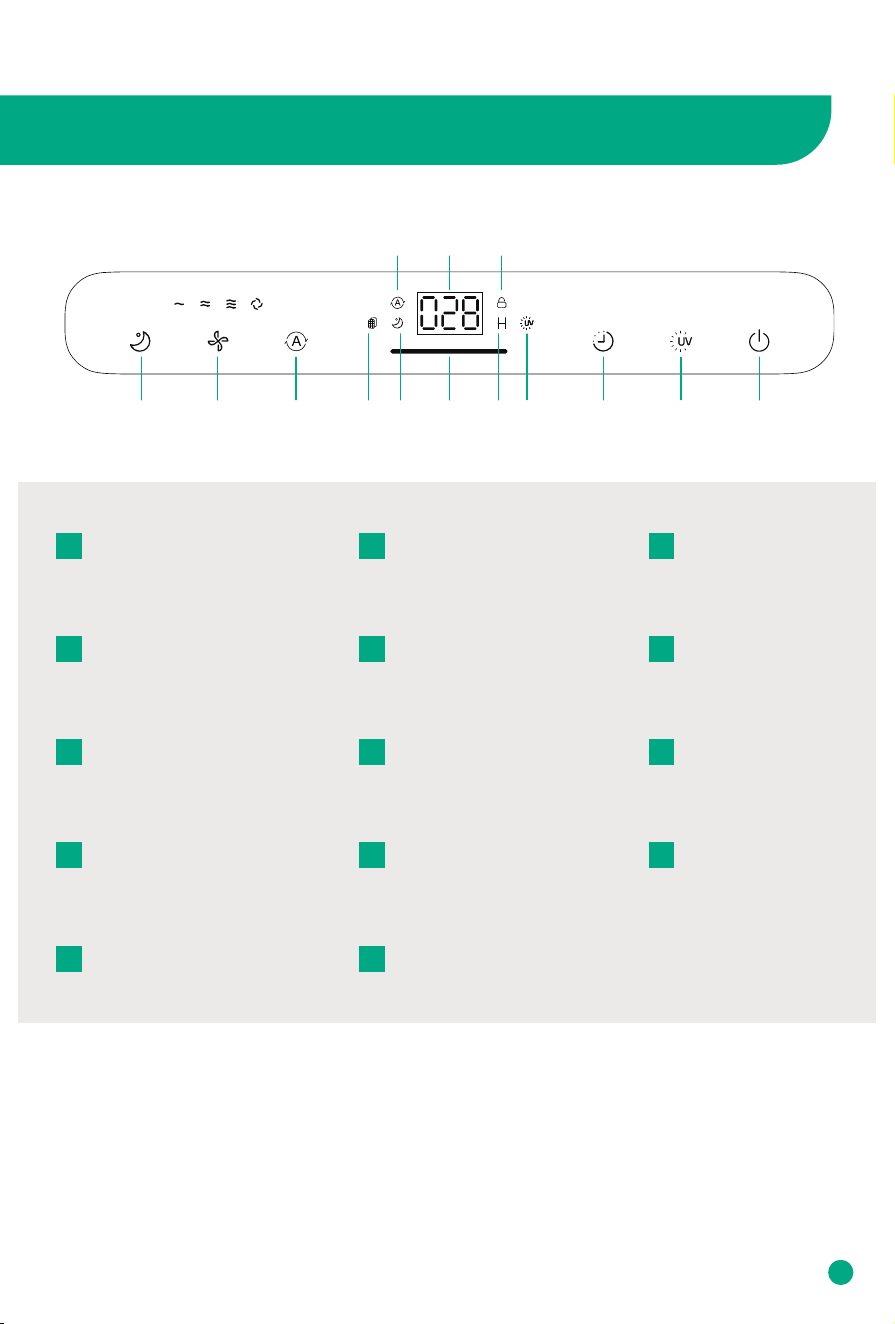
Auto Mode Indicator
H
Air Quality Display
I
Child Lock Indicator
J
Sleep Mode Button
K
Fan Speed Button
L
Auto Mode Button
M
Filter Replacement Indicator
N
Sleep Mode Indicator
O
Air Quality Indicator
P
Timer Indicator
Q
UV Light Indicator
R
UV Light Button
T
On/O Button
U
Timer Button
S
GET STARTED
5
Package Contents
1 x Europa air purifier
1 x User manual
1 x High-ecient filter (pre-installed)
1 x Power cord (placed at the bottom of the air purifier)
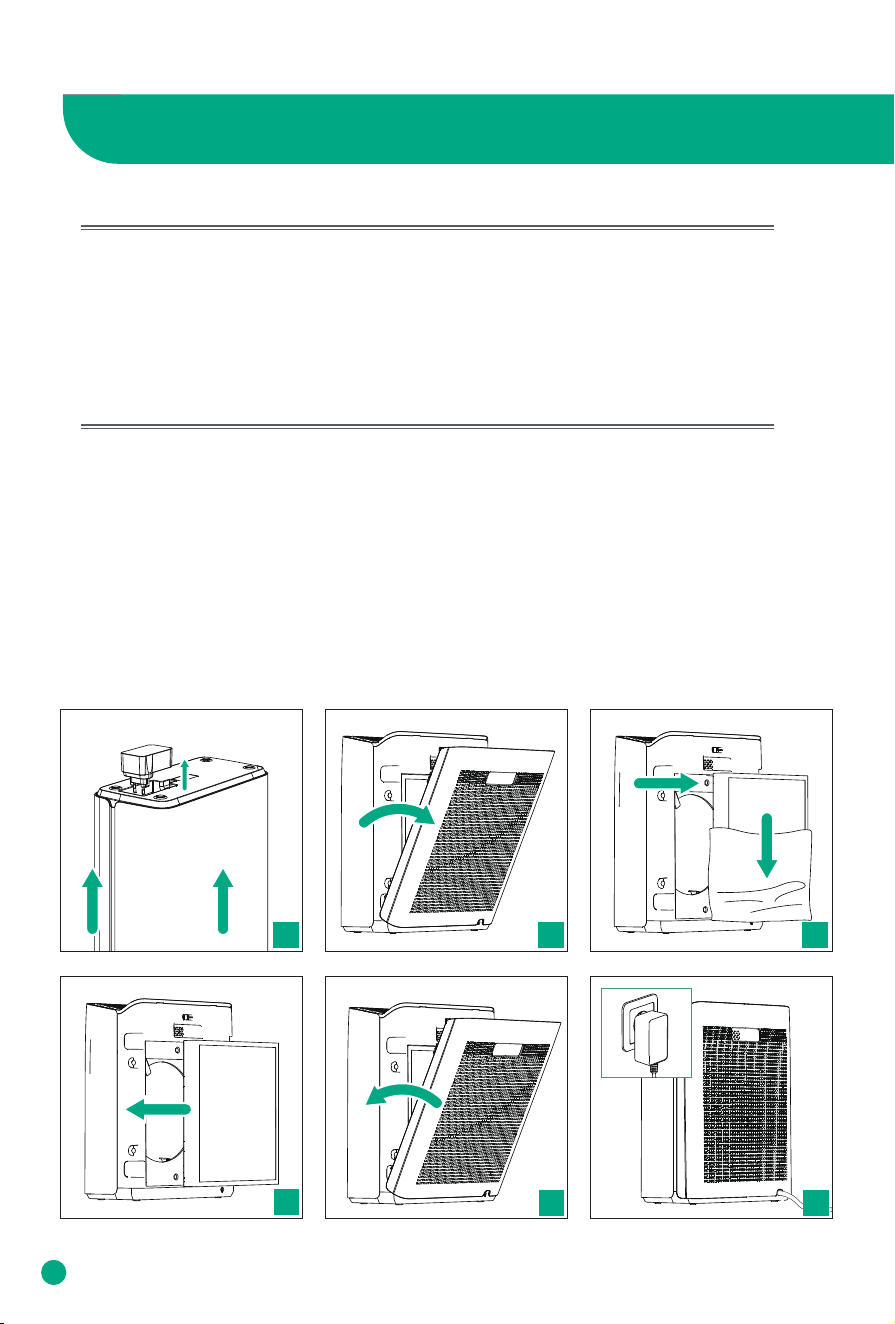
Unboxing
Take the user manual, and Europa air purifier out of the box. Remove the packaging
materials surrounding them. Please keep the product box in a safe location for future
use.
1. Take out the power cord from the bottom of the air purifier.
2. Place the air purifier on a stable surface. Pull both sides of the back cover to
remove it.
3. Take out the filter and remove its plastic packaging.
4. Reinstall the filter.
5. Close the back cover. Note: align the bottom slots first.
6. Insert the power cord into the back of the air purifier.
02 03
04
05
01
06
6
WARM TIPS
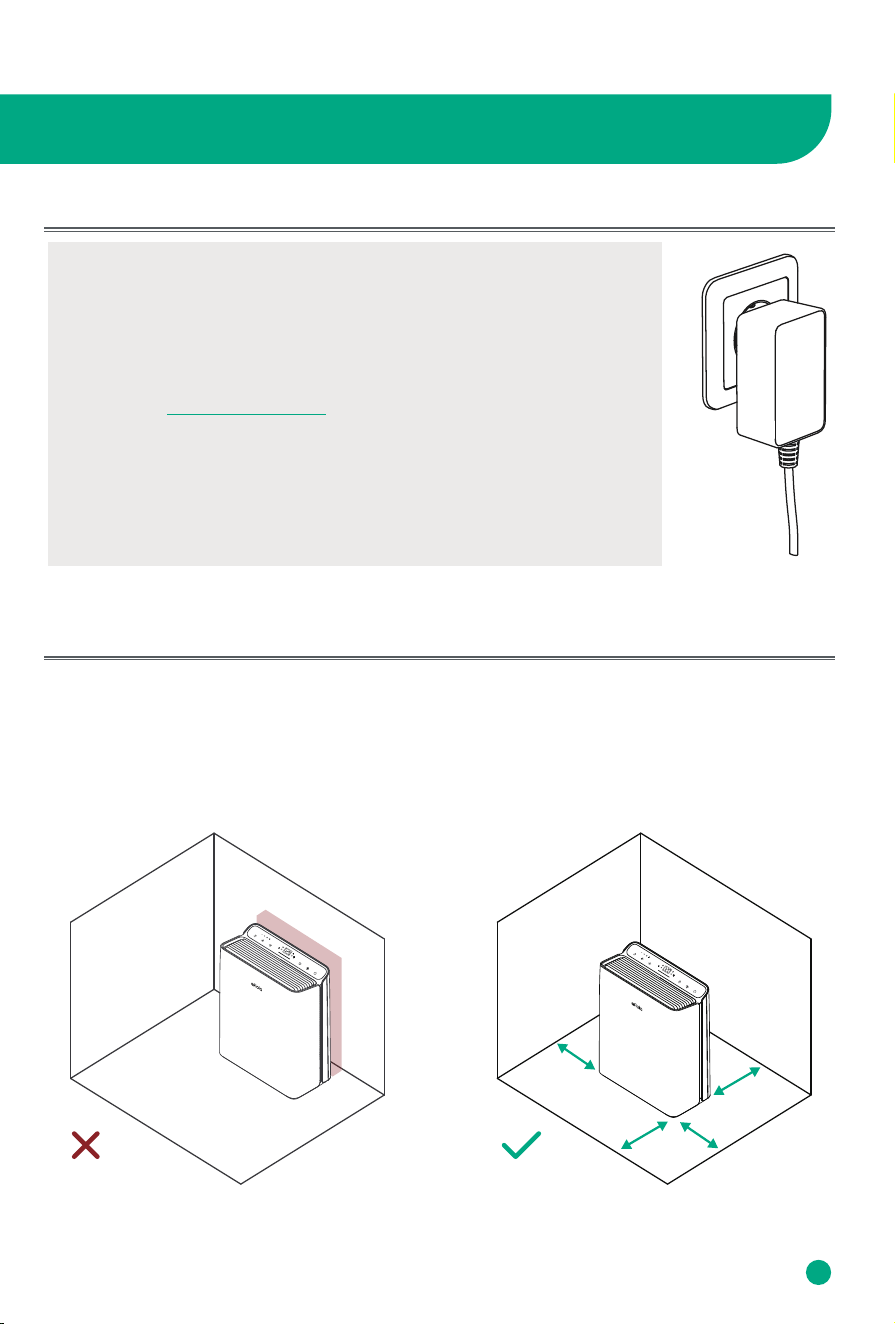
• Please confirm that the input voltage is 100-240V 50/60Hz, and ensure
that the power plug and your hands are dry before you insert the
power cord into the outlet.
Note: Contact Customer Service when the power cord is damaged or
broken. To replace the damaged power cord, please visit Afloia website
and contact service@afloia.com.
• Keep the air purifier away from water and wet or damp areas.
• Do not use in excessively humid areas.
• Keep the air purifier away from heat sources.
• Do not use where combustible gases, vapors, metallic dust, aerosol
(spray) products, or fumes from industrial oil are present.
• To achieve good performance, allow at least 1ft/30cm clearance from the air quality sensor
and the back cover of the air purifier.
• Make sure no obstacles in front of the air inlet or on the air outlet.
• To eectively clean air, keep windows and doors closed while the air purifier is on.
Maximum Purification Eciency
Connect the Power
1ft/30cm
1ft/30cm
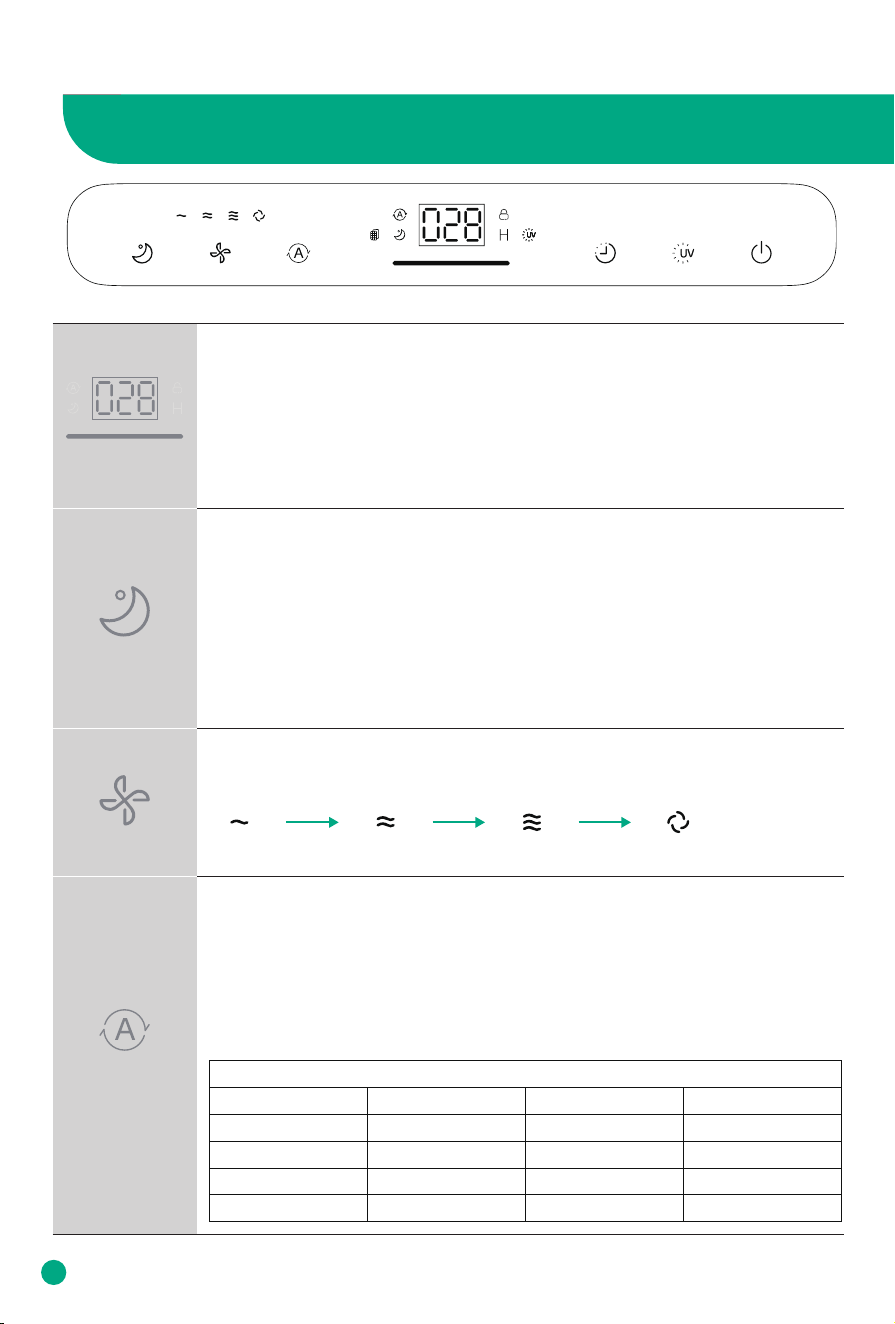
Air Quality Display & Air Quality Indicator
• Inbuilt with a laser air quality sensor, Europa Air Purifier detects particulate
matter as small as 2.5 microns (PM 2.5) in the air and determines the concen-
tration of particulates in indoor spaces.
• The display shows exact PM 2.5 value, the light indicator below it shows
real-time air quality in dierent colors: Blue (Very Good), Green (Good), Orange
(Moderate), Red (Bad).
Sleep Mode Button
With Sleep Mode, you will not be disturbed by fan sound and display light
while at sleep.
• Tap Sleep Mode Button to turn on sleep mode.
• The display turns o after 5 seconds except for the On/O Button and Sleep
Mode Indicator.
• You can turn the display back on by tapping On/O Button.
• Tap Fan Speed Button or Auto Mode Button to exit sleep mode.
Auto Mode Button & Indicator
• Tap Auto Mode Button to turn the auto mode on. The Auto Mode Indicator
lights up when Auto Mode is on.
• In Auto Mode, Europa Air Purifier will adjust the fan speed according to the
real-time air quality.
• To switch from Auto Mode, tap the Auto Mode Button again or tap Fan
Speed/Sleep Mode Button.
Fan Speed Button & Indicators
Cycles through fan speeds:
USING YOUR EUROPA AIR PURIFIER
7
Low Medium High Turbo
Air Quality Indicator Chart
PM2.5<=50
PM 2.5 Value (ug/m³)
50<PM2.5<=100
100<PM2.5<=150
PM2.5>150
Blue
Light Color
Green
Orange
Red
Very Good
Air Quality
Good
Moderate
Bad
Low
Fan Speed
Medium
High
Turbo
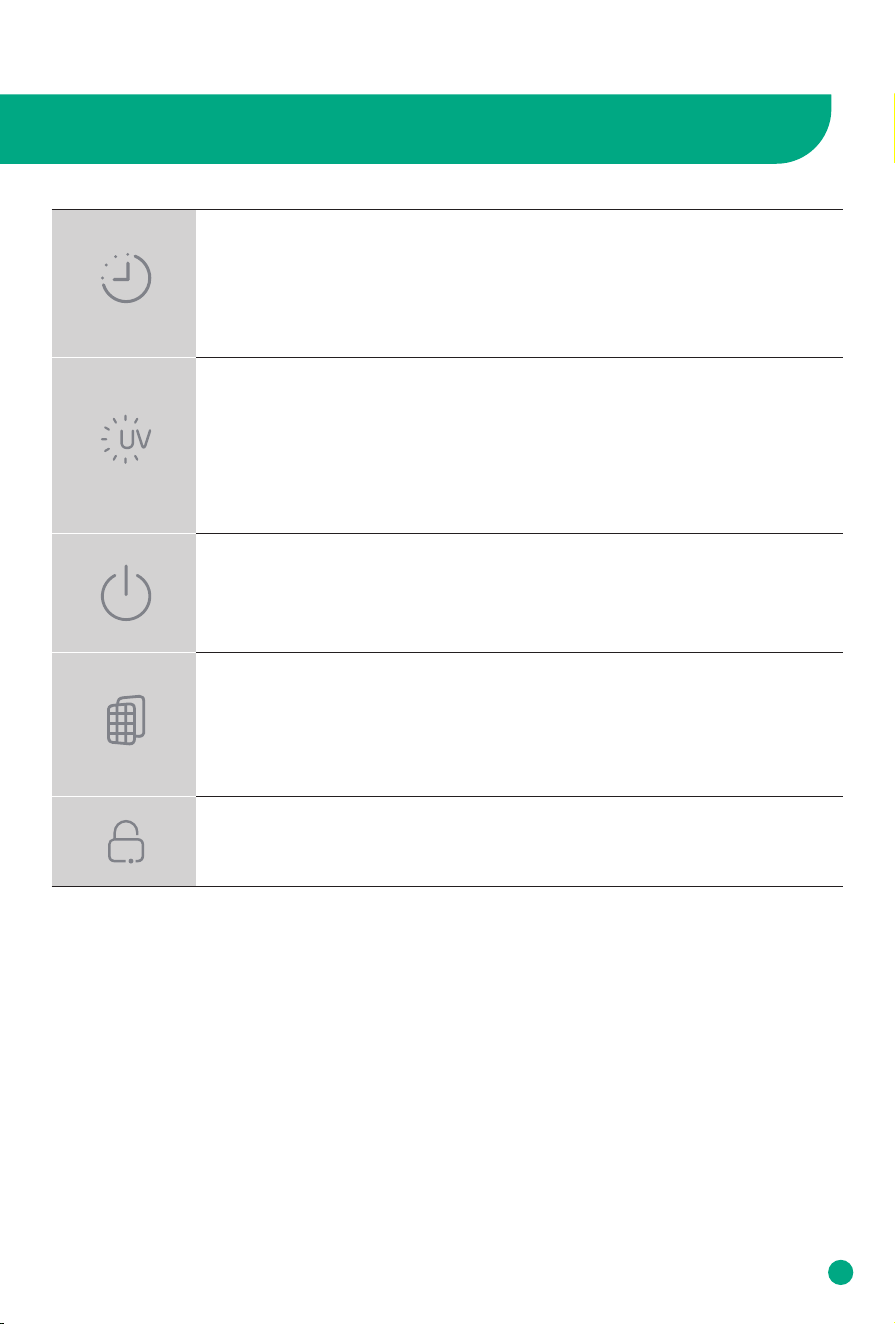
Timer Button & Indicator
• The Timer Indicator is on when you set a timer.
• Cycles through Timers: 2H-4H-8H-16H-24H-Cancel.
• Select a time - Time value flashes 5S - Back to display PM2.5 value - Timer
setting completed.
UV Light Button & Indicator
• Tap UV Light Button to turn the UV light on/o.
• The inbuilt ultraviolet light shines through the air inside the machine and kill
bacteria in it, to achieve a better air purification eect.
• In UV Light Mode, the UV light will work on and o every 2 hours. But the UV
Light Indicator keeps on.
On/O Button
• Tap On/O Button to turn the air purifier on or o.
• Memory function: When the machine is turned o and reopened, the settings
remain the same as before (but the timer defaults to o).
Filter Replacement Indicator
• If Filter Replacement indicator blinks, check if the filter needs to be replaced
or cleaned.
• After replacing with a new filter, press and hold On/O Button for 7 seconds
to make a filter life reset.
Child Lock Indicator
• Press and hold the UV Light Button for 3 seconds to turn on/o Child Lock.
8
USING YOUR EUROPA AIR PURIFIER
ABOUT FILTER
※ The picture may dier from the actual product.
9
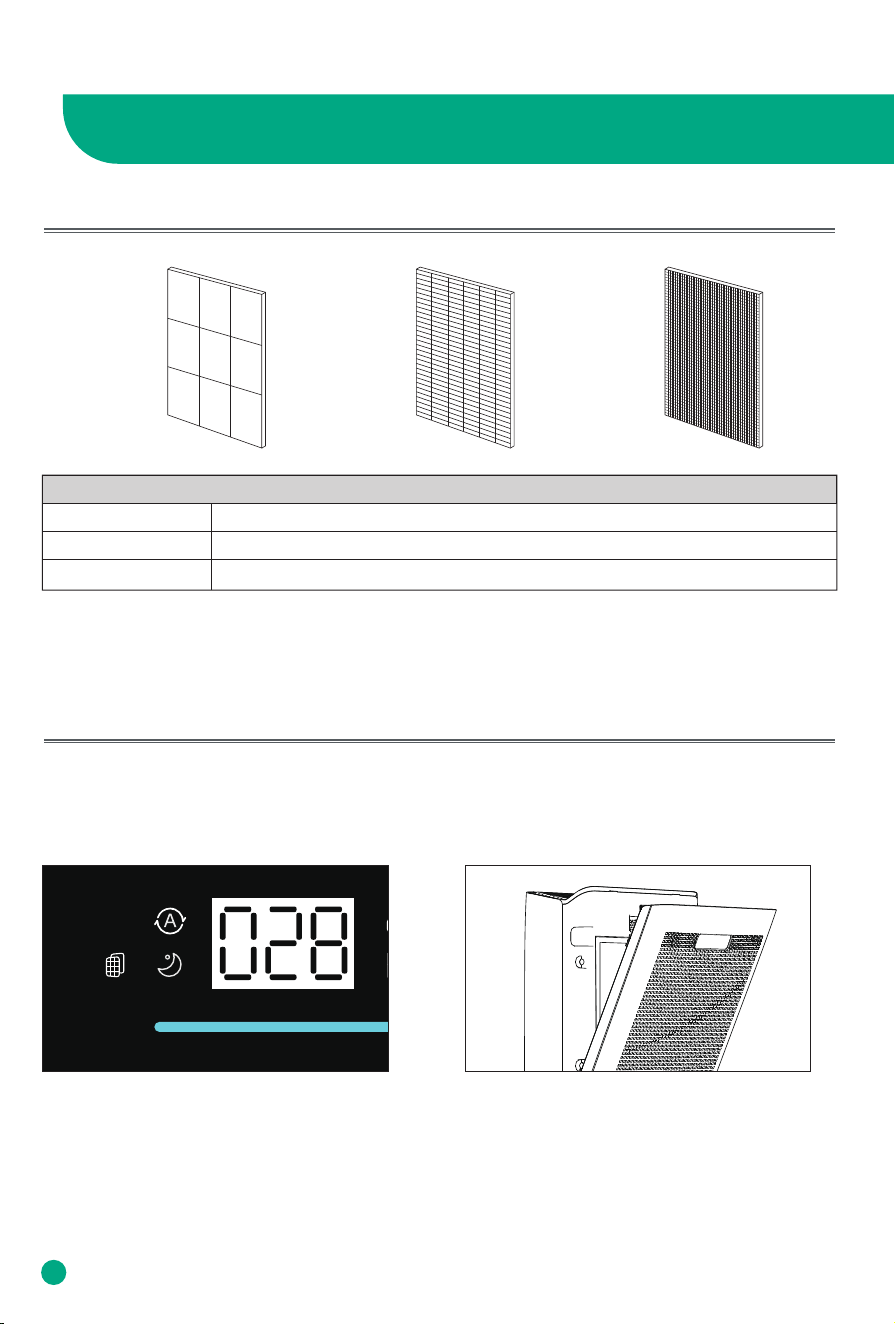
3-Stage Filtration System
Stage 1 Stage 2 Stage 3
The Filter Replacement indicator will blink after 2200 hours use to remind you of checking the filter.
You need to replace with a new filter or clean the filter at least, and then reset the Filter Replace-
ment Indicator.
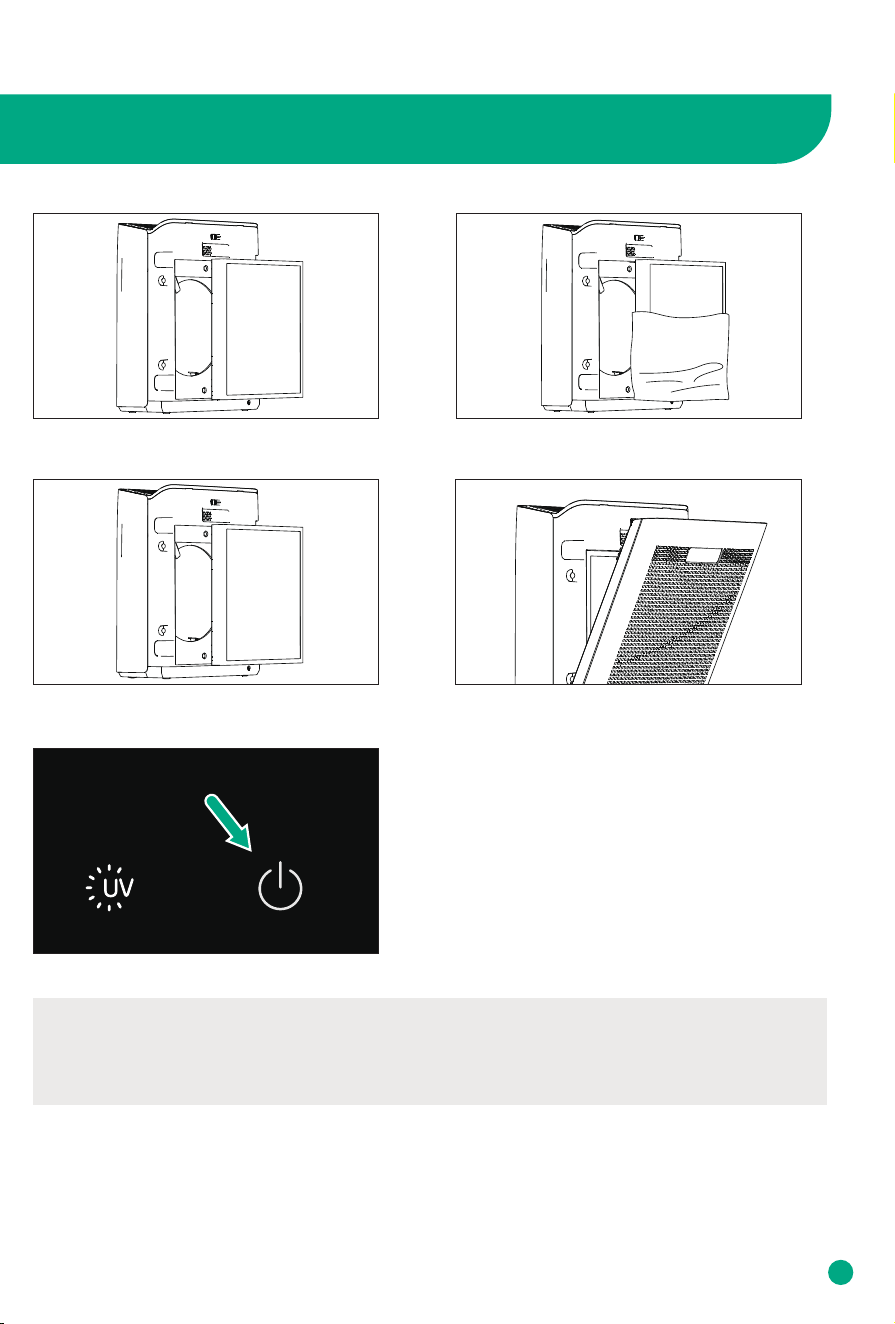
How to Replace Filter
1. The Filter Replacement indicator blinks.
2. Unplug the air purifier, pull both sides of
the back cover to remove it.
ABOUT FILTER
Stage 1 Pre Filter
Stage 2 High-Ecient Filter
Stage 3 Activated Carbon Filter
10
ABOUT FILTER
* Note:
• If the filter was changed before the indicator blinks, please press and hold Fan Speed Button
and Timer Button for 3 seconds to make a manual reset. Otherwise, the life circle of the old filter
is not finished.
• You can clean the pre filter with soft cloth. Do not wash the filter.
7. Plug and Restart the machine, the indicator still blinks
at this time. Press and hold the On/O Button for 7
seconds until the indicator lights o.
3. Take out the old filter. Clean the filter
placement with dry soft cloth if needed.
4. Remove the packaging of the new filter.
5. Install the new filter
6. Close the back cover.
Note: align the bottom slots first.
ABOUT FILTER
11
• Ensure the product is unplugged before maintenance.
• Do not immerse the air purifier into water or any liquid.
• Do not use abrasive, corrosive or flammable cleansers (such as bleach or alcohol) to clean
any part of the unit.
• Do not wash the filter.
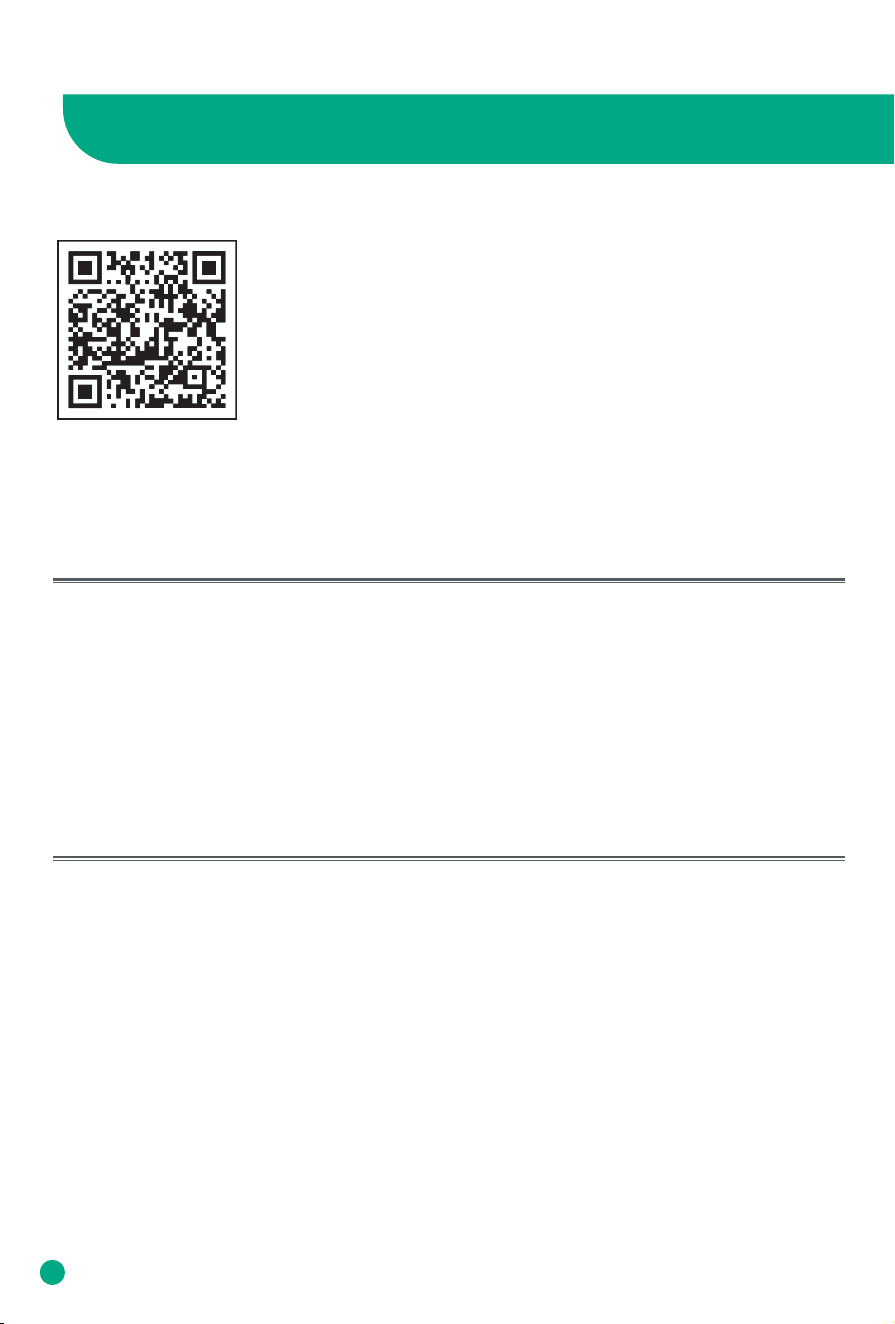
To maintain good performance of your air purifier, only use Afloia ocial
filters. To buy more ocial filter replacements, please search B0CD7CTJF5
on Amazon or scan the QR code.
Maintenance
• Ensure the air purifier is powered-o and unplugged.
• Use a soft cloth to clean dusts or debris on the surface of the air purifier, air inlet, air outlet
and pre filter.
• Place the air purifier in the original box or other suitable places for storage.
• If you do not use it for a long time, please turn on the air purifier for a few minutes from time
to time to ensure a good performance.
Cleaning & Storage
12
CAUTION
Safety Instructions
Introduction
* Please comply with the ‘Caution’ as they are provided to ensure safe and proper use of
the product and prevent accidents and dangerous situations.
Thank you for choosing a device from Afloia.
Intended use
• The device is used exclusively for cleaning the ambient air indoors.
• Please read these operating instructions before using the machine
and please follow the safety instructions.
The operating instructions must be kept available at all times.
Safety instructions
• Keep packing material, such as plastic wrapping, away from
children!
(Risk of suocation)
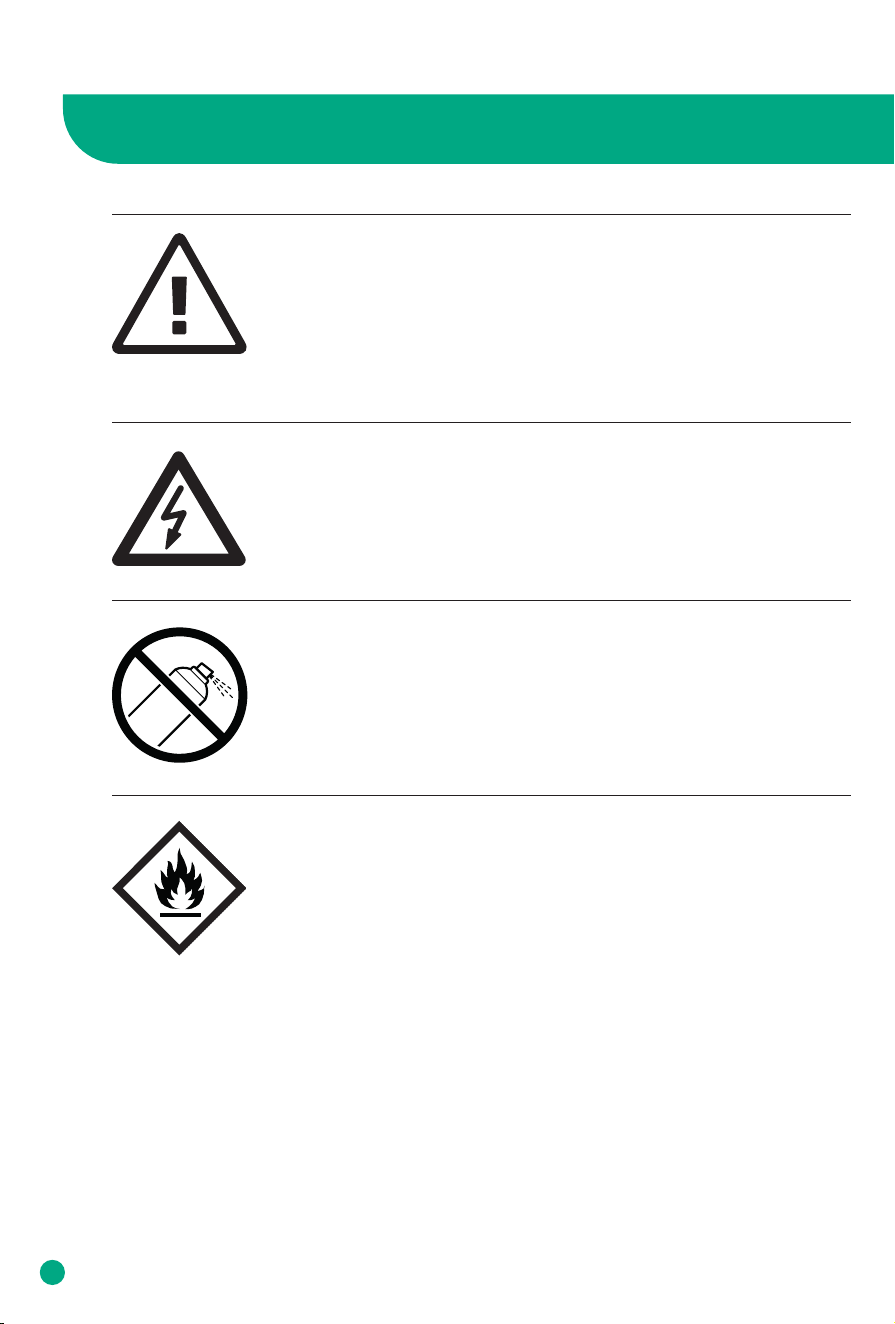
• Please follow the safety instructions to prevent fire or electric shock.
Only use the device indoors.
• Only use a socket that supplies the correct voltage
(see rating plate).
• Do not modify or repair the device.
• Do not use the device if the power cable or mains plug is damaged
or if the connection at the socket is not stable.
• Make sure that the power cable does not get crushed while you are
using the device and that it cannot be damaged in any other way.
Place the cable so that no one will trip over it.
Do not pull the power cable tight.
• Disconnect the plug from the socket for cleaning purposes and
whenever the device is not in use for a significant period of time.
• Do not touch the plug or the device if you have wet hands.
• Do not spray any insect repellent.
• Do not use in rooms where the device may come into contact with
fuel vapour, oil vapour or metal dust.
• Do not use any volatile liquids, petroleum, kerosene, paint thinner or
polishing paste to clean the device. Such liquids may damage the
surface of the device.
• Do not expose the device to rain, water, moisture or high humidity,
and do not set it up in a bathroom or kitchen next to a sink.
• Make sure that no foreign objects get into the outlet grilles.
• Do not use near a naked flame or sparks.
• The device is not suitable for removing harmful gases (carbon
monoxide, e.g. from heating appliances).
• Unless they are supervised, the device must not be used by those(in-
cluding children) with reduced, physical, sensory and mental abilities
or who do not have the required experience and knowledge.
• Do not block the air intake or outlet.
• Do not expose the air purifier to direct sunlight, a naked flame or
heat.
• Only use the air purifier in living quarters and within the specified
technical parameters. Improper usage may pose a threat to life and
health.
• Do not use the device near a smoke detector. Air blowing towards a
smoke detector could delay the alarm or not trigger at all.
Risk of injury due to electric shock.
Always disconnect the mains plug prior to :
• Maintenance and cleaning
• Moving the device
• Changing the filter
• Do not use any spray cans with flammable contents near to the air
purifier!
• Do not use any flammable cleaning agents
CAUTION
13
Safety Instructions
Safety instructions
Caution
Caution
Caution
Note:
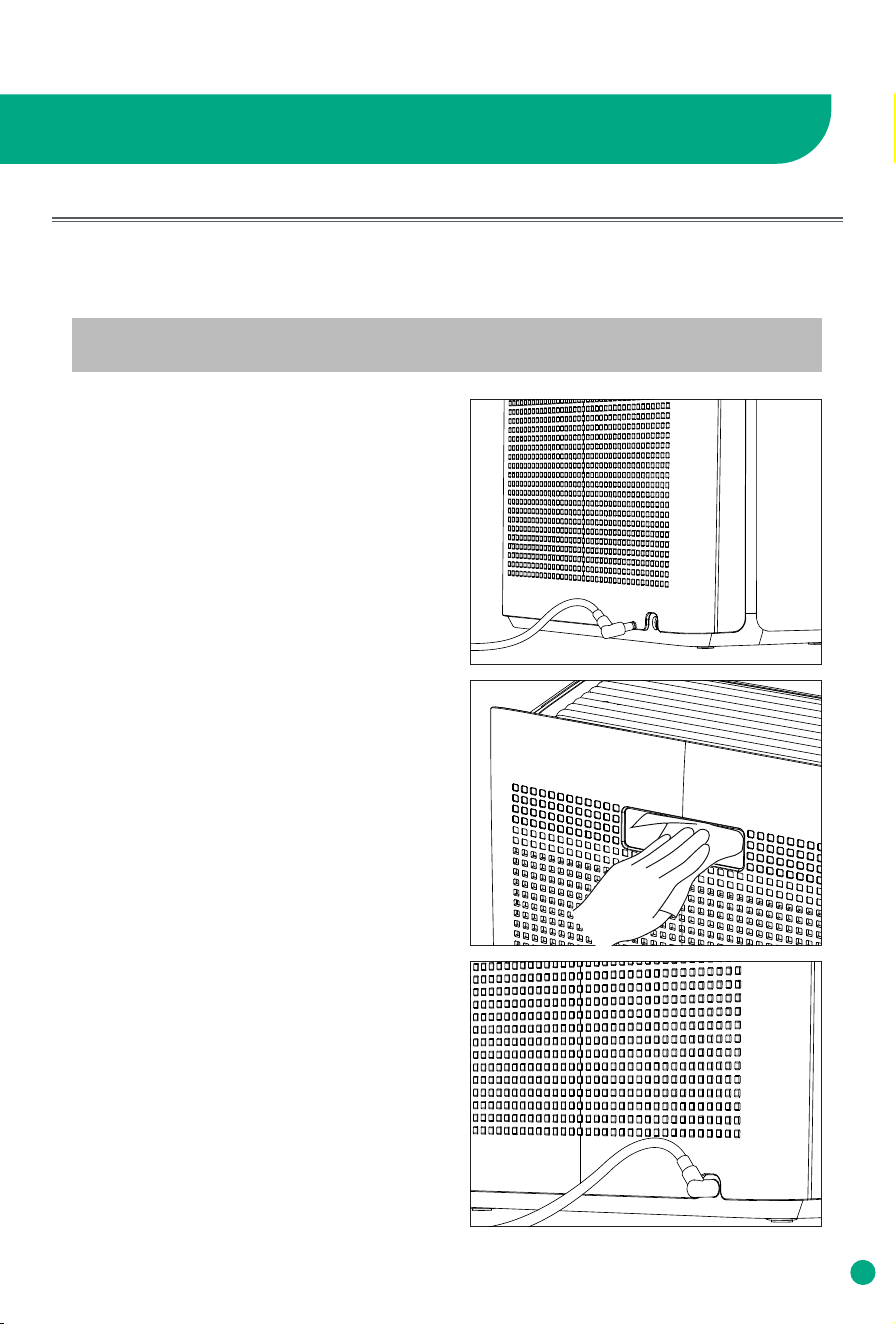
How often you clean the Air Quality Sensor depends on the air quality of your environment.
CAUTION
14
It is recommended to clean the Air Quality Sensor every 1-2 months to help maintain the
sensitivity of the sensor. If the Air Quality Indicator shows red (indicating Bad air quality) more
than usual, you may need to check if the Air Quality Sensor needs to be cleaned.
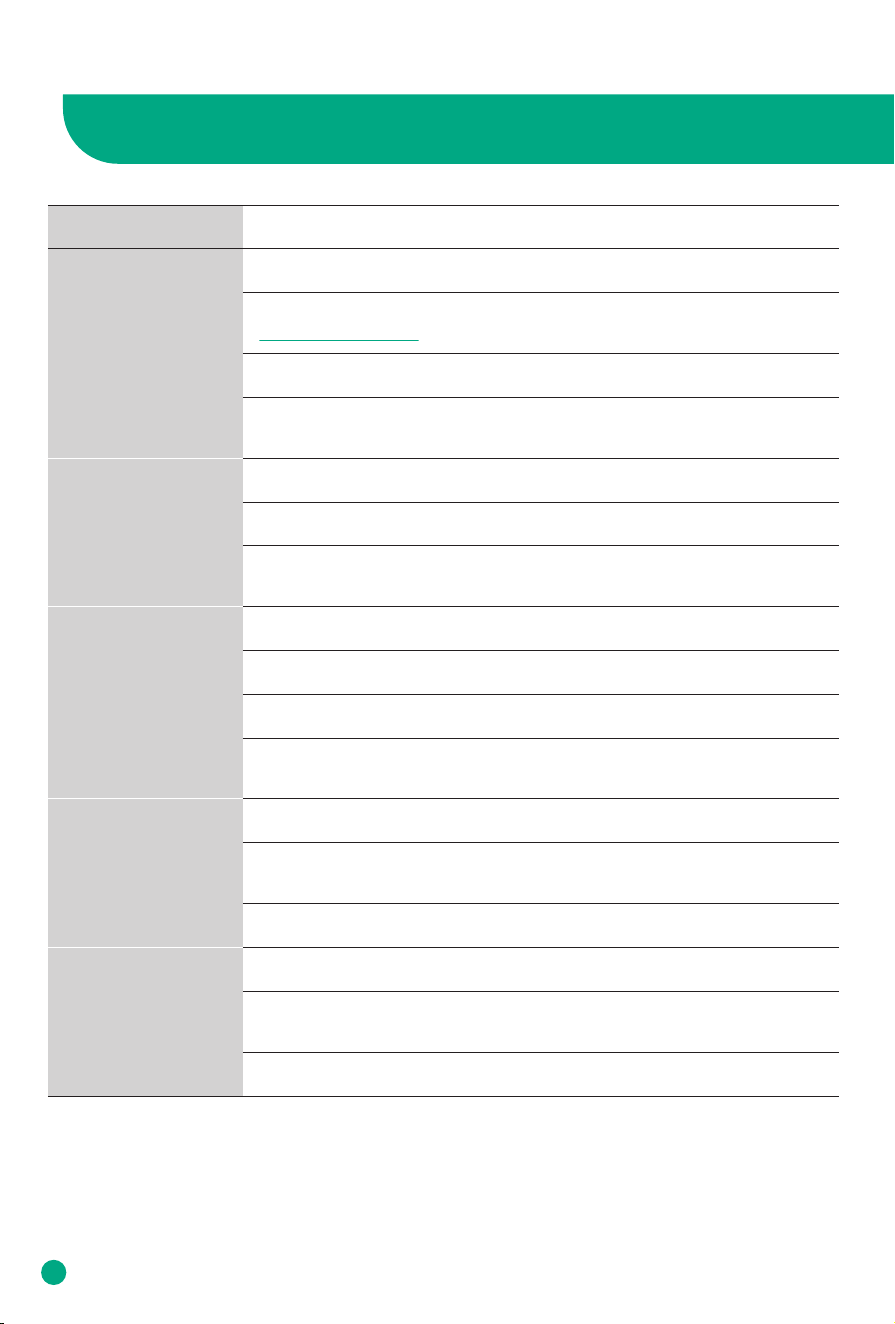
1. Unplug the air purifier.
2. Use a soft wet cloth to wipe up dusts
around the sensor.
3. Plug the air purifier after drying.
Cleaning The Air Quality Sensor
16
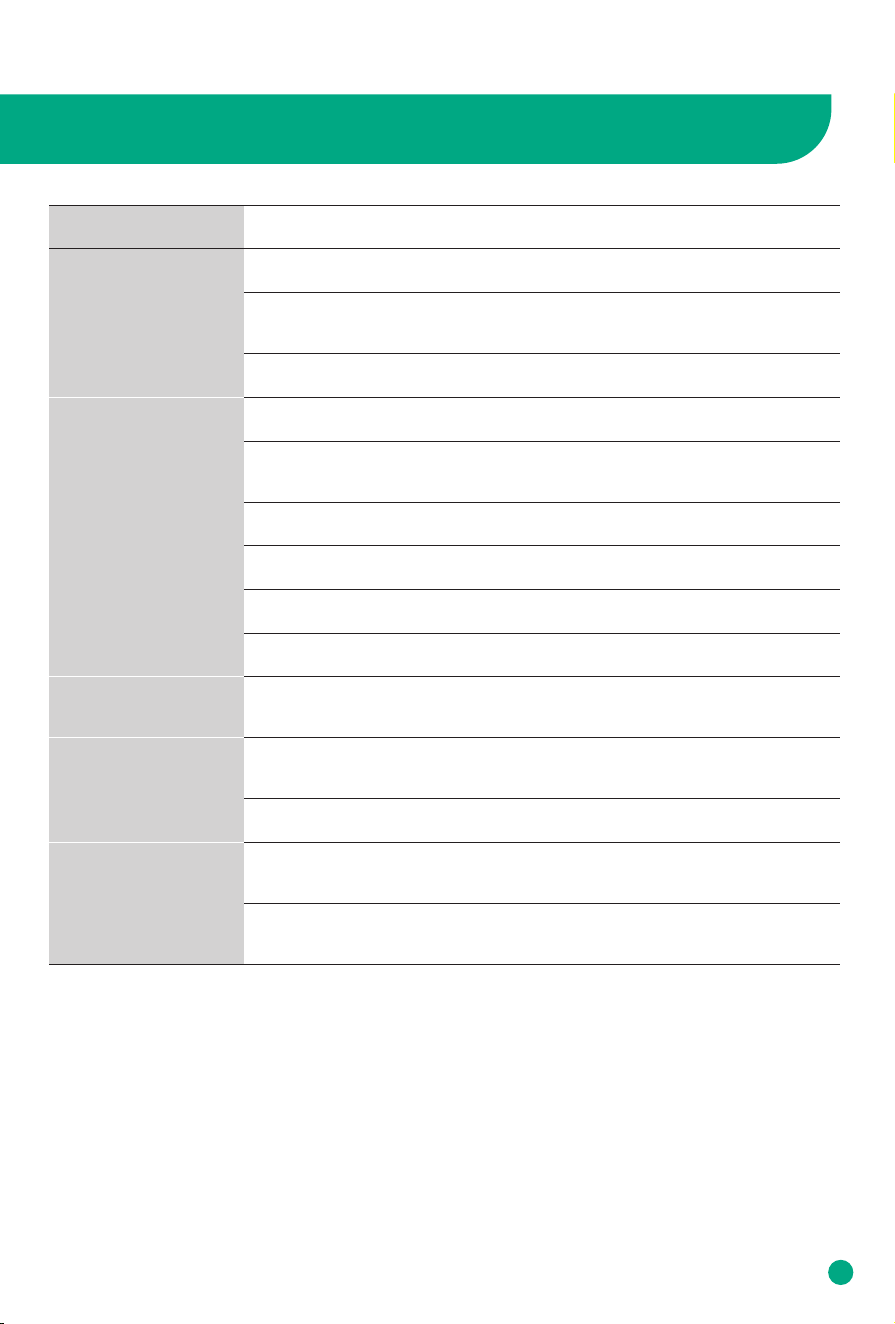
TROUBLESHOOTING
15
The air purifier won’t
work even if I press
On/O button.
Problem
Possible Solutions
No air is blowing out.
The air purifier makes
unusual noises.
Air Quality Indicator
stays blue even when
air quality is poor.
Air Quality Indicator
always stays red.
Plug in the air purifier.
Check if the power cord is damaged, if yes, contact Customer Service:
service@afloia.com
Try other power outlets.
The air purifier is malfunctioning. Unplug the air purifier and contact
Customer Service.
Remove any obstacles from the air inlet.
Check if plastic packaging has been removed from filter.
Check if the fan works, if not, unplug the purifier and contact Customer
Service.
Remove the plastic bag of the filter and install it properly.
Place the air purifier on a flat and stable surface.
Clean or replace the filter.
The air purifier is malfunctioning. Unplug the air purifier and contact
Customer Service.
Clean Air Quality Sensor (above the air inlet).
Make sure it is not gases that makes poor air quality. The Air Quality
Sensor detects PM 2.5, it will not detects gases.
Keep the air inlet at least 30cm away from around.
Clean Air Quality Sensor (please see P14).
Do not use humidifiers at the same time. That might aect the accuracy
of Air Quality Sensor.
Keep the air inlet at least 30cm away from around.
16
TROUBLESHOOTING
Problem
Possible Solutions
The air purifier does
not purify the area
well.
The air purifier turns
o randomly.
Replaced the filter
but Filter Replace-
ment Indicator still
blinks.
All buttons and
indicators blinks and
do not respond to
operation.
Change to a higher fan speed.
Keep the air inlet at least 30cm away from around. Make sure nothing in
front of the air inlet or on the air oulet.
Keep windows and doors closed while the air purifier is on.
Make sure the filter without packaging.
Clean the filter, or replace it if needed.
It will take a longer time to purify if the area is larger than suggested.
Restart the machine, press and hold On/O Button until the indicator
stops blinking.
If reset failed, contact Customer Service.
Check if the child lock is on, if yes, press and hold the UV Light Button
for 3 seconds to turn o.
The air purifier is malfunctioning. Unplug the air purifier and contact
Customer Service.
The air purifier is malfunctioning. Unplug the air purifier and
contact Customer Service.
The air purifier gives
out strange smell.
Clean the filter, or replace it if needed.
Do not use the air purifier in areas with high humidity or while cooking
or using essential oil diusers.
Unplug the air purifier and contact Customer Service.
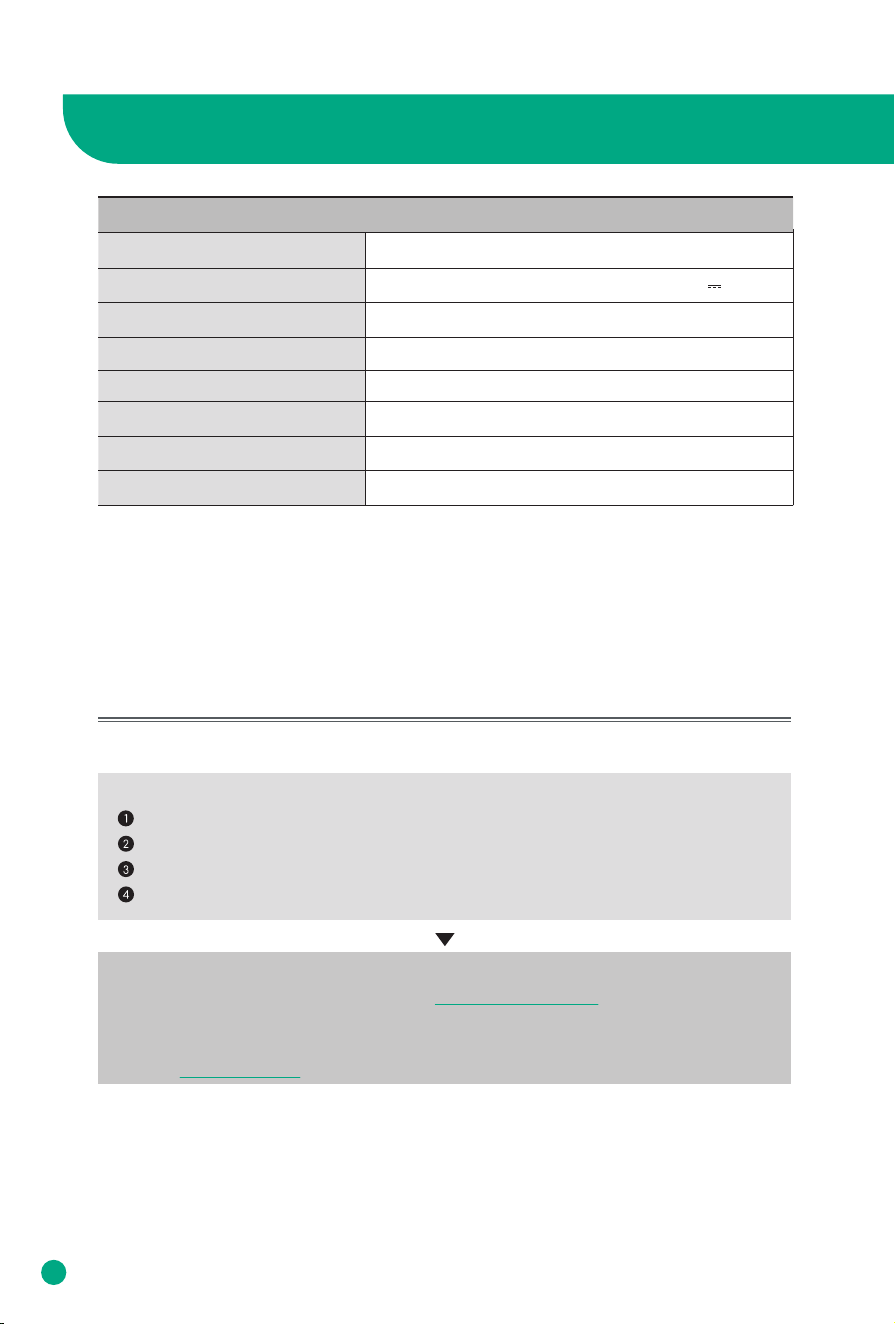
Europa
Input: 100-240V 50/60Hz Output: 24V 1.5A
32W
Mechanical dust collecting method
D12.4 x W6.2 x H15.6 inch / D316 x W158 x H398 mm
8.15 lbs / 3.7kg
For indoors
PRODUCT SPECIFICATIONS
Category Air Purifier
Inquiry about Malfunction
Model
Power Supply
Rated Power Input
280m³/h
CADR(Clean Air Delivery Rate)*
Dust Collecting Method
Product Size
Product Weight
Place for Use
1.The information (exterior, design, and specifications) provided in this User Manual is
subject to change without prior notice to improve the quality of the device.
2.Room coverage** based on the Air Change Per Hour or ACPH which is how many times
per hour the air in your room will be fully purified.
Product parts may wear out due to heat, moisture, dust and other causes over time,
which may cause malfunction of the product.
In the case that
Please stop using the product.
Please unplug the product and contact service@afloia.com
Warranty
For questions about our warranty or to look at our other products, please visit our
website: www.afloia.com
Something other than the symptoms coming under "Troubleshooting".
You can feel electricity when you touch the product with your hands.
The power is supplied, but the fan does not work.
Other malfunctions occur.
16
17

We provide satisfying consultation and services concerning your complaints, suggestions, and
recommendations upon receiving your troubled product model name, status, and contact
information.
·After reading this manual, keep it in a place easily accessible to the user for future reference.
·Caution : Please read this manual carefully to ensure safety and a longer product lifespan.
www.afloia.com service@afloia.com
AIR PURIFIER EUROPA
USER MANUAL
Europa USA-SMS-20230802-V01