
One Raven Home Server
User Manual
Model: OR-HS100
FCC ID: 2BXG8-OR-HS100
One Raven, Inc.
Release 0.1 --- Draft for FCC certication testing
Bracketed [TBD: ...] items are placeholders pending nal hardware and ling information.

CONTENTS
1 Introduction 1
1.1 Package contents . . . . . . . . . . . . . . . . . . . . . . . . . . . . . . . . . . . . . . . . 2
1.2 Product overview . . . . . . . . . . . . . . . . . . . . . . . . . . . . . . . . . . . . . . . . 2
2 Important Safety Information 3
2.1 General . . . . . . . . . . . . . . . . . . . . . . . . . . . . . . . . . . . . . . . . . . . . . 3
2.2 Ventilation . . . . . . . . . . . . . . . . . . . . . . . . . . . . . . . . . . . . . . . . . . . 3
2.3 Radio frequency . . . . . . . . . . . . . . . . . . . . . . . . . . . . . . . . . . . . . . . . 3
3 Getting Started 5
3.1 Choose a location . . . . . . . . . . . . . . . . . . . . . . . . . . . . . . . . . . . . . . . . 5
3.2 Mount the Home Server . . . . . . . . . . . . . . . . . . . . . . . . . . . . . . . . . . . . 5
3.3 Power on . . . . . . . . . . . . . . . . . . . . . . . . . . . . . . . . . . . . . . . . . . . . 6
3.4 Connect to your network . . . . . . . . . . . . . . . . . . . . . . . . . . . . . . . . . . . . 6
3.5 Set up with the One Raven app . . . . . . . . . . . . . . . . . . . . . . . . . . . . . . . . . 7
4 Operation 9
4.1 Touchscreen . . . . . . . . . . . . . . . . . . . . . . . . . . . . . . . . . . . . . . . . . . 9
4.2 Adding smart home accessories . . . . . . . . . . . . . . . . . . . . . . . . . . . . . . . . . 10
4.3 Volume and brightness . . . . . . . . . . . . . . . . . . . . . . . . . . . . . . . . . . . . . 10
4.4 Software updates . . . . . . . . . . . . . . . . . . . . . . . . . . . . . . . . . . . . . . . . 10
4.5 Restarting . . . . . . . . . . . . . . . . . . . . . . . . . . . . . . . . . . . . . . . . . . . . 10
4.6 Troubleshooting . . . . . . . . . . . . . . . . . . . . . . . . . . . . . . . . . . . . . . . . . 10
5 Specications 11
5.1 General . . . . . . . . . . . . . . . . . . . . . . . . . . . . . . . . . . . . . . . . . . . . . 11
5.2 Power . . . . . . . . . . . . . . . . . . . . . . . . . . . . . . . . . . . . . . . . . . . . . . 11
5.3 Wired interfaces . . . . . . . . . . . . . . . . . . . . . . . . . . . . . . . . . . . . . . . . 11
5.4 Radios . . . . . . . . . . . . . . . . . . . . . . . . . . . . . . . . . . . . . . . . . . . . . 12
6 Regulatory Compliance 13
6.1 FCC compliance statement . . . . . . . . . . . . . . . . . . . . . . . . . . . . . . . . . . . 13
6.2 Class B interference statement . . . . . . . . . . . . . . . . . . . . . . . . . . . . . . . . . 13
6.3 RF exposure statement . . . . . . . . . . . . . . . . . . . . . . . . . . . . . . . . . . . . . 14
6.4 Contained transmitter modules . . . . . . . . . . . . . . . . . . . . . . . . . . . . . . . . . 14
i
CHAPTER
ONE
INTRODUCTION
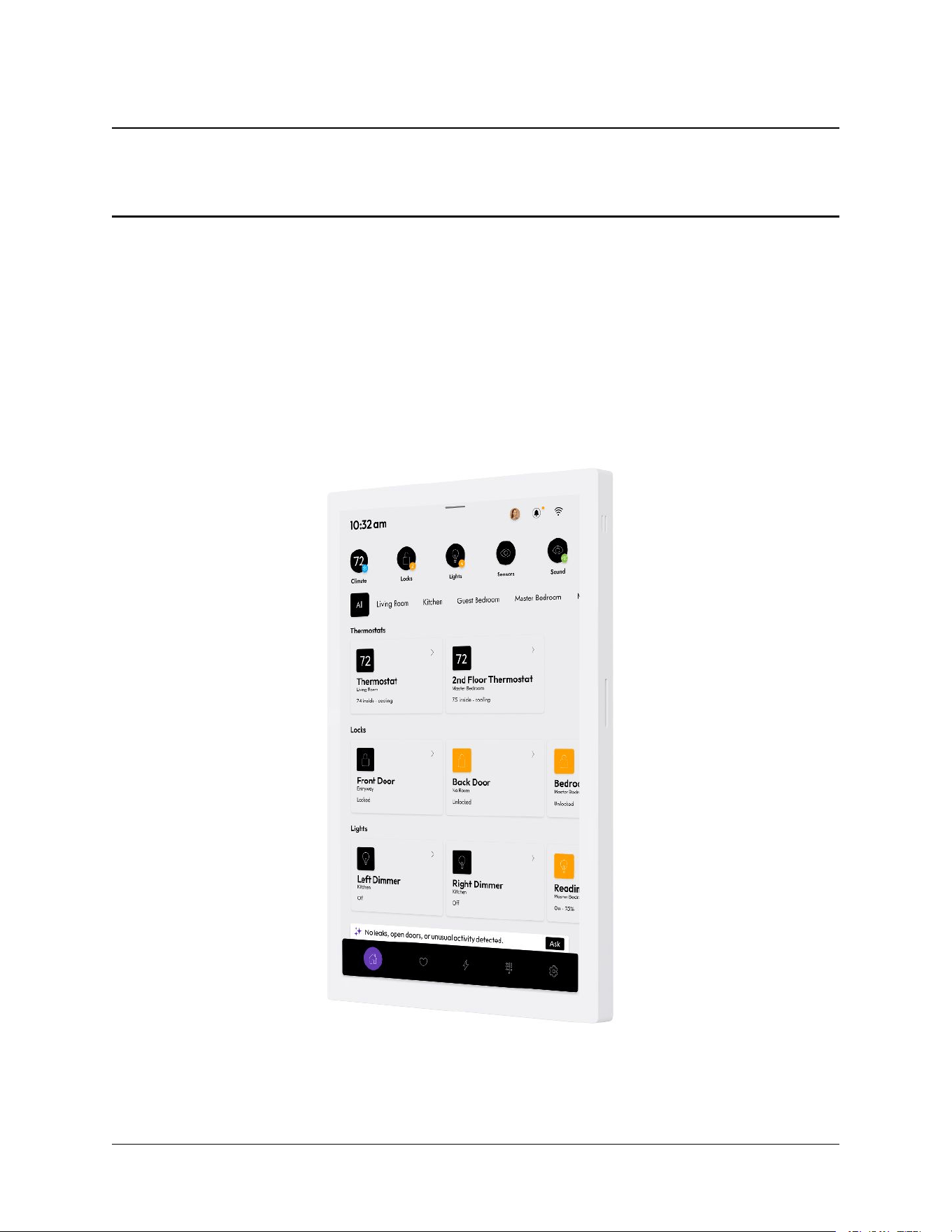
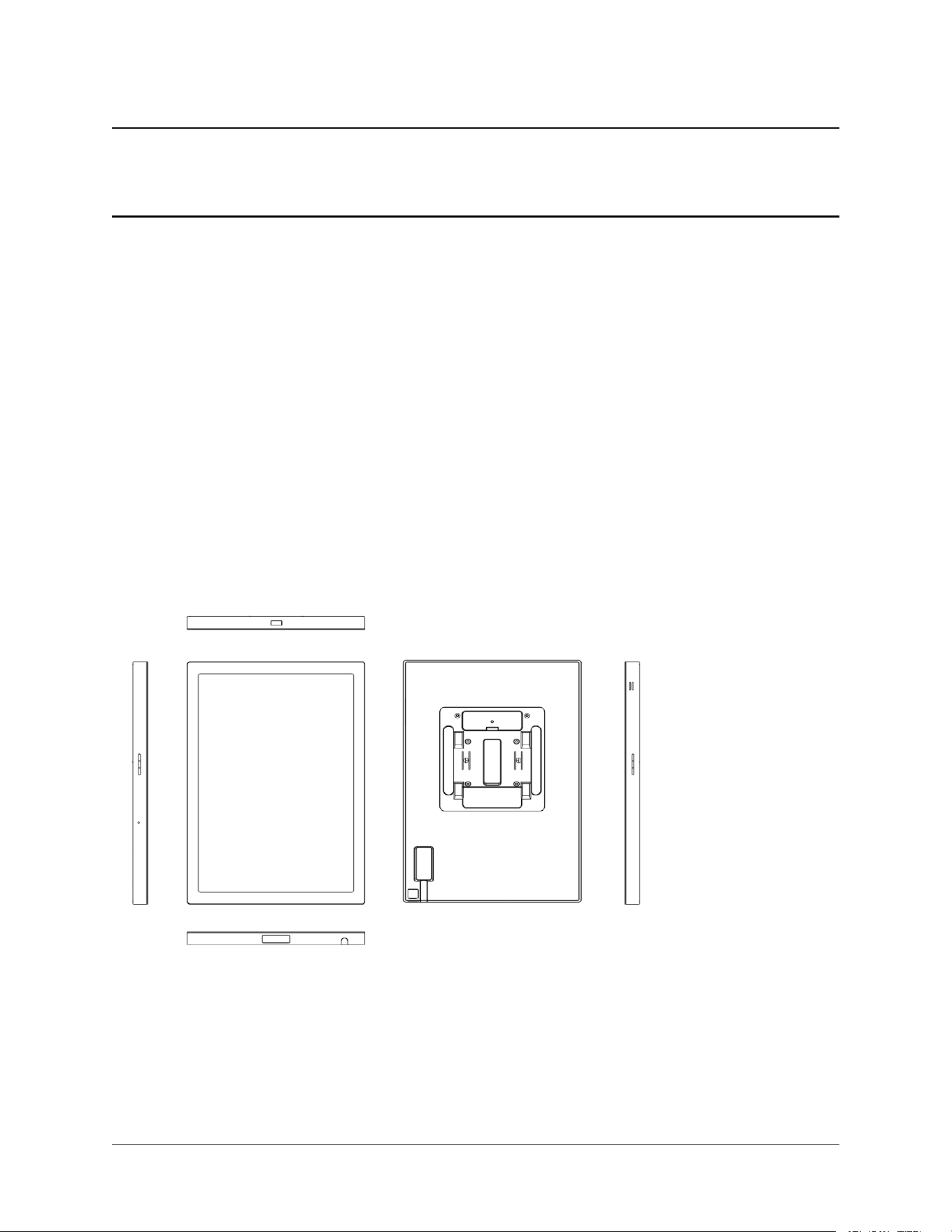
The One Raven Home Server is a wall-mounted smart home controller for residential use. It connects to your
home network over Wi-Fi, acts as a Thread border router for compatible smart home accessories, and includes
a cellular modem for backup connectivity. A built-in touchscreen provides local control of your home.
1
One Raven Home Server User Manual, Release 0.1 (FCC test draft)
1.1 Package contents
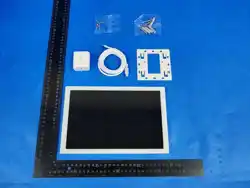
• One Raven Home Server
• USB-C power adapter ([TBD: adapter model, output rating])
• USB-C power cable
• Wall-mounting bracket and hardware
• Quick start guide
1.2 Product overview
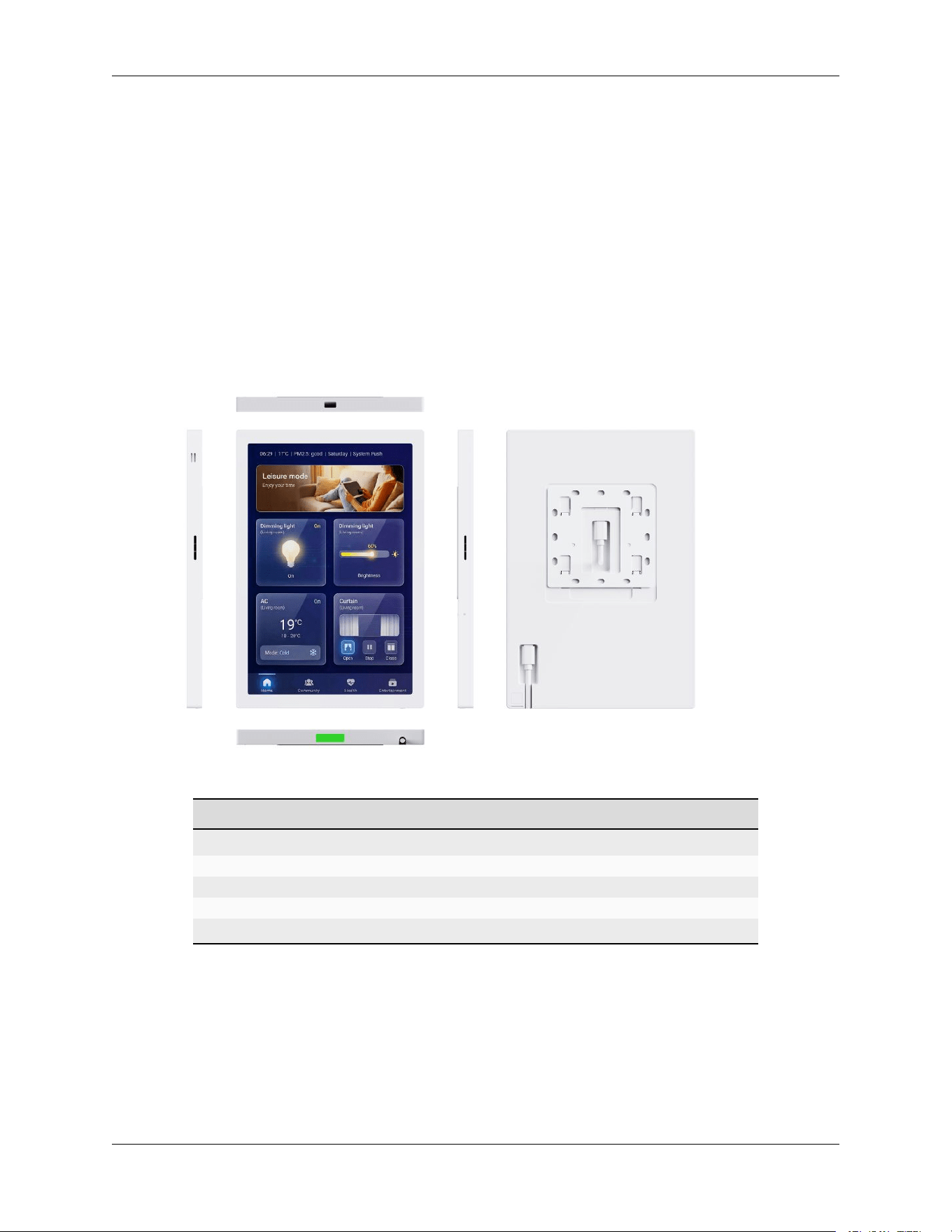
Feature Description
Touchscreen display Built-in portrait touchscreen (1200 × 1920)
USB-C (main) Power input (USB Power Delivery)
USB-C (debug) Service use only
Speaker and microphone Built-in audio
Status LED Indicates power and network state [TBD: LED legend]
The Home Server has no power button. It powers on automatically when connected to power and is designed
to remain powered at all times.
2 Chapter 1. Introduction

CHAPTER
TWO
IMPORTANT SAFETY INFORMATION
Read all safety information before installing or using the One Raven Home Server.
2.1 General
• Use only the supplied USB-C power adapter, or a USB Power Delivery adapter rated for at least 9 V /
2.22 A (19.98 W).
• Install indoors only. Do not expose the device to rain, moisture, or liquids of any kind.
• Do not install near heat sources or in direct sunlight.
• Do not open the enclosure. There are no user-serviceable parts inside. Refer all servicing to qualied
service personnel.
• Do not use the device if the enclosure, cable, or power adapter is damaged.
• Mount the device securely using the supplied wall-mounting bracket and hardware appropriate to your
wall construction.
• Clean only with a dry cloth. Disconnect power before cleaning.
2.2 Ventilation
Install the device with clearance on all sides per the mounting instructions. Do not cover the device or install it
inside an enclosed cabinet.
2.3 Radio frequency
This device contains radio transmitters. To satisfy RF exposure requirements, install and operate the device
with a minimum distance of 20 cm (8 inches) between the device and any person. See Regulatory Compliance
for full compliance information.
3
CHAPTER
THREE
GETTING STARTED
3.1 Choose a location
Install the Home Server on an interior wall:
• within reach of a power outlet;
• with at least 20 cm (8 inches) between the device and where people normally sit or stand (see Important
Safety Information
);
• away from large metal surfaces, which can degrade wireless performance.
3.2 Mount the Home Server
1. Attach the mounting bracket to the wall using hardware appropriate to your wall construction ([TBD:
bracket instructions — anchors, screw spec, height recommendation]).
2. Route the USB-C power cable to the bracket.
3. Connect the cable to the Home Server, then seat the Home Server on the bracket until it clicks into place.
4
One Raven Home Server User Manual, Release 0.1 (FCC test draft)
3.3 Power on
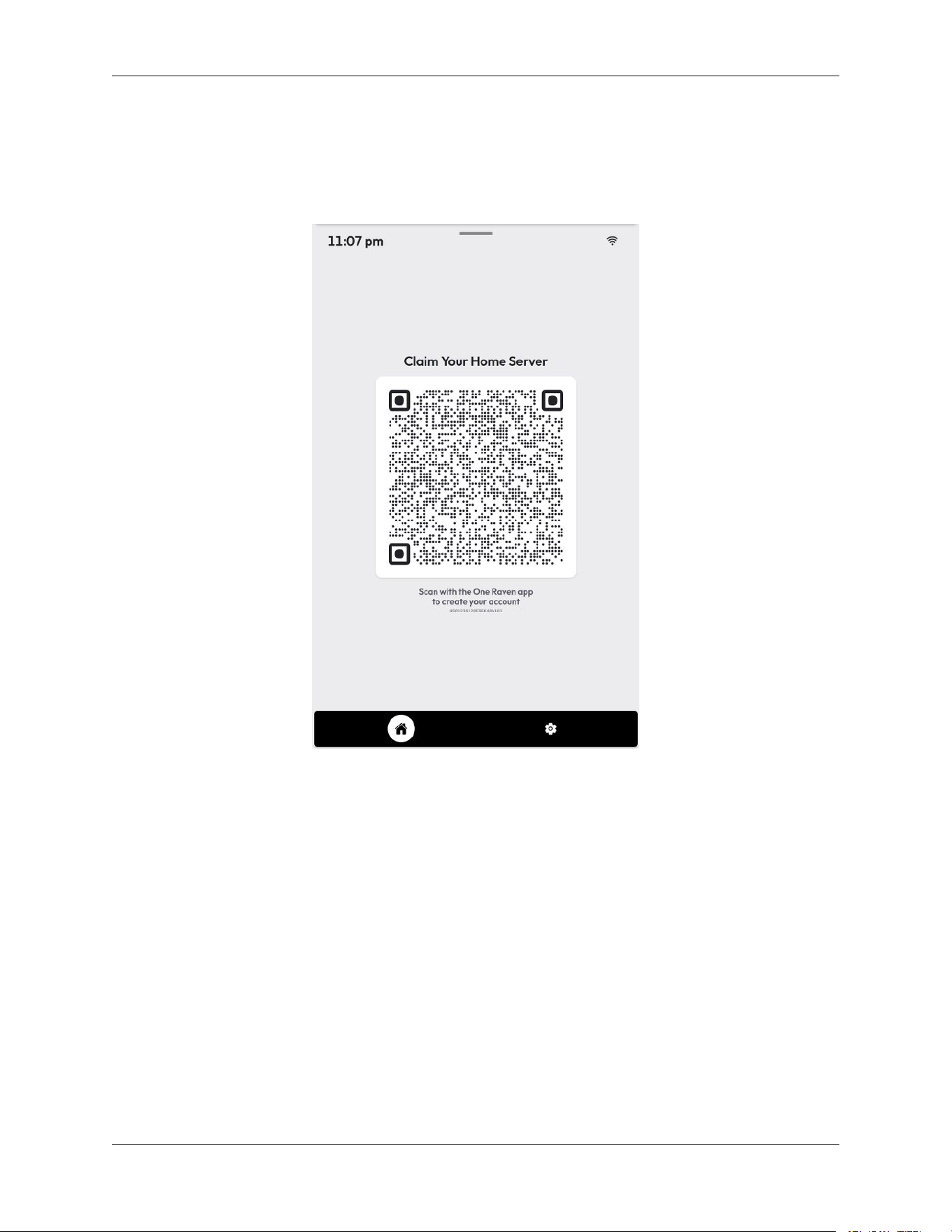
Connect the supplied power adapter to a wall outlet and connect the USB-C cable to the Home Server’s main
USB-C port. The Home Server powers on automatically; the display shows the startup screen within about a
minute.
3.4 Connect to your network
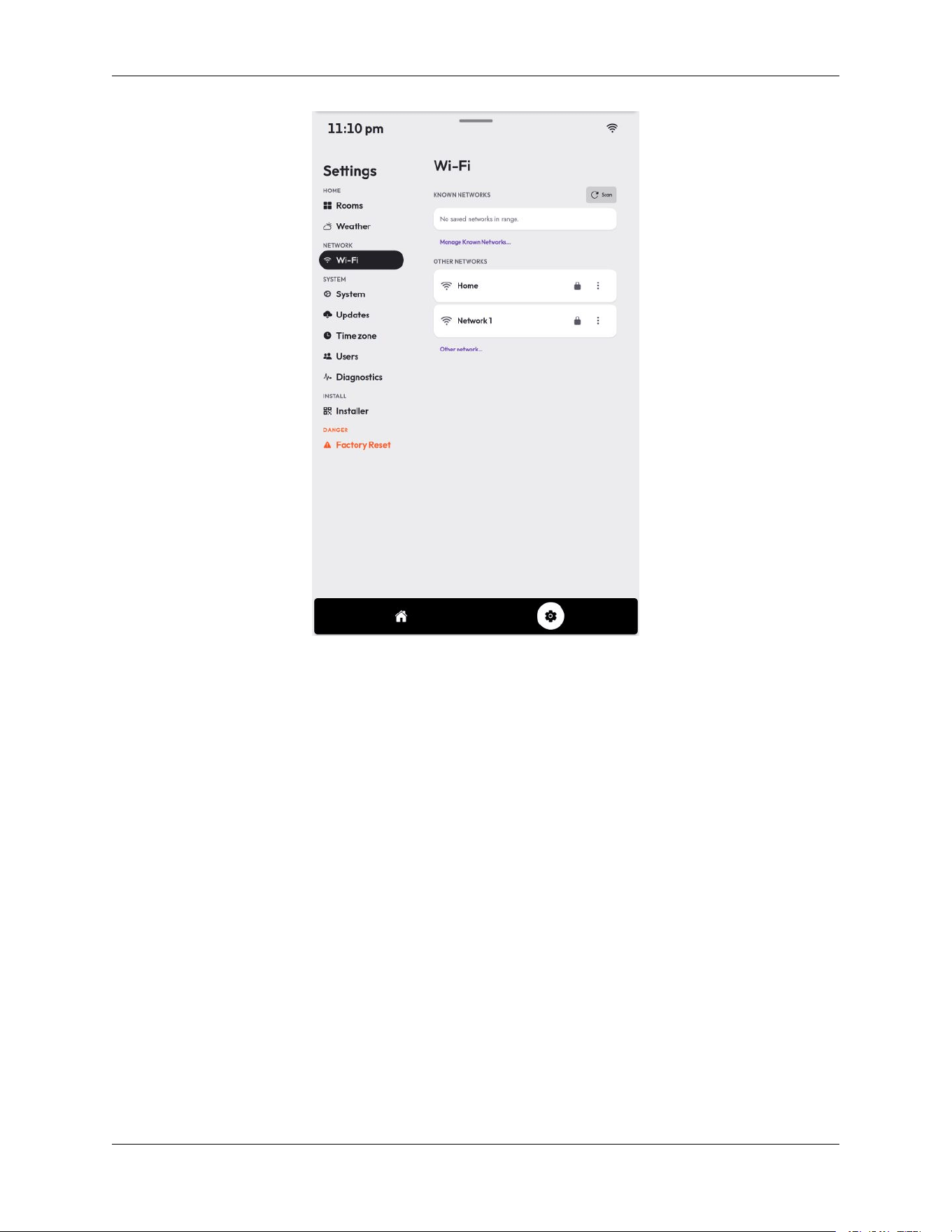
Wi-Fi. On the Home Server’s touchscreen, follow the on-screen setup to choose your Wi-Fi network and enter
its password. The Home Server supports 2.4 GHz and 5 GHz Wi-Fi networks.
5
Chapter 3. Getting Started
One Raven Home Server User Manual, Release 0.1 (FCC test draft)
Cellular backup. The built-in cellular modem activates automatically as a backup when Wi-Fi is unavailable.
No conguration is needed.
3.5 Set up with the One Raven app
Download the One Raven app on your phone and follow the in-app instructions to add the Home Server to your
home. The app discovers the Home Server on your local network and walks you through account linking and
accessory setup.
3.5. Set up with the One Raven app
6
CHAPTER
FOUR
OPERATION
4.1 Touchscreen
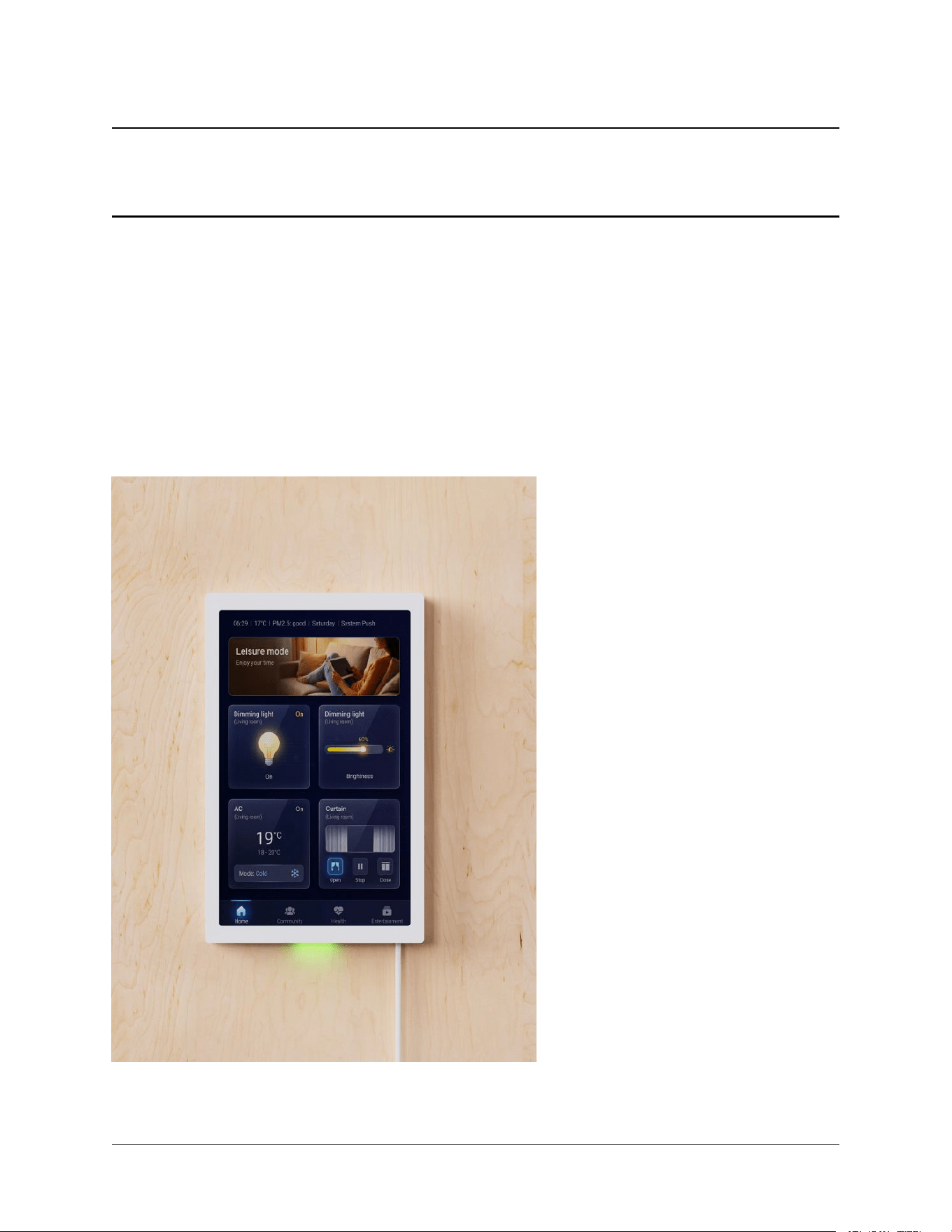
The Home Server’s touchscreen shows your home’s status and provides controls for connected accessories. Tap
a tile to control an accessory; swipe to move between screens.
8
One Raven Home Server User Manual, Release 0.1 (FCC test draft)
4.2 Adding smart home accessories
The Home Server acts as a Thread border router. Thread-compatible accessories join the Home Server’s Thread
network during setup in the One Raven app. The Thread radio operates in the 2.4 GHz band (IEEE 802.15.4).
4.3 Volume and brightness
Adjust speaker volume and display brightness from the on-screen quick controls. The display also dims auto-
matically based on ambient light.
4.4 Software updates
The Home Server keeps itself up to date automatically. During an update the screen may be briey unavailable;
do not disconnect power while an update is in progress.
4.5 Restarting
The Home Server has no power button. To restart it, disconnect the USB-C power cable, wait ve seconds, and
reconnect it.
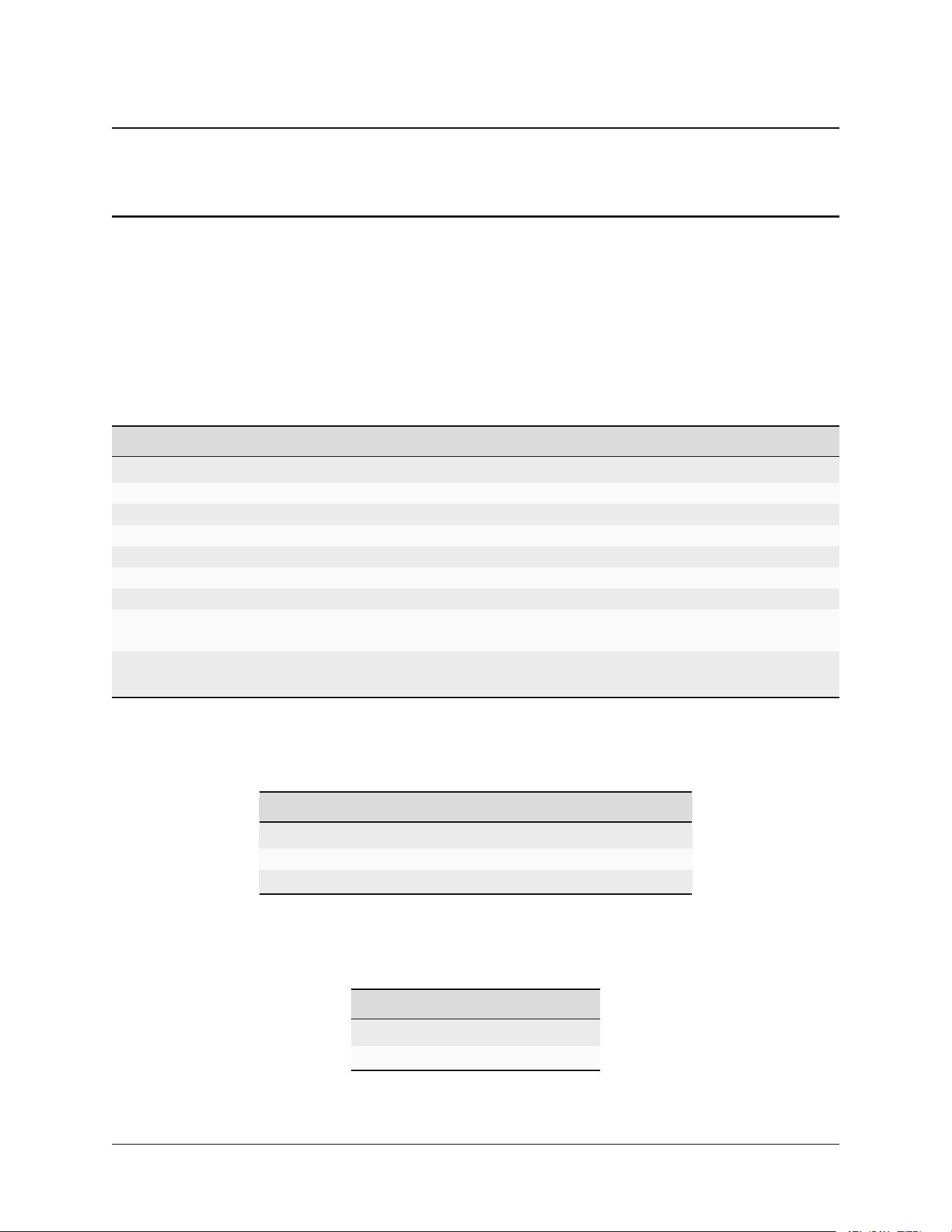
4.6 Troubleshooting
Problem What to try
Screen is blank Check that the power adapter is connected and the outlet works. Restart the Home
Server.
Server is oine in the
app
Check your router. Move the Home Server closer to your Wi-Fi access point.
Accessory won’t con-
nect
Move the accessory closer to the Home Server during setup, then return it to its
nal location.
9
Chapter 4. Operation
CHAPTER
FIVE
SPECIFICATIONS
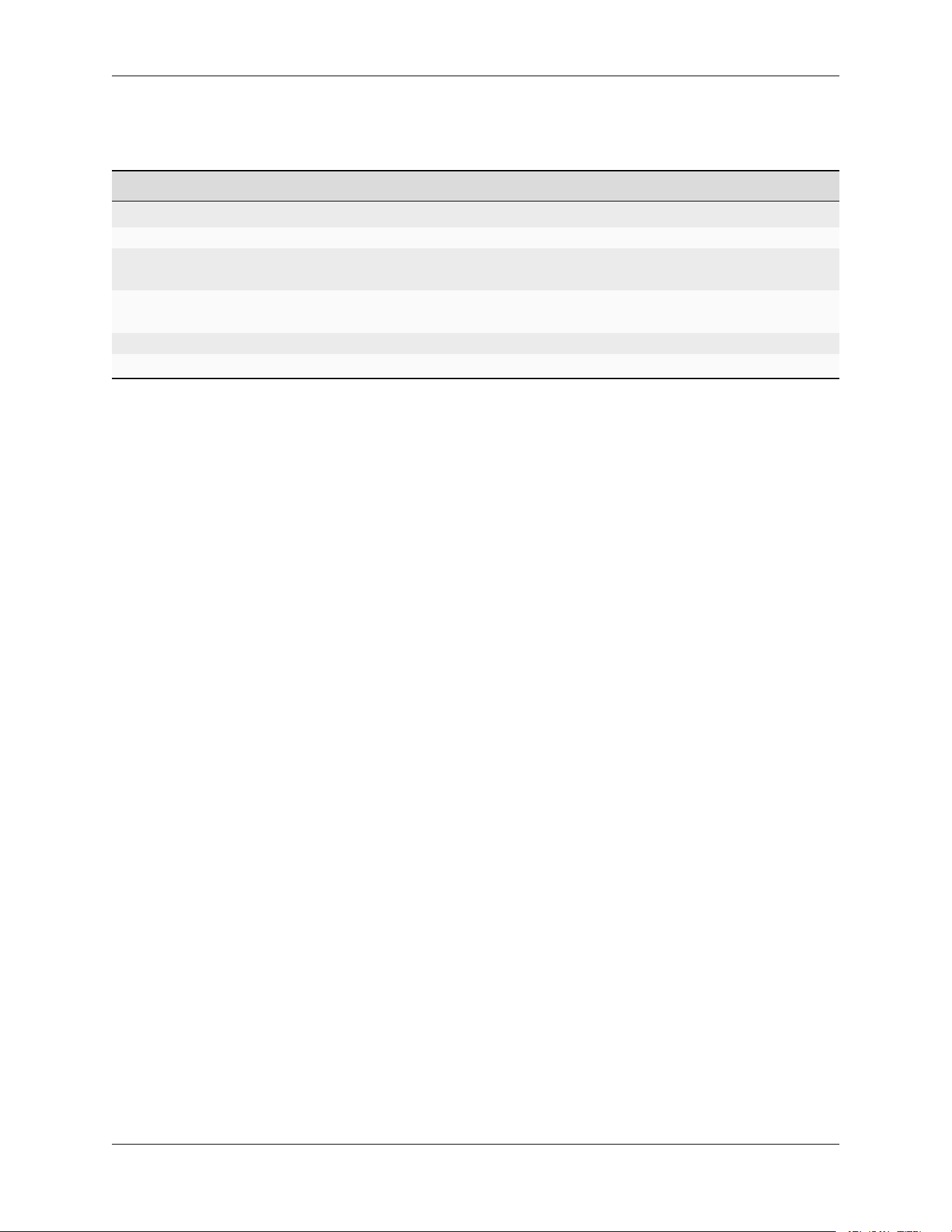
5.1 General
Item Specication
Product name One Raven Home Server
Model OR-HS100
Dimensions 264mm × 170mm × 15mm
Weight [TBD: g]
Mounting Wall-mounted (bracket included)
Display Built-in portrait touchscreen, 1200 × 1920
Audio Built-in speaker and microphone
Sensors Ambient light/proximity, temperature/humidity, 24GHz mmWave radar occu-
pancy/motion
Operating tempera-
ture
0-70 °C (indoor use only)
5.2 Power
Item Specication
Power input USB-C, USB Power Delivery
Required PD contract 9 V DC, 2.25 A minimum (19.98 W)
Power adapter [TBD: adapter model and rating]
5.3 Wired interfaces
Item Specication
USB-C (main) Power input
USB-C (debug) Service use only
10
One Raven Home Server User Manual, Release 0.1 (FCC test draft)
5.4 Radios
Radio Specication
Wi-Fi SKI.WB800D80S.1, 2.4 GHz / 5 GHz IEEE 802.11 a/b/g/n/ac/ax
Bluetooth SKI.WB800D80S.1 combo radio Bluetooth 2.1 +EDR/3.0/4.x/5.2/5.3
Thread (IEEE
802.15.4)
Quectel KGM133S module (Silicon Labs EFR32MG24), 2.4 GHz band, channels 11–26
(2405–2480 MHz), O-QPSK, 250 kb/s [TBD: max TX power]
mmWave
radar
MoreSense MS24-36507F, 24~24.25 GHz
Cellular Quectel EG800Q, LTE Cat 1 bis [TBD: LTE bands for the target SKU]
Antennas [TBD: count, type, gain per radio; integral — no user-accessible antenna connectors]
11 Chapter 5. Specications
CHAPTER
SIX
REGULATORY COMPLIANCE
6.1 FCC compliance statement
This device complies with Part 15 of the FCC Rules. Operation is subject to the following two conditions:
(1) this device may not cause harmful interference, and (2) this device must accept any interference received,
including interference that may cause undesired operation.
Á Warning
Changes or modications not expressly approved by One Raven, Inc. could void the user’s authority to
operate the equipment.
6.2 Class B interference statement
® Note
This equipment has been tested and found to comply with the limits for a Class B digital device, pursuant
to Part 15 of the FCC Rules. These limits are designed to provide reasonable protection against harmful
interference in a residential installation. This equipment generates, uses and can radiate radio frequency
energy and, if not installed and used in accordance with the instructions, may cause harmful interference
to radio communications. However, there is no guarantee that interference will not occur in a particular
installation. If this equipment does cause harmful interference to radio or television reception, which can
be determined by turning the equipment o and on, the user is encouraged to try to correct the interference
by one or more of the following measures:
• Reorient or relocate the receiving antenna.
• Increase the separation between the equipment and receiver.
• Connect the equipment into an outlet on a circuit dierent from that to which the receiver is connected.
• Consult the dealer or an experienced radio/TV technician for help.
12
One Raven Home Server User Manual, Release 0.1 (FCC test draft)
6.3 RF exposure statement
This equipment complies with FCC radiation exposure limits set forth for an uncontrolled environment. This
equipment should be installed and operated with a minimum distance of 20 cm between the radiator and
any person. This transmitter must not be co-located or operating in conjunction with any other antenna or
transmitter, except as authorized in the equipment’s FCC grant.
6.4 Contained transmitter modules
This product contains the following separately authorized transmitter module(s):
Module FCC ID
Quectel KGM133S (Thread) XMR2026KGM133SP
13 Chapter 6. Regulatory Compliance

FCC Caution.
This device complies with part 15 of the FCC Rules. Operation is subject to the following two
conditions:
(1) This device may not cause harmful interference, and
(2) this device must accept any interference received, including interference that may cause
undesired operation.
Any Changes or modifications not expressly approved by the party responsible for compliance
could void the user's authority to operate the equipment.
Note: This equipment has been tested and found to comply with the limits for a Class B digital
device, pursuant to part 15 of the FCC Rules. These limits are designed to provide reasonable
protection against harmful interference in a residential installation. This equipment generates
uses and can radiate radio frequency energy and, if not installed and used in accordance with the
instructions, may cause harmful interference to radio communications. However, there is no
guarantee that interference will not occur in a particular installation. If this equipment does
cause harmful interference to radio or television reception, which can be determined by turning
the equipment off and on, the user is encouraged to try to correct the interference by one or
more of the following measures:
-Reorient or relocate the receiving antenna.
-Increase the separation between the equipment and receiver.
-Connect the equipment into an outlet on a circuit different from that to which the receiver is
connected.
-Consult the dealer or an experienced radio/TV technician for help.
FCC Radiation Exposure Statement:
This equipment complies with FCC radiation exposure limits set forth for an uncontrolled
environment. This equipment should be installed and operated with minimum distance 20 cm
between the radiator & your body.
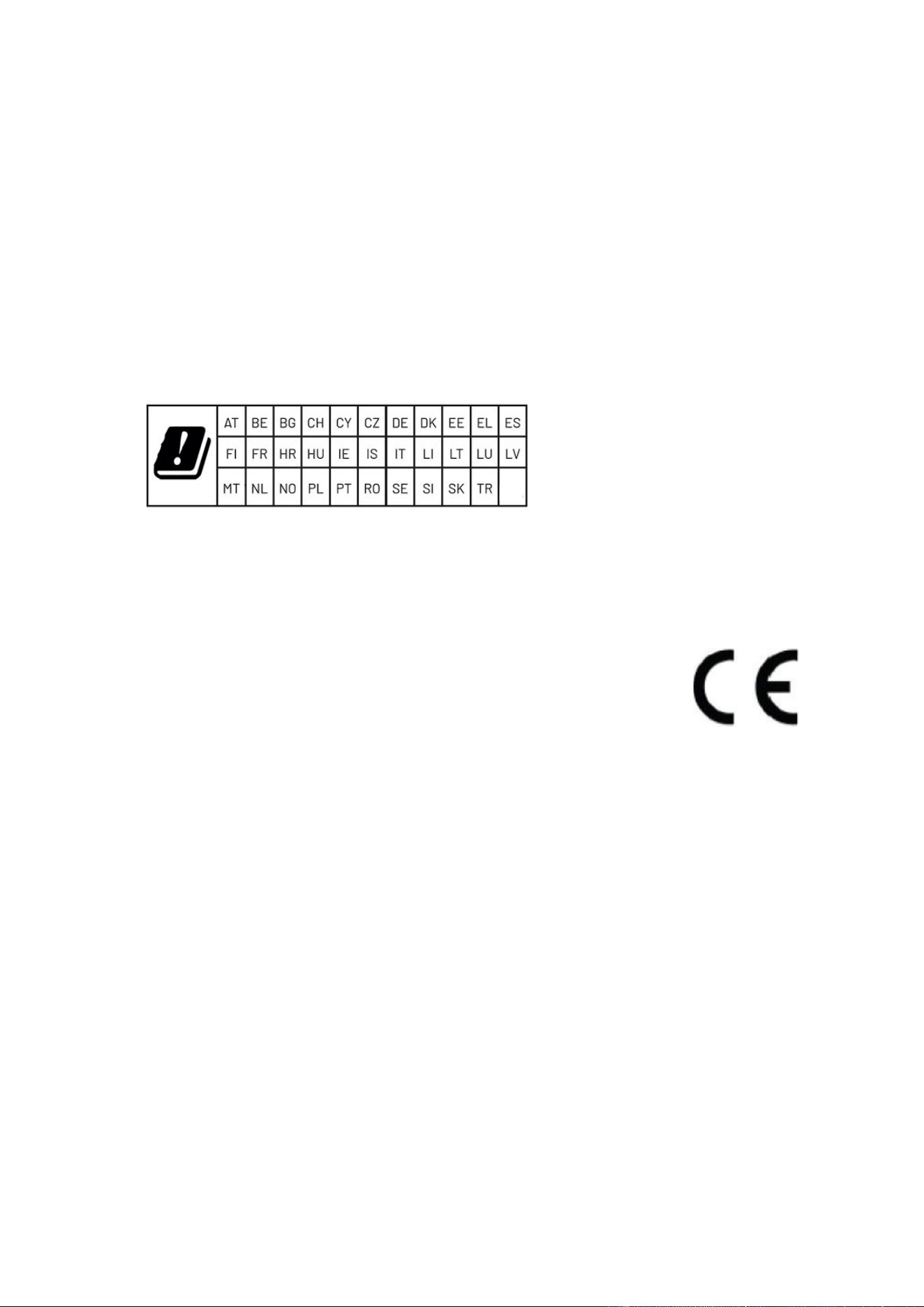
CE Maintenance
1.The product shall only be connected to a USB interface of version Type-C.
2.Adapter shall be installed near the equipment and shall be easily accessible.
3.EUT Operating temperature range: 0° C to 40° C .
4.Adapter: The plug considered as disconnect device of adapter
Power supply and ADP(rating):
Input: AC 100-240V 50/60Hz 0.6A Max
Output: DC 5.0V 3.0A 15.0W, 9.0V 2.22A 19.98W, 12.0V 1.67A 20.0W Max
5.The device complies with RF specifications when the device used at 20cm you’re your body.
6.Operations in the 5.15-5.35GHz band are restricted to indoor usage only.
This product may be used in the following European member states subject to the following restrictions.
For products that operate in the frequency band 5.150 to 5.350 GHz, wireless access systems (WAS),
including radio local area networks (RLANs), shall be restricted to indoor use.
Declaration of Conformity
Shenzhen Pretech Industrial Co., Ltd hereby declares that this One Raven Home Server is in
compliance with the essential requirements and other relevant provisions of Directive 2014/53/EU. In
accordance with Article 10(2) and Article 10(10),This product is allowed to be used in all EU member
states.
Frequency Bands:
WLAN 802.11b/g/n/ax20: 2412 MHz to 2472MHz
WLAN 802.11n/ax40: 2422 MHz to 2462MHz
WLAN 802.11a/n/ac/ax20/n/ac/ax40/ac/ax80: 5150 MHz to 5250 MHz
WLAN 802.11a/n/ac/ax20/n/ac/ax40/ac/ax80: 5250 MHz to 5350 MHz
WLAN 802.11a/n/ac/ax20/n/ac/ax40/ac/ax80: 5470 MHz to 5725 MHz
WLAN 802.11a/n/ac/ax20/n/ac/ax40/ac/ax80: 5725 MHz to 5850 MHz
Bluetooth: 2402 MHz to 2480 MHz
24G: 24000 MHz to 24250MHz
802.15.4: 2405 MHz to 2480 MHz
Max power:
2.4GHz WLAN: 16.13dBm
5GHz WLAN: 16.73dBm
5.8GHz WLAN: 13.70dBm
Bluetooth: 5.77dBm
BLE1: 2.95dBm
BLE2: 8.51dBm
24G: -16.55dBm
802.15.4: 11.53dBm