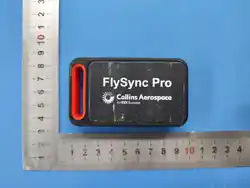
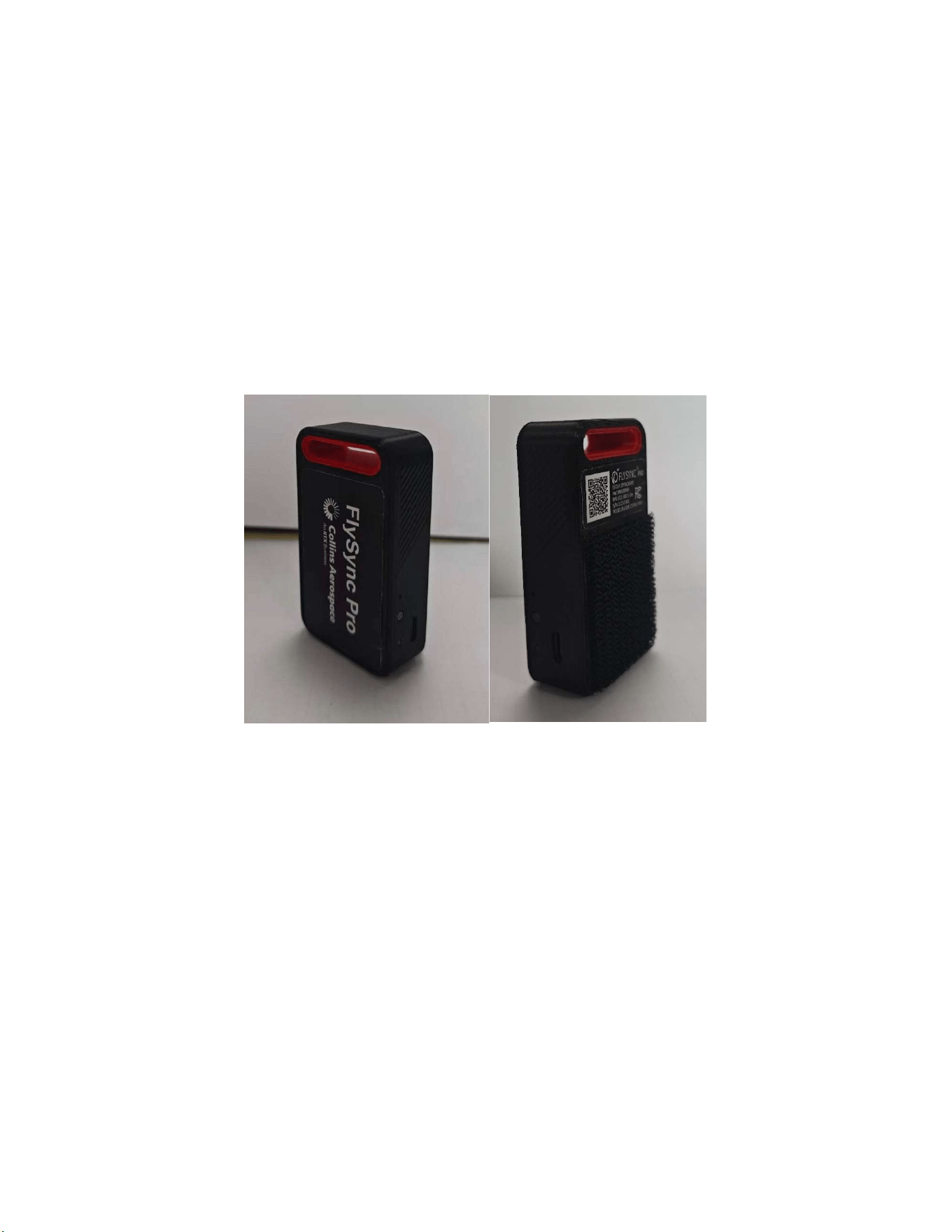
FlySync Pro USB Dongle User Manual
1. Overview
Collins Aerospace's FlySync Pro USB Dongle is an upgraded version of the FlySync Lite USB
Dongle. While retaining the USB flash drive storage and wireless data transfer functions, it
adds a built-in operating system that can run various software designed by Collins Aerospace,
thus perfectly adapting to various apps such as ForeFlight○
R
on the Electronic Flight Bag
(EFB).
2. Features
Multifunctional design: Supports USB Flash storage, Wi-Fi hotspot functionality, and
compatibility with various apps.
Built-in operating system: Allows online upgrades and loading of customized software,
compatible with various apps such as ForeFlight○
R
.
USB 2.0 interface, plug and play.
802.11b/g/n wireless standard, stable transmission on the 2.4GHz band.
16GB built-in USB Flash Drive, meeting basic data storage and transmission needs.
32GB built-in eMMC storage, capable of storing and loading a massive amount of
software.
USB powered, no external power supply required.
Low power consumption design, rated power consumption of only 1.5W.
WPA2 encryption, ensuring data transmission security.
IP54 protection rating, adaptable to various working environments.
FCC certified, compliant with international standards.
3. Hardware Specifications
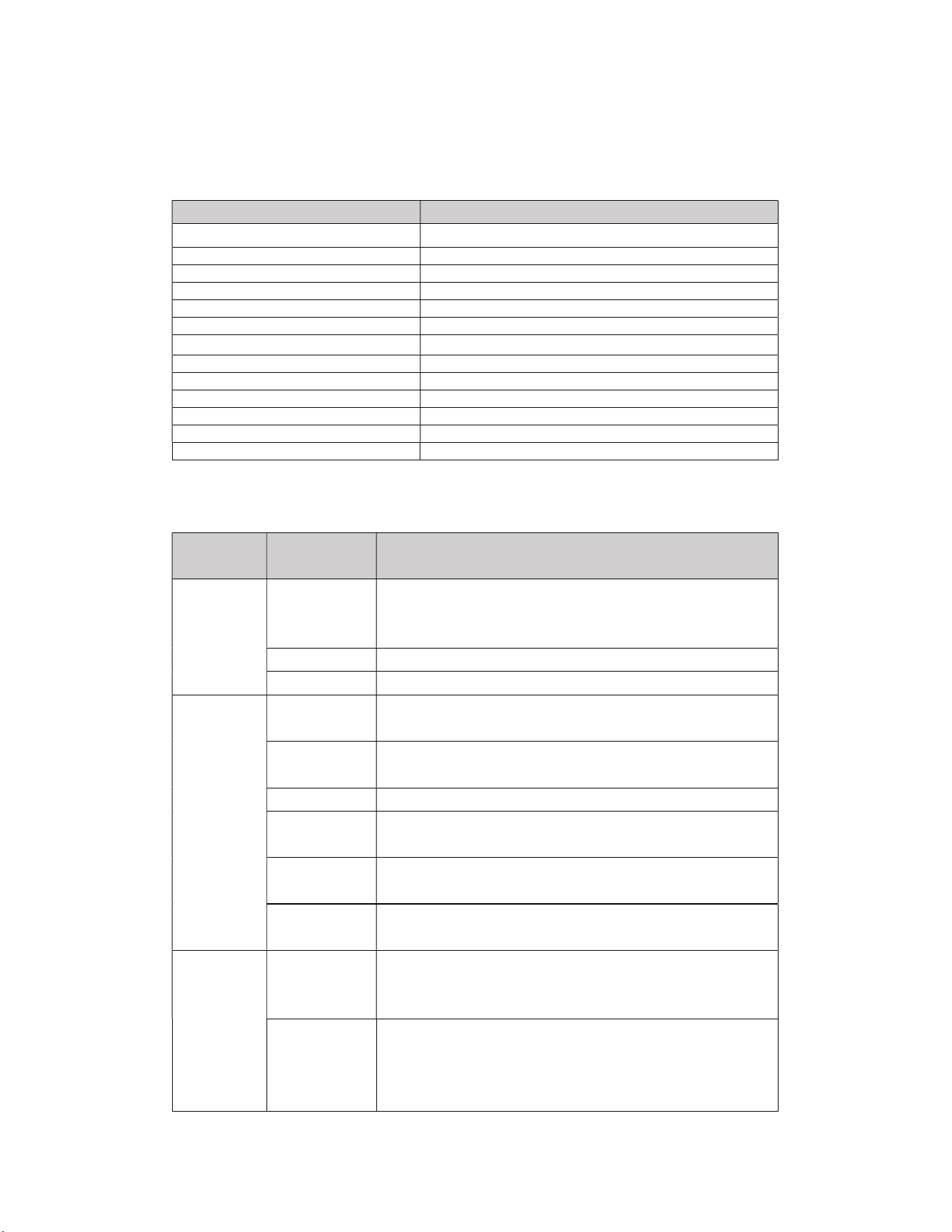
Item Parameter
Product Name
USB Dongle
Product Model FlySync Pro
Color Black
Shell material ABS plastic
USB Flash Drive capacity 16GB
eMMC storage capacity 32GB
Wireless standards
802.11b/g/n(2.4GHz)
Wireless transmission rate 802.11n up to 150 Mbps
USB interface USB 2.0
Power supply USB powered
Rated power consumption 1.5W
Dimension 45 × 79 × 21 mm
Weight 50g
4. Functions and performance
Functional
Classification
Item Directions
Storage
function
USB flash drive
mode
Simply plug it into your computer via the adapter cable, and
it will work like a standard USB flash drive, supporting file
read and write operations.
File system Supports FAT32 format
Hot-swap Support
Wi-Fi
hotspot
function
Wi-Fi hotspot
mode
After the device is powered on, it will automatically generate
a Wi-Fi hotspot.
Connection
method
Other devices can connect to the hotspot network by
entering the correct password.
Data security Supports WPA2 encryption
Compatible
systems
PC, MAC, iOS
Transmission
distance
In open environments, it can reach 30 meters.
Supported
devices
DBU-5000,EFB etc.
Apps
adaptation
function
ForeFlight○
R
compatibility
This will enable data interaction between ForeFlight○
R
and
the onboard equipment, allowing real-time display of aircraft
parameter information in ForeFlight○
R
.
Connection
method
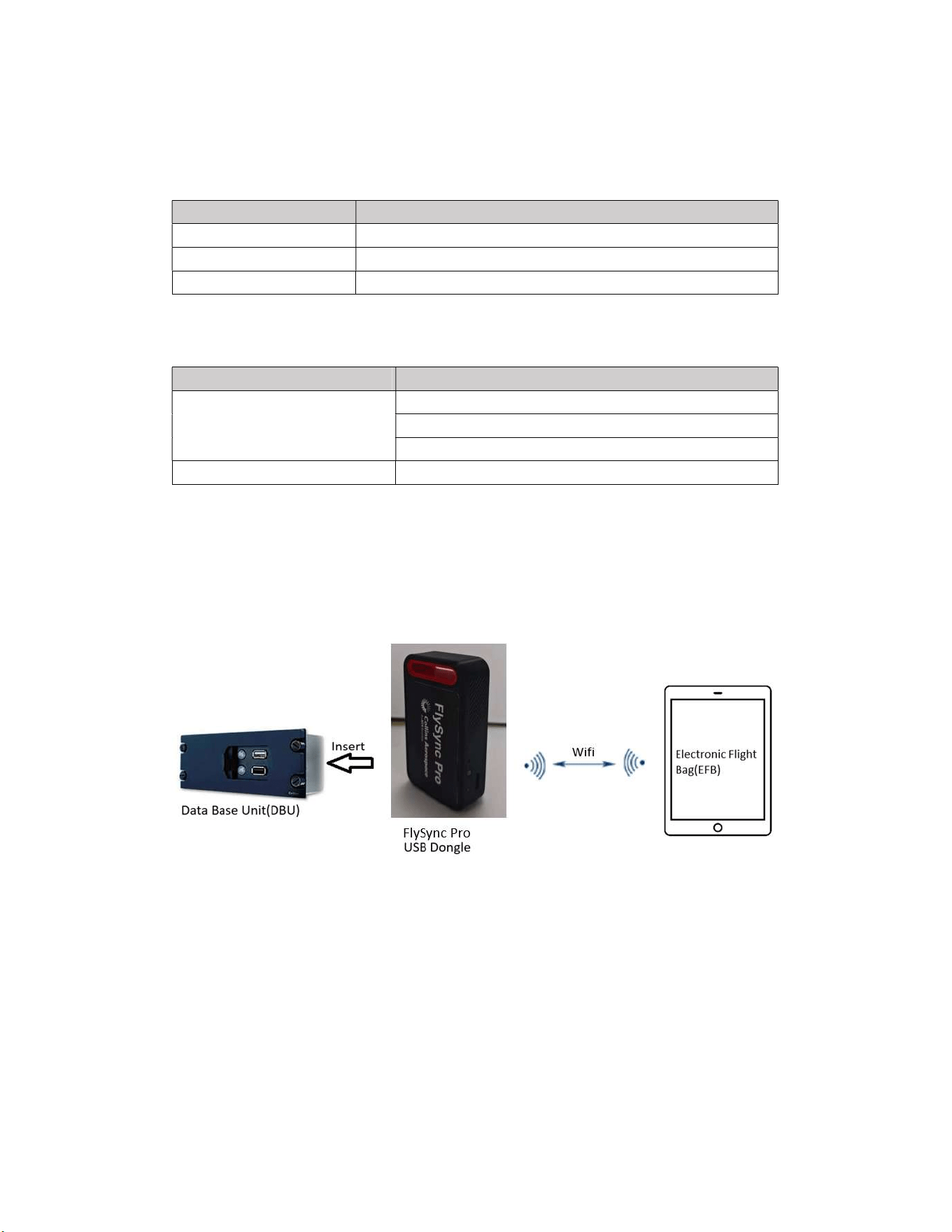
After installing the specified software via online upgrade with
FlySync Pro, connect FlySync Pro to the onboard BDU-
5000, and then connect the ForeFlight○
R
-equipped EFB to
the FlySync Pro's Wi-Fi network.
5. Usage Environment
Item Parameter
Operating temperature -10°C to 55°C
Storage temperature -20°C to 70°C (recommended)
Protection level IP54 (dustproof, splashproof)
6. Packaging and Accessories
Item content
Packaging contents
FlySync Pro × 1
User Manual × 1
USB-A to Type-C adapter cable × 1
Authentication information FCC
7. Application scenarios
Flight data synchronization to the electronic flight bag (EFB): Rapidly distribute flight
data to the flight deck from an electronic flight bag (EFB).
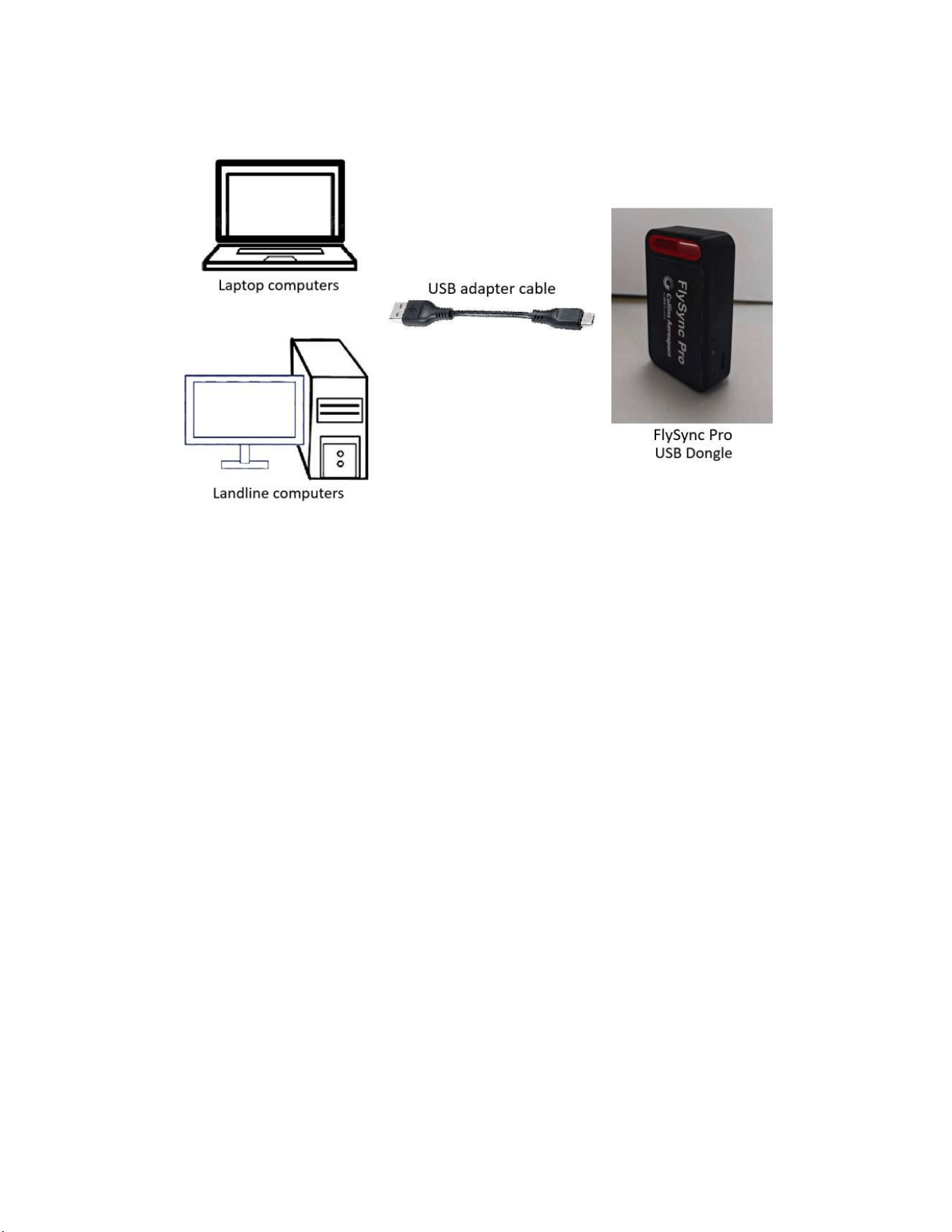
Standard USB flash drive for everyday storage
8. Operating Instructions
8.1 USB flash drive mode
a) Plug the FlySync Pro into the computer's USB interface via the adapter cable.
b) The system automatically recognizes it as a removable disk.
c) Files can be copied, pasted, and deleted directly.
8.2 Wireless hotspot mode
8.2.1 Sending end operations
a) Insert FlySync Pro into the USB interface of the Data Base Unit via the adapter cable.
b) FlySync Pro will automatically create an encrypted Wi-Fi hotspot.
8.2.2 Receiver operation:
a) Search for Wi-Fi networks on EFB
b) Connect to the Wi-Fi hotspot created by FlySync Pro (name and password can be found
on the product label).
c) Once the connection is successful, EFB will display "Connected".

8.3 ForeFlight○
R
compatibility
a) Connect the ForeFlight® EFB to the wireless network created by FlySync Pro.
b) Open a browser on the EFB and enter http://192.168.3.1:5000 to log in to the FlySync Pro
IP configuration interface.
c) Enter the EFB's IP address into the IP address field of the EFB Configuration. Click the
“OK” button and wait approximately 30 seconds for FlySync Pro to restart.
d) After FlySync Pro restarts, open the ForeFlight® App on the EFB to view real-time aircraft
parameter information.
9. Precautions
a) Do not use in environments with high temperature, high humidity, or strong
electromagnetic interference for extended periods.
b) Ensure good contact of the USB interface during use and avoid frequent plugging and
unplugging.
c) Wireless transmission distance is affected by the environment. It is recommended to keep
EFB as close as possible to FlySync Pro and avoid obstruction when using it.
d) This product does not support 5GHz band wireless networks.
e) In transmission mode, please ensure that the device has sufficient power to avoid
transmission interruption.
f) For first-time users, it is recommended to install the accompanying software for full
functionality support.
10. FCC Caution:
This device complies with part 15 of the FCC Rules. Operation is subject to the following two
conditions: (1) This device may not cause harmful interference, and (2) this device must
accept any interference received, including interference that may cause undesired operation.
Any changes or modifications not expressly approved by the party responsible for compliance
could void the user's authority to operate the equipment.
Note: This equipment has been tested and found to comply with the limits for a Class B digital
device, pursuant to part 15 of the FCC Rules. These limits are designed to provide
reasonable protection against harmful interference in a residential installation. This
equipment generates, uses and can radiate radio frequency energy and, if not installed
and used in accordance with the instructions, may cause harmful interference to radio
communications. However, there is no guarantee that interference will not occur in a
particular installation. If this equipment does cause harmful interference to radio or
television reception, which can be determined by turning the equipment off and on, the

user is encouraged to try to correct the interference by one or more of the following
measures:
- Reorient or relocate the receiving antenna.
- Increase the separation between the equipment and receiver.
- Connect the equipment into an outlet on a circuit different from that to which the
receiver is connected.
- Consult the dealer or an experienced radio/TV technician for help.
This device has been tested and meets the FCC SAR limit, However, when in use, the device must be placed
5mm away from the human body.

© 2026 ALRAC, Inc. All rights reserved.
ForeFlight® is a registered trademark of ForeFlight, Inc.All other product names, logos, and
brands are property of their respective owners.
11. Contact information
For technical support or after-sales service, please contact:
Official Website:www.flysync.com
Customer service email:support@alrac-aero.com
Service Hotline:400-xxx-xxxx