Need some help?
Visit https://www.tp-link.com/support/
for technical support, the user guide, FAQs, warranty & more
?
© 2025 TP-Link 7100000985 REV1.0.3 www.tp-link.com
Quick Installation Guide
1
Getting Started
!
Please remain online (Wi-Fi or mobile data) throughout
the app download and login steps.
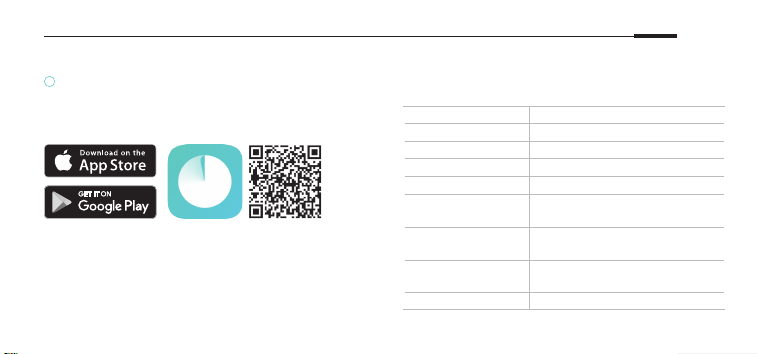
Download the TP-Link Deco app for iOS or Android.
The app will walk you through the setup.
English
LED Status
Each Deco has an LED light that changes color
according to its status. See the explanation below.
LED DECO STATUS
Pulse Yellow Deco is resetting.
Solid Yellow Deco is starting up.
Pulse Blue Deco is ready for setup.
Solid Blue Deco is setting up.
Pulse Green/
Pulse White
Deco is upgrading rmware.
Solid Green/
Solid White
Deco is all set up and
connected to internet.
Pulse Red
The satellite Deco is
disconnected from main Deco.
Solid Red Deco has an issue.

English: Safety Information
For outdoor Decos:
• The socket-outlet shall be installed near the outdoor Deco and shall be easily accessible.
• Before mounting your Deco outdoors, waterproof it to ensure device safety and performance.
• The waterproof cover must be secured before use!
• The product can only be installed by instructed person or skilled person!
• Keep the device away from re or hot environments. DO NOT immerse in water or any other liquid.
• Do not attempt to disassemble, repair, or modify the device. If you need service, please contact us.
• Do not use the device where wireless devices are not allowed.
• Use only power supplies which are provided by manufacturer and in the original packing of this product. If you have any questions, please
don’t hesitate to contact us.
• This equipment can be powered only by equipments that comply with Power Source Class 2 (PS2) or Limited Power Source (LPS) dened
in the standard of IEC 62368-1.
Please read and follow the above safety information when operating the device. We cannot guarantee that no accidents or damage will
occur due to improper use of the device. Please use this product with care and operate at your own risk.
For indoor Decos:
• Keep the device away from fire or hot environments.
• Do not attempt to disassemble, repair, or modify the device. If you need service, please contact us.
• Do not use the device where wireless devices are not allowed.
• Do not use damaged charger or USB cable to charge the device.
2

3
• Do not use any other chargers than those recommended.
• Adapter shall be installed near the equipment and shall be easily accessible.
• Use only power supplies which are provided by manufacturer and in the original packing of this product. If you have any questions, please
don’t hesitate to contact us.
Please read and follow the above safety information when operating the device. We cannot guarantee that no accidents or damage will
occur due to improper use of the device. Please use this product with care and operate at your own risk.

4
TP-Link hereby declares that the Whole Home Mesh Wi-Fi System is in compliance with the essential requirements and other relevant
provisions of directives 2014/53/EU, 2011/65/EU, (EU2015/863, 2009/125/EC, and 2019/882/EU. The original EU Declaration of
Conformity may be found at https://www.tp-link.com/en/support/ce/.
TP-Link hereby declares that the Whole Home Mesh Wi-Fi System is in compliance with the essential requirements and other relevant
provisions of the Radio Equipment Regulations 2017.
The original UK Declaration of Conformity may be found at https://www.tp-link.com/support/ukca/.
For TP-Link Branded Products Only. For the information about warranty period, policy and procedures, please visit
https://www.tp-link.com/en/support
THIS WARRANTY GIVES YOU SPECIFIC LEGAL RIGHTS, AND YOU MAY HAVE OTHER RIGHTS THAT VARY FROM STATE TO STATE (OR
BY COUNTRY OR PROVINCE.
TO THE EXTENT ALLOWED BY LOCAL LAW, THIS WARRANTY AND THE REMEDIES SET FORTH ARE EXCLUSIVE AND IN LIEU OF ALL
OTHER WARRANTIES, REMEDIES AND CONDITIONS.
TP-Link warrants the TP-Link branded hardware product contained in the original packaging against defects in materials and
workmanship when used normally in according with TP-Link’ s guidelines for some period which depends on the local service from the
date of original retail purchase by the end-user purchaser.

GNU General Public License Notice
This product may include software code developed by third parties, including software code subject to the GNU
General Public License (“GPL”). As applicable, TP-Link (“TP-Link” in this context referring to the TP-Link entity oering
respective software for download or being responsible for distribution of products that contain respective code)
provides, by itself or with the support of third parties, mail service of a machine readable copy of the corresponding
GPL source code on CD-ROM upon request via email or traditional paper mail. TP-Link will charge for a nominal cost
to cover shipping and media charges as allowed under the GPL. This oer will be valid for at least 3 years.
For GPL inquiries and the GPL CD-ROM information, please contact [email protected]. Additionally, TP-Link provides
for a GPL-Code-Centre under https://www.tp-link.com/support/gpl/ where machine readable copies of the GPL
source codes used in TP-Link products are available for free download.
The GPL Code used in this product is distributed WITHOUT ANY WARRANTY and is subject to the copyrights of one
or more authors. For further information about GNU General Public License please refer to the following website:
https://static.tp-link.com/resources/document/GPL%20License%20Terms.pdf