
1. SAFETY NOTES
• The probe is designed for use in meat only.
• Always cross the safety line when inserting
the probe into the meat.
• Do not use the probe in a microwave or
pressure cooker.
• Do not expose the probe to open flames
and always keep the oven temperature
below 300°C.
• Keep the internal temperature of the probe
below 100°C.
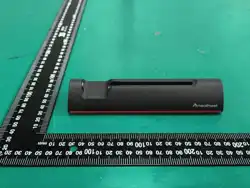
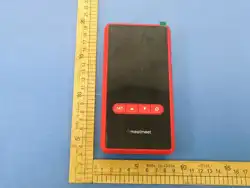
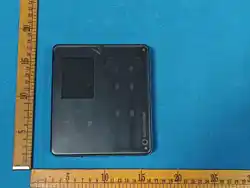
• The charging station is not waterproof;
please do not rinse the charging station
with water.
• Do not touch the probe directly with your
hand during use, the probe is very hot and
you may burn yourself.
• Do not immerse the probe in cold water
after cooking. Wait until it has cooled down
before washing it.
• Do not wrap the probe in aluminium foil.
• When not in use, place the probe back in the
charging station and store the product in a
cool, dry place.
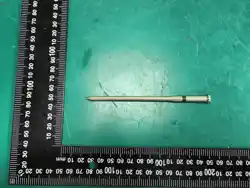
• Be careful with the tip of the probe.
• The thermometer is not a toy, please keep it
away from children.
2. OPERATION
Before use, please fully charge the repeater and
ensure that the probe is in the repeater’s charging
compartment.
Make sure that the probe is also fully charged.
NOTE:
As soon as low battery power is
detected, the repeater will send
notifications to the connected mobile
phone and the app will trigger an alarm.
Insert the probe into the thickest part of the meat
and make sure that the safety line on the top is
completely covered by the meat.
At the same time, the tip of the probe should be
located inside the meat.
3. DOWNLOAD APP
Scan the code to download the app
4. USING THE APP
STEP 1
Download the app from the Apple Store or Google
Play.
App name: EASY CHECK
STEP 2
Launch the EASY
CHECK app
STEP 3
Remove the probe from the charging station to
start the device.
STEP 4
Add the device to the
app (connection to the
repeater)
EASY CHECK PRO
DUAL
User Guide
1 2
°C
°C
Setup Probe
Setup Probe
1
2
1 2
°C
°C
Setup Probe
Setup Probe
1
2
STEP 5
Add the corresponding
devices to the "Devices
found" table.
STEP 6
Once you have added
the device, click on
the icon to access the
cooking interface.
STEP 7
Click on the desired
connection to open
the interface for the
temperature setting.
STEP 8
Insert the probe into the meat.
Safety line
Safety line
NOTE: The illustrations of the screens in this
user guide are schematic diagrams
for reference purposes only. Due to
updates and upgrades to the app, the
actual layout may differ slightly from this
representation, please refer to the actual
layout in the app.
STEP 9
Click on Start.
STEP 10
Select the meat type.
For low&slow dishes,
please select the
“low&slow” button.
STEP 11
Set the target
temperature and select
the size of the piece of
meat.
When making a roast, also
state the approximate
weight.
Press “Let’s go”.
STEP 12
When the set
temperature is reached,
the finish screen appears
to end the cooking
process.
You will receive a
message 3 minutes
before the end of the
cooking time.
5. MAIN VIEW: COOKING
1 Go back
2 Current core temperature
3 Selected piece of meat
4 Temperature sensors
5 Temperature/time diagram
6 Settings
7 Connection status and charge level
8 Time indication and timer
9 Cooking chamber temperature and setting
10 Target temperature display and setting
11 Approximate cooking time to reach target
temperature
12 Ending the cooking process
1
12
2
3
6
7
8
9
10
11
6. MONITOR COOKING CHAMBER
TEMPERATURE
If you wish to monitor the cooking chamber
temperature, you can set this using the grey
button in the main view.
1
1 Minimum temperature
2 Maximum temperature
3 Recommendation
As soon as the temperature falls below the
minimum or rises above the maximum, you will be
alerted by an alarm.
2
3
7. EXPECTED COOKING TIME
The expected cooking time until the target
temperature is reached is calculated based on the
meat size, ambient and core temperature.
NOTE: Please note that this is an approximate
figure. The consistency and fat content of
the meat can also influence the cooking
time.
8. BASIC SETTINGS
TEMPERATURE UNIT
Click on this button to
change between °C / °F.
LANGUAGE SELECTION
Click on this button to
select the language.
en
5
4
or

STEP 5
When the target temperature is reached, the
corresponding symbol for the end of the grilling
process appears: “Cooking complete” flashes
and the alarm is triggered. Press “confirm” to stop
the alarm and return to the "Probe off" state. The
alarm ends automatically after 120 seconds.
For a good wireless connection without
interruption, we recommend a distance between
the repeater and the probe of approx. 50 m*, and
a distance between the mobile phone and the
repeater of approx. 90 m*.
⚠
WARNING: Do not place the repeater in
the barbecue or in an area subjected to high
temperatures.
* Reference values for open areas
11. TECHNICAL INFORMATION: CHARGER
• Charging time of the repeater: 2-3 hours
• Battery capacity: 2000 mAh
• Usage time: >160 hours
• Material: ABS/PC
• The display shows the battery status of
the charger and the temperatures of the
individual probes.
• Battery: Lithium-ion, 3.7 V, 2000 mAh,
• Charging method of the repeater:
USB to type C
• Transmission power: 7 dB
• Transmission frequency: 2.4 Ghz
• Switch-off: Switches off automatically after
both probes have been inserted into the
repeater.
°C
°C
Target: 75 Ambiente: 100
Target: 75 Ambiente: 100
max. 80 m*
max. 150m*
approx. 3 m
for closed rooms
Connection status
Repeater charging status
Current temperature
1 2
°C
°C
Setup Probe
Setup Probe
Probe charging status
USB type C
Outdoorchef AG | Eggbühlstrasse 28 | Postfach | 8050
Zurich | Switzerland | [email protected]
Outdoorchef Deutschland GmbH | Wickerer Weg 13-15
| 65719 Hofheim am Taunus | Germany |
19.130.65
14. GUARANTEE / WARRANTY
For detailed information on the Consumer
Warranty / Guarantee, please refer to the General
Terms and Conditions (T&Cs) at
https://www.outdoorchef.com/agb
The registered brand OUTDOORCHEF is
represented by the following enterprise:
Outdoorchef AG | Eggbühlstrasse 28 | Postfach |
8050 Zurich, Switzerland | www.outdoorchef.com
* You can find a dealer's certificate and other
language versions of this instruction manual on
our website at www.outdoorchef.com
10. TECHNICAL INFORMATION: PROBE
• Stainless steel probe, lP67 waterproof
• Bluetooth range between probe and
repeater: max. 80 m* outdoors
• Bluetooth range between repeater and
mobile phone: max. 150 m* outdoors
• Measuring accuracy:±1.0°C
• Internal temperature range: -10~100°C
• Ambient temperature range 0°C to 700°C
• Temperature resistance:
Probe max.100°C probe head max. 700°C
• Duration of use: > 30 hours
• Dimensions: 125 mm x 4.9 mm
• Weight per probe: 15 g
• Dishwasher safe
Probe head max. 700°C
Safety line
5 sensor
max. 100°C
1 2
°C
°C
Setup Probe
Setup Probe
1
2
Probe number
Target temperature
scroll up
confirm
scroll down
backwards
9. OPERATION WITHOUT THE APP
STEP 1
Remove the probe from the charger to switch it on.
1 2
°C
°C
Setup Probe
Setup Probe
1
2
STEP 2
Click on the confirmation button to select the
probe.
The selected probe is displayed in a white box.
STEP 3
Tap the confirm button to open the target
temperature setting screen. Tap the forwards
and backwards buttons to select the target
temperature.
The selected temperature is highlighted.
STEP 4
After selecting the target temperature, tap the
confirm button to save the current temperature
as the target and return to the operating status
screen. After saving the target temperature,
"Target: 75" flashes for 5 seconds to remind the
user that the target temperature has been set.
°C
°C
Setup Probe
Setup Probe
°C
76
74
75
°C
°C
Target: 75
Target: 75
Ambiente: 100
Ambiente: 100
CANCEL SETTING
Briefly press the back button on the target
temperature setting screen to exit the setting
mode without saving your current changes and
return to the previous operating state.
CHARGING THE PROBE
After plugging the probe into the repeater, the
probe switches off automatically and charges
itself. The charging symbol flashes and stops
when it is fully charged.
CHARGING THE REPEATER
Repeater type C input
The repeater’s power symbol flashes and stops
when it is fully charged.
AUDIBLE ALARM
The following events trigger an alarm:
1. The alarm is triggered when the meat tem-
perature reaches the set target temperature.
2. The alarm is triggered if the repeater and
the probe are not connected.
Stopping the alarm:
After 120 seconds of inactivity, the alarm will stop
automatically. Tap the confirm (or back) button to
stop the alarm and return to the probe’s status
outside the repeater.
12. PROBE LABELLING
Numbered stainless steel clips are included for
easy differentiation of the probes.
1
13. PROBE PLACEMENT IN THE CHARGER
Always ensure that each probe is placed in its
designated holder after use (Probe 1 in Holder
1, Probe 2 in Holder 2). Incorrect placement may
cause connection issues during the next use.
Also ensure that the probe is fully and correctly
seated in the holder. Only then will it enter standby
mode, stop transmitting, and prevent unnecessary
battery consumption.
FCC Statement
This equipment has been tested and found to comply
with the limits for a Class B digital device, pursuant to
part 15 of the FCC Rules. These limits are designed to
provide reasonable protection against harmful
interference in a residential installation. This equipment
generates, uses and can radiate radio frequency energy
and, if not installed and used in accordance with the
instructions, may cause harmful interference to radio
communications. However, there is no guarantee that
interference will not occur in a particular installation. If
this equipment does cause harmful interference to radio
or television reception, which can be determined by
turning the equipment off and on, the user is
encouraged to try to correct the interference by one or
more of the following measures:
• Reorient or relocate the receiving antenna.
• Increase the separation between the
equipment and receiver.
• Connect the equipment into an outlet on a
circuit different from that to which the receiver is
connected.
• Consult the dealer or an experienced radio/
TV technician for help.
Caution: Any changes or modifications to this device
not explicitly approved by manufacturer could void
your authority to operate this equipment.
This device complies with part 15 of the FCC Rules.
Operation is subject to the following two conditions: (1)
This device may not cause harmful interference, and (2)
this device must accept any interference received,
including interference that may cause undesired
operation.
RF Exposure Information
This equipment complies with FCC radiation exposure
limits set forth for an uncontrolled environment. This
equipment should be installed and operated with
minimum distance 20cm between the radiator and your
body.