1. Do not use abrasive cleaning agents to clean this product.
Warnin
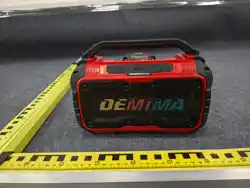
Cordless Speaker
g
The speaker will automatically shut down if the battery
voltage is below 15V to prevent any damage.
Low-voltage protection
Low-voltage protection is our first concern to protect your
valued battery.
5. Do not attempt to disassemble the product to make any
2. Do not allow the product to be heated or near a source of
ignition, such as a cooking stove.
6. Do not use the product in the rain.
4. Do not dispose of the product in a fire to avoid explosion.
7. If you do not intend to use the product for a long period
of time, please store it in a dry environment and disconnect
the batter y.
3. Do not expose the product to direct sunlight for a long
period of time.
modifications.
• Supports USB flash drive music playback.
• Supports Bluetooth wireless connectivity.
• Stunning sound quality and domineering appearance.
Product features
Summarize
Thank you for choosing our company's Bluetooth digital
speaker. This series of Bluetooth digital speakers features a
fashionable design, rich functionality, and excellent
compatibility, allowing you to truly experience the joy of
wireless connectivity and high-fidelity music playback.
It is your best choice for office work , outdoor activities,
driving, and traveling.
Before using the product, please read this manual to ensure
the correct use of the product, making your operation and
usage more convenient and efficient.
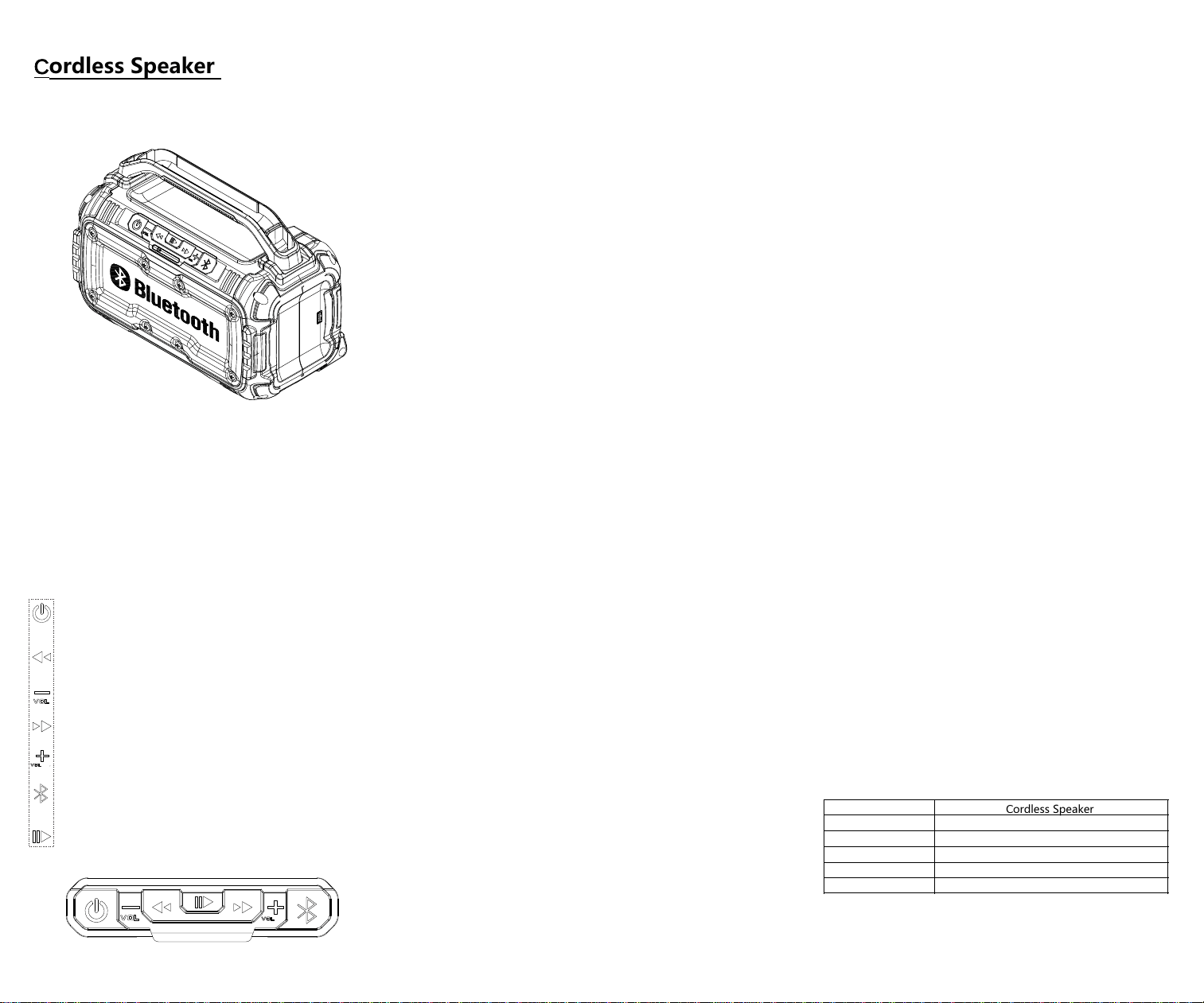
5.Press the button to increase the volume.
3.Press the button to decrease the volume.
1. Long press the power button to turn on the speaker.
Long press again to turn off the speaker.
2. Press the button to switch the music to the previous
track.
4.Press the button to switch the music to the next track.
6.The button is used to switch between Bluetooth and
USB audio input devices.
7. Press pause button to pause the music while it is
playing. Press this button again to continue playing
the music.
the device will automatically recognize it and start
playback.
• Long-press the power button, and you will hear a prompt
sound while the indicator light blinks slowly.
search for Bluetooth devices. Locate the "KWBT"
Bluetooth name and click to connect. You will hear a
successful pairing sound when the connection is
established.
The product powers on in Bluetooth mode by default
Specifications
.
• Open your device's media player, click the play button to
start playing music.
Operating
• Enable the Bluetooth function on your mobile phone, then
• If you insert an external audio cable or a USB flash drive,
Use the volume "+" and "-" buttons to adjust the volume,
Short-press the play/pause button to toggle between
pausing and playing.
Instruction Manual
Instructions for use
Name
Material
Battery
Input
Audio channel
AUDIO IN
Cordless Speaker
ABS
For DeWALT/Makita/Milwaukee
18.5V
Dual channel
Bluetooth and USB
This device complies with part 15 of the FCC Rules. Operation is subject to the following
two conditions: (1) This device may not cause harmful interference, and (2) this device
must accept any interference received, including interference that may cause undesired
operation.
NOTE: This equipment has been tested and found to comply with the limits for a Class B
digital device, pursuant to Part 15 of the FCC Rules. These limits are designed to provide
reasonable protection against harmful interference in a residential installation. This
equipment generates, uses and can radiate radio frequency energy and, if not installed
and used in accordance with the instructions, may cause harmful interference to radio
communications. However, there is no guarantee that interference will not occur in a
particular installation. If this equipment does cause harmful interference to radio or
television reception, which can be determined by turning the equipment off and on, the
user is encouraged to try to correct the interference by one or more of the following
measures:
-- Reorient or relocate the receiving antenna.
-- Increase the separation between the equipment and receiver.
-- Connect the equipment into an outlet on a circuit different from that to which the receiver
is connected.
-- Consult the dealer or an experienced radio/TV technician for help.
Changes or modifications not expressly approved by the party responsible for compliance
could void the user's authority to operate the equipment.
This equipment complies with the FCC RF radiation exposure limits set forth for an uncontrolled
environment. This equipment should be installed and operated with a minimum distance of 20cm
between the radiator and any part of your body.
This device complies with part 15 of the FCC Rules. Operation is subject to the following two
conditions:
(1) This device may not cause harmful interference, and
(2) (2) this device must accept any interference received, including interference that may cause
undesired operation.