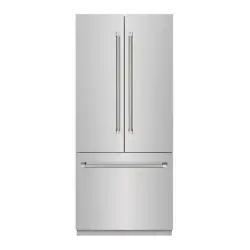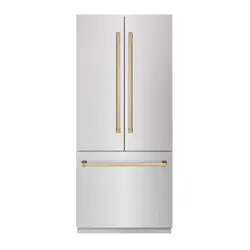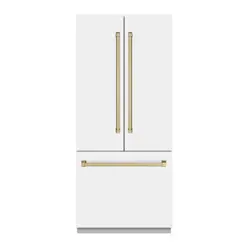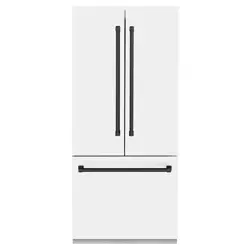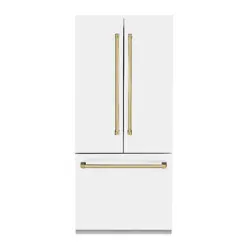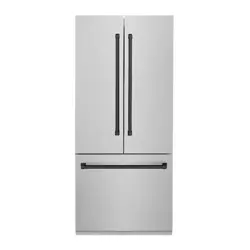
BUILT-IN REFRIGERATION
RBIT & RBIV MODELS
www.zlinekitchen.com
User Manual

ZLINE Kitchen and Bath provides Attainable Luxury, where the kitchen and bath of your dreams is
never out of reach. Through our unique designs and unparalleled quality, we’re dedicated to providing
you an elevated experience in the heart of your home. With an endless selection of features and
finishes, our inspiration is your reality.
ZLINE is fueled by a passion for innovation; A relentless pursuit of bringing the
highest end luxury designs and professional features into everyone’s homes.
Because we continually strive to improve our products, we may change
specifications and designs without prior notice.
Scan the QR code to view the most up-to-date version of the Installation Manual
and User Manual.
WARNING: This product can expose you to chemicals including nickel, which is known to the
State of California to cause cancer. For more information, go to www.P65Warnings.ca.gov.

IMPORTANT SAFETY INSTRUCTIONS . . . . . . . . . . . . . . . . . . . . . . . 1
OPERATION . . . . . . . . . . . . . . . . . . . . . . . . . . . . . . . . . . . . . . . . . . . . 9
Product Specifications . . . . . . . . . . . . . . . . . . . . . . . . . . . . . . 9
Control Panel . . . . . . . . . . . . . . . . . . . . . . . . . . . . . . . . . . 11
Modes and Features . . . . . . . . . . . . . . . . . . . . . . . . . . . . . .13
Food Storage . . . . . . . . . . . . . . . . . . . . . . . . . . . . . . . . . .15
Shelves and Drawers . . . . . . . . . . . . . . . . . . . . . . . . . . . . . .18
MAINTENANCE AND CLEANING . . . . . . . . . . . . . . . . . . . . . . . . . 21
TROUBLESHOOTING . . . . . . . . . . . . . . . . . . . . . . . . . . . . . . . . . . . .23
WARRANTY . . . . . . . . . . . . . . . . . . . . . . . . . . . . . . . . . . . . . . . . . . . . 29
TABLE OF CONTENTS
1
General Safety
IMPORTANT SAFETY INSTRUCTIONS
WARNING
If the information in this manual is not followed exactly, a fire or explosion
may result causing property damage, personal injury, or death.
GENERAL SAFETY
• Before installation and operation, please read and follow these important instructions for
the safety of your home and the people living in it.
• This appliance is not intended for use by children unless they have been adequately
supervised by a responsible person to ensure they can use the appliance safely.
• Young children should be supervised to ensure that they never play with the appliance.
• Cleaning and care should not be performed by children unless they are supervised by an
adult or responsible person.
• Immediately unplug the product if you encounter a failure during use.
• If the product malfunctions, it must not be operated until repaired by an authorized
service provider.
• It is recommended that installation and service be performed by a qualified installer.
The appliance should not be adjusted or repaired by anyone except properly qualified
service personnel.
• The manufacturer will not be responsible for any damage to property or to persons caused
by incorrect installation, improper use of the appliance, or failure to heed the warnings
listed; the warranty will be voided.
• The manufacturer reserves the right to make changes to its products when considered
necessary and useful, without affecting the essential safety and operating characteristics.
• Do not eat ice cubes, ice cream, or other frozen foods immediately after you take them out
of the freezer compartment. This may cause frostbite in your mouth.
• Do not touch frozen food with wet hands. They may stick to your hand.
• Do not put bottled or canned liquid beverages in the freezer compartment. They may burst.
• Please observe all local, state, and national codes and ordinances. Please ensure the
appliance is properly grounded. The plug should always be accessible.
2
General Safety
• Never wash the appliance by spreading or pouring water onto it, as you run the risk of
electric shock.
• Never touch the plug with wet hands.
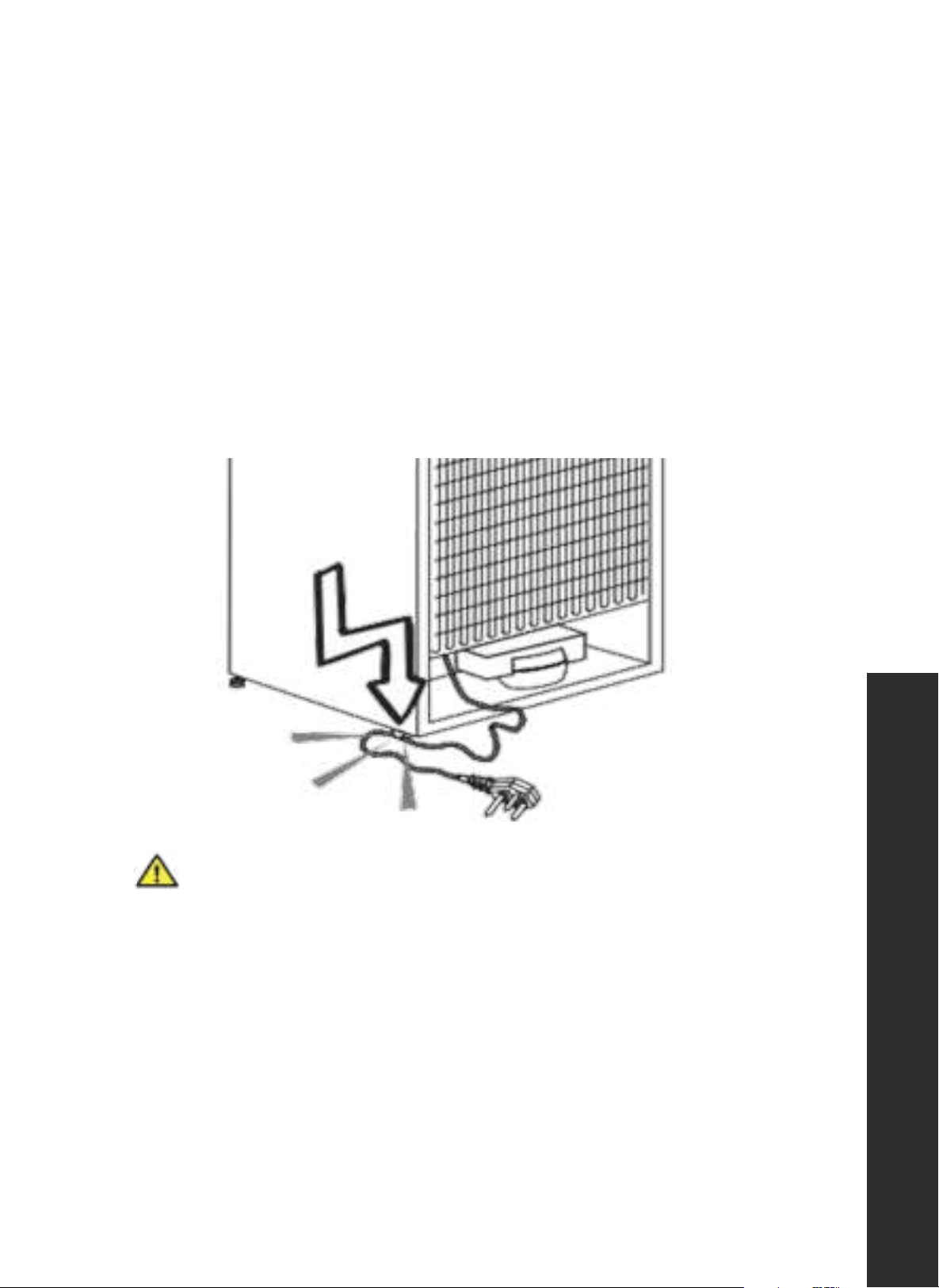
• To disconnect the appliance from power, firmly grip the plug and pull it from the electrical
outlet. Never pull by the cord.
• Do not plug in the refrigerator if the wall outlet is loose.
• Never connect your refrigerator to energy-saving devices; such systems are harmful to
your product.
• Unplug the product during installation, care, cleaning, and repairing procedures.
Improper use of the grounded plug can result in the risk of electrical shock.
If the power cord is damaged, have it replaced by a qualified electrician or
an authorized service provider.
WARNING
IMPORTANT SAFETY INSTRUCTIONS

3
General Safety
• Never use steam or steam cleaners to clean or defrost the refrigerator. Steam may infiltrate your
unit's electrical system, increasing risk of a short circuit or electric shock.
• Do not use mechanical devices or other means to accelerate the defrosting process other than
those recommended by the manufacturer.
• Never use the parts in your refrigerator, such as the door, shelves, or drawers, as a means of
support or step. This may damage the unit and/or cause it to tip over.
• Do not damage or attempt to fix/adjust the unit's sealed system where the refrigerant circulates
with drilling or cutting tools.
• If pipe extensions, surface coatings, or gas channels of the evaporator located inside the
sealed system are punctured, the refrigerant may escape, potentially causing skin irritations and
eye injuries.
• Do not cover or block the ventilation holes in your refrigerator with any object.
• Ensure beverages in round containers are tightly closed and placed vertically in the refrigerator to
avoid damage to the interior or injury when opening doors.
• Do not use gaseous sprays near the product since there is the risk or fire or explosion.
• Flammable items, products that contain flammable gases (e.g. spray), and explosive materials
should never be kept in the appliance.
• Do not place containers filled with liquid on top of the refrigerator. Splashing liquids on any
electrical parts increases the risk of fire or electric shock.
• Do not store items that need precise temperature adjustment (vaccines, heat-sensitive medication,
science materials, etc.) in the refrigerator.
• If you are not going to use the appliance for an extended period of time, unplug it and remove
any contents.
• Exposing the product to rain, snow, sun, or wind is dangerous and may increase risk of electrical
shock or failure.
• If the refrigerator's sealed mechanical system needs to be serviced or replaced by a professional
service provider, wait at least 5 minutes after installation to reconnect the unit to electrical power.
• Do not overload the refrigerator. Objects in the refrigerator may fall down when the door is opened,
causing injury or damage. Similar problems may arise if any object is placed on top of the unit.
• If the product has a door handle, do not pull on the handle when re-locating the product. The
handle may become loose and become damaged and/or cause injury.
• Be careful not to jam your hand or any other body part in the moving parts of the refrigerator.
• Do not put your hand or any other foreign materials into the ice machine while it is operating.
IMPORTANT SAFETY INSTRUCTIONS
4
General Safety
INTENDED USE
• This product has been designed for domestic use. It is not suitable for commercial use
and it must not be used outside of its intended use. It must be used only for storing food
and beverages.
• The manufacturer does not take any responsibility for damages resulting from improper use
or transport.
CHILDREN'S SAFETY
• If there is a lock on the door of the product, the key should be kept out of the reach of children.
• Do not let children play with the product.
WARNING
Before disposing of your old refrigerator or freezer:
• Ensure that children are not inside.
• Leave the shelves inside the unit to prevent children from getting inside
the product easily.
• Remove the doors.
IMPORTANT SAFETY INSTRUCTIONS
5
General Safety
COMPLIANCE WITH THE ROHS DIRECTIVE
This appliance conforms to the EU RoHS Directive (2011/65/AB). It does not contain harmful
or prohibited materials specified in the directive.
PACKAGING INFORMATION
• While some packaging materials for this product may have been manufactured from
recyclable materials, others, such as Polystyrene (Styrofoam), are not recyclable.
• Dispose of this unit's non-recyclable packaging with normal domestic waste, and consult
your local recycling programs or regulations for which materials may be recycled.
WARNING
DANGER:
Risk of Fire or Explosion:
• This product uses flammable refrigerant.
• Do not use mechanical devices to defrost the refrigerator.
• Do not use chemicals for cleaning.
• Do not pierce the refrigerant pipe.
• If the refrigerant pipe is pierced, it must be repaired only by licensed
service personnel.
• Please consult the repair/user manual before cleaning the product.
• All safety instructions must be followed.
• Dispose the product according to federal or local regulations.
HYDROCARBON (HC) WARNING
• This product's sealed cooling system contains R600a refrigerant. This gas is flammable.
Therefore, pay attention not to damage the cooling system or piping during use and
transportation.
• If damaged, keep the product away from potential fire sources that may cause it to catch
fire and ventilate the room where the product is placed.
• Never use an appliance with a damaged cooling system. If the system is damaged upon
delivery, contact ZLINE at 1-614-777-5004.
IMPORTANT SAFETY INSTRUCTIONS
6
Water Pressure
ATTENTION
If the product is damaged and if you see gas leak, please keep away
from the gas. It may cause frostbite when it gets into contact with the skin
(including R600a).
ATTENTION
The type of gas used in the product is stated on the unit's label, which is located
on the left wall inside the refrigerator.
WARNING
Never throw the product into fire for disposal.
WATER PRESSURE PRECAUTIONS
• The operating pressure for the cold water inlet must be between 25 and 80 psi (1.7 and
5.5 bar). If the water pressure exceeds 80 psi (5.5 bar), install a pressure-limiting device
or water pressure protector to the inlet valve.
• Never install or operate the appliance if it's possible for the water pressure to exceed
120 psi (8.3 bar).
• If the water pressure is lower than 14.5 psi (1 bar), you can use an auxiliary pump to
compensate.
• Make sure there is no water leakage when making the water connections. Otherwise,
there will be water on the floor and the cabinets may get damaged.
• Do not install the unit on the hot water inlet.
• If you do not know how to check the water pressure, please consult a professional plumber.
IMPORTANT SAFETY INSTRUCTIONS
7
Energy Saving Tips
ENERGY SAVING TIPS
WARNING
Connecting your refrigerator to systems that save energy is dangerous and
may cause damage on the product.
• Do not leave the doors of your refrigerator open for a long time.
• Do not put hot food or liquids in your refrigerator.
• Do not overload the refrigerator. Cooling capacity will decrease when the air circulation in
the refrigerator is hindered.
• Do not place the refrigerator in places subject to direct sunlight. Install the product at least
12" (305 mm) away from heat sources such as microwaves, ovens, heater units, and gas
ranges, and at least 2" (51 mm) away from electrical ovens.
• Store food and liquids in your refrigerator inside closed containers.
• You can remove the drawer shelf of the freezer compartment to fill it with the maximum
amount of food. The energy consumption value of the freezer is determined with the shelves
and drawers removed and the freezer filled with maximum amount of food. There is no
harm in using a shelf to store appropriately sized food items.
• Thawing frozen foods in the refrigerator compartment both saves energy and preserves the
quality of the foods.
ATTENTION
The temperature of the room where your refrigerator is located should at least
be 61 °F (16 °C). Operating your refrigerator under cooler conditions is not
recommended in terms of energy efficiency.
ATTENTION
The inside of your refrigerator must be cleaned thoroughly.
IMPORTANT SAFETY INSTRUCTIONS
8
Initial Use
RECOMMENDATIONS FOR THE REFRIGERATOR COMPARTMENT
• Make sure that the food does not touch the temperature sensor in the refrigerator
compartment. To allow the refrigerator to maintain its ideal storage temperature, the sensor
must not be hindered by food.
• Do not place hot foods or liquids inside the refrigerator.
INITIAL USE
• Before using the product, make sure that all preparations have been made in accordance
with the instructions provided in the built-in refrigerator installation manual.
• Clean the interior of the refrigerator as recommended in the "Maintenance and Cleaning"
section of this manual (page 21). Before plugging in the refrigerator for the first time,
make sure that the interior is dry.
• Plug the refrigerator into a grounded socket. The interior becomes illuminated when the
door of the refrigerator is opened.
• Plug the unit in for a minimum of 6 hours without placing any food in it and do not open the
door unless it is necessary.
ATTENTION
You will hear a noise when the compressor starts up. The liquids and gases
sealed within the cooling system may also create noise even if the compressor
is not running; this is quite normal.
ATTENTION
Front edges of the refrigerator may feel warm. This is normal. These areas are
designed to be warm to avoid condensation.
• Take necessary measures against risk of freezing in the unit's water hoses.
• The water temperature operating range must be 33 °F (0.6 °C) minimum and 100 °F
(38 °C) maximum.
WARNING
Never connect the product to a cold water main with a pressure of 80 psi
(5.5 bar) and above.
IMPORTANT SAFETY INSTRUCTIONS
9
Product Specifications
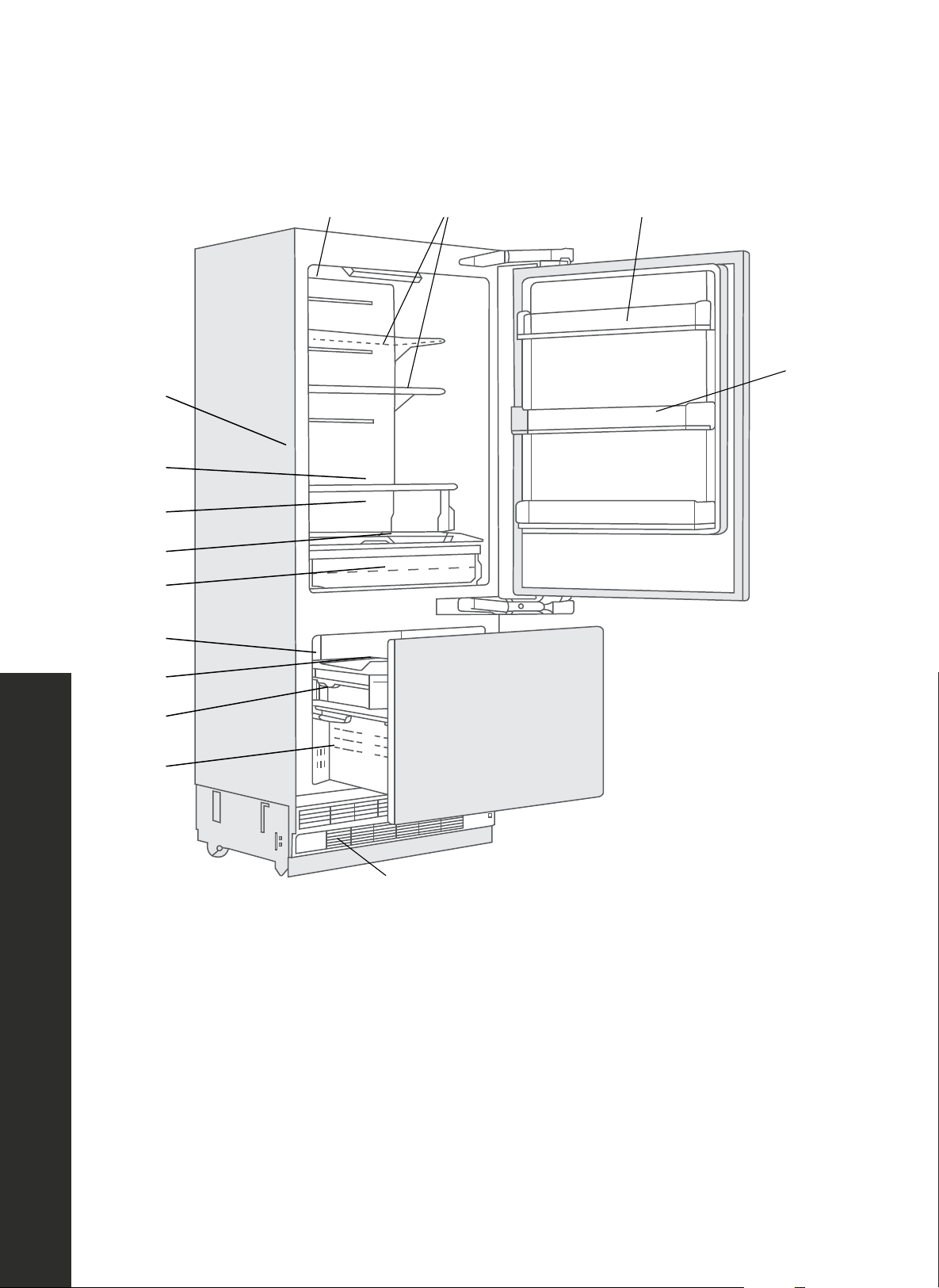
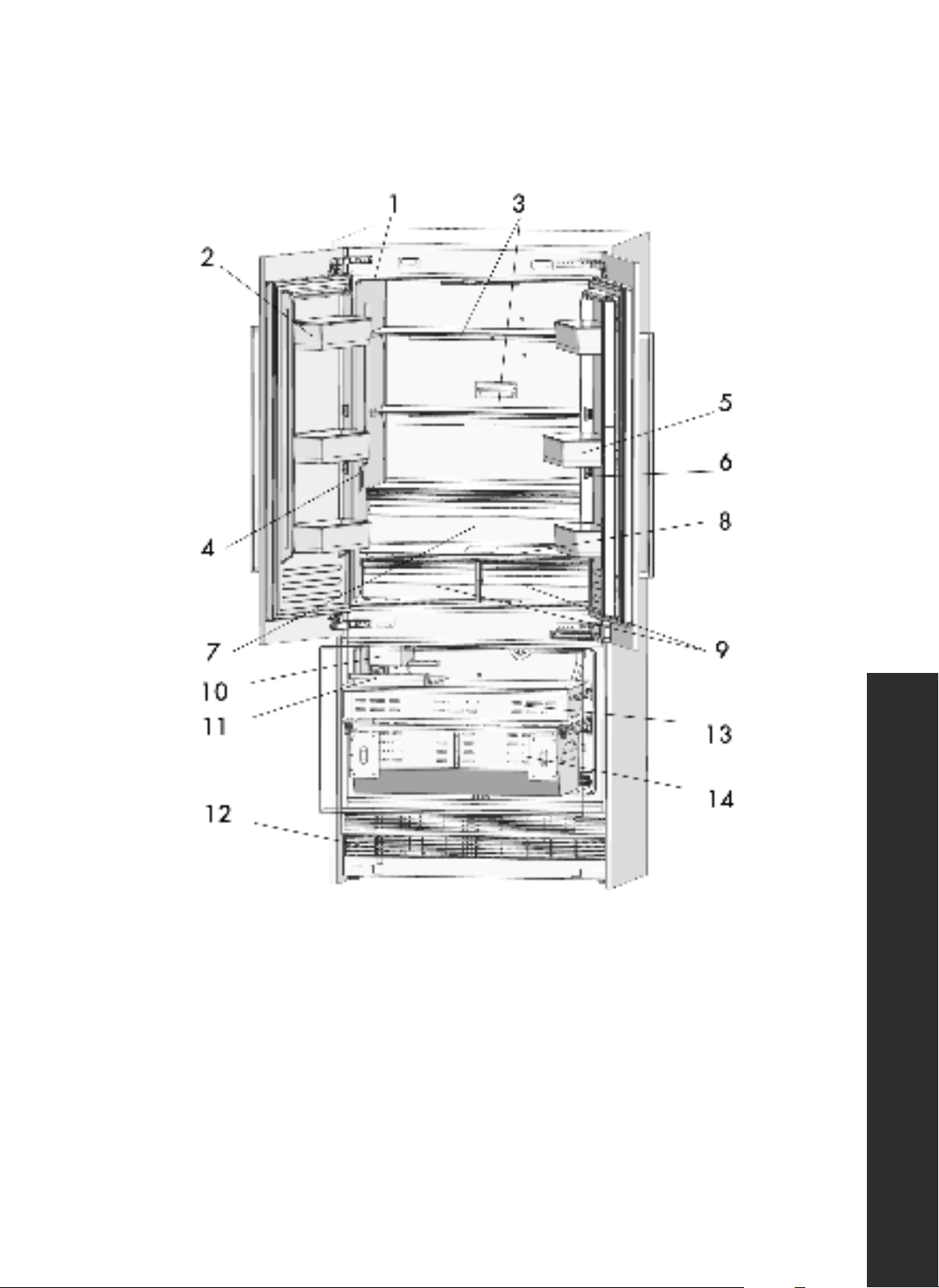
OPERATION RBIV30 & RBIT36 SERIES MODELS
PRODUCT SPECIFICATIONS
1
4
6
8
9
7
12
10
11
13
14
3 2
5
1. Water filter
2. Door bin
3. Body shelf (adjustable height)
4. Water dispenser
5. Gallon door bin (adjustable height)
6. Odor filter
7. Drawer
8. Control display
9. Flex drawer
10. Ice maker
11. Ice storage bin (includes ice scooper)
12. Upper freezer drawer
13. Lower freezer drawer
14. Condenser cover
10
Product Specifications
OPERATION RBIV36 SERIES MODELS
PRODUCT SPECIFICATIONS
1. Water filter
2. Door bin
3. Body shelf (adjustable height)
4. Water dispenser
5. Gallon door bin (adjustable height)
6. Odor filter
7. Drawer
8. Control display
9. Flex drawers
10. Ice maker
11. Ice storage bin (includes ice scooper)
12. Condenser cover
13. Upper freezer drawer
14. Lower freezer drawer
11
Keys and Controls
CONTROL PANEL
i
Figures in this user manual are schematic and may not match the product
exactly. If your product does not have relevant parts and/or exact figures, the
information may still apply to other models.
INFO
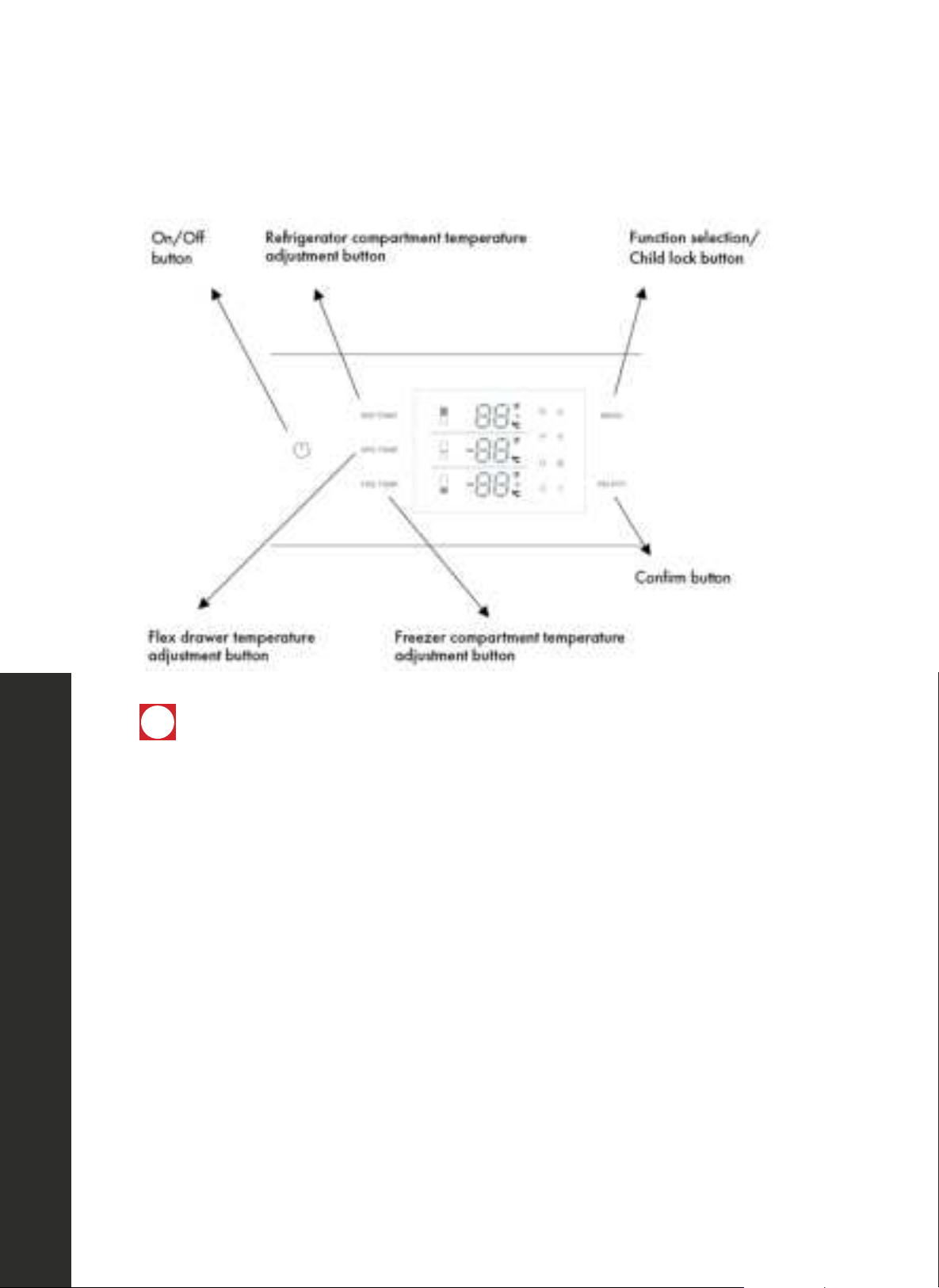
On/Off Button
• Serves to turn the appliance On and Off. Press the button to turn on the product — the
product will be turned on in 5 seconds. Press the On/Off button for 1.5 seconds to turn off.
Function Selection/Child Lock Button
• The child lock is a feature for preventing children from changing the product settings. By
pressing the MENU button for 3 seconds, you may lock/unlock the control panel.
• The lock symbol will illuminate on the display when this function is enabled.
OPERATION

12
Keys and Controls
Refrigerator Compartment Temperature Adjustment Button
• Press the REF TEMP button to adjust the refrigerator compartment temperature between 36 °F to
46 °F (2 °C to 8 °C).
• Super Cool function will be enabled if button is pressed below 36 °F (2 °C). When the cool
symbol illuminates in the upper temperature display, the Super Cool function will be enabled and
the refrigerator will quick cool to 35 °F (1 °C).
• The best temperature for the refrigerator compartment is 39 °F (4 °C).
Flex Drawer Temperature Adjustment Button
• Press the SPE TEMP button to adjust the flex drawer temperature between 30 °F and 41 °F
(-1 °C and 5 °C).
Freezer Compartment Adjustment Button
• Press the FRE TEMP button to adjust the freezer compartment temperature between 5 °F to -11 °F
(-15 °C to -24 °C).
• Super Freeze function will be enabled if the button is pressed again after displaying -11°F (-24 °C).
• When the snow symbol illuminates in the lower temperature display, the Super Freeze function will
be enabled and the refrigerator will quick freeze to -12 °F (-25 °C).
"OF" is displaying on the control panel in the REF TEMP and SPE TEMP zones
• This is common when first activating the appliance or when performing a hard reset. "OF" simply
means each temperature zone is turned off. When each zone is turned on, the current temperature
will display and can be changed as outlined above.
• To turn the Refrigerator Compartment on, press and hold REF TEMP for roughly 3 seconds.
• To turn the Flex Drawer on, press and hold SPE TEMP for roughly 3 seconds
• You can turn both zones off in the same manner by pressing and holding each button for roughly
3 seconds until "OF" displays in the REF TEMP and SPE TEMP zones.
OPERATION
13
Modes and Features
MODES AND FEATURES
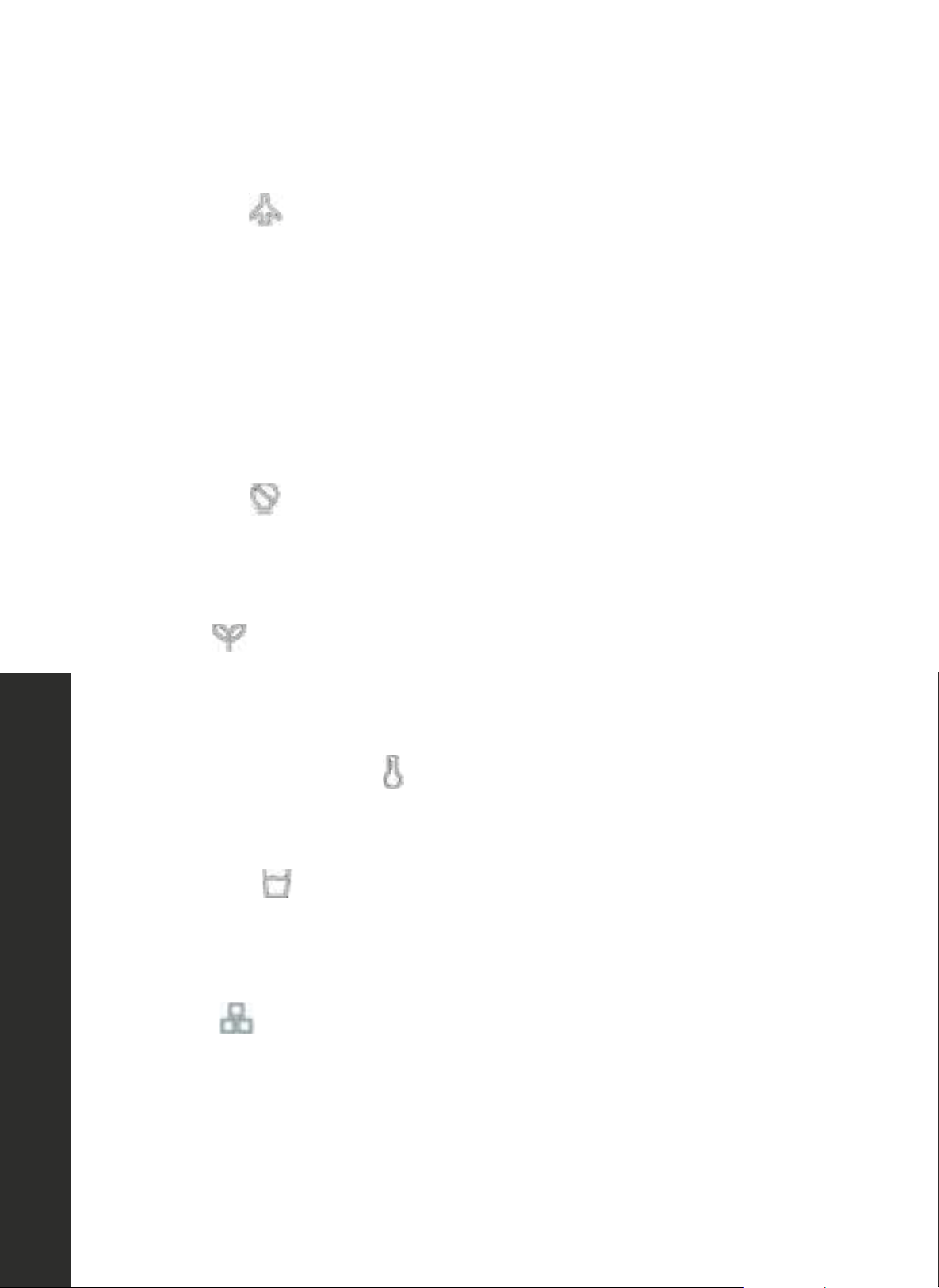
Vacation Mode
• Press the MENU button until the vacation symbol illuminates, then press the SELECT button
to enable the function.
• When the Vacation Mode function is enabled, the refrigerator temperature will be set at
63 °F (17 °C) and freezer temperature set at 0 °F (-18 °C) automatically.
NOTE: Do not place food in the refrigerator compartment when Vacation Mode is enabled. To
cancel Vacation Mode, press the REF TEMP button to adjust the temperature of the refrigerator
to the desired setting.
Sabbath Mode
Press the MENU button until the Sabbath Mode symbol illuminates, then press the SELECT
button to enable the function. When the Sabbath Mode function is enabled, all lights, buzzers,
and display panels will be turned off, while maintaining the previously set temperature setting.
Eco Mode
Press the MENU button until the Eco Mode illuminates, then press the SELECT button to enable
the function. When the Eco Mode function is enabled, the refrigerator temperature will be set at
46 °F (8 °C) and freezer temperature set at 5 °F (-15 °C) automatically.
Celsius and Fahrenheit Selection
Press the MENU button until the Celsius and Fahrenheit selection symbol illuminates to change
between Celsius and Fahrenheit. After that press the SELECT button to confirm.
Water Dispenser
Press the MENU button until the water dispenser symbol illuminates, then press the SELECT
button to enable the function. When the water dispensing function is enabled, fresh water can
be provided from the dispenser fitted on the internal wall.
Ice Making
Press the MENU button until the ice making symbol illuminates, then press the SELECT button to
enable the function. When the ice making function is enabled, the ice maker will be automatically
operating, and ice cubes will be accumulated in the ice tray.
NOTE: Prepare the water filter for use before using the ice. After connecting the refrigerator to
a water source or after replacing the water filter, fill and discard two full containers of ice to rid
the water lines of any potential debris.
OPERATION
14
Water Filter Replacement
Water Filter Replacement
The water filter symbol flashes and beeps to advise the user to replace the filter. After the replacement
is completed, press SELECT for 5 seconds to reset. The default replacement time is 130 days. Visit
www.zlineparts.com and search "RBIV-205A" to order a replacement.
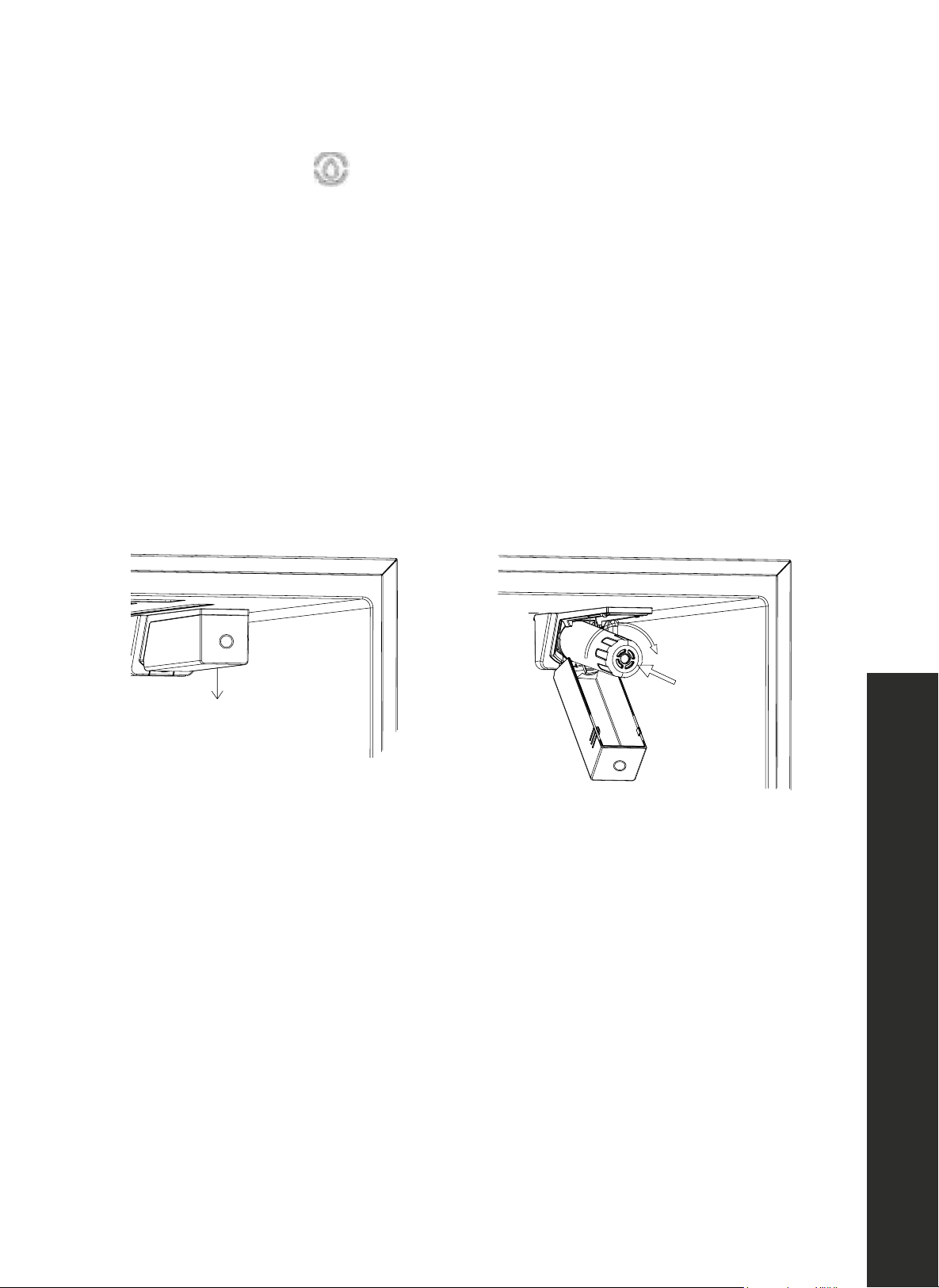
INSTALLING/REPLACING THE WATER FILTER
1. Units are shipped with a water filter already installed for immediate use. To replace the filter,
press in the button on the front of the filter cover and move the filter cover downward (Figure 1).
2. Remove the old filter from the housing by turning counterclockwise and pulling out.
3. Push the new filter into the housing and rotate clockwise until secure (Figure 2).
4. Re-secure the filter cover by pushing it up to locking with the button.
alling Filter
Figure 1 Figure 2
INSTALLING THE WATER BYPASS PLUG (IF NECESSARY)
• If customers opt to use a reverse osmosis system or household filtration system and do need to
use the water filter, the provided water filter bypass plug (Installation Manual, Item No. 23) is
recommended to ensure water is properly delivered to your ice maker and/or water dispenser.
• To install, remove the water filter as outlined in Figure 2 above, insert the plug into the housing,
rotate clockwise until snug, and then re-secure the filter cover.
OPERATION

15
Food Storage
FOOD STORAGE
DUAL COOLING SYSTEM
Your refrigerator is equipped with two separate cooling systems to cool the refrigerator
compartment and freezer compartment. Thus, the air and odor in the refrigerator compartment
and the freezer compartment do not get mixed. Thanks to these two separate cooling systems,
cooling speeds are much higher than that of other refrigerators. Also, additional power saving
is provided since the defrosting is performed separately.
FREEZING FRESH FOOD
• Take care to wrap foods or place them in a covered container before putting them in the
freezer compartment.
• Hot foods and beverages must cool down to at least room temperature before you put
them in the freezer compartment. Placing warm food into the freezer compartment causes
the cooling system to operate continuously until the food is frozen solid, which is not ideal
for saving energy.
• Freeze foods only that are fresh and in good quality.
• Pack the foods in an airtight manner to prevent them from drying, even if they are going to
be stored for a short time.
• Materials used for packaging must be tear-proof and resistant to cold, humidity, odor, oils,
and acids, and they must also be airtight. Moreover, they must be made from easy-to-use
materials that are suitable for deep-freezing.
• Frozen foods should be used immediately after they are thawed and should never
be refrozen.
• Do not freeze quantities of food that are too large. The quality of the food is best preserved
when it is frozen right through to the core as quickly as possible.
• Placing warm food into the freezer compartment causes the cooling system to operate
continuously until the food is frozen solid.
OPERATION
16
Food Storage
RECOMMENDATIONS FOR STORING FROZEN FOOD
• Frozen foods you purchase must be stored according to the conditions and temperatures
determined by the food manufacturer.
• Check the following steps to ensure optimal food quality from the manufacturer and/or
food retailer is maintained:
1. Put packages in the freezer as quickly as possible after purchase.
2. Make sure that the content of the package is labeled and dated.
3. Check whether the "Use By" or "Best Before" date on the packaging is expired or not.
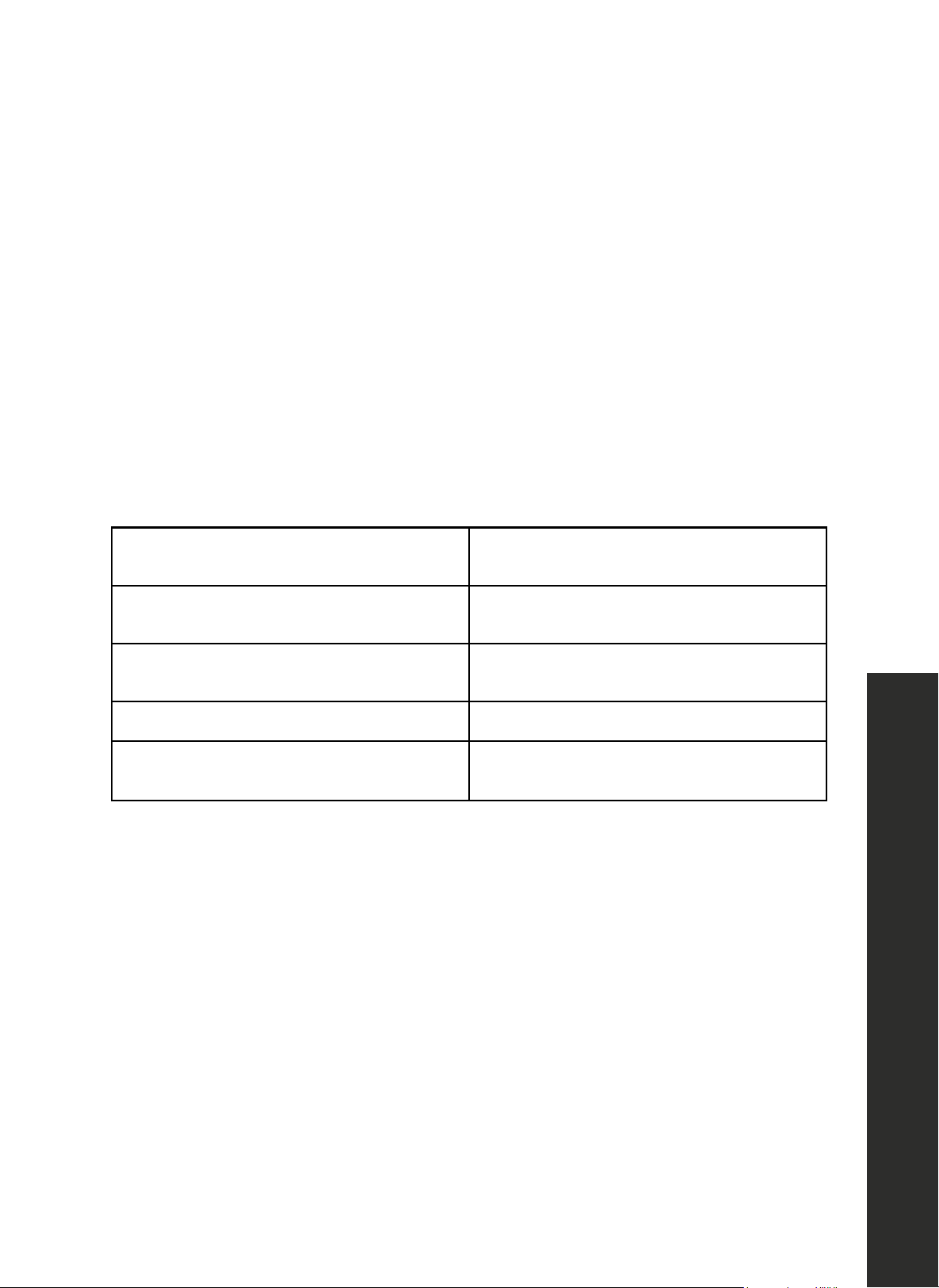
WHERE TO PLACE FOOD
Freezer compartment shelves
Various frozen food such as meat, fish, ice
cream, vegetables, etc.
Refrigeratorcompartmentshelves
Food in pans, covered plates, and
closed containers
Door shelvesof refrigerator compartment
Small and packaged foods or beverages
(such as milk,fruit juice, beer, etc.)
Drawer Vegetables and fruits
Flex drawer(s)
Delicatessen products (cheese, butter,
salami, etc.)
OPERATION
17
Operating Temperature
RECOMMENDED OPERATING TEMPERATURES
FREEZER REFRIGERATOR REMARKS
0 °F (-18 °C) 39 °F (4 °C) This is the recommended operating temperature.
-4 °F (-20 °C) 37 °F (3 °C)
These temperatures are recommended when the ambient
temperature is above 86 °F / 30 °C. Use these settings
if you think that your refrigerator compartment is not
cold enough because of warm ambient conditions or
frequent opening and closing of the door.
SUPER COOL MODE: 35 °F (2 °C)
Use this function when you place fresh groceries into the refrigerator compartment or when you
need to cool your food quickly. It is recommended that you activate the Super Cool function
4–8 hours before placing the food inside.
SUPER FREEZE MODE: 12 °F (24 °C)
Use this function when you wish to freeze your food in a short time. Your freezer compartment
will return to its previous mode when the process is over.
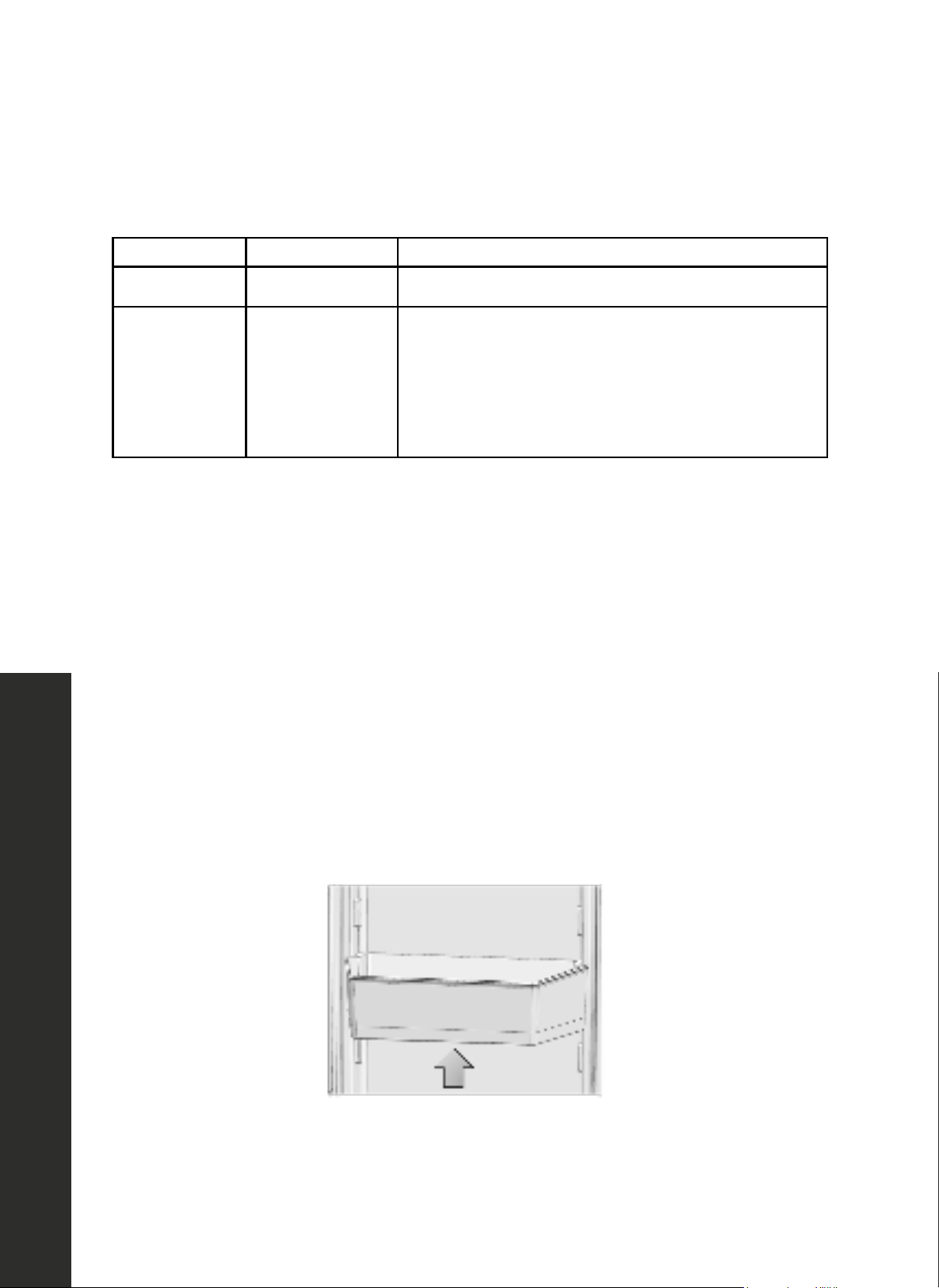
DOOR BINS
To remove, lift up the door bin to detach and then pull straight out. To replace, reverse the
process so you're putting in the bin at a slight angle, and then press down until it locks.
OPERATION
18
Glass Shelves
SHELVES AND DRAWERS
GLASS SHELVES
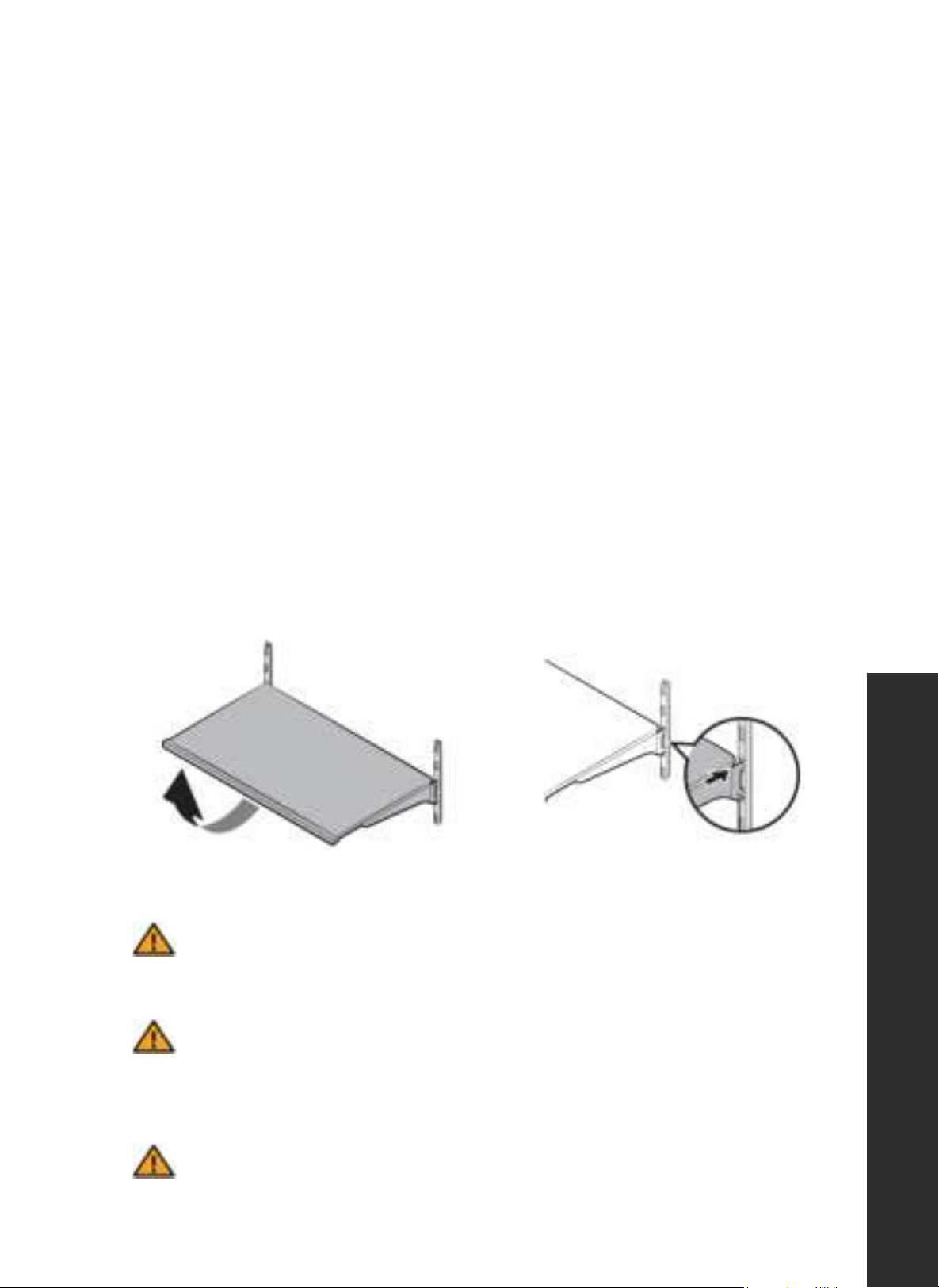
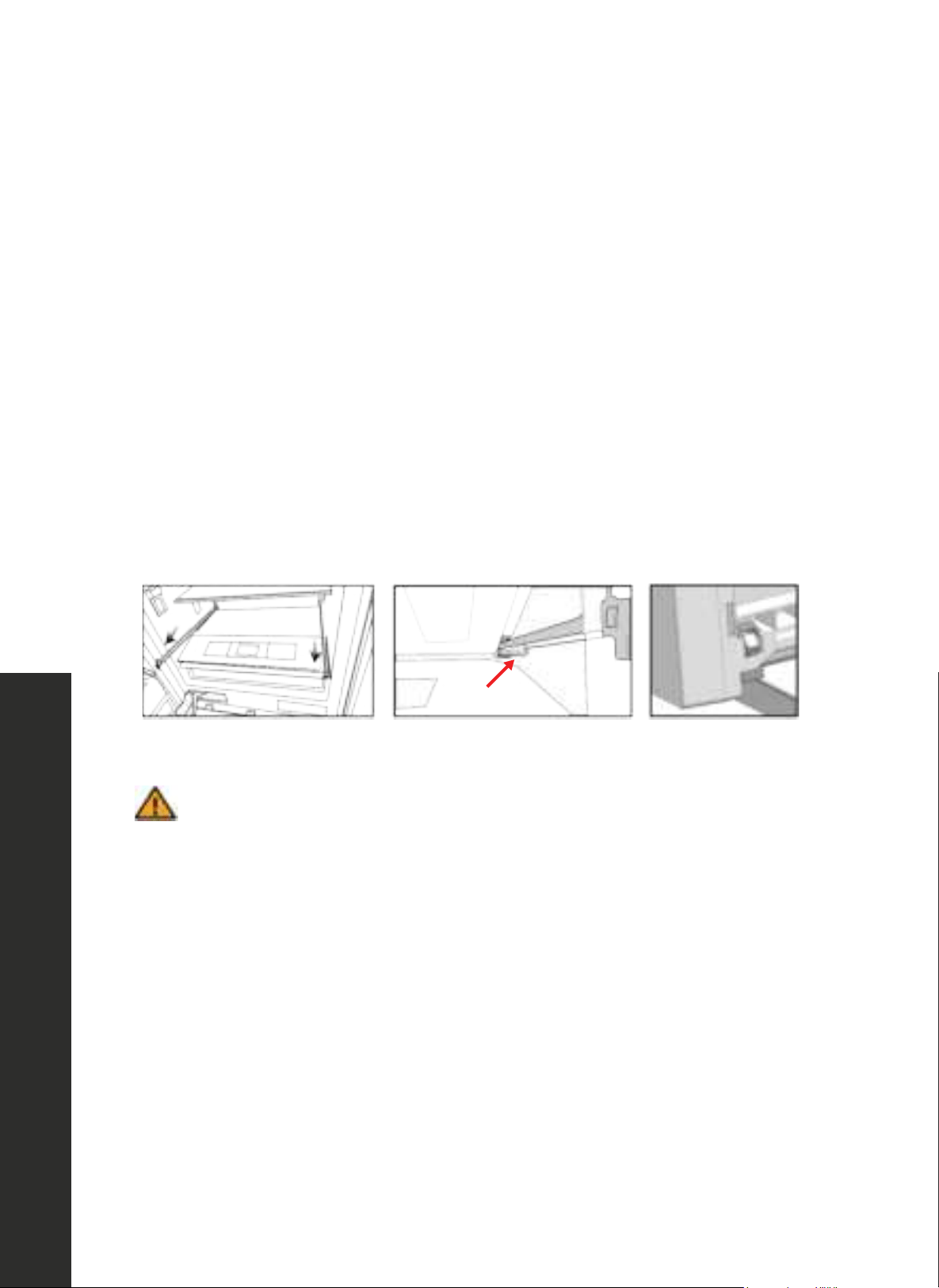
To remove a shelf
• Fully open the upper door of the refrigerator or both doors to gain better access.
• Hold the front of the shelf, and then gently lift up and slide out (see Figure 1).
To reinsert
• Hold the shelf at an angle so the front is higher than the back, and then insert the top hook
into the top shelf notch (see Figure 2).
• Put down the front slightly to lock into place.
NOTE: Use care when handling glass shelves to prevent breakage or scratching the interior.
Figure 1 Figure 2
ATTENTION
Glass shelves must be unloaded when removing and reinstalling.
ATTENTION
You must wait for the glass shelves to reach room temperature before
immersing them in water for cleaning, or you run the risk of the glass cracking
or breaking.
ATTENTION
You cannot close the refrigerator's door(s) if the door bins are positioned
at the same level as glass shelves. Make sure that the door is closed after
placing the shelves.
OPERATION
19
Drawer
DRAWER
To remove the drawer
• Pull the drawer out until it stops.
• Doors must be fully opened to remove/install the drawer.
• Slightly unclip the front section of the drawer and take it out completely.
To install the drawer
• Pull the sliding rails out completely (see Figure 1).
• Using care to not scratch the inside of the refrigerator, place the gaps located at the bottom
rear corners of the drawer onto the small extension pieces located at the rear corners of
both rails (see Figure 2, red arrow).
• Push the drawer down until you feel the front section clip onto the rails (see Figure 3).
Figure 1 Figure 2 Figure 3
ATTENTION
Make sure that the small extension pieces located on the rails at the right and
left-hand sides are affixed when installing the drawer.
OPERATION
20
Drawer
FLEX DRAWER
You can control the temperature in the flex drawer compartment to store your food such as fish,
meat, vegetables, and delicatessen products for a long time. The temperature range for the flex
drawer is 30 °F to 41 °F (-1 °C to 5 °C).
ATTENTION
Removal/installation procedures for the flex drawer(s) are same as that of
the drawer. Follow the same steps on page 19.
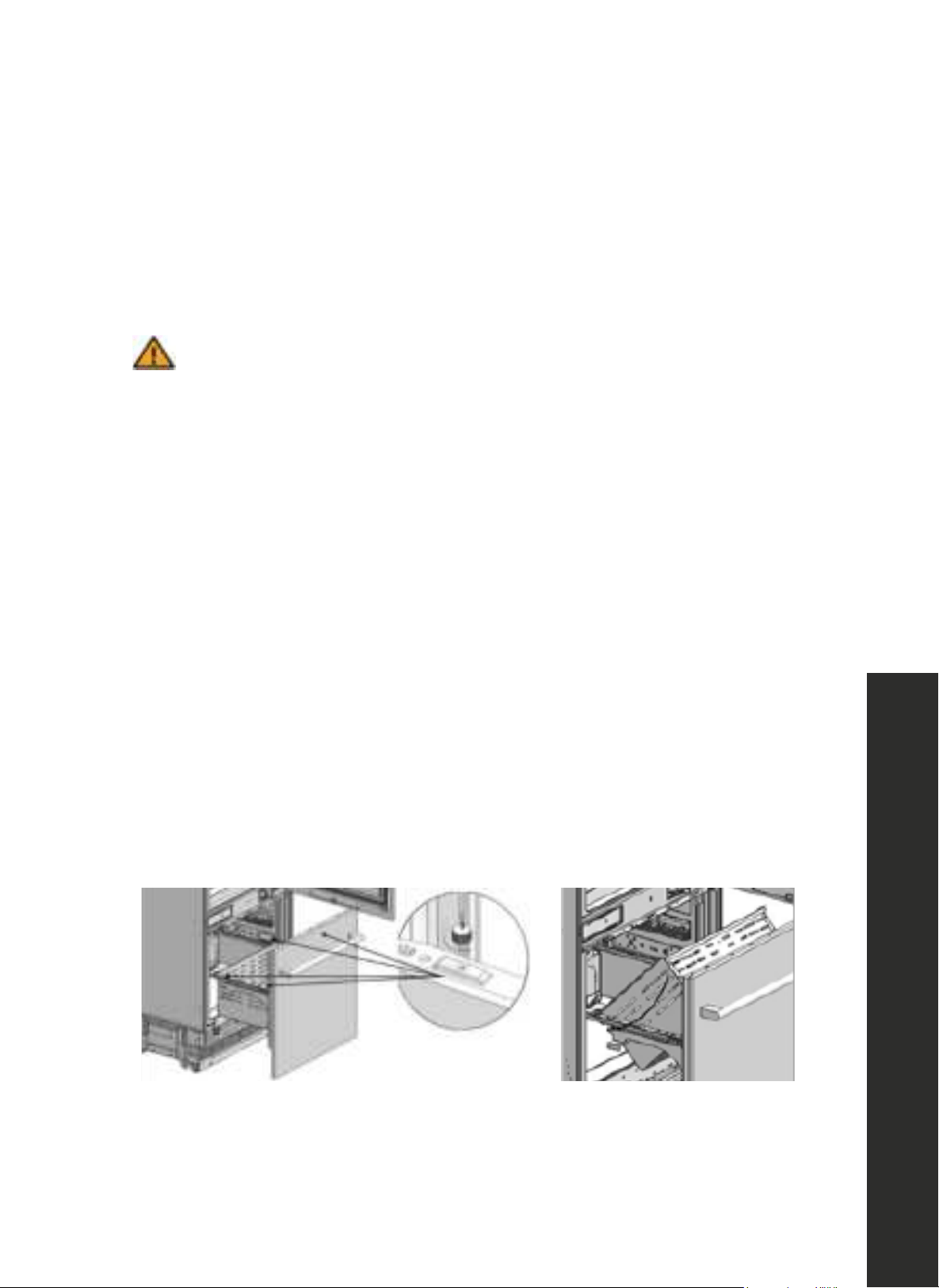
LOWER FREEZER DRAWER
The freezer compartment stores your foods at a temperature between 5 °F to -11 °F
(-15 °C to -24 °C) to keep them fresh for a long time.
To remove the drawer
• Open the freezer door until it stops.
• Remove the four thumb screws (see Figure 1) and place them in a safe place. Carefully lift
the front of the drawer and then the rear to remove (see Figure 2).
To install the drawer
• Open the freezer door until it stops.
• Slowly lower the rear of the drawer first and then the front until level. Reinstall the four thumb
screws removed earlier.
Figure 1 Figure 2
OPERATION

21
CARE & CLEANING
• The service life of your product will extend and frequently encountered problems will
decrease if the product is cleaned periodically.
• Never use gasoline, benzene, or similar substances for cleaning purposes.
• Never use any sharp abrasive instruments, soap, household cleaners, detergent, or wax
polish for cleaning.
• The best cleaning option is to dissolve one teaspoon of baking soda in a half liter of water.
Soak a cloth in the solution and wring it thoroughly. Wipe the interior of the refrigerator with
this cloth and then dry thoroughly.
• Make sure that no water contacts the light fixtures or other electrical parts.
• If you plan to not use the refrigerator for a long time, unplug it, remove all food inside, clean
it, and leave the door ajar.
• Check regularly that the door gaskets are clean. If not, clean them.
• Take out all items inside the unit before removing the door and shelves for cleaning.
• Remove the door shelves by pulling them up. Slide the shelves downward to re-install them
after cleaning. Refer to pages 18–20 for directions on how to remove/install shelves
and drawers.
• Never use chloric cleaning agents or water to clean outer surfaces or chrome-coated parts
of the product. Chlorine causes abrasion on such metal surfaces.
AVOIDING BAD ODORS
• Your appliance is equipped with a permanent odor filter installed in the back of the inside
of the main refrigerator compartment that helps to eliminate food-related odors. However,
odors may still emit if foods are stored improperly or if the interior of the product is not
cleaned as required. Please consider the following to avoid this problem:
• It is important that the refrigerator is kept clean.
• Food residuals, stains, etc., can cause odor. For this reason, clean your refrigerator
with the baking soda solution outlined above every 15 days. Never use
detergents or soap.
• Keep your foods in closed containers. Microorganisms emitted from containers
without a cover may cause unpleasant odors.
• Never keep expired or spoiled foods in your refrigerator.
MAINTENANCE AND CLEANING
Care and Cleaning
22
SURFACE CLEANING AND PROTECTION
Plastic Surfaces
• Do not put liquid oils or oil-cooked meals in your refrigerator in unsealed containers as they
damage the plastic surfaces of your refrigerator.
• If oil is spilled or smeared onto the plastic surfaces, clean and rinse the relevant part of the
surface with warm water immediately.
WARNING
Turn off the product before cleaning.
WARNING
It is recommended to clean the condenser every six months using gloves. You
must not use vacuum cleaners.
The Inner Surface
• To clean the inner surfaces and all removable parts, wash them with a mild solution
comprising soap, water, and carbonate.
• Rinse and dry thoroughly.
• Prevent any water from contacting the lighting elements and control panel.
Stainless Steel Outer Surfaces
• Use a stainless steel cleaning agent that is non-abrasive and apply it with a lint-free, soft cloth.
• For polishing, wipe the surface softly with a damp microfiber cloth and use dry wash-leather.
• Always follow the strands of the stainless steel.
ATTENTION
Do not use vinegar, rubbing alcohol, or other alcohol-based cleaning agents
on any of the inner surfaces.
MAINTENANCE AND CLEANING
Care and Cleaning
23
• Please review this list for common troubleshooting tips before calling for service, as this may
save you time and money.
• This list contains frequently encountered problems that are not results of faulty workmanship
or material use.
• Your product may not have some of the features described here.
WARNING
If a problem cannot be resolved after following the instructions in the manuals,
please contact ZLINE Customer Service at 1-614-777-5004. Never attempt
to repair or disassemble a faulty refrigerator sealed system as there are no
user-serviceable parts. Always consult a professional.
TROUBLESHOOTING
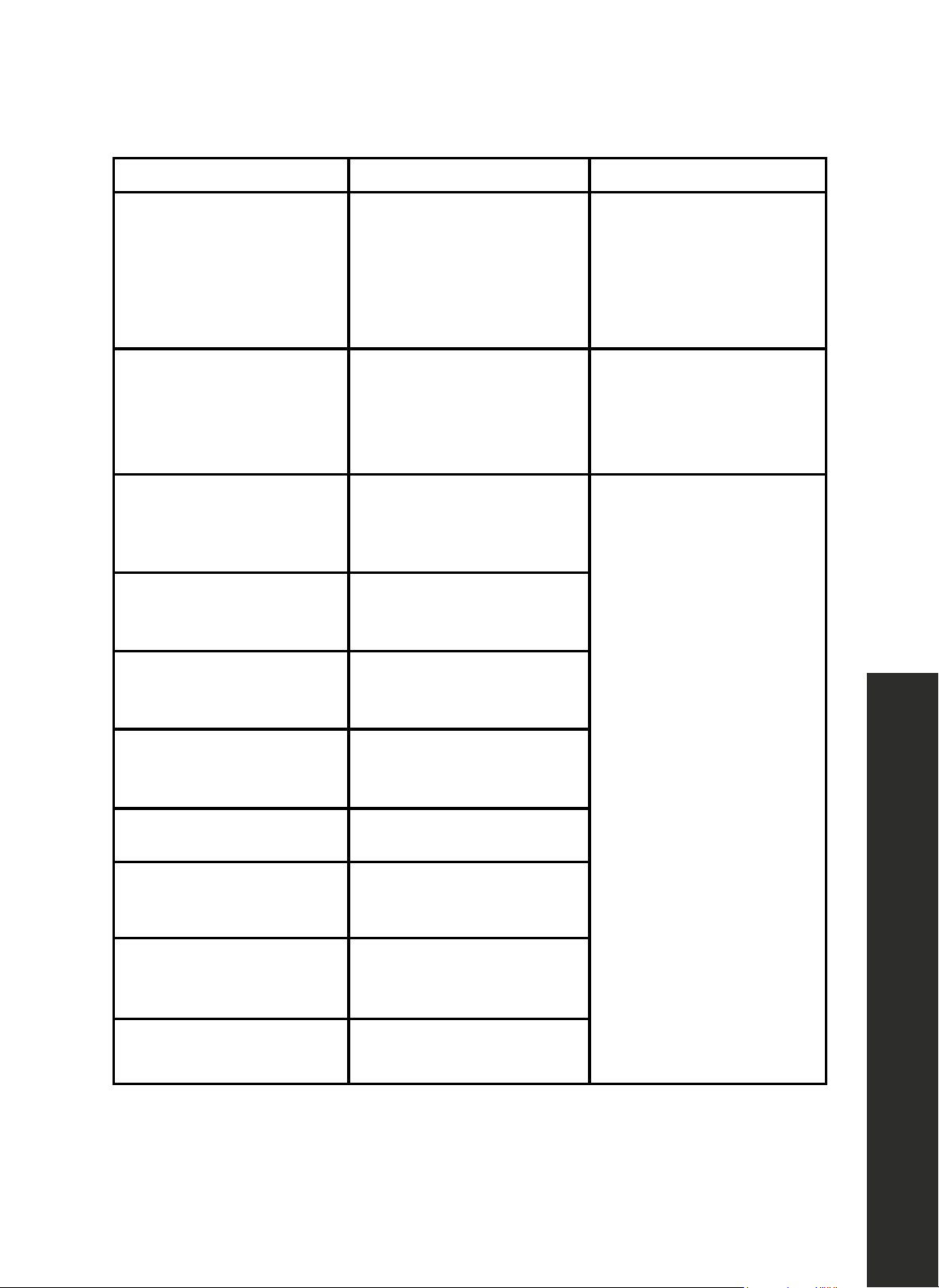
PROBLEM POSSIBLE CAUSE POSSIBLE SOLUTION
The refrigerator is
not operating.
It may not be plugged
in properly.
Plug in the product properly.
Loss of power to the outlet
to which your refrigerator
is connected.
Check the circuit breaker or
fuse may have blown.
There is condensation in the
refrigerator compartment
The door may have been
opened/closed frequently.
Do not open/close the
refrigerator door frequently.
The environment may
be too humid.
Do not install the refrigerator
at locations with a very high
level of humidity.
Foods containing liquid may
have been placed into the
refrigerator in containers
without covers.
Do not place foods
containing liquid into
the refrigerator in
unsealed containers.
The door of the refrigerator
may have been left ajar.
Do not keep the doors of
your refrigerator open for
a long time.
Troubleshooting
24
PROBLEM POSSIBLE CAUSE POSSIBLE SOLUTION
The compressor is
not operating.
The internal protector
of the compressor will
open, protecting the
compressor, and it will reset
automatically.
The refrigerator will start
running approximately after
6 minutes. Please call ZLINE
at 1-614-777-5004 if the
refrigerator does not start at
the end of this period.
The freezer is in
defrosting cycle.
This is normal for a
refrigerator that performs
full-automatic defrosting.
Defrosting cycle is
performed periodically.
This is normal for the unit to
defrost periodically.
The refrigerator may not be
plugged in.
Make sure that the plug
fits the socket.
Temperature settings may
be incorrect.
Select the correct
temperature value.
Possible power failure.
The refrigerator will start
to operate normally when
power restores.
The operation noise
increases when the
refrigerator is running.
Operating performance
of the refrigerator may
vary based on the ambient
temperature changes.
This is normal and
not a fault.
TROUBLESHOOTING
Troubleshooting
25
TROUBLESHOOTING
PROBLEM POSSIBLE CAUSE POSSIBLE SOLUTION
Vibration or noise.
The floor may not be
stable or level.
If you notice that the
refrigerator shakes when
moved slightly, make sure
that the floor is level and
capable of carrying the
refrigerator. Adjust feet
as necessary.
Objects placed on top of the
refrigerator may cause noise.
Remove the objects on the
refrigerator.
There are noises coming
from the refrigerator like
liquid spilling or spraying.
Liquid and gas flows occur
normally in accordance with
the operating principles of
the refrigerator.
This is normal and
not a fault.
A whistling noise is heard
from the refrigerator.
There are fans that are used
to cool the refrigerator.
This is normal and
not a fault.
Dampness accumulates
on the inner walls of
refrigerator.
Hot and humid weather
increases icing and
condensation.
This is normal and
not a fault.
The doors may have been
opened frequently or left
ajar for a long time.
Do not open the door
frequently. Close the
doors, if open.
The door may have
been left ajar.
Close the door completely.
Troubleshooting
26
TROUBLESHOOTING
PROBLEM POSSIBLE CAUSE POSSIBLE SOLUTION
Condensation occurs
on the outer surface
of the refrigerator or
between the doors.
Air might be humid.
This is quite normal in
humid weathers.
Condensation will
disappear as the humidity
level decreases.
There might be external
condensation at the section
between two doors of the
refrigerator if you use your
product rarely.
This is normal. Condensation
will disappear upon
frequent use.
There is a bad odor inside
the refrigerator.
No regular cleaning may
have been performed.
Clean the inside of the
refrigerator with a sponge
and lukewarm water or
carbonated water.
Some containers or
packaging materials may
cause the odor.
Use another container or
packaging materials from
another brand.
Foods may have been
placed into the refrigerator
in containers without
covers. Microorganisms
emitting from containers
without a cover may cause
unpleasant odors.
Store foods in closed
containers.
Food may be
expired or spoiled.
Take out expired or spoiled
foods from the refrigerator.
Troubleshooting
27
TROUBLESHOOTING
PROBLEM POSSIBLE CAUSE POSSIBLE SOLUTION
The door cannot be closed.
Food packages may
be preventing the door
from closing.
Re-locate the packages
obstructing the door.
The refrigerator may be
unstable on the floor.
Adjust the refrigerator feet
as required to keep the
refrigerator in balance.
The floor may not be
level or solid.
Make sure that the floor
is level and capable of
carrying the refrigerator.
Drawers are stuck.
Foods may be touching the
upper wall of the drawer.
Re-organize the foods
in the drawer.
No water is coming out of
the water dispenser
Check whether the water line is connected normally,
whether the water supply valve is opened, and whether the
water pipe is bent or creased.
The water filter or water filter bypass plug may been be
installed before water can be discharged.
Check whether the filter or water filter bypass plug is
installed properly.
Troubleshooting
28
TROUBLESHOOTING
PROBLEM POSSIBLE CAUSE POSSIBLE SOLUTION
Error Code F1
Refrigerator compartment air
sensor error.
There may be an internal
control board issue requiring
service; please call ZLINE
Customer Service at
1-614-777-5004.
Error Code F2
Refrigerator compartment
defrost sensor error.
Service may be required;
please call ZLINE
Customer Service at
1-614-777-5004.
Error Code F3
Special refrigerator
compartment air
sensor error.
Please call ZLINE
Customer Service at
1-614-777-5004.
Error Code F4
Freezer compartment air
sensor error.
Error Code F5
Freezer compartment defrost
sensor error.
Error Code F6
Ambient compartment air
sensor error.
Error Code CE Communication failure.
Error Code 1E
Refrigerator
compartment fan error.
Error Code 2E
Freezer
compartment fan error.
Error Code 3E Condenser fan error.
Troubleshooting

COVERAGE
ZLINE Kitchen and Bath ("ZLINE") built-in refrigerators have a two year parts and service warranty
and a five year parts warranty on the unit's sealed cooling system.
ZLINE warranty periods begin from the original date of product delivery and solely cover the
original purchaser of the product, delivered new and in its original carton. The limited warranty
covers all parts and labor for necessary repairs if any part of the product, or the product itself,
proves to be defective in materials or workmanship.
The product must be deemed serviceable via troubleshooting with the ZLINE Customer Experience
team. All service on ZLINE products under warranty must be performed by ZLINE-approved and
ZLINE-certified service providers unless otherwise specified by ZLINE. Service will be provided
during normal business hours.
Products must be unobstructed and accessible to the service provider at the time of service. ZLINE’s
liability is limited to the original purchase price of the product. Additional injuries, losses, damages,
or other inconveniences caused by product malfunction or defects in materials are not covered
under the terms of this warranty.
TERMS
ZLINE warranties apply only to the original purchaser of a ZLINE product installed for normal
residential use. This is defined as a single-family, residential dwelling in a non-commercial setting.
Any warranty claim stemming from installation, operation, or any other use within a commercial
setting is not covered under this limited warranty. Commercial settings include, but are not limited
to: schools, churches, hotels, restaurants, vacation rentals such as Airbnb, daycare centers, private
clubs, fire stations, common areas in multi-family dwellings, nursing homes, food service locations,
and institutional food service locations such as hospitals or correctional facilities.
This warranty is non-transferable and will not under any circumstance be extended based on the
date of installation — the warranty period takes effect from the date of delivery and only covers the
original purchaser. The warranty applies only to products installed in the contiguous United States
and the District of Columbia.
WARRANTY

WARRANTY
Failure to secure certified warranty service per these terms will result in a forfeiture of the remaining
warranty. Out-of-pocket payments will not be reimbursed unless prior approval is received from
ZLINE and/or ZLINE-certified service contract partners. Unapproved out-of-pocket payments
for service will not be reimbursed. All warranty procedures must be followed to maintain
warranty coverage.
If a product qualifies within the service window provided under these warranty terms, and ZLINE
is unable to repair the product or a defective part of the product after a reasonable number of
attempts, ZLINE reserves the right to offer to replace the defective part or the product or provide
the original purchaser a full refund of the purchase price of the product (not including installation,
removal, or other charges that were not included in the original purchase price).
The original purchaser of the product must provide the original proof of purchase, including the
purchase date, when filing a claim to obtain replacement parts, service, or refunds. Additionally,
the original purchaser of the product must provide the serial number of the product when filing a
claim to obtain replacement parts, service, or refunds.
This warranty shall not apply to any ZLINE product in which the original factory serial number
has been removed, altered, or cannot be readily determined for any reason. Further, ZLINE is not
responsible for damage resulting from, but not limited to: shipment, delivery, or improper installation;
negligence or improper maintenance, misuse, or abuse of the product; unauthorized alteration,
modification, or tampering with the product; accident, fire, floods, pest infestations, pandemics,
natural disasters, or any other unpreventable or unexplained acts of nature, commonly referred
to as “acts of God”; flare-up fires or damages caused by improper electric supply, electrical line
current, voltage, or power surges; and service to correct installation not in accordance with the
instructions contained in ZLINE’s product manuals and/or with local government codes.
In the event service is dispatched, and it is discovered that the reported issue is not covered under
warranty based on the disclaimers above, the customer will be responsible for all service fees.
Failure to pay these fees will result in the forfeiture of remaining warranty coverage.
Information contained within ZLINE’s installation and user manuals, in addition to product
information included on ZLINE’s website and all related digital listings, do not cover every possible
condition and situation that may occur during the installation or operation of ZLINE products.
ZLINE reserves the right to make changes at any time to its products when considered safe,
necessary, and useful. Always check the ZLINE website for the most up-to-date version of its
product manuals: www.zlinekitchen.com/pages/manuals.
Do not install or operate any ZLINE product if it has missing or broken parts or if it arrives damaged
due to shipping. If ZLINE products arrive damaged, contact ZLINE Customer Experience at
1-614-777-5004 for help. Failure to report a damaged appliance prior to installation or operation
may void the warranty.
ZLINE disclaims responsibility for damage or injury caused by improper installation or use of
any of its products. ZLINE is under no obligation, by law or otherwise, to provide concessions,
including repairs, prorates, rebates, discounts, or replacements, once the warranty has expired.
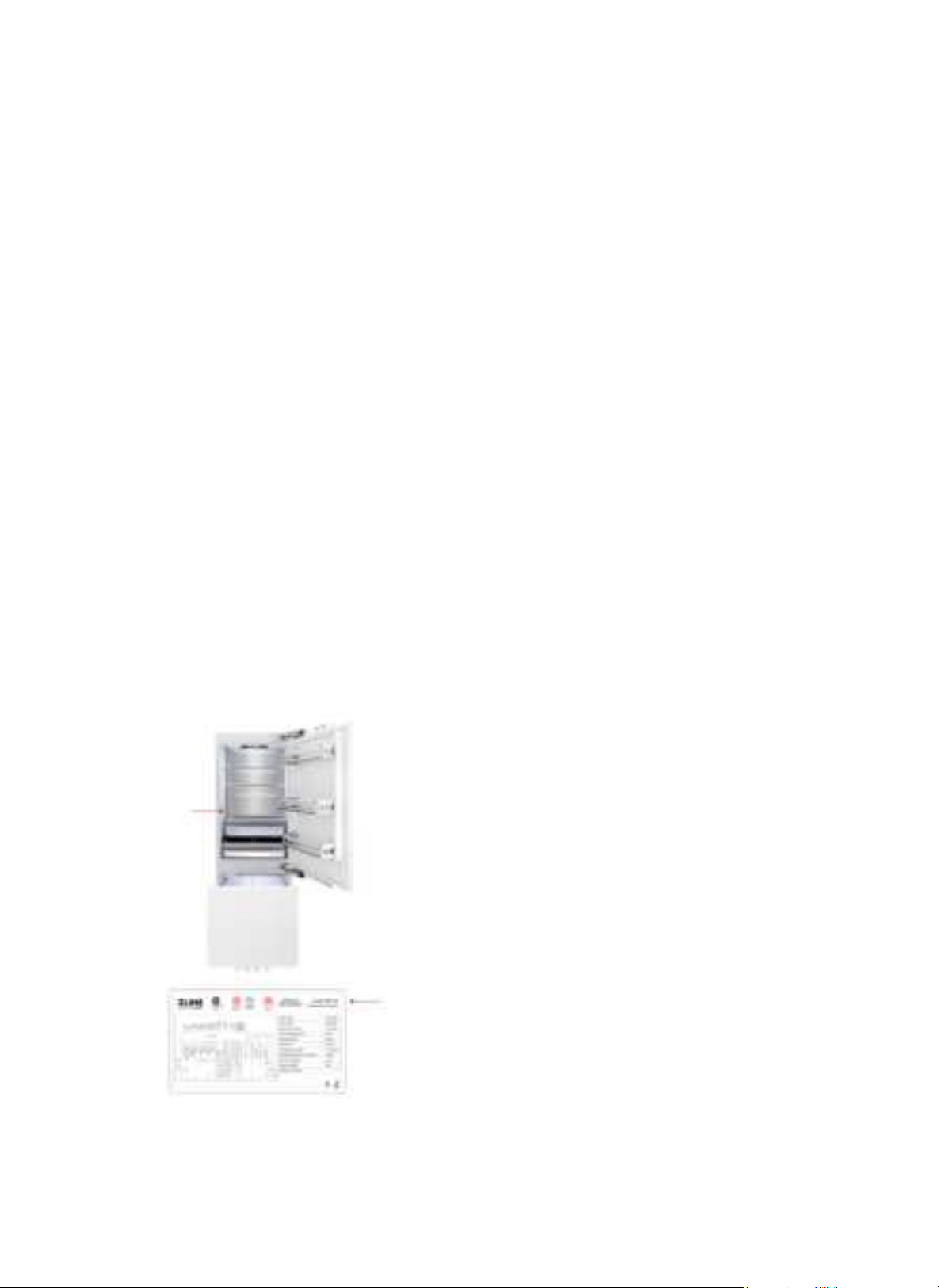
SERIAL NUMBER LOCATION
The rating tag shows the model and serial number of
your refrigerator. The product label and rating tag
are located on the left-hand side of the cabinet. The
tag is visible when the refrigerator door is open. Do
not remove permanently affixed labels, warnings, or
plates from the product. This will void the warranty.
WARRANTY
WARRANTY
SERVICE
For warranty service, please contact our Customer Service team at
1-614-777-5004 or visit www.zlinekitchen.com/contact to utilize our online
Customer Experience Portal.
Scan the QR code to view the most up-to-date version of our user manual and
installation manual.
Need to purchase a part or accessory for your ZLINE product?
Visit www.zlineparts.com, ZLINE's official parts distribution partner.