SL5000
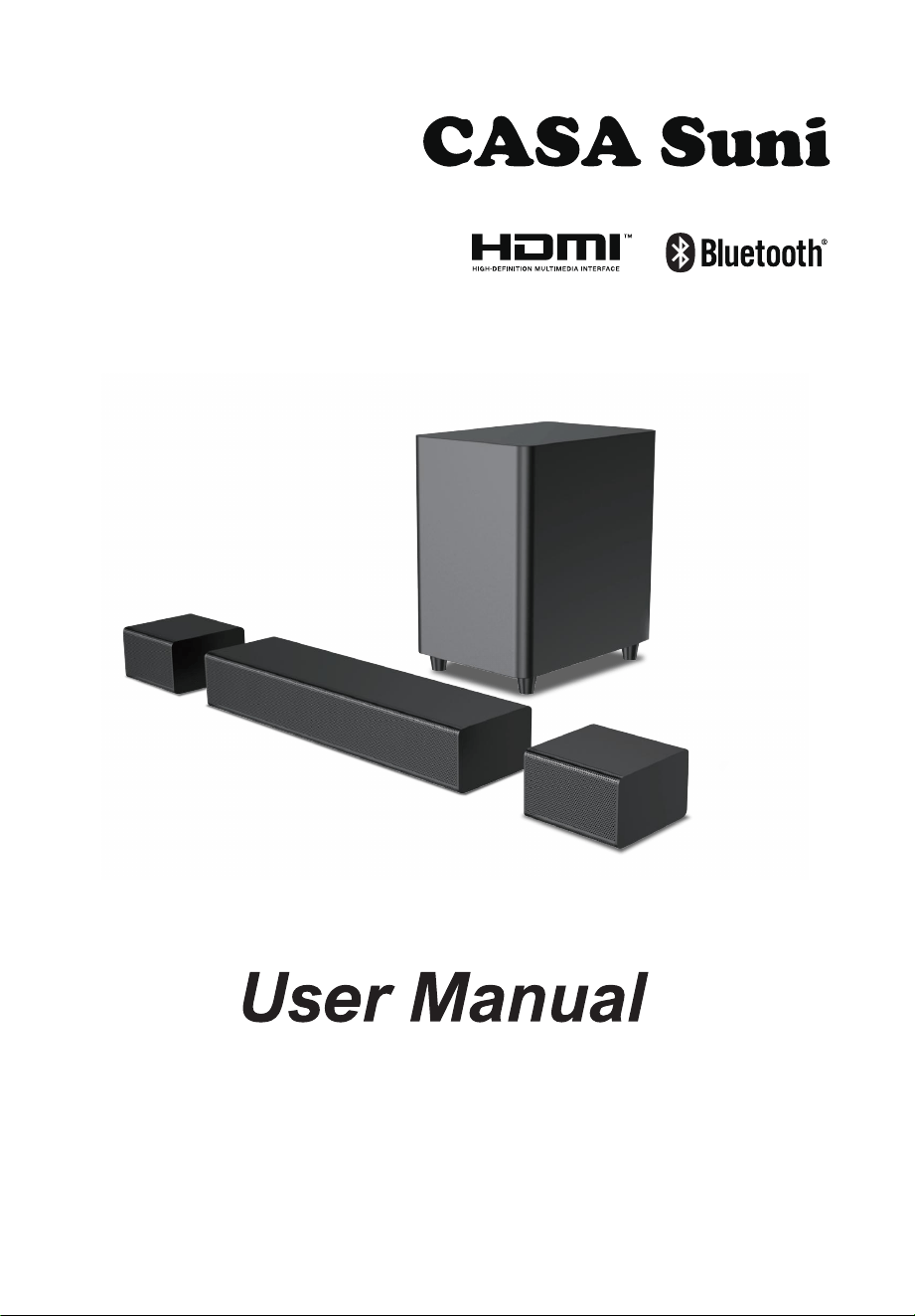
5.1 Channel Soundbar
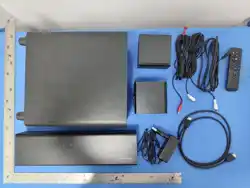
1 ACCESSORIES LIST
01
2 REMOTE CONTROL
02
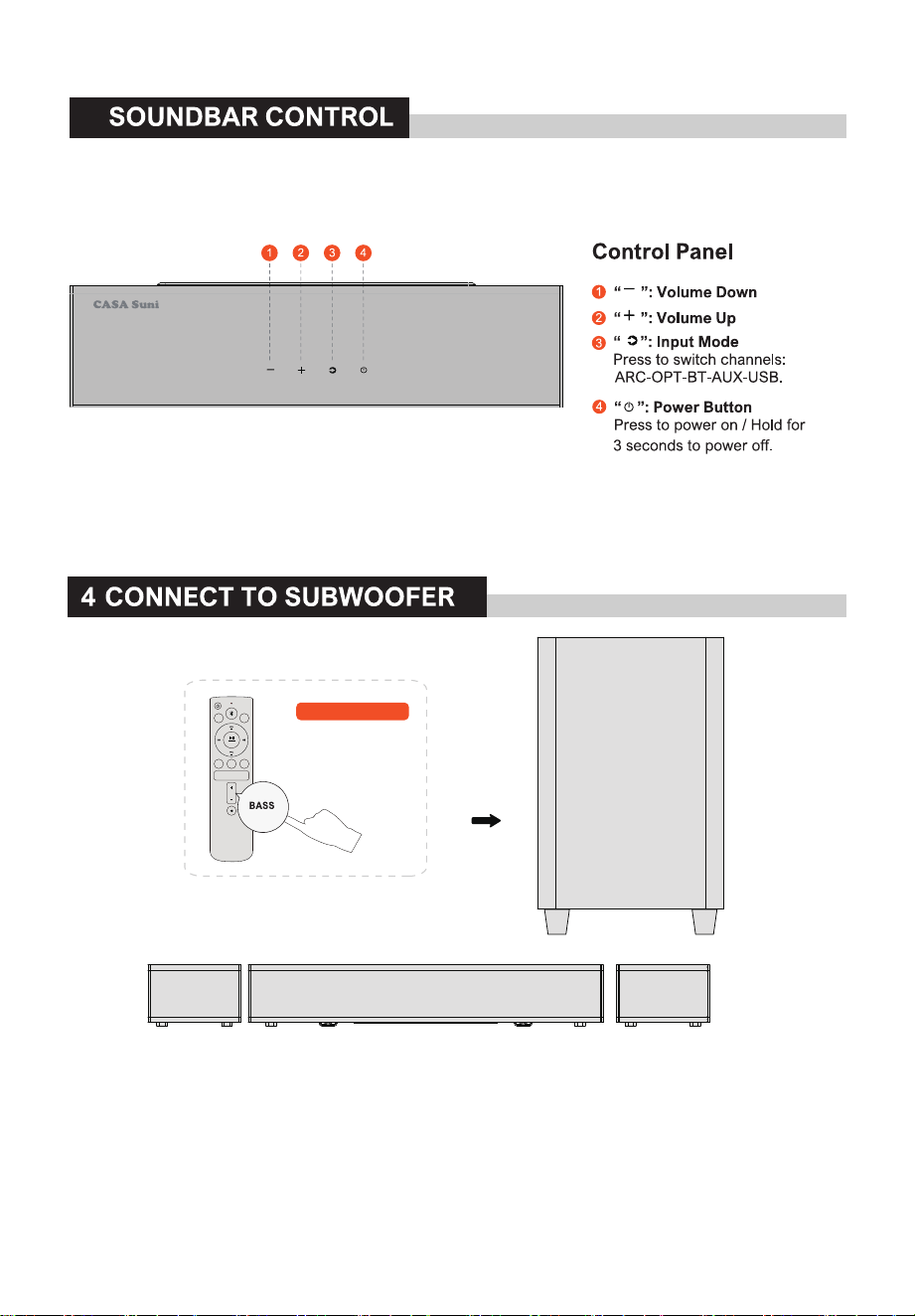
3 SOUNDBAR CONTROL
03
4 CONNECT TO SUBWOOFER
03
5 CONNECT TO TV VIA HDMI ARC
04
6 CONNECT TO TV VIA OPTICAL / AUX
05
7 CONNECT TO BLUETOOTH
®
06
8 CONNECT TO SUBWOOFER AND SURROUND SPEAKERS
06
9 PAIRING SUBWOOFER
07
10 PLACEMENT OPTIONS
07
11 WALL MOUNT INSTALLATION
08
12 SPECIFICATIONS
09
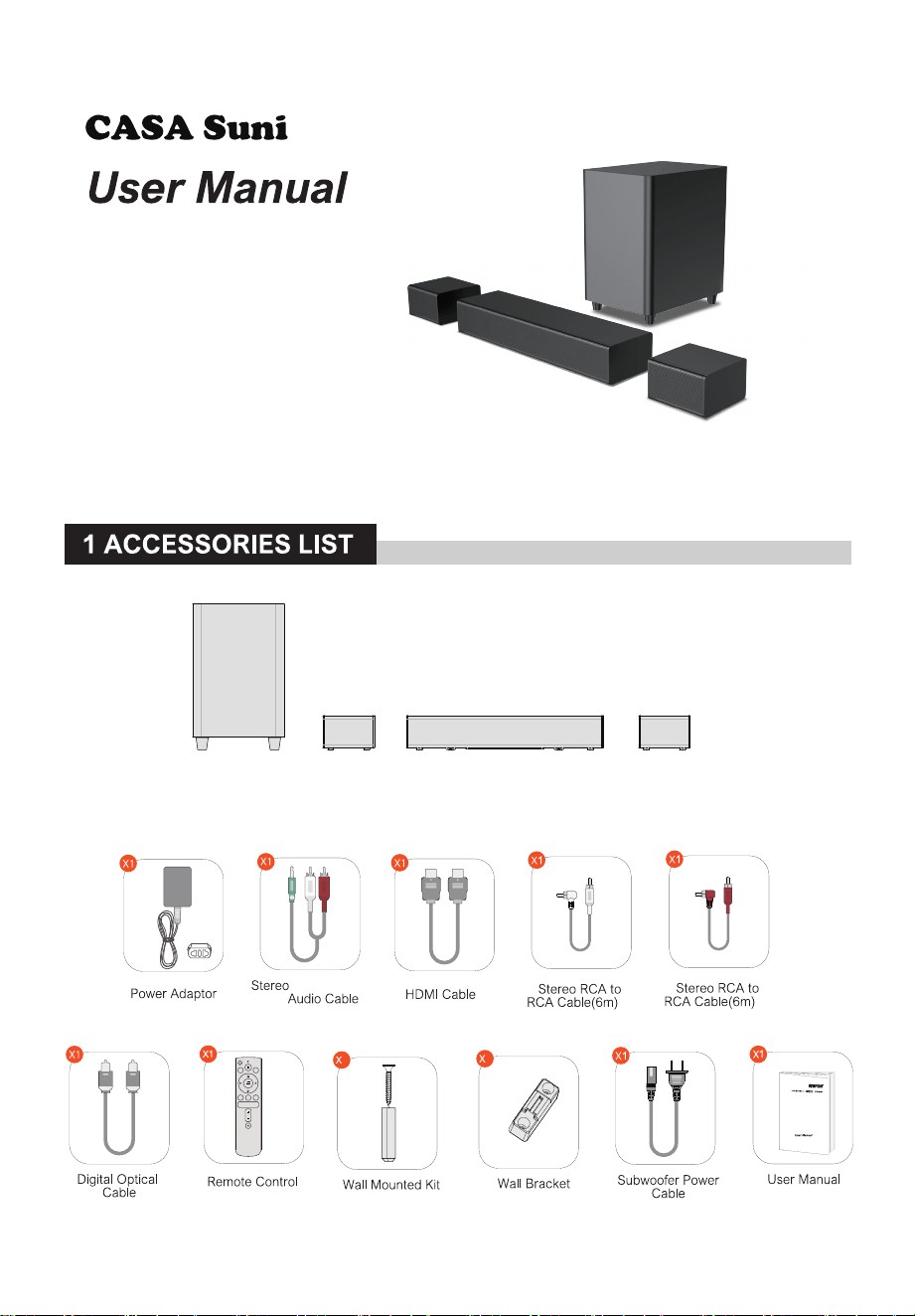
SL5000
Subwoofer surround surroundSoundbar
SL5100
5.1 Channel Dolby Atmos Soundbar
HDMI
ARC
OPT
RESET
AUX
-
SURROUND
+
EQ USB
BASS
8
4
L
R
1.5m -2RCA
01
HDMI
ARC
RESET
USB
1
2
7
10
13
3
5
6
8
12
15
9
4
11
14
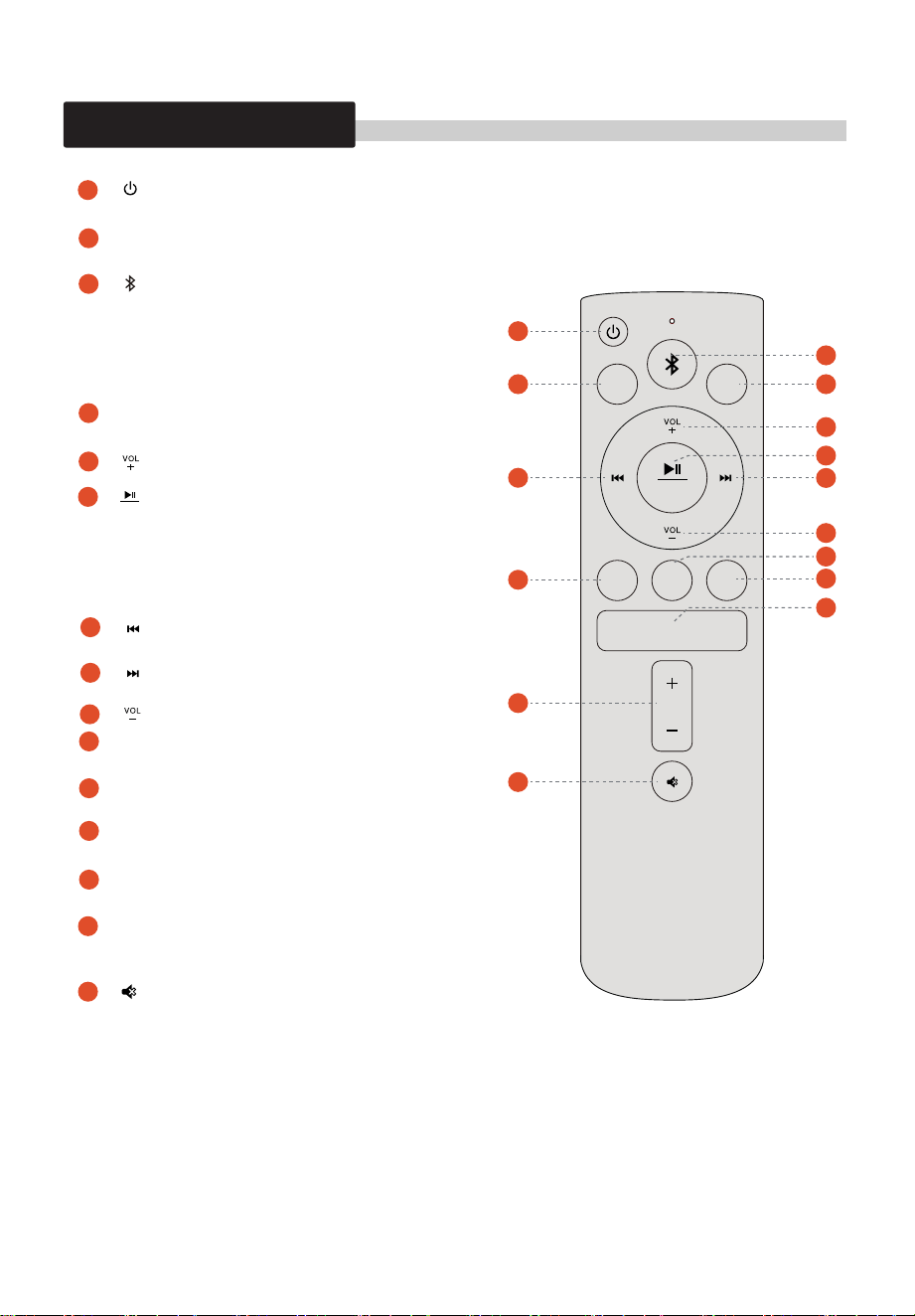
Power Button
Press to power on / Hold for 3 seconds to power off.
Press to switch to HDMI ARC channel.
Press to switch to Bluetooth channel and enter
pairing mode. Hold for 3 seconds to disconnect
the current device and connect to a new device
manually on your mobile phone / PC/ TV
(BT ID: SL5000).
Press to switch to OPTlCAL channel.
For BT and USB mode only: Skip to previous track.
For BT and USB mode only: Skip to next track.
For BT and USB mode only.
USB mode: Hold for 3 seconds to switch between
single loop playback and list loop playback.
Press and hold RESET for 5 seconds to restore
factory mode.
Press to switch to USB channel.
Press to switch to control surround volume.
“ ”:
“ ”:
BT
“ ”:
OPT
“ ”:
Volume Up
“ ”:
Volume Down
“ ”:
Previous
HDMI
ARC
OPT
“ ”:
Next
“ ”:
Play / Pause
“ ”:
AUX
“ ”:
EQ
“ ”:
USB
“ ”:
SURROUND“
SURROUND ”:
The Bass Can Be Adjusted To Plus Or Minus 5DB.
Mute / Recover the volume.
BASS
“ ”:
“ ”:
EQ
AUX
BASS
HDMI
ARC
OPT
RESET
AUX
-
SURROUND
+
EQ USB
BASS
1
2
7
10
14
15
3
5
6
8
12
9
4
11
13
Press to adjust bass level.
2 REMOTE CONTROL
Press to switch to EQ mode.
Press to switch to AUX channel.
02
Wireless link
HDMI
ARC
OPT
RESET
AUX
-
SURROUND
+
EQ USB
BASS
3
03
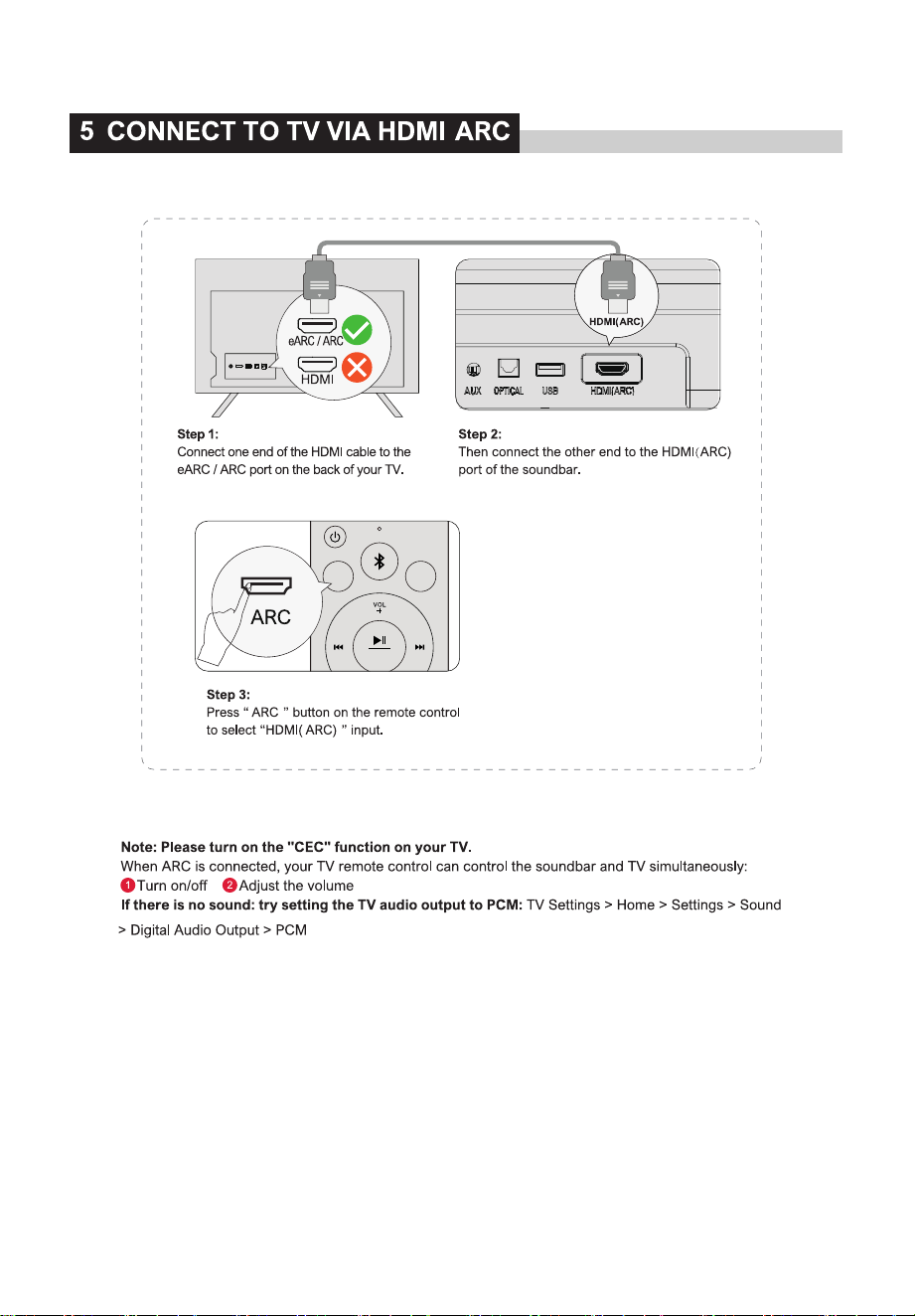
HDMI
ARC
OPT
RESET
AUX
MOVIE GAME MUSIC
LED USB
BASS
OPT
04
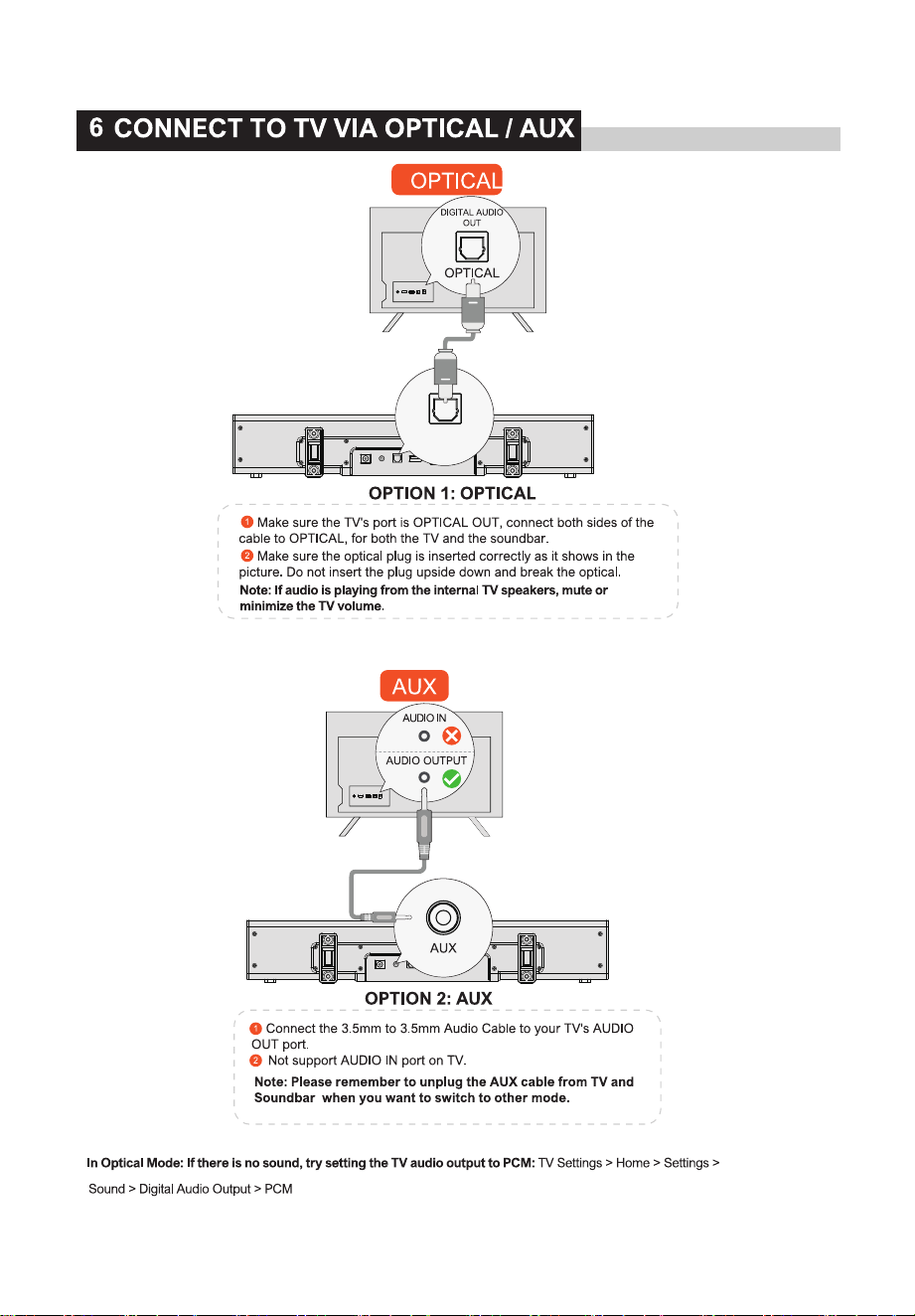
DC IN
AUX USB HDMI(ARC)
OPTICAL
DC IN
AUX USB HDMI(eARC)
OPTICAL
05
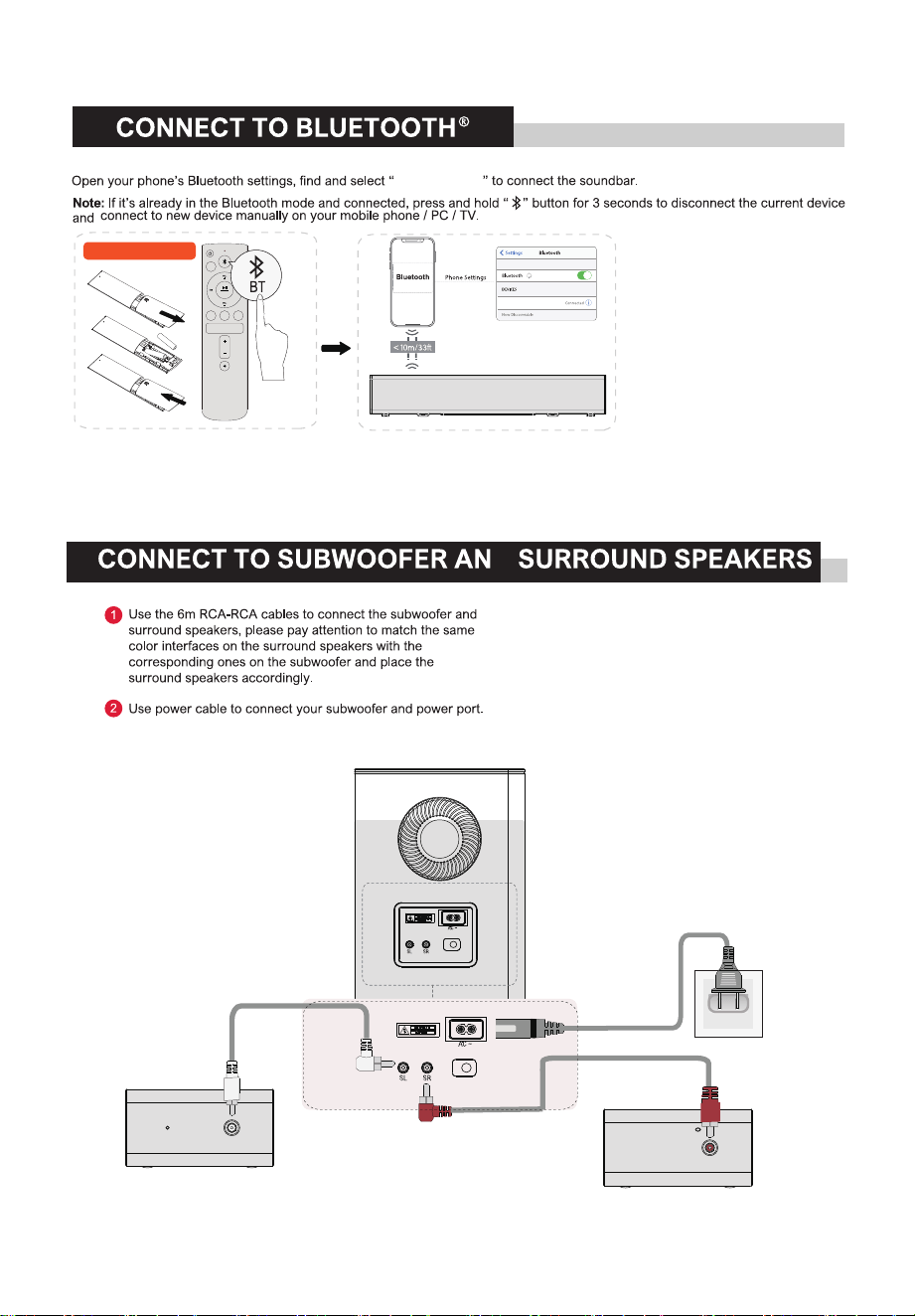
HDMI
ARC
OPT
RESET
AUX
-
SURROUND
+
EQ USB
BASS
Suni SL5000
Batteries not included
Suni SL5000
7
8
D
06
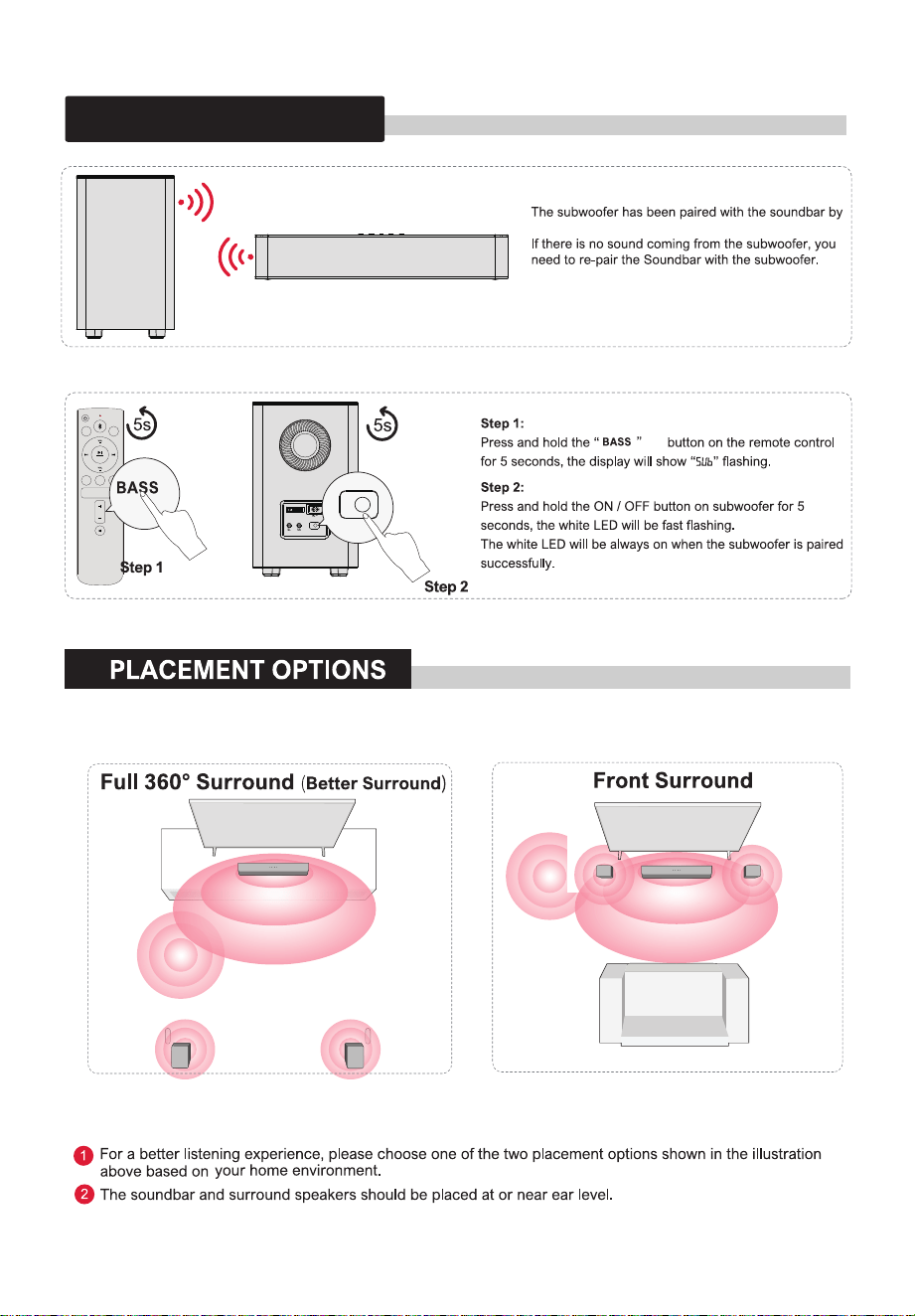
HDMI
ARC
OPT
RESET
AUX
-
SURROUND
+
EQ USB
BASS
SLB
9 PAIRING SUBWOOFER
10
07
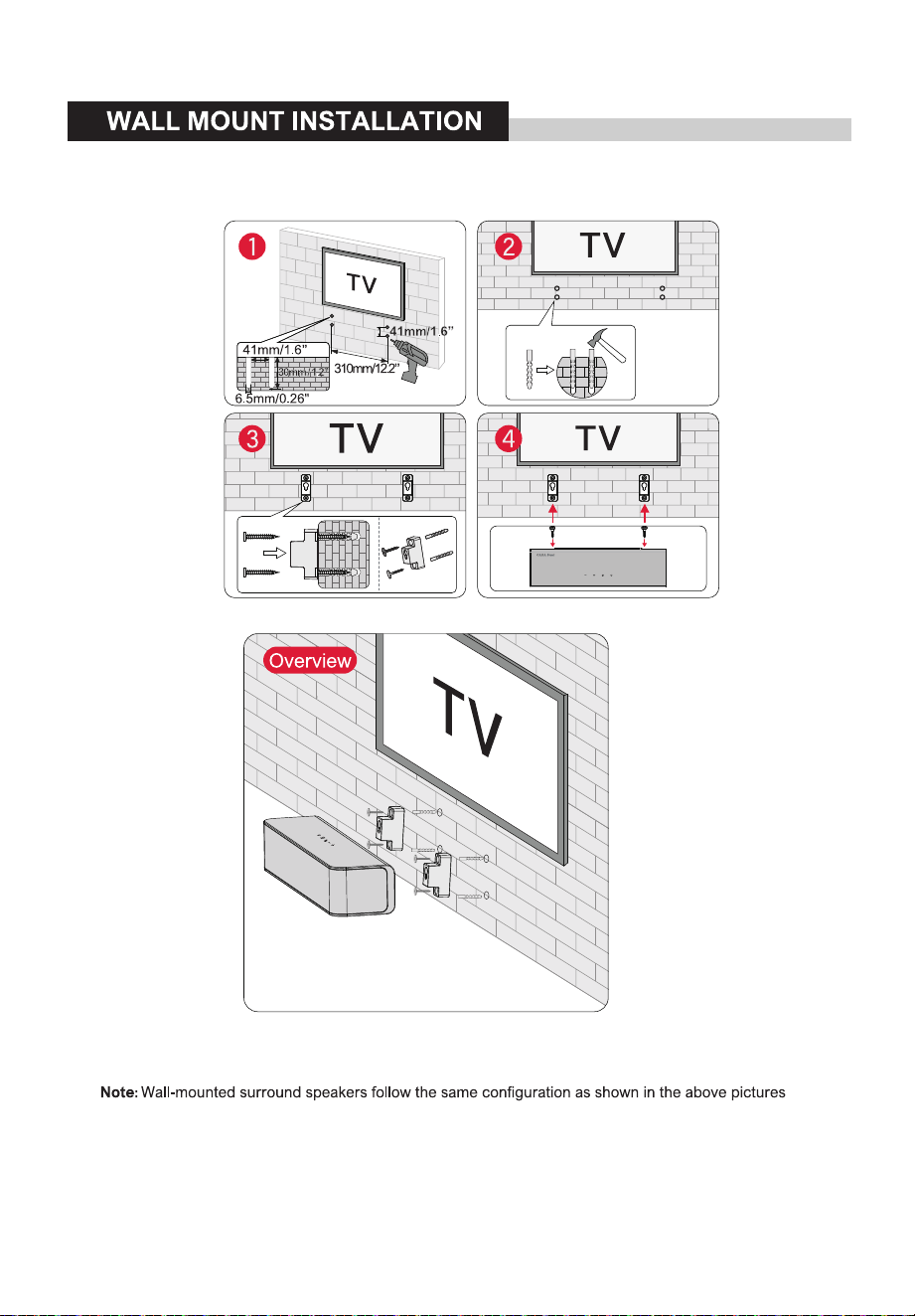
11
08
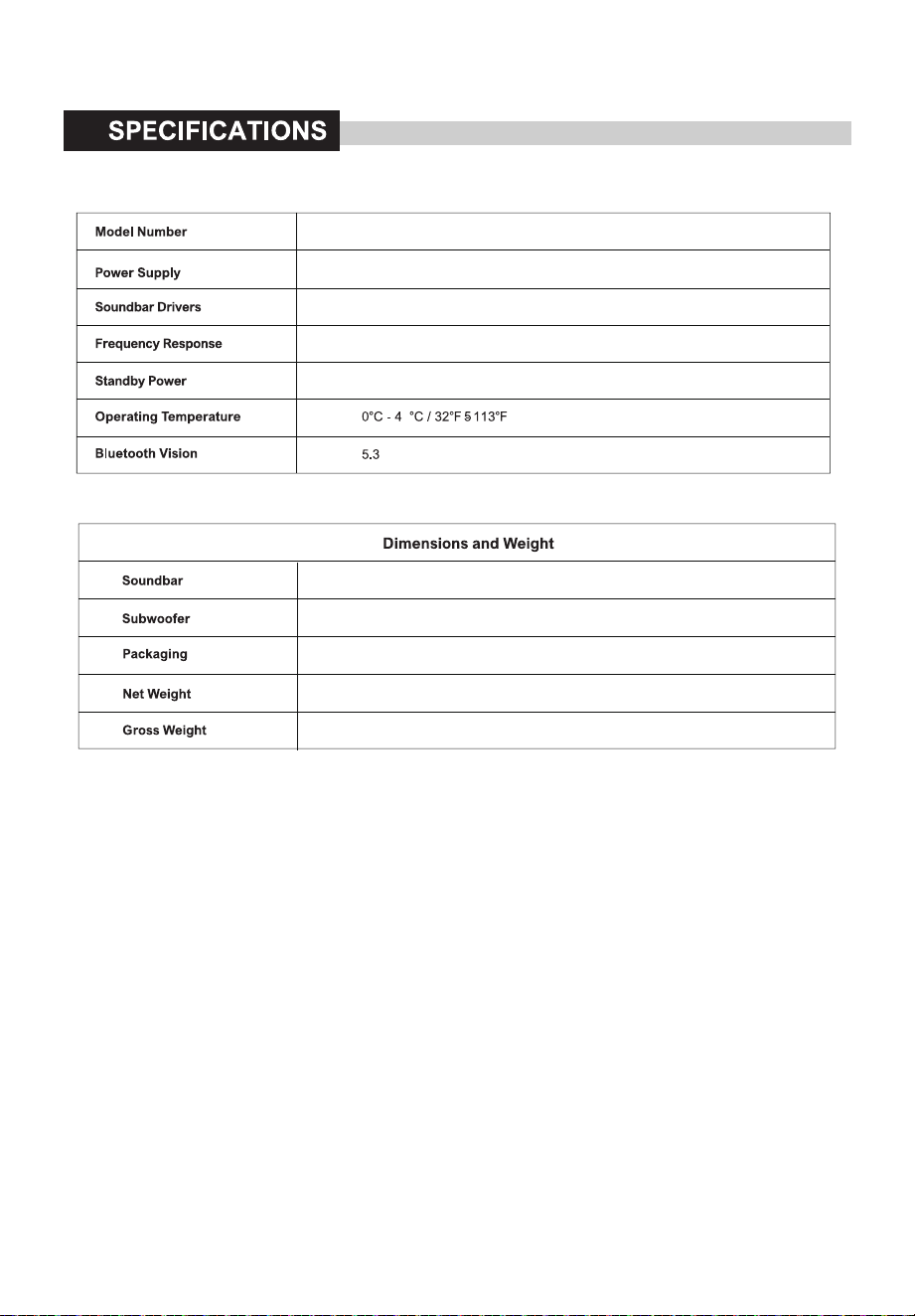
SL5000
AC 100-240V
L/C/R Speaker (2" x 4) + Sat Speaker( 2.25" x 2) + SUB Speaker( 6.5" )
50-20kHz
400mm(L) x 105mm(W) x 65mm(H)
186mm(L) x 260mm(W) x 296mm(H)
Gift Box(394 x 244 x 446mm) Outer Carton(510 x 410 x 468mm)
14.5 kg
11.4 kg
<0.5W
12
09
Marcas comerciais:
Regulamento Anatel sobre equipamentos de Radiocomunicação de Radiação Restrita(Resolução nº680):
“Este equipamento não tem direitoàproteção contra interferência prejudicial e não pode causar interferência
em sistemas devidamente autorizados–Para maiores informações,
consulte o site da Anatel–https://www.gov.br/anatel/pt-br/
FCC STATEMENT
This device complies with Part 15 of the FCC rules. Operation is subject to the following two conditions:
1) this device may not cause harmful interference, and
2) this device must accept any interference received, including interference that may cause undesired operation.
This equipment has been tested and found to comply with the limits for a Class B digital device, pursuant to Part 15 of the
FCC rules.
These limits are designed to provide reasonable protection against harmful interference in a residential installation.
This equipment generates, uses and can radiate radio frequency energy and if not installed and used in accordance with
the instructions, may cause harmful interference to radio communications. However, there is no guarantee that
interference will not occur in a particular installation.
If this equipment does cause harmful interference to radio or television reception, which can be determined by turning
the equipment off and on, the user is encouraged to try correct the interference by one or more of the following
measures:
- Reorient the receiving antenna.
- Increase the separation between the equipment and receiver.
- Connect the equipment into and outlet on a circuit different from that to which the receiver is connected.
- Consult the dealer or an experienced radio/TV technician for help.
Changes or modifications not expressly approved by the party responsible for compliance could void your authority to
operate the equipment.
The distance between user and products should be no less than 20cm
The EUT is In door use only
* RF warning for Portable device:
The device has been evaluated to meet general RF exposure requirement. The device can be used in portable exposure
condition without restriction.