User Manual
LUMISTICK PRO
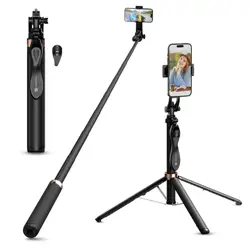
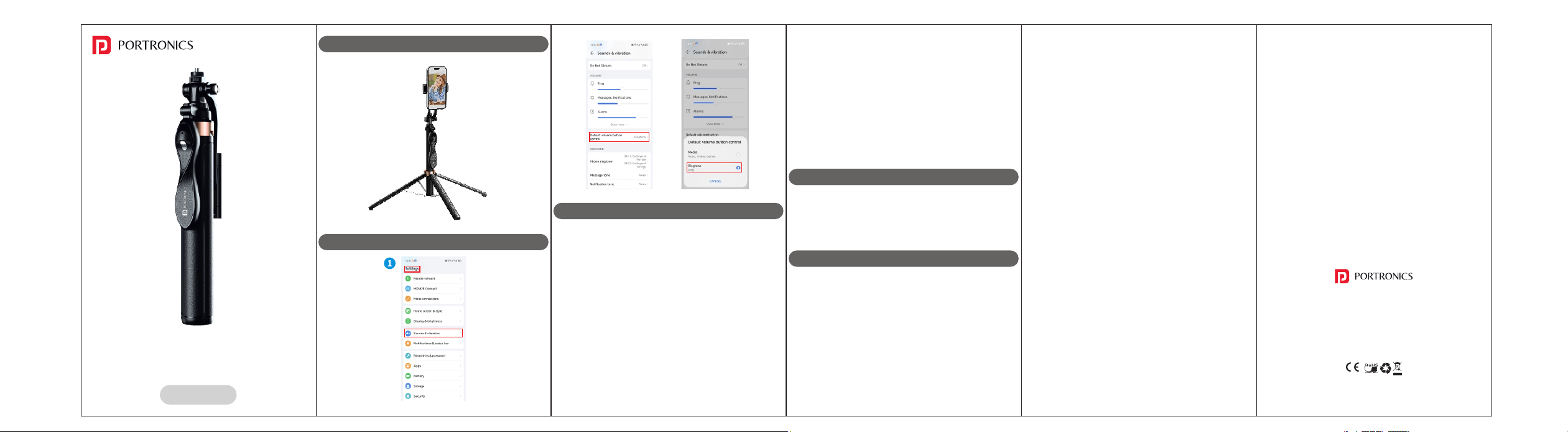
Adjustable Smart Selfiestick
1. Startup : Press and hold the camera button for 3 seconds
to start the machine. The indicator will flash to enter
search mode.
2. Bluetooth connection : Open the Bluetooth settings on
your mobile phone. Search for "selfie" and click to
connect. Once the connection is successful, the indicator
light will turn off.
3. Photographing : When the remote control is connected to
the mobile phone, click the photographing button. The
indicator will flash, and the camera will take a picture.
4. Shutdown without connection : If the remote control
remains disconnected and inactive for approximately 5
minutes, it will automatically shut down.
5. Connected shutdown : When the remote control is
connected to the mobile phone and remains inactive for
approximately 10 minutes, it will automatically enter sleep
mode. If there's no further activity within another 10
PHONE VOLUME KEY PHOTOGRAPHY SETTING
HOW TO USE
minutes, the device will shut down.
6. Sleep : To connect the mobile phone after entering sleep
mode, press the photo key.
7. Shutdown : While in the power on or sleep state, long
press the photo key for 3 seconds. The indicator will flash
off, and the device will shut down.
8. Back connection function : The remote control features
automatic reconnection. When your mobile phone's
Bluetooth is enabled, the remote control will
automatically connect to the previously paired device.
PRODUCT PARAMETERS
COMPATIBLE WITH
REMOTE CONTROL PARAMETERS
Charging condition: 5v 1A
Battery capacity: 55mAh
Charging current: About 50mA
Full charge time: about 30-60 minutes
Bluetooth Name: selfie
• Width of holding mobile phone : 65 - 90 mm
• Supported mobile phone size : 4.7 - 7 inches
• Solution to the case of failure of remote control to
connect to mobile phone:
1. Enable Bluetooth on your mobile phone and clear any
paired devices.
2. Power off and restart your phone.
3. Power off and restart your Bluetooth remote control.
4. Re-enable the Bluetooth connection.
5. With Bluetooth enabled on both your mobile phone and
remote control, search for the mobile phone on your
remote control. When you find it, click "Connect." If the
interface displays "connecting," press the remote control
button continuously and quickly. This should establish a
normal connection. (Note: This initial pairing process is
required. Future connections will be automatic.)
• For Android phones, resolve quantity/focus adjustment
and/or no response issues by adding the sound solution:
1. Open the camera and enter the photographing interface.
2. Swipe left or find the camera settings.
3. Click the volume key function.
4. Set the volume key function to shutter (do not select
zoom or focus).
5. Individual mobile camera setting paths may vary. Please
locate the appropriate settings for your device.
2. Open the camera app on your mobile phone or download
another camera app.
3. Switch to video mode.
4. Click the remote control button to start recording the
video.
5. Click the button again to stop the video recording.
Usage status : The blue light flashes, turns off after
connecting to the mobile phone. Click to take pictures, and
the blue light flashes.
Charging status : The red light stays on while charging. When
fully charged, the red light turns off.
• Operating mode:
1. Remote control, effective distance 10m
2. Tripod mode
3. Handheld mode
• This remote control supports only the video recording
function of mobile cameras. It does not support the video
recording function of live streaming apps.
• Operation method:
1. Connect the Bluetooth remote control to your mobile
phone.
www.portronics.com
For Support
Visit : www.portronics.com
Email : [email protected]
Contact No. : +91 9555245245
(Working Hrs. : Monday - Saturday 10:00am - 6:00pm)
E-Waste Management
For E-Waste & ROHS compliance
refer to www.portronics.com/ewaste