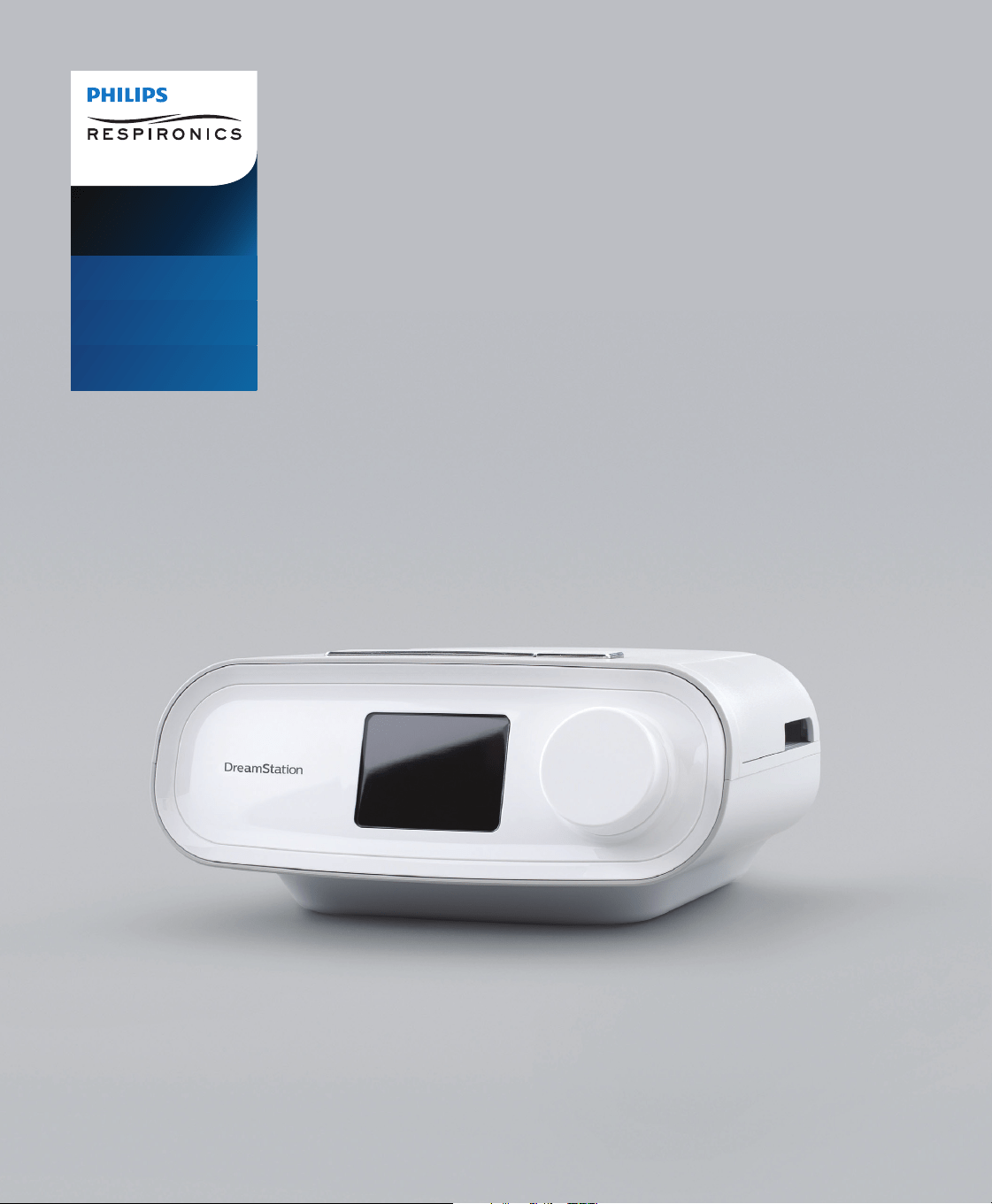
User manual
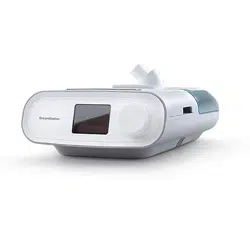
DreamStation
CPAP
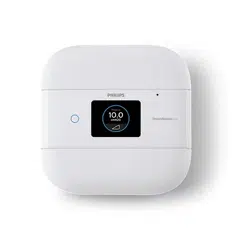
CPAP Pro
Auto CPAP

© Koninklijke Philips N.V., 2023. All rights reserved.
Table of Contents
Intended Use ........................................................................................................................................................... 1
Important ..................................................................................................................... ............................................ 1
Warnings ...................................................................................................................... ............................................1
Cautions ................................................................................................................................................................... 2
Contraindications .................................................................................................................................................. 3
Symbols Glossary ................................................................................................................................................... 3
System Contents .................................................................................................................................................... 4
How to Contact Philips Respironics ................................................................................................................. 4
System Overview ................................................................................................................................................... 5
Installing/Replacing the Air Filters ...................................................................................................................... 6
Where to Place the Device ................................................................................................................................. 7
Supplying AC Power to the Device ....................................................................................................................7
Connecting the Breathing Circuit ...................................................................................................................... 8
Navigating the Device Screens............................................................................................................................9
Starting the Device ................................................................................................................................................ 9
0HQX1DYLJDWLRQ7KHUDS\21DQG2SWLRQDO+XPLGLÀFDWLRQ6HWWLQJV .................................................10
Ramp Feature ........................................................................................................................................................10
Menu Navigation (Therapy OFF) ......................................................................................................................11
Bluetooth
®
Wireless Technology .........................................................................................................................15
Check Mask Fit .....................................................................................................................................................16
Sleep Progress ......................................................................................................................................................16
Altitude Compensation ......................................................................................................................................16
Device Alerts ........................................................................................................................................................16
Troubleshooting ...................................................................................................................................................21
Accessories ...........................................................................................................................................................23
Traveling with the System .................................................................................................................................24
+RPHDQG+RVSLWDO,QVWLWXWLRQ&OHDQLQJ'HYLFHDQG+XPLGLÀHU([WHULRU ............................................25
+RVSLWDODQG,QVWLWXWLRQ'LVLQIHFWLRQ'HYLFHDQG+XPLGLÀHU([WHULRU ................................................... 25
Home and Hospital: Rinsing and Replacing Filters .......................................................................................26
+RPHDQG+RVSLWDO&OHDQLQJ1RQKHDWHG)OH[LEOH7XELQJ ........................................................................26
Service ....................................................................................................................................................................26
Additional Notices ...............................................................................................................................................27
6SHFLÀFDWLRQV ........................................................................................................................................................28
Disposal ..................................................................................................................................................................29
(0&,QIRUPDWLRQ .................................................................................................................................................29
Limited Warranty .................................................................................................................................................32
1User Manual
Intended Use
The Philips Respironics DreamStation systems deliver positive airway pressure therapy for the treatment of Obstructive Sleep Apnea in
spontaneously breathing patients weighing over 30 kg (66 lbs). It is for use in the home or hospital/institutional environment.
Important
The device is to be used only on the instruction of a licensed physician. Your home care provider will make the correct pressure
VHWWLQJVDQGGHYLFHFRQÀJXUDWLRQVLQFOXGLQJDFFHVVRULHVDFFRUGLQJWR\RXUKHDOWKFDUHSURIHVVLRQDO·VSUHVFULSWLRQ
Several accessories are available to make your OSA treatment with the DreamStation system as convenient and comfortable as
possible.
Warning: Use only the cleaning methods outlined in your user manual. Philips is unable to verify the safety or performance
of any device if ozone or other unapproved cleaning and disinfection methods are used.
Note: Any damage caused by unapproved ozone cleaning and disinfection methods or other unapproved cleaning and
disinfection methods will not be covered by the Philips Limited Warranty.
Warnings
A warning indicates the possibility of injury to the user or the operator.
7KLVPDQXDOVHUYHVDVDUHIHUHQFH7KHLQVWUXFWLRQVLQWKLVPDQXDODUHQRWLQWHQGHGWRVXSHUVHGHWKHKHDOWKFDUHSURIHVVLRQDO·V
instructions regarding the use of the device.
• The prescription and other device settings should only be changed on the order of the supervising physician.
• The operator should read and understand this entire manual before using the device.
• This device is not intended for life support.
• The device should be used only with masks and connectors recommended by Philips Respironics or with those recommended by the
health care professional or respiratory therapist. A mask should not be used unless the device is turned on and operating properly.
The exhalation port(s) associated with the mask should never be blocked. Explanation of the Warning: The device is intended
WREHXVHGZLWKVSHFLDOPDVNVRUFRQQHFWRUVWKDWKDYHH[KDODWLRQSRUWVWRDOORZFRQWLQXRXVÁRZRIDLURXWRIWKHPDVN:KHQ
WKHGHYLFHLVWXUQHGRQDQGIXQFWLRQLQJSURSHUO\QHZDLUIURPWKHGHYLFHÁXVKHVWKHH[KDOHGDLURXWWKURXJKWKHPDVNH[KDODWLRQ
SRUW+RZHYHUZKHQWKHGHYLFHLVQRWRSHUDWLQJHQRXJKIUHVKDLUZLOOQRWEHSURYLGHGWKURXJKWKHPDVNDQGH[KDOHGDLUPD\EH
rebreathed.
$QH[KDODWLRQSRUWLVUHTXLUHG'RQRWEORFNWKHH[KDODWLRQSRUW7KLVFDQUHGXFHDLUÁRZDQGUHVXOWLQUHEUHDWKLQJRIH[KDOHGDLU
$WORZH[SLUDWRU\SUHVVXUHVWKHÁRZWKURXJKWKHH[KDODWLRQSRUWPD\EHLQDGHTXDWHWRFOHDUDOOH[KDOHGJDVIURPWKHWXELQJ²
some rebreathing may occur.
,I\RXDUHXVLQJDIXOOIDFHPDVNDPDVNFRYHULQJERWK\RXUPRXWKDQG\RXUQRVHWKHPDVNPXVWEHHTXLSSHGZLWKDVDIHW\
(entrainment) valve.
• 7RHQVXUHWKDWWKLVHTXLSPHQWGHOLYHUVVDIHHIIHFWLYHWKHUDS\XVHRQO\3KLOLSVDFFHVVRULHV7KHXVHRIDFFHVVRULHVWUDQVGXFHUVDQG
FDEOHVRWKHUWKDQWKRVHVSHFLÀHGE\3KLOLSVFRXOGUHVXOWLQLQFUHDVHGHOHFWURPDJQHWLFHPLVVLRQVRUGHFUHDVHGHOHFWURPDJQHWLF
immunity of this equipment and result in improper operation.
:KHQXVLQJR[\JHQZLWKWKLVV\VWHPWKHR[\JHQVXSSO\PXVWFRPSO\ZLWKORFDOUHJXODWLRQVIRUPHGLFDOR[\JHQ
2[\JHQVXSSRUWVFRPEXVWLRQ2[\JHQVKRXOGQRWEHXVHGZKLOHVPRNLQJRULQWKHSUHVHQFHRIDQRSHQÁDPH
:KHQXVLQJR[\JHQZLWKWKLVV\VWHPWXUQWKHGHYLFHRQEHIRUHWXUQLQJRQWKHR[\JHQ7XUQWKHR[\JHQRIIEHIRUHWXUQLQJWKH
device off. This will prevent oxygen accumulation in the device. Explanation of the Warning: When the device is not in
RSHUDWLRQDQGWKHR[\JHQÁRZLVOHIWRQR[\JHQGHOLYHUHGLQWRWKHWXELQJPD\DFFXPXODWHZLWKLQWKHGHYLFH·VHQFORVXUH2[\JHQ
DFFXPXODWHGLQWKHGHYLFHHQFORVXUHZLOOFUHDWHDULVNRIÀUH
:KHQXVLQJR[\JHQZLWKWKLVV\VWHPD3KLOLSV5HVSLURQLFV3UHVVXUH9DOYHPXVWEHSODFHGLQOLQHZLWKWKHSDWLHQWFLUFXLWEHWZHHQ
WKHGHYLFHDQGWKHR[\JHQVRXUFH7KHSUHVVXUHYDOYHKHOSVSUHYHQWWKHEDFNÁRZRIR[\JHQIURPWKHSDWLHQWFLUFXLWLQWRWKH
GHYLFHZKHQWKHXQLWLVRII)DLOXUHWRXVHWKHSUHVVXUHYDOYHFRXOGUHVXOWLQDÀUHKD]DUG
• Do not connect the device to an unregulated or high pressure oxygen source.
'RQRWXVHWKHGHYLFHLQWKHSUHVHQFHRIDÁDPPDEOHDQDHVWKHWLFPL[WXUHLQFRPELQDWLRQZLWKR[\JHQRUDLURULQWKHSUHVHQFH
of nitrous oxide.
• Do not use the device near a source of toxic or harmful vapors.
• Do not operate the device in direct sunlight or near a heating appliance because these conditions can increase the temperature of
the air coming out of the device.
• Contact your health care professional if symptoms of sleep apnea recur.
,I\RXQRWLFHDQ\XQH[SODLQHGFKDQJHVLQWKHSHUIRUPDQFHRIWKLVGHYLFHLILWLVPDNLQJXQXVXDORUKDUVKVRXQGVLILWKDVEHHQ
GURSSHGRUPLVKDQGOHGLIZDWHULVVSLOOHGLQWRWKHHQFORVXUHRULIWKHHQFORVXUHLVEURNHQGLVFRQQHFWWKHSRZHUFRUGDQG
discontinue use. Contact your home care provider.

2 User Manual
5HSDLUVDQGDGMXVWPHQWVPXVWEHSHUIRUPHGE\3KLOLSV5HVSLURQLFVDXWKRUL]HGVHUYLFHSHUVRQQHORQO\8QDXWKRUL]HGVHUYLFHFRXOG
FDXVHLQMXU\LQYDOLGDWHWKHZDUUDQW\RUUHVXOWLQFRVWO\GDPDJH&RQWDFW\RXUKRPHFDUHVHUYLFHSURYLGHUIRUPDLQWHQDQFH
'RQRWXVHDQ\DFFHVVRULHVGHWDFKDEOHSDUWVDQGPDWHULDOVQRWUHFRPPHQGHGE\3KLOLSV5HVSLURQLFV,QFRPSDWLEOHSDUWVRU
accessories can result in degraded performance.
• Use only approved cables and accessories. Misuse may affect EMC performance and should be avoided.
• The Health Industry Manufacturers Association recommends that a minimum separation of six inches be maintained between
DZLUHOHVVSKRQHDQGDSDFHPDNHUWRDYRLGSRWHQWLDOLQWHUIHUHQFHZLWKWKHSDFHPDNHU7KH'UHDP6WDWLRQRQERDUGBluetooth
communication should be considered a wireless phone in this regard.
• Use only power cords supplied by Philips Respironics for this device. Use of power cords not supplied by Philips Respironics may cause
overheating or damage to the device and may result in increased emissions or decreased immunity of the equipment or system.
• Portable RF communications equipment (including peripherals such as antenna cables and external antennas) should be used no
FORVHUWKDQFPLQFKHVWRDQ\SDUWRIWKH'UHDP6WDWLRQWKHUDS\GHYLFHLQFOXGLQJFDEOHVVSHFLÀHGE\WKHPDQXIDFWXUHU
• Do not use this device near active high frequency surgical equipment and the Radio Frequency shielded room of a Medical
(OHFWULFDOV\VWHPIRUPDJQHWLFUHVRQDQFHLPDJLQJZKHUHWKHLQWHQVLW\RIHOHFWURPDJQHWLFGLVWXUEDQFHVLVKLJK
7KLVGHYLFHVKRXOGQRWEHXVHGQHDUHOHFWURQLFVHFXULW\V\VWHPVHJPHWDOGHWHFWRUVHOHFWURQLFDUWLFOHVXUYHLOODQFHQHDUÀHOG
FRPPXQLFDWLRQV1)&V\VWHPVZLUHOHVVSRZHUWUDQVIHU:37&HOOXODU*DQGXQLTXHPHGLFDOHPLWWHUVVXFKDVHOHFWURFDXWHU\
DQGGLDWKHUP\HTXLSPHQWZKHUHWKHLQWHQVLW\RI(0GLVWXUEDQFHVPD\EHKLJK
• Use of this equipment adjacent to or stacked with other equipment should be avoided because it could result in improper operation.
,IVXFKXVHLVQHFHVVDU\WKLVHTXLSPHQWDQGWKHRWKHUHTXLSPHQWVKRXOGEHREVHUYHGWRYHULI\WKDWWKH\DUHRSHUDWLQJQRUPDOO\
• Do not pull or stretch the tubing. This could result in circuit leaks.
• Do not cover the tubing with a blanket or heat it in an incubator or with an overhead heater. This can affect the quality of the
therapy or injure the patient.
• Inspect the tubing for damage or wear. Discard and replace the tubing as necessary.
• Periodically inspect electrical cords and cables for damage or signs of wear. Discontinue use and replace if damaged.
• Never operate the device if any parts are damaged or if it is not working properly. Replace damaged parts before continuing use.
7RDYRLGHOHFWULFDOVKRFNDOZD\VXQSOXJWKHSRZHUFRUGIURPWKHZDOORXWOHWEHIRUHFOHDQLQJWKHGHYLFH
'RQRWLPPHUVHWKHGHYLFHLQDQ\ÁXLGVRUVSUD\WKHGHYLFHZLWKZDWHURUFOHDQHUV&OHDQWKHGHYLFHZLWKDFORWKGDPSHQHGZLWK
an approved cleaner.
,IWKHGHYLFHLVXVHGE\PXOWLSOHSHUVRQVVXFKDVUHQWDOGHYLFHVDORZUHVLVWDQFHPDLQÁRZEDFWHULDÀOWHUVKRXOGEHLQVWDOOHGLQ
line between the device and the circuit tubing to prevent contamination.
,IXVLQJDKXPLGLÀHUGRQRWXVHWKHKXPLGLÀHUDWDQDOWLWXGHDERYHPIWRURXWVLGHDWHPSHUDWXUHRI&WR&
)WR)8VLQJWKHKXPLGLÀHURXWVLGHRIWKLVWHPSHUDWXUHUDQJHRUDERYHWKLVDOWLWXGHFDQDIIHFWWKHTXDOLW\RIWKHWKHUDS\
or injure the patient.
7RSUHYHQWGLVFRQQHFWLRQRIWKHWXELQJRUWXELQJV\VWHPGXULQJXVHRQO\WXEHVLQFRPSOLDQFHZLWK,62RU,62
should be used.
+XPLGLÀFDWLRQFDQLQFUHDVHWKHUHVLVWDQFHRIWKHEDFWHULDÀOWHUDQGWKHRSHUDWRUPXVWPRQLWRUWKHEDFWHULDÀOWHUIUHTXHQWO\IRU
increased resistance and blockage to ensure the delivery of the therapeutic pressure.
• Be sure to route the power cord to the outlet in a way that will prevent the cord from being tripped over or interfered with by
chairs or other furniture.
7RDYRLGVWUDQJXODWLRQKD]DUGVHQVXUHWKDWDOOFRUGVFRQQHFWHGWRWKHGHYLFHDUHSURSHUO\URXWHG
• This device is activated when the power cord is connected.
)RUVDIHRSHUDWLRQZKHQXVLQJDKXPLGLÀHUWKHKXPLGLÀHUPXVWDOZD\VEHSRVLWLRQHGEHORZWKHEUHDWKLQJFLUFXLWFRQQHFWLRQDW
WKHPDVN7KHKXPLGLÀHUPXVWEHOHYHOIRUSURSHURSHUDWLRQ
• Use only Philips Respironics recommended pulse oximeter and sensors. Use of incompatible sensors can result in inaccurate pulse
oximeter performance.
• Do not use a damaged pulse oximeter or sensor.
%HIRUHXVHFDUHIXOO\UHDGWKHVHLQVWUXFWLRQVDQGWKHLQVWUXFWLRQVIRUXVHSURYLGHGZLWKWKHSXOVHR[LPHWHUDQGVHQVRU
Note: Please see the “Limited Warranty” section of this manual for information on warranty coverage.
Cautions
A Caution indicates the possibility of damage to the device.
• Medical electrical equipment needs special precautions regarding EMC and needs to be installed according to EMC information.
Contact your home care provider regarding EMC installation information.
• Do not use antistatic or conductive hoses or conductive patient tubing with the device.
• Pins of connectors marked with the ESD warning symbol shall not be touched and connections shall not be made without
VSHFLDOSUHFDXWLRQV3UHFDXWLRQDU\SURFHGXUHVLQFOXGHPHWKRGVWRSUHYHQWEXLOGXSRIHOHFWURVWDWLFFKDUJHHJDLUFRQGLWLRQLQJ
KXPLGLÀFDWLRQFRQGXFWLYHÁRRUFRYHULQJVQRQV\QWKHWLFFORWKLQJGLVFKDUJLQJRQH·VERG\WRWKHIUDPHRIWKHHTXLSPHQWRU
system or to earth. It is recommended that all individuals that will handle this device understand these precautionary procedures
at a minimum as part of their training.
3User Manual
%HIRUHRSHUDWLQJWKHGHYLFHHQVXUHWKDWWKH6'FDUGÀOWHUDFFHVVGRRUDQGWKHPRGHPDFFHVVGRRUDUHERWKFORVHGZKHQHYHUDQ\
of the accessories such as the Link Module or Modem are not installed. Refer to the instructions that came with your accessory.
&RQGHQVDWLRQPD\GDPDJHWKHGHYLFH,IWKLVGHYLFHKDVEHHQH[SRVHGWRHLWKHUYHU\KRWRUYHU\FROGWHPSHUDWXUHVDOORZLWWR
adjust to room temperature (operating temperature) before starting therapy. Do not operate the device outside of the operating
WHPSHUDWXUHUDQJHVKRZQLQWKH6SHFLÀFDWLRQV
0DNHVXUHWKHDLULQOHWÀOWHUDUHDRQWKHVLGHRIWKHGHYLFHLVQRWEORFNHGE\EHGGLQJFXUWDLQVRURWKHULWHPV$LUPXVWÁRZ
freely around the device for the system to work properly.
'RQRWSODFHWKHGHYLFHGLUHFWO\RQWRFDUSHWIDEULFRURWKHUÁDPPDEOHPDWHULDOV
• Do not place the device in or on any container that can collect or hold water.
• Do not plug the device into an outlet controlled by a wall switch.
$SURSHUO\LQVWDOOHGXQGDPDJHG3KLOLSV5HVSLURQLFVEOXHSROOHQÀOWHULVUHTXLUHGIRUSURSHURSHUDWLRQ
7REDFFRVPRNHPD\FDXVHWDUEXLOGXSZLWKLQWKHGHYLFHZKLFKPD\UHVXOWLQWKHGHYLFHPDOIXQFWLRQLQJ
'LUW\LQOHWÀOWHUVPD\FDXVHKLJKRSHUDWLQJWHPSHUDWXUHVWKDWPD\DIIHFWGHYLFHSHUIRUPDQFH5HJXODUO\H[DPLQHWKHLQOHWÀOWHUVDV
needed for integrity and to check for accumulated debris.
1HYHULQVWDOODZHWÀOWHULQWRWKHGHYLFH<RXPXVWHQVXUHVXIÀFLHQWGU\LQJWLPHIRUWKHULQVHGÀOWHU
$OZD\VHQVXUHWKDWWKH'&SRZHUFRUGVHFXUHO\ÀWVLQWR\RXUWKHUDS\GHYLFHSULRUWRXVH&RQWDFW\RXUKRPHFDUHSURYLGHURU
3KLOLSV5HVSLURQLFVWRGHWHUPLQHLI\RXKDYHWKHDSSURSULDWH'&FRUGIRU\RXUVSHFLÀFWKHUDS\GHYLFH
:KHQ'&SRZHULVREWDLQHGIURPDYHKLFOHEDWWHU\WKHGHYLFHVKRXOGQRWEHXVHGZKLOHWKHYHKLFOH·VHQJLQHLVUXQQLQJ'DPDJH
to the device may occur.
• Only use a Philips Respironics DC Power Cord and Battery Adapter Cable. Use of any other system may cause damage to the device.
'RQRWLPPHUVHWKHGHYLFHRUDOORZDQ\OLTXLGWRHQWHUWKHHQFORVXUHRUWKHLQOHWÀOWHU
• Do not steam autoclave the device. Doing so will destroy the device.
'RQRWXVHKDUVKGHWHUJHQWVDEUDVLYHFOHDQHUVRUEUXVKHVWRFOHDQWKHV\VWHP
2QO\WKHFOHDQLQJSURFHGXUHVOLVWHGLQWKLVPDQXDODUHUHFRPPHQGHGE\3KLOLSV5HVSLURQLFV8VHRIRWKHUFOHDQLQJSURFHVVHVQRW
VSHFLÀHGE\3KLOLSV5HVSLURQLFVPD\DIIHFWWKHSHUIRUPDQFHRIWKHSURGXFW
Contraindications
:KHQDVVHVVLQJWKHUHODWLYHULVNVDQGEHQHÀWVRIXVLQJWKLVHTXLSPHQWWKHFOLQLFLDQVKRXOGXQGHUVWDQGWKDWWKLVGHYLFHFDQGHOLYHU
pressures up to 20 cm H
2
2,QWKHHYHQWRIFHUWDLQIDXOWFRQGLWLRQVDPD[LPXPSUHVVXUHRIFP+
2
O is possible. Studies have
VKRZQWKDWWKHIROORZLQJSUHH[LVWLQJFRQGLWLRQVPD\FRQWUDLQGLFDWHWKHXVHRI&3$3WKHUDS\IRUVRPHSDWLHQWV
• Bullous Lung Disease
• Pathologically Low Blood Pressure
• Bypassed Upper Airway
• Pneumothorax
• Pneumocephalus has been reported in a patient using nasal Continuous Positive Airway Pressure. Caution should be used when
SUHVFULELQJ&3$3IRUVXVFHSWLEOHSDWLHQWVVXFKDVWKRVHZLWKFHUHEUDOVSLQDOÁXLG&6)OHDNVDEQRUPDOLWLHVRIWKHFULEULIRUP
SODWHSULRUKLVWRU\RIKHDGWUDXPDDQGRUSQHXPRFHSKDOXV&KHVW
The use of positive airway pressure therapy may be temporarily contraindicated if you exhibit signs of a sinus or middle ear
infection. Not for use with patients whose upper airways are bypassed. Contact your health care professional if you have any
questions concerning your therapy.
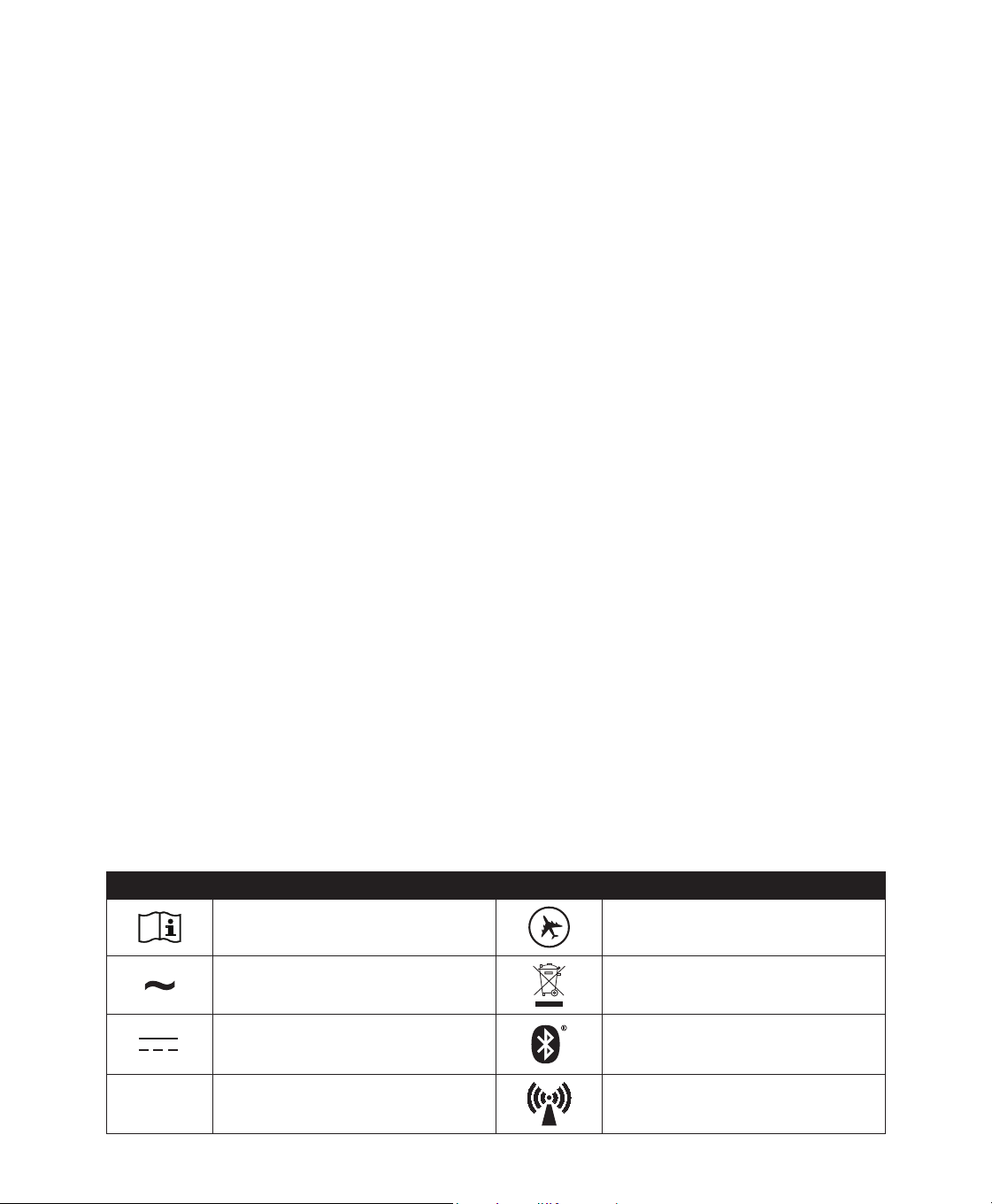
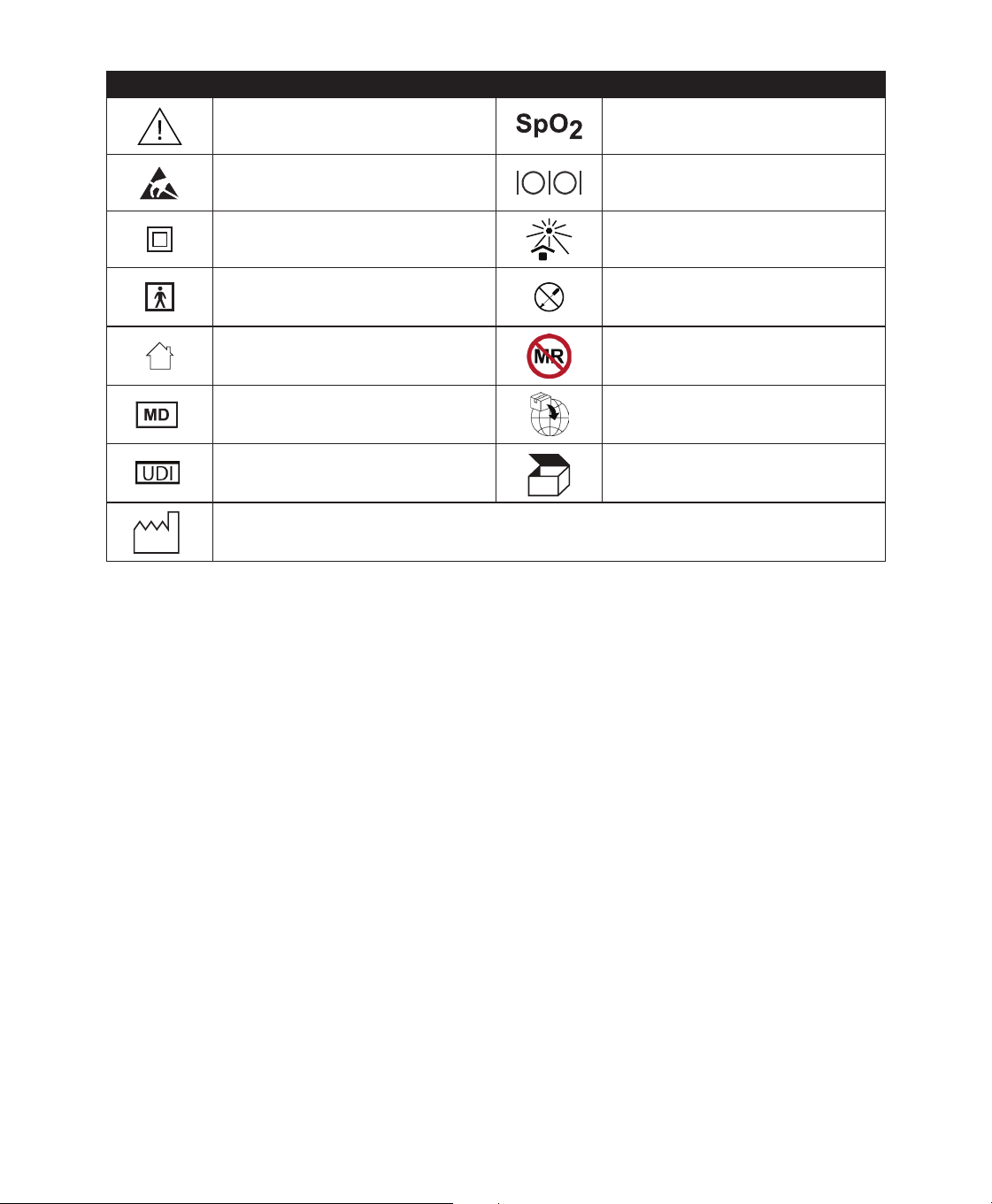
Symbols Glossary
7KHIROORZLQJV\PEROVPD\DSSHDURQWKHGHYLFHSRZHUVXSSO\DQGDFFHVVRULHV
Symbol 'HÀQLWLRQ Symbol 'HÀQLWLRQ
Consult accompanying instructions for
use.
)RU$LUOLQH8VH&RPSOLHVZLWK57&$'2
*VHFWLRQFDWHJRU\0
AC Power
Separate collection for electrical and
electronic equipment per EC Directive
(8
DC Power Bluetooth
®
symbol
IP22
Drip Proof Equipment This device contains an RF transmitter.
User Manual
Symbol 'HÀQLWLRQ Symbol 'HÀQLWLRQ
&DXWLRQFRQVXOWDFFRPSDQ\LQJ
documents.
Oximeter Connection
ESD Warning symbol Serial Connection
Class II (Double Insulated) Avoid ultraviolet radiation
Type BF Applied Part Do not disassemble.
For Indoor Use Only.
MR unsafe
Do not use device in a Magnetic
Resonance (MR) environment.
Medical Device
Indicates that the item is a medical device.
Importer
Indicates the entity importing the medical
device into the EU.
8QLTXH'HYLFH,GHQWLÀHU
,QGLFDWHVWKH8QLTXH'HYLFH,GHQWLÀHU
information.
Packaging unit
Indicates the number of pieces in the
package.
CC
'DWHRI0DQXIDFWXUHWRLQGLFDWHWKHGDWHRQZKLFKDSURGXFWZDVPDQXIDFWXUHG
&RXQWU\RI0DQXIDFWXUHUWRLQGLFDWHWKHFRXQWU\RIPDQXIDFWXUHRIWKHSURGXFW
1RWH:KHQDSSOLHGWRWKHODEHO´&&µLVUHSODFHGE\WKHWZROHWWHUFRXQWU\FRGH
System Contents
<RXU'UHDP6WDWLRQV\VWHPPD\LQFOXGHWKHIROORZLQJLWHPV
• Device • SD card
• User manual • Flexible tubing
&DUU\LQJFDVH 5HXVDEOHEOXHSROOHQÀOWHU
3RZHUFRUG 'LVSRVDEOHOLJKWEOXHXOWUDÀQHÀOWHURSWLRQDO
3RZHUVXSSO\ +XPLGLÀHURSWLRQDO
Note: ,IDQ\RIWKHVHLWHPVDUHPLVVLQJFRQWDFW\RXUKRPHFDUHSURYLGHU
How to Contact Philips Respironics
6KRXOG\RXH[SHULHQFHWURXEOHZLWKWKLVHTXLSPHQWRUUHTXLUHDVVLVWDQFHVHWWLQJXSXVLQJRUPDLQWDLQLQJWKHGHYLFH
RUDFFHVVRULHVSOHDVHFRQWDFW\RXUKRPHFDUHSURYLGHU,I\RXQHHGWRFRQWDFW3KLOLSV5HVSLURQLFVGLUHFWO\FDOOWKH
3KLOLSV5HVSLURQLFV&XVWRPHU6HUYLFHGHSDUWPHQWDW<RXFDQDOVRXVHWKHIROORZLQJDGGUHVV
5HVSLURQLFV,QF
1001 Murry Ridge Lane
0XUU\VYLOOH3$
User Manual
System Overview
The DreamStation CPAP is a Continuous Positive Airway Pressure therapy device designed for the treatment
RI2EVWUXFWLYH6OHHS$SQHD26$7KH'UHDP6WDWLRQ&3$33URFDQDOVRGHOLYHU&3$3FKHFNWKHUDS\DQGWKH
'UHDP6WDWLRQ$XWR&3$3FDQDOVRGHOLYHU&3$3&KHFNDQG$XWR&3$3WKHUDS\<RXUKRPHFDUHSURYLGHUZLOOFKRRVH
the appropriate pressure settings for you.
:KHQSUHVFULEHGIRU\RXWKHGHYLFHSURYLGHVVHYHUDOVSHFLDOIHDWXUHVWRKHOSPDNH\RXUWKHUDS\PRUHFRPIRUWDEOH
The ramp function allows you to lower the pressure when you are trying to fall asleep. The air pressure will gradually
LQFUHDVHXQWLO\RXUSUHVFULSWLRQSUHVVXUHLVUHDFKHG$OVRWKH)OH[FRPIRUWIHDWXUHSURYLGHV\RXZLWKSUHVVXUHUHOLHI
when you exhale during therapy.
Several accessories are also available for use with your device. Contact your home care provider to purchase any
accessories not included with your system.
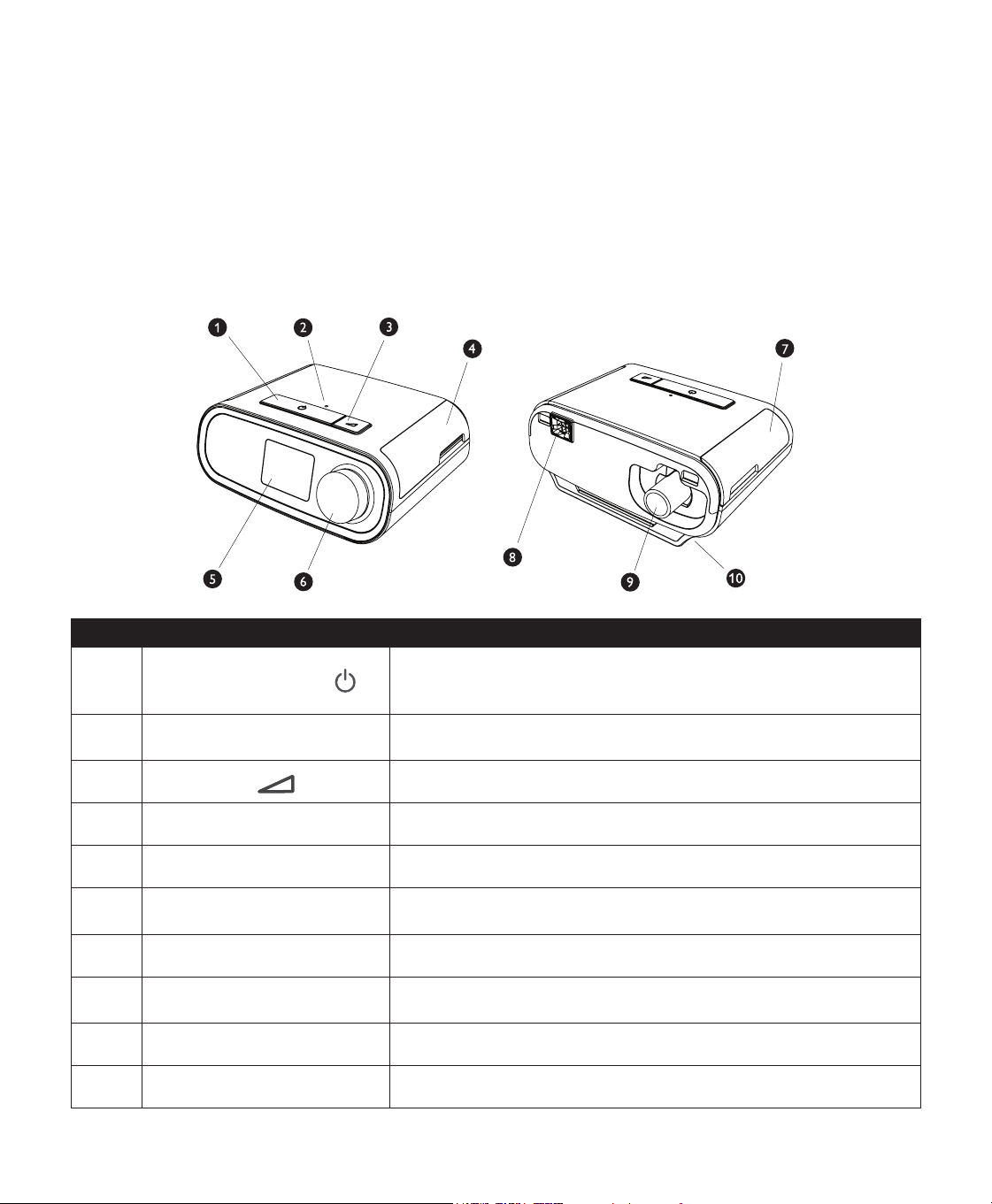
7KLVÀJXUHLOOXVWUDWHVVRPHRIWKHGHYLFHIHDWXUHVGHVFULEHGLQWKHIROORZLQJWDEOH
# Device Feature Description
1
Therapy On/Off Button
6WDUWVDQGVWRSVWKHDLUÁRZIRUWKHUDS\
,IWKH7KHUDS\2Q2IIEXWWRQ/('LVÁDVKLQJ\RXPD\KDYHDSHQGLQJ
message. Press or turn the knob to display the message.
2Ambient Light Sensor
Detects room light levels and adjusts brightness of the Display
Screen.
3
Ramp Button
Activates the ramp feature during therapy.
'RRU6'FDUG)LOWHU$FFHVV 7KLVGRRUOLIWVRSHQIRUDFFHVVWRWKH6'FDUGDQGÀOWHUDUHD
Display Screen This is the User Interface for the therapy device.
6 Control Dial
Turn the dial to scroll between options on the screen. Press the dial to
choose an option.
'RRU$FFHVVRU\$FFHVV This door lifts open for access to the (optional) accessories.
+XPLGLÀHU&RQQHFWRU
+XPLGLÀHUFRQQHFWVWRWKHEDFNRIWKHWKHUDS\GHYLFH7KHKXPLGLÀHU
pin connector will attach here.
Air Outlet Port Connect the tubing here.
10 Power Inlet Connect the power cord here.
6 User Manual
Installing/Replacing the Air Filters
Caution:$SURSHUO\LQVWDOOHGXQGDPDJHG3KLOLSV5HVSLURQLFVEOXHSROOHQÀOWHULVUHTXLUHGIRUSURSHURSHUDWLRQ
7KHGHYLFHXVHVDUHXVDEOHEOXHSROOHQÀOWHUWKDWFDQEHULQVHGDQGDGLVSRVDEOHOLJKWEOXHXOWUDÀQHÀOWHU7KHUHXVDEOH
EOXHÀOWHUVFUHHQVRXWQRUPDOKRXVHKROGGXVWDQGSROOHQVZKLOHWKHOLJKWEOXHXOWUDÀQHÀOWHUSURYLGHVPRUHFRPSOHWH
ÀOWUDWLRQRIYHU\ÀQHSDUWLFOHV7KHUHXVDEOHEOXHÀOWHUPXVWEHLQSODFHDWDOOWLPHVZKHQWKHGHYLFHLVRSHUDWLQJ7KH
XOWUDÀQHÀOWHULVUHFRPPHQGHGIRUSHRSOHZKRDUHVHQVLWLYHWRWREDFFRVPRNHRURWKHUVPDOOSDUWLFOHV
7KHUHXVDEOHEOXHÀOWHULVVXSSOLHGZLWKWKHGHYLFH$GLVSRVDEOHOLJKWEOXHXOWUDÀQHÀOWHUPD\DOVREHLQFOXGHG,I\RXU
ÀOWHULVQRWDOUHDG\LQVWDOOHGZKHQ\RXUHFHLYH\RXUGHYLFH\RXPXVWDWOHDVWLQVWDOOWKHUHXVDEOHÀOWHUEHIRUHXVLQJWKH
device.
7KLVGHYLFHKDVDQDXWRPDWLFDLUÀOWHUUHPLQGHU(YHU\GD\VWKHGHYLFHZLOOGLVSOD\DPHVVDJHUHPLQGLQJ\RXWR
FKHFN\RXUÀOWHUVDQGUHSODFHWKHPDVGLUHFWHG
Note: 7KLVPHVVDJHLVDUHPLQGHURQO\7KHGHYLFHGRHVQRWGHWHFWWKHSHUIRUPDQFHRIWKHÀOWHUVQRUGRHVLW
UHFRJQL]HZKHQDÀOWHUKDVEHHQULQVHGRUUHSODFHG
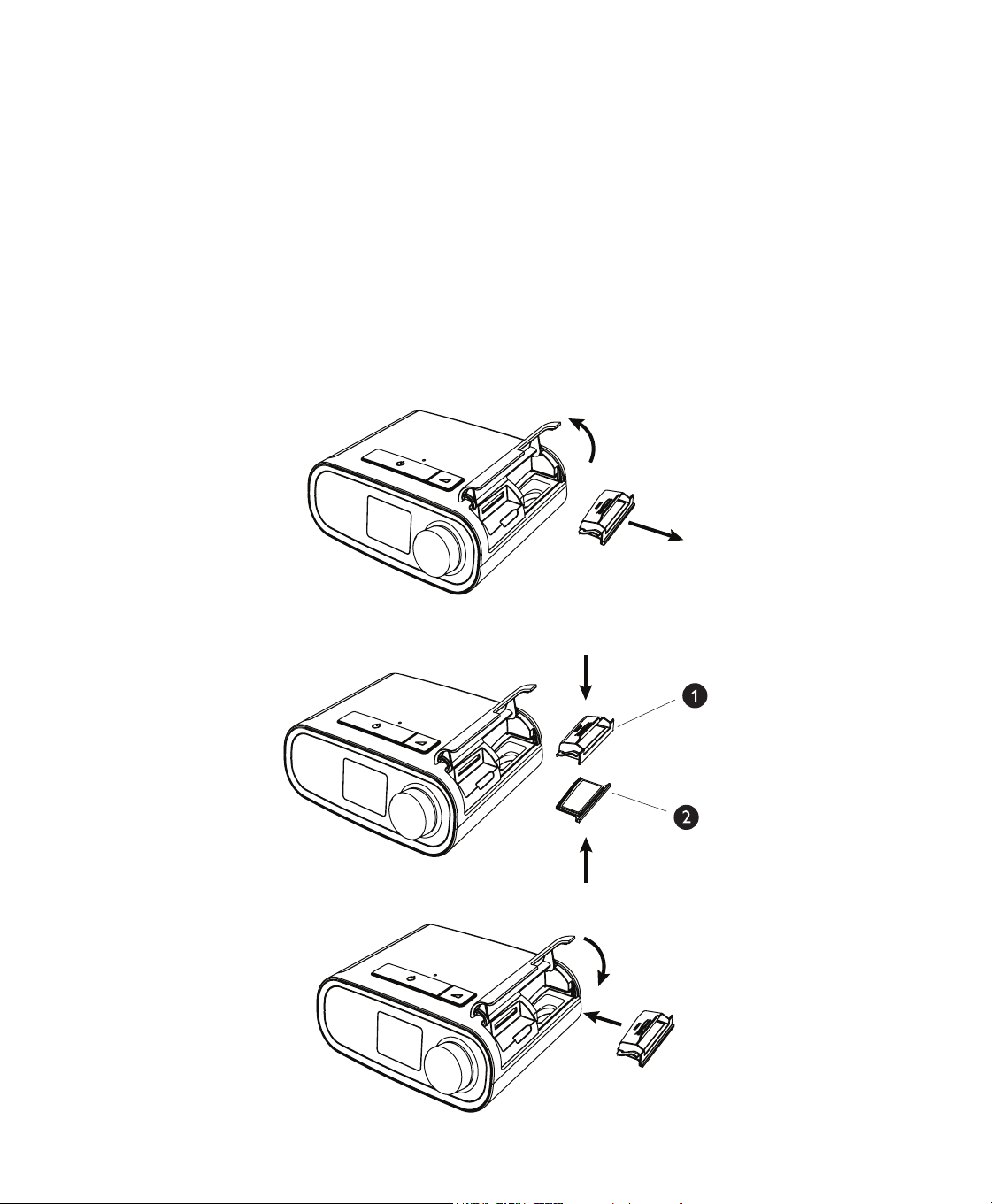
/LIWXSRQWKHÀOWHUDFFHVVGRRUDQGVZLQJRSHQ,IUHSODFLQJSXOORXWWKHROGÀOWHUDVVHPEO\
,IDSSOLFDEOHSODFHDGU\UHXVDEOHEOXHSROOHQÀOWHURQWRSRIDQHZRSWLRQDOGLVSRVDEOHOLJKWEOXHXOWUDÀQHÀOWHU
DQGÀUPO\VQDSWKHPWRJHWKHU
3ODFHWKHQHZÀOWHUDVVHPEO\EDFNLQWKHVLGHRIWKHWKHUDS\GHYLFH6ZLQJWKHGRRUFORVHG
User Manual
Where to Place the Device
3ODFHWKHGHYLFHRQDÀUPÁDWVXUIDFHVRPHZKHUHZLWKLQHDV\UHDFKRIZKHUH\RXZLOOXVHLWDWDOHYHOORZHUWKDQ
\RXUVOHHSLQJSRVLWLRQ0DNHVXUHWKHGHYLFHLVDZD\IURPDQ\KHDWLQJRUFRROLQJHTXLSPHQWHJIRUFHGDLUYHQWV
UDGLDWRUVDLUFRQGLWLRQHUV
Note: :KHQSRVLWLRQLQJWKHGHYLFHPDNHVXUHWKDWWKHSRZHUFDEOHLVDFFHVVLEOHEHFDXVHUHPRYLQJSRZHULVWKH
only way to turn off the device.
Caution: 0DNHVXUHWKHÀOWHUDUHDRQWKHVLGHRIWKHGHYLFHLVQRWEORFNHGE\EHGGLQJFXUWDLQVRURWKHULWHPV
$LUPXVWÁRZIUHHO\DURXQGWKHGHYLFHIRUWKHV\VWHPWRZRUNSURSHUO\
Caution: 'RQRWSODFHWKHGHYLFHGLUHFWO\RQWRFDUSHWIDEULFRURWKHUÁDPPDEOHPDWHULDOV
Caution: Do not place the device in or on any container that can collect or hold water.
Supplying AC Power to the Device
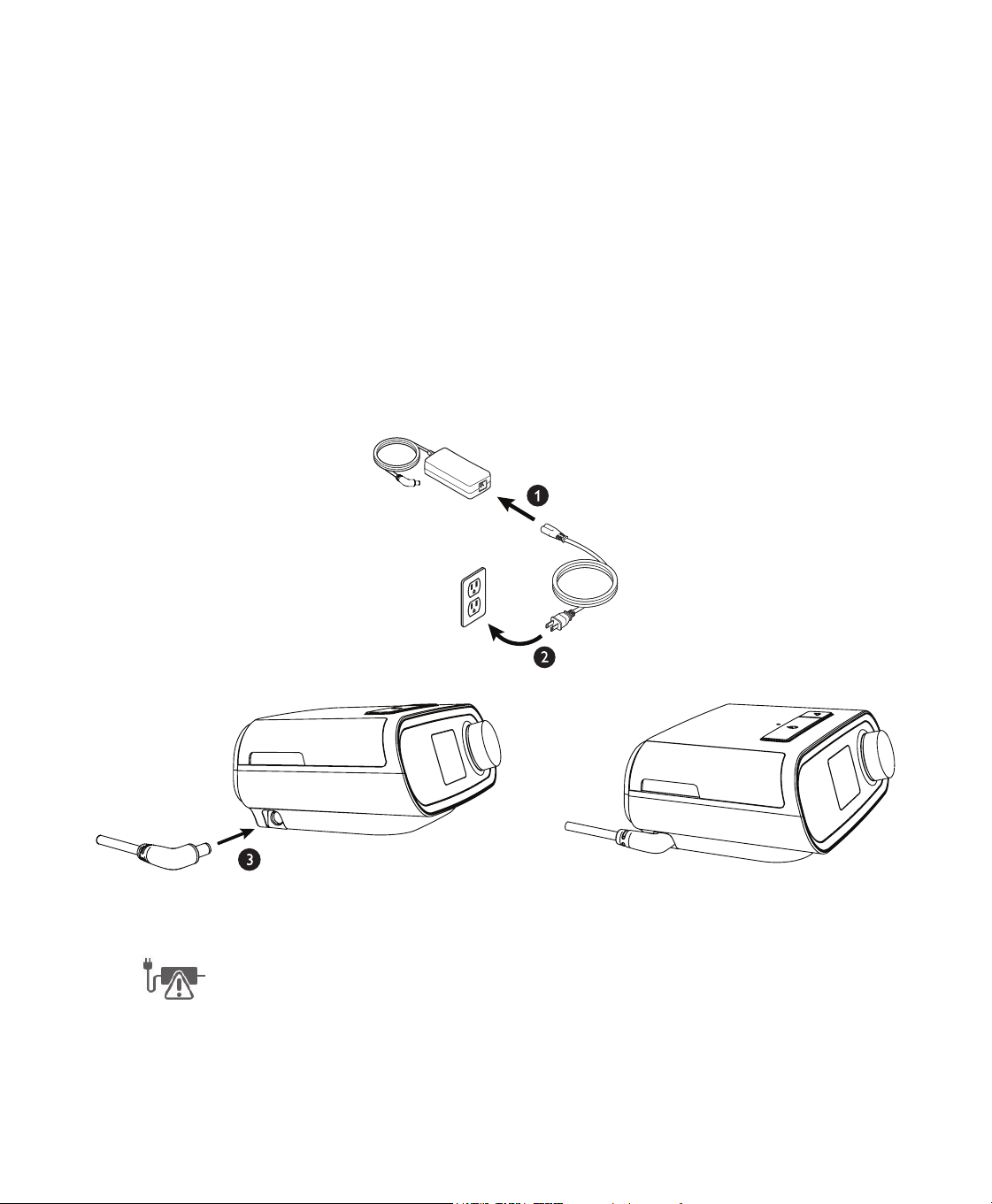
&RPSOHWHWKHIROORZLQJVWHSVWRRSHUDWHWKHGHYLFHXVLQJ$&SRZHU
1. Plug the socket end of the AC power cord (included) into the power supply (also included).
2. Plug the pronged end of the AC power cord into an electrical outlet that is not controlled by a wall switch.
Note: Example only shown here. Local electrical outlet and power cord may vary.
3OXJWKHSRZHUVXSSO\FRUG·VFRQQHFWRULQWRWKHSRZHULQOHWRQWKHVLGHRIWKHGHYLFH
9HULI\WKDWWKHSOXJDWWKHVLGHRIWKHGHYLFHDWWKHSRZHUVXSSO\DQGDWWKHHOHFWULFDORXWOHWDUHIXOO\LQVHUWHG7KLV
ZLOOKHOSWRHQVXUHWKDWDVHFXUHUHOLDEOHHOHFWULFDOFRQQHFWLRQKDVEHHQPDGH
Note: ,IWKHIROORZLQJ&KHFN3RZHULFRQDSSHDUVRQWKHVFUHHQSOHDVHUHSHDWVWHS
Important:7RUHPRYH$&SRZHUGLVFRQQHFWWKHSRZHUVXSSO\FRUGIURPWKHHOHFWULFDORXWOHW
Warning: Periodically inspect electrical cords and cables for damage or signs of wear. Discontinue use and replace
if damaged.
User Manual
Connecting the Breathing Circuit
7RXVHWKHV\VWHP\RXZLOOQHHGWKHIROORZLQJDFFHVVRULHVLQRUGHUWRDVVHPEOHWKHUHFRPPHQGHGEUHDWKLQJFLUFXLW
3KLOLSV5HVSLURQLFVLQWHUIDFHQDVDOPDVNRUIXOOIDFHPDVNZLWKLQWHJUDWHGH[KDODWLRQSRUWRU3KLOLSV5HVSLURQLFV
interface with a separate exhalation device (such as the Whisper Swivel II)
3KLOLSV5HVSLURQLFVÁH[LEOHWXELQJPIW
• Philips Respironics headgear (for the mask)
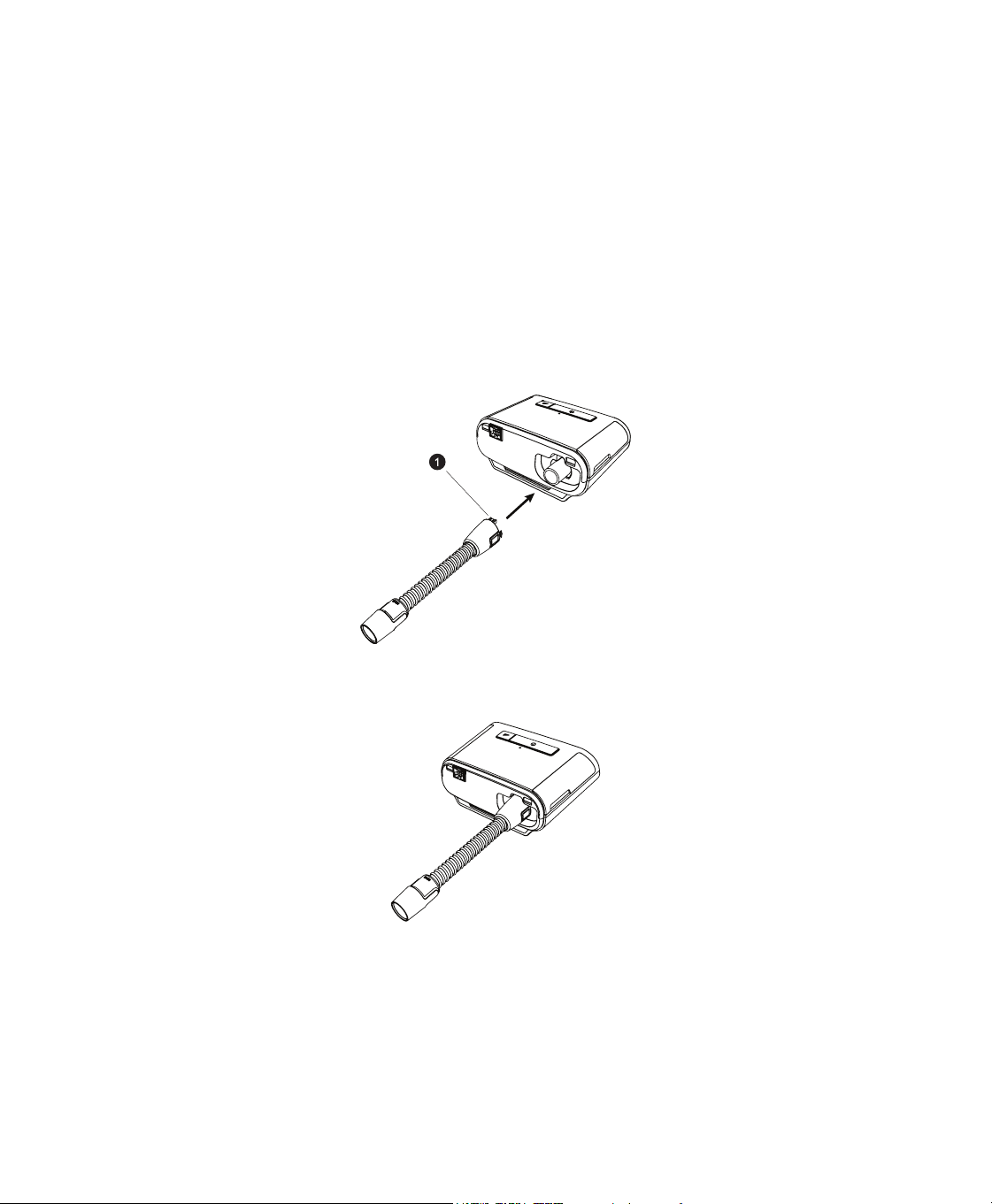
7RFRQQHFW\RXUEUHDWKLQJFLUFXLWWRWKHGHYLFHFRPSOHWHWKHIROORZLQJVWHSV
Note:,I\RXDUHXVLQJWKHRSWLRQDOPPQRQKHDWHGSHUIRUPDQFHWXELQJDQDGDSWHULVUHTXLUHGWRFRQQHFWWR
the therapy device.
Note:7XELQJLVLGHQWLÀHGRQWKHFXIIZLWKWKHWXELQJLGHQWLÀHUV\PERO´µ´µRU´+7µPPWXELQJ
contains no symbol.
&RQQHFWWKHÁH[LEOHWXELQJWRWKHDLURXWOHWRQWKHWKHUDS\GHYLFH
7RFRQQHFWKHDWHGWXELQJVKRZQWRWKHDLURXWOHWRQWKHEDFNRIWKHWKHUDS\GHYLFHOLQHXSWKHFRQQHFWRUDW
the top of the heated tube to the top of the air outlet port on the back of the device.
2. Press the heated tubing into place over the air outlet port until the tabs on the side of the tube click into place in
the slots on the sides of the outlet port.
,I\RXDUHXVLQJVWDQGDUGWXELQJQRWVKRZQVLPSO\VOLGHWKHWXELQJRYHUWKHDLURXWOHWSRUWRQWKHGHYLFH
Note:,IUHTXLUHGFRQQHFWDEDFWHULDÀOWHUWRWKHGHYLFHDLURXWOHWDQGWKHQFRQQHFWWKHÁH[LEOHWXELQJWRWKH
RXWOHWRIWKHEDFWHULDÀOWHU:KHQXVLQJWKHEDFWHULDÀOWHUWKHGHYLFHSHUIRUPDQFHPD\EHDIIHFWHG+RZHYHUWKH
device will remain functional and deliver therapy.
,I\RXDUHXVLQJWKHRSWLRQDOPPSHUIRUPDQFHWXELQJFRQQHFWWKHSURYLGHGPDVNDGDSWHUWRWKHPDVN
connection end of the tubing.
&RQQHFWWKHWXELQJWRWKHPDVN)RUSURSHUSODFHPHQWDQGSRVLWLRQLQJUHIHUWRWKHLQVWUXFWLRQVWKDWFDPHZLWK
your mask.
Warning: Do not pull or stretch the tubing. This could result in circuit leaks.
Warning: Inspect the tubing for damage or wear. Discard and replace the tubing as necessary.
User Manual
$WWDFKWKHKHDGJHDUWRWKHPDVNLIQHFHVVDU\5HIHUWRWKHLQVWUXFWLRQVWKDWFDPHZLWK\RXUKHDGJHDU
Warning:,I\RXDUHXVLQJDIXOOIDFHPDVNDPDVNFRYHULQJERWK\RXUPRXWKDQG\RXUQRVHWKHPDVNPXVWEHHTXLSSHG
with a safety (entrainment) valve.
Warning:,IWKHGHYLFHLVXVHGE\PXOWLSOHSHUVRQVVXFKDVUHQWDOGHYLFHVDORZUHVLVWDQFHPDLQÁRZEDFWHULDÀOWHU
VKRXOGEHLQVWDOOHGLQOLQHEHWZHHQWKHGHYLFHDQGWKHFLUFXLWWXELQJWRSUHYHQWFRQWDPLQDWLRQ
Navigating the Device Screens
The User Interface (UI) on this device allows you to adjust the device settings and view information about your
therapy. The UI is comprised of the display screen and the control dial. Rotate the control dial in either direction to
scroll through the menu options on the display screen.
Note: The display is not a touch screen. You must use the control dial to navigate the device menu.
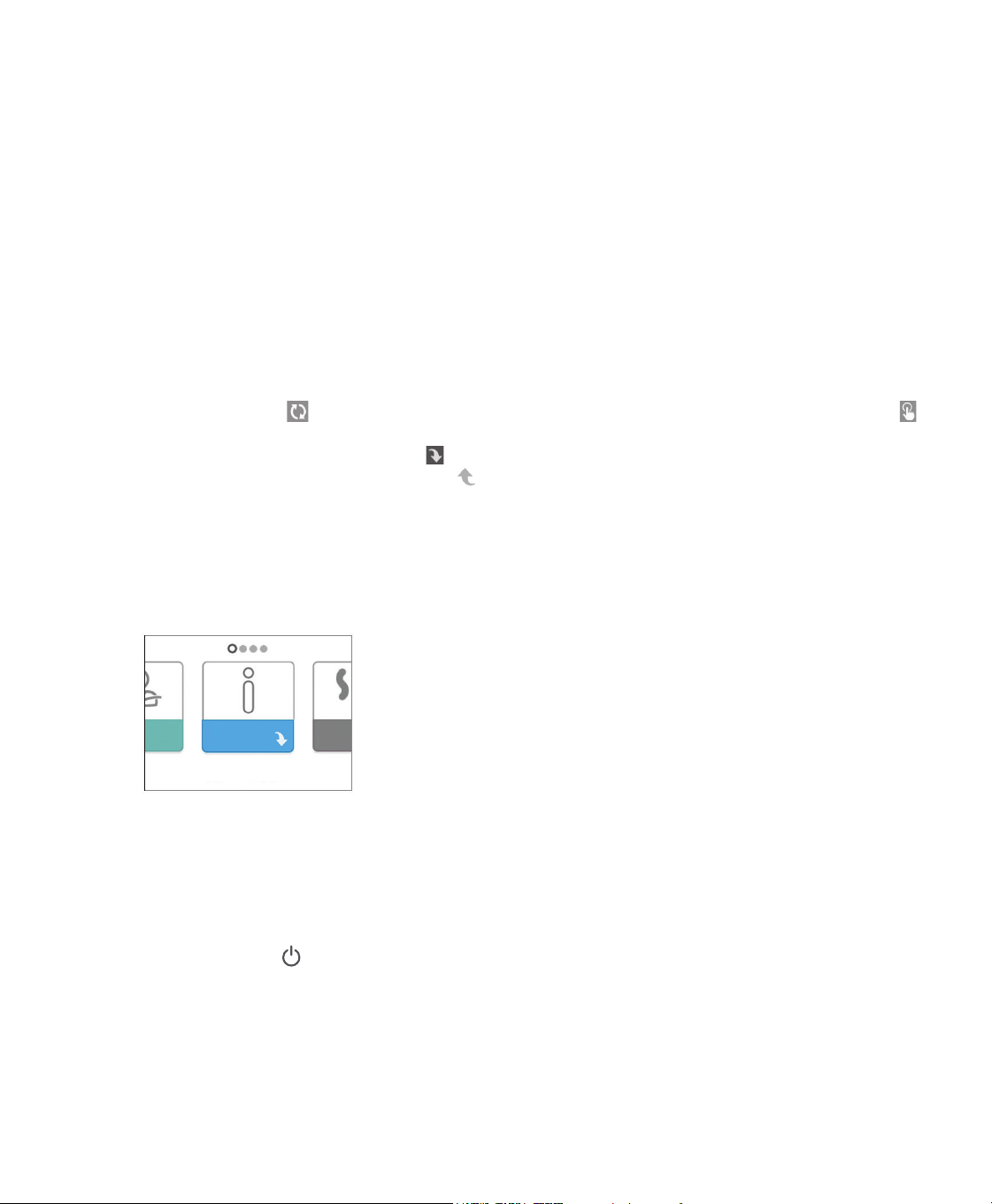
7RDGMXVWDVHWWLQJ
1. Rotate the control dial to your desired menu option.
2. Press the control dial to select that setting.
3. Rotate the control dial to change the setting.
3UHVVWKHFRQWUROGLDODJDLQWRVDYHWKHFKDQJH
Note: The rotate dial icon on any screen indicates to rotate the dial to perform an action. The click dial icon
on any screen indicates to press the dial to perform an action.
Note: Pressing the dial when the down arrow DSSHDUVRQDQ\VFUHHQZLOOWDNH\RXWRDVXEPHQXZLWKPRUH
menu options. Pressing the dial when the up arrow DSSHDUVRQDQ\VXEPHQXZLOOUHWXUQ\RXEDFNWRWKHPDLQ
menu.
Note: The screens shown throughout this manual are examples for reference only. Actual screens may vary based
upon device model and provider settings.
Starting the Device
(QVXUHSRZHULVVXSSOLHGWRWKHGHYLFH7KHÀUVWVFUHHQWRGLVSOD\ZLOOEHWKH3KLOLSV5HVSLURQLFVORJRIROORZHGE\
WKHGHYLFHPRGHOVFUHHQDQGWKHQWKH+RPHVFUHHQ
Home Screen
7KHÀUVWWLPHWKHGHYLFHLVSRZHUHGRQDSRSXSPD\SURPSW\RXWRVHWWKHWLPHRQWKHGHYLFH7KHGHIDXOWVHWWLQJ
LV*UHHQZLFK0HDQ7LPHEXWLISURPSWHG\RXPD\DGMXVWWKHWLPHLQPLQXWHLQFUHPHQWVWRPDWFK\RXUORFDO
WLPH]RQH,I\RXFKRRVHWRVNLSWKLVLQLWLDOWLPHVHWWLQJWKHWLPHFDQDOZD\VEHDGMXVWHGXQGHUWKH´0\6HWXSµPHQX
Note: This time setting is not displayed as a clock function on the device. It is only used to align your therapy data
IRU\RXU3URYLGHU·VGDWDUHSRUWV
2. Put on your mask assembly. Refer to the instructions supplied with the mask.
3. Press the Therapy button ( RQWRSRIWKHGHYLFHWRWXUQRQDLUÁRZDQGEHJLQWKHUDS\7KHFXUUHQWGHOLYHUHG
pressure will display on the screen.
0DNHVXUHWKDWQRDLULVOHDNLQJIURP\RXUPDVN,IQHFHVVDU\DGMXVWWKHPDVNDQGKHDGJHDUXQWLOWKHDLUOHDNVWRSV
See the instructions provided with your mask for more information.
Note: A small amount of mask leak is normal and acceptable. Correct large mask leaks or eye irritation from an air
leak as soon as possible.
,I\RXDUHXVLQJWKHGHYLFHLQDEHGZLWKDKHDGERDUGWU\SODFLQJWKHWXELQJRYHUWKHKHDGERDUG7KLVPD\UHGXFH
tension on the mask.
10 User Manual
6. Press the Therapy button again to turn off therapy.
Note: 'XULQJWKHUDS\LIWKHUHLVDPDLQVLQWHUUXSWLRQLHSRZHUORVVWKHGHYLFHZLOOUHWXUQWRWKH+RPHVFUHHQ
once power is restored. You may resume therapy as needed.
0HQX1DYLJDWLRQ7KHUDS\21DQG2SWLRQDO+XPLGLÀFDWLRQ6HWWLQJV
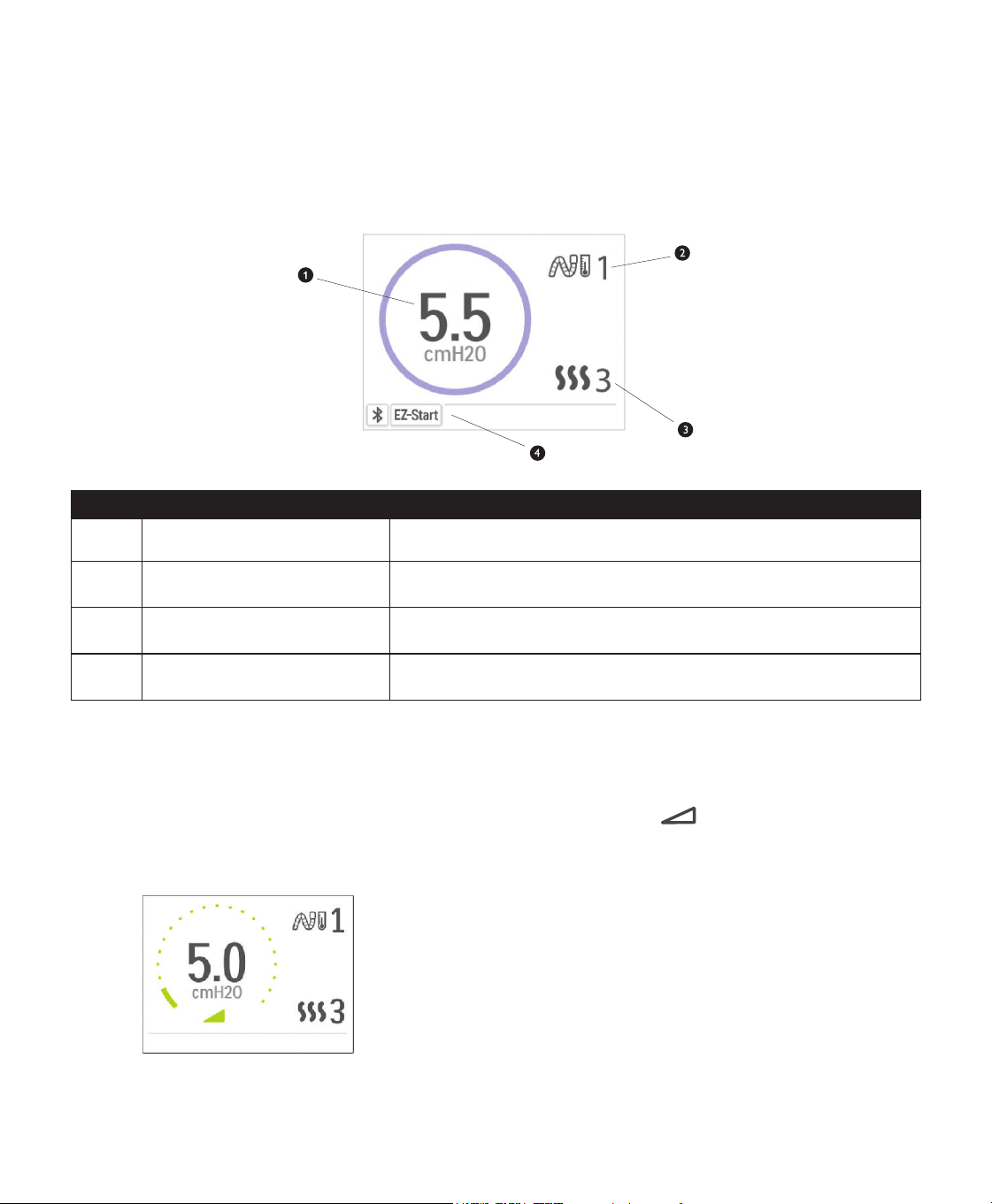
:KLOHWKHGHYLFHLVGHOLYHULQJWKHUDS\\RXFDQDGMXVW7XEH7HPSHUDWXUHRU+XPLGLÀHU6HWWLQJV5RWDWHWKHFRQWUROGLDO
to choose either setting. Press and rotate the dial to change the setting.
Note: ,I\RXDUHXVLQJWKH+XPLGLÀHUZLWKRXWWKH+HDWHG7XEHVLPSO\MXVWURWDWHWKHFRQWUROGLDOWRFKDQJHWKH
+XPLGLÀHUVHWWLQJ
Therapy Pressure Screen
# Feature Description
1 Therapy Pressure Displays the current delivered pressure.
2
Adjustable Tube Temperature
Setting
<RXFDQFKDQJHWKLVVHWWLQJIURPWR2QO\GLVSOD\VZKHQRSWLRQDO
heated tube is connected.
3 $GMXVWDEOH+XPLGLÀHU6HWWLQJ
<RXFDQFKDQJHWKLVVHWWLQJIURPWR2QO\GLVSOD\VZKHQ
KXPLGLÀHULVDWWDFKHG
Enabled Features
'HSHQGLQJRQVHWXSFHUWDLQHQDEOHGWKHUDS\IHDWXUHVZLOOGLVSOD\
here.
Ramp Feature
The device is equipped with an optional ramp feature that your home care provider can enable or disable. This
feature reduces the air pressure when you are trying to fall asleep and then gradually increases (ramps) the pressure
XQWLO\RXUSUHVFULSWLRQVHWWLQJLVUHDFKHGDOORZLQJ\RXWRIDOODVOHHSPRUHFRPIRUWDEO\
,IUDPSLVHQDEOHGRQ\RXUGHYLFHDIWHU\RXWXUQRQWKHDLUÁRZSUHVVWKH5DPS ) button on the top of the
device. You can use the Ramp button as often as you wish during the night.
:KHQ\RXFOLFNWKHUDPSEXWWRQWKH7KHUDS\VFUHHQZLOOFKDQJHWRUHÁHFWWKH5DPSSUHVVXUHDQGWKHJUHHQFLUFOH
ZLOOUHÁHFWWKHJUDGXDOLQFUHDVHLQSUHVVXUH
Ramp Pressure Screen
Your device has two ramp modes. Your Provider will select the one that is most appropriate for you. The standard
UDPSPRGHLQFUHDVHVSUHVVXUHDWDVWHDG\UDWH$OWHUQDWHO\WKH6PDUW5DPSPRGHPDLQWDLQVDFRQVWDQWORZHU
pressure until the device detects that you require more pressure.
11User Manual
Menu Navigation (Therapy OFF)
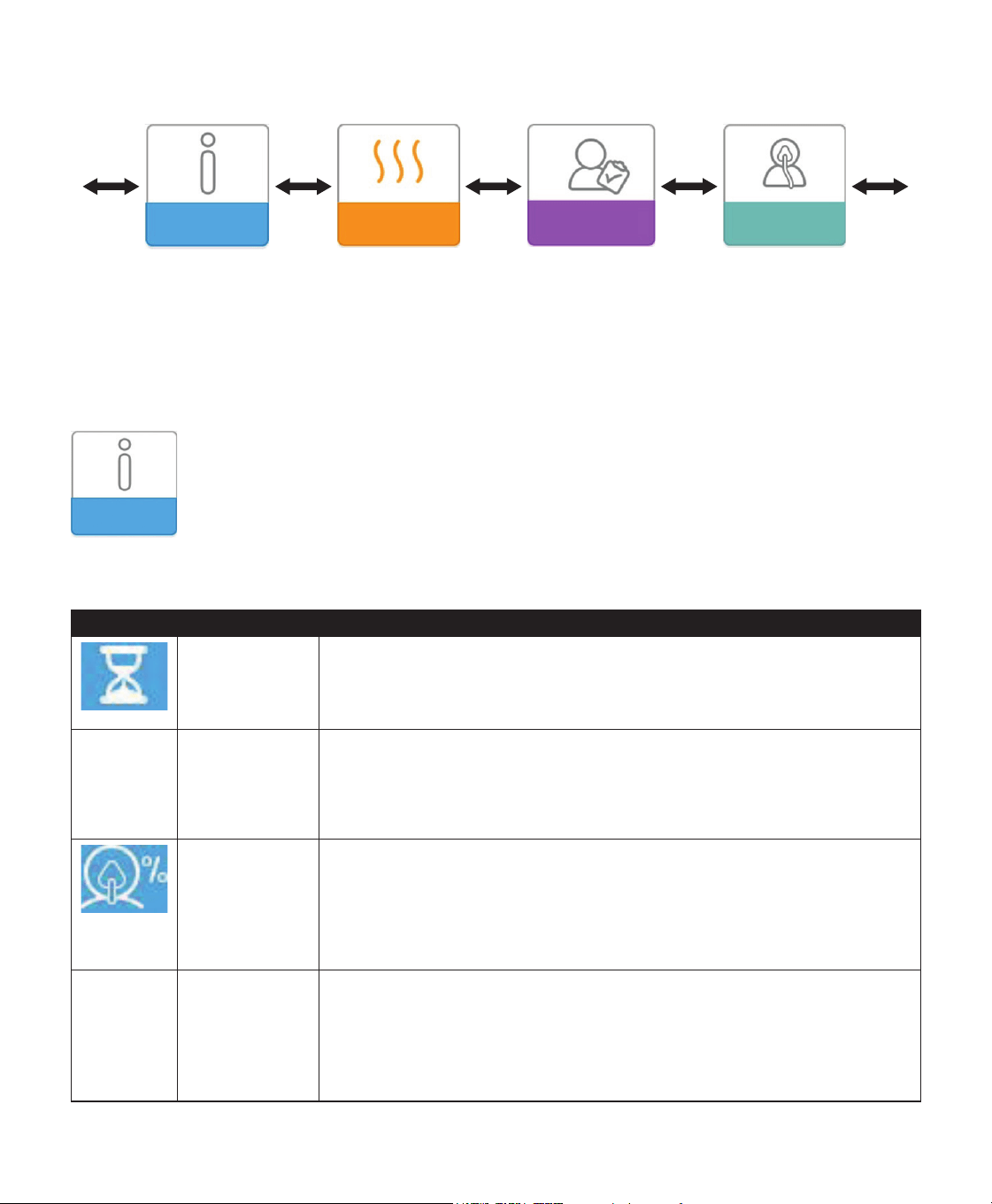
)URPWKH+RPHVFUHHQ\RXFDQVFUROOEHWZHHQWKHIROORZLQJPHQXV2QO\WKHPHQXVDYDLODEOHDQGHQDEOHGRQ\RXU
device will display.
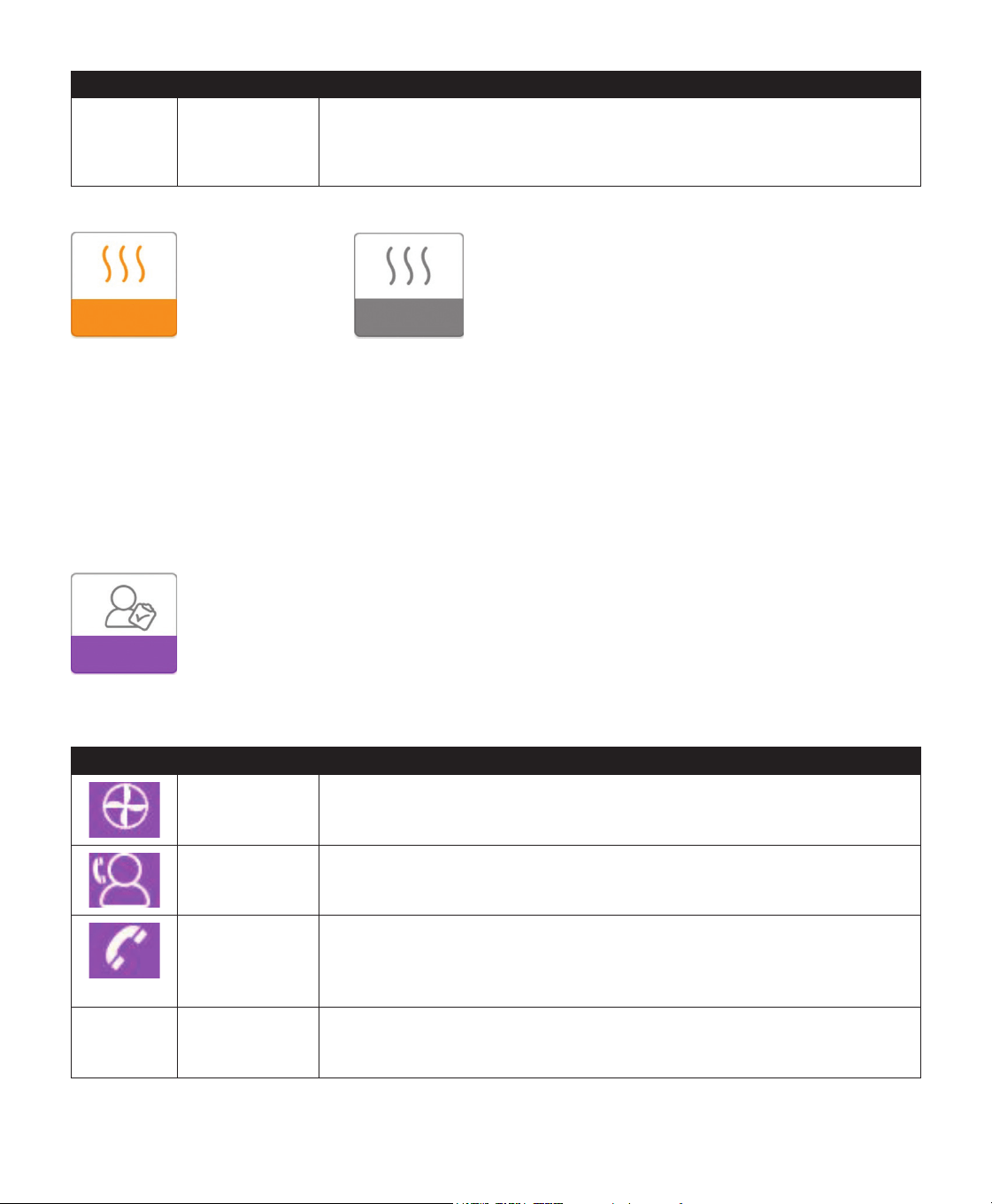
My Info Preheat My Provider My Setup
My Info: This menu provides summary statistics of your therapy use.
Preheat (if available): 7KLVIXQFWLRQOHWV\RXZDUPXS\RXUKXPLGLÀHUIRUPLQXWHVEHIRUHVWDUWLQJDWKHUDS\
session.
My Provider: This menu contains information that your provider may direct you to read to them so they can
better assist you over the phone.
My Setup: This menu contains comfort settings that you can adjust as needed.
My Info:
:KHQ\RXVHOHFW´0\,QIRµ\RXZLOOEHDEOHWRYLHZWKHIROORZLQJVFUHHQV7KHVHVFUHHQVZLOORQO\GLVSOD\LIWKH\
are available and enabled on your device. You cannot change settings in the Info menu. These screens are only for
reference. Your home care provider may periodically ask you for this information.
Icon Text Description
Therapy Hours This screen displays the amount of time the user is actually receiving therapy
on the device for the most recent 1 day time frame. It also displays the
DYHUDJHDPRXQWRIWLPHWKHSDWLHQWLVDFWXDOO\UHFHLYLQJWKHUDS\RYHUWKHODVW
days and 30 days.
AHI AHI This screen displays the nightly Apnea/Hypopnea indices (AHI) value for the most
recent 1 day time frame. It also displays the average of these individual nightly
$+,YDOXHVRYHUDGD\DQGDGD\WLPHIUDPH7KLVVFUHHQRQO\GLVSOD\VLI
your home care provider has enabled it. Available on CPAP Pro and Auto CPAP
devices.
Mask Fit Displays the value “100% minus Large Leak”. Large Leak is the percentage of
time that the mask leak was so high that it is no longer possible for the device
to identify respiratory events with statistical accuracy. Displays the value for the
PRVWUHFHQWGD\DVZHOODVWKHYDOXHVRYHUODVWGD\VDQGGD\V7KLVVFUHHQ
only displays if your home care provider has enabled it. Available on CPAP Pro
and Auto CPAP devices.
Periodic
Breathing
Periodic
Breathing
Displays the percentage of time that the user experienced periodic breathing.
'LVSOD\VWKHYDOXHIRUWKHPRVWUHFHQWGD\WLPHIUDPHDVZHOODVYDOXHVIRUWKH
ODVWGD\VDQGGD\V,I\RXREVHUYHDODUJHLQFUHDVHLQWKHSHUFHQWRIWLPHLQ
SHULRGLFEUHDWKLQJLQGLFDWHGKHUFRQWDFW\RXUKRPHFDUHSURYLGHUIRUDVVLVWDQFH
This screen only displays if your home care provider has enabled it. Available on
CPAP Pro and Auto CPAP devices.
12 User Manual
Icon Text Description
90%
Pressure
3UHVVXUH 7KLVVFUHHQGLVSOD\VWKHQLJKWO\YDOXHRI3UHVVXUHIRUWKHPRVWUHFHQW
day time frame. It also displays the average of these individual nightly values of
3UHVVXUHRYHUDGD\DQGDGD\WLPHIUDPH$YDLODEOHRQWKH$XWR&3$3
device.
Preheat:
Preheat On Screen Preheat Off Screen
Note: The Preheat menu will only display if it is available on your device.
:KHQXVLQJDKXPLGLÀHUWKHGHYLFHFDQSUHKHDWWKHZDWHUWDQNIRUXSWRPLQXWHVSULRUWRVWDUWLQJWKHUDS\
,QRUGHUWRDFWLYDWHWKHSUHKHDWPRGHWKHEORZHUPXVWEH´RIIµDQGDKXPLGLÀHUPXVWEHDWWDFKHG:KHQ´3UHKHDWµ
LVVHOHFWHG\RXZLOOEHDEOHWRWXUQWKHFRQWUROGLDOWRFKRRVHEHWZHHQ´RQµRU´RIIµ3UHVVWKHFRQWUROGLDODJDLQWR
PDNH\RXUVHOHFWLRQ'XULQJWKHPLQXWHSUHKHDW\RXZLOOVWLOOEHDEOHWRXVHWKHFRQWUROGLDOWRVHOHFWRWKHUPHQX
options from the Home screen.
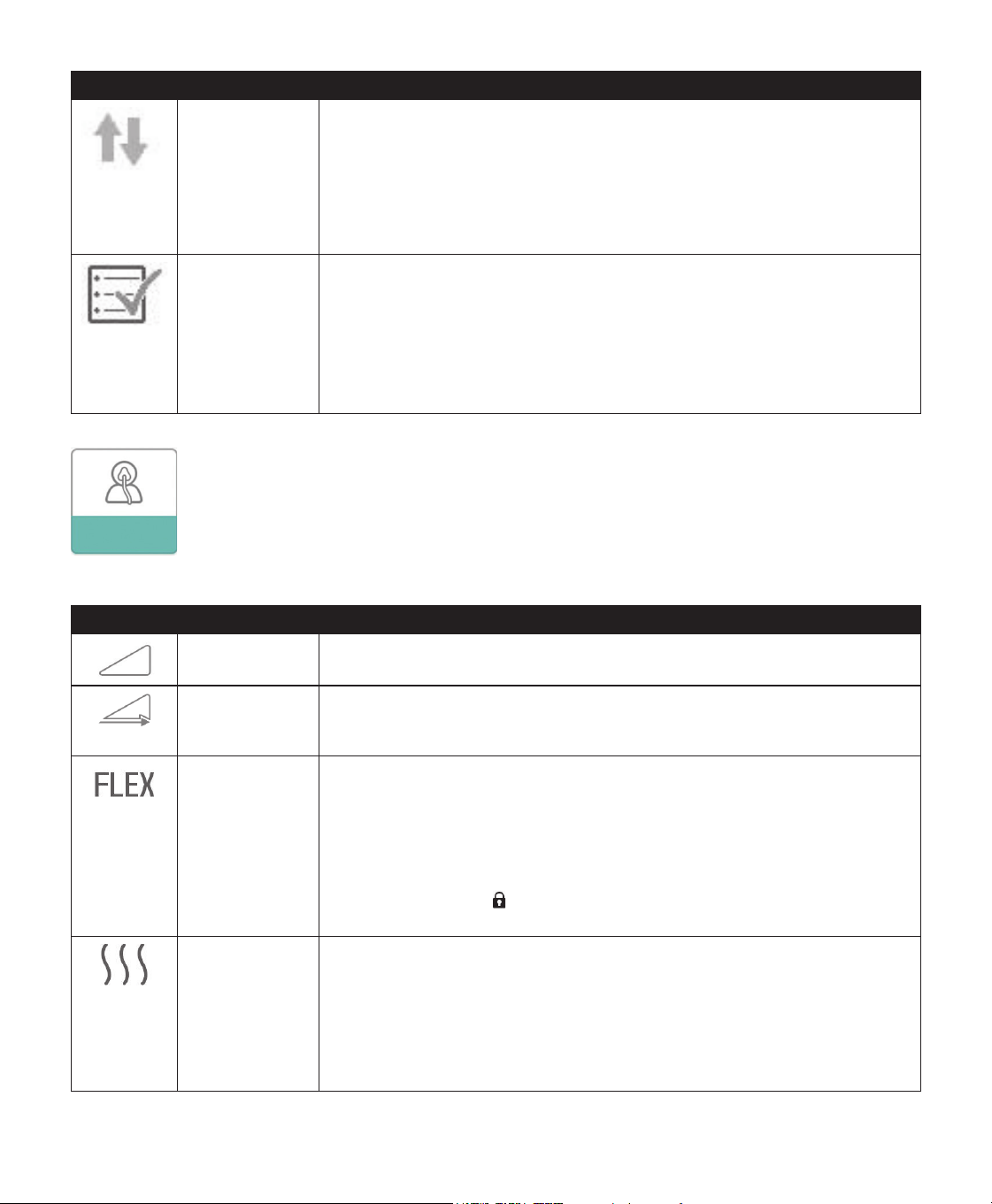
My Provider:
:KHQ\RXVHOHFW´0\3URYLGHUµ\RXZLOOEHDEOHWRYLHZWKHIROORZLQJVFUHHQV7KHVHVFUHHQVZLOORQO\GLVSOD\LIWKH\
are available and enabled on your device. You cannot change settings in the Provider menu. These screens are only for
reference. Your home care provider may periodically ask you for this information.
Icon Text Description
Device Info 7KLVVFUHHQGLVSOD\V\RXUWKHUDS\GHYLFHLQIRUPDWLRQVHULDOQXPEHUPRGHODQG
software version.
Provider Contact
Info
This screen will display the contact information for your provider if it has been
uploaded to your device.
3KRQH,Q 7KLVVFUHHQGLVSOD\VWKHWRWDOWKHUDS\KRXUVIRUWKHGHYLFHWKHWRWDOEORZHU
KRXUVWKHWRWDOQXPEHURIGD\VXVHGZKHQWKHVHVVLRQVZHUHJUHDWHUWKDQ
KRXUVDQGDFRPSOLDQFHFKHFNQXPEHUXVHGE\\RXUKRPHFDUHSURYLGHUWR
validate that the data provided by you is the data taken from this screen.
A-TRIAL $7ULDO ,I$XWR7ULDOPRGHLVDYDLODEOHWKLVVFUHHQGLVSOD\VDays: xx/xx (where xx/xx is
the number of accumulated trial days / number of selected trial days). Available
on the Auto CPAP device.
13User Manual
Icon Text Description
Upload $OORZVXVHUWRLQLWLDWHDPRGHPFDOOZKHQDQRSWLRQDO&HOOXODU0RGHPRU:L)L
Accessory is installed. Signal strength is indicated at the top right of this screen.
$IWHUWKHPRGHPXSORDGKDVÀQLVKHGWKHVFUHHQZLOOHLWKHUGLVSOD\DJUHHQ
FKHFNPDUNZLWKWKHWH[W´&RPSOHWHGµWRLQGLFDWHDVXFFHVVIXOXSORDGRUDUHG;
ZLWKWKHWH[W´)DLOHGµWRLQGLFDWHDQXQVXFFHVVIXOXSORDG,IWKHXSORDGIDLOVLQLWLDWH
DQXSORDGDVHFRQGWLPHRUFRQWDFW\RXUKRPHFDUHSURYLGHULIWKHLVVXHSHUVLVWV
This screen is locked if modem is off.
Performance
Check
<RXUGHYLFHLVHTXLSSHGZLWKDVHOIGLDJQRVWLFWRROFDOOHG´3HUIRUPDQFH&KHFNµ
This tool can evaluate your device for certain errors. It also allows you to share
key device settings with your home care provider. Use Performance Check when
directed to by your home care provider.
$WFRQFOXVLRQRIWKHVFDQWKHVFUHHQGLVSOD\VDJUHHQFKHFNPDUNLIQRLVVXHLV
GHWHFWHG,IGHYLFHGLVSOD\VDUHG´;µSOHDVHFRQWDFW\RXUKRPHFDUHSURYLGHUIRU
assistance.
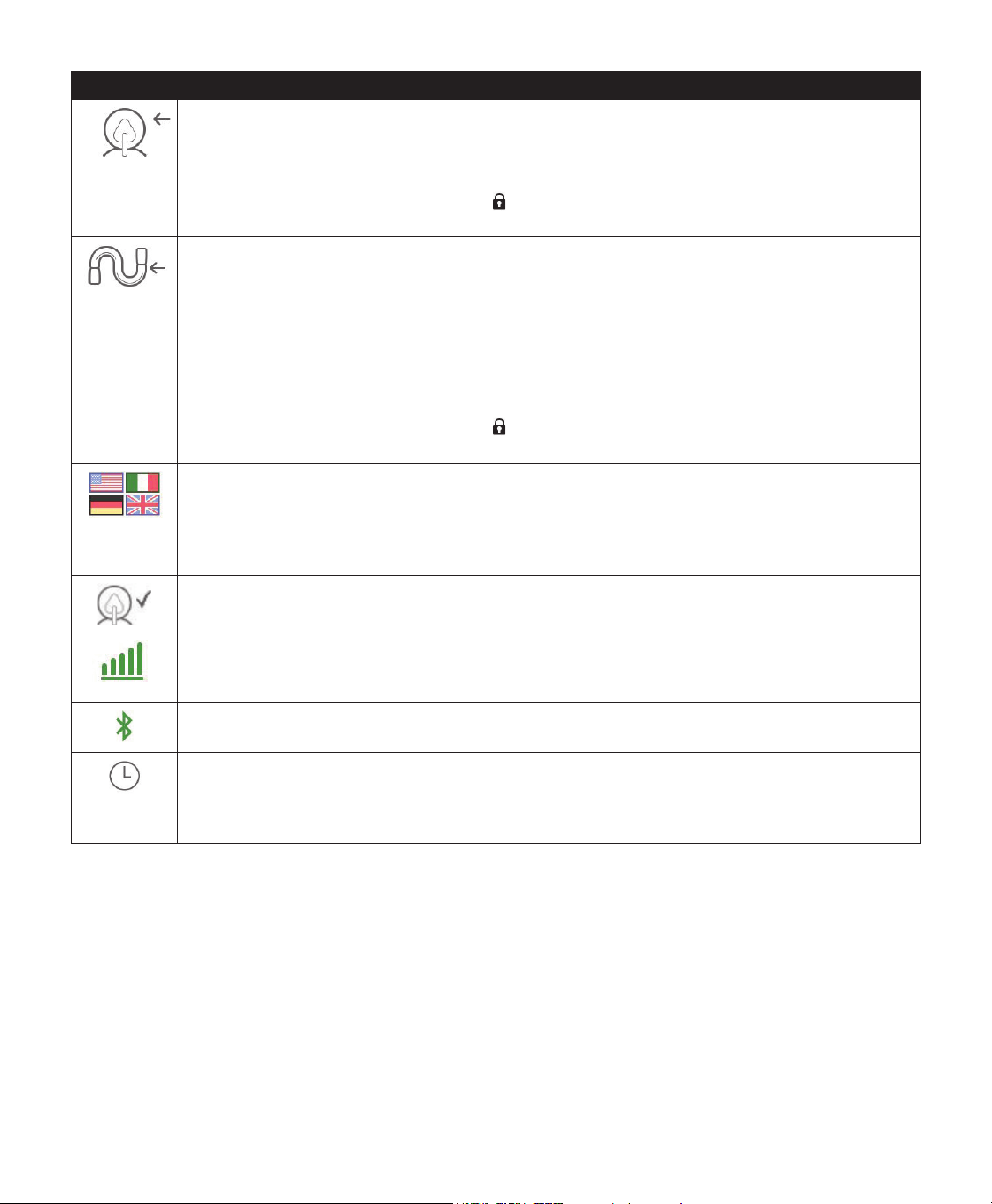
My Setup:
:KHQ\RXVHOHFW´0\6HWXSµ\RXZLOOEHDEOHWRYLHZWKHIROORZLQJVFUHHQV7KHVHVFUHHQVZLOORQO\GLVSOD\LIWKH\DUH
available and enabled on your device. You can change the settings in the Setup menu.
Icon Text Description
Ramp This displays the ramp starting pressure. You can increase or decrease the ramp
VWDUWLQJSUHVVXUHLQFP+
2
O increments.
Ramp Time :KHQ\RXVHWWKH5DPSWLPHWKHGHYLFHLQFUHDVHVWKHSUHVVXUHIURPWKHYDOXH
set on the Ramp screen to the therapy pressure setting over the length of time
specified here.
Flex This allows you to adjust the level of air pressure relief that you feel when you
exhale during therapy. Your home care provider can enable or disable this
IHDWXUH:KHQ\RXUSURYLGHUHQDEOHV)OH[DOHYHOZLOODOUHDG\EHVHWIRU\RXRQ
the device. You can increase or decrease the setting from 1 to 3. The setting of
´µSURYLGHVDVPDOODPRXQWRISUHVVXUHUHOLHIZLWKKLJKHUQXPEHUVSURYLGLQJ
additional relief.
Note: If a lock icon LVGLVSOD\HGRQWKLVVFUHHQLWLQGLFDWHVWKDW\RXU
provider has locked this setting and you cannot change it.
+XPLGLÀFDWLRQ 7KLVGLVSOD\VWKH+XPLGLÀFDWLRQ0RGHEHLQJXVHG<RXFDQFKRRVHEHWZHHQ
)L[HGRU$GDSWLYH+XPLGLÀFDWLRQ,IDKHDWHGWXEHLVEHLQJXVHGWKHGHYLFHZLOO
DXWRPDWLFDOO\VZLWFKWR+HDWHG7XEH+XPLGLÀFDWLRQ0RGH$´ORFNµV\PEROZLOO
appear next to the mode setting indicating that so long as the heated tube is
DWWDFKHGWRWKHGHYLFHWKLVPRGHFDQQRWEHFKDQJHG+RZHYHUWKHKHDWHUSODWH
and tube temperature settings can still be adjusted on the device Therapy screen
as normal.
User Manual
Icon Text Description
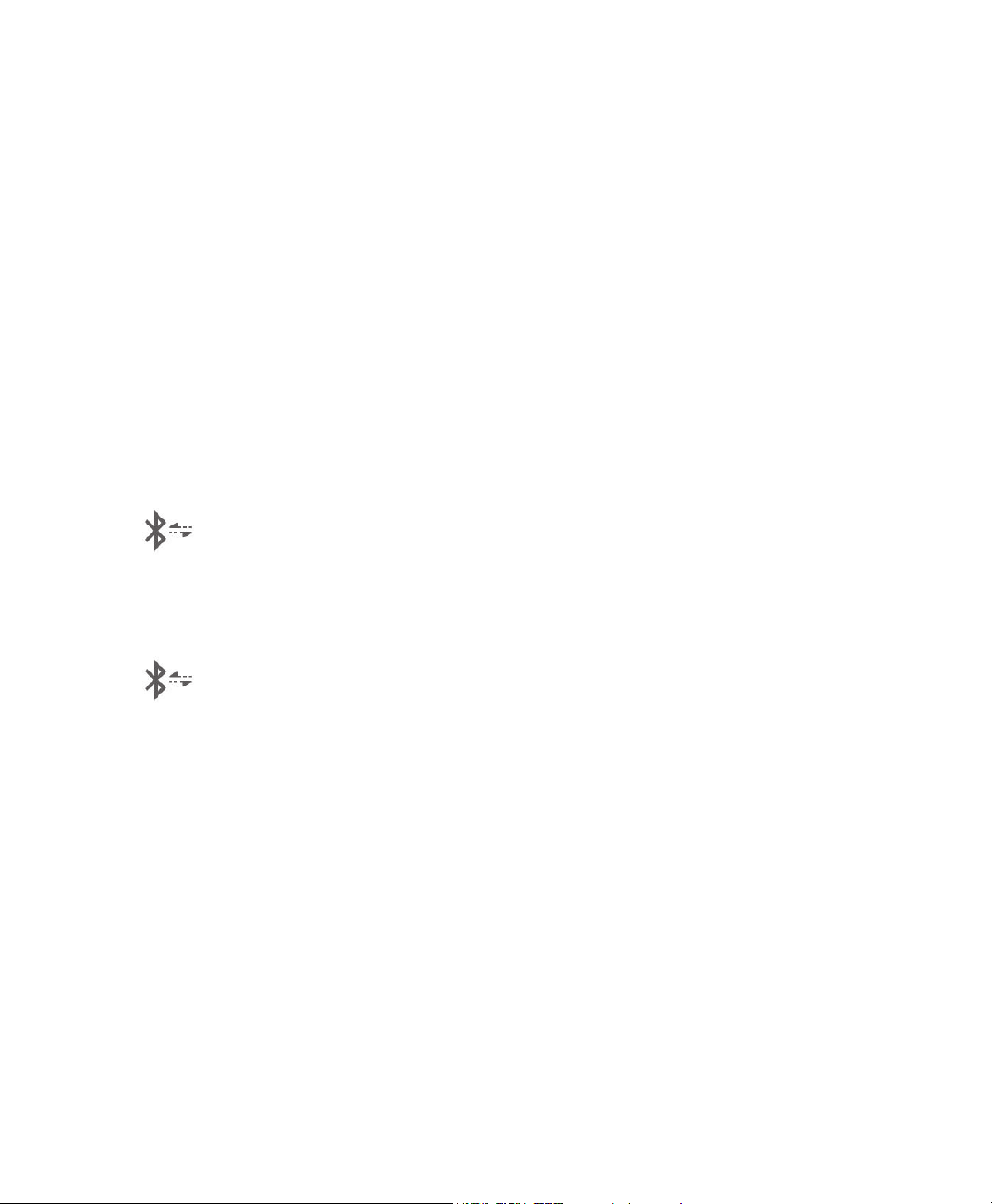
Mask Type This setting allows you to adjust the level of air pressure relief based on the
VSHFLÀF3KLOLSV5HVSLURQLFVPDVN(DFK3KLOLSV5HVSLURQLFVPDVNPD\KDYHD
“System One” resistance control setting. Contact your home care provider if
\RXFDQQRWÀQGWKLVUHVLVWDQFHVHWWLQJIRU\RXUPDVN
Note: If a lock icon
LVGLVSOD\HGRQWKLVVFUHHQLWLQGLFDWHVWKDW\RXU
provider has locked this setting and you cannot change it.
Tube Type This setting allows you to select the correct size diameter tubing that you are
using with the device. You can choose either (22) for the Philips Respironics 22
PPWXELQJIRUWKH3KLOLSV5HVSLURQLFVPPWXELQJRUIRUWKHRSWLRQDO
3KLOLSV5HVSLURQLFVPPWXELQJ:KHQXVLQJ+HDWHG7XELQJWKHGHYLFHZLOO
DXWRPDWLFDOO\FKDQJHWKLVVHWWLQJWRWKHDSSURSULDWHWXELQJW\SH+DQG\RX
will not be able to change it.
Note: 7XELQJLVLGHQWLÀHGRQWKHFXIIZLWKWKHWXELQJLGHQWLÀHUV\PERO´µ
´µRU´+µPPWXELQJFRQWDLQVQRV\PERO
Note: If a lock icon LVGLVSOD\HGRQWKLVVFUHHQLWLQGLFDWHVWKDW\RXU
provider has locked this setting and you cannot change it.
Language This feature allows you to choose which language to display on the interface.
<RXFDQFKRRVHEHWZHHQ(QJOLVK*HUPDQ6SDQLVK)UHQFK,WDOLDQ3RUWXJXHVH
%UD]LOLDQ3RUWXJXHVH'DQLVK'XWFK)LQQLVK1RUZHJLDQ6ZHGLVK&]HFKRU
3ROLVK<RXFDQDOVRWXUQWKHODQJXDJHRIIZKLFKPHDQVWKHGHYLFHZLOORQO\
display icons on the interface.
Check Mask Fit 7KLVIHDWXUHDOORZV\RXWRFKHFNWKHÀWRI\RXUPDVNSULRUWRVWDUWLQJWKHUDS\
This is done by measuring the amount of leak.
Modem Allows you to turn modem off temporarily or turn it back on. When modem
LVWXUQHGRIILWZLOODXWRPDWLFDOO\WXUQRQDJDLQDIWHUGD\V2QO\GLVSOD\VZKHQ
modem is installed.
Bluetooth $OORZV\RXWRWXUQ%OXHWRRWKRIIDQGRQ$OVRLWDOORZV\RXWRFOHDUWKHSDLULQJ
with a compatible Bluetooth device.
Time Allows you to adjust the time. 7KHGHIDXOWVHWWLQJLV*UHHQZLFK0HDQ7LPHEXW
you may adjust the time in 30 minute increments to match your local time zone.
Note: This time setting is not displayed as a clock function on the device. It is
RQO\XVHGWRDOLJQ\RXUWKHUDS\GDWDIRU\RXU3URYLGHU·VGDWDUHSRUWV
User Manual
Bluetooth
®
Wireless Technology*
Your device has BluetoothZLUHOHVVWHFKQRORJ\ZKLFKLVRQHPHWKRGE\ZKLFK\RXFDQWUDQVIHU\RXUWKHUDS\GHYLFH·V
GDWDWR'UHDP0DSSHU'UHDP0DSSHULVDPRELOHDQGZHEEDVHGV\VWHPGHVLJQHGWRKHOS2EVWUXFWLYH6OHHS$SQHD
(OSA) patients enhance their sleep therapy experience.
Pairing your therapy device to your Bluetooth enabled Mobile Device
Note: You can only pair your therapy device to one mobile device at any given time.
Note: Pairing works best when your therapy device and mobile device are in the same room.
Note: The current version of DreamMapper will guide you through these instructions.
Note:$IWHULQLWLDWLQJSDLULQJ\RXZLOOKDYHVHFRQGVWRFRPSOHWHWKHVHWXS$IWHUWKLVWLPHLWZLOOEH
cancelled automatically.
Follow the steps below to manually pair to your mobile phone or tablet.
:LWK\RXUWKHUDS\GHYLFHSRZHUHGXSDQGWKHEORZHURIILQLWLDWHBluetooth Setup from the DreamMapper mobile
app.
2. If you need to select from a list of available BluetoothGHYLFHVWKHWKHUDS\GHYLFHZLOODSSHDUDV´35%7;;;;µ
;;;;ZLOOEHWKHODVWIRXUGLJLWVRIWKHVHULDOQXPEHUOLVWHGRQ\RXUWKHUDS\GHYLFH
3. <RXZLOOEHUHTXLUHGWRFRQÀUPSDLULQJYLDRQHRIWKHVHWZRPHWKRGV
• Your mobile device may ask you to enter a PIN code
7KHIROORZLQJLFRQZLOODSSHDURQ\RXUWKHUDS\GHYLFHVFUHHQZLWK´3DLU"µ
5RWDWHWKHWKHUDS\GHYLFH·V&RQWURO'LDOWRVHOHFW´\HVµDQGSUHVVWKH&RQWURO'LDO<RXUWKHUDS\GHYLFHZLOOGLVSOD\
a 6 digit PIN. Enter this PIN on your mobile device to complete pairing.
•
<RXUPRELOHGHYLFHPD\DVN\RXWRFRQÀUPD3,1FRGH
7KHIROORZLQJLFRQZLOODSSHDURQ\RXUWKHUDS\GHYLFHVFUHHQZLWKDGLJLW3,1DQG´3DLU"µ
9HULI\WKDWWKH3,1LVWKHVDPHRQERWKWKHWKHUDS\GHYLFHDQGWKHPRELOHGHYLFH,IVRURWDWHWKHWKHUDS\GHYLFH·V
&RQWURO'LDOWRVHOHFW´\HVµDQGSUHVVWKH&RQWURO'LDO7KHQDFFHSWRQWKHPRELOHGHYLFHWRFRPSOHWHSDLULQJ
*Bluetooth wireless technology and DreamMapper are not available in all markets. For more information, please consult your local
Philips Respironics representative.
16 User Manual
Check Mask Fit
The optional Check Mask Fit feature can be enabled or disabled by your home care provider. This feature allows you
WRFKHFNWKHÀWRI\RXUPDVNSULRUWRVWDUWLQJWKHUDS\7KLVLVGRQHE\PHDVXULQJWKHDPRXQWRIOHDN3XWRQ\RXU
PDVNDVVHPEO\5HIHUWR\RXUPDVNLQVWUXFWLRQVLIQHHGHG1DYLJDWHWRWKH&KHFN0DVN)LWVFUHHQXQGHU´0\6HWXSµ
and press the control dial to initiate the check.
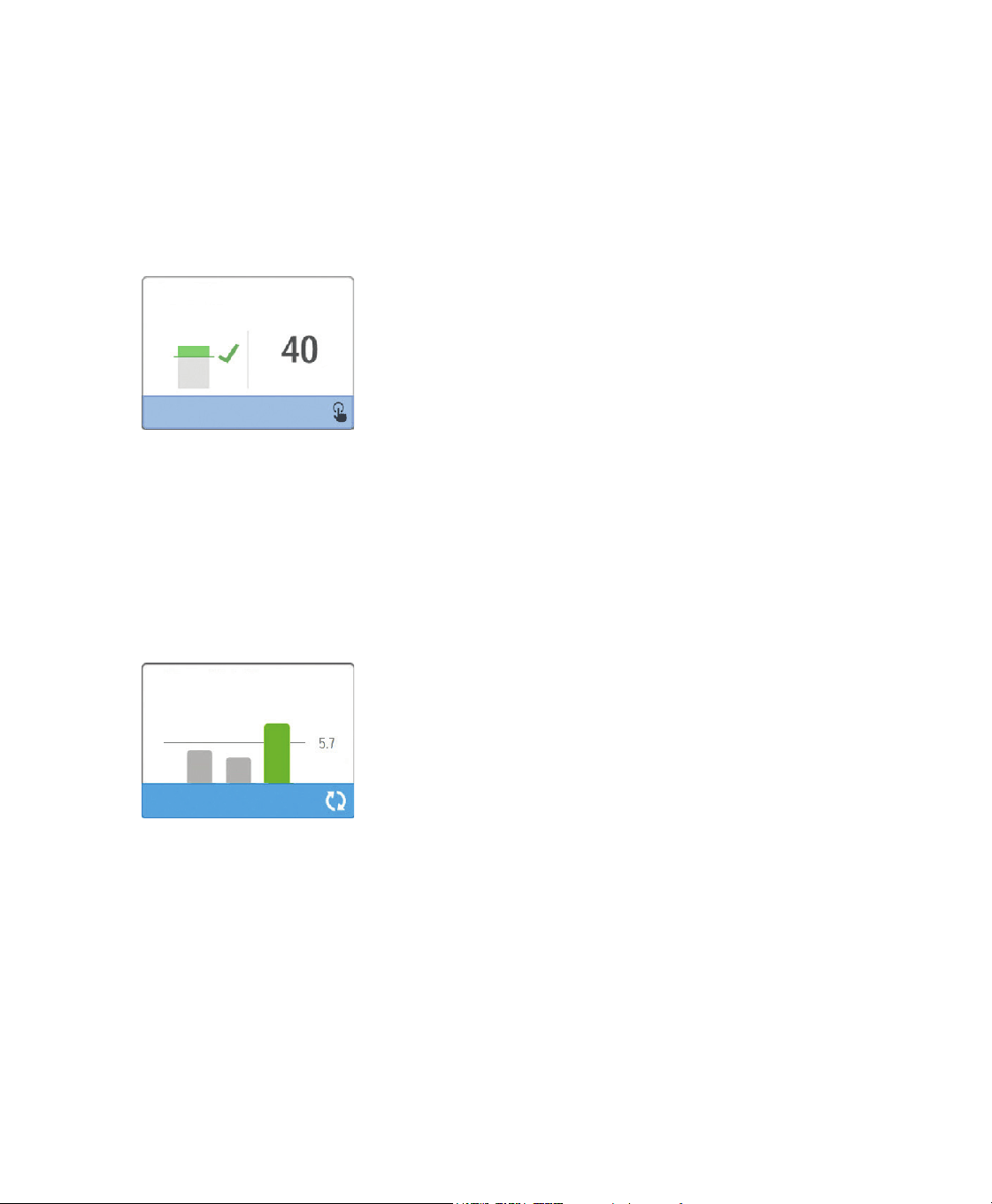
7KHGHYLFHZLOOGHOLYHUDWHVWSUHVVXUHZKLOHWKHVFUHHQFRXQWVGRZQVHFRQGV$JUHHQEDULQGLFDWHVJRRGÀWZKLOH
DUHGEDULQGLFDWHVLPSURYHPHQWLVQHHGHG$IWHUWKHWHVWQRUPDOWKHUDS\ZLOOVWDUWDQGWKHVFUHHQZLOOHLWKHUGLVSOD\
DJUHHQFKHFNPDUNRUDUHG´;µ7KHJUHHQFKHFNPDUNLQGLFDWHVWKDWWKHOHDNIRXQGDOORZVIRURSWLPDOSHUIRUPDQFH
RIWKHGHYLFH7KHUHG´;µLQGLFDWHVWKDWWKHOHDNPD\DIIHFWGHYLFHSHUIRUPDQFHKRZHYHUWKHGHYLFHZLOOUHPDLQ
functional and deliver therapy.
Check Mask Fit Screen
Note: ,I\RXFKRRVHWRWU\WRLPSURYH\RXUPDVNÀW\RXFDQVWRSWKHUDS\DGMXVWWKHÀWRI\RXUPDVNDQGUHUXQ
WKH&KHFN0DVN)LW5HIHUWRWKHLQVWUXFWLRQVWKDWFDPHZLWK\RXUPDVNDQGKHDGJHDUIRUWKHSURSHUÀWWLQJ
procedure.
Sleep Progress
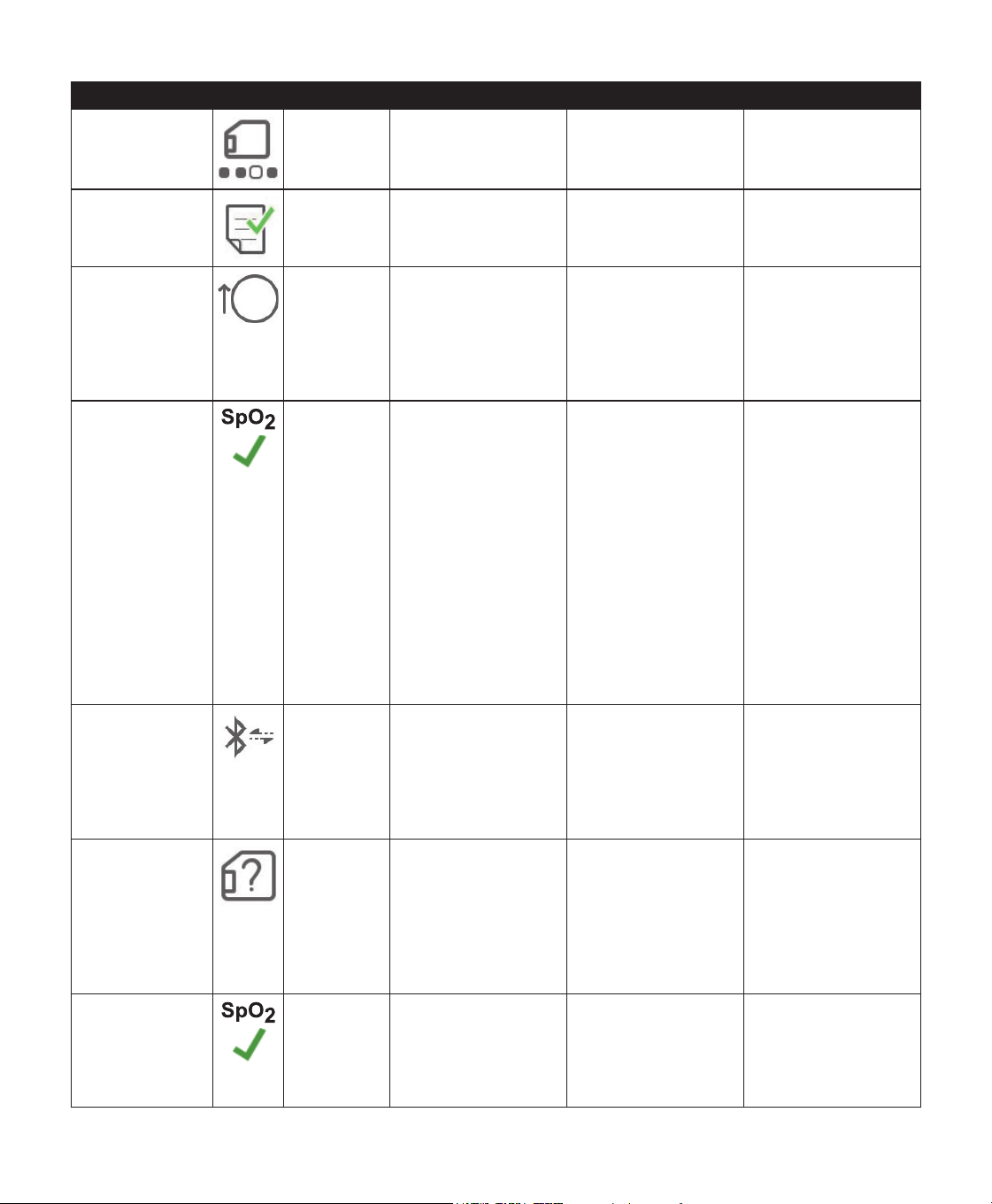
Your device provides summary information about your therapy use each time the therapy is turned off. The screen
GLVSOD\V\RXU´7KUHH1LJKW6XPPDU\µ,WVKRZV\RXUQLJKWO\XVDJHIRUWKHODVWVOHHSVHVVLRQVPHDVXUHGLQKRXU
SHULRGVHQGLQJDWQRRQHDFKGD\7KHPRVWUHFHQWVHVVLRQLVGLVSOD\HGLQWKHULJKWKDQGEDUODEHOHGZLWKWKHQXPEHU
RIKRXUVVOHSW$JUHHQEDULQGLFDWHVWKDW\RXVOHSWPRUHWKDQKRXUVDQGD\HOORZEDULQGLFDWHVOHVVWKDQKRXUVRI
use.
Three Night Summary Screen
Altitude Compensation
7KLVGHYLFHDXWRPDWLFDOO\FRPSHQVDWHVIRUDOWLWXGHXSWRIHHW1RPDQXDODGMXVWPHQWLVQHFHVVDU\
Device Alerts
'HYLFHDOHUWVDUHSRSXSVWKDWVKRZXSRQWKH8,VFUHHQ7KHUHDUHW\SHVRIDOHUWVGHVFULEHGKHUH
• Status: 7KHVHDOHUWVDUHMXVWWKHSRSXSVFUHHQ
1RWLÀFDWLRQ7KHVHDOHUWVFRQVLVWRIWKHSRSXSVFUHHQLQDGGLWLRQWRDEOLQNLQJ3RZHU/('RQWRSRIWKHGHYLFH
• Alert 1: 7KHVHDOHUWVFRQVLVWRIWKHSRSXSVFUHHQDEOLQNLQJ3RZHU/('DQGDQDXGLEOHEHHSZKHQGLVSOD\HG7KLV
alert will not occur during therapy.
• Alert 2: 7KHVHDOHUWVFRQVLVWRIWKHSRSXSVFUHHQDEOLQNLQJ3RZHU/('DQGDQDXGLEOHEHHSZKHQGLVSOD\HG7KLV
alert can occur during therapy.
• Safe State: 7KHVHDOHUWVFRQVLVWRIWKHSRSXSVFUHHQDEOLQNLQJ3RZHU/('DQGDUHSHDWLQJDXGLEOHEHHS
Note: Status alerts automatically time out after 30 seconds and their pop up screens disappear. All other alerts
must be acknowledged to clear.
User Manual
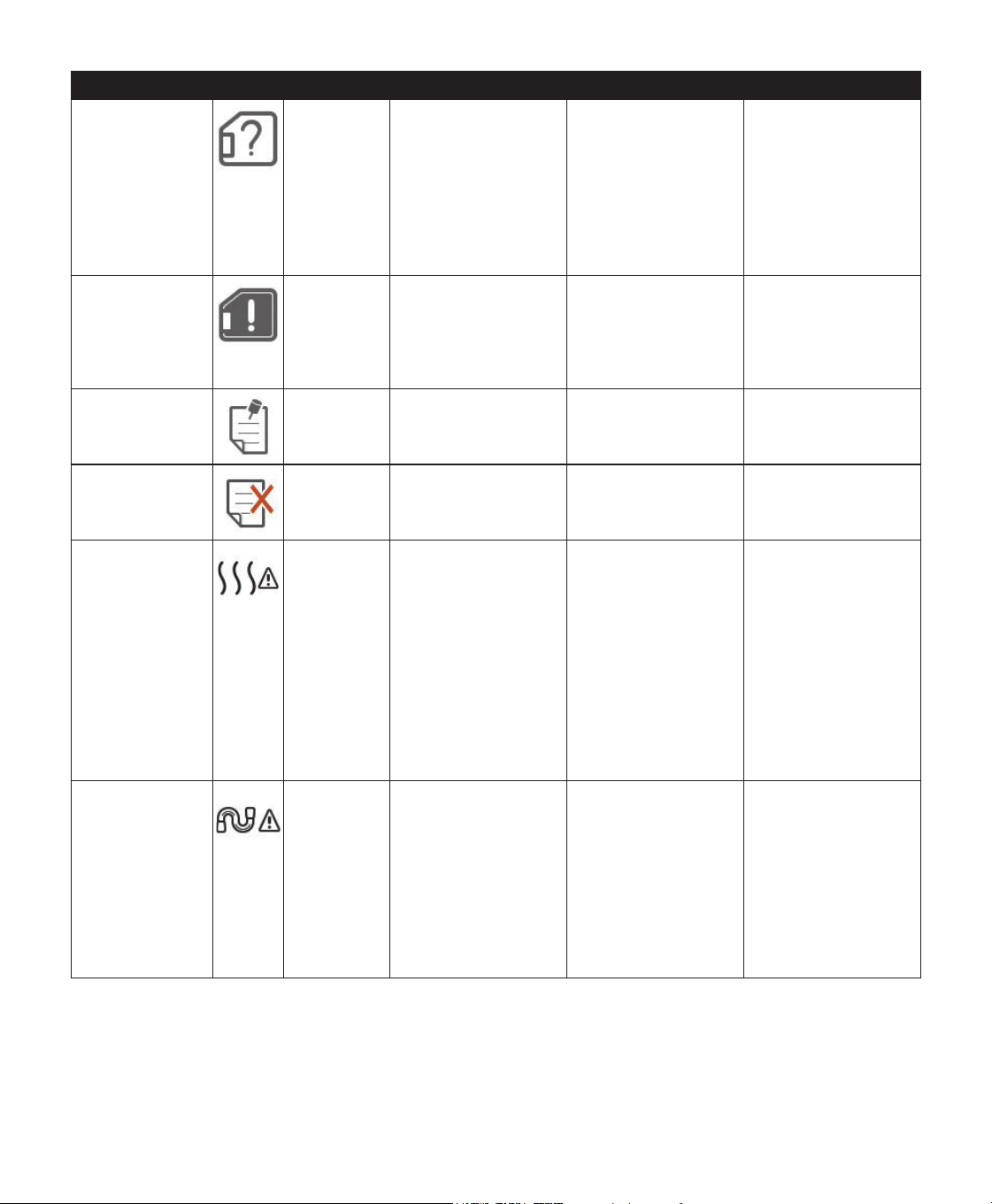
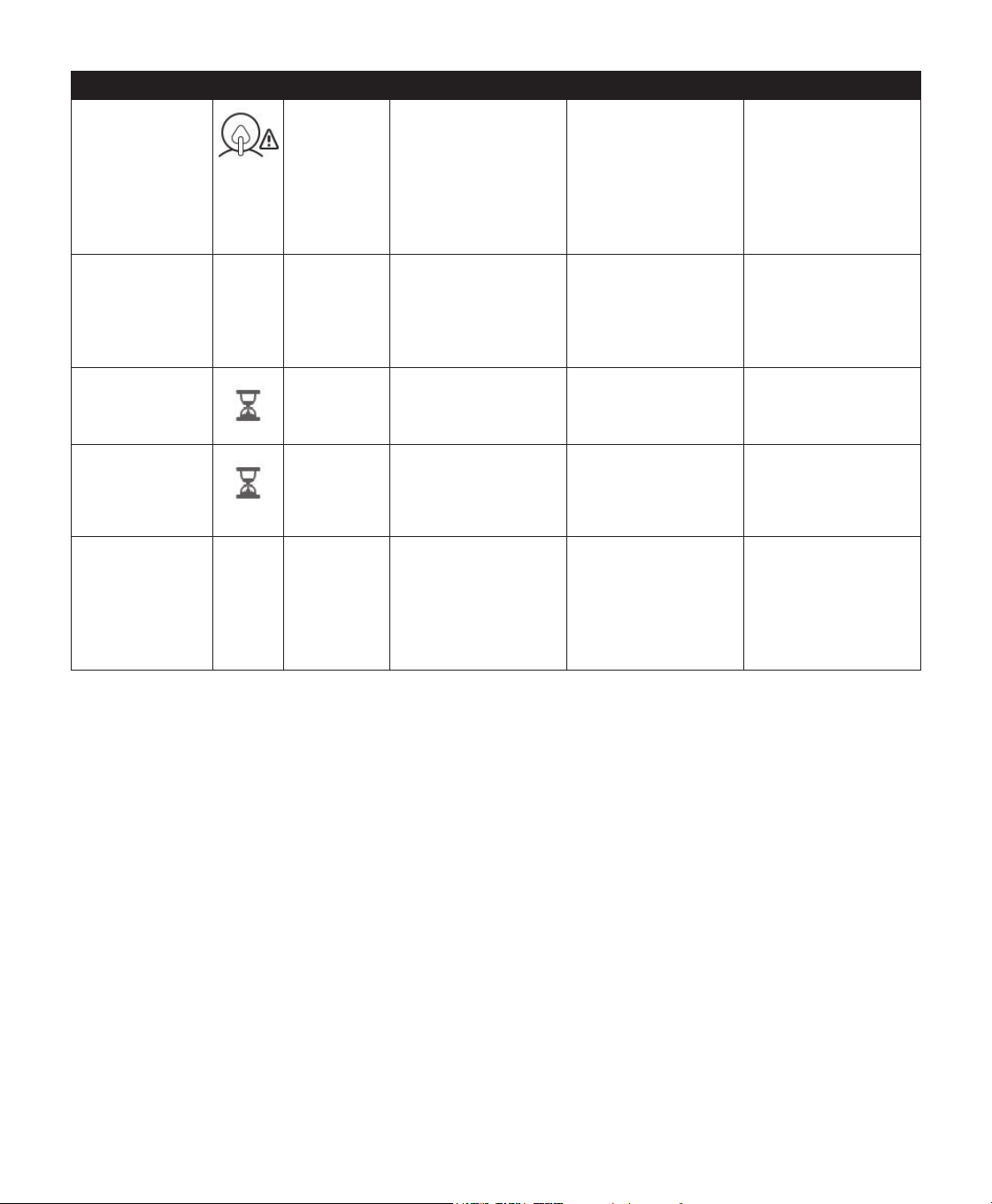
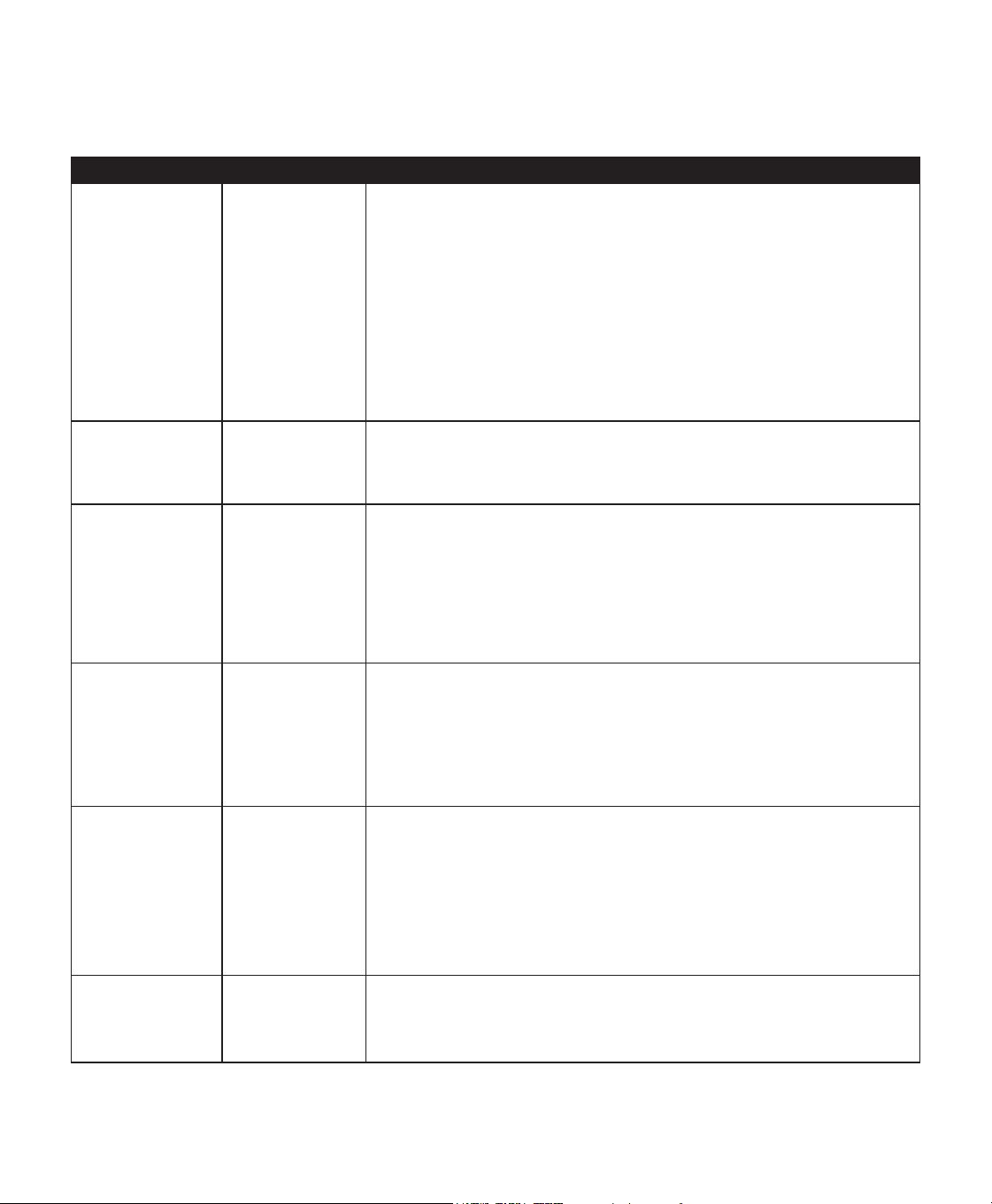
Alert Summary Table: The following table summarizes the alerts.
Alert Icon Type Description Possible Cause Action
'DWD$FWLYLW\'R
not remove SD
card.
Status SD card read/write
underway.
n/a No action needed.
Change Accepted
Status &RQÀUPVDFFHSWDQFH
of prescription change
or device upgrade.
n/a No action needed.
(=6WDUW
Pressure
Incremented to
xx.x
Status Displays when
(=6WDUWPRGHLV
enabled and device
is increasing therapy
pressure setting for
the next session.
n/a No action needed.
2[LPHWU\*RRG
Connection
(icon only)
Status Displays on the
therapy screen when
the blower is on
and 3 seconds of
good connection is
detected. Appears
at the beginning of
therapy. This screen
will not display
DJDLQLIWKHÀQJHU
probe is removed
and reapplied unless
therapy is stopped
and restarted.
n/a No action needed.
3DLU"
Yes/No
Status Prompts to accept or
decline pairing to a
Bluetooth compatible
device. This device
FDQEHLGHQWLÀHGE\
the digits displayed.
n/a Rotate control dial to
DFFHSWSDLULQJ<HV
RUGHFOLQH1RWKHQ
press control dial to
FRQÀUPVHOHFWLRQ
SD Card
Removed.
1RWLÀFDWLRQ
or Alert 2
Indicates SD card
has been removed
from therapy device
and not reinserted
before the start of
the current therapy
session.
SD card was not
reinserted into device.
5HLQVHUW6'FDUGRU
click to clear alert.
2[LPHWU\*RRG
Study
(icon only)
1RWLÀFDWLRQ 1RWLÀHVWKDWXVHUKDV
DDFKLHYHGDWOHDVW
hours of therapy and
oximetry use. Appears
at the end of therapy.
n/a Press Control Dial
to acknowledge and
clear the message.
User Manual
Alert Icon Type Description Possible Cause Action
6'&DUG(UURU
Remove and
Reinsert
1RWLÀFDWLRQ SD card error
detected
Device cannot read
the SD card. A
problem may exist
with the SD card or
it was ejected during
DZULWLQJDFWLYLW\
or it was inserted
incorrectly.
Remove SD card
and reinsert. If alert
FRQWLQXHVWRRFFXU
replace with another
card or contact your
provider.
SD Card Full.
1RWLÀFDWLRQ SD card is full. SD card is full. Remove SD card and
replace with a new
FDUGRUFRQWDFW\RXU
provider for a new SD
card.
Patient Message
(Refer to
section)
1RWLÀFDWLRQ Message from your
Provider.
n/a Press Control Dial
to acknowledge and
clear the message.
Change Rejected
Alert 1 A prescription or
settings change was
rejected.
Change missing or
incorrect.
Contact your
provider.
+XPLGLÀFDWLRQ
Error. Contact
support if the
problem persists.
Status +XPLGLÀHUHUURURQO\
ZKHQKXPLGLÀHULV
present)
+XPLGLÀHUKHDWHU
plate error or
KXPLGLÀHUQRW
properly connected to
therapy device
Turn off device and
disconnect from
power. Detach the
KXPLGLÀHUYLVXDOO\
check that electrical
FRQWDFWVDUHFOHDU
then reconnect
KXPLGLÀHUDQG
power cord. If alert
FRQWLQXHVFRQWDFW
your provider.
Heated Tube
Error. Contact
support if the
problem persists.
Status Heated tube error
(only when heated
tube is present)
Heated tube may
be overheated or
damaged.
Turn off device.
Detach heated tube
IURPKXPLGLÀHU
make sure that tube
is not covered or
REVWUXFWHGDQGWKHQ
UHDWWDFKWRKXPLGLÀHU
,IDOHUWFRQWLQXHV
contact your provider.
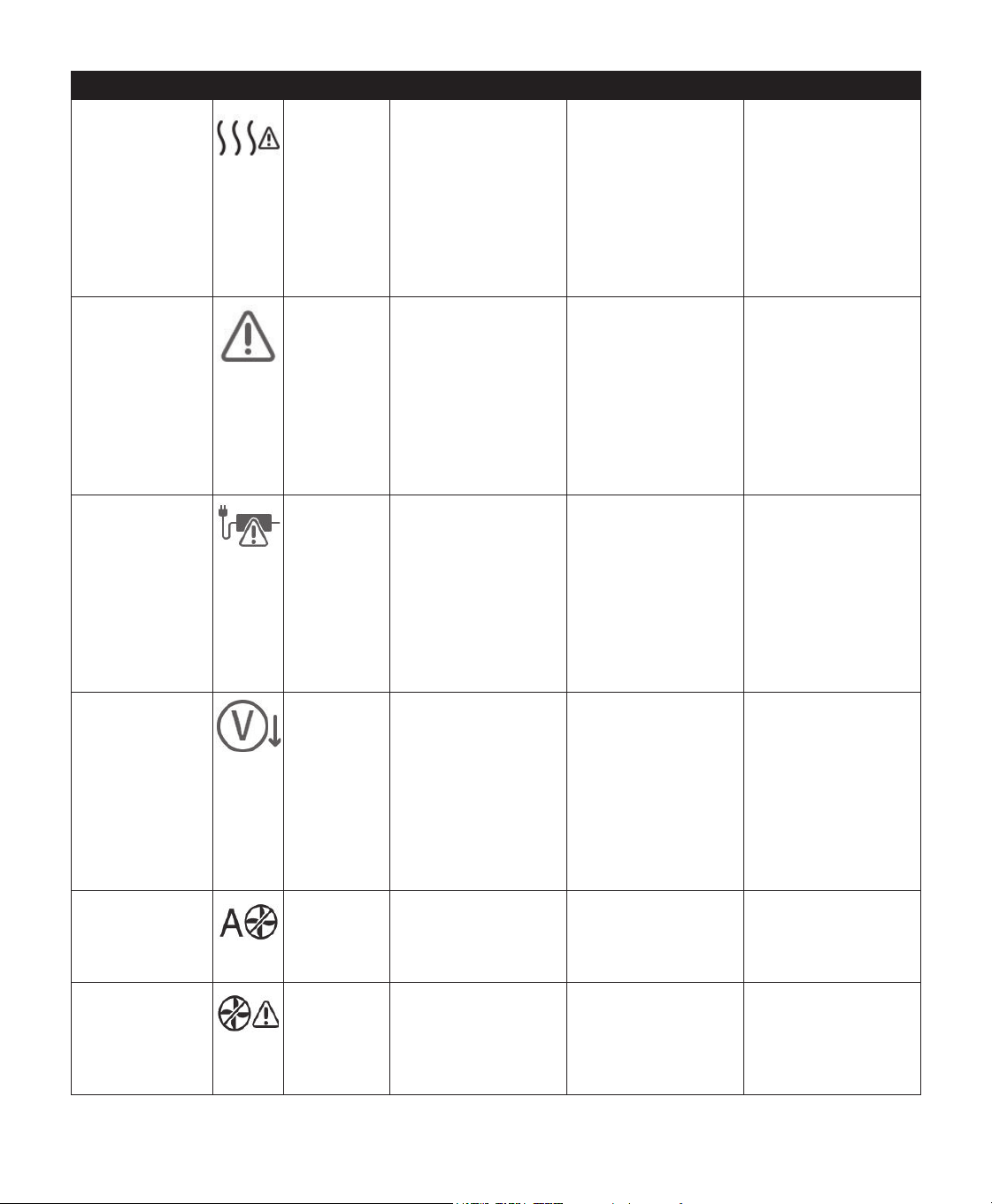
User Manual
Alert Icon Type Description Possible Cause Action
The attached
power supply
does not support
KXPLGLÀFDWLRQ
Alert 2 Indicates that the
attached power
supply is not capable
of supporting
KXPLGLÀFDWLRQRU
heated tube.
Incorrect power
supply.
Switch to a Philips
Respironics
DreamStation
power supply that is
capable of supporting
KXPLGLÀFDWLRQ2U
operate therapy
device without
KXPLGLÀHU
Service Required
Safe State Indicates an error
which enters device
into “Safe State.”
This allows power to
UHPDLQRQEXWDLUÁRZ
is disabled.
Device error. Press Control Dial
to silence alert.
Disconnect device
from power. Reattach
power cord to
restore power. If the
alert continues to
RFFXUFRQWDFW\RXU
home care provider.
Check Power
1RWLÀFDWLRQ Indicates an
incompatible power
supply is attached.
Incompatible power
VXSSO\RUSRZHUFRUG
is not fully inserted
LQWRGHYLFH·VSRZHU
inlet.
&RQÀUPSRZHUFRUG
is fully inserted into
GHYLFH·VSRZHULQOHW
&RQÀUPDFRPSDWLEOH
Philips Respironics
power supply is
attached. Switch to
compatible power
supply if needed.
/RZ9ROWDJH
1RWLÀFDWLRQ Low voltage. Incompatible power
supply is attached.
&RQÀUPDFRPSDWLEOH
Philips Respironics
power supply is
attached. Switch to
compatible power
supply if needed. If
EDWWHU\LVEHLQJXVHG
ensure battery is
adequately charged.
Automatic Off
Status Displayed when
therapy ends due to
automatic off function.
The mask has been
removed.
Put your mask back
RQFRQÀUPJRRGÀW
DQGWXUQDLUÁRZRQWR
resume therapy.
Inlet blocked.
&KHFNÀOWHU
1RWLÀFDWLRQ Blocked airway Blockage at device
inlet.
Check device air inlet
is not obstructed.
&KHFNDLUÀOWHUV
DUHLQVWDOOHGSURSHUO\
replace if needed.
20 User Manual
Alert Icon Type Description Possible Cause Action
/RZ/HDN&KHFN
Mask and Tube
1RWLÀFDWLRQ Blocked airway Blockage at tube or
mask.
Check tube is not
crushed or folded
VXFKWKDWDLUÁRZ
is restricted. Check
mask is attached
properly and without
any obstruction.
Check Mask Fit n/a Status Displayed when
Check Mask Fit
function is enabled
from Patient Menu.
n/a This alert can be
cleared by pressing
the Control Dial.
Otherwise it will time
out after 60 seconds.
Loading Language
and Rebooting
Status Displayed when a new
language is selected
from the menu.
n/a No action needed.
Times out when
complete.
Busy
Status Displayed when the
device is temporarily
inaccessible due to
data communication.
n/a No action needed.
“Sleep Progress” n/a Status Displays last 3 nights
of hourly use.
n/a Press Control Dial
to acknowledge and
clear the screen.
Otherwise message
times out after 30
seconds.
21User Manual
Troubleshooting
<RXUGHYLFHLVHTXLSSHGZLWKDVHOIGLDJQRVWLFWRROFDOO´3HUIRUPDQFH&KHFNµ7KLVWRROFDQHYDOXDWH\RXUGHYLFHIRUFHUWDLQHUURUV,W
also allows you to share key device settings with your Provider. Use Performance Check when directed by your provider.
The table below lists some of the problems you may experience with your device and possible solutions to those problems.
Problem Why It Happened What To Do
Nothing happens
when you apply
power to the device.
The backlights on
the buttons do not
light.
7KHUH·VQRSRZHU
at the outlet or the
device is unplugged.
,I\RXDUHXVLQJ$&SRZHUFKHFNWKHRXWOHWDQGYHULI\WKDWWKHGHYLFHLVSURSHUO\
plugged in. Make sure there is power available at the outlet. Make sure the AC
power cord is connected correctly to the power supply and the power supply
FRUGLVVHFXUHO\FRQQHFWHGWRWKHGHYLFH·VSRZHULQOHW,IWKHSUREOHPFRQWLQXHVWR
RFFXUFRQWDFW\RXUKRPHFDUHSURYLGHU5HWXUQERWKWKHGHYLFHDQGSRZHUVXSSO\
WR\RXUSURYLGHUVRWKH\FDQGHWHUPLQHLIWKHSUREOHPLVZLWKWKHGHYLFHRUSRZHU
supply.
,I\RXDUHXVLQJ'&SRZHUPDNHVXUH\RXU'&SRZHUFRUGDQGEDWWHU\DGDSWRU
cable connections are secure. Check your battery. It may need recharged
RUUHSODFHG,IWKHSUREOHPSHUVLVWVFKHFNWKH'&FRUG·VIXVHIROORZLQJWKH
instructions supplied with your DC cord. The fuse may need to be replaced. If the
SUREOHPVWLOORFFXUVFRQWDFW\RXUKRPHFDUHSURYLGHU
7KHDLUÁRZGRHVQRW
turn on.
There may be a
problem with the
blower.
Make sure the device is powered correctly. Make sure the Home screen appears on
WKHXVHULQWHUIDFH3UHVVWKH7KHUDS\EXWWRQRQWRSRIWKHGHYLFHWRVWDUWDLUÁRZ
,IWKHDLUÁRZGRHVQRWWXUQRQWKHUHPD\EHDSUREOHPZLWK\RXUGHYLFH&RQWDFW
your home care provider for assistance.
7KHGHYLFH·VGLVSOD\
is erratic.
The device has
been dropped or
PLVKDQGOHGRU
the device is in
an area with high
Electromagnetic
Interference (EMI)
emissions.
8QSOXJWKHGHYLFH5HDSSO\SRZHUWRWKHGHYLFH,IWKHSUREOHPFRQWLQXHVUHORFDWH
the device to an area with lower EMI emissions (away from electronic equipment
VXFKDVFHOOXODUSKRQHVFRUGOHVVSKRQHVFRPSXWHUV79VHOHFWURQLFJDPHVKDLU
GU\HUVHWF,IWKHSUREOHPVWLOORFFXUVFRQWDFW\RXUKRPHFDUHSURYLGHUIRU
assistance.
The Ramp feature
does not work when
you press the Ramp
button.
Your home care
provider did not
prescribe Ramp
IRU\RXRU\RXU
therapy pressure is
already set to the
minimum setting.
,I5DPSKDVQRWEHHQSUHVFULEHGIRU\RXGLVFXVVWKLVIHDWXUHZLWK\RXUKRPHFDUH
provider to see if they will change your prescription.
,I\RXUSURYLGHUKDVHQDEOHG5DPSEXWWKHIHDWXUHVWLOOGRHVQRWZRUNFKHFNWKH
current pressure setting on the Therapy screen. If the therapy pressure is set to the
PLQLPXPVHWWLQJFP+
2
2RUWKH5DPSVWDUWLQJSUHVVXUHLVWKHVDPHDVWKH
WKHUDS\SUHVVXUHWKH5DPSIHDWXUHZLOOQRWZRUN0DNHVXUHWKDWWKHUDPSWLPH
setting is >0.
7KHDLUÁRZLV
much warmer than
usual.
7KHDLUÀOWHUVPD\
be dirty. The device
may be operating
in direct sunlight or
near a heater.
5LQVHRUUHSODFHWKHUHXVDEOHDLUÀOWHURUUHSODFHWKHGLVSRVDEOHXOWUDÀQHÀOWHU
The temperature of the air may vary somewhat based on your room temperature.
Make sure that the device is properly ventilated. Keep the device away from
EHGGLQJRUFXUWDLQVWKDWFRXOGEORFNWKHÁRZRIDLUDURXQGWKHGHYLFH0DNHVXUH
the device is away from direct sunlight and heating equipment.
,IXVLQJWKHKXPLGLÀHUZLWKWKHGHYLFHFKHFNWKHKXPLGLÀHUVHWWLQJV5HIHUWRWKH
KXPLGLÀHULQVWUXFWLRQVWRPDNHVXUHWKHKXPLGLÀHULVZRUNLQJSURSHUO\
,IWKHSUREOHPFRQWLQXHVFRQWDFW\RXUKRPHFDUHSURYLGHU
7KHDLUÁRZSUHVVXUH
feels too high or too
low.
The Tubing type
setting may be
incorrect.
0DNHVXUHWKH7XELQJW\SHVHWWLQJRUPDWFKHVWKHWXELQJWKDW\RXDUHXVLQJ
3KLOLSV5HVSLURQLFVRUPPWXELQJ
,I\RXDUHXVLQJWKH+HDWHG7XELQJWKLVVHWWLQJZLOOEH+DQG\RXFDQQRW
change it.

22 User Manual
Problem Why It Happened What To Do
Tube Temperature is
turned on in “Setup”
screen but Heated
Tubing is not warm.
Incorrect power
supply is being
used.
0DNHVXUHWKH:SRZHUVXSSO\LVEHLQJXVHGRUDFRPSDWLEOHEDWWHU\RU'&
cable is being used.
,·PKDYLQJGLIÀFXOW\
adjusting the heated
KXPLGLÀHUVHWWLQJ
or the heated tube
temperature setting.
The blower is
QRWWXUQHGRQRU
WKHKXPLGLÀHURU
heated tube is not
fully connected.
7KHKXPLGLÀHUVHWWLQJDQGWXEHWHPSHUDWXUHVHWWLQJVFDQRQO\EHDGMXVWHGIURPWKH
7KHUDS\21GLVSOD\VFUHHQ&RQÀUPWKDWWKHEORZHULVWXUQHGRQDQGWKDWWKH
VHWWLQJVDUHYLVLEOHRQWKHULJKWVLGHRIWKHVFUHHQWKHQDGMXVWWRGHVLUHGFRPIRUW,I
WKHEORZHULVRQEXWWKHKXPLGLÀHUVHWWLQJVDUHQRWGLVSOD\HGRQWKH7KHUDS\21
VFUHHQWKHQXQSOXJWKHGHYLFH&RQÀUPWKDWWKHKXPLGLÀHUDQGRUKHDWHGWXEH
HOHFWULFDOFRQWDFWVDUHQRWREVWUXFWHGRUGDPDJHG7KHQUHFRQQHFWWKHKXPLGLÀHU
DQGRUKHDWHGWXEHDQGUHFRQQHFWWKHGHYLFH·VSRZHUVXSSO\7XUQWKHEORZHURQ
LIWKHVHWWLQJVDUHVWLOOQRWYLVLEOHFRQWDFW\RXUSURYLGHUIRUDVVLVWDQFH
The water in the
water chamber runs
out before morning.
Water chamber
was not full at start
of session. Mask
leak is excessively
high. The ambient
conditions are very
dry/cool.
8QGHUPRVWFRQGLWLRQVDIXOOZDWHUFKDPEHUVKRXOGODVWIRUDW\SLFDOVOHHS
VHVVLRQ+RZHYHUPDQ\IDFWRUVLPSDFWZDWHUFRQVXPSWLRQLQFOXGLQJWKHDPELHQW
WHPSHUDWXUHDQGKXPLGLW\LQ\RXUEHGURRP\RXUKXPLGLÀHURUKHDWHGWXEH
VHWWLQJVWKHOHYHORIPDVNOHDNDQGWKHGXUDWLRQRI\RXUVOHHSVHVVLRQ
)LUVWPDNHVXUHWKDWWKHZDWHUFKDPEHULVÀOOHGWRWKHPD[LPXPÀOOOLQHDWWKHVWDUW
RI\RXUVOHHSVHVVLRQ&KHFNWKDW\RXUPDVNLVÀWWHGSURSHUO\DQGDGMXVWDVQHHGHG
to reduce mask leak to normal levels. You may use the Check Mask Fit function
WRHYDOXDWH\RXUPDVNÀW$OVRFRQÀUPWKDWWKHGHYLFHKXPLGLÀHUKXPLGLÀHU
seals and tube are connected properly and not leaking. You may also choose to
ORZHU\RXUKXPLGLÀHUDQGRUKHDWHGWXEHVHWWLQJVRUFKDQJHWKHKXPLGLÀFDWLRQ
PRGHIURP)L[HGWR$GDSWLYHKXPLGLÀFDWLRQPRGHWRLQFUHDVHWKHWLPHWKDW\RXU
KXPLGLÀHUZDWHUZLOOODVW
I hear a leak or
whistling sound
coming from my
therapy device or
KXPLGLÀHUQRW
related to mask
leak).
The therapy device
air inlet may be
obstructed. The
KXPLGLÀHURU
tube is not fully
connected. The
KXPLGLÀHUVHDOVDUH
not fully seated or
are missing.
&KHFNWKHUDS\GHYLFHDLULQOHWLVQRWREVWUXFWHGDQGÀOWHUVDUHIUHHRIGHEULVDQG
SURSHUO\LQVHUWHG&RQÀUPWKDWWKHGHYLFHKXPLGLÀHUDQGWXEHDUHFRQQHFWHG
SURSHUO\DQGQRWOHDNLQJ&RQÀUPWKDWWKHKXPLGLÀHUOLGVHDODQGGU\ER[VHDODUH
SUHVHQWDQGSURSHUO\VHDWHGLIQHHGHGJHQWO\SUHVVDURXQGWKHSHULPHWHURIWKH
seals to reseat them.
I accidentally spilled
water into my
KXPLGLÀHUEDVLQ
The water
chamber has been
ÀOOHGEH\RQGWKH
PD[LPXPÀOOOLQH
$VPDOODPRXQWRIZDWHUVSLOOHGLQWKHEDVLQRIWKHKXPLGLÀHUZLOOQRWKDUP\RXU
GHYLFH$VPDOOVSLOOLQWKHKXPLGLÀHUZLOOHYDSRUDWHXQGHUQRUPDOKXPLGLÀHUXVH
+RZHYHUWRRPXFKZDWHULQWKHKXPLGLÀHUEDVLQFRXOGVSLOORYHUWKHKXPLGLÀHUOLG
hinge and might damage your furniture.
'LVFRQQHFWSRZHUIURPWKHGHYLFH5HPRYHWKHZDWHUFKDPEHUSRXURXWDQ\
H[FHVVZDWHUXQWLOWKHZDWHUOHYHOLVDWRUEHORZWKHPD[LPXPÀOOOLQHDQGVHWWKH
FKDPEHUDVLGH6HSDUDWHWKHKXPLGLÀHUIURPWKHWKHUDS\GHYLFHDQGSRXURXWWKH
VSLOOHGZDWHU2QFHWKHKHDWHUSODWHKDVFRROHGZLSHWKHLQVLGHRIWKHKXPLGLÀHU
ZLWKDSDSHUWRZHORUVRIWFORWK,IQHHGHGGU\WKHXQGHUVLGHRIWKHKXPLGLÀHUDQG
FRQÀUPWKDW\RXUWDEOHWRSLVGU\5HFRQQHFWWKHKXPLGLÀHUDQGSRZHUVXSSO\DQG
reinstall the water chamber.

23User Manual
Accessories
7KHUHDUHVHYHUDODFFHVVRULHVDYDLODEOHIRU\RXU'UHDP6WDWLRQV\VWHPVXFKDVD+XPLGLÀHU&HOOXODU0RGHP
:L)L$FFHVVRU\RUD/LQN0RGXOH&RQWDFW\RXUKRPHFDUHSURYLGHUIRUDGGLWLRQDOLQIRUPDWLRQRQWKHDYDLODEOH
DFFHVVRULHV:KHQXVLQJRSWLRQDODFFHVVRULHVDOZD\VIROORZWKHLQVWUXFWLRQVHQFORVHGZLWKWKHDFFHVVRULHV
Caution: Pins of connectors should not be touched. Connections should not be made to these connectors
XQOHVV(6'SUHFDXWLRQDU\SURFHGXUHVDUHXVHG3UHFDXWLRQDU\SURFHGXUHVLQFOXGHPHWKRGVWRSUHYHQWEXLOGXS
RIHOHFWURVWDWLFFKDUJHHJDLUFRQGLWLRQLQJKXPLGLÀFDWLRQFRQGXFWLYHÁRRUFRYHULQJVQRQV\QWKHWLFFORWKLQJ
GLVFKDUJLQJRQH·VERG\WRWKHIUDPHRIWKHHTXLSPHQWRUV\VWHPRUWRHDUWKRUDODUJHPHWDOREMHFWDQGERQGLQJ
oneself by means of a wrist strap to the equipment or system or to earth.
$GGLQJD+XPLGLÀHUZLWKRUZLWKRXW+HDWHG7XELQJ
<RXFDQXVHWKHKHDWHGKXPLGLÀHUDQGWKHKHDWHGWXEHZLWK\RXUGHYLFH7KH\DUHDYDLODEOHIURP\RXUKRPHFDUH
SURYLGHU$KXPLGLÀHUPD\UHGXFHQDVDOGU\QHVVDQGLUULWDWLRQE\DGGLQJPRLVWXUHWRWKHDLUÁRZ
Warning: )RUVDIHRSHUDWLRQWKHKXPLGLÀHUPXVWDOZD\VEHSRVLWLRQHGEHORZWKHEUHDWKLQJFLUFXLWFRQQHFWLRQ
DWWKHPDVN7KHKXPLGLÀHUPXVWEHOHYHOIRUSURSHURSHUDWLRQ
Note: 5HIHUWRWKHKXPLGLÀHU·VLQVWUXFWLRQVIRUFRPSOHWHVHWXSLQIRUPDWLRQ
Using the SD Card
The DreamStation system comes with an SD card inserted in the SD card slot on the side of the device to record
information for the home care provider. Your home care provider may ask you to periodically remove the SD card
and send it to them for evaluation.
Updating Software Using the SD card
7RFKHFNZKLFKYHUVLRQRIVRIWZDUHLVFXUUHQWO\RQ\RXUGHYLFHQDYLJDWHWR0\3URYLGHUDQGVHOHFW'HYLFH,QIR
You can update the device software using the SD card. The software update must be done when the therapy is off.
1. ,QVHUWDQ6'FDUGZLWKWKHQHZVRIWZDUHYHUVLRQLQWRWKHGHYLFH$SRSXSVFUHHQDSSHDUVDVNLQJ´:RXOG\RX
like to upgrade software?”
2. Turn the control dial to select Yes and then press the control dial to start the upgrade. The busy icon appears
while the upgrade is in progress. Do not remove power from the device.
3. ,IWKHVRIWZDUHXSGDWHLVVXFFHVVIXOWKH&KDQJH$FFHSWHGLFRQDSSHDUVRQWKHVFUHHQ5HPRYHGWKH6'FDUG
from the device to restart the device and use the new software.
,IDQ6'FDUGHUURULVGHWHFWHGWKH&KDQJH5HMHFWHGLFRQDSSHDUV5HPRYHWKH6'FDUGDQGUHLQVHUW,IWKH
DOHUWFRQWLQXHVWRRFFXUFRQWDFW3KLOLSV5HVSLURQLFVDWIRUDQHZ6'FDUG
Using the DreamStation Link Module
The Link Module is able to receive oximetry data and transfer it to the therapy device for home use or in a laboratory
VHWWLQJ)RUXVHLQDODERUDWRU\VHWWLQJWKH/LQN0RGXOHDOVRLQFOXGHVDQ56RU´'%µSRUWWRDOORZUHPRWH
control of the DreamStation Sleep Therapy Device by a personal computer.
Note: Please consult the instructions that accompany the Link Module for installation and removal.
Note: There are no SpO
2
alarms available.
Note: Oximetry data is not displayed.
Dispose of the module following the same disposal instructions for your therapy device.
Warnings:
,I\RXQRWLFHDQ\XQH[SODLQHGFKDQJHVLQWKHSHUIRUPDQFHRIWKLVGHYLFHLILWKDVEHHQGURSSHGRUPLVKDQGOHG
LIZDWHULVVSLOOHGLQWRWKHHQFORVXUHRULIWKHHQFORVXUHLVEURNHQGLVFRQWLQXHXVH&RQWDFW\RXUKRPHFDUH
provider.
5HSDLUVDQGDGMXVWPHQWVPXVWEHSHUIRUPHGE\3KLOLSV5HVSLURQLFVDXWKRUL]HGVHUYLFHSHUVRQQHORQO\
8QDXWKRUL]HGVHUYLFHFRXOGFDXVHLQMXU\LQYDOLGDWHWKHZDUUDQW\RUUHVXOWLQFRVWO\GDPDJH
'RQRWXVHDQ\DFFHVVRULHVGHWDFKDEOHSDUWVDQGPDWHULDOVQRWUHFRPPHQGHGE\3KLOLSV5HVSLURQLFV
Incompatible parts or accessories can result in degraded performance.

User Manual
Adding Supplemental Oxygen
Oxygen can be added to the patient circuit. Please note the warnings listed below when using oxygen with the device.
Warnings:
:KHQXVLQJR[\JHQZLWKWKLVV\VWHPWKHR[\JHQVXSSO\PXVWFRPSO\ZLWKORFDOUHJXODWLRQVIRUPHGLFDOR[\JHQ
2[\JHQVXSSRUWVFRPEXVWLRQ2[\JHQVKRXOGQRWEHXVHGZKLOHVPRNLQJRULQWKHSUHVHQFHRIDQRSHQÁDPH
,IVXSSOHPHQWDOR[\JHQLVDGGHGDWWKHH[LWRIWKHÁRZJHQHUDWRURUKXPLGLÀHUD3KLOLSV5HVSLURQLFV3UHVVXUH9DOYH
PXVWEHSODFHGLQOLQHZLWKWKHSDWLHQWFLUFXLWEHWZHHQWKHGHYLFHDQGWKHR[\JHQVRXUFH7KHSUHVVXUHYDOYHKHOSV
SUHYHQWWKHEDFNÁRZRIR[\JHQIURPWKHSDWLHQWFLUFXLWLQWRWKHGHYLFHZKHQWKHXQLWLVRII)DLOXUHWRXVHWKH
SUHVVXUHYDOYHFRXOGUHVXOWLQDÀUHKD]DUG
:KHQDGGLQJR[\JHQDWWKHPDVNHQGRIWKHKRVHD3KLOLSV5HVSLURQLFV3UHVVXUH9DOYHLVQRWUHTXLUHGIRUR[\JHQ
ÁRZUDWHVRIOLWHUVSHUPLQXWH+RZHYHUWKHUHXVDEOHDQGGLVSRVDEOHÀOWHUVPXVWEHLQSODFHRQWKHÁRZ
JHQHUDWRU)DLOXUHWRLQVWDOOERWKWKHUHXVDEOHDQGGLVSRVDEOHÀOWHUVFRXOGUHVXOWLQDÀUHKD]DUG
Note:5HIHUWRWKHSUHVVXUHYDOYH·VLQVWUXFWLRQVIRUFRPSOHWHVHWXSLQIRUPDWLRQ
:KHQXVLQJR[\JHQZLWKWKLVV\VWHPWXUQWKHGHYLFHRQEHIRUHWXUQLQJRQWKHR[\JHQ7XUQWKHR[\JHQRII
before turning the device off. This will prevent oxygen accumulation in the device.
• Do not connect the device to an unregulated or high pressure oxygen source.
Supplying DC Power to the Device
$3KLOLSV5HVSLURQLFV'&SRZHUFRUGFDQEHXVHGWRRSHUDWHWKLVGHYLFHLQDVWDWLRQDU\UHFUHDWLRQDOYHKLFOHERDW
RUPRWRUKRPH,QDGGLWLRQD3KLOLSV5HVSLURQLFV'&EDWWHU\DGDSWHUFDEOHZKHQXVHGZLWKD'&SRZHUFRUG
DOORZVWKHGHYLFHWREHRSHUDWHGIURPD9'&IUHHVWDQGLQJEDWWHU\
Caution:$OZD\VHQVXUHWKDWWKH'&SRZHUFRUGVHFXUHO\ÀWVLQWR\RXUWKHUDS\GHYLFHSULRUWRXVH&RQWDFW
your home care provider or Philips Respironics to determine if you have the appropriate DC cord for your
VSHFLÀFWKHUDS\GHYLFH
Caution::KHQ'&SRZHULVREWDLQHGIURPDYHKLFOHEDWWHU\WKHGHYLFHVKRXOGQRWEHXVHGZKLOHWKHYHKLFOH·V
engine is running. Damage to the device may occur.
Caution: Only use a Philips Respironics DC Power Cord and Battery Adapter Cable. Use of any other system
may cause damage to the device.
Refer to the instructions supplied with the DC power cord and adapter cable for information on how to operate
the device using DC power.
Traveling with the System
:KHQWUDYHOLQJWKHFDUU\LQJFDVHLVIRUFDUU\RQOXJJDJHRQO\7KHFDUU\LQJFDVHZLOOQRWSURWHFWWKHV\VWHPLILWLVSXW
through checked baggage. ,IWUDYHOLQJZLWKWKHRSWLRQDOKXPLGLÀHUGRQRWWUDYHOZLWKZDWHULQWKHZDWHUWDQN
)RU\RXUFRQYHQLHQFHDWVHFXULW\VWDWLRQVWKHUHLVDV\PERORQWKHERWWRPRIWKHGHYLFHLQGLFDWLQJWKDWLWLVPHGLFDO
equipment and is suitable for airline use. It may be helpful to bring this manual along with you to help security
personnel understand the DreamStation device.
,I\RXDUHWUDYHOLQJWRDFRXQWU\ZLWKDOLQHYROWDJHGLIIHUHQWWKDQWKHRQH\RXDUHFXUUHQWO\XVLQJDGLIIHUHQWSRZHU
cord or an international plug adaptor may be required to make your power cord compatible with the power outlets
of the country to which you are traveling. Contact your home care provider for additional information.
Airline Travel
The device is suitable for use on airlines when the device is operating from an AC or DC power source.
Note: ,WLVQRWVXLWDEOHIRUDLUOLQHXVHZLWKDQ\RIWKHPRGHPVRUKXPLGLÀHUVLQVWDOOHGLQWKHXQLW

User Manual
+RPHDQG+RVSLWDO,QVWLWXWLRQ&OHDQLQJ'HYLFHDQG+XPLGLÀHU([WHULRU
Warning: 7RDYRLGHOHFWULFDOVKRFNDOZD\VXQSOXJWKHSRZHUFRUGIURPWKHZDOORXWOHWEHIRUHFOHDQLQJWKHGHYLFH
'2127LPPHUVHWKHGHYLFHLQDQ\ÁXLGV
7KHGHYLFH·VH[WHULRUVXUIDFHVKRXOGEHFOHDQHGZHHNO\RUPRUHRIWHQLIQHFHVVDU\,QWKHKRVSLWDORULQVWLWXWLRQDO
HQYLURQPHQWFOHDQWKHGHYLFH·VH[WHULRUVXUIDFHZHHNO\DQGEHWZHHQSDWLHQWV
,IXVLQJWKHGHYLFHDQGKXPLGLÀHURQPXOWLSOHXVHUVWKHGHYLFHDQGKXPLGLÀHUH[WHULRUVKRXOGEHFOHDQHGEHWZHHQ
SDWLHQWXVHDQGDVQHHGHGE\SHUIRUPLQJWKHIROORZLQJVWHSV
1. Turn the device off and disconnect from the power source. Detach all accessories and connectors.
2. Remove th
HUHXVDEOHEOXHSROOHQÀOWHUDQGGLVSRVDEOHOLJKWEOXHXOWUDÀQHÀOWHULIXVLQJ5HIHUWR´&DULQJIRUWKH
Filters” for more information.
Warning: ,I\RXDUHXVLQJWKHGHYLFHRQPXOWLSOHXVHUVGLVFDUGDQGUHSODFHWKHEDFWHULDÀOWHUHDFKWLPHWKHGHYLFH
is used on a different person.
:LSHZLWKDOLQWIUHHFORWKGDPSHQHGQRWGULSSLQJZLWKDPLOGOLTXLGGLVKGHWHUJHQWVXFKDV'DZQ
®
Ultra
'LVKZDVKLQJ/LTXLGWRFOHDQWKHH[WHULRURIWKHHQFORVXUHIRUPLQXWH8VHWHDVSRRQPLOOLOLWHUVRIPLOGOLTXLG
GLVKGHWHUJHQWSHUJDOORQOLWHUVRISRWDEOHZDWHU
3D\FORVHDWWHQWLRQWRDOOFRUQHUVDQGFUHYLFHVRIWKHGHYLFHH[WHULRUVXUIDFHV%HVXUHDOOYLVLEOHVRLOLVUHPRYHG
:LSHZLWKDOLQWIUHHFORWKGDPSHQHGQRWGULSSLQJZLWKSRWDEOHZDWHUIRUDWOHDVWRQHPLQXWHWXUQLQJWKHFORWK
IUHTXHQWO\WRUHPRYHDOOGHWHUJHQWUHVLGXH
6. Let the device air dry completely before plugging in the power cord.
,QVSHFWWKHGHYLFHDQGDOOFLUFXLWSDUWVIRUGDPDJHDIWHUFOHDQLQJ,IDQ\SDUWVDUHGDPDJHGFRQWDFW3KLOLSV
Respironics Customer Service. Replace any damaged parts.
Caution: $OORZWKHGHYLFHDQGKXPLGLÀHUWRGU\FRPSOHWHO\EHIRUHUHFRQQHFWLQJWRWKHSRZHUVRXUFH
+RVSLWDODQG,QVWLWXWLRQ'LVLQIHFWLRQ'HYLFHDQG+XPLGLÀHU([WHULRU
Disinfect the device exterior surface weekly or more often if necessary and between patients.
Note:%HIRUHGLVLQIHFWLQJWKHGHYLFHDQGKXPLGLÀHUUHPRYHWKHUHXVDEOHEOXHSROOHQÀOWHUDQGGLVSRVDEOHXOWUDÀQH
ÀOWHULIXVLQJ5HIHUWR´&DULQJIRUWKH)LOWHUVµLQWKHXVHUPDQXDOIRUPRUHLQIRUPDWLRQ
,IXVLQJWKHGHYLFHDQGKXPLGLÀHURQPXOWLSOHXVHUVWKHGHYLFHDQGKXPLGLÀHUH[WHULRUVKRXOGEHGLVLQIHFWHG
EHWZHHQSDWLHQWXVHDVIROORZV
&OHDQWKHGHYLFHDQGKXPLGLÀHUDVLQGLFDWHGLQWKH´+RPHDQG+RVSLWDO,QVWLWXWLRQ&OHDQLQJ'HYLFHDQG+XPLGLÀHU
exterior” section of the user manual.
Note:(QVXUHWKHGHYLFHDQGKXPLGLÀHULVFRPSOHWHO\GU\DIWHUFOHDQLQJEHIRUHEHJLQQLQJWKHGLVLQIHFWLRQSURFHVV
8VHRQHRIWKHIROORZLQJPHWKRGVWRGLVLQIHFWDOOH[WHULRUVXUIDFHVRIWKHGHYLFHDQGKXPLGLÀHULQFOXGLQJWKHÀOWHU
and accessory access doors.
DisCide
®
Ultra Towelettes – Pre-moistened disinfecting cloths
• Dispense towelettes through the lid of the dispenser.
• Use towelettes to wipe the exterior of the enclosure to clear visible soil from the surfaces.
• Use towelettes to thoroughly wet the exterior surfaces.
• Keep wet for 1 minute.
5LQVHZLWKDOLQWIUHHFORWKGDPSHQHGQRWGULSSLQJZLWKSRWDEOHZDWHUIRURQHPLQXWHWXUQLQJWKHFORWKIUHTXHQWO\
to remove all disinfectant residue.
&KORULQH%OHDFKFRQWDLQLQJVRGLXPK\SRFKORULWHWRSDUWUHGXFWLRQZLWKZDWHU
8VHDOLQWIUHHFORWKGDPSHQHGQRWGULSSLQJZLWKEOHDFKVROXWLRQWRZLSHWKHH[WHULRURIWKHHQFORVXUHWRFOHDU
visible soil from the surfaces.
8VHDOLQWIUHHFORWKVDWXUDWHGZLWKWKHEOHDFKVROXWLRQWRWKRURXJKO\ZHWWKHH[WHULRUVXUIDFHV
.HHSZHWIRUPLQXWHV
5LQVHZLWKDOLQWIUHHFORWKGDPSHQHGQRWGULSSLQJZLWKSRWDEOHZDWHUIRURQHPLQXWHWXUQLQJWKHFORWKIUHTXHQWO\
to remove all bleach residue.
3D\FORVHDWWHQWLRQWRDOOFRUQHUVDQGFUHYLFHVRIWKHGHYLFHDQGKXPLGLÀHUH[WHULRUVXUIDFHV
2SHQWKHKXPLGLÀHUOLGDQGGLVLQIHFWWKHODWFKDUHDXVLQJRQHRIWKHGLVLQIHFWDQWVDERYH
$OORZWKHGHYLFHDQGKXPLGLÀHUWRDLUG
ry completely before plugging in the power cord.
,QVSHFWWKHGHYLFHDQGKXPLGLÀHUDQGDOOFLUFXLWSDUWVIRUGDPDJHDIWHUGLVLQIHFWLRQ,IDQ\SDUWVDUHGDPDJHGFRQWDFW
Philips Respironics Customer Service. Replace any damaged parts.

26 User Manual
Home and Hospital: Rinsing and Replacing Filters
Reusable Blue Pollen Filter
8QGHUQRUPDOKRPHXVDJHULQVHWKHUHXVDEOHEOXHSROOHQÀOWHUPRQWKO\5HSODFHLWZLWKDQHZRQHHYHU\VL[
PRQWKV,QWKHKRVSLWDORULQVWLWXWLRQDOHQYLURQPHQWULQVHWKHUHXVDEOHEOXHSROOHQÀOWHUZHHNO\DQGUHSODFH
it with a new one every six months and between patients.
Caution:'LUW\LQOHWÀOWHUVPD\FDXVHKLJKRSHUDWLQJWHPSHUDWXUHVWKDWPD\DIIHFWGHYLFHSHUIRUPDQFH5HJXODUO\
H[DPLQHWKHLQOHWÀOWHUVDVQHHGHGIRULQWHJULW\DQGFOHDQOLQHVV
)ROORZWKHVHVWHSVWRULQVHWKHUHXVDEOHEOXHSROOHQÀOWHU
1. Turn the device off and disconnect the device from the power source.
5HPRYHWKHÀOWHUVIURPWKHGHYLFHUHIHUWRWKH,QVWDOOLQJDQGUHSODFLQJWKHDLUÀOWHUVVHFWLRQRIWKLVPDQXDO
([DPLQHWKHÀOWHUVIRUFOHDQOLQHVVDQGLQWHJULW\
7RULQVHRIIWKHUHXVDEOHEOXHSROOHQÀOWHUÀUVWGHWDFKWKHOLJKWEOXHXOWUDÀQHÀOWHULIDSSOLFDEOHDQGVHWDVLGHRU
dispose of as needed.
7DNHWKHUHXVDEOHÀOWHUWRWKHVLQNWXUQLWXSVLGHGRZQDQGUXQZDUPWDSZDWHUWKURXJKWKHZKLWHÀOWHUPHGLDWR
ULQVHDZD\DQ\GHEULV1H[WOLJKWO\VKDNHWKHÀOWHUWRUHPRYHDVPXFKZDWHUDVSRVVLEOH
$OORZWKHÀOWHUWRDLUGU\FRPSOHWHO\EHIRUHUHLQVWDOOLQJLW
,IWKHUHXVDEOHEOXHSROOHQÀOWHULVWRUQRURWKHUZLVHGDPDJHGUHSODFHLW
Note: 2QO\3KLOLSV5HVSLURQLFVVXSSOLHGÀOWHUVVKRXOGEHXVHGDVUHSODFHPHQWÀOWHUV
,IWKHOLJKWEOXHXOWUDÀQHÀOWHULVGLUW\RUWRUQUHSODFHLW
5HLQVWDOOWKHÀOWHUV5HIHUWRWKH´,QVWDOOLQJ5HSODFLQJWKH)LOWHUVµVHFWLRQRIWKLVPDQXDO
Caution:1HYHULQVWDOODZHWÀOWHULQWRWKHGHYLFH$OORZVXIÀFLHQWGU\LQJWLPHIRUWKHÀOWHU
/LJKWEOXH8OWUDÀQH)LOWHU
,QWKHKRPHWKHOLJKWEOXHXOWUDÀQHÀOWHULVGLVSRVDEOH5HSODFHLWZLWKDQHZRQHHYHU\GD\VRUVRRQHULILWDSSHDUV
GLUW\'2127ULQVHWKHXOWUDÀQHÀOWHU,QWKHKRVSLWDORULQVWLWXWLRQDOHQYLURQPHQWWKHXOWUDÀQHÀOWHUVKRXOGEH
replaced with a new one every 30 days or sooner and should be replaced between patients.
Home and Hospital Cleaning: Non-heated Flexible Tubing
&OHDQWKHQRQKHDWHGÁH[LEOHWXELQJEHIRUHÀUVWXVHDQGZHHNO\'LVFDUGDQGUHSODFHWKHWXELQJHYHU\VL[
months and between patients.
'LVFRQQHFWWKHÁH[LEOHWXELQJIURPWKHGHYLFH
*HQWO\ZDVKWKHRUPPÁH[LEOHWXELQJE\FRPSOHWHO\LPPHUVLQJLQDVROXWLRQRIZDUPZDWHUDQGDPLOG
OLTXLGGLVKZDVKLQJGHWHUJHQW8VHWHDVSRRQPORIOLTXLGGLVKZDVKLQJGHWHUJHQWSHUJDOORQOLWHUVRIZDUP
water for 3 minutes.
'XULQJLPPHUVLRQJHQWO\PRYHWKHWXELQJEDFNDQGIRUWKWRORRVHQDQGDGHTXDWHO\UHPRYHDGKHULQJVXEVWDQFHV
from the tubing and connectors.
Note: Be sure to clean the entire inner surface of the tube by ensuring it is fully immersed in the detergent
solution during gentle agitation by hand.
5LQVHWKRURXJKO\ZLWKSRWDEOHZDWHUIRUDWOHDVWPLQXWHWRUHPRYHDOOVRDSUHVLGXHIURPWKHWXELQJDQG
connectors.
$OORZWRDLUGU\FRPSOHWHO\RXWRIGLUHFWVXQOLJKW
,QVSHFWWKHWXELQJIRUGDPDJHRUZHDUFUDFNLQJFUD]LQJWHDUVSXQFWXUHVHWF'LVFDUGDQGUHSODFHLIQHFHVVDU\
Note:5HIHUWRWKHKXPLGLÀHUPDQXDOIRUWKHLQVWUXFWLRQVRQKRZWRFOHDQWKHKHDWHGWXEH
Service
The device does not require routine servicing.
Warning: ,I\RXQRWLFHDQ\XQH[SODLQHGFKDQJHVLQWKHSHUIRUPDQFHRIWKLVGHYLFHLILWLVPDNLQJXQXVXDORUKDUVK
VRXQGVLILWKDVEHHQGURSSHGRUPLVKDQGOHGLIZDWHULVVSLOOHGLQWRWKHHQFORVXUHRULIWKHHQFORVXUHLVEURNHQ
disconnect the power cord and discontinue use. Contact your home care provider.

User Manual
Additional Notices
Notice: The Bluetooth
®
ZRUGPDUNDQGORJRVDUHUHJLVWHUHGWUDGHPDUNVRZQHGE\%OXHWRRWK6,*,QF
and any use of such marks by Philips Respironics is under license. Dawn is a registered trademark
RI3URFWHU*DPEOH'LVFLGHLVDUHJLVWHUHGWUDGHPDUNRI3DOPHUR+HDOWKFDUH//&2WKHU
trademarks and trade names are those of their respective owners.
Notice: The DreamStation Therapy Device is capable of transmitting data between the therapy device and
a mobile device. This connection between the therapy device and a mobile device is encrypted.
Notice: $VPDOOSRUWLRQRIWKHÀUPZDUHWKDWSHUIRUPVGDWDHQFU\SWLRQRQWKH'UHDP6WDWLRQGHYLFHLV
EHLQJXWLOL]HGXQGHUWKH$SDFKHDQG0R]LOODOLFHQVHV7KHVHOLFHQVHVDUHDYDLODEOHDW
ZZZDSDFKHRUJOLFHQVHV/,&(16(DQGKWWSVZZZPR]LOODRUJHQ8603/
Notice: 7KLVGHYLFHFRQWDLQVD)&&FHUWLÀHGBluetooth radio module (located on the main board).
2QO\WKHFRORFDWLRQRIWKLVBluetoothUDGLRZLWKWKHUDGLRWUDQVFHLYHUVRIWKH'UHDP6WDWLRQ:L)L
Accessory and Cellular Modem has been FCC approved and is permitted.
)RUFRPSOLDQFHZLWK)&&5)H[SRVXUHJXLGHOLQHVDPLQLPXPGLVWDQFHRIFPEHWZHHQWKH:L)L
$FFHVVRU\RUWKH&HOOXODU0RGHPDQGWKHXVHU·VERG\VKRXOGEHPDLQWDLQHGGXULQJRSHUDWLRQRIRQH
of those accessories together with the DreamStation.
Notice: )&&,'7+2
Notice: 7+2LVWKH)&&,'RIWKH)&&FHUWLÀHGBluetooth module contained in this device.
Notice: 8VHRIQRQRULJLQDOPDQXIDFWXUHUDSSURYHGDFFHVVRULHVPD\YLRODWH\RXUORFDO5)H[SRVXUH
guidelines and should be avoided.
Notice: 7KLVGHYLFHFRPSOLHVZLWKSDUWRIWKH)&&5XOHV2SHUDWLRQLVVXEMHFWWRWKHIROORZLQJWZR
FRQGLWLRQV7KLVGHYLFHPD\QRWFDXVHKDUPIXOLQWHUIHUHQFHDQGWKLVGHYLFHPXVWDFFHSW
DQ\LQWHUIHUHQFHUHFHLYHGLQFOXGLQJLQWHUIHUHQFHWKDWPD\FDXVHXQGHVLUHGRSHUDWLRQ
7KLVHTXLSPHQWKDVEHHQWHVWHGDQGIRXQGWRFRPSO\ZLWKWKHOLPLWVIRUD&ODVV%GLJLWDOGHYLFH
SXUVXDQWWR3DUWRIWKH)&&5XOHV7KHVHOLPLWVDUHGHVLJQHGWRSURYLGHUHDVRQDEOHSURWHFWLRQ
DJDLQVWKDUPIXOLQWHUIHUHQFHLQDUHVLGHQWLDOLQVWDOODWLRQ7KLVHTXLSPHQWJHQHUDWHVXVHVDQGFDQ
UDGLDWHUDGLRIUHTXHQF\HQHUJ\DQGLIQRWLQVWDOOHGDQGXVHGLQDFFRUGDQFHZLWKWKHLQVWUXFWLRQV
PD\FDXVHKDUPIXOLQWHUIHUHQFHWRUDGLRFRPPXQLFDWLRQV+RZHYHUWKHUHLVQRJXDUDQWHHWKDW
interference will not occur in a particular installation. If this equipment does cause harmful
LQWHUIHUHQFHWRUDGLR79UHFHSWLRQRURWKHUGHYLFHVZKLFKFDQEHGHWHUPLQHGE\WXUQLQJWKH
HTXLSPHQWRQDQGRIIWKHXVHULVHQFRXUDJHGWRWU\WRFRUUHFWWKHLQWHUIHUHQFHE\RQHRUPRUH
RIWKHIROORZLQJPHDVXUHV
5HRULHQWRUUHORFDWHWKHUHFHLYLQJDQWHQQDRQWKHUDGLR79RURWKHUGHYLFH
• Increase the separation between the equipment and receiver.
• Connect the equipment into an outlet on a circuit different from that to which the receiver is
connected.
• Consult the dealer of the device for help.
Notice: $Q\FKDQJHVRUPRGLÀFDWLRQVPDGHWRWKHGHYLFHWKDWDUHQRWH[SUHVVO\DSSURYHGE\5HVSLURQLFV
PD\YRLGWKHXVHU·VDXWKRULW\WRRSHUDWHWKHHTXLSPHQW
+HUHE\5HVSLURQLFV,QFGHFODUHVWKDWWKLVFODVVUDGLRHTXLSPHQWLVLQFRPSOLDQFHZLWK'LUHFWLYH(8
7KHIXOOWH[WRIWKH(8GHFODUDWLRQRIFRQIRUPLW\LVDYDLODEOHDWWKHIROORZLQJLQWHUQHWDGGUHVV
KWWSLQFHQWHUPHGLFDOSKLOLSVFRP3063XEOLF

User Manual
6SHFLÀFDWLRQV
Environmental
2SHUDWLQJ7HPSHUDWXUHWR&WR)
6WRUDJH7HPSHUDWXUHWR&WR)
5HODWLYH+XPLGLW\RSHUDWLQJVWRUDJHWRQRQFRQGHQVLQJ
$WPRVSKHULF3UHVVXUHWRN3DPIW
Physical
'LPHQVLRQV[[FPµ/[µ:[µ+
:HLJKW'HYLFHZLWKSRZHUVXSSO\$SSUR[LPDWHO\NJOEV
Service Life
7KHH[SHFWHGVHUYLFHOLIHRIWKH'UHDP6WDWLRQ7KHUDS\'HYLFHDQG/LQN0RGXOHLV\HDUV
Standards Compliance 7KLVGHYLFHLVGHVLJQHGWRFRQIRUPWRWKHIROORZLQJVWDQGDUGV
,(&*HQHUDO5HTXLUHPHQWVIRU%DVLF6DIHW\DQG(VVHQWLDO3HUIRUPDQFHRI0HGLFDO(OHFWULFDO(TXLSPHQW
,626OHHS$SQHD%UHDWKLQJ7KHUDS\(TXLSPHQW
,620HGLFDO(OHFWULFDO(TXLSPHQW³3DUW3DUWLFXODU5HTXLUHPHQWVIRU%DVLF6DIHW\DQG
Essential Performance of respiratory humidifying equipment
(1(OHFWURPDJQHWLF&RPSDWLELOLW\
57&$'2*VHFWLRQFDWHJRU\0(PLVVLRQRI5DGLR)UHTXHQF\(QHUJ\
,(&&ODVVLÀFDWLRQ
7\SHRI3URWHFWLRQ$JDLQVW(OHFWULF6KRFN&ODVV,,(TXLSPHQW
'HJUHHRI3URWHFWLRQ$JDLQVW(OHFWULF6KRFN7\SH%)$SSOLHG3DUW
'HJUHHRI3URWHFWLRQDJDLQVW,QJUHVVRI:DWHU
'HYLFH'ULS3URRI,3
/LQN0RGXOH'ULS3URRI,3
:SRZHUVXSSO\'ULS3URRI,3
0RGHRI2SHUDWLRQ&RQWLQXRXV
Electrical
AC Power Consumption ZLWK:SRZHUVXSSO\²9$&+]$
Note: Power supply is part of the medical electrical equipment.
'&3RZHU&RQVXPSWLRQ9'&$
)XVHV7KHUHDUHQRXVHUUHSODFHDEOHIXVHV
5DGLR6SHFLÀFDWLRQV
2SHUDWLQJ)UHTXHQF\5DQJH 0+]
0D[LPXP2XWSXW3RZHU G%P
0RGXODWLRQ *)6.3'436.'436.
Intake Port Filters
3ROOHQ)LOWHU 3RO\HVWHU
(IÀFLHQW#PLFURQVL]H
8OWUDÀQH)LOWHU %OHQGHG6\QWKHWLF)LEHU
(IÀFLHQW#PLFURQVL]H
Declared Dual-Number Noise Emissions Values ,QDFFRUGDQFHZLWK,62
7KH$ZHLJKWHGVRXQGSUHVVXUHOHYHOLV
'HYLFHG%$ZLWKDQGXQFHUWDLQW\RIG%
'HYLFHZLWK+XPLGLÀHUG%$ZLWKDQGXQFHUWDLQW\RIG%
7KH$ZHLJKWHGVRXQGSRZHUOHYHOLV
'HYLFHG%$ZLWKDQXQFHUWDLQW\RIG%
'HYLFHZLWK+XPLGLÀHUG%$ZLWKDQXQFHUWDLQW\RIG%
Note:9DOXHVGHWHUPLQHGDFFRUGLQJWRQRLVHWHVWFRGHJLYHQLQ,62XVLQJWKHEDVLF
VWDQGDUGV,62DQG,62
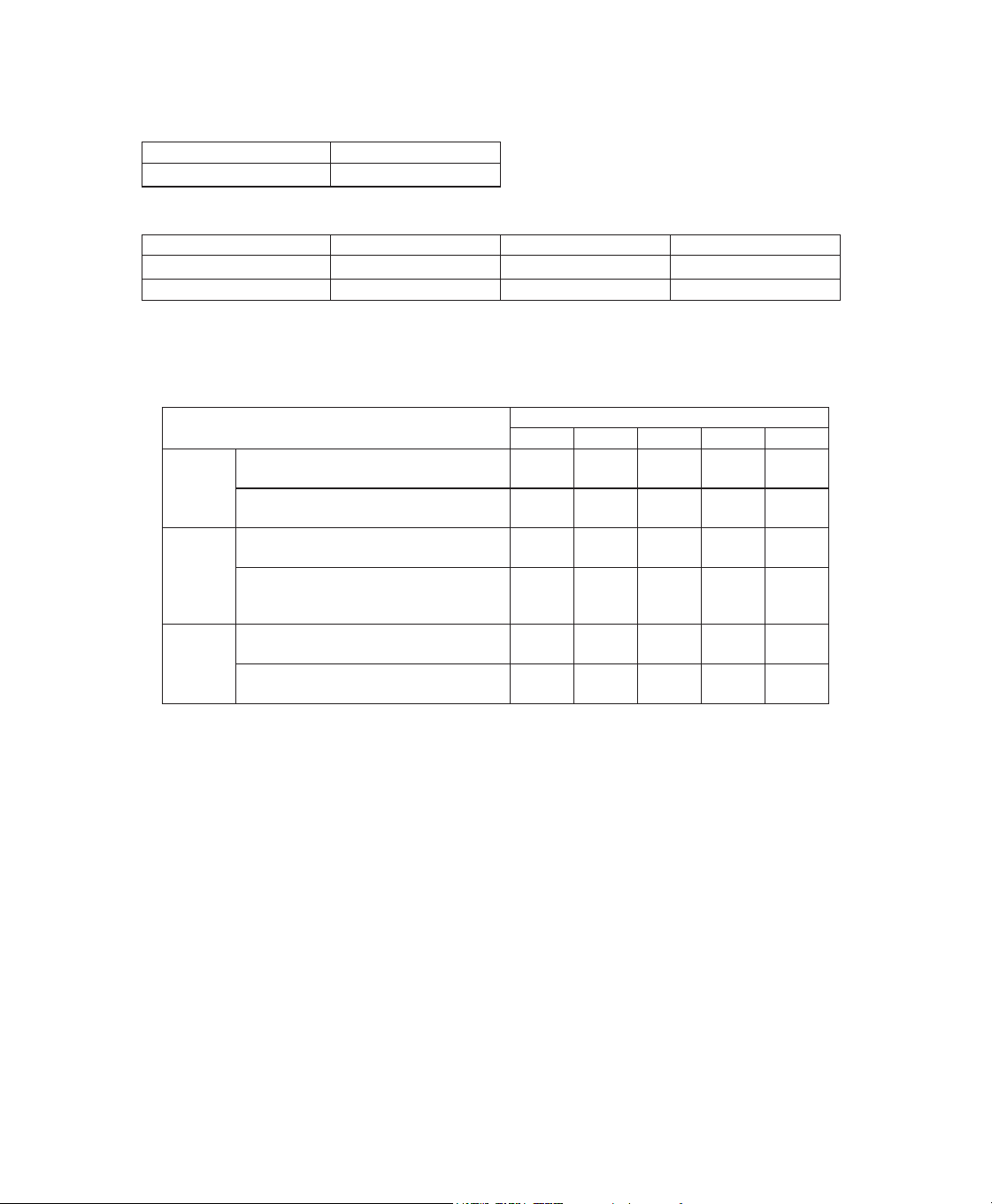
User Manual
Pressure Accuracy
3UHVVXUH,QFUHPHQWVWRFP+
2
2LQFP+
2
O increments)
0D[LPXPVWDWLFSUHVVXUHDFFXUDF\DFFRUGLQJWR,62
Pressure Static Accuracy
10 cm H
2
O FP+
2
O
6WDWLFSUHVVXUHDFFXUDF\KDVDPHDVXUHPHQWXQFHUWDLQW\RI
0D[LPXPG\QDPLFSUHVVXUHYDULDWLRQDFFRUGLQJWR,62
Pressure 10 BPM 15 BPM 20 BPM
< 10 cm H
2
O FP+
2
O FP+
2
O FP+
2
O
WRFP+
2
O FP+
2
O FP+
2
O ± 1.0 cm H
2
O
'\QDPLFSUHVVXUHDFFXUDF\KDVDPHDVXUHPHQWXQFHUWDLQW\RI
Note:$OOWHVWVZHUHSHUIRUPHGZLWKDQGZLWKRXWKXPLGLÀHUDQGZLWKPPDQGPPVWDQGDUG
WXEHVDQGPPKHDWHGWXEH
Maximum Flow Rate (typical)
Test pressures (cm H
2
O)
22 mm
tubing
Measured pressure at the patient
connection port (cm H
2
O)
11.2
$YHUDJHÁRZDWWKHSDWLHQW
connection port (l/min)
131 132
15 mm
tubing
(heated
RUQRQ
heated)
Measured pressure at the patient
connection port (cm H
2
O)
$YHUDJHÁRZDWWKHSDWLHQW
connection port (l/min)
133
12 mm
tubing
Measured pressure at the patient
connection port (cm H
2
O)
11.0
$YHUDJHÁRZDWWKHSDWLHQW
connection port (l/min)
100 102
Disposal
'LVSRVHRIWKLVGHYLFHLQDFFRUGDQFHZLWKORFDOFROOHFWLRQVDQGUHF\FOLQJUHJXODWLRQV)RUPRUHLQIRUPDWLRQYLVLW
www.philips.com/recycling.
EMC Information
Your unit has been designed to meet EMC standards throughout its Service Life without additional maintenance. There is always
an opportunity to relocate your DreamStation Therapy Device within an environment that contains other devices with their own
XQNQRZQ(0&EHKDYLRU,I\RXEHOLHYH\RXUXQLWLVDIIHFWHGE\ORFDWLQJLWFORVHUWRDQRWKHUGHYLFHVLPSO\VHSDUDWHWKHGHYLFHVWR
remove the condition.
Pressure and Flow Accuracy
7KH'UHDP6WDWLRQ7KHUDS\'HYLFHLVGHVLJQHGWRSHUIRUPZLWKLQWKHSUHVVXUHDQGÁRZUDWHDFFXUDFLHVVSHFLÀHGLQWKHXVHUPDQXDO
,I\RXVXVSHFWWKDWWKHSUHVVXUHDQGRUÁRZUDWHDFFXUDF\LVDIIHFWHGE\(0&LQWHUIHUHQFHUHPRYHSRZHUDQGUHORFDWHWKHGHYLFHWR
another area. If performance continues to be affected discontinue use and contact your home care provider.
SpO2 and Pulse Rate Accuracy
The DreamStation Therapy Device is designed to capture the SpO
2
DQG3XOVH5DWHR[LPHWU\GDWDZLWKLQWKHDFFXUDF\VSHFLÀFDWLRQ
GHVFULEHGLQWKHVHQVRUPDQXIDFWXUH·VLQVWUXFWLRQVIRUXVH:KHQKRXUVRIVXFFHVVIXOR[LPHWU\GDWDKDYHEHHQDFKLHYHGWKHGHYLFH
LQGLFDWHVWKLVWRWKHXVHUE\GLVSOD\LQJ´2[LPHWU\*RRG6WXG\µ,I\RXVXVSHFWWKDW\RXUXQLWLVDIIHFWHGE\(0&LQWHUIHUHQFHUHPRYH
power and relocate the device to another area. If performance continues to be affected discontinue use and contact your home care
provider.
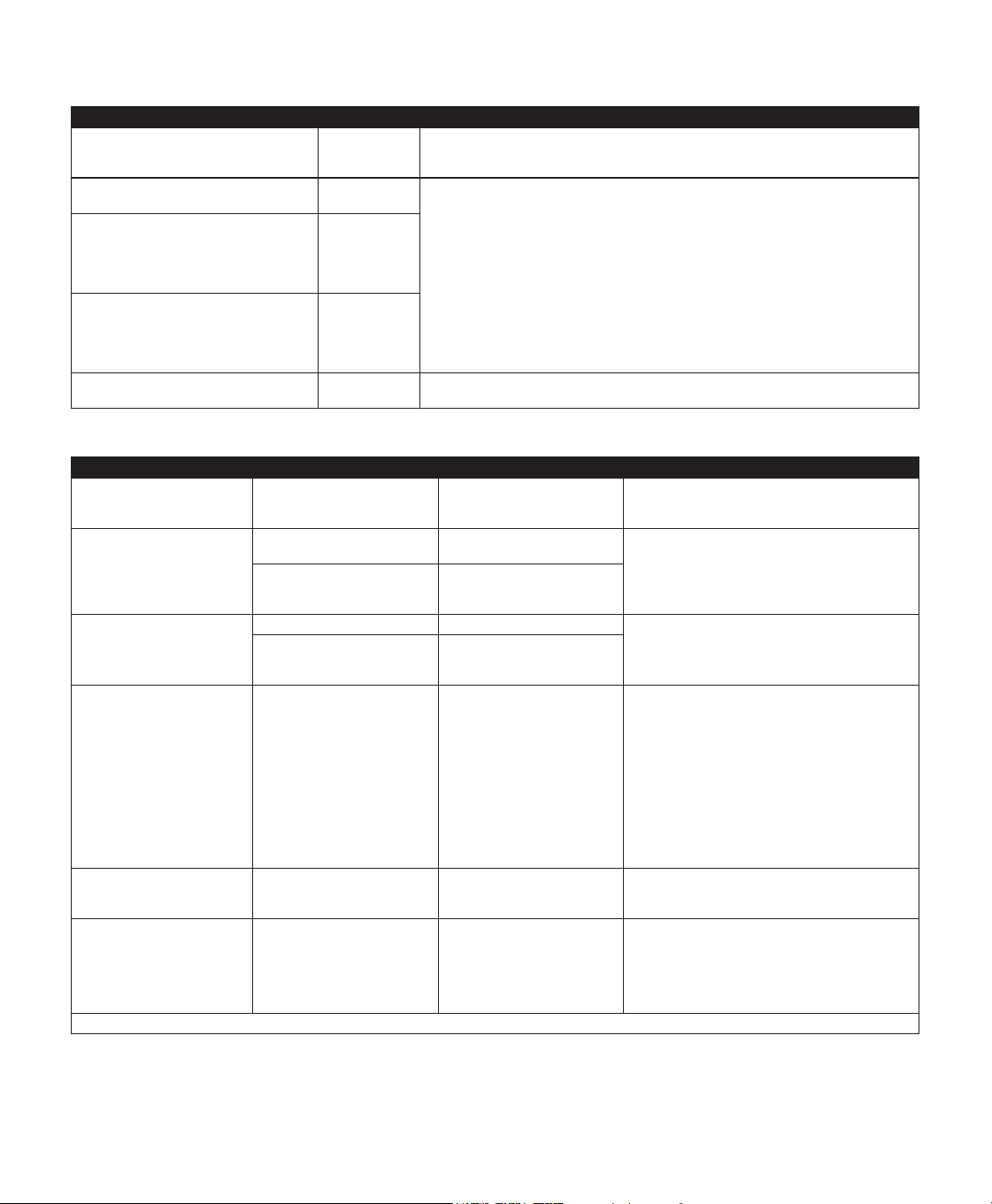
User Manual30
*XLGDQFHDQG0DQXIDFWXUHU·V'HFODUDWLRQ(OHFWURPDJQHWLF(PLVVLRQV²7KLVGHYLFHLVLQWHQGHGIRUXVHLQWKHHOHFWURPDJQHWLF
HQYLURQPHQWVSHFLÀHGEHORZ7KHXVHURIWKLVGHYLFHVKRXOGPDNHVXUHLWLVXVHGLQVXFKDQHQYLURQPHQW
Emissions Test Compliance (OHFWURPDJQHWLF(QYLURQPHQW*XLGDQFH
RF radiated emissions
CISPR 11
*URXS
Class B
7KHGHYLFHXVHV5)HQHUJ\RQO\IRULWVLQWHUQDOIXQFWLRQ7KHUHIRUHLWV5)HPLVVLRQVDUH
very low and are not likely to cause any interference in nearby electronic equipment.
RF conducted emissions
CISPR 11
*URXS
Class B
7KHGHYLFHLVVXLWDEOHIRUXVHLQDOOHVWDEOLVKPHQWVLQFOXGLQJGRPHVWLFHVWDEOLVKPHQWV
DQGWKRVHGLUHFWO\FRQQHFWHGWRWKHSXEOLFORZYROWDJHSRZHUVXSSO\QHWZRUN
Harmonic emissions
,(&
a9$&+]
(No standard test requirement for this
device at other voltage/frequency ranges)
Class A
a9$&
+]
9ROWDJHÁXFWXDWLRQV)OLFNHUHPLVVLRQV
,(&
a9$&+]
(No standard test requirement for this
device at other voltage/frequency ranges)
Complies
a9$&
+]
Emission of Radio Frequency Energy
57&$'2*6HFWLRQ
Category M This device is suitable for use onboard commercial airplanes inside passenger cabin.
*XLGDQFHDQG0DQXIDFWXUHU·V'HFODUDWLRQ(OHFWURPDJQHWLF,PPXQLW\²7KLVGHYLFHLVLQWHQGHGIRUXVHLQWKHHOHFWURPDJQHWLF
HQYLURQPHQWVSHFLÀHGEHORZ7KHXVHURIWKLVGHYLFHVKRXOGPDNHVXUHLWLVXVHGLQVXFKDQHQYLURQPHQW
Immunity Test IEC 60601 Test Level Compliance Level (OHFWURPDJQHWLF(QYLURQPHQW*XLGDQFH
Electrostatic Discharge (ESD)
,(&
N9FRQWDFWGLVFKDUJHV
N9N9N9
N9DLUGLVFKDUJHV
N9FRQWDFWGLVFKDUJHV
N9N9N9
N9DLUGLVFKDUJHV
)ORRUVVKRXOGEHZRRGFRQFUHWHRUFHUDPLFWLOH
,IÁRRUVDUHFRYHUHGZLWKV\QWKHWLFPDWHULDOWKH
UHODWLYHKXPLGLW\VKRXOGEHDWOHDVW
Electrical fast Transient/burst
,(&
N9IRUSRZHUVXSSO\OLQHV
100 kHz repetition rate
N9IRUSRZHUVXSSO\OLQHV
100 kHz repetition rate
Mains power quality should be that of a typical
home or hospital environment.
N9IRULQSXWRXWSXWOLQHV
100 kHz repetition rate
1$'HYLFHGRHVQRWKDYH
user I/O lines that are longer
than 3m in length.
Surge
,(&
N9OLQHWROLQH N9OLQHWROLQH Mains power quality should be that of a typical
home or hospital environment.
N9OLQHWRJURXQG 1$'HYLFHLV&ODVV,,
and does not have earth
connection.
9ROWDJHGLSVVKRUW
interruptions and voltage
variations on power supply
input lines
,(&
8
T
!GLSLQ8
T
)
IRUF\FOHDWGHJUHH
increments
8
T
!GLSLQ8
T
) for
1 cycle
8
T
(30% dip in U
T
IRU
seconds
8
T
!GLSLQ8
T
)
IRUVHFRQGV
8
T
!GLSLQ8
T
)
IRUF\FOHDWGHJUHH
increments
8
T
!GLSLQ8
T
) for
1 cycle
8
T
(30% dip in U
T
IRU
seconds
8
T
!GLSLQ8
T
)
IRUVHFRQGV
Mains power quality should be that of a typical
home or hospital environment.
8SRQSRZHULQWHUUXSWLRQWKHGHYLFHPD\UHERRW
If the user of the device requires continued
RSHUDWLRQGXULQJSRZHUPDLQVLQWHUUXSWLRQVLWLV
recommended that the device be powered from
an uninterruptible power supply or a battery.
3RZHUIUHTXHQF\+]
PDJQHWLFÀHOG
,(&
30 A/m 30 A/m 3RZHUIUHTXHQF\PDJQHWLFÀHOGVVKRXOGEHDW
levels characteristic of a typical location in a typical
hospital or home environment.
Immunity to RFID Readers
$,0
RFID Reader frequencies as
VSHFLÀHGLQ$,0
N+]DW$P
0+]DW$P
RFID Reader frequencies as
VSHFLÀHGLQ$,0
N+]DW$P
0+]DW$P
0DJQHWLFÀHOGVVKRXOGEHDWOHYHOVFKDUDFWHULVWLF
of a typical location in a typical hospital or home
environment.
127(8
T
is the a.c. mains voltage prior to application of the test level.

31User Manual
*XLGDQFHDQG0DQXIDFWXUHU·V'HFODUDWLRQ(OHFWURPDJQHWLF,PPXQLW\²7KLVGHYLFHLVLQWHQGHGIRUXVHLQWKHHOHFWURPDJQHWLF
HQYLURQPHQWVSHFLÀHGEHORZ7KHXVHURIWKLVGHYLFHVKRXOGPDNHVXUHLWLVXVHGLQVXFKDQHQYLURQPHQW
Immunity Test IEC 60601 Test Level Compliance Level (OHFWURPDJQHWLF(QYLURQPHQW*XLGDQFH
Conducted RF
,(&
9UPV
N+]WR0+]
9UPV
$PDWHXU5DGLR,60
%DQGVEHWZHHQN+]
DQG0+]
9UPV
N+]WR0+]
9UPV
$PDWHXU5DGLR,60
%DQGVEHWZHHQN+]
DQG0+]
Portable and mobile RF communications equipment should be
XVHGQRFORVHUWRDQ\SDUWRIWKHGHYLFHLQFOXGLQJFDEOHVWKDQWKH
recommended 30 cm separation distance.
Interference may occur in the vicinity of equipment marked with the
IROORZLQJV\PERO
Radiated RF
,(&
9P
0+]WR*+]
Telecommunication
IUHTXHQFLHVDVVSHFLÀHGLQ
FODXVHRI,(&
DQG0+]
DW9P
0+]DW9P
DQG0+]DW9P
9P
0+]WR*+]
Telecommunication
IUHTXHQFLHVDVVSHFLÀHGLQ
FODXVHRI,(&
DQG0+]
DW9P
0+]DW9P
DQG0+]DW9P
Immunity to RFID
Readers
$,0
RFID Reader frequencies
DVVSHFLÀHGLQ$,0
0+]DW9P
0+]WR0+]DW
9P
0+]DW9P
RFID Reader frequencies
DVVSHFLÀHGLQ$,0
0+]DW9P
0+]WR0+]DW
9P
0+]DW9P

Limited Warranty
Respironics, Inc., a Philips company (“Philips Respironics”) provides this non-transferable, limited warranty for DreamStation CPAP,
DreamStation CPAP Pro, and DreamStation Auto CPAP (“Product”) to the customer who originally purchased the Product directly
from Philips Respironics.
What this Warranty Covers: Philips Respironics warrants each new Product will be free from defects in materials and workmanship
DQGZLOOSHUIRUPLQDFFRUGDQFHZLWKWKH3URGXFWVSHFLÀFDWLRQVXQGHUQRUPDODQGSURSHUXVHDQGPDLQWHQDQFHLQDFFRUGDQFHZLWK
applicable instructions, subject to the exclusions below.
How Long does this Warranty Last: Two (2) years from the longer of the date of shipment to the purchaser or date of setup by
purchaser for the end user, except:
7KHZDUUDQW\SHULRGIRUDFFHVVRULHVUHSODFHPHQWSDUWVDQGGLVSRVDEOHVLQFOXGLQJEXWQRWOLPLWHGWRÀOWHUVWXELQJ
carrying case, is 90 days from the date of shipment to the original purchaser.
What this Warranty does not cover: This warranty does not apply to any software included with the Product as the software
warranty is included in the software license. This warranty does not cover damage or injury whether to the Products, personal
property, or persons caused by accident, misuse, abuse, Acts of God, water ingress, unapproved ozone cleaning and disinfection
methods, other unapproved cleaning and disinfection methods, repair or alteration by anyone other than Philips Respironics or
its authorized service center, failure to operate in accordance with the terms of the operating manual and instructions, lack of
reasonable care, the discontinuance of a network (e.g. 2G, 3G, etc.) by a carrier (e.g. ATT, Verizon, etc.), or other defects not related
WRPDWHULDORUZRUNPDQVKLS7KLVZDUUDQW\LVQRWWUDQVIHUDEOH,I3KLOLSV5HVSLURQLFVÀQGVWKDWD3URGXFWUHWXUQHGIRUVHUYLFHRUWKH
issue raised is not covered under this limited warranty, Philips Respironics may charge an evaluation fee and return shipping.
:KDW3KLOLSV5HVSLURQLFVZLOOGR,ID3URGXFWGRHVQRWPHHWWKHZDUUDQW\DERYHLQWKHÀUVWGD\VDIWHUWKHRULJLQDOVKLSPHQWGDWH
Philips Respironics will replace the device with a new Product. Thereafter, if a Product fails to conform to the warranties set forth
above during the applicable warranty period, Philips Respironics will repair or replace the Product or refund the original purchase
price, in Philips Respironics sole discretion. Philips Respironics may use new or remanufactured assemblies, components, and parts
LQUHSDLUDQGQHZRUUHFHUWLÀHGUHIXUELVKHGGHYLFHVIRUUHSODFHPHQW7KHEDODQFHRIWKHRULJLQDOZDUUDQW\SHULRGZLOODSSO\WRDQ\
Product or component of a Product repaired or replaced under this warranty.
Warranty Disclaimer; Limitation of Liability: EXCEPT AS SET FORTH IN THIS LIMITED WARRANTY, PHILIPS RESPIRONICS MAKES
NO WARRANTIES, EXPRESSED OR IMPLIED, STATUTORY OR OTHERWISE, REGARDING THE PRODUCT OR ITS QUALITY
OR PERFORMANCE. PHILIPS RESPIRONICS SPECIFICALLY DISCLAIMS THE IMPLIED WARRANTY OF MERCHANTABILITY
AND THE IMPLIED WARRANTY OF FITNESS FOR A PARTICULAR PURPOSE. IN NO EVENT WILL PHILIPS RESPIRONICS
MAXIMUM LIABILITY UNDER THESE WARRANTIES EXCEED THE ORIGINAL PURCHASE PRICE OR WILL PHILIPS
RESPIRONICS BE LIABLE FOR ANY ECONOMIC LOSS, LOSS OF PROFITS, OVERHEAD, OR SPECIAL, INCIDENTAL, OR
CONSEQUENTIAL DAMAGES. Repair, replacement, or return of purchase price by Philips Respironics is the original purchaser’s sole
and exclusive remedy under this warranty.
7KLVZDUUDQW\JLYHV\RXVSHFLÀFOHJDOULJKWVDQG\RXPD\DOVRKDYHRWKHUULJKWVWKDWYDU\IURPVWDWHWRVWDWH6RPHVWDWHVGRQRW
allow the exclusion or limitation of incidental or consequential damages, so the above exclusion and limitations may not apply to you.
How to get warranty support: Patients contact your local authorized Philips Respironics dealer and dealers contact Respironics, Inc.
at:
1001 Murry Ridge Lane
Murrysville, Pennsylvania 15668-8550
+1-724-387-4000
32

Note: For Australian and New Zealand customers this warranty replaces the warranty included with the user
manual.
1. The following statement is provided to a customer who is a consumer under the Australian Consumer Law: Our goods come
with guarantees that cannot be excluded under the Australian Consumer Law. You are entitled to a replacement or refund for
a major failure and for compensation for any other reasonably foreseeable loss or damage. You are also entitled to have the
goods repaired or replaced if the goods fail to be of acceptable quality and the failure does not amount to a major failure. This
guarantee applies in addition to other rights and remedies available to the consumer under law.
2. The following statement is provided to a customer who is a consumer under the Consumer Guarantees Act 1993 (NZ): For
consumers under the Consumer Guarantees Act 1993 (NZ) who purchase the goods for personal, domestic or household use:
Our goods come with guarantees that cannot be excluded under the Consumer Guarantees Act 1993 (NZ).
3. Philips warrants that the products shall be free from defects of workmanship and materials, and will perform in accordance
ZLWKWKHSURGXFWVSHFLÀFDWLRQVIRUDSHULRGRIWZR\HDUVIURPWKHGDWHRISXUFKDVHIURPDQDXWKRULVHG3KLOLSV+RPHFDUH
Provider. This Warranty covers the replacement or repair at the option of Philips, of any product that has a manufacturing or
material defect that is not the result of normal wear and tear, or a natural characteristic of the material used. This Warranty is
not transferable and does not cover products used for commercial purposes, and it does not apply to any consumable items
LQFOXGLQJEXWQRWOLPLWHGWRÀOWHUVPDVNVWXEHVDQGKXPLGLÀHUFKDPEHUV
4. The customer is responsible for returning the product to an authorised Philips Homecare Provider, and for collecting the
product from the Homecare Provider after repair or replacement, at its own cost. Philips is responsible only for the freight cost
of transporting the product between the Homecare Provider and Philips. Philips reserves the right to charge an evaluation and
postage fee for any returned product where no problem is found following evaluation.
5. This Warranty does not cover:
• products purchased outside of Australia and New Zealand;
• DQ\GDPDJHFDXVHGDVDUHVXOWRIPLVXVHRUDEXVHPRGLÀFDWLRQWDPSHULQJZLWKRUDOWHUDWLRQRIWKHSURGXFWSHVW
infestation, liquid egress into the product, or unapproved ozone cleaning and disinfection methods;
• contamination due to cigarette, pipe, cigar or other smoke;
• failure to follow manufacturer’s instruction for use as per the user manual;
• defects that are a consequence of repairs to a product made or attempted by a service provider other than one approved
by Philips;
• products that have been subjected to incorrect electrical supply or inconsistent electrical supply or used with
inappropriate accessories.
6. This Warranty is not transferrable in the event of any resale or transfer of products.
7. To make a claim under this Warranty, contact your Homecare Provider or Philips:
AUSTRALIA
Philips Electronics Australia Limited
65 Epping Road, North Ryde
NSW 2113 Australia
Tel: 1300 766 488
Email: r[email protected]
NEW ZEALAND
Philips New Zealand Commercial Ltd
Level 3, 123 Carlton Gore Road
New Market Auckland 1023 New Zealand
Tel: 0800 251 400
Email: r[email protected]
1121981
1121981 R14
MMR 05/01/2023
EN-INTL
1121981
Respironics Inc.
1001 Murry Ridge Lane
Murrysville, PA 15668 USA
Respironics Deutschland GmbH & Co. KG
Gewerbestrasse 17
82211 Herrsching, Germany