F12说明书规格:
材质:128G 铜版纸
PORTABLE CD PLAYER
Ver1.0
Y12
① CD Player
② Type-C charging cable
③ 3.5mm aux cable ④ Instruction manual
BUTTON PANEL CONTROLS
2
3
5
7
8
9
10
-VO L+
o
p
e
n
①
②
③
④
⑤
⑥
⑦
⑧
⑨
⑩
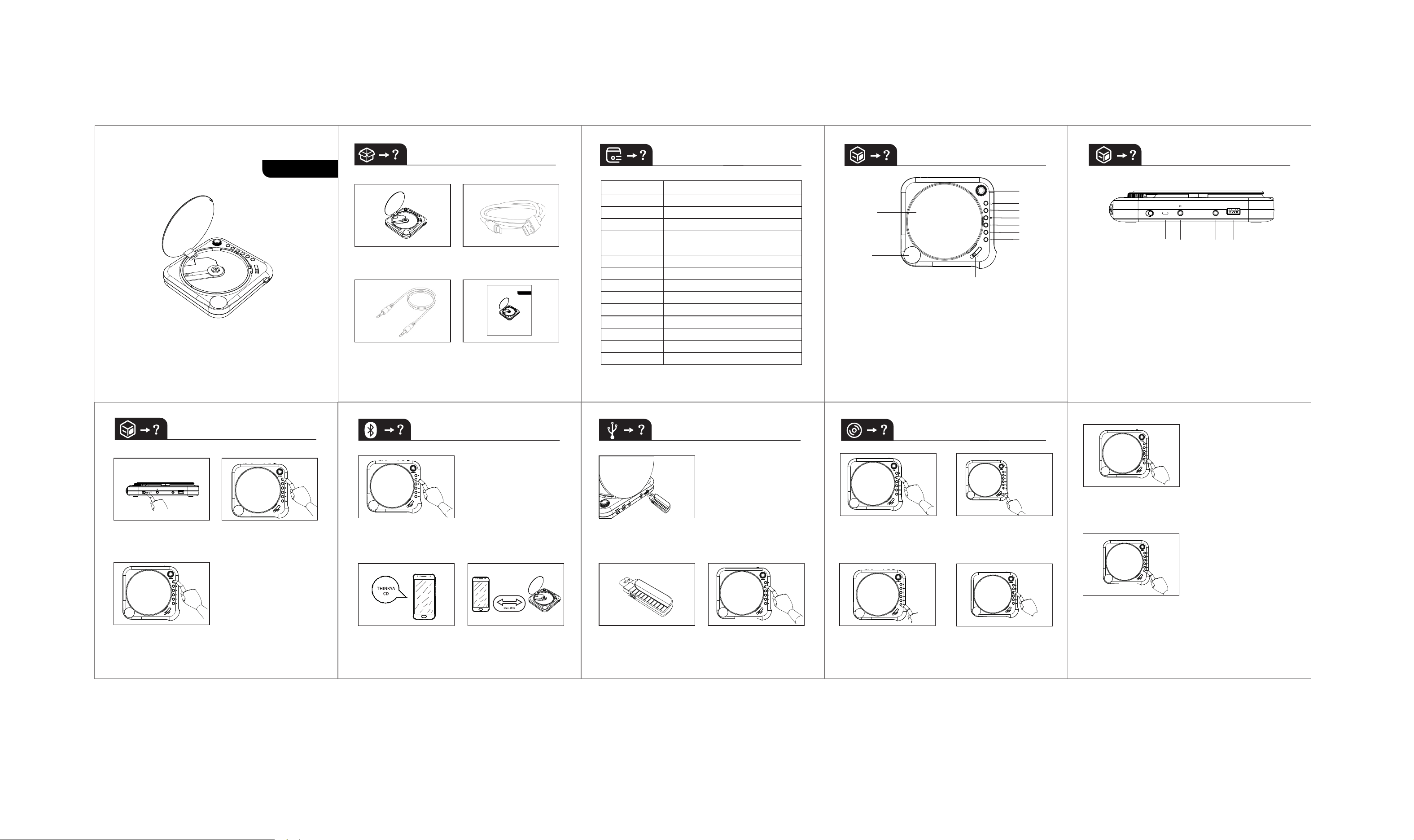
①UPPER COVER
②LED DISPLAY
③VLOUME BUTTON
SHORT PRESS EQ SELECTION
④STANDBY/ON
⑤SHORT PRESS:INPUT SOURCE
SELECTION(CD,USB,AUX,BT)
LONG PRESS:BT TRANSMITTER
SWITCH
⑥STOP
⑦PREVIOUS
⑧NEXT
⑨SHORT PRESS:PLAY/PAUSE
LONG PRESS:CYCLE MODE
SELECTION
⑩YPPER COVER SWITCH
REAR PANEL CONNECTIONS
ON /OF F DC 5V
AU X US B
①
②
③ ④
⑤
①SWITCH
②TYPE-C POWER TERMINAL
③HEADPHONES AUDIO OUTPUT TERMINAL
④AUX AUDIO INPUT TERMINAL
⑤USB INPUT TERMINAL
POWER ON/STANDBY
①
Turn the switch to ON
state button ① on the
rear panel
②
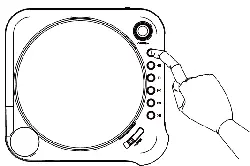
To turn on the unit,click
the STANDBY button ④
on the button panel
③
To put the unit into
standby mode,click
the STANDBY button
once again
BLUETOOTH MODE
①
Select the Bluetooth mode.Click the SOURCE(button ⑤)
on the button panel,until the BT option appears on the
screen.The light will start flashing,which means the
unit is ready to pair
②
Search for the pairing
name THINKYA CD in the
list of Bluetooth devices
③
Stay close.The effective
range of Bluetooth
devices is 10 meters
USB-MP3
①
Plug the desired USB in the USB input slot of the
rear panel
②
Devices compatible with
USB 2.0 Size 32Gb
③
Select the USB mode.
Using the button panel
(SOURCE button⑤)
PLAYING CDS
①
Select the CD mode.
Using the button panel
(SOURCE button ⑤)
②
Open the CD tray by click
on the button ⑩ on the
button panel and insert
the CD into the tray
③
Click Play(button⑨) on
the button panel.You can
play your CD-DA,CD-R and
CD with files in MP3 format
④
Press the STOP(button⑥)
on the button panel to
stop playback
⑤
To search for a section on a CD track,press the NEXT
(button ⑧) or PREVIOUS(button⑦) during playback,
then release it at the point you want to listen
⑥
Long pressing the PLAY (button⑨) on the button panel for
the first time will enter the single loop,the second time
will enter the all loops,the third time will enter the
random play,the fourth time will turn off loop playback
PRODUCT SPECIFICATIONS
Product name
5.0
170.3x162.5x33mm
about 370g
3.7V/1800mAh
earphone(16Ω)2X20mW
Audio In
3.5mm Audio In
3.5mm stereo headphone output
DC 5V/2A
CD Player
Input power
Bluetooth version
BT protocol support
ADP/AVRCP
BT receiving distance
10M
Battery capacity
Output Power
USB playback format
MP3/WMA/WAV/APE/FLAC
CD playback format
CD-DA/MP3/CD-R
Analog audio output
Charging cable length
80CM
Product Size
Product weight
Product accessories charging cable×1、audio cable×1、manual×1
ON/OFF DC5V
AUX USB
WHAT'S IN THE BOX?
PORTABLE CD PLAYER
Ver1.0
F12

Any Changes or modifications not expressly approved by the party responsible for compliance could void the user's authority to operate the equipment.
This device complies with part 15 of the FCC Rules. Operation is subject to the following two conditions: (1) This device may not cause harmful interference, and (2) this device must accept any interference received, including interference that
may cause undesired operation.
Note: This equipment has been tested and found to comply with the limits for a Class B digital device, pursuant to part 15 of the FCC Rules. These limits are designed to provide reasonable protection against harmful interference in a residential
installation. This equipment generates, uses and can radiate radio frequency energy and, if not installed and used in accordance with the instructions, may cause harmful interference to radio communications. However, there is no guarantee that
interference will not occur in a particular installation. If this equipment does cause harmful interference to radio or television reception, which can be determined by turning the equipment off and on, the user is encouraged to try to correct the
interference by one or more of the following measures:
—Reorient or relocate the receiving antenna.
—Increase the separation between the equipment and receiver.
—Connect the equipment into an outlet on a circuit different from that to which the receiver is connected.
—Consult the dealer or an experienced radio/TV technician for help.
RF Exposure Statement
The device has been evaluated to meet general RF exposure requirement. The device can be used in portable exposure condition without restriction.