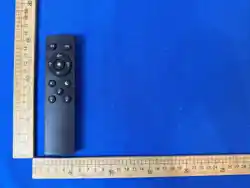
Single remote
control
technology CCT
Product
presentation
Detailed description
of product functions
Pairing method
Welcome to use this product,
we can use remote control
wireless control of the light bulb,
can adjust the brightness of the
LED bulb. CCT, timing, remote
control is equipped with a
variety of dimming shortcut
keys, a variety of dimming
modes required for life, so that
you experience the fun of smart
bulbs and the convenience of
life.
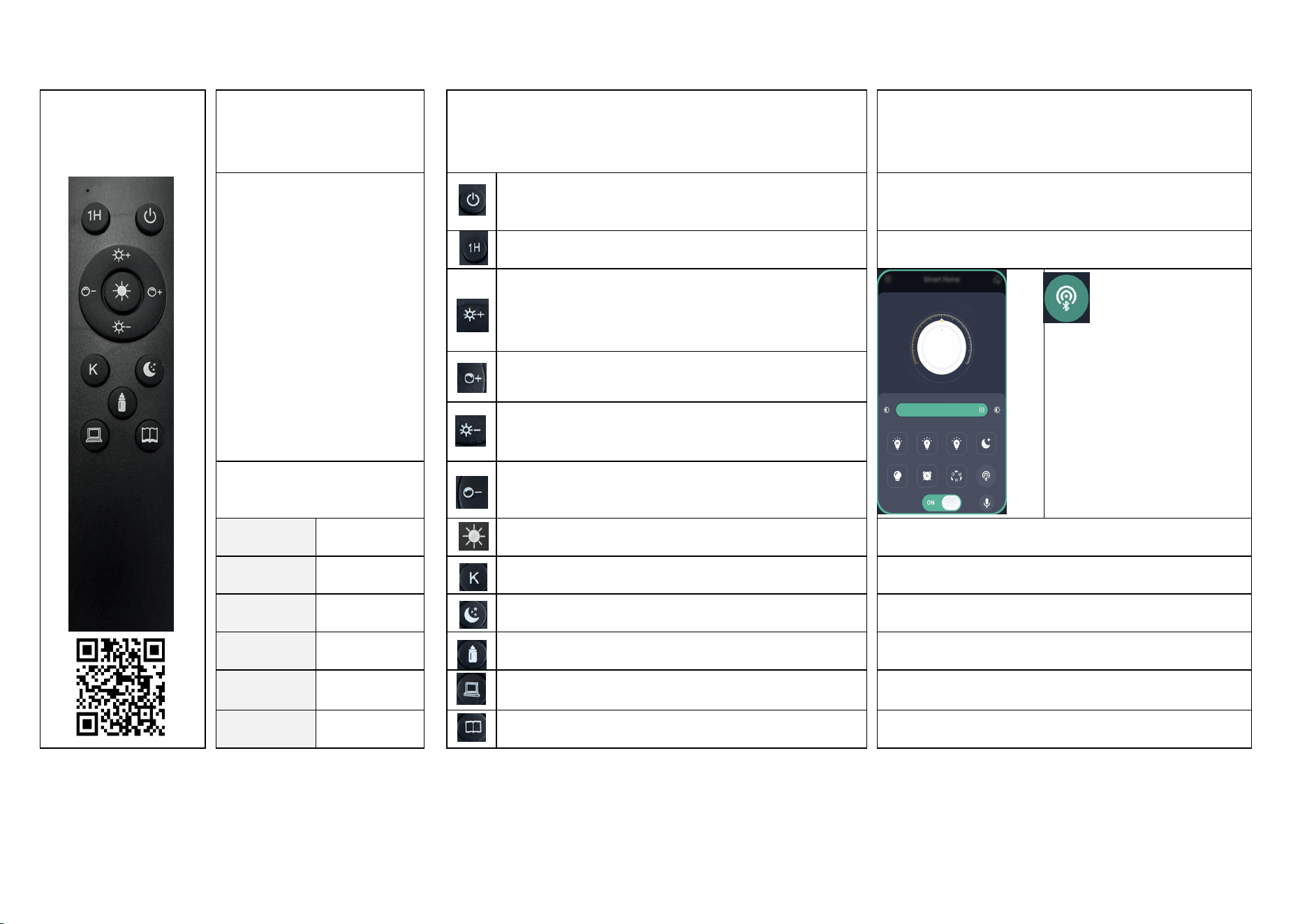
Switch:
Short press to turn the light on or off
Within 5 seconds of the LED bulb, long press the "Switch"
button and the bulb flashes three times continuously, indicating
that the pairing is successful.
Timing button:
Short press to set time for one hour, long press to cancel timing
APP Instructions
Increase brightness button:
Long press to increase brightness quickly, short press to increase
brightness slowly
Pair button. In order to ensure
that the application can
successfully control the device,
please click this button within 5
seconds after the device is
powered on. If the device
flashes or beeps, it means that
the phone has been successfully
paired with the device, and then
the device can be controlled
through the application.
CCT button:
Long press to quickly increase the color temperature, short press to
slowly increase the color temperature
Lower brightness button:
Long press to quickly increase the brightness, short press to slowly
reduce the brightness
Bulb information
Lower CCT button:
Long press to quickly lower the color temperature, short press to
slowly lower the color temperature
Product
Name:
Remote control
LED bulb
Natural Light Mode:
Press to feel the comfort of natural light
Notes:
remote
control:
2.4G
remote control
Switch CCT button:
Short press to convert three color temperatures
1.Please check that the bulb and remote control are paired
before use.
Power:
1W/6W/9W
Nightlight button:
ap to enter nightlight mode
2.The remote control and the LED bulb need to be the same
brand.
voltage 120V
Breastfeeding button:
Suitable for night feeding
3.If the remote control is not used for a long time, take out the
battery.
Color
temperature:
3000-6500K
Working button:
suitable for work
4.Without obstacles, the maximum remote control range of the
remote control is 35 meters.
Lamp holder
E26
Reading button:
Suitable for reading books
5.Make sure the light bulb is powered up to pair the remote
control before use.
FCC Statement
1.This device complies with Part 15 of the FCC Rules. Operation is subject to thefollowing two conditions: (1)This device may not
cause harmful interference.(2)This device must accept any interference received, including interference that maycause undesired
operation.
2.Changes or modifications not expressly approved by the party responsible forcompliance could void the user’s authority to operate
the equipment.
Note:This equipment has been tested and found to comply with the limits for a class Bdigital device,pursuant to Part 15 of the FCC
Rules. These limits are designed to providereasonable protection against harmful interference in a residential installation.
This equipment generates uses and can radiate radio frequency energy and,if not installed and used in accordance with the
instructions,may cause harmful interference to radio communications.However,there is no guarantee that interference will not occur
in a particular installation.if this equipment does cause harmful interference to radio or television reception,which can be determined
by turning the equipment off and on,the user is encouraged to try to correct the interference by one or more of the following
measures:
•Reorient or relocate the receiving antenna.
•Increase the separation between the equipment and receiver.
•Connect the equipment into an outlet on a circuit different from that to which thereceiver is connected.
•Consult the dealer or an experienced radio/TV technician for help.
The device has been evaluated to meet general RF exposure requirement. The device can be used in portable exposure condition
without restriction

FCC Statement
1.This device complies with Part 15 of the FCC Rules. Operation is subject to thefollowing two conditions: (1)This device may not
cause harmful interference.(2)This device must accept any interference received, including interference that maycause undesired
operation.
2.Changes or modifications not expressly approved by the party responsible forcompliance could void the user’s authority to operate
the equipment.
Note:This equipment has been tested and found to comply with the limits for a class Bdigital device,pursuant to Part 15 of the FCC
Rules. These limits are designed to providereasonable protection against harmful interference in a residential installation.
This equipment generates uses and can radiate radio frequency energy and,if not installed and used in accordance with the
instructions,may cause harmful interference to radio communications.However,there is no guarantee that interference will not occur
in a particular installation.if this equipment does cause harmful interference to radio or television reception,which can be determined
by turning the equipment off and on,the user is encouraged to try to correct the interference by one or more of the following
measures:
•Reorient or relocate the receiving antenna.
•Increase the separation between the equipment and receiver.
•Connect the equipment into an outlet on a circuit different from that to which thereceiver is connected.
•Consult the dealer or an experienced radio/TV technician for help.
The device has been evaluated to meet general RF exposure requirement. The device can be used in portable exposure condition
without restriction