
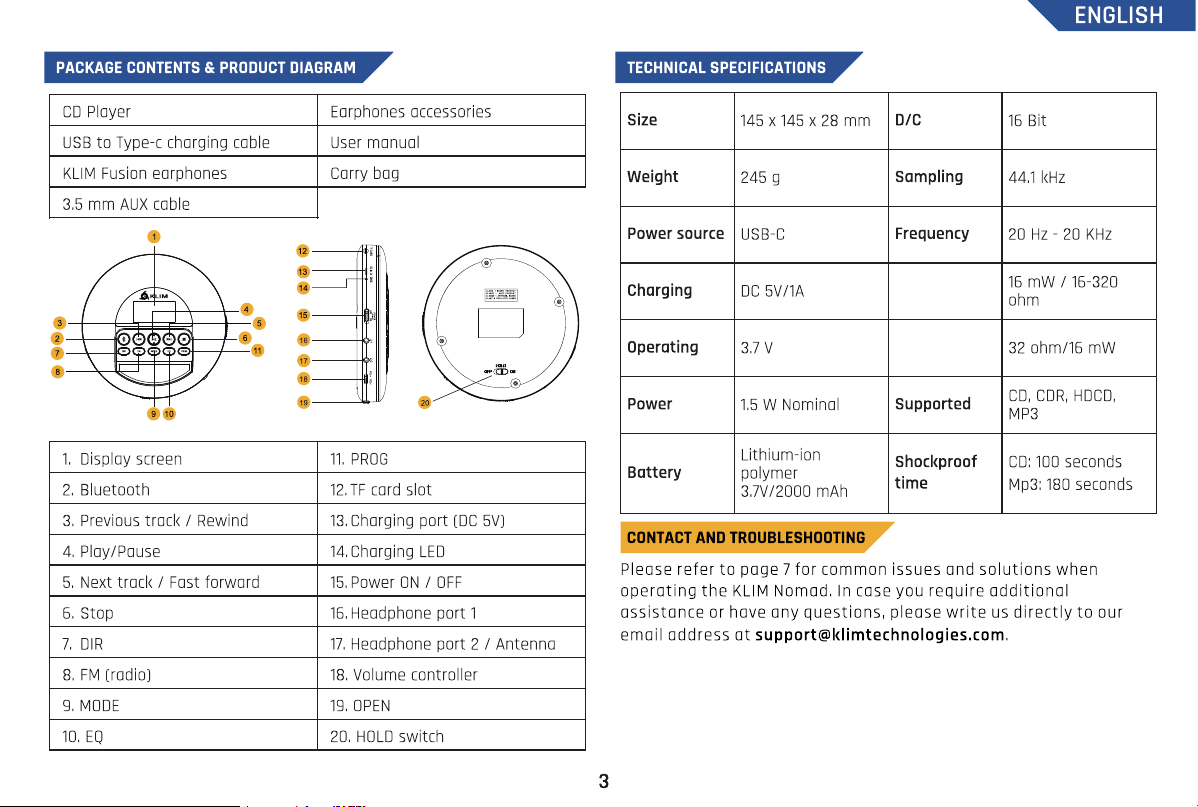
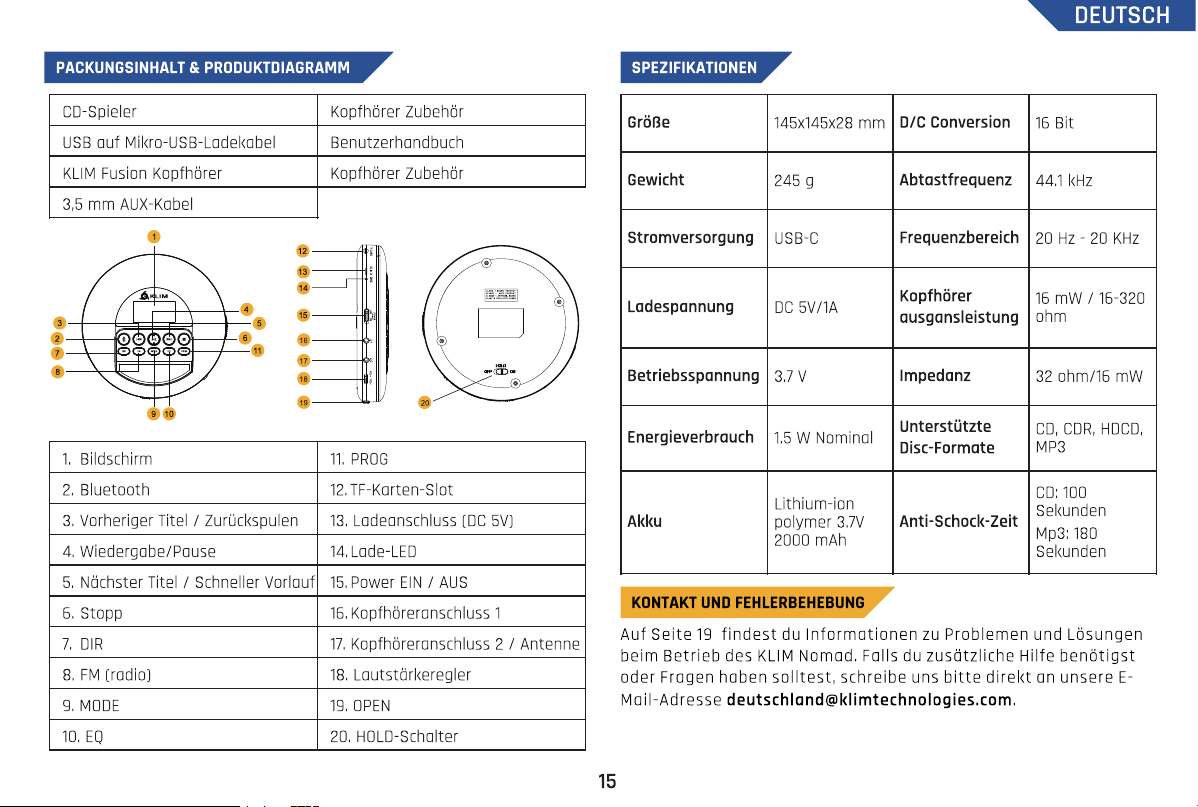
Earphone
power output
Earphone
impedance
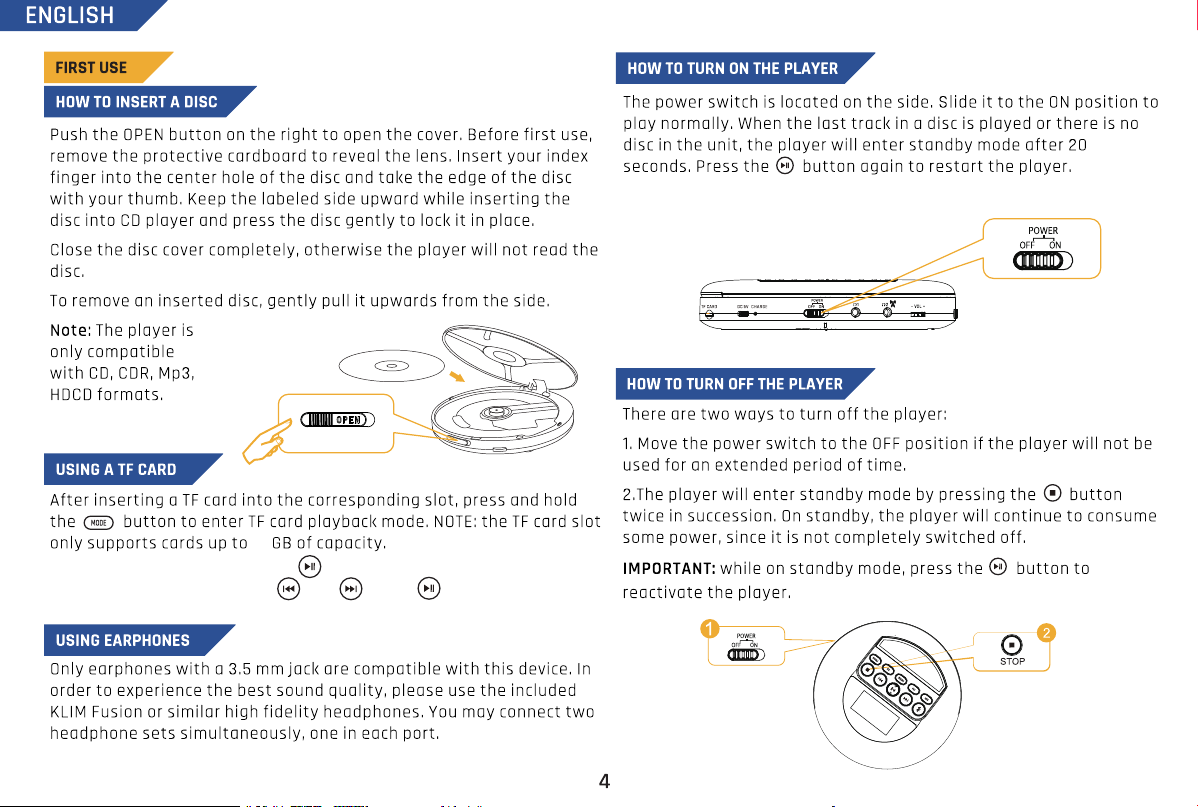
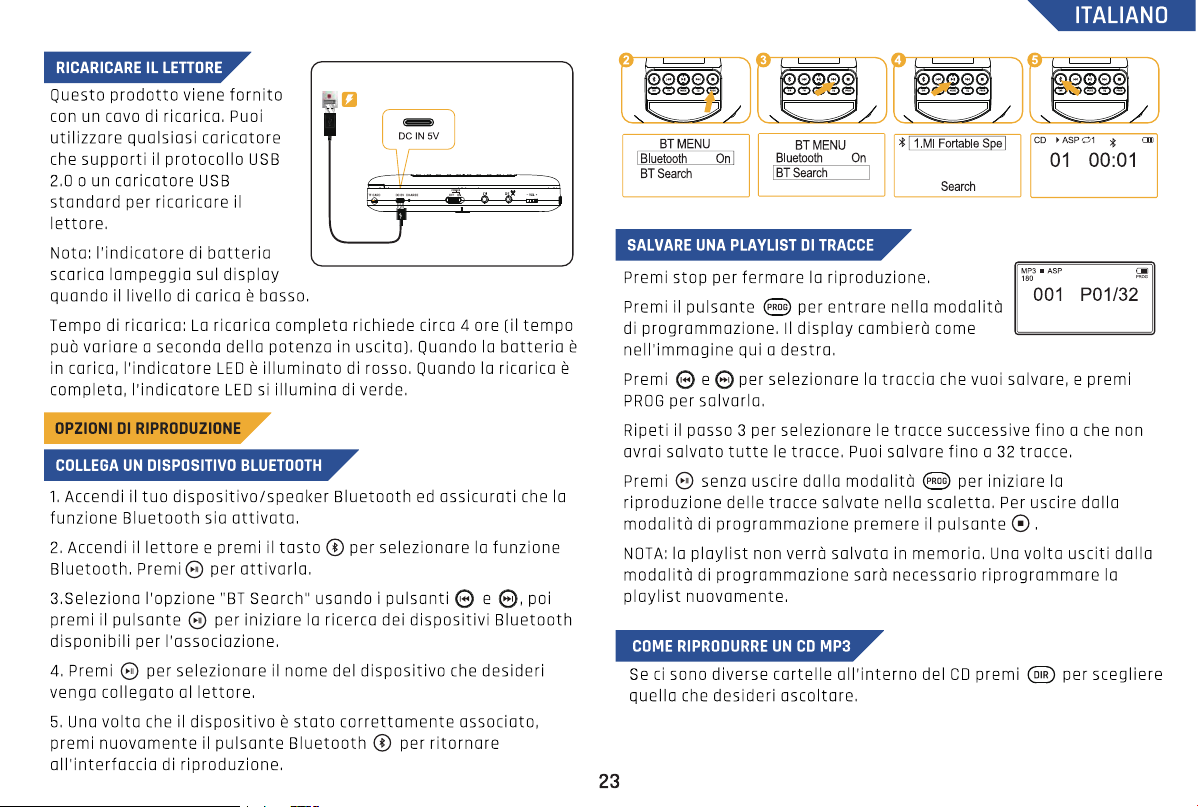
In TF card mode, long press the button to enter the file browsing
mode. Browse your files with and . Press to confirm and play.
64
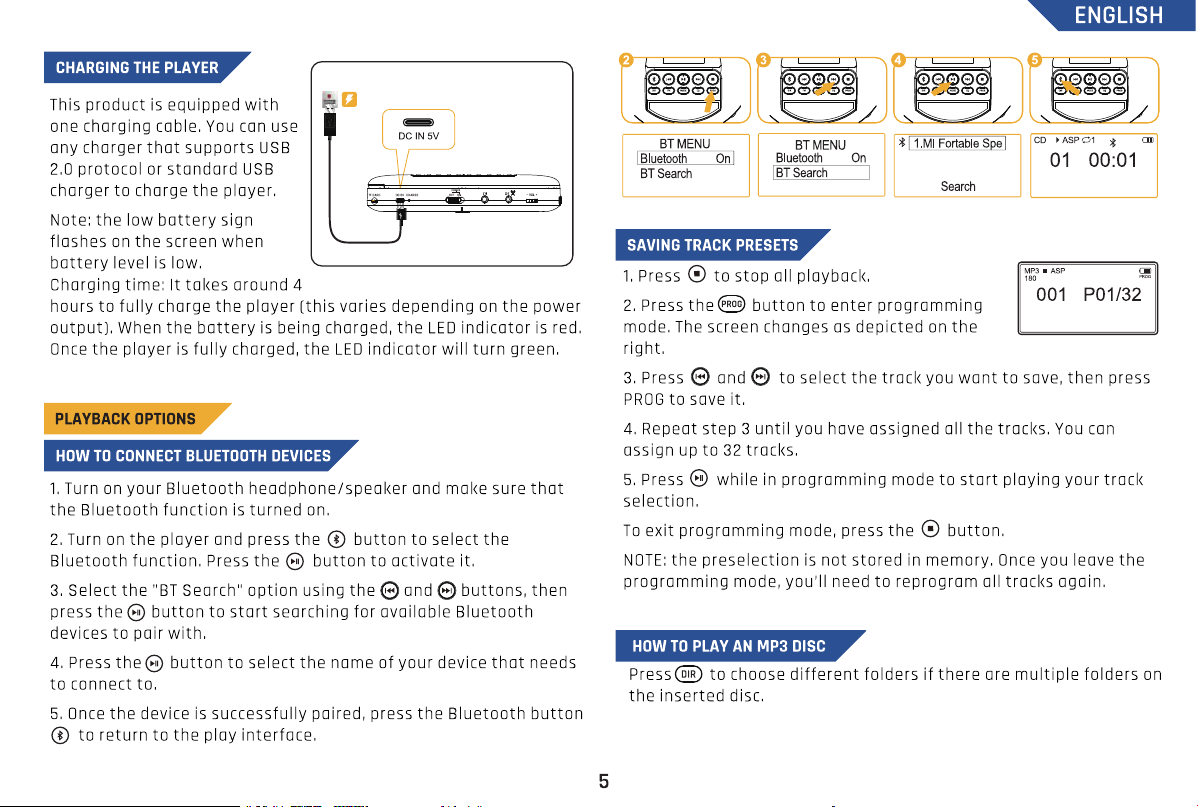
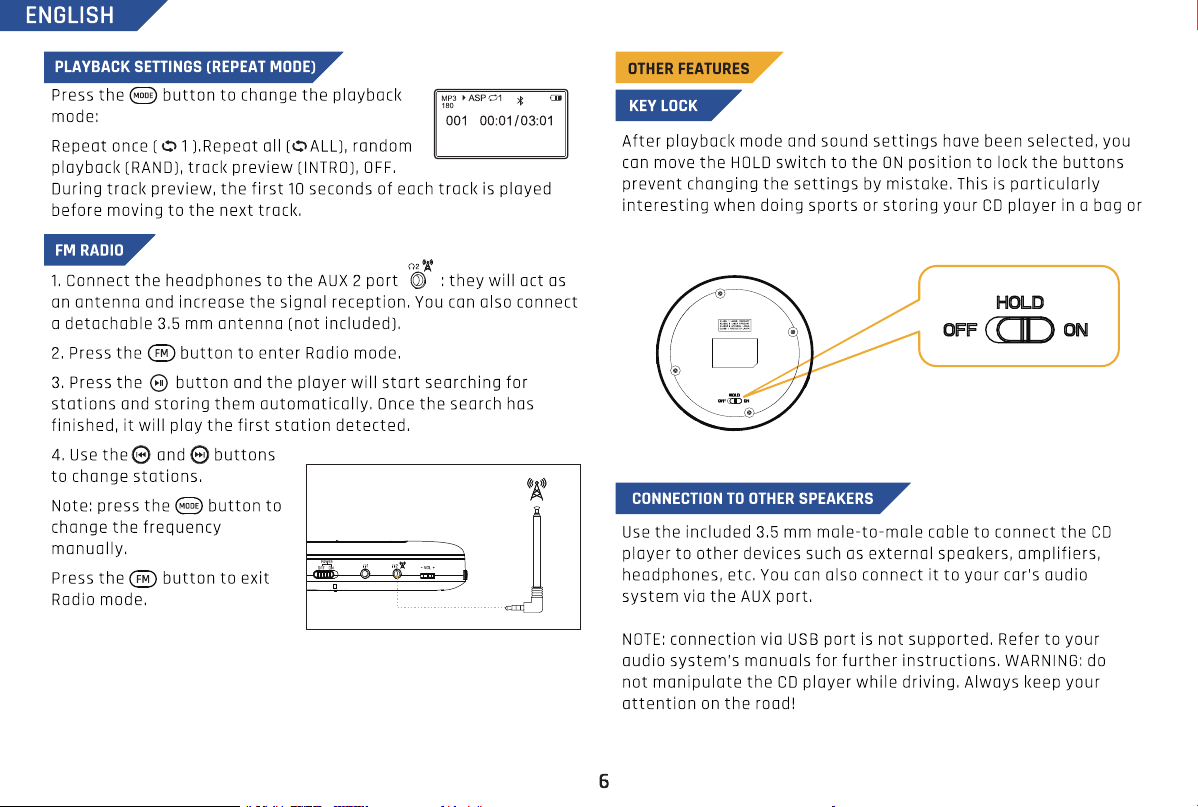
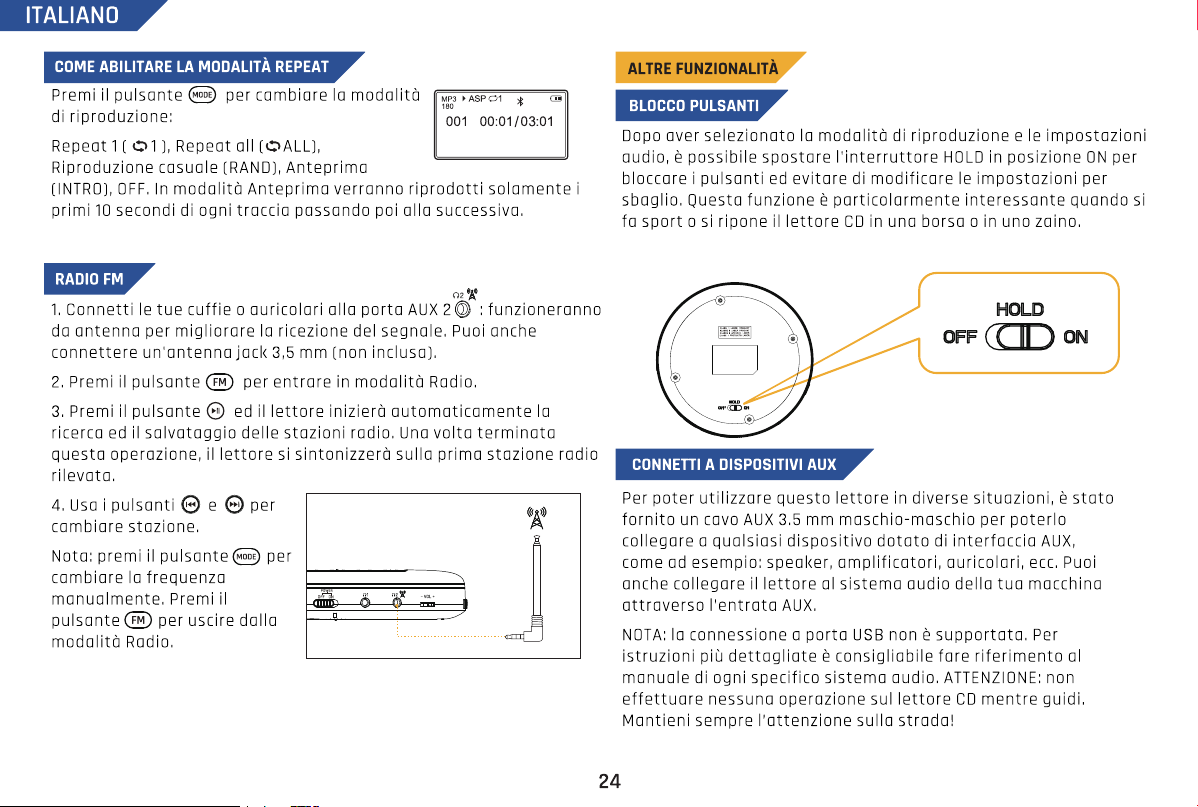
backpack. Note: the power switch is not affected by the HOLD
function.
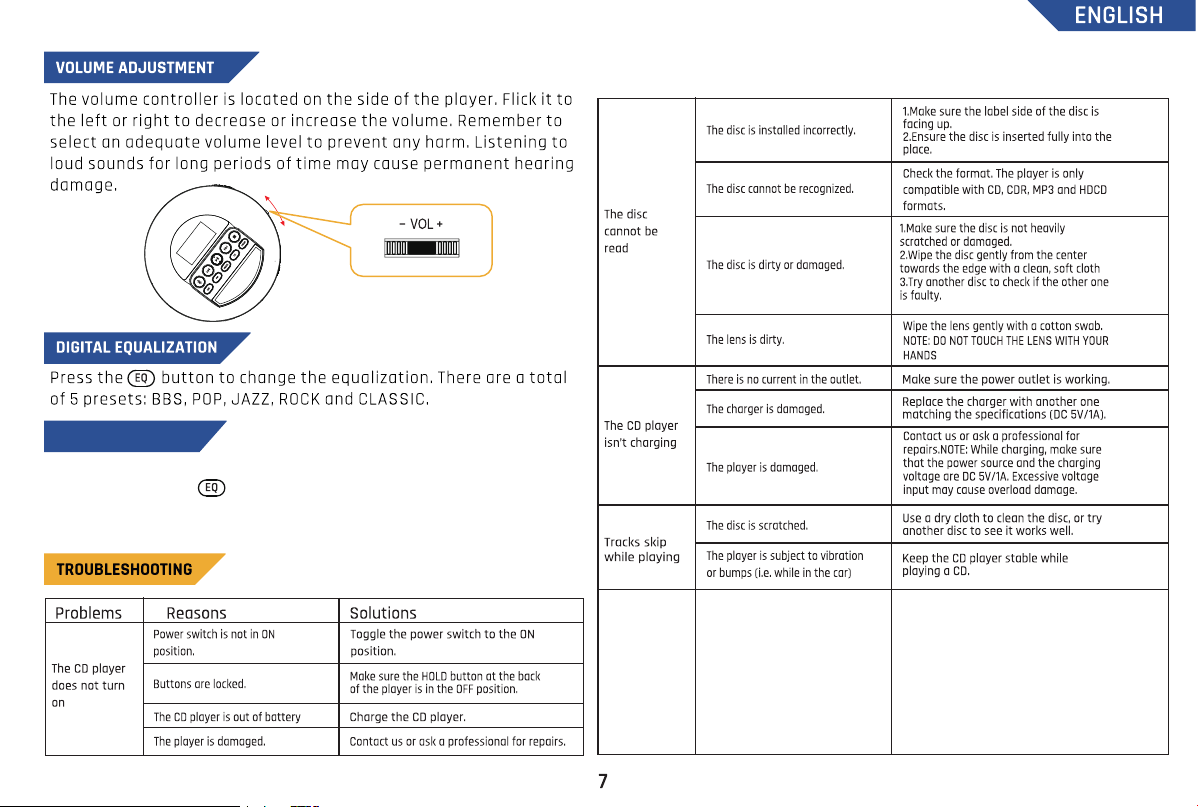
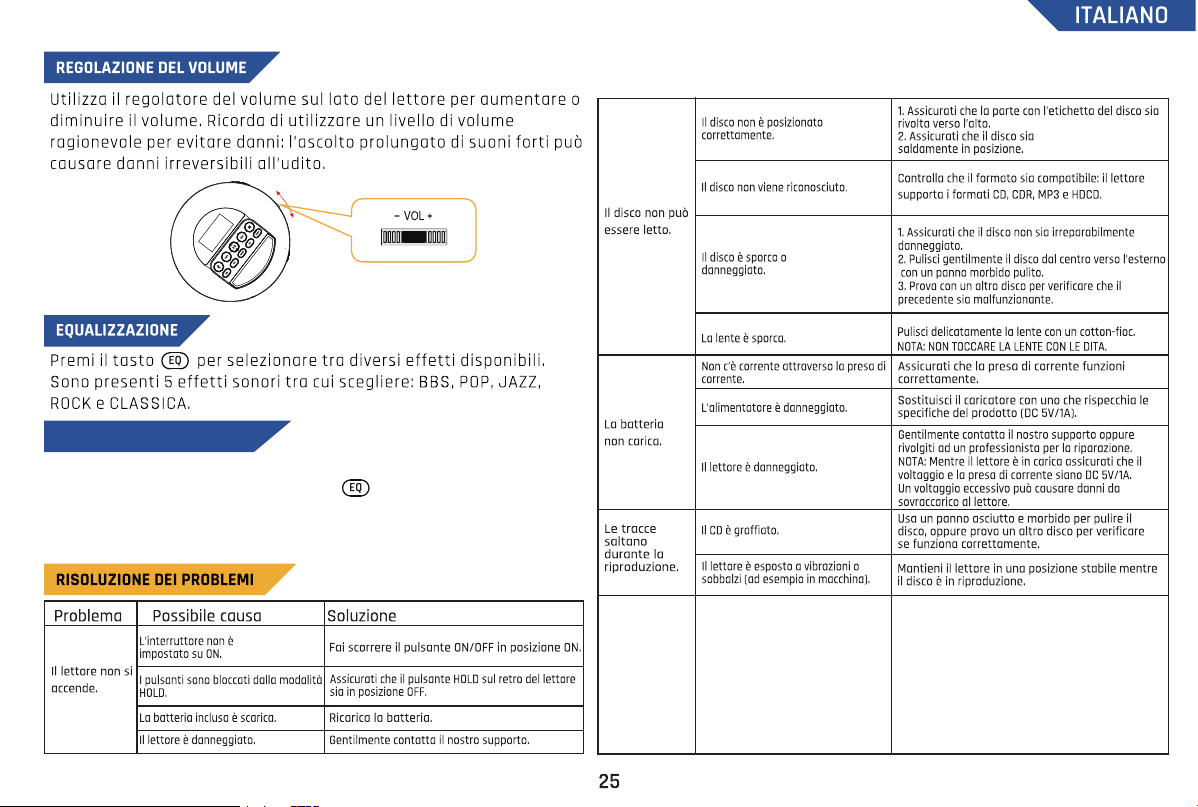
The CD player
does not
connect to my
car's bluetooth
system
External devices (including the
KLIM Nomad) cannot be
guaranteed to work with all car
manufacturers’ infotainment
system. Car systems are
regularly updated with new
software which can sometimes
lead to bluetooth connectivity
issues of external devices.
Please contact us so our customer service
can advice you on this common issue.
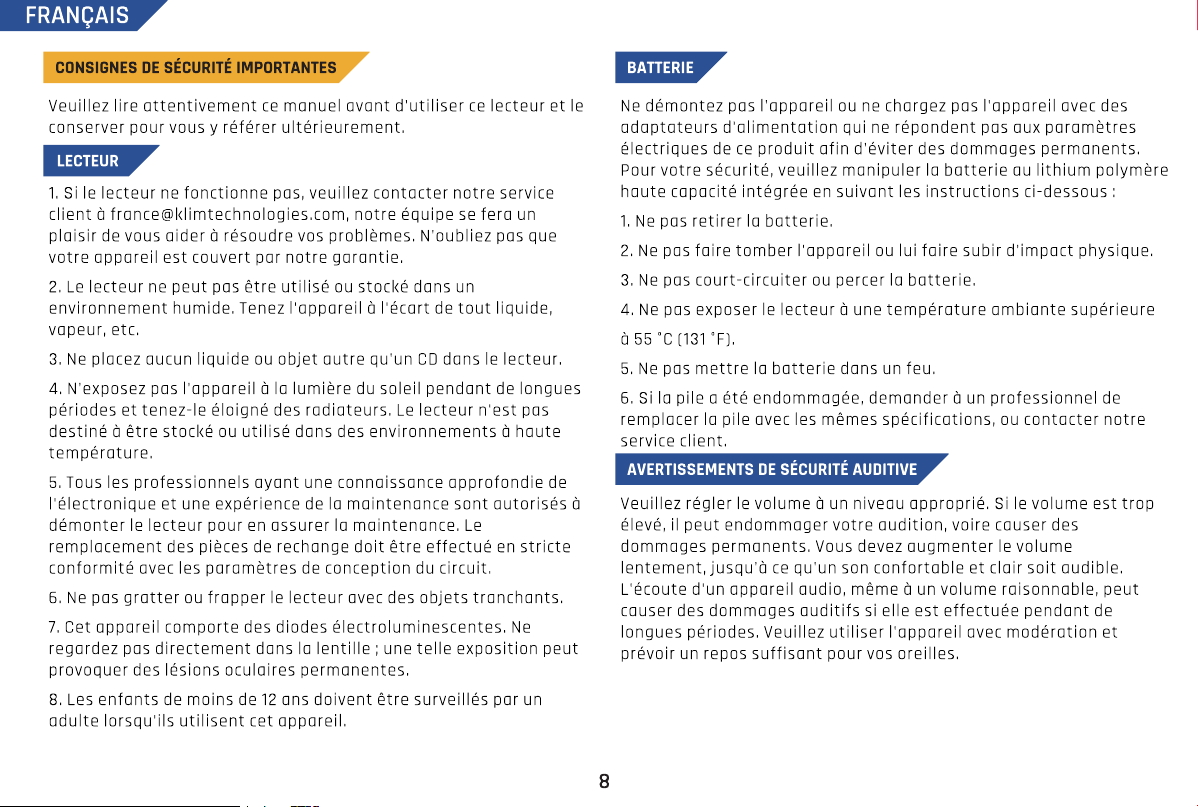
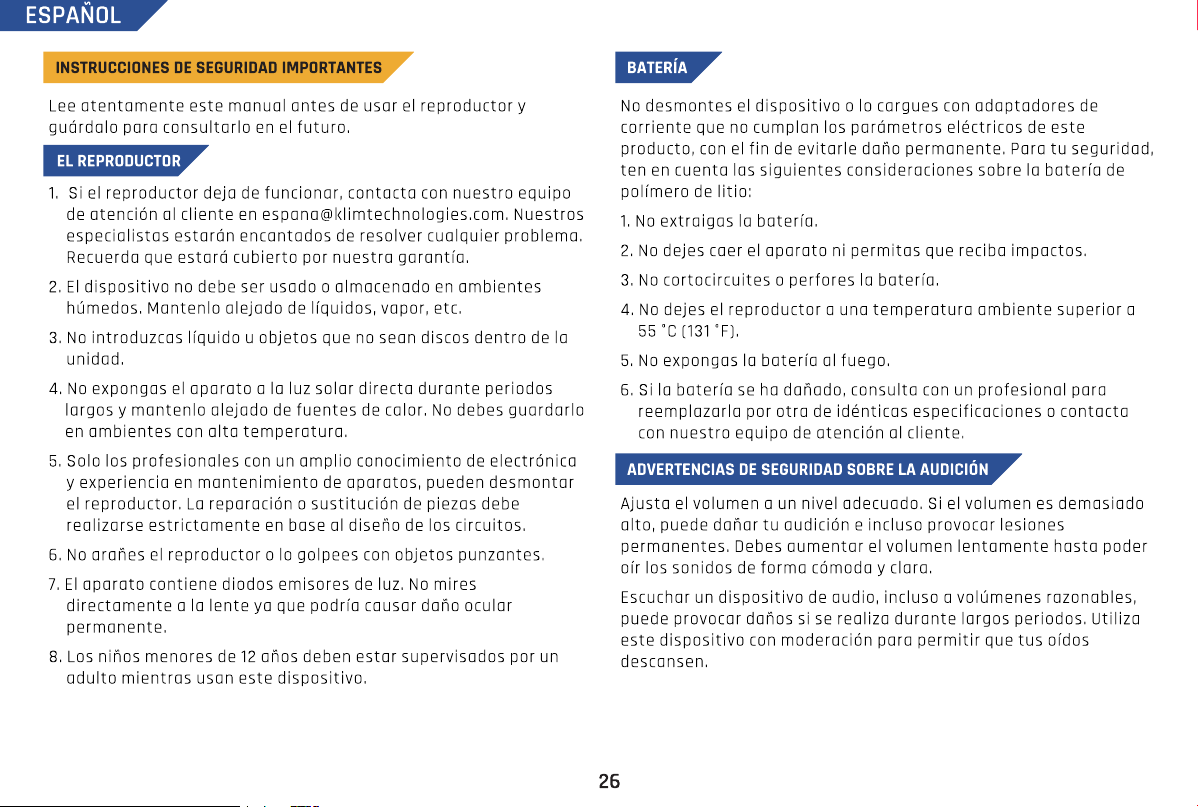
Use this function to record music from your CD or radio onto a TF
card. Press and hold to start the recording function. Press and
hold the button again to complete the recording. Note: if no TF card is
installed, it will prompt “No device”.
RECORD TO TF CARD
En mode carte TF, appuyez longuement sur le bouton pour entrer
en mode de navigation des fichiers. Parcourez vos fichiers avec les
touches et et appuyez sur pour confirmer et lire.
64
sac ou un sac à dos. Remarque : la fonction HOLD n'affecte pas l'interrupteur
d'alimentation.
Le lecteur CD
ne se connecte
pas au système
Bluetooth de
ma voiture
Attention, la compatibilité
Bluetooth d’appareils externes
(y compris le KLIM Nomad) n’est
pas assurée avec les systèmes
d’infodivertissement des
voitures, quel que soit le
constructeur automobile. Les
systèmes des voitures sont
régulièrement mis à jour, ce qui
peut parfois entraîner des
problèmes de connectivité
Bluetooth.
Si vous rencontrez un tel problème avec le
KLIM Nomad, n’hésitez pas à contacter
notre service client. De plus, nous offrons
un retour gratuit sous 30 jours au besoin.
Utilisez cette fonction pour enregistrer la musique de votre CD ou de
votre radio sur une carte TF. Appuyez sur la touche et maintenez-
la enfoncée pour lancer la fonction d'enregistrement. Appuyez à
nouveau sur la touche et maintenez-la enfoncée pour terminer
l'enregistrement. Remarque : si aucune carte TF n'est installée,
l'appareil affichera "No device".
ENREGISTREMENT SUR CARTE TF
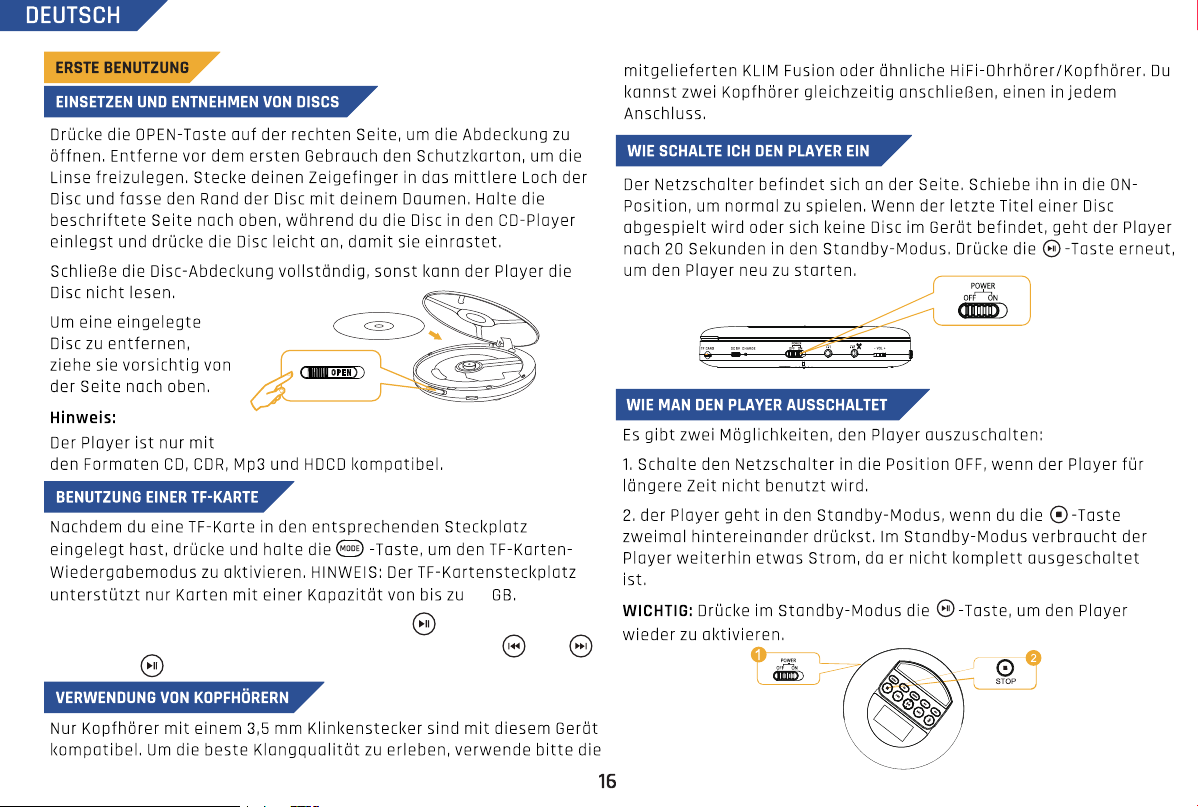
Drücke im TF-Kartenmodus lange auf die Taste , um den
Dateisuchmodus aufzurufen. Durchsuche deine Dateien mit und
und drücke zur Bestätigung und dem Starten der Wiedergabe.
64
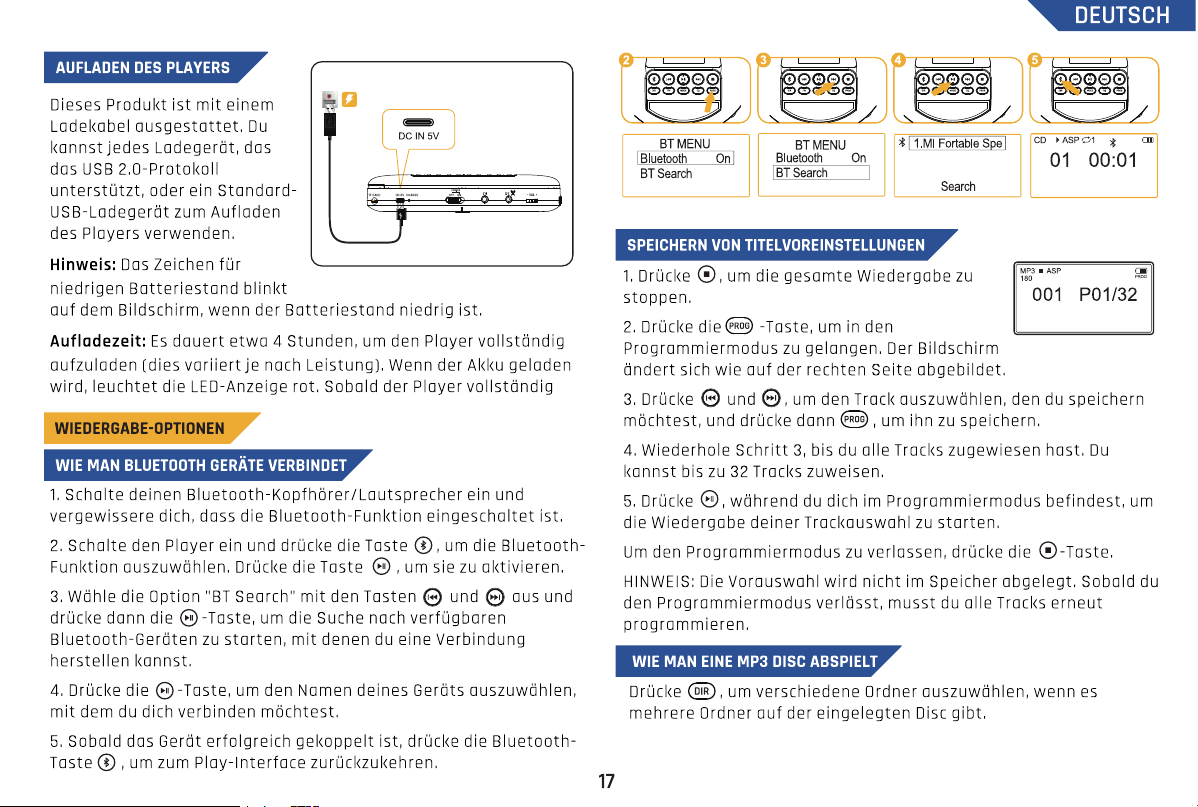
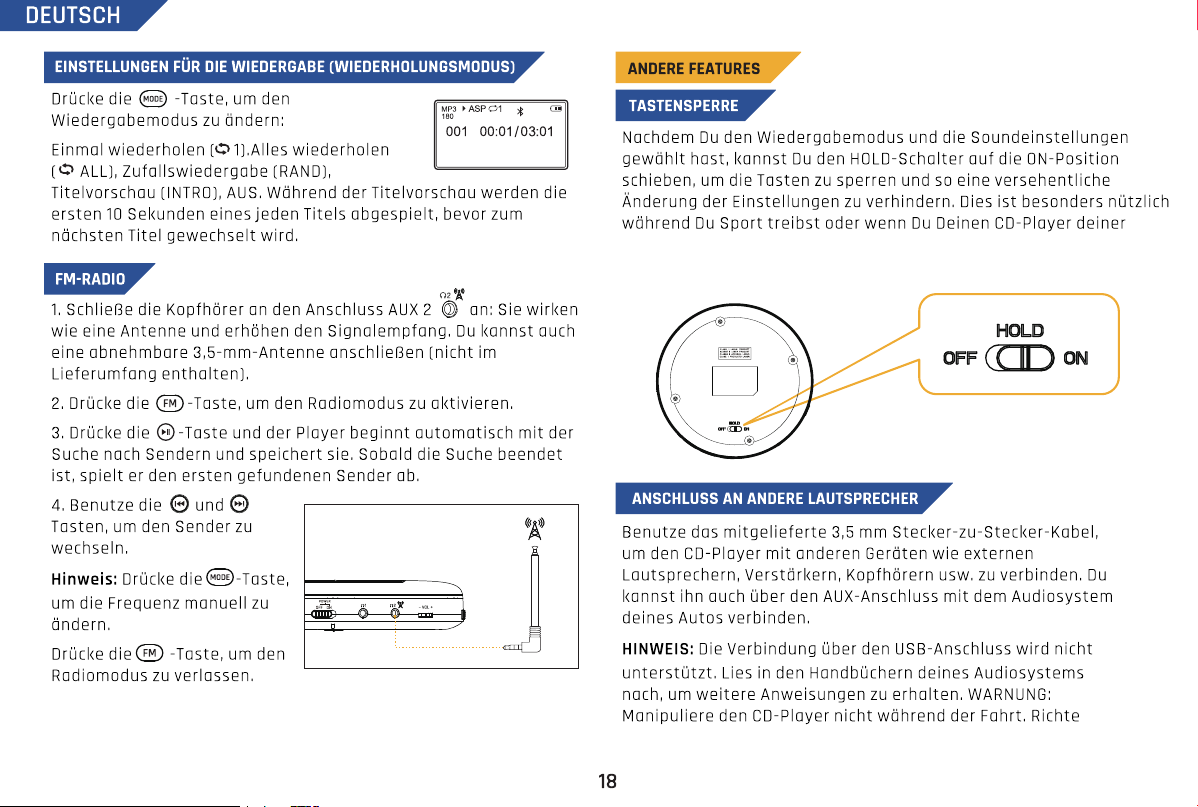
Tasche verstaust. Hinweis: Der Power button ist von der HOLD-Funktion
nicht betroffen.
Der CD-Player
lässt sich nicht
mit dem
Bluetooth-
System meines
Autos verbinden
Bitte beachte, dass die
Bluetooth-Kompatibilität mit
externen Geräten
(einschließlich des KLIM Nomad)
nicht für alle Infotainment-
Systeme der Fahrzeughersteller
garantiert werden kann. Die
Fahrzeugsysteme werden
regelmäßig mit neuer Software
aktualisiert, was zu Problemen
mit der Bluetooth-Verbindung
externer Geräte führen kann.
Solltest du ein solches Problem mit dem
KLIM Nomad haben, kannst du dich gerne
an unseren Kundenservice wenden.
Darüber hinaus bieten wir ein 30-tägiges
Rückgaberecht.
Verwende diese Funktion, um Musik von einer CD oder deinem Radio
auf eine TF-Karte aufzunehmen. Halte die Taste gedrückt, um die
Aufnahmefunktion zu starten. Halte die Taste erneut gedrückt, um die
Aufnahme abzuschließen. Hinweis: Wenn keine TF-Karte eingelegt ist,
wird die Meldung "Kein Gerät (No device)" angezeigt.
AUFNAHME AUF TF-KARTE
In modalità scheda TF, premi a lungo il pulsante per entrare nella
modalità di navigazione file. Sfoglia i tuoi file con e e premi
per confermare e riprodurre.
64
Nota: l'interruttore di alimentazione non è influenzato dalla funzione
HOLD.
Il lettore CD
non si collega
al sistema
Bluetooth della
mia macchina
Non è possibile garantire la
compatibilità di dispositivi
Bluetooth (incl. KLIM Nomad) con
tutti i sistemi di infotainment dei
diversi produttori di automobili. I
produttori aggiornano spesso
firmware e software dei propri
sistemi causando talvolta
problemi di connettività
Bluetooth con i dispositivi
esterni.
In caso di problemi di connessione tra la tua
auto e KLIM Nomad, non esitare a contattare il
nostro Servizio clienti. Offriamo inoltre una
finestra di reso gratuita di 30 giorni.
Utilizza questa funzione per registrare musica dal tuo CD o dalla radio
su una scheda TF. Premi e tieni premuto per avviare la funzione
di registrazione. Premi e tieni premuto il pulsante di nuovo per
completare la registrazione. Nota: se non è installata alcuna scheda
TF, verrà visualizzato il messaggio “No device”.
REGISTRA SULLA SCHEDA TF
Mantén pulsado el botón para navegar por los archivos. Usa y
para cambiar de archivo. Pulsa para confirmar y reproducirlo.
64
bolso o mochila. Nota: el interruptor de encendido no se ve afectado
por la función HOLD.
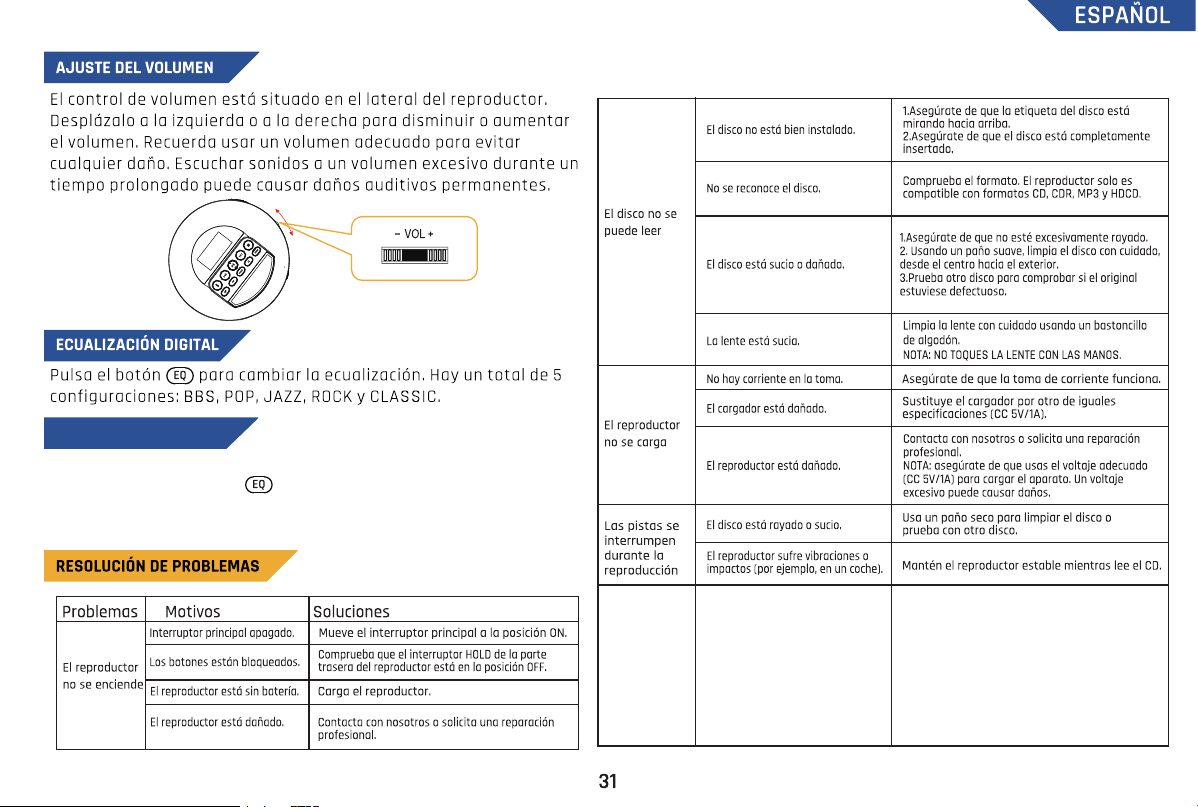
Ten en cuenta que la
compatibilidad Bluetooth con
cualquier dispositivo externo
(KLIM Nomad incluido) no se
puede garantizar en los sistemas
de entretenimiento de todos los
coches, sea cual sea la marca.
Estos no se actualizan
regularmente, lo que puede
llevar a problemas de
conectividad.
Si tienes alguna duda sobre el KLIM Nomad o
dificultades para conectarlo, no dudes en
escribirnos. Además, ofrecemos un periodo de
devolución de 30 días para un reembolso
completo.
El reproductor
de CDs no se
conecta al
sistema de
Bluetooth de
mi coche
Usa esta función para grabar música desde tu CD o radio a una
tarjeta TF. Mantén pulsado para empezar la grabación. Mantén
pulsado de nuevo para terminar la grabación. Nota: si no hay una
tarjeta TF insertada, aparece el mensaje “No device”.
GRABAR EN TARJETA TF

Marcus Excelsior Limited
Rm 907 Silvercord Tower 2,
30 Canton Rd., Tsim Sha Tsui
Hong Kong