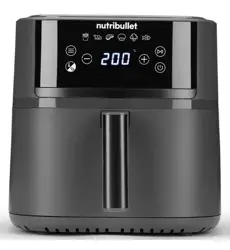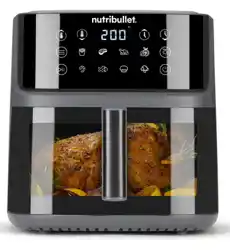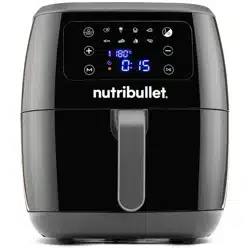
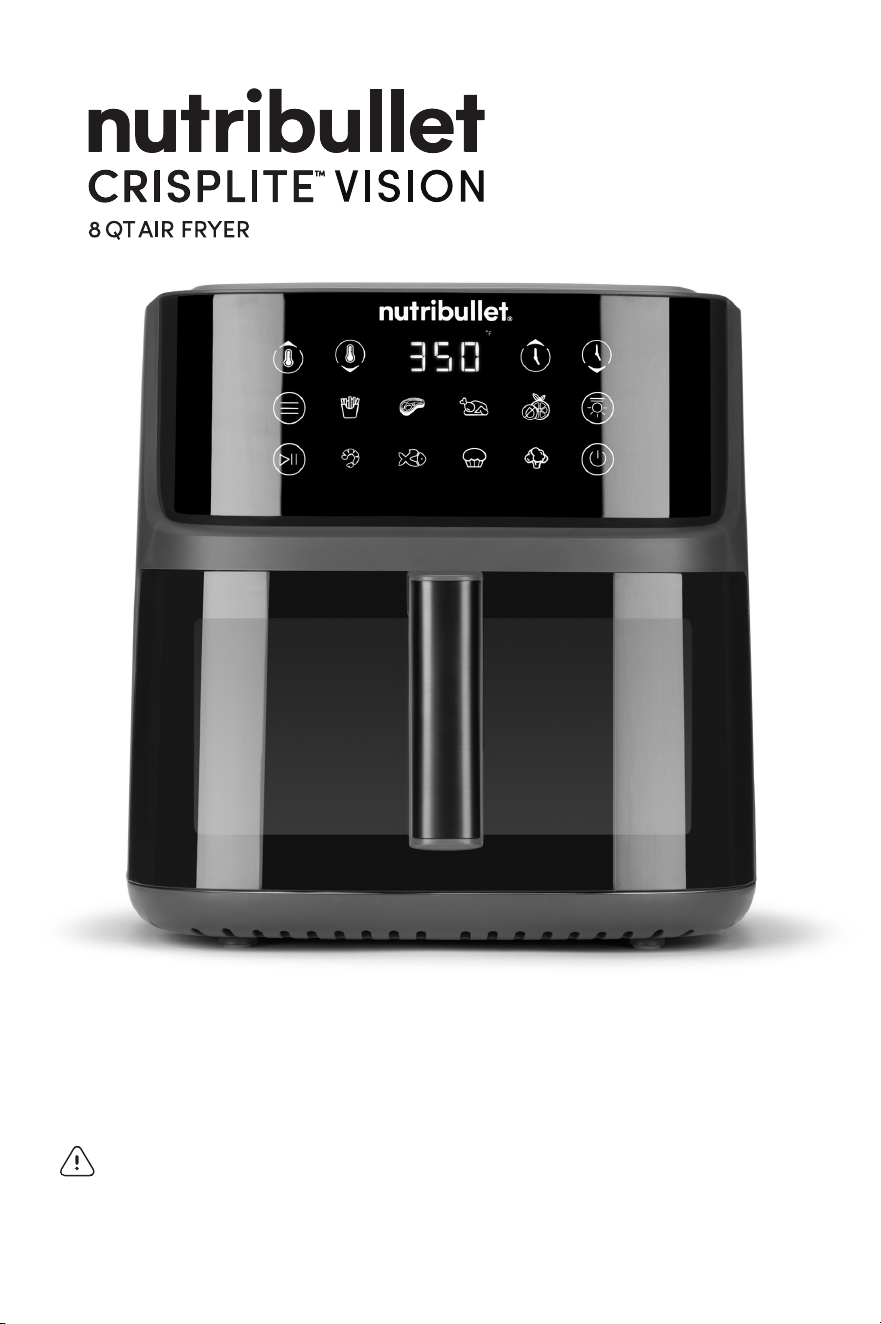
User guide
WARNING! To reduce the risk of serious injury, read the User Guide
before operating your nutribullet CrispLite
™
Vision 8 QT Air Fryer.
Save these instructions. Be sure anyone who uses the nutribullet
®
knows how to do so safely.

WARNING! TO PROTECT
AGAINST ELECTRICAL
SHOCK, BODILY INJURY OR
FIRE, DO NOT IMMERSE THE
UNIT, CORD OR HEATING
ELEMENT IN WATER OR
OTHER LIQUID.
• This appliance is not
intended for use by persons
(including children) with
reduced physical, sensory
or mental capabilities, or
lack of experience and
knowledge, unless they have
been given supervision or
instruction concerning use
of the appliance by a person
responsible for their safety.
• Children should be
supervised to ensure that
they do not play with
the appliance.
• Routinely inspect your unit
for damage.
• DO NOT use this appliance
if any parts appear to be
damaged. Do not operate
any appliance with a
damaged cord or plug
or after the appliance
malfunctions or has been
damaged in any manner.
Return appliance to the
nearest authorized service
facility for examination,
repair, or adjustment.
• If the supply cord is
damaged, it must
be replaced by the
manufacturer, its service
agent or similarly qualified
persons in order to avoid
a hazard.
• Keep appliance and cord
away from children.
• The use of after-market
accessory attachments not
recommended or sold by
the appliance manufacturer
may cause personal injury,
property damage or
malfunctions.
• DO NOT use the unit with a
voltage converter device asit
may cause electrical shorting,
fire, or electric shock,
resulting in personal injury or
product damage.
• Do not use the unit in
locations with dierent
electrical specifications
or plug types.
• For countertop use only.
Make sure if the surface is
level, heat-resistant, stable,
clean and dry. Do not place
the unit near the edge of the
countertop during use. Never
use outlet below counter
which can make the cord
accessible to children.
• Do not use outdoors.
• Do not let cord hang over
edge of table or counter,
or touch hot surfaces. Keep
appliance and cord away
from children.
• Do not place on or near a hot
gas or electric burner, or in a
heated oven.
• Make sure the unit is clean
before operating. Spilled
food can create serious burns
or damage the unit. Do not
use with an extension cord or
let cord hang over edge.
• Avoid contact with hot
surfaces. Use the handle on
the Cooking Drawer. During
hot air frying, hot steam is
released through air vents
located on the back. Keep
your hands and face away
from the steam and from
the air vents. Use caution
when removing the Cooking
Drawer from the appliance as
there may be hot steam.
• Do not use this appliance
for anything other than its
intended use. Misuse may
cause serious bodily injuries.
• COOKING DRAWER IS
SECURELY LOCKED IN PLACE
BEFORE FRYING. DO NOT
ATTEMPT TO REMOVE THE
COOKING DRAWER WHILE
THE UNIT IS IN OPERATION.
• Removing the Cooking
Drawer too quickly may
result in splattering and could
potentially be dangerous.
• Always turn the appliance
OFF and UNPLUG from the
outlet when not in use and
allow the appliance to cool
before cleaning, assembling,
disassembling, moving
or storing.
IMPORTANT SAFEGUARDS
When operating your nutribullet CrispLite
™
Vision 8 QT Air Fryer,
remember: safety comes first.
Warning! To avoid the risk of serious injury, carefully read all
instructions before operating your nutribullet
®
. When using any
electrical appliance, basic safety precautions should always be
observed, including the following important information.
SAVE THESE INSTRUCTIONS!
FOR HOUSEHOLD USE ONLY
!
GENERAL SAFETY
INFORMATION:
WARNING! DO NOT TOUCH
HOT SURFACES. NEVER
TOUCH AREAS OF THE
APPLIANCE WHILE IT IS
OPERATING AS IT MAY
BE HOT. ALWAYS USE
INSULATED OVEN GLOVES
AND UTENSILS WHEN
REMOVING HOT FOODS
FROM THE COOKING
DRAWER OR TRAY. ALWAYS
ALLOW THE COOKING
DRAWER OR TRAY TO
COOL BEFORE DIRECTLY
HANDLING. NEVER TOUCH
THE HEATING ELEMENT.
WARNING! WHEN MOVING
THE APPLIANCE OR
REMOVING THE COOKING
DRAWER THERE MAY BE
RESIDUE HOT OIL OR OTHER
HOT LIQUIDS. ALLOW
THE APPLIANCE TO COOL
COMPLETELY BEFORE
HANDLING OR MOVING.
READ ALL INSTRUCTIONS CAREFULLY AND THOROUGHLY BEFORE
OPERATING.
32

FIRE HAZARD, GREASE &
DEBRIS MANAGEMENT:
• Never overfill ingredients.
Leave at least 2 inches of
space between your food
and the top of the Cooking
Drawer. Keep all ingredients
within the drawer and
prevent any direct contact
with the heating element.
Overfilling prevents the hot
air from circulating or cause
the food to come into contact
with the heating element
causing smoke and or
possible fire.
• Do not put any non-food
items into the Cooking
Drawer for the purpose of
frying or heating. Do not use
the appliance for deep
frying with oil.
WARNING! THOROUGHLY
CLEAN THE COOKING
DRAWER AFTER EACH
USE TO PREVENT THE
ACCUMULATION OF OIL
AND FOOD DEBRIS THAT
CAN CREATE SMOKE AND A
POTENTIAL FIRE HAZARD. IT
IS RECOMMENDED THAT ANY
OIL BE DIRECTLY APPLIED ON
THE FOOD BEFORE PLACING
IN THE COOKING DRAWER.
• Always UNPLUG and allow
the unit to COMPLETELY
COOL before cleaning.
• Accumulated fat, oil, and
food particles are highly
flammable. ALWAYS remove
fat, oil and food particles
after each batch to prevent
smoking or igniting.
• DO NOT place the appliance
close to flammable materials
such as curtains, and DO
NOT place anything above
or on top of the appliance
when in use.
• Any significant spillage
onto the surface under or
around the appliance, or
onto the appliance itself,
should be cleaned and
dried before continuing to
use the appliance.
• A slight vibration may
occur, and is normal, during
operation of the unit.
• When using this appliance,
provide adequate air space
(at least 8 inches) above,
below, and on all sides
for circulation.
• Do not cover the air outlet
vent, located on the back
of the unit, while the unit is
operating.
• Do not leave the appliance
unattended when in use.
• Keep hands, fingers, hair,
clothing, and utensils away
from the appliance during
operation.
• Keep the appliance clean.
Refer to the Care and
Maintenance section for tips
and best practices.
• Any maintenance other
than cleaning should be
performed by an authorized
Service Center. Do not
attempt to repair or service
this appliance yourself.
Contact Customer Service for
assistance at nutribullet.com.
• If any of the contained
instructions or warnings
are not understood, please
contact Customer Service for
assistance at nutribullet.com.
• Only when the unit is
COMPLETELY COOL AND
UNPLUGGED, periodically
check the heating coil for oil
splatter and wipe it down
with a lint free cloth.
• NEVER preheat with
parchment paper or foil in
the basket. Only use liners
with food placed immediately
on top.
• Always ensure parchment
paper or foil do not extend
above the rim of the basket
where it may touch the
heating element.
• Loose or lightweight items
can be sucked into the
heating element and ignite
instantly. Always weigh down
with heavier ingredients.
ADDITIONAL
SAFEGUARDS:
• Remove and discard any
packaging material or
promotional labels before
using the appliance for the
first time.
• To eliminate any potential
choking hazard for young
children, remove and safely
discard any protective
coverings or plastic bags
that the appliance or its
parts may come in.
• Always make sure the unit
is properly and completely
assembled before turning
on the power and operating
the appliance.
• Ensure that the areas
immediately under or next
to the appliance are clean
and dry. Do not operate
when wet.
SAVE THESE
INSTRUCTIONS!
!
54
Contents
8 What’s included
9 Assembly guide
10 Control panel
12 Usage instructions
12 Before first use
13 Assembly
13 Using the Air Fryer
16 Care & maintenance
16 Replacement parts
17 nutribullet CrispLite
™
Vision 8 QT
Air Fryer one-year limited warranty
16 Product registration
Thank you for purchasing the nutribullet CrispLite
™
Vision 8 QT Air Fryer.
76
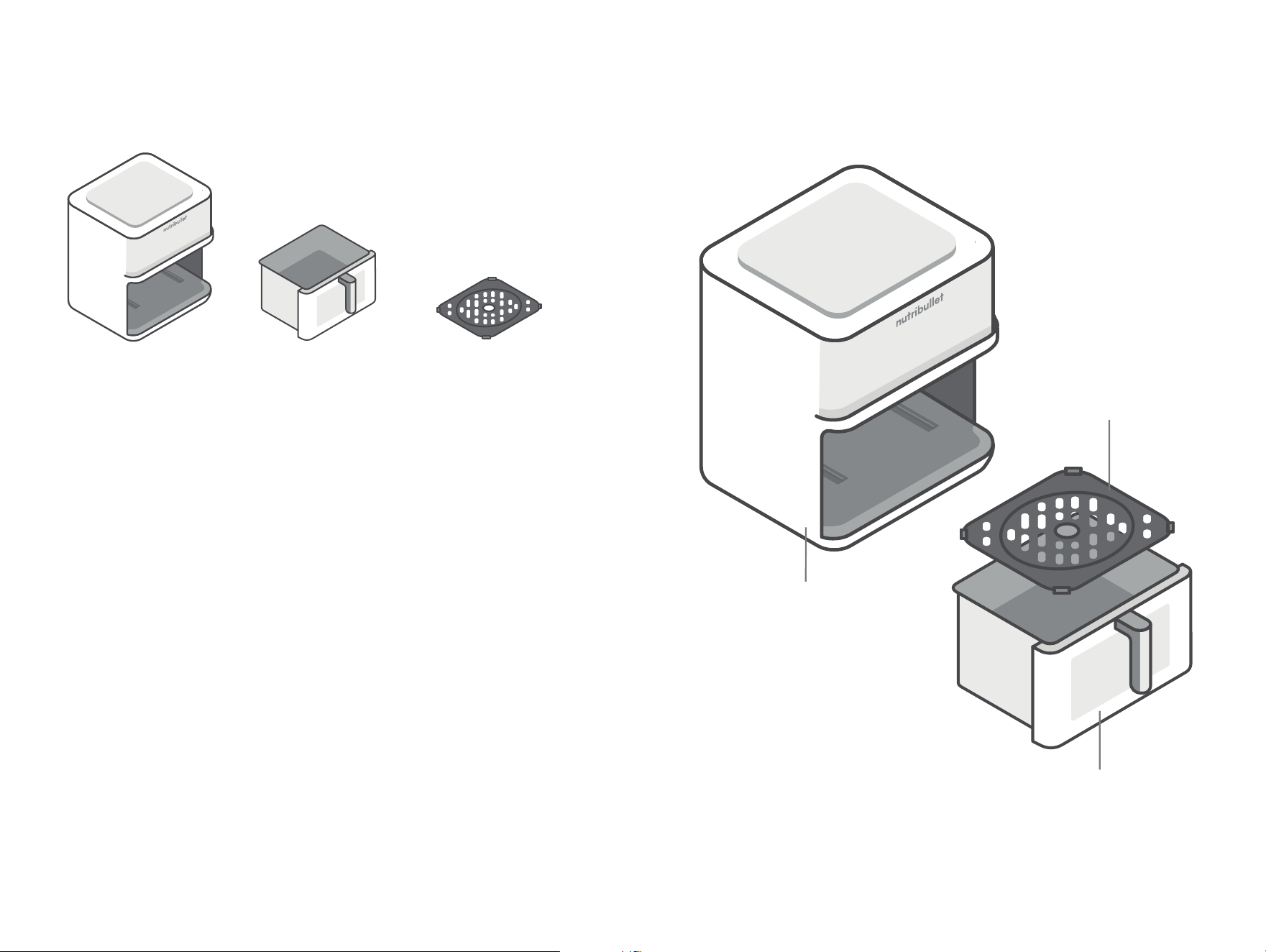
What’s included
2000 watt air
fryer base
8 QT cooking
drawer
VersaPlate
™
Assembly guide
base
VersaPlate
™
cooking drawer
98
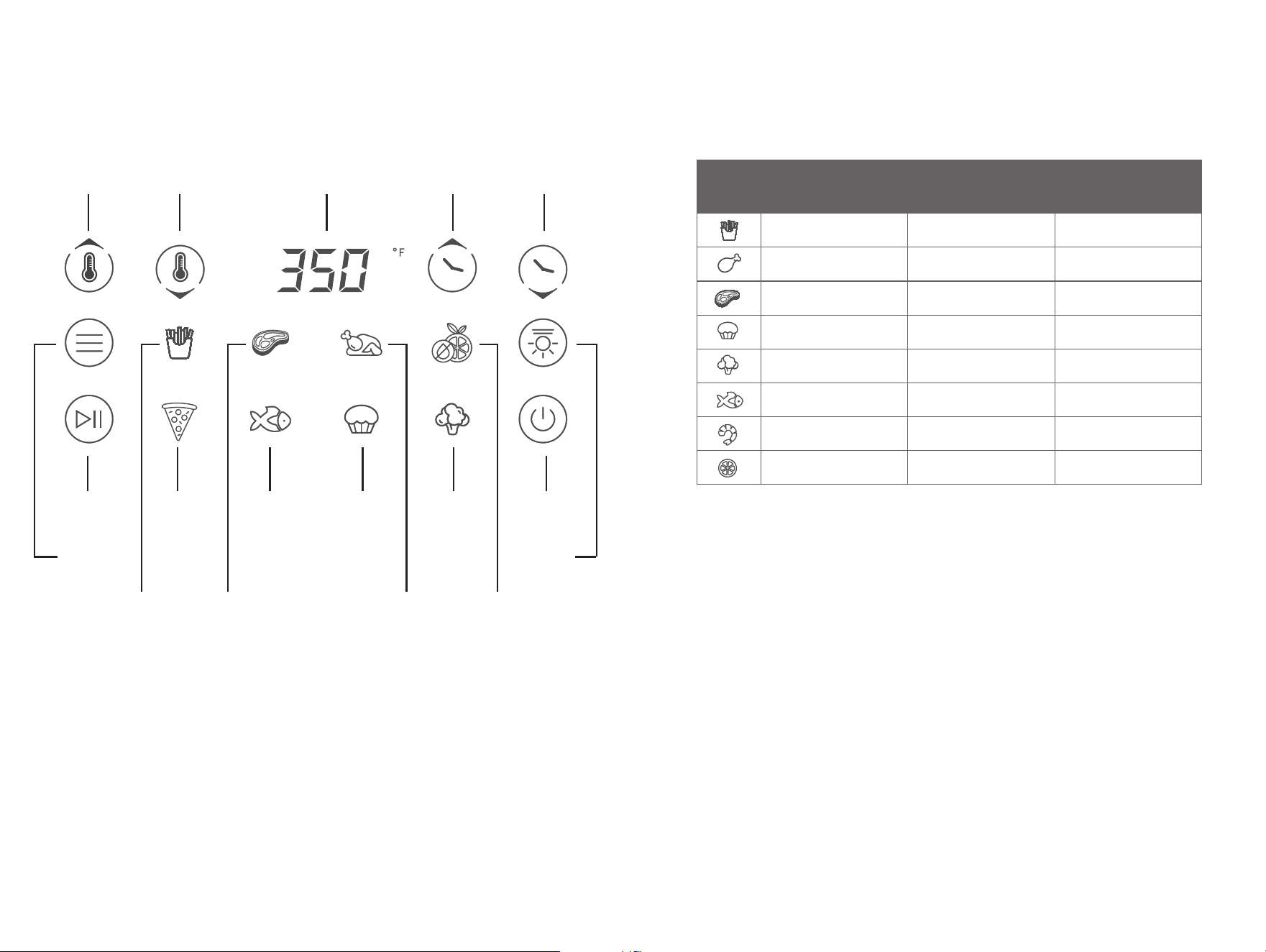
Control panel
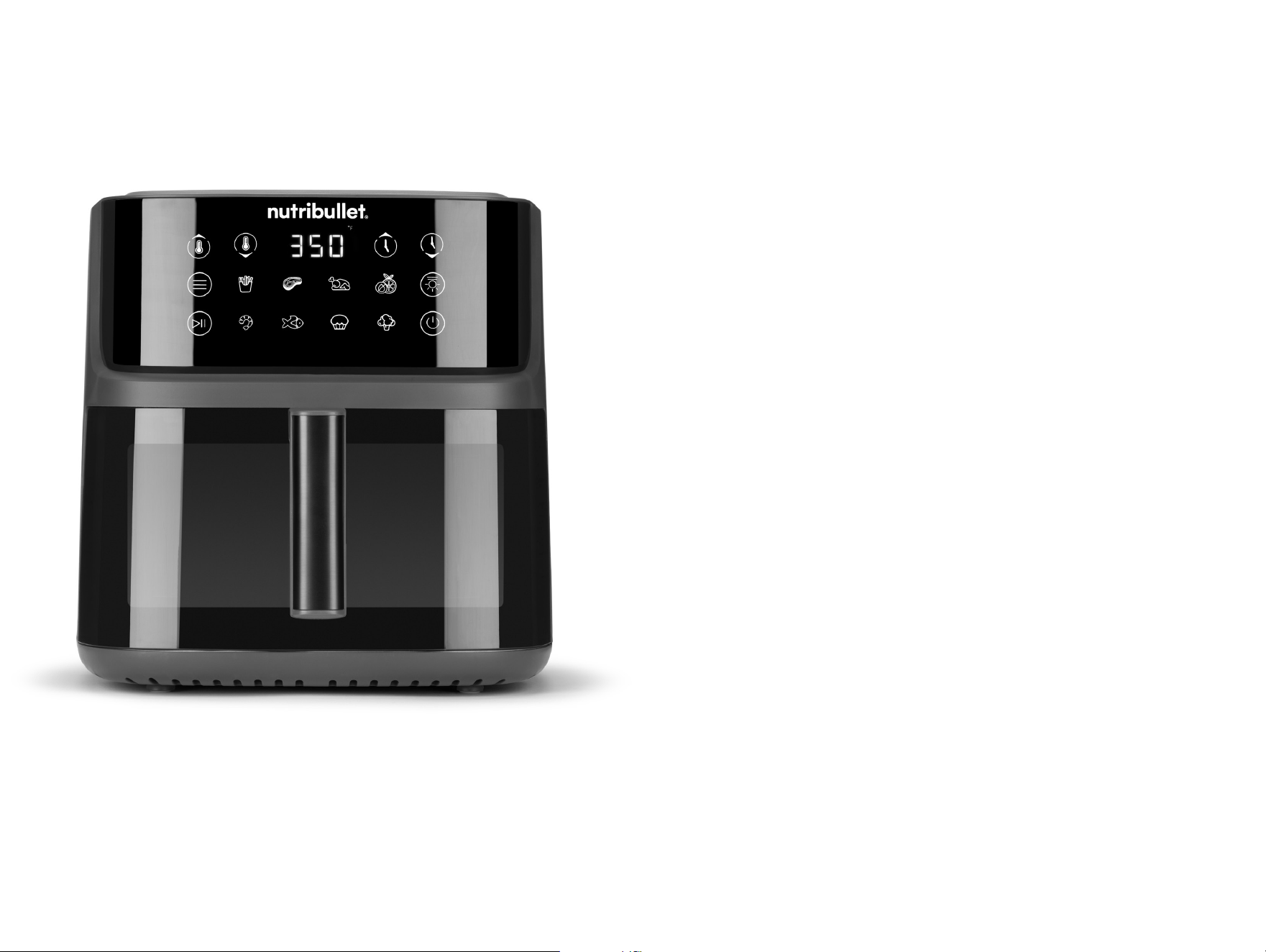
To select a cooking program, press the Menu button until your
desired cooking program is flashing. The program will load with
its default time and temperature, as noted in the table below. To
begin cooking, press the Start/Stop button.
Icon Program Default
Temperature
Default Cooking
Time
Fries 400°F 20 minutes
Chicken 350°F 30 minutes
Steak 400°F 15 minutes
Bake 325°F 15 minutes
Vegetable 350°F 15 minutes
Seafood 350°F 15 minutes
Shellfish 400°F 16 minutes
Dehydrate 100°F 5 hours
• Press Temp/Time and use
the +/- buttons to manually
set cooking temperature or
cooking time. Each press of
the +/- buttons will adjust
by increments of 1 minute
for time or 5 degrees for
temperature. Press Start/
Pause to start cooking.
You can adjust your Air
Fryer’s time or temperature
at any time.
• The Air Fryer will power off
after 5 minutes of inactivity
if the drawer is in, and will
power off after 10 minutes of
inactivity if the drawer is out.
• Press Start/Pause when
cooking to pause Air Fryer
activity. Press Start/Pause
again to resume. The Air
Fryer will power off after 10
minutes of inactivity if in the
Pause state.
temperature
increase
time
increase
temperature
decrease
temp/time
display
time
decrease
power button/
standby
interior
light
menu
button
start/stop shellfish
fries steak chicken dehydrate
seafood bake veggie
1110
Before first use
Before using your nutribullet CrispLite
™
Vision 8 QT Air Fryer for the first
time, please take a moment to perform the steps below.
1. UNPACK
Open the box and remove the Air Fryer Base with Cooking Drawer and
3-in-1 VersaPlate
™
, placing all parts on a flat, level, and dry surface.
2. CLEAN
Rinse Cooking Drawer and VersaPlate
™
with hot soapy water. Wipe
exterior of Air Fryer Base with a clean, damp cloth.
3. PREPARE COOKING AREA, ENSURE PROPER VENTILATION
Ensure the Air Fryer is used on a clean, dry, flat surface. Do not use the
unit outdoors. The Air Fryer should be at least 8 inches away from the
wall when in operation, to ensure proper air ventilation behind the unit.
NOTE: To eliminate any new-machine odors that may be present or to thoroughly clean
the inside of the Air Fryer, you can run the Air Fryer at its highest temperature
about 5 minutes without putting any food inside.
NOTE: We suggest placing the unit on top of a heat proof mat to prevent risks
of heat damage to surface of benchtop.
NEVER overfill the Cooking Drawer. Leave at least 2 inches of space between
at the top of the Cooking Drawer. Overfilling the Cooking Drawer prevents
the hot air from circulating, which may cause smoke and possible fire hazard.
Overfilling may also cause the food to come into contact with the heating
element, which may cause smoke and or possible fire. To prevent possible
injury or damage, it is recommend to to break up the food into smaller portions.
CAUTION. Thoroughly clean the Cooking Drawer after each use to prevent the
accumulation of oil and food debris that can create smoke and a potential fire
hazard. For optimal results, apply oil directly onto the food before placing in
the Cooking Drawer.
Usage instructions
Assembly
Review all warning and caution statements in the Important Safeguards
section (pages 2-5) and in the section above before proceeding
to Step 1.
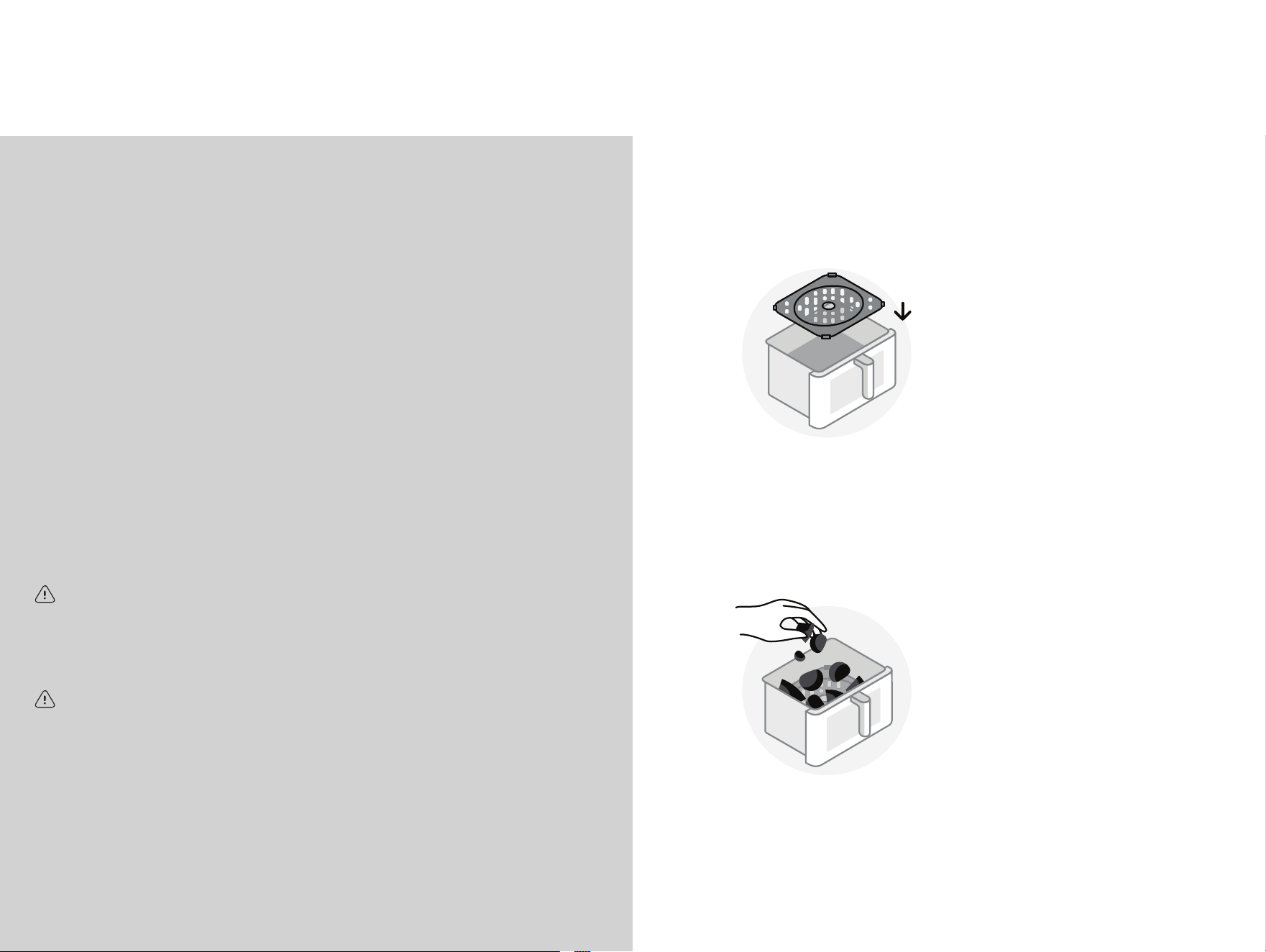
1 Insert the VersaPlate
™
into the bottom of the
Cooking Drawer. Make
sure the VersaPlate
™
is
seated securely and is
level with the bottom of
the Cooking Drawer.
Using the Air Fryer
1 Place food into the Cooking
Drawer, being careful not
to overfill. For best cooking
results, leave at least 2
inches of space between
your food and the top of the
Cooking Drawer.
Insert crisping tray
Place food into Cooking Basket
1312
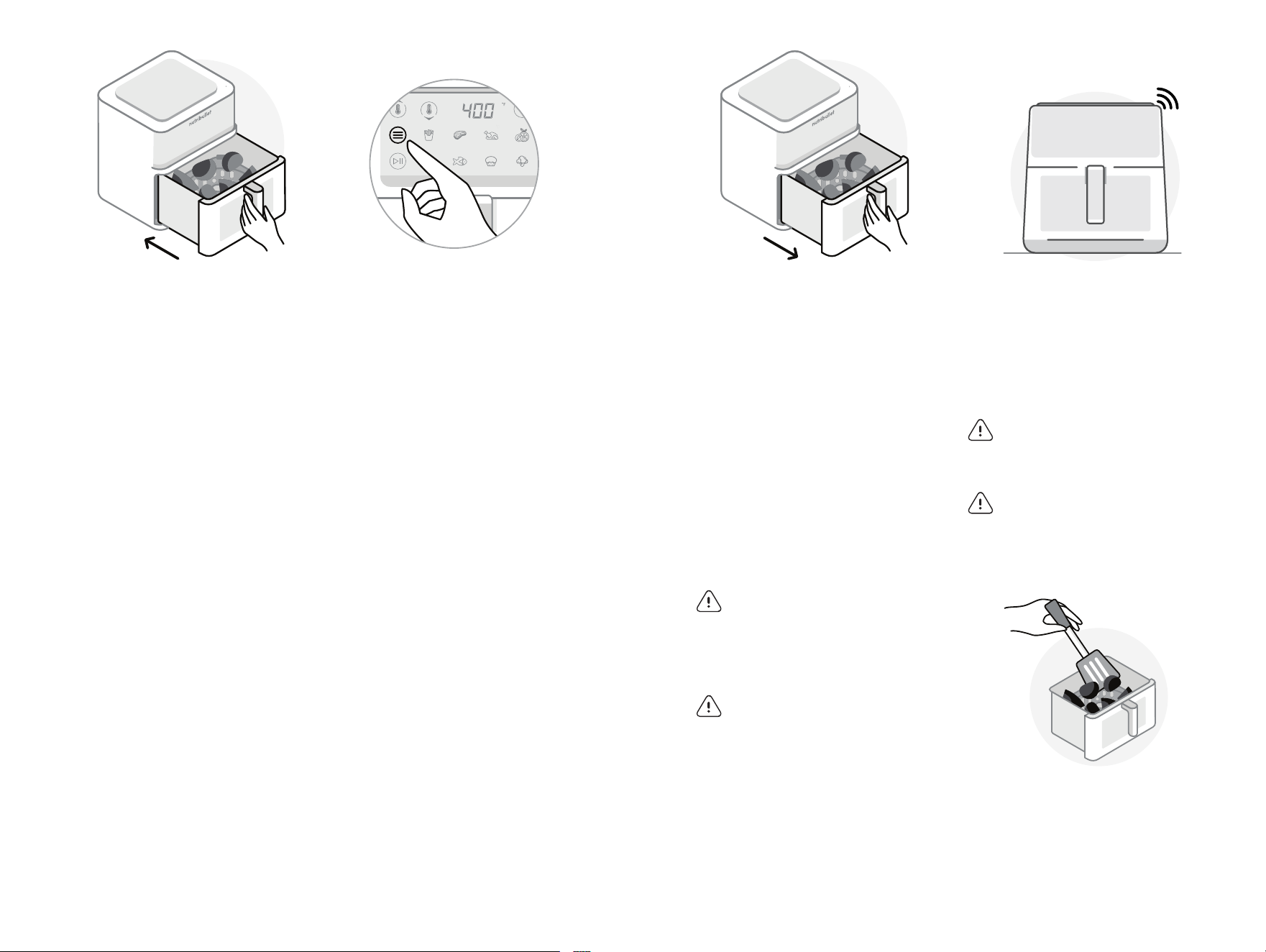
4 TURNING FOOD DURING
COOKING: Some recipes
call for taking the Cooking
Drawer out during cooking
and turning food. If so, first
press the Start/Stop button
to pause the Air Fryer. When
the cooking has paused,
remove the Cooking Drawer
from the Base using the
handle. Turn your food using
a utensil, and place the
Cooking Drawer securely
back in the Base. Press the
Start/Stop button to resume
cooking.
WARNING: CONTENTS may
be very hot. Use caution when
removing the Cooking Drawer as
there may be hot steam. Keep your
hands and face away from the
steam and from the air vents.
WARNING: Food, Cooking Drawer,
and VersaPlate
™
are hot. Always
use oven gloves when handling.
3 TO USE A COOKING
PROGRAM: Press the Menu
button until your desired
cooking program flashes. The
default time and temperature
for the flashing program will
load on the Control Panel.
Press the Start/Stop button to
begin cooking.
TO CHANGE TEMPERATURE/
TIME SETTING: To change
a setting or to adjust
a program’s cooking
temperature or time after it
has been selected, press the
Time/Temperature button
and use the +/- buttons to
first adjust the temperature.
Once you’ve reached your
desired temperature, press
the Time/Temperature button
again to set. Use the +/-
buttons to adjust your cooking
time. Once you’ve reached
your desired time, press the
Start/Stop button to set the
time and begin cooking.
NOTE: To turn on the interior light,
press the Light icon. Press the light
icon again to turn the light o.
NOTE: The light automatically turns
o after one minute.
6 Remove food from the Cooking
Drawer using a utensil –
NEVER use your hands. Turn
o the Air Fryer by pressing
and holding the Power Button
until the unit powers o. Enjoy!
5 Once the Air Fryer has
reached the end of its
cooking time, you will hear
3 beeps to alert you that the
cooking has completed. Wait
a few seconds so the cooking
action comes to a stop.
CAUTION: Removing the Cooking
Drawer too quickly may result in
splattering and could potentially be
dangerous.
CAUTION: Be careful when opening
the Cooking Drawer as there may be
hot steam.
2 Holding the Cooking Drawer
by the handle, place it into
the Base. Ensure the Air
Fryer is properly assembled
with the Cooking Drawer
fully seated inside of the
Base. Plug the unit in and
press the Power button to
turn the Air Fryer on.
NOTE: The Air Fryer will not operate
unless the Cooking Drawer is
installed correctly.
Open/close unit - 8L w arrow towards the unit
Use cooking program
Open/close unit - 8L w arrow away from the unit
3x
Unit (straight)
Remove food from Cooking Basket
1514

Replacement parts
Use of incompatible parts or aftermarket parts may result in damage
to your nutribullet CrispLite
™
Vision 8 QT Air Fryer or create safety
hazards that may cause personal injury or damage. When ordering
replacement parts always use genuine nutribullet
®
parts and
accessories from nutribullet.com.
STEP 1:
Turn the Air Fryer OFF, unplug the
unit, and allow it to cool down
thoroughly after use.
STEP 2:
Remove the Cooking Drawer
and VersaPlate
™
. The Cooking
Drawer and VersaPlate
™
are TOP
RACK dishwasher safe, or can be
cleaned by rinsing in warm soapy
water. DO NOT place the Air
Fryer Base in the dishwasher.
WARNING: NEVER use the sanitize
cycle – heat this high can warp the
plastic.
CAUTION: DO NOT use an abrasive
or metal cleaning tool to clean the
Cooking Drawer or VersaPlate
™
.
Doing so can damage the ceramic
non-stick coating on the surface of
these items.
STEP 3:
Clean the inner wall of the Air
Fryer Base by gently wiping off
any residue with a warm cotton
cloth, then dry it with a dry cloth.
The interior and exterior of the
Base should only be cleaned by
wiping it with a damp cloth.
CAUTION: NEVER submerge the
Base in water or any other liquid.
If required, brush the heating
element with a soft-medium
bristle brush to remove food
particles.
STEP 4:
Once all parts have been
cleaned and thoroughly
dried, store the Air Fryer fully
assembled in a safe, dry
location.
Care & maintenance
Cleaning the nutribullet CrispLite
™
Vision 8 QT Air Fryer is quick and
easy. We recommend cleaning all removable parts after each use to
reduce the buildup of residue.
nutribullet
CrispLite
™
Vision 8 QT Air Fryer
one-year limited
warranty.
LIMITED WARRANTY
FOR NUTRIBULLET
®
nutribullet
®
’s limited warranty
obligations are confined to the
terms set forth below:
nutribullet
®
, LLC (“nutribullet
®
”)
warrants this nutribullet
®
against defects in materials
and workmanship for a period
of one year from the date of
original retail purchase or
date of delivery of the product.
This limited warranty is valid
only in the country in which
the product is purchased
and comes with the product
at no extra charge, however
shipping and processing fees
will be incurred for returns,
replacements and or refunds.
If a defect exists, and this
limited warranty is valid, at its
option nutribullet
®
will (1) repair
the product at no charge, using
new or refurbished replacement
parts, (2) exchange the product
with a product that is new or
that has been manufactured
from new or serviceable used
parts and is at least functionally
equivalent to the original
product, or (3) refund the
purchase price of the product. A
replacement product assumes
the remaining warranty of the
original product. A repaired
product has a one-year
warranty from the date of
repair. When a product or part
is exchanged, any replacement
item becomes your property
and the replaced item becomes
nutribullet
®
’s property. When
a refund is given, your product
becomes nutribullet
®
’s property.
OBTAINING WARRANTY
SERVICE
For limited warranty service,
simply call our customer
service department at
1 (800) 523-5993 or contact us
via email from our website at
nutribullet.com, simply click
the contact us link, fill out and
submit the customer contact
form and we will be glad to
help you. When you contact our
1716

customer service department
you will be asked for your
name, address, telephone
number and to provide proof of
the original purchase (receipt)
containing a description of the
product(s), purchase date, and
the appropriate nutribullet
®
serial number(s). Before you
send your product for limited
warranty service please make
sure to keep a copy of all
relevant documents for your
files (receipt, etc.). It is always
recommended to purchase
product insurance and tracking
services when sending your
product for service. Remember,
shipping and processing fees
will be incurred and are not
covered by the one-year
limited warranty.
EXCLUSIONS &
LIMITATIONS
This nutribullet
®
One-Year
Limited Warranty applies only to
nutribullet
®
products distributed
by or for nutribullet
®
that can be
identified by the “nutribullet
®
”
trademark, trade name, logo
and bar code. nutribullet
®
’s
One-Year Limited Warranty does
not apply to any other products
that may appear to be authentic,
but were not distributed/sold by
nutribullet
®
, LLC.
Normal wear and tear is not
covered by this limited warranty.
This limited warranty applies
to consumer use only, and
is void when the product
is used in a commercial or
institutional setting.
This limited warranty
extends only to the original
consumer purchaser and is
not transferable. In addition,
proof of purchase must
be demonstrated.
Repair or replacement of
the product (or, if repair or
replacement is not feasible, a
refund of the purchase price)
is the exclusive remedy of the
consumer under this limited
warranty. nutribullet
®
, LLC
shall not be liable for any
incidental or consequential
damages for breach of this
limited warranty or any
implied warranty on this
product.
This limited warranty gives
you specific legal rights, and
you may also have other rights
which vary from state to state.
nutribullet
®
is not liable for
any damage to products not
covered by this warranty (e.g.,
Cups, book, User Guide).
This limited warranty does
not apply: (a) to damage
caused by accident, abuse,
misuse, or misapplication; (b)
to damage caused by improper
maintenance (including
unauthorized parts service);
(c) to a product or a part that
has been modified in any way;
(d) if any nutribullet
®
serial
number or trademark has been
removed or defaced; and or (e)
if the product has been used
with an adapter/converter.
THIS LIMITED WARRANTY
AND THE REMEDIES SET
FORTH ABOVE ARE EXCLUSIVE
AND IN LIEU OF ALL OTHER
WARRANTIES, REMEDIES
AND CONDITIONS, WHETHER
ORAL OR WRITTEN, EXPRESS
OR IMPLIED. NUTRIBULLET
®
SPECIFICALLY DISCLAIMS ANY
AND ALL IMPLIED WARRANTIES,
INCLUDING, WITHOUT
LIMITATION, WARRANTIES
OF MERCHANTABILITY AND
FITNESS FOR A PARTICULAR
PURPOSE. IF NUTRIBULLET
®
CANNOT LAWFULLY DISCLAIM
IMPLIED WARRANTIES UNDER
THIS LIMITED WARRANTY,
ALL SUCH WARRANTIES,
INCLUDING WARRANTIES
OF MERCHANTABILITY AND
FITNESS FOR A PARTICULAR
PURPOSE ARE LIMITED IN
DURATION TO THE DURATION
OF THIS LIMITED WARRANTY.
No nutribullet
®
reseller, agent, or
employee is authorized to make
any modification to this warranty.
NUTRIBULLET
®
IS NOT
RESPONSIBLE FOR DIRECT,
SPECIAL, INCIDENTAL OR
CONSEQUENTIAL DAMAGES
RESULTING FROM ANY
BREACH OF WARRANTY
OR CONDITION, OR UNDER
ANY OTHER LEGAL THEORY,
INCLUDING BUT NOT LIMITED
TO LOST PROFITS, DOWNTIME,
GOODWILL, DAMAGE TO
OR REPLACEMENT OF
EQUIPMENT AND PROPERTY.
NUTRIBULLET
®
SPECIFICALLY
DOES NOT REPRESENT THAT
IT WILL BE ABLE TO REPAIR
ANY PRODUCT UNDER THIS
LIMITED WARRANTY.
Some states and provinces
do not allow the exclusion
or limitation of incidental
or consequential damages
or exclusions or limitations
on the duration of implied
warranties or conditions,
so the above limitations or
exclusions may not apply to
you. This warranty gives you
specific legal rights, and you
may also have other rights
that vary by state or province.
1918
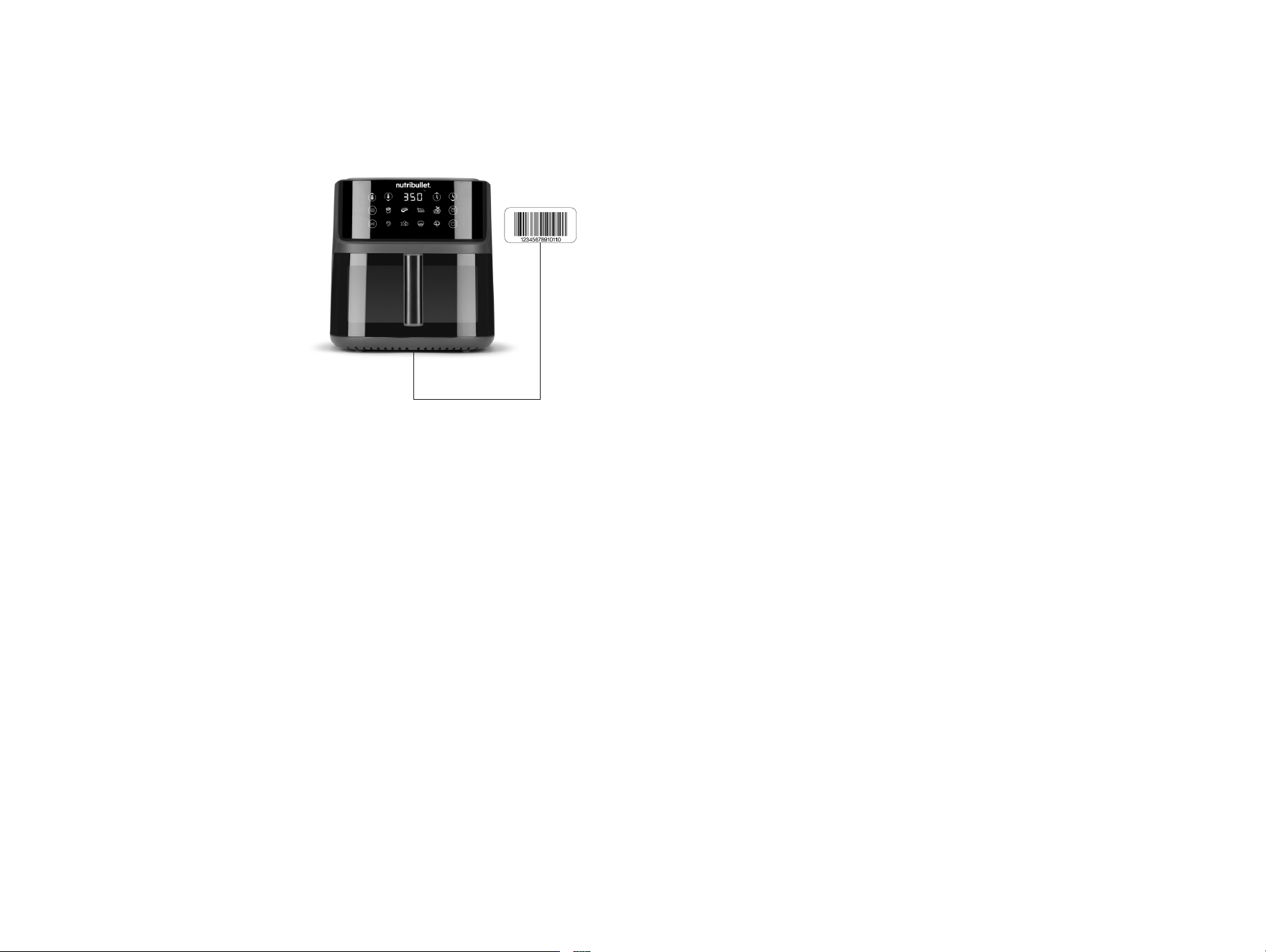
Product registration
*How to find serial
number under the Base.
Please visit nutribullet.com/
register or call 1 (800) 523-5993
to register your new nutribullet
CrispLite
™
Vision 8 QT Air Fryer.
You will be asked to enter the
Serial Number* of your product,
along with the purchase date and
place of purchase. The information
you submit is for product
registration. Failure to complete
product registration does not
diminish your warranty rights.
The registration will enable us to
contact you in the unlikely event
of a product safety notification.
By registering your product, you
acknowledge that you have read
and understood the instructions
for use, and warnings set forth in
the accompanying instructions.
20

120V 50-60Hz 2000W
Capital Brands Distribution, LLC | nutribullet.com | All rights reserved.
nutribullet
®
and the nutribullet logo are trademarks of CapBran Holdings, LLC
registered in the U.S.A. and worldwide.
Illustrations may differ from the actual product. We are constantly striving to improve
our products, therefore the specifications contained herein are subject to change
without notice.
260424_NBA30350AMZ (NBA-350)