1 /
LED Light Therapy Mask
Instructions for Use
Model: E43-8A
(Sub-models: E43-6ˈE43-10ˈE43-11ˈE43-13)
Note: Sub-models differ only in cosmetic appearance (color/finish). Technical specifications are identical to E43-8A.
Shenzhen Eyco Technology Co., Ltd.
2/F, Building 1, Jiashitai Science Park, 164# Fengtang Avenue, Fuhai Street, Baoan District, Shenzhen, Guangdong,
China 518103
IMPORTANT: This device is an Over-the-Counter (OTC) medical device.
Read all instructions before use.
Document No.: YKM-E43-8A-UM | Version: V1.0 | Effective Date: 2025-08-29

2 /
Chapter 1: Device Description.................................................................................................................. ....... 3
Chapter 2: Intended Use / Indications for Use ................................................................................................... 5
Chapter 3: Contraindications .............................................................................................................................. 5
Chapter 4: Warnings ........................................................................................................................................... 5
Chapter 5: Precautions ....................................................................................................................................... 8
Chapter 6: Adverse Reactions ............................................................................................................................ 9
Chapter 7: Fitzpatrick Skin Type Applicability .................................................................................................. 90
Chapter 8: Operating Instructions .................................................................................................................. 101
Chapter 9: Cleaning and Disinfection ............................................................................................................. 113
Chapter 10: Maintenance ............................................................................................................................... 134
Chapter 11: Technical Specifications .............................................................................................................. 145
Chapter 12: Warranty and Service ................................................................................................................. 167
Chapter 13: Symbol Glossary ............................................................................................................................ 18
Chapter 14: Manufacturer Information ........................................................................................................... 18

3 /
Chapter 1: Device Description
This chapter describes the design features, materials, light source configurations, treatment modes, and
key technical parameters of the E43-8A Series Magnetic-Attachment LED Light Therapy Mask.
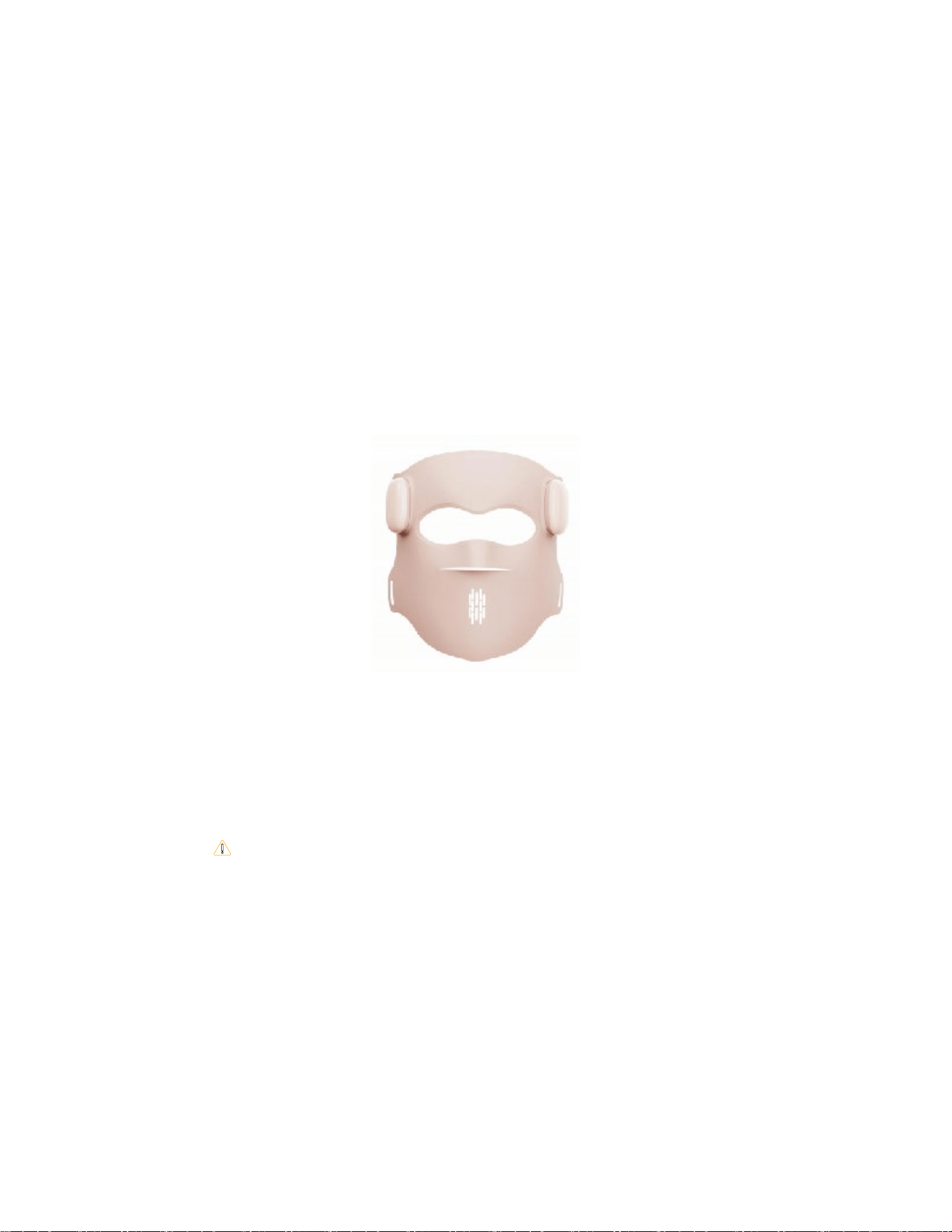
1.1 Product Overview
Model: E43-8A
Product Name: LED Light Therapy Mask
Material: SiliconeˈPC , magnetic connectors
1.2 LED Light Source Configuration
LED Count: 72 bulbs
Light Source Types and Wavelengths:
• Red: 630nm±10nm,
• Blue: 415nm±10nm,
• NIR: 850nm±10nm,
1.3 Treatment Modes
5 treatment modes:
• Mode 1 — Red + NIR: Anti-aging & Wrinkle Reduction (630nm+ 850nm)
• Mode 2 — Blue: Acne Treatment (415nm)
• Mode 3 — Red +Blue + NIR: Full Spectrum Skin Care (All wavelengths)
1.4 Embedded Controller
The E43-8A controller embedded includes:
• LCD Display: Shows current mode number, and battery status in real time
•Power Button (short press): Cycles through the 3 treatment modes
• Brightness Control: Not adjustable (default low level)
• Power Button: Long press to power on/off
1.5 Remote Control
• LCD Display: Shows current mode number, remaining treatment time, brightness level, and battery
status in real time
• Mode Button (short press): Cycles through the 3 treatment modes
• Brightness Control: short press Power Button, to toggle the display from 1-line to 5-line view.
It can cycle between the intensity levels of "1 (1st gear) -2 (2nd gear) -3 (3rd gear)-4 (4th gear)-5(5th
gear)".
4 /
• Power Button: Long press to power on/off
• Time Control: When the Time key is short pressed, It can cycle between the time of "10min-20min -
30min".The display screen can cycle to show the number"10 -20 -30”.
1.6 Power and Treatment Parameters
Power Supply: DC 5V/1A, Rechargeable Li-ion 3.7V 1000mAh *2
Charging Time: About 3.5 hours
Default Treatment Time: 10 minutes (default), adjustable 10/20/30 min
Brightness Levels: 3 (Low / Medium / High)
1.7 Physical Specifications
Mask Dimensions: 203mm × 227 mm × 127 mm (mask); ~90 × 36 × 11 mm (Remote Controller)
Photobiological Safety: RG Exempt (Risk Group Exempt)
Electrical Protection Class: Type BF Applied Part
Ingress Protection Rating: IPX2
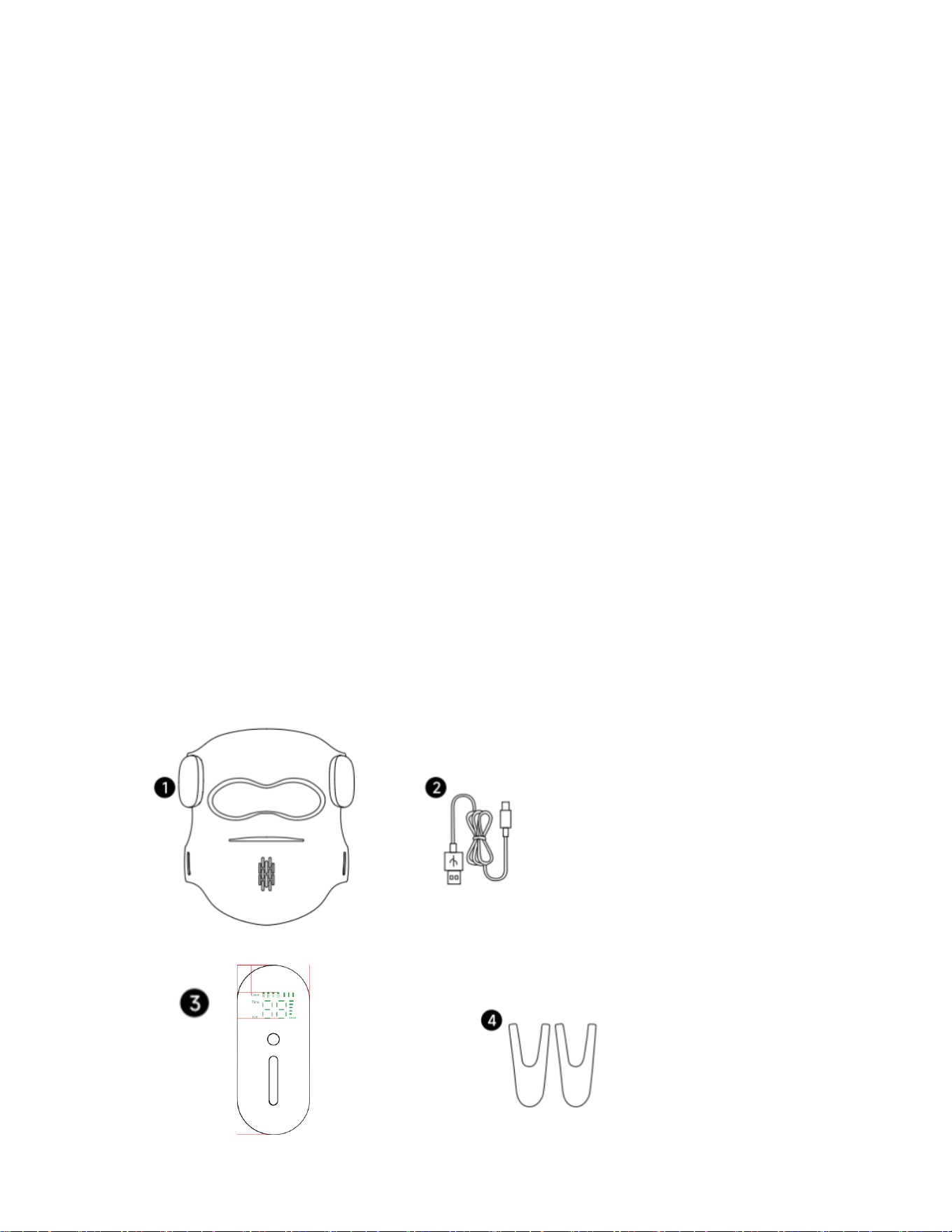
1.8 Package Contents
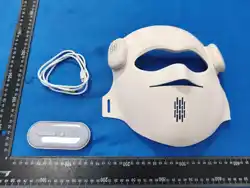
• LED Light Therapy Mask with Controller ×1
• Remote controlr ×1
• USB Charging Cable ×1
• Elastic Adjustable Straps ×1 set
• Instructions for Use ×1

5 /
Chapter 2: Intended Use / Indications for Use
The LED Light Therapy Mask is an over-the-counter (OTC) device intended for use in a home healthcare
environment.
The device is indicated for:
Red + Infrared light: treatment of full face wrinkles.
Blue light: Treatment of mild to moderate inflammatory acne.
Yellow light:Treatment of Skin Soothing & Repair.
Mixed light: Treatment of mild to moderate inflammatory acne.
Chapter 3: Contraindications
DO NOT use this device if any of the following apply:
1. History of light-triggered seizures or epilepsy
2. Photosensitive conditions (porphyria, lupus erythematosus, photosensitive eczema, albinism, etc.)
3. Skin cancer or suspicious/cancerous lesions on the treatment area
4. Pregnancy, attempting pregnancy, or breastfeeding
5. Taking photosensitizing medications (antibiotics, diuretics, NSAIDs, retinoids, antihistamines, statins,
antidepressants, St. John's Wort)
6. Recent steroid injection at the treatment area (within 30 days)
7. Open wounds, active skin infections, or lesions on the treatment area
8. Laser treatment, chemical peel, or cosmetic surgery in the treatment area within the past 6 months
9. History of migraines or chronic headaches triggered by light within the past 2 years
10. Bleeding disorders or anticoagulant/antiplatelet medication use
11. Sensory impairment in the treatment area (e.g., diabetic neuropathy) that prevents detection of discomfort
or overheating
If you have any skin condition or health concern, consult a physician before use.
Chapter 4: Warnings

6 /
This chapter sets forth safety warnings that must be observed when using this device. Failure to comply
may result in personal injury or device damage.
4.1 Eye Safety
• Always wear the provided silicone eye shields during treatment.
• Do not stare directly at the LED light sources, as this may cause temporary visual disturbance.
• If visual abnormalities occur during treatment, stop immediately and consult a physician.
4.2 Skin Burn Risk
• If you experience excessive heat or discomfort, stop use immediately.
• Do not use on broken, sunburned, or wounded skin.
• Do not use the device on the same treatment area more than once per day.
4.3 Electrical Safety
• Use only the supplied USB charging cable.
• Do not use the device while charging.
• Do not touch the controller or charging cable with wet hands.
• Do not use if the controller or charging cable is damaged.
4.4 Use Environment Safety
• Do not use in bathrooms, showers, or near water sources.
• Do not use in oxygen-rich environments or in the presence of flammable anesthetic gases.
4.5 EMC Warnings
• Portable RF communications equipment (including antenna cables and external antennas) should be
used no closer than 30 cm (12 inches) to any part of this device.
• Do not use this device in a Magnetic Resonance Imaging (MRI) environment.
• This device complies with IEC 60601-1-2 EMC standards. Use of accessories not specified by the
manufacturer may increase emissions or decrease immunity.
4.6 Device Overheating
• If the device becomes abnormally hot during treatment, turn off immediately and discontinue use.
• Allow the device to cool for at least 10 minutes after continuous use exceeding 30 minutes.
4.7 Allergic Reactions
• If rash, hives, or any allergic reaction occurs, discontinue use immediately and consult a dermatologist.

7 /
Chapter 5: Precautions
5.1 Before Use
• Fully charge the device before first use..
• Cleanse your face and ensure the skin is dry and free of cosmetic products.
• Inspect the device for any visible damage or deformation.
• Remove all metallic jewelry.
5.2 During Use
• Maintain a seated or semi-reclined comfortable position during treatment.
• Ensure the magnetic controller is securely attached before starting treatment.
• If the controller detaches accidentally, reattach it — the device will resume its current operating state.
• Do not use while driving or operating machinery.
• Do not fall asleep during treatment.
5.3 After Use
• Turn off the device and clean according to Chapter 9.
• Temporary mild redness in the treatment area is a normal reaction and typically resolves within 30-60
minutes.
• If redness persists for more than 2 hours, reduce treatment time or frequency.
• Store in a cool, dry place away from direct sunlight.

8 /
Chapter 6: Adverse Reactions
6.1 Common Temporary Reactions (Normal)
• Temporary mild redness in the treatment area (typically resolves within 30-60 minutes)
• Temporary sensation of warmth in the treatment area
• Temporary mild skin dryness
6.2 Abnormal Reactions — Discontinue Use and Consult a Physician
• Persistent erythema (lasting more than 24 hours)
• Skin burns or blistering
• Pigmentation changes in the treatment area
• Persistent headache or eye strain
• Rash, hives, or itching
• Dizziness or nausea
9 /
Chapter 7: Fitzpatrick Skin Type Applicability
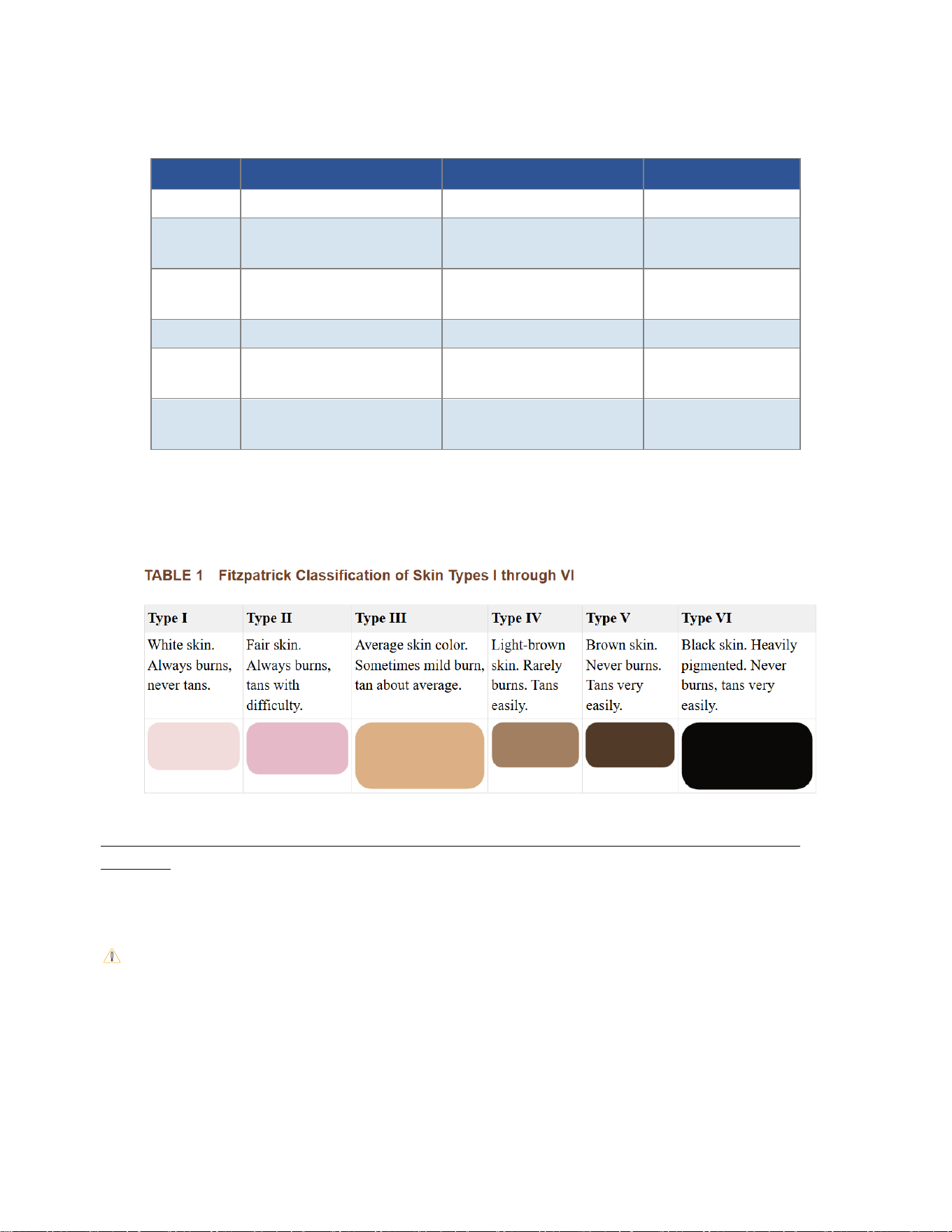
This device is indicated for Fitzpatrick Skin Types I-IV. The following table is provided for reference:
Skin Type Skin Tone Description Sun Reaction Applicability
I Very fair, often with freckles Always burns, never tans Suitable
II
Fair
Usually burns, tans
minimally
Suitable
III
Medium fair to olive
Sometimes burns, tans
gradually
Suitable
IV
Olive to light brown
Rarely burns, tans easily
Suitable
V
Brown to dark brown
Very rarely burns, tans very
easily
Physician Guidance
Required
VI
Dark brown to black
Almost never burns
Physician Guidance
Required
Note: This device is not suitable for white, blonde, gray, or red hair (insufficient melanin content for
effective light therapy).
TABLE 1, Fitzpatrick Classification of Skin Types I through VI - Cutaneous Melanoma - NCBI
Bookshelf
Note: Fitzpatrick Skin Types V-VI should use this device under physician guidance. This device is not intended for use
on white/gold/gray/red hair.
If unsure of your skin type, consult a physician before use.

10 /
Chapter 8: Operating Instructions
8.1 Charging
• Connect the USB charging cable to the controller charging port.
• Plug the USB end into a DC 5V/1A power adapter (not included).
• The LCD screen displays a battery charging icon; a full-battery icon appears when charging is complete.
Charging Time: About 3 hours
8.2 Pre-Treatment Preparation
• Cleanse your face and ensure the skin is dry.
• Attach the silicone eye shields.
• Secure the mask to your face using the elastic straps, ensuring a comfortable fit.
• The remote control can only operate after the mask body controller is triggered.
8.3 LCD Display Overview
The E43-8A Embedded controller features an LCD display that shows the following information in real time:
• Mode Number: Displays 1-3 (corresponding to the 3 treatment modes,”E1”-”E2”-”E3”).
• Remaining Time: Countdown display in minutes.
• Battery Level: Battery icon indicator.
The E43-8A Remote controller features an LCD display that shows the following information in real time:
• LCD Display: Shows current mode number, brightness level,remaining treatment time, and battery
status in real time
• Power Button (short press): Displays 1-3(corresponding to the 3 treatment modes)
• Brightness Control: Short press”M”Button,LCD Display Shows”Level”, press “+”Button and “-”Button.
It can cycle between the intensity levels of "1 (1st gear) -2 (2nd gear) -3 (3rd gear)".L1 / L2 / L3 (Low /
Medium / High)
• Power Button: Long press to power on/off.
• Time Control: When the M key is short pressed, the display screen changes from” Level” to “Time”,
press “+”Button and “-”Button.It can cycle between the time of "1 (10min) -2 (20min) -3 (30min)".The
display screen can cycle to show the number"1 -2 -3”.
• Remaining Time: Countdown display in minutes.
• Battery Level: Battery icon indicator.
.

11 /
8.4 Power On and Mode Selection
• Long press the Power button of Embedded controller for approximately 2 seconds to turn on; the LCD
illuminates, showing the default mode.Long press the Power button of
Remote controller for
approximately 2 seconds to activate the controller.
• Short press the Power button of Embedded controller or the Mode button of Remote controller to
cycle through the 3 treatment modes:
• M1 — Red + NIR (Anti-aging & Wrinkle Reduction)
• M2 —Blue (Acne Treatment)
• M3 — Red + blue + NIR (Full Spectrum Skin Care)
8.5 Brightness Adjustment
• short press Power Button of Remote controller, to toggle the display from 1-line to 5-line view.
It can cycle between the intensity levels of "1 (1st gear) -2 (2nd gear) -3 (3rd gear)-4 (4th gear)-5(5th
gear)".
• First-time users are advised to start at L1 and gradually increase as tolerated.
8.6 Treatment Time Setting
Default treatment time is 10 minutes. Press the time setting button to adjust to 20 or 30 minutes.
• When the Time key of Remote controller is short pressed, It can cycle between the time of "10min-
20min - 30min".The display screen can cycle to show the number"10 -20 -30”.
• When the countdown reaches zero, the device automatically stops and emits an alert tone.
• To stop mid-session, long press the Power button to turn off.
8.7 During Treatment
• Keep your face in the recommended position to ensure even light coverage across the full face.
• Keep eyes closed at all times and wear the provided eye shields.
• If you experience excessive heat or discomfort, stop immediately.
8.8 After Treatment
• Long press the Power button to turn off.
• Remove the straps, mask, and eye shields.
• Clean the device as described in Chapter 9.
8.9 Recommended Treatment Plan
• Weeks 1-4: 3-5 sessions per week, 10 minutes each
• Weeks 5-12: 2-3 sessions per week, 10-20 minutes each (maintenance phase)
• After Week 12: 1-2 sessions per week for maintenance
Chapter 9: Cleaning and Disinfection

12 /
Clean the device (especially the treatment window) after every use.
Turn off the device and disconnect the USB cable from the power source. Allow the device to cool.
Gently wipe the mask surface (both inner and outer), eye shields, and controller with a soft cloth lightly
moistened with 70% isopropyl alcohol (IPA) wipe.
Allow the device to air-dry naturally for at least 10 minutes. Ensure no residual liquid remains on any
surface before the next use or storage.
Clean the device with medical-grade alcohol wipes before the first use and after each subsequent use. If the
treatment window remains visibly soiled after cleaning, discontinue use and contact customer service.
DO NOT use soap, water, steel wool, abrasive cleaners, or corrosive chemical solvents to clean the device.
DO NOT immerse the device in water or any liquid.
The elastic straps can be removed and hand-washed separately with mild detergent and water. Allow to air-
dry completely before reattaching.
If the device becomes wet or damp, allow it to dry completely before use. For servicing and repairs, contact
the manufacturer only.
13 /
Chapter 10: Maintenance
10.1 Routine Maintenance
• Clean the device after every use (see Chapter 9).
• Periodically inspect the device for cracks, deformation, or wear.
• Check the USB charging cable for any damage.
10.2 Long-Term Storage
• Charge to approximately 50%-80% before long-term storage.
• Store in a cool, dry place (-20°C to 50°C, 10%-80% RH).
• If not used for an extended period, recharge every 3 months to preserve battery health.
• Avoid direct sunlight and high-temperature environments.
10.3 Returning to Service
• Fully charge the device before first use after extended storage.
• Inspect all components for integrity.
• Test the device at a low brightness setting before regular use.
10.4 Troubleshooting
Problem Possible Cause & Solution
Device won't power on
Battery depleted. Charge for at least 30 minutes and retry.
Charging indicator off
Check USB cable connection and power adapter (DC 5V/1A).
LCD display abnormal
Power off and restart. If persistent, contact customer service.
LEDs not illuminating
Check that controller is firmly attached; try reconnecting.
Auto shut-off mid-
treatment
Low battery. Recharge and retry.
If the above solutions do not resolve the issue, contact manufacturer customer service. Do not attempt to
disassemble or repair the device yourself.
14 /
Chapter 11: Technical Specifications
The following specifications apply to the E43-8A
11.1 General Information
Parameter Specification
Product Name
LED Light Therapy Mask
Model
E43-8A (including variants: E43-6ˈE43-10ˈE43-11ˈE43-13)
FDA Classification
Class II
Regulation Number
21 CFR 878.4810
Product Code
OLP/OHS
11.2 Light Source Parameters
Parameter Specification
LED Count
72 bulbs
Red Wavelength
630nm±10nm,
Blue Wavelength
415nm±10nm,
NIR Wavelength
850nm±10nm,
Photobiological Safety
RG Exempt (Risk Group Exempt)
11.3 Irradiance by Mode
Treatment Mode Irradiance (Intensity)
Red + NIR Mode 15 mW/cm²+/-20%
Blue Mode
20 mW/cm²+/-20%
Red + Blue +NIR Mode 15 mW/cm²+/-20%
11.4 Treatment Modes
Mode Function Wavelengths Used
M1 — Red + NIR
Anti-aging & Wrinkle Reduction
630nm+850nm
M2 — Blue Acne Treatment
415nm/
M3 — Red + Blue + NIR
Full Spectrum Skin Care
All wavelengths
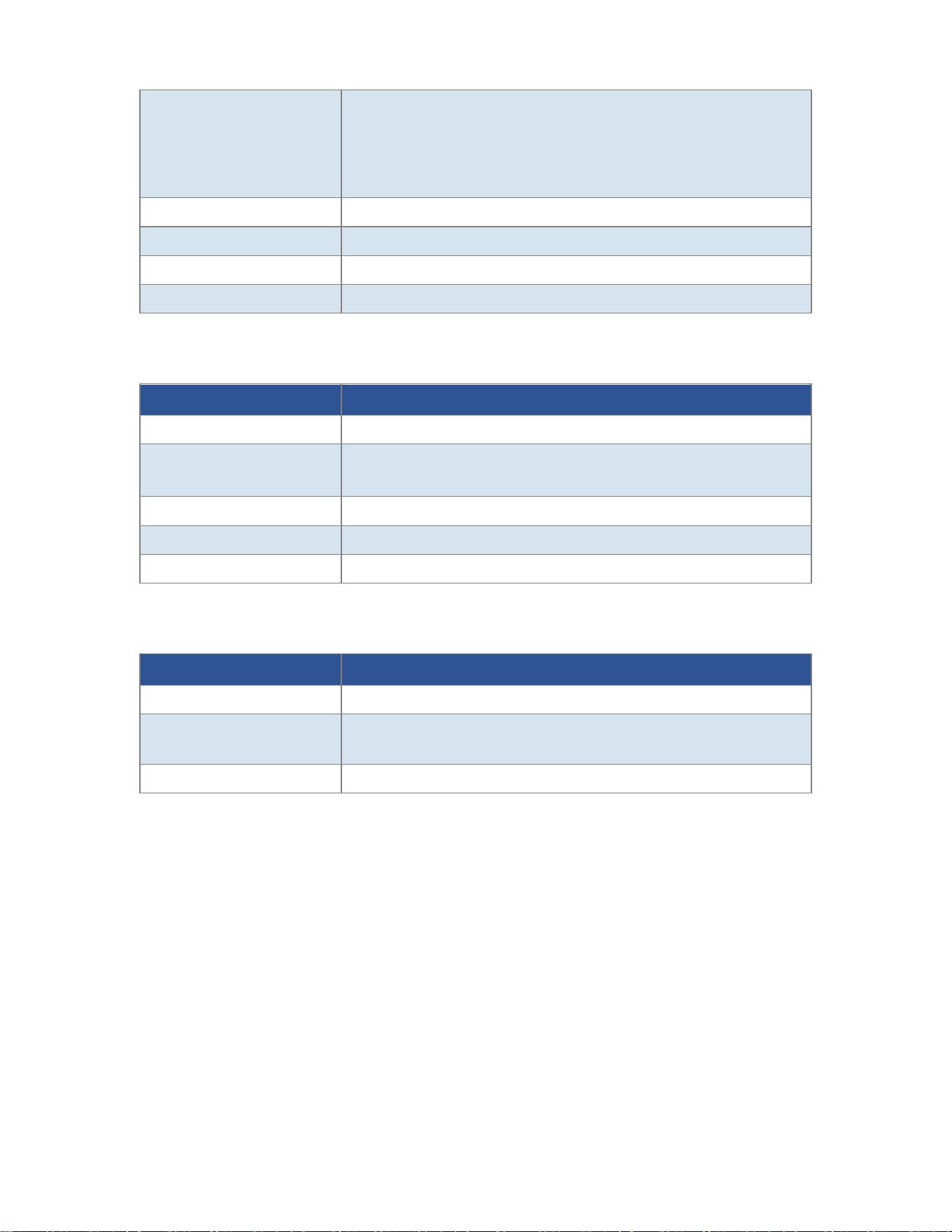
11.5 Electrical Parameters
Parameter Specification
Power Supply
DC 5V/1A, Rechargeable Li-ion 3.7V,1000mAh*2
15 /
Charging Time
About 3 hours
Treatment Time
10 minutes (default), adjustable 10/20/30 min
Brightness Levels
3 (Low / Medium / High)
Electrical Protection
Type BF Applied Part
Ingress Protection
IPX2
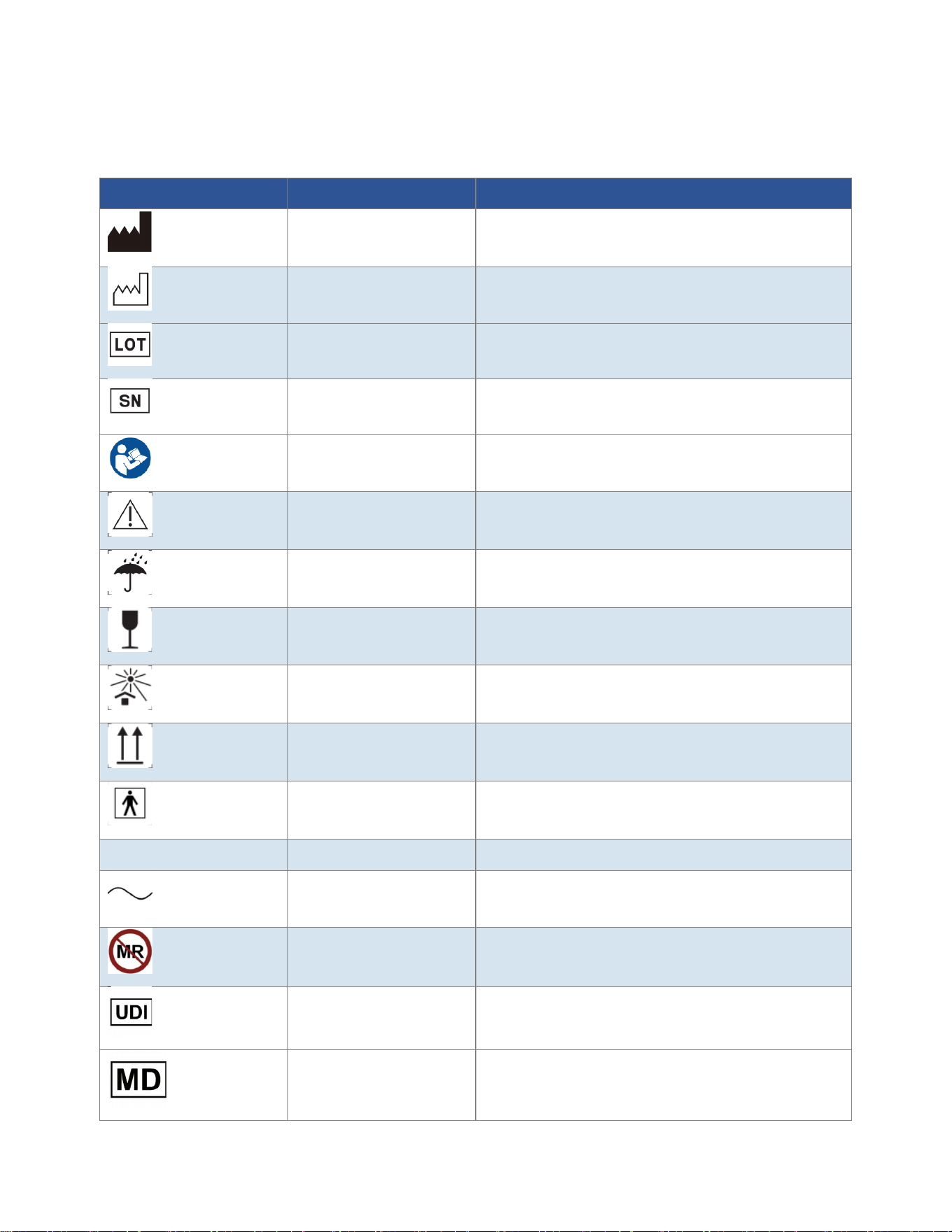
11.6 Physical Parameters
Parameter Specification
Mask Dimensions
203 mm × 227 mm × 127 mm
Remote Controller
Dimensions
~36 mm × 90 mm × 11 mm
Mask Material
Silicone + PC,
Eye Shield Material
Detachable silicone eye shields
Weight
288g
11.7 Environmental Parameters
Parameter Specification
Operating Environment 0-35°C, 30-95% RH, 700-1060 hPa
Storage/Transport
Environment
-20-50°C, 10-80% RH, 700-1060 hPa
Shelf Life
2 years

16 /
Chapter 12: Warranty and Service
12.1 Warranty Policy
This product is covered by a one-year limited warranty from the date of purchase.
• Within 7 days of purchase: If a quality defect is present, you may return the product for a refund or
exchange.
• Within 15 days of purchase: If a quality defect is present, you may exchange the product.
• Within 1 year of purchase: If a quality defect is present, free repair service is provided.
12.2 Warranty Exclusions
• Damage caused by accident, misuse, abuse, negligence, or unauthorized repair.
• Normal wear and tear, including fading or scratching of surface coatings.
• Damage caused by failure to follow the instructions in this manual.
• Damage caused by use of accessories or chargers not specified by the manufacturer.
• Damage caused by disassembly or modification by the user.
• Failure to provide valid proof of purchase.
12.3 After-Sales Service
For after-sales service, please contact:
Shenzhen Eyco Technology Co., Ltd.
Address: 2/F, Building 1, Jiashitai Science Park, 164# Fengtang Avenue, Fuhai Street, Baoan District,
Shenzhen, Guangdong, China 518103
Email: [email protected]
Web: https://www.eycobeauty.com/
17 /
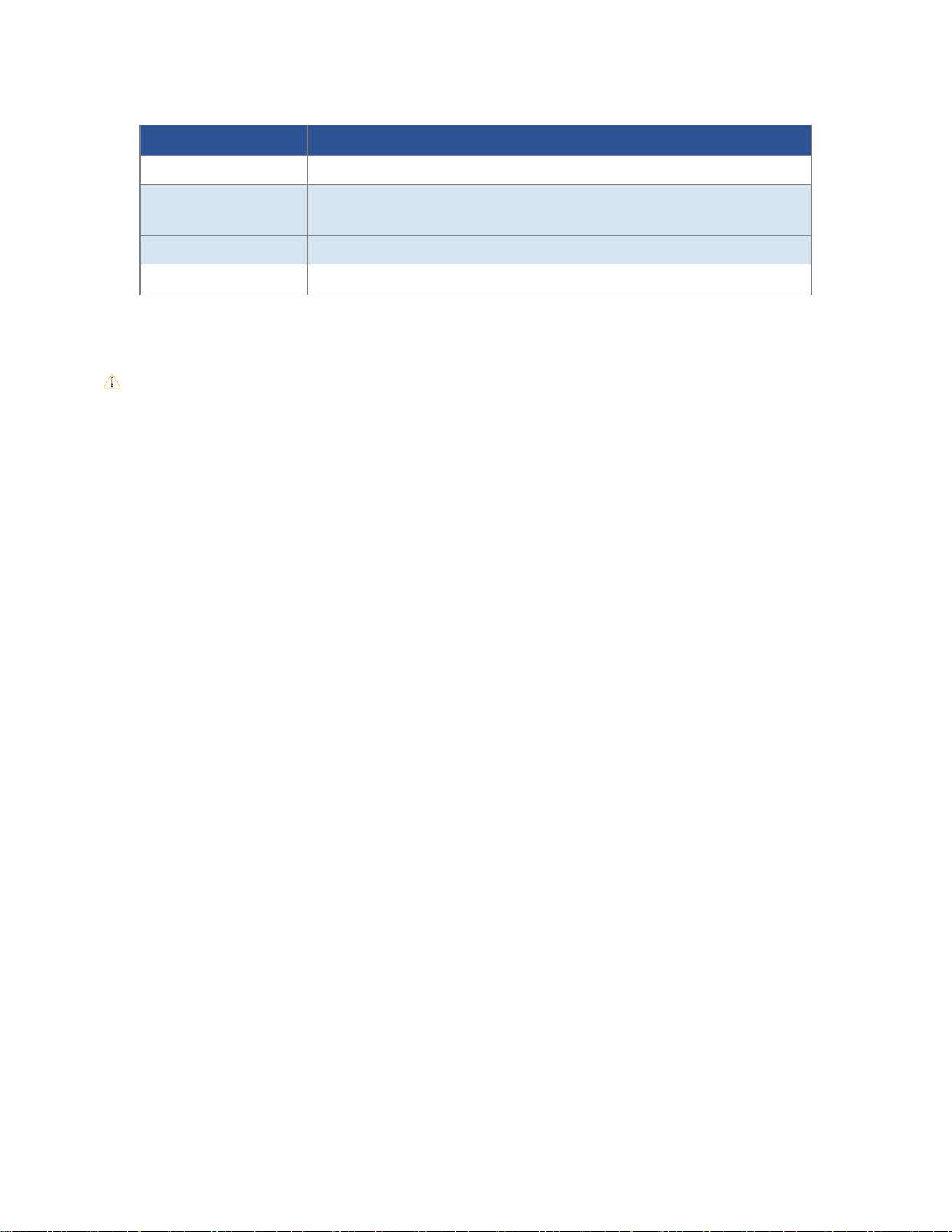
Chapter 13: Symbol Glossary
The symbols used on the device label and packaging comply with the following standards: EN ISO 15223-1:2021, IEC
60417, ISO 7000, IEC 60529, EN 50419, ASTM F2503.
Symbol Glossary Symbol Name Reference Standard & Clause
Manufacturer
ISO 15223-1:2021, Clause 5.1.1; ISO 7000-3082
Date of Manufacture
ISO 15223-1:2021, Clause 5.1.3; ISO 7000-2497
Batch Code (LOT)
ISO 15223-1:2021, Clause 5.1.6; ISO 7000-2492
Serial Number (SN)
ISO 15223-1:2021, Clause 5.1.7; ISO 7000-2498
Refer to instruction
manual/booklet
IEC 60601-1 tabel D.2-10,ISO7010-M002
Caution / Warning
ISO 15223-1:2021, Clause 5.4.3; ISO 7000-0434A
Keep Dry
ISO 15223-1:2021, Clause 5.3.4; ISO 7000-0626
Fragile, Handle with Care
ISO 15223-1:2021, Clause 5.3.5; ISO 7000-0621
Keep Away from Sunlight
ISO 15223-1:2021, Clause 5.3.6; ISO 7000-0624
This Way Up
ISO 15223-1:2021, Clause 5.3.8; ISO 7000-0623
Type BF Applied Part
IEC 60601-1, Table D.1, Symbol 20; IEC 60417-5333
IPX2
IPX2
IEC 60529, Table 7
Alternating Current
IEC 60417-5032; IEC 60601-1, Table D.1, Symbol 1
MR Unsafe
ASTM F2503-20, Section 6.3; IEC 62570:2014
Unique device identifier
ISO 15223-1:2021, Clause 5.7.10
Indicates the item is
a medical device
ISO 15223-1:2021, Clause 5.7.7
18 /
Chapter 14: Manufacturer Information
Item Information
Manufacturer
Shenzhen Eyco Technology Co., Ltd.
Address
2/F, Building 1, Jiashitai Science Park, 164# Fengtang Avenue, Fuhai Street,
Baoan District, Shenzhen, Guangdong, China 518103
Email
info@eycotech.com
Website
https://www.eycobeauty.com/
This device has not been approved by FDA. It has been cleared by FDA under 510(k).

FCC Statement
Changes or modifications not expressly approved by the party responsible for compliance could
void the user's authority to operate the equipment.
This equipment has been tested and found to comply with the limits for a Class B digital device,
pursuant to Part 15 of the FCC Rules. These limits are designed to provide reasonable
protection against harmful interference in a residential installation. This equipment generates
uses and can radiate radio frequency energy and, if not installed and used in accordance with
the instructions, may cause harmful interference to radio communi
cations. However, there is no
guarantee that interference will not occur in a particular installation. If this equipment does
cause harmful interference to radio or television reception, which can be determined by turning
the equipment off and on, the user is encouraged to try to correct the interference by one or
more of the following measures:
-- Reorient or relocate the receiving antenna.
-- Increase the separation between the equipment and receiver.
-- Connect the equipment into an outlet on a circuit different from that to which the receiver is
connected.
-- Consult the dealer or an experienced radio/TV technician fo
r help
This device complies with part 15 of the FCC rules. Operation is subject to the following two
conditions (1)this device may not cause harmful interference, and (2) this device must accept
any interference received, including interference that may cause undesired operation.
This equipment complies with FCC radiation exposure limits set forth for an uncontrolled
environment.