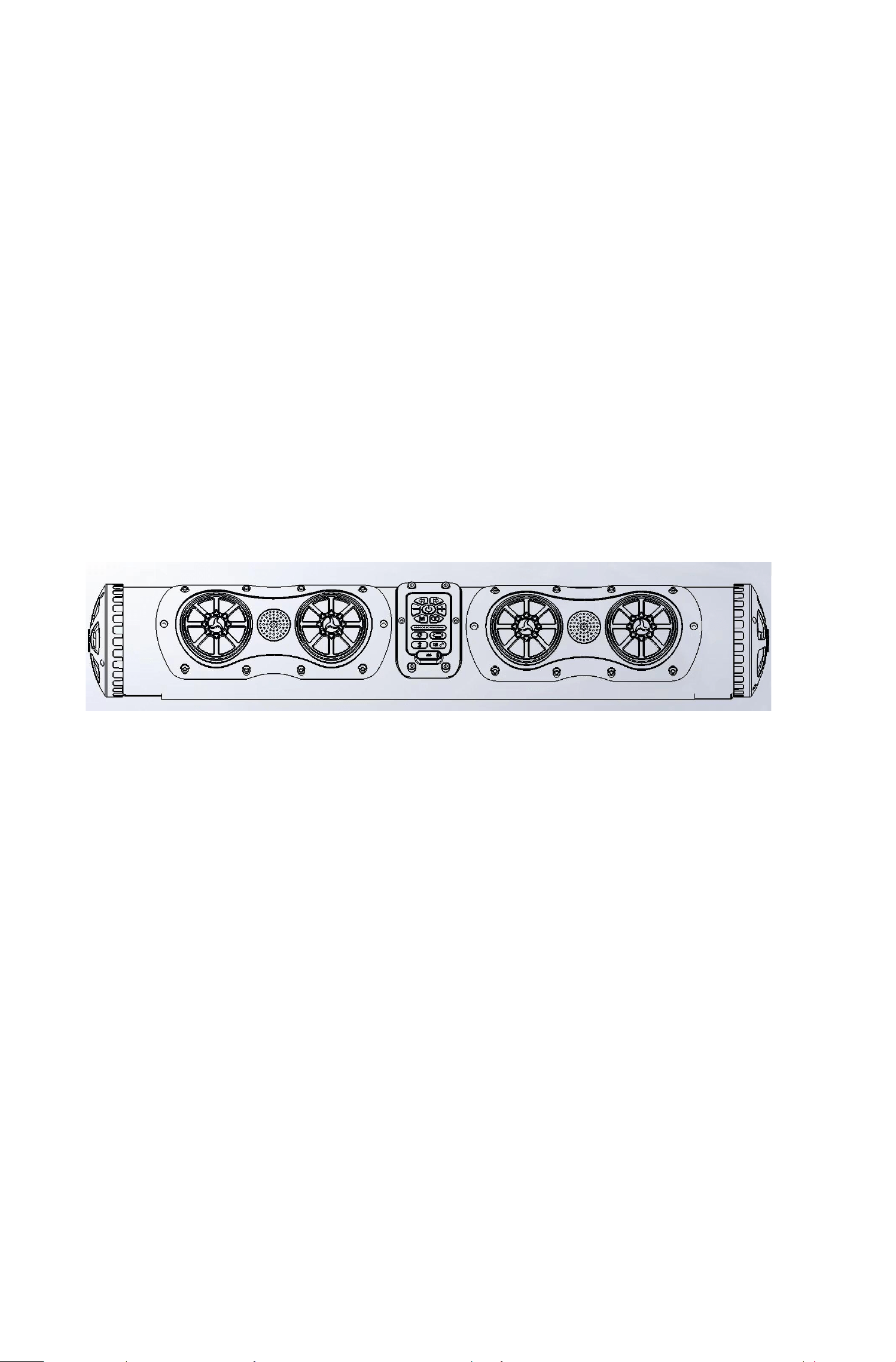
汽车声霸系列
Car Audio Series
JKC-01长条形音箱
JKC-01 Long Bar Speaker

SCH
2
重要安全说明/Important Safety Instructions
请阅读并保留所有安全和使用说明。
Please read and keep all safety and usage instructions.
重要安全说明
Important Safety Instructions
请阅读这些说明。
Please read these instructions.
任何维修事宜均请向当地经销商/代理商/授权维修点咨询。如果设备有任何损坏,均
需进行维修,例如电源无法启动、手机无法连接、音量太小、破音等等。
For any maintenance matters, please consult your local dealer/agent/authorized
service center. If the device is damaged in any way, it needs to be repaired, such as
failure to start the power supply, inability to connect to the mobile phone, too low
volume, sound distortion, etc.
警告/小心
Warning/Caution
· 本产品具备一定防水防尘性能,可在高尔夫车、观光车、船舶上使用。
This product has certain waterproof and dustproof performance and can be used on
golf carts, sightseeing vehicles and ships.
· 适当洗车,淋雨并不影响产品性能,但是为了延长产品使用寿命,不建议长期曝露
在户外潮湿中使用。
Proper car washing and rain will not affect the product performance, but to
extend the service life of the product, it is not recommended to use it in outdoor
humidity for a long time.
· 本产品使用直流12V电源,请勿直接接入家用或者商业供电电源,会导致产品损坏。
This product uses a 12V DC power supply. Do not directly connect it to household
or commercial power supply, which will cause damage to the product.
· 未经授权切勿改装本产品。
Do not modify this product without authorization.
· 请勿放置或安装在任何热源旁,建议安装在通风散热环境内。
Do not place or install it near any heat source. It is recommended to install it
in a well-ventilated and heat-dissipating environment.
装箱单
SCH
3
内件/Included Parts
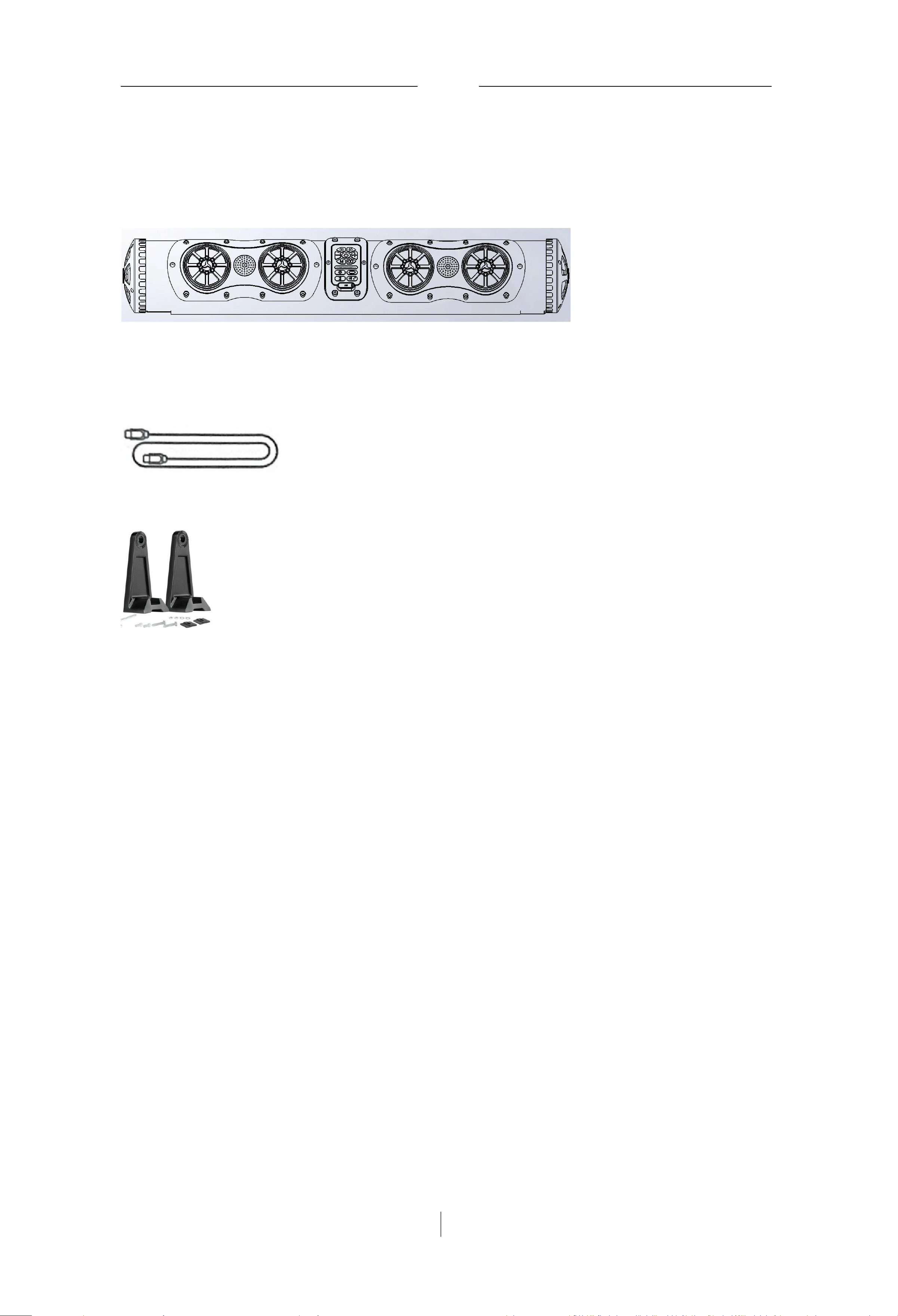
请确认包装箱中内含以下部件:
Please confirm that the packaging box contains the following parts:
长条形音箱本体
Long Bar Speaker Body
音频延长线(选配件)
Audio Extension Cable (Optional Accessory)
固定支架/Fixed Bracket
*受用户定制可能还有其他配件。
Other accessories may be available according to user customization.
注 意 :如果产品部分损坏,例如防水密封性能已经损坏,请勿使用。
Note: Do not use the product if it is partially damaged, such as damaged waterproof sealing performance.
SCH
4
使用技术 /Usage Technology
防水技术/Waterproof Technology
本 产 品 能 达 到 IPx6 级 防 水 性 能 , 本 体 内 外 所 有 接 口 都 用 进 口 防 水 胶 做 了 防 水 处 理,
音 腔 内 所 有 接 线 都 缠 有 避 震 棉 , 主 板 上 的 连 接 件 和 元 器 件 插 件 , 都 做 了 点 胶 加 固
处理。
This product can achieve IPx6 waterproof performance. All internal and external
interfaces of the body are treated with imported waterproof glue for waterproofing. All
wires in the sound cavity are wrapped with shock-absorbing cotton, and the connectors and
component plugs on the main board are reinforced with glue dots.
蓝牙技术/Bluetooth Technology
支持BT5 协议,可实现手机推送音乐到本产品播放。
Supports BT5 protocol, enabling mobile phones to push music to this product for
playback.
在中控仪表上可实现无线控制声霸氛围灯效果。
Wireless control of the soundbar's ambient light effect can be realized on the
central control instrument.
电子分频技术/Electronic Crossover Technology
本产品使用了三颗功放,其中两颗功放单独推两个低音4寸扬声器单元,剩下一颗功
放只推中高音扬声器单元,功率余量很大,音质失真小。
This product uses three power amplifiers. Two of them separately drive two 4-inch
woofer units, and the remaining one only drives the mid-high frequency speaker unit, with
large power margin and small sound quality distortion.
炫彩氛围灯/Colorful Ambient Light
本产品所有4个中音和2个低音扬声器单元,都配置了炫彩氛围灯,并且能够根据音
律,展现多姿效果。
All 4 mid-range and 2 woofer units of this product are equipped with colorful ambient
lights, which can show various effects according to the melody.
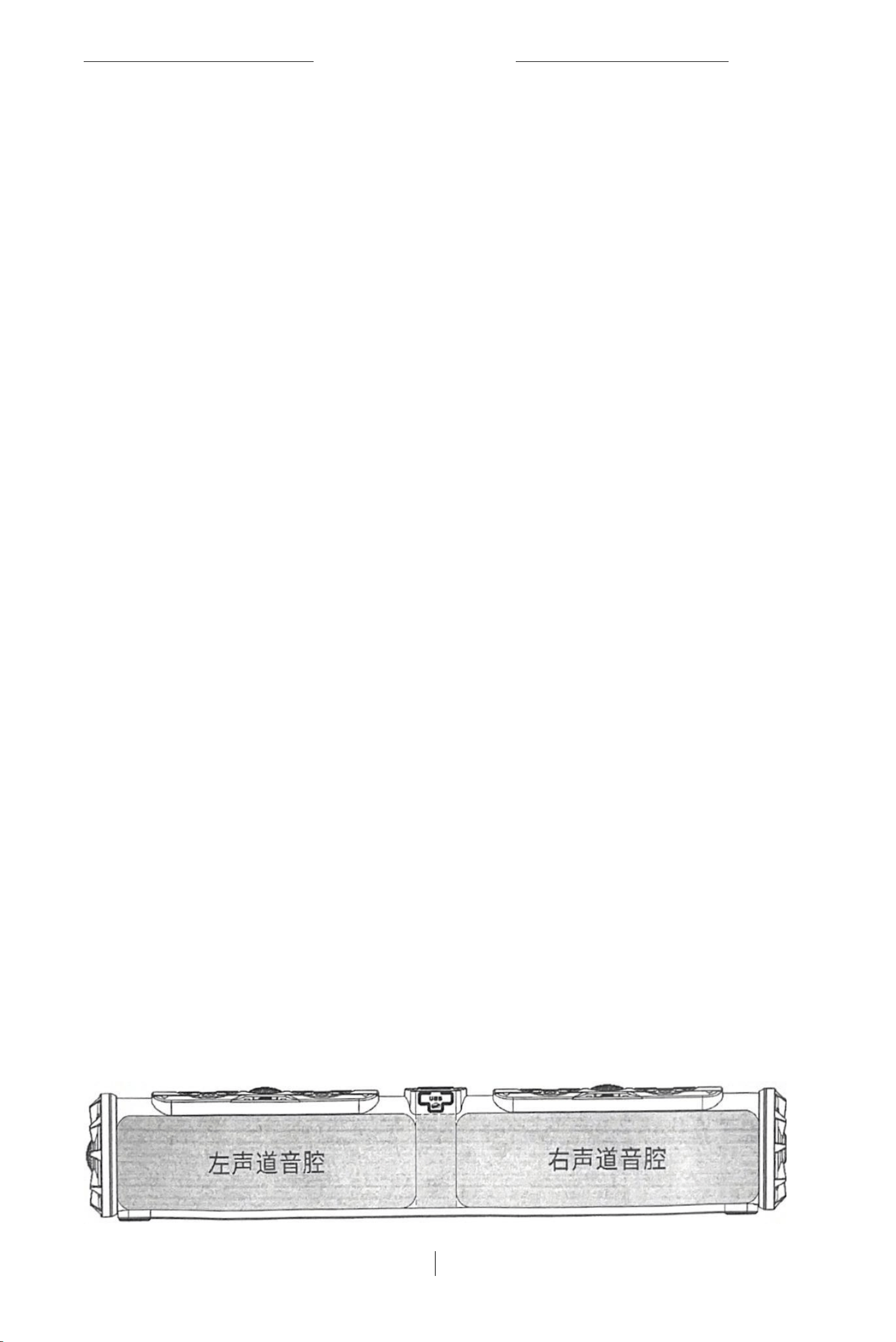
左右独立音腔设计
Left and Right Independent Sound Cavity Design
在有限的音箱内部空间体积下,实现了左右声道各自拥有独立完整的音腔,左右声 道声
场无干扰,声道分离度高,立体声效果更好。Under the limited internal space of the
speaker, the left and right channels each have an independent and complete sound cavity,
the sound fields of the left and right channels are free from interference, the channel
separation is high, and the stereo effect is better.

产品规格/Product Specifications
产品资讯/Product Information
Description产品描述
Base Material使用材料
12VWATERPROOF
OUTDOOR SOUNDBAR
ABS+PVC
IP Rating防水等级
IP66
Speaker RMS喇叭额定输出功率
40W*2+15W*4+10W*2
Speaker Size喇叭尺寸
Product Dimension产品尺寸
Woofer:4-inch 4Ω*2
Mid-range:2.75-inch 8Q*4
Tweeter:1.2-inch 4Ω*2
650*115*115mm
Product Weight产品重量
5kgs
功能特性/Functional Features
Audio Input声音输入
Bluetooth/Line-in/USB/Wireless Audio
2.0(Stereo)
Sound Channel
EQ MODE音频均衡模式
Ordinary/Outdoor/Vocal
Ambient Lighting氛围灯模式
8 Modes
USB Port USB接口
USB-A/(USB-C only for quick charging)
USB Decoder U盘播放格式
Included Components附件
MP3/AAC/FLAC/APE
Audio Cable*1(选配)
Mounting固定支架
Holder*2
Packaging Box彩盒
700*160*160mm
5 |SCH
产品规格
SCH
6
Cushioning Material缓冲件
EPE(aka Pear Cotton)
电气特性/Electrical Characteristics
Power Input电源输入
DC 12V
Amplifier Power Output
PBTL50W*2,FOR woofer
BTL40W*2,FOR mid-range and
tweeter
Standby Current待机电流
≤30mA
Operating Current工作电流
≤10A(Typical≈5A)
Operating Temperature操作温度
-30℃~70℃
产品安装
SCH
7
建议/Suggestions
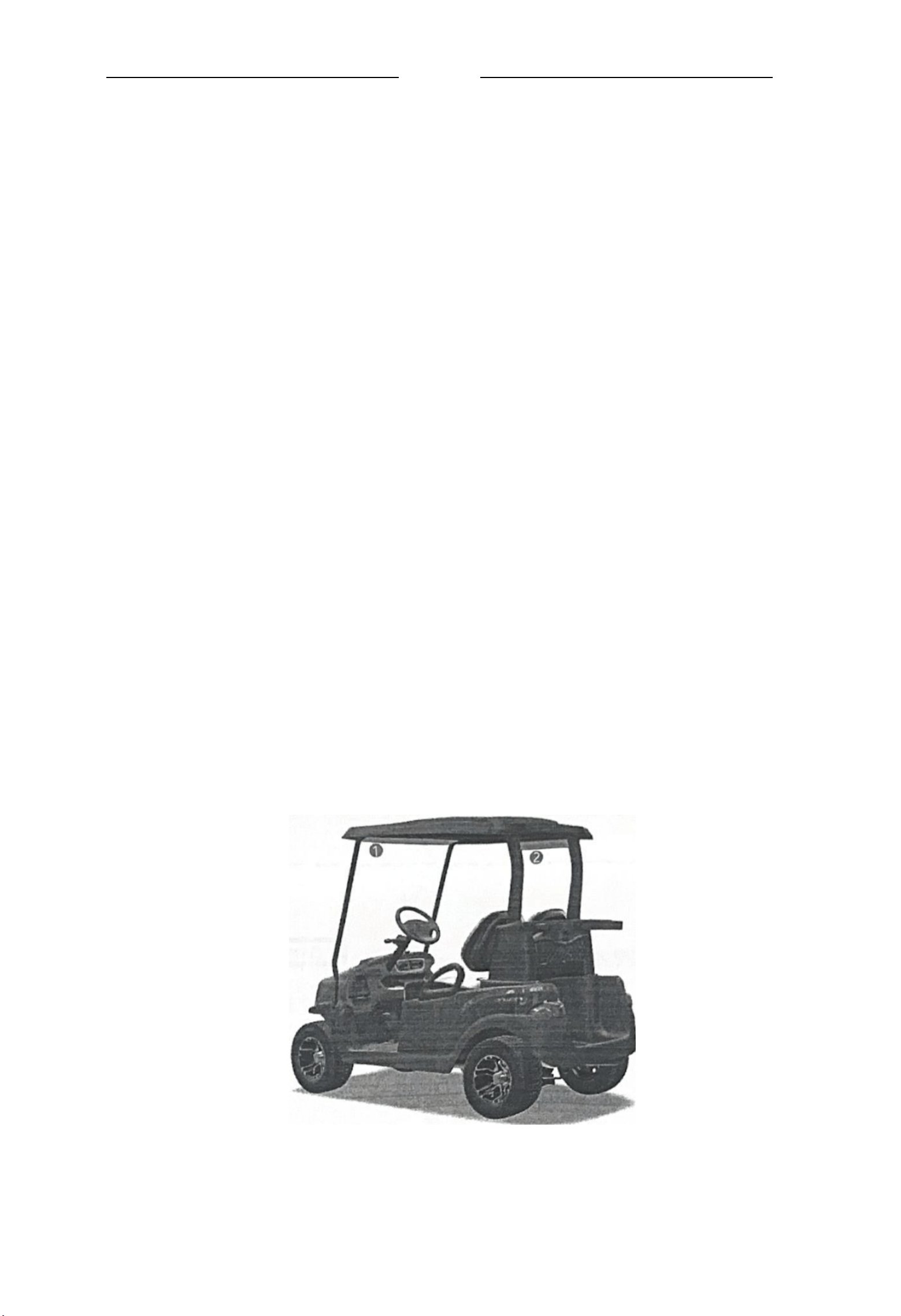
· 将条形音箱放在高尔夫车或者其他车型的驾驶位正上方,在两根A柱中间的横梁上
(见下图位置1),如果空间不允许,也可以安装在车尾两根B柱中间的横梁上(见
下图位置2)。
Place the soundbar directly above the driver's seat of the golf cart or other
vehicle models, on the crossbeam between the two A-pillars (see Position 1 in the
figure below). If space is not allowed, it can also be installed on the crossbeam
between the two B-pillars at the rear of the vehicle (see Position 2 in the figure
below).
· 为获得最佳音质,请确保条形音箱侧面和两端的扬声器没有被遮挡。
For the best sound quality, please ensure that the speakers on the sides and both
ends of the soundbar are not blocked.
●为获得最佳听感,建议条形音箱的侧面扬声器朝向听众
For the best listening experience, it is recommended that the side speakers of the
soundbar face the audience
·将条形音箱安装在墙壁上时,请确保条形音箱的顶部距离电视至少有10cm 的距离。
When installing the soundbar on the wall, please ensure that the top of the
soundbar is at least 10cm away from the TV.
· 为避免条形音箱工作时产生振动导致自身出现移动现象,请务必用附送的固定支
架牢牢锁死在固定物体上。
To avoid the soundbar moving due to vibration during operation, please be sure to
lock it firmly on a fixed object with the attached fixed bracket.
· 原则上,为了获得最佳音质,建议将条形音箱水平安装。
In principle, for the best sound quality, it is recommended to install the
soundbar horizontally.
· 请勿在条形音箱上放置或者悬挂任何物品。
Do not place or hang anything on the soundbar.
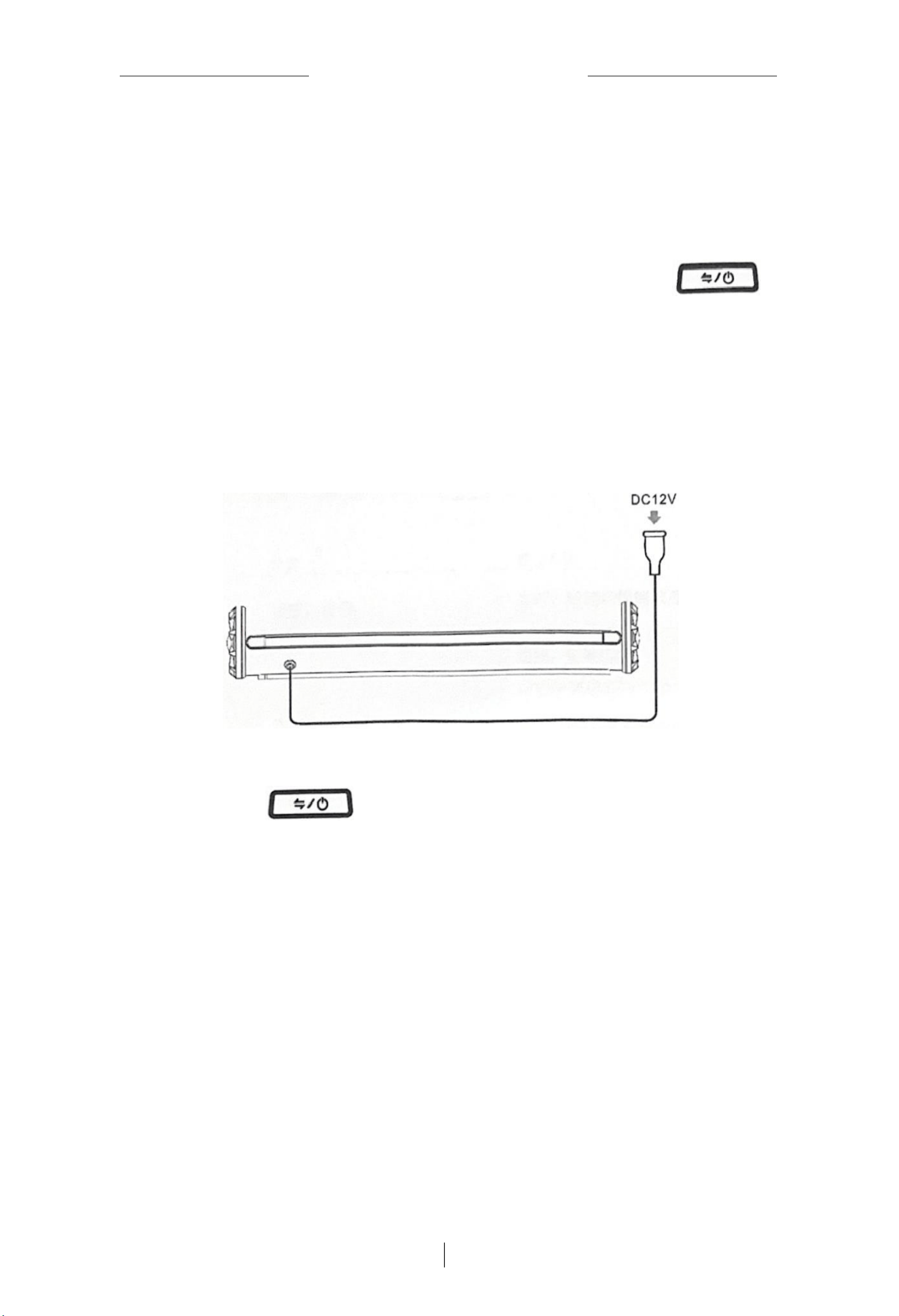
接入电源
/Connecting to Power Supply
将条形音箱连接到电源
Connect the soundbar to the power supply
1. 将防水电源插头连接到车上对应的供电插头。
Connect the waterproof power plug to the corresponding power supply plug on the
vehicle.
2. 条形音箱控制面板电源按钮红色背景灯随即亮起,长按电源开关按钮
开
机,伴有“Power ON”提示音,控制面板电源按钮背景灯变成蓝色,接着会有语音 提
示当前的工作模式。
The red background light of the power button on the soundbar control panel will
light up immediately. Press and hold the power switch button to turn it on, accompanied
by a "Power ON" prompt sound. The background light of the power button on the control
panel will turn blue, and then there will be a voice prompt for the current working mode.
待机/Standby
长按电源开关按钮
, 伴 有 “Power Off” 提示音,控制面板电源按钮红色背
景灯再次亮起,本机进入待机低功耗模式。
Press and hold the power switch button, accompanied by a "Power Off" prompt sound.
The red background light of the power button on the control panel will light up again,
and the unit will enter the standby low-power mode.
注 意 :依靠本机无法完整切断电源,需从电源插头入手完整关断电源
Note: The power cannot be completely cut off by the unit itself; the power supply
must be completely turned off from the power plug.
8
SCH
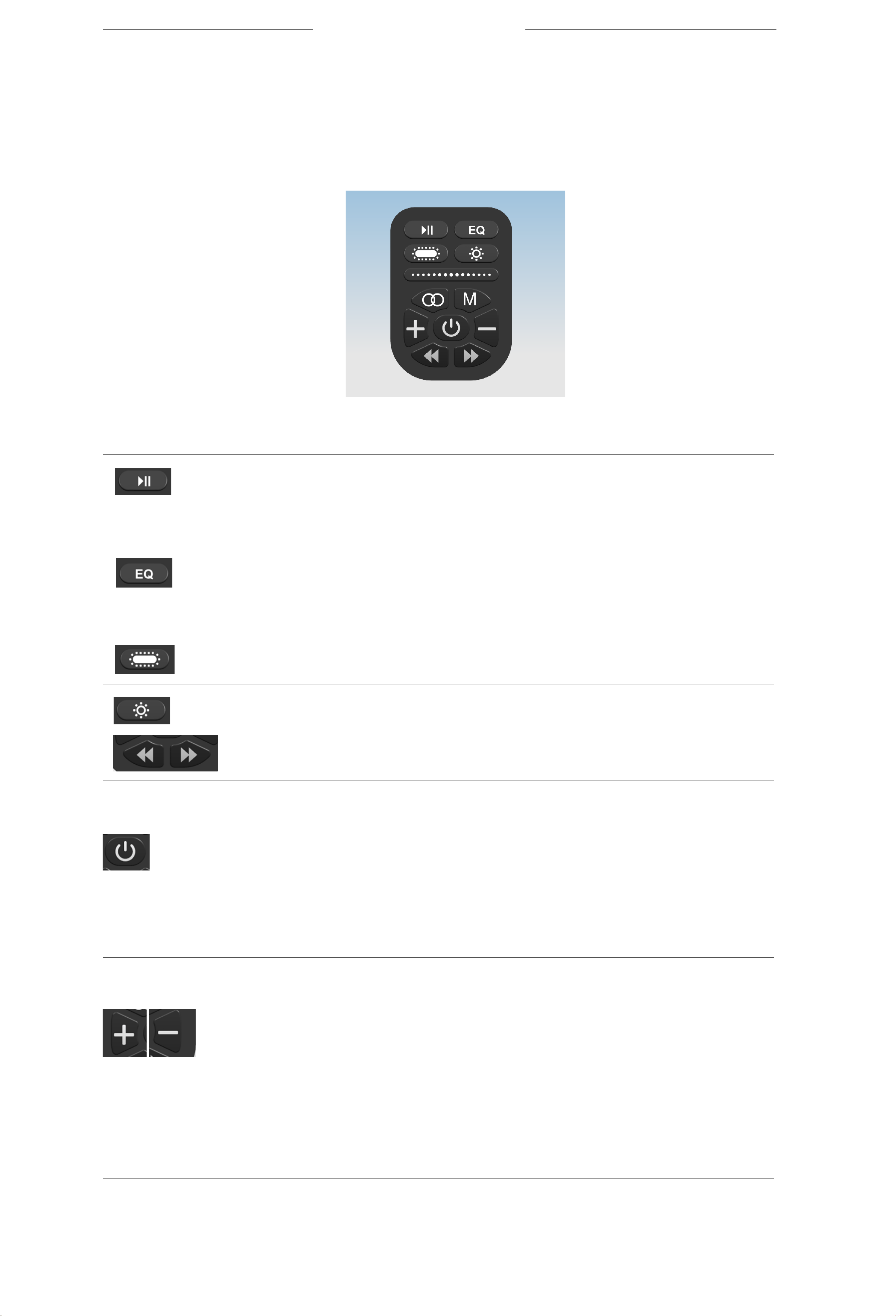
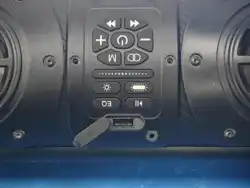
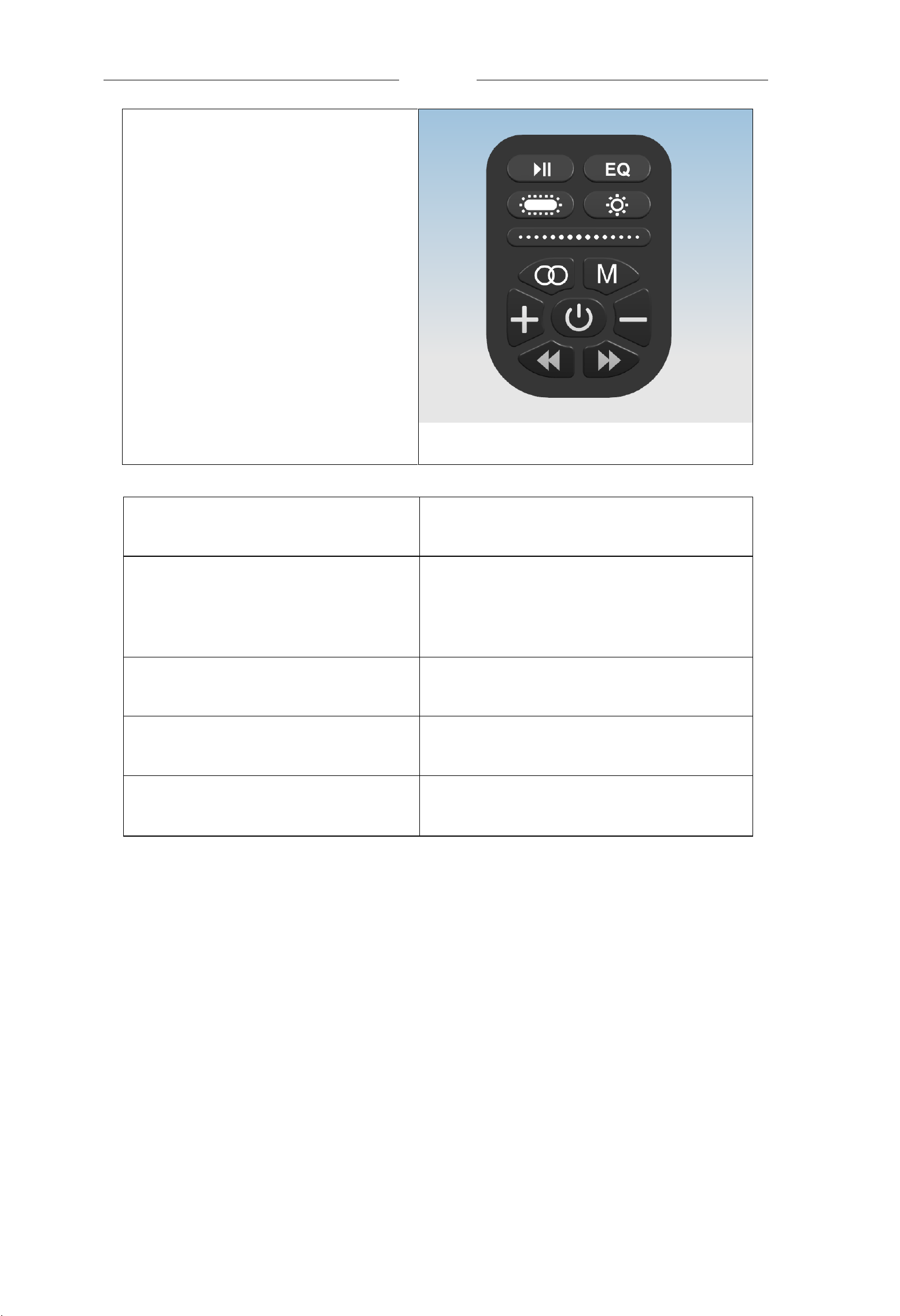
条形音箱控制面板/Control Panel
条形音箱控制功能/Control Functions
可以使用多功能控制面板来控制条形音箱进行媒体播放,切换USB, 蓝牙和音频输入模
式,变换氛围灯动态效果,调节音量。
The multi-function control panel can be used to control the soundbar for media playback, switch USB, Bluetooth and audio input modes,
change the dynamic effect of the ambient light, and adjust the volume.
图标 功能 操作方法
播放,暂停
Play, Pause
短按,轮流切换播放/暂停状态
Short press to toggle between play/pause states
选择音调效果
Select Tone Effect
短按,轮流切换Ordinary OutdoorVoca/
三种音调模式
Short press to toggle between three tone modes:
Ordinary/Outdoor/Vocal
EQ: refers to artificially intervening in the sound wave form,
correcting the wave form in a way that is pleasing to the human
ear, and increasing or suppressing the gain of some frequency
spectrums.
扬声器氛围灯效果切换
Speaker Ambient Light Effect Switch
短按,轮流切换8种氛围灯工作模式
Short press to toggle between 8 ambient light working modes
背部灯带氛围灯效果切换
Back Light
短按,轮流切换8种氛围灯工作模式
Short press to toggle between 8 ambient light working modes
上一曲,下一曲
Previous and Next
短按切换上一曲或者下一曲
Short press to switch to the previous or next song
音源选择,电源开关
Sound Source Selection, Power Switch
长按打开或者关闭长条音箱电源,短按
轮流切换Bluetooth/WirelessAudio/Line-
in模式,如果有优盘插入,会增加一个
Music模式
Press and hold to turn on or off the power of the long bar
speaker; short press to toggle between Bluetooth/Wireless
Audio/Line-in modes. If a USB flash drive is inserted, a Music
mode will be added.
调节音量大小
Adjust Volume
往左边按是降低音量,往右边按时增 大
音量。短 按一次 , 调 节一 格音量; 长
按则连续调节音量直到静音,或者 最
大值(此时会有咚咚提示音表明已 达最
大值)
Press left to decrease the volume, and press right to increase the
volume. Short press once to adjust one level of volume; long press
to continuously adjust the volume until it is muted or reaches the
maximum value (there will be a thumping prompt sound indicating
that the maximum value has been reached).
9
SCH

BLUETOOTH
连接
使用具备蓝牙功能的手机连接到条形音箱
Connecting to the Soundbar with a Bluetooth-Enabled Mobile Phone
1. 重复短按条形音箱控制面板上的
按钮,直到你听到
“Bluetooth”提示音,
表明当前条形音箱的工作模式已经切换到了蓝牙模式。
Repeatedly short press the button on the soundbar control panel until you hear the "Bluetooth" prompt sound, indicating that the current
working mode of the soundbar has been switched to Bluetooth mode.
2.
打开手机上的
Bluetooth
功能。
Turn on the Bluetooth function on your mobile phone.
注意:Bluetooth菜单通常在“设置”菜单中。
Note: The Bluetooth menu is usually in the "Settings" menu.
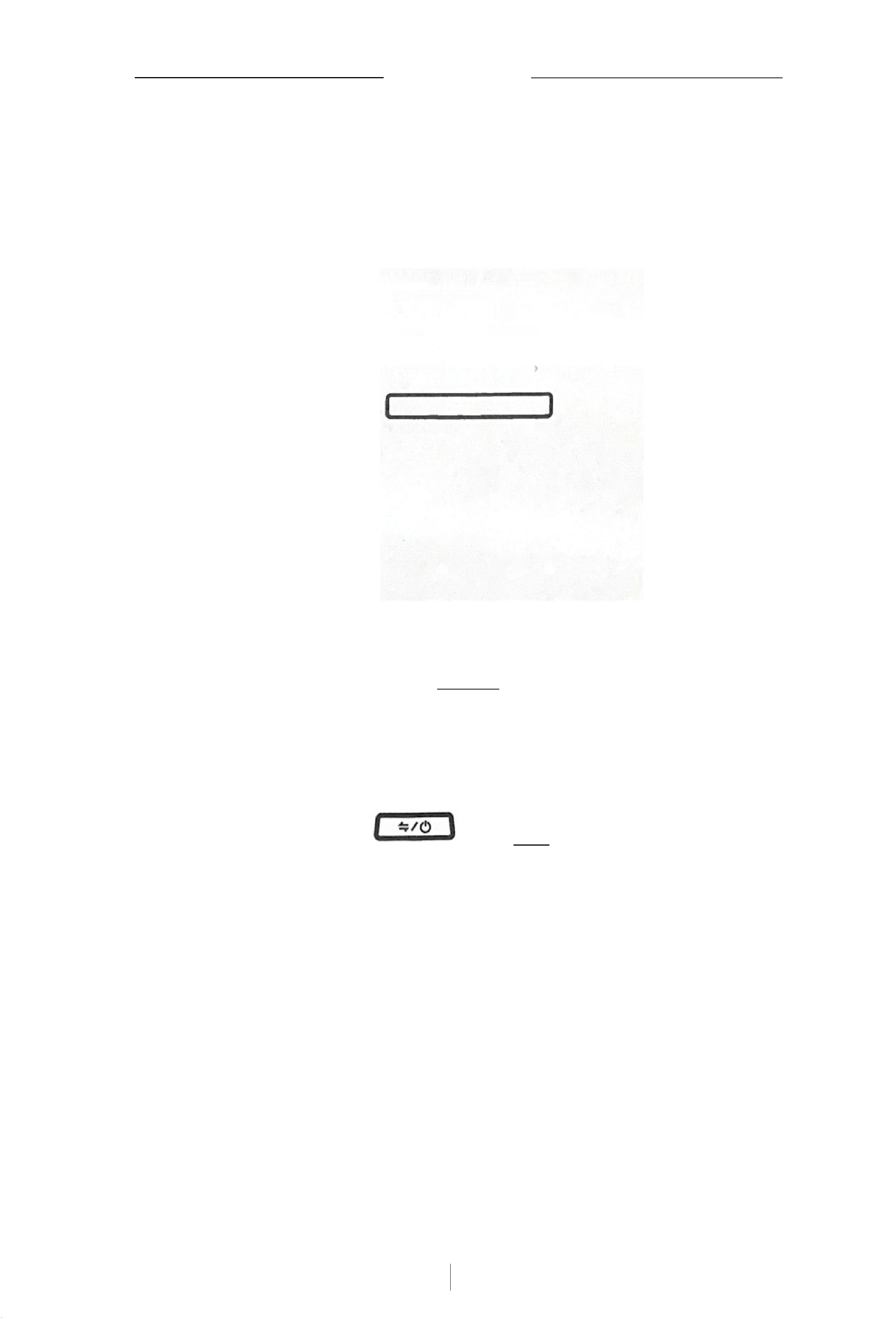
3. 在设备列表中选择条形音箱。
Select the soundbar from the device list.
注 意 :条形音箱的Bluetooth Device ID也许会有变更,用户可以在手机上为该Devi ID
变更为一个自己喜欢的名称,本文用厂家默认蓝牙设备id举例。
Note: The Bluetooth Device ID of the soundbar may change. Users can change the Device ID to a name they like on their mobile phone. This
article uses the default Bluetooth device ID of the manufacturer as an example.
13.14
忆
<Setlhgs
Bluetooth
M720
Tlathioen
Not Connected ①
Monter Armars…Not Corected ①
OPPO Enco Ar Ute Not Cornortard
XMZPG
良
麦克风K5
ofcRDVCs
bu
carseat
IMotor-b87BLE
JKC-01
realmo
SmartKey-4744
XYG101
Nol Currected ①
Not Cornected ①
Not Coonected ①
pe Wich nila ume uooi
Aole Whanp
连接后,您会听到“Connected” 提示音。
After connection, you will hear a "Connected" prompt sound.
10
SCH
BLUETOOTH连接
断开手机/Disconnecting the Mobile Phone
找到手机设置菜单,选择蓝牙,在列表中找到正在连接的条形音箱设备名称,
点
击右侧的
①
图标,在菜单中选择“JKC-01”, 你会听到音箱发出
“Disconnected”
的提示音。
Find the mobile phone settings menu, select Bluetooth, find the name of the connected soundbar device in the Bluetooth device list,
click the ① icon on the right, select "JKC-01" in the menu, and you will hear the speaker emit a "Disconnected" prompt sound.
18.45
all so
<Bkustooth 13-BT-CFB2
Name 出BT-CFG2>
Devlce Type
JKC-01
Forget This Devlce
提 示 :也可以选择在手机上禁用 Bluetooth后,所有其他设备连接都将断开。
Tip: You can also choose to disable Bluetooth on your mobile phone, and all other device connections will be disconnected.
重新连接手机/Reconnecting the Mobile Phone
重复短按条形音箱控制面板上的
, 直 到再次切换到“Bluetooth”模式,条形
音箱尝试连接上次连接的设备。
Repeatedly short press the button on the soundbar control panel until it switches to "Bluetooth" mode again, and the soundbar will
try to connect to the last connected device.
注 意/Note :
●请确保您的手机已启用 Bluetooth。
Please ensure that your mobile phone has Bluetooth enabled.
●手机必须在10m 的连接范围内。
The mobile phone must be within a 10m connection range.
11
SCH
连接中控产品
使用中控产品连接到条形音箱
Connecting to the Soundbar with a Central Control Product
1. 重复短按条形音箱控制面板上的
按钮,直到你听到
“Wireless Audio”
提
示音,表明当前条形音箱的工作模式已经切换到了无线音频传输模式。
Repeatedly short press the button on the soundbar control panel until you hear the "Wireless Audio" prompt sound, indicating that
the current working mode of the soundbar has been switched to wireless audio transmission mode.
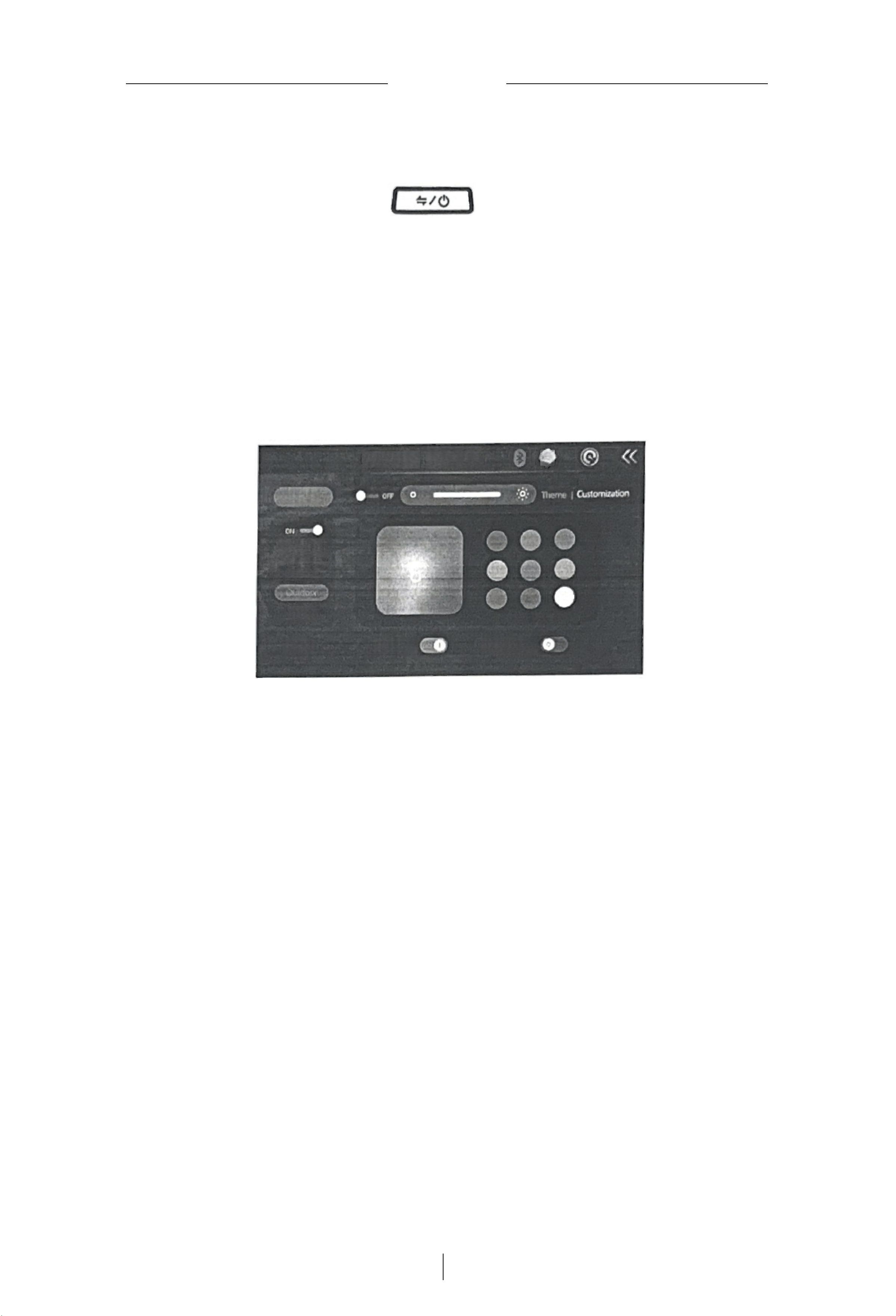
2. 在中控仪表这端,进入到无线声霸设置界面,如下图,可以选择是否连接条形音 箱
进行声音输出,还可以选择条形音箱的EQ 设定,并对音箱上的氛围灯效果进行丰
富多样的色彩效果设定。
On the central control instrument side, enter the wireless soundbar settings interface, as shown in the figure below. You can choose
whether to connect the soundbar for sound output, select the EQ setting of the soundbar, and set various color effects for the ambient
light effect on the soundbar.
18 10:45
O
Panng
Sound Bar
EQmode
Nomal
Voice
Breathing Muschythm
12
SCH
Mode
SCH
13
使用音频连接线/
Using Audio Cable
使用音频连接线连接条形音箱
Connecting the Soundbar with an Audio Cable
您可以使用音频连接线(选配件)将您的播放设备连接到条形音箱。
use an audio cable (optional accessory) to connect your playback device to the soundbar.
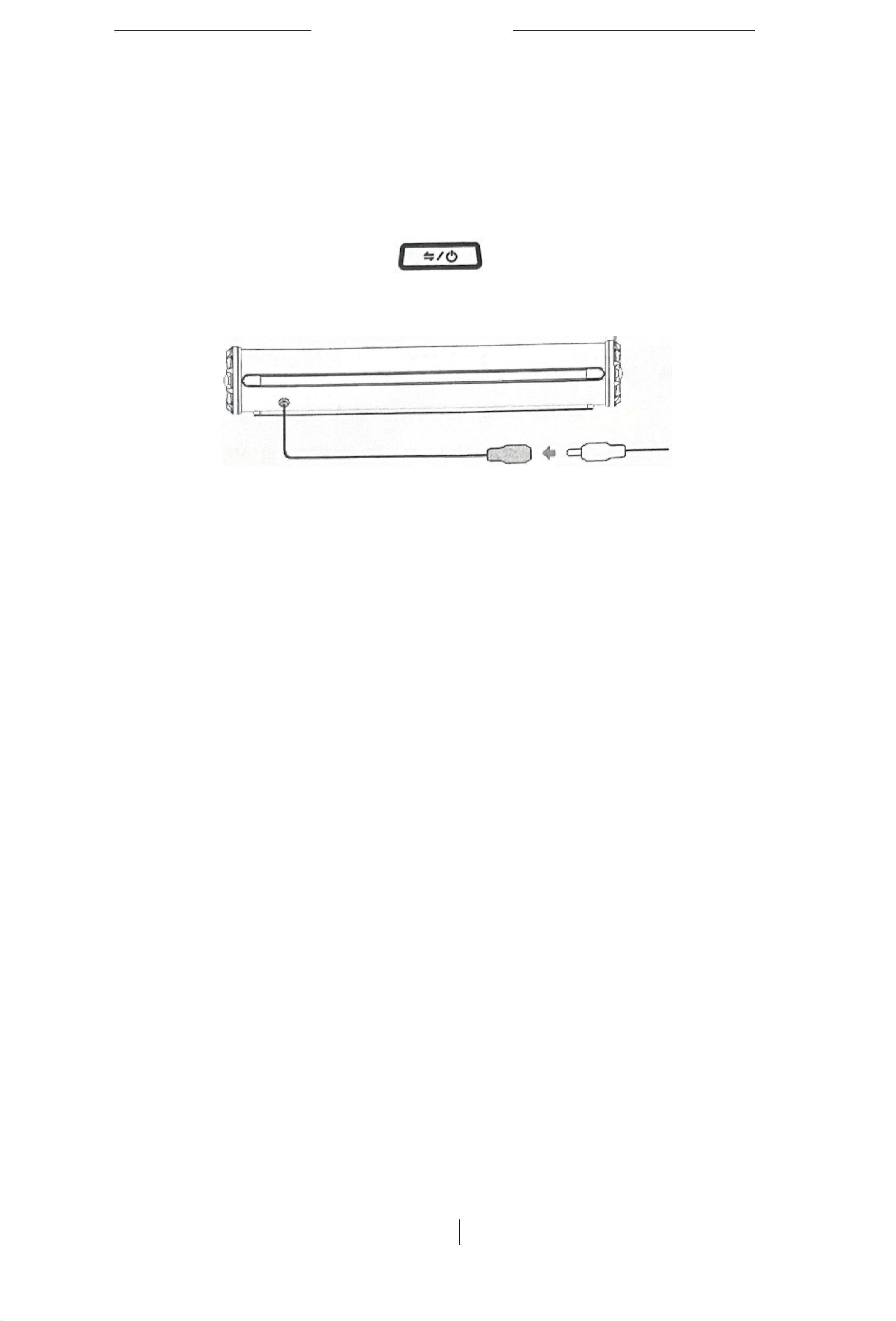
1. 用音频连接线的连接条形音箱和您的播放设备。
Connect the soundbar and your playback device with an audio cable.
2.
重复短按条形音箱控制面板上的
按钮,
表明当前条形音箱的工作模式已
经切换到了外置音源输入模式。
Repeatedly short press the button on the soundbar control panel, indicating that the current working mode of the soundbar has been
switched to external sound source input mode.
3.5mm connector
3. 启动您的播放设备,开始享受音乐。
Start your playback device and enjoy the music.
注意/Note:
· 此章节为选读章节,并不是所有条形音箱都配置了Line in接口。
This chapter is optional; not all soundbars are equipped with a Line-in interface.
· 根据用户定制要求,本产品配置的Line in接口可能有别于本图示例。
According to user customization requirements, the Line-in interface configured for this product may be different from the example in
this figure.
14
SCH
使 用USB (优盘)连接条形音箱
Connecting the Soundbar with USB (USB Flash Drive)
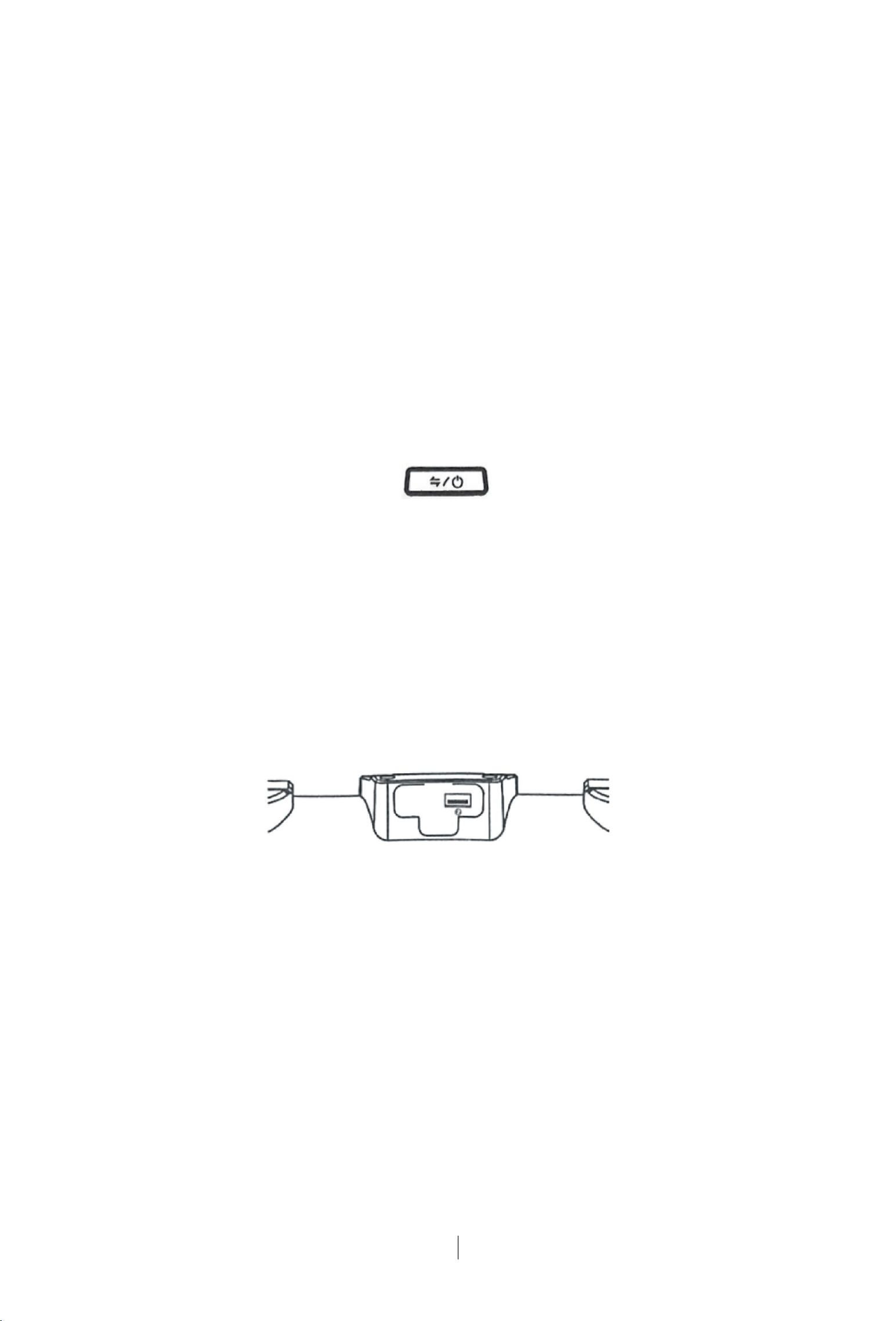
本产品提供两个USB插口,其中USB-C 插口(见下图位置1)提供充电功能,支持市面
主流快充协议,如PD,QC。也可以给外部设备供电(提供5V~12V最高45W电源输出)。
This product is equipped with two USB ports. The USB-C port (see Position 1 in the
figure below) provides charging function, supporting mainstream fast charging protocols
on the market, such as PD and QC. It can also supply power to external devices (providing
5V~12V maximum 45W power output).
而另外一个USB-A 插口(见下图位置2)则可以播放优盘的音乐,也能用来升级本体固
件。
The other USB-A port (see Position 2 in the figure below) can play music from a USB
flash drive and can also be used to upgrade the unit's firmware.
1. 重复短按条形音箱控制面板上的 按钮,直到你听到 “Music” 提示音,表
明当前条形音箱的工作模式已经切换到了USB 输入模式。
Repeatedly short press the button on the soundbar control panel until you hear the
"Music" prompt sound, indicating that the current working mode of the soundbar has been
switched to USB input mode.
2. 您可以使用优盘(未提供)插入到条形音箱提供的USB-A口,条形音箱会自动读取优
盘里边的可识别播放音乐类型,并自动开始播放。
You can insert a USB flash drive (not provided) into the USB-A port provided by the
soundbar. The soundbar will automatically read the recognizable music types in the USB
flash drive and start playing automatically.
注意/Note:
·USB 播放优先级最高,会抢断其他音乐播放模式。
USB playback has the highest priority and will interrupt other music playback modes.
·仅支持有限几种音乐格式,如常见的有损压缩音乐MP3,AAC, 无损音乐APE,FLAC,
等等。
Only a limited number of music formats are supported, such as common lossy
compressed music MP3, AAC, lossless music APE, FLAC, etc.
·有版权保护的音乐文件不受支持。
Music files with copyright protection are not supported.

FCC Statement
Changes or modifications not expressly approved by the party
responsible for compliance could void the user's authority to
operate the equipment.
This equipment has been tested and found to comply with the
limits for a Class B digital device, pursuant to Part 15 of the FCC
Rules. These limits are designed to provide reasonable
protection against harmful interference in a residential
installation. This equipment generates uses and can radiate radio
frequency energy and, if not installed and used in accordance
with the instructions, may cause harmful interference to radio
communications. However, there is no guarantee that interference
will not occur in a particular installation. If this equipment does
cause harmful interference to radio or television reception, which
can be determined by turning the equipment off and on, the user
is encouraged to try to correct the interference by one or more of
the following measures:
-- Reorient or relocate the receiving antenna.
-- Increase the separation between the equipment and receiver.
-- Connect the equipment into an outlet on a circuit different
from that to which the receiver is connected.
-- Consult the dealer or an experienced radio/TV technician for
help
This device complies with part 15 of the FCC rules. Operation is
subject to the following two conditions (1)this device may not
cause harmful interference, and (2) this device must accept any
interference received, including interference that may cause
undesired operation.
This equipment complies with FCC radiation exposure limits set
forth for an uncontrolled environment. This equipment should
be installed and operated with minimum distance 20cm between
the radiator & your body.

