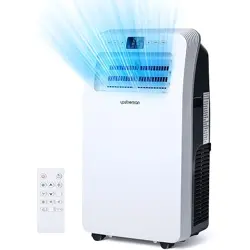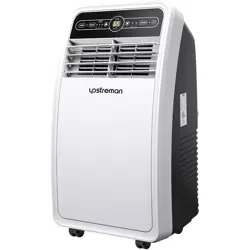
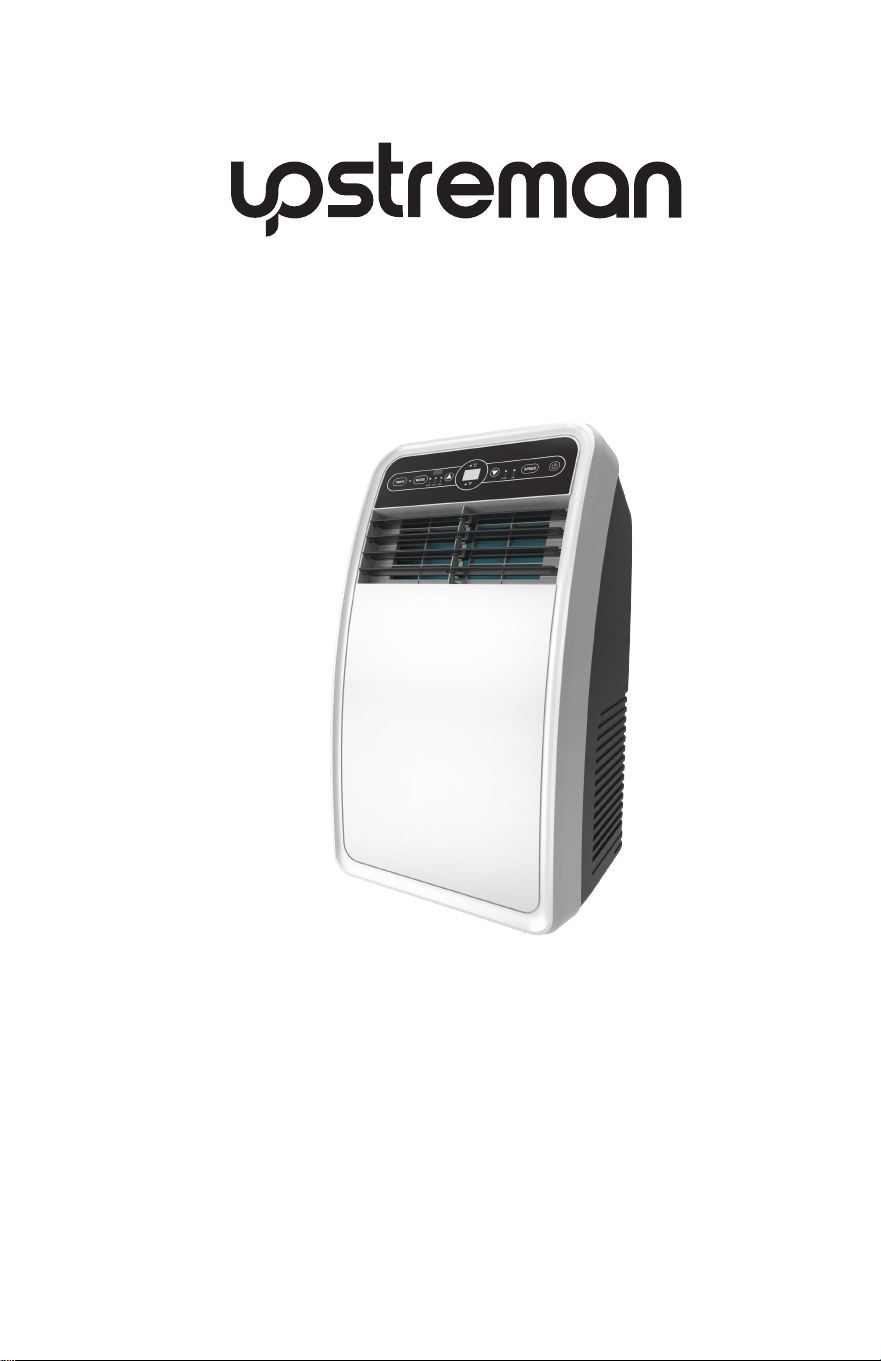
USER MANUAL
Portable Air Conditioner
Model No. UAK-04C
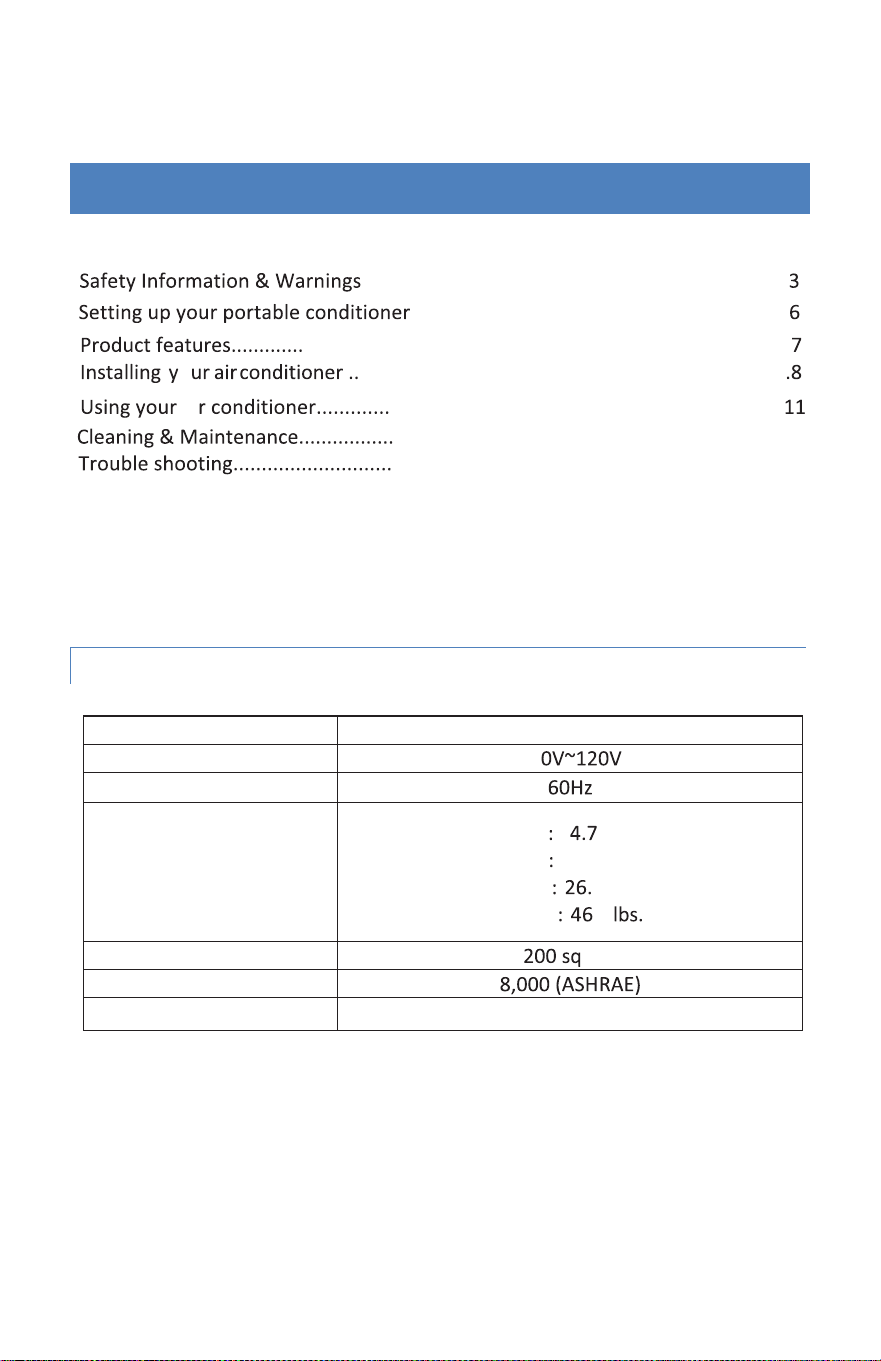
2
TABLE OF CONTENTS
...........................................................................
...................................................................
.......................................................................................
ai .....................................................................
.................................................................... .
.....................................................................
Best Installa�on...................................................................................................
Warranty.............................................................................................................
17
o ............................................................................
SPECIFICATIONS
Model No.
Voltage
11
Frequency
Width 1 in
Dimensions
Depth 13.
5 in
Height 9 in
Weight .3
Cooling
Area
. .
BTU
Rang
Power Cord Length 4.9
IMPORTANT
The air conditioner unit must always be stored
and
transported upright, otherwise you may cause irreparable
damage to the compressor. In case of doubt, we suggest that
you wait for at least 24 hours before you start the air-
conditioning unit.
UAK-04C
16
15
13

SAFETY INFORMATION & WARNINGS
SAFETY PRECAUTIONS
Please read the Manual carefully before operating the machine:
1. Read and keep these instructions.
2. Heed all warnings.
3. Follow all instructions.
4. Do not use this machine near water.
5. Clean it only with a damp cloth.
6. Do not block any ventilation openings. Install in accordance with the
manufacturer’s instructions.
7. Do not install near any heat sources such as radiators, heat registers,
stoves, or other apparatus (including amplifiers) that produce heat.
8. Do not defeat the safety purpose of the polarized or grounding-type
plug. A polarized plug has two blades with one wider than the other. A
grounding-type plug has two blades and a third grounding prong. The wide
blade or the third prong are provided for your safety. If the provided plug
does not fit into your outlet, consult an electrician for replacement of the
obsolete outlet.
9. Protect the power cord from being walked on or pinched
particularly at plugs, convenience receptacles, and the
point where they exit from the machine.
10. Do not attempt to modify or extend the power cord of this machine.
11. Unplug this machine during lightning storms or when it will not be used
for long periods of time.
12. Make sure that the available AC power matches the voltage
requirements of this machine.
13. Do not handle the plug with wet hands. This could result in an electric
shock.
14. Unplug the power cord by holding the plug, never by pulling the cord.
15. Do not turn the machine on or off by plugging or unplugging the power
cord.
3

16.Turn off the machine before unplugging it.
17.Refer all servicing to qualified service personnel. Servicing is required when
the machine has been damaged in any way, such as power-supply cord or plug is
damaged, liquid has been spilled or objects have fallen into the machine, the
machine has been exposed to rain or moisture, does not operate normally, or
has been dropped.
18.To reduce the risk of fire or electric shock, do not expose this machine to rain,
moisture, drips, or splash and no objects filled with liquids should be placed on
top of it.
19.Batteries of the control remote should not be exposed to excessive heat such
as sunshine, fire, or the like.
CAUTION: Danger of explosion if batteries are incorrectly replaced. Replace only
with the same or equivalent type.
WARNING:
ELECTRIC SHOCK HAZARD
Failure to follow these instructions can result in electric shock, fire, or death.
• This unit must be properly grounded.
• Do not, under any circumstances, cut or remove the grounding plug.
• If you do not have a properly grounded AC outlet, or if there is any
doubt that the outlet is not properly grounded, a qualified electrician
should check the outlet and circuit and, if necessary, install a properly
grounded outlet.
• This air conditioner must be plugged into a grounded 115V, 60 Hz AC
outlet, protected by a 15 amp time-delay fuse or circuit breaker.
• This air conditioner must be installed in accordance with national
wiring codes.
• Do not alter or modify the plug or cord of this air conditioner. If the
power cord becomes worn or damaged, the cord should only be
replaced by a qualified service technician using genuine replacement
parts.
• Do not use an extension cord.
4
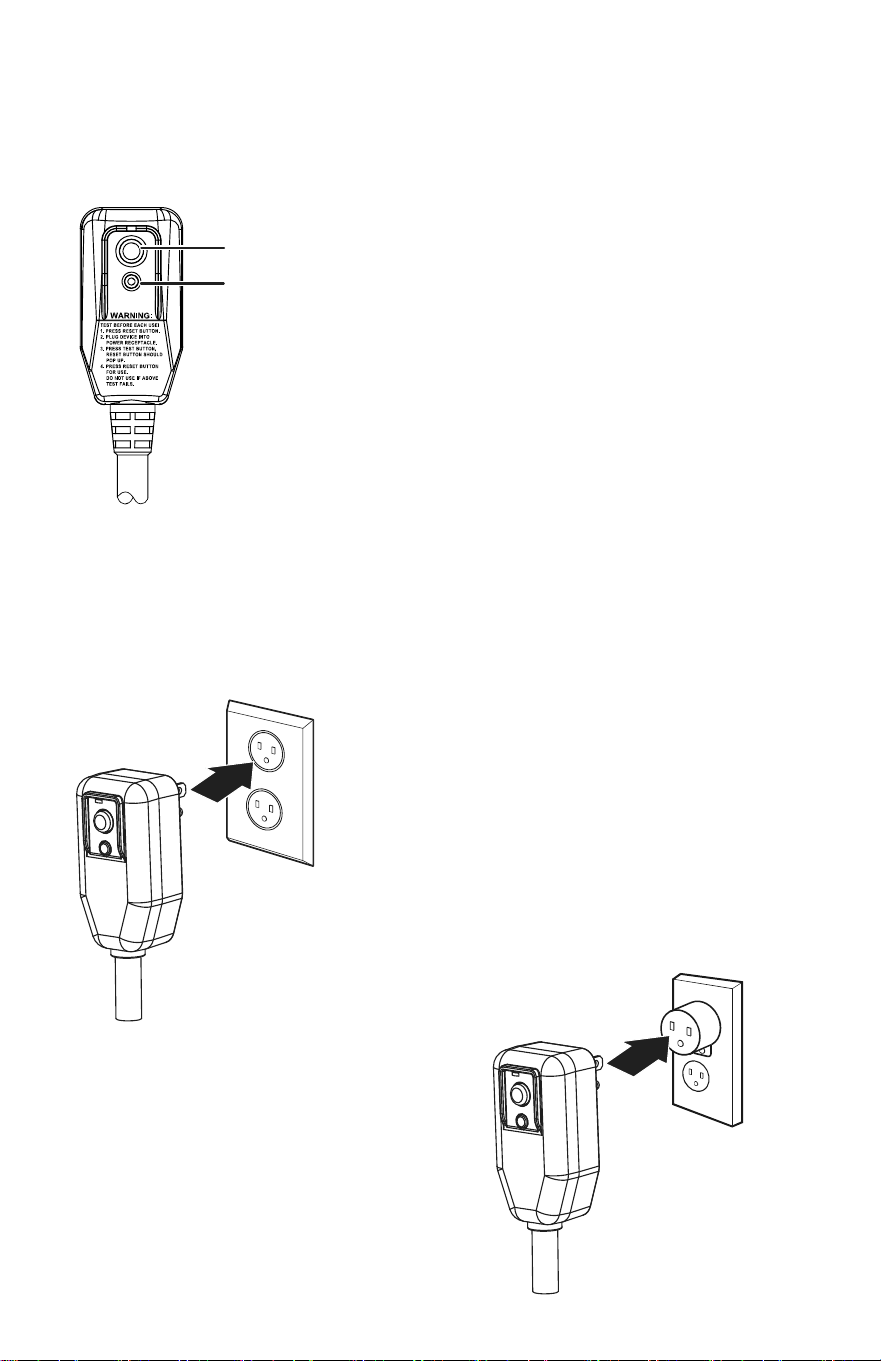
Temporary grounding
Due to potential safety hazards,
we strongly discourage the use
of an adapter plug. If an adapter
plug must be used for a
temporary connection, use only a
UL-listed adapter with a minimum
capacity of 120V~60Hz, 13A, and
1560W. Make sure that the large
slot of the adapter is aligned with
the large slot in the outlet.
TEST button
RESET button
Preferred groun
ding method
Make sure that a proper
ground exists before use.
Make sure that a proper
ground exists before use.
EL
ECTRICAL SAFETY
Integrated circuit breaker
For additional safety, the power cord on this air
conditioner featur
es an integrated circuit breaker.
You can test and reset the circuit breaker using
the buttons provided on the plug case. Consult
a
qualified electrician or service person if the
grounding
instructions are
not completely
understood,
or if
doubt exists as to whether the
air conditioner is properly grounded.
The circuit breaker should be tested periodically
by pressing the TEST button, then pressing the
RESET button. If the TEST button does not cause
the circuit breaker to trip, or if the RESET button
does not stay engaged, unplug the
air
conditioner immediately .
5
SETTING UP YOUR PORTABLE AIR CONDITIONER
Before using your portable air conditioner
• Remove and store (optional) packing materials for reuse.
• Remove any shipping tape before using the air conditioner.
• Remove tape residue with liquid dish soap and a damp cloth. Do not use
sharp tools, alcohol, thinners, or abrasive cleaners to remove adhesive,
which could damage the finish.
Placing your air conditioner
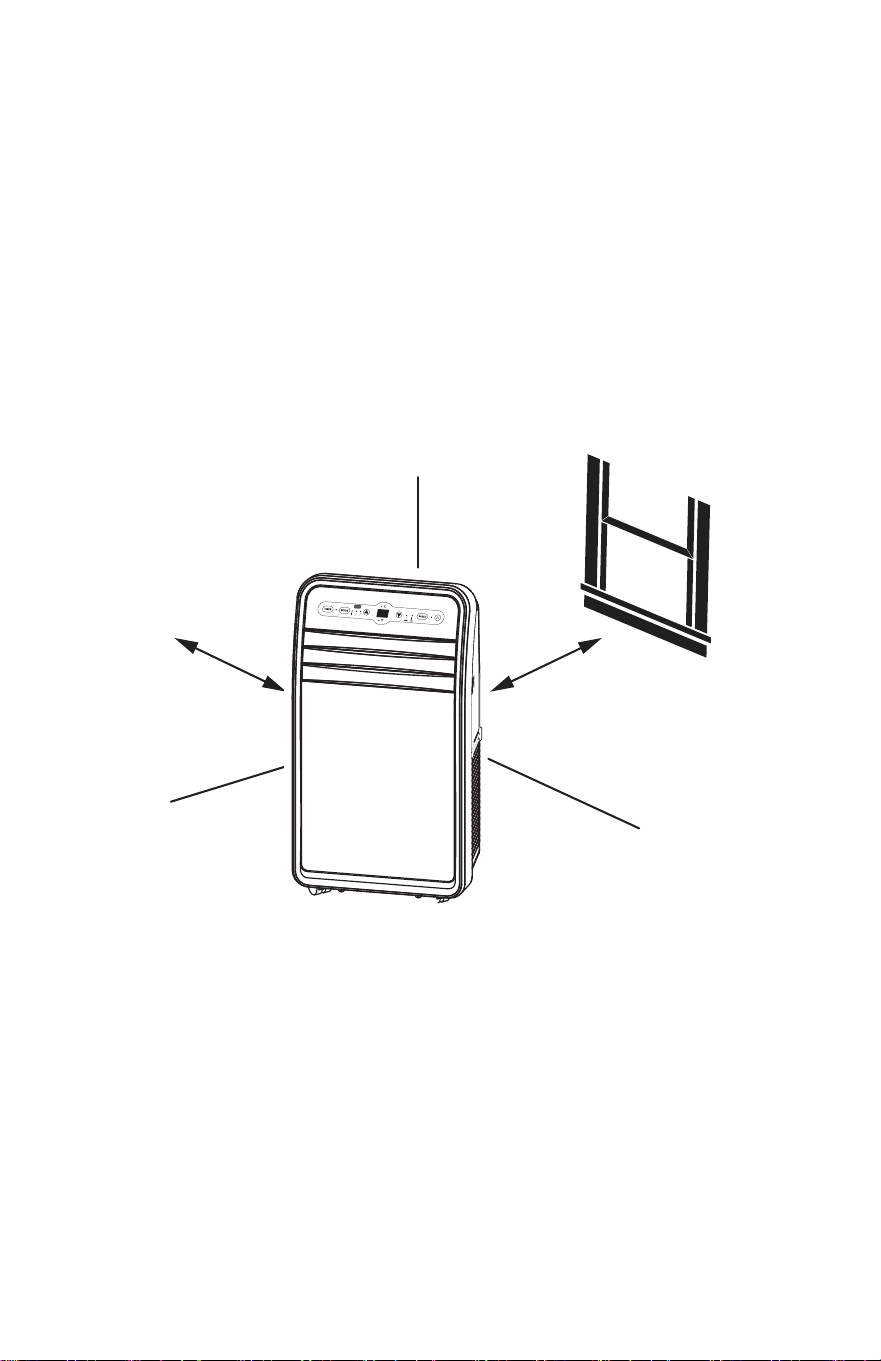
Place the unit on a flat, dry area near a window, so you can use the hose and
diffuser to connect the air conditioner to the window installation kit in order to
vent the exhaust air outside. To maintain good air circulation and optimum
machine performance, leave a 20 in. (50 cm) space around it.
20 in. (50 cm)
20 in. (50 cm)
COOL DRY FAN
6
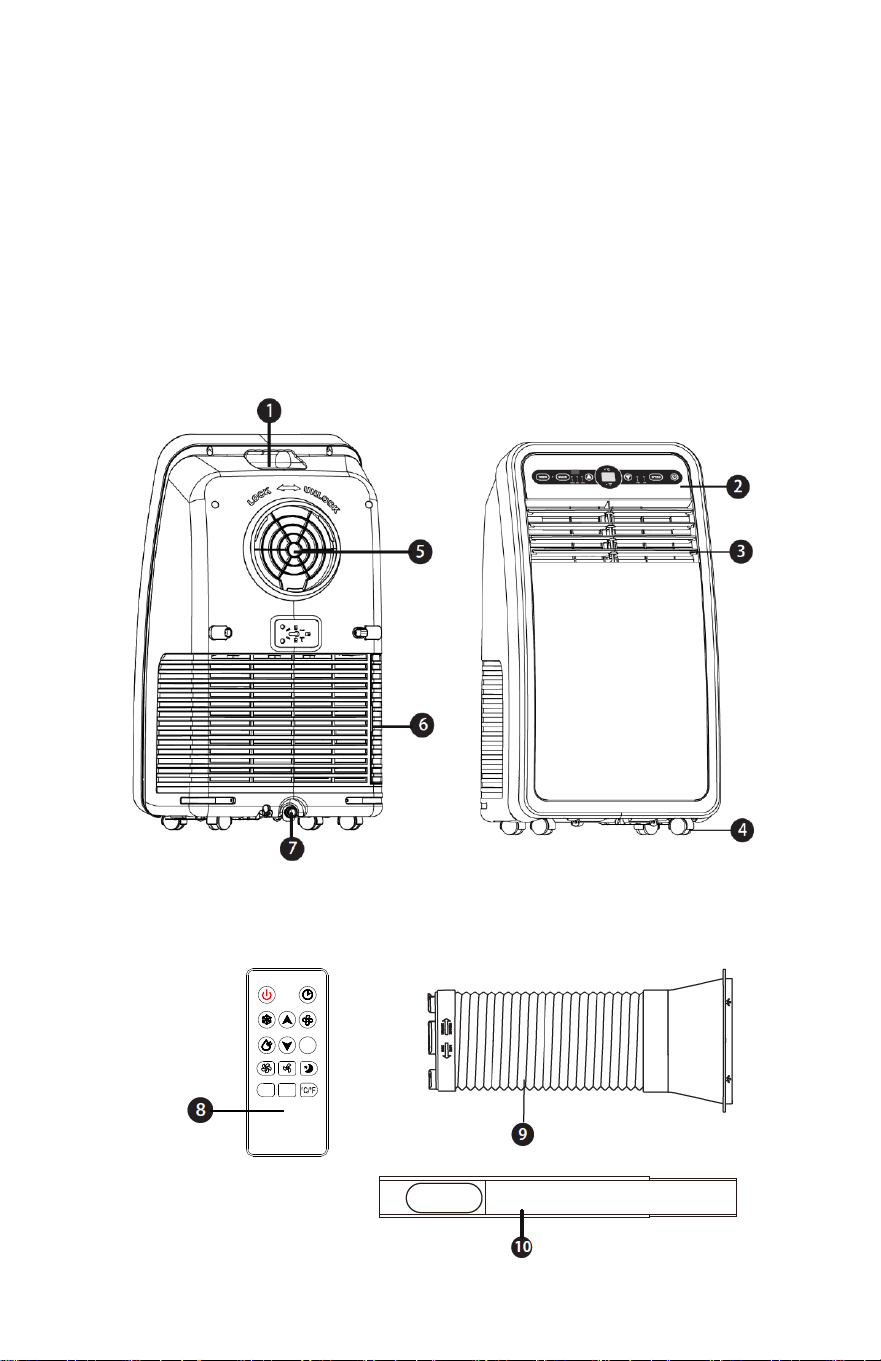
1. Carrying Handle
2. Control Panel
3. Adjustable Front Grille
4. Casters
5. Exhaust Output
6. Air Intake
7. Drain Plug
8. Remote Controller
9. Exhaust Duct
10. Window Sealing Plate
PRODUCT FEATURES
7
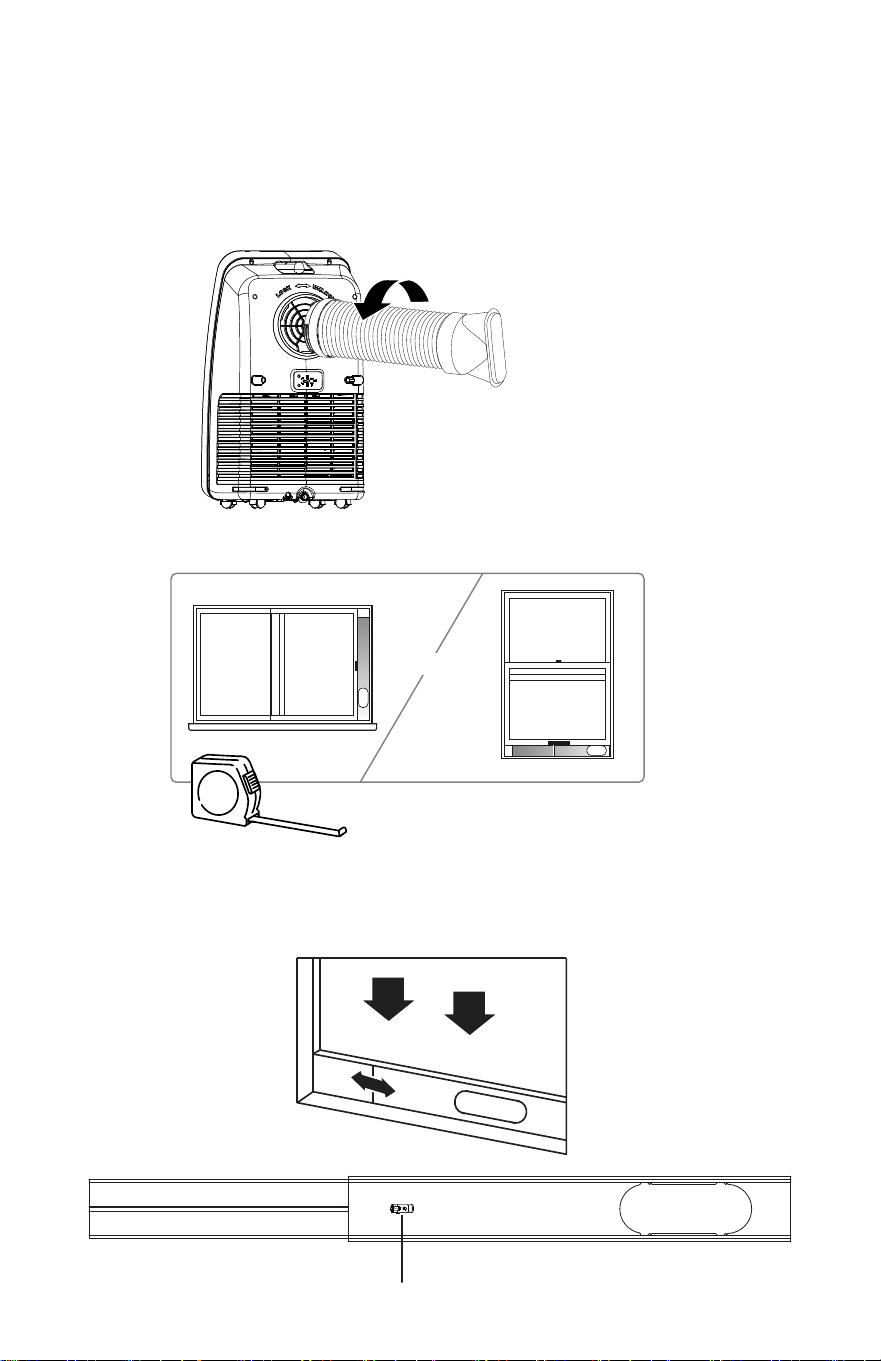
2.Measure the window size.
3.Install the window sealing plate in the window opening,adjusting the
length to fit the
window opening and securing it with "Clip" (provided).
Note: The window sealing kit works with sliding windows.
OR
INSTALLING YOUR AIR CONDITIONER
1 Screw the exhaust hose to the exhaust outlet on the back ofyour air
conditioner, then screw the hose adapter to the other end of the hose.
INSTALLING YOUR AIR CONDITIONER
1.Screw the
exhaust hose to the exhaust outlet on the back of your air
conditioner, then screw the hose adapter to the other end of the hose.
Clip
8
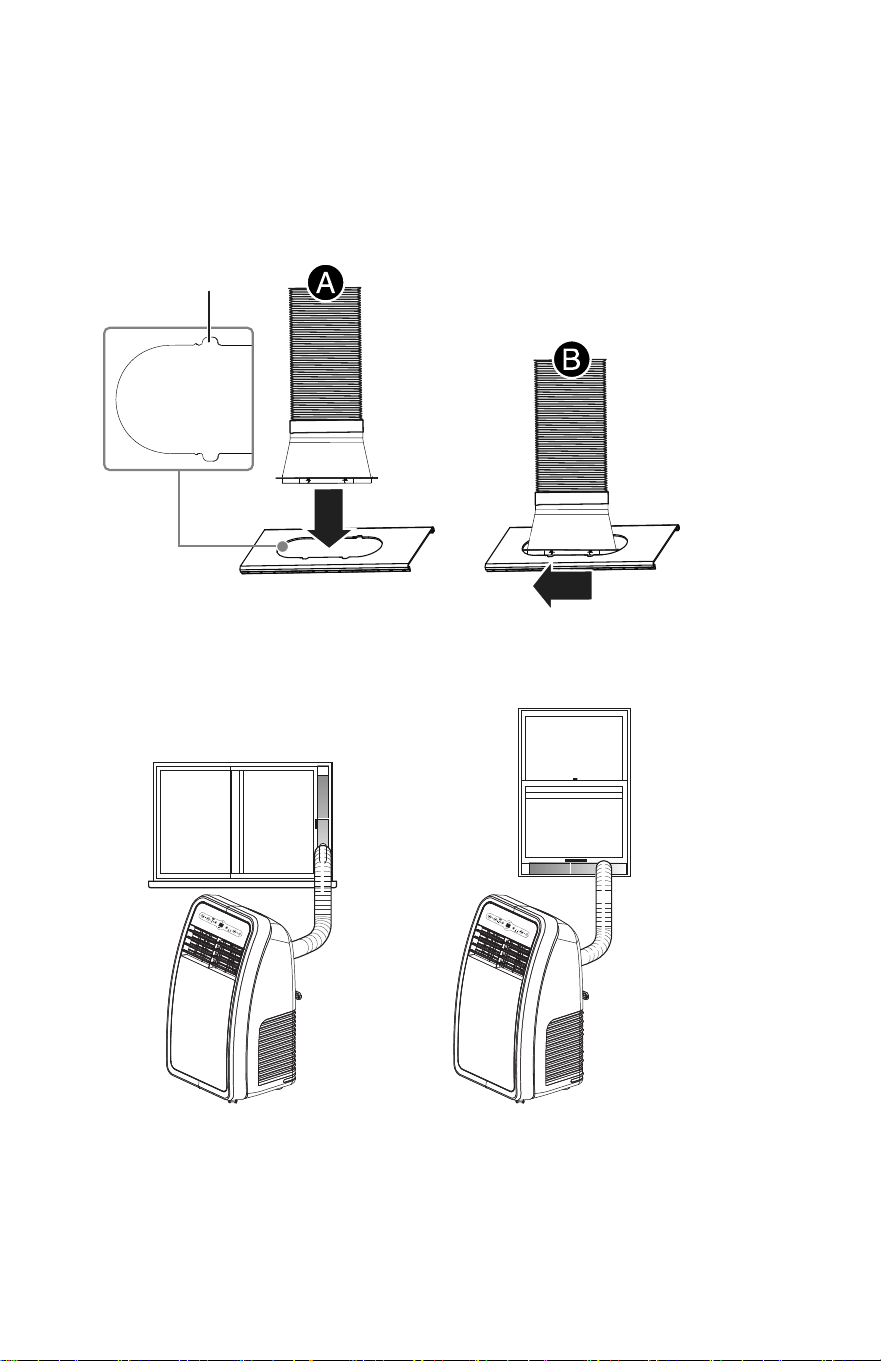
4.Insert the hose adapter into the vent panel (A), then slide the adapter until
it clicks into place (B).
Slide
COOLDRY FAN
COOLDRY FAN
Insert
Small gap
Note: For optimum performance, make sure the venting hose is not
twisted and is free of kinks. For better eciency, shorten the hose by
squeezing its sections together.
9
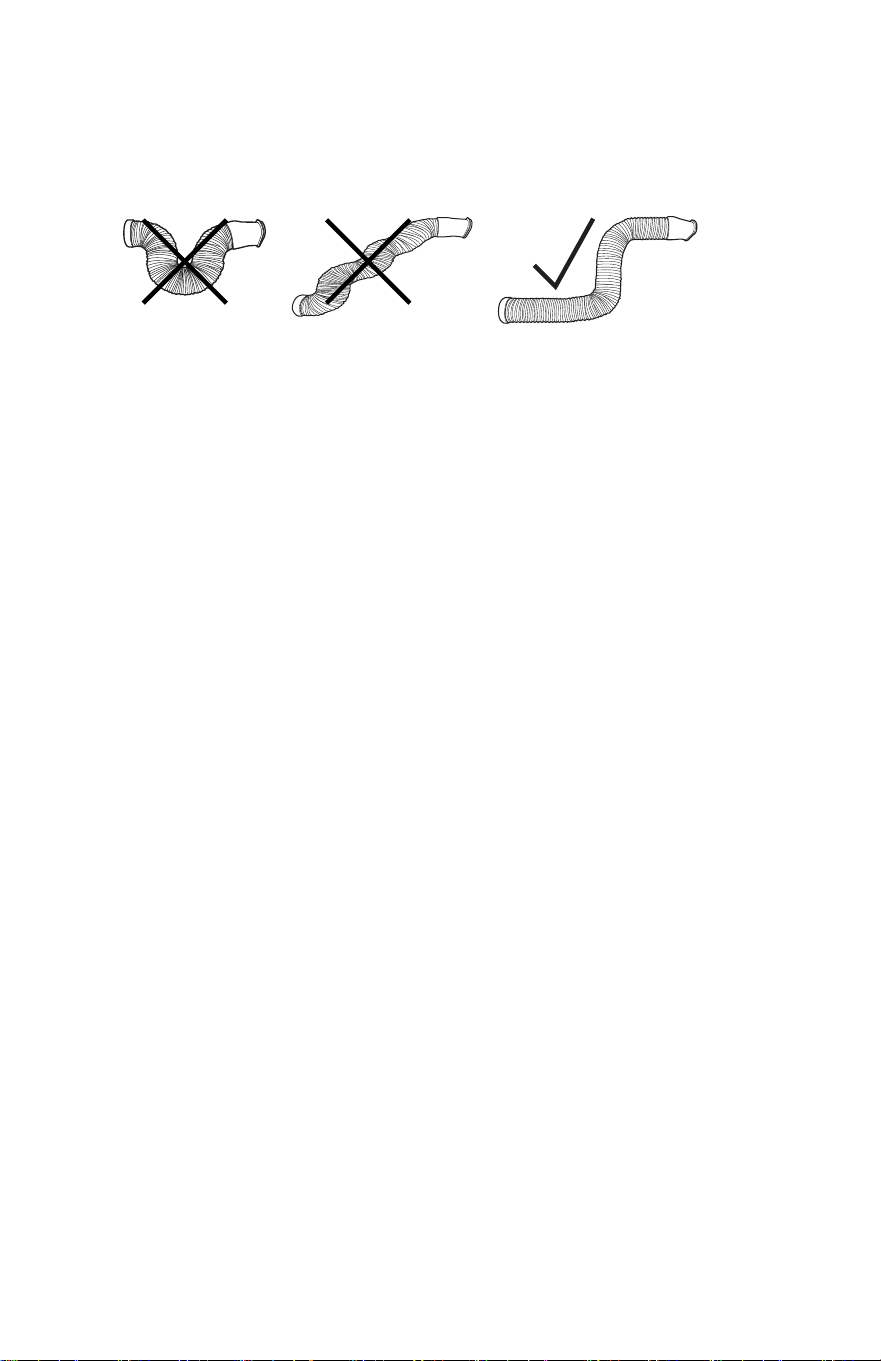
Caution: The exhaust duct is designed especially for this air
conditioner. Replacing or lengthening the duct could result in
damage to your unit.
10
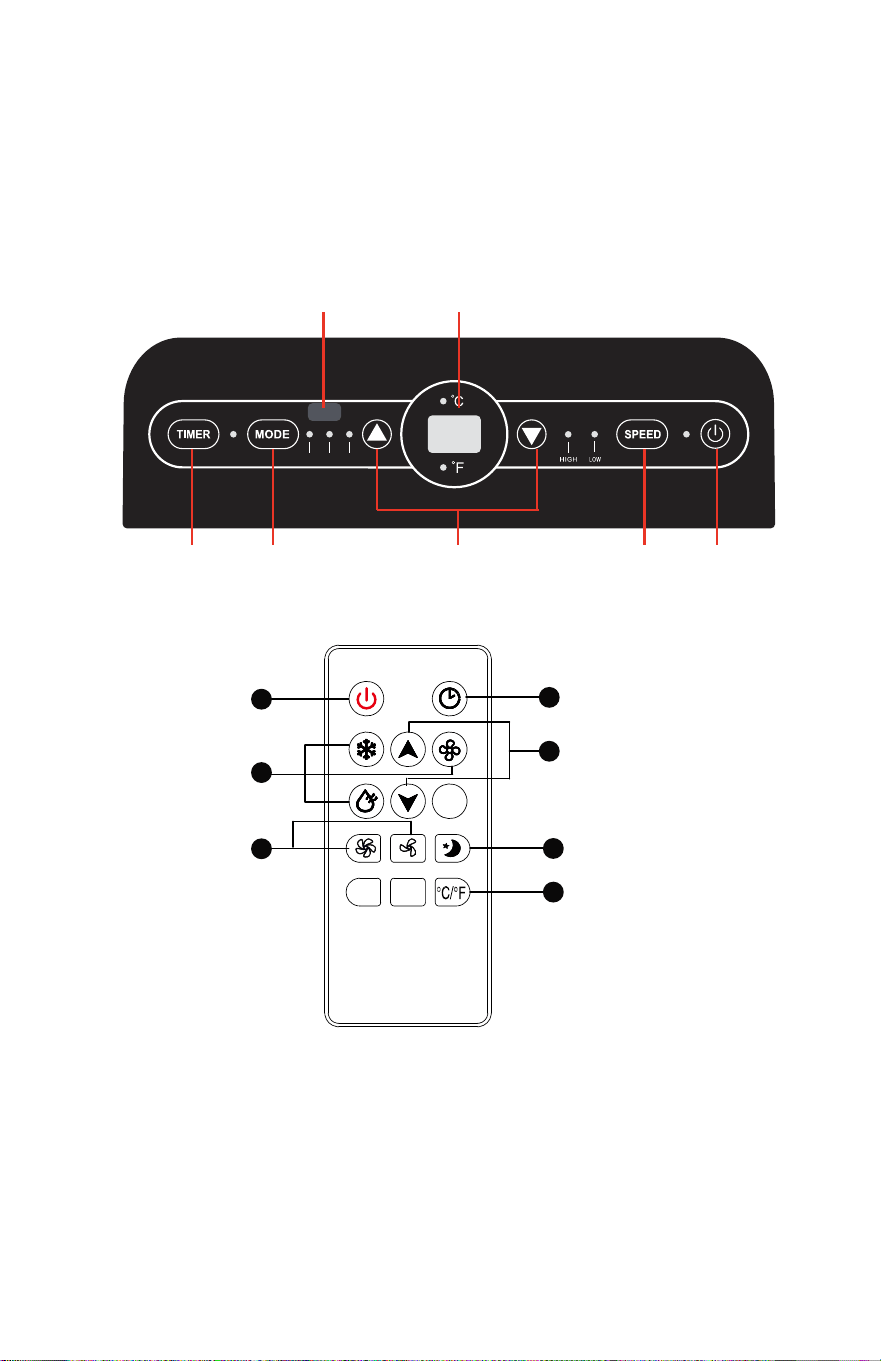
US
ING YOUR AIR CONDITIONER
Inserting the batteries in the remote controller
• Insert two AAA batteries (provided) into the remote control.
8
9
5
3
1
4
2
11
7 6
COOL DR
Y FAN
5 2 3 4 1
2
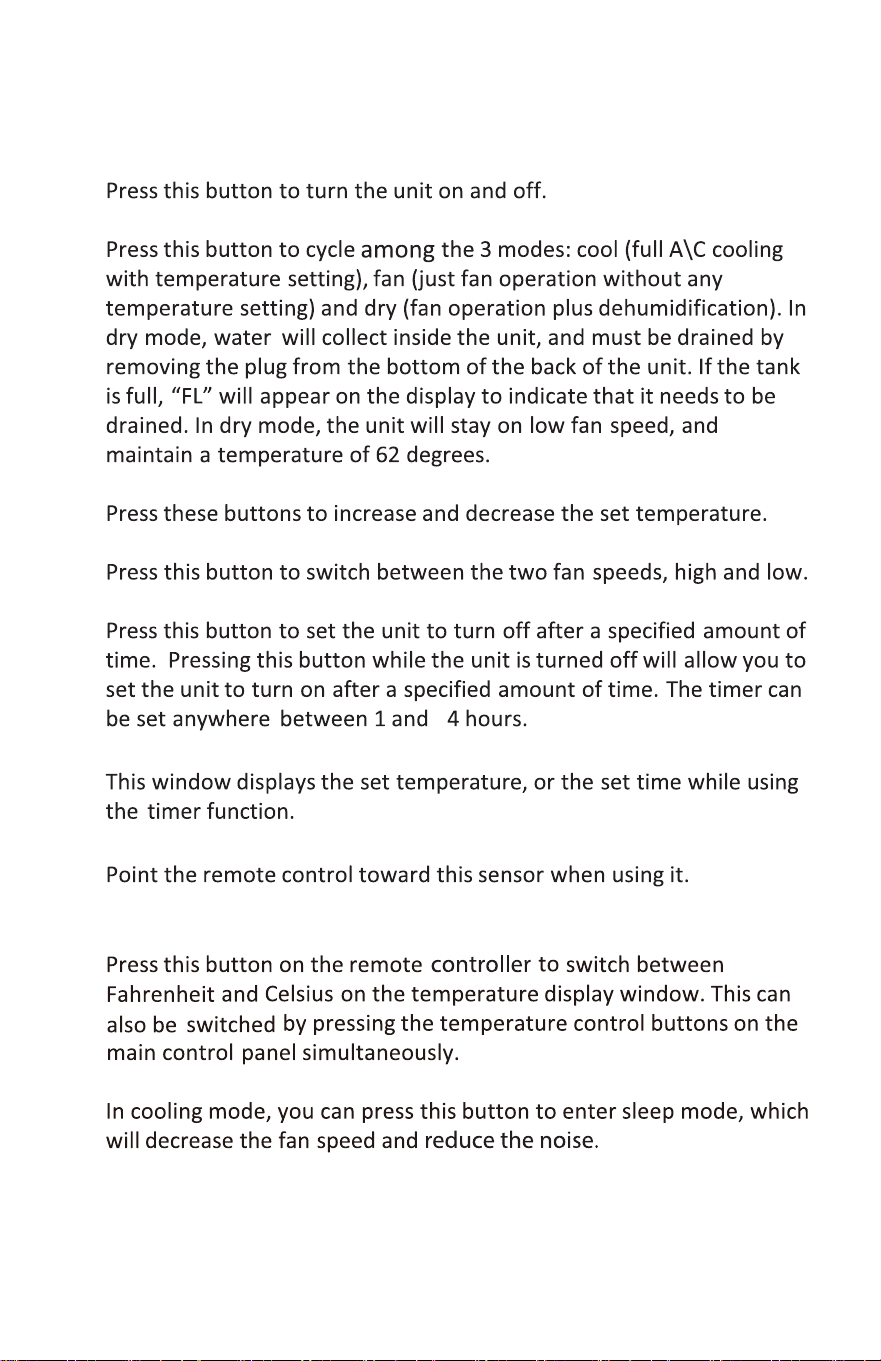
6. Time/Temperature Display
9. Sleep bu�on
1. Power bu�on
2. Mode bu�on
3. Temperature bu�ons
4. Speed bu�on
5. Timer Bu�on
7. Remote control sensor
8. Temperature mode bu�on
12
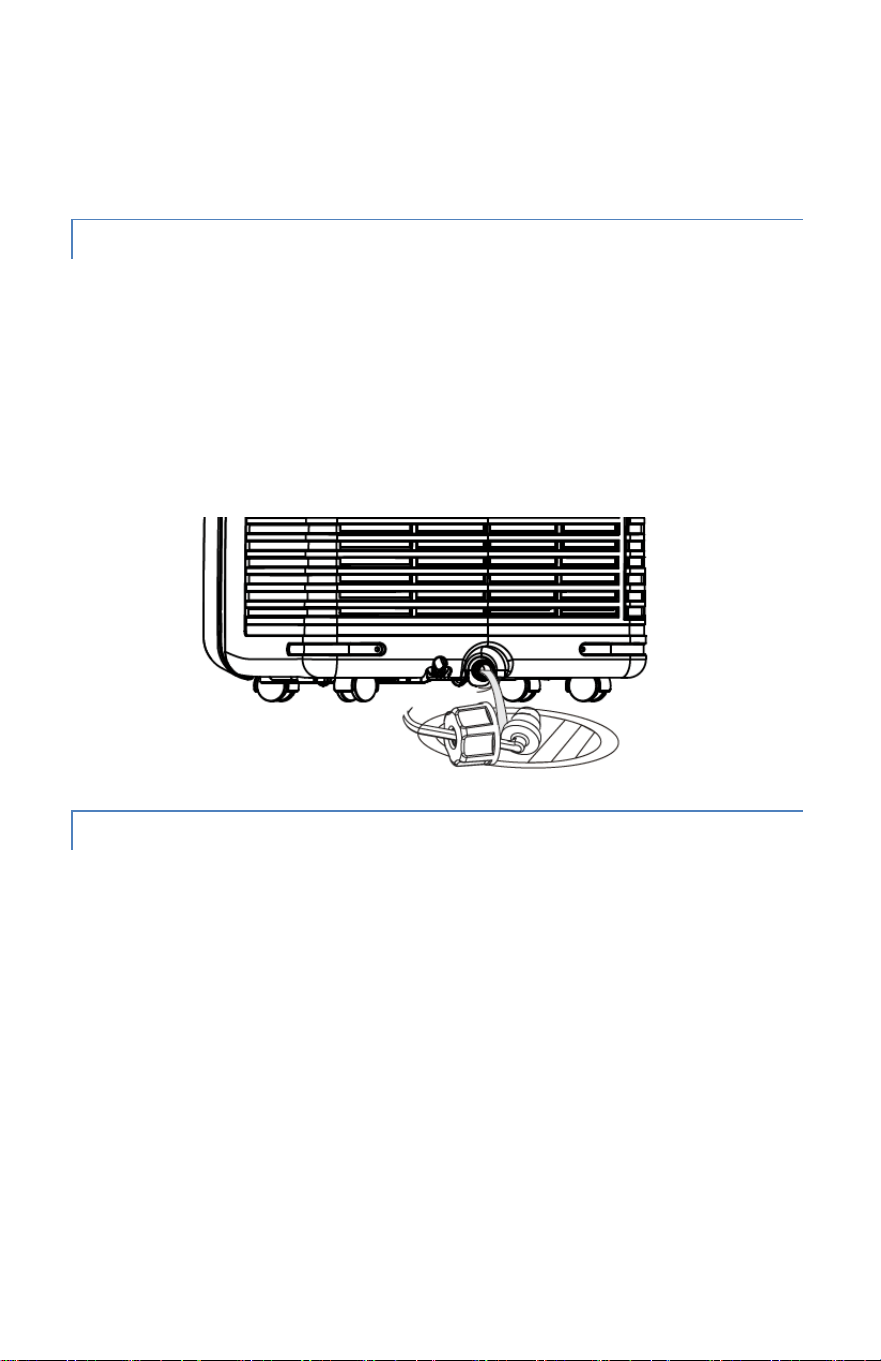
DRAINING THE WATER TANK
This unit is equipped with an automatic water vaporization system. The
condenser is cooled through the circulation of condensing water to improve
cooling efficiency and energy conservation.
If the tank is full, “FL” will appear on the display to indicate that it needs to be
drained. Turn off the unit, remove the drain plug on the bottom of the back of
the unit, and drain the tank until empty. Replace the plug and turn the unit
back on to resume use.
MAINTENANCE
Notice: To avoid electric shock, please turn off and unplug the unit before
maintenance or repair.
CLEANING
• Unplug before cleaning.
• Clean the outside of the unit with a soft, damp cloth. Do not use
chemical agents such as benzene, alcohol, gasoline, etc.which can
damage the unit and void your warranty.
• Prevent any water or other liquids from getting inside the unit.
CLEANING & MAINTENANCE
13
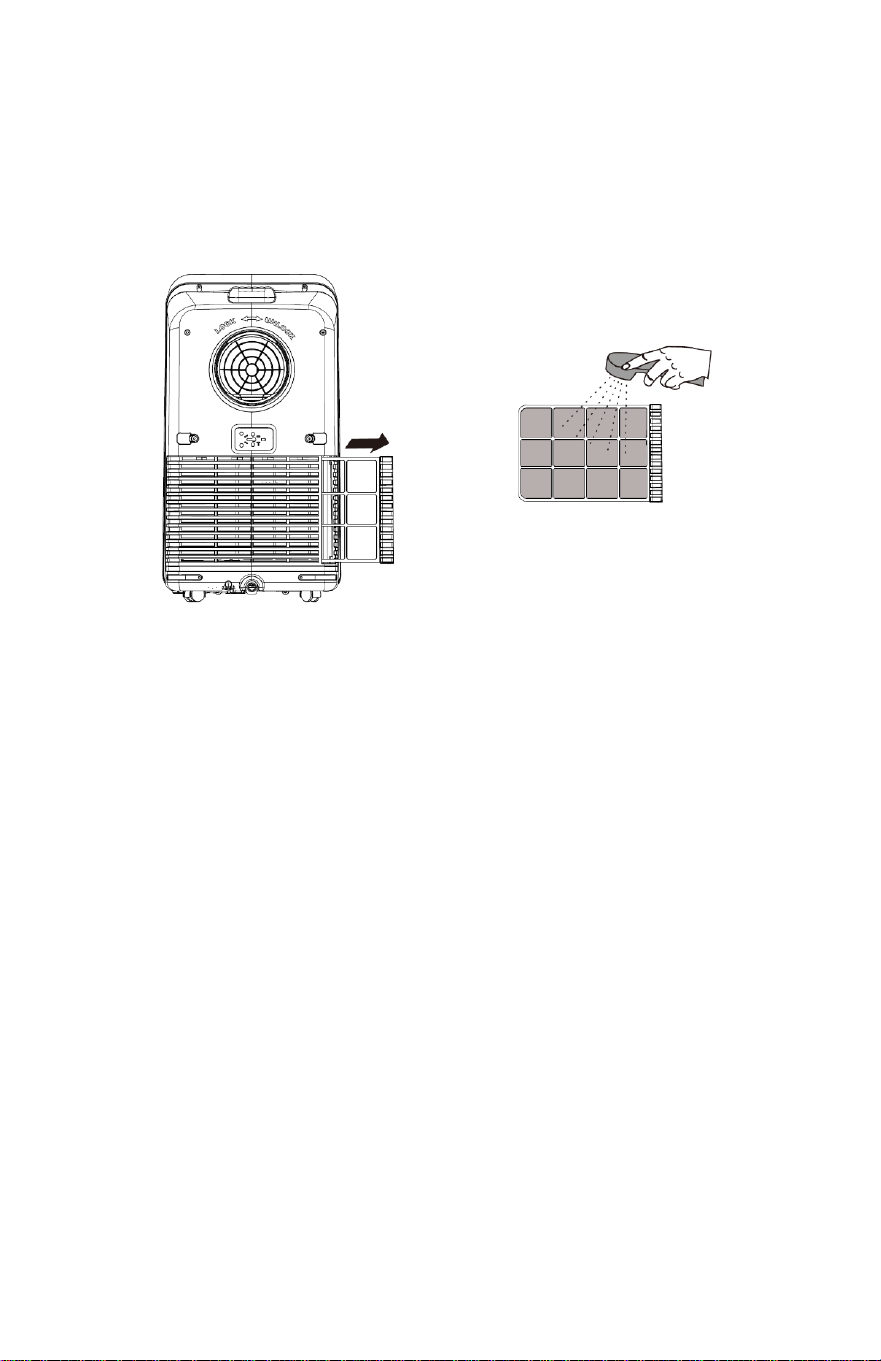
DUST FILTER
• Once every two weeks,
remove the dust filter from the back of the unit
and wash it. Neglecting to clean the dust filter may cause the unit to run
poorly over time.
SEASONAL CLEANING
If you are pla
nning on putting the unit away long-term:
• Pull the drain plug to drain any water left in the tank.
• Run fan mode for 2 hours to help dry any collected moisture within the
unit.
• Turn off the unit and unplug it.
• Wash and replace the dust filter.
• Take apart the exhaust duct.
• Cover the unit and the exhaust duct pieces with something to keep dust
out.
14
.
.
.
.
. .
.
.
.
.
. .
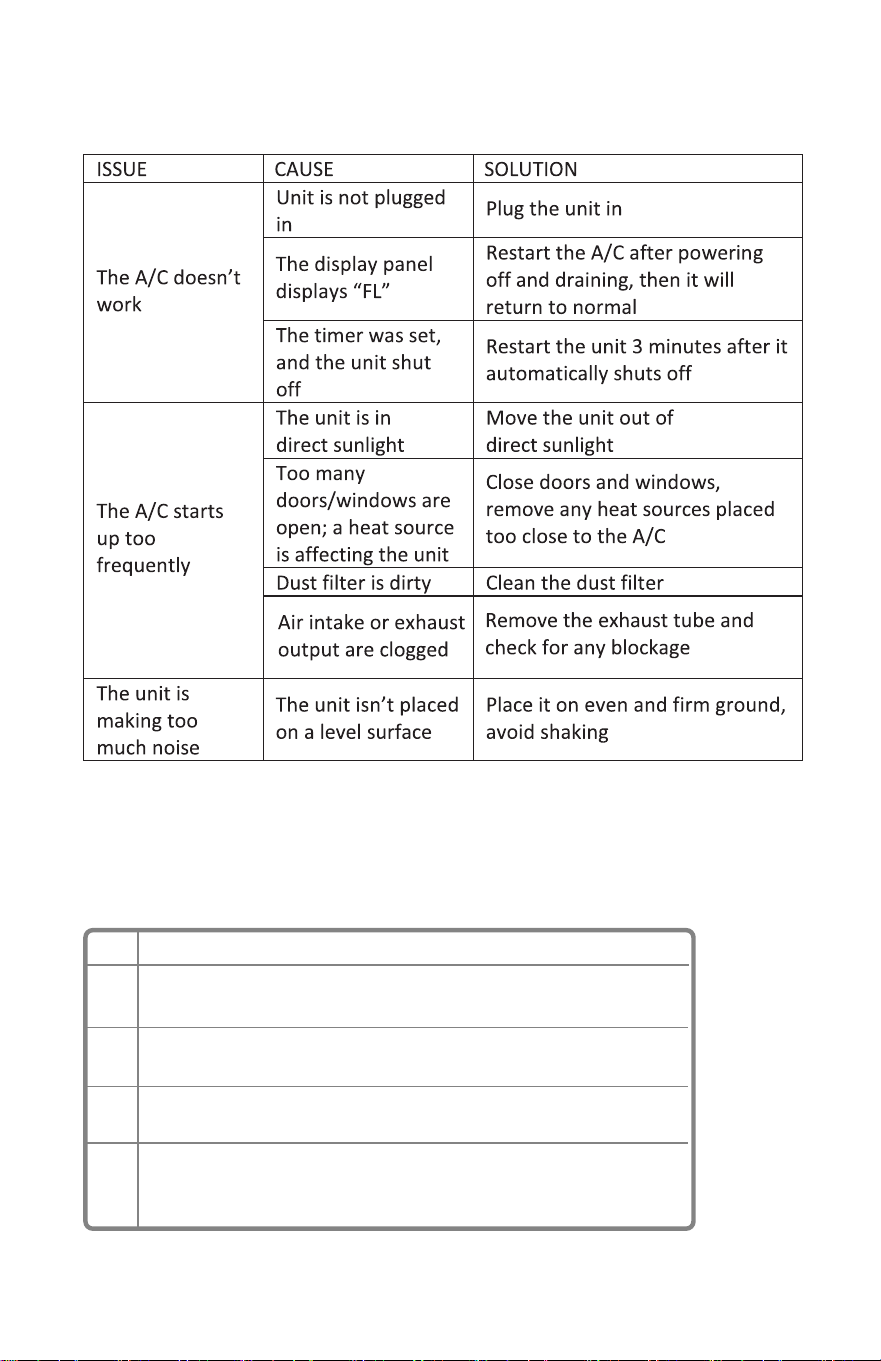
CODE
FL
E1
E2
E4
DESCRIPTION
The internal water tank is full and needs to be emptied.
Coil
temperature sensor error. Turn off your air conditioner and
tell us.
Indoor temperature sensor error. Turn off your air conditioner and
tell us.
Anti-freezing protection. The air conditioner coil temperature is
too low and the unit has turned o automatically. The unit resets
itself when the temperature reaches 46.4°F (8°C).
TROUBLE SHOOTING
Notice: For
any issues not listed here that arise while using the A/C, turn
the unit off and unplug it, wait a few minutes, and try again.
ERROR CODE
15
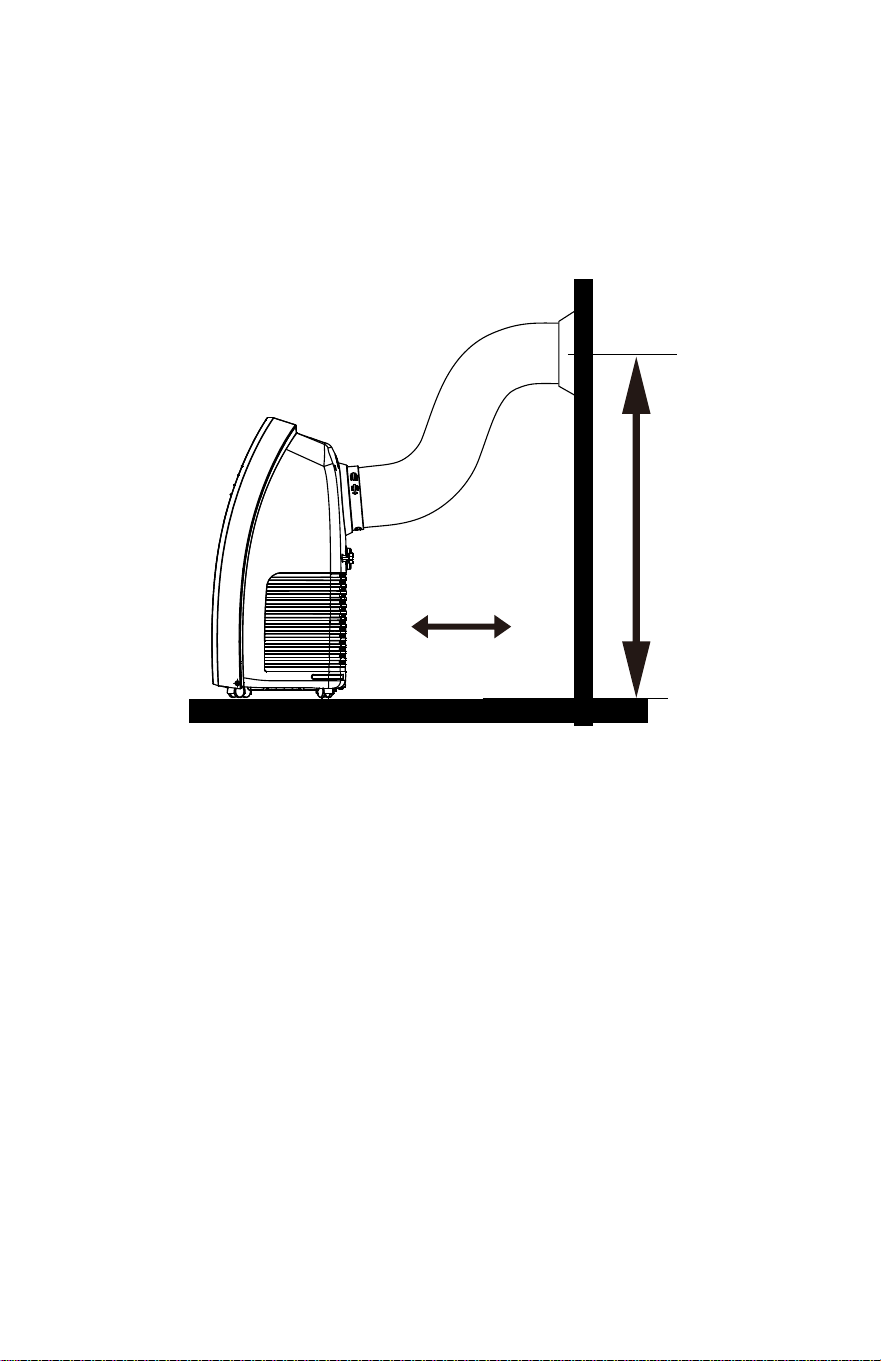
BEST IN
STALLATION
90cm(35.4inch)
50cm(19.7inch)
16
Warranty
Return Products Details
To get your returns processed as quickly as possible, please fill this form and
include it in your return package.
Your Warranty Includes
30 Days Money Back Guaranty
With in first 30days of your purchase, you are allowed to return your product for a full refund.
30 Days to 3 Months(6 Months)
We wil replace the defective unit due to manufacture fault with a new one.
(You will receive extra 3 months if you register on our website.)
3 Months to 24 Months
Within 24 months, we will provide timely and effective online after-sales
service after your purchase.
Please be noted that accesories are free, not included.
How to Return Your Upstreman Products
- Contact support@upstreman-home.com with your order number.
- We will issue you RMA# and return address for your return.
- Please fill out RMA info, tear off this page and leave it inside your return pack-
age.We will issue replace/return after receiving your return.
- If your product is purchased from Amazon Fulfilled channel, please contact
Amazon for return within 30 days of purchase.
Purchase Name
Order Number
Date of Purchase
Your Email Address
Where did you buy it
17

Shenzhen Lanbiaoyi Technology Co., LTD .
Website: www.upstreman-home.com
E-mail: support@upstreman-home.com
ADD: Room 1438F, Anjier Building, No.52 Bagua 4th Street,
Yuanling Ave, Futian District, Shenzhen, China, 518000
Made in China
Conforms to UL STD. 484
Certified to CSA STD. C22.2 NO. 117