
150x110mm
折页:英语一面日语一面
材质:80g双胶纸(此页不印刷)
MotorcycleCarplayUserManual
Ifyouhaveanyquestionofoursmartscreen,pleasecontactus.
Wecantryourbesttoprovidesolutionsbasedonyourissues.
NO:241217-19
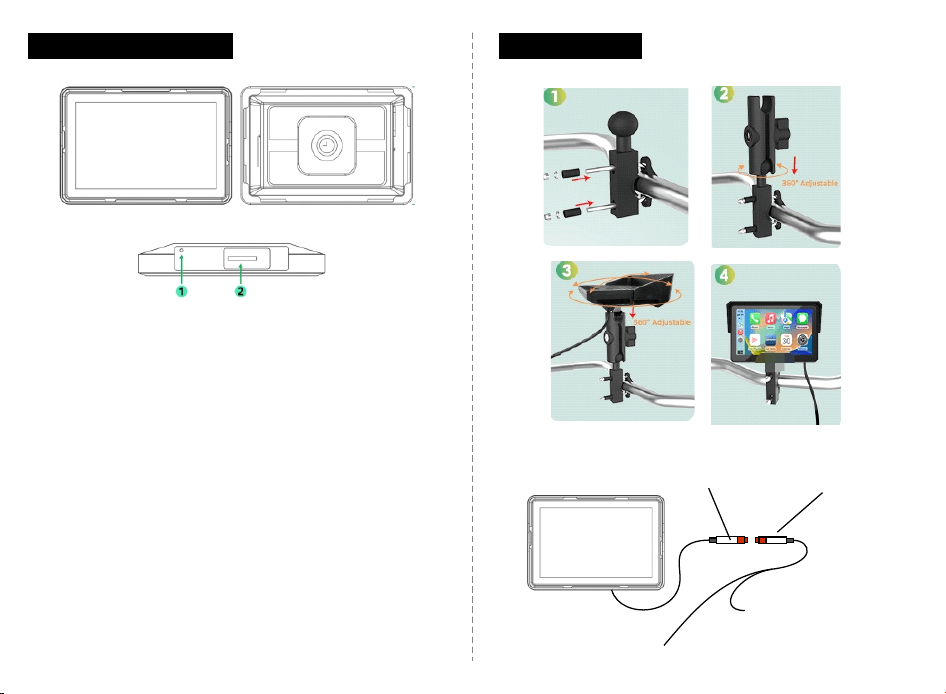
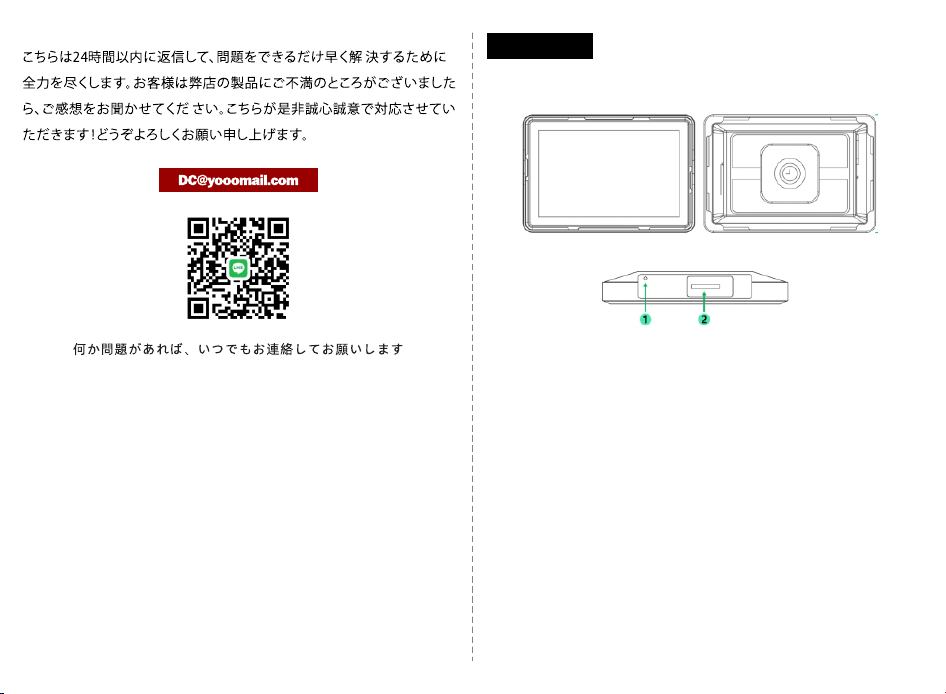
ProductOverview
1.Microphone
2.TFcardslot(Removethescrewsandthewaterproofcovertosee
theTFcardslot.InserttheTFcardwiththelabelfacingupwards.)
Installation
CARPLAY
PowerCableConnector PowerCableConnector
ACC-Connecttoyourvehicle'sACCcontrolline
GND-Connecttoyourvehicle's
batterynegativeterminal
· 1 ·
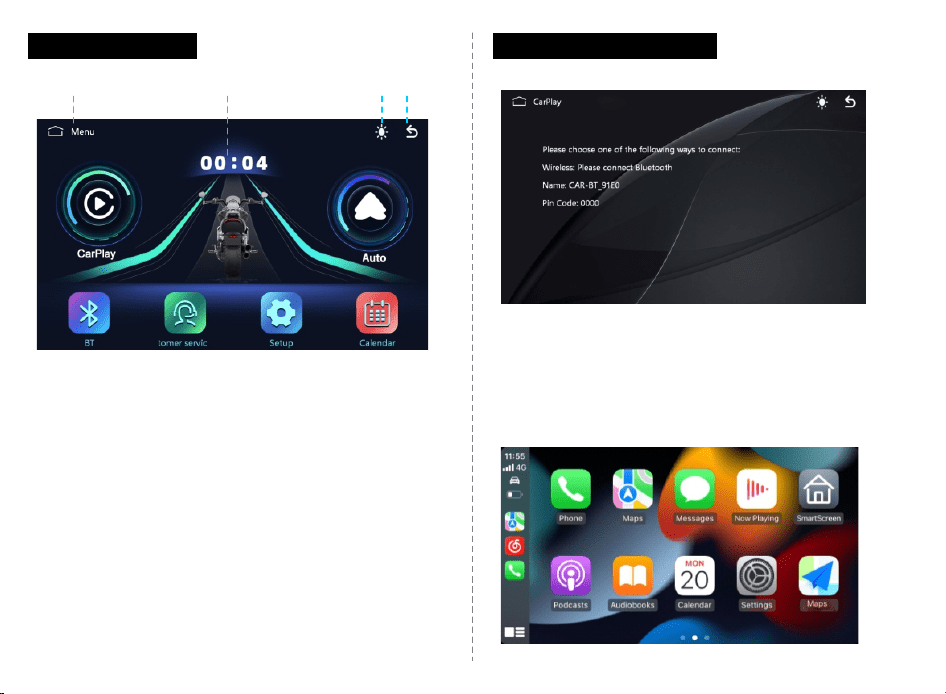
MainInterface CarplayConnection
Step1.ClicktheCarPlayonthemaininterface.
Step2.Turnonthephone'sWiFiandBluetooth.
Step3.SelecttheBluetoothnamed'CAR-BT-XXXX'andconnecttoit.
(Note:TodisconnectCarPlay,simplyturnoffyourphone'sWi-Fiand
Bluetooth.)
①
④
②
③
①HomeButton
②Time
③Day/Night/ScreensaverMode
④BackButton
· 2 ·
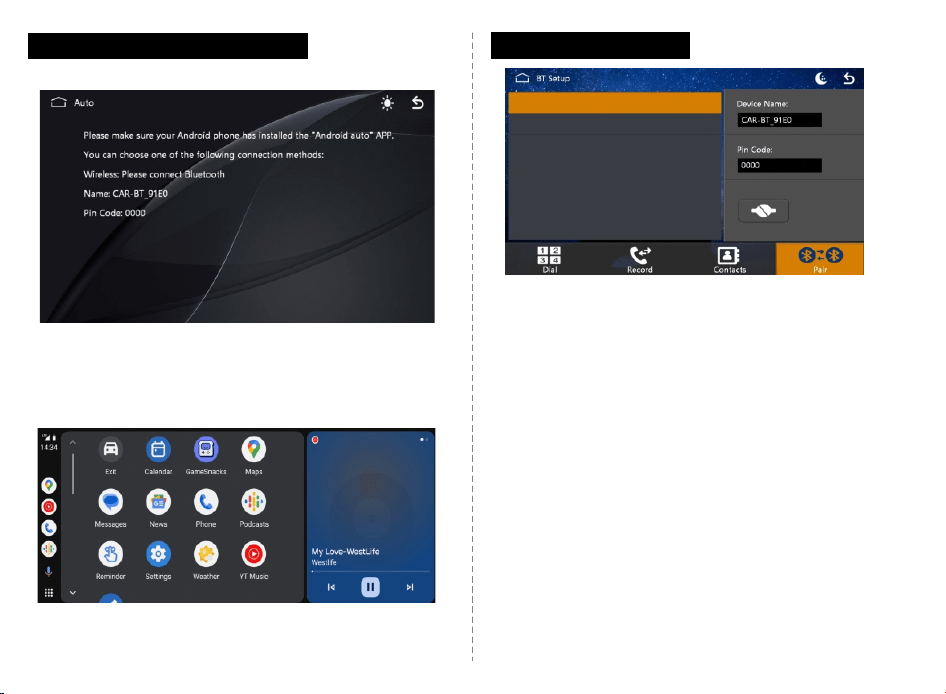
AndroidAutoConnection
Step1.ClicktheAndroidAutoonthemaininterface.
Step2.Turnonthephone sWiFiandBluetooth.'
Step3.SelecttheBluetoothnamed'CAR-BT-XXXX'andconnecttoit.
FAQ
Q:Whywon'tCarPlaystartorturnoffwiththeengine?
A:CheckiftheGNDwireisproperlyconnectedtothemotorcycle's
ACCline.(ThisCarplaydoesn'thaveabuilt-inbatteryandonlypowers
onwhenthemotorcyclestarts.)
Q:Whyistherenosound?
A:Thisdevicedoesnothaveabuilt-inspeaker.CheckiftheBluetooth
headsetisconnectedtothephoneandselecttheBluetoothheadset
astheaudiooutput.
Q:Whycan'tIconnecttoCarPlayorAndroidAuto?
A:Ensureyourphone'sBluetoothispairedsuccessfullyandWi-Fiis
turnedon.
BluetoothPhone
Step1.ClicktheBTbutton.
Step2.TurnonBluetoothonyourphone.
Step3.SelecttheBluetoothname'CAR-BT-XXXX'andconnecttoit.
· 3 ·
機能紹介
1.マイク
2.TFカードスロット、ネジを外して防⽔カバーを取り外すとTFカードス
ロットが⾒えます(。⽂字が上向きで挿⼊してください)
· 4 ·
CARPLAY
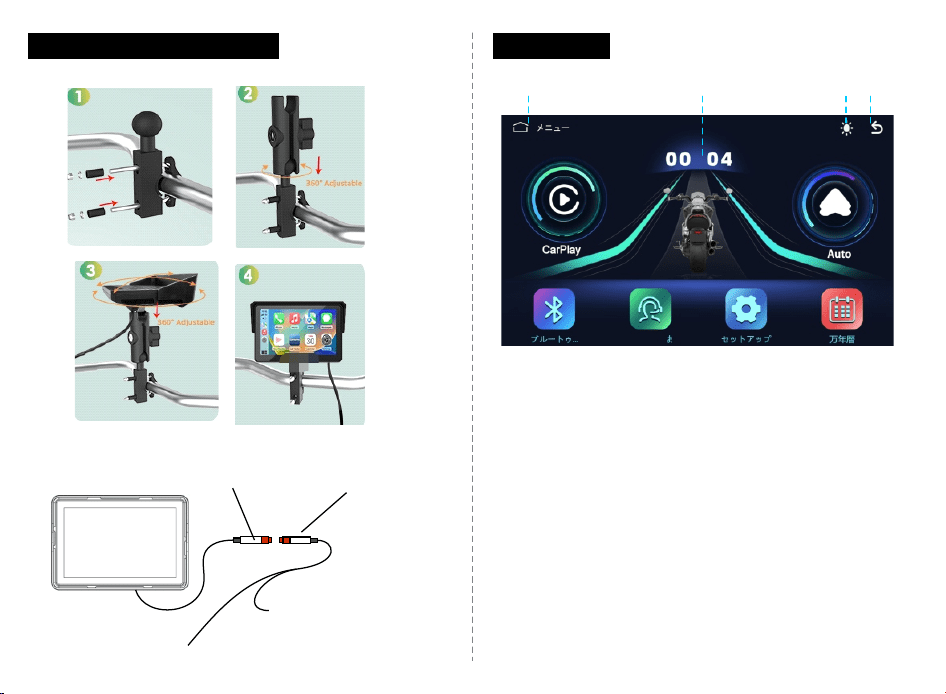
取り付けおよび接続⽅法
1.マウント取り付け図:
2.配線図:
電源ケーブル接続 2メートルの電源延⻑ケーブル
ACCは⾞両のACC制御線に接続
GNDはバッテリーのマイナス
端⼦に接続
メイン画⾯
①
④② ③
1.メイン画⾯に戻る
2.時刻
3.昼夜モード(クリックして昼/夜/スクリーンセーバーモードを切り替え)
4.戻るボタン
· 5 ·
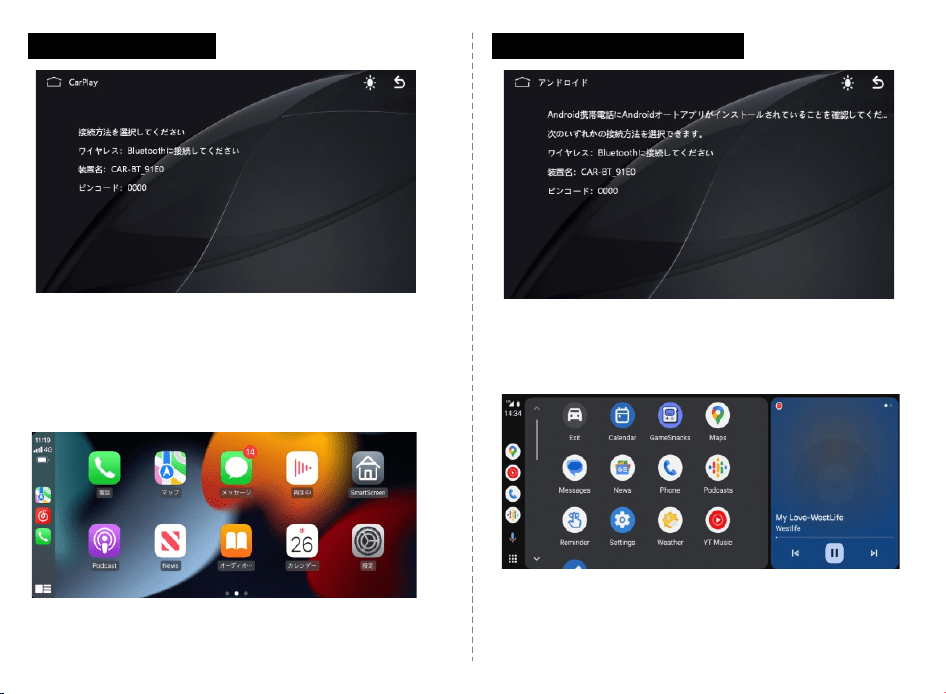
1【. CarPlay】ボタンをクリックします。
2.まず、スマホのWi-FiとBluetoothをオンにします。
3.スマホでBluetooth名「CAR-BT-XXXX」を接続してください。
(CarPlayオプションはiPhoneのみ対応しており、スマホのWi-Fi/
BluetoothをオフにすることでCarPlay接続が切断されます)
1【. AndroidAuto】ボタンをクリックします。
2.まず、スマホのWi-FiとBluetoothをオンにします。
3.スマホでBluetooth名「CAR-BT-XXXX」を接続してください。
CarPlay接続⽅法 AndroidAuto接続⽅法
· 6 ·
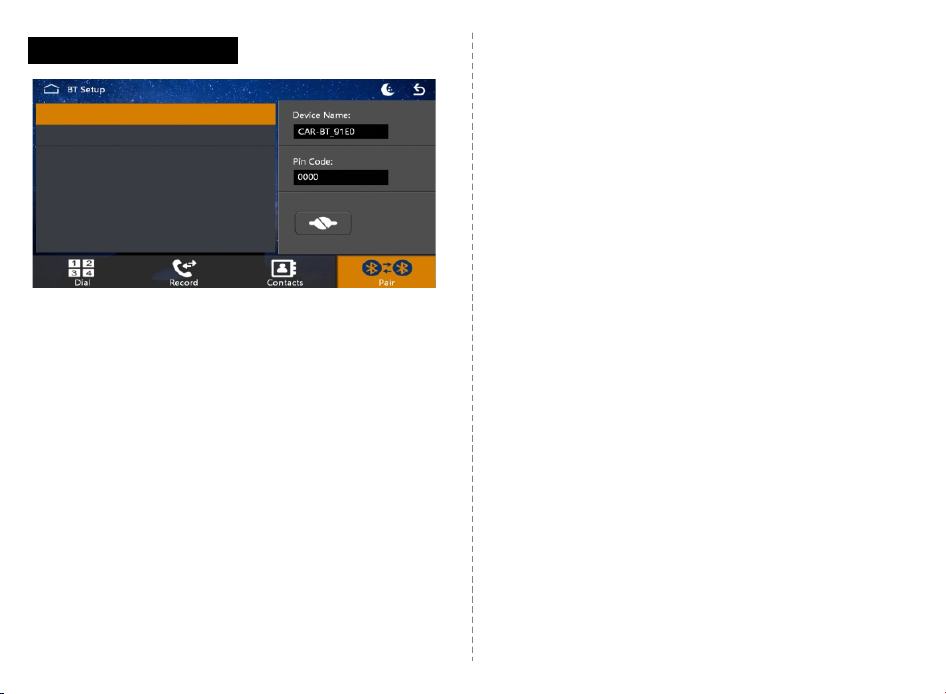
1.Bluetoothアイコンをクリックして、スマホでBluetooth名
「CAR-BT-XXXX」を検索し、パスワード「0000」を⼊⼒してペアリングします。
Bluetooth接続⽅法
2.次に、スマホでBluetoothスピーカーまたはBluetoothヘッドフォンを
検索し、ペアリングを成功させて⾳声を出⼒します。
(スマホで⾳声を出⼒するには、BluetoothスピーカーまたはBluetooth
ヘッドセットを選択してください)。
FAQ
Q:起動しない/エンジンが切れても電源が切れない?
A:GNDがバイクの電源ACC線に接続されているか確認してください。
(製品には内蔵バッテリーがなく、バイクを始動しないと電源が⼊らない
です)
Q:⾳声が出ない場合どうしますか?
A:本体にスピーカーを搭載していませんが、スマホがBluetoothヘッドフォ
ンまたはBluetoothスピーカーに正常に接続されているか確認してください。
Q:初回接続時にCarPlayまたはAndroidAutoに接続できない.
A:スマホのBluetooth接続が成功しているか、Wi-Fiがオンになっているか
確認してください.
· 7 ·