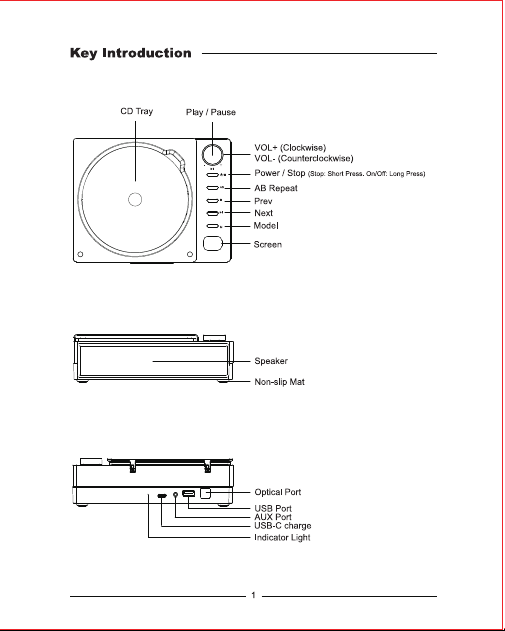
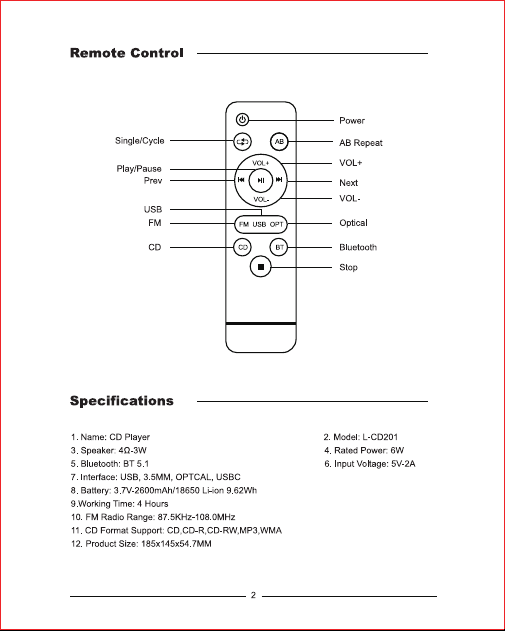
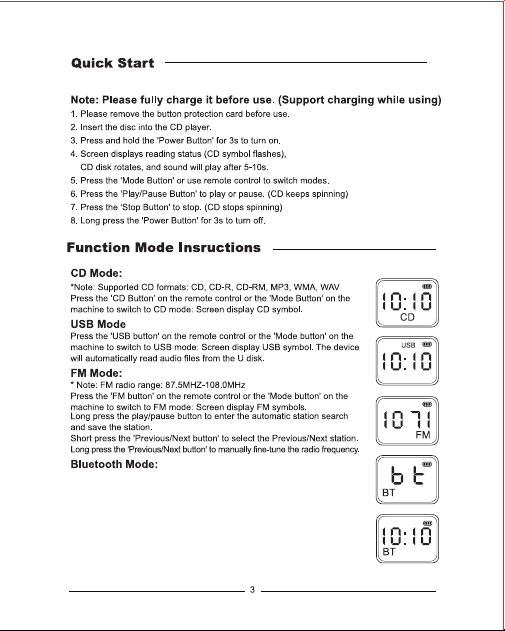
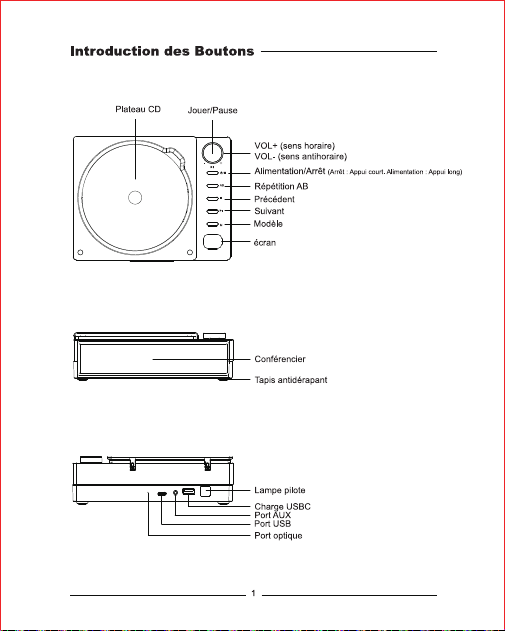
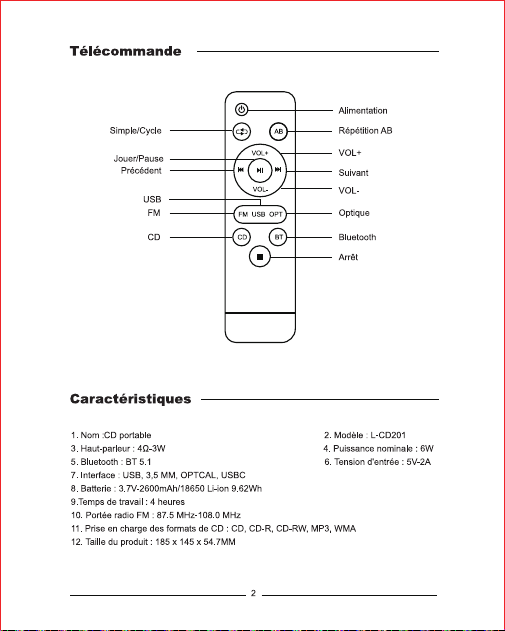
1. Receive Mode: Press the 'BT button' on the remote control or the 'Mode
button' on the machine to switch to Bluetooth mode: Screen display BT
symbol. Connect your phone/tablet to the CD player via bluetooth.
(Bluetooth Name:CD Player)
2. Transmit Mode: (Only used in CD mode) In CD mode, press and hold ‘’
Play/Pause Button‘’ 3s turn on Bluetooth transmit(BT symbol flashes).
Please place the Bluetooth device close to CD play. Hearing "Ding" means
connection is successful. (The first connection may take 8-10s)

1)
d,
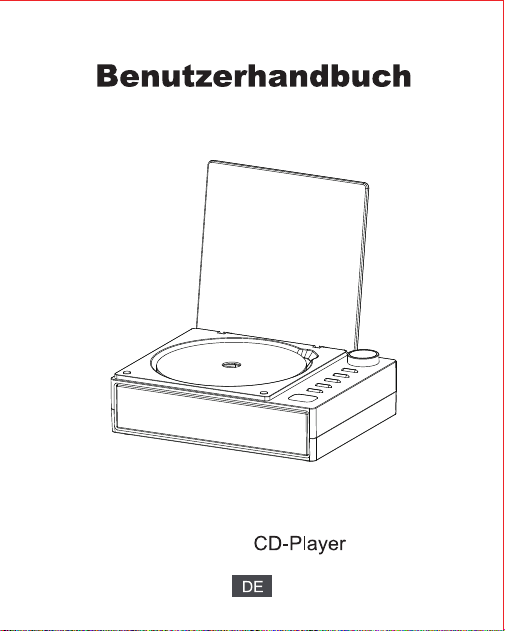
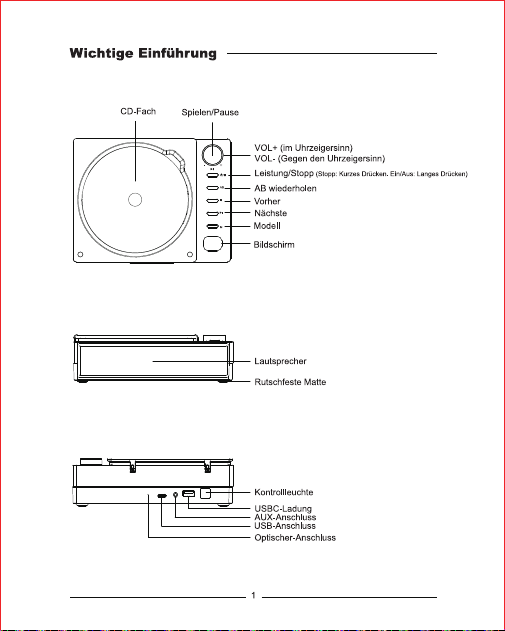
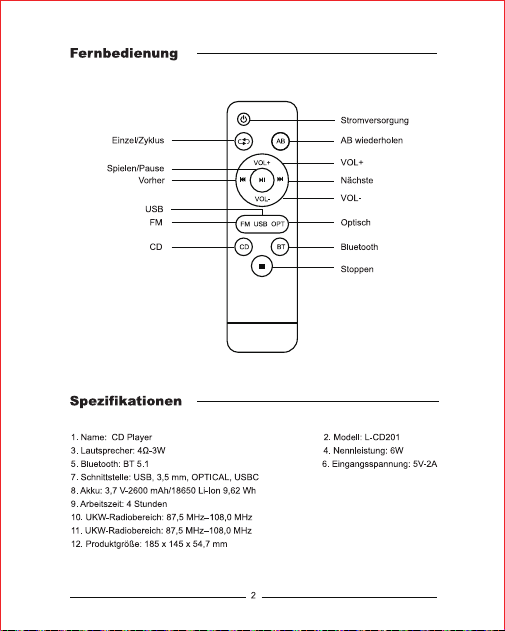
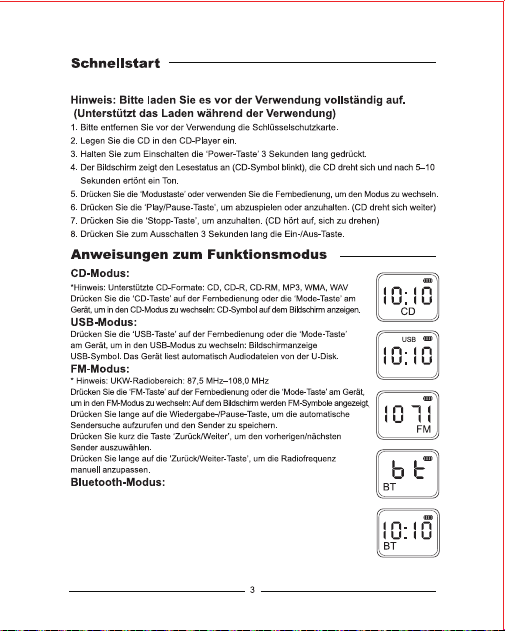
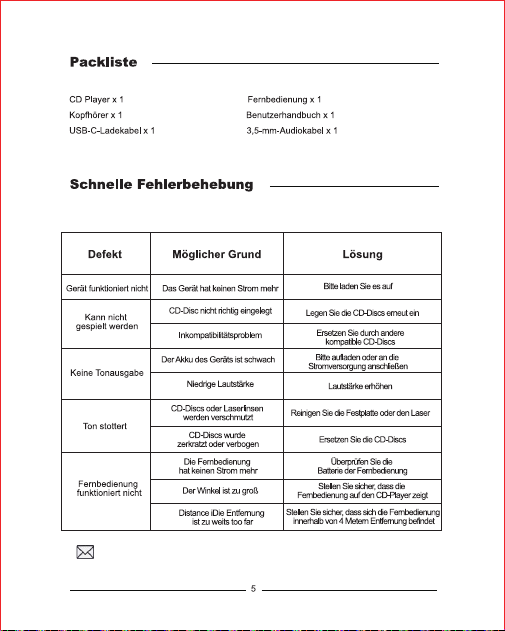
1.Empfangsmodus:Drücken Sie die‘BT-Taste' auf der Fernbedienung oder
die ‘Mode-Taste'am Gerät,um in den Bluetooth-Modus zu wechseln: Auf dem
Bildschirm wird das BT-Symbol angezeigt.Verbinden Sie Ihr Telefon/Tablet
über Bluetooth mit demCD-Player.(Bluetooth-Name:CD Player)
2.Übertragungsmodus:(Nur im CD-Modus verwendet) Halten Sie im
CD-Modus die „Play/Pause-Taste“ 3s lang gedrückt, um die Bluetooth-
Übertragung einzuschalten (BT-Symbol blinkt). Bitte platzieren Sie das
Bluetooth-Gerät in der Nähe der CD-Wiedergabe. Hören „ „Ding“ bedeutet, dass die Verbindung
erfolgreich war. (Die erste Verbindung kann 8–10 Sekunden dauern.)
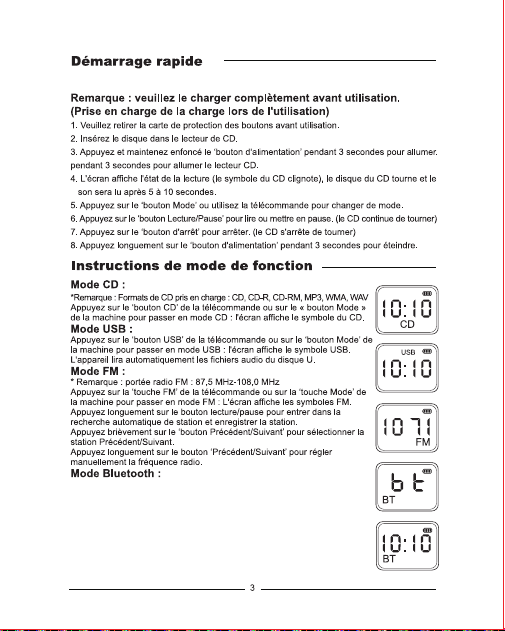
1.Mode de réception:Appuyez sur le ‘bouton BT'de la télécommande ou
sur le ‘bouton Mode'de la machine pour passer en mode Bluetooth : |'écran
affiche le symbole BT. Connectez votre téléphone/tablette au lecteur CD via
Bluetooth.(Nom Bluetooth:CD Player)
2. Mode de transmission: (utilisé uniquement en mode CD) En mode CD,
maintenez enfoncé le bouton Lecture/Pause pendant 3s pour activer la
transmission Bluetooth (le symbole BT clignote). Veuillez placer l'appareil
Bluetooth à proximité de la lecture du CD. Audition » Ding" signifie que la
connexion est réussie. (La première connexion peut prendre 8-10s)
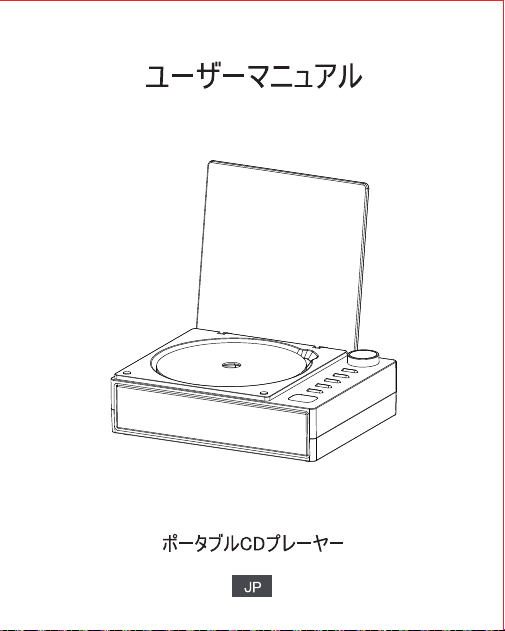
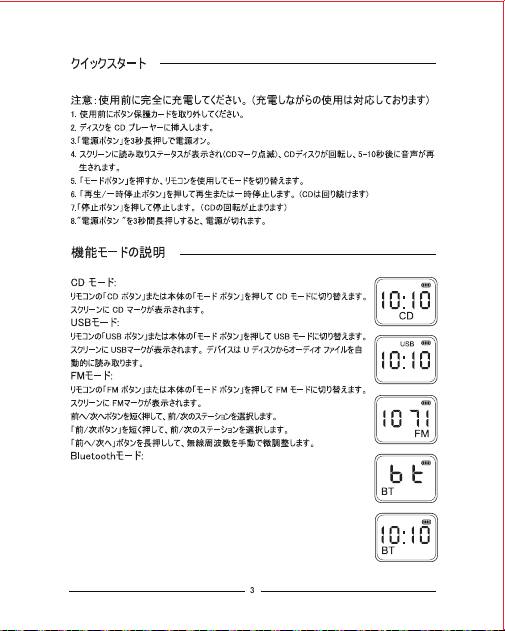
1.受信モード:リモコンの「BT ボタン」または本体の「モ一ド ボタン」を押して Bluetooth
モ一ドに切り替えます: 画面に BT シンボルが表示されます。携帯電話/タプレットを
BluetoothでCDプレ一ャ一に接続します。(Bluetooth 名:CD Player)
2. 送信モード: (CD モードでのみ使用) CD モードで、「再生/一時停止ボタン」を
3 秒間押し続けて Bluetooth 送信をオンにします (BT シンボルが点滅します)。
Bluetooth デバイスを CD 再生の近くに置いてください。 「Ding」は接続が成功
したことを意味します(最初の接続には 8 ~ 10 秒かかる場合があります)。