STOP
DO NOT RETURN TO STORE!
HAVE QUESTIONS OR NEED SERVICE?
1-800-776-3538
Read the instructions carefully and keep for
future reference. Information maybe updated
from time to time so please refer to the
website for the latest version of the manual.
1. Scan QR Code
Open Smart Phone
Open Camera
Click the Link
2. Register online at ApplianceDesk.com/Warranty
Note: QR Code is also used to obtain Product Information, Manuals and Updates
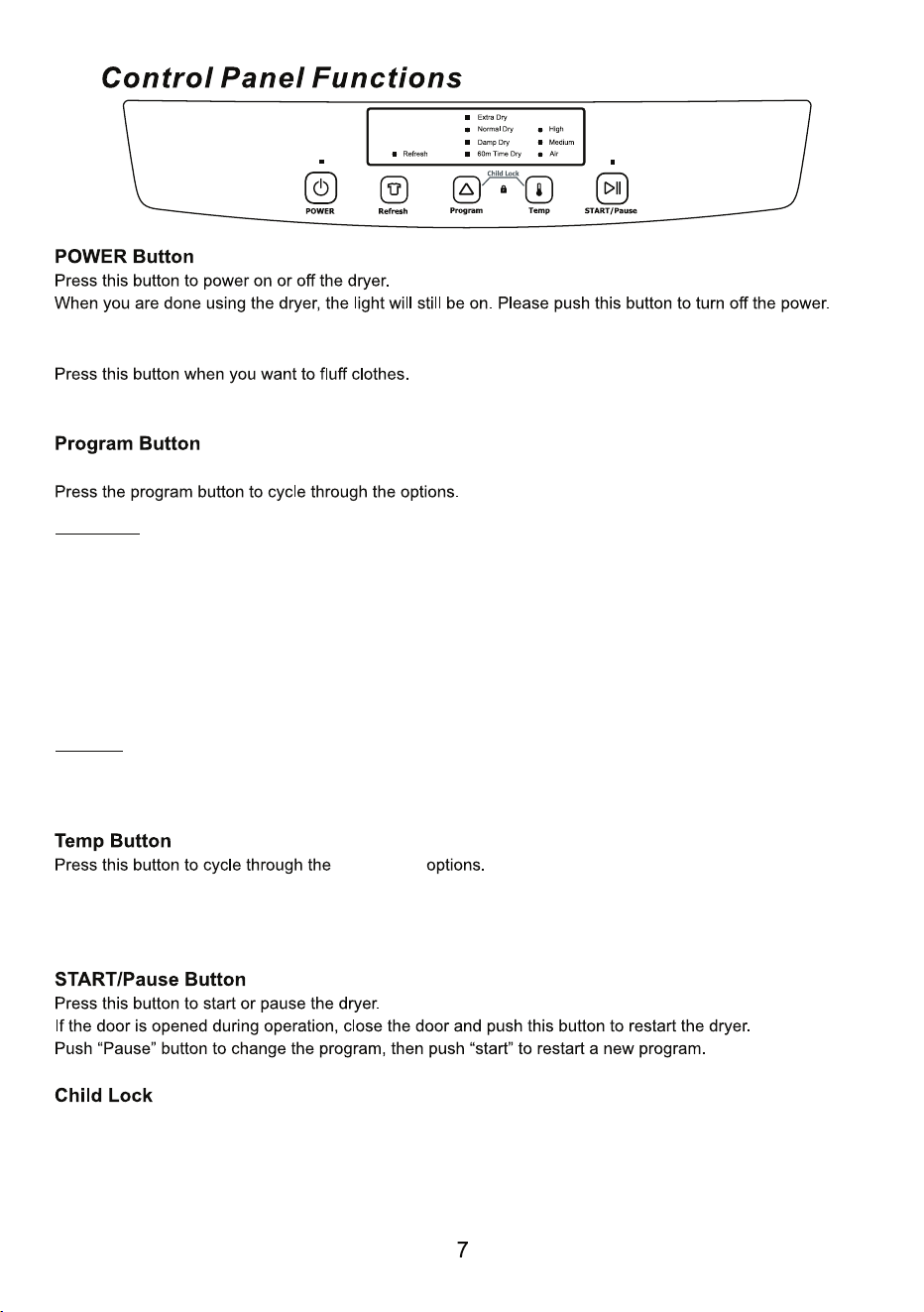
There are three Sensor Dry programs and one Time Dry program.
Sensor Dry: Select one of the dry levels:
• Extra Dry
• Normal Dry
• Damp Dry
For these dry programs, the dryer blows hot air until the desired dry level has been reached. Then the drying
stops, but the drum continues to rotate every 5 minutes for 8 hours. This is to prevent wrinkles. You may
open the door at any time to stop the dryer. Once clothes are removed from the dryer, simply press the
Power button to turn o ffthe dryer.
Time Dry
60m Time Dry: The dryer blows hot air for 50 minutes and cool air for 10 minutes and then stops.
Note: During this program, the temperature is on high heat, so it is not possible to select any other
temperature options.
temperature
• High: The dryer blows full power heat.
• Medium: The dryer blows full and half power heat, alternating every 10 minutes.
• Air: There is no heat. The dryer blows only air while the clothes tumble.
Refresh Button
This function can be used after the drying program ends. It runs for 10 minutes.
Press “Program” and “Temp” buttons at the same time for 3 seconds until the “Child Lock” light comes on and
the program is locked. All other buttons are locked. Press “Program” and “Temp” buttons again at the same
time for 3 seconds to unlock.