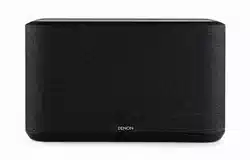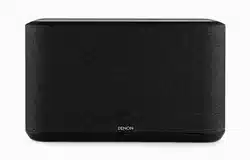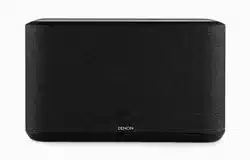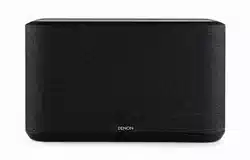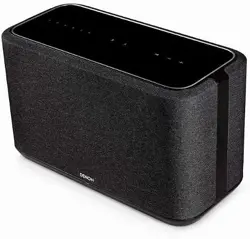

Introduction
5
Before your begin
6
System requirements
6
Network requirements
6
Getting to know your speaker
7
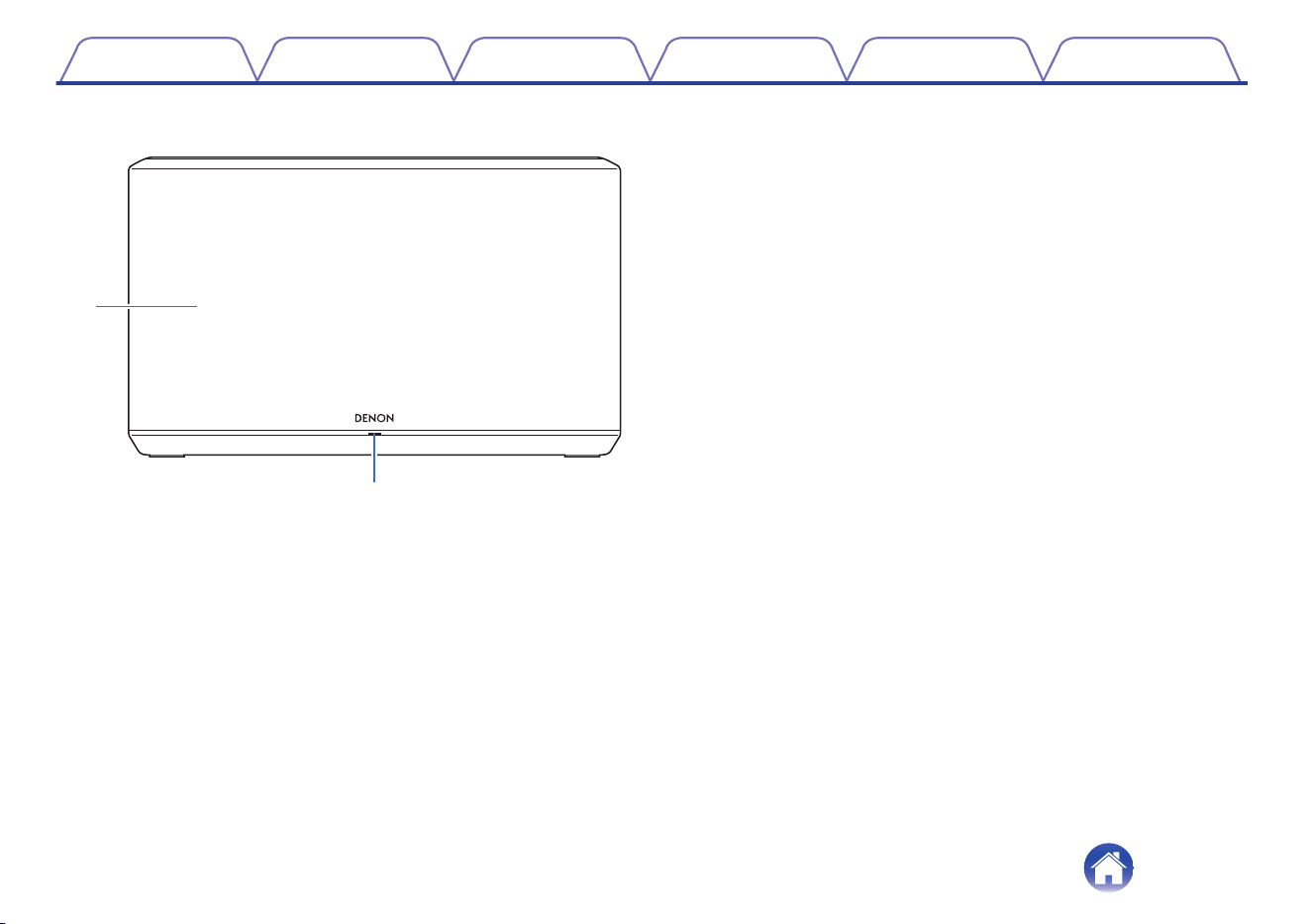
Front panel
8
Top panel
9
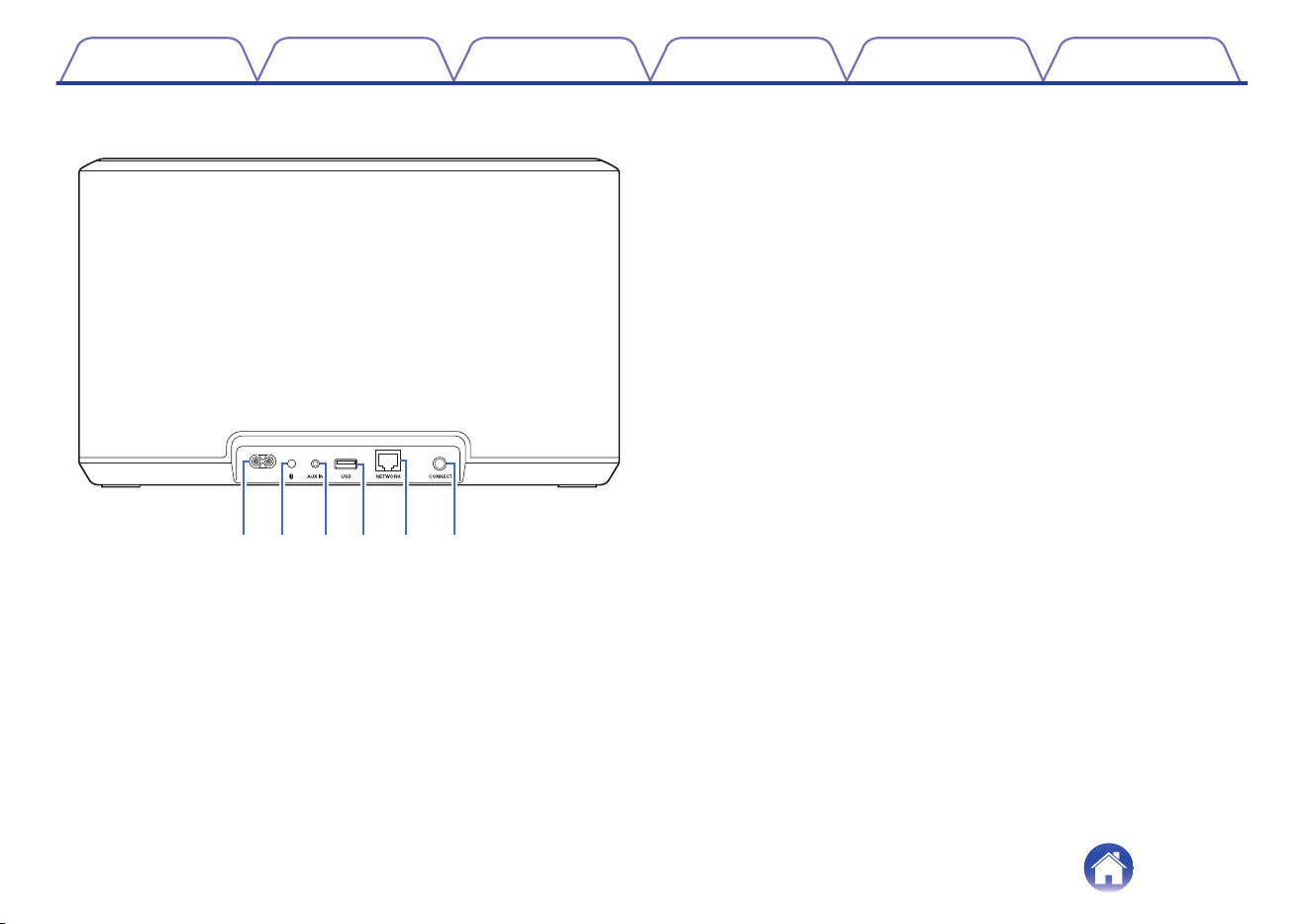
Rear panel
10
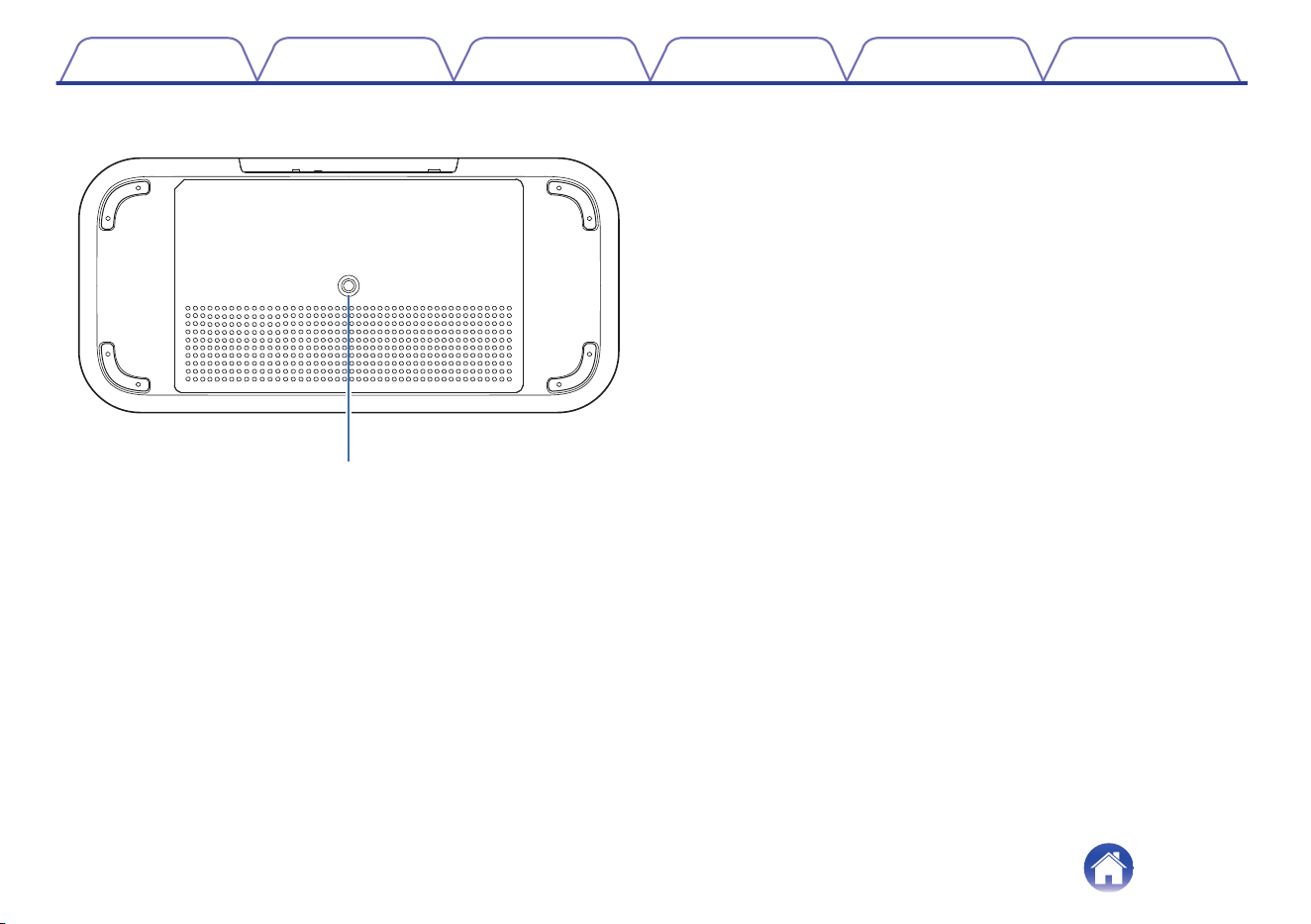
Bottom panel
11
Placing your speaker
12
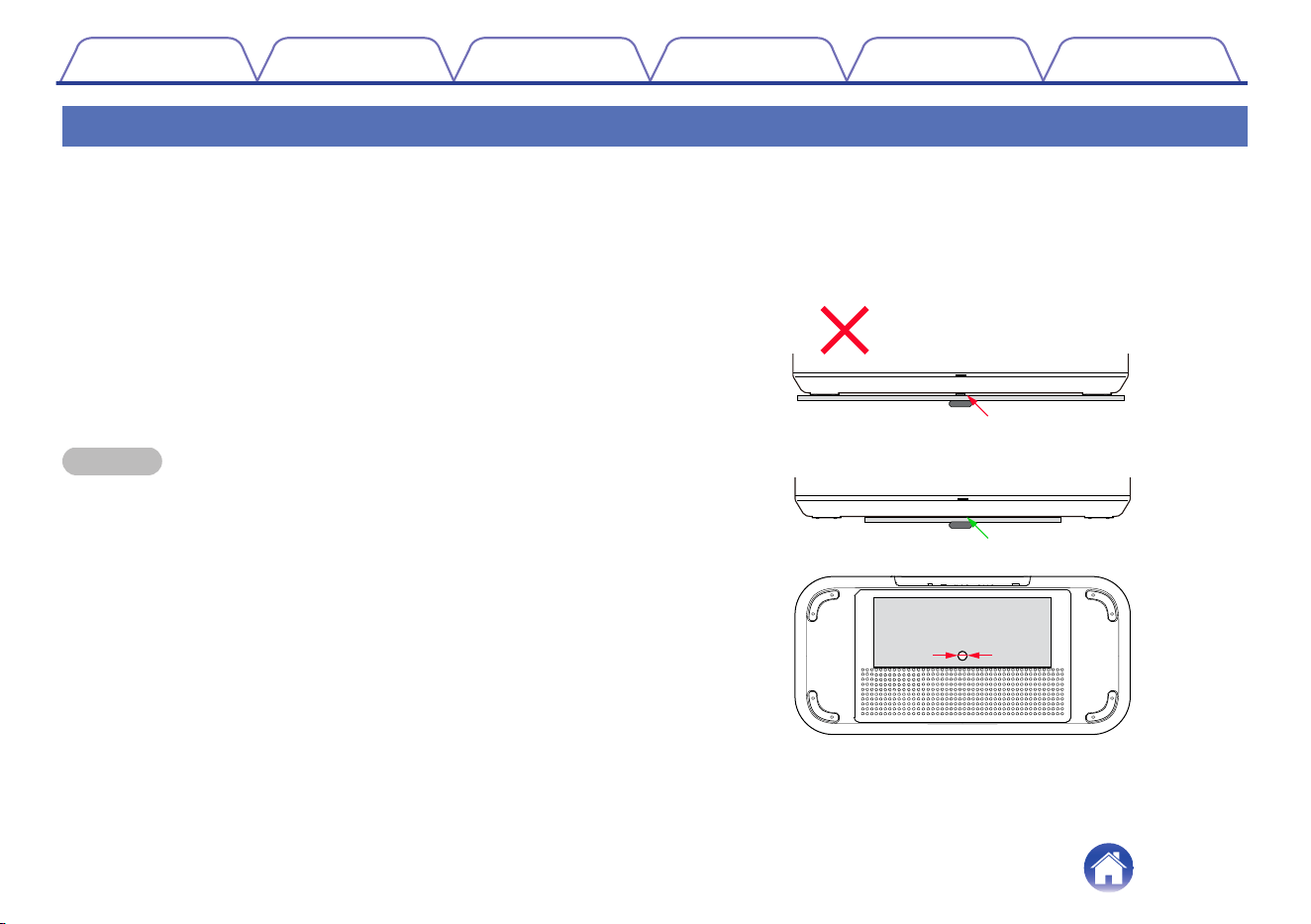
Wall or ceiling mounting
12
Powering your speaker
13
Getting the HEOS app
14
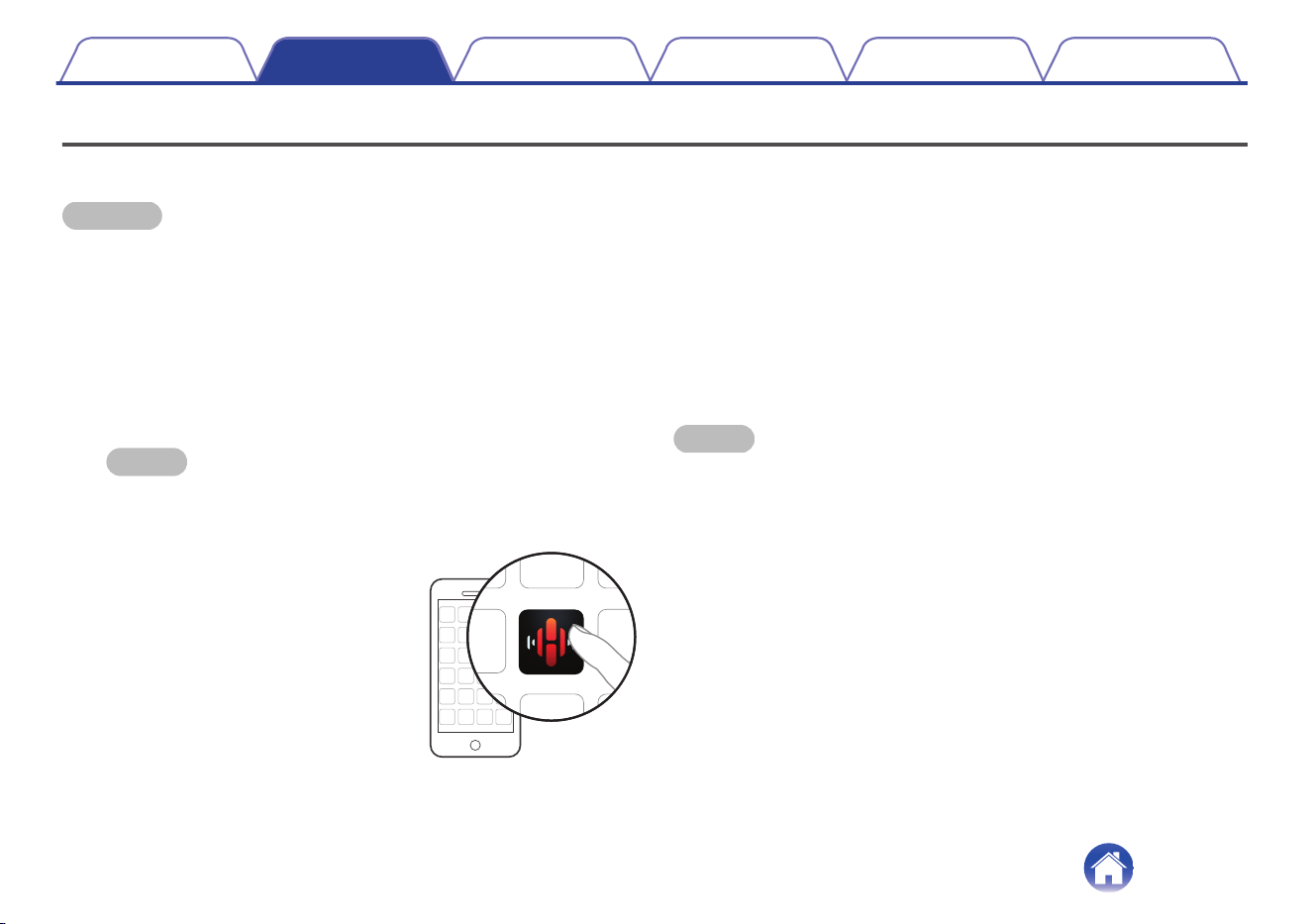
Setting up your first speaker
15
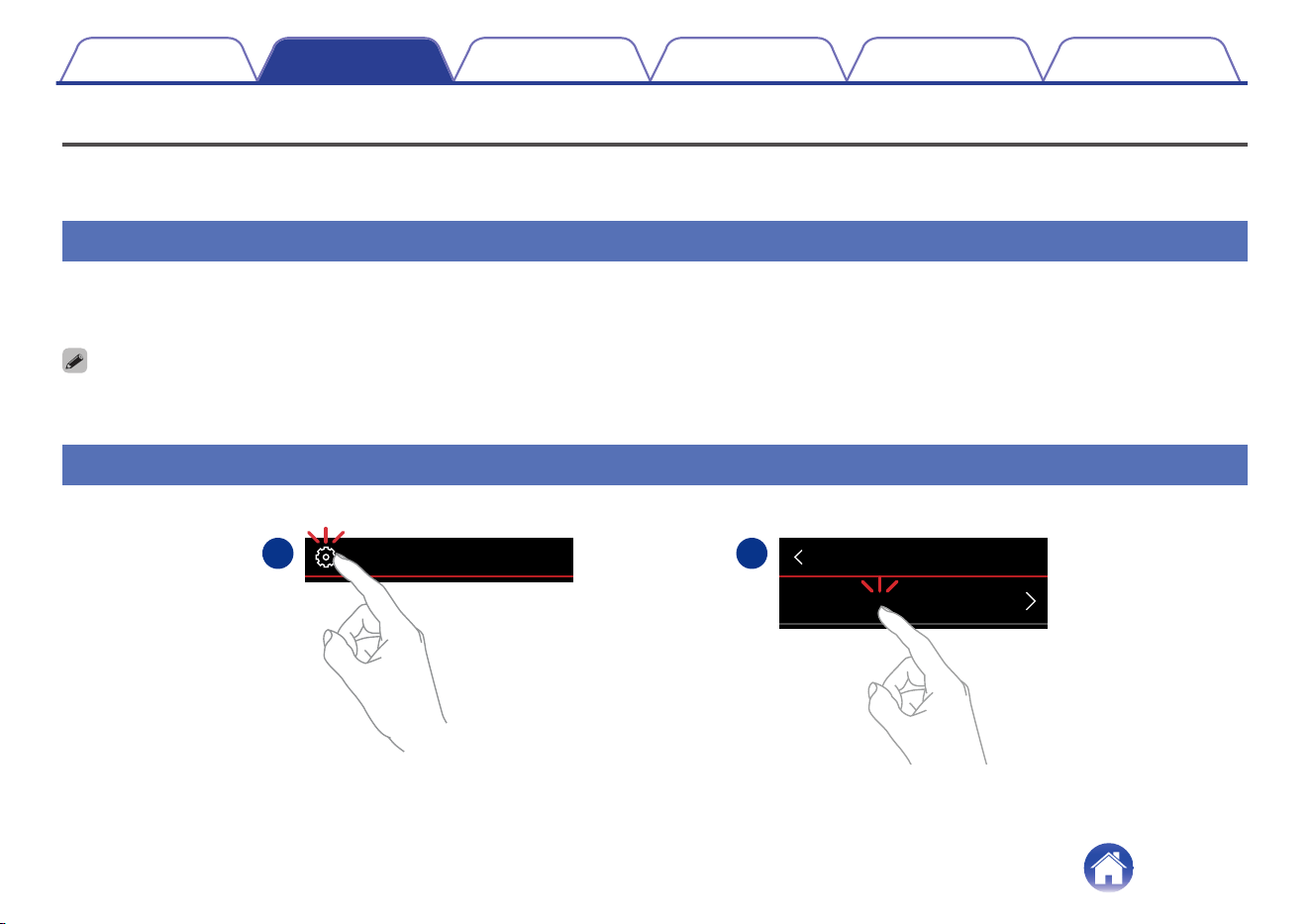
Adding more speakers
16
Adding wired speakers
16
Adding wireless speakers
16
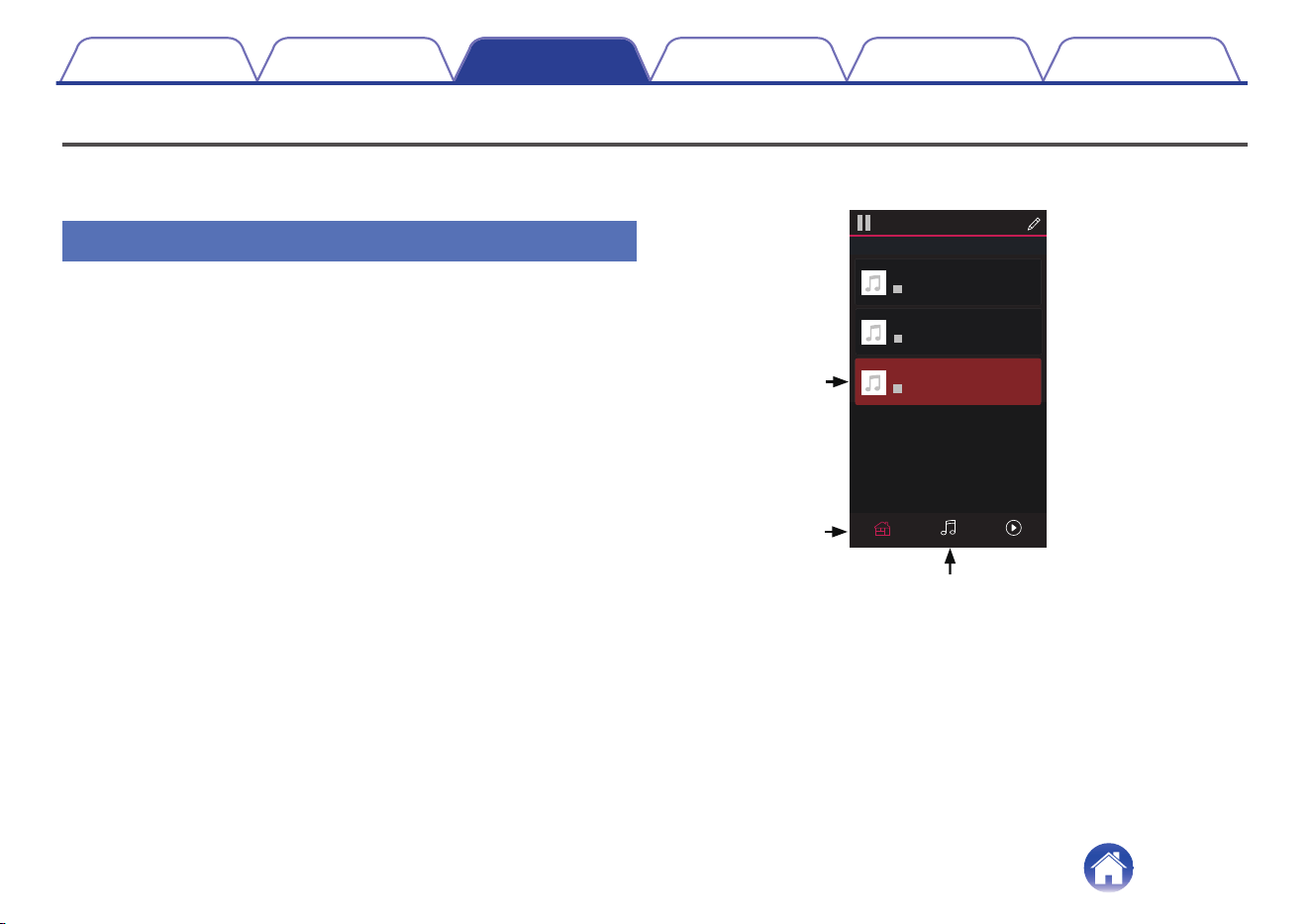
Using your speaker
17
Selecting a room/speaker
17
Quick Select function
18
Listening to radio
19
Playing music stored on your mobile device
19
Playing music from your networked PC or NAS
20
Playing music from the AUX input
21
Playing music from a USB memory device
22
Playing music from Bluetooth device
23
Pairing the speaker with your Bluetooth devices
23
HEOS account
24
What is a HEOS account?
24
Why do I need a HEOS account?
24
Signing up for a HEOS account
24
Changing your HEOS account
24
Playing from streaming music services
25
Adding a music service
25
Changing music service settings
25
Managing inputs
26
Changing the name of the inputs
26
Hiding an input
26
Managing your phone
27
Contents Setup Use Troubleshooting Status LED Appendix
Contents
2

Listening to the same music in multiple rooms
28
Grouping rooms
28
Ungrouping rooms
29
Grouping all rooms (party mode)
30
Ungrouping all rooms
31
Stereo pairing
32
Creating a stereo pair
32
Changing the name of a stereo pair
34
Adjusting the balance
34
Swapping left and right channels in a stereo pair
35
Removing a stereo pair
35
Using the now playing queue
36
Play Now
36
Play Now & Replace Queue
36
Play Next
36
Add to End of Queue
36
Rearranging the now playing queue
37
Deleting songs from the play queue
37
Deleting all songs from the play queue
38
Saving playlists
38
Performing repeat and shuffle playback
38
Using the favorite
39
Adding to HEOS favorite
39
Deleting station from the HEOS favorite
39
AirPlay function
40
Playing songs from your iPhone, iPod touch or iPad
41
Playing iTunes music with your speaker
41
Play a song from your iPhone, iPod touch or iPad on multiple
synced devices (AirPlay 2)
42
Making speaker adjustments
43
Changing the name of a speaker
43
Changing the wireless network connection
43
Changing the speaker’s equalizer
44
Adjusting the audio quality
44
Adjusting the status light brightness
44
Advanced speaker settings
45
Network settings
45
About wireless power saving
45
Firmware upgrade
46
About
46
Contents Setup Use Troubleshooting Status LED Appendix
3
Updating your system
47
Advanced features
48
Sharing music from your mobile device
48
Wireless performance
48
Submit diagnostics
49
Resetting your controller app
49
Power management
50
Power modes
50
Quick Start Mode
50
Deep Standby
50
Off
50
Basic troubleshooting
51
Cannot connect the speaker to the network
51
Cannot pair a Bluetooth mobile device with the speaker
51
Cannot hear Bluetooth music
52
Music cuts out or delays sometimes
52
I hear a delay when using the AUX input with my TV
53
Connecting to a network using an iOS device
53
I hear distortion when using the AUX input
54
Connecting to a WPS network
54
Resetting your speaker
55
Buttons do not operate correctly
55
Status LED table
56
Supported file types and codecs
60
Specifications
61
Information
63
Trademarks
63
License
65
License information for the software used in the unit
65
Contents Setup Use Troubleshooting Status LED Appendix
4
Thank you for purchasing this Denon product. To ensure proper operation, please read this owner’s manual carefully before using the product.
NOTE
0
This document contains information that is subject to change without notice.
Introduction
The speaker is part of the HEOS system that enables you to enjoy your favorite music anywhere and everywhere around your home. By utilizing your
existing home network and the HEOS app on your iOS or Android™ device, you can explore, browse, and play music from your own music library or from
many online streaming music services.
0
True multi-room audio - play different songs in different rooms or the same song in every room
0
Utilizes your existing home wireless network for quick and easy setup
0
Industry leading microsecond audio synchronization between speaker
0
Legendary Denon audio quality
0
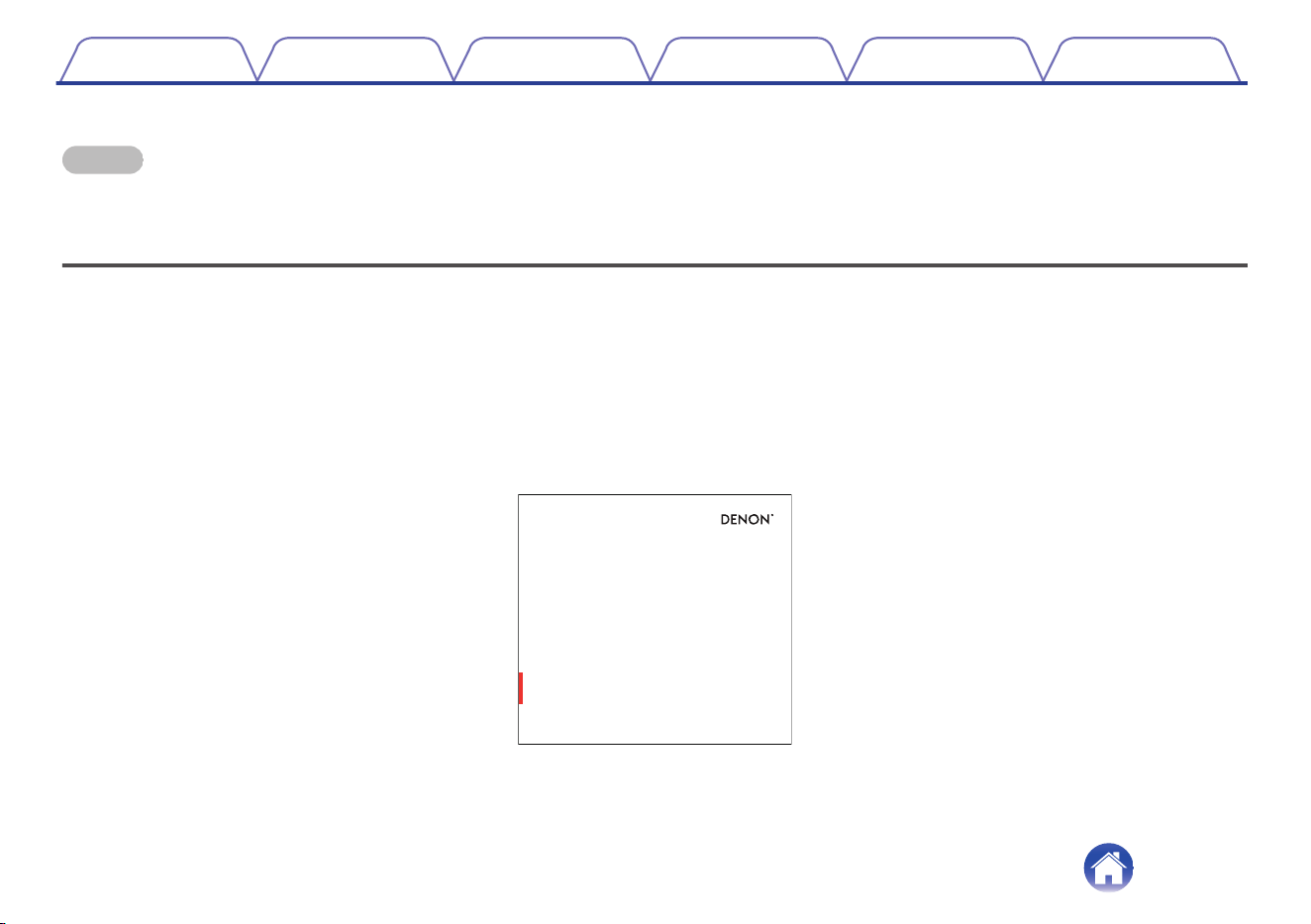
If you are in a hurry, you can be enjoying great sounding music in no time by following the steps outlined in the Quick Start Guide (packaged with your
speaker).
.
DENON HOME 350
WIRELESS SPEAKER
QUICK
START
GUIDE
Please continue reading this Owner’s Manual for more detailed information about the features and benefits of your speaker.
Contents
Setup Use Troubleshooting Status LED Appendix
5
Before your begin
NOTE
0
If you have already installed at least one speaker, please skip to the section “Adding more speakers” (v p. 16).
System requirements
Before you begin installing your first speaker, please make sure you understand and meet a few basic requirements.
o
Network requirements
Wireless Router - In order to use your HEOS system, you must have a working wireless (Wi-Fi) or ethernet network in your home. Even when
connected to an Ethernet network, a Wi-Fi connection to the router is required to control the system using the HEOS app. If you do not have a wireless
network, please contact your local Denon dealer or electronics retailer to assist you with purchasing and installing a wireless network in your home.
High Speed Internet Connection - HEOS system accesses the Internet to stream music to your home from many popular online music services.
HEOS system is also designed to provide you with software updates, which are delivered via your home Internet connection. DSL, Cable, and Fiber
services will provide the best experience and reliability. You may experience performance issues with slower Internet connections like satellite based
services.
Contents
Setup Use Troubleshooting Status LED Appendix
6
Getting to know your speaker
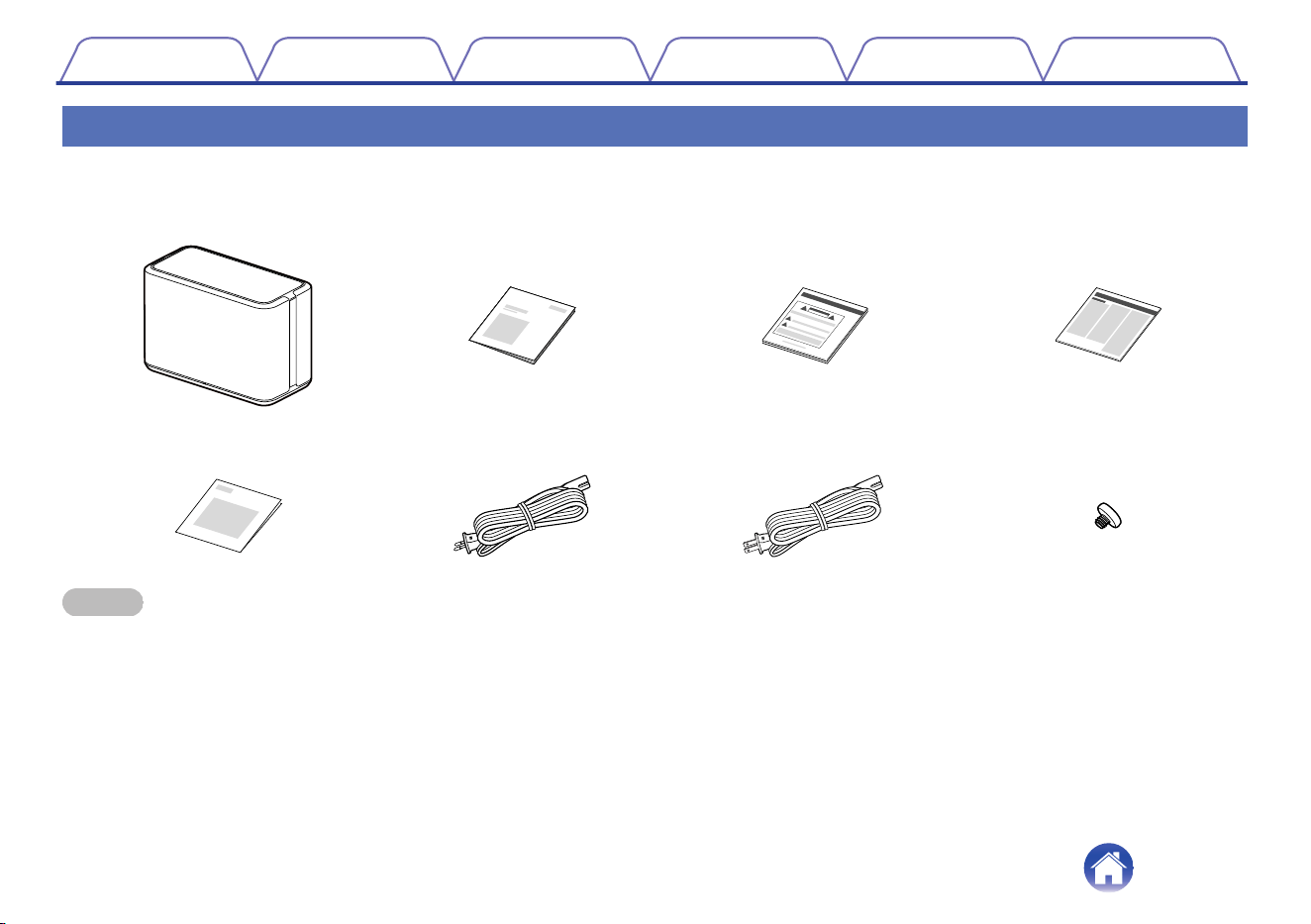
Unpack your speaker from the box and verify that the following items are included:
.
Speaker
qwe
ytu
r
i
Quick Start Guide
Safety Instructions
Notes on Radio
Warranty
(North America model only)
Power cord
(for Europe model)
Power cord
(for North America model)
Mounting screw
NOTE
0
Please use the power cord included in the box for your device.
Contents Setup Use Troubleshooting Status LED Appendix
7
o
Top panel
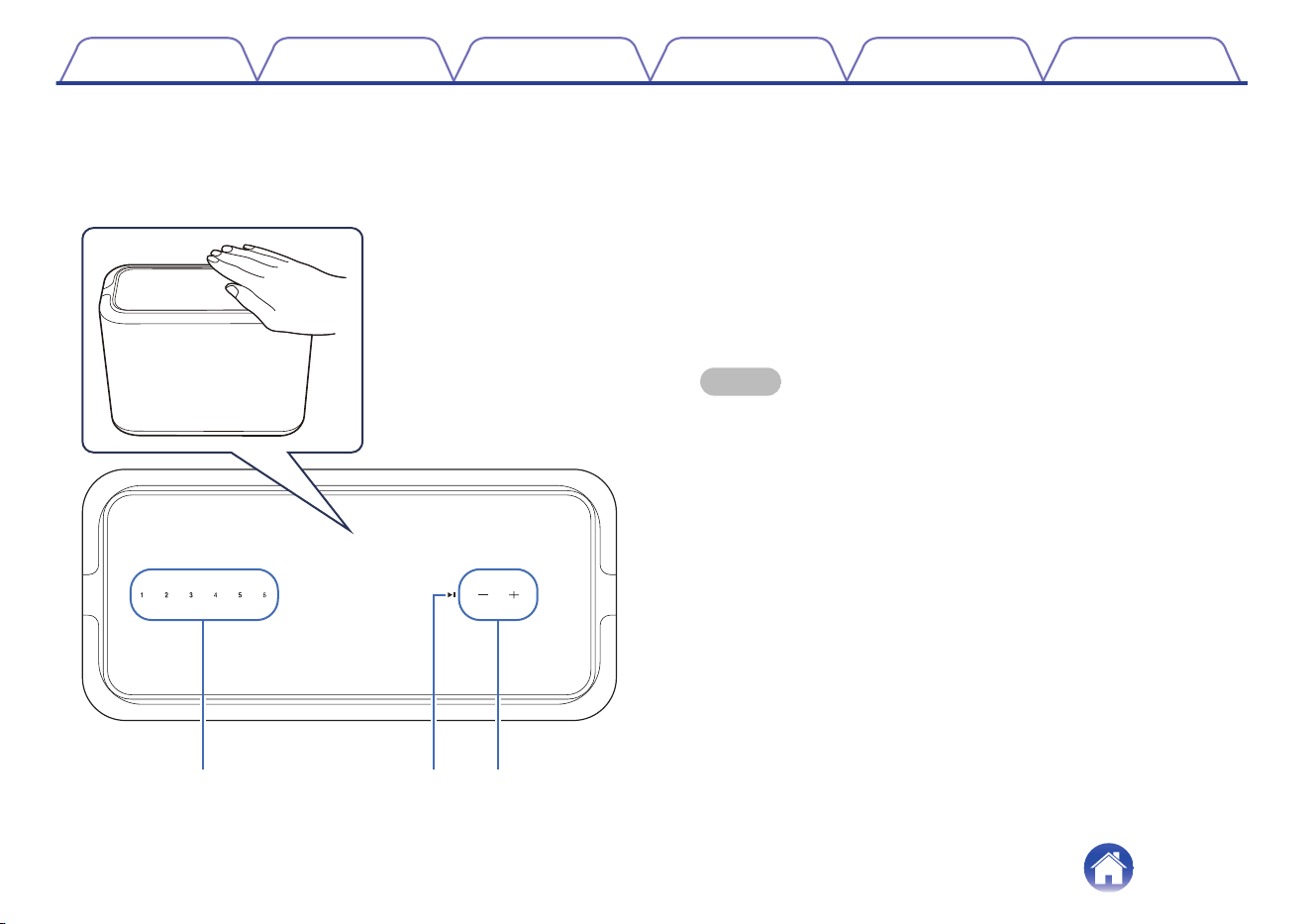
Hold your hand over the top of the speaker to show the operation
panel buttons. Touch these buttons to perform operations. Moving
your hand away from the area hides the buttons.
.
q w e
A
Quick select buttons (1 - 6)
Register input source settings to these buttons or recall those
settings. (v p. 18)
B
Play/pause button (13)
0
Press this button to pause during playback. If pressed while
paused or stopped, resumes playback from the last track played.
0
Press and hold the button for 5 seconds to enter Deep Standby
mode. (v p. 50)
C
Volume buttons (+, –)
These adjusts the volume level.
NOTE
0
Do not put anything on top of the speaker. Doing so may lead accidental
operations.
Contents Setup Use Troubleshooting Status LED Appendix
9
o
Rear panel
.
w r
y
eq
t
A
AC inlet
Used to connect the power cord. (v p. 13)
B
Bluetooth button (V)
Used in the Bluetooth pairing settings. (v p. 23)
C
AUX input connector (AUX IN)
Used to connect audio devices. (v p. 21)
D
USB port
Used to connect USB memory devices. (v p. 22)
E
NETWORK connector
Used to connect this unit to a wired Ethernet network. (v p. 16)
F
CONNECT button
Used for Wi-Fi setup. (v p. 54)
Contents Setup Use Troubleshooting Status LED Appendix
10
Placing your speaker
You can place your speaker anywhere you want to enjoy great sounding music. Please follow these simple guidelines when determining where to place
your speaker…
0
The speaker must be within range of your wireless network.
0
The speaker is designed to sound best when placed 3 to 12 inches (8 - 30 cm) from a wall.
0
Locate the speaker at least 12 inches (30 cm) from a television, computer, or other display device to avoid the possibility of interference.
0
Place the speaker across the room from where you will be listening, as close to ear level as possible.
0
The speaker is not waterproof. Do not place it near any water source and do not leave it outside in the rain or snow.
o
Wall or ceiling mounting
This speaker can be mounted on a wall or ceiling using a screw
included and standard speaker or camera mount/attachment (1/4
inches / 6.35 mm diameter) that supports at least 59 lbs 1 oz / 26.8 kg.
For more information, contact the store you purchased the speaker.
Caution
0
Use a hexagonal wrench with a width across flats of 3/16 inches / 4.8
mm for the included screw.
0
Do not use a fixture other than the included screw to mount the speaker
on a wall. This may damage the speaker.
0
Use a commercial bracket (sold separately) to attach this unit to the wall
or ceiling. Do not attach it directly to the wall or ceiling.
0
If attaching this unit to the wall or ceiling, check that it is attached
securely. Please be aware that Denon accepts no responsibility for any
damage if the unit falls.
.
OK
Gap
No gap
Φ3/8 inches / 8 mm or less
Do not obstruct the ventilation holes.
Contents
Setup Use Troubleshooting Status LED Appendix
12
Powering your speaker
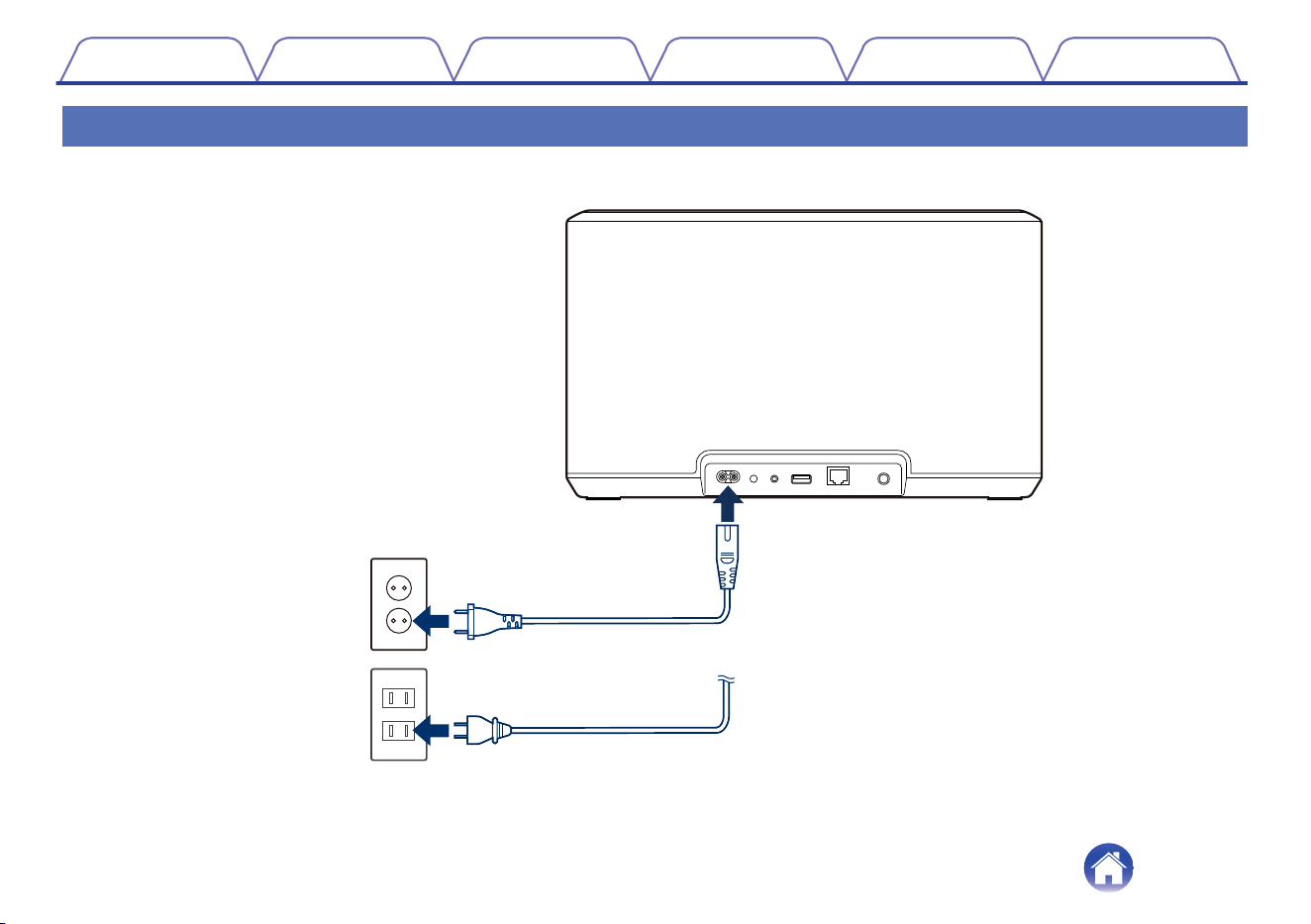
Connect the power cord included in the box to the rear panel of the speaker and the plug to a wall outlet. The speaker is capable of automatically
switching between 100 - 240 V.
.
To household power outlet
AC 100 - 240 V, 50/60 Hz
(for Europe model)
AC 100 - 120 V, 50/60 Hz
(for North America model)
Power cord (supplied)
Power cord (supplied)
Contents
Setup Use Troubleshooting Status LED Appendix
13
Getting the HEOS app
The HEOS app is the heart of the HEOS system experience. Using your mobile device and the HEOS app, you can setup, browse, explore, and control
your HEOS system right in the palm of your hand, from anywhere in your home.
Download the HEOS app for iOS or Android by searching App Store
®
, Google Play™ store or Amazon App Store for “HEOS”.
.
For the purpose of improvement, the specifications and design are subject to change without notice.
Contents Setup Use Troubleshooting Status LED Appendix
14
Setting up your first speaker
Once you have placed your speaker in your listening room and have downloaded the HEOS app, you are ready to configure your speaker for music
playback. This involves following a few simple steps to get the speaker connected to your existing home network:
Caution
0
Do not connect the Ethernet cable if you are connecting your speaker to a wireless network. If you are connecting the speaker to a wired network, use
an Ethernet cable sold separately to connect the speaker to your network or router.
1
Make sure your mobile device is connected to your
wireless network (the same network you want your
speakers connected to).
You can check this in the “Settings” - “Wi-Fi” menu of your iOS or
Android device.
NOTE
0
Activate the Bluetooth setting on your mobile device.
0
If your wireless network is secure, make sure you know the password to join
your network.
2
Launch the HEOS app on your
mobile device.
3
Tap the “Setup Now” button at the top of the screen.
4
Follow the instructions to add the speaker to your
wireless network.
NOTE
0
If you have any problems connecting your speaker, jump to the Troubleshooting
section (v p. 51).
Contents Setup Use Troubleshooting Status LED Appendix
Setup
15
Adding more speakers
The HEOS system is a true multiroom audio system that automatically synchronizes audio playback between multiple speakers so that the audio coming
from different rooms is perfectly in sync and always sounds amazing! You can easily add up to 32 speakers to your HEOS system.
Adding wired speakers
Just connect the speaker to your home network using an Ethernet cable and the speaker will appear on your HEOS app as a new room in the “Rooms”
screen.
At your convenience, you can assign a name to the speaker to indicate which room you have it placed in.
0
Use only a shielded STP or ScTP LAN cable which is easily available at electronics stores (CAT-5 or greater recommended).
0
Do not connect a NETWORK connector directly to the LAN port/Ethernet connector on your computer.
Adding wireless speakers
You can add additional speakers to your HEOS system by selecting “Add Device” from the HEOS app’s settings menu and follow the instructions:
.
1
2
Add Device
SettingsMusic
Contents
Setup Use Troubleshooting Status LED Appendix
16
Using your speaker
Once you have your speaker connected to your network and the HEOS app installed on your mobile device, it’s easy to start enjoying your favorite music.
You can listen to something different on every speakers or the same music perfectly synchronized on all speakers. It’s up to you!
Selecting a room/speaker
If you have more than one speaker, you must tell the HEOS system which
speaker you want to control:
1
Tap the “Rooms” tab.
2
Select the Room/Speaker you want to control.
3
Select the “Music” tab to select a music source or the
“Now Playing” tab to control what is currently playing
in the selected room.
.
Rooms
Drag one room into another to group them
Rooms
Now PlayingMusic
Song Name 3
Denon Home 350
Song Name 1
Dining L + Dining R
Song Name 2
Kitchen
1
2
3
Contents
Setup Use Troubleshooting Status LED Appendix
Use
17
Quick Select function
Input source settings can be registered to the Quick select buttons (1 - 6).
1
To register the current settings, press and hold down one of the Quick Select buttons (1 - 6) on the top panel for 3
seconds.
0
The status LED blinks once when registration is complete.
0
To recall the registered settings, press the Quick Select button on the top panel.
[Default settings]
Button Input source
Quick Select 1 AUX In
Quick Select 2 -
Quick Select 3 -
Quick Select 4 -
Quick Select 5 -
Quick Select 6 -
Contents Setup Use Troubleshooting Status LED Appendix
18
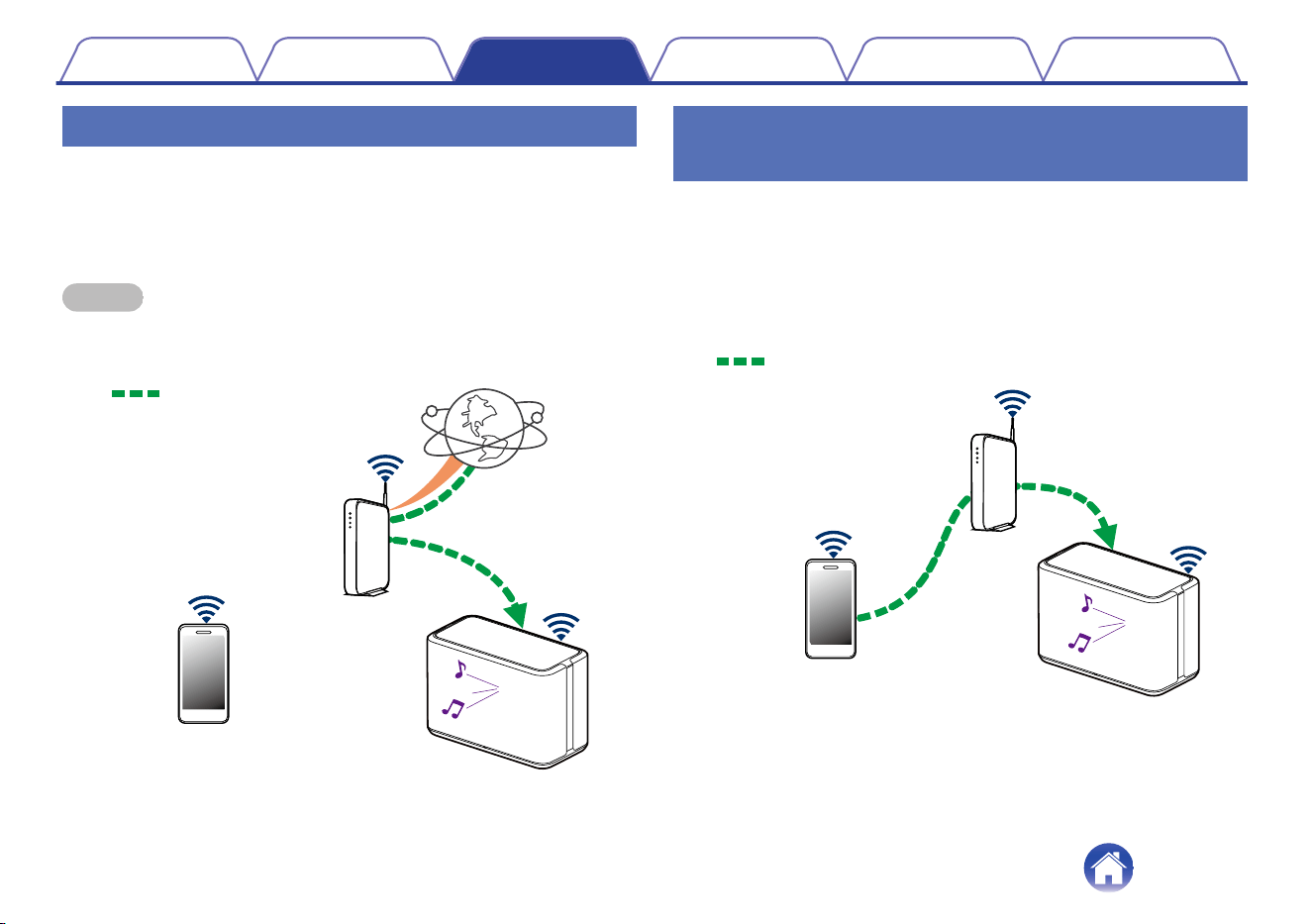
Listening to radio
The HEOS system includes access to more than 100,000 free internet
radio streams from all corners of the globe via the TuneIn radio service.
Just select the TuneIn logo from the main “Music” menu and browse
among the 100,000 stations neatly organized into popular categories and
select a station that appeals to your mood.
NOTE
0
If you have a TuneIn account, you can sign into the TuneIn service under
“Settings” - “Music Sources” - “TuneIn”, and access all of your “My Favorites”
TuneIn stations.
.
Audio signal
Playing music stored on your mobile
device
1
Tap the “Music” tab.
2
Select “This iPhone/iPod/iPad/Phone”.
3
Browse the local music on your phone and select
something to play.
.
Audio signal
Contents
Setup Use Troubleshooting Status LED Appendix
19
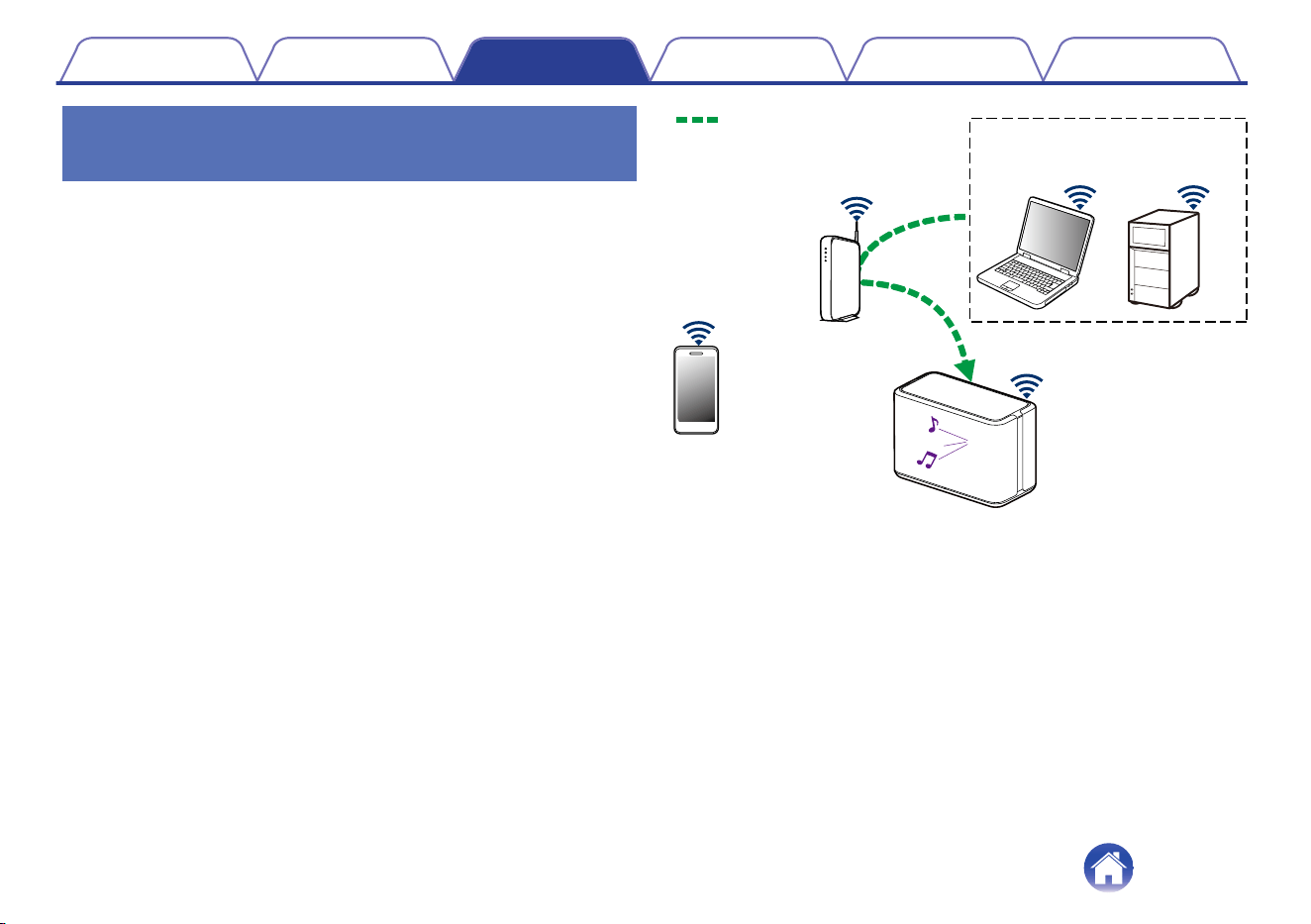
Playing music from your networked PC
or NAS
1
Select “Music Servers” from the “Music” tab.
2
Select the name of your networked PC or NAS
(Network Attached Storage) server.
3
Browse the music on your PC/NAS and select
something to play.
.
NAS
(Network Attached
Storage)
PC
Audio signal
Contents
Setup Use Troubleshooting Status LED Appendix
20
Playing music from the AUX input
1
Connect an audio device with a 3.5 mm stereo audio
output to the AUX input on your speaker using a 3.5
mm stereo audio cable sold separately.
When a 3.5 mm stereo audio cable is connected to “AUX IN”, the
source automatically switches to Inputs.
NOTE
0
When there is a cable connected to AUX IN, select “Inputs” from the “Music”
tab.
2
Initiate playback on the audio device.
0
The sound from the audio device can be played directly on the selected speaker or
digitized and sent over your network to other speakers.
NOTE
0
The analog output signals from some sources can be fairly strong. If the input level
of the source device is turned up high, it could overload the inputs of the speaker.
This is unlikely to cause damage, but can cause distorted sound. Initially, set the
volume of the source to a medium – low level, then turn it up as needed. If you hear
distortion, turn down the device's volume control.
.
Audio signal
Contents
Setup Use Troubleshooting Status LED Appendix
21
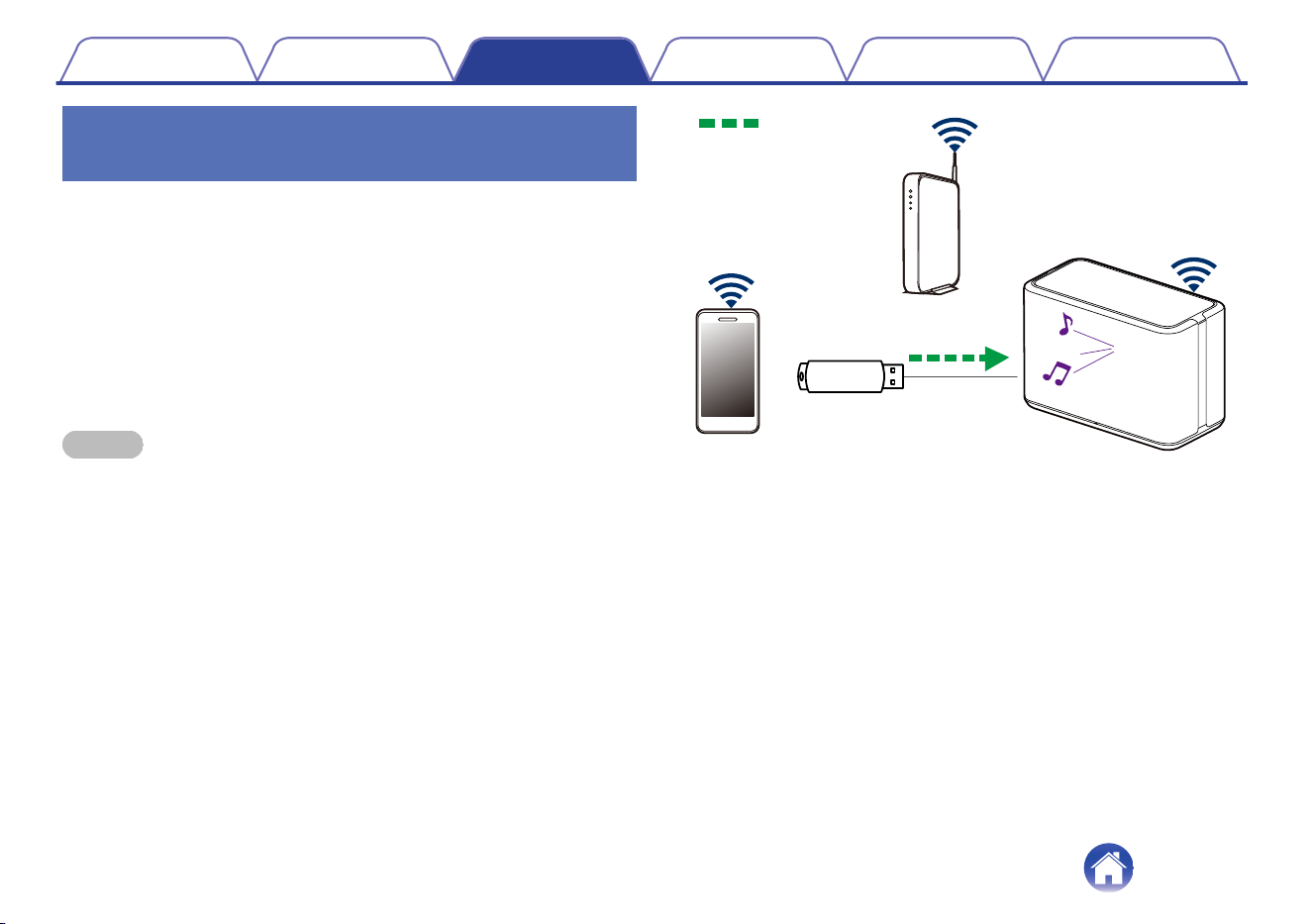
Playing music from a USB memory
device
1
Insert a FAT32 or NTFS formatted USB memory device
into the USB port on the rear panel of the speaker.
2
Select “USB Music” from the “Music” tab.
3
Select the name of your speaker.
4
Browse the music on your USB memory device and
select something to play.
NOTE
0
It may take several minutes for the name of your speaker to appear in the “USB
Music” list if you have a large number of files on your USB memory device.
0
It is not possible to connect and use a computer via the USB port of this unit using
a USB cable.
.
Audio signal
Contents
Setup Use Troubleshooting Status LED Appendix
22
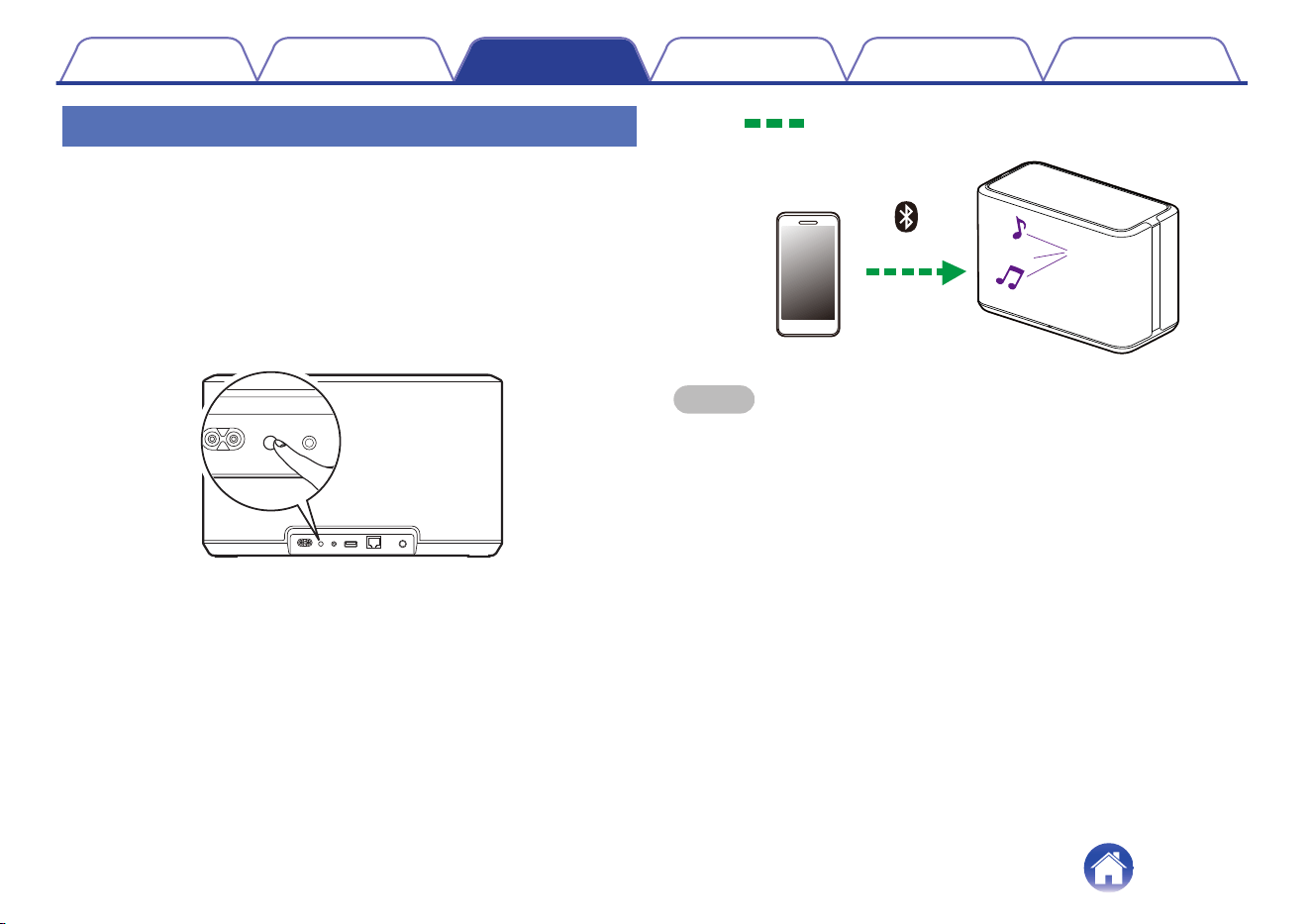
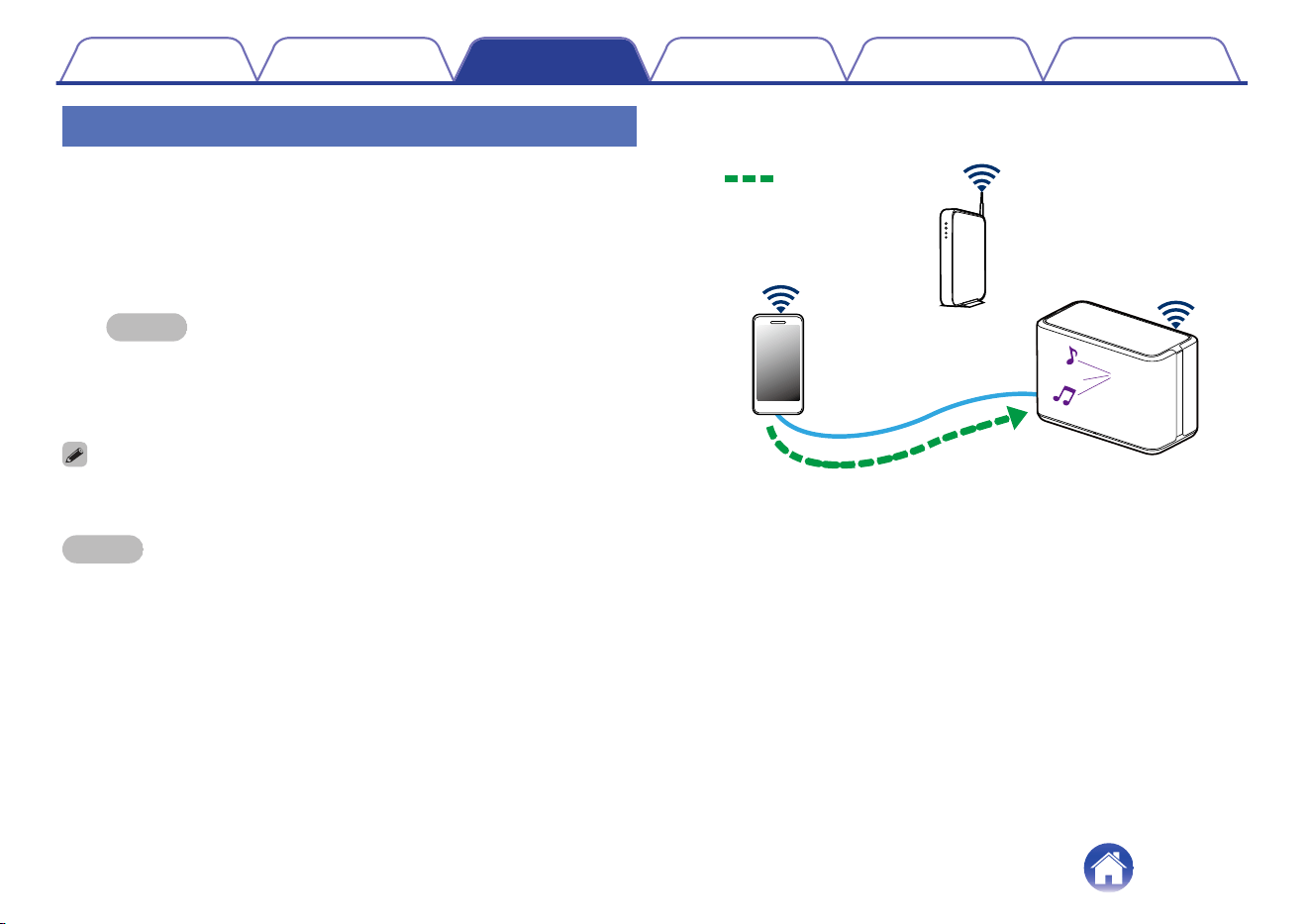
Playing music from Bluetooth device
o
Pairing the speaker with your Bluetooth
devices
1
Activate the Bluetooth setting on your mobile device.
2
Press and hold the Bluetooth button (V) located on the
rear panel of the speaker for 3 seconds and release the
button when you see a pattern of two green flashes on
the status LED.
.
3
Select “Denon Home 350” from the list of available
Bluetooth devices.
In a few seconds your mobile device will indicate that it is connected
to your speaker.
4
Play music using any app on your device.
The sound will now play from the speaker.
.
Audio signal
NOTE
0
Disconnect and reconnect Bluetooth connections from your Bluetooth device.
Contents Setup Use Troubleshooting Status LED Appendix
23
HEOS account
o
What is a HEOS account?
A HEOS account is master account or “keychain” for managing all of
your music services with one single username and password.
o
Why do I need a HEOS account?
With the HEOS account you just have to enter your music services
login names and passwords one time. This allows you to easily and
quickly use multiple controller apps on different devices. You just log
into your HEOS account on any device and you will have access to all
of your associated music services, play history and custom playlists,
even if you are at a friend’s house listening to music on their HEOS
system.
o
Signing up for a HEOS account
You will be instructed to signup for a HEOS account the first time you
try to access any music service from the main “Music” menu of the
HEOS app.
o
Changing your HEOS account
1
Tap the “Music” tab.
2
Select the Settings a icon in the upper left corner of
the screen.
3
Select “HEOS Account”.
4
Change your location, change your password, delete
your account or sign out of your account.
Contents Setup Use Troubleshooting Status LED Appendix
24
Playing from streaming music services
A music service is an online music company that provides access to vast
music collections via free and/or paid subscriptions. Depending upon your
geographical location, there are several options to choose from.
NOTE
0
The HEOS app and brand is not affiliated with any manufacturer of any mobile
device. Availability of music services may vary by region. Not all services may be
available at time of purchase. Some services may be added or discontinued from
time to time based on decisions of the music service providers or others.
o
Adding a music service
Once you’ve setup your HEOS account, you can add supported music
services to your HEOS system by tapping on the music service logo in
the “Music” tab.
Follow the instructions on the screen to add your username and
password for the selected music service. You only have to enter your
account information once as the HEOS account service will securely
remember your login information so you don’t have to enter it each
time you want to play music from the music service.
Additional music services may be available under “Settings” - “Music
Sources” - “Online Music”.
o
Changing music service settings
1
Tap the “Music” tab.
2
Select the Settings a icon in the upper left corner of
the screen.
3
Select “Music Sources”.
4
Select “Online Music”.
5
Select the name of the online music service you want
to edit.
6
Sign out, then sign in again to associate your
username and password with your HEOS account.
7
Select “Hide for Now” to prevent the service logo from
appearing on the main “Music” menu.
Contents Setup Use Troubleshooting Status LED Appendix
25
Managing inputs
If you connected external audio source components to any of your
speakers inputs, you can rename the default input names to describe the
actual source or hide any inputs that are not being used.
1
Select the Settings a icon located in the upper left
corner of the main “Music” menu to display the
Settings menu.
2
Select “Music Sources”.
3
Select “Inputs”.
4
Select the speaker which you connect your external
audio source device to.
o
Changing the name of the inputs
1
Select the name of the input you want to edit.
2
Select “Name”.
3
Select or enter a new name to describe the source that
you connected.
4
Select the Save button to save your changes.
o
Hiding an input
1
Select the name of the input you want to edit.
2
Toggle “Hide Input” to ON to prevent this input from
appearing under the Inputs tile on the main “Music”
menu.
Contents Setup Use Troubleshooting Status LED Appendix
26
Managing your phone
Your smartphone or tablet can be hidden if it does not need to be in the
“Music Sources” menu.
1
Select the Settings a icon located in the upper left
corner of the main “Music” menu to display the
Settings menu.
2
Select “Music Sources”.
3
Select “This iPhone/iPod/iPad/Phone”.
4
Toggle “This iPhone/iPod/iPad/Phone” to OFF to
prevent the service logo from appearing on the main
“Music” menu.
Contents Setup Use Troubleshooting Status LED Appendix
27
Listening to the same music in multiple
rooms
The HEOS system is a true multiroom audio system that automatically
synchronizes audio playback between multiple speakers so that the audio
coming from different rooms is perfectly in sync and always sounds
amazing!
You can easily add up to 32 speakers to your HEOS system.
You can join or group up to 16 individual speakers into a group of
speakers that function as if they were a single speaker.
o
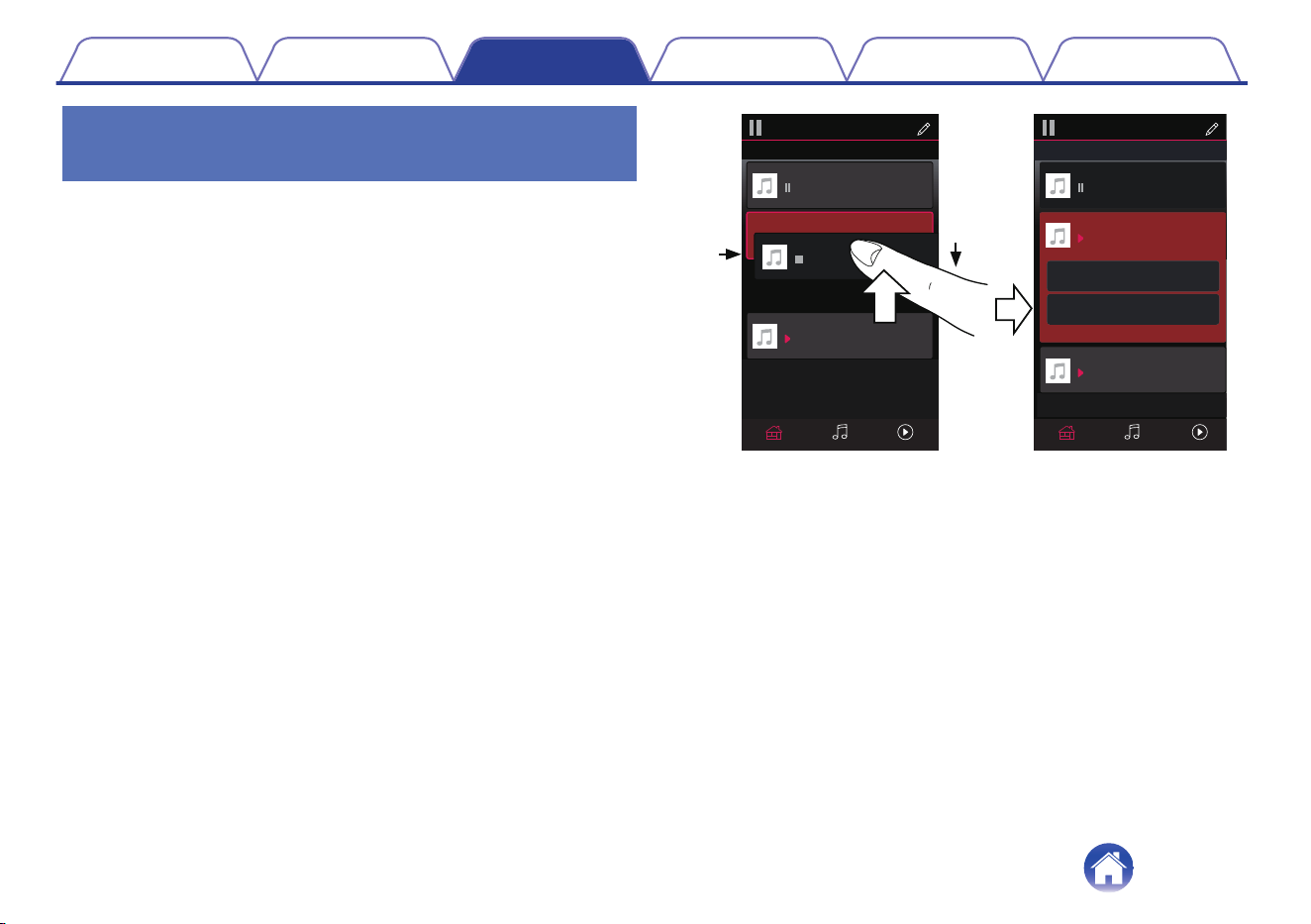
Grouping rooms
1
Press and hold your finger on room that is not playing
music.
2
Drag it into the room that is playing music (indicated by
the red outline) and lift your finger.
The two rooms will be grouped together into a single device group
and both rooms will be playing the same music in perfect sync.
.
2
1
Now PlayingMusicRooms
Song Name 1
Dining
Kitchen
Drag one room into another to group them
Rooms
Now PlayingMusicRooms
Song Name 3
Song Name 3
Song Name 2
Song Name 2
Song Name 1
Bedroom
Bedroom
Dining
Living
Kitchen
Drag one room into another to group them
Rooms
Living
Drag a room out of this group to ungroup it
Living+Kitchen
Contents
Setup Use Troubleshooting Status LED Appendix
28
o
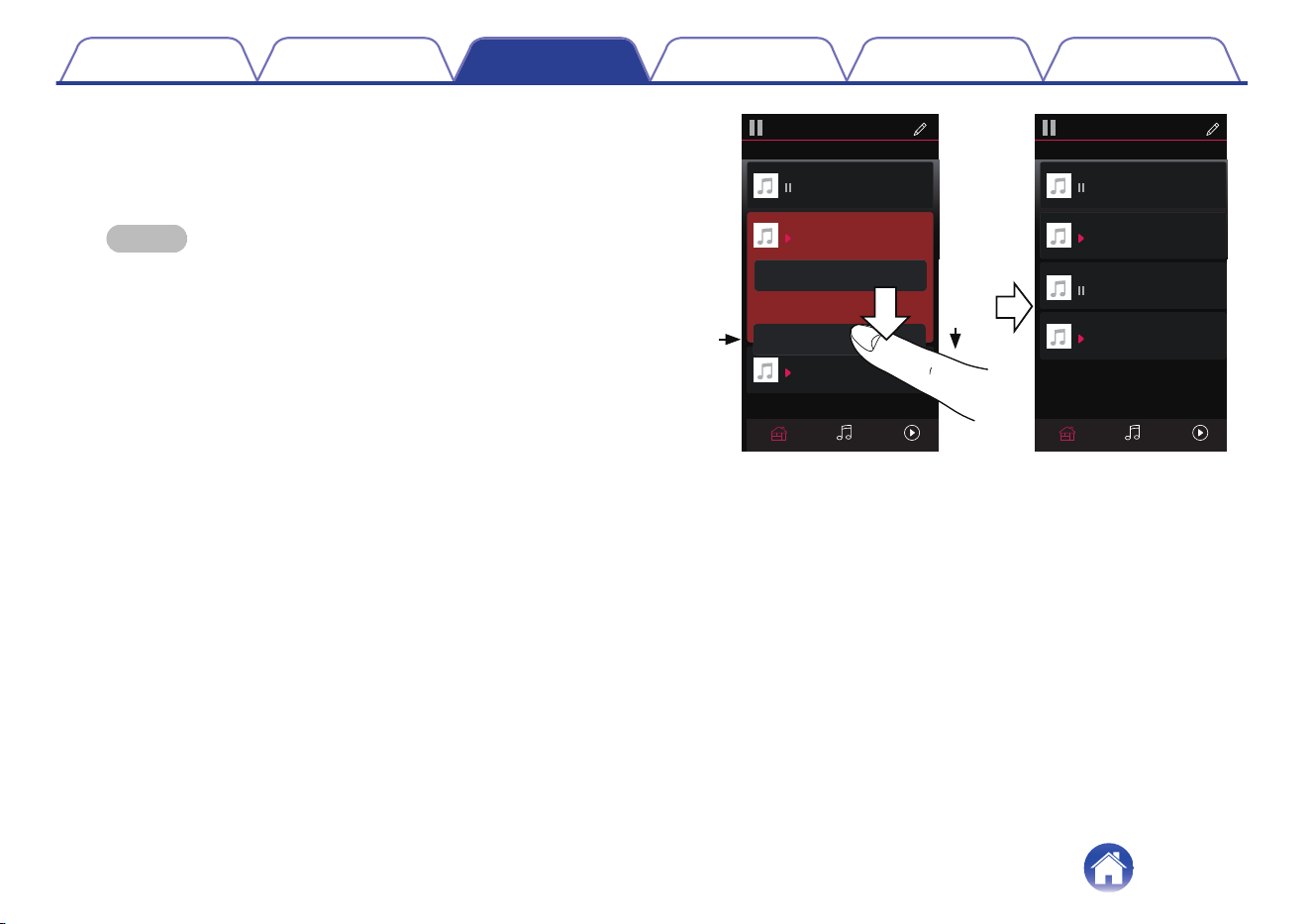
Ungrouping rooms
1
Press and hold your finger on room that you want to
remove from the group.
NOTE
0
You can not remove the first room that started playing the music before
grouping.
2
Drag it out of the group and lift your finger.
Music will stop playing in the room you dragged out of the group but
will continue playing in any remaining rooms.
.
2
1
Song Name 3
Song Name 2
Song Name 1
Bedroom
Dining
Living
Kitchen
Drag one room into another to group them
Rooms
Song Name 4
Song Name 3
Song Name 2
Song Name 1
Bedroom
Dining
Living
Kitchen
Drag one room into another to group them
Rooms
Living
Now PlayingMusicRoomsNow PlayingMusicRooms
Contents
Setup Use Troubleshooting Status LED Appendix
29
o
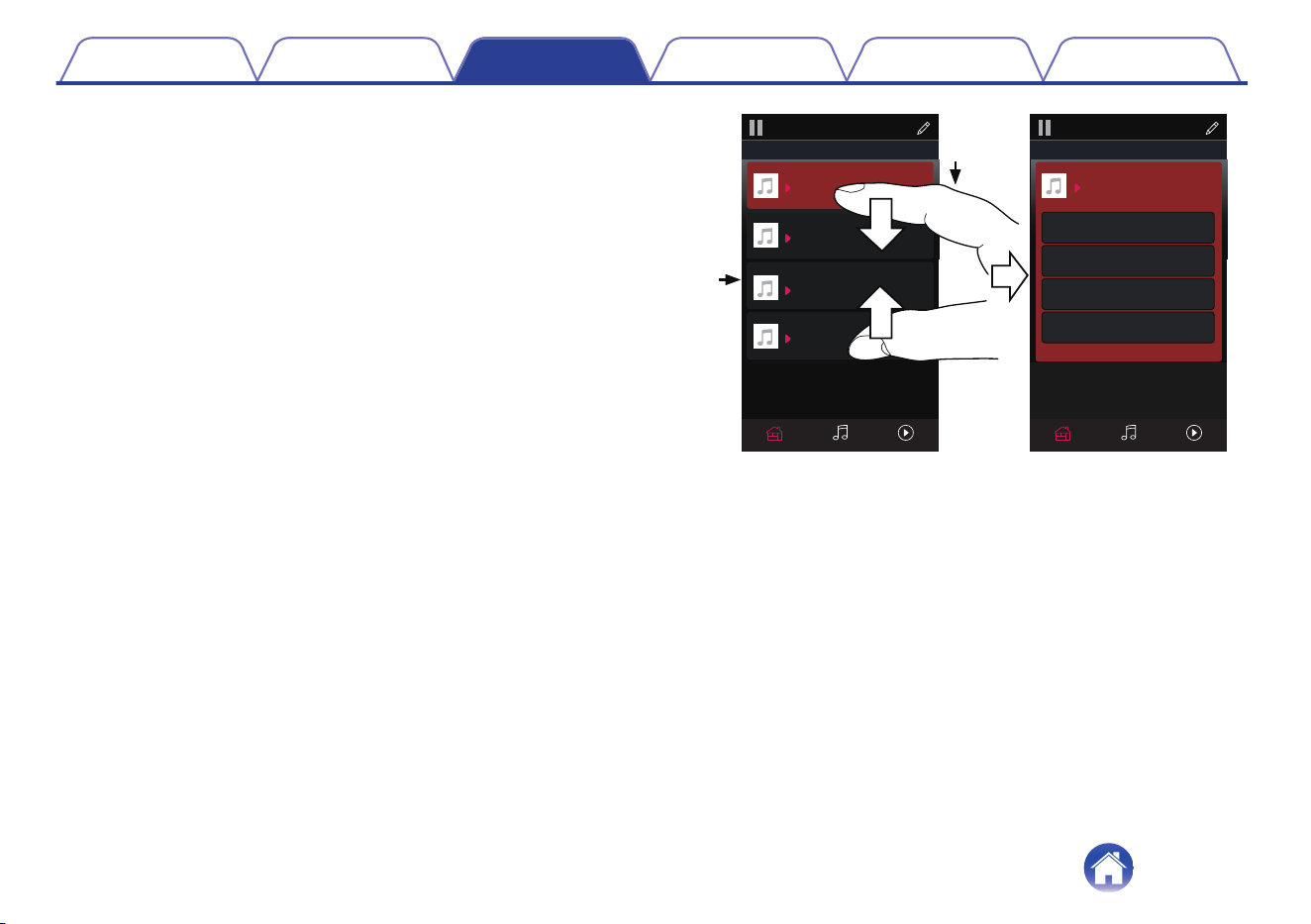
Grouping all rooms (party mode)
You can easily group 16 rooms together into Party Mode by using a
“pinch” gesture.
1
Place two fingers on the screen over the list of rooms.
2
Quickly pinch your two fingers together and release.
All of your rooms will be joined together and begin playing the same
music in perfect sync.
.
1
2
Song Name 1
Bedroom
Dining
Kitchen
Drag one room into another to group them
Rooms
Song Name 4
Song Name 3
Song Name 2
Song Name 1
Bedroom
Dining
Living
Kitchen
Drag one room into another to group them
Rooms
Living
Now PlayingMusicRooms Now PlayingMusicRooms
Drag a room out of this group to ungroup it
Dining+Living+...
Contents
Setup Use Troubleshooting Status LED Appendix
30
o
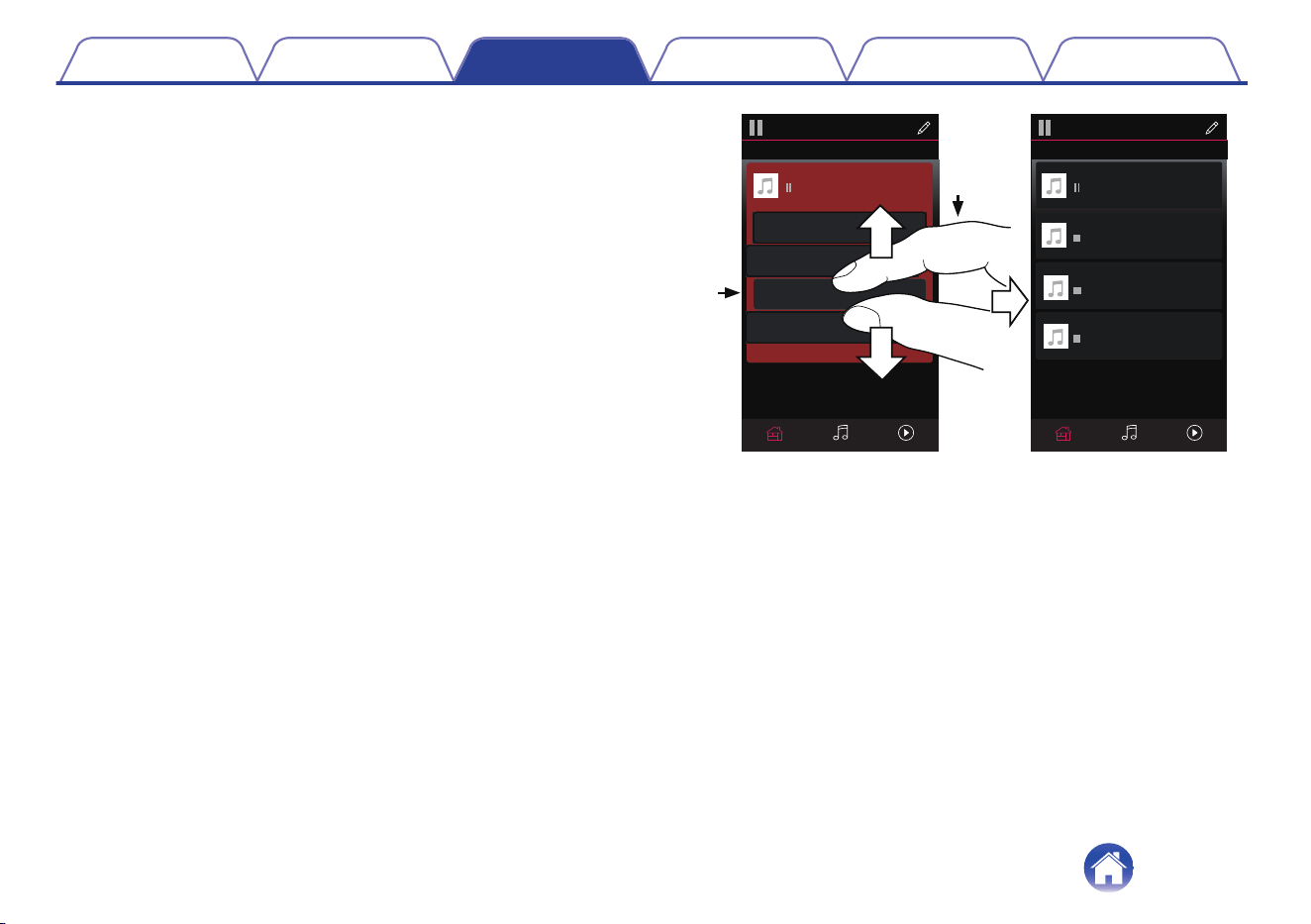
Ungrouping all rooms
You can easily ungroup all of your rooms and exit Party Mode by using
a “spread” gesture.
1
Place two fingers close together on the screen over list
of rooms.
2
Quickly spread your two fingers apart from each other
and release.
All of your rooms will be ungrouped and music will stop playing in
every room (except the original “master” room that was playing
before you grouped the rooms together).
.
1
2
Song Name 1
Bedroom
Dining
Dining
Kitchen
Drag one room into another to group them
Rooms
Song Name 4
Song Name 3
Song Name 2
Song Name 1
Bedroom
Dining
Living
Kitchen
Drag one room into another to group them
Rooms
Living
Now PlayingMusicRooms
Now PlayingMusicRooms
Drag a room out of this group to ungroup it
Contents
Setup Use Troubleshooting Status LED Appendix
31
Stereo pairing
o
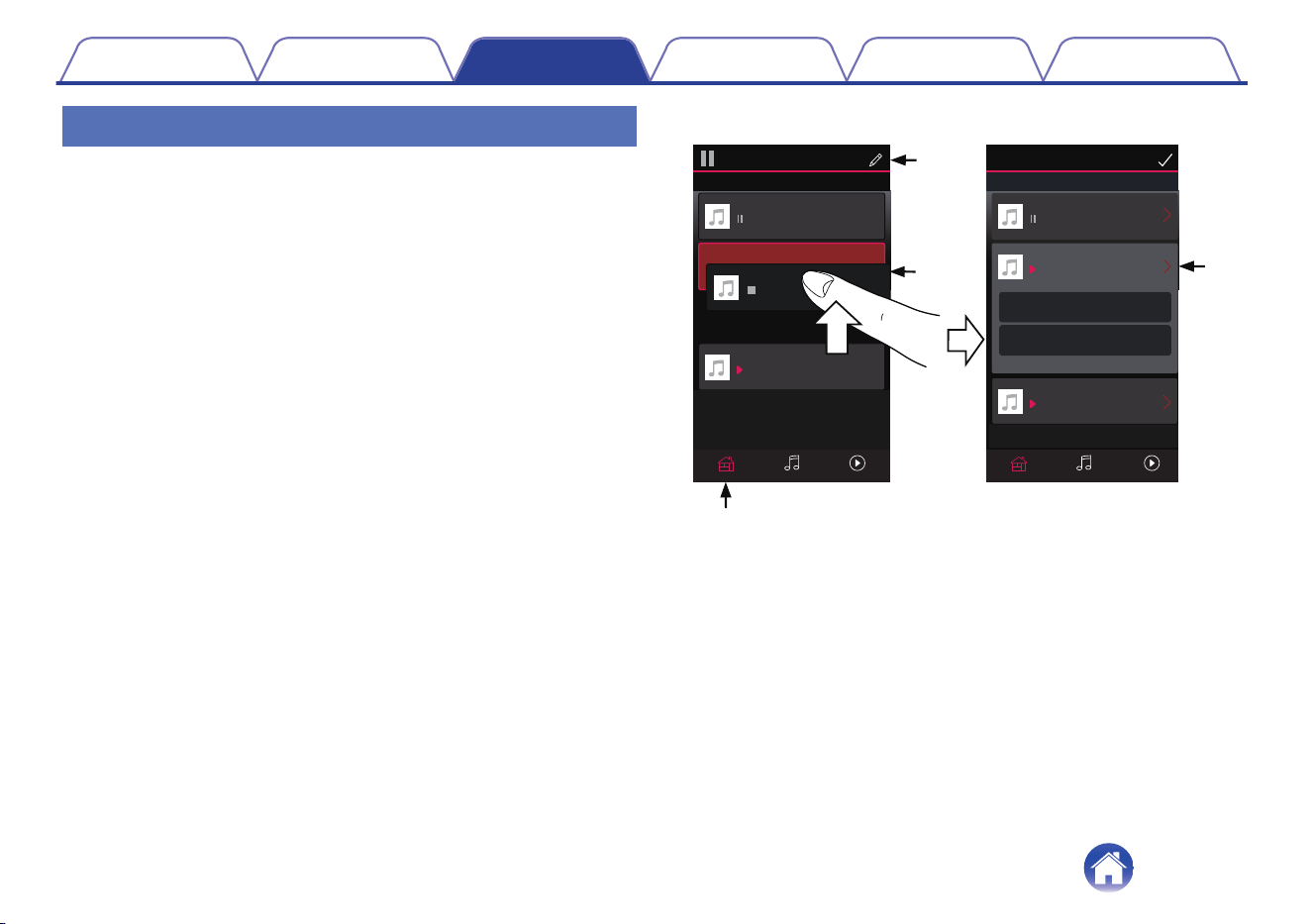
Creating a stereo pair
A matching pair of speakers that have been grouped together (see above)
can be saved as a persistent stereo pair where one speaker outputs the
left channel of audio and the other speaker outputs the right channel of
audio. Paired speakers will then appear as a single room (with two
speakers playing music) in the Rooms list.
1
Tap the “Rooms” tab.
2
Create a group containing ONLY two matching
speakers (see “Grouping rooms” (v p. 28)).
3
Tap the Pencil e icon to enter Edit mode.
4
Tap on the Group of two matching speakers to Edit the
Group.
.
3
1
2
4
Now PlayingMusicRooms
Song Name 1
Dining
Living R
Drag one room into another to group them
Edit Rooms
Now PlayingMusicRooms
Song Name 3
Song Name 3
Song Name 2
Song Name 2
Song Name 1
Bedroom
Bedroom
Dining
Living L
Living R
Drag one room into another to group them
Rooms
Living L
Drag a room out of this group to ungroup it
Living L+Living R
Contents
Setup Use Troubleshooting Status LED Appendix
32
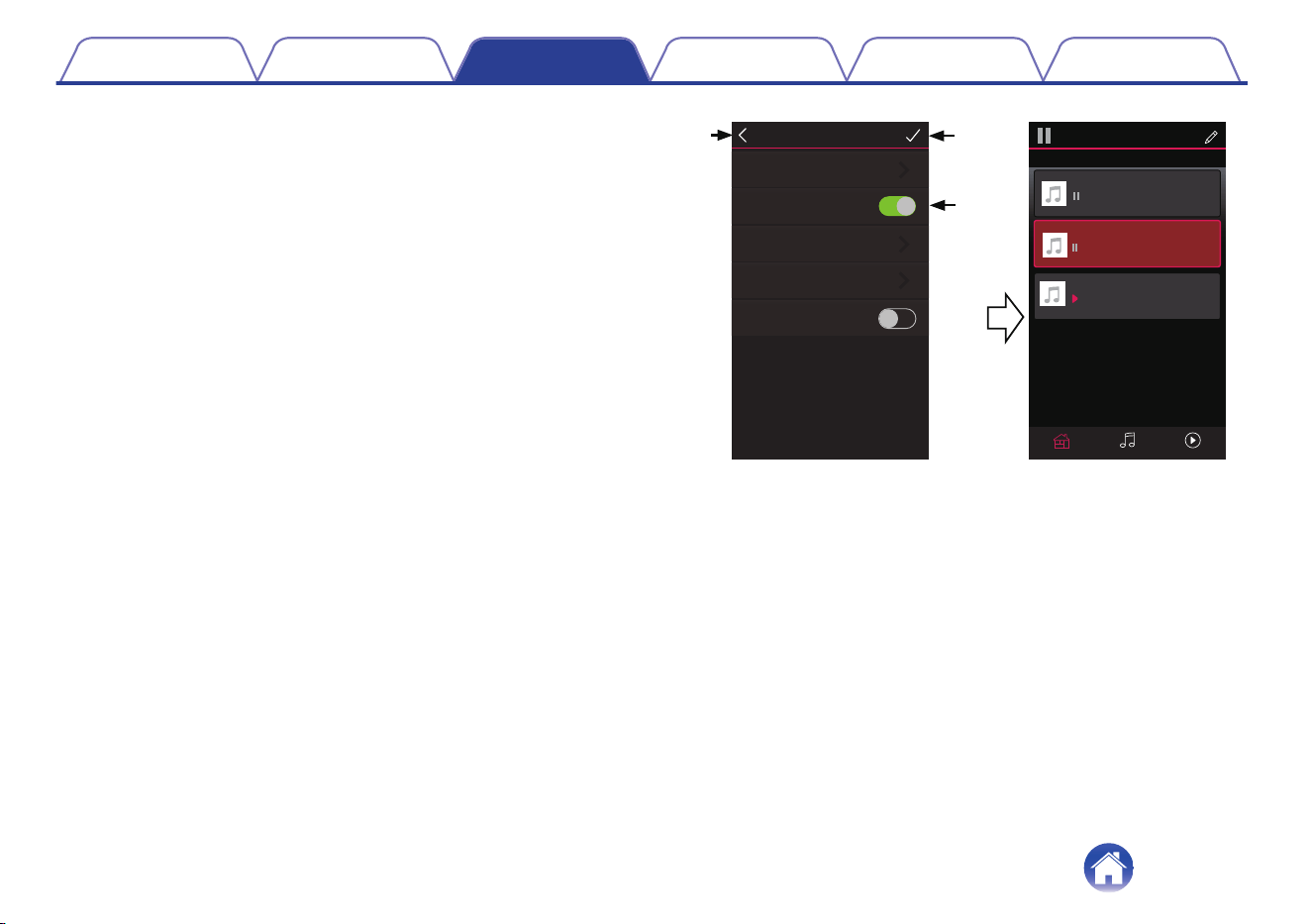
5
Tap on the Stereo Pair switch to pair the two speakers.
6
Tap the Back arrow B to return to the list of Rooms.
7
Tap the Check Mark i icon to exit Edit mode.
The group of two matching speakers will now appear as a single
room. You can change the name of the stereo paired room at any
time.
.
5
6
7
Edit Group
Name Living L + Living R
Stereo Pair
EQ
Balance Center
Swap L&R
Now PlayingMusicRooms
Song Name 3
Song Name 1
Bedroom
Dining
Living L + Living R
Drag one room into another to group them
Rooms
Song Name 2
Contents
Setup Use Troubleshooting Status LED Appendix
33

o
Changing the name of a stereo pair
1
Tap the “Rooms” tab.
2
Tap the Pencil e icon to enter Edit mode.
3
Tap a Stereo Pair (a room which contains two matching
speakers) to edit the group.
4
Tap “Name”.
5
Select or enter a new name for your pair of speakers.
6
Tap the Save i button to save your changes.
o
Adjusting the balance
1
Tap the “Rooms” tab.
2
Tap the Pencil e icon to enter Edit mode.
3
Tap a Stereo Pair (a room which contains two matching
speakers) to edit the group.
4
Select “Balance”.
5
Adjust the Balance to the left or right.
6
Tap the Check Mark i icon to exit Edit mode.
Contents Setup Use Troubleshooting Status LED Appendix
34

o
Swapping left and right channels in a stereo
pair
1
Tap the “Rooms” tab.
2
Tap the Pencil e icon to enter Edit mode.
3
Tap a Stereo Pair (a room which contains two matching
speakers) to edit the group.
4
Tap on the Swap L&R switch to swap the left and right
channels of the two speakers.
5
Tap the Back arrow B to return to the list of Rooms.
6
Tap the Check Mark i icon to exit Edit mode.
o
Removing a stereo pair
1
Tap the “Rooms” tab.
2
Tap the Pencil e icon to enter Edit mode.
3
Tap a Stereo Pair (a room which contains two matching
speakers) to edit the group.
4
Tap on the Stereo Pair switch to return the paired
speakers to two individual speakers.
5
Tap the Back arrow B to return to the list of Rooms.
6
Tap the Check Mark i icon to exit Edit mode.
Contents Setup Use Troubleshooting Status LED Appendix
35
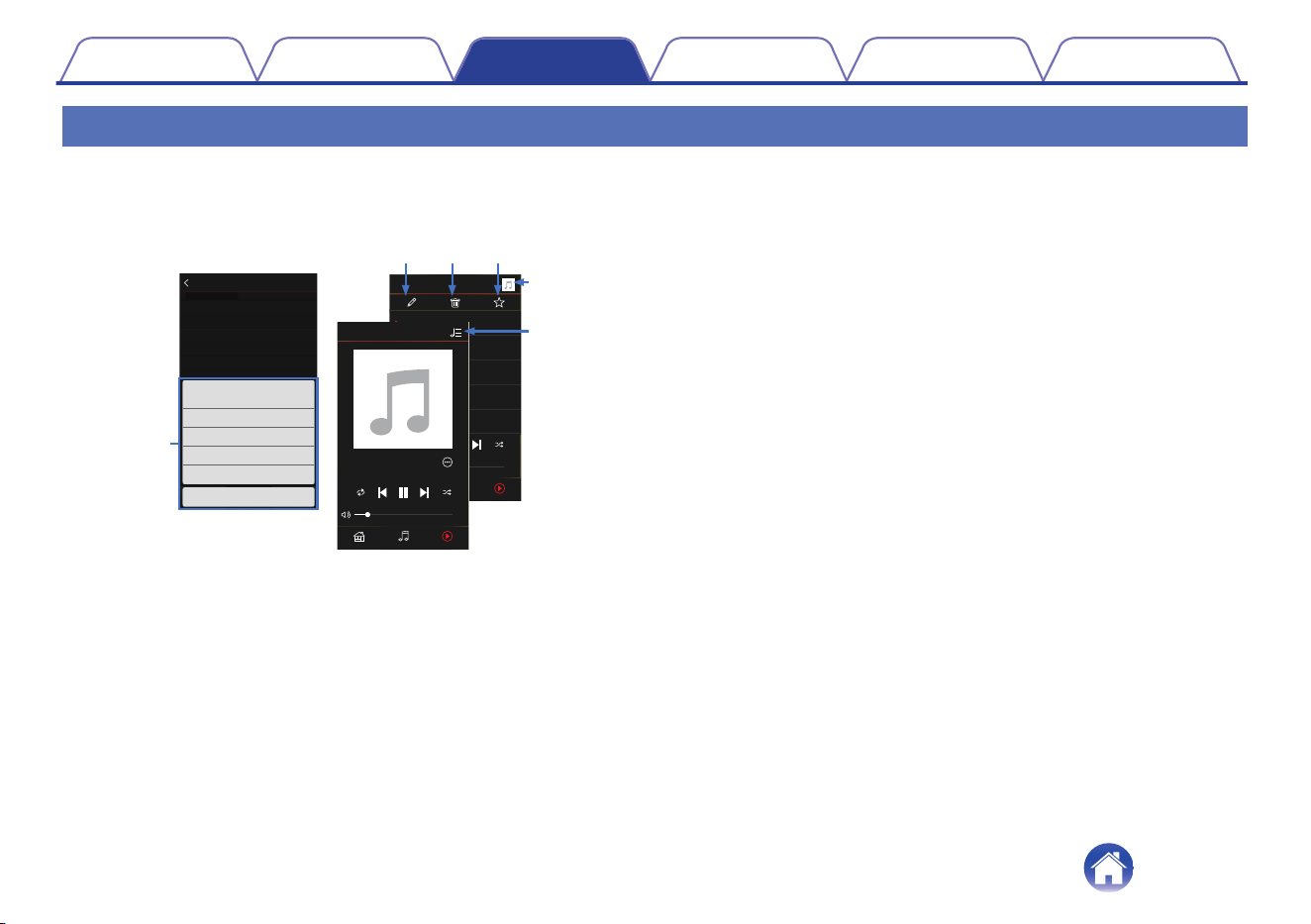
Using the now playing queue
HEOS system uses a Now Playing “Queue” to line up music that you want to listen to. Music can be selected from any of your local or online music
sources (as long as they are not preprogrammed “radio” or “station” type streams). This feature works similarly to how a jukebox works. You select
something to play (a song, album, playlist or even your entire music collection) and add it to the “Queue”. When you select something to play you will be
asked how you want to queue up your music.
.
Play AIbum
Track 6
6
0:20
Play Now
MusicRooms Now Playing
Cancel
Play Now & Replace Queue
Play Next
Add to End of Queue
Track 1
1
Track 2
2
Track 1
HEOS Device
0:20
0:20
Album
Now PlayingMusicRooms
Queue
3:14
Charlie Puth
Tra c k 1
3:19
Charlie Puth
Dangerously
3:10
Charlie Puth
Marvin Gaye
3:32
Charlie Puth
Losing My Mind
3:37
Charlie Puth
We Don’t Talk Any
e r t
w
y
q
Now PlayingMusic
Artist
Album
Track 1
Rooms
Now Playing
0:10
-
3:04
A
Queue Menu
When you select something to play you will be asked how you want to
queue up your music.
B
Queue icon
C
Pencil icon
D
Delete icon
E
Save icon
F
Cover art or HEOS icon
You can return to the “Now Playing” screen display by tapping the
cover art or the HEOS icon.
o
Play Now
Inserts the item into the queue after the currently playing track and
plays the selected item immediately.
o
Play Now & Replace Queue
Clears the queue and plays the selected item immediately.
o
Play Next
Inserts the item into the queue after the current song and plays it when
the current song ends.
o
Add to End of Queue
Adds the item to the end of the queue.
Contents
Setup Use Troubleshooting Status LED Appendix
36
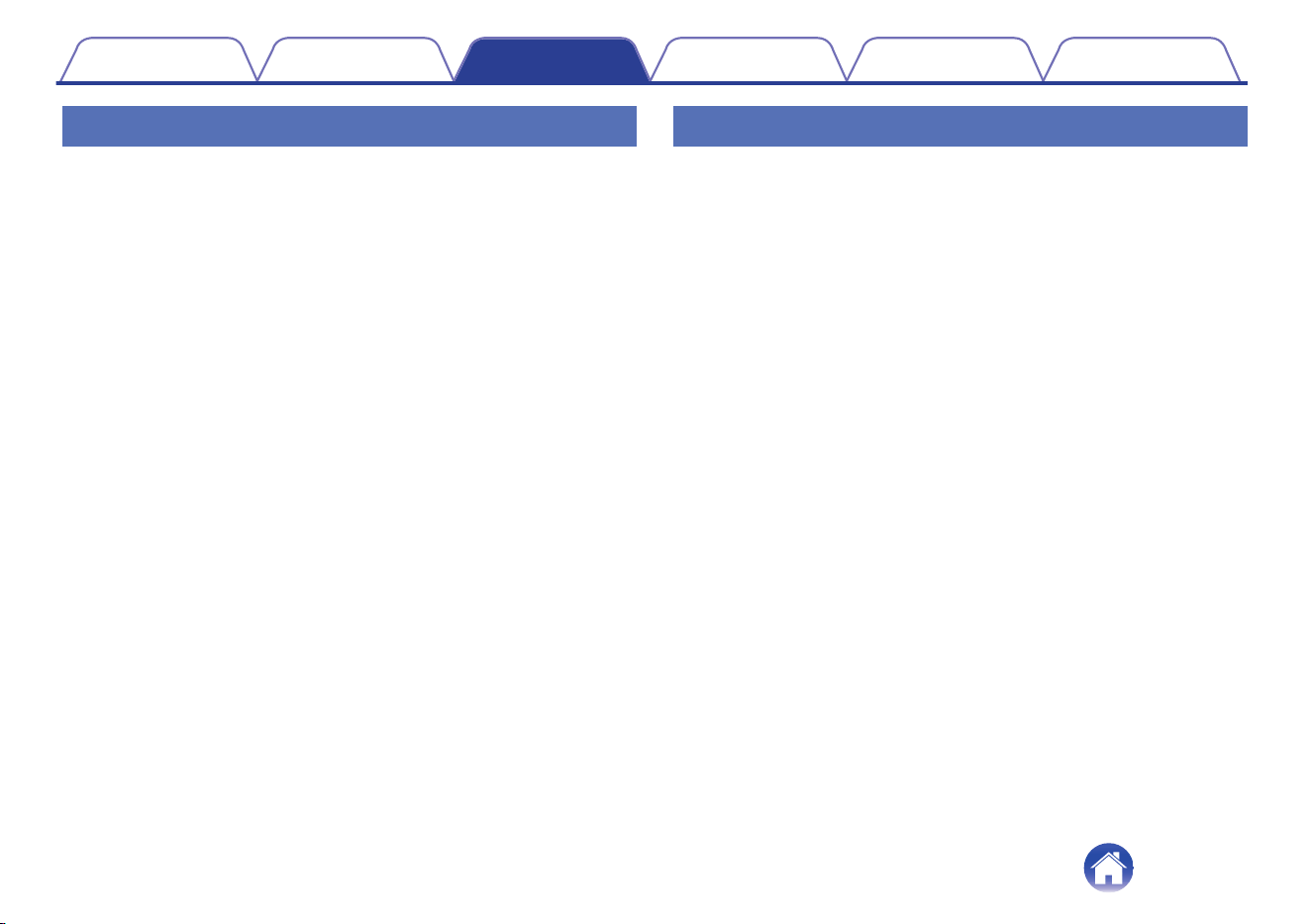
Rearranging the now playing queue
Once you have songs lined up in your queue, you might want to rearrange
the order or remove some songs:
1
Tap the “Now Playing” tab.
2
Tap the Queue d icon in the upper right corner of the
screen.
3
Tap the Pencil e icon to enter Edit mode.
4
Rearrange the order of your queue by dragging the list
f icon (on the right side of each track row) up or
down.
Deleting songs from the play queue
You can remove songs one at a time from the Now Playing Queue:
1
Tap the “Now Playing” tab.
2
Tap the Queue d icon in the upper right corner of the
screen.
3
Tap the Pencil e icon to enter Edit mode.
4
Tap the track(s) that you want to delete.
5
Tap the Delete g icon to delete all of the selected
tracks from the play queue.
Contents Setup Use Troubleshooting Status LED Appendix
37
Deleting all songs from the play queue
You can remove all of the songs from the Now Playing Queue:
1
Tap the “Now Playing” tab.
2
Tap the Queue d icon in the upper right corner of the
screen.
3
Tap the Delete g icon to confirm that you want to
delete all songs from the queue.
Saving playlists
You can save the Now Playing Queue as a HEOS Playlist that you can
recall later. The new playlist will be available from the Playlists button on
the “Music” tab on every controller app connected to your HEOS system.
1
Tap the “Now Playing” tab.
2
Tap the Queue d icon in the upper right corner of the
screen.
3
Tap on the Save h icon.
4
Enter a name for your Playlist and tap the i icon.
Performing repeat and shuffle playback
The playback controls are visible on the “Now Playing” screen.
1
Tap the “Now Playing” tab.
2
Tap the repeat b and shuffle c controls.
Contents Setup Use Troubleshooting Status LED Appendix
38
Using the favorite
HEOS system uses a "HEOS Favorites" to line up station you want to start
play quickly the favorite stations.
Station can be selected from online music sources such as "Radio" or
"Station" type streams. "HEOS Favorites" will display a list of the stations
of various services.
o
Adding to HEOS favorite
Select a station of an online music source. When the action menu
screen is displayed, select “Add Station to HEOS Favorites”.
NOTE
0
This can also be done by selecting “Add Station to HEOS Favorites” from the
station menu of the station being played.
o
Deleting station from the HEOS favorite
1
Tap the “Music” tab.
2
Select “Favorites”.
3
Tap the Pencil e icon to enter Edit mode.
4
Tap the "Delete" that you want to delete station.
Contents Setup Use Troubleshooting Status LED Appendix
39
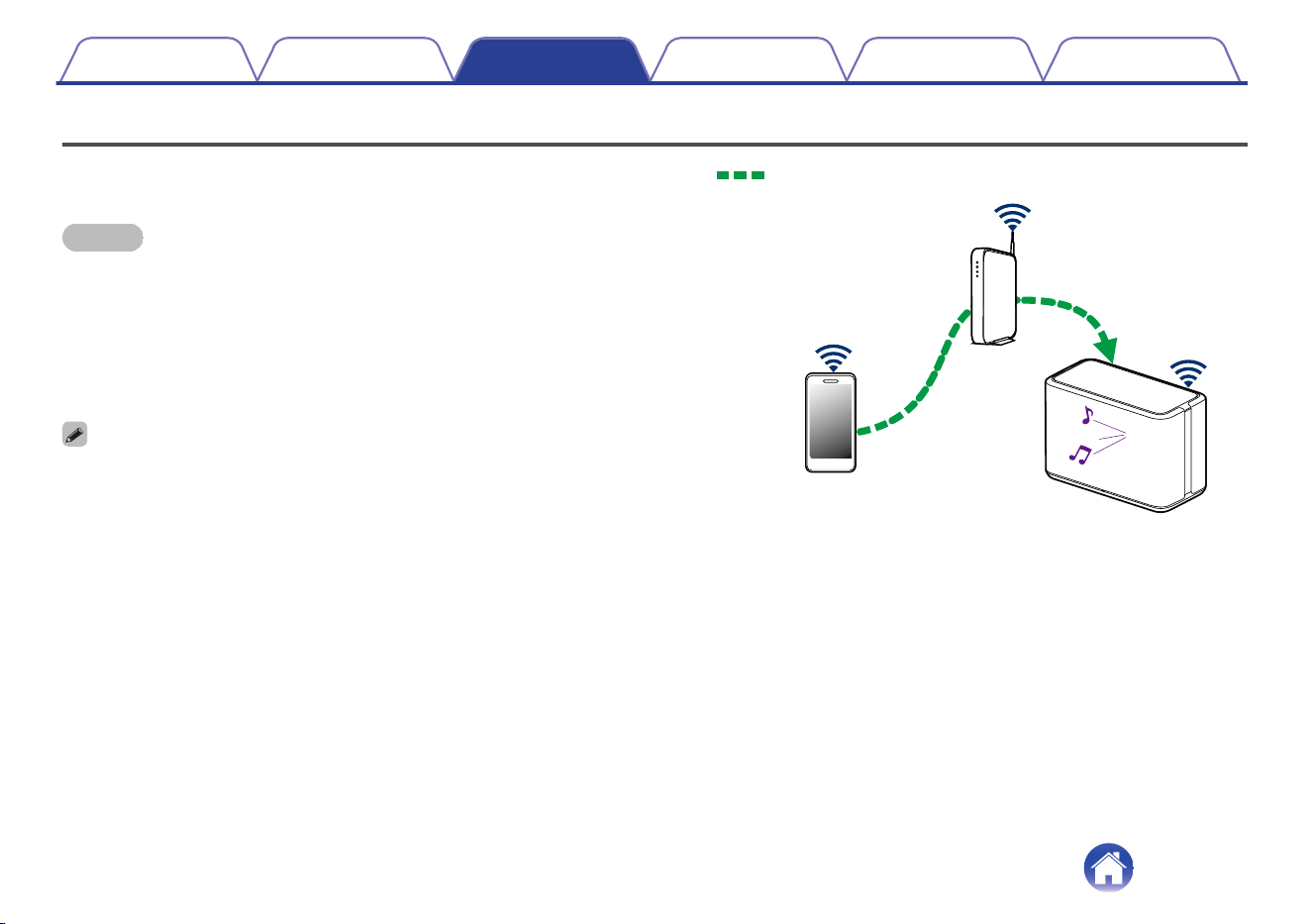
AirPlay function
Music files stored on your iPhone, iPod touch, iPad or iTunes can be
played on this unit via the network.
NOTE
0
The screen may differ depending on the OS and software versions.
This device supports AirPlay 2
®
.
Sync multiple AirPlay 2 compatible devices/speakers for simultaneous
playback.
0
This unit supports AirPlay 2 and requires iOS 11.4 or later.
.
Audio signal
Contents
Setup Use Troubleshooting Status LED Appendix
40
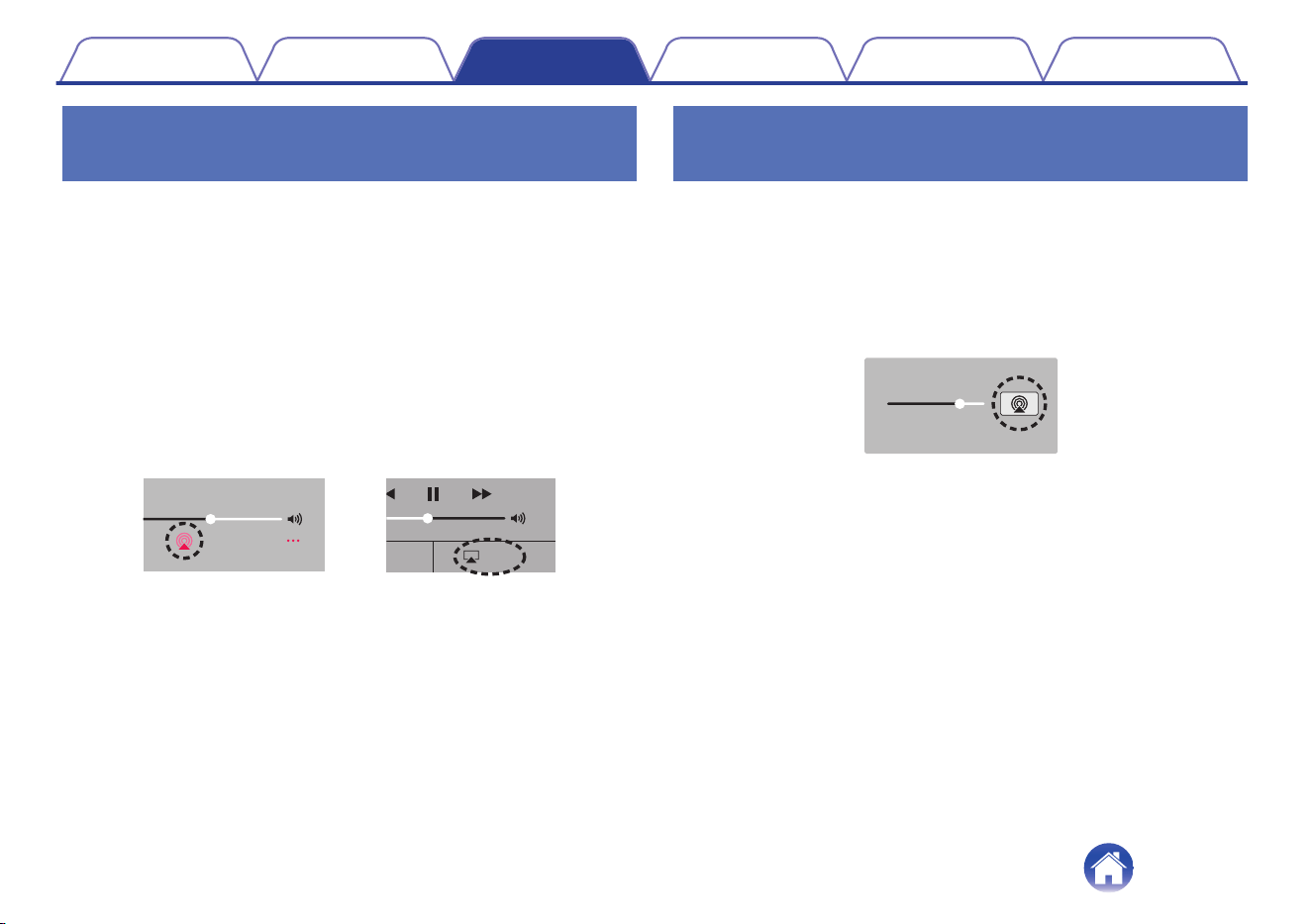
Playing songs from your iPhone, iPod
touch or iPad
If you update your “iPhone/iPod touch/iPad” to iOS 4.2.1 or later, you can
stream music stored in your “iPhone/iPod touch/iPad” directly to this unit.
1
Connect your iPhone, iPod touch or iPad Wi-Fi to the
same network as this unit.
0
For details, see your device’s manual.
2
Play the song on your iPhone, iPod touch or iPad.
AirPlay icon is displayed on the iPhone, iPod touch or iPad screen.
3
Tap the AirPlay icon and select this unit.
.
AirPlay
AirPlay
D
rop:
AirDrop:
ryone
ryone
[Example] iOS 12
[Example] iOS 9
Playing iTunes music with your
speaker
1
Install iTunes 10, or later, on a Mac or Windows PC that
is connected to the same network as this unit.
2
Start iTunes and click the AirPlay icon to select this
unit.
.
[Example] iTunes
3
Choose a song and click play in iTunes.
The music will stream to this unit.
Contents
Setup Use Troubleshooting Status LED Appendix
41
Play a song from your iPhone, iPod
touch or iPad on multiple synced
devices (AirPlay 2)
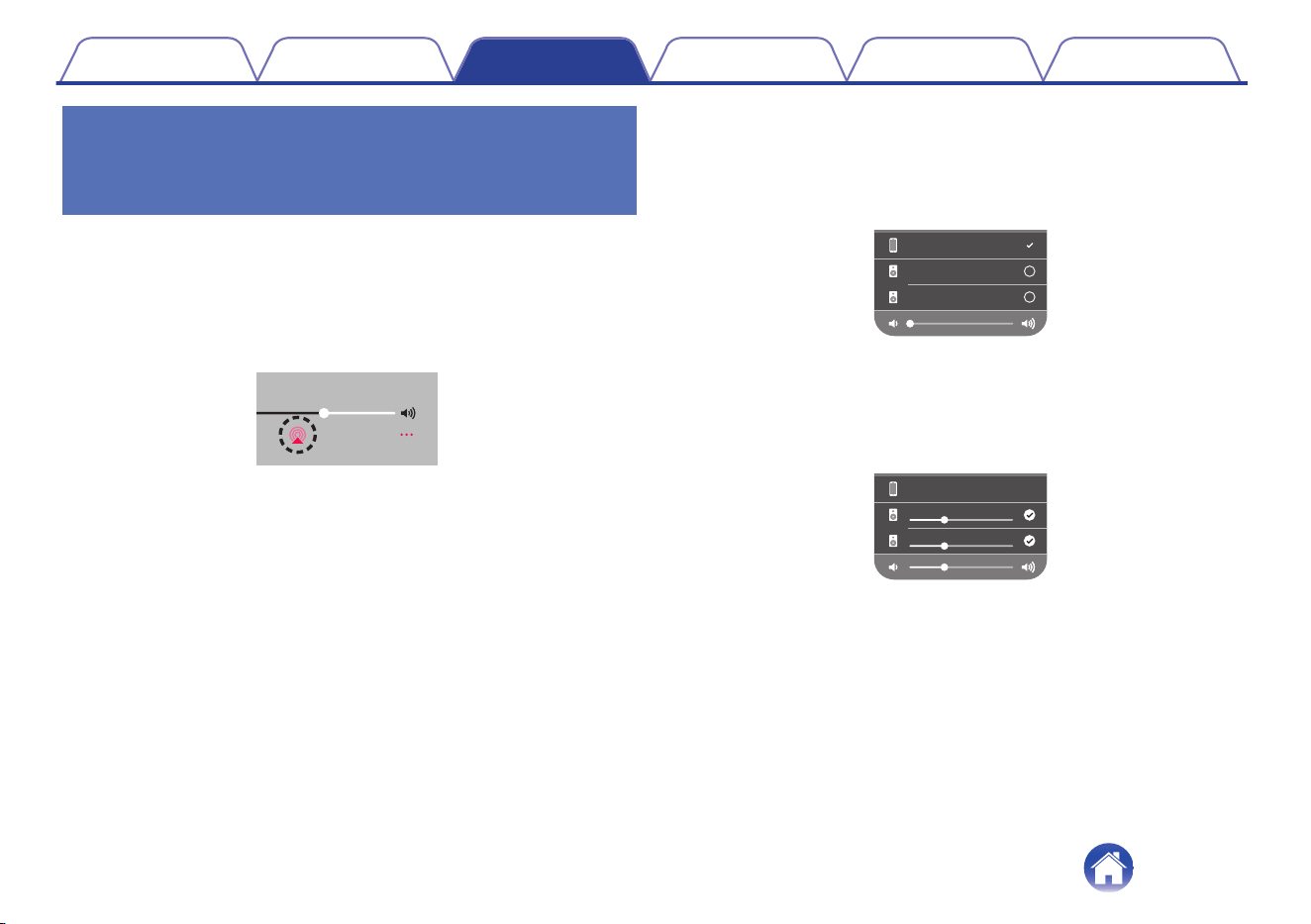
Songs from an iPhone, iPod touch or iPad operating iOS 11.4 or later can
be synced with multiple AirPlay 2 supported devices for simultaneous
playback.
1
Play the song on your iPhone, iPod touch or iPad.
AirPlay icon is displayed on the iPhone, iPod touch or iPad screen.
.
2
Tap the AirPlay icon.
Displays a list of devices/speakers that can be played back on the
same network.
0
A circle is displayed to the right of AirPlay 2 compatible devices.
.
Speakers
Denon xxxxxxxx
iPhone
3
Tap the devices/speakers you want to use.
0
Multiple AirPlay 2 compatible devices can be selected.
0
Volume can be adjusted for each device individually or for all
synced devices simultaneously.
.
iPhone
Speakers
Denon xxxxxxxx
Contents
Setup Use Troubleshooting Status LED Appendix
42
Making speaker adjustments
You can adjust specific settings for each of your speakers in your system:
1
Select the Settings a icon located in the upper left
corner of the main “Music” menu to display the
Settings menu.
2
Select “My Devices” to display a list of your speakers.
3
Select the speaker you want to adjust.
Changing the name of a speaker
1
Select “Name”.
2
Select or enter a new name for your speaker.
3
Tap the i icon to save your changes.
Changing the wireless network
connection
1
Select “Network”.
A list of wireless networks that your speaker can access is
displayed.
2
Select the network you want your speaker to join.
Wait as the speaker’s network connection is changed.
NOTE
0
Wired networking is automatically selected when the speaker is connected to a
wired Ethernet network. To switch back to using a wireless network you must
remove the Ethernet cable from the rear panel of the speaker.
Contents Setup Use Troubleshooting Status LED Appendix
43
Changing the speaker’s equalizer
1
Select “EQ”.
2
Adjust the “Treble” or “Bass” up or down.
NOTE
0
Select the Reset button to restore the default settings.
Adjusting the audio quality
Selects the transcoding option for rebroadcasting audio from one speaker
to another speaker (or group of devices) across the network.
When set to high bit rate audio sources originating from the first device
(such as analog input, WAV, FLAC and PCM) will be transcoded to ensure
the highest level of reliability for the audio stream.
1
Select “Quality”.
2
Select “Normal” (default) or “High”.
0
If you have selected “High” and you experience audio dropouts when streaming
sources from one device to other devices, please select “Normal” (default).
Adjusting the status light brightness
1
Select “Status Light”.
2
Adjust the brightness up or down or set the slider to
the OFF position to completely disable the status light.
Contents Setup Use Troubleshooting Status LED Appendix
44
Advanced speaker settings
Caution
0
Adjusting these settings may disconnect your speaker from your
network and possibly render your speaker unusable. Do not use these
features unless you are comfortable making advanced adjustments to
your speaker.
o
Network settings
1
Select “Advanced”.
2
Select “NETWORK SETTINGS” tab.
3
Scroll down to see all of the options for
a. Network Interface (Ethernet or Wireless)
b. Wireless Settings
c. IP Address Settings (Automatic or Manual)
d. Wireless Power Saving
4
Select “Save Settings” to apply the new settings or
“Cancel Changes” to revert to the previous settings.
o
About wireless power saving
The Wireless Power Savings feature saves power by turning off power
to the wireless radio inside the speaker when the device is connected
to an Ethernet network. If you disconnect the Ethernet cable from the
speaker, Wireless Power Saving will automatically turn off and the
wireless radio will turn on so that the speaker can be discovered over
your wireless network.
NOTE
0
If Wireless Power Savings is ON, Wi-Fi power will be temporarily turned on when
accessing the “My Devices” - (“Device Name”) - “Network” screen in the HEOS
app or whenever the CONNECT button on the device is pressed.
Contents Setup Use Troubleshooting Status LED Appendix
45
o
Firmware upgrade
1
Select “Advanced”.
2
Select “FIRMWARE UPDATE” tab.
n
Update status
Manually check for a firmware upgrade.
n
Allow updates
ON
(Default):
Allows updates
OFF: Does not allow updates
3
Select “Save Settings” to apply the new settings or
“Cancel Changes” to revert to the previous settings.
o
About
Viewing technical details about the speaker.
1
Select “Advanced”.
2
Select “ABOUT” tab.
3
Scroll down to see information about the speaker’s.
a. Hardware
b. Software
c. Device
Contents Setup Use Troubleshooting Status LED Appendix
46
Updating your system
HEOS system has the ability to add enhancements and updated functionality via your high speed Internet connection. Follow the instructions on the
screen to update the speaker and/or your controller app.
1
Select the Settings a icon located in the upper left
corner of the main “Music” menu to display the
Settings menu.
2
Select “Software Update”.
n
Check for Update
Follow the instructions on screen to install any available
updates to your HEOS system.
n
Auto-Update
ON
(Default):
Valid updates are performed
automatically.
OFF:
You will be notified of valid updates on
the HEOS app.
Contents Setup Use Troubleshooting Status LED Appendix
47
Advanced features
There are a few advanced features of the HEOS system that you may want to explore once you become familiar with the basic operations. You can
access the advanced features of the HEOS system by following these steps:
1
Select the Settings a icon located in the upper left
corner of the main “Music” menu to display the
Settings menu.
2
Select “Advanced Settings” to display a list the
available settings.
Sharing music from your mobile device
The HEOS app has a feature called “Music Sharing” which can share the
local music stored on your mobile device to other HEOS app users on your
local network. To enable this feature, select “Music Sharing”, and set it on
“ON”.
The name of the device you are sharing from will appear as a music server
allowing other HEOS apps to browse and play music from the your device.
Wireless performance
You can check the wireless connection status of your speaker.
n
Quality
Excellent / Good / Poor
NOTE
0
If the quality level of your speaker is ”Poor”, make sure your speakers are not
located near other electronic devices that could interfere with it’s wireless
connectivity (like microwave ovens, cordless phones, TVs, etc…)
n
Signal
Excellent / Good / Poor
NOTE
0
If the signal level of your speaker is ”Poor”, make sure your speakers are within
range of your wireless network.
Contents Setup Use Troubleshooting Status LED Appendix
48
Submit diagnostics
If you are having trouble with your network or HEOS system, you may be
asked by Denon technical support personnel to select this option. This
feature will automatically send Denon technical support diagnostic
information about your HEOS system.
NOTE
0
No personal information is sent and your information will never be shared with
anyone.
Resetting your controller app
This feature will reset the control app to its original state when you first
installed it on your mobile device without requiring you to remove,
download, and reinstall it from the app store.
Contents Setup Use Troubleshooting Status LED Appendix
49
Power management
Power modes
o
Quick Start Mode
This speaker automatically enters "Quick Start Mode" to save power in
the following cases. During “Quick Start Mode”, speaker operations
cause the power to turn on.
During “Quick Start Mode”, the status LED lights in dim blue.
n
Ethernet
After around 20 minutes of no operation and no network access
after playing music via Ethernet.
n
Wi-Fi
After around 20 minutes of no operation and no network access
after playing music via Wi-Fi.
n
USB
After around 20 minutes of no operation and no network access
after playing music from a USB memory device.
n
Bluetooth
After the Bluetooth connection is disconnected and there is around
20 minutes of no operation and no network access after playing
music via Bluetooth.
n
AUX IN
After around 20 minutes of no audio.
o
Deep Standby
The device also has the ability to automatically enter “Deep Standby”
whenever the wired or wireless network connection is removed for
more than 60 minutes in "Quick Start Mode". The front panel LED will
turn off during Deep Standby.
Press any button to turn the power on.
0
You also press the 13 button for 5 seconds, the device enters the Deep
Standby.
o
Off
To completely turn off the power to the device you must remove the
mains plug from the power outlet.
Contents
Setup Use Troubleshooting Status LED Appendix
50
Basic troubleshooting
Cannot connect the speaker to the network
Solution Refer to Page
0
Make sure your mobile device is connected to your wireless network before setting up your speaker. 15
0
Alternatively, you can connect your speaker to your network router using an Ethernet cable sold separately. Once connected
via Ethernet, the HEOS app should recognize the speaker and you can manually move it to your wireless network using
“Settings” - “My Devices” - (“Device Name”) - “Advanced” - “Network Settings”.
16
Cannot pair a Bluetooth mobile device with the speaker
Solution Refer to Page
0
The connection from the Bluetooth mobile device is malfunctioning. Power cycle the mobile device, remove the pairing
information and re-pair the speaker to the mobile device.
–
Contents Setup Use Troubleshooting Status LED Appendix
Troubleshooting
51
Cannot hear Bluetooth music
Solution Refer to Page
0
Your Bluetooth mobile device is not paired with speaker. Re-pair the speaker to the mobile device. -
0
The speaker is Wi-Fi mode or Aux-in mode etc. Pair and connect Bluetooth device to speaker. -
0
The Bluetooth mobile device is connected to another audio device. Make sure your Bluetooth device is connected to speaker. -
0
The volume on Bluetooth mobile device is too low. Check the volume on the Bluetooth mobile device. Check the volume on the
speaker.
-
Music cuts out or delays sometimes
Solution Refer to Page
0
Make sure your Internet connection is operating correctly. If you are sharing your network with other users or devices, they may
be using most of your bandwidth (especially if they are streaming video).
6
0
Make sure your speakers are within range of your wireless network. 48
0
Make sure your speakers are not located near other electronic devices that could interfere with it’s wireless connectivity (like
microwave ovens, cordless phones, TVs, etc…).
48
Contents Setup Use Troubleshooting Status LED Appendix
52
I hear a delay when using the AUX input with my TV
Solution Refer to Page
0
If you are connecting the AUX input with your cable or satellite box for enjoying TV audio through multiple speakers, you may
hear a delay between when you see someone speak and when you hear the audio. This is because the HEOS system must
buffer the audio before it sends it out to the speakers so that it arrives at all speakers at the same time.
21
0
You can avoid this delay by listening only to the speaker which is directly connected to the set top box. -
Connecting to a network using an iOS device
Solution Refer to Page
This speaker supports Apple’s “WAC (Wireless Accessory Configuration)” setup mode. WAC setup mode allows you to connect
your speaker to your network without requiring you to type in the network name and password.
1.
Press and hold - and 13 buttons for 3 seconds.
2. Go to the Wi-Fi menu under Settings on your iOS device.
3. Select “Denon Home 350” under “SET UP NEW AIRPLAY SPEAKER...” at the bottom of the list.
4. Select the network you want your speaker to connect to and select “Next”.
5. Follow the instructions on the screen to complete setup.
HEOS system will stay in WAC setup mode for 15 minutes. If the device is not setup within 15 minutes, it will revert back to its
previous network connection. Press the 13 button if you want to cancel WAC setup mode.
The status LED will quickly blink 5 times.
-
Contents Setup Use Troubleshooting Status LED Appendix
53
I hear distortion when using the AUX input
Solution Refer to Page
0
The analog output signals from some sources can be fairly strong. If the input level of the source device is turned up high, it
could overload the inputs of the speaker. This is unlikely to cause damage, but can cause distorted sound. Initially, set the
volume of the source to a medium – low level, then turn it up as needed. If you hear distortion, turn down the device’s volume
control.
-
Connecting to a WPS network
Solution Refer to Page
If your wireless router support WPS (Wi-Fi Protected Setup™) your speaker can optionally connect to your network using the
“Push Button” method by following these steps:
Wi-Fi Protected Setup™ is trademarks of Wi-Fi Alliance.
1. Press the WPS button on your router.
2. Within 2 minutes, press and hold the CONNECT button on the rear panel of the speaker for 3 seconds.
3. The LED on the front of the speaker will flash green for several seconds as it connects to your WPS router.
4. When the connection is complete, the LED on the front of the speaker will turn solid blue.
6
Contents Setup Use Troubleshooting Status LED Appendix
54
Resetting your speaker
Solution Refer to Page
Resetting your speaker will clear out the wireless network info, EQ, and name but retain it’s current software. You will have to use
“Settings” - “Add Device” to reconnect the speaker to your home network before it can be used.
To reset your speaker, press and hold the CONNECT and Bluetooth (V) buttons located on the rear panel of the speaker for 5
seconds until the front LED begins to flash amber.
–
Buttons do not operate correctly
Solution Refer to Page
0
Do not put anything on top of the speaker. -
0
Items near the top of the speaker (curtains, steel racks, etc.) may cause unintended button activation. -
0
Set up the speaker where there is nothing nearby. -
0
Unplug the power cord before cleaning the top panel. -
Contents Setup Use Troubleshooting Status LED Appendix
55
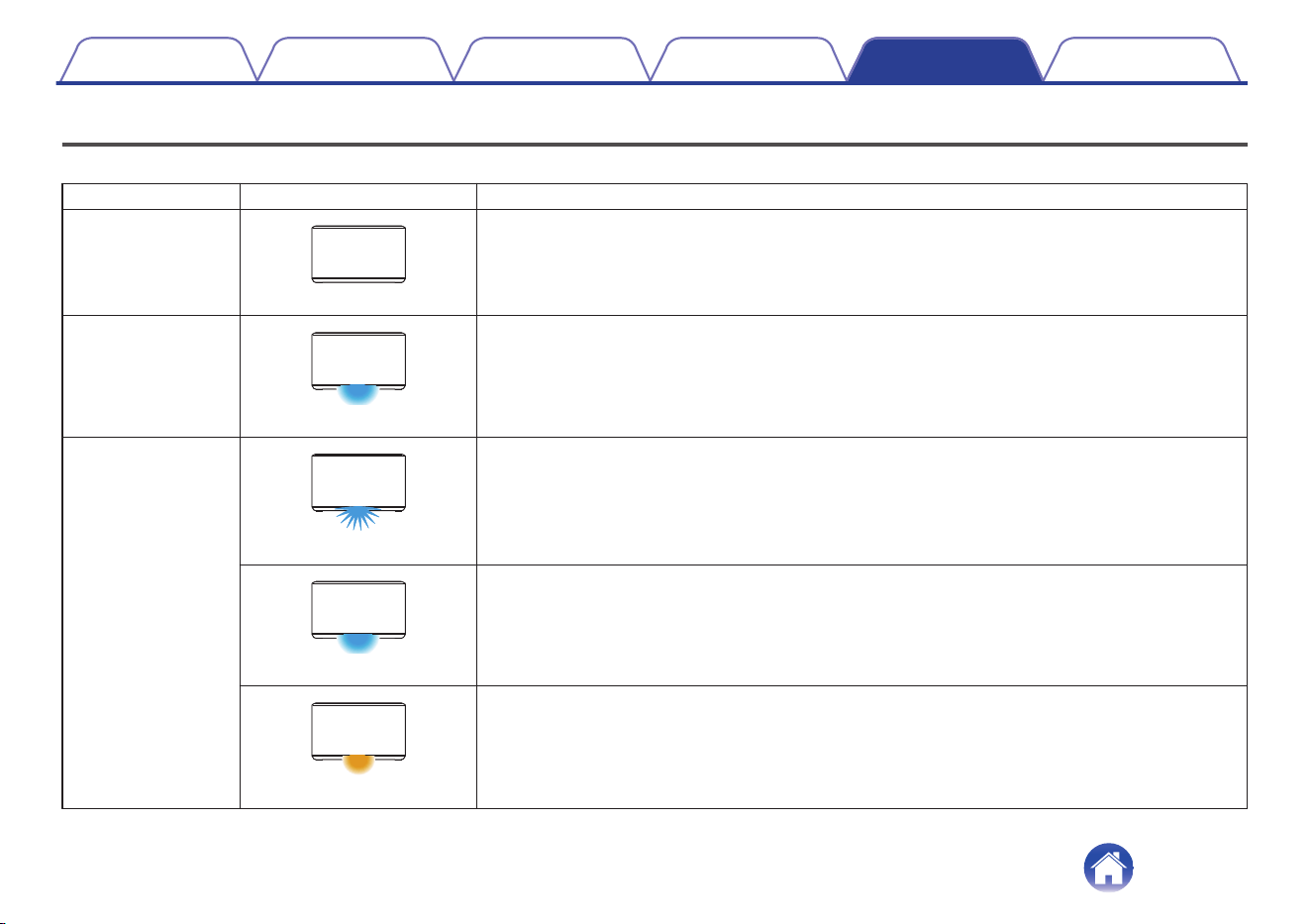
Status LED table
The LEDs on the front panel change to indicate the current speaker status.
Speaker status LED action Description
Deep Standby mode
.
(off)
Power is off, or the speaker is in Deep Standby mode. (v p. 50)
Quick Start mode
.
(dimmed solid)
Speaker is in Quick Start mode. (v p. 50)
Power on
.
(blink)
Speaker is starting up or connecting to the network.
.
(solid)
Speaker is connected to the network.
.
(solid)
Speaker is unable to connect to the network.
Try to connect the speaker again.
Contents Setup Use Troubleshooting Status LED Appendix
Status LED
56
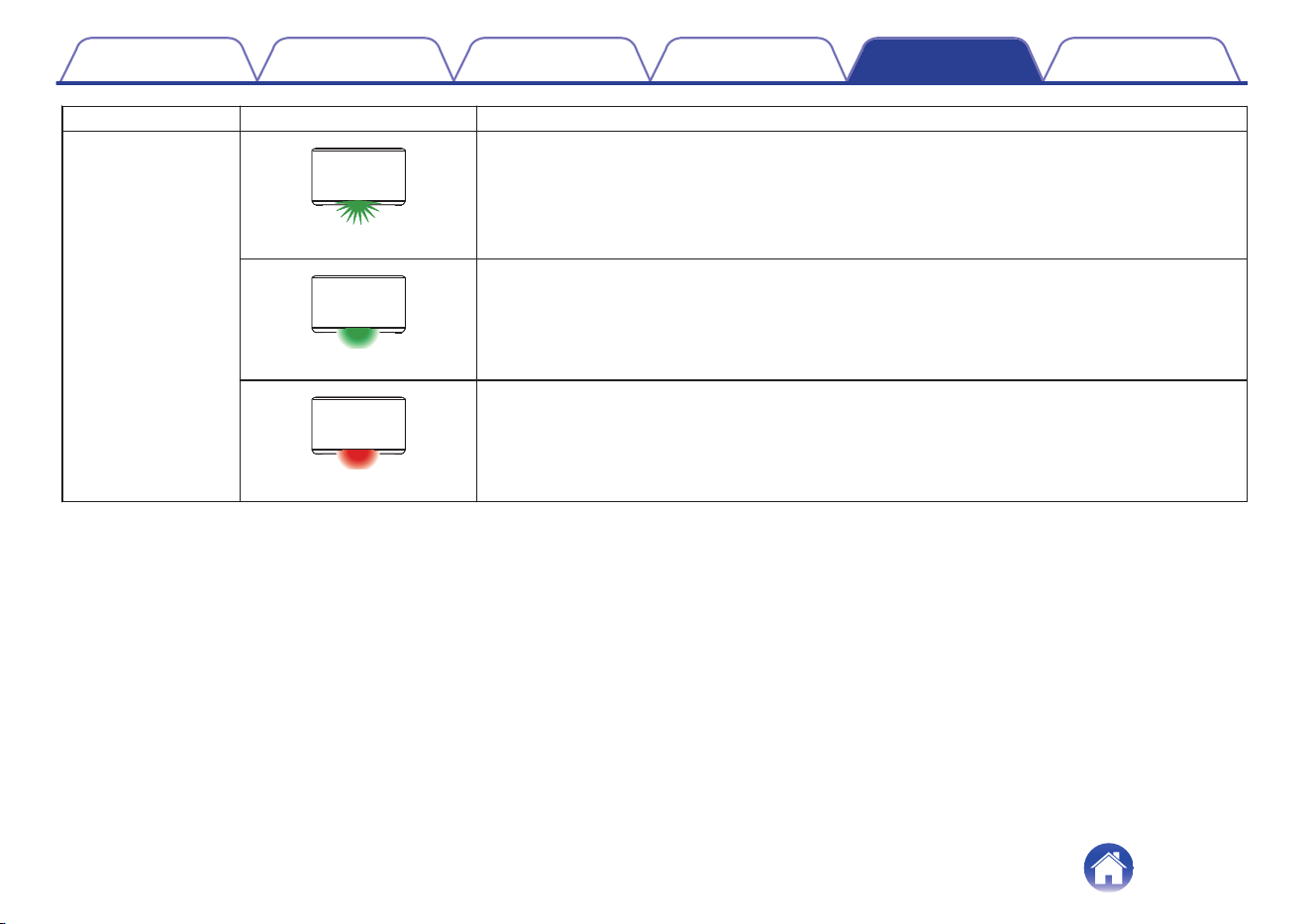
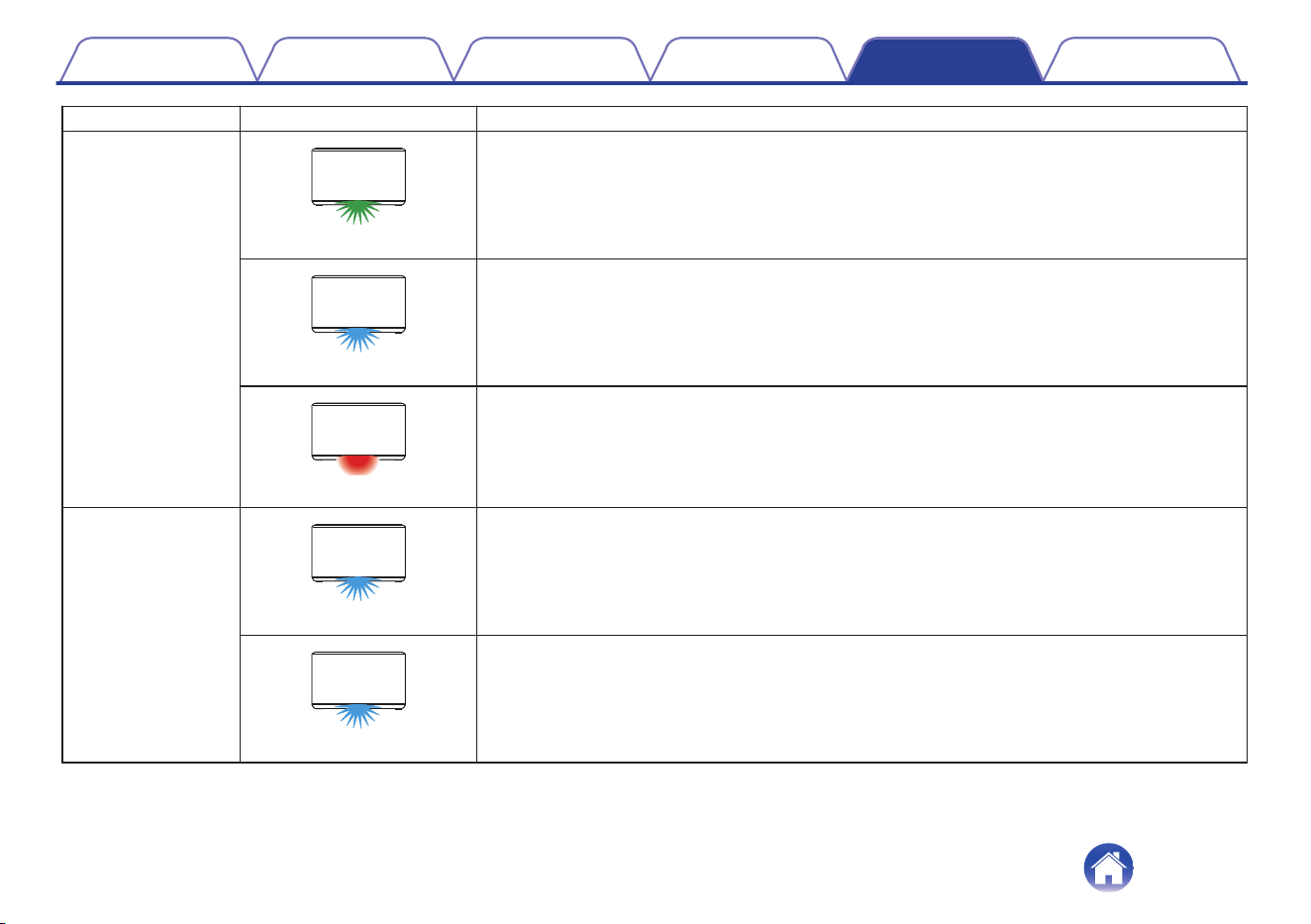
Speaker status LED action Description
Bluetooth
.
(two blinks)
Speaker is pairing via Bluetooth.
.
(one blink)
Speaker is paired via Bluetooth.
.
(for 3 sec. solid)
Speaker failed to pair to the Bluetooth device.
Try to pair again. (v p. 23)
Volume setting
.
(quick blink)
Volume is being adjusted.
.
(slow blink)
Speaker is muted.
Contents Setup Use Troubleshooting Status LED Appendix
58
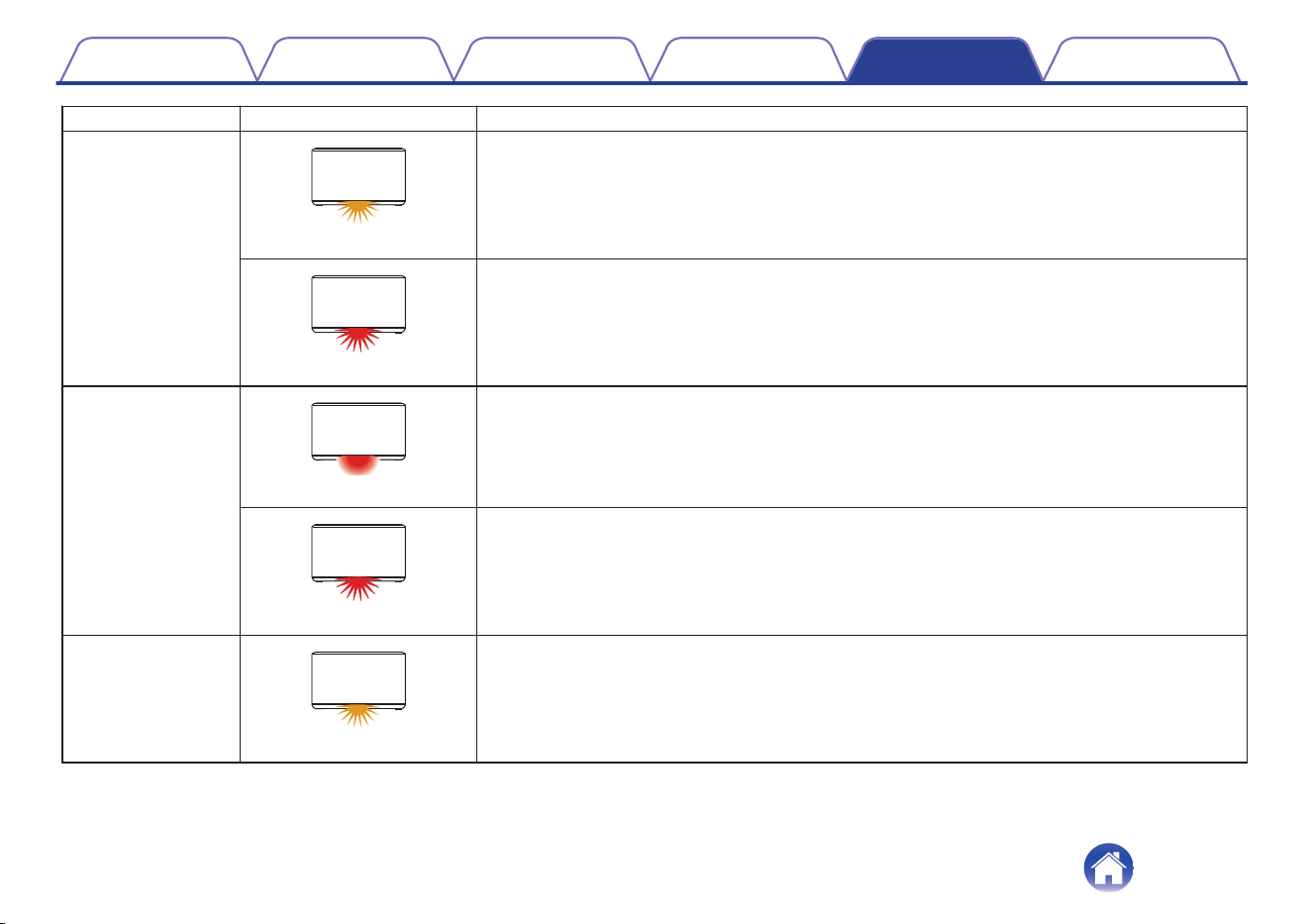
Speaker status LED action Description
Firmware update
.
(blink)
Firmware is being updated.
.
(slow blink (Not fade))
There is a firmware error.
Check your usage environment, relaunch the app, then try to update the firmware again.
(v p. 46)
Error
.
(solid)
There was a setup error.
Check your usage environment, then follow the correct procedure to try setup again. If the error
occurs again, restore factory settings and try setup again. (v p. 55)
.
(fast blink)
There is a hardware error.
Unplug the power cord, wait a little while, then plug the power cord back in.
Reset
.
(blink)
Factory settings have been restored.
Contents Setup Use Troubleshooting Status LED Appendix
59
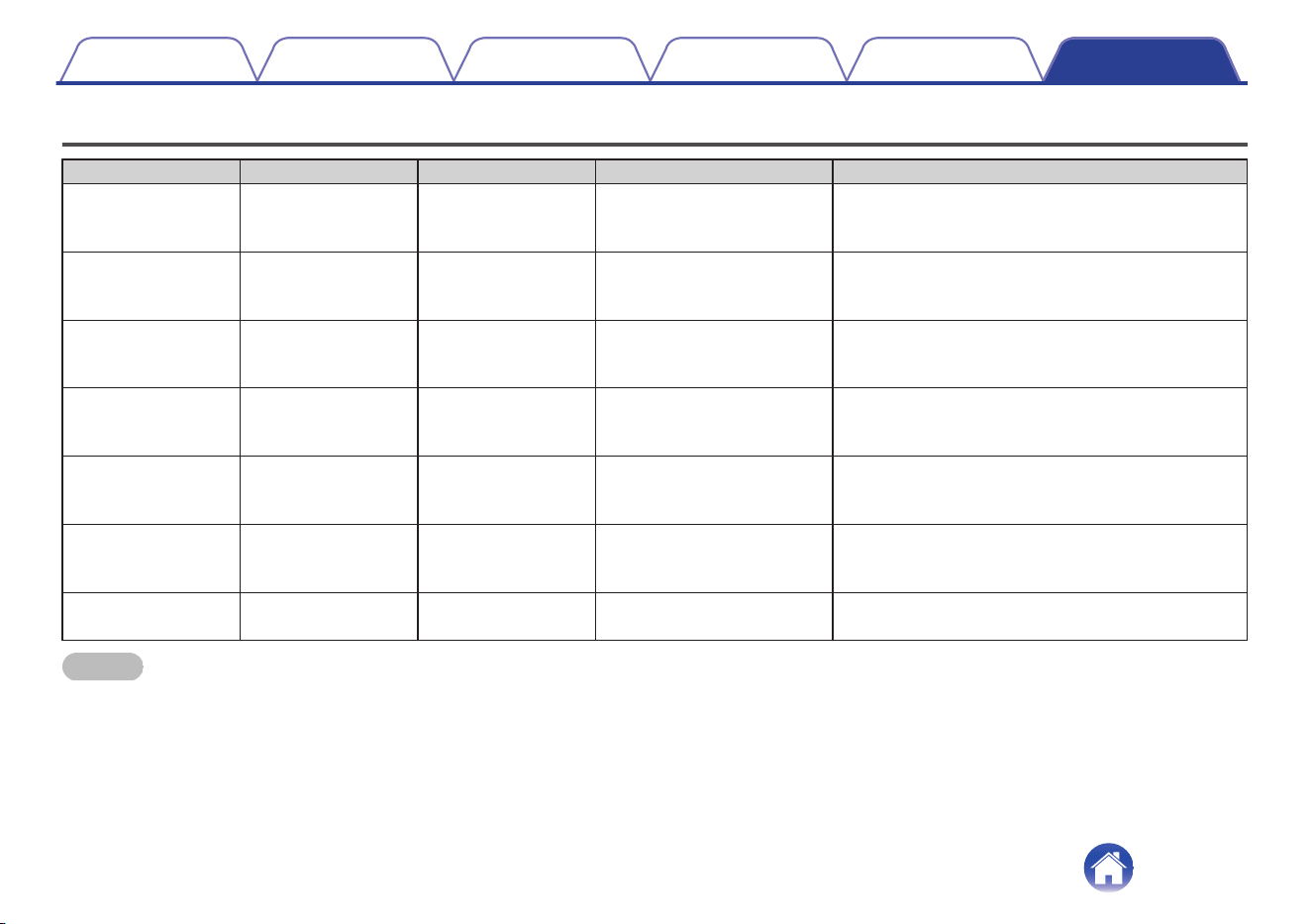
Supported file types and codecs
Frequency Sample Rate File Extension Codec Bit Rates
32/44.1/48
88.2/96/176.4
192 kHz
16/24 bit wav PCM ---
32 kHz
44.1 kHz
48 kHz
16 bit mp3
MPEG-1 Audio Layer 3
CBR/VBR
32 - 320 kbps
32 kHz
44.1 kHz
48 kHz
16 bit
m4a
aac
AAC-LC 48 - 320 kbps
32 kHz
44.1 kHz
48 kHz
16 bit wma
wma9
CBR
CBR:48 - 192 kbps
44.1/48
88.2/96/176.4
192 kHz
16/24 bit flac flac ---
44.1/48
88.2/96/176.4
192 kHz
16/24 bit m4a ALAC ---
2.8/5.6 MHz 1 bit
dff
dsf
DSDIFF
DSF
---
NOTE
0
Files protected by DRM such as Apple’s Fairplay DRM, are not supported.
0
If you select a music source with a high bit rate or high resolution, it is set to the appropriate level by codec before being output.
0
The ALAC decoder is distributed under the Apache License, Version 2.0 (http://www.apache.org/licenses/LICENSE-2.0)
Contents Setup Use Troubleshooting Status LED Appendix
Appendix
60
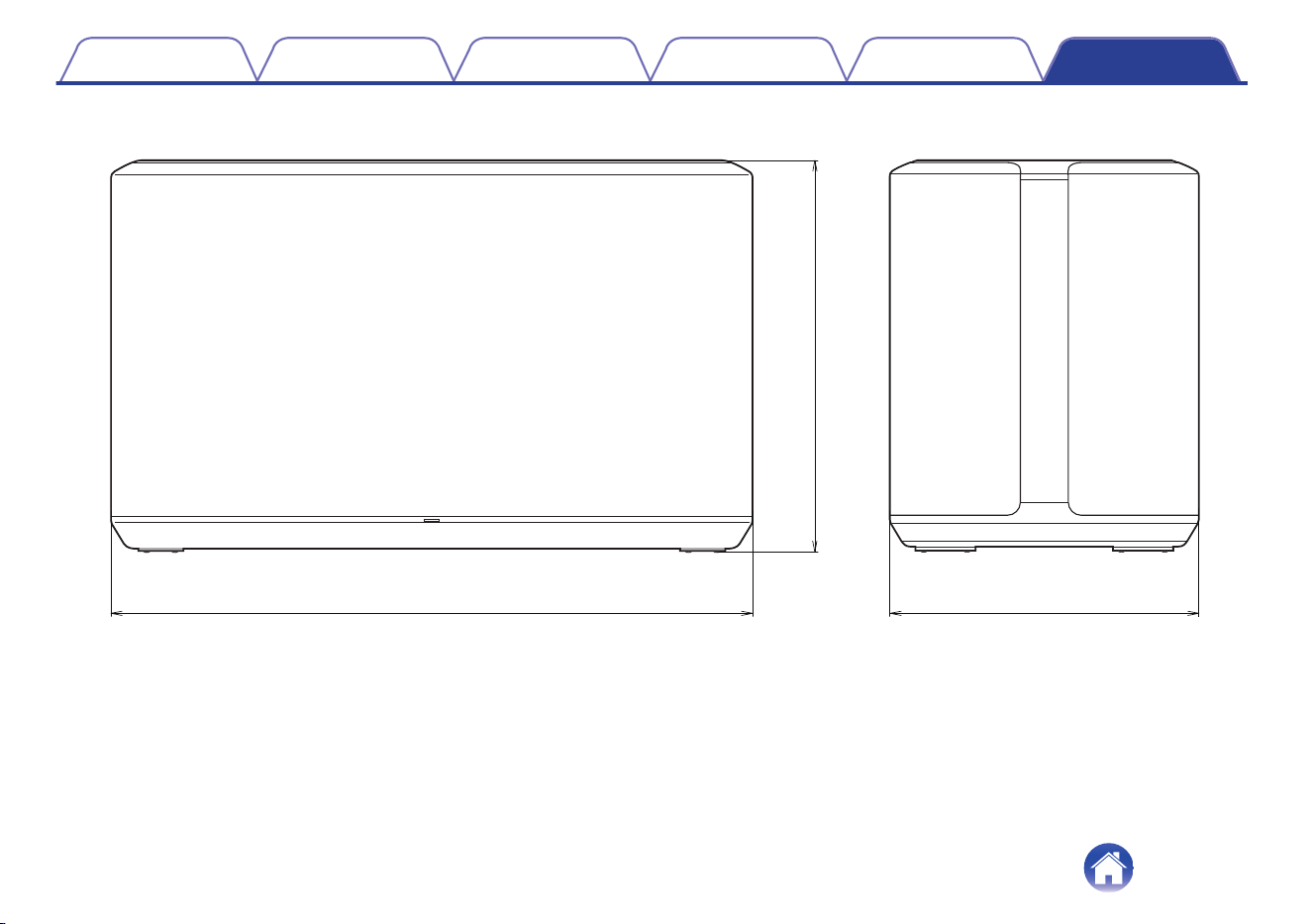
Specifications
Wireless LAN
Network type: Conforming to IEEE 802.11a/b/g/n/ac
Used frequency range: 2.4 GHz, 5 GHz
General
Operating temperature: 41 °F - 95 °F (5 °C - 35 °C)
Power supply: AC 100 – 240 V, 50/60 Hz (for Europe model)
AC 100 – 120 V, 50/60 Hz (for North America model)
Power consumption: 37 W
Power consumption in Quick Start Mode:
2.2 W (Wi-Fi 2.4 GHz)
2.2 W (Wi-Fi 5 GHz)
1.9 W (Ethernet)
2.3 W (USB with Wi-Fi)
1.8 W (Bluetooth)
Power consumption in Deep Standby Mode: 0.4 W
Max Analog Input: 2 Vrms
Contents Setup Use Troubleshooting Status LED Appendix
61
Information
Trademarks
.
Google Play and the Google Play logo are trademarks of Google LLC.
.
Apple, the Apple logo, iPhone, and iPad are trademarks of Apple Inc.,
registered in the U.S. and other countries and regions. App Store is a
service mark of Apple Inc.
.
Wi-Fi Protected Setup™ logo is trademark of Wi-Fi Alliance.
.
The Bluetooth
®
word mark and logos are registered trademarks owned
by the Bluetooth SIG, Inc. and any use of such marks by D&M Holdings
Inc. is under license. Other trademarks and trade names are those of
their respective owners.
Contents Setup Use Troubleshooting Status LED Appendix
63
.
Apple, AirPlay, iPad, iPad Air, iPad Pro and iPhone are trademarks of
Apple Inc., registered in the U.S. and other countries.
The trademark “iPhone” is used in Japan with a license from Aiphone
K.K.
Use of the Works with Apple badge means that an accessory has been
designed to work specifically with the technology identified in the badge
and has been certified by the developer to meet Apple performance
standards.
Contents Setup Use Troubleshooting Status LED Appendix
64
License
o
License information for the software used in
the unit
About GPL (GNU-General Public License), LGPL (GNU Lesser
General Public License) License
This product uses GPL/LGPL software and software made by other
companies.
After you purchase this product, you may procure, modify or distribute
the source code of the GPL/LGPL software that is used in the product.
Denon provides the source code based on the GPL and LPGL
licenses at the actual cost upon your request to our customer service
center. However, note that we make no guarantees concerning the
source code. Please also understand that we do not offer support for
the contents of the source code.
This section describes software license used for this unit. To maintain
the correct content, the original (English) is used.
n
GPL
Open Source Used Version
bridge-utils 1.6
busybox 1.27.2
ebtables 2.0.10-4
Linux kernel 4.4.22
mtd-utils 2.0.2
ntfs-3g_ntfsprogs 2017.3.23
u-boot 2018.07
cifs-utils 6.7
wireless-tools 2.9
ffmpeg 3.4.4
n
LGPL
Open Source Used Version
ffmpeg 3.4.4
libmms 0.6.4
taglib 1.11.1
libglib2 2.54.2
libnl 3.4.0
glibc 2.28
glib 2-2.54.2
ntfs-3g_ntfsprogs 2017.3.23
Contents Setup Use Troubleshooting Status LED Appendix
65
n
Mbed TLS-2.7.5
Apache License
Version 2.0, January 2004
http://www.apache.org/licenses/
TERMS AND CONDITIONS FOR USE, REPRODUCTION, AND
DISTRIBUTION
1. Definitions.
"License" shall mean the terms and conditions for use,
reproduction, and distribution as defined by Sections 1 through 9 of
this document.
"Licensor" shall mean the copyright owner or entity authorized by
the copyright owner that is granting the License.
"Legal Entity" shall mean the union of the acting entity and all other
entities that control, are controlled by, or are under common control
with that entity. For the purposes of this definition, "control" means
(i) the power, direct or indirect, to cause the direction or
management of such entity, whether by contract or otherwise, or (ii)
ownership of fifty percent (50 %) or more of the outstanding shares,
or (iii) beneficial ownership of such entity.
"You" (or "Your") shall mean an individual or Legal Entity exercising
permissions granted by this License.
"Source" form shall mean the preferred form for making
modifications, including but not limited to software source code,
documentation source, and configuration files.
"Object" form shall mean any form resulting from mechanical
transformation or translation of a Source form, including but not
limited to compiled object code, generated documentation, and
conversions to other media types.
"Work" shall mean the work of authorship, whether in Source or
Object form, made available under the License, as indicated by a
copyright notice that is included in or attached to the work (an
example is provided in the Appendix below).
"Derivative Works" shall mean any work, whether in Source or
Object form, that is based on (or derived from) the Work and for
which the editorial revisions, annotations, elaborations, or other
modifications represent, as a whole, an original work of authorship.
For the purposes of this License, Derivative Works shall not include
works that remain separable from, or merely link (or bind by name)
to the interfaces of, the Work and Derivative Works thereof.
"Contribution" shall mean any work of authorship, including the
original version of the Work and any modifications or additions to
that Work or Derivative Works thereof, that is intentionally submitted
to Licensor for inclusion in the Work by the copyright owner or by an
individual or Legal Entity authorized to submit on behalf of the
copyright owner. For the purposes of this definition, "submitted"
means any form of electronic, verbal, or written communication sent
to the Licensor or its representatives, including but not limited to
communication on electronic mailing lists, source code control
systems, and issue tracking systems that are managed by, or on
behalf of, the Licensor for the purpose of discussing and improving
the Work, but excluding communication that is conspicuously
marked or otherwise designated in writing by the copyright owner
as "Not a Contribution."
"Contributor" shall mean Licensor and any individual or Legal Entity
on behalf of whom a Contribution has been received by Licensor
and subsequently incorporated within the Work.
Contents
Setup Use Troubleshooting Status LED Appendix
66
2. Grant of Copyright License. Subject to the terms and conditions of
this License, each Contributor hereby grants to You a perpetual,
worldwide, non-exclusive, no-charge, royalty-free, irrevocable
copyright license to reproduce, prepare Derivative Works of,
publicly display, publicly perform, sublicense, and distribute the
Work and such Derivative Works in Source or Object form.
3.
Grant of Patent License. Subject to the terms and conditions of this
License, each Contributor hereby grants to You a perpetual, worldwide,
non-exclusive, no-charge, royalty-free, irrevocable (except as stated in
this section) patent license to make, have made, use, offer to sell, sell,
import, and otherwise transfer the Work, where such license applies
only to those patent claims licensable by such Contributor that are
necessarily infringed by their Contribution(s) alone or by combination of
their Contribution(s) with the Work to which such Contribution(s) was
submitted. If You institute patent litigation against any entity (including a
cross-claim or counterclaim in a lawsuit) alleging that the Work or a
Contribution incorporated within the Work constitutes direct or
contributory patent infringement, then any patent licenses granted to
You under this License for that Work shall terminate as of the date such
litigation is filed.
4. Redistribution. You may reproduce and distribute copies of the
Work or Derivative Works thereof in any medium, with or without
modifications, and in Source or Object form, provided that You
meet the following conditions:
(a) You must give any other recipients of the Work or Derivative
Works a copy of this License; and
(b) You must cause any modified files to carry prominent notices
stating that You changed the files; and
(c) You must retain, in the Source form of any Derivative Works that
You distribute, all copyright, patent, trademark, and attribution
notices from the Source form of the Work, excluding those notices
that do not pertain to any part of the Derivative Works; and
(d) If the Work includes a "NOTICE" text file as part of its
distribution, then any Derivative Works that You distribute must
include a readable copy of the attribution notices contained within
such NOTICE file, excluding those notices that do not pertain to any
part of the Derivative Works, in at least one of the following places:
within a NOTICE text file distributed as part of the Derivative Works;
within the Source form or documentation, if provided along with the
Derivative Works; or, within a display generated by the Derivative
Works, if and wherever such third-party notices normally appear.
The contents of the NOTICE file are for informational purposes only
and do not modify the License. You may add Your own attribution
notices within Derivative Works that You distribute, alongside or as
an addendum to the NOTICE text from the Work, provided that
such additional attribution notices cannot be construed as
modifying the License.
You may add Your own copyright statement to Your modifications
and may provide additional or different license terms and conditions
for use, reproduction, or distribution of Your modifications, or for
any such Derivative Works as a whole, provided Your use,
reproduction, and distribution of the Work otherwise complies with
the conditions stated in this License.
5. Submission of Contributions. Unless You explicitly state otherwise,
any Contribution intentionally submitted for inclusion in the Work by
You to the Licensor shall be under the terms and conditions of this
License, without any additional terms or conditions.
Notwithstanding the above, nothing herein shall supersede or
modify the terms of any separate license agreement you may have
executed with Licensor regarding such Contributions.
Contents
Setup Use Troubleshooting Status LED Appendix
67
6. Trademarks. This License does not grant permission to use the
trade names, trademarks, service marks, or product names of the
Licensor, except as required for reasonable and customary use in
describing the origin of the Work and reproducing the content of the
NOTICE file.
7. Disclaimer of Warranty. Unless required by applicable law or
agreed to in writing, Licensor provides the Work (and each
Contributor provides its Contributions) on an "AS IS" BASIS,
WITHOUT WARRANTIES OR CONDITIONS OF ANY KIND, either
express or implied, including, without limitation, any warranties or
conditions of TITLE, NON-INFRINGEMENT, MERCHANTABILITY,
or FITNESS FOR A PARTICULAR PURPOSE. You are solely
responsible for determining the appropriateness of using or
redistributing the Work and assume any risks associated with Your
exercise of permissions under this License.
8. Limitation of Liability. In no event and under no legal theory,
whether in tort (including negligence), contract, or otherwise, unless
required by applicable law (such as deliberate and grossly negligent
acts) or agreed to in writing, shall any Contributor be liable to You
for damages, including any direct, indirect, special, incidental, or
consequential damages of any character arising as a result of this
License or out of the use or inability to use the Work (including but
not limited to damages for loss of goodwill, work stoppage,
computer failure or malfunction, or any and all other commercial
damages or losses), even if such Contributor has been advised of
the possibility of such damages.
9. Accepting Warranty or Additional Liability. While redistributing the
Work or Derivative Works thereof, You may choose to offer, and
charge a fee for, acceptance of support, warranty, indemnity, or
other liability obligations and/or rights consistent with this License.
However, in accepting such obligations, You may act only on Your
own behalf and on Your sole responsibility, not on behalf of any
other Contributor, and only if You agree to indemnify, defend, and
hold each Contributor harmless for any liability incurred by, or
claims asserted against, such Contributor by reason of your
accepting any such warranty or additional liability.
END OF TERMS AND CONDITIONS
APPENDIX: How to apply the Apache License to your work.
To apply the Apache License to your work, attach the following
boilerplate notice, with the fields enclosed by brackets “[]” replaced
with your own identifying information. (Don't include the brackets!)
The text should be enclosed in the appropriate comment syntax for
the file format. We also recommend that a file or class name and
description of purpose be included on the same “printed page” as
the copyright notice for easier identification within third-party
archives.
Copyright [yyyy] [name of copyright owner]
Licensed under the Apache License, Version 2.0 (the "License");
you may not use this file except in compliance with the License. You
may obtain a copy of the License at
http://www.apache.org/licenses/LICENSE-2.0
Unless required by applicable law or agreed to in writing, software
distributed under the License is distributed on an "AS IS" BASIS,
WITHOUT WARRANTIES OR CONDITIONS OF ANY KIND, either
express or implied. See the License for the specific language
governing permissions and limitations under the License.
Contents
Setup Use Troubleshooting Status LED Appendix
68
n
mDNSResponder-765.50.9
The majority of the source code in the mDNSResponder project is
licensed under the terms of the Apache License, Version 2.0, available
from:
<http://www.apache.org/licenses/LICENSE-2.0>
To accommodate license compatibility with the widest possible range
of client code licenses, the shared library code, which is linked at
runtime into the same address space as the client using it, is licensed
under the terms of the "Three-Clause BSD License".
The Linux Name Service Switch code, contributed by National ICT
Australia Ltd (NICTA) is licensed under the terms of the NICTA Public
Software Licence (which is substantially similar to the "Three-Clause
BSD License", with some additional language pertaining to Australian
law).
n
OpenAvnu-2018-07-30
Copyright (c) 2012, Intel Corporation
All rights reserved.
Redistribution and use in source and binary forms, with or without
modification, are permitted provided that the following conditions are
met:
1. Redistributions of source code must retain the above copyright
notice, this list of conditions and the following disclaimer.
2. Redistributions in binary form must reproduce the above copyright
notice, this list of conditions and the following disclaimer in the
documentation and/or other materials provided with the distribution.
3. Neither the name of the Intel Corporation nor the names of its
contributors may be used to endorse or promote products derived
from this software without specific prior written permission.
THIS SOFTWARE IS PROVIDED BY THE COPYRIGHT HOLDERS
AND CONTRIBUTORS "AS IS" AND ANY EXPRESS OR IMPLIED
WARRANTIES, INCLUDING, BUT NOT LIMITED TO, THE IMPLIED
WARRANTIES OF MERCHANTABILITY AND FITNESS FOR A
PARTICULAR PURPOSE ARE DISCLAIMED. IN NO EVENT SHALL
THE COPYRIGHT OWNER OR CONTRIBUTORS BE LIABLE FOR
ANY DIRECT, INDIRECT, INCIDENTAL, SPECIAL, EXEMPLARY, OR
CONSEQUENTIAL DAMAGES (INCLUDING, BUT NOT LIMITED TO,
PROCUREMENT OF SUBSTITUTE GOODS OR SERVICES; LOSS
OF USE, DATA, OR PROFITS; OR BUSINESS INTERRUPTION)
HOWEVER CAUSED AND ON ANY THEORY OF LIABILITY,
WHETHER IN CONTRACT, STRICT LIABILITY, OR TORT
(INCLUDING NEGLIGENCE OR OTHERWISE) ARISING IN ANY
WAY OUT OF THE USE OF THIS SOFTWARE, EVEN IF ADVISED
OF THE POSSIBILITY OF SUCH DAMAGE.
Contents
Setup Use Troubleshooting Status LED Appendix
69
n
fmt-5.1.0
Copyright (c) 2012 - 2016, Victor Zverovich
All rights reserved.
Redistribution and use in source and binary forms, with or without
modification, are permitted provided that the following conditions are
met:
1. Redistributions of source code must retain the above copyright
notice, this list of conditions and the following disclaimer.
2. Redistributions in binary form must reproduce the above copyright
notice, this list of conditions and the following disclaimer in the
documentation and/or other materials provided with the distribution.
THIS SOFTWARE IS PROVIDED BY THE COPYRIGHT HOLDERS
AND CONTRIBUTORS "AS IS" AND ANY EXPRESS OR IMPLIED
WARRANTIES, INCLUDING, BUT NOT LIMITED TO, THE IMPLIED
WARRANTIES OF MERCHANTABILITY AND FITNESS FOR A
PARTICULAR PURPOSE ARE DISCLAIMED. IN NO EVENT SHALL
THE COPYRIGHT OWNER OR CONTRIBUTORS BE LIABLE FOR
ANY DIRECT, INDIRECT, INCIDENTAL, SPECIAL, EXEMPLARY, OR
CONSEQUENTIAL DAMAGES (INCLUDING, BUT NOT LIMITED TO,
PROCUREMENT OF SUBSTITUTE GOODS OR SERVICES; LOSS
OF USE, DATA, OR PROFITS; OR BUSINESS INTERRUPTION)
HOWEVER CAUSED AND ON ANY THEORY OF LIABILITY,
WHETHER IN CONTRACT, STRICT LIABILITY, OR TORT
(INCLUDING NEGLIGENCE OR OTHERWISE) ARISING IN ANY
WAY OUT OF THE USE OF THIS SOFTWARE, EVEN IF ADVISED
OF THE POSSIBILITY OF SUCH DAMAGE.
n
libtar-1.2.20
Copyright (c) 1998-2003 University of Illinois Board of Trustees
Copyright (c) 1998-2003 Mark D. Roth
All rights reserved.
Developed by: Campus Information Technologies and Educational
Services, University of Illinois at Urbana-Champaign
Permission is hereby granted, free of charge, to any person obtaining a
copy of this software and associated documentation files (the
"Software"), to deal with the Software without restriction, including
without limitation the rights to use, copy, modify, merge, publish,
distribute, sublicense, and/or sell copies of the Software, and to permit
persons to whom the Software is furnished to do so, subject to the
following conditions:
z
Redistributions of source code must retain the above copyright
notice, this list of conditions and the following disclaimers.
z
Redistributions in binary form must reproduce the above copyright
notice, this list of conditions and the following disclaimers in the
documentation and/or other materials provided with the distribution.
z
Neither the names of Campus Information Technologies and
Educational Services, University of Illinois at Urbana-Champaign,
nor the names of its contributors may be used to endorse or promote
products derived from this Software without specific prior written
permission.
Contents
Setup Use Troubleshooting Status LED Appendix
70
THE SOFTWARE IS PROVIDED "AS IS", WITHOUT WARRANTY OF
ANY KIND, EXPRESS OR IMPLIED, INCLUDING BUT NOT LIMITED
TO THE WARRANTIES OF MERCHANTABILITY, FITNESS FOR A
PARTICULAR PURPOSE AND NONINFRINGEMENT. IN NO EVENT
SHALL THE CONTRIBUTORS OR COPYRIGHT HOLDERS BE
LIABLE FOR ANY CLAIM, DAMAGES OR OTHER LIABILITY,
WHETHER IN AN ACTION OF CONTRACT, TORT OR OTHERWISE,
ARISING FROM, OUT OF OR IN CONNECTION WITH THE
SOFTWARE OR THE USE OR OTHER DEALINGS WITH THE
SOFTWARE.
n
ARM Trusted Firmware-1.21
Copyright (c) 2013-2015, ARM Limited and Contributors. All rights
reserved.
Redistribution and use in source and binary forms, with or without
modification, are permitted provided that the following conditions are
met:
z
Redistributions of source code must retain the above copyright
notice, this list of conditions and the following disclaimer.
z
Redistributions in binary form must reproduce the above copyright
notice, this list of conditions and the following disclaimer in the
documentation and/or other materials provided with the distribution.
z
Neither the name of ARM nor the names of its contributors may be
used to endorse or promote products derived from this software
without specific prior written permission.
THIS SOFTWARE IS PROVIDED BY THE COPYRIGHT HOLDERS
AND CONTRIBUTORS "AS IS" AND ANY EXPRESS OR IMPLIED
WARRANTIES, INCLUDING, BUT NOT LIMITED TO, THE IMPLIED
WARRANTIES OF MERCHANTABILITY AND FITNESS FOR A
PARTICULAR PURPOSE ARE DISCLAIMED. IN NO EVENT SHALL
THE COPYRIGHT HOLDER OR CONTRIBUTORS BE LIABLE FOR
ANY DIRECT, INDIRECT, INCIDENTAL, SPECIAL, EXEMPLARY, OR
CONSEQUENTIAL DAMAGES (INCLUDING, BUT NOT LIMITED TO,
PROCUREMENT OF SUBSTITUTE GOODS OR SERVICES; LOSS
OF USE, DATA, OR PROFITS; OR BUSINESS INTERRUPTION)
HOWEVER CAUSED AND ON ANY THEORY OF LIABILITY,
WHETHER IN CONTRACT, STRICT LIABILITY, OR TORT
(INCLUDING NEGLIGENCE OR OTHERWISE) ARISING IN ANY
WAY OUT OF THE USE OF THIS SOFTWARE, EVEN IF ADVISED
OF THE POSSIBILITY OF SUCH DAMAGE.
Contents
Setup Use Troubleshooting Status LED Appendix
71
n
googletest-v1.8.0
Protocol Buffers-v3.6.0
Copyright 2008, Google Inc.
All rights reserved.
Redistribution and use in source and binary forms, with or without
modification, are permitted provided that the following conditions are
met:
z
Redistributions of source code must retain the above copyright
notice, this list of conditions and the following disclaimer.
z
Redistributions in binary form must reproduce the above copyright
notice, this list of conditions and the following disclaimer in the
documentation and/or other materials provided with the distribution.
z
Neither the name of Google Inc. nor the names of its contributors
may be used to endorse or promote products derived from this
software without specific prior written permission.
THIS SOFTWARE IS PROVIDED BY THE COPYRIGHT HOLDERS
AND CONTRIBUTORS AS IS AND ANY EXPRESS OR IMPLIED
WARRANTIES, INCLUDING, BUT NOT LIMITED TO, THE IMPLIED
WARRANTIES OF MERCHANTABILITY AND FITNESS FOR A
PARTICULAR PURPOSE ARE DISCLAIMED. IN NO EVENT SHALL
THE COPYRIGHT OWNER OR CONTRIBUTORS BE LIABLE FOR
ANY DIRECT, INDIRECT, INCIDENTAL, SPECIAL, EXEMPLARY, OR
CONSEQUENTIAL DAMAGES (INCLUDING, BUT NOT LIMITED TO,
PROCUREMENT OF SUBSTITUTE GOODS OR SERVICES; LOSS
OF USE, DATA, OR PROFITS; OR BUSINESS INTERRUPTION)
HOWEVER CAUSED AND ON ANY THEORY OF LIABILITY,
WHETHER IN CONTRACT, STRICT LIABILITY, OR TORT
(INCLUDING NEGLIGENCE OR OTHERWISE) ARISING IN ANY
WAY OUT OF THE USE OF THIS SOFTWARE, EVEN IF ADVISED
OF THE POSSIBILITY OF SUCH DAMAGE.
n
hostapd-2.6
wpa_supplicant-2.6
Copyright (c) 2002-2016, Jouni Malinen <[email protected]> and contributors
All Rights Reserved.
These programs are licensed under the BSD license (the one with
advertisement clause removed).
If you are submitting changes to the project, please see
CONTRIBUTIONS file for more instructions.
This package may include either wpa_supplicant, hostapd, or both.
See README file respective subdirectories (wpa_supplicant/
README or hostapd/README) for more details.
Source code files were moved around in v0.6.x releases and
compared to earlier releases, the programs are now built by first going
to a subdirectory (wpa_supplicant or hostapd) and creating build
configuration (.config) and running 'make' there (for Linux/BSD/cygwin
builds).
License
-------
This software may be distributed, used, and modified under the terms
of BSD license:
Redistribution and use in source and binary forms, with or without
modification, are permitted provided that the following conditions are
met:
1. Redistributions of source code must retain the above copyright
notice, this list of conditions and the following disclaimer.
2. Redistributions in binary form must reproduce the above copyright
notice, this list of conditions and the following disclaimer in the
documentation and/or other materials provided with the distribution.
Contents Setup Use Troubleshooting Status LED Appendix
72
3. Neither the name(s) of the above-listed copyright holder(s) nor the
names of its contributors may be used to endorse or promote
products derived from this software without specific prior written
permission.
THIS SOFTWARE IS PROVIDED BY THE COPYRIGHT HOLDERS
AND CONTRIBUTORS AS IS AND ANY EXPRESS OR IMPLIED
WARRANTIES, INCLUDING, BUT NOT LIMITED TO, THE IMPLIED
WARRANTIES OF MERCHANTABILITY AND FITNESS FOR A
PARTICULAR PURPOSE ARE DISCLAIMED. IN NO EVENT SHALL
THE COPYRIGHT OWNER OR CONTRIBUTORS BE LIABLE FOR
ANY DIRECT, INDIRECT, INCIDENTAL, SPECIAL, EXEMPLARY, OR
CONSEQUENTIAL DAMAGES (INCLUDING, BUT NOT LIMITED TO,
PROCUREMENT OF SUBSTITUTE GOODS OR SERVICES; LOSS
OF USE, DATA, OR PROFITS; OR BUSINESS INTERRUPTION)
HOWEVER CAUSED AND ON ANY THEORY OF LIABILITY,
WHETHER IN CONTRACT, STRICT LIABILITY, OR TORT
(INCLUDING NEGLIGENCE OR OTHERWISE) ARISING IN ANY
WAY OUT OF THE USE OF THIS SOFTWARE, EVEN IF ADVISED
OF THE POSSIBILITY OF SUCH DAMAGE.
n
libpcap-1.8.1
License: BSD
Redistribution and use in source and binary forms, with or without
modification, are permitted provided that the following conditions are
met:
1. Redistributions of source code must retain the above copyright
notice, this list of conditions and the following disclaimer.
2. Redistributions in binary form must reproduce the above copyright
notice, this list of conditions and the following disclaimer in the
documentation and/or other materials provided with the distribution.
3. The names of the authors may not be used to endorse or promote
products derived from this software without specific prior written
permission.
THIS SOFTWARE IS PROVIDED "AS IS" AND WITHOUT ANY
EXPRESS OR IMPLIED WARRANTIES, INCLUDING, WITHOUT
LIMITATION, THE IMPLIED WARRANTIES OF MERCHANTABILITY
AND FITNESS FOR A PARTICULAR PURPOSE.
Contents
Setup Use Troubleshooting Status LED Appendix
73
n
PCRE-8.41
PCRE LICENCE
------------
PCRE is a library of functions to support regular expressions whose
syntax and semantics are as close as possible to those of the Perl 5
language.
Release 8 of PCRE is distributed under the terms of the "BSD" licence,
as specified below. The documentation for PCRE, supplied in the
"doc" directory, is distributed under the same terms as the software
itself. The data in the testdata directory is not copyrighted and is in the
public domain.
The basic library functions are written in C and are freestanding. Also
included in the distribution is a set of C++ wrapper functions, and a
just-in-time compiler that can be used to optimize pattern matching.
These are both optional features that can be omitted when the library
is built.
THE BASIC LIBRARY FUNCTIONS
---------------------------
Written by: Philip Hazel
Email local part: ph10
Email domain: cam.ac.uk
University of Cambridge Computing Service, Cambridge, England.
Copyright (c) 1997-2017 University of Cambridge
All rights reserved.
PCRE JUST-IN-TIME COMPILATION SUPPORT
-------------------------------------
Written by: Zoltan Herczeg
Email local part: hzmester
Emain domain: freemail.hu
Copyright(c) 2010-2017 Zoltan Herczeg
All rights reserved.
STACK-LESS JUST-IN-TIME COMPILER
--------------------------------
Written by: Zoltan Herczeg
Email local part: hzmester
Emain domain: freemail.hu
Copyright(c) 2009-2017 Zoltan Herczeg
All rights reserved.
THE C++ WRAPPER FUNCTIONS
-------------------------
Contributed by: Google Inc.
Copyright (c) 2007-2012, Google Inc.
All rights reserved.
THE "BSD" LICENCE
-----------------
Contents
Setup Use Troubleshooting Status LED Appendix
74
Redistribution and use in source and binary forms, with or without
modification, are permitted provided that the following conditions are
met:
z
Redistributions of source code must retain the above copyright
notice, this list of conditions and the following disclaimer.
z
Redistributions in binary form must reproduce the above copyright
notice, this list of conditions and the following disclaimer in the
documentation and/or other materials provided with the distribution.
z
Neither the name of the University of Cambridge nor the name of
Google Inc. nor the names of their contributors may be used to
endorse or promote products derived from this software without
specific prior written permission.
THIS SOFTWARE IS PROVIDED BY THE COPYRIGHT HOLDERS
AND CONTRIBUTORS "AS IS" AND ANY EXPRESS OR IMPLIED
WARRANTIES, INCLUDING, BUT NOT LIMITED TO, THE IMPLIED
WARRANTIES OF MERCHANTABILITY AND FITNESS FOR A
PARTICULAR PURPOSE ARE DISCLAIMED. IN NO EVENT SHALL
THE COPYRIGHT OWNER OR CONTRIBUTORS BE LIABLE FOR
ANY DIRECT, INDIRECT, INCIDENTAL, SPECIAL, EXEMPLARY, OR
CONSEQUENTIAL DAMAGES (INCLUDING, BUT NOT LIMITED TO,
PROCUREMENT OF SUBSTITUTE GOODS OR SERVICES; LOSS
OF USE, DATA, OR PROFITS; OR BUSINESS INTERRUPTION)
HOWEVER CAUSED AND ON ANY THEORY OF LIABILITY,
WHETHER IN CONTRACT, STRICT LIABILITY, OR TORT
(INCLUDING NEGLIGENCE OR OTHERWISE) ARISING IN ANY
WAY OUT OF THE USE OF THIS SOFTWARE, EVEN IF ADVISED
OF THE POSSIBILITY OF SUCH DAMAGE.
End
n
Boost-1.66.0
Boost Software License - Version 1.0 - August 17th, 2003
Permission is hereby granted, free of charge, to any person or
organization obtaining a copy of the software and accompanying
documentation covered by this license (the "Software") to use,
reproduce, display, distribute, execute, and transmit the Software, and
to prepare derivative works of the Software, and to permit third-parties
to whom the Software is furnished to do so, all subject to the following:
The copyright notices in the Software and this entire statement,
including the above license grant, this restriction and the following
disclaimer, must be included in all copies of the Software, in whole or
in part, and all derivative works of the Software, unless such copies or
derivative works are solely in the form of machine-executable object
code generated by a source language processor.
THE SOFTWARE IS PROVIDED "AS IS", WITHOUT WARRANTY OF
ANY KIND, EXPRESS OR IMPLIED, INCLUDING BUT NOT LIMITED
TO THE WARRANTIES OF MERCHANTABILITY, FITNESS FOR A
PARTICULAR PURPOSE, TITLE AND NON-INFRINGEMENT. IN NO
EVENT SHALL THE COPYRIGHT HOLDERS OR ANYONE
DISTRIBUTING THE SOFTWARE BE LIABLE FOR ANY DAMAGES
OR OTHER LIABILITY, WHETHER IN CONTRACT, TORT OR
OTHERWISE, ARISING FROM, OUT OF OR IN CONNECTION WITH
THE SOFTWARE OR THE USE OR OTHER DEALINGS IN THE
SOFTWARE.
Contents
Setup Use Troubleshooting Status LED Appendix
75
n
libcurl-7.61.1
Copyright (c) 1996 - 2018, Daniel Stenberg, <[email protected]>, and
many contributors, see the THANKS file.
All rights reserved.
Permission to use, copy, modify, and distribute this software for any
purpose with or without fee is hereby granted, provided that the above
copyright notice and this permission notice appear in all copies.
THE SOFTWARE IS PROVIDED "AS IS", WITHOUT WARRANTY OF
ANY KIND, EXPRESS OR IMPLIED, INCLUDING BUT NOT LIMITED
TO THE WARRANTIES OF MERCHANTABILITY, FITNESS FOR A
PARTICULAR PURPOSE AND NONINFRINGEMENT OF THIRD
PARTY RIGHTS. IN NO EVENT SHALL THE AUTHORS OR
COPYRIGHT HOLDERS BE LIABLE FOR ANY CLAIM, DAMAGES
OR OTHER LIABILITY, WHETHER IN AN ACTION OF CONTRACT,
TORT OR OTHERWISE, ARISING FROM, OUT OF OR IN
CONNECTION WITH THE SOFTWARE OR THE USE OR OTHER
DEALINGS IN THE SOFTWARE.
n
libjpeg-turbo-1.5.2
libjpeg-turbo is covered by three compatible BSD-style open source
licenses:
- The IJG (Independent JPEG Group) License, which is listed in
[README.ijg](README.ijg)
This license applies to the libjpeg API library and associated programs
(any code inherited from libjpeg, and any modifications to that code.)
- The Modified (3-clause) BSD License, which is listed below
This license covers the TurboJPEG API library and associated
programs.
- The zlib License, which is listed below
This license is a subset of the other two, and it covers the libjpeg-turbo
SIMD extensions.
Complying with the libjpeg-turbo Licenses
=========================================
This section provides a roll-up of the libjpeg-turbo licensing terms, to
the best of our understanding.
1. If you are distributing a modified version of the libjpeg-turbo source,
then:
1. You cannot alter or remove any existing copyright or license
notices from the source.
**Origin**
- Clause 1 of the IJG License
- Clause 1 of the Modified BSD License
- Clauses 1 and 3 of the zlib License
Contents
Setup Use Troubleshooting Status LED Appendix
76
2. You must add your own copyright notice to the header of each
source file you modified, so others can tell that you modified that
file (if there is not an existing copyright header in that file, then
you can simply add a notice stating that you modified the file.)
**Origin**
- Clause 1 of the IJG License
- Clause 2 of the zlib License
3. You must include the IJG README file, and you must not alter
any of the copyright or license text in that file.
**Origin**
- Clause 1 of the IJG License
2. If you are distributing only libjpeg-turbo binaries without the source,
or if you are distributing an application that statically links with
libjpeg-turbo, then:
1. Your product documentation must include a message stating:
This software is based in part on the work of the Independent
JPEG Group.
**Origin**
- Clause 2 of the IJG license
2. If your binary distribution includes or uses the TurboJPEG API,
then your product documentation must include the text of the
Modified BSD License.
**Origin**
- Clause 2 of the Modified BSD License
3. You cannot use the name of the IJG or The libjpeg-turbo Project or
the contributors thereof in advertising, publicity, etc.
**Origin**
- IJG License
- Clause 3 of the Modified BSD License
4. The IJG and The libjpeg-turbo Project do not warrant libjpeg-turbo
to be free of defects, nor do we accept any liability for undesirable
consequences resulting from your use of the software.
**Origin**
- IJG License
- Modified BSD License
- zlib License
The Modified (3-clause) BSD License
===================================
Copyright (C)¥<YEAR¥> ¥<AUTHOR¥>. All Rights Reserved.
Redistribution and use in source and binary forms, with or without
modification, are permitted provided that the following conditions are
met:
- Redistributions of source code must retain the above copyright
notice, this list of conditions and the following disclaimer.
- Redistributions in binary form must reproduce the above copyright
notice, this list of conditions and the following disclaimer in the
documentation and/or other materials provided with the distribution.
- Neither the name of the libjpeg-turbo Project nor the names of its
contributors may be used to endorse or promote products derived from
this software without specific prior written permission.
Contents
Setup Use Troubleshooting Status LED Appendix
77
THIS SOFTWARE IS PROVIDED BY THE COPYRIGHT HOLDERS
AND CONTRIBUTORS "AS IS", AND ANY EXPRESS OR IMPLIED
WARRANTIES, INCLUDING, BUT NOT LIMITED TO, THE IMPLIED
WARRANTIES OF MERCHANTABILITY AND FITNESS FOR A
PARTICULAR PURPOSE ARE DISCLAIMED. IN NO EVENT SHALL
THE COPYRIGHT HOLDERS OR CONTRIBUTORS BE LIABLE FOR
ANY DIRECT, INDIRECT, INCIDENTAL, SPECIAL, EXEMPLARY, OR
CONSEQUENTIAL DAMAGES (INCLUDING, BUT NOT LIMITED TO,
PROCUREMENT OF SUBSTITUTE GOODS OR SERVICES; LOSS
OF USE, DATA, OR PROFITS; OR BUSINESS INTERRUPTION)
HOWEVER CAUSED AND ON ANY THEORY OF LIABILITY,
WHETHER IN CONTRACT, STRICT LIABILITY, OR TORT
(INCLUDING NEGLIGENCE OR OTHERWISE) ARISING IN ANY
WAY OUT OF THE USE OF THIS SOFTWARE, EVEN IF ADVISED
OF THE POSSIBILITY OF SUCH DAMAGE.
The zlib License
================
Copyright (C) ¥<YEAR¥>, ¥<AUTHOR¥>.
This software is provided 'as-is', without any express or implied
warranty. In no event will the authors be held liable for any damages
arising from the use of this software.
Permission is granted to anyone to use this software for any purpose,
including commercial applications, and to alter it and redistribute it
freely, subject to the following restrictions:
1. The origin of this software must not be misrepresented; you must
not claim that you wrote the original software. If you use this
software in a product, an acknowledgment in the product
documentation would be appreciated but is not required.
2. Altered source versions must be plainly marked as such, and must
not be misrepresented as being the original software.
3. This notice may not be removed or altered from any source
distribution.
Contents Setup Use Troubleshooting Status LED Appendix
78
n
iw-4.9
Copyright (c) 2007, 2008 Johannes Berg
Copyright (c) 2007 Andy Lutomirski
Copyright (c) 2007 Mike Kershaw
Copyright (c) 2008-2009 Luis R. Rodriguez
Permission to use, copy, modify, and/or distribute this software for any
purpose with or without fee is hereby granted, provided that the above
copyright notice and this permission notice appear in all copies.
THE SOFTWARE IS PROVIDED "AS IS" AND THE AUTHOR
DISCLAIMS ALL WARRANTIES WITH REGARD TO THIS
SOFTWARE INCLUDING ALL IMPLIED WARRANTIES OF
MERCHANTABILITY AND FITNESS. IN NO EVENT SHALL THE
AUTHOR BE LIABLE FOR ANY SPECIAL, DIRECT, INDIRECT, OR
CONSEQUENTIAL DAMAGES OR ANY DAMAGES WHATSOEVER
RESULTING FROM LOSS OF USE, DATA OR PROFITS, WHETHER
IN AN ACTION OF CONTRACT, NEGLIGENCE OR OTHER
TORTIOUS ACTION, ARISING OUT OF OR IN CONNECTION WITH
THE USE OR PERFORMANCE OF THIS SOFTWARE.
n
taglib-1.11.1
MOZILLA PUBLIC LICENSE
Version 1.1
---------------
1. Definitions.
1.0.1. "Commercial Use" means distribution or otherwise making
the Covered Code available to a third party.
1.1. "Contributor" means each entity that creates or contributes to
the creation of Modifications.
1.2. "Contributor Version" means the combination of the Original
Code, prior Modifications used by a Contributor, and the
Modifications made by that particular Contributor.
1.3. "Covered Code" means the Original Code or Modifications or
the combination of the Original Code and Modifications, in each
case including portions thereof.
1.4. "Electronic Distribution Mechanism" means a mechanism
generally accepted in the software development community for the
electronic transfer of data.
1.5. "Executable" means Covered Code in any form other than
Source Code.
1.6. "Initial Developer" means the individual or entity identified as
the Initial Developer in the Source Code notice required by Exhibit
A.
1.7. "Larger Work" means a work which combines Covered Code or
portions thereof with code not governed by the terms of this
License.
1.8. "License" means this document.
Contents
Setup Use Troubleshooting Status LED Appendix
79
1.8.1. "Licensable" means having the right to grant, to the maximum
extent possible, whether at the time of the initial grant or
subsequently acquired, any and all of the rights conveyed herein.
1.9. "Modifications" means any addition to or deletion from the
substance or structure of either the Original Code or any previous
Modifications. When Covered Code is released as a series of files,
a Modification is:
A. Any addition to or deletion from the contents of a file
containing Original Code or previous Modifications.
B. Any new file that contains any part of the Original Code or
previous Modifications.
1.10. "Original Code" means Source Code of computer software
code which is described in the Source Code notice required by
Exhibit A as Original Code, and which, at the time of its release
under this License is not already Covered Code governed by this
License.
1.10.1. "Patent Claims" means any patent claim(s), now owned or
hereafter acquired, including without limitation, method, process,
and apparatus claims, in any patent Licensable by grantor.
1.11. "Source Code" means the preferred form of the Covered
Code for making modifications to it, including all modules it
contains, plus any associated interface definition files, scripts used
to control compilation and installation of an Executable, or source
code differential comparisons against either the Original Code or
another well known, available Covered Code of the Contributor's
choice. The Source Code can be in a compressed or archival form,
provided the appropriate decompression or de-archiving software is
widely available for no charge.
1.12. "You" (or "Your") means an individual or a legal entity
exercising rights under, and complying with all of the terms of, this
License or a future version of this License issued under Section 6.1.
For legal entities, "You" includes any entity which controls, is
controlled by, or is under common control with You. For purposes of
this definition, "control" means (a) the power, direct or indirect, to
cause the direction or management of such entity, whether by
contract or otherwise, or (b) ownership of more than fifty percent
(50%) of the outstanding shares or beneficial ownership of such
entity.
2. Source Code License.
2.1. The Initial Developer Grant.
The Initial Developer hereby grants You a world-wide, royalty-free,
non-exclusive license, subject to third party intellectual property
claims:
(a) under intellectual property rights (other than patent or
trademark) Licensable by Initial Developer to use, reproduce,
modify, display, perform, sublicense and distribute the Original
Code (or portions thereof) with or without Modifications, and/or
as part of a Larger Work; and
(b) under Patents Claims infringed by the making, using or selling
of Original Code, to make, have made, use, practice, sell, and
offer for sale, and/or otherwise dispose of the Original Code (or
portions thereof).
(c) the licenses granted in this Section 2.1(a) and (b) are
effective on the date Initial Developer first distributes Original
Code under the terms of this License.
Contents
Setup Use Troubleshooting Status LED Appendix
80
(d) Notwithstanding Section 2.1(b) above, no patent license is
granted: 1) for code that You delete from the Original Code; 2)
separate from the Original Code; or 3) for infringements caused
by: i) the modification of the Original Code or ii) the combination
of the Original Code with other software or devices.
2.2. Contributor Grant.
Subject to third party intellectual property claims, each Contributor
hereby grants You a world-wide, royalty-free, non-exclusive license
(a) under intellectual property rights (other than patent or
trademark) Licensable by Contributor, to use, reproduce, modify,
display, perform, sublicense and distribute the Modifications
created by such Contributor (or portions thereof) either on an
unmodified basis, with other Modifications, as Covered Code
and/or as part of a Larger Work; and
(b) under Patent Claims infringed by the making, using, or selling
of Modifications made by that Contributor either alone and/or in
combination with its Contributor Version (or portions of such
combination), to make, use, sell, offer for sale, have made,
and/or otherwise dispose of: 1) Modifications made by that
Contributor (or portions thereof); and 2) the combination of
Modifications made by that Contributor with its Contributor
Version (or portions of such combination).
(c) the licenses granted in Sections 2.2(a) and 2.2(b) are
effective on the date Contributor first makes Commercial Use of
the Covered Code.
(d) Notwithstanding Section 2.2(b) above, no patent license is
granted: 1) for any code that Contributor has deleted from the
Contributor Version; 2) separate from the Contributor Version; 3)
for infringements caused by: i) third party modifications of
Contributor Version or ii) the combination of Modifications made
by that Contributor with other software (except as part of the
Contributor Version) or other devices; or 4) under Patent Claims
infringed by Covered Code in the absence of Modifications made
by that Contributor.
3. Distribution Obligations.
3.1. Application of License.
The Modifications which You create or to which You contribute are
governed by the terms of this License, including without limitation
Section 2.2. The Source Code version of Covered Code may be
distributed only under the terms of this License or a future version of
this License released under Section 6.1, and You must include a
copy of this License with every copy of the Source Code You
distribute. You may not offer or impose any terms on any Source
Code version that alters or restricts the applicable version of this
License or the recipients' rights hereunder. However, You may
include an additional document offering the additional rights
described in Section 3.5.
Contents
Setup Use Troubleshooting Status LED Appendix
81
3.2. Availability of Source Code.
Any Modification which You create or to which You contribute must
be made available in Source Code form under the terms of this
License either on the same media as an Executable version or via
an accepted Electronic Distribution Mechanism to anyone to whom
you made an Executable version available; and if made available
via Electronic Distribution Mechanism, must remain available for at
least twelve (12) months after the date it initially became available,
or at least six (6) months after a subsequent version of that
particular Modification has been made available to such recipients.
You are responsible for ensuring that the Source Code version
remains available even if the Electronic Distribution Mechanism is
maintained by a third party.
3.3. Description of Modifications.
You must cause all Covered Code to which You contribute to
contain a file documenting the changes You made to create that
Covered Code and the date of any change. You must include a
prominent statement that the Modification is derived, directly or
indirectly, from Original Code provided by the Initial Developer and
including the name of the Initial Developer in (a) the Source Code,
and (b) in any notice in an Executable version or related
documentation in which You describe the origin or ownership of the
Covered Code.
3.4. Intellectual Property Matters
(a) Third Party Claims.
If Contributor has knowledge that a license under a third party's
intellectual property rights is required to exercise the rights
granted by such Contributor under Sections 2.1 or 2.2,
Contributor must include a text file with the Source Code
distribution titled "LEGAL" which describes the claim and the
party making the claim in sufficient detail that a recipient will
know whom to contact. If Contributor obtains such knowledge
after the Modification is made available as described in Section
3.2, Contributor shall promptly modify the LEGAL file in all copies
Contributor makes available thereafter and shall take other steps
(such as notifying appropriate mailing lists or newsgroups)
reasonably calculated to inform those who received the Covered
Code that new knowledge has been obtained.
(b) Contributor APIs.
If Contributor's Modifications include an application programming
interface and Contributor has knowledge of patent licenses
which are reasonably necessary to implement that API,
Contributor must also include this information in the LEGAL file.
(c) Representations.
Contributor represents that, except as disclosed pursuant to
Section 3.4(a) above, Contributor believes that Contributor's
Modifications are Contributor's original creation(s) and/or
Contributor has sufficient rights to grant the rights conveyed by
this License.
Contents
Setup Use Troubleshooting Status LED Appendix
82
3.5. Required Notices.
You must duplicate the notice in Exhibit A in each file of the Source
Code. If it is not possible to put such notice in a particular Source
Code file due to its structure, then You must include such notice in a
location (such as a relevant directory) where a user would be likely
to look for such a notice. If You created one or more Modification(s)
You may add your name as a Contributor to the notice described in
Exhibit A. You must also duplicate this License in any
documentation for the Source Code where You describe recipients'
rights or ownership rights relating to Covered Code. You may
choose to offer, and to charge a fee for, warranty, support,
indemnity or liability obligations to one or more recipients of
Covered Code. However, You may do so only on Your own behalf,
and not on behalf of the Initial Developer or any Contributor. You
must make it absolutely clear than any such warranty, support,
indemnity or liability obligation is offered by You alone, and You
hereby agree to indemnify the Initial Developer and every
Contributor for any liability incurred by the Initial Developer or such
Contributor as a result of warranty, support, indemnity or liability
terms You offer.
3.6. Distribution of Executable Versions.
You may distribute Covered Code in Executable form only if the
requirements of Section 3.1-3.5 have been met for that Covered
Code, and if You include a notice stating that the Source Code
version of the Covered Code is available under the terms of this
License, including a description of how and where You have fulfilled
the obligations of Section 3.2. The notice must be conspicuously
included in any notice in an Executable version, related
documentation or collateral in which You describe recipients' rights
relating to the Covered Code. You may distribute the Executable
version of Covered Code or ownership rights under a license of
Your choice, which may contain terms different from this License,
provided that You are in compliance with the terms of this License
and that the license for the Executable version does not attempt to
limit or alter the recipient's rights in the Source Code version from
the rights set forth in this License. If You distribute the Executable
version under a different license You must make it absolutely clear
that any terms which differ from this License are offered by You
alone, not by the Initial Developer or any Contributor. You hereby
agree to indemnify the Initial Developer and every Contributor for
any liability incurred by the Initial Developer or such Contributor as a
result of any such terms You offer.
3.7. Larger Works.
You may create a Larger Work by combining Covered Code with
other code not governed by the terms of this License and distribute
the Larger Work as a single product. In such a case, You must
make sure the requirements of this License are fulfilled for the
Covered Code.
Contents
Setup Use Troubleshooting Status LED Appendix
83
4. Inability to Comply Due to Statute or Regulation.
If it is impossible for You to comply with any of the terms of this
License with respect to some or all of the Covered Code due to
statute, judicial order, or regulation then You must: (a) comply with
the terms of this License to the maximum extent possible; and (b)
describe the limitations and the code they affect. Such description
must be included in the LEGAL file described in Section 3.4 and
must be included with all distributions of the Source Code. Except
to the extent prohibited by statute or regulation, such description
must be sufficiently detailed for a recipient of ordinary skill to be
able to understand it.
5. Application of this License.
This License applies to code to which the Initial Developer has
attached the notice in Exhibit A and to related Covered Code.
6. Versions of the License.
6.1. New Versions.
Netscape Communications Corporation ("Netscape") may publish
revised and/or new versions of the License from time to time. Each
version will be given a distinguishing version number.
6.2. Effect of New Versions.
Once Covered Code has been published under a particular version
of the License, You may always continue to use it under the terms
of that version. You may also choose to use such Covered Code
under the terms of any subsequent version of the License published
by Netscape. No one other than Netscape has the right to modify
the terms applicable to Covered Code created under this License.
6.3. Derivative Works.
If You create or use a modified version of this License (which you
may only do in order to apply it to code which is not already
Covered Code governed by this License), You must (a) rename
Your license so that the phrases "Mozilla", "MOZILLAPL",
"MOZPL", "Netscape", "MPL", "NPL" or any confusingly similar
phrase do not appear in your license (except to note that your
license differs from this License) and (b) otherwise make it clear
that Your version of the license contains terms which differ from the
Mozilla Public License and Netscape Public License. (Filling in the
name of the Initial Developer, Original Code or Contributor in the
notice described in Exhibit A shall not of themselves be deemed to
be modifications of this License.)
7. DISCLAIMER OF WARRANTY.
COVERED CODE IS PROVIDED UNDER THIS LICENSE ON AN
"AS IS" BASIS, WITHOUT WARRANTY OF ANY KIND, EITHER
EXPRESSED OR IMPLIED, INCLUDING, WITHOUT LIMITATION,
WARRANTIES THAT THE COVERED CODE IS FREE OF
DEFECTS, MERCHANTABLE, FIT FOR A PARTICULAR
PURPOSE OR NON-INFRINGING. THE ENTIRE RISK AS TO THE
QUALITY AND PERFORMANCE OF THE COVERED CODE IS
WITH YOU. SHOULD ANY COVERED CODE PROVE DEFECTIVE
IN ANY RESPECT, YOU (NOT THE INITIAL DEVELOPER OR ANY
OTHER CONTRIBUTOR) ASSUME THE COST OF ANY
NECESSARY SERVICING, REPAIR OR CORRECTION. THIS
DISCLAIMER OF WARRANTY CONSTITUTES AN ESSENTIAL
PART OF THIS LICENSE. NO USE OF ANY COVERED CODE IS
AUTHORIZED HEREUNDER EXCEPT UNDER THIS
DISCLAIMER.
Contents
Setup Use Troubleshooting Status LED Appendix
84
8. TERMINATION.
8.1. This License and the rights granted hereunder will terminate
automatically if You fail to comply with terms herein and fail to cure
such breach within 30 days of becoming aware of the breach. All
sublicenses to the Covered Code which are properly granted shall
survive any termination of this License. Provisions which, by their
nature, must remain in effect beyond the termination of this License
shall survive.
8.2. If You initiate litigation by asserting a patent infringement claim
(excluding declatory judgment actions) against Initial Developer or a
Contributor (the Initial Developer or Contributor against whom You
file such action is referred to as "Participant") alleging that:
(a) such Participant's Contributor Version directly or indirectly
infringes any patent, then any and all rights granted by such
Participant to You under Sections 2.1 and/or 2.2 of this License
shall, upon 60 days notice from Participant terminate prospectively,
unless if within 60 days after receipt of notice You either: (i) agree in
writing to pay Participant a mutually agreeable reasonable royalty
for Your past and future use of Modifications made by such
Participant, or (ii) withdraw Your litigation claim with respect to the
Contributor Version against such Participant. If within 60 days of
notice, a reasonable royalty and payment arrangement are not
mutually agreed upon in writing by the parties or the litigation claim
is not withdrawn, the rights granted by Participant to You under
Sections 2.1 and/or 2.2 automatically terminate at the expiration of
the 60 day notice period specified above.
(b) any software, hardware, or device, other than such Participant's
Contributor Version, directly or indirectly infringes any patent, then
any rights granted to You by such Participant under Sections 2.1(b)
and 2.2(b) are revoked effective as of the date You first made,
used, sold, distributed, or had made, Modifications made by that
Participant.
8.3. If You assert a patent infringement claim against Participant
alleging that such Participant's Contributor Version directly or
indirectly infringes any patent where such claim is resolved (such as
by license or settlement) prior to the initiation of patent infringement
litigation, then the reasonable value of the licenses granted by such
Participant under Sections 2.1 or 2.2 shall be taken into account in
determining the amount or value of any payment or license.
8.4. In the event of termination under Sections 8.1 or 8.2 above, all
end user license agreements (excluding distributors and resellers)
which have been validly granted by You or any distributor
hereunder prior to termination shall survive termination.
Contents
Setup Use Troubleshooting Status LED Appendix
85
9. LIMITATION OF LIABILITY.
UNDER NO CIRCUMSTANCES AND UNDER NO LEGAL
THEORY, WHETHER TORT (INCLUDING NEGLIGENCE),
CONTRACT, OR OTHERWISE, SHALL YOU, THE INITIAL
DEVELOPER, ANY OTHER CONTRIBUTOR, OR ANY
DISTRIBUTOR OF COVERED CODE, OR ANY SUPPLIER OF
ANY OF SUCH PARTIES, BE LIABLE TO ANY PERSON FOR ANY
INDIRECT, SPECIAL, INCIDENTAL, OR CONSEQUENTIAL
DAMAGES OF ANY CHARACTER INCLUDING, WITHOUT
LIMITATION, DAMAGES FOR LOSS OF GOODWILL, WORK
STOPPAGE, COMPUTER FAILURE OR MALFUNCTION, OR ANY
AND ALL OTHER COMMERCIAL DAMAGES OR LOSSES, EVEN
IF SUCH PARTY SHALL HAVE BEEN INFORMED OF THE
POSSIBILITY OF SUCH DAMAGES. THIS LIMITATION OF
LIABILITY SHALL NOT APPLY TO LIABILITY FOR DEATH OR
PERSONAL INJURY RESULTING FROM SUCH PARTY'S
NEGLIGENCE TO THE EXTENT APPLICABLE LAW PROHIBITS
SUCH LIMITATION. SOME JURISDICTIONS DO NOT ALLOW
THE EXCLUSION OR LIMITATION OF INCIDENTAL OR
CONSEQUENTIAL DAMAGES, SO THIS EXCLUSION AND
LIMITATION MAY NOT APPLY TO YOU.
10.
U.S. GOVERNMENT END USERS.
The Covered Code is a "commercial item," as that term is defined in
48 C.F.R. 2.101 (Oct. 1995), consisting of "commercial computer
software" and "commercial computer software documentation," as
such terms are used in 48 C.F.R. 12.212 (Sept. 1995). Consistent
with 48 C.F.R. 12.212 and 48 C.F.R. 227.7202-1 through
227.7202-4 (June 1995), all U.S. Government End Users acquire
Covered Code with only those rights set forth herein.
11.
MISCELLANEOUS.
This License represents the complete agreement concerning
subject matter hereof. If any provision of this License is held to be
unenforceable, such provision shall be reformed only to the extent
necessary to make it enforceable. This License shall be governed
by California law provisions (except to the extent applicable law, if
any, provides otherwise), excluding its conflict-of-law provisions.
With respect to disputes in which at least one party is a citizen of, or
an entity chartered or registered to do business in the United States
of America, any litigation relating to this License shall be subject to
the jurisdiction of the Federal Courts of the Northern District of
California, with venue lying in Santa Clara County, California, with
the losing party responsible for costs, including without limitation,
court costs and reasonable attorneys' fees and expenses. The
application of the United Nations Convention on Contracts for the
International Sale of Goods is expressly excluded. Any law or
regulation which provides that the language of a contract shall be
construed against the drafter shall not apply to this License.
12.
RESPONSIBILITY FOR CLAIMS.
As between Initial Developer and the Contributors, each party is
responsible for claims and damages arising, directly or indirectly,
out of its utilization of rights under this License and You agree to
work with Initial Developer and Contributors to distribute such
responsibility on an equitable basis. Nothing herein is intended or
shall be deemed to constitute any admission of liability.
13.
MULTIPLE-LICENSED CODE.
Initial Developer may designate portions of the Covered Code as
"Multiple-Licensed". "Multiple-Licensed" means that the Initial
Developer permits you to utilize portions of the Covered Code
under Your choice of the NPL or the alternative licenses, if any,
specified by the Initial Developer in the file described in Exhibit A.
Contents
Setup Use Troubleshooting Status LED Appendix
86
EXHIBIT A -Mozilla Public License.
“The contents of this file are subject to the Mozilla Public License
Version 1.1 (the “License”); you may not use this file except in
compliance with the License. You may obtain a copy of the License at
http://www.mozilla.org/MPL/
Software distributed under the License is distributed on an "AS IS"
basis, WITHOUT WARRANTY OF ANY KIND, either express or
implied. See the License for the specific language governing rights and
limitations under the License.
The Original Code is ______________________________________.
The Initial Developer of the Original Code is
________________________.
Portions created by ______________________ are Copyright (C)
_____________________________. All Rights Reserved.
Contributor(s): ______________________________________.
Alternatively, the contents of this file may be used under the terms of
the _____ license (the “[___] License”), in which case the provisions of
[______] License are applicable instead of those above. If you wish to
allow use of your version of this file only under the terms of the [____]
License and not to allow others to use your version of this file under the
MPL, indicate your decision by deleting the provisions above and
replace them with the notice and other provisions required by the [___]
License. If you do not delete the provisions above, a recipient may use
your version of this file under either the MPL or the [___] License.”
[NOTE: The text of this Exhibit A may differ slightly from the text of the
notices in the Source Code files of the Original Code. You should use
the text of this Exhibit A rather than the text found in the Original Code
Source Code for Your Modifications.]
n
Jansson-2.1
Copyright (c) 2009-2016 Petri Lehtinen <[email protected]>
Permission is hereby granted, free of charge, to any person obtaining a
copy of this software and associated documentation files (the
"Software"), to deal in the Software without restriction, including
without limitation the rights to use, copy, modify, merge, publish,
distribute, sublicense, and/or sell copies of the Software, and to permit
persons to whom the Software is furnished to do so, subject to the
following conditions:
The above copyright notice and this permission notice shall be
included in all copies or substantial portions of the Software.
THE SOFTWARE IS PROVIDED "AS IS", WITHOUT WARRANTY OF
ANY KIND, EXPRESS OR IMPLIED, INCLUDING BUT NOT LIMITED
TO THE WARRANTIES OF MERCHANTABILITY, FITNESS FOR A
PARTICULAR PURPOSE AND NONINFRINGEMENT. IN NO EVENT
SHALL THE AUTHORS OR COPYRIGHT HOLDERS BE LIABLE FOR
ANY CLAIM, DAMAGES OR OTHER LIABILITY, WHETHER IN AN
ACTION OF CONTRACT, TORT OR OTHERWISE, ARISING FROM,
OUT OF OR IN CONNECTION WITH THE SOFTWARE OR THE USE
OR OTHER DEALINGS IN THE SOFTWARE.
Contents
Setup Use Troubleshooting Status LED Appendix
87
n
libffi-3.2.1
libffi - Copyright (c) 1996-2014 Anthony Green, Red Hat, Inc and
others.
See source files for details.
Permission is hereby granted, free of charge, to any person obtaining a
copy of this software and associated documentation files (the
''Software''), to deal in the Software without restriction, including
without limitation the rights to use, copy, modify, merge, publish,
distribute, sublicense, and/or sell copies of the Software, and to permit
persons to whom the Software is furnished to do so, subject to the
following conditions:
The above copyright notice and this permission notice shall be
included in all copies or substantial portions of the Software.
THE SOFTWARE IS PROVIDED ''AS IS'', WITHOUT WARRANTY OF
ANY KIND, EXPRESS OR IMPLIED, INCLUDING BUT NOT LIMITED
TO THE WARRANTIES OF MERCHANTABILITY, FITNESS FOR A
PARTICULAR PURPOSE AND NONINFRINGEMENT. IN NO EVENT
SHALL THE AUTHORS OR COPYRIGHT HOLDERS BE LIABLE FOR
ANY CLAIM, DAMAGES OR OTHER LIABILITY, WHETHER IN AN
ACTION OF CONTRACT, TORT OR OTHERWISE, ARISING FROM,
OUT OF OR IN CONNECTION WITH THE SOFTWARE OR THE USE
OR OTHER DEALINGS IN THE SOFTWARE.
n
libunwind-1.2.1
Copyright (c) 2002 Hewlett-Packard Co.
Permission is hereby granted, free of charge, to any person obtaining a
copy of this software and associated documentation files (the
Software), to deal in the Software without restriction, including without
limitation the rights to use, copy, modify, merge, publish, distribute,
sublicense, and/or sell copies of the Software, and to permit persons
to whom the Software is furnished to do so, subject to the following
conditions:
The above copyright notice and this permission notice shall be
included in all copies or substantial portions of the Software.
THE SOFTWARE IS PROVIDED "AS IS", WITHOUT WARRANTY OF
ANY KIND, EXPRESS OR IMPLIED, INCLUDING BUT NOT LIMITED
TO THE WARRANTIES OF MERCHANTABILITY, FITNESS FOR A
PARTICULAR PURPOSE AND NONINFRINGEMENT. IN NO EVENT
SHALL THE AUTHORS OR COPYRIGHT HOLDERS BE LIABLE FOR
ANY CLAIM, DAMAGES OR OTHER LIABILITY, WHETHER IN AN
ACTION OF CONTRACT, TORT OR OTHERWISE, ARISING FROM,
OUT OF OR IN CONNECTION WITH THE SOFTWARE OR THE USE
OR OTHER DEALINGS IN THE SOFTWARE. SOFTWARE OR THE
USE OR OTHER DEALINGS IN THE SOFTWARE.
Contents
Setup Use Troubleshooting Status LED Appendix
88
n
Dropbear-2018.76
The majority of code is written by Matt Johnston, under the license
below.
Portions of the client-mode work are (c) 2004 Mihnea Stoenescu,
under the same license:
Copyright (c) 2002-2015 Matt Johnston
Portions copyright (c) 2004 Mihnea Stoenescu
All rights reserved.
Permission is hereby granted, free of charge, to any person obtaining a
copy of this software and associated documentation files (the
"Software"), to deal in the Software without restriction, including
without limitation the rights to use, copy, modify, merge, publish,
distribute, sublicense, and/or sell copies of the Software, and to permit
persons to whom the Software is furnished to do so, subject to the
following conditions:
The above copyright notice and this permission notice shall be
included in all copies or substantial portions of the Software.
THE SOFTWARE IS PROVIDED "AS IS", WITHOUT WARRANTY OF
ANY KIND, EXPRESS OR IMPLIED, INCLUDING BUT NOT LIMITED
TO THE WARRANTIES OF MERCHANTABILITY, FITNESS FOR A
PARTICULAR PURPOSE AND NONINFRINGEMENT. IN NO EVENT
SHALL THE AUTHORS OR COPYRIGHT HOLDERS BE LIABLE FOR
ANY CLAIM, DAMAGES OR OTHER LIABILITY, WHETHER IN AN
ACTION OF CONTRACT, TORT OR OTHERWISE, ARISING FROM,
OUT OF OR IN CONNECTION WITH THE SOFTWARE OR THE USE
OR OTHER DEALINGS IN THE SOFTWARE.
=====
LibTomCrypt and LibTomMath are written by Tom St Denis, and are
Public Domain.
=====
sshpty.c is taken from OpenSSH 3.5p1,
Copyright (c) 1995 Tatu Ylonen <[email protected]>, Espoo, Finland
All rights reserved
"As far as I am concerned, the code I have written for this software can
be used freely for any purpose. Any derived versions of this software
must be clearly marked as such, and if the derived work is
incompatible with the protocol description in the RFC file, it must be
called by a name other than "ssh" or "Secure Shell". "
=====
loginrec.c
loginrec.h
atomicio.h
atomicio.c
and strlcat() (included in util.c) are from OpenSSH 3.6.1p2, and are
licensed under the 2 point BSD license.
loginrec is written primarily by Andre Lucas, atomicio.c by Theo de
Raadt.
strlcat() is (c) Todd C. Miller
=====
Import code in keyimport.c is modified from PuTTY's import.c, licensed
as follows:
PuTTY is copyright 1997-2003 Simon Tatham.
Portions copyright Robert de Bath, Joris van Rantwijk, Delian Delchev,
Andreas Schultz, Jeroen Massar, Wez Furlong, Nicolas Barry, Justin
Bradford, and CORE SDI S.A.
Contents
Setup Use Troubleshooting Status LED Appendix
89

Permission is hereby granted, free of charge, to any person obtaining a
copy of this software and associated documentation files (the
"Software"), to deal in the Software without restriction, including
without limitation the rights to use, copy, modify, merge, publish,
distribute, sublicense, and/or sell copies of the Software, and to permit
persons to whom the Software is furnished to do so, subject to the
following conditions:
The above copyright notice and this permission notice shall be
included in all copies or substantial portions of the Software.
THE SOFTWARE IS PROVIDED "AS IS", WITHOUT WARRANTY OF
ANY KIND, EXPRESS OR IMPLIED, INCLUDING BUT NOT LIMITED
TO THE WARRANTIES OF MERCHANTABILITY, FITNESS FOR A
PARTICULAR PURPOSE AND NONINFRINGEMENT. IN NO EVENT
SHALL THE COPYRIGHT HOLDERS BE LIABLE FOR ANY CLAIM,
DAMAGES OR OTHER LIABILITY, WHETHER IN AN ACTION OF
CONTRACT, TORT OR OTHERWISE, ARISING FROM, OUT OF OR
IN CONNECTION WITH THE SOFTWARE OR THE USE OR OTHER
DEALINGS IN THE SOFTWARE.
=====
curve25519-donna:
Copyright 2008, Google Inc.
All rights reserved.
Redistribution and use in source and binary forms, with or without
modification, are permitted provided that the following conditions are
met:
* Redistributions of source code must retain the above copyright
notice, this list of conditions and the following disclaimer.
* Redistributions in binary form must reproduce the above copyright
notice, this list of conditions and the following disclaimer in the
documentation and/or other materials provided with the distribution.
* Neither the name of Google Inc. nor the names of its contributors
may be used to endorse or promote products derived from this
software without specific prior written permission.
THIS SOFTWARE IS PROVIDED BY THE COPYRIGHT HOLDERS
AND CONTRIBUTORS "AS IS" AND ANY EXPRESS OR IMPLIED
WARRANTIES, INCLUDING, BUT NOT LIMITED TO, THE IMPLIED
WARRANTIES OF MERCHANTABILITY AND FITNESS FOR A
PARTICULAR PURPOSE ARE DISCLAIMED. IN NO EVENT SHALL
THE COPYRIGHT OWNER OR CONTRIBUTORS BE LIABLE FOR
ANY DIRECT, INDIRECT, INCIDENTAL, SPECIAL, EXEMPLARY, OR
CONSEQUENTIAL DAMAGES (INCLUDING, BUT NOT LIMITED TO,
PROCUREMENT OF SUBSTITUTE GOODS OR SERVICES; LOSS
OF USE, DATA, OR PROFITS; OR BUSINESS INTERRUPTION)
HOWEVER CAUSED AND ON ANY THEORY OF LIABILITY,
WHETHER IN CONTRACT, STRICT LIABILITY, OR TORT
(INCLUDING NEGLIGENCE OR OTHERWISE) ARISING IN ANY
WAY OUT OF THE USE OF THIS SOFTWARE, EVEN IF ADVISED
OF THE POSSIBILITY OF SUCH DAMAGE.
curve25519-donna: Curve25519 elliptic curve, public key function
http://code.google.com/p/curve25519-donna/
Adam Langley <[email protected]>
Derived from public domain C code by Daniel J. Bernstein
More information about curve25519 can be found here
http://cr.yp.to/ecdh.html
djb's sample implementation of curve25519 is written in a special
assembly language called qhasm and uses the floating point registers.
This is, almost, a clean room reimplementation from the curve25519
paper. It uses many of the tricks described therein. Only the crecip
function is taken from the sample implementation.
Contents
Setup Use Troubleshooting Status LED Appendix
90
n
OpenSSL-1.0.2p
The OpenSSL toolkit stays under a double license, i.e. both the
conditions of the OpenSSL License and the original SSLeay license
apply to the toolkit. See below for the actual license texts. Actually both
licenses are BSD-style Open Source licenses. In case of any license
issues related to OpenSSL please contact [email protected].
OpenSSL License
---------------
Copyright (c) 1998-2018 The OpenSSL Project. All rights reserved.
Redistribution and use in source and binary forms, with or without
modification, are permitted provided that the following conditions are
met:
1. Redistributions of source code must retain the above copyright
notice, this list of conditions and the following disclaimer.
2. Redistributions in binary form must reproduce the above copyright
notice, this list of conditions and the following disclaimer in the
documentation and/or other materials provided with the distribution.
3. All advertising materials mentioning features or use of this software
must display the following acknowledgment: “This product includes
software developed by the OpenSSL Project for use in the
OpenSSL Toolkit. (
http://www.openssl.org/)”
4. The names "OpenSSL Toolkit" and "OpenSSL Project" must not be
used to endorse or promote products derived from this software
without prior written permission. For written permission, please
contact [email protected].
5. Products derived from this software may not be called "OpenSSL"
nor may "OpenSSL" appear in their names without prior written
permission of the OpenSSL Project.
6. Redistributions of any form whatsoever must retain the following
acknowledgment: “This product includes software developed by the
OpenSSL Project for use in the OpenSSL Toolkit (http://
www.openssl.org/)”
THIS SOFTWARE IS PROVIDED BY THE OpenSSL PROJECT ''AS
IS'' AND ANY EXPRESSED OR IMPLIED WARRANTIES,
INCLUDING, BUT NOT LIMITED TO, THE IMPLIED WARRANTIES
OF MERCHANTABILITY AND FITNESS FOR A PARTICULAR
PURPOSE ARE DISCLAIMED. IN NO EVENT SHALL THE OpenSSL
PROJECT OR ITS CONTRIBUTORS BE LIABLE FOR ANY DIRECT,
INDIRECT, INCIDENTAL, SPECIAL, EXEMPLARY, OR
CONSEQUENTIAL DAMAGES (INCLUDING, BUT NOT LIMITED TO,
PROCUREMENT OF SUBSTITUTE GOODS OR SERVICES; LOSS
OF USE, DATA, OR PROFITS; OR BUSINESS INTERRUPTION)
HOWEVER CAUSED AND ON ANY THEORY OF LIABILITY,
WHETHER IN CONTRACT, STRICT LIABILITY, OR TORT
(INCLUDING NEGLIGENCE OR OTHERWISE) ARISING IN ANY
WAY OUT OF THE USE OF THIS SOFTWARE, EVEN IF ADVISED
OF THE POSSIBILITY OF SUCH DAMAGE.
This product includes cryptographic software written by Eric Young
([email protected]). This product includes software written by Tim
Hudson ([email protected]).
Original SSLeay License
-----------------------
Copyright (C) 1995-1998 Eric Young ([email protected])
All rights reserved.
This package is an SSL implementation written by Eric Young
The implementation was written so as to conform with Netscapes SSL.
Contents
Setup Use Troubleshooting Status LED Appendix
91
This library is free for commercial and non-commercial use as long as
the following conditions are aheared to. The following conditions apply
to all code found in this distribution, be it the RC4, RSA, lhash, DES,
etc., code; not just the SSL code. The SSL documentation included
with this distribution is covered by the same copyright terms except
that the holder is Tim Hudson ([email protected]).
Copyright remains Eric Young's, and as such any Copyright notices in
the code are not to be removed. If this package is used in a product,
Eric Young should be given attribution as the author of the parts of the
library used. This can be in the form of a textual message at program
startup or in documentation (online or textual) provided with the
package.
Redistribution and use in source and binary forms, with or without
modification, are permitted provided that the following conditions are
met:
1. Redistributions of source code must retain the copyright notice, this
list of conditions and the following disclaimer.
2. Redistributions in binary form must reproduce the above copyright
notice, this list of conditions and the following disclaimer in the
documentation and/or other materials provided with the distribution.
3. All advertising materials mentioning features or use of this software
must display the following acknowledgement: "This product
includes cryptographic software written by Eric Young
([email protected])" The word 'cryptographic' can be left out if the
rouines from the library being used are not cryptographic related :-).
4. If you include any Windows specific code (or a derivative thereof)
from the apps directory (application code) you must include an
acknowledgement: "This product includes software written by Tim
Hudson ([email protected])"
THIS SOFTWARE IS PROVIDED BY ERIC YOUNG ''AS IS'' AND ANY
EXPRESS OR IMPLIED WARRANTIES, INCLUDING, BUT NOT
LIMITED TO, THE IMPLIED WARRANTIES OF MERCHANTABILITY
AND FITNESS FOR A PARTICULAR PURPOSE ARE DISCLAIMED.
IN NO EVENT SHALL THE AUTHOR OR CONTRIBUTORS BE
LIABLE FOR ANY DIRECT, INDIRECT, INCIDENTAL, SPECIAL,
EXEMPLARY, OR CONSEQUENTIAL DAMAGES (INCLUDING, BUT
NOT LIMITED TO, PROCUREMENT OF SUBSTITUTE GOODS OR
SERVICES; LOSS OF USE, DATA, OR PROFITS; OR BUSINESS
INTERRUPTION) HOWEVER CAUSED AND ON ANY THEORY OF
LIABILITY, WHETHER IN CONTRACT, STRICT LIABILITY, OR TORT
(INCLUDING NEGLIGENCE OR OTHERWISE) ARISING IN ANY
WAY OUT OF THE USE OF THIS SOFTWARE, EVEN IF ADVISED
OF THE POSSIBILITY OF SUCH DAMAGE.
The licence and distribution terms for any publically available version
or derivative of this code cannot be changed. i.e. this code cannot
simply be copied and put under another distribution licence [including
the GNU Public Licence.]
Contents
Setup Use Troubleshooting Status LED Appendix
92
n
SQLite-3.21.0
SQLite Is Public Domain
SQLite is in the Public Domain
All of the code and documentation in SQLite has been dedicated to the
public domain by the authors. All code authors, and representatives of
the companies they work for, have signed affidavits dedicating their
contributions to the public domain and originals of those signed
affidavits are stored in a firesafe at the main offices of Hwaci. Anyone
is free to copy, modify, publish, use, compile, sell, or distribute the
original SQLite code, either in source code form or as a compiled
binary, for any purpose, commercial or non-commercial, and by any
means.
The previous paragraph applies to the deliverable code and
documentation in SQLite - those parts of the SQLite library that you
actually bundle and ship with a larger application. Some scripts used
as part of the build process (for example the "configure" scripts
generated by autoconf) might fall under other open-source licenses.
Nothing from these build scripts ever reaches the final deliverable
SQLite library, however, and so the licenses associated with those
scripts should not be a factor in assessing your rights to copy and use
the SQLite library.
All of the deliverable code in SQLite has been written from scratch. No
code has been taken from other projects or from the open internet.
Every line of code can be traced back to its original author, and all of
those authors have public domain dedications on file. So the SQLite
code base is clean and is uncontaminated with licensed code from
other projects.
n
zlib-1.2.11
Copyright notice:
(C) 1995-2017 Jean-loup Gailly and Mark Adler
This software is provided 'as-is', without any express or implied
warranty. In no event will the authors be held liable for any damages
arising from the use of this software.
Permission is granted to anyone to use this software for any purpose,
including commercial applications, and to alter it and redistribute it
freely, subject to the following restrictions:
1. The origin of this software must not be misrepresented; you must
not claim that you wrote the original software. If you use this
software in a product, an acknowledgment in the product
documentation would be appreciated but is not required.
2. Altered source versions must be plainly marked as such, and must
not be misrepresented as being the original software.
3. This notice may not be removed or altered from any source
distribution.
Jean-loup Gailly Mark Adler
If you use the zlib library in a product, we would appreciate *not*
receiving lengthy legal documents to sign. The sources are provided
for free but without warranty of any kind. The library has been entirely
written by Jean-loup Gailly and Mark Adler; it does not include third-
party code.
If you redistribute modified sources, we would appreciate that you
include in the file ChangeLog history information documenting your
changes. Please read the FAQ for more information on the distribution
of modified source versions.
Contents
Setup Use Troubleshooting Status LED Appendix
93
n
e2fsprogs-libs-1.45.4/lib/uuid
Redistribution and use in source and binary forms, with or without
modification, are permitted provided that the following conditions are
met:
1. Redistributions of source code must retain the above copyright
notice, this list of conditions and the following disclaimer.
2. Redistributions in binary form must reproduce the above copyright
notice, this list of conditions and the following disclaimer in the
documentation and/or other materials provided with the distribution.
THIS SOFTWARE IS PROVIDED BY THE COPYRIGHT HOLDERS
AND CONTRIBUTORS "AS IS" AND ANY EXPRESS OR IMPLIED
WARRANTIES, INCLUDING, BUT NOT LIMITED TO, THE IMPLIED
WARRANTIES OF MERCHANTABILITY AND FITNESS FOR A
PARTICULAR PURPOSE ARE DISCLAIMED. IN NO EVENT SHALL
THE COPYRIGHT HOLDER OR CONTRIBUTORS BE LIABLE FOR
ANY DIRECT, INDIRECT, INCIDENTAL, SPECIAL, EXEMPLARY, OR
CONSEQUENTIAL DAMAGES (INCLUDING, BUT NOT LIMITED TO,
PROCUREMENT OF SUBSTITUTE GOODS OR SERVICES; LOSS
OF USE, DATA, OR PROFITS; OR BUSINESS INTERRUPTION)
HOWEVER CAUSED AND ON ANY THEORY OF LIABILITY,
WHETHER IN CONTRACT, STRICT LIABILITY, OR TORT
(INCLUDING NEGLIGENCE OR OTHERWISE) ARISING IN ANY
WAY OUT OF THE USE OF THIS SOFTWARE, EVEN IF ADVISED
OF THE POSSIBILITY OF SUCH DAMAGE.
n
Expat-2.2.5
Copyright (c) 1998-2000 Thai Open Source Software Center Ltd and
Clark Cooper
Copyright (c) 2001-2017 Expat maintainers
Permission is hereby granted, free of charge, to any person obtaining a
copy of this software and associated documentation files (the
Software), to deal in the Software without restriction, including without
limitation the rights to use, copy, modify, merge, publish, distribute,
sublicense, and/or sell copies of the Software, and to permit persons
to whom the Software is furnished to do so, subject to the following
conditions:
The above copyright notice and this permission notice shall be
included in all copies or substantial portions of the Software.
THE SOFTWARE IS PROVIDED "AS IS", WITHOUT WARRANTY OF
ANY KIND, EXPRESS OR IMPLIED, INCLUDING BUT NOT LIMITED
TO THE WARRANTIES OF MERCHANTABILITY, FITNESS FOR A
PARTICULAR PURPOSE AND NONINFRINGEMENT. IN NO EVENT
SHALL THE AUTHORS OR COPYRIGHT HOLDERS BE LIABLE FOR
ANY CLAIM, DAMAGES OR OTHER LIABILITY, WHETHER IN AN
ACTION OF CONTRACT, TORT OR OTHERWISE, ARISING FROM,
OUT OF OR IN CONNECTION WITH THE SOFTWARE OR THE USE
OR OTHER DEALINGS IN THE SOFTWARE.
Contents
Setup Use Troubleshooting Status LED Appendix
94
n
getopt-1.29
Copyright (c) 1987, 1993, 1994
The Regents of the University of California. All rights reserved.
Redistribution and use in source and binary forms, with or without
modification, are permitted provided that the following conditions are
met:
1. Redistributions of source code must retain the above copyright
notice, this list of conditions and the following disclaimer.
2. Redistributions in binary form must reproduce the above copyright
notice, this list of conditions and the following disclaimer in the
documentation and/or other materials provided with the distribution.
3. Neither the name of the University nor the names of its contributors
may be used to endorse or promote products derived from this
software without specific prior written permission.
THIS SOFTWARE IS PROVIDED BY THE REGENTS AND
CONTRIBUTORS ''AS IS'' AND ANY EXPRESS OR IMPLIED
WARRANTIES, INCLUDING, BUT NOT LIMITED TO, THE IMPLIED
WARRANTIES OF MERCHANTABILITY AND FITNESS FOR A
PARTICULAR PURPOSE ARE DISCLAIMED. IN NO EVENT SHALL
THE REGENTS OR CONTRIBUTORS BE LIABLE FOR ANY DIRECT,
INDIRECT, INCIDENTAL, SPECIAL, EXEMPLARY, OR
CONSEQUENTIAL DAMAGES (INCLUDING, BUT NOT LIMITED TO,
PROCUREMENT OF SUBSTITUTE GOODS OR SERVICES; LOSS
OF USE, DATA, OR PROFITS; OR BUSINESS INTERRUPTION)
HOWEVER CAUSED AND ON ANY THEORY OF LIABILITY,
WHETHER IN CONTRACT, STRICT LIABILITY, OR TORT
(INCLUDING NEGLIGENCE OR OTHERWISE) ARISING IN ANY
WAY OUT OF THE USE OF THIS SOFTWARE, EVEN IF ADVISED
OF THE POSSIBILITY OF SUCH DAMAGE.
n
jQuery-1.6.1
Copyright 2014 jQuery Foundation and other contributors
http://jquery.com/
Permission is hereby granted, free of charge, to any person obtaining a
copy of this software and associated documentation files (the
Software), to deal in the Software without restriction, including without
limitation the rights to use, copy, modify, merge, publish, distribute,
sublicense, and/or sell copies of the Software, and to permit persons
to whom the Software is furnished to do so, subject to the following
conditions:
The above copyright notice and this permission notice shall be
included in all copies or substantial portions of the Software.
THE SOFTWARE IS PROVIDED "AS IS", WITHOUT WARRANTY OF
ANY KIND, EXPRESS OR IMPLIED, INCLUDING BUT NOT LIMITED
TO THE WARRANTIES OF MERCHANTABILITY, FITNESS FOR A
PARTICULAR PURPOSE AND NONINFRINGEMENT. IN NO EVENT
SHALL THE AUTHORS OR COPYRIGHT HOLDERS BE LIABLE FOR
ANY CLAIM, DAMAGES OR OTHER LIABILITY, WHETHER IN AN
ACTION OF CONTRACT, TORT OR OTHERWISE, ARISING FROM,
OUT OF OR IN CONNECTION WITH THE SOFTWARE OR THE USE
OR OTHER DEALINGS IN THE SOFTWARE.
Contents
Setup Use Troubleshooting Status LED Appendix
95
n
LK embedded kernel
Copyright (c) 2008-2015 Travis Geiselbrecht
Permission is hereby granted, free of charge, to any person obtaining a
copy of this software and associated documentation files (the
"Software"), to deal in the Software without restriction, including
without limitation the rights to use, copy, modify, merge, publish,
distribute, sublicense, and/or sell copies of the Software, and to permit
persons to whom the Software is furnished to do so, subject to the
following conditions:
The above copyright notice and this permission notice shall be
included in all copies or substantial portions of the Software.
THE SOFTWARE IS PROVIDED "AS IS", WITHOUT WARRANTY OF
ANY KIND, EXPRESS OR IMPLIED, INCLUDING BUT NOT LIMITED
TO THE WARRANTIES OF MERCHANTABILITY, FITNESS FOR A
PARTICULAR PURPOSE AND NONINFRINGEMENT. IN NO EVENT
SHALL THE AUTHORS OR COPYRIGHT HOLDERS BE LIABLE FOR
ANY CLAIM, DAMAGES OR OTHER LIABILITY, WHETHER IN AN
ACTION OF CONTRACT, TORT OR OTHERWISE, ARISING FROM,
OUT OF OR IN CONNECTION WITH THE SOFTWARE OR THE USE
OR OTHER DEALINGS IN THE SOFTWARE.
n
mongoose-2.5
Copyright (c) 2004-2009 Sergey Lyubka
Permission is hereby granted, free of charge, to any person obtaining a
copy of this software and associated documentation files (the
"Software"), to deal in the Software without restriction, including
without limitation the rights to use, copy, modify, merge, publish,
distribute, sublicense, and/or sell copies of the Software, and to permit
persons to whom the Software is furnished to do so, subject to the
following conditions:
The above copyright notice and this permission notice shall be
included in all copies or substantial portions of the Software.
THE SOFTWARE IS PROVIDED "AS IS", WITHOUT WARRANTY OF
ANY KIND, EXPRESS OR IMPLIED, INCLUDING BUT NOT LIMITED
TO THE WARRANTIES OF MERCHANTABILITY, FITNESS FOR A
PARTICULAR PURPOSE AND NONINFRINGEMENT. IN NO EVENT
SHALL THE AUTHORS OR COPYRIGHT HOLDERS BE LIABLE FOR
ANY CLAIM, DAMAGES OR OTHER LIABILITY, WHETHER IN AN
ACTION OF CONTRACT, TORT OR OTHERWISE, ARISING FROM,
OUT OF OR IN CONNECTION WITH THE SOFTWARE OR THE USE
OR OTHER DEALINGS IN THE SOFTWARE.
Contents
Setup Use Troubleshooting Status LED Appendix
96
n
portmap-6.0
Copyright (c) 1990 The Regents of the University of California.
All rights reserved.
Redistribution and use in source and binary forms, with or without
modification, are permitted provided that the following conditions are
met:
1. Redistributions of source code must retain the above copyright
notice, this list of conditions and the following disclaimer.
2. Redistributions in binary form must reproduce the above copyright
notice, this list of conditions and the following disclaimer in the
documentation and/or other materials provided with the distribution.
3. All advertising materials mentioning features or use of this software
must display the following acknowledgement: This product includes
software developed by the University of California, Berkeley and its
contributors.
4. Neither the name of the University nor the names of its contributors
may be used to endorse or promote products derived from this
software without specific prior written permission.
THIS SOFTWARE IS PROVIDED BY THE REGENTS AND
CONTRIBUTORS ''AS IS'' AND ANY EXPRESS OR IMPLIED
WARRANTIES, INCLUDING, BUT NOT LIMITED TO, THE IMPLIED
WARRANTIES OF MERCHANTABILITY AND FITNESS FOR A
PARTICULAR PURPOSE ARE DISCLAIMED. IN NO EVENT SHALL THE
REGENTS OR CONTRIBUTORS BE LIABLE FOR ANY DIRECT,
INDIRECT, INCIDENTAL, SPECIAL, EXEMPLARY, OR CONSEQUENTIAL
DAMAGES (INCLUDING, BUT NOT LIMITED TO, PROCUREMENT OF
SUBSTITUTE GOODS OR SERVICES; LOSS OF USE, DATA, OR
PROFITS; OR BUSINESS INTERRUPTION) HOWEVER CAUSED AND ON
ANY THEORY OF LIABILITY, WHETHER IN CONTRACT, STRICT
LIABILITY, OR TORT (INCLUDING NEGLIGENCE OR OTHERWISE)
ARISING IN ANY WAY OUT OF THE USE OF THIS SOFTWARE, EVEN IF
ADVISED OF THE POSSIBILITY OF SUCH DAMAGE.
n
strlcpy-1.5
Copyright (c) 1998 Todd C. Miller <[email protected]>
All rights reserved.
Redistribution and use in source and binary forms, with or without
modification, are permitted provided that the following conditions are
met:
1. Redistributions of source code must retain the above copyright
notice, this list of conditions and the following disclaimer.
2. Redistributions in binary form must reproduce the above copyright
notice, this list of conditions and the following disclaimer in the
documentation and/or other materials provided with the distribution.
3. The name of the author may not be used to endorse or promote
products derived from this software without specific prior written
permission.
THIS SOFTWARE IS PROVIDED ''AS IS'' AND ANY EXPRESS OR
IMPLIED WARRANTIES, INCLUDING, BUT NOT LIMITED TO, THE
IMPLIED WARRANTIES OF MERCHANTABILITY AND FITNESS
FOR A PARTICULAR PURPOSE ARE DISCLAIMED. IN NO EVENT
SHALL THE AUTHOR BE LIABLE FOR ANY DIRECT, INDIRECT,
INCIDENTAL, SPECIAL, EXEMPLARY, OR CONSEQUENTIAL
DAMAGES (INCLUDING, BUT NOT LIMITED TO, PROCUREMENT
OF SUBSTITUTE GOODS OR SERVICES; LOSS OF USE, DATA, OR
PROFITS; OR BUSINESS INTERRUPTION) HOWEVER CAUSED
AND ON ANY THEORY OF LIABILITY, WHETHER IN CONTRACT,
STRICT LIABILITY, OR TORT (INCLUDING NEGLIGENCE OR
OTHERWISE) ARISING IN ANY WAY OUT OF THE USE OF THIS
SOFTWARE, EVEN IF ADVISED OF THE POSSIBILITY OF SUCH
DAMAGE.
Contents
Setup Use Troubleshooting Status LED Appendix
97
n
tinyxml-1.0.6
Original code (2.0 and earlier )copyright (c) 2000-2002 Lee Thomason
(www.grinninglizard.com)
This software is provided 'as-is', without any express or implied
warranty. In no event will the authors be held liable for any damages
arising from the use of this software.
Permission is granted to anyone to use this software for any purpose,
including commercial applications, and to alter it and redistribute it
freely, subject to the following restrictions:
1. The origin of this software must not be misrepresented; you must
not claim that you wrote the original software. If you use this
software in a product, an acknowledgment in the product
documentation would be appreciated but is not required.
2. Altered source versions must be plainly marked as such, and must
not be misrepresented as being the original software.
3. This notice may not be removed or altered from any source
distribution.
n
The Spotify software is subject to third party
licenses found here:
www.spotify.com/connect/third-party-licenses
Contents Setup Use Troubleshooting Status LED Appendix
98

www.denon.com
3520 10710 00AD
Copyright © 2019 D&M Holdings Inc. All Rights Reserved.
99

DENON HOME 350
WIRELESS SPEAKER
QUICK
START
GUIDE
1.DENON HOME 350E3_QSG_ENG_191001.indd 1 2019/10/18 13:00:58
PrintingColor:FullColor
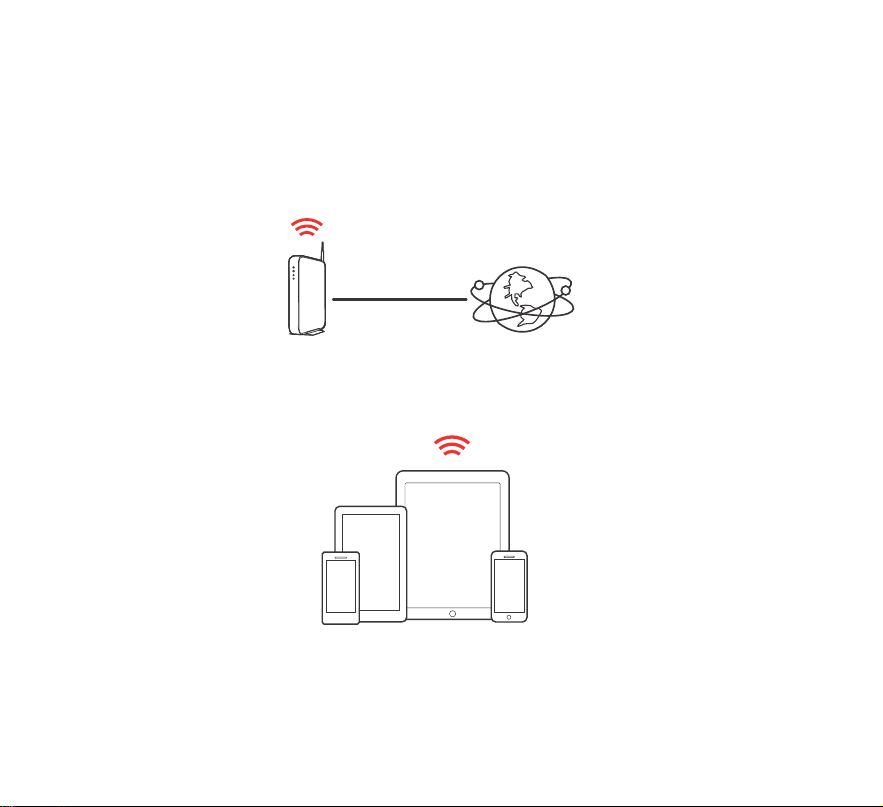
1
Make sure you have the following items in working order:
BEFORE YOU BEGIN
Apple iOS, Android or Kindle mobile device
connected to your network
Internet connectionWi-Fi router
1.DENON HOME 350E3_QSG_ENG_191001.indd 1 2019/10/18 13:00:58
PrintingColor:FullColor
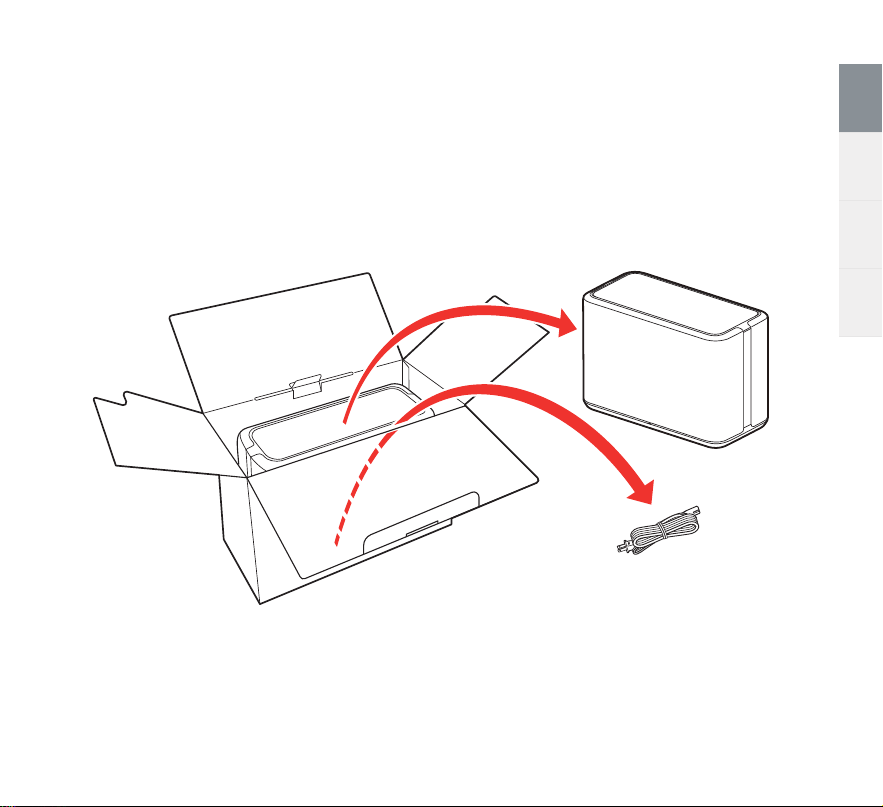
2
DENON HOME 350 Quick Start Guide
Français Español CommonEnglish
STEP 1: UNPACK
Remove the speaker and power cord from the box.
1.DENON HOME 350E3_QSG_ENG_191001.indd 2 2019/10/18 13:00:58
PrintingColor:FullColor
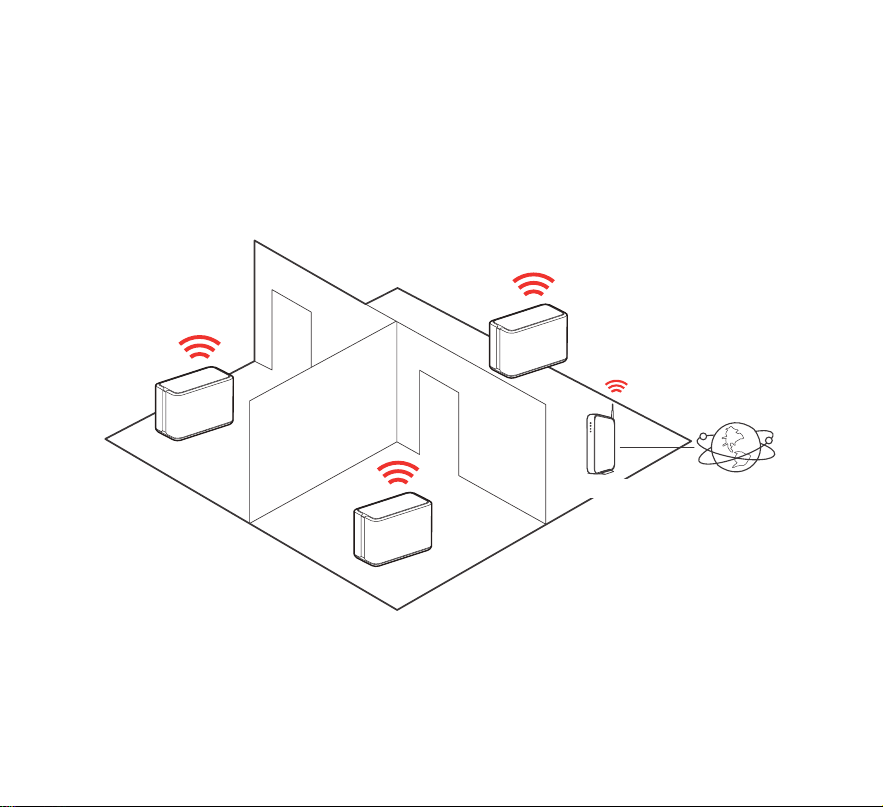
3
Place the speaker at a convenient location in your home.
STEP 2: PLACE
Speaker
Speaker
Speaker
Router Internet
1.DENON HOME 350E3_QSG_ENG_191001.indd 3 2019/10/18 13:00:58
PrintingColor:FullColor
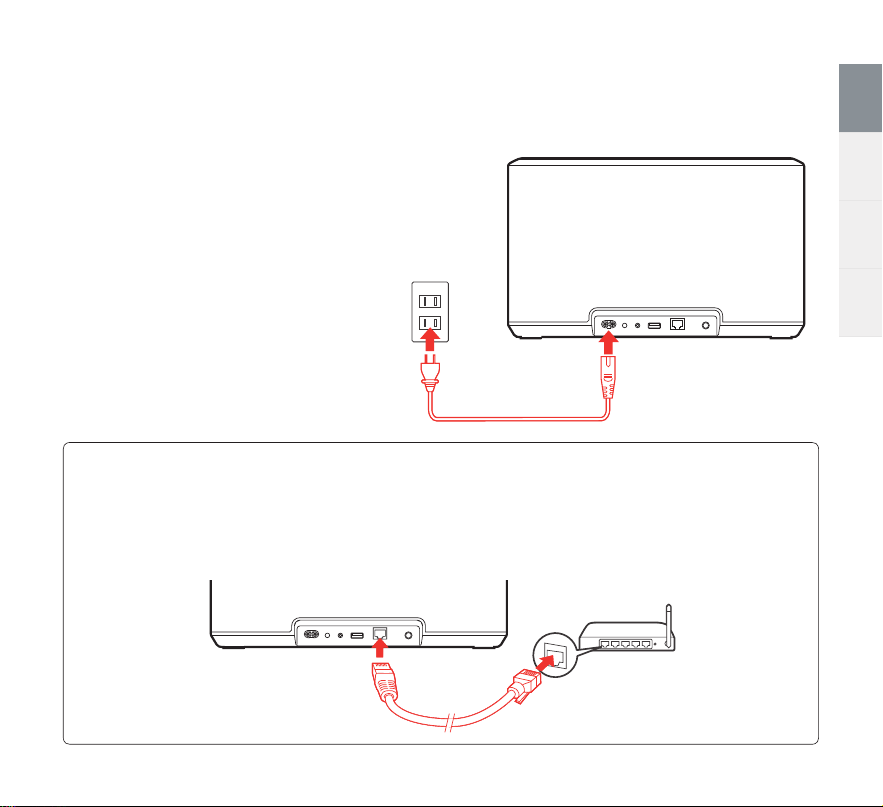
4
DENON HOME 350 Quick Start Guide
Français Español CommonEnglish
Connect the power cord to the
speaker and a wall outlet.
STEP 3: CONNECT
OPTIONAL
If you are connecting the speaker to a wired network, connect an Ethernet cable (sold
separately) between the speaker and your router. Do not connect the Ethernet cable if
you are connecting your speaker to a wireless network.
1.DENON HOME 350E3_QSG_ENG_191001.indd 4 2019/10/18 13:00:58
PrintingColor:FullColor
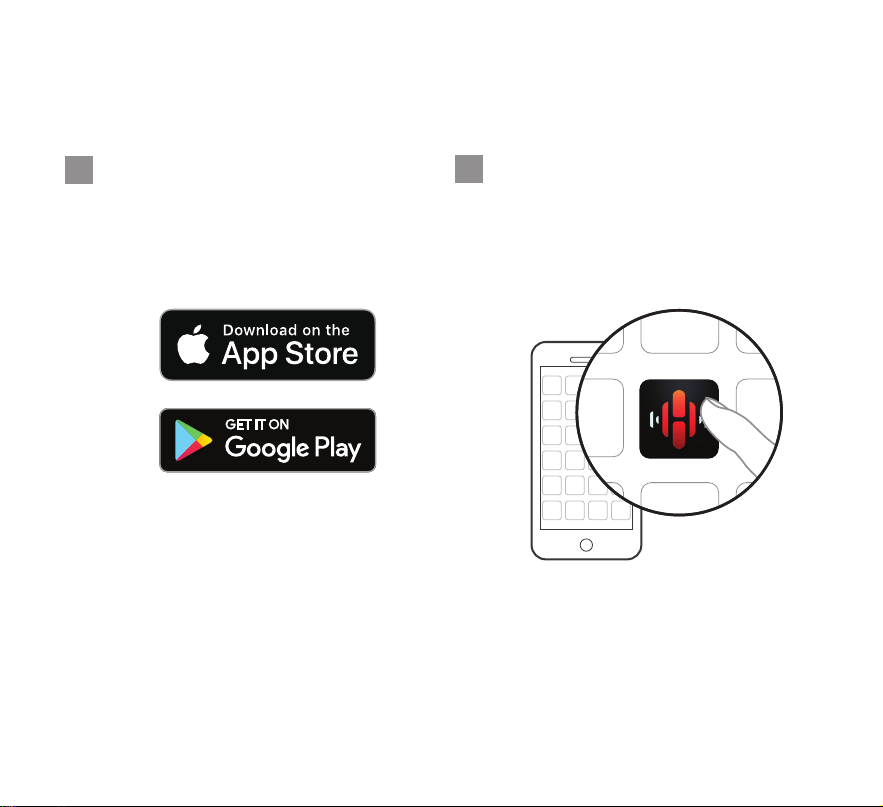
5
STEP 4: CONTROL
Launch the HEOS App and
follow the instructions in the
app.
Download the HEOS App.
Go to the Apple App Store, Google
Play or Amazon App Store and search
for “HEOS” to download and install.
1
2
1.DENON HOME 350E3_QSG_ENG_191001.indd 5 2019/10/18 13:00:59
PrintingColor:FullColor
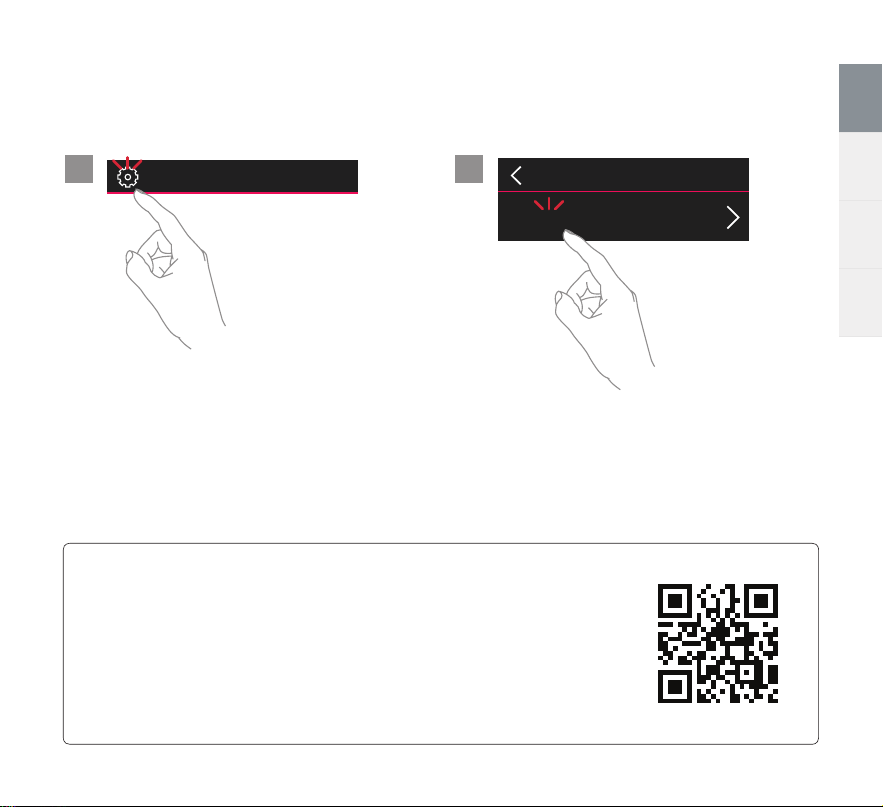
6
DENON HOME 350 Quick Start Guide
Français Español CommonEnglish
STEP 5: ADD SPEAKER
Music
Settings
Add Device
ENJOY!
OWNER’S MANUAL
•
For more information, visit www.denon.com
•
Refer to the Online Manual for other functions information and
operation procedure details.
manuals.denon.com/DenonHome350/NA/EN/
21
1.DENON HOME 350E3_QSG_ENG_191001.indd 6 2019/10/18 13:00:59
PrintingColor:FullColor

7
BASIC TROUBLESHOOTING
My speaker won’t connect to my network
•
Make sure your mobile device is connected to your wireless network before setting up your speaker.
•
Alternatively, you can connect your speaker to your network router using an Ethernet cable sold separately. Once
connected via Ethernet, the HEOS App should recognize the speaker and you can manually move it to your wireless
network using “Settings” - “My Devices” - “(Device Name)” - “Advanced” - “NETWORK SETTINGS”.
Music cuts out or delays sometimes
•
Make sure your Internet connection is operating correctly.
•
If you are sharing your network with other users or devices, they may be using most of your bandwidth (especially if they
are streaming video).
•
Make sure your speakers are within range of your wireless network.
•
Make sure your speakers are not located near other electronic devices that could interfere with it’s wireless connectivity
(like microwave ovens, cordless phones, TVs, etc…)
Streaming music from your mobile devices using Bluetooth
•
Activate the Bluetooth setting on your mobile device.
•
Press and hold the Bluetooth button ( ) located on the back of the speaker for about 3 seconds, until the status light
on the front flashes green.
•
Select “Denon Home 350” from the list of available Bluetooth speakers from your mobile device.
•
Play music using any app on your device and the sound will now play from the speaker.
I hear distortion when using the AUX input
•
The analog output signals from some sources can be fairly strong. If the input level of the source device is turned up
high, it could overload the inputs of the speaker. This is unlikely to cause damage, but can cause distorted sound. Initially,
set the volume of the source to a medium – low level, then turn it up as needed. If you hear distortion, turn down the
device’s volume control.
1.DENON HOME 350E3_QSG_ENG_191001.indd 7 2019/10/18 13:00:59
PrintingColor:FullColor

8
DENON HOME 350 Quick Start Guide
Français Español CommonEnglish
I hear a delay when using the AUX input with my TV
•
If you are connecting the AUX input with your cable or satellite box for enjoying TV audio through multiple speakers, you
may hear a delay between when you see someone speak and when you hear the audio. This is because the HEOS system
must buffer the audio before it sends it out to the speakers so that it arrives at all speakers at the same time.
•
You can avoid this delay by listening only to the speaker which is directly connected to the set top box.
Connecting to a network using WPS
•
If your wireless router support WPS (Wi-Fi Protected Setup™) your speaker can optionally connect to your network using
the “Push Button” method by following these steps:
1. Press the WPS button on your router.
2. Within 2 minutes, press and hold the CONNECT button on the rear panel of the speaker for 3 seconds.
3. The LED on the front of the speaker will flash green for several seconds as it connects to your router.
4. When the connection is complete, the LED on the front of the speaker will turn solid blue.
Resetting your speaker
•
Resetting your speaker will clear out the wireless network settings, EQ, and name but retain it’s current software.
•
You will have to use “Settings” - “Add Device” to reconnect the speaker to your home network before it can be used.
•
To reset your speaker, press and hold the CONNECT and Bluetooth ( ) buttons on the rear panel of the speaker for 5
seconds until the front LED begins to flash amber.
The HEOS App and brand is not affiliated with any manufacturer of any mobile device.
HEOS and the HEOS logo are trademarks or registered trademarks in the US and/or other countries.
Apple and the Apple logo are trademarks of Apple Inc., registered in the U.S. and other countries. App Store is a service mark of Apple Inc.
Google Play is a trademark of Google Inc.
Amazon, Kindle, Echo, Alexa, Dash, Fire and all related logos are trademarks of Amazon.com, Inc. or its affiliates.
Wi-Fi Protected Setup™ logo is trademark of Wi-Fi Alliance.
The Bluetooth® word mark and logos are registered trademarks owned by Bluetooth SIG, Inc. and any use of such marks by D&M Holdings Inc. is
under license. Other trademarks and trade names are those of their respective owners.
All other trademarks are the property of their respective owners.
1.DENON HOME 350E3_QSG_ENG_191001.indd 8 2019/10/18 13:00:59
PrintingColor:FullColor

CONTACT Denon
For US & Canada only:
If you need further assistance with your Denon Product,
please contact Denon Customer Support Services below:
Website www.denon.com
Telephone Toll Free (855) 499 2820
(M-F 10:00AM to 10:00PM EST / Sat 12:00PM to 8:00PM EST)
4.DENON HOME 350E3_QSG_BackPage_191001.indd 1 2019/10/18 13:08:03
PrintingColor:FullColor

www.denon.com
Printed in Vietnam 5411 11789 00AD
Copyright ©2019 D&M Holdings Inc. All Rights Reserved.
4.DENON HOME 350E3_QSG_BackPage_191001.indd 3 2019/10/18 13:08:03
PrintingColor:FullColor
CAUTION:
Do
not
use
fixtures
other
than
the
provided
screws
to
mount
the
speaker on a wall. This
may
damage
the
speaker.
VORSICHT:
Verwenden Sie keine anderen Befestigungsmittel als
die
bereitgestellten Schrauben,
um
den
Lautsprecher an
der
Wand
zu
befestigen. Dies kann
den
Lautsprecher beschadigen.
PRECAUTION
:
N'utilisez pas
d'autres
fixations
que
les vis fournies
pour
monter
l'enceinte sur un mur. Cela pourrait
endommager
l'enceinte.
A TTENZIONE:
Non
utilizzare dispositivi di fissaggio diversi dalle viti in dotazione
per
montare
l'altoparlante su una parete. In caso contrario, si
potrebbe danneggiare l'altoparlante.
PRECAUCl6N:
No
utilice accesorios
distintos
a los tornillos provistos para
montar
el altavoz
en
una pared. Esto podrfa daflar el altavoz.
WAARSCHUWING:
Gebruik geen andere bevestigingsmiddelen dan de
meegeleverde schroeven
om
de luidspreker
aan
een
wand
te
monteren
.
Dit
kan
de
uidspreker beschadigen.
FORSIKTIGH
ET
SMA TT:
Anvand inga andra fastanordningar an
de
medfoljande skruvarna
for
att
montera hogtalaren
pa
vaggen.
Det
kan skada hogtalaren.
OCTOPO>KHO:
,[v,A
ycTaHOBKl/1
aKyCTlt1YeCKOH
Clt1CTeMbl
Ha
CTeHy
1-1cnonb3Y1t1Te
TOnbKO
np1-1naraeMblH
Kpene)I(. 8
npOTl-1BHOM
cnyyae
BO3MO)l(HO
nospe)K,D,eHl-18
aKyCTlt1YeCKOL71
Cl-1CTeMbl.
UWAGA:
Do
montazu gtosnika
na
scianie nie
naleiy
uiywac
innych
element6w
niz dostarczone sruby.
Moie
to
spowodowac
uszkodzenie gtosnika.
~~
-=
11JltH10)tJ
ljia:~ffl
L °CAt:'-t.J-~!N
0111:ttcJ:~
re<
tc~~
,0
A
t:'-t.J-~~~~tt~mn~~IJ*~o
~-=
-~~m~m~~n~*~~~-~*~~~~-~--~o~
Jj!ljp"J~~j~f;f~~~o
Printed in Vietnam
5431
10678 00AD
D&M Holdings
Inc.
VOE1A 1131Z
The new Denon Home 350 plays all your music wirelessly in stereo with expansive sound. Group other products with HEOS Built-in, such as
AV receivers, sound bars and speakers to fill your whole home with music.
Play All Your Music Wirelessly
HIGHLIGHTS YOUR BENEFITS
Amazing audio quality built on 110 years of innovation
Founded in 1910, Denon enables the moments that matter through the relentless pursuit of
quality, innovation and audio performance
Clear highs and deep lows
Engineered with two dynamic ¾” tweeters, two robust 2” mid-bass drivers, two powerful 6½”
woofers and sound master tuning to enjoy exceptional sound quality from a single speaker
Internet Radio and music streaming
Enjoy Spotify, Apple Music, Amazon Music HD, Pandora, TIDAL, TuneIn, iHeartRadio, Sirius XM,
Deezer and more via Wi-Fi, AirPlay 2 or Bluetooth connection
Apple AirPlay 2 certified
Use AirPlay 2 to stream Apple music wirelessly to your Denon Home 350, or group with other
AirPlay compatible speakers to fill your entire home with music
Hi-Res audio playback
Denon Home 350 allows for gapless playback of high-resolution files including 192kHz/24-bit
FLAC, WAV, ALAC and DSD 2.8/5.6MHz via Network or rear USB port
Play from local sources Easily access your music via Bluetooth, USB and network shares
Easy Setup Use the free HEOS app to effortlessly set up the Denon Home 350 on your home Wi-Fi network
Quick Selects Buttons with proximity sensors
Store your six favorite internet radio stations to enjoy when you want, without the hassle
of searching
Your home, your music
Either listen to the same song throughout your home, or play a different on in every room, to enjoy
wireless whole-home audio for every occasion
Wireless whole-home audio
Group other devices (AV receivers, sound bars and speakers) with HEOS Built-in to play the same
or different audio content in multiple rooms, wirelessly
Works with Amazon Alexa
Simply download the HEOS Home Entertainment skill from the Amazon Alexa app and enjoy easy
voice control from any Echo device (sold separately)
Download the free HEOS app The free HEOS app is available in iOS and Android stores
DENON HOME 350
Also available in white.
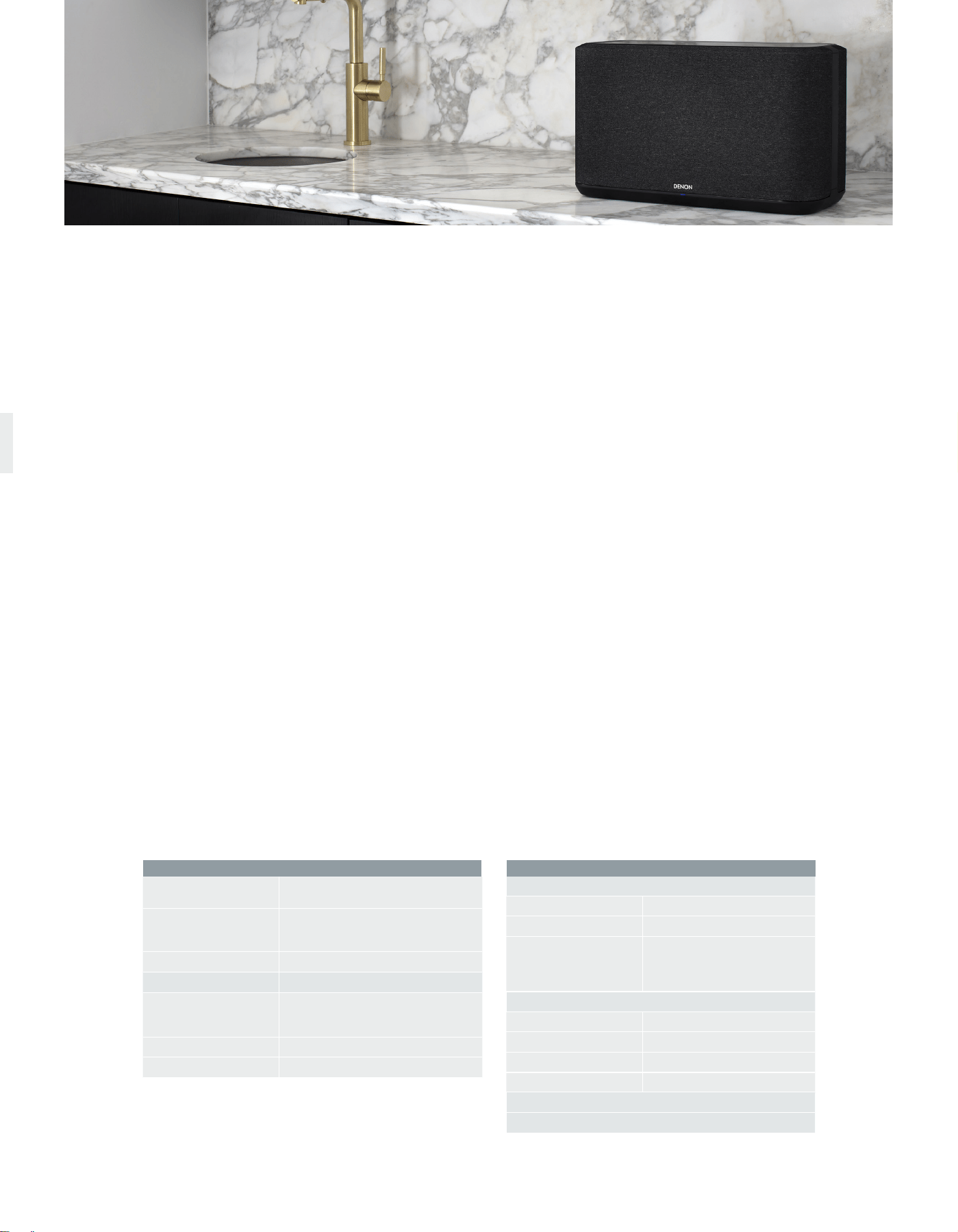
Technical Information
Dimension
468 x 248 x 338mm
18.5" x 9.875" x 8.375"
Driver Size
(2) 3¾" Tweeter
(2) 2" Mid-range Driver
(2) 6½" Subwoofer
Power Amplifiers 6
Wireless Technology
Wi-Fi
Yes
2.4GHz (11b/g/n)
5GHz (11a/n/ac)
Bluetooth
Yes
HEOS Built-in
Yes
Controls
Display Type Proximity
IO Button Location Top
Button Adjusts
Volume Up
Volume Down
Play/Pause
6 Quick Select (Presets)
What’s in the box
AC Power Cord x 1
Quick Start Guide x 1
Safety Instructions x 1
Notes on Radio x 1
UPC DENONHOME350BKE3
883795004947 Black
UPC DENONHOME350WTE3
883795004954 White
Wireless Whole-Home Audio
Play your favorite music wirelessly throughout your home for a seamless,
multi-room listening experience. Whether you want to listen to the same
song or play different songs in each room, the Denon Home 350 lets you
enjoy your music, how you want it, with the Hi-Fi quality sound you expect
from Denon.
Denon Sound Quality
With advanced acoustic hardware, expertly tuned DSP and premium
full-range drivers, the Denon Home 350 delivers amazing, expansive and
detailed sound for your Hi-Res and wireless collection.
Your Favorite Music, at Your Command
Stream your favorite music from Spotify, Apple Music, Amazon Music HD,
Pandora, TIDAL, TuneIn, iHeartRadio, Sirius XM, Deezer and more via Wi-Fi,
AirPlay 2 and Bluetooth.
Hi-Res Audio, Without the Hi-Fi System
Enjoy music with superior detail and precision. With HEOS Built-in, the
Denon Home 350 can play Hi-Res ALAC, FLAC and WAV files up to
192kHz/24-bit, as well as DSD 2.8MHz and 5.6MHz tracks. Listen to your
Hi-Res collection with the accuracy and attention to detail your music deserves.
6 Quick Selects to Store Your Favorite Stations
With 6 quick select buttons, easily store your favorite internet radio stations
to enjoy when you want without the hassle of searching or looking for your
smart device to change.
Apple AirPlay 2
Use AirPlay 2 to stream Apple Music wirelessly to the Denon Home 350, or
group with other AirPlay compatible speakers to fill your home with music.
Works with Amazon Alexa
Control the Denon Home 350 hands-free with Amazon Alexa and your voice.
Adjust the volume, skip to the next track and more — “Just Ask.” Download
the free HEOS Home Entertainment Skill to enable Amazon Alexa voice
commands. Requires Alexa app and Amazon Echo, Dot or equivalent
(sold separately).
Works with Google Assistant
Ask your Google Assistant speaker or phone to stream your favorite songs.
Control volume, play, pause, skip tracks and more.
HEOS Built-in Multi-Room Streaming
With HEOS Built-in, play the same song in every room or select a different
song for each connected room — the choice is yours. With additional Denon
Home speakers, sound bars, network players or AV receivers with HEOS
Built-in, easily play all your music in multiple rooms from your favorite music
service or source.
Simple Wireless Setup for Quick Enjoyment
Use the HEOS app to effortlessly set up the Denon Home 350 on your
Wi-Fi network.
Your Music at Your Fingertips
Play music from your library with the additional USB port. Connect to
enjoy MP3, WAV, AAC and WMA files, and Hi-Res files like FLAC and ALAC
(192kHz/24-bit), as well as DSD 2.8MHz and 5.6MHz tracks.
Stereo Pairing Capable
Listen in true stereo. Using the HEOS app, group two Denon Home 350
speakers together and designate them as a stereo pair, such that one plays
the left channel and the other plays the right channel. The Denon Home 350
speakers work as left and right speakers to provide a Hi-Fi quality system.
Use as Rear Surrounds with Denon DHT-S716H
Connect a pair of Denon Home 350’s with your DHT-S716H sound bar and
DSW-1H subwoofer to create up to a 5.1 home theater setup.
Proximity Sensing Capacitive Button Controls
With new proximity sensing capacitive buttons, experience the high-end
interface as your hand approaches the top control panel. The capacitive
buttons light up for you to touch, allowing for full, seamless control of the
Denon Home 350.
Amazing Sound Built on 110 Years of Innovation
As Japan’s first audio electronics manufacturer with a deep legacy of firsts —
Denon is the defining audio company of Japan. Founded in 1910, we enable
the moments that matter through the relentless pursuit of quality, innovation
and audio performance. We innovate for a better experience.
HEOS logo is trademark or registered trademark in the US and/or other countries. Availability of music services may vary by region. Not all services may be available at time of purchase. Some services may be added or discontinued from time to time based on
decisions of the music service providers or others. Visit www.HEOSaudio.com/music for announcements and details. HEOS app and brand is not affiliated with any manufacturer of any smart phone. The Bluetooth
®
word mark and logos are registered trademarks
owned by Bluetooth SIG, Inc. and any use of such marks by D&M Holdings Inc. is under license.
DENON®
Congratulations on purchasing this Denon product!
We invite you
to
join
the
Denon Owner's Club.
Thank
you
for
choosing Denon.
Be
the
first
to
know
about
upcoming
Denon
products
and
get
exclusive
previews
of
new
technologies. You
will
also
receive
members
only
offers
from
our
online
store
and
be
the
first
in
line
for
all
promotions
and contests.
http://usa.denon.com/ownersclub
Join
today!
Please
register
your
product
at,
USA
Customers
:
http://usa.denon.com/register
Canada
Customers
:
http://ca.denon.com/register
Denon Factory Service Information
USA
DENON
FACTORY SERVICE by PANURGY
OEM
701
Ford Road (South Dock)
Rockaway, NJ 07866-2053
(973) 625-4056
(973) 625-9489 Fax
http://www.panurgyoem.com/Denon/Denonrepair.html
To
locate an authorized
warranty
service center
within
your
area please
visit
our
web
site
at
http://usa.denon.com/servicecenters
CANADA
DENON
FACTORY
SERVICE
by
MICROLANDTECHNICAL
SERVICES
170
Alden
Road,
Unit
2
Markham,
ON
L3R4C1
(905) 940-1982
http://clientportal.microland.ca/rmastart.aspx
To
locate an authorized
warranty
service
center
within
your
area please
visit
our
web
site
at
http://ca.denon.com/servicecenters
WARRANTY
DE
COMMON
5431 10677
00AD
VOE1A1106Z
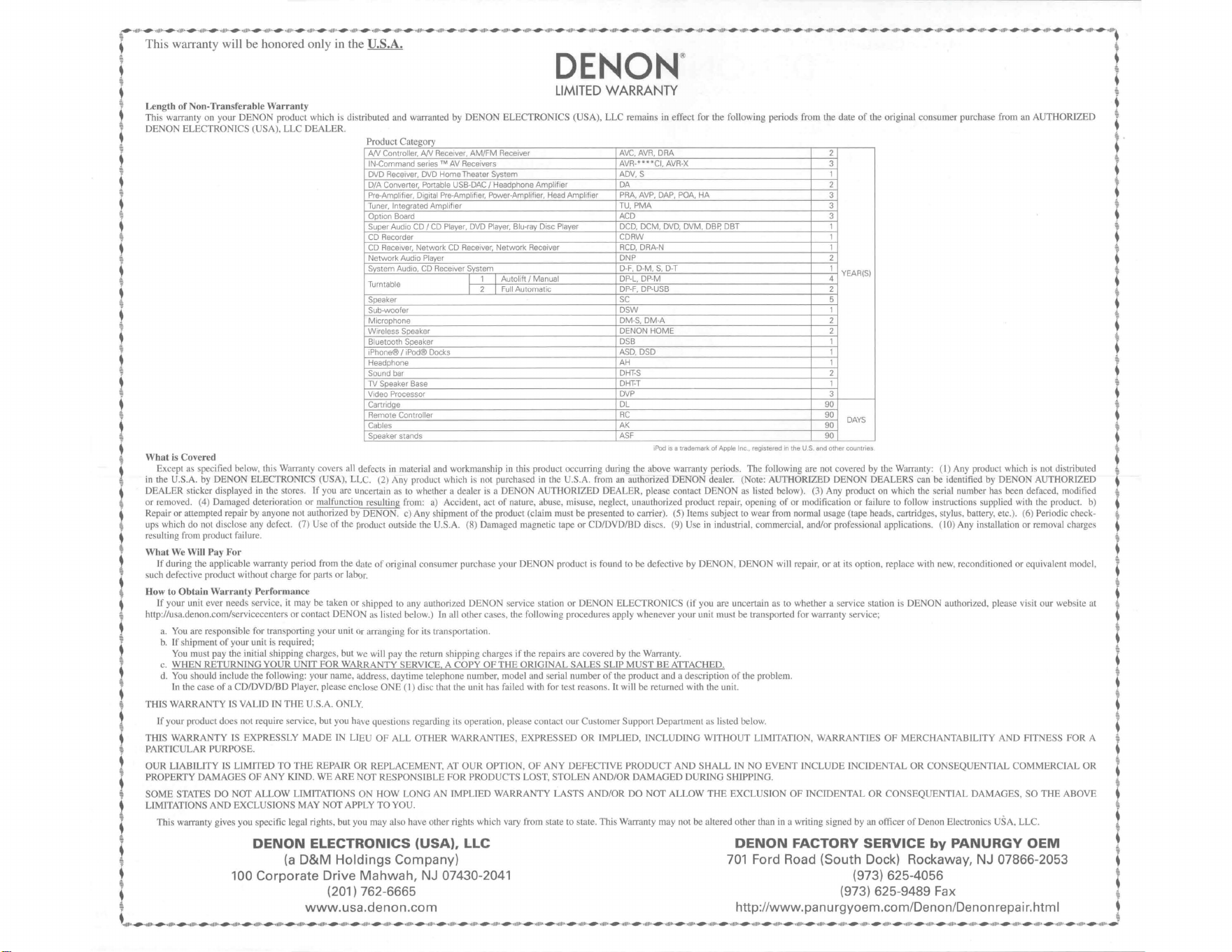
~•1111•
·
...
•1ll:•·
...
·•
1lll••
...
•
•1lll•-
....
·
,11ll•
•~
•llll•
......
-•lllh
....
,,
,1f1,
•
...,.
,11ll•
......
-
,,111:
----
·
•11lh
......
,1lll•
......
.
,1U1•
....
-
•llll•·
.....
·
,1llt•
....
-11lll•
....
·•1U1•·
.,_.
,1ll••·
..
·
••lll•
....
.
,,Ul•·
...
.
,,lll•·
...
.
,1lll•
....
. ,,
lll••
...
.
,1lll•
....
. ,,
lll•
....
.
,,lll••
....
,1lll•
.......
,1IIJ1
•
...
.
,1lll••
...
.
,,111•-
....
..
tlll••
...
·•
1ltl••
....
.,1Ul••
...
•
•11il••
....
•1
1!11•·
....
•
•1ll
l
••
....
·
•tlll•
....
•
•1l
l
l•
........
1
!1
l••
.....
.
,1l1l••
..,._
,,lll
1
,
....
,
,,111,
.......
,1lll•
.....
•
•1lll•
.......
,1lll••
.....
,1llt
\
i This warranty will be honored only
rn
the
U.
S.A.
~
;
DENON
® t
♦
LIMITED
WARRANTY
t
W Length of Non-Transferable
Wa
rranty ;
t Th
is
warranty on your DENON produ
ct
which is distributed and warranted by
DENON
ELECTRONTCS (USA), LLC remains
in
effect for the fo
ll
owing periods from the date
of
the original consumer purchase from
an
AUTHORIZED I
l DENON ELECTRONICS (USA),
LLC
DEALER. :
! Product Category l
l
AN
Controller,
AN
Rece
iver,
AM/FM
Receiver
AVC.
AVA,
ORA
2 I
I
IN
-Comm~
nd
series™
AV
Receivers
AVA-
..
• 'Cl,
AVR-X
3 '
,
DVD
Receiver,
DVD
Home
Theater System
ADV
, S 1 ,
•
D/A
Converter,
Portable
USB-DAC
/ Headphone
Amplifier
DA
2
~
W
Pre-Amplifier,
Digital
Pre-Amplifier,
Powe
r-
Amplifier
,
Head
Amplifier
PAA
,
AVP,
OAP
,
POA
,
HA
3 •
t
Tuner,
Integrated
Amplifier
TU,
PMA
3 !
'f
Option
Board
ACD
3 l
• Super
Audio
CD/
CD
Player,
DVD
Player,
Blu-ray
Disc
Player
DCD
,
DCM,
DVD,
DVM
,
DBP.
DBT
1
~
~
CD
Recorder
CDRW
1 t
♦
CD
Receiver
,
Network
CD
Receiver
,
Network
Receiver
RCD,
DRA
-N 1
~
W
Network
Audio
Player
.
DNP
2
♦
• System
Audio,
CD
Receiv
er System
D-F
,
D-M
,
S,
D-T
1
YEAR(S)
~
~
T
bl
I 1 I
Autolih
/
Manual
DP-l,
DP-M
4 •
t
urnta
e I 2 I
Full
Automatic
DP
-F
,
DP-USB
2 %
~
Speaker
SC
5
♦
j.
Sub-woofer
DSW
1 ,
! Microphone
DM
-S,
DM
-A 2 •
Z Wireless Speaker
DENON
HOME
2
~
Y
Bluetooth
Speaker
DSB
1
i.
; ,Phone®/
iPod®
Do
cks
ASD.
DSD
1 I
W
~~~~~::~e
~~T-S
~
♦
•
TV
Speaker
Base
DHT-T
1
~
~
Video
Processor
DVP
3
♦
•
Cartridge
DL
90
~
W
Rem
ote
Controller
RC
90
DAYS
♦
• Cables
AK
90
~
~
Speaker stands
ASF
90
♦
♦
iPod is a trademark.
of
Apple Inc., registered in the
U.S.
end other countries
~
W Whal is Covered_
fi
d b I h. W
II
. . . . . . . . . . h . di
"b
d
♦
t Except as spec,
1e
e ow, t ,s arranty covers a defects
in
matenal and workmanship
in
th
is product occurnng dunng the above warranty penods. The followmg are not covered by the Warranty:
(l)
Any product
wh1c
1s
not
stn
ute
~
'f
in the U.S.A. by DENON
E_LECT
RONICS (USA), LLC. (2) Any product which is ,wt purchased
in
the U.S.A. from an authorized DENON dealer. (Note: AUTHORIZED DENON DEALERS can be
_ide
ntified by DENON AUTHORIZED
♦
· DEALER sucker displayed
in
the stores. If you are uncenarn as
to
whether a dealer ,s a DENON AUTHORIZED DEALER, please contact DENON as ltsted below). (3) Any product on which the senal number has been defaced, modified
~
or removed. (4) Damaged deteriorntion or malfunction resulting from:
a)
Accident, act
of
nature, abuse, misuse, neglect. unauthorized product repair, opening
of
or modification or
fa
ilure to
fo
ll
ow in
st111ctions
supplied with the product.
b)
4
Repair or auempted repair by anyone not authorized by DEN ON. c) Any shipment
of
the product (claim must be presented to carrier
).
(5) Items subject to wear from normal usage (tape heads, canridges, stylus, banery, etc.). (6) Periodic check-
~
ups which do not disclose any defect. (7) Use
of
the product outside the
U.S
.
A.
(8) Damaged magnetic tape
or
CD/DVD/BD discs. (9) Use
in
industrial. commercial, and/or professional applications. (10) Any installation
or
removal charges 4
resulting from product failure. i
What
We
Will Pay For
If during the app
li
cable warranty period from the date
of
original consumer purchase your
DENON
product is fou nd to
be
defective by
DENON
,
DENON
will repair,
or
at its option, replace with new, reconditioned
or
equivalent model.
such defective product without charge for parts
or
labor.
How to
Ob
ta
in
Wa
rranty Performance
lf
your unit ever needs service, it may
be
taken
or
shipped 10 any authorized DENON service station
or
DENON ELECTRONICS
(if
you are uncenain as to whether a service station is DENON authorized, please visit
our
website at
http://usa.denon.com/servicecenters or contact DENON as listed below.)
In
all other cases, the
fo
ll
owing procedures apply whenever your unit must be transported for warranty service;
a. You are responsible for transporting your unit
or
arranging for its transponation.
b.
If s
hi
pment
of
your unit is required;
Yo
u must pay the initial shipping charges, but we will pay the return shipping charges
if
the repairs are covered by the Warranty.
c. WHEN
RETURNlNG
YOUR
UNIT
FOR
WARRANTY SERVICE A COPY
OF
THE
QRIGINAL SALES SLIP
MUST
BE
AITACHEQ.
d. You should include the following: your name, address, daytime telephone number, model and serial number
of
the product and a description
of
the problem.
In the
case
of
a CD/DVD/BD Player. please enclose
ONE
(I)
disc that the unit has
fai
led with for test reasons. It will be returned with the unit.
TH
IS WARRANTY IS VALID [N
THE
U.S.A. ONLY.
If your product does
not
require service, but you have questions regarding its operation, please contact
our
Customer Support Department as listed below.
THIS WARRANTY
IS
EXPRESSLY
MADE
lN LIEU
OF
ALL OTHER WARRANTIES,
EXPRESSED
OR IMPLIED.
INCLUDING
WITHOUT
LIMITATION, WARRANTIES
OF
MERCHANTABILITY AND FITNESS FOR A
PARTICULAR PURPOSE.
i
'
i
t
'
•
;
!
'
'
1
OU
R LIABI
LITY
JS LIMITED
TO
THE
REPAIR OR REPLACEMENT,
AT
OUR
OPT
ION,
OF
ANY
DEFECTIVE
PRODUCT
AND
SHALL
IN
NO
EVENT
INCLUDE INCIDENTAL
OR
CONSEQUENT
I
AL
COMMERC
I
AL
OR i
♦
PROPERTY DAMAGES
OF
ANY
KIND.
WE
ARE
NOT RESPONSIBLE
FOR
PRODUCTS LOST, STOLEN AND/OR DAMAGED DURING SHIPPING.
~
~
SOME
STATES DO
NOT
ALLOW LIM
IT
ATIONS
ON
HOW LONG AN IMPLIED WARRANTY LASTS AND/OR
DO
NOT ALLOW
THE
EXCLUSI
ON
OF
INCIDENTAL OR
CONSEQUENTIAL
DAMAGES,
SO
THE
ABOVE t
♦
LIMITATI
ONS
AND
EXCLUSIONS MAY NOT APPLY
TO
YOU. %
; This warranty gives you specific legal rights. but you may also have other rights which vary from state to state. Th.is Warranty may not be altered
other
than
in
a writing signed by an officer
of
Denon Electronics USA, LLC. t
;
DENON
ELECTRONICS (USA), LLC
DENON
FACTORY SERVICE
by
PANURGY
OEM
t
~
(a
D&M
Holdings
Company)
701
Ford Road (South Dock) Rockaway, NJ 07866-2053
♦
i 100 Corporate Drive
Mahwah,
NJ 07430-
2041
(973) 625-4056
4
• (201) 762-6665 (973) 625-9489 Fax
~
~
www.usa.denon
.
com
http://www.panurgyoem.com/Denon/Denonrepair.html ;
' •l
lll•
•
---
•1Ul•
·
...
•
•Jl1T•
,
...
•,
1
111,
•
..,..
,1
1
11,
.
...
.
,,1
1
1,
.
....
. ,,,
1,,
.
...
.
,,111,
.
.....
,1111,
.....
.
,dl1•
·
.....
·•1
lll•
•
...
·
11lll•
·
....
,111••
·
...
•
•tllll
•
....
,1
11
1,
.....
.
,1
u
1,
_..
,
,,111,
.
....
.
,1111,
,
.....
,1111,
,
...
.
,,111,
...
.
,1
,
1••
---
•1Uh
•
...
-
•tllh
•
...
•11
Jlt
1
,
...
,1
1
11,
.
.....
,1llh
•
...
·
•l111•·
...
·•
ll
l••
·
...
... u
1,
.....
-
,1111
1
,
...
..
,u,, .
...
.
,1Hl
....
·1
1111,
.
...
. ,,
111,
.
...
,
,11111
.
...
,,111,
.
....
,1111,
.
...
.
,,111,
...,.
,11lh,
....
,,111,
.
....
,1111o
...-,.
,,1t••
·
...
·
••lll
1
.....
,1u1
,
....
.
,1
111o
,
...
.
,,111,
.
...J
~-•1111••
....
•111[1•
.
....
.
,,lll•
.
....
.
,11
11•
·
....
·•llll••
.....
·•1111
•·
.....
·•llll•·
.....
·•tlll••
..,._
·,1
111•
-...,,._
·,1!11•-
...,,._
·,1111•·
...,,_
·,111h•
.,,.._
·,1lll••
...,,_
·,1ll
l•
•
.,,.._
·,1lll••
.,,.._
·,1lll•·
....
·,1lll•·
....
·•1
lll•
·
....
·•1l
ll••
...,,.
·•1ll
l•
•
...,,.
.,,ll••·
..,._
·,1lll••
....
·•1
lll
••
....
-•1lll••
....
-•1lll••...,,._·,1lll••
.,,.._
·,1lll• .
....
·,11l••·
.,,.._
·,1lll••
..,._
·,1lt1•·
...,,.
·•1lll••
..,._
·,1III.
t This warranty will be honored only in
Canada.
;
i
DENON
®
♦
i
LIMITED
WARRANTY
♦
Length
of
Non-Transferable Warranty
This warranty on your DENON product which
is
distributed and warranted by D&M CANADA INC. remains in effect for the following periods from the date
of
the original
consumer purchase from
an
AUTHORIZED D&M CANADA INC. DEALER.
Product Category
AN
Controller,
AN
Receiver,
AM/FM
Receiver
AVC,AVR,
DRA
2
IN-Command series TM
AV
Receivers
AVR-****CI,
AVR-X
3
DVD
Receiver,
DVD
Home
Theater System
ADV.
S
1
D/A
Converter,
Portable
USB-DAC
/ Headphone
Amplifier
DA
2
Pre-Amplifier,
Digital
Pre-Amplifier,
Power-Amplifier,
Head
Amplifier
PRA,AVP,DAP,POA,
HA
3
Tuner.
Integrated
Amplifier
TU,
PMA
3
Option
Board
ACD
3
Super
Audio
CD
/
CD
Player,
DVD
Player,
Blu-ray
Disc
Player
DCD,
DCM,
DVD,
DVM,
DBR
DBT
1
CD
Recorder
CDRW
1
CD Receiver,
Network
CD Receiver,
Network
Receiver
RCD,
DRA-N
1
Network
Audio
Player
DNP
2
System
Audio,
CD
Receiver
System
D-F,
D-M,
S,
D-T
1
YEARISI
I
1 I
Autolift
/
Manual
DP-L,
DP-M
4
Turntable
I
2 I
Full
Automatic
DP-F,
DP-USB
2
Speaker
SC
5
Sub-woofer
DSW
1
Microphone
DM-S,
DM-A
2
Wireless Speaker
DENON
HOME
2
Bluetooth Speaker
DSB
1
i Phone® / i
Pod®
Docks
ASD,DSD
1
Headphone
AH
1
Sound
bar
DHT-S
2
TV
Speaker Base
DHT-T
1
Video
Processor
DVP
3
Cartridge
DL
90
Remote
Controller
RC
90
DAYS
Cables
AK
90
Speaker stands
ASF
90
iPod
is
a trademark of Apple Inc., registered in the
U.S.
and other countries
1
What
is
Covered
'
t Except as specified below, this Warranty covers all defects in material and
workmanship
in this product occurring
during
the above warranty peiiods-. The following ar~ not covere<l
by
the Warranty:
(l)
Any
~
product
which
is
not
distributed
in
Canada
by
D&M
CANADA
INC.
(2)
Any
product
which
is
not
purchased
in
Canada
from
an
authorized
DENON
dealer.
(Note:
AUTHORIZED
DENON
DEALERS
can
i
be
identified
by
DENON
AUTHORIZED
DEALER
sticker
displayed
in
the
stores.
ff
you
are
uncertain
as
to
whether
a
dealer
is
a
DENON
AUTHORIZED
DEALER,
please
contact
D&M
CANADA
INC.
as
listed
below).
(3)
Any
product
on
which
the
serial
number
has
been
defaced,
modified
or
removed.
(4)
Damaged
deterioration
or
malfunction
resulting
from:
a)
Accident,
act
of
nature,
abuse,
misuse,
neglect,
i
i
unauthorized
product
repair,
opening
of
or
modification
or
failure
to
follow
instructions
supp
lied
with
the
product.
b)
Repair
or
attempted
repair
by
anyone
not
authorized
by
DENON.
c)
Any
sh
ipment
of
the
product
•
(claim
must
be
presented
to
carrier).
(5)
Items
subject
to
wear
from
normal
usage
(tape
heads,
cartridges,
stylus,
battery,
etc.).
(6)
Periodic
check-ups
which
do
not
disclose
any
defect.
(7)
Use
of
the
product
outside
i
t
Canada.
(8)
Damaged
magnetic
tape
or
CD/DVD/BD
discs.
(9)
Use
in
industrial,
commercial,
and/or
professional
applications.
(10)
Any
installation
or
removal
charges
resulting
from
product
failure.
♦
t
~~~~fu
-~-·
•
If
during
the
applicable
warranty
period
from
the
date
of
original
consumer
purchase
your
DENON
product
is
found
to
be
defective
by
DENON,
DENON
will
repair,
or
at
its
option,
replace
with
new,
~
~
reconditioned
or
equivalent
model,
such
defective
product
without
charge
for
parts
or
labor.
♦
t
How
to
Obtain Warranty Performance
♦
•
If
your
unit
ever
needs
service,
it
may
be
taken
or
shipped
to
any
authorized
DENON
service
station
or
D&M
CANADA
INC.
(For
an
authorized
DENON
service
station
near
you,
please
check
our
website
http://
~
ca.denon.com/servicecenters
or
contact
D&M
CANADA
INC.
as
li
sted
below.)
In
all
other
cases,
the
following
procedures
apply
whenever
your
unit
must
be
transported
for
warranty
service;
♦
a.
You
are
responsible
for
transporting
your
unit
or
arranging
for
its
transportation.
b.
If
shipme
nt
of
your
unit
is
required;
You
must
pay
the
initial
shipping
charges,
but
we
will
pay
the
return
shipping
charges
if
the
repairs
are
covered
by
the
Warranty.
c.
WHEN
RETURNING
YOUR
UNIT
FOR
WARRANTY
SERVICE.
A
COPY
OF
THE
ORIGINAL
SALES
SLIP
MUST
BE
ATTACHED.
d.
You
should
include
the
following:
your
name,
address,
daytime
telephone
number,
model
and
serial
number
of
the
product
and
a
description
of
the
problem.
In
the
case
of
a
CD/DVD/BD
Player,
please
enclose
ONE
(I)
disc
that
the
unit
has
failed
with
for
test
reasons.
It
will
be
returned
with
the
unit.
♦
'
t
THIS
WARRANTY
IS
VALID
IN
CANADA
ONLY.
'
♦
If
your
product
does
not
require
service,
but
you
have
questions
regarding
its
operation,
please
contact
our
Customer
Support
Department
as
listed
below
♦
OUR
LIABILITY
IS
LIMITED
TO
THE
REPAIR
OR
REPLACEMENT,
AT
OUR
OPTION,
OF
ANY
DEFECTIVE
PRODUCT
AND
SHALL
IN
NO
EVENT
INCLUDE
INCIDENTAL
OR
CONSEQUENTIAL
W
COMMERCIAL
OR
PROPERTY
DAMAGES
OF
ANY
KIND.
WE
ARE
NOT
RESPONSIBLE
FOR
PRODUCTS
LOST,
STOLEN
AND/OR
DAMAGED
DURING
SHIPPING.
i
i
i
t
THIS
WARRANTY
rs
EXPRESSLY
MADE
IN
LIEU
OF
ALL
OTHER
WARRANTIES,
EXPRESSED
OR
IMPLIED,
INCLUDING
WITHOUT
LIMITATION,
WARRANTIES
OF
MERCHANTABILITY
AND
i
t
FITNESS
FOR
A
PARTICULAR
PURPOSE.
i
i
SOME
PROVINCES
DO
NOT
ALLOW
LIMITATIONS
ON
HOW
LONG
AN
IMPLIED
WARRANTY
LASTS
AND/OR
DO
NOT
ALLOW
THE
EXCLUSION
OF
INCIDENTAL
OR
CONSEQUENTIAL
~
DAMAGES,
SO
THE
ABOVE
LIMITATIONS
AND
EXCLUSIONS
MAY
NOT
APPLY
TO
YOU.
~
This
warranty
gives
you
specific
legal
rights,
but
you
may
also
have
other
rights
which
vary
from
province
to
province.
This
Warranty
may
not
be
altered
other
than
in
a
writing
signed
by
an
officer
of
D&M
Canada
Inc.
D&M
CANADA
INC.
DENON
FACTORY
SERVICE
10462
Islington
Avenue,
Unit
88
by
MICROLANDTECHNICAL
SERVICES
t
Kleinburg,
Ontario
L0J 1
CO
170
Alden
Road,
Unit
2
Markham,
ON
L3R
4C1
♦
!
'
i_'
(905) 475-4085 (905) 940-1982
•
www.ca.denon.com
http://clientportal.microland.ca/rmastart.aspx
t
·•1ll••·
....
·•1lll••
....
·•1l
ll••
....
·•1lll••
..,._
.,
,111,
.
..,._.,1lll•
•
..,._
·,1lll••
.,,.._
·,1l
ll••
.....
. ,1lll••
....
. ,1lll••.,,.._.,1tlt1•..,._·,1lll••
....
·•llll••
....
. ,1lll••..,._.,1lll••
....
. ,1lll••
....
. ,1lll••
....
. ,1lll••
....
·•llll•·
....
·•1111•·
....
. ,1lll••...,,..,1lll• .
....
. ,1lll• .
.....
,1lll••.,,.._·,1lll••
.....
,1ll
1
•·
.....
.
,11l
1
••...,,..,1lll••
....
·•1lll••
....
·•1lll••
....
·•1lll••
....
·•1III••...,..
~--,11••·---·•1lll•-----••lll••---·•1111•----·•1ll••·---•11lll••
.....
·•1
llh•
.....
·•1lll••
.....
·•1
lll•
•
.....
·•1111
1
•
.....
·•1111
1
•
.....
·•1lll••
.....
·•1
lfl•
•
.....
·•1l
ll•
•
.....
·•1111
1
•
...
·tllll•·
...
•11111••
...
·11
111,
.......
,1,11,
.......
,1,11,
.
.....
.
,1111,
.
.....
. ,,,,,, .
.....
.
,,111,
.
.....
. ,,1t••·---·•1lll••
....
·•
1lll•
•~
-,1111,
.
...,.
_,
,,r1,
.
....
. ,,,11,,...,..,,111, .
....
.
,111
1
•·
.....
·•1H
1
!
i Cette garantie ne sera honoree qu'
au
Canada.
♦
i
DENON
®
GARANTIE LIMITEE
Duree du garantie non-transferable
La garantie de votre produit DENON, distribue et garanti par D&M CANADA INC. prend effet a partir de la date d'achat du consommateur original aupres
d'un
revendeur official
D&M CANADA INC. pendant
Jes
periodes suivantes.
Categorie de produit
Controleur
NV.
Recepteu
A/V,
Recepteur
AM/FM
AVC,
AVR,
ORA
2
IN-Command
series™
R8cepteurs
AV
AVR-****CI,
AVR-X
3
Recepteur
DVD,
Systeme
DVD
Home
Theater
ADV,
S
1
Convertisseur
N/A,
USB-DAC
Portable/
Amplificateur
casque
DA
2
Preamplificateur, preamplificateur num8rique, Amplificateur
de
puissance, Pr8amplificateur phono
PRA,AVP,
OAP,
POA,
HA
3
Syntoniseur, amplificateur integre
TU,
PMA
3
Carte optionnelle
ACD
3
Lecteur Super
Audio
CD/
CD,
Lecteur
DVD,
Lecteur Disque
Blu-ray
DCD,
DCM,
DVD,
DVM,
DBP,
DBT
1
Enregistreur
CD
CDRW
1
Ampri-tuner avec Lecteur de
CD,
RScepteur
audio/
CD
avec reseau int8gr8 / Chaine audio avec reseau integre
RCD,
DRA-N
1
Lecteur
Audio
Reseau
DNP
2
Systeme
Audio,
Systeme
CD
tuner
D-F,
D-M,
S,
D-T
1
ANNEES
I
1
I
Levee
auto
DP-L,
DP-M
4
Table tournante
I
2 I
Auto
complet
DP-F,
DP-USB
2
Haut-parleurs
SC
5
Sub-woofer
DSW
1
Micro
DM-S.
OM-A
2
Enceinte sans fil
DENON
HOME
2
Enceinte Bluetooth
DSB
1
iPhone® /
iPod®
Docks
ASD,DSD
1
Casque d'8coute
AH
1
Barre de son
DHl'S
2
Base d'enceinte pour
TV
DHH 1
Processeur video
DVP
3
Cellule phonolectrice
DL
90
T818commande
RC
90
JOURS
Cable
AK
90
Support pour enceinte acoustique
ASF
90
Apple
et
iPod sont des marques commerciales d/\pple Inc ., dSposees aux Etats-Unis
et
dans d'autres pays
Couverture
Cette
gai:anlie
couvre
taus
Jes
defauts
de
materiel
ou
de
fabrication
du
produit.
a
I'
exception
de
ceux
indiques
ci-apres
qui
conforrment
selon
!es
termes
durant
la
periode
de
la
garantie.
Ne
sont
pas
couverts
par
la
garantie:
(1)
Tout
produit
qui
n'est
pas
distribue
au
Canada
par
D&M
CANADA
INC.
(2)
Tout
produit
qui
n'a
pas
ete
achete
au
Canada
aupres
d'un
revendeur
officiel
DENON
(Note:
On
peut
identifier
Jes
revendeurs
officiels
DENON
par
leur
auto-collant
"REVENDEUR
OFFICIEL
DENON"
affiche
dans
leur
magasin.
Si
vous
doutez
qu'un
revendeur
soit
officiellement
reconnu,
contactez
D&M
CANADA
INC.
a l'adresse ci-dessous.)
(3)
Tout
produit
dont
le
numero
de
serie
a
ete
efface,
modifie
ou
enleve
.
(4)
Dommages
dus
a
la
deterioration
ou
a
un
fonctionnement
defectueux
a
la
suite
de:
a)
accident,
acte
de
la
nature,
abus,
utilisation
impropre,
negligence,
reparation
au
moyen
d'un produit
non
autorise,
debale,
modification,
emploi
contraire
aux
instructions
fournies
avec
le
produit,
b)
reparation
ou
tentative
de
reparation
par
quelqu'un
non
reconnu
par
DENON.
c)
tout
envoi
du
produit
(la
reclamation
doit
etre
presentee
au
transporteur),
(5)
Articles
sujets
a
deterioration
par
!'usage
(tetes
de
magnetophone,
cellules
phono,
pointes
de
lecture
phone,
piles,
etc.).
(6)
Verification
periodique
qui
ne
revele
aucun
defaut.
(7)
Utilisation
du
produit
hors
du
Canada.
(8)
Bandes
magnetiques,
disques
CD/DVD/BD
endommages.
(9)
Utilisation
commerciale,
industrielle
ou
professionnelle.
(10)
Toutes
charges
d'installation
ou
de
deplacement
resultant
d'un
defaut
du
produit.
Notre
paiement
Si
votre
produit
DENON
est
reconnu
defectueux
par
DEN
ON
durant
la
periode
d'application
de
la
garantie
apres
la
date
d'achat
du
consommateur,
DENON
reparera
ou,
a
son
choix,
remplacera
avec
un
modele
neuf,
usage
ou
equivalent
ce
produit
defectueux
sans
frais
de
pieces
ni
de
main
d'a:uvre.
Application
de
la
garantie
Si
votre
appareil
necessite
une
verification
ou
une
reparation,
ii
peut
etre
apporte
ou
envoye
a
tout
atelier
de
service
autorise
DENON
ou
directement
chez
D&M
CANADA
INC.
(Pour
trouver
!'atelier
autorise
le
plus
pres,
priere
de
verifier
sur
le
site
Internet
de
DENON
au
http://ca.denon.com/servicecenters
ou
bien
contactez
D&M
Canada
Inc
aux
coordonnes
indiquees
ci
bas).
Dans
tousles
autres
cas,
les
procedures
suivantes
s'appliquent
si
votre
appareil
doit
etre
envoye
pour
une
verification
ou
une
reparation
sous
garantie.
a.
Yous
etes
responsable
du
transport
de
votre
article
ou
vous
devez
vous
arranger
vous-meme
pour
son
transport.
b.
Si
votre
article
doit
etre
envoye,
vous
devez
payer
!es
frais
d'envoi
initiaux,
mais
nous
payerons
!es
frais
de
retour
si
la
garantie
couvre
les
reparations.
c.
LORSOUE
YOUS
RENVOYEZ
VOTRE
ARTICLE
POUR
UN
SERVICE
SOUS
GARANTIE,
YOUS
DEVEZ
JOINDRE
UNE
COPIE
DE
LA
FACTURE
D'
ACHAT
D'ORIGINE.
d.
Yous
devez
inclure
egalement
vos
nom,
adresse,
numero
de
telephone
de
jour,
numeros
de
modele
et
de
serie
du
produit
et
une
description
du
probleme.
Dans
le
cas
d'un lecteur
CD/DVD/BD,
joindre
un
disque
que
l'appareil n'a
pu
lire
pour
test.
II
vous
sera
retourne
avec
!'article.
CETTE
GARANTIE
EST
VALABLE
SEULMENT
AU
CANADA.
Si
votre
produit
ne
requiert
aucun
service
mais
que
vous
avez
des
questions
quanta
son
fonctionnement,
contactez
notre
departement
service
clientele
dont
l'adresse
figure
ci-dessous.
CETTE
GARANTIE
EST
EXPRESSEMENT
FAITE
EN
LIEU
ET
PLACE
DE
TOUTES
LES
AUTRES
GARANTIES
EXPRIMEES
OU
SOUS-ENTENDUES'
Y
COMPRIS,
SANS
SE
LIMITER
A
CELLES-CI,
LES
GARANTIES
MARCHANDES
ET
SPECIFIQUES
POUR
UN
USAGE
PARTICULIER.
NOTRE
RESPONSABILITE
SE
LIMITE
A
LA
REPARATION
OU
AU
REMPLACEMENT,
A
NOTRE
CHOIX,
DE
TOUT
PRODUIT
DEFECTUEUX
ET
N'INCLUT
EN
AUCUN
CAS
DES
DOMMAGES
FORTUITS,
COMMERCIAUX
INDIRECTS
NI
MATERIELS
D'AUCUNE
SORTE.
NOUS
NOUS
SOMMES
PAS
RESPONSABLES
POUR
LA
PERTE
DE
LES
PRODUJTS
ET/OU
LES
MARCHANDISES
ENDOMMAGEES
PENDANT
LE
TRNASPORT
DESBIENS.
CERTAINES
PROVINCES
NE
PERMETTENT
PAS
DE
LIMITES
QUANT
A
LA
DUREE
D'UNE
GARANTIE
SOUS-ENTENDUE
ET/OU
NE
PERMETTENT
PAS
L'EXCLUS!ON
DE
DOMMAGES
FORTUJTS.
LES
LIMITATIONS
ET
EXCLUSIONS
MENTIONNEES
PLUS
HAUT
PEUVENT
NE
PAS
S'
APPLIQUER
A
VOTRE
CAS.
Cette
garantie
vous
donne
des
droits
legaux
specifiques,
mais
ii
se
pourrait
que
vous
ayez
d'autres
droits
qui
varient
d'une
province
a l'autre.
La
garantie
ne
peut
etre
modifiee
que
par
un
document
signe
par
un
gestionnaire autorise
de
D&M
Canada.
D&M
CANADA
INC.
DENON
FACTORY
SERVICE
10462
Islington
Avenue,
Unit
8B
by
MICROLANDTECHNICAL
SERVICES
~
Klein
burg,
Ontario
L0J 1
CO
170
Alden
Road,
Unit
2
Markham,
ON
L3R
4C1
~
--
(905) 475-4085 (905) 940-1982 -
www.ca.denon.com
http://clientportal.microland.ca/rmastart.aspx
~
,,1111,
.
.....
. ,1lll•-...,._,,,111, .
.,.._
.,,ltl••
..-
·1Ul••·
...,._
.,,1l
•
•·
...,._
·,t
ll1•
.
.....
.
,1lll•-
.....
.
,11l••·
......
.
,11l••·
.....
.
,1
ll••
·
...,._
·,1
llt•
.
.....
.
,11l••
·
_.,...
·,1
lll•
.
......
.
,11l1•
.
......
.
,11l••·
......
.
,1
1l••
·
....
.
,1
1l1•
.
....
.
,11
l•
•·
---
·•
llll•·
---
·11lll••
....
·•llll••
....
·,1lll••
.....
·•1lll••
.....
·•1l
ll
••
...
·•1lll••..--,1lll••
....
·1lll'•·
.....
·1t
l
ll••
_..,..
·,1
ll''·
....
.
,11l
••
·
...,._
.,11l••·...l
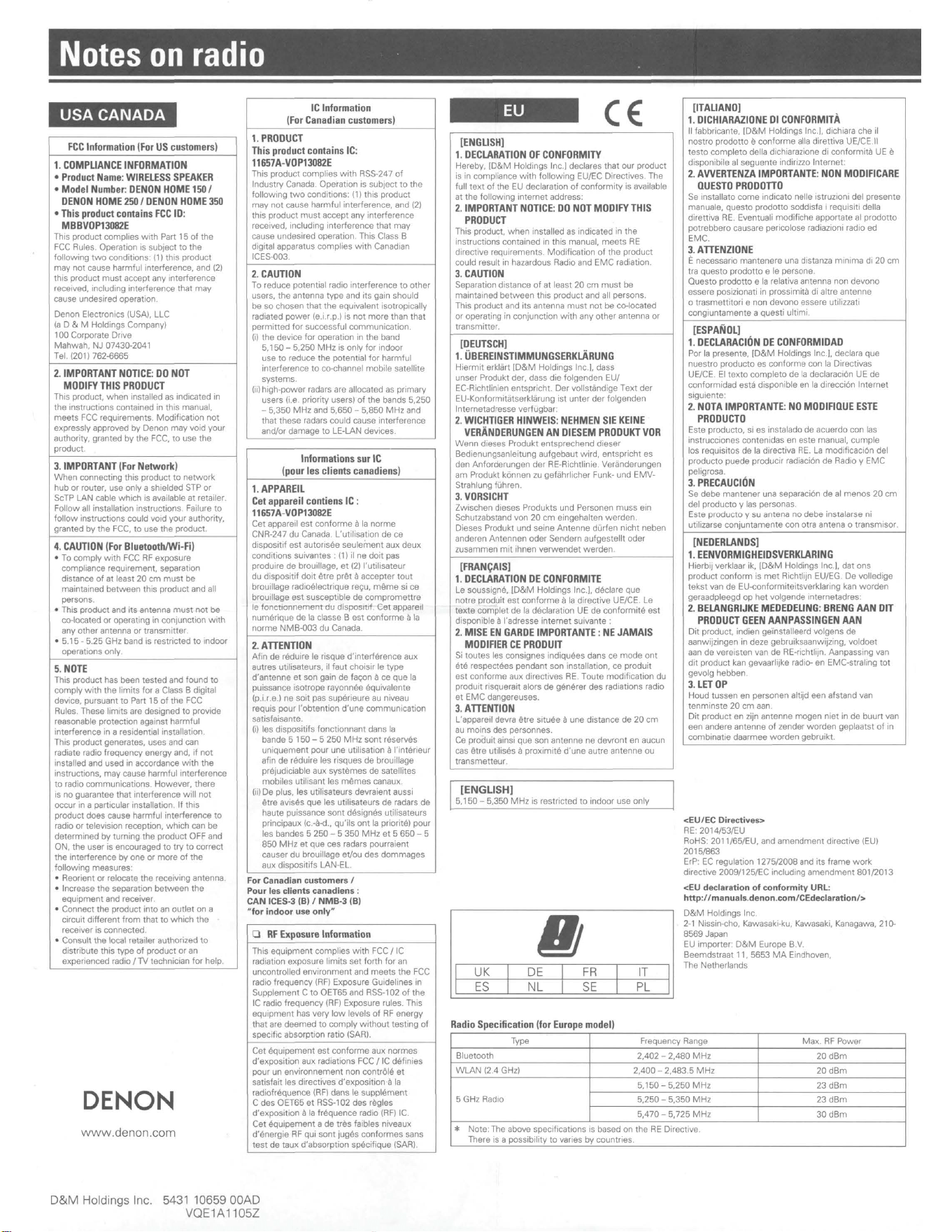
Notes
on
radio
USA CANADA
FCC
Information
(For
US
customers)
1.
COMPLIANCE
INFORMATION
•
Product
Name
:
WIRELESS
SPEAKER
•
Model
Number:
OENON
HOME
150
/
OENON
HOME
250
/
OENON
HOME
350
•
This
product
contains
FCC
IO
:
MBBVOP13082E
This product complies
wnh
Part 15
of
the
FCC
Rules.
Operation is subject
to
the
following
two
conditions:
(1)
this product
may
not
cause
harmful
interference, and (2)
this product
must
accept any interference
received. including interference
that
may
cause undesired operation.
Denon
Electronics (USA), LLC
la D & M Holdings Company)
100
Corporate Dnve
Mahwah,
NJ
07430-2041
Tel.1201) 762-6665
2.
IMPORTANT
NOTICE:
DO
NOT
MODIFY
THIS
PRODUCT
This product, when installed
as
1nd1cated
in
the instructions contained in this manual,
meets
FCC
requirements. Modification
not
expressly approved
by
Denon
may
void
your
authority, granted
by
the
FCC,
to
use
the
product.
3.
IMPORTANT
(For
Network)
When
connecting
this
product
to
network
hub
or
router,
use
only
a shielded STP
or
ScTP LAN cable
which
is available
at
retailer.
Follow
all installation instructions. Failure
to
follow
instructions could void
your
authority,
granted
by
the
FCC,
to
use
the
product.
4.
CAUTION
(For
Bluetooth/Wi-
Fi)
• To
comply
with
FCC
AF
exposure
compliance requirement, separation
distance
of
at
least
20
cm
must
be
maintained
between
this
product
and all
persons.
• This
product
and
its
antenna
must
not
be
co-located
or
operating
in
conjunctton
with
any
other
antenna
or
transmitter.
• 5.15 - 5.25 GHz band is restricted
to
indoor
operations only.
5.
NOTE
This product has been
tested
and
found
to
comply
with
the
limits
for
a Class B digital
device, pursuant
to
Part
15
of
the
FCC
Rules. These
limits
are designed
to
provide
reasonable protection against
harmful
interference in a residential installation.
This product generates, uses and can
radiate radio frequency
energy
and,
if
not
installed and used in accordance
with
the
instructions,
may
cause harmful interference
to
radio communications.
However,
there
Is
no
guarantee
that
interference
will
not
occur in a particular installation. If
this
product
does
cause harmful interference
to
radio
or
television reception,
which
can
be
determined
by
turning
the
product
OFF
and
ON,
the
user
is encouraged
to
try
to
correct
the
interference
by
one
or
more
of
the
following
measures:
• Reorient
or
relocate
the
receiving antenna.
• Increase
the
separation
between
the
equipment
and receiver.
• Connect
the
product
into
an
outlet
on
a
c1rcuit
different
from
that
to
which
the
receiver is connected.
• Consult
the
local retailer authorized
to
distnbute
this
type
of
product
or
an
experienced
radio/
lV
technician
for
help.
DENON
www.denon.com
IC
Information
(For
Canadian
customers)
1.
PRODUCT
This
product
contains
IC:
11657A
-
VOP13082E
This
product
complies
with
RSS-247
of
Industry
Canada. Operation
is
subJect
to
the
following
two
conditions: (1)
this
product
may
not
cause
harmful
interference,
and
(2)
this
product
must
accept
any interference
received, including interference
that
may
cause undesired operati
on
This Class B
digital apparatus
complies
with
Canadian
ICES-003.
2.
CAUTION
To
reduce potential radio interference
to
other
users,
the
antenna
type
and
its
gain should
be
so
chosen that
the
equivalent isotropically
radiated
power
(e.i.r.p.) Is
not
more
than
that
permitted
for
successful
communication.
(i)
the
device
for
operation in
the
band
5.150
-
5,250
MHz
is
only
for
indoor
use
to
reduce
the
potential
for
harmful
interference
to
co-channel
mobile
satellite
systems.
(ii)
high-power
radars are allocated as
primary
users (i.e. priority users)
of
the
bands
5,250
-
5,350
MHz
and
5,650
-
5,850
MHz
and
that
these radars could cause interference
and/or
damage
to
LE-LAN devices.
Informations
sur
IC
(pour
les
clients
canadiens)
1.APPAREIL
Cet
appareil
contiens
IC
:
11657A-VOP13082E
Cet
appareil
est
conforme
a la
norme
CNR-247
du
Canada. L'utilisation
de
ce
dispositif
est
autonsee seulei-nent
aux
deux
conditions
suivantes ·
(1)
ii
ne
doit
pas
produire
de
brouillage,
et
(2)
l'utilisateur
du
disposit1f
do1t
~tre
pr~t
a
accepter
tout
brouillage radi08Iectrique re(,u,
m~me
si
ce
brouillage
est
susceptible
de
compromettre
le
fonct1onnement
du
disposttif.
Cet
appareIt
numerique
de
la classe B
est
conforme
a la
norme
NMB-003
du
Canada.
2.
ATTENTION
Afin
de
reduire le risque
d'interf8rence
aux
autres utilisateurs, ii taut choisir le
type
d'antenne
et
son gain de fa.;on
ace
que
la
puissance
isotrope
rayonnee 8quival
ente
(p.i.r.e.)
ne
soit pas sup8rieure au niveau
requis
pour
l'obtention
d'une
commumcation
satisfaisante.
(i)
les
dispositifs fonctionnant dans
la
bande 5
150
- 5
250
MHz
sont
reserves
uniquement
pour
une
utilisation a l'int8rieur
afin
de
r8duire
les
risques
de
brouillage
pr8judic1able aux
systemes
de
satellites
mobiles
utilisant
les
m~mes
canaux.
(ii)
De plus, les
uti
lisateurs devraient aussi
Atre avises
que
les
uti1isateurs
de
radars
de
haute
puissance
sont
d8sign8s
utilisateurs
principaux (c.-8-d.,
qu'ils
ont
la priorit8)
pour
les
bandes 5
250
- 5
350
MHz
et
5
650
- 5
850
MHz
et
que
ces
radars pourraient
causer
du
brouillage
eVou
des
dommages
aux dispositifs LAN-EL.
For
Canadian
customers
/
Pour
le
s clients canadiens :
CAN
ICES-3 (B) /
NMB
-3 (B)
..
for
indoor
use
only
"
0
RF
Exposure
Information
This
equipment
complies
with
FCC/
IC
radiation exposure
limits
set
forth
for
an
uncontrolled
environment
and
meets
the
FCC
radio frequency (AF) Exposure Gutdelines in
Supplement
C
to
OET65 and RSS-102
of
the
IC radio
frequency
(RF) Exposure rules. This
equipment
has
very
low
levels
of
RF
energy
that
are
deemed
to
comply
without
testing
of
specific absorption ratio (SAR).
Cet
8quipement
est
conforme
aux
normes
d'exposition
aux
radiations
FCC/
IC d8finies
pour
un
environnement
non
contr0I8
et
satisfait
les
directives d'exposition a la
radiofr8quence
(RF)
dans
le
suppl8ment
C
des
OET65
et
RSS
-102
des
regles
d'exposition a la
frequence
radio
(RF)
IC.
Cet
E!quipement a
de
tres
faibles niveaux
d'8nergie
AF
qui
sont
juges
conformes
sans
test
de
taux d'absorption sp8cifique (SAA).
D&M
Holdings
In
c.
5431
10
659 00AD
VQE1A1105Z
[ENGLISH)
1.
DECLARATION
OF
CONFORMITY
Hereby
,
ID&M
Holdings
Inc
.)
declares that
our
product
is in compliance
with
following
EU/EC Directives. The
full
text
of
the
EU declaration
of
conformity
is available
at
the
following
internet
address;
2.
IMPORTANT
NOTICE
:
DO
NOT
MODIFY
THIS
PRODUCT
This product.
when
installed
as
indicated in
the
instructions contained in this manual,
meets
RE
directive requirements.
Modification
of
the
product
cou
ld result in hazardous Radio
and
EMC
radiation.
3.
CAUTION
Separation
distance
of
at
least 20
cm
must
be
maintained
between
this
product
and all persons.
This product
and
its
antenna
must
not
be
co-located
or
operating in conjunction
with
any
other
antenna
or
transmitter.
[DEUTSCH)
1.
UBEREINSTIMMUNGSERKLARUNG
Hiermit
erkl8rt
(D&M
Holdings Inc.), dass
unser
Produkt der, dass
die
folgenden
EU/
EC
-Aichtlinien entspricht.
Der
vollst8ndige
Text
der
EU-Konformit8tserkl8rung
ist
unter
der
folgenden
lnternetadresse verflJgbar:
2.
WICHTIGER
HINWEIS
:
NEHMEN
SIE
KEINE
VERANDERUNGEN
AN
DIESEM
PRODUKT
VOR
Wenn
dieses Produkt
entsprechend
dieser
Bedienungsanle1tung
aufgebaut
wird,
entspricht es
den
Anforderungen der RE-Aichtlinie. Verclnderungen
am
Produkt k6nnen zu gefahrlicher Funk-
und
EMV-
Strahlung flJhren.
3.
VORSICHT
Zw1schen d1eses Produkts
und
Personen
muss
ein
Schutzabstand
von
20
cm
eingehalten
werden.
Dieses Produkt
und
seine
Antenna
dUrfen
nicht
neben
anderen Antennen
oder
Sendern
aufgestellt
oder
zusammen
mit
ihnen
verwendet
werden.
[FRAN
CAI
SJ
1.
DECLARATION
DE
CONFORMITE
Le
soussigne,
ID&M
Holdings
Inc
.I. declare
que
notre
produit
est
conforme
a la directive UE/CE.
Le
texte
complet
de
la d8ctaration UE
de
conformit8
est
disponible a l'adresse
internet
suivante :
2.
MISE
EN
GARDE
IMPORTANTE
:
NE
JAMAIS
MODIFIER
CE
PRODUIT
Si
toutes
les consignes indiquees dans
ce
mode
ont
ete
respectees pendant
son
installation, ce produ1t
est
conforme
aux
directives RE. T
oute
modification
du
produit
risquerait alors
de
generer
des
radiations radio
et
EMC
dangereuses.
3.
ATTENTION
L'appareil devra Atre s1tuee a
une
distance
de
20
cm
au
mains
des
personnes.
Ce
produit
ainsi
que
son
antenne
ne
devront
en
aucun
cas
~tre
ut1lises a prox1mit8
d'une
autre
antenna
ou
transmetteur
.
[ENGLISH)
5,150
- 5,350
MHz
is restricted
to
indoor
use
only
Ill
I
UK
I
DE
I
FR
I
IT
ES
NL
SE
PL
Radio
Specification
(for
Europe
model)
I
[ITALIANO)
1.
DICHIARAZIONE
DI
CONFORMITA
11
fabbricante,
ID&M
Ho
ldings Inc.I. dichiara
che
ii
nostro
prodotto
9
conforme
aUa
direttiva
UE/CE.11
testo
complete
della dichiarazione
d1
conformita UE e
disponibi
le
al
seguente
indirizzo Internet:
2.
AVVERTENZA
IMPORTANTE:
NON
MODIFICARE
QUESTO
PRODOTTO
Se installato
come
indicate nelle istruzioni del
presente
manuale,
questo
prodotto
soddisfa I requisiti della
direttiva
RE.
Eventuali modifiche apportate al
prodotto
potrebbero
causare pericolose radiazioni
radioed
EMC.
3.
ATTENZIONE
I:
necessario
mantenere
una distanza
minima
di
20
cm
tra
questo
prodotto
e le persona.
Ouesto
prodotto
e la relativa antenna
non
devono
essere
posizionati in prossimita di altre
antenne
o
trasmettitori
e
non
devono
essere utilizzati
congiuntamente
a
questi
ultimi.
[ESPANOL)
1.
DECLARACION
DE
CONFORMIDAD
Por la presente,
(D&M
Holdings Inc.I. declara
que
nuestro
producto
es
conforme
con
la Directivas
UE/CE. El
texto
complete
de
la
declarac16n UE
de
conformidad est8 disponible en
la
direcci6n
Internet
siguiente:
2.
NOTA
IMPORTANTE
:
NO
MODIFIQUE
ESTE
PRODUCTO
Este
producto. si es instalado
de
acuerdo
con
las
instrucciones contenidas
en
este manual,
cumple
los
requisites
de
la directiva
RE.
La modificaci6n
de1
producto
puede producir radiaci6n
de
Radio y
EMC
peligrosa.
3.
PRECAUCION
Se
debe
mantener
una separaci6n
de
al
menos
20
cm
det
producto
y las personas.
Este
producto
y su antena
no
debe
instalarse ni
utilizarse
conjuntamente
con
otra antena o transmisor.
[NEDERLANDS)
1.
EENVORMIGHEIDSVERKLARING
Hierbij verklaar ik, (
O&M
Holdings Inc.I, dat
ons
product
conform
is
met
Aichtlijn EU/EG.
De
volledige
tekst
van
de
EU-conformiteitsverklaring kan
warden
geraadpleegd
op
het
vo
l
gende
internetadres:
2.
BELANGRIJKE
MEDEDELING
:
BRENG
AAN
Oil
PRODUCT
GEEN
AANPASSINGEN
AAN
Dit
product, indien ge'installeerd volgens
de
aanwijzingen in deze gebruiksaanwijzing,
voldoet
aan
de
vereisten
van
de
RE-richtlijn. Aanpassmg van
dit
product
kan gevaarlijke radio- en EMC-straling
tot
gevolg
hebben
.
3.
LET
OP
Houd
tussen
en personen altijd
een
afstand van
tenmins
te 20
cm
aan.
Dit
product
en
zijn antenne
mogen
niet
in de
buurt
van
een
andere
antenna
of
zender
worden
geplaatst
of
in
combinat1e
daarmee
worden
gebruikt.
<EU/EC Directives>
RE: 2014/53/EU
AoHS: 201 1/65/EU, and
amendment
directive (EU)
2015/863
ErP:
EC
regulation 1275/2008 and
its
frame
work
directive 2009/125/EC including
amendment
801/2013
<EU declaration
of
conformity
URL:
http
:
//manuals
.
denon
.com/CEdeclaration/>
D&M
Holdings
Inc
.
2-1
Nissin-cha, Kawasaki-ku, Kawasaki, Kanagawa, 210-
8569
Japan
EU importer:
D&M
Europe B.V.
Beemdstraat 11,
5653
MA
Eindhoven,
The Netherlands
Type
Frequency Range
Max
AF
Power
Bluetooth
2,402 -
2,480
MHz
20dBm
WLAN
12.4
GHzl
2,400
-
2,483
.5
MHz
20dBm
5.150-
5,250
MHz
23dBm
5 GHz Radio
5,250
-
5,350
MHz
23dBm
5,470 -
5,725
MHz
30dBm
*
Note: The above specifications is based on
the
RE Directive.
There is a possibility
to
varies
by
countries.
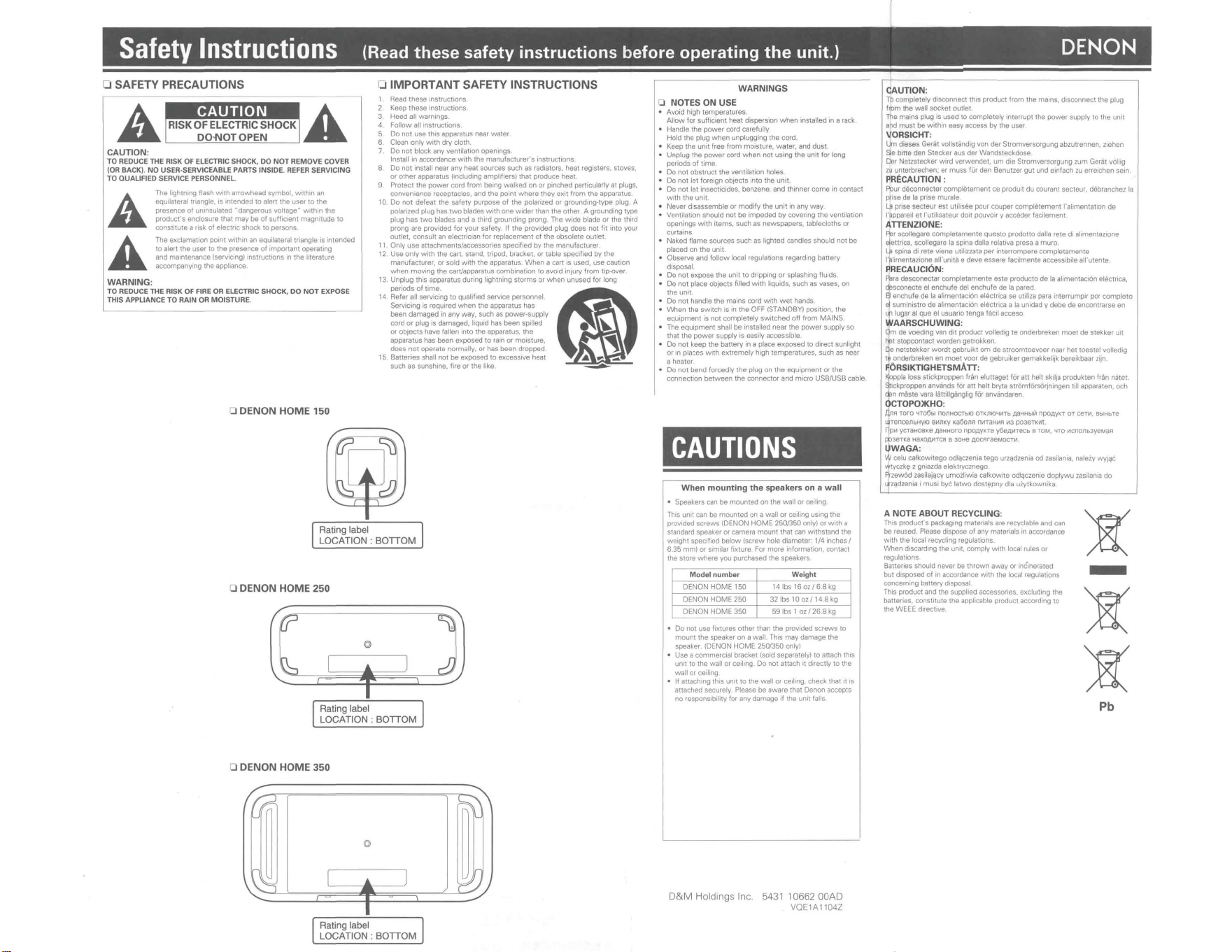
Safety
Instructions
(Read
these
safety
instructions
before
operating
the
unit.)
DENON
0 SAFETY PRECAUTIONS
A RISK OF
~LECTR~C
SHOCK A
~
DO-NOT OPEN
~
CAUTION:
TO
REOUCE
THE
RISK
OF
ELECTRIC
SHOCK,
DO
NOT REMOVE
COVER
{
OR
BACK)
. NO
USER
-SERVICEABLE
PARTS
INSIDE.
REFER
SERVICING
TO
OUAUFIEO
SERV
I
CE
PERSONNEL
A
A
WARNING:
The lightning flash
wtth
arrowhead symbol,
wnhin
an
equilateral triangle.
Is
intended to
alen
the user to the
presence
of
uninsulated
..
dangerous voltage"
within
the
produc!'s
enclosure that
may
be
of
suff1c1ent
magnitude to
constitute
a risk
of
etectnc shock to persons
The exclamauon
point
within
an equila1eral triangle is intended
to alert
the
user
lo
the presence
of
important
ope1at1ng
and maintenance (servicing) instructions
1n
the
literature
accompanying the apphance
TO
REDUCE
THE
RISK
OF
FIRE
OR
ELECTRIC
SHOCK
,
DO
NOT
EXPOSE
THIS APPLIANCE TO
RAIN
OR
MOISTURE.
0 DENON HOME 150
0 IMPORTANT SAFETY INSTRUCTIONS
Read
these
Instruct1ons
Keep
these
instructions
Heed all warnings.
Follow
all instructions
Do
not
use this apparatus near
water
6 Clean only
with
dry cloth.
7. Do
not
block
any
vent1latIon openings.
Install
tn
accordance
with
the manufacturer's 1ns1ructions
8
Do
not
install near any
heal
sources such
as
radiators, heat registers, stoves,
or
other
apparatus (including amphfrers) that produce heat
9 Protect the
power
cord
from
being
walked
on
or
pinched particularly
al
plugs,
convenience receptacles. and the
point
where
they
exit
from
the
apparatus
10. Do
not
defeat
the
safety purpose
of
the
polarized or grounding~type plug. A
polarized plug has
two
blades
with
one
wider
than the
other
. A grounding
1ype
plug hes two blades and a third grounding prong. The
wide
blade or
the
third
prong are provided
for
your
safety.
1f
the provided plug does not fit rnto your
outlet, consult an electnc1an
for
replacement
of
1he
obsolete outlet
11 Only
use
attachments/accessories
spec1f1ed
by
the
manufacturef
12
Use
only
with
the cart. stand, tripod, bracket,
or
table specified
by
the
manufacturer,
Of
sold
with
the apparatus
When
a
can
1s
used. use cauuon
when
moving
the cart/apparatus combination 10 avoid injury
from
tip-over
13. Unplug this apparatus during lightning
storms
or
when
unused for long
periods
of
time
.
14 Refer alt servicing to qualified service personnel
Servicing
Is
required
when
the apparatus has
been
damaged
in
any way, such as power-supply
cord
or
plug
1s
damaged, liquid has been spilled
or
obJects have fallen into the apparatus, the
apparatus has been exposed to rain
or
moisture,
does
not
operate normally, or has been dropped.
15 Batteries shall
not
be exposed to excesstve heat
such as sunshine, fire
or
the
llk:e
QI
~
~
Rating label
LOCATION : BOTTOM
0 DENON HOME 250
~
,! t 1
,]
Rating label
LOCATION : BOTTOM
0 DENON HOME
350
©l
Rating label
LOCATION: BOTTOM
WARNINGS
0 NOTES ON USE
• Avoid high temperatures
Allow
for suff1c1ent heat dispersion
when
installed in a rack .
• Handle the
power
cord carefully.
Hold the plug
when
unplugging
the
cord.
• Keep
the
unit
free
from
moisture.
water,
and dust.
• Unplug the
power
cord
when
not
using
the
unit
for
long
periods
of
time
• Do
no
1
obstruct
the
ventilation holes
• Do not
let
foreign ob1ects into the
unit.
• Do not
let
insecticides, benzene, and thinner
come
in
contact
with
theumt
•
Never
disassemble
or
modify
the
unit
many
way
• Ventilation should
not
be
impeded
by
covermg
the
ventilation
openings
with
items, such
as
newspapers, tablecloths
or
curtains.
• Naked flame sources such as lighted candles should
not
be
placed on
the
unit
• Observe and
follow
local regulations regarding battery
disposal.
• Do
not
expose
the
unit
to dripping
or
splashing
1lu1ds
• Do
not
place ob1ects filled
with
liquids, such as vases, on
the unit.
• Do not handle the mains cord
with
wet
hands
•
When
the
swrtch
Is
in the OFF (STANDBY) position, the
equipment
is
not
completely
swrtched off
from
MAINS
• The
equipment
shall
be
installed near the
powe
r supply so
that the
power
supply
1s
easily accessible
• Do not keep the battery in a place
exposed
to direct sunlight
or
in p!aces
wtth
extremely
high temperatures, such as near
a heater
• Do
not
bend forcedly the plug on the
equipment
or
the
connection
between
the
connector
and
micro
USB/USB
cable
CAUTIONS
When
mounting
the
speakers on a
wall
• Speakers can be
mounted
on the wall
or
ceiling
This
UOII
can be
mounted
on a wall
or
ceiling using
the
provided
screws
tDENON
HOME
250/350 only) or
with
a
standard speaker
or
camera
mount
that
car,
withstand
the
we1ght specified
below
(screw
hole
diameter
1/4
inches/
6.35 mm) or similar fixture For
more
information, contact
the store
where
you purchased the speakers
Model
number
Weight
DENON
HOME 150
14Ibs
16oz/68kg
DENON
HOME
250
32Ibs
10oz/14
.
8kg
DENON
HOME
350
59 lbs l oz / 26.8
kg
• Do not use fixtures
other
than the provided
screws
to
mount
the speaker on a
wal1
. This
may
damage the
speaker.
IDENON
HOME 250/350 onlyl
• Use a commercial bracket (sold separately) to attach this
unit to !he wall
or
ceiling. Do not attach
1t
directly to the
wall
or
ceiling
•
If
attaching this Untl to the wall
or
ceiling, check that
it
Is
attached securely Please be aware that Oenon accepts
no
respons1b11ity
for any damage
if
the unit falls
D&M
Holdings Inc.
5431
10662 00AD
VOE1A1104Z
CAUTION:
Tb
completely
d1sconnec1
this product
from
the mains, disconnect the plug
from the wall socket outlet
The
mains plug
Is
used to completely interrupt the
power
supply
to
the
unit
and
must
be withrn easy access
by
the user
~
ORSICHT:
m disses Gerat vollst8ndig von
de1
Stromversorgung abzutrennen,
z1ehen
e
b1ne
den
Stecker aus der Wandsteckdose
Der
Netzstecker
wird
verwende1,
um
die Stronwersorgung zum Gerat volltg
zu
unterbrechen.
er
muss
fur den Benutzer
gut
und e1nfach
zu
erre1chen sein.
PRECAUTION :
Fbur deconnecter
completement
ce produ1t du courant secteur, d8branchez
le
i:fcse de
la
prise murale
La
prise secteur
est
uuhsee pour couper
compl8tement
1'allmema1Ion de
l'11ppare1J
et
l'ut1hsateur
do1t
pouvoIr y seceder facllement
ATTENZIONE:
Per
scollegare
completamente
questo
prodotto dalta rete
d1
alimentazione
eleunca, scollegare
la
spma dalla
relat1va
presa a
muro
,
La
spma di rete
v1ene
ut11Jzzata
per interrompere comple1amente
l'plirnentazione all'unita e deve essere facilmente accessiblfe all'utente.
PRECAUCl6N:
'1ira desconectar compfetamente
este
producto de
la
allmemac10n elecmca,
~sconecte
el
enchule
del enchufe
de
la
pared
~
enchufe de
la
alimen.1aci6n
e18Ctr
. ica se utiliza para mterrumprr por
complete
~
sum1nistro de ahmentac10n elElctnca a
la
unidad y debe de encontrarse en
Lf1
lugar
al
qua
el usuano 1enga
tlic11
acceso
WAARSCHUWING:
~m
de voedlng van
d1t
product volledig te onderbreken
moet
de stekker
u1t
ij3t stopcontacl
warden
getrokken
qe
netstekker
wordt
gebruik:t
om
de
stroomtoevoer
n_aar
he~
toeste) volledig
1,
onderbreken en
moel
voor de
gebrwker
gemakkeliJk bere!kbaar
zrjn
F.6RSIKTIGHETSMATT:
~ppla
Joss
stickproppen frftn
elunaget
for
at1
hell skilia produk10n fran natet
~ckproppen
anvands for
att
helt bryta stromforsorJn1ngen
1111
apparaten, och
~n
mbte
vara liittillg8nglig f6r anvandaren
OCTOPO)KHO:
.dnA Toro '<TO6bl nonHOCTblO
OTJ,:;JllO~lilTb
,QaHHbl"
nPo.llYKT
OT
cent,
BbtHbTe
JrenceJlbHYIO
Bl-1l1KY
Ka6enA
nl!IT8HMA
1113
poJen:.m.
~PM yCTaHOB'-8 .QSHHOro
npo,QyKra
y6e.Q1-1Tecb B TOM, "fTO
lilCnOJlbJyeMaR
P,JeTk.8
HaXO_lllilTCFI B
30H8
AOCAf88MOCTI1
llWAGA
:
W celu calk:owitego odlqczenia
tego
urzqdzenia od zasitania, nateiy
wyJqC
vrtvczk(! z gnrazda elektrycznego
Prz:ew6d zasitajijcy umoztiwia calkow1te odtqczenie doptywu
zasHania
do
ltZqdzen1a i must bye
latwo
dost(!pny dla uiytkownik.a
A NOTE ABOUT RECYCLING:
This
product's
packaging materials are recyclable and can
be reused. Please dispose
of
any
materials
tn
accordance
with
the
local recyclmg regulauons.
When
dtscarding
1he
unrt, comply
with
local rules
or
regulations
Batteries should never be
thrown
away or 1nc'merated
but disposed
of
in accordance
with
1he
local regulations
concerning battery disposal
Thts product and the supplied accessories, excluding the
batteries. constitute the applicable product according to
the
WEEE
d1rect1ve
)t
-
)t
)t
Pb