USER MANUAL
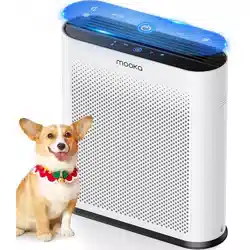
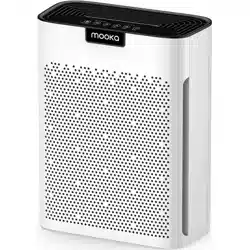
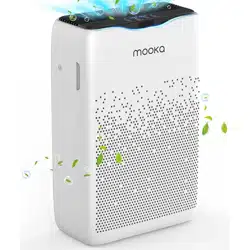
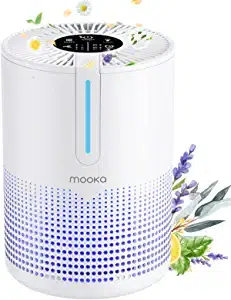
AIR PURIFIER
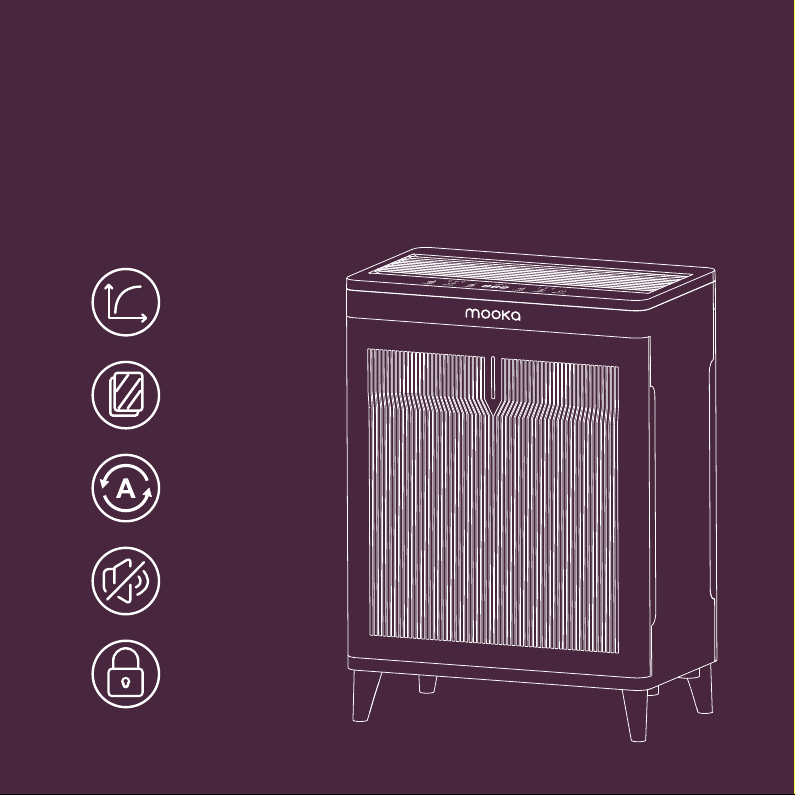
High Clean Air
Delivery Rate
Double Sided
Filtration
Low Noise Level
Child Lock
PM 2.5 Sensor

www.mookashops.com
1-855-666-9955
Our customer service team is standing by to assist you
if you have any questions or concerns.
CUSTOMER SERVICE

01
05
06
07
09
10
12
19
20
DIRECTORY
IMPORTANT SAFEGUARDS
ATTENTION
PRODUCT TECHNICAL FEATURES
PRODUCT OVERVIEW
PARTS TO INTRODUCE
OPERATION INSTRUCTIONS
INSTRUCTIONS FOR USE
TROUBLESHOOTING
PARAMETERS OF THE UNIT

READ AND SAVE THESE INSTRUCTIONS
1. When servicing or replacement of a component in an appliance requires
the removal or disconnection of a safety device, the safety device is to be
reinstalled or remounted as previously installed.
2. Warn the user to unplug or disconnect the appliance from the power supply
before servicing.
3. Use this product to reduce the risk of fire, electric shock, or personal injury,
and to facilitate cleaning and user maintenance.
4. To Reduce The Risk Of Fire, Electric Shock Or Injury To Persons, Do Not Use
Replacement Parts That Have Not Been Recommended By The Manufacturer
(e.g. Parts Made At Home Using A 3D Printer).
5. Wiring instructions provided with an appliance can not conflict with any
requirement in this standard or in the National Electrical Code, ANSI/NFPA 70.
1 IMPORTANT SAFEGUARDS
In order to prevent harm or damage happened to users or others, be sure to
comply with the requirement as below:
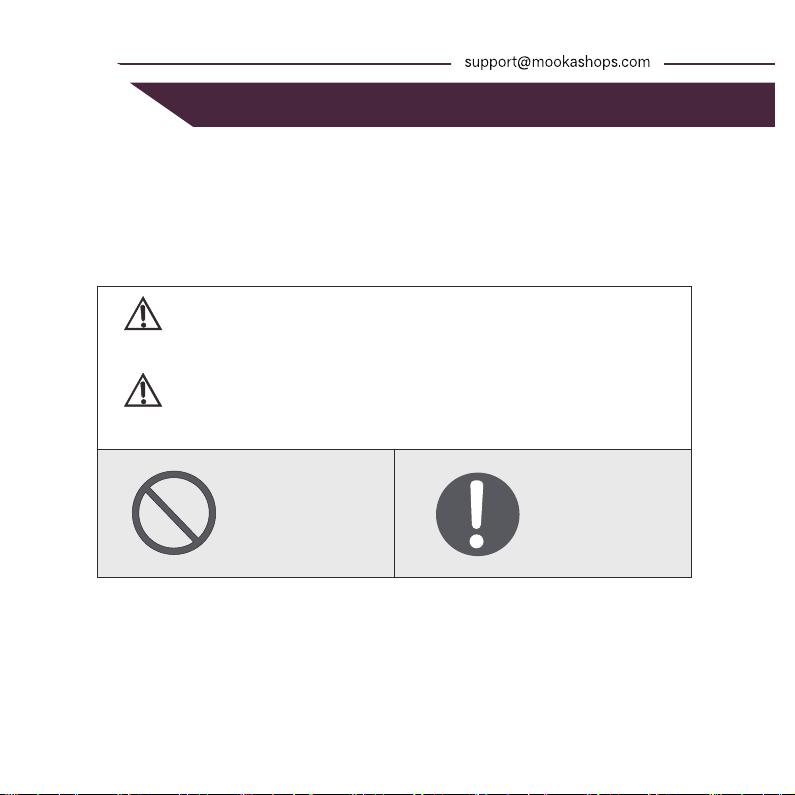
WARNING/ATTENTION
It reminds that misusing or mishandling may cause death.
It reminds that misusing or mishandling may cause hurt.
WARNING
ATTENTION
FORBID FORCE
IMPORTANT SAFEGUARDS 2
IMPORTANT SAFEGUARDS 2
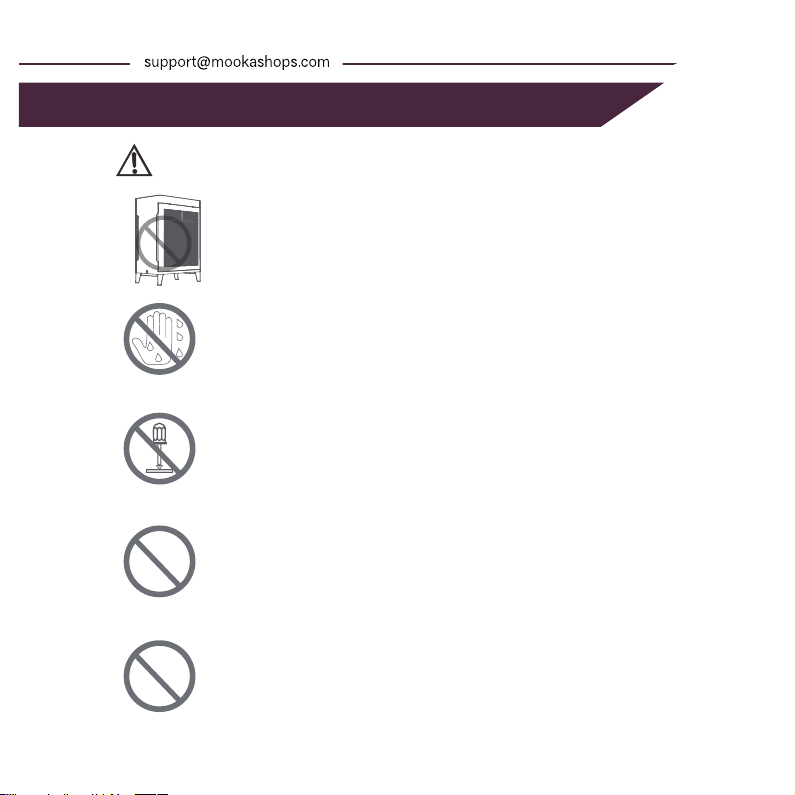
Please supervise your children and avoid them from touching
or using machine.
Do not connect or disconnect the power with wet hand.
It may cause electrical shocking.
Do not disassemble, repair or reconstruct.
It may cause fire or damage.
Please contact customer service for replacement.
Do not use over-limit sockets or wiring connectors. Please
use the rated voltage.
It may cause a fire.
AVOID WET
NO DISASSEMBLE
FORBID
WARNING
FORBID
Do not repair it when the cord or plug is damaged.
It may cause short circuit, electric shocking or fire. Please
contact customer service for replacement.
3 IMPORTANT SAFEGUARDS
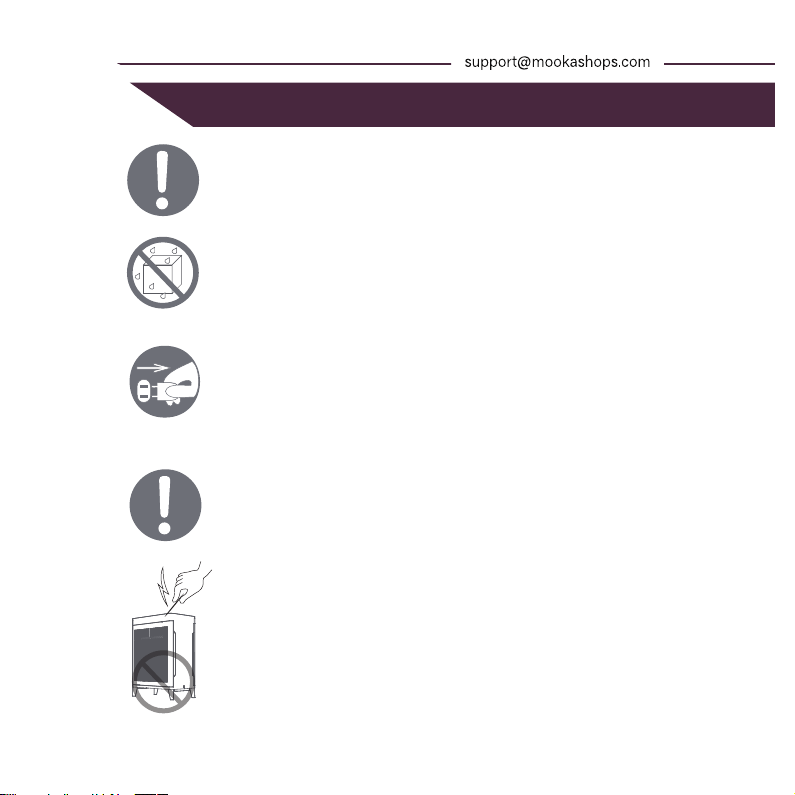
Do plug the power into the socket completely.
It may cause fire because of heating or electrical shocking.
Do not use the damaged plug or loose socket.
Avoid any water on the surface of the unit.
It may cause short circuit or electrical shocking.
Do not insert any metal objects into the unit.
It may cause hurt or electric shocking.
The appliance must be disconnected from the supply mains
before cleaning or other maintenance.
Otherwise the unit may start working in a sudden which may
cause electrical shocking or hurt.
AVOID WET
DISCONNECT POWER
If there is dust on the plug, it may weaken the insulation
and even cause a fire.
Take out the plug and clean it with dry cloth.
Please remove the plug from the socket if not using for a long
period.
IMPORTANT SAFEGUARDS 2
IMPORTANT SAFEGUARDS 4
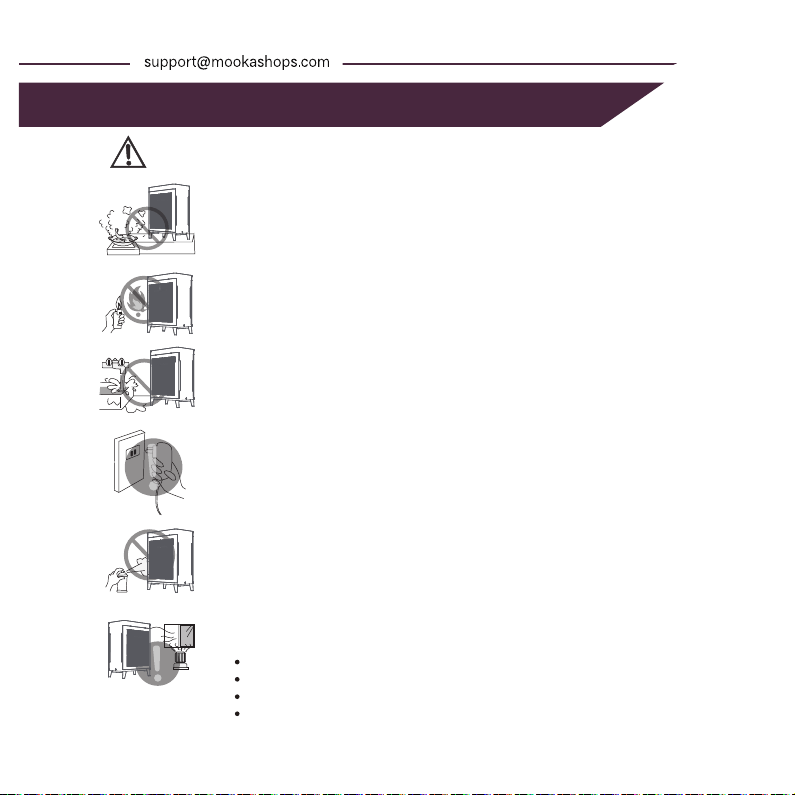
Do not place the unit near fires.
It may cause fire.
Do not use in the watery or high temperature room such
as the bathroom etc.
Otherwise it may cause creepage, electric shocking or fire.
Do not use in the room with a gas stove.
It may cause hurt because the machine is not a ventilator.
Please hold the plug instead of the cord when unplug the
power.
Otherwise it may cause short circuit, breaking of the cord,
electric shocking or fire.
Keep away from alcohol, organic impregnant.
It may cause cracking, short circuit, electric shock, injury or
fire.
Please ventilate timely when used with fire in the room.
Please remove the plug from the socket if any conditions as
below:
If all switches do not work
If the power cord or plug hot singularly
If any peculiar smell, exceptional noise or vibration
Any other abnormality or failure
If the power cord is damaged,please contact our customer service for replacement.
Do not change or repair it by yourself.
ATTENTION
5 ATTENTION
IMPORTANT SAFEGUARDS 2
PRODUCT TECHNICAL FEATURES 6
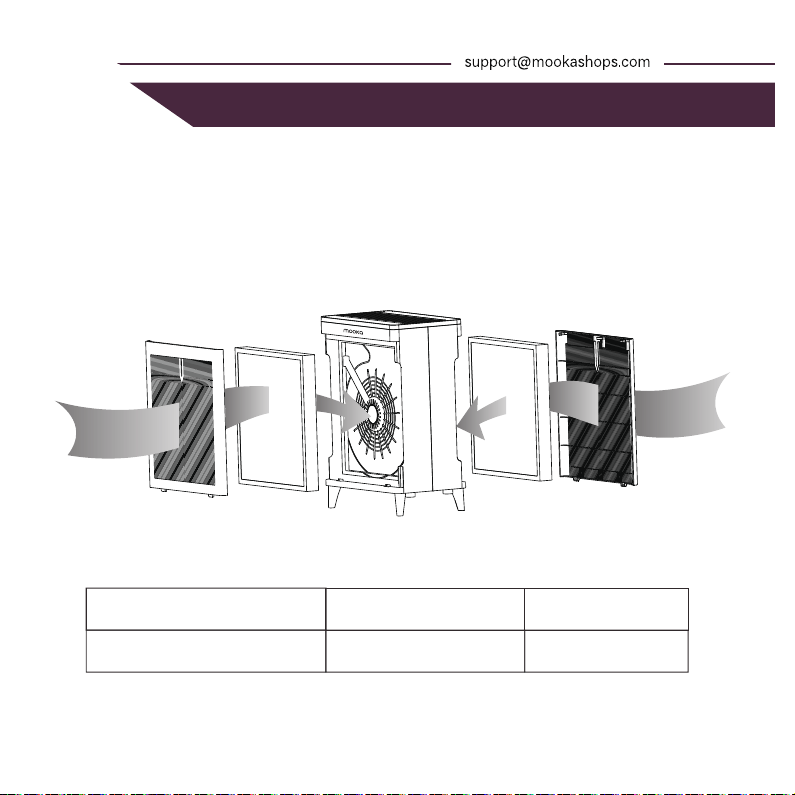
The Double Sided filter is composed of pre-filter, HEPA layer and activated
carbon layer.Can filter and purify dust, pollen and smoke in the air.
DIAGRAM OF PURIFICATION
FILTER PARAMETERS
High efficiency HEPA filter
ltem name
Dimensions Life time
288*270*30(mm) 1440H
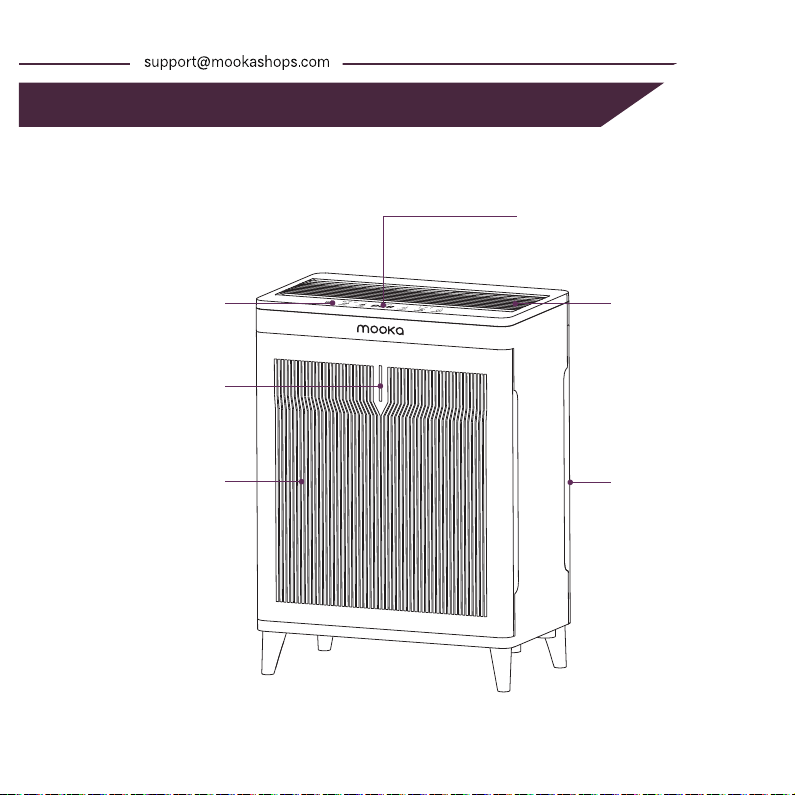
Control panel
Air inlet
Air inlet
AQI display light
Air outlet
PM2.5 display
APPEARANCE DIAGRAM
7 PRODUCT OVERVIEW
IMPORTANT SAFEGUARDS 2
PRODUCT OVERVIEW 8
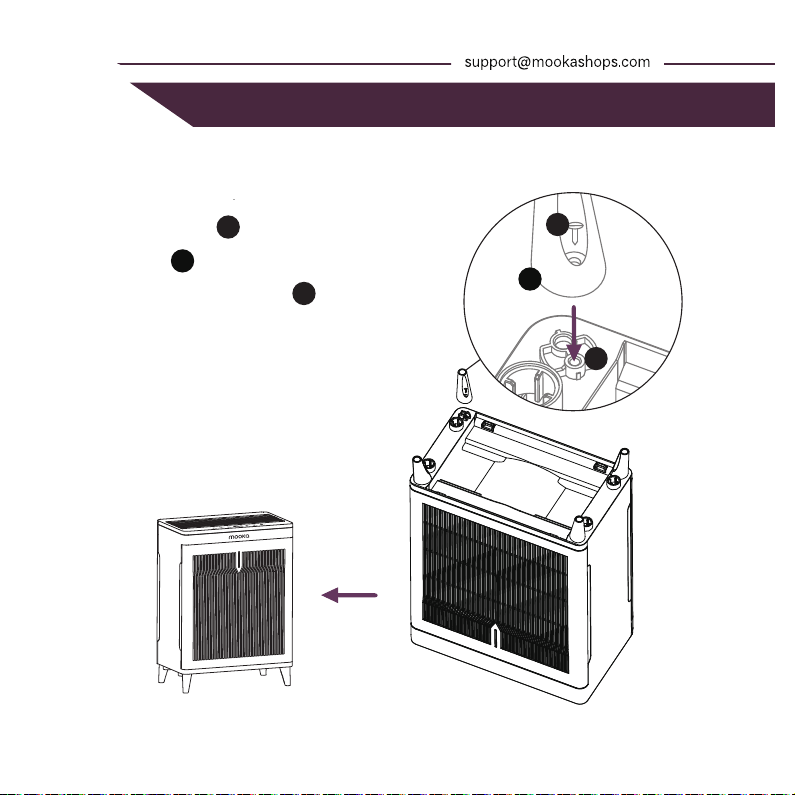
Installation manual for the legs
2
2
1
1
3
3
Put the screw in
the leg base hole,
align with the base
mounting hole,
tighten the screw.
Install the rest of the
legs in the same way.
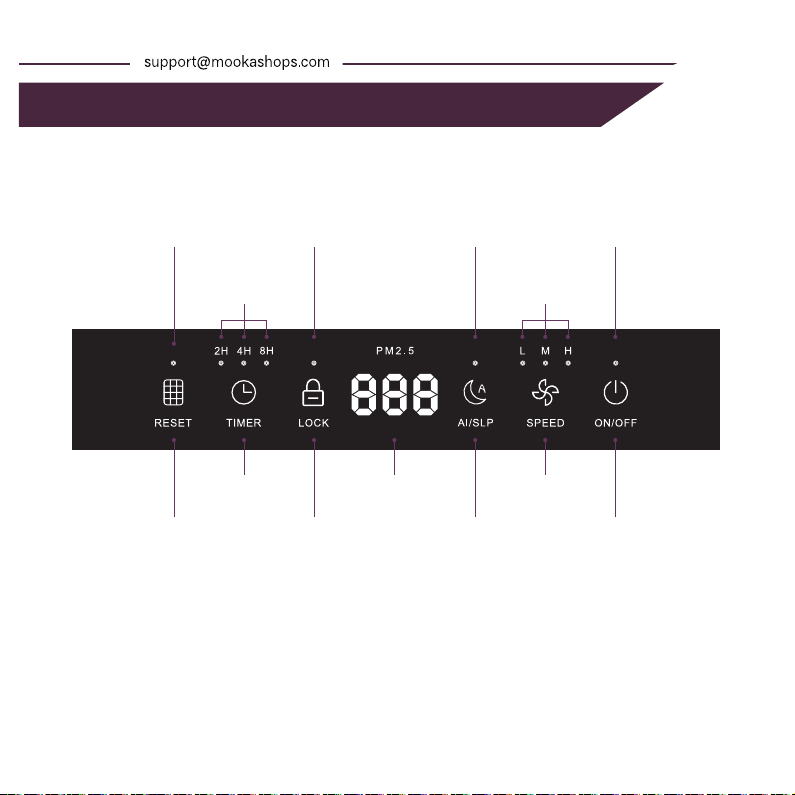
Filter Reset Button
Timer Button
Child Lock Button AI/Sleeping Mode
Button
Power ON/OFF
Fan Speed ButtonPM2.5 display
Fan Speed setting
indicator light
Timer setting
indicator light
Power
indicator light
AI/Sleeping Mode
indicator light
Child Lock
indicator light
Filter Reset
indicator light
9 PARTS TO INTRODUCE
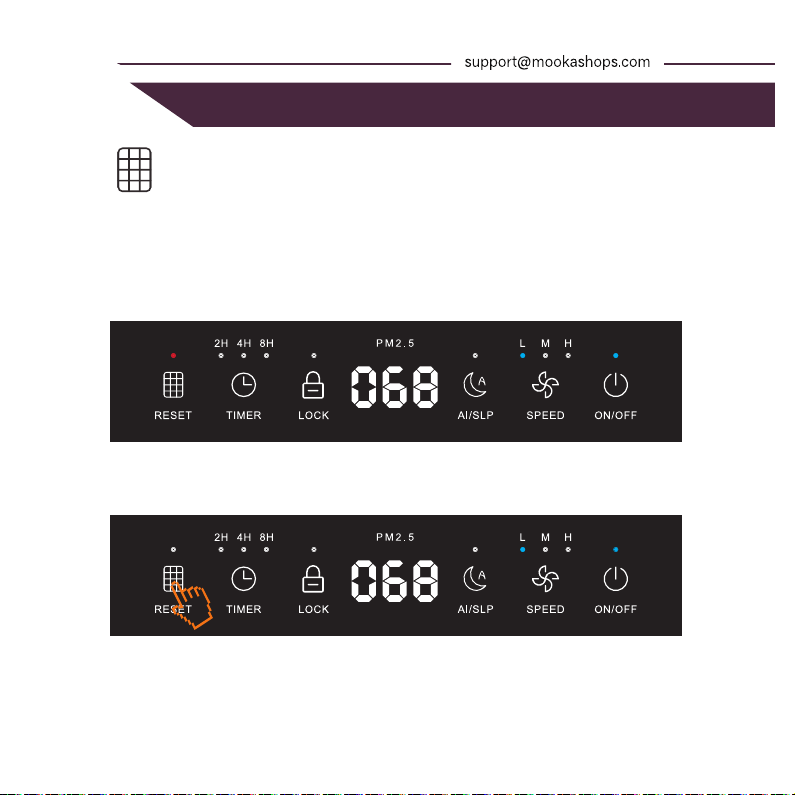
◆ Replace the filter and reset
When the accumulated air purifier running time reaches 1440 hours, the "RESET"
indicator lights red and blinks. Replace the filter with a new one.
After replacing the filter, long press the "RESET" button for 3sec to reset the filter
lifetime counter: The filter indicator will be turned off after 3sec.
POWER CONNECTION
◆ DC Voltage: 100-240V~50/60Hz
Before connecting the appliance, ensure the
voltage indicated on the device matches the
local power supply. Do not connect to an
incorrect voltage.
PLACEMENT
◆ Make sure the appliance is placed at least 30cm away from any wall or piece of
furniture.Do not position the appliance directly under furniture or objects that may
obstruct the exhaust air flow.
◆ Do not use the appliance near any source of heat.
REPLACE THE FILTER
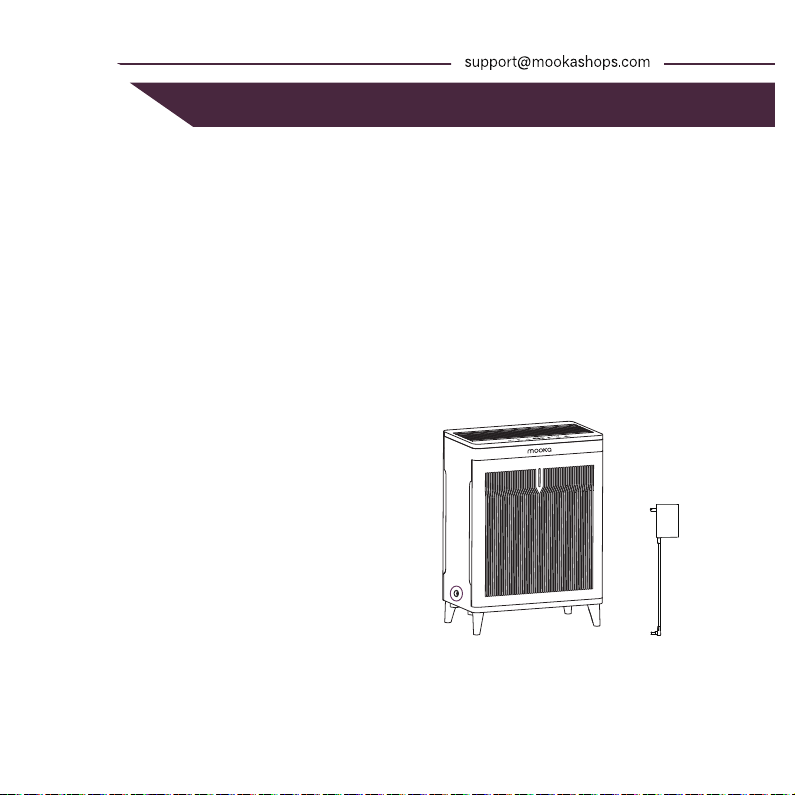
AdapterMachine socket
IMPORTANT SAFEGUARDS 2
OPERATION INSTRUCTIONS 10
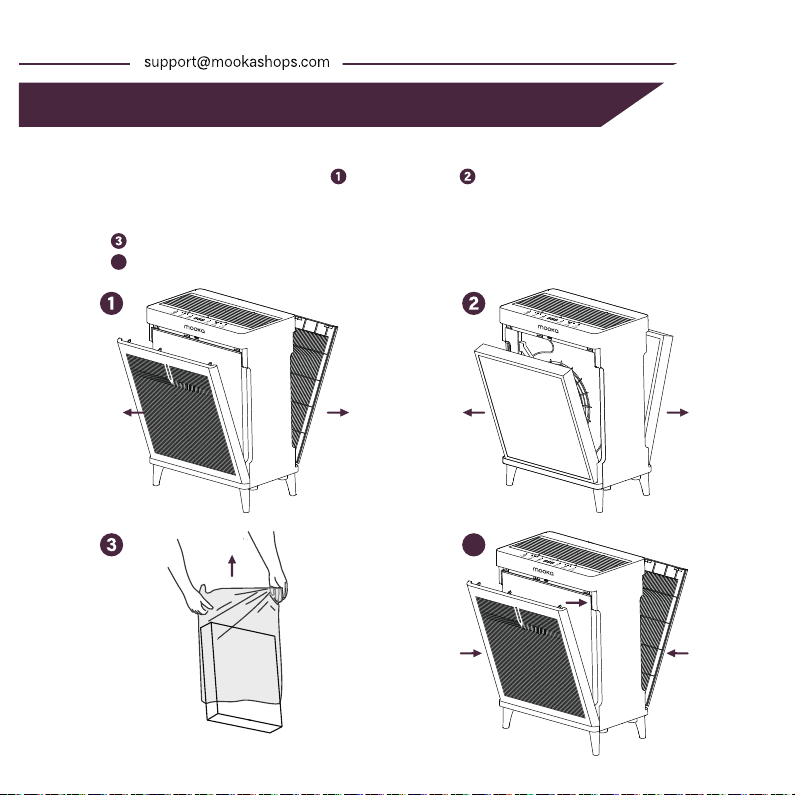
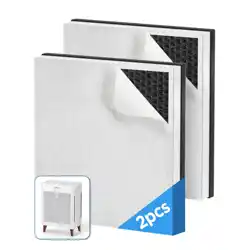
Turn off and unplug the power, open the cover, remove the old filter.
FILTER REMOVAL
Remove the protective film from the new filter before installation.
Install the filters element and close the cover tightly.
FILTER INSTALLATION
11 OPERATION INSTRUCTIONS
IMPORTANT SAFEGUARDS 2
INSTRUCTIONS FOR USE 12
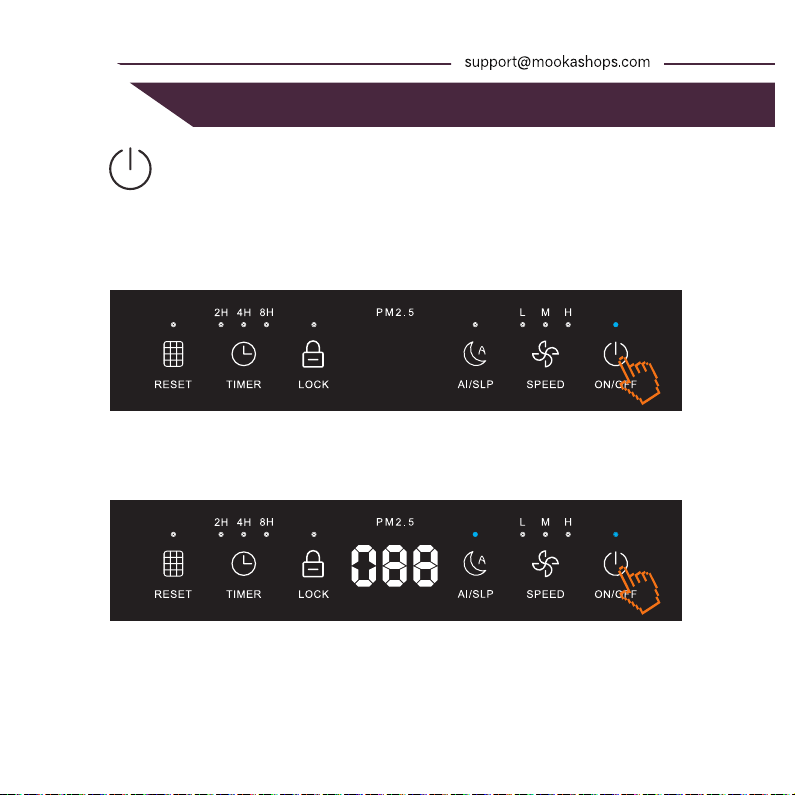
Power on : After the power cord is pluged in, the power indicator will
light up in white. Touch the "POWER" button to turn on the air purifier.
Power off : While operating (If in Child-Lock, exit this mode first), press
the "POWER" button again to shut down the air purifier.
Standby Mode
Power-on default state
◆
◆
POWER
13 INSTRUCTIONS FOR USE
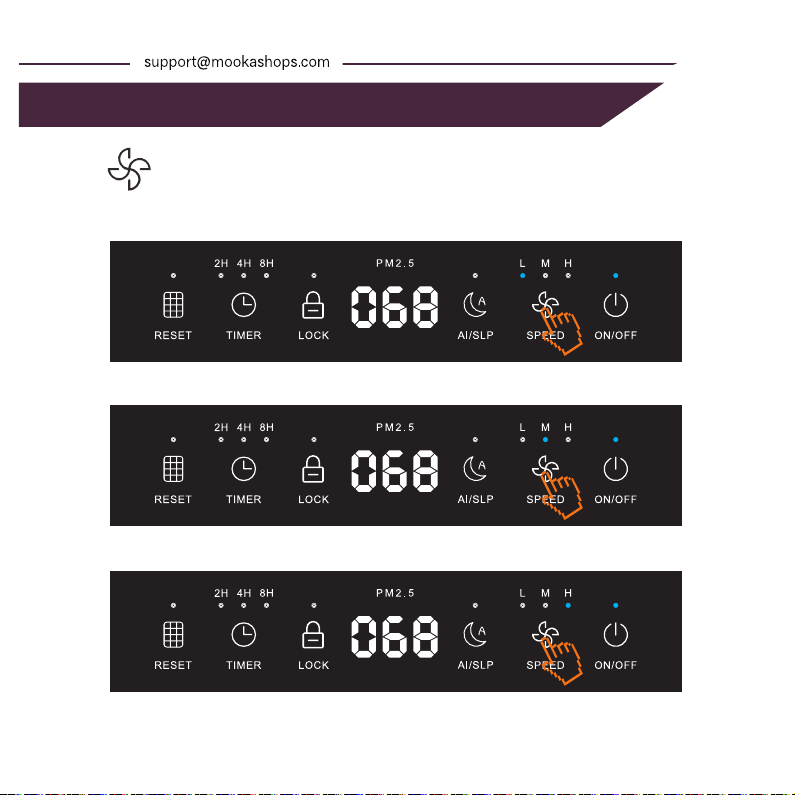
When the air purifier is running on press the "SPEED" button to
manually adjust the fan speed, tap again and press the "L-M-H"
sequence cycle, the corresponding fan speed indicator shall light up.
FAN SPEED SETTING
◆
Low fan speed
Medium fan speed
High fan speed
IMPORTANT SAFEGUARDS 2
INSTRUCTIONS FOR USE 14
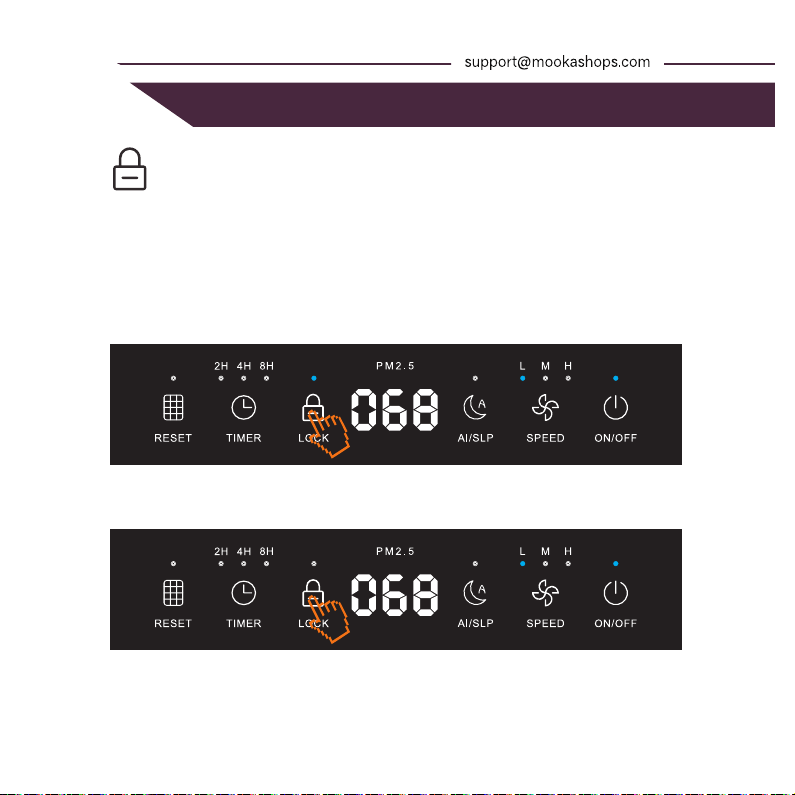
Child lock on : When the air purifier is running, long press “LOCK”
button for 3 seconds to lock the device from children. The Child lock
indicator will illuminate, and other function buttons cannot be
operated.
Child lock off : While in locked mode, long press "LOCK" button for 3
seconds once again to unlock the device. The Child lock indicator will
turn off, and other function buttons will be restored to normal
operation.
◆
◆
CHILD LOCK SETTING
Child Lock On
Child Lock Off
15 INSTRUCTIONS FOR USE
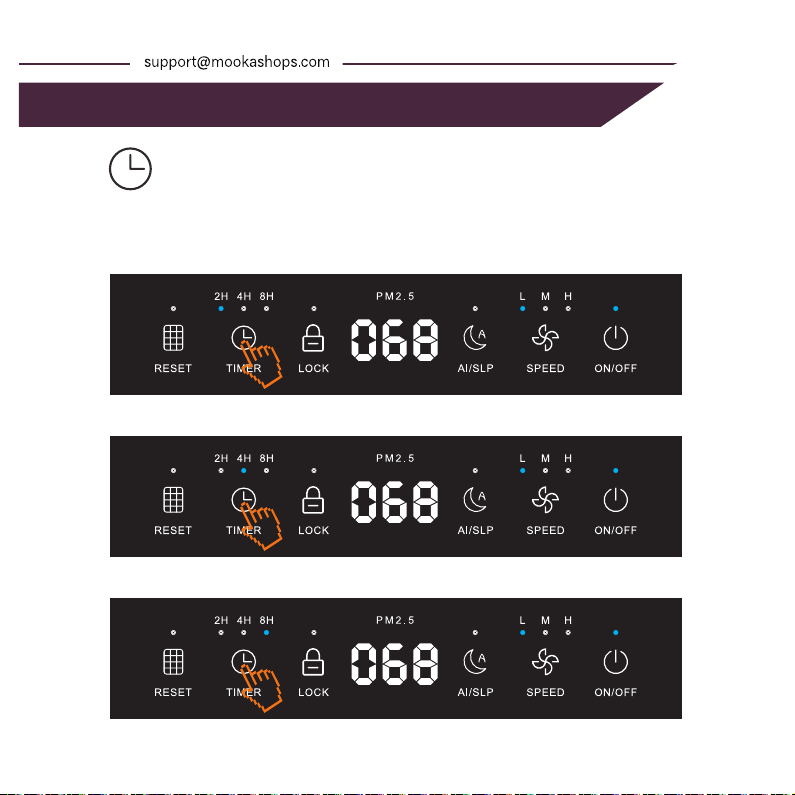
Set timer : While operating, press the "TIMER" button to turn on the
timing function, press again for the "2H - 4H - 8H - off" sequence cycle.
The corresponding timing indicator shall light up. Air purifier will
automatically shut down after working to the set time and enter the
standby state.
◆
TIMER SETTING
Time Setting for 2 Hours
Time Setting for 4 Hours
Time Setting for 8 Hours
IMPORTANT SAFEGUARDS 2
INSTRUCTIONS FOR USE 16
When the reset indicator lights up red and blinks, please replace
the filter in time!(See the part "OPERATION INSTRUCTIONS" to
learn how to change the filter)
◆
Filter reset : After filters are replaced, press and hold the "RESET"
button for 3sec. Filter reset indicator shall deem, meaning that
filter lifetime is now reset.
◆
FILTER RESET SETTING
The indicator light is on
Filter lifetime is reset
17 INSTRUCTIONS FOR USE
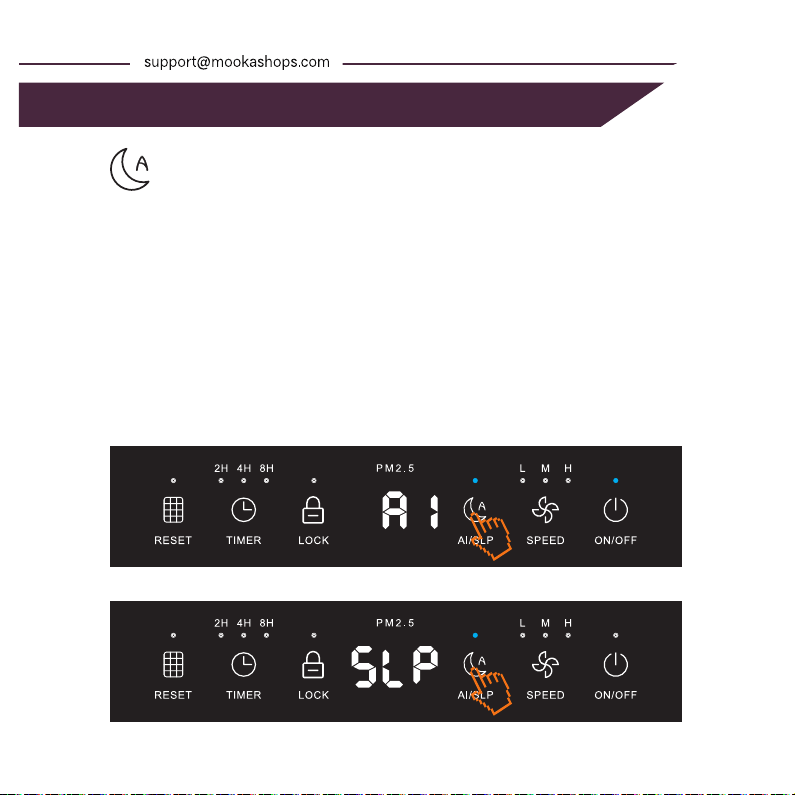
Press "AI/SLP" button to switch between AI mode and Sleeping mode
as: AI MODE - SLEEPING MODE - AI MODE.
AI mode : In this mode, the air purifier fan speed automatically adjusts to
the ambient air quality.
During the normal operation, except for when the child lock feature is
on, touch the "AI/SLP" button to enter the AI mode, the digital screen
display "AI" for 3 seconds, and then display the PM2.5 value.
Sleeping mode : In this mode, the air purifier runs at the most quiet fan
speed and the lighting and display turns off.
When the machine is in AI mode, touch the "AI/SLP" button again to
switch to the sleeping mode, The digital screen displays "SLP" for 3
seconds before the display go off.
When in sleep mode, press any button to wake up the sleep mode and
then can switch to other modes.
◆
◆
◆
AI/SLEEPING MODE SETTING
AI Mode
Sleeping Mode
IMPORTANT SAFEGUARDS 2
INSTRUCTIONS FOR USE 18
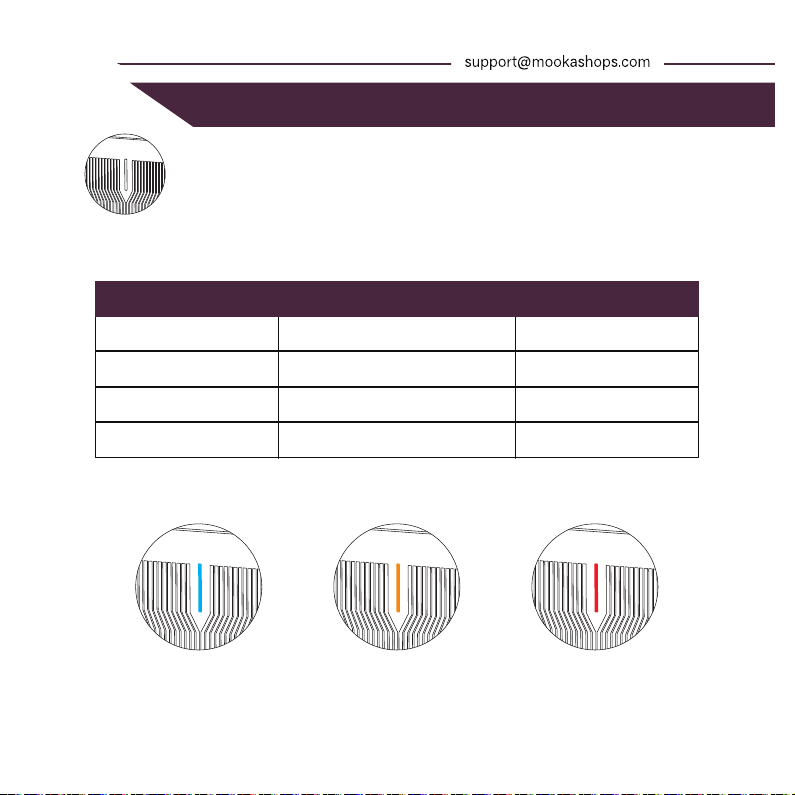
The digital screen displays the current PM2.5 concentration in real time,
and the displayed value is updated every 2sec.
PM2.5 Range
0-75
76-150
>150
Good
Moderate
Poor
Blue
Orange
Red
Air Quality Indicator Color
Light color indication :
Blue Orange Red
◆
AIR QUALITY LIGHT COLOR
◆
Air Quality Indicator Chart
19 TROUBLESHOOTING
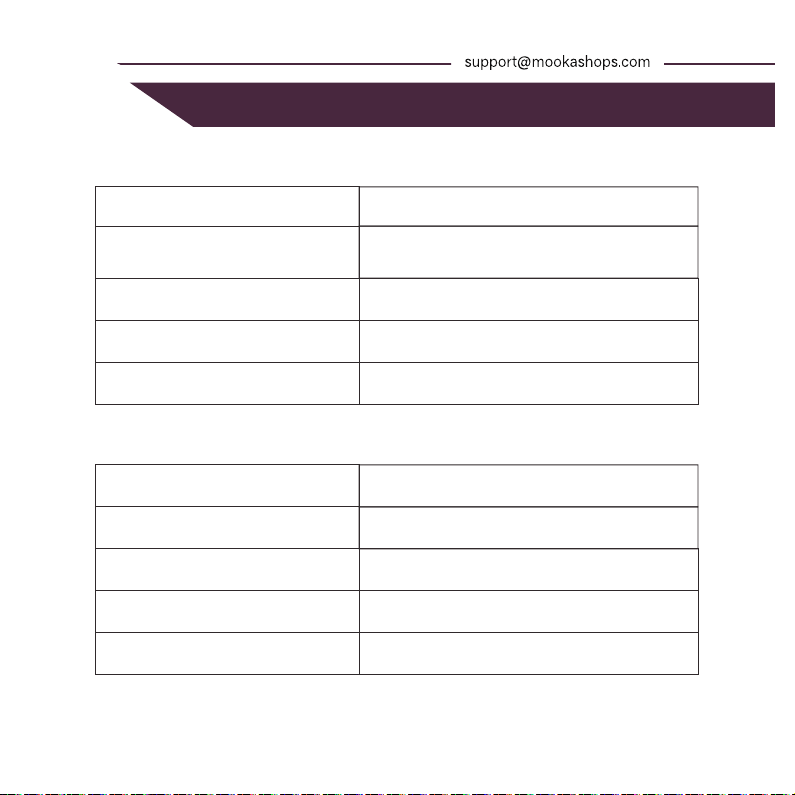
IMPORTANT SAFEGUARDS 2
PARAMETERS OF THE UNIT 20
HKB320F
Input 100-240V~, 50/60Hz, 1.5A
max.Output: DC 24V, 2A
36W
3.2Kg
298x176x408(mm)
PARAMETERS OF THE UNIT
Model
Adapter power
Power consumption(w)
Net Weight
Dimensions
Quantity
1
1
4 / 6
1
PACKING LIST
Name
Air purifier
Adapter
Legs / Screws
User manual