Installing the Linksys app on your Android™
device via the Google Play™ Store and
Google Play Website
The Linksys app is a free mobile application that allows you to securely access your home network, router
features, settings and configuration from a mobile device connected to your Linksys Smart Wi-Fi Router. This
article will guide you on how to properly install the app via Google Play™ Store and Google Play™ website.
To learn how to download and install Linksys app for your Apple® devices, click here.
Basic requirements for installation:
• Active Internet connection
• Android™ 4.0.3 and later
• Active Gmail or Google Play Store Account
NOTE: This app only works with Linksys Smart Wi-Fi Routers and Linksys Velop.
Google Play Store
Step 1:
Tap the icon on your device’s navigation menu.
Step 2:
Sign in using your active Gmail or Google Play Store Account and follow the on-screen instructions.
Step 3:
Tap the search bar, enter “linksys app” and then tap the search icon.
Step 4:
Select the Linksys app installer.
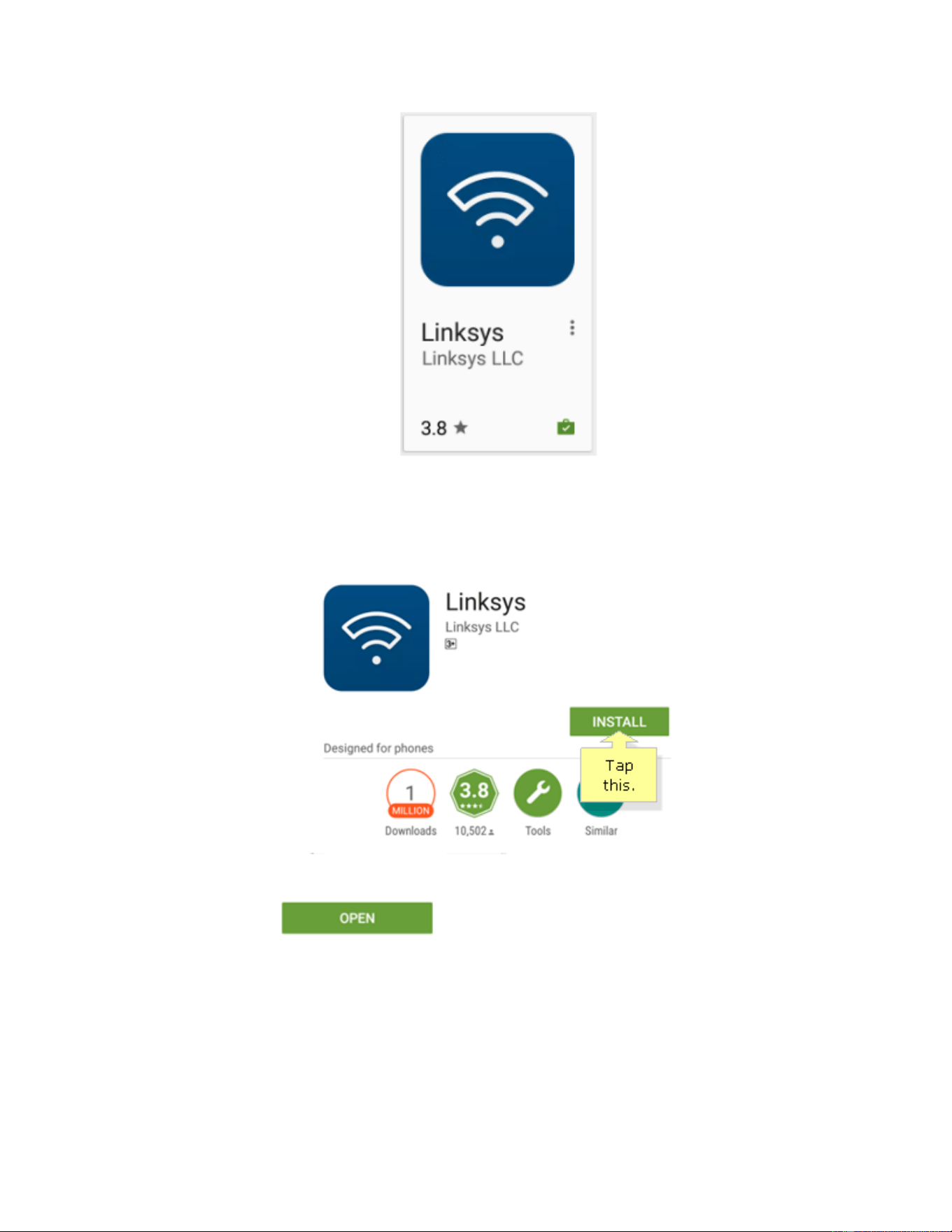
Step 5:
Tap INSTALL and wait for the app to download completely.
Once finished, tap or look for the Linksys app icon on your device’s navigation
menu to utilize it.
Google Play website
Step 1:
On your web browser, access the Google Play website or enter
“http://play.google.com/store” in the Address bar.
Step 2:
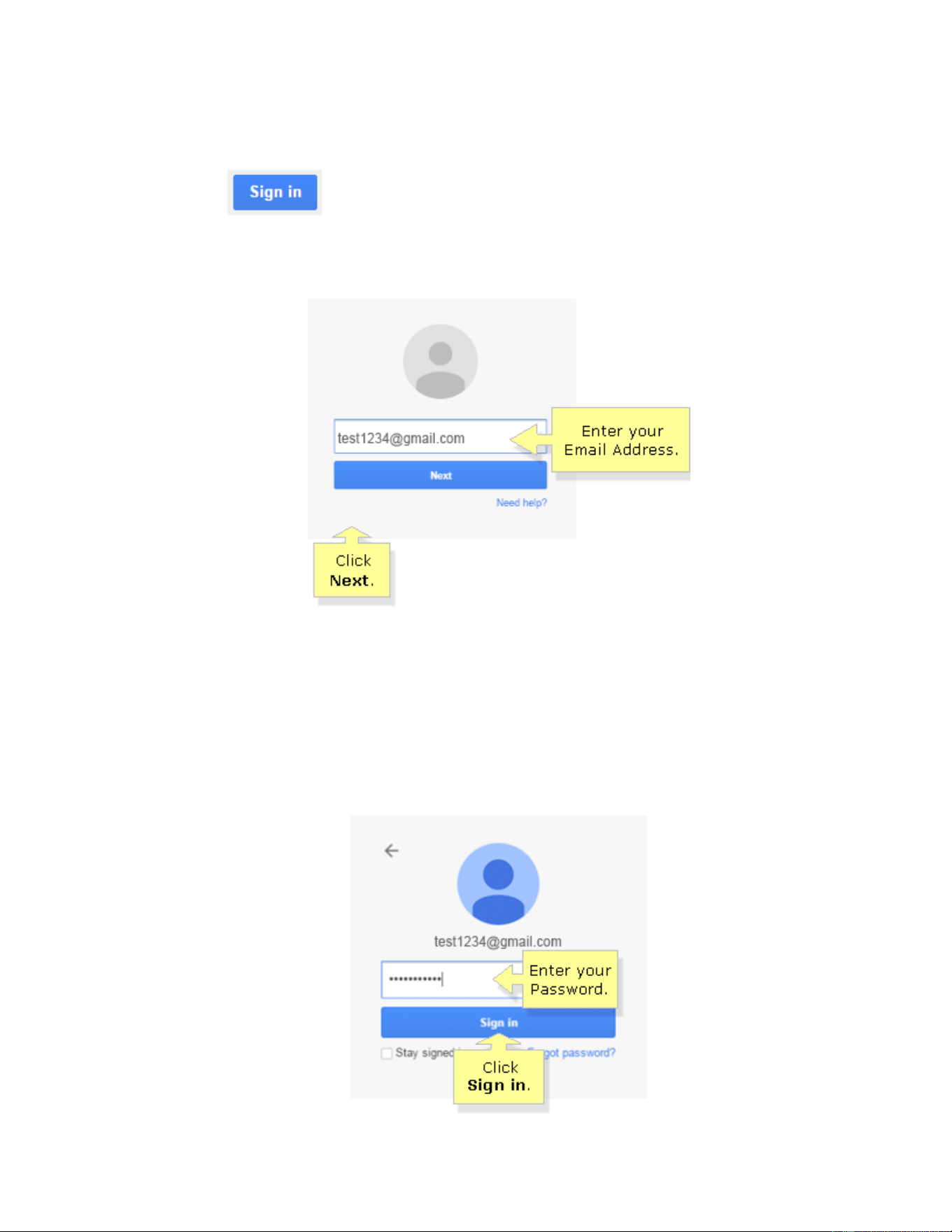
Click the button located at the upper-right corner of the website.
Step 3:
Enter the Email Address that you have associated with your Android device then click Next.
NOTE: To use this feature, you must create and associate your Email Address to your
device. You can refer to your device’s user manual for information about how this process
works.
Step 4:
Enter your Password then click Sign in.
Step 5:
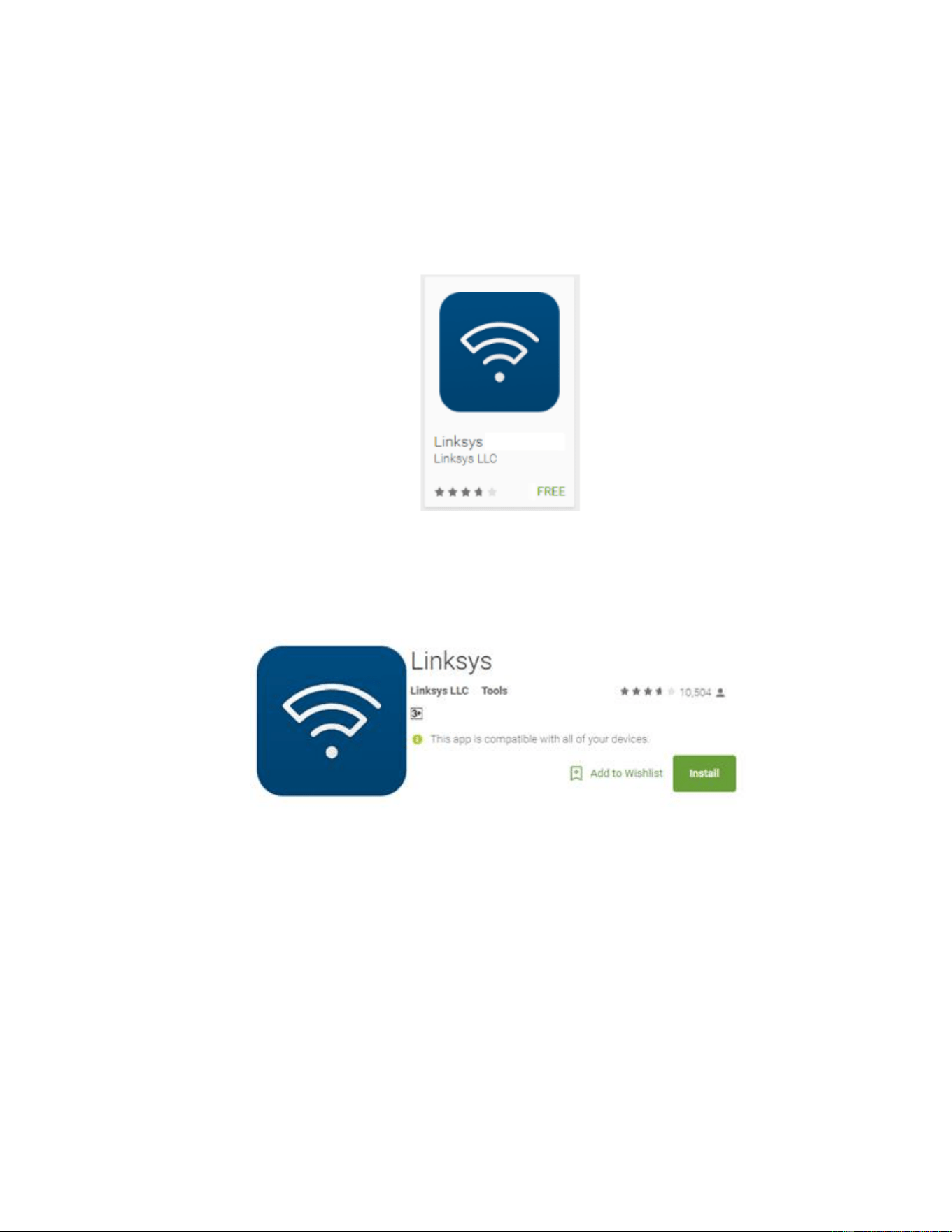
Search for “linksys app” in the Google Play website.
Step 6:
Select the Linksys app installer.
Step 7:
Click Install.
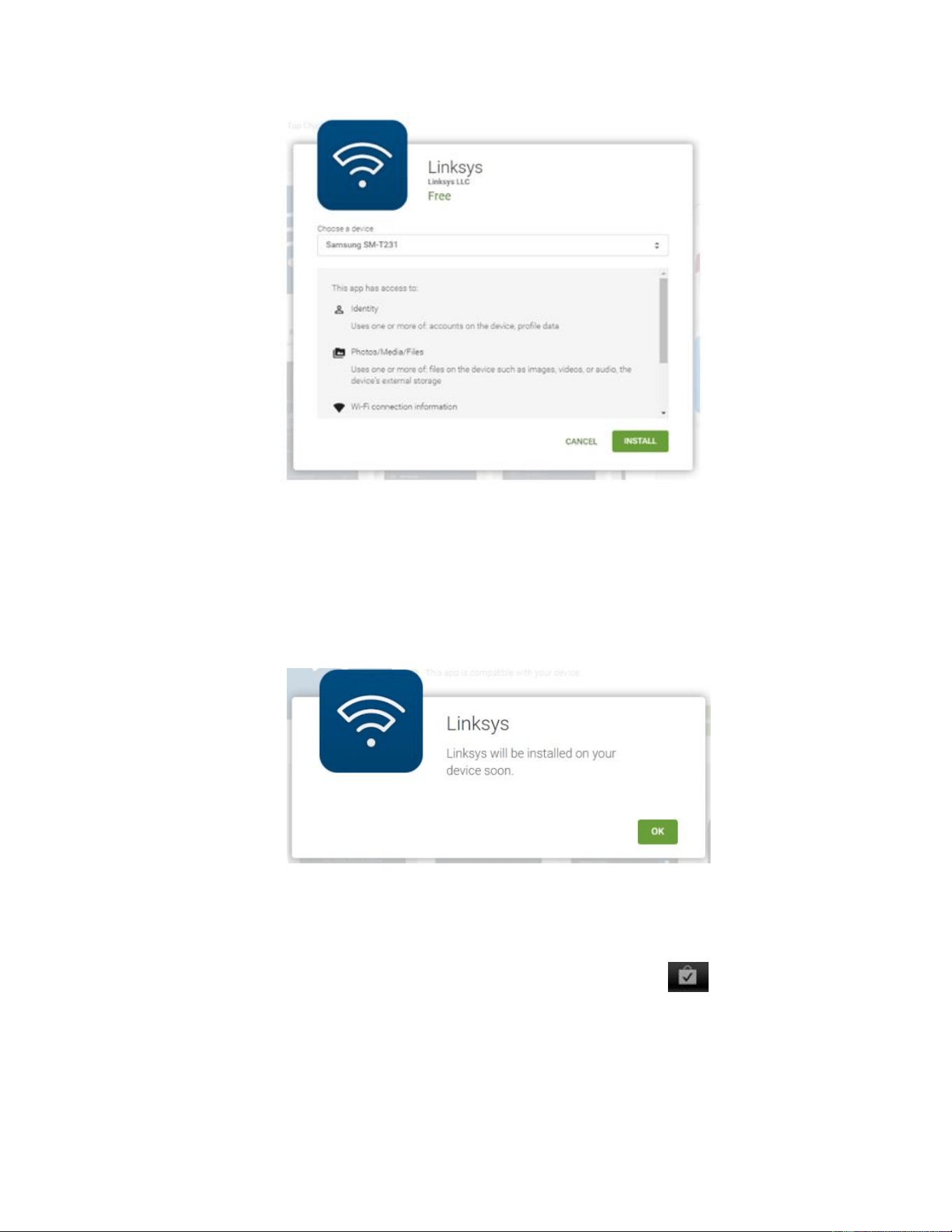
IMPORTANT: Make sure that your Android device is connected to the Internet before
proceeding with the installation.
Step 8:
You will be notified that the Linksys app will be installed on your device soon. Then, click OK.
NOTE: This will initiate the installation of Linksys app on your device.
Step 9:
Check your mobile device. The installation is complete when this icon is displayed on
the upper-left corner of your device’s screen.
To confirm if the installation is successful, the Linksys app icon should appear in your device’s navigation
menu.