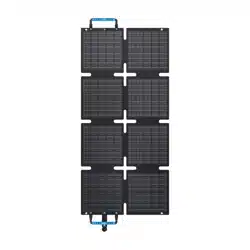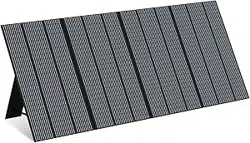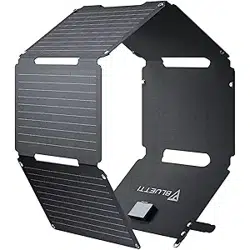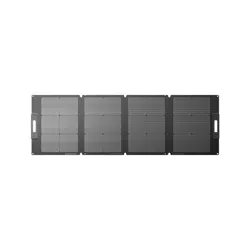
Panel solar
IP65 改 IP67
改为
180
Items included
Product specifications
User Manual
Warranty
Precautions during connection:
Firmly connect each terminal.
Check the charging specifications of the portable power supply to be connected
and ensure that the voltage of this product is within the specified range.
A. This product is IP67 waterproof, so it can be used as is in light rain. However, due
to insucient sunlight during rainy and cloudy weather, the amount of power
generated may be reduced or power generation may not be possible. In addition,
the connection terminals are not suitable for use when wet. If it rains, discontinue
use, wipe moisture thoroughly and dry before storing.
Q. Can this be used even if it rains?
A. Yes. However, please make sure that the input voltage and connector shape of
the portable power supply you are using conform to the specifications of this
product.
Q. Can I use this with a portable power supply other than that of BLUETTI?
Please carry out regular inspection and maintenance to ensure safe use for a long
period of time.
Do not bend the panels, damage them with sharp objects, or subject them to strong
impacts by dropping or tipping them. Such action could cause damage or a reduction
in power generation. Dirty panels can cause overheating and malfunction. Check
regularly for dirt and wipe it off with a soft cloth if it is dirty.
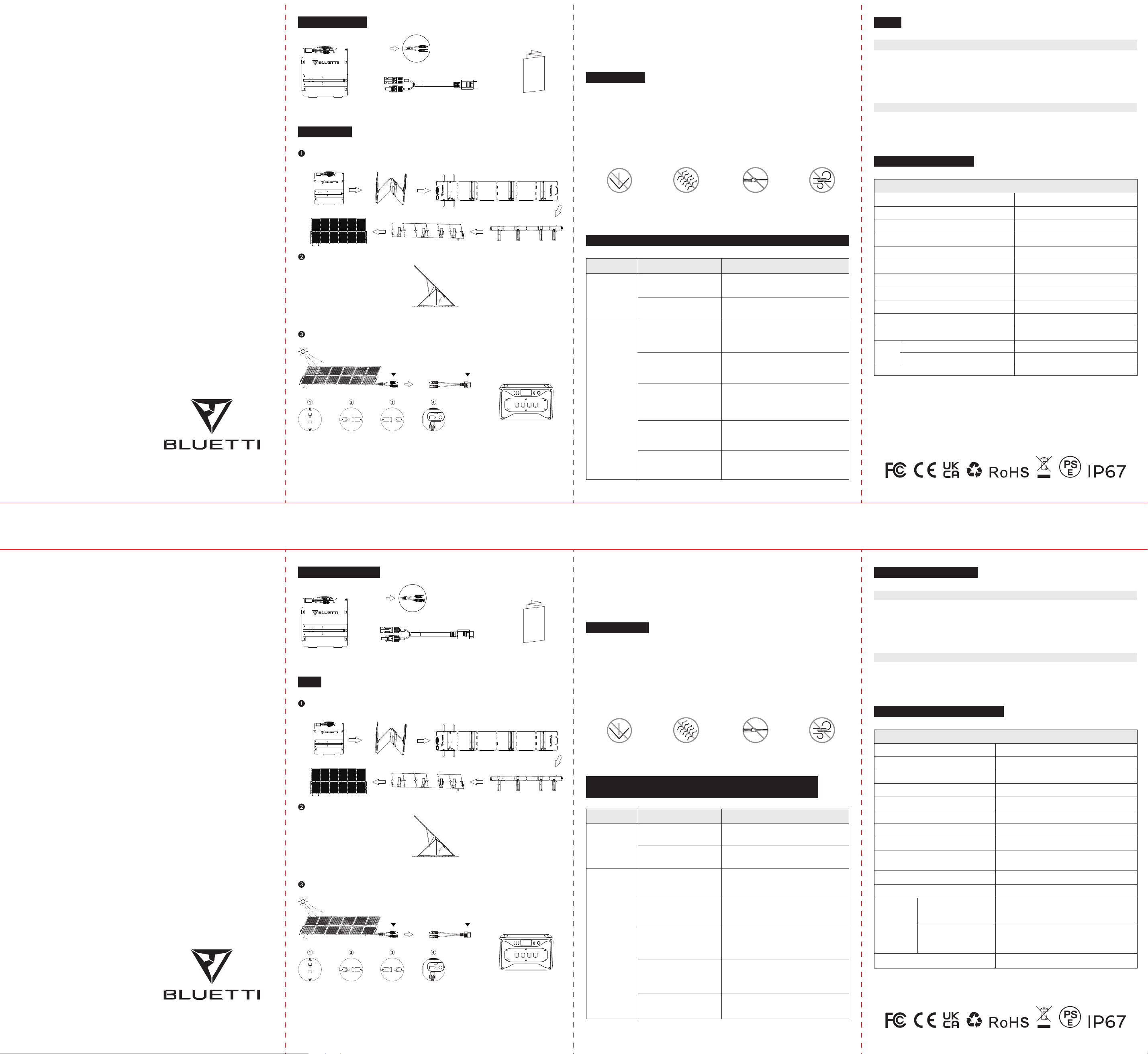
Spread the panel so that the panel face is facing up
Solar charging cable*¹MC4 cable
Precautions
Q&A
Solar Panel
How to use
Adjust the panel angle with the stand
Adjust the angle so that the sunlight hits it vertically.
How to connect to the portable power supply
*¹ It is included with the BLUETTI portable power supply.
① Connect the solar panel and the MC4 cable.
② Push the male terminal of the MC4 cable into the female terminal of the solar charging cable until it clicks.
③ Push the male terminal of the solar charging cable into the female terminal of the MC4 cable until it clicks.
④ Plug the charging terminal of the solar charging cable into the solar input (DC input) of the portable power supply.
(Example) Apex 300
500W
Monocrystalline silicon panel
Max 25%
Max 40.92V
Max 12.22A
Max 49.1V
13.31A
-13-149°F/-25-65°C
77°F/25℃
12 panels
28.4lbs/12.9kg
Max output
Panel type
Output voltage
Output current
Open circuit voltage (Voc)
Short circuit current (Isc)
Operating temperature
Recommended operating temperature
Weight (main unit only)
Size
Warranty period 12 months
When unfolded (excluding protrusions)
When stored (excluding protrusions)
100.04*45.14*0.11in/2541*1146.6*3mm
22.44*17.52*3.35in/570*445*85mm
SORA 500
Number of panels
Conversion eciency
What to do if power cannot be supplied or power generation is low
Symptoms SolutionCause
Dirty panel
Panel temperature
is high
Temporarily discontinue use and
allow the panel to cool down before
using it again.
Dirty panels can lead to lower power
generation. Wipe off any dirt with a
soft cloth before use.
Install the panel so that sunlight hits
it evenly across its entire surface.
Even partial shadows reduce power
generation.
Adjust the angle of the panel with the
stand and install it so that sunlight
hits it at 90 degrees (right angle).
Even a few clouds can significantly
reduce power generation.
If necessary, check on a sunny day.
Install it in a place where it is exposed
to sunlight.
Check if the cable is correctly
plugged in.
Installation angle is
misaligned
Shadow is present
It's not sunny
Not exposed to
sunlight
Cable is not correctly
plugged in
Low power
generation
Unable to
supply power
Falls and trips DamagingBending During
strong wind
Model number: SORA 500
User Manual
Solar Panel
Artículos incluidos
Especificaciones del producto
Manual del usuario
Garantía
Precauciones durante la conexión:
Conecte firmemente cada terminal.
Verifique las especificaciones de carga de la fuente de alimentación portátil que se
conectará y asegúrese de que el voltaje de este producto esté dentro del rango
especificado.
A.Este producto es resistente al agua IP67, por lo que puede usarse tal cual bajo una lluvia
ligera. No obstante, si la luz solar es insuficiente a causa del tiempo lluvioso y nublado, la
cantidad de energía generada puede reducirse o no resultar posible. Además, los
terminales de conexión no pueden utilizarse cuando están mojados. Si llueve, suspenda el
uso, limpie bien la humedad y seque antes de guardarlo.
.
P.¿Se puede utilizar incluso si llueve?
A.Sí. Sin embargo, asegúrese de que el voltaje de entrada y la forma del conector de la
fuente de alimentación portátil que vaya a utilizar cumplan con las especificaciones de
este producto.
P.¿Puedo utilizarlo con una fuente de alimentación portátil que no sea la de BLUETTI?
Realice inspecciones y mantenimiento regulares para garantizar un uso seguro
durante un largo período de tiempo.
No doble los paneles, no los dañe con objetos afilados ni los someta a fuertes impactos
dejándolos caer o volcándolos. Podría causar daños o reducir la generación de energía.
Los paneles sucios pueden provocar sobrecalentamiento y mal funcionamiento. Revise
periódicamente si hay suciedad y límpiela con un paño suave cuando corresponda.
Extienda el panel de manera que la cara superior quede hacia arriba.
Cable de carga solar*¹CableMC4
Precauciones
Preguntas y respuestas
Panel solar
Uso
Ajuste el ángulo del panel con el soporte
Ajuste el ángulo para que la luz del sol incida verticalmente.
Cómo conectarse a la fuente de alimentación portátil
*¹Se incluye con la fuente de alimentación portátil BLUETTI.
①Conecte el panel solar y el cable MC4.
②Empuje el terminal macho del cable MC4 contra el terminal hembra del cable de carga solar hasta que haga clic.
③Empuje el terminal macho del cable de carga solar contra el terminal hembra del cable MC4 hasta que haga clic.
④Conecte el terminal de carga del cable de carga solar a la entrada solar (entrada de CC) de la fuente de
alimentación portátil.
(Ejemplo) Apex300
500W
Panel de silicio monocristalino
Máx. 25%
Máx. 40,92V
Máx. 12,22A
Máx. 49,1V
13,31A
-13-149°F/-25-65°C
12paneles
Salida máxima
Tipo de panel
Voltaje de salida
Corriente de salida
Tensión de circuito abierto (voc)
Corriente de cortocircuito (lsc)
Temperatura de funcionamiento
Temperatura de funcionamiento
recomendada
Peso (solo unidad principal)
Tamaño
Período de garantía 12meses
Desplegado
(excluyendo las
protuberancias)
Cuando se almacena
(excluyendo las
protuberancias)
SORA500
Número de paneles
Eficiencia de conversión
¿Qué hay que hacer si no hay suministro de energía o la
generación de energía es baja?
Síntoma SoluciónCausa
Panel sucio
La temperatura del panel
es alta
Suspenda temporalmente su uso y deje
que el panel se enfríe antes de volver
a usarlo.
Los paneles sucios pueden provocar una
menor generación de energía.
Limpie la suciedad con un paño suave
antes de usar.
Instale el panel de manera que la luz solar
llegue uniformemente a toda su superficie.
Incluso las sombras parciales reducen la
generación de energía.
Ajuste el ángulo del panel con el soporte e
instálelo de manera que la luz solar incida
en él a 90grados (ángulo recto).
Incluso unas pocas nubes pueden reducir
significativamente la generación de energía.
Si es necesario, compruebe en un día soleado.
Instálelo en un lugar donde esté expuesto
a la luz solar.
Compruebe si el cable está enchufado
correctamente.
Ángulo de instalación
inadecuado
Hay sombra
No hace sol
No hay exposición a la luz
solar
El cable no está enchufado
correctamente
Baja generación
de energía
No hay
suministro
de energía
Caídas y
choques
DañosTorsiones Viento fuerte
Número de modelo:
SORA500
Manual del usuario
Cable de 1,5 metros de MC4 a XT60
Cable MC4
1.5 meters MC4to XT60 cable
MC4 Cable
28.4lbs/12.9kg
100.04*45.14*0.11in/2541*1146.6*3mm
22.44*17.52*3.35in/570*445*85mm
77°F/25°C