1
2
3
4
5
6
A
Copy:
Addanewchanneltocontrolmotor。(Noneedtotouchmotor):
2、Press&Hold【Code】buttonon
transmitterabout10s
4、Within10saftermotorstops,
paironthenewchanne;
Select
Motorresponse:
rotatebackandforthonce.
Motorresponse:
rotatebackandforthonce.
Atransmitter
Atransmitter
Btransmitter
4、Within10saftermotorstops,
press【Down】buttonabout5s;
5、Within10spress【Up】
buttontoadjustuplimit;
Adjustuplimit
8、Within10spress【Down】
buttontoadjustdownlimit;
Adjustdownlimit
7、Press&hold【Stop+Up】
about1stosaveuplimit;
Motorresponse:
rotateback
Confirmthatblindsstops
attheuplimitposition
Pressstopbutton
whenblindsisnear
theappointedposition.
Saveuplimit
6、Press【Up/Down】buttonto
moveblinds,andthenstopblinds
attheappointedposition;
Pressstopbuttonwhen
blindsisnearthe
appointedposition.
Down
3、Press&Hold【Set】buttonon
transmitterabout10s;
Confirmdirection
[Up]button
[Down]button
2、Pressupbutton,blindsup.
Pressdownbutton,blindsdown;
Ifdirectionisnotlogical,please
resetdirectionaccording
“Resetdirection”steps.
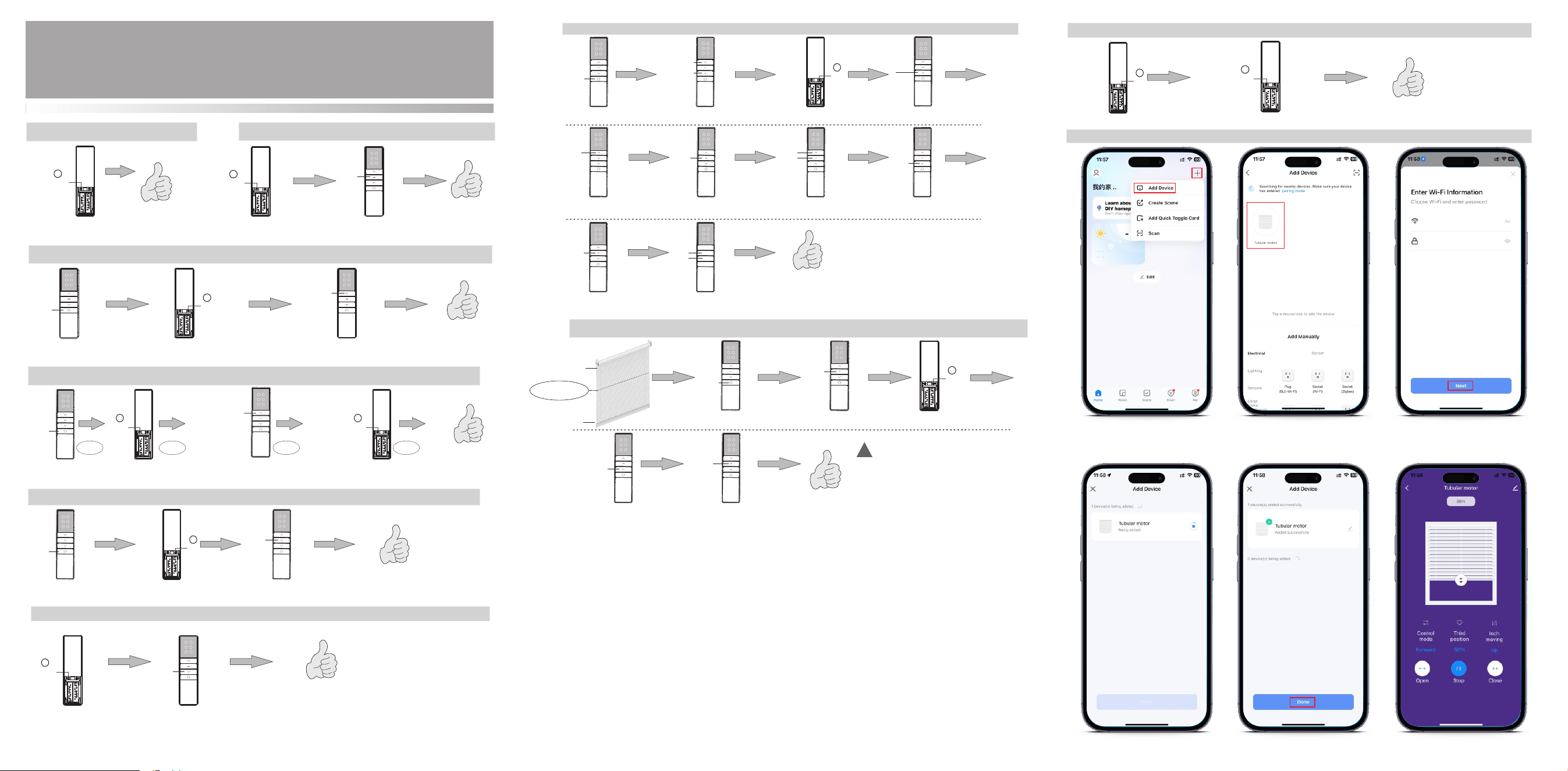
AdjustingLimits:
Whenyoupress【Up】or【Down】button,theblindswillmoveupordownandstopautomaticallyattheappointedposition。
Nowyoucanstart
toadjustlimits
Motorresponse:
rotatebackandforthonce.
[Down]
button
Motorresponse:
rotatebackand
forthonce.
Up
Stop
Up
Stop
Down
Stop
Stop
Motorresponse:
rotateback
10、Press&hold【Stop+Down】
about1stosavedownlimit;
9、Press【Up/Down】buttontomove
blinds,andthenstopblindsatthe
appointedposition;
Savedownlimit
Confirmthatblindsstops
atthedownlimitposition
Resetdirection:
Resetmotordirection。Suchas:beforereset,presstransmitterupbutton,blindsrundown。Afterreset,presstransmitter
upbutton,blindsrunup。
2、Press&Hold【Set】button
ontransmitterabout10s;
3、Within10saftermotorstops,
press【Stop】buttonabout5s;
Stop
Motorresponse:
rotatebackandforthonce.
Select
Motorresponse:
rotatebackandforthonce.
A
P2
set
P2
set
P1
code
P1
code
B
上行程/下行程设置:Adjustthethirdlimit:
Select
Down
4、Within10saftermotorstops,
press【Down】buttonabout5s;
Motor response:
Rotate back and for th once
3、Press&Hold【Set】buttonon
transmitterabout10s
5、Within10saftermotorstops,
press【Stop】buttonabout5s;
Stop
Motor response:
Rotate back and for th once
Successful to set
the third limits
Press [up/down] button to
move blinds, and then stop
blinds at the appointed position
2、Blindsmovestothe
thirdlimitposition;
Repeattheoperationoncetoeliminatethethirdlimit:
Third limit position
Up limit position
Down limit position
Motor response:
rotate back and for th
once.
Stop
1
2
3
4
5
6
P2
set
1.Selectachannelthatis
alreadybepaired
1.Selectachannelthatis
alreadybepaired
Select
1.Selectachannelthatis
alreadybepaired
1.Selectachannelthatis
alreadybepaired
!
①Setthethirdpositionbetweenuplimitanddownlimit.
②Resetuplimitordownlimit,orrepeatthirdposition
settingstepswilldeletethethirdposition
③Press&Hold[stop]buttonabout3s,blindswill
movetothethirdposition.
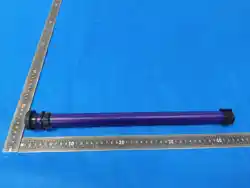
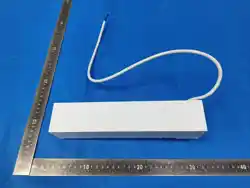
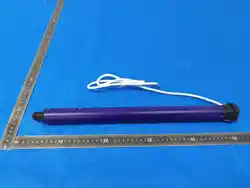
FD10215TubularMotor-OperatingManual
A/0H1 2 305
Companyreservestherighttochangeproductdesignandspecificationswithoutpriornoticethen,photosareforreferenceonly.
Inching/Continuousmovinginterchange:
Defaultiscontinuousmoving.Afterswitchingtoinchingmoving,press&hold【Up】or【Down】
buttonabout2s,motorwillcontinuouslymoves:
Motorresponse:
rotatebackandforthonce.
Motorresponse:
rotatebackandforthonce.
Select
1、Selectthechannelthat
willbeinterchanged;
2、Press&Hold【Set】buttonon
transmitterabout10s;
3、Within10saftermotorstops,
press【Up】buttonabout5s;
Up
P2
set
Clear pairing :
Clearallpairingonthemotor:
Motorresponse:
rotatebackandforthonce.
P1
Pairing method: Motor enters pairing mode when
powered on, and exits after 5s (no any prompts).
Poweronmotor,presstransmitter【code】within5s
Motorresponse:
rotatebackand
forthonce.
code
Motorresponse:
rotatebackandforthonce.
P1
code
1、Press&Hold【Code】buttonon
transmitterabout10s
Stop
2、press【Stop】buttonabout5s;
Up
A
Motorresponse:
rotatebackandforthonce.
3、Press&Hold【Up】buttonon
transmitterabout5s
Atransmitter
Down
1
2
3
4
5
6
Speed setting:
thefirstspeedisdefaultedbeforeleavingthefactory
P1
code
1、Press&Hold【Code】buttonon
transmitterabout10s
2、Press&Hold【Down】buttonon
transmitterabout5s
1
2
3
4
5
6
1
2
3
4
5
6
1
2
3
4
5
6
1
2
3
4
5
6
1
2
3
4
5
6
1
2
3
4
5
6
1
2
3
4
5
6
1
2
3
4
5
6
1
2
3
4
5
6
1
2
3
4
5
6
1
2
3
4
5
6
1
2
3
4
5
6
1
2
3
4
5
6
1
2
3
4
5
6
1
2
3
4
5
6
1
2
3
4
5
6
1
2
3
4
5
6
1
2
3
4
5
6
1
2
3
4
5
6
Motorresponse:
rotatebackandforthonce.
Motorresponse:
rotatebackandforthonce.
******
********
Configurenetworkmethod:
2、Press&hold【Code】button
ResetWi-Fi:
Motorrotatebackandforth
1、Press&Hold【Set】button
Motorresponse:
rotatebackandforthonce.
P2
set
P1
code
01.OpenTuyaApp,click“+”
click“AddDevice”
03.InputWi-Finameandpassword,
thenclick“next”
04.Waitingforconnecting.
05.Afteraddedsuccessfully,click“done”
06.Operationinterface
02.Waitingfordevicesearch
2.4G

FCC WARNING
This device complies with part 15 of the FCC Rules. Operation is subject to the following two
conditions: (1) this device may not cause harmful interference, and (2) this device must accept
any interference received, including interference that may cause undesired operation.
Any changes or modifications not expressly approved by the party responsible for compliance
could void the user's authority to operate the equipment.
NOTE: This equipment has been tested and found to comply with the limits for a Class B
digital device, pursuant to Part 15 of the FCC Rules. These limits are designed to provide
reasonable protection against harmful interference in a residential installation. This equipment
generates, uses and can radiate radio frequency energy and, if not installed and used in
accordance with the instructions, may cause harmful interference to radio communications.
However, there is no guarantee that interference will not occur in a particular installation.
If this equipment does cause harmful interference to radio or television reception,
which can be determined by turning the equipment off and on, the user is encouraged to try to
correct the interference by one or more of the following measures:
-- Reorient or relocate the receiving antenna.
-- Increase the separation between the equipment and receiver.
-- Connect the equipment into an outlet on a circuit different
from that to which the receiver is connected.
-- Consult the dealer or an experienced radio/TV technician for help.
To maintain compliance with FCC’s RF Exposure guidelines, This equipment should be
installed and operated with minimum distance between 20cm the radiator your body: Use
only the supplied antenna.