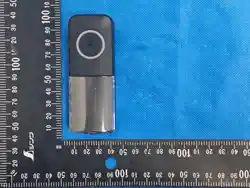
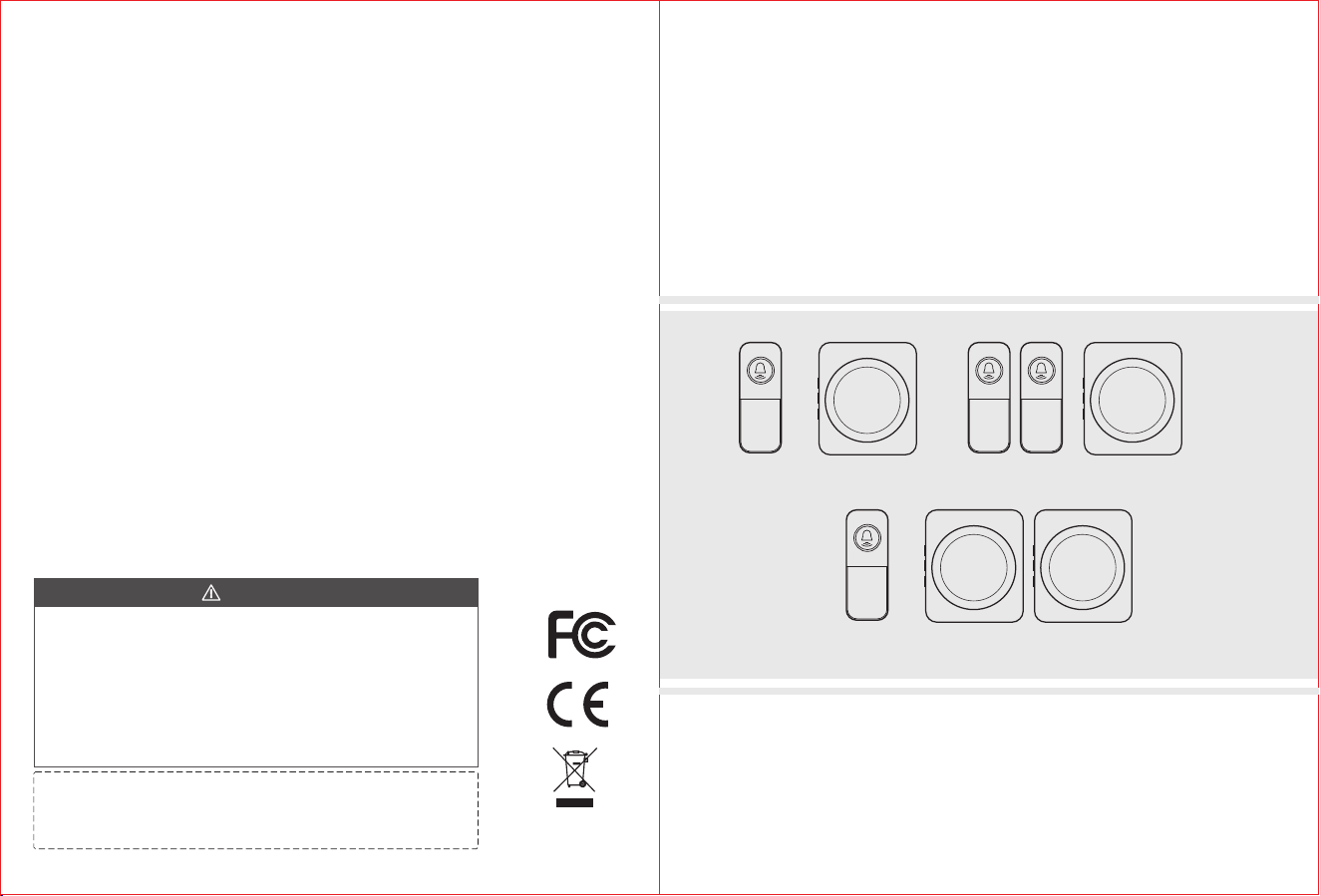
MODEL: RL-3883(22TX) MODEL: RL-3883B(22TX)
MODEL: RL-2R3883(22TX)
60 ringtones.
4 levels for volume adjustment.
Adopt learning code technology to effectively avoid interference.
Each remote control can be set to a unique ringtone.
Wireless
Remote Control Doorbell
USER MANUAL
Version 1.0
NOTICE:
This manual is for the purpose of product use and operation.
Design and specifications are subject to change without notice.
1. Risk of explosion if the battery is replaced by an incorrect type;
2. Disposal of a battery into fire or a hot oven, or mechanically crushing or cutting of a battery, that can result in
an explosion;
3. Leaving a battery in an extremely high temperature surrounding environment that can result in an explosion or
the leakage of flammable liquid or gas;
4. A battery subjected to extremely low air pressure that may result in an explosion or the leakage of flammable
liquid or gas.
5. Do not ingest battery, Chemical Burn Hazard.
6. Keep new and used batteries away from children. If the battery compartment does not close securely, stop
using the product and keep it away from children. If you think batteries might have been swallowed or placed
inside any part of the body, seek immediate medical attention.
CAUTION
FCC Caution: This device complies with part 15 of the FCC Rules. Operation
is subject to the following two conditions: (1) This device may not cause harmful
interference, and (2)this device must accept any interference received,
including interference that may cause undesired operation.
Any Changes or modifications not expressly approved by the party
responsible for compliance could void the user's authority to operate the
equipment.
Note: This equipment has been tested and found to comply with the limits for a
Class B digital device, pursuant to part 15 of the FCC Rules. These limits are
designed to provide reasonable protection against harmful interference in a
residential installation. This equipment generates uses and can radiate radio
frequency energy and, if not installed and used in accordance with the
instructions, may cause harmful interference to radio communications.
However, there is no guarantee that interference will not occur in a particular
installation. If this equipment does cause harmful interference to radio or
television reception, which can be determined by turning the equipment off and
on, the user is encouraged to try to correct the interference by one or more of
the following measures:
-Reorient or relocate the receiving antenna.
-Increase the separation between the equipment and receiver.
-Connect the equipment into an outlet on a circuit different from that to which
the receiver is connected.
-Consult the dealer or an experienced radio/TV technician for help.
The device has been evaluated to meet general RF exposure requirement.
The device can be used in portable exposure condition without
restriction.
1 2
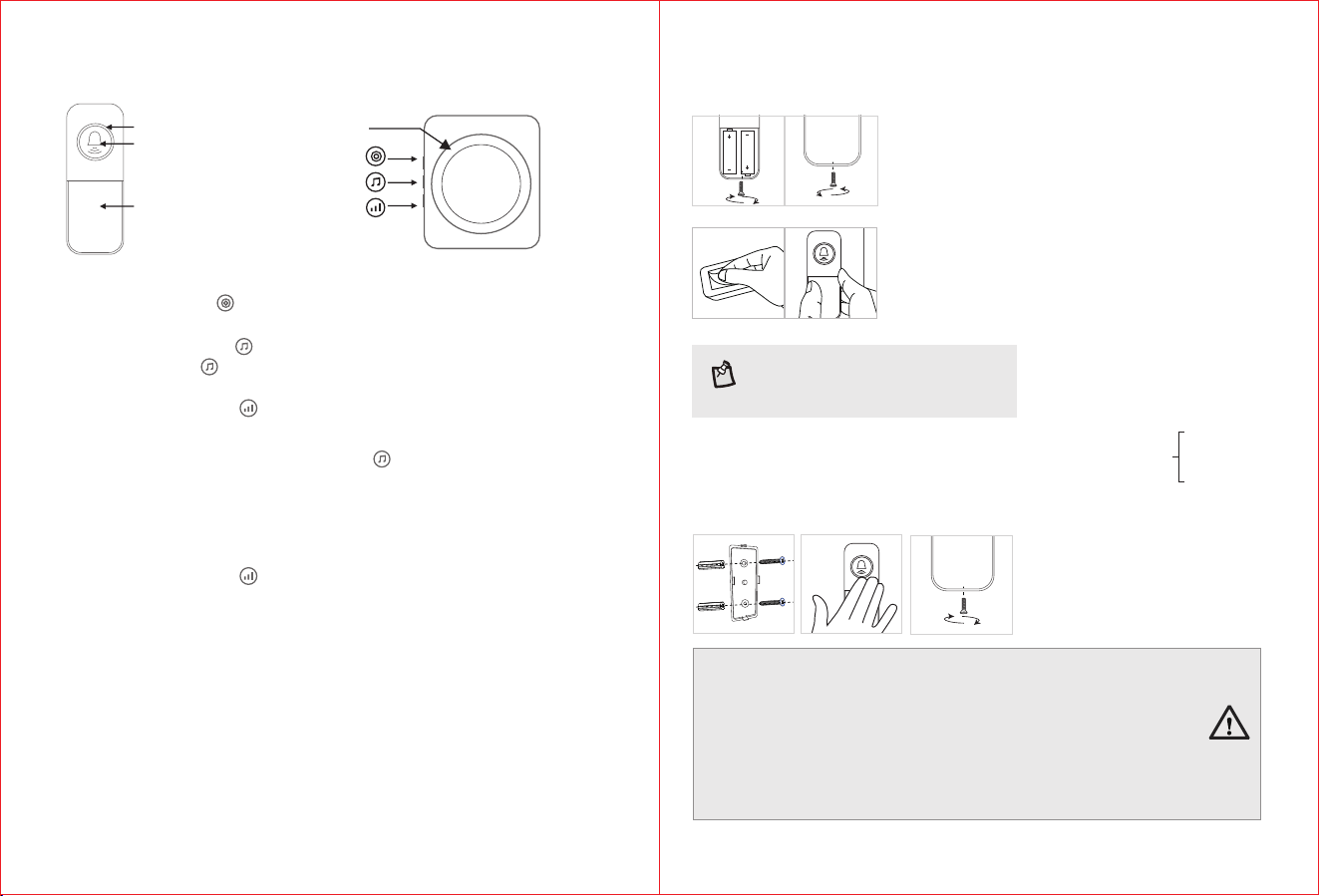
1. Mode Selection: Press on the side of the receiver to select among 3 modes, i.e., “ ”
Light Flashing Only, Ringtone Only, Ringtone with Light Flashing.
2. Ringtone Selection: Press once on the side of the receiver to select the next “ ”
ringtone while press twice to select the previous ringtone. There are 60 ringtones in “ ”
total for selection.
3. Volume Adjustment: Press “ ” on the side of the receiver to adjust the volume.
Low/Medium/High/Max.。
4. Pairing: First select the ringtone. Then long press “ ” on the side of the receiver for over
3 seconds, it will sound “Ding-Dong” to indicate that it has entered into the pairing state.
Now, press the Push button on the remote control, when the receiver sounds the ringtone
selected, the pairing is successful (Follow the instruction to pair one remote control to the
receiver. To pair more, repeat the instruction. Max 20 remote controls can be paired to one
receiver and each remote control can be set to a unique ringtone.).
5. Clearing Code: Long press “ ” on the side of the receiver for over 5 seconds, it will
sound “Ding-Dong, Ding-Dong” to indicate that clearing code is successful (This action will
clear the code for all remote controls).
Power Indicator: 6. Each time the receiver is powered on, it will sound “Ding-Dong” to
indicate that connecting to power supply works well.
7. Indicator Light: When the receiver plays a ringtone, the indicator on its front will flash in
accordance with the ringtone. When pressing the Push button on the remote control, the
indicator light on the remote control will be on.
1. Do not mix old and new batteries
2. It is recommended to use alkaline batteries for the Remote Control.
3. Do not mix alkaline, standard (carbon-zinc), or rechargeable (ni-cad, ni-mh,
etc.) batteries
4. Dispose of used batteries in accordance with applicable local laws and
regulations.
Note: In addition to the 3M adhesive, you may choose screw
installation.
For screw installation,first secure the back cover to the wall,
then attach the front cover, finally tighten the screws.
Battery: DC 3V (AAA*2)
<2μAStandby Current:
<40mAWorking Current:
Modulation OOK:
433.92MHz Frequency:
2sTransmitting Time: /transmission
Working Temperature: -15°C~50°C
Use Environment: Indoor or Outdoor
IPX5IP Rating:
① Remote Control
② Receiver
FUNCTION KEYS
Push button
Indicator Indicator
Name plate
INSTRUCTIONS
Volume Adjustment
/Clear Code
3
Do not install the remote control on any metal
objects, which can seriously cause interrupted
transmission.
Mode Selection
Ringtone Selection/Pair
PACKAGE CONTENTS
RL-3883(22TX): Receiver×1, Remote Control×1, 3M sticker×1
RL-3883B(22TX): Receiver×1, Remote Control×2, 3M sticker×2
RL-2R3883(22TX): Receiver×2, Remote Control×1, 3M sticker×1
NOTE:
TECHNICAL
SPECIFICATIONS
① Remote Control
② Receiver
Low: 58-68dB
Medium: 68-73dB
High: 73-78dB
Max: 78-88dB
Volume (30cm)
Distance: ≈40 (Open Area)0m
Working Temperature: -10°C~50°C
Use Environment: Indoor
Power: AC 100~240V 50/60Hz
Standby power consumption: 0.5W
Working power consumption: 2 W
PREPARATION BEFORE USE
Remote Control
1. Loosen the bottom
screw and open the back
cover.
2. Insert the batteries,
close the back cover, and
tighten the screw.
3. Attach the included 3M
adhesive to the back of
the remote control.
4. Attach the remote
control to the wall or door
to complete.
3 4
1 2

