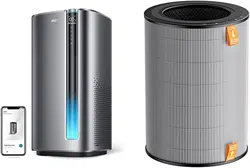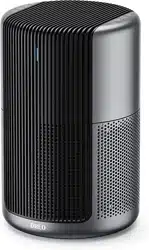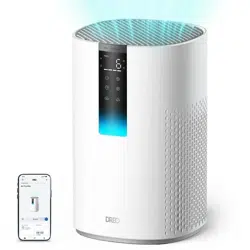
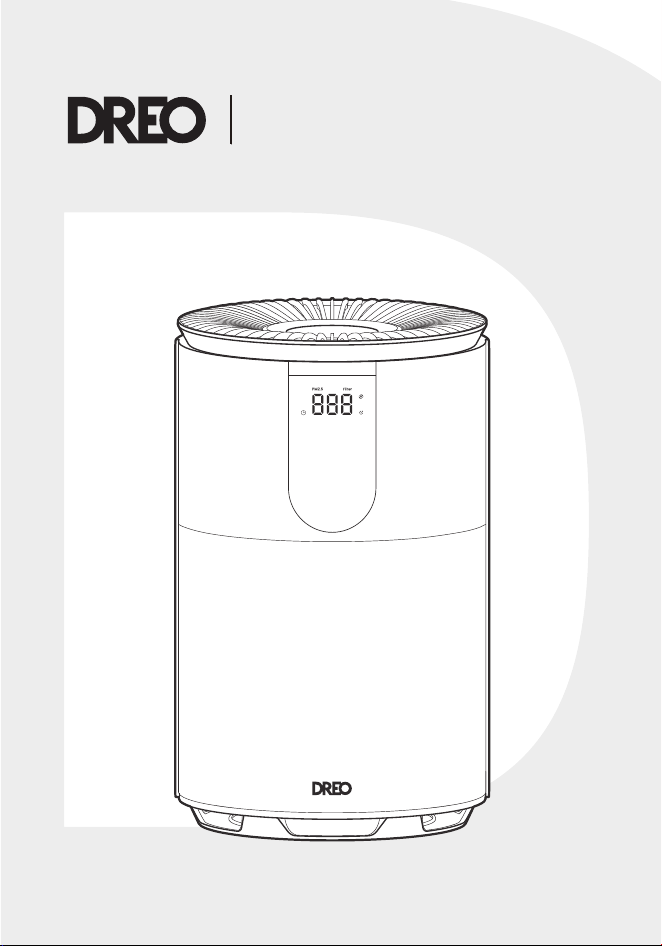
Air Purifier
539
USER MANUAL

Your support means the world to us.
We hope you enjoy our product as much as
we did creating it.
,,
Thanks for
Choosing
DREO!

CONTENTS
01
1
KNOWING YOUR
APPLIANCE
02
2-4
USING YOUR
APPLIANCE
03
5-6
CLEANING AND
MAINTENANCE
04
7-9
TROUBLESHOOTING
01
KNOWING YOUR
APPLIANCE
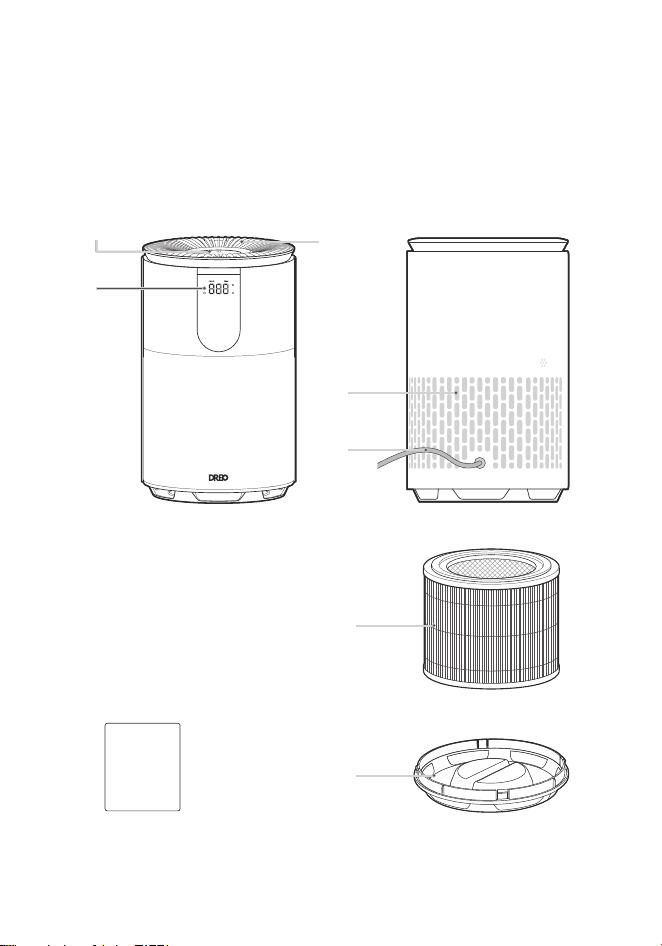
Package Contents
Air OutletControl Panel
LED Display
Air Inlet
Power Cord
Filter
Boom Cover
User
Guide
1
02
USING YOUR
APPLIANCE
2
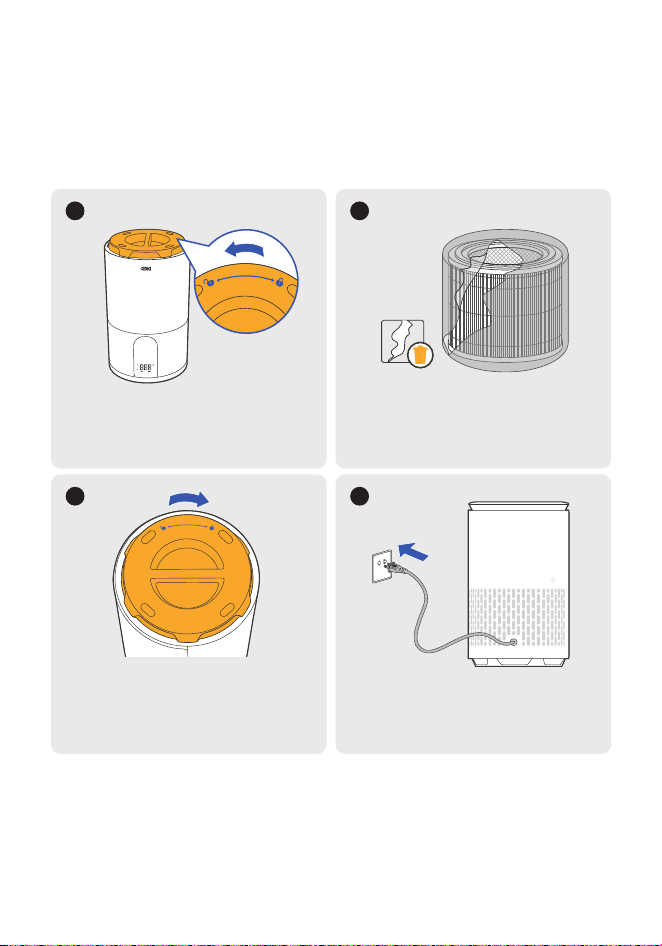
Before Use
Put it upside down. Rotate the
boom cover counterclockwise
to unlock and take the cover o.
1
Rotate the boom cover
clockwise to lock back in place
(you will hear a distinctive
sound when locked).
3
Return to upright position on a flat,
stable, and clear surface, plug the
appliance into the power outlet.
4
Remove the filter from its
packaging then put the filter back.
2
3
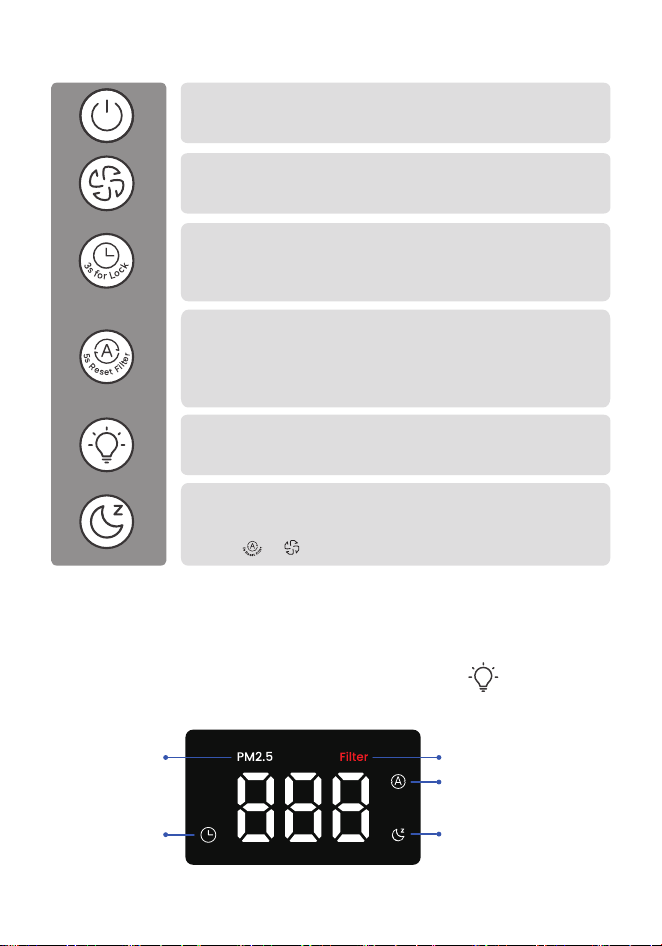
Control Panel
LED Display
Power Buon
• Turn power on/o.
• Long press for 10 seconds to reset factory seings.
Timer Buon
• Set a timer (0–12 hours) to turn the appliance on/o.
• Long press for 3 seconds to activate/deactivate the
child lock function (display will show "LC").
Purifying Speed Buon
• Adjust purifying speed across 1-4 levels & Turbo
(Turbo Mode will show up as level "H").
LED Light On/O Buon
• Turn the LED light on/o for the display, control panel,
or air quality indicator.
Auto Mode Buon
• Purifiy and adjust purifying speed automatically based on air
quality conditions.
• Long press for 5 seconds to reset the filter change reminder
after replacing the filter.
Sleep Mode Buon
• Touch to purify the air at the most silent power seing
(display auto-o in 5s).
• Press or to exit Sleep Mode.
Constantly monitor the air quality in your room with the comprehensive and
intuitive monitor display.
Note: You can turn o the LED display and lights using the buon or
through the DREO app.
PM2.5 Indicator Filter Change Reminder
Auto Mode
Sleep ModeTimer
4
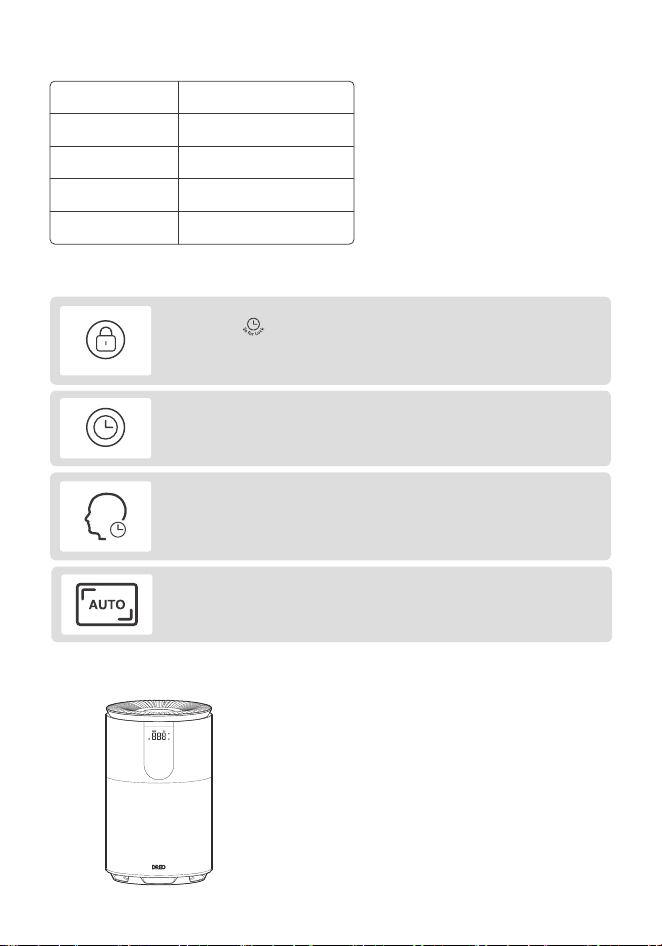
Air Quality Indicator Light
Additional Features
Light Color
Air Quality Level
Blue
Green
Orange
Red
Moderate
Poor
Excellent
Good
Note:
The Air Quality Sensor detects
PM 2.5 particles but cannot
detect odors. If you feel that the
indoor air odor is relatively
strong, it is recommended to
manually switch to the highest
purifying speed.
Child Lock
•Long press for 3 seconds to activate/deactivate the child lock
function.
• When activated, the display will flash 'LC' three times, and all the
buons on the appliance will be locked.
On/O Timer
When the appliance is ON/OFF, touch the timer buon repeatedly to
set a timer (from 0-12H) for the appliance to turn ON/OFF.
If the appliance is turned OFF or disconnected from power, it will operate
under the previous seings (except the Timer seing) when it is turned
ON again.
Memory
Display turns o after 5 seconds in Sleep Mode.
Wake up the display with any buon.
Geing the Most Out of Your Appliance
1. Keep the doors and windows closed when
the air purifier is on.
2. Do not block the air openings and keep
away from curtains or walls.
3. Maintain and replace the filter on a regular
basis for maximum eiciency.
5
03
CLEANING AND
MAINTENANCE
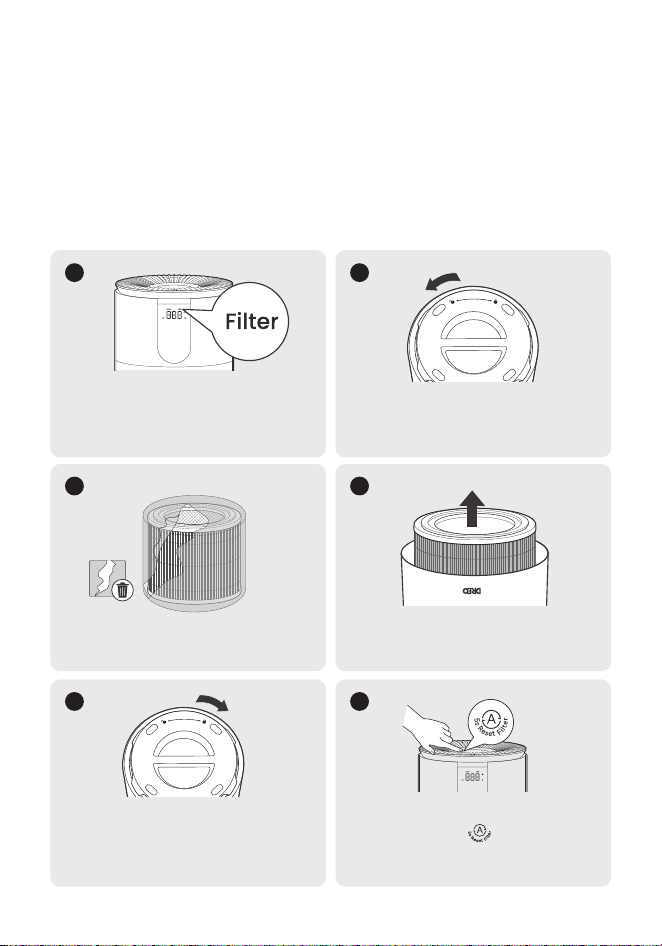
The Filter Change Reminder
will flash when the filter
needs to be replaced. Turn
o and unplug the air purifier.
1
The filter life is measured by the air purifier's algorithm which is based on the
working mode, fan speed, run time, and indoor air quality. It's recommended to
replace the filter every 6-8 months or when the filter change reminder alerts.
Replacing the Filter
Remove the plastic packaging.
3
Rotate the boom cover to
unlock then take the cover o.
2
Rotate the boom cover
clockwise to lock back in place
(you will hear a distinctive sound
when locked).
5
Remove the old filter then put
the new filter in place.
4
Return to upright position and
long press the for 5 seconds
until it beeps, to reset the filter
change reminder.
6
6
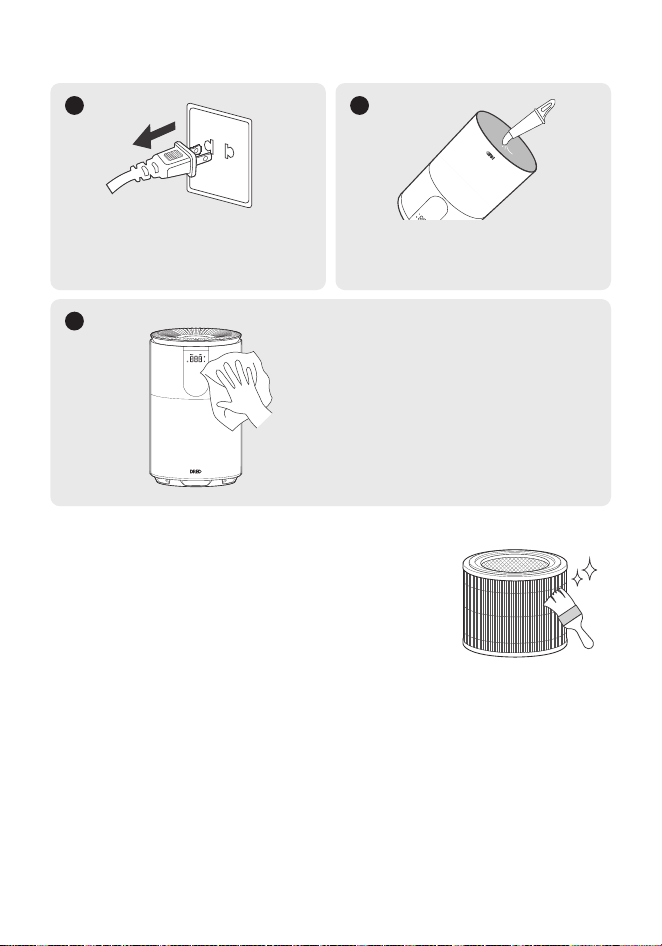
Unplug the air purifier before
any cleaning and
maintenance.
1
Cleaning the Inside & Outside
Wipe clean the housing with a dry,
soft, non-abrasive cloth.
3
Remove the filter and clean
the inside with a dust vacuum.
2
Cleaning the Filter
• For optimal use, the outer pre-filter can be
cleaned with a soft, dry brush once every 2-4
weeks.
• Keep away from water and humid areas. Moisture
will allow mold to grow.
7
04
TROUBLESHOOTING
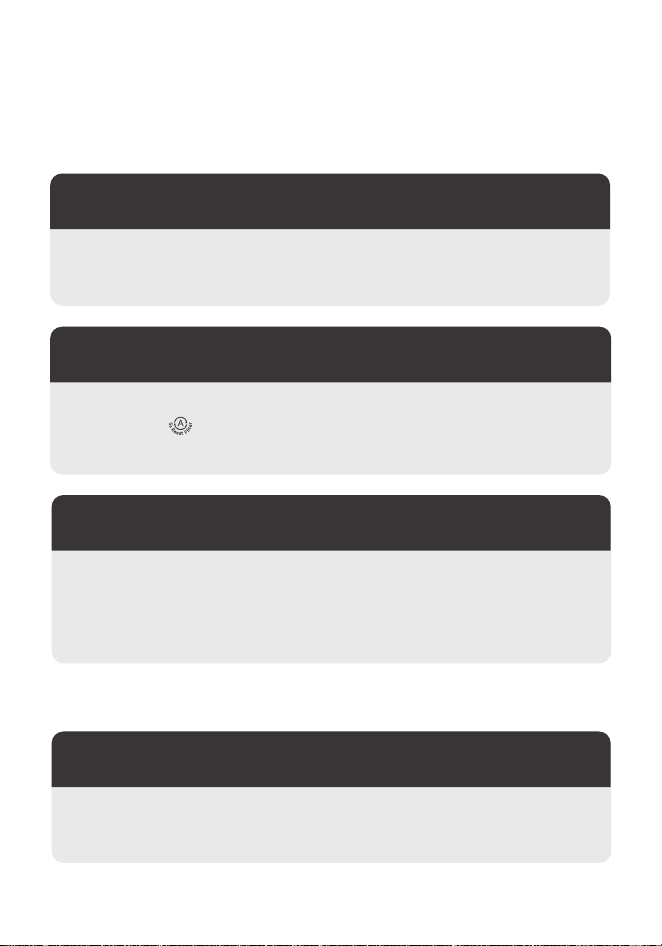
Related to Filter
Related to Use
Please purchase directly from the DREO oicial website at www.dreo.com
or through the DREO app.
Where can I buy a new filter?
I changed the filter,
but the Filter Change Reminder is still on.
There are several factors that can impact the filter life, including the
indoor air quality level, length of operation and particle density in the air.
If your room has a beer air quality level and/or you don't use your air
purifier often, the reminder will take longer to light up.
The Filter Change Reminder has not
turned on for a long period of time.
Check if the power is connected, the power cord is damaged, or the
electrical outlet is powered.
Why is my air purifier not working?
The Filter Change Reminder will not automatically reset. Please press
and hold the Filter Reset buon to reset the reminder, the indicator
will turn o after reset.

8
• Make sure that there is enough space around the air purifier.
• Check if the filter packaging has been removed.
• Fan speed will be low when auto mode is switched on and air quality
is good. Try to switch to higher speed.
• Replace the filter if the filter is clogged and overloaded.
The airflow from my air purifier is too weak.
• Check if the filter packaging has been removed.
• Make sure the windows are closed as polluted air may continue coming
in from outside of the windows.
• The overloaded filter will make the fan work harder to pass the air
through. Consider replacing the filter if it is clogged.
• Do not place in crowded areas and corners.
• Check if air outlet and inlet are obstructed.
My air purifier doesn't improve the air quality.
• Switch the air purifier to sleep mode or lower purifying speeds.
Why is my air purifier making a loud noise?
• It's recommended to move the appliance to a dierent location,
replug it, and check the indicator light again. If the issue persists,
please contact our Customer Support.
Why is the Air Quality indicator is always red?

9
• The Air Quality Sensor detects PM 2.5 particles but cannot detect
odors. If you feel that the indoor air odor is relatively strong, it is
recommended to manually switch to the highest purifying speed.
The odor in the room is very strong, but the Air
Quality Indicator is only green or blue.
• The Air Quality sensor reports the presence of airborne particles, but it
cannot detect gas. Please make sure there is no gas contamination
inside your room.
Why is the Air Quality indicator always blue?
• Make sure the air purifier is operating on a flat, stable surface.
• Do not add essential oils or diusers into the air purifier or use in a
excessively humid area. Humidity will cause mold to grow.
• If the unusual noise still exists, there may be external objects blocking
the air openings. Please contact our customer support.
Why is my air purifier making an unusual noise?
• During the initial few days, new air purifiers produce a plastic smell
which is normal and will dissipate eventually.
• Do not add essential oils or diusers into the air purifier or use in a
excessively humid area. Humidity will cause mold to grow.
• If the filter has absorbed pollutants to its maximum capacity, then the
smell may come from the dirty filter. Please replace the filter when
necessary.
Why does my air purifier produce an unpleasant smell?
If your problem is not listed or still persists, please contact
our Customer Support (see page 10)

10
Model No.: DR-HAP009
Rev_EN_1.0
We’re Here to Help!
(Mon - Fri, 9:00 am-5:00 pm PST/PDT)
(888) 290-1688
www.dreo.com

www.dreo.com
Looking for help?
Contact us to get expert support.
(888) 290-1688
www.dreo.com
Mon - Fri, 9:00 am-5:00 pm PST/PDT