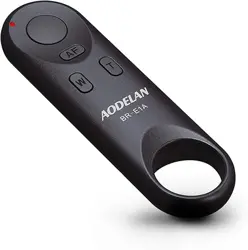
BR-E1A AODELAN Camera Remote Control for Canon EOS RP, EOS R, R5, R6, M50, M50 II, 6D Mark II, 77D, 850D, 800D, 200D, 250D, EOS Rebel SL2, Rebel T7i, T8i, 90D, EOS M6 Mark II, SX70 HS; Replaces Canon BR-E1

Product's Documents

Below are documents related to this product, you can read online or download:
BR-E1A photo

Installation Manual

This is the main product document for model BR-E1A. Additionally, the document applies to other Canon models: 06927474610808, BR-E1A

The file format is pdf, 1 pages, you can download this manual here .

background
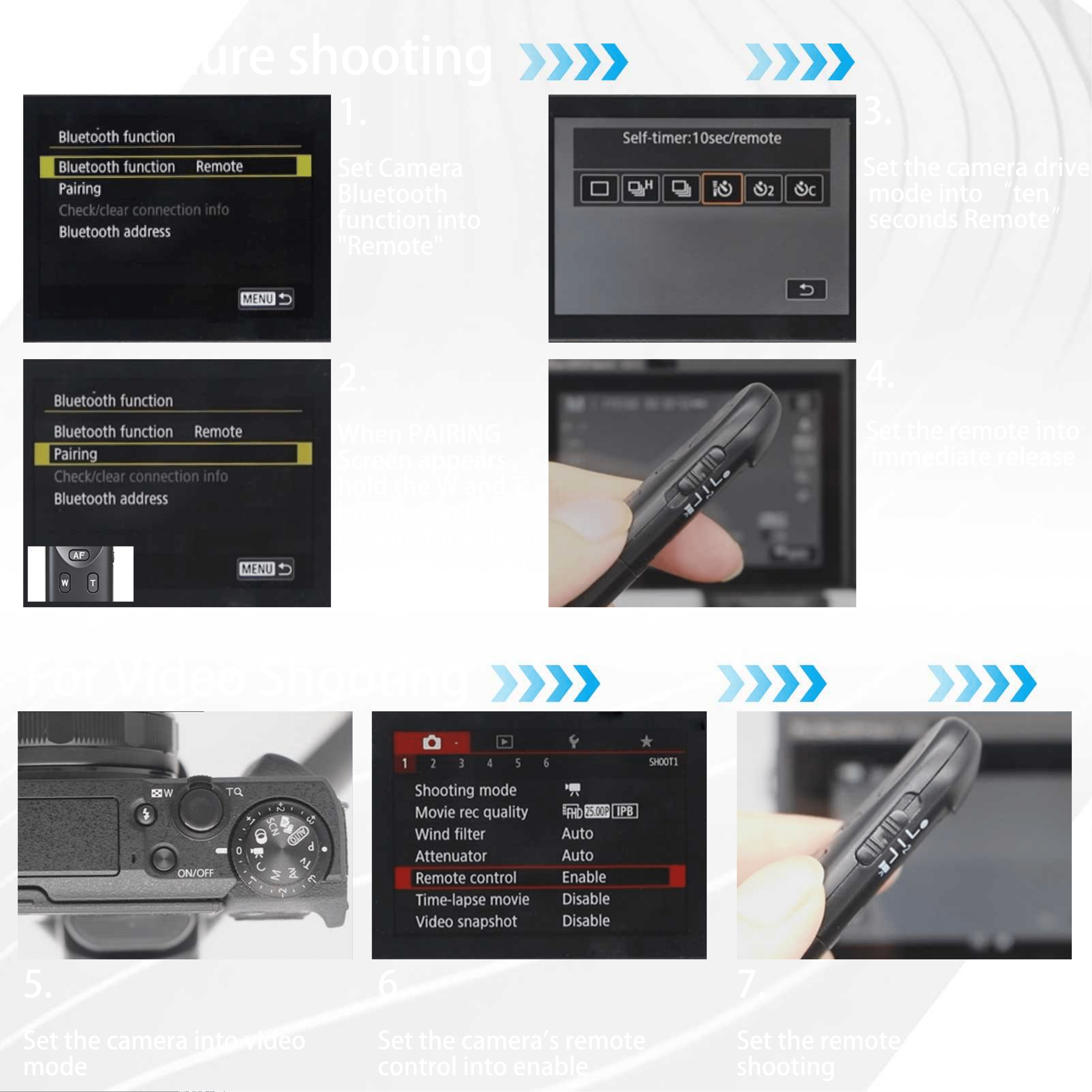
1.
Set Camera
Bluetooth
function into
"Remote"
2.
When PAIRING
Screen appears ,
hold the W and T
buttons on the
remote for at least
3 seconds to pair 3 seconds to pair
3.
Set the camera drive
mode into ten
seconds Remote
4.
Set the remote into
immediate release
5.
Set the camera into video
mode
6.
Set the camera's remote
control into enable
7.
Set the remote to into movie
shooting
For Picture shooting
For Video Shooting

Specifications

Indexed Terms: Remote Camera Control

Canon BR-E1A Questions and Answers

Questions and Answers

Related Products