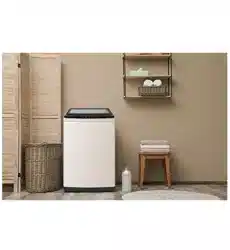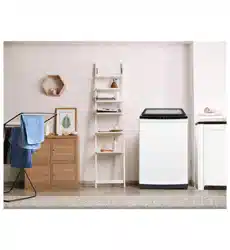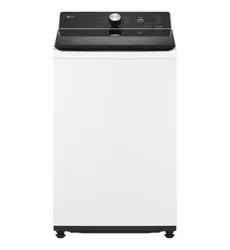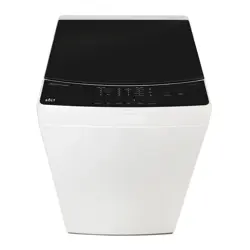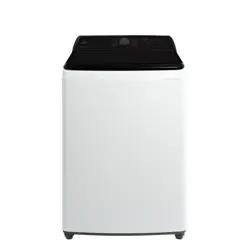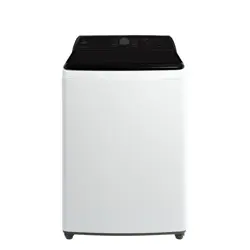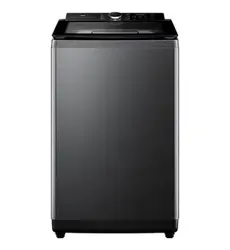
WA10P60G
WA10P60W

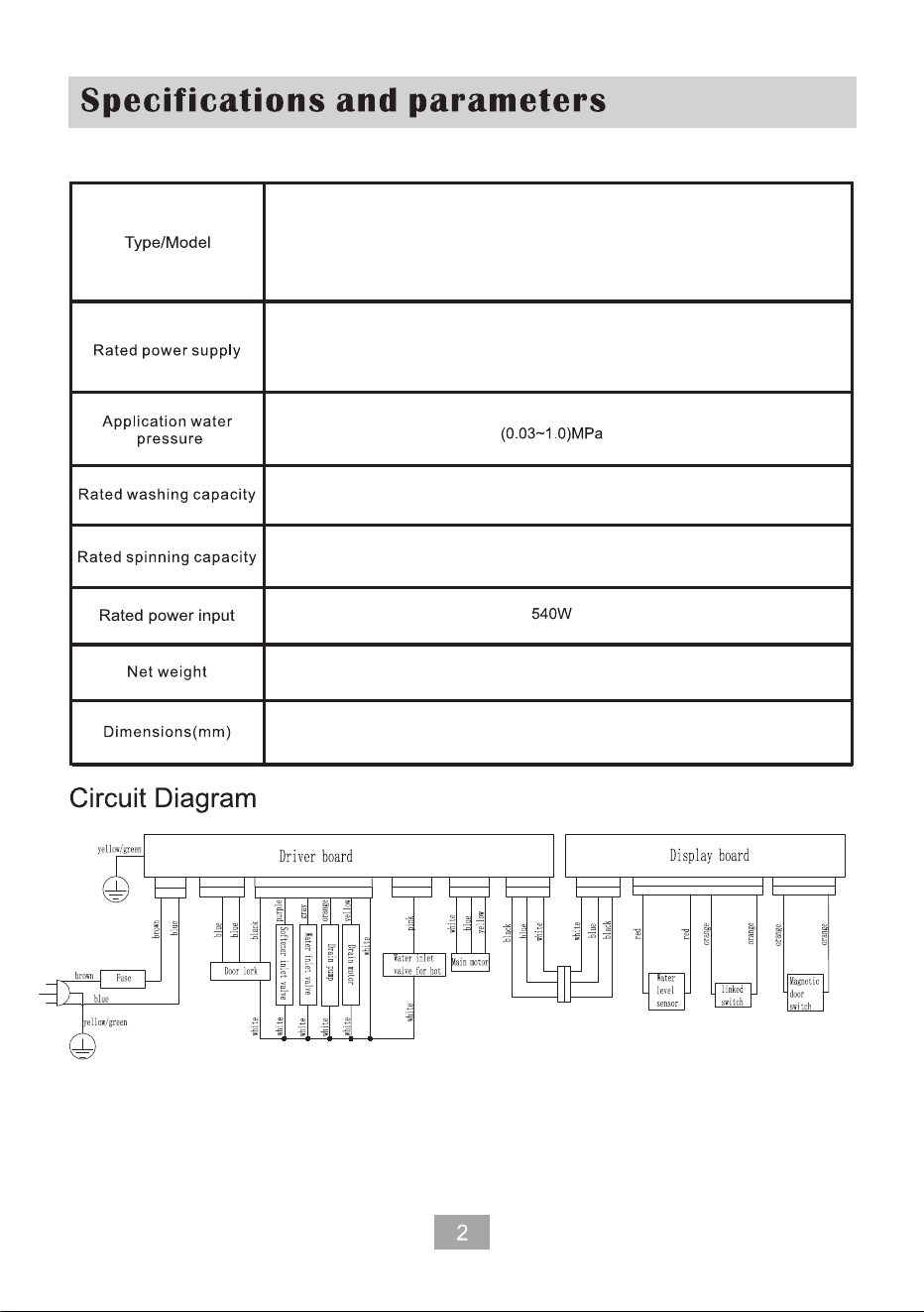
10.0kg
10.0kg
38kg
WA10P60G
WA10P60W
220-240V~ 50Hz
580(W)X605(D)X990(H)
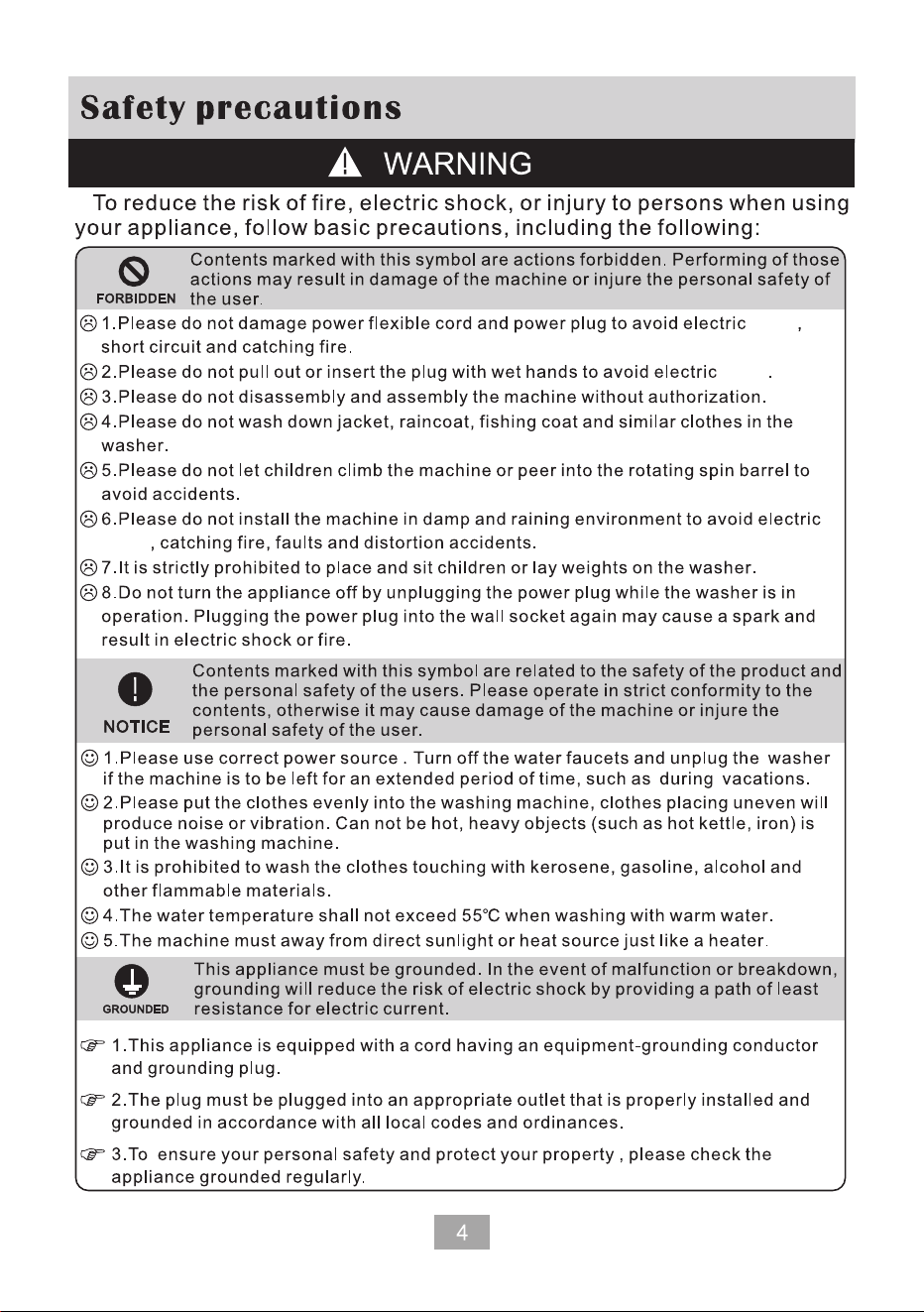
shock
shock
shock
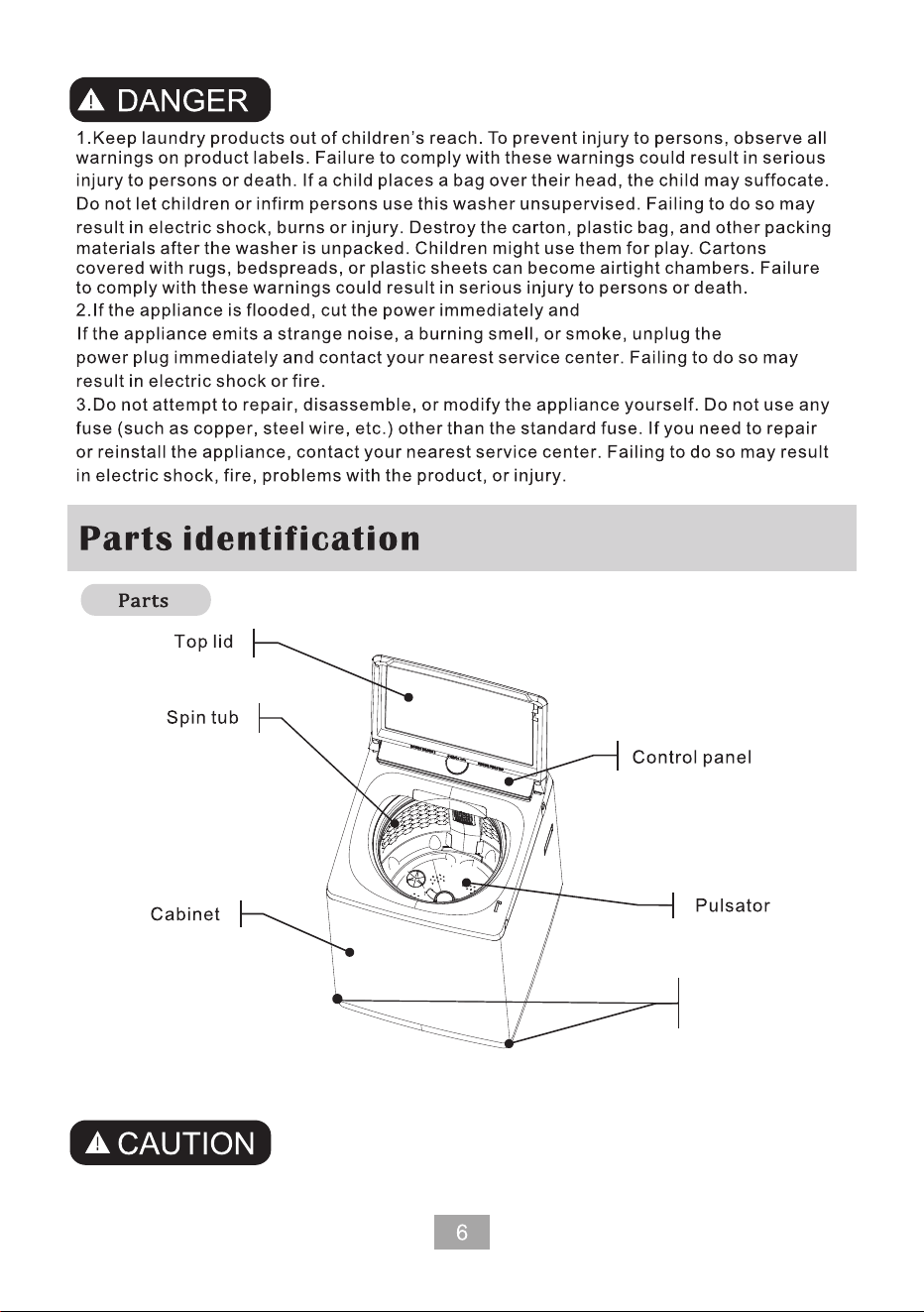
Adjustable foot
Please put washing powder into the dispenser drawer directly.
Be sure to use the new water hoses in the packing , do not use the
old hoses from your old washing machine.
Contact TCL Service.
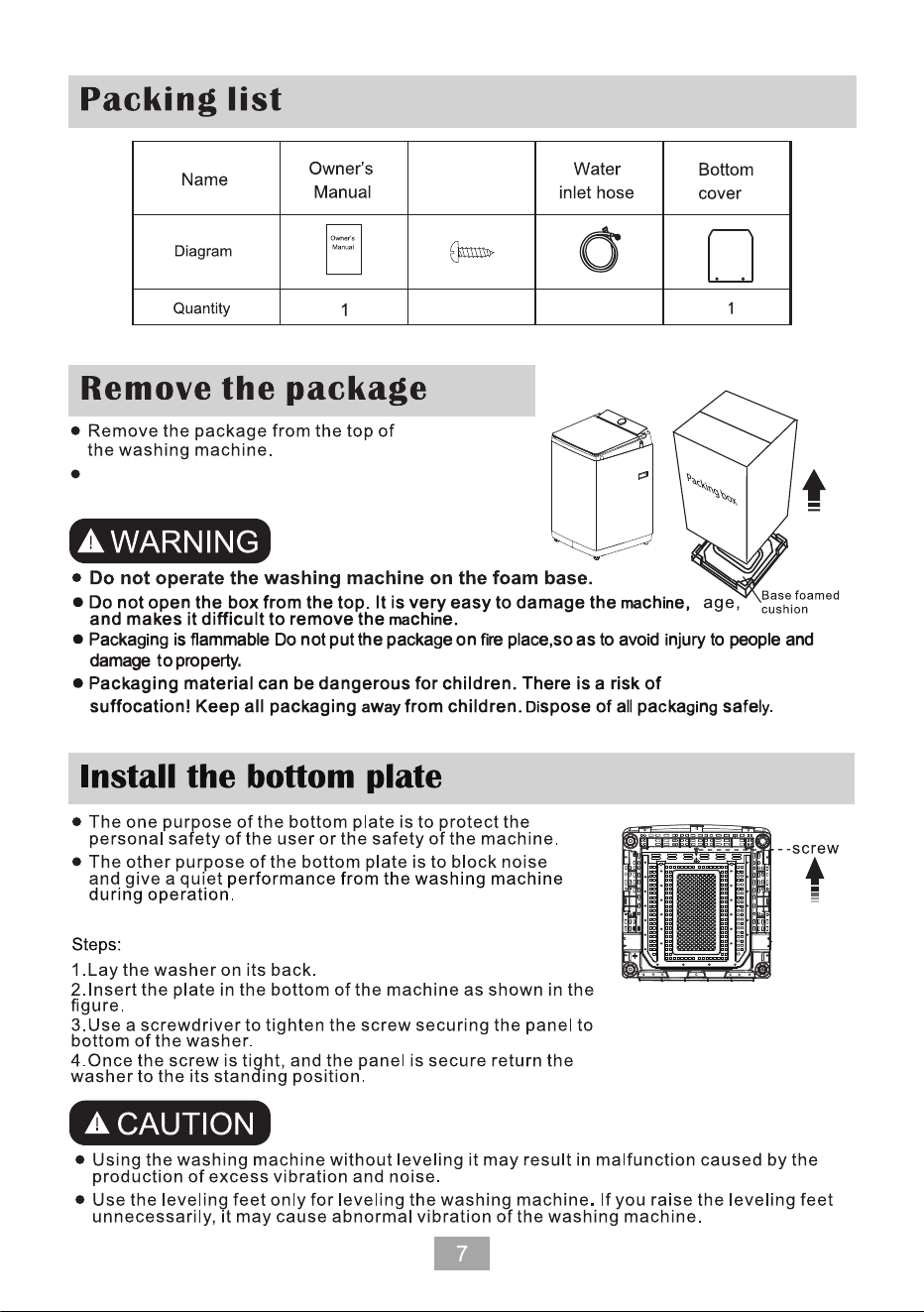
2 2
Self Tapping
Screw
Remove the machine from the foam base.
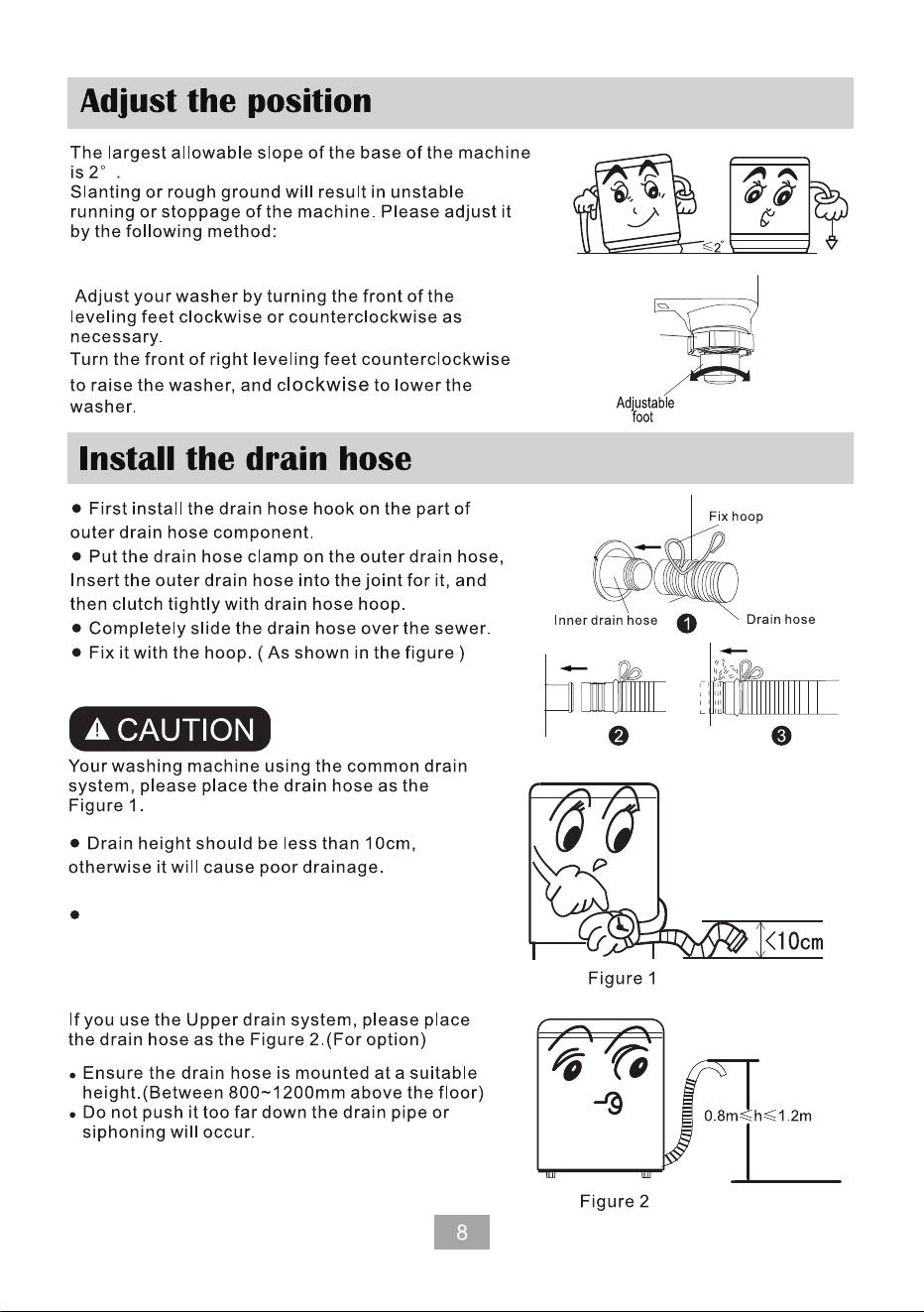
Adjust the
foot tightening
parts
Left
rotation
Rotate to
the right
The washing machine has two adjustable feet.
two
Do not
stand or squeeze the drain hose.
If the drain hose needs to be lengthened,
please purchase another drain hose.
The inner diameter shall be no less than 30mm,
and the length should be no less than 1.5m.
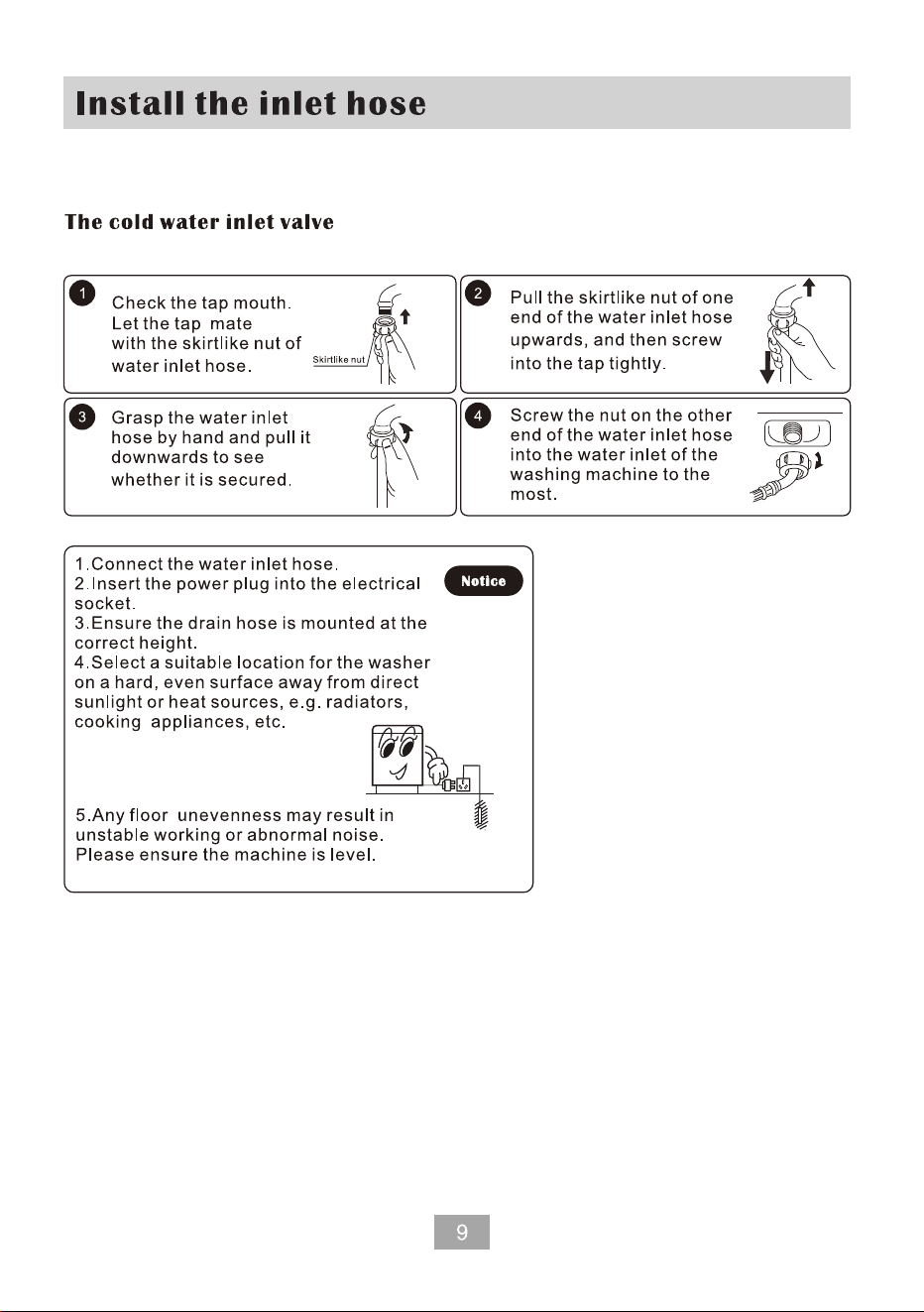
The washing machine has two different kinds of the water inlet types, one is the cold
water inlet valve and the other is the hot water inlet valve. lf you connect to cold water only
you can only use the cold water inlet valve.
You machine has the screw type hose. You can install it as the following steps.
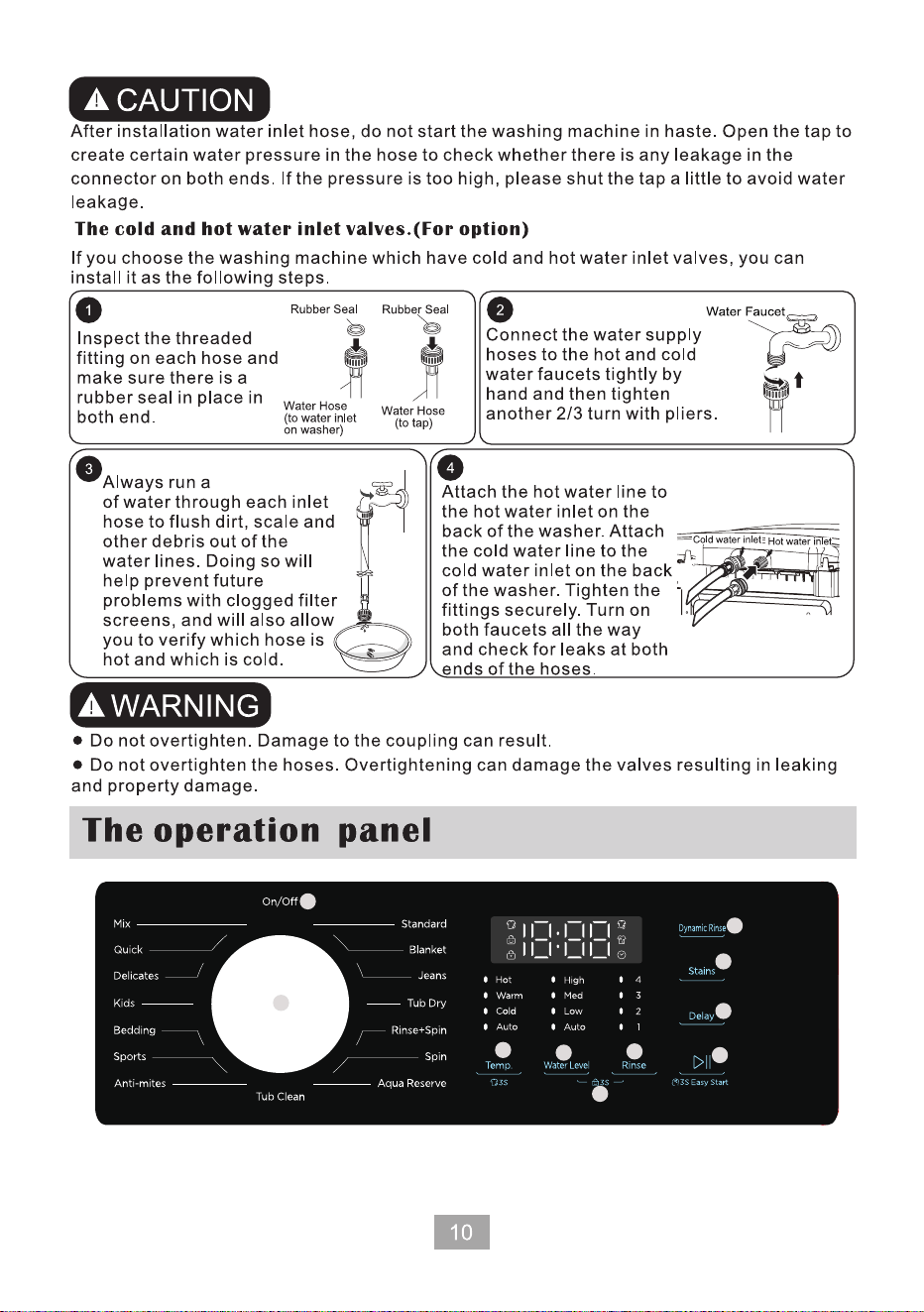
04
06
10
1
2
07
08
09
05
03
few liters
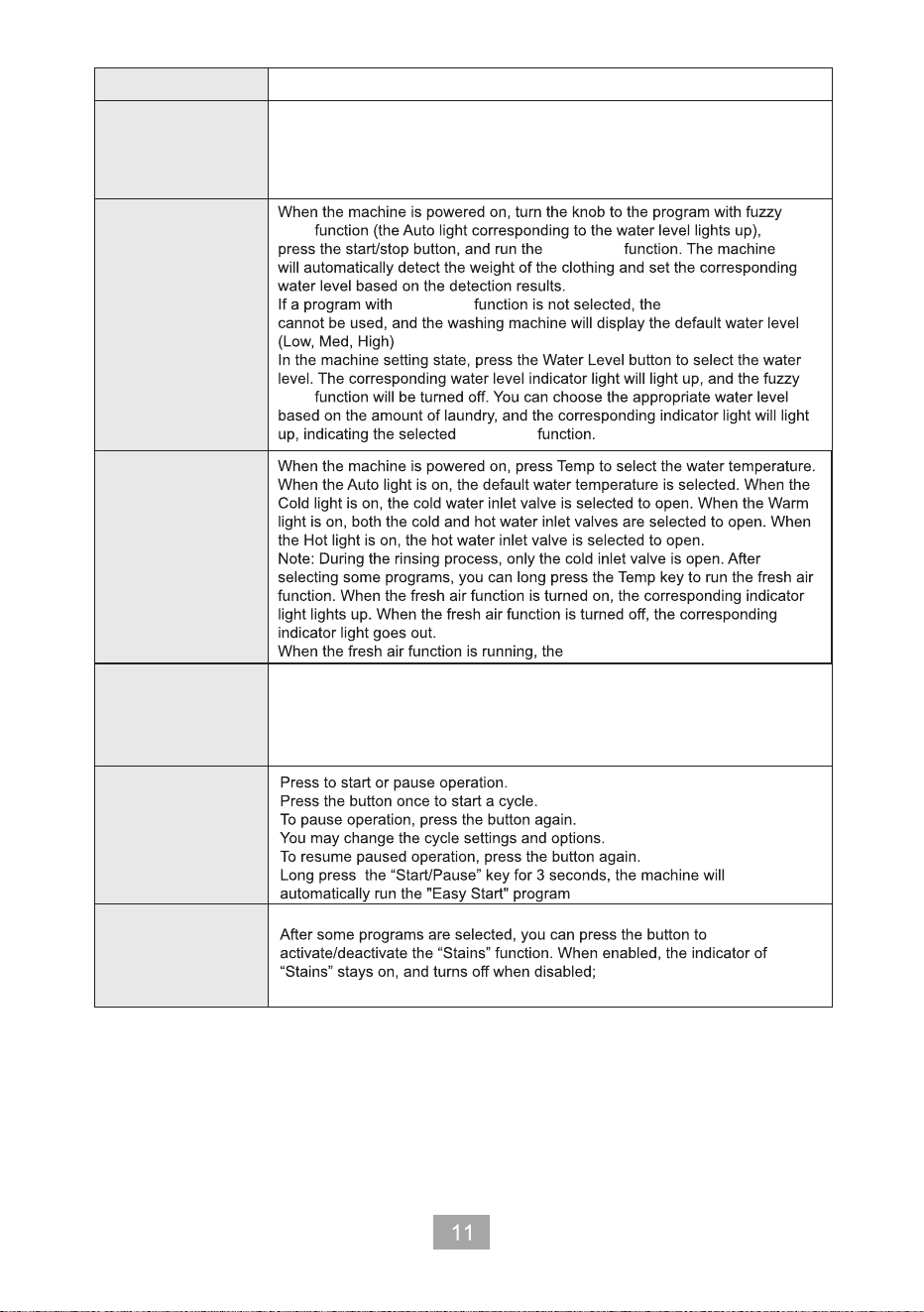
02 Power
01 Cycle Selector
03 Water Level
04 Temp.
05 Rinse
06 Start/Pause
07 Stains
When the machine is powered on
When the machine is powered on, press the button to select the rinsing
time. The indicator displays from "1" to "4". You can select the appropriate
rinsing time according to your own needs, and the corresponding indicator
lights up in a downward-upward cycle.
The knob indicates to rotate to the “On/Off" program to turn off
the machine.
When the machine is off, turn the knob left/right to turn on the
machine.
Turn the dial to select a cycle.
fuzzy logic
logic
fuzzy logic
fuzzy logic fuzzy logic
logic
fuzzy logic
digital display shows a scrolling light.
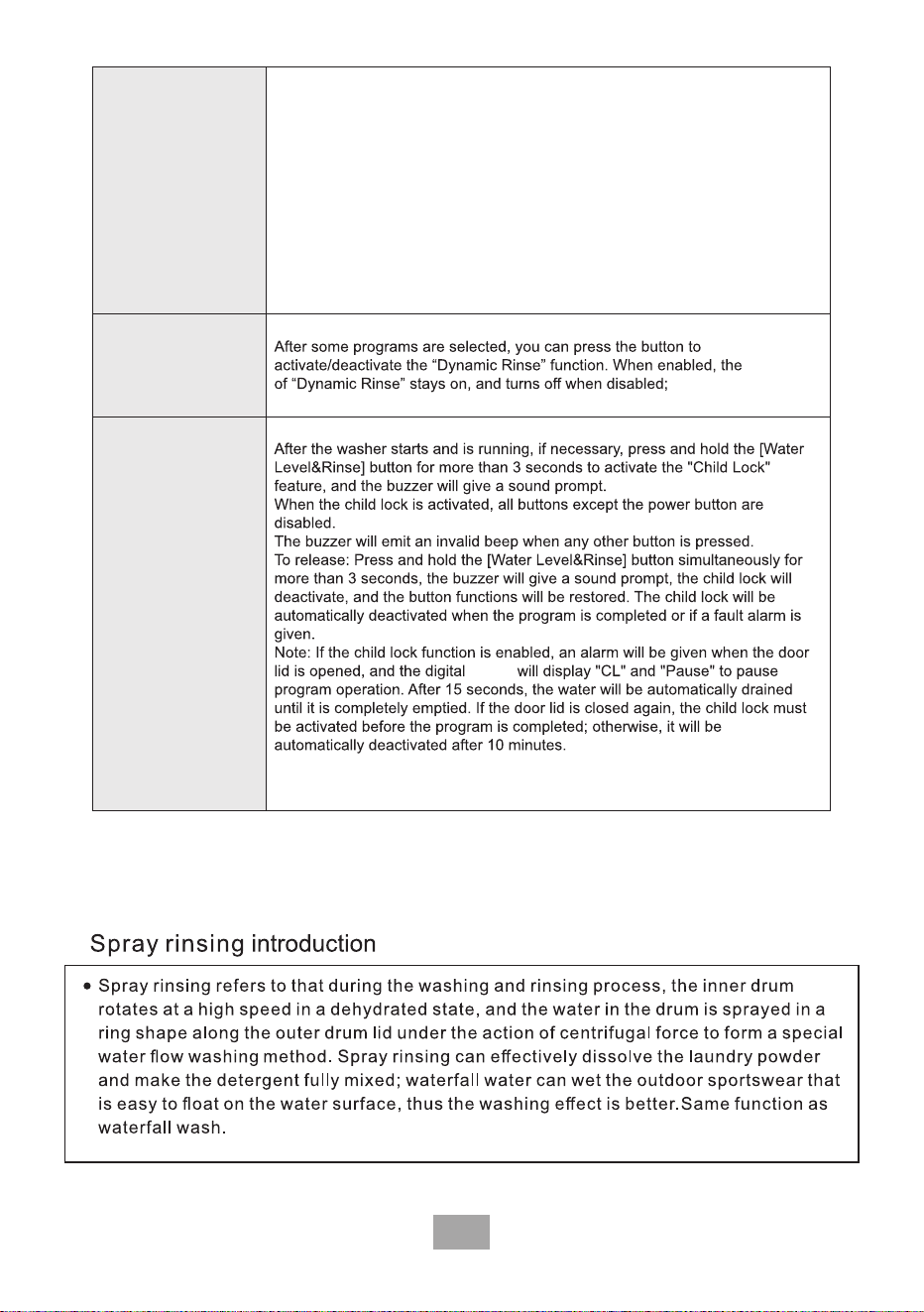
12
12
08 Delay
09 Dynamic Rinse
10 Child lock
When the machine is powered on, press the button to set the scheduled washing
time of clothes. Each time you press it, 1H will be added, and the cycle will be
0H-24H, until you press other function buttons or turn any program with the knob
to deactivate the reservation function.
If the scheduled time is set to 12 hours, the digital tube will continuously display
"12H" until you press start. Once the "Start" button is pressed, the displayed value
will decrease with time.
When the reservation time decreases to match the remaining washing duration of
the cycle, the digital display will display the remaining washing time, and the
machine will run.
(The end of the reservation time coincides with the end of the wash cycle. For
example, if a 12H reservation is set, the wash cycle will be completed after 12 hours.)
The door lock instructions are as follows:
1. When the door lid is locked, please do not open it forcibly (the door lid will be locked by the door lock)
2. Press the Pause button, and then open the door lid after the door lock indicator goes out. If the door
lid is unlocked during laundry, stop using it immediately and ask for maintenance.
indicator
display
13
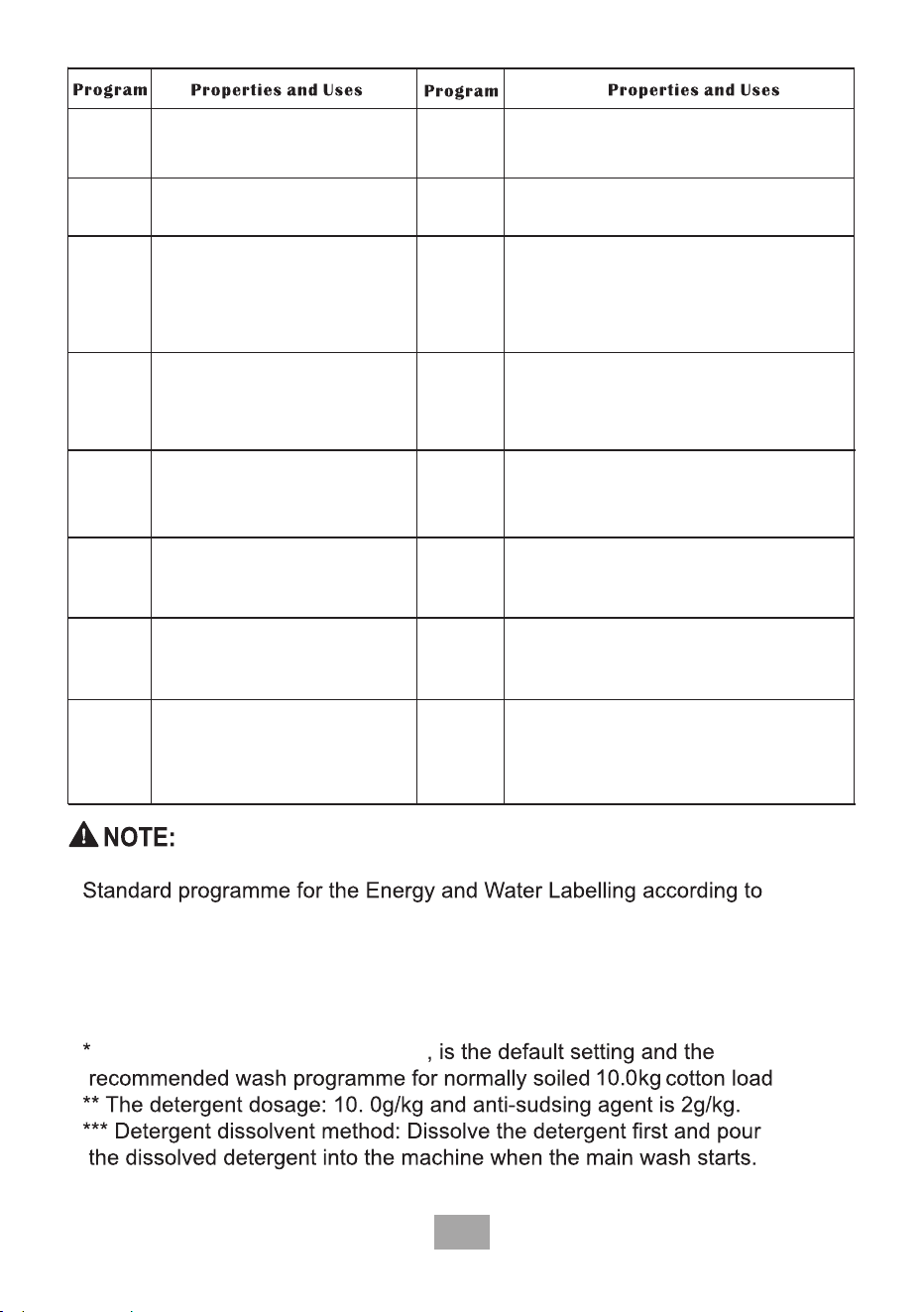
Mix
Quick
Delicates
Standard
Washing the mixed fabrics laundry. Washing normal or big laundry.
Small load of lightly soiled laundry.
For sheer fabrics, bras, lingerie,
and other handwash-
only fabrics. For best
performance, use liquid detergent.
Kids
Bedding
This procedure is suitable for
washing heavier clothes.
Jeans,bedding,etc.
This procedure is applicable to
the cleaning of sportswear.
Sports
Anti-mites
Blanket
Tub Dry
Drying the inner and outer tub to avoid
the growth of mildew.
No load, this program is used to clean/air
dry the machine.
Rinse+Spin
Featuring an additional rinse process after
applying fabric softener to the laundry.
Spin
Featuring an additional spin process to
effectively remove moisture from laundry.
Aqua Reserve
On/Off
Tub Clean
Washing machine can automatically
clean the dirt on the drum during the washing.
No load, this program is used to clean/air
dry the machine.
Select to turn On/Off the washing
machine.If you turn on the washing
machine and do not use it for 10
minutes it will turn off automatically.
Increased washing effects, beneficial for
washing cotton-type blankets.
Special washing procedures for
clothing with mite removal
requirements.
Used for washing children's clothing.
Select this wash cycle to was with a minimal
amount of water.
Jeans-specific program.
Jeans
Wash Cycles
WA10P60G、WA10P60W
ASINZS 2040.1:2005 +A1:2007+A2:2009+A3:2010
AS/NZS 2040.2:2005+A1: 2012
AS/NZS 6400:2016+A1:2022
Standard + Warm + water level 8
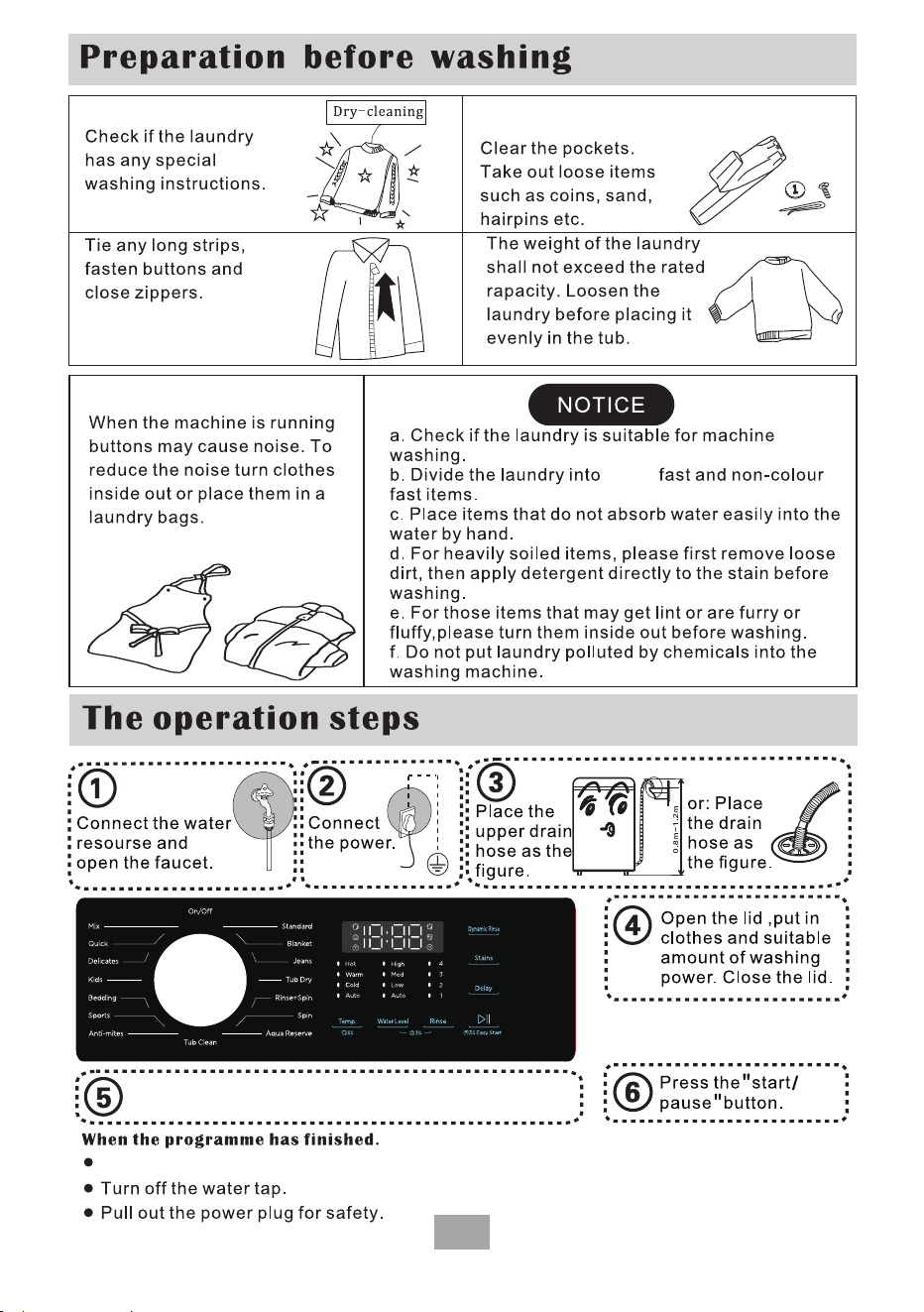
When the machine stops, the buzzer sounds and automatically cuts off the power supply.
14
colour
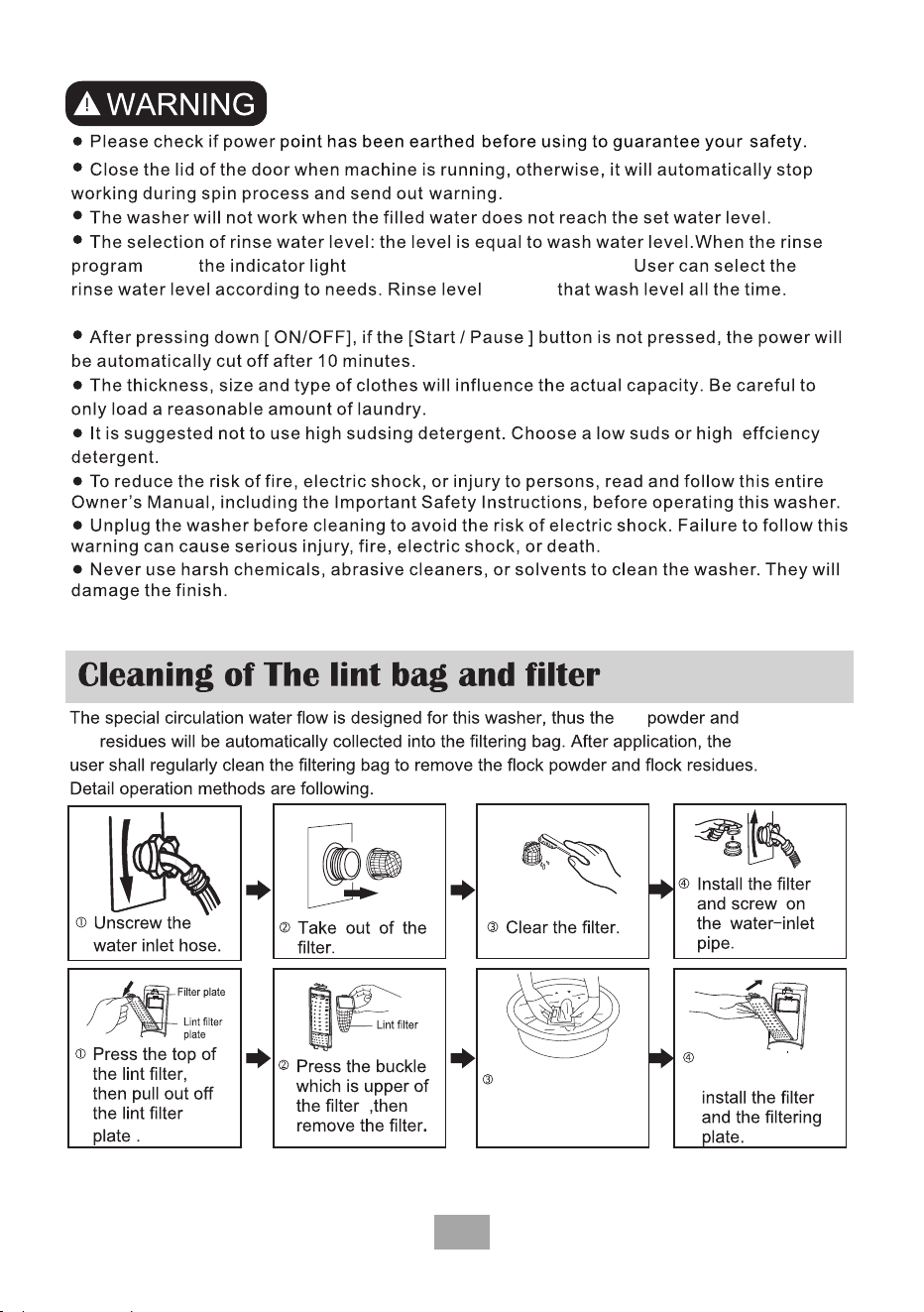
Select necessary procedures to personalize.
15
which stands for rinse level flickers.starts,
exceeds
It shows the wash level if the button is not pressed.
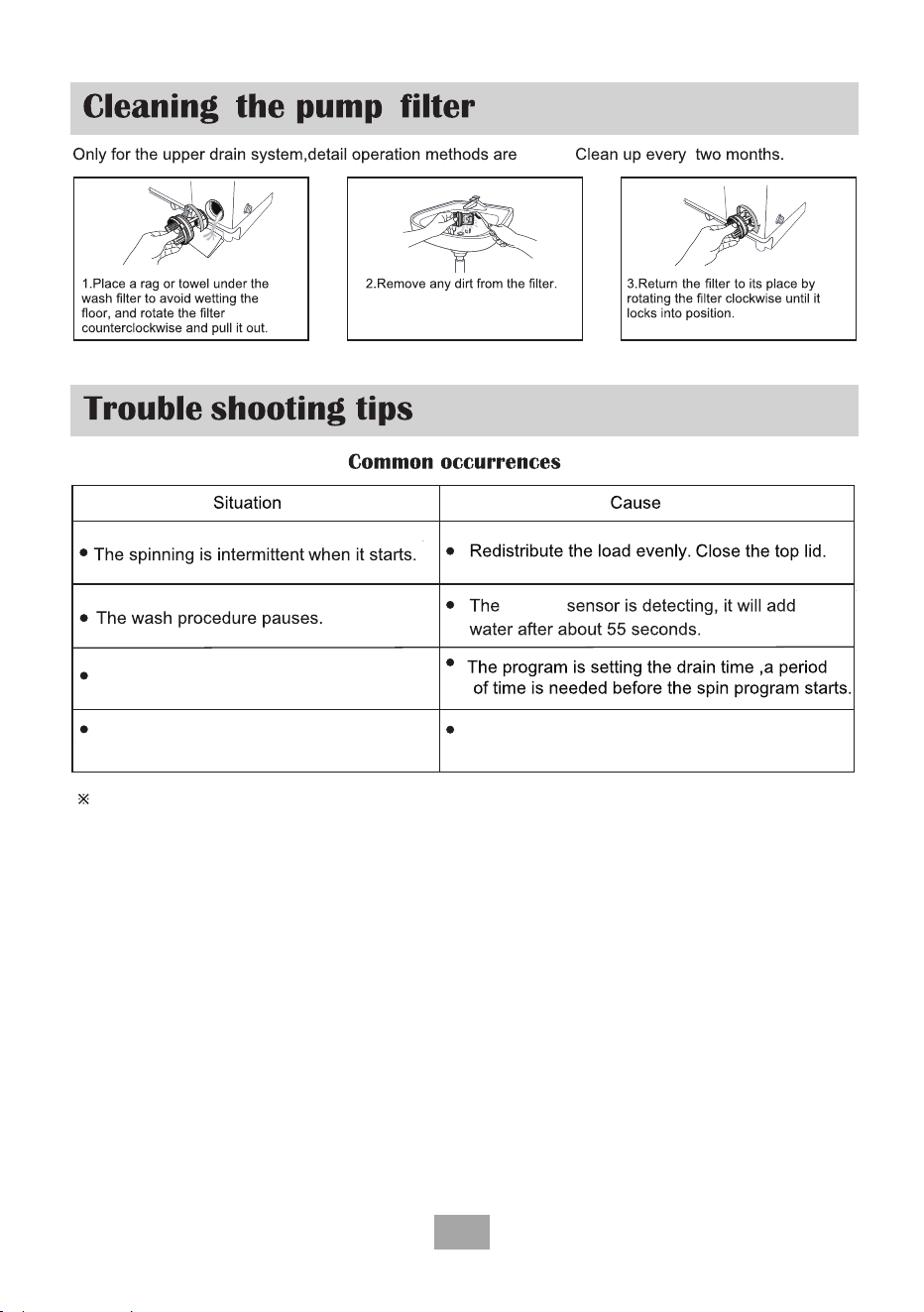
Clean the filtering
bag.
After cleaning
the filtering bag,
lint
lint
16
below.
clothes
Spin program is selected,
but it does not start.
There may be some water in the drain
hose before first use.
This is the water remaining after the
performance inspection tests by the factory.
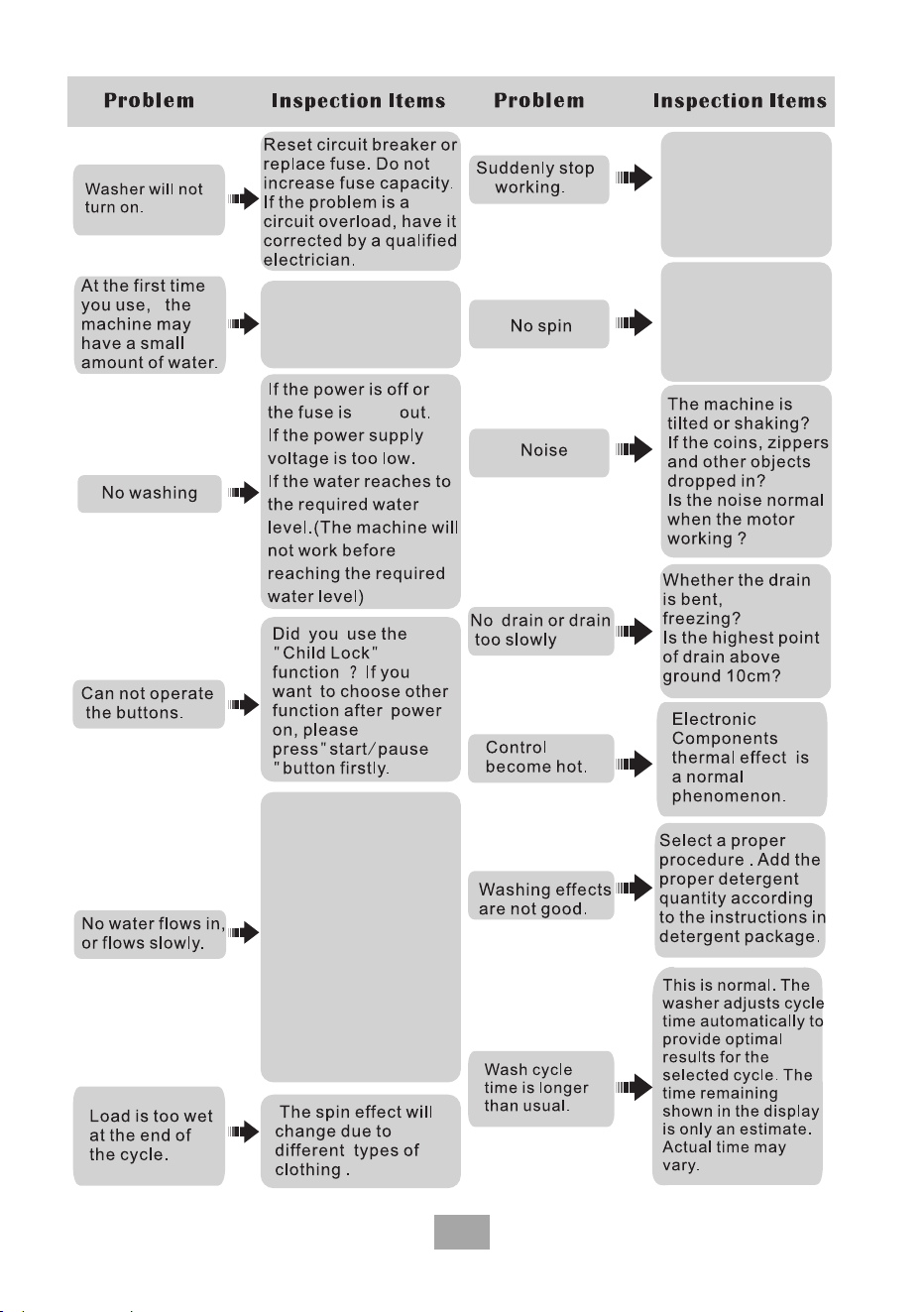
If the machine functions abnormally, or you get any alarms, please check the below
trouble shooting list. If the problem persists, please contact the TCL service department.
Any an authorized service provider shall dismantle the machine.
17
Has the power supply
of water supply been
suddenly cut? Have
you pressed the
"start/pause" button?
This is water that
remained form the
factory inspection and
is normal.
The washing machine
may be draining
water before starting
the spin.
burnt
block,
panel
If the tap is turned on,
or the water supply is
cut off?. If the screen
inlet valve is blocked
by dirt. Whether the
inlet hose or tap has
been frozen. If you
have chosen the
"Delay" function?
If the "start/pause"
has not been pressed?
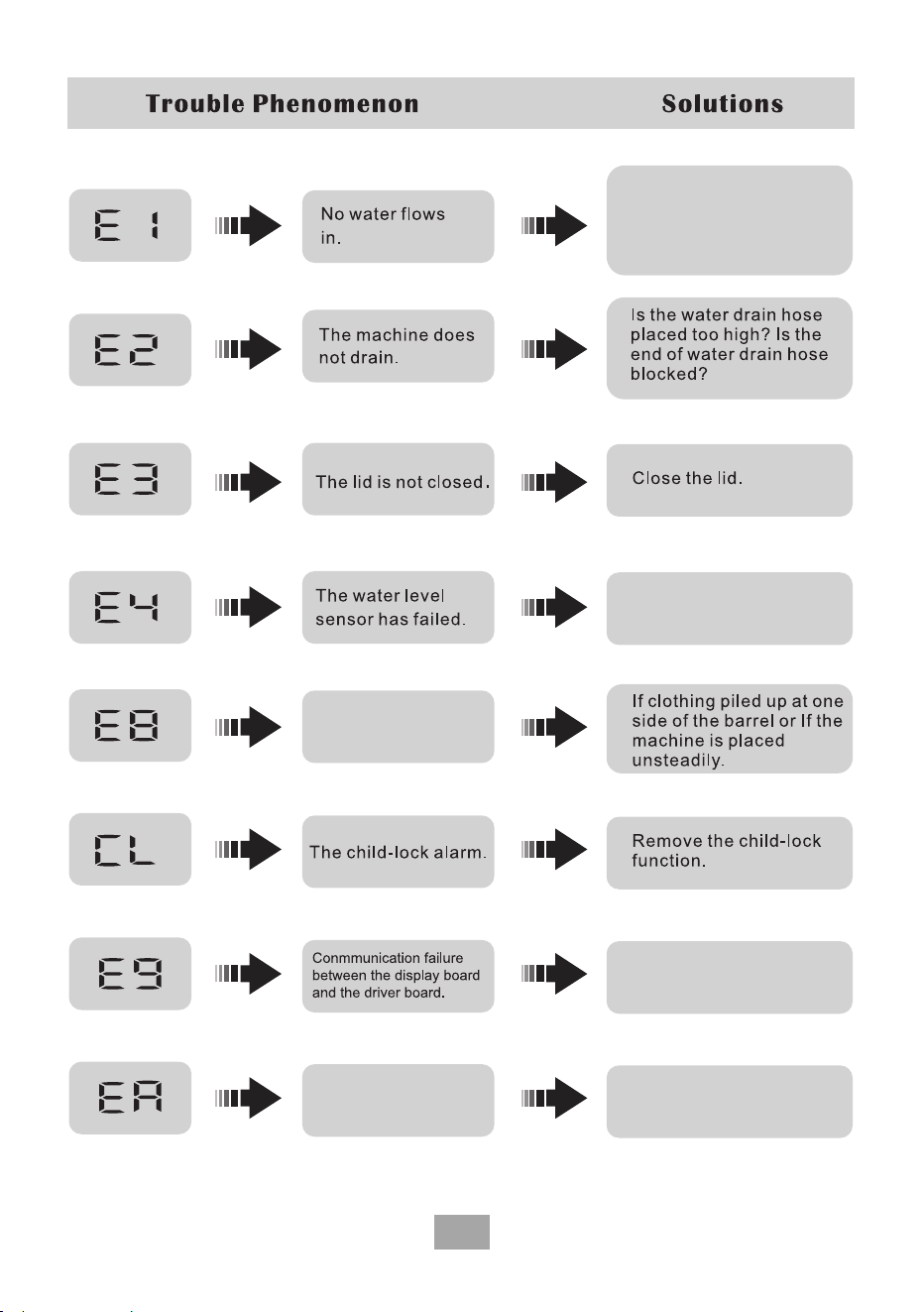
Locked motor or driver
board failure.
18
Check to see if the tap is
turned on and make sure
the water supply is not cut
off.If problem continues,
please contact TCL Service.
Please contact TCL service.
The machine is
unbalanced.
Please contact TCL service.
Please contact TCL service.
19
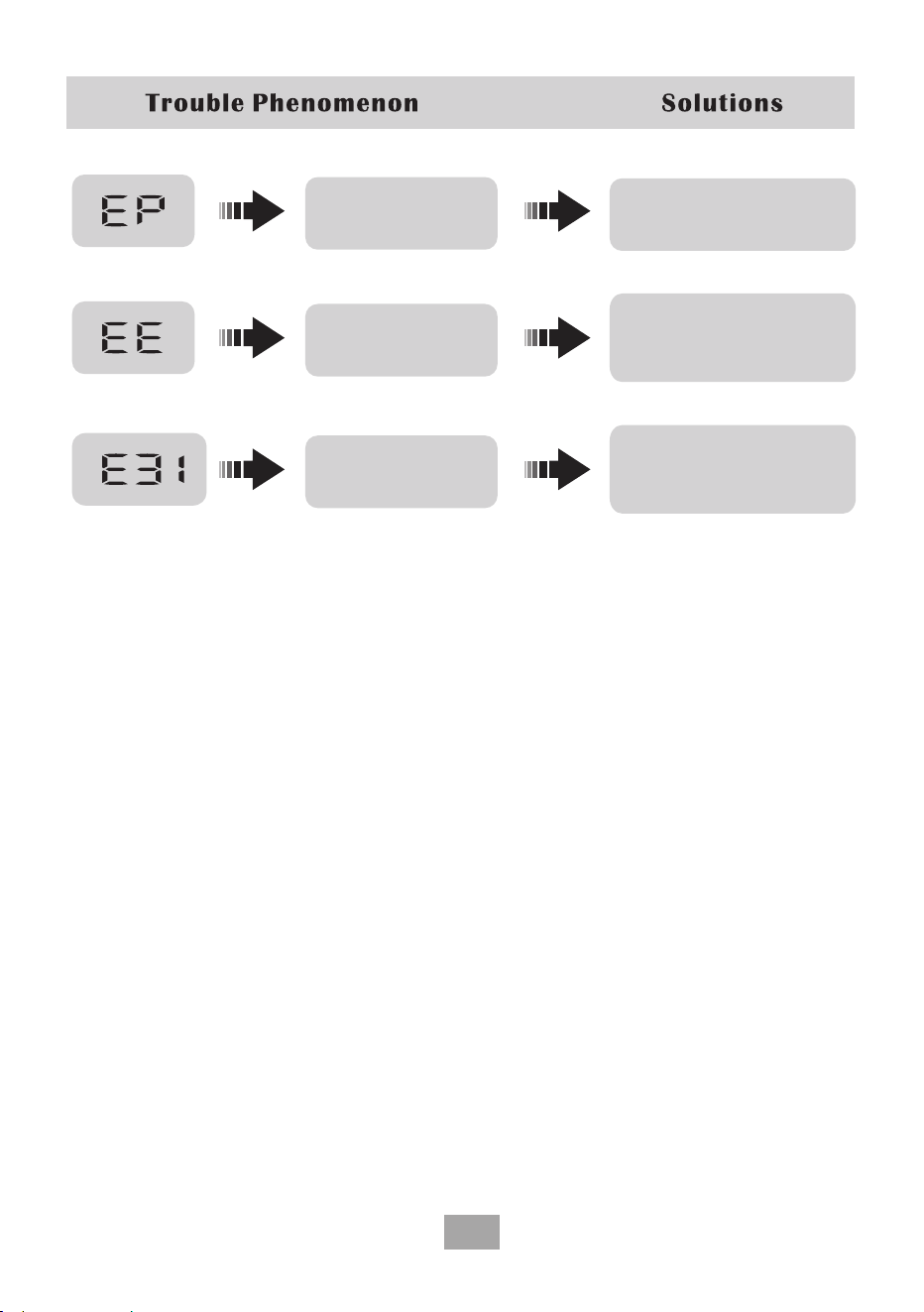
The process of operation
does not correspond to the
period pointed by the knob.
Set the period selector to the
period corresponding to the
ongoing program.
Waiting indicator for water
recovery program
Press the Start/Pause button to
continue the program, or wait for
20 minutes before the program
continues.
Door lock action failed
Check whether there is any
obstruction at the door lock.
If not, please contact TCL service.

A.1
8C205-000649
TCL Electronics Australia Pty Ltd.
ABN 83 111 032 896
Telephone: 1300 738 149
www.tcl.com/au
NZBN 9429043411917
TCL Electronics New Zealand PTY LIMITED.
Telephone: 0800 449 750
www.tclelectronics.co.nz