
Bozztek Technology(Shenzhen)Co., Ltd.CPF1019User Manual
1
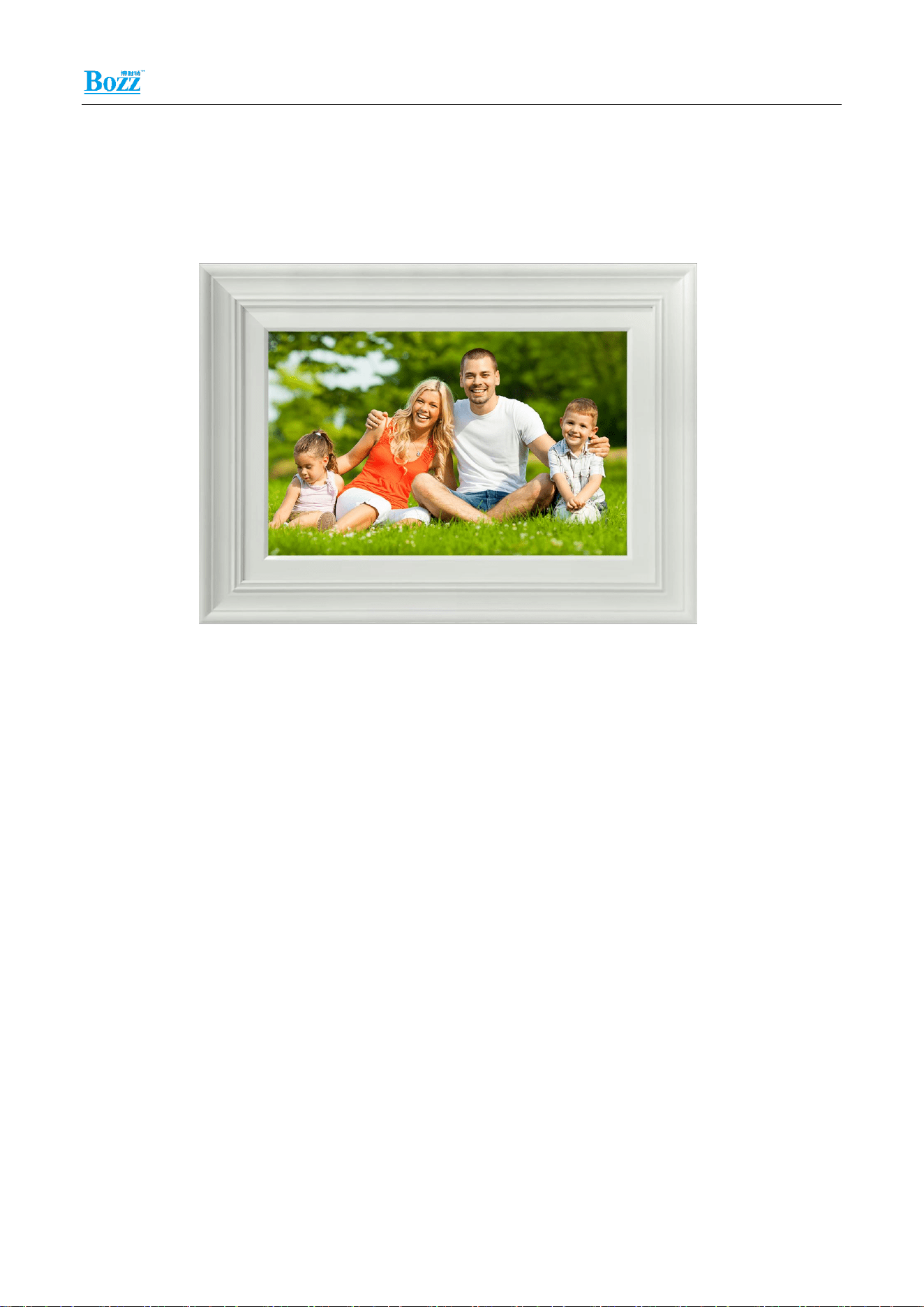
Magic Photo Frame CPF1019
instructions
Bozztek Technology(Shenzhen)Co., Ltd.
Release version: V1.0
Bozztek Technology(Shenzhen)Co., Ltd.CPF1019User Manual
2
Magic Frame Description
1 .application scenarios
The Magic Frame is a smart terminal device focused on AI dynamic imaging. With the AI
image-processing module, it provides integrated functions: AI animation for static photos, old
photo restoration and renewal, and remote family album sharing. Compared with
conventional digital photo frames, it delivers enhanced atmospheric effects. It is well-suited
for home scenarios including living rooms, bedrooms and studies, and satisfies multiple
requirements such as remote photo and video transfer among family members, preservation
of old images, and home interior decoration.
Suitable for household scenarios: living rooms, bedrooms, studies, etc.
2 .product features
Dimensions: 10.1-inch
Appearance Colors: White, Black, Gray
Bozztek Technology(Shenzhen)Co., Ltd.CPF1019User Manual
3
Bezel Colors: White, Black, water-transfer wood-grain finish
Dual-stand for desktop and wall-mount use, supporting desktop placement or wall
mounting.
Quad-core processor, 1GB (optional 2GB) DDR + 16GB (optional 32GB) eMMC
3 .Product Specification Sheet
Magic Photo Frame
Product Model
CPF1019
Screen
Size
10.1-inch
Resolution
1280 × 800
Brightness
400 cd/m²
Touch
Multi-point Capacitive Touch Screen
Appearance
Color
White, Black, Gray
Bezel
White, Black, water-transfer wood-grain finish
Basic
Specifications
Operating System
Android 14
App
Homture
Processor
High-performance low-power quad-core ARM Cortex-A53
processor
Memory & Storage
1GB (optional 2GB) DDR + 16GB (optional 32GB) eMMC
Device Power Supply
DC 5V/2A (1.5m, outer diameter 4.0mm, 24AWG)
Device Power Consumption
Max 10W
Relative Humidity
0%-90% (non-condensing)
Operating Temperature
0°C~45°C
Storage Temperature
-20°C~60°C
Operating Environment
Indoor use only
Interface
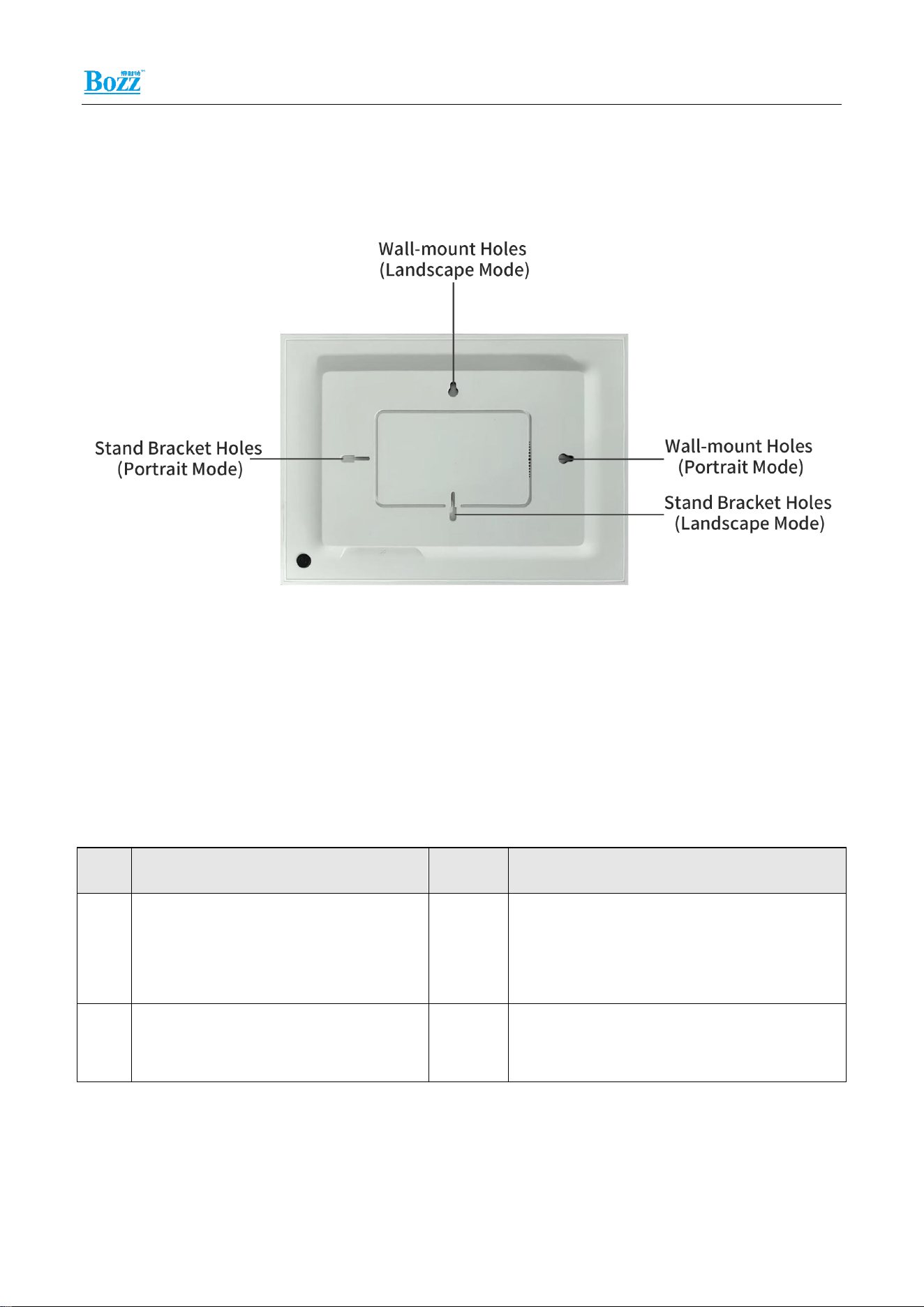
Reset Key *1
Type-C *1
DC Power Port *1
Bozztek Technology(Shenzhen)Co., Ltd.CPF1019User Manual
4
Speaker
1W *1
Microphone (MIC)
2 × MIC, optional
Basic
Parameters
Wi-Fi
2.4G/5G, supports IEEE 802.11 b/g/n
Bluetooth
Supports Bluetooth 2.1/3.0/4.0/4.2/5.3
Product
Information
Product Dimensions
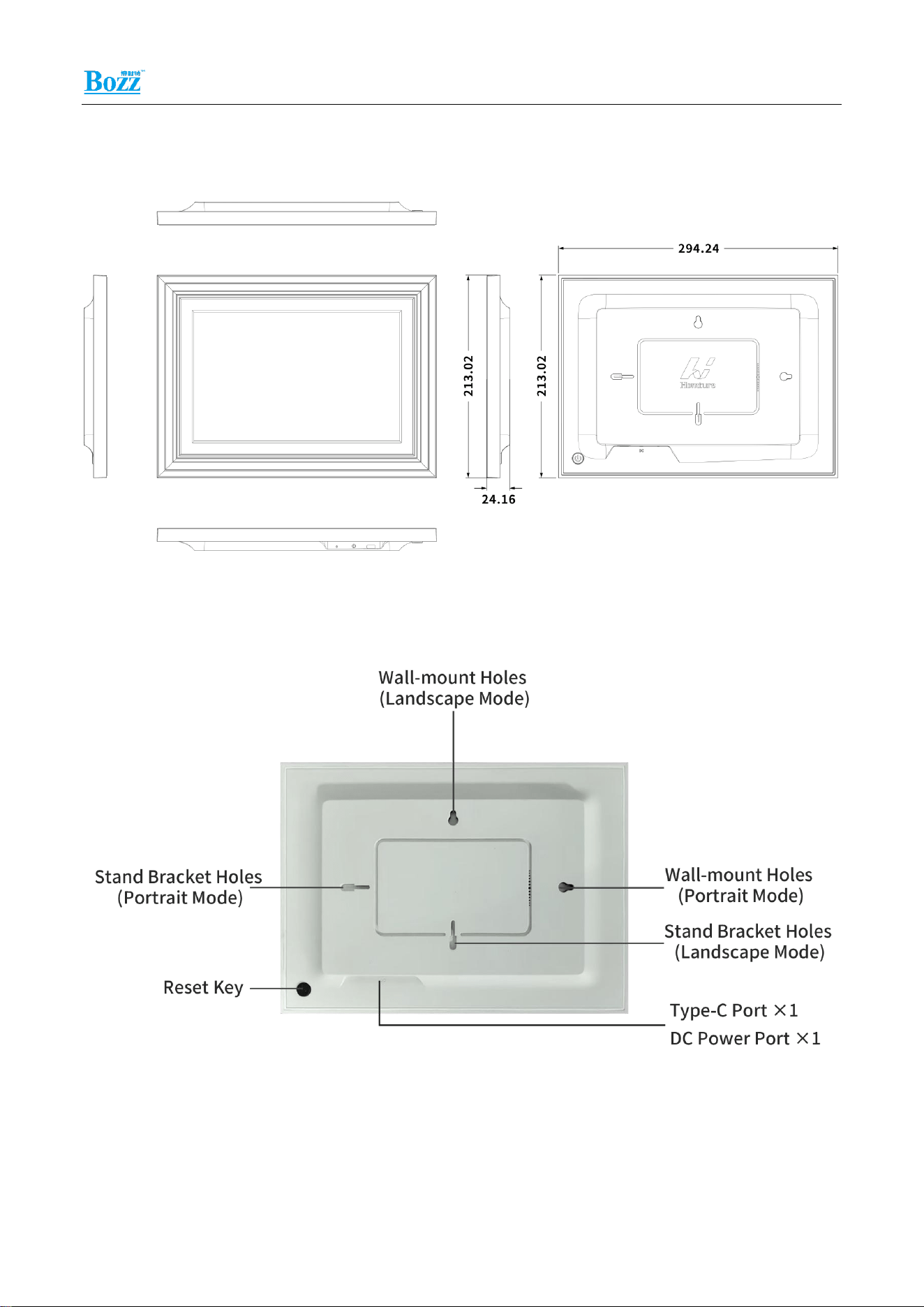
294.24×213.02×24.16mm
Unit Weight
TBD
Packaging
Specifications
Packing Material Dimensions
TBD
Dimensions
TBD
Packing Material Weight
TBD
Carton Specification
TBD
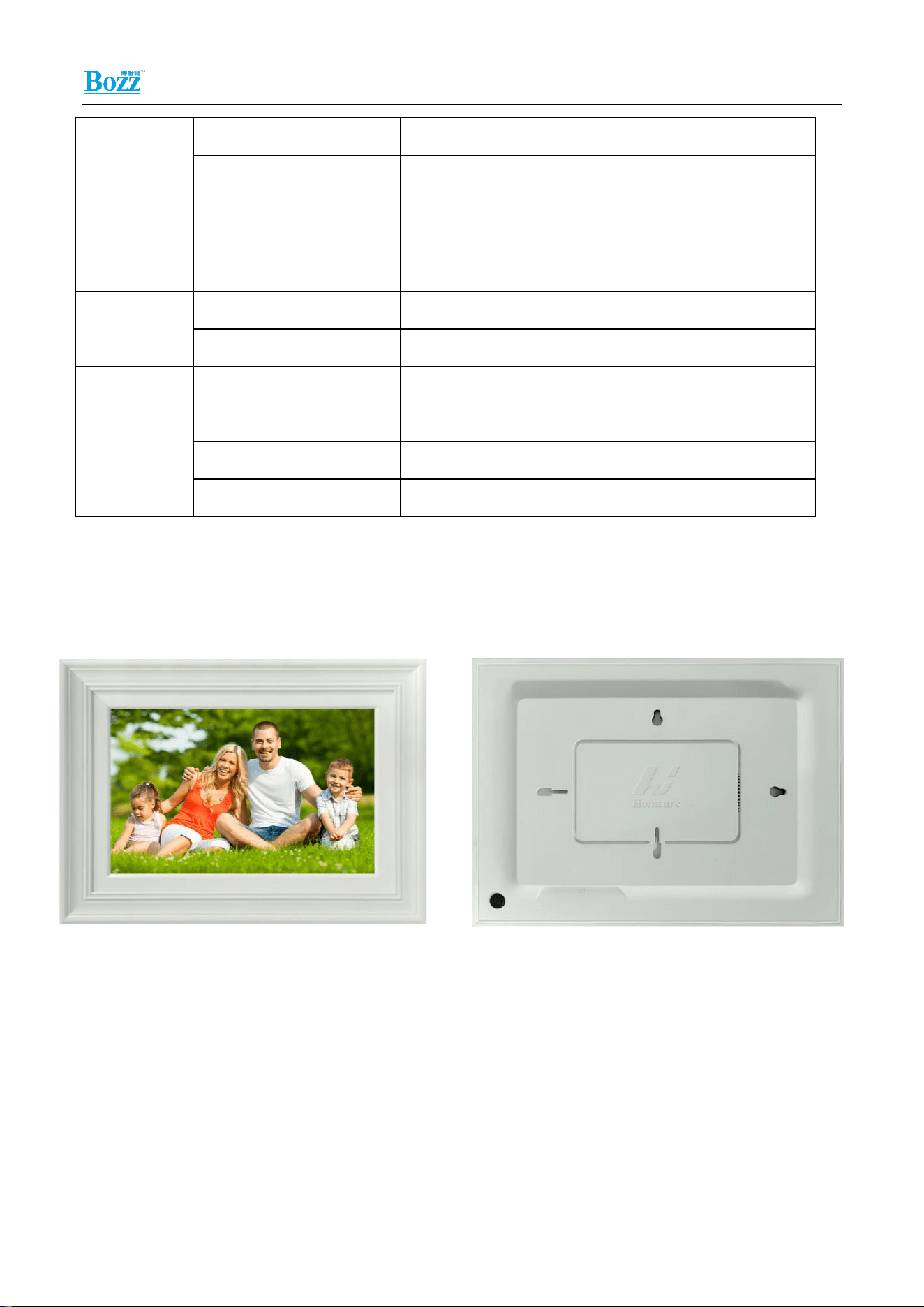
4.Magic Frame Diagram
5.Magic Frame Appearance & Dimensions
Bozztek Technology(Shenzhen)Co., Ltd.CPF1019User Manual
5
294.24x213.02x24.16mm
6.Magic Frame Part Description
Bozztek Technology(Shenzhen)Co., Ltd.CPF1019User Manual
6
7. Magic Frame Installation Instructions
Bracket Mounting Position Description:
8.Magic Frame Packaging and Operating Instructions
Materials / Tools List
No.
Material / Tool Name
Qty
Remarks
1
Main Unit & Included Accessories
1
Included accessories: 5V adapter,
desktop bracket, power cord, user
manual, etc.
2
Drilling Tool (Optional:
Purchased Separately)
Several
For wall-mount installation and cable
routing
9.Installation Precautions

Bozztek Technology(Shenzhen)Co., Ltd.CPF1019User Manual
7
1、During actual wiring, if the 5V power supply cable for the main unit does not use the
dedicated power extension cable and the cable length is long, excessive equivalent cable
resistance may occur. This can result in insufficient terminal voltage (≤4.75 V), repeated
rebooting, system freeze and other abnormal conditions of the main unit.
2、The installation environment must be kept dry. Keep away from high-voltage power
sources and strong electromagnetic fields. Movable electromagnetic devices such as mobile
phones shall be placed as far away from the unit as possible.
3、This product is a precision device. Avoid collision, dropping and vibration. Otherwise,
main-board components may fall off or internal camera parts may be damaged, causing
functional or performance failures.
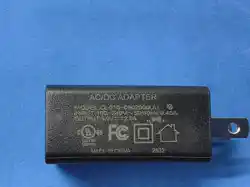
4、The power adapter supplied with the device is shown in the figure, with a total cable length
of 1.5 meters.
Do not extend the power cable beyond 3 meters. Otherwise, insufficient supply voltage
at the main-unit side may occur, resulting in abnormalities such as repeated rebooting
and system freeze.
If other adapters are used, insufficient output voltage or low rated current of the adapter
will cause abnormal operation of the device.
Do not use overly thin cables. It is recommended to parallel multiple identical cables or
use thicker-copper-core cables to ensure the voltage remains above 4.75 V.
Note: If Ethernet cable is used for extension, use 4 wires for positive pole and the other 4
wires for negative pole.
If you are unsure how to perform cable extension, please contact your supplier for a
replacement of the dedicated power extension cable.

Bozztek Technology(Shenzhen)Co., Ltd.CPF1019User Manual
8
FCC Warning
This device complies with part 15 of the FCC rules. Operation is subject to the following
two conditions: (1) this device may not cause harmful interference, and (2) this device
must accept any inte rference received, including interference that may cause undesired
operation.
Changes or modifications not expressly approved by the party responsible for
compliance could void the user's authority to operate the equipment.
NOTE: This equipment has been tested and found to comply with the limits for a Class B
digital device, pursuant to part 15 of the FCC Rules. These limits are designed to
provide reasonable protection against harmful interference in a residential installation.
This equipment generates uses and can radiate radio frequency energy and, if not
installed and used in accordance with the instructions, may cause harmful interference
to radio communications. However, there is no guarantee that interference will not occur
in a particular installation. If this equipment does cause harmful interferenceto radio or
television reception, which can be determined by turning the equipment off and on, the
user is encouraged to try to correct the interference by one or more of the following
measures:
-Reorient or relocate the receiving antenna.
•Increase the separation between the equipment and receiver.
•Connect the equipment into an outlet on a circuit different from that to which the
receiver is connected.
•Consult the dealer or an experienced radio/TV technician for help.
Radiation Exposure Statement
This equipment complies with FCC radiation exposure limits set forth for an uncontrolled
environment. This equipment should be installed and operated with minimum distance
20cm between the radiator and your body.