1
32
1
2
5
6
9
3
4
7
8
10
11
4 5
GETTING STARTED
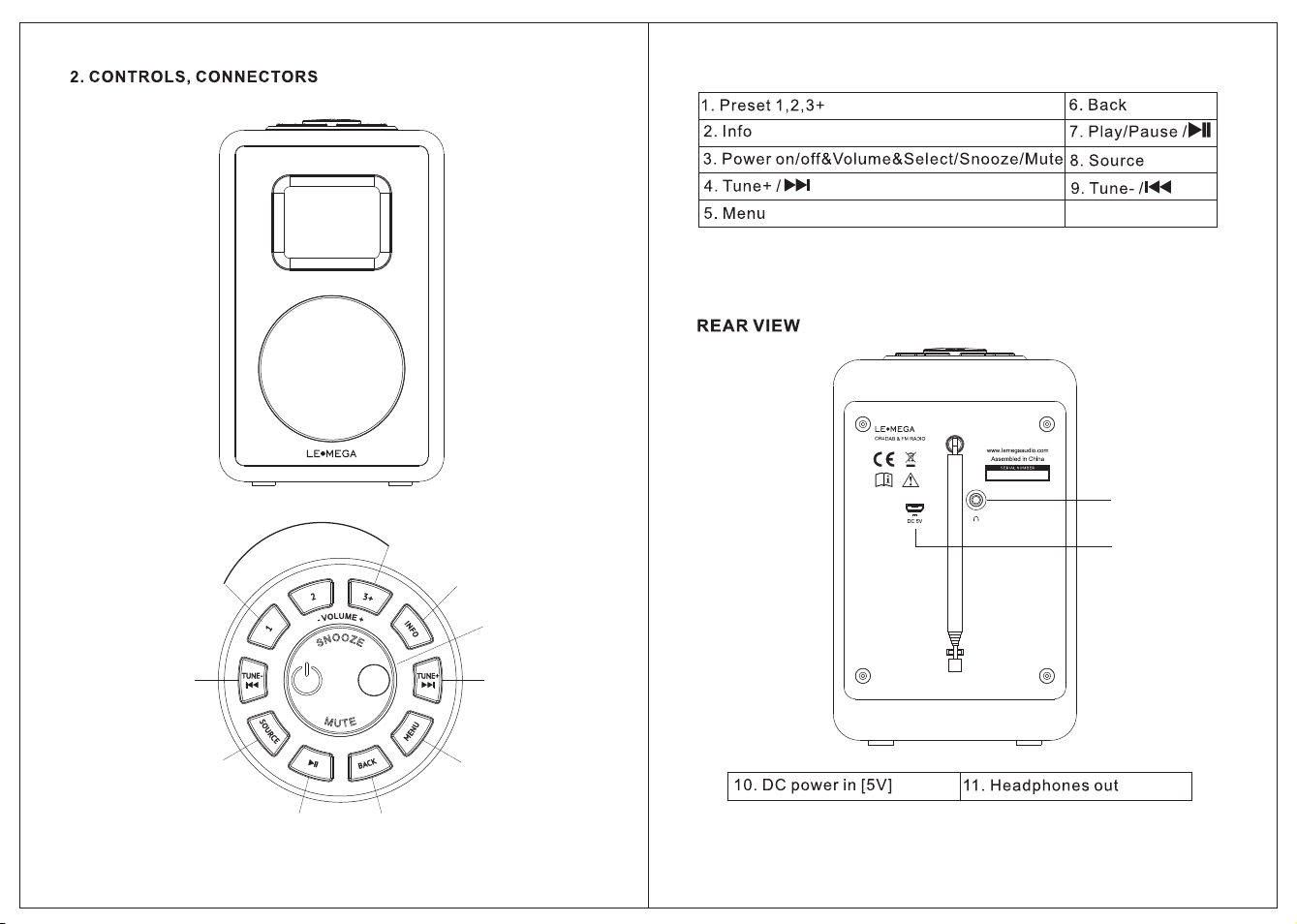
1 PRESET : Long press button 1, 2 to preset and save your favorite stations
Short Press button 1,2 to select the
favorite station to play or Preset recall.
You can save 20 stations by Long press button 3+ and
rotate the volume
Knob to choose and push this button to confirm your selection.
cancel sleep, or cancel alarm function.
: Push and hold the knob for 3 seconds to Power off or go Standby mode.
Briefly push to power on the unit.
[showing clock and date], or
1 USB charging cable
76
9
8
6.4 Backlight - The MD2 has a backlight with three brightness settings,
and adjustable timeout (this is the time delay, in seconds, after which
the display switches to the Dim level). Refer to fig.11.
There are three settings:
• Timeout - On | 10 | 20 | 30 | 45 | 60 | 90
| 120 | 180 sec
• On level - High | Medium | Low
• Dim level - High | Medium | Low
10
Specifications subject to change without notice.