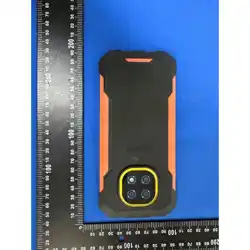
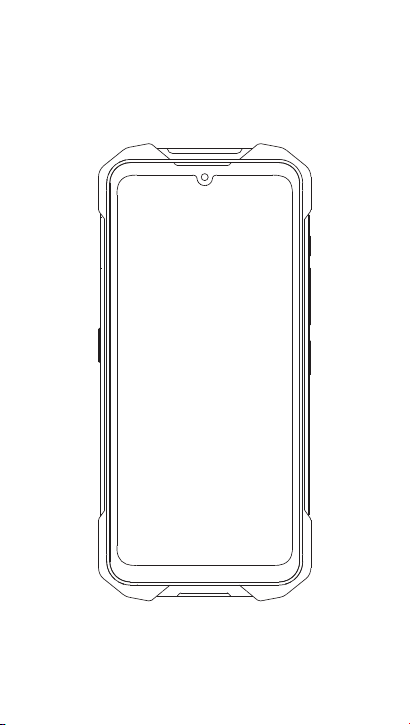
Smartphone
S8310
Quick Start Guide
Register your product and get support at
www.philips.com/support

1
Trademark Declaration
Note:
·
This guide is protected under copyright law,
reproduction in whole or in part without permission
is prohibited.
Philips
Congratulations on your purchase and welcome to Philips!
To get the most of your product and enjoy all Philips has
to offer, register your product at:
www.philips.com/support
Tips:
·
Note:
·
Please read the safety instructions in the “Safety &
Precaution” section before use.
Philips continuously strives to improve its products. Due
to software upgrading, some contents in this user guide
may be different from your product. Philips reserves the
rights to revise this user guide or withdraw it at any time
without prior notice. Please take your product
as standard.
PHILIPS and PHILIPS’ Shield Emblem are
registered trademarks of Koninklijke Philips N.V.
manufactured by TPV Audio and Visual
Technology (Shenzhen) Co., Ltd. Under license
from Koninklijke Philips N.V.
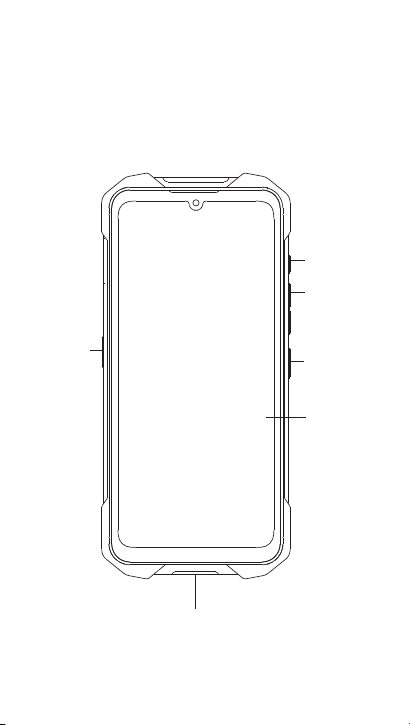
Your Phone
2
Touch screen
Side volume key
Flashlight key
Custom
Function Key
Power key
/Lock key
Charger/Type-C port
connector
3
Installation and Charging
You can use the phone while it is charging.
Keeping the charger plugged to the mobile phone when the
battery is fully charged will not damage the battery.
If you do not intend to use your phone for several days, we
recommend that you remove the battery.
If a fully charged battery left unused, it will lost its charge over time.
If a battery is being used for the �rst time or the battery has not been
used for a prolonged period, it may take longer time to recharge.
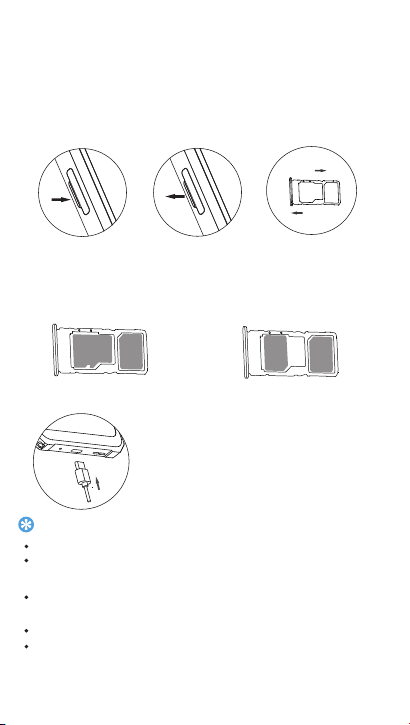
SIM card holder extraction method
Find the position of the SIM card holder on the phone �rstly, then
gently pull the SIM card holder with your hand, and it will
immediately pop out.
Charge the battery
Figure of SIM card installed on holder
Tips:
1.Find the position of the
SIM card holder on the
phone �rstly(indicated
by the arrow).
2.Gently pull the SIM card
holder with your hand
(indicated by the arrow),
it will pop out.
3.Insert or remove the SIM
card holder as the direction
indicated by the arrow.
SIM+TF
SIM1+SIM2
T F
S
IM1
SIM 2
SIM 1
insert
Pull out
TF
内
存
卡
SIM
4
Using your phone
Turn your phone on and off
1
Press and hold power key to turn on your phone.
2
To turn off your phone, press and hold power key and
then select Power off.
Keys
Learn about the main keys.
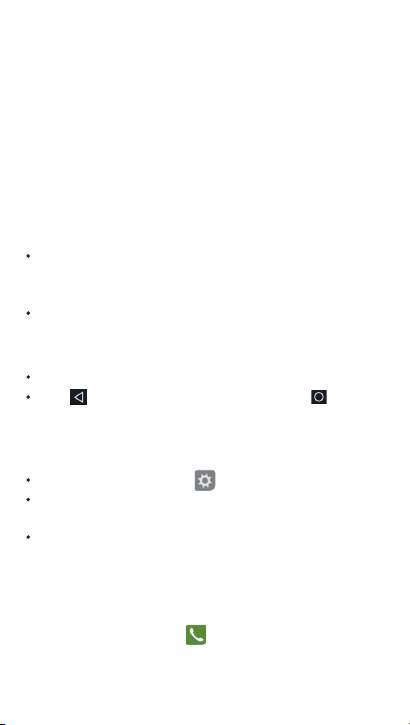
Key
De�nition Function
Home key
Option key
Back key
Power key Press and hold to power on/off.
Press to turn on/off the screen display.
Hold to access the Phone options,
choose Emergency, Power off, or Restart.
Return to the home screen.
Hold to open the ‘Gemini’ function.
Open the options list for recent
applications.
Return to the previous screen or
exit.
Volume key
Adjust the volume in standby mode or
during a call. when answering a call,
press any volume key to mute the
ringtone.
Flashlight key Long press to turn on/off the �ashlight
function on any interface.
Custom
Function key
Long press to enter camera by default,
or users can customize other optional
functions.
5
From the Home screen, you can view your device’s status and
access applications.
The Home screen has multiple panels. Scroll left or right to
view the panels on the Home screen.
When you get a new noti�cation, you can open the
Noti�cations panel to see what event noti�cation or new
information you have received.
Home screen
Noti�cations panel
Access applications
Manage applications
To open the Noti�cations panel,press and hold the sta-tus bar,
then slide one �nger downward. If you have several
noti�cations, you can scroll down the screen to see them all.
To hide the panel, drag the bottom of the panel upwards.
In idle screen, tap Settings
Tap Running, you can view all the running apps, tap this app
to enter it, you can tap Stop to choose stop running.
Tap Downloaded, you can view all the downloaded apps,
tap app to enter it, you can check the detailed information
of this app, tap Uninstall to unloading it.
Scroll left or right to another screen, select an application.
Press to return to the previous screen, press to
return to the Home screen.
Make a call
1.In the application list, tap
> Apps
6
2 Dial the number directly or choose one number from
the �ltered list that have matching digits.
3 Make a voice call.
4 Tap to end the call.
Send a message
1 In the application list, tap .
2 Tap New message .
3 Enter the number or tap to select the number from
phonebook.
4 Select the text �eld and enter your message text.
5 Press to add a subject for the message or attach a �le
(Pictures, Videos, Audio or Slideshow).
6 Tap to send the message.
Copyright protected pictures and sound cannot be sent
by MMS.
Note:
7
Safety & Precaution
Precaution
Keep your phone away from small children
Radio Waves
Switch off your phone
Your mobile phone and your car
Handle your phone carefully and sensibly
Keep your phone and all accessories out of the reach of small children.
Small parts may cause choking or serious injury if swallowed.
Your phone operates with the following frequency bands and
maximum radio-frequency power limitation:
GSM/WCDMA/TDD-LTE/FDD-LTE
Check with the vehicle manufacturer that electronic equipment used
in your vehicle will not be affected by radio energy.
Turn off the phone when in an aircraft. The use of mobile phones
in an aircraft may be dangerous for the operation of the aircraft,
disrupt the mobile phones network and may be illegal.
Avoid using your phone while driving and obey all regulations that
restrict the use of mobile phones while driving. Use hands free accessories
to increase your safety when possible. Ensure that your phone and car kit
do not block any air bags or other security devices �tted in your car.
For the optimal and satisfactory operation of the phone you are
recommended to use the phone in the normal operating position.
Do not expose your phone to extreme temperatures.
Do not immerse the phone in any liquid; if your phone is damp, switch it
off, remove the battery and let them dry for 24hrs before using them again.
To clean the phone, wipe it with a soft cloth.
In hot weather or after prolonged exposure to the sun (e.g.,behind a
window or a wind screen), the temperature of your phone's casing might
increase. Be very careful in this case when picking up yourphone and also
avoid using it with an ambient temperature over 35°C or under 0°C.
In hospitals, clinics, other health care centers and anywhere else
where you may be in the close vicinity of medical equipment.
In areas with a potentially explosive atmosphere (e.g. petrol stations and
also areas where the air contains dust particles, such as metal powders).
In a vehicle transporting �ammable products or a vehicle powered by
lique�ed petroleum gas (LPG). In quarries or other areas where blasting
operations are in progress.
Protect batteries from damage
8
dangerous, and will make all guarantees for your Philips phone null and
void. The use of an unspeci�ed type of battery may also cause an explosion.
Make sure damaged parts are replaced immediately by a quali�ed technician
and that they are replaced with genuine manufacturer replacement parts.
Remember to observe the local regulations regarding the disposal
of the packaging materials, exhausted batteries and old phone and
please promote their recycling. Manufacturer has marked the battery and
packaging with standard symbols designed to promote the recycling and
appropriate disposal of your eventual waste.
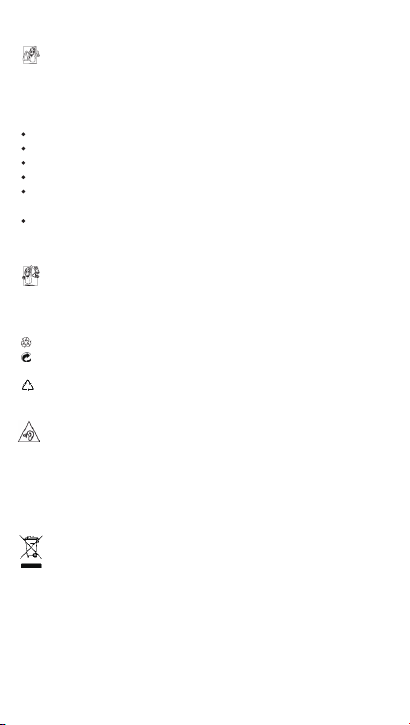
:The labeled packaging material is recyclable.
:A �nancial contribution has been made to the associated national
packaging recovery and recycling system.
:The plastic material is recyclable (also identi�es the type of plastic).
You should only use Manufacturer Authentic Accessories, as the use
of any other accessories may damage your phone and may be
Your phone is powered by a rechargeable battery.
Use speci�ed charger only.
Do not incinerate.
Do not deform or open the battery.
Do not allow metal objects (such as keys in your pocket) to short circuit
the battery contacts.
Avoid exposure to excessive cold or heat (under -20°C or over 60°C),
moisture or caustic environments.
When listening to music, adjust the volume to a moderate level. Continuous
exposure to high volume may impair your hearing. It is recommended to
keep it away from your body and head at least 15mm during operation.
Please act according to your local rules and do not dispose of your old products
with your normal household waste. The correct disposal of your old product will
help prevent potential negative consequences for theenvironment and human
health.This device may contain commodities, technology or software subject to
export laws and regulations from the US and other countries. Diversion
contrary to law is prohibited.
Environmental care
Hearing Protection
When this crossed-out wheeled bin symbol is attached to a product it
means the product is covered by the European Directive 2002/96/EC
Please inform yourself about the local separate collection system for
electrical and electronic products.
Your product is designed and manufactured with high quality materials
and components, which can be recycled and reused.
WEEE Marking in the DFU: “Information to the Consumer”
Disposal of your old product

Warranty Statement
9
We warrant the product to be free from defects in materials and
workmanship, arising under normal use from the date of original
purchase when brand new.
This warranty is subject to the following terms and conditions:
1. The Warranty is given only to the original purchaser of the
Product (“Customer”).
2. The Warranty will be valid for twelve (12) months from the
date of original purchase for mobile handset. Customer should
present the proof of purchase/invoice for claiming this Warranty.
3. For the entire Warranty period, Philips authorized service
centre / personnel will/personnel will, at their discretion,
without any charges and subject to Clause 6 repair or replace
a defective Product. Repair or replacement may involve the use
of same or equivalent reconditioned unit. We will return the
repaired handset or can replace with another same or
equivalent handset to the Customer in full working condition.
All replaced faulty parts or components will become the
property of our authorized service centre.
4. For the handsets available beyond the municipal limits of the
available service centre, it is the responsibility of the Customer
to bring the handset to the nearest service centre at his/her
own risk and expenses.
5. For any handset repaired or replaced during the warranty
period, the repaired or replaced handset shall continue to be
within warranty period for the remaining time of the original
warranty period of original handset.
6. The warranty will be declared void under the following
circumstances:
(a) The handset IMEI number/ serial number, water indicator
or the warranty seal has been removed, erased defaced,
altered or is illegible;

10
(b) Deterioration of the product due to normal wear and tear;
(c) Usage other than accordance with the user manual, rough
handling ingression off exposure to any kind of liquid (water,
sweat, beverages, oils etc.), exposure to moisture, dampness or
exposure to extreme thermal or environmental conditions,
corrosion, oxidation, unauthorized repairs, unauthorized spare
parts usage, accidents, forces of nature, or other beyond the
reasonable control of warrantor unless the defect was cause
directly by defects in material or workmanship. The Warranty
will also not cover any physical damage to the surface of the
handset including but not limited to cracks or scratches on the
LCD or camera lens;
(d) Any defects caused by the fact that the battery has been
short-circuited or by the fact that the seals of the battery casing
or the cells are broken or show evidence of tampering or by the
fact that battery has been used in equipment other than those
for which it has been speci�ed;
(e) The defect was caused by a defective function of the
service provider cellular network or other system.
7. Any claim under the warranty is subject to noti�cation to an
Philips authorized service centre for the alleged defect within
a reasonable time of its occurence and in no event later that
the expiry of the warranty period. Philips Authorized service
centres will not be responsible for any kind of direct or indirect
loss of customer’s data stored/saved in the handset (including
phone book contacts, SMS, emails, pictures, ring tones other
downloaded software, etc.) due to any kind of incidental
failure of the handset and also at the time of service. It is
advised that before bringing the handset for service, kindly
make proper backup of the entire personal data, and remove
any con�dential, proprietary, or personal information from
the handset.
8. Our authorized service centre reserves the right to charge a
11
service fee for repair/ service of any nature that is not covered
by this warranty.
9. Our obligation under this warranty shall be limited to repair or
provide replacement of parts only. The maximum claim
entertained by the warrantor will be subject to maximum retail
price of the handset purchased or the purchase price,
whichever is lower.
10. In event of any unforeseen circumstances, there is unavailability
of certain spare parts; prevailing depreciation rules will be
binding on the purchaser to accept as a commercial solution in
lieu of repairs.
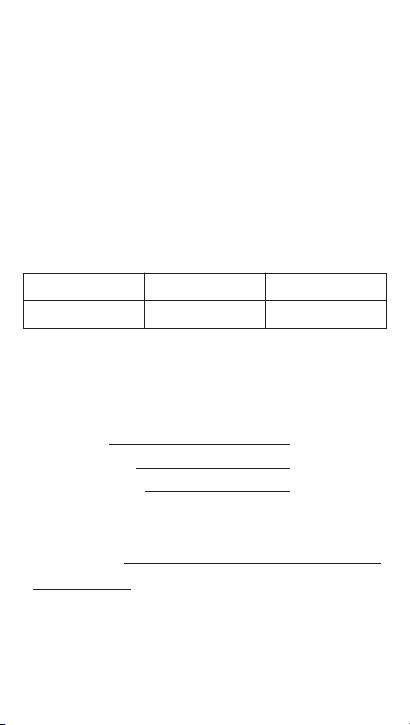
Customer Service Care details
Customer Details
Address Contact Tel Contacts Person
(This Warranty Card should be retained by the customer for
availing warranty services)
Model Name
Product Serial No.
IMEI No. /MEID No.
Date of purchase DD /mm /yyyy
Dealer’s Details
Name& Address
Customer Details
Name
Address
Contact No.
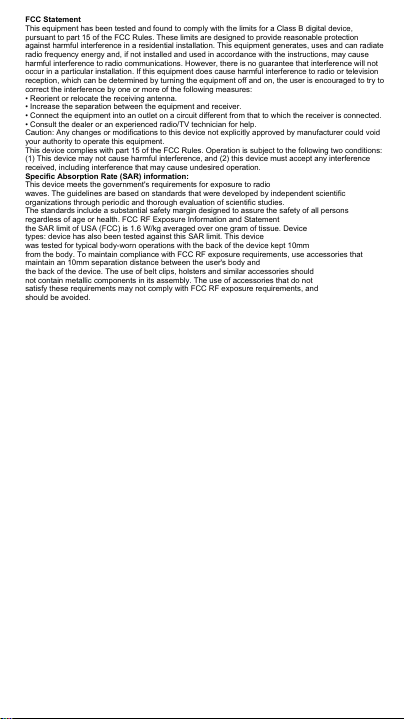
FCC Statement
This equipment has been tested and found to comply with the limits for a Class B digital device,
pursuant to part 15 of the FCC Rules. These limits are designed to provide reasonable protection
against harmful interference in a residential installation. This equipment generates, uses and can radiate
radio frequency energy and, if not installed and used in accordance with the instructions, may cause
harmful interference to radio communications. However, there is no guarantee that interference will not
occur in a particular installation. If this equipment does cause harmful interference to radio or television
reception, which can be determined by turning the equipment off and on, the user is encouraged to try to
correct the interference by one or more of the following measures:
• Reorient or relocate the receiving antenna.
• Increase the separation between the equipment and receiver.
• Connect the equipment into an outlet on a circuit different from that to which the receiver is connected.
• Consult the dealer or an experienced radio/TV technician for help.
Caution: Any changes or modifications to this device not explicitly approved by manufacturer could void
your authority to operate this equipment.
This device complies with part 15 of the FCC Rules. Operation is subject to the following two conditions:
(1) This device may not cause harmful interference, and (2) this device must accept any interference
received, including interference that may cause undesired operation.
Specific Absorption Rate (SAR) information:
This device meets the government's requirements for exposure to radio
waves. The guidelines are based on standards that were developed by independent scientific
organizations through periodic and thorough evaluation of scientific studies.
The standards include a substantial safety margin designed to assure the safety of all persons
regardless of age or health. FCC RF Exposure Information and Statement
the SAR limit of USA (FCC) is 1.6 W/kg averaged over one gram of tissue. Device
types: device has also been tested against this SAR limit. This device
was tested for typical body-worn operations with the back of the device kept 10mm
from the body. To maintain compliance with FCC RF exposure requirements, use accessories that
maintain an 10mm separation distance between the user's body and
the back of the device. The use of belt clips, holsters and similar accessories should
not contain metallic components in its assembly. The use of accessories that do not
satisfy these requirements may not comply with FCC RF exposure requirements, and
should be avoided.
Register your product and get support at
www.philips.com/support
TPV Audio and Visual Technology (Shenzhen) Co., Ltd.
All rights reserved.
Philips and the Philips Shield Emblem are registered trademarks
of Koninklijke Philips N.V. and are used under license
This product has been manufactured by and is sold under the responsibility of
TPV Audio and Visual Technology (Shenzhen) Co., Ltd.and Shenzhen TPV Audio and
Visual Technology (Shenzhen) Co., Ltd. is the warrantor in relation to this product.
502.F105.11000