JIXIN Smart Bluetooth Counter
Operating Instructions
Model: 810
FCC ID: 2BYCX-810
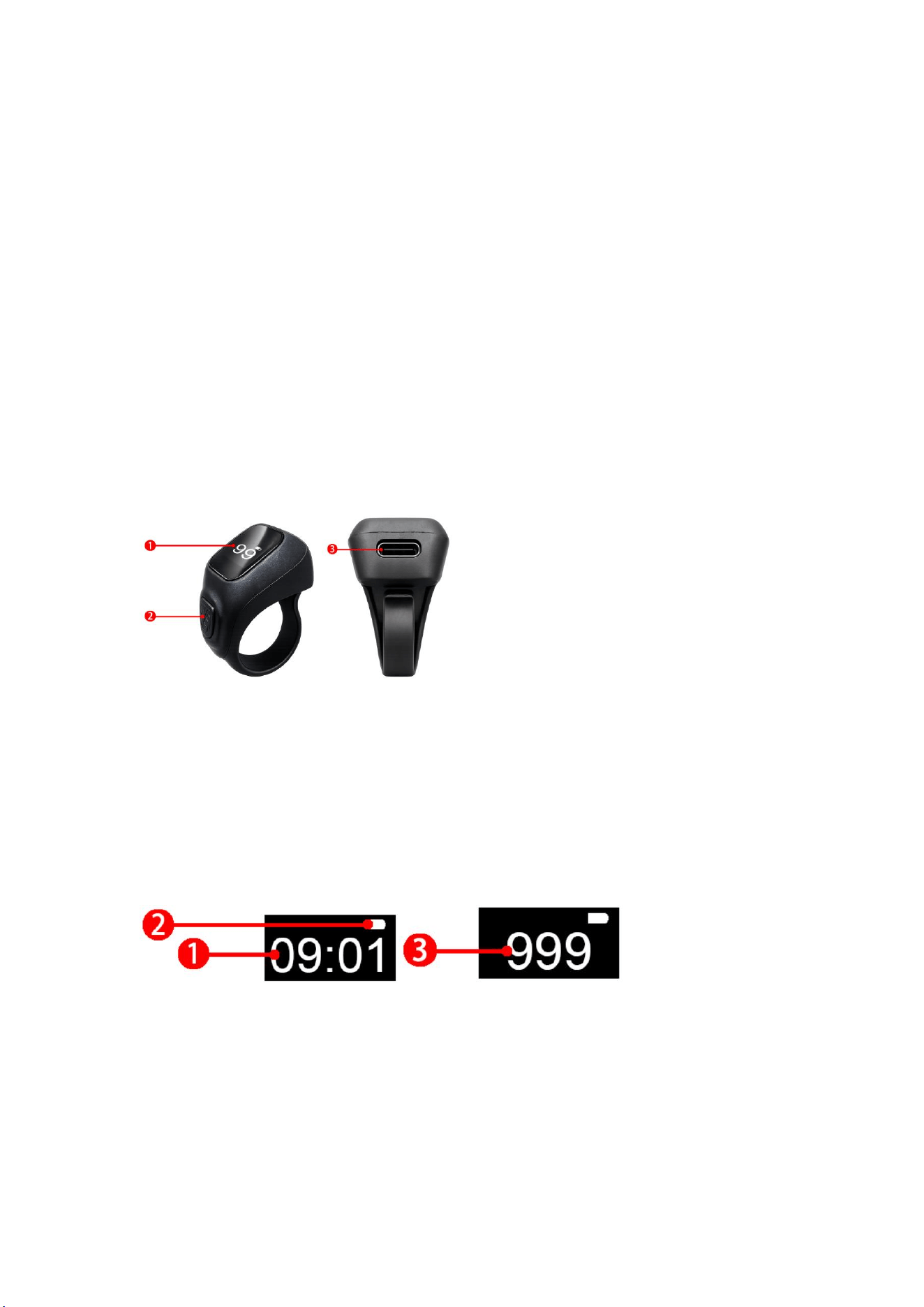
1、Ring appearance introduction:
①: Display
②: Button
③: Charging port
2、Interface display
①: Time (requires APP binding)
②: Battery power
③: Read like count
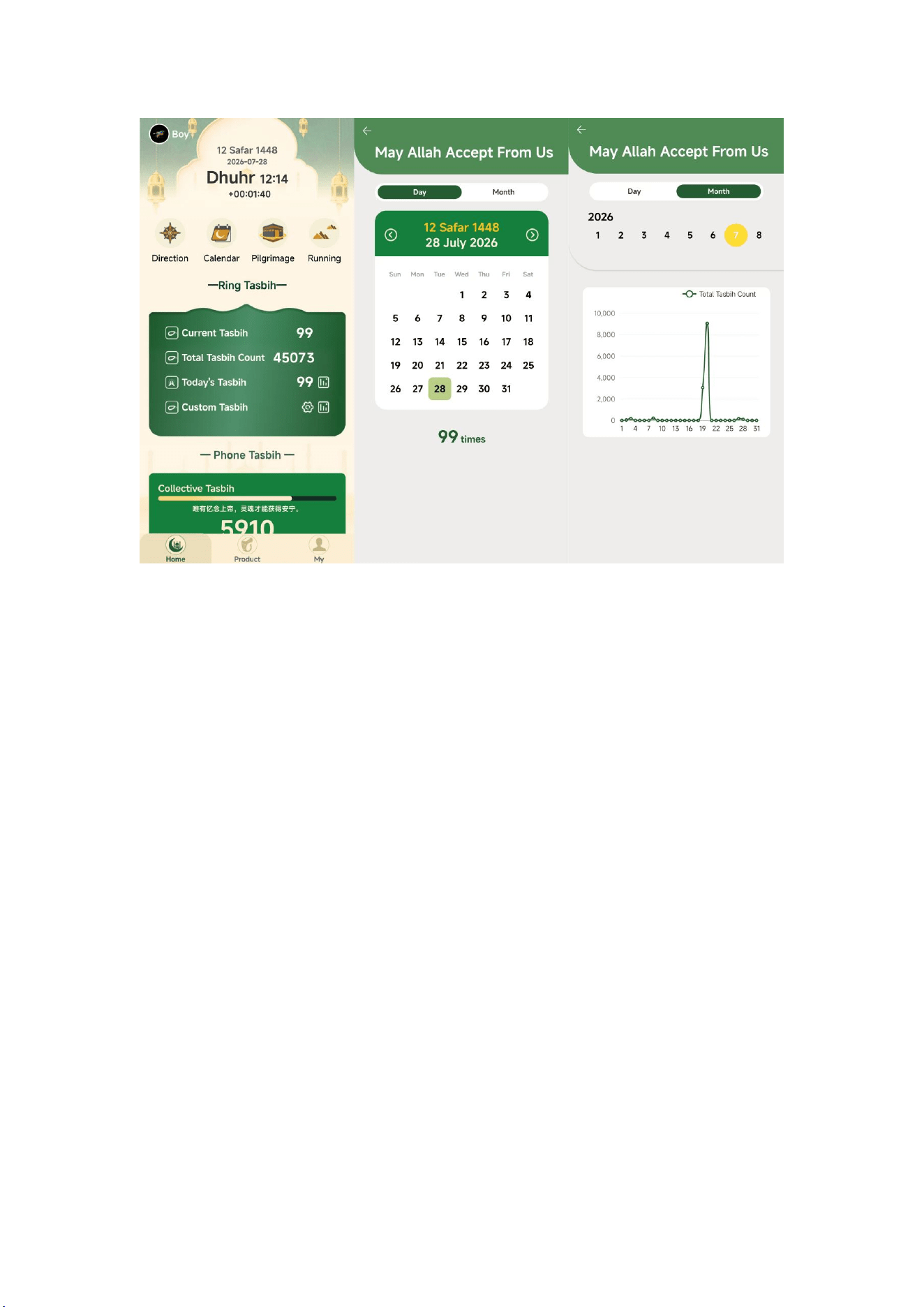
3、Charging Instructions:
Connect the charging cable to the back of the ring and connect the
power supply
After fully charged, the power display is full

4. short press:
Wake up the screen and display the main interface; when the time
interface is displayed, tap the button to enter the like counting mode.
5. long press:
Long press for 3 seconds: when the main screen displays the counter
interface, long press the button for 3 seconds to clear the read like
count and start a new read like count
Long press for 10 seconds: When the main screen displays the counter
interface, long press the button for more than 10 seconds, the counter
will reset, tap again, wake up the screen, and display the main
interface;
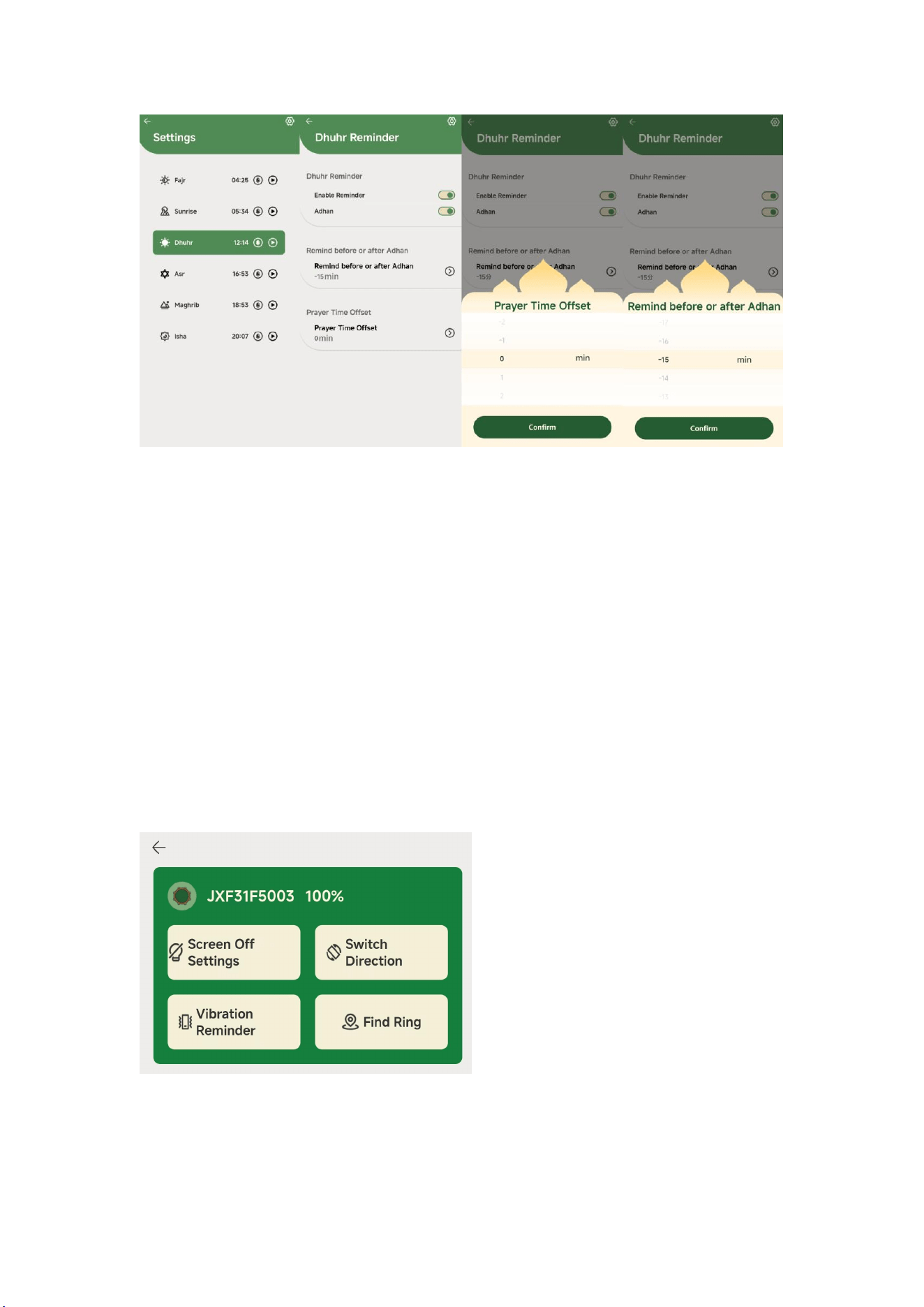
6. Ceremony Setting and Worship Time Adjustment:
The ceremony time and worship time offset, time can be adjusted, the
same interface;
7. basic functions:
Jixin Life Counter:
Jixin Life praise count: after the screen is turned on, use the button
to count. when the praise count reaches the corresponding multiple
(default 33, custom adjustment vibration reminder),Jixin Life count
will vibrate once.
Recounting: Long press the button for 3 seconds, and the Jixin Life
ring will recite the like counting again.
Synchronization: After Jixin Life counter is linked with software APP,
Jixin Life count data will be synchronized to APP
8. information screen settings:
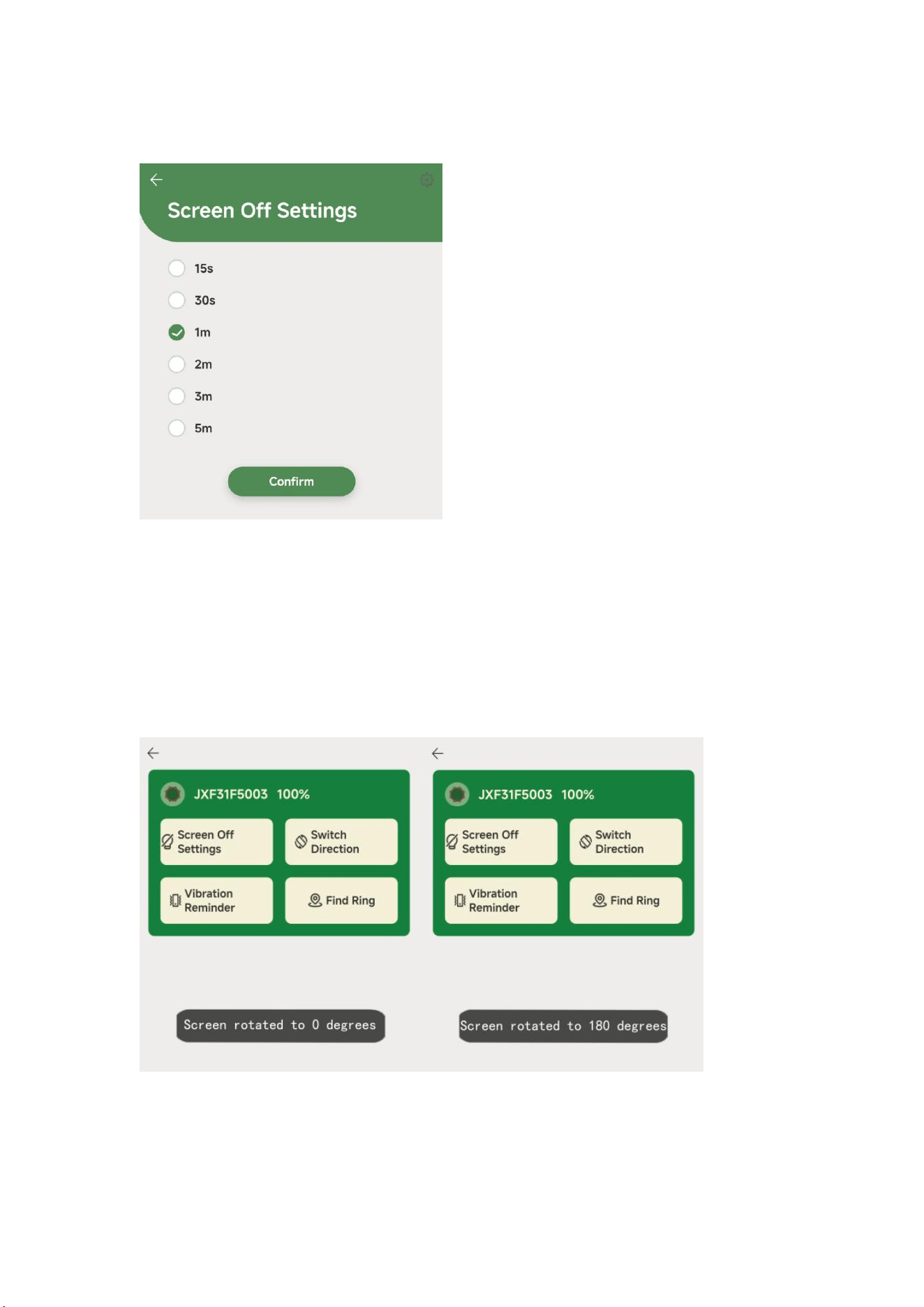
In the ring interface, click "rest screen setting" and select the time
when the ring automatically rest the screen when it is not operated;
9. switching direction:
In the ring interface, click "switch direction", and the screen
direction of the connected Jixin Life counter will be switched
accordingly.
10. vibration reminder:
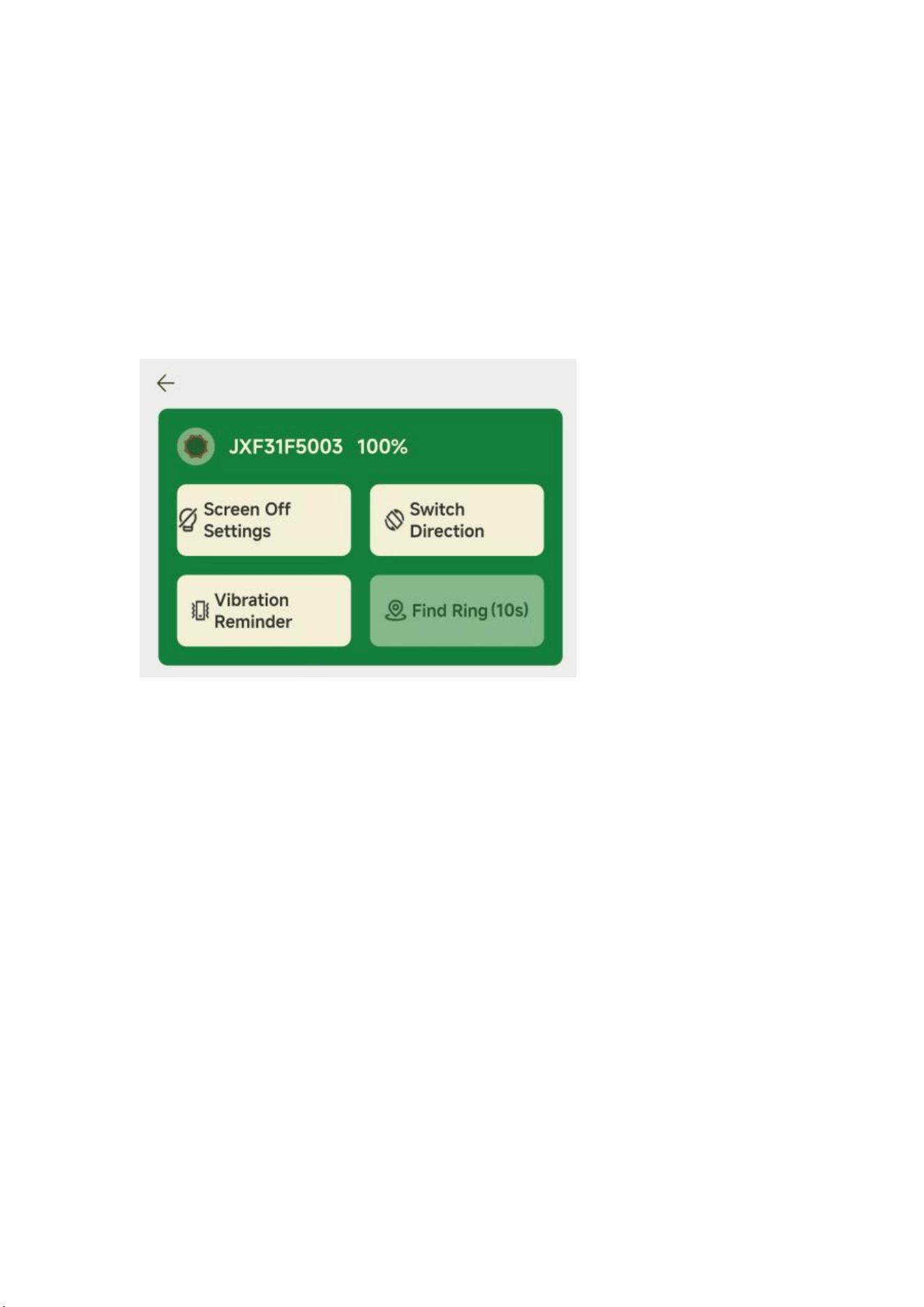
In the ring interface, click "vibration reminder" to set the reminder
multiple you want and whether the reminder is on or not.
11. Find the ring:
Click "Find Ring" on the ring interface and the Jixin Life counter
will vibrate for 10 seconds.
12. Record of Recitation and Praise Count
It records the number of recitations in real time for each session
and maintains historical counts by day, month, and total.