TROUBLESHOOTING
PROBLEM
Light will not come on
B. Low battery.
A. Light switch is turned o.
A. Press light switch to light up mode.
B. Solar panel in direct sunlight for 72 hours to fully charge the battery.
POSSIBLE CAUSE SOLUTION
USB-C input for fully charging the battery in 4-5 hours.
Replace 4pcs D-cell batteries.
CARE AND MAINTENANCE
CARE & MAINTENANCE
RECHARGE USING USB-C OR SOLAR
DISCHARGE
4 MODES
•The solar panel should be cleaned with a damp cotton cloth on a regular basis.
•This will ensure optimal performance and battery charging.
•Never let any abrasive material come into contact with the solar panel.
•Do not mix old and new batteries and Do not mix alkaline, standard (carbon
-zinc) or rechargeable (ni-cad, ni-mh, etc.) batteries.
SAFETY INFORMATION
OPERATION
CHARGING & DISCHARGING
PARTS INCLUDED
• The solar panel needs to be in direct sunlight for 72 hours to fully charge the battery.
• USB-C input for fully charging the battery in 4-5 hours.
The charging indicators flash green while charging and stay solid when fully charged.
Note: Both USB-C and solar charging only charge the internal lithium battery, not the D-cell dry batteries.
•The lantern is equipped with a DC 5V/1A USB output port for charging
mobile devices, which is powered exclusively by the lithium battery.
• Before charging an external device, check the battery status indicator,
make sure the lithium battery is with enough capacity.
Read all safety precautions and operation instructions carefully
before use or servicing this light. Failure to comply with these instructions
could result in a potentially fatal electric shock and/or property damage.
•Do not expose the light to fire or intense heat.
•Do not immerse in water.
•Your solar light and solar panel are both weather-resistant.
• The first press for high brightness (2000 lumens) .
• The second press for medium brightness (500 lumens).
• The third press for low brightness (250 lumens).
• The fourth press for red flashing strobe mode.
• The fifth press for light o.
• Press and hold the button for 2 seconds to turn the light o in any mode.
During the operation, the LED indicator remains steady when running on lithium
power and displays a flowing water light eect when switched to dry batteries.
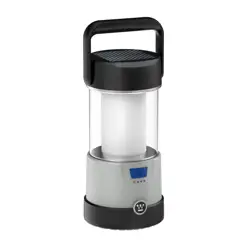
2000 Lumen Solar Portable
Rechargeable Lantern
ITEM: RMLTRN02001H-08B
2000 Lumen Solar Portable
Rechargeable Lantern
ITEM: RMLTRN02001H-08B
WARNING:
High-2000 lm
Strobe Mode Mid-500 lm
Low-250 lm
3
Hrs
runtime
12
Hrs
runtime
24
Hrs
runtime
24
Hrs
runtime
charge batterycharge external devices
•USB-A OUT (5V,1A) •USB-C IN (5V,2A)
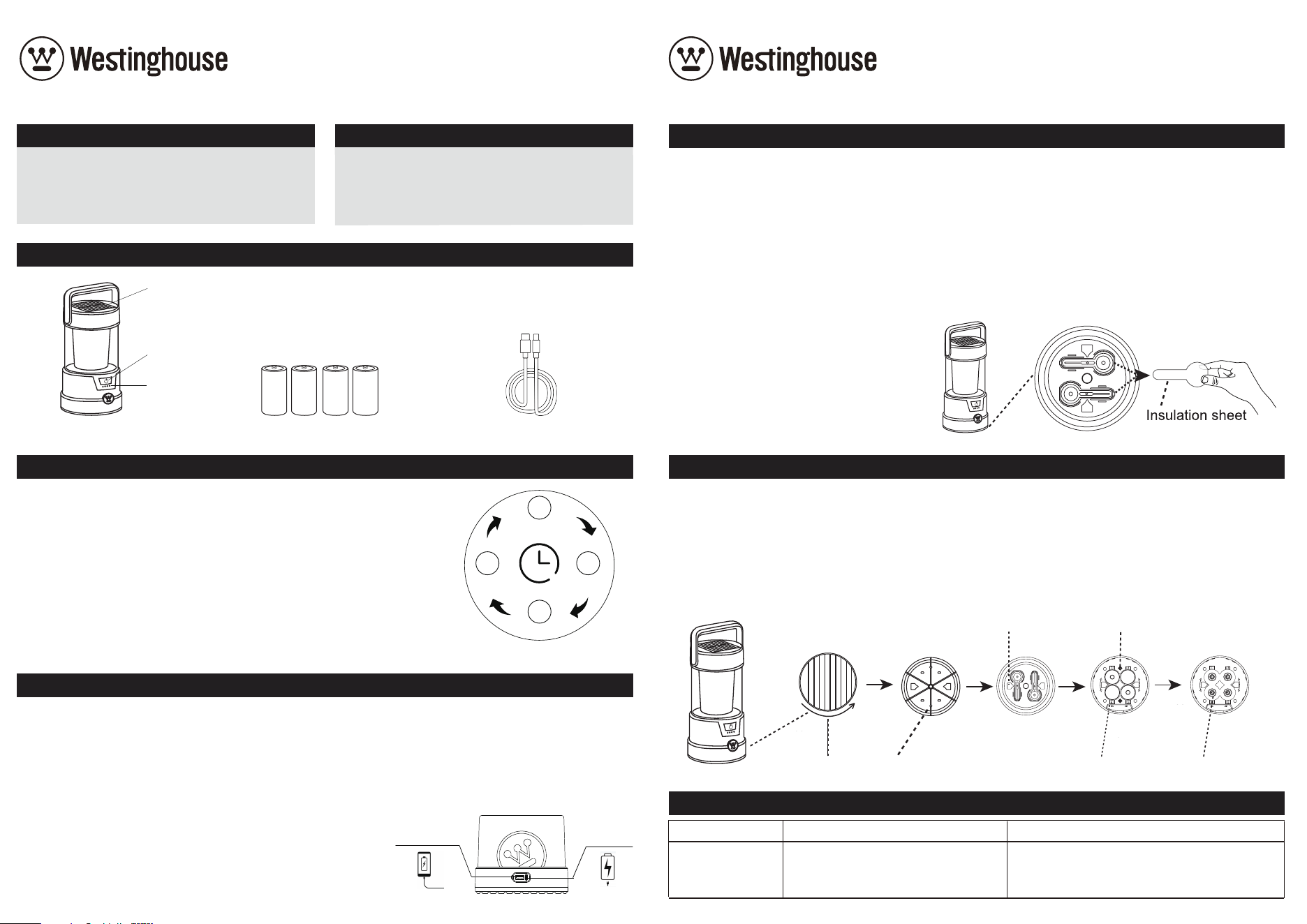
Solar Panel
Lantern x 1 D-Cell Batteries x 4 (pre-installed)
Power on/o
Switch
Battery Status
Indicator Bar
HOW TO USE DRY & LITHIUM BATTERIES
HOW TO REPLACE THE 4× D-CELL BATTERIES
USB Type-C Charging Cable x 1
* The run time is based on lithium battery power
Discharge Priority
When both batteries are installed. the lantern uses the lithium battery first and switches to dry batteries only when the
lithium battery is depleted.
Key Precautions
•
USB output is powered only by the lithium battery; dry batteries do not support external power supply.
•
Lithium and dry batteries will not charge each other, ensuring safe use.
•
Do not mix dierent types or old/new dry batteries.
•
Remove dry batteries if the lantern is not used for a long time to avoid leakage.
Note:
Before use, open the base plate and
unscrew the 2 screws to take the cover out,
Remove the insulation sheet behind the cover
to enable normal use.
• Rotate the bottom plate.
• Unscrew the 2 screws.
• Remove the cover.
• Check the positive and negative pole markings on the base.
• Insert the batteries into the compartment.
• After placing them, align the cover with the groove, align the screws with the screw holes and tighten them.
• Put the rotating bottom plate on, and then rotate it to tighten before use.
Screw hole
Rotate the bottom plate
The bump fits into the groove
Unscrew the 2 screws Remove the cover Check the positive and
negative poles markings
Insert the batteries
into the compartment

2000 Lumen Solar Portable
Rechargeable Lantern
ITEM: RMLTRN02001H-08B
WARNING: Changes or modifications to this unit not expressly approved by the party responsible for compliance could
void the user’s authority to operate the equipment.
This device complies with Part 15 of the FCC Rules. Operation is subject to the following two conditions:
(1) This device may not cause harmful interference, and (2) this device must accept any interference received, including i
nterference that may cause undesired operation.
NOTES: This equipment has been tested and found to comply with the limits for a Class B digital device, pursuant to Part
15 of the FCC Rules. These limits are designed to provide reasonable protection against harmful interference in a residential
installation. This equipment generates, uses and can radiate radio frequency energy, and if not installed and used in
accordance with the instructions, may cause harmful interference to radio communications.
However, there is no guarantee that interference will not occur in a particular installation. If this equipment does cause
harmful interference to radio or television reception, which can be determined by turning the equipment o and on, the
user is encouraged to try to correct the interference by one or more of the following measures:
• Reorient or relocate the receiving antenna.
• Increase the separation between the equipment and receiver.
• Connect the equipment into an outlet on a circuit dierent from that to which the receiver is connected.
• Consult the dealer or an experienced radio/TV technician for help.
Company Name: Rayman Lights, Inc.
Company Address: 2020 Firedancer Ln, Bear, DE 19701, USA
Telephone Number: 1-888-445-8974
FCC WARNING
WARRANTY
DO NOT RETURN THIS PRODUCT TO THE STORE
If you have questions or need assistance, please call customer service at 1-888-445-8974 or email
and Westinghouse are trademarks of Westinghouse Electric Corporation. Used under license by Rayman Lights Inc.
All Rights Reserved.
This product is warranted against defects in materials or workmanship for one (1) year from the date of purchase.
This warranty is non-transferable and applies only to the original purchaser.
Proof of purchase is required for any repair or replacement under this warranty.
This warranty does not cover normal wear and tear or damage caused by misuse, including but not limited to:
· Using cleaners that contain chemicals, solvents, or harsh abrasives.
· Operating the product in extreme weather conditions.
· Opening, tampering with, modifying, or altering the product in any way.
Warranty Notice
To ensure full warranty coverage, this product must be purchased from an authorized retailer. Purchases made
through unauthorized third-party sellers will void all warranty protections.
This includes eligibility for product replacements, repairs, or customer support. Please retain your proof of purchase
from an authorized source.