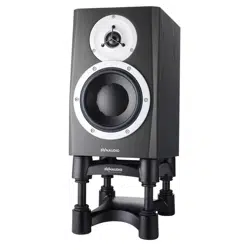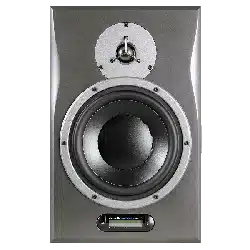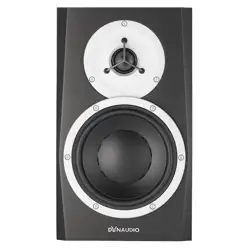

BM
User manual

▪ Important safety instructions
▪ Warning!
▪ Service
▪ EMC/EMI
▪ For customers in Canada:
▪ Disposal
▪ Break-in time
▪ Introduction
▪ Setup and Operation
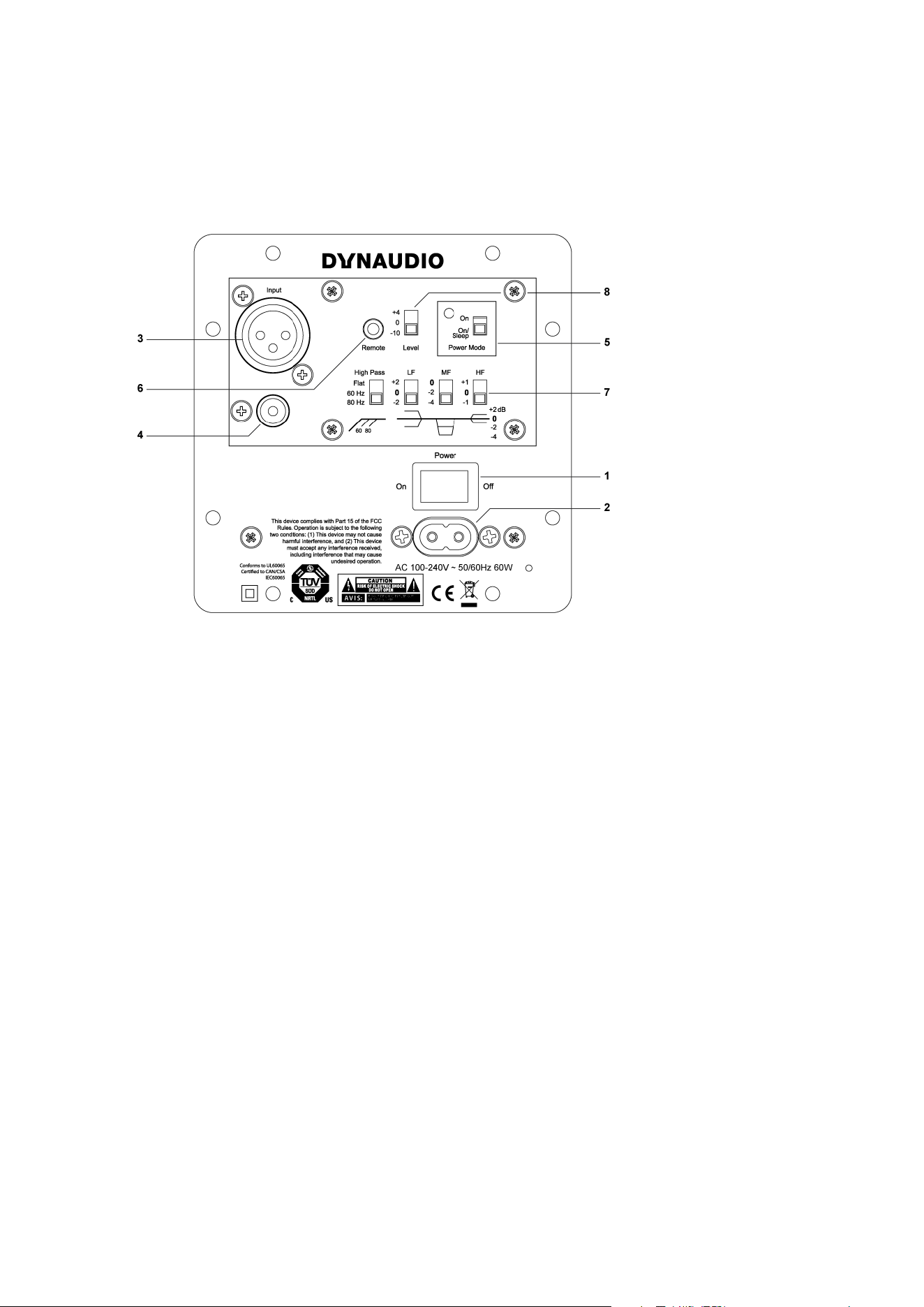
▪ Overview – rear panel
▪ Setting up
▪ 1/2. Power on/o switch / AC power in
▪ 3. Balanced analog input
▪ 4. Unbalanced analog input (RCA)
▪ Switches
▪ 5. Power mode switch
▪ 6. Remote
▪ 7. Filter switches
▪ 8. Level trim
▪ Protection
▪ Positioning
▪ Miscellaneous
▪ Troubleshooting
▪ Care
▪ Options
▪ Service
▪ Warranty
▪ Exceptions
▪ Technical specifications
2 BM User manual

3
Important safety instructions
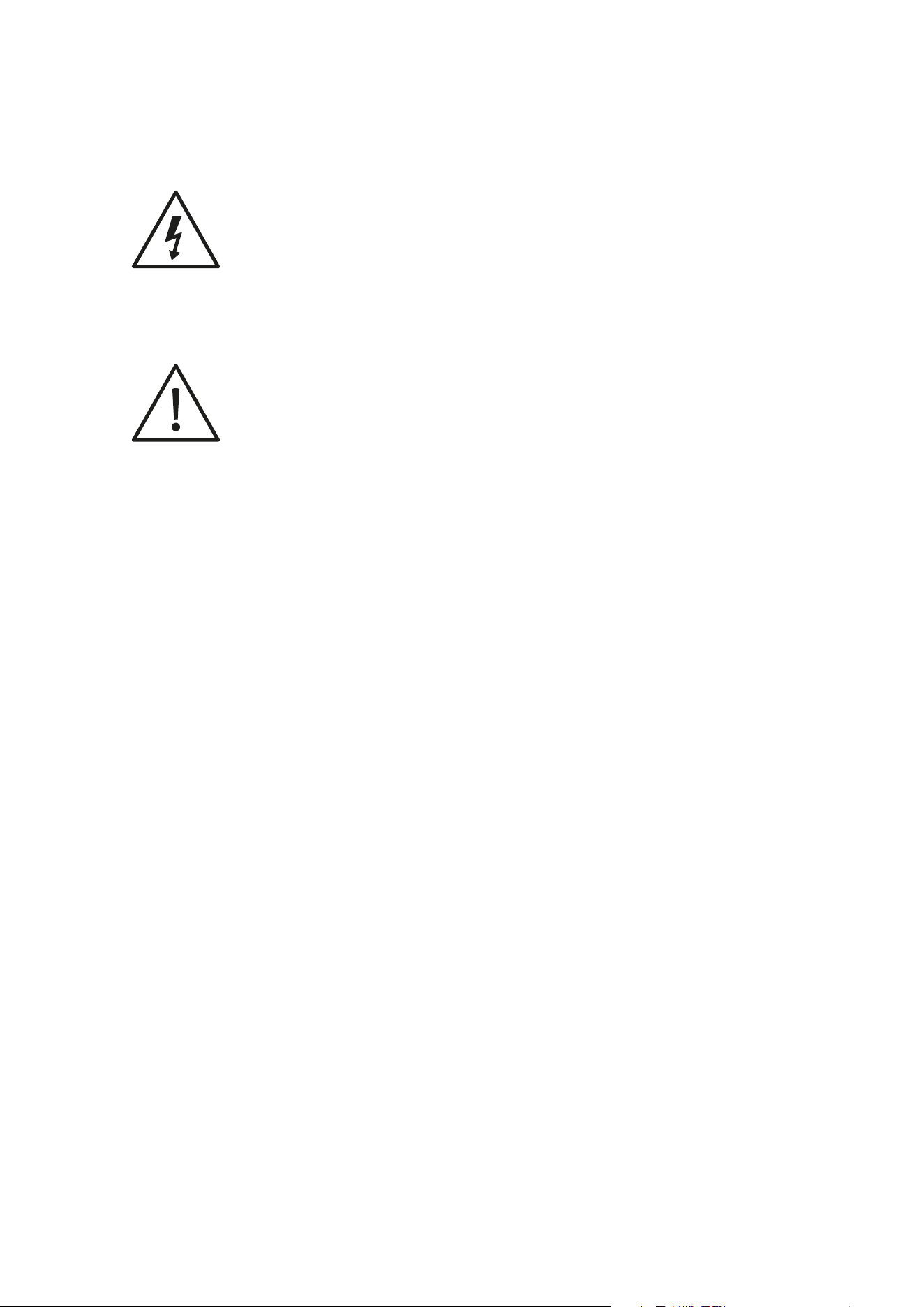
The lightning flash with an arrowhead symbol within an equilateral triangle, is intended to alert the user to the
presence of uninsulated “dangerous voltage” within the product’s enclosure that may be of sucient magnitude to
constitute a risk of electric shock to persons.
The exclamation point within an equilateral triangle is intended to alert the user to the presence of important
operating and maintenance (servicing) instructions in the literature accompanying the product.
1. Read these instructions.
2. Keep these instructions.
3. Heed all warnings.
4. Follow all instructions.
5. Do not use this apparatus near water.
6. Clean only with dry cloth.
7. Install in accordance with the manufacturer’s instructions.
8. Do not install near any heat sources such as radiators, heat registers, stoves, or other apparatus (including amplifiers) that
produce heat.
9. Do not defeat the safety purpose of the polarized or grounding-type plug. A polarized plug has two blades with one wider
than the other. A grounding type plug has two blades and a third grounding prong. The wide blade or the third prong are
provided for your safety. If the provided plug does not fit into your outlet, consult an electrician for replacement of the
obsolete outlet.
10. Protect the power cord from being walked on or pinched particularly at plugs, convenience receptacles, and the point
where they exit from the apparatus.
11. Only use attachments/accessories specified by the manufacturer.
12. Use only with the cart, stand, tripod, bracket, or table specified by the manufacturer, or sold with the apparatus. When a
cart is used, use caution when moving the cart/apparatus combination to avoid injury from tip-over.
13. Unplug this apparatus during lightning storms or when unused for long periods of time.
14. Refer all servicing to qualified service personnel. Servicing is required when the apparatus has been damaged in any way,
such as power-supply cord or plug is damaged, liquid has been spilled or objects have fallen into the apparatus, the
apparatus has been exposed to rain or moisture, does not operate normally, or has been dropped.
4 BM User manual
Warning!
▪ To reduce the risk of fire or electrical shock, do not expose this equipment to dripping or splashing and ensure that no
objects filled with liquids, such as vases, are placed on the equipment.
▪ This apparatus must be earthed.
▪ Use a three wire grounding type line cord like the one supplied with the product.
▪ Be advised that dierent operating voltages require the use of dierent types of line cord and attachment plugs.
▪ Always observe the local safety regulations. Ensure that the factory-set power requirements for the device (refer to the
label on the back of the monitor) corresponds to the mains supply in your region.
▪ This equipment should be installed near the socket outlet and disconnection of the device should be easily accessible.
▪ To completely disconnect from AC mains, disconnect the power supply cord from the AC receptacle.
▪ The mains plug of the power supply shall remain readily operable.
▪ Do not install in a confined space.
▪ Do not open the unit – risk of electric shock inside.
Caution
You are cautioned that any change or modifications not expressly approved in this manual could void your
authority to operate this equipment.
Service
▪ There are no user-serviceable parts inside.
▪ All service must be performed by qualified personnel.
EMC/EMI
This equipment has been tested and found to comply with the limits for a Class B Digital device, pursuant to part
15 of the FCC rules.
These limits are designed to provide reasonable protection against harmful interference in residential installations.
This equipment generates, uses and can radiate radio frequency energy and, if not installed and used in
accordance with the instructions, may cause harmful interference to radio communications. However, there is no
guarantee that interference will not occur in a particular installation. If the equipment does cause harmful
interference to radio or television reception, which can be determined by turning the equipment o an on, the user
is encouraged to try to correct the interference by one or more of the following measures.
▪ Reorient or relocate the receiving antenna.
Important safety instructions 5

▪ Increase the separation between the equipment and receiver.
▪ Connect the equipment into an outlet on a circuit dierent from that to which the receiver is connected.
▪ Consult the dealer or an experienced radio/TV technician for help.
For customers in Canada:
This Class B digital apparatus complies with Canadian ICES-003.
Cet appareil numérique de la classe B est conforme à la norme NMB-003 du Canada.
Disposal
Disposal of used electrical and electronic equipment (applicable in European countries with separate collection
systems for this equipment)
This symbol on the product or its packaging indicates that the product may not be treated as household waste.
Instead it must be handed over to the applicable collection point for the recycling of electrical and electronic
equipment. By ensuring this product is disposed of correctly, you will help prevent potential negative
consequences for the environment and human health. The recycling of materials helps to conserve natural
resources. For more detailed information on recycling this product, please contact your local authority, community
waste disposal of, or the shop where you purchased the product.
Break-in time
The transducers of your Dynaudio BM5 mkIII will achieve better sound quality after breaking in, especially after the
first hours of use you may notice a significant advance in sound quality, and further subtle improvements in
subsequent hours of use.
6 BM User manual

Introduction
Congratulations on your purchase of the Dynaudio BM5 mkIII active monitor system. With the right care and
attention it will provide many years of excellent and trouble-free audio reproduction. It is most important, however,
that you take a few minutes at this early stage of your monitor’s life to read this manual. It contains essential
information to help you get the best from your new monitors.
The latest revision of this manual is always available on our website:
dynaudio.com
For support, please refer to:
dynaudio.com/support
Introduction 7
Setup and Operation
Overview – rear panel
Correct setup and connections is essential to achieve optimal performance from your monitors. Please follow the
instructions on the following pages.
1. Power On/O switch
2. AC power Input
3. Balanced analog input (XLR)
4. Unbalanced analog input (RCA)
5. Power Mode switch
6. Remote
7. Filter switches
High Pass
LF – Low filter setting
MF – Mid filter setting
HF – Hi filter setting
8. Level – Sensitivity switch
8 BM User manual

Setting up
1/2. Power on/o switch / AC power in
Before switching on, make sure Mains Voltage matches your area’s mains voltage specification.
3. Balanced analog input
1 : 0
2 : +
3 : -
3
12
Audio Input is via a female XLR connector. The input is electronically balanced with the following connections. The
connections are printed on the rear for easy reference.
4. Unbalanced analog input (RCA)
Unbalanced Input via RCA. If your audio source doesn’t have a balanced output, use the RCA input connection.
For best results always use only good quality screened cables and connectors.
Switches
On the rear of the monitor you will find six switches for setting up the monitor for optimum performance in dierent
acoustic environments. Each switch is explained in the following.
5. Power mode switch
ON: The speaker is active and ready to play.
ON/SLEEP: After if no input signal has been present on the input for 20 minutes the speaker enters the “Sleep”
mode and saves power. The speaker is invoked and ready to play when a signal is present on the input again.
Wake-up time is approximately two seconds.
6. Remote
Usually, active speakers are at max level all the time. By connecting the Dynaudio External Volume control, the
volume is conveniently controllable via the remote.
7. Filter switches
LF
This switch controls the bass gain level using shelf-type EQ. The level can be set to +2 dB, 0 dB or -2 dB.
This filter is used to adjust for the proximity of boundaries, so if positioned close to wall or corner, use the -2 dB
setting. If positioned far from walls use the +2 dB or 0 position, depending on other equipment, and personal
taste.
MF
This switch sets a notch filter, used to compensate for the acoustic eect of a console.
Such placement usually results in a response peak in lower midrange. The MF switch activates a bell shaped
notch filter, which can compensate. Use either the -2 or the -4 dB setting. Find the setting that provides the
flattest response.
HF
This switch controls the Treble level and it is used to match the high end of the monitor to your other electronic
equipment, and your acoustical environment. Use the setting providing the preferred timbre. If the sound is too
bright; try to set to -1 dB to reduce treble by 1 dB. If the sound is too dull, use +1 dB setting to raise the High
Setting up 9

Pass by 1 dB.
HP
This switch sets the lower cut-o frequency of the monitor. It is used to match the monitor to a subwoofer. You
can select between 60 Hz or 80 Hz X-over. Flat is used in case you do not use a subwoofer to assist your
monitors. When used with a subwoofer it is recommended to use either 60 Hz or 80 Hz filter, thus allowing a
higher undistorted sound pressure level.
8. Level trim
Use this switch to match the sensitivity of the BM5 mkIII monitor to your source.
High-output Source
If your source has a high output, set switch to the -10 position to reduce sensitivity by 10 dB.
Low-output source
If your source has a low output, set switch to the +4 position to gain 4 dB more sensitivity.
Protection
The BM5 mkIII monitor has several built in protection systems to reduce the risk of hazard or damage due to
overloading.
Both power amplifiers have thermal protection. This activates if a problem should occur, and helps protect both
the electronics and the loudspeaker drivers.
The woofer channel has a built in limiter that protects the woofer unit from too much excursion. It works by
reducing the gain of the circuit when a certain threshold level is reached.
10 BM User manual

Positioning
The BM5 mkIII is designed as a precision near-field monitor and can be equally well used in both stereo and
surround setups. Optimal performance is achieved when positioned 1 to 3 meters from the listener.
It can be placed on stands or on the meter bridge of a console provided that the meter bridge is suciently
sturdy. For best results, the speakers should be aimed towards the listener in both vertical and horizontal planes.
Positioning 11

Miscellaneous
Troubleshooting
If you hear no sound, check your input signal, i.e. by switching the left and right speakers.
Care
Components of the highest quality are used in your BM5 mkIII. This assures years of trouble-free operation.
Following precautions should still be made though.
Avoid running the system into severe clipping. Although there is an advanced protection system, you may be able
to destroy your speakers by severe overpowering them. The limiter works over a certain range, but exceeding this
level may send a severely clipped signal to your drivers. When a noticeable distortion occurs, please turn down
the level to your speakers.
Avoid hot-plugging the equipment connected to the monitors. Always turn o the speaker and other equipment
when plugging or unplugging signals, or switching equipment on or o.
Do not touch the drive units by hand. The tweeter especially uses a very fine fabric dome with an ultra-thin
coating.
Options
Companion subwoofers for the Dynaudio BM series are the 9S and 18S Subwoofers. Learn more about these
subwoofers at:
dynaudio.com
Service
There are no user serviceable parts inside the monitor. If service is required please contact service via:
dynaudio.com
12 BM User manual

Warranty
Dynaudio products are warranted to be free from defects in components and factory workmanship under normal
use and service for a period of two (2) years when bought from a reseller within the EU.
Dynaudio products are warranted to be free from defects in components and factory workmanship under normal
use and service for a period of one (1) year when bought from a reseller outside the EU.
When failing to perform as specified during the warranty period we will undertake to repair, or at our option,
replace this product at no charge to its owner, provided the unit is returned undamaged and shipping prepaid, to
an authorized service facility or to the factory.
Dynaudio shall not be responsible for any incidental or consequential damages. Dynaudio’s responsibility is limited
to the product itself. Dynaudio assumes no responsibility for any loss due to cancellation of any events, or rent of
replacement equipment or costs due to third party’s or customer’s loss of profit, or any other indirect cost or
losses however incurred.
Dynaudio reserves the right to make changes or improvements in design or manufacturing without assuming any
obligation to change or improve products previously manufactured and / or sold.
The product warranty is only valid in the country where the product was purchased.
Exceptions
Dynaudio will always follow the law of the respective markets should it dier from the policy stated above or the
exceptions stated below.
This warranty shall be null and void, if the product is subjected to repair work or alteration by a person or facility
other than those authorized by Dynaudio; mechanical damage including shipping accidents; war, civil insurrection,
misuse, abuse, operation with incorrect AC voltage, incorrect connections, wrong accessories, incorrect use of
accessories, operation with faulty associated equipment, exposure to inclement weather conditions and normal
wear and tear.
Units, on which the serial number has been removed or defaced, are not eligible for warranty service.
Warranty 13

Technical specifications
Parameter Value
Input level for 85 dB SPL @ 1 m, @ 0 dB setting,
unbalanced
80 mVrms
Max input level (@setting)
4,8 Vrms (-10 dB)
1,5 Vrms (0 dB)
1 Vrms (+4 dB)
Power consumption
Standby: 0.3 W
Idle: 5.8 W
Max: 94 W
Amplifier power
Tweeter: 50 W
Woofer: 50 W
Max SPL 1 m, normal room, short term IEC signal 118 dB peak
Frequency Response (+/- 3 dB) 42 Hz to 24 kHz
Resonance Frequency 45 Hz
Internal Cabinet Volume 9.5 liters
Bass Principle Bass reflex
Weight 7.7 kg
Dimensions (Depth x Width x Height) 296 x 186 x 320 mm
Crossover 2 way
Crossover Frequency 1900 Hz
Crossover Slope 12 dB/oct
Connection XLR balanced and RCA unbalanced
Recommended Placing Desktop
Tweeter
D-281 – 28 mm soft dome, rear chamber, magnetic
fluid
4 mm aluminum front
Pure aluminum wire voice coil
Woofer
180 mm molded aluminum frame
One piece thermo formed MSP cone
75 mm voice coil with pure aluminum wire on aluminum
former.
Cabinet
Designed to be placed on a desk.
18 mm MDF
Crossover Active, DSP based
Amplifier
Input sensitivity selector
HF, MF and LF trim selector
High pass frequency selector
Auto standby/On selector
Optional remote volume control (cabled)
High eciency digital power amplifiers.
Switch mode power supply with wide range input
Due to continuous development, these specifications are subject to change without notice.
14 BM User manual