A6Plus说明书
u
s
I
l
I
I
165mm
140mm
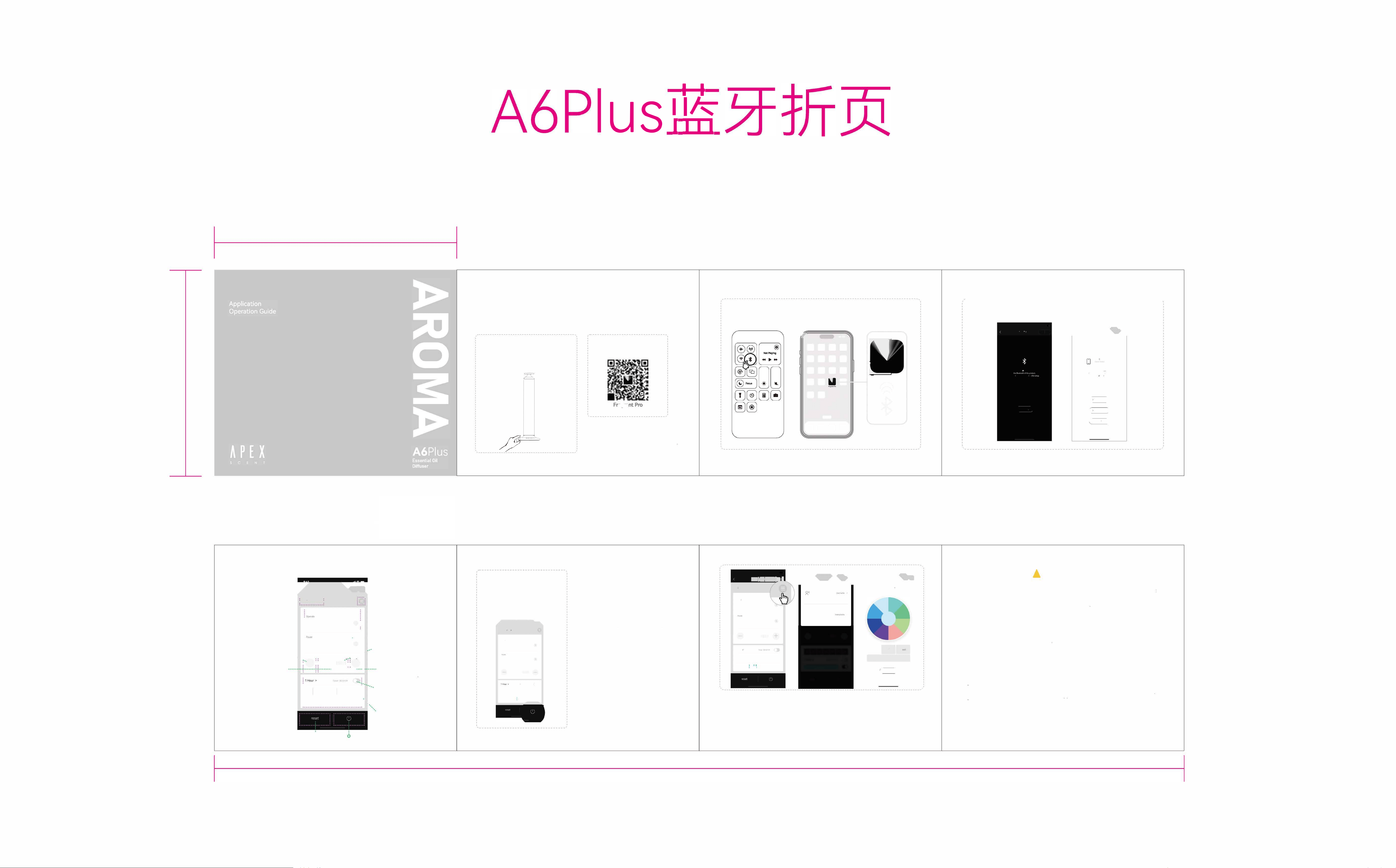
Bluetooth App Contl
How to smoothly use the app to ntl ur diuse
0
Long
pss por on/off
(The
switch indicator light turns on)
@p「essand hold the Bluetooth buon r 3
seconds to enter o「函tBluetooth mode
Once Bluetooth mode is activated, the ur
gearindica妇rlights will illuminate and flash
nchronously at the same time
/[
尸
/
/
0 Scan the code to Download
the App
口
aa,a
E-
Ou
「 app
[Fgnt P「o] is available on the
App
Store and Google Play
u can download it in the llowing ways:
1 Search r the app name in the app stores
2 Scan the QR code aached to the diffuser
0 Ensure Bluetooth is enabled on your phone.
➔
,
(
-------------------------------------------------------------------------
-
0 Open APP (not connected)
Click on the search icon -automatically search for devices
'"'
""今一
厂,寸.., 压 ,一. ©
_
`」
七
口
``
"二'"""
女...亡"""吓e
忱,,年,,
乒, ,.
U
i
F
g
nt Pro
,.
.
�
, rn仔"'""'
'j
(0
夺.,,
,"",
\
, "忏"'"''
�俨
'
'
,'"「「'""''"''
,
About App
Settin
g
,
you can click here to explore more
0 Introduion to the App Interce
M�
扂
骂
o
•
•
•
•• ___
_
_
_ •
•
•
-·
o
R
emarks
&explai
n
...............
.名 D,"'•°' 干 ,
..................................
Operating
time o----·----
j
--·-- 4
0
S
.
;
; ................................ :
: 18
0
s ·,
----
i-------
--
o Pause
durati
on
;
•
•
•
o Atomization f「equency
Atomization
o
.
.
;
志
·
·
gea
「
frequency weakens
、一屿、.,.:::::::--:::::::::::::二,
---
:":之
.
· —:: II仆1111111 ::+ i
Level o
:: ;
o
Atomization f「equency
------- ----------------- .. ______ _
P「eview
...................................
is strengthened
.
....一一一一一一一一一一一一一一一一一一一一一一一一一一一一一
,
匡圈圈匾匾匾圈
、o
Timed
,己已己已"已'"已二己已二己已"已'"己已己已二己已"已i
shutdown
;一111\甲一 o,··,
、
、
OWeek
6
Reset
Save
9 S and save.
Operate Time: 15-1 BOsecs
Pause Time·15-1 BOsecs
T1m1ng·1 h/4h/8h/24h
Schedule·Sunday to Saturday
_
'"""'"
"己,又
40s
180s
11111111111
•• 辽江. �
匾匾匾巨匾圈匾
_叮
'
1
'
1一 c
Kindly Note:
•
The atomization frequen of the diuser can
be manually set by ad」usting the operation
time (Operate) and pause time (Pause) to
control the concentration of the fragrance
You can also use the preset atomization time
shortcuts(-) and(+) fa「 quicksettings
•
I
f you need to power o during working
hours, please click the "power of
f
" button
in the App. Or uch Button to Turn o
•Exit Bluetooth Mode: P「ess and hold the
Bluetooth button r 3-5 seconds Once the
four synchronous steady-on gear indicators
go out and only one indicator illuminates, the
diffuser will exit Bluetooth mode and switch
to manual operation mode
"伽父'°''
中气'
••• 亨一
心
A
40s
180s
'""』 ,
耟扑lil·-11■1
11111111111
+
囡匾匾国圈圈匡
-'11111,
'
I-
_
凭
_
A心l句'""闭"·"心o
巨
,
'
"
"
"
''""""""'"
'
'
°
')
`
This app 1s compatible with multiple aromatherapy diuser models of our brand If you have
purchased multiple diusers, you can assign new names to each of them to avoid confusion
during use. For example, you can name them acco「ding to their placement locations (such as
living room, bedroom, etc) or d1st1ngu1sh them by shape o「 calm
Lastly,
1
f you have any suggestions or feedback about our
app,
please feel free to contact us
言心:•�mail
�

This device complies with part 15 of the FCC Rules. Operation is subject to the
following two conditions: (1) This device may not cause harmful interference, and (2)
this device must accept any interference received, including interference that may cause
undesired operation.
Any Changes or modifications not expressly approved by the party responsible for
compliance could void the user's authority to operate the equipment.
Note: This equipment has been tested and found to comply with the limits for a Class B
digital device, pursuant to part 15 of the FCC Rules. These limits are designed to
provide reasonable protection against harmful interference in a residential installation.
This equipment generates uses and can radiate radio frequency energy and, if not
installed and used in accordance with the instructions, may cause harmful interference
to radio communications. However, there is no guarantee that interference will not
occur in a particular installation. If this equipment does cause harmful interference to
radio or television reception, which can be determined by turning the equipment off and
on, the user is encouraged to try to correct the interference by one or more of the
following measures:
-Reorient or relocate the receiving antenna.
-Increase the separation between the equipment and receiver.
-Connect the equipment into an outlet on a circuit different from that to which the
receiver is connected.
-Consult the dealer or an experienced radio/TV technician for help.
-This equipment complies with FCC radiation exposure limits set forth for an
uncontrolled environment. This equipment should be installed and operated with
minimum distance 20cm between the radiator & your body.