• Utilize the ANC button to cycle the three dierent active noise-cancellation settings
• Pressing the button once from o will enter ANC mode (Active Noise-
Cancellation) and is indicated with two ascending tones
• ANC mode reduces outside noise at least 30dB reduction and makes your music the
focus of your trip instead of the people around you
• Pressing the button again (twice from o) will enter AMB mode (Ambient) and is
indicated by two high tones
• AMB mode only lets in high frequency sounds this way you can still get some quiet
time on a bus or airplane but never miss an announcement
• Pressing the button again (three from o) will turn OFF the Active Noise-
Cancellation and is indicated with two descending tones
• If the headphones are turned o when ANC or AMB is active, that mode will be
activated when the headphones are turned back on
ANC (Active Noise-Canceling)/AMB (Ambient)
• Plug the USB-C end of the charging cable into the headphones
• Plug the opposite end of the charging cable into a power supply of at least DC 5V 1A
warning: please use UL compliant power supply
• Full charge requires approximately 2.5 hours
• Charging is complete when red light turns o
note: headphones cannot playback when charging
charging
• Insert the AUX cable into headphone AUX port
• Insert opposite end of the AUX cable into the media source
AUX/line in
• Do not use near any water source
• Do not modify or repair this device
• Do not use in high temperatures or extreme weather
• Do not use chemical detergents to clean your device, use a soft dry cloth
safety
Can’t get it to pair? Have a question or comment?
call us at: 1-833-TGT-Tech or: 1-833-848-8324
need some help?
• lf the headphones are not working correctly, turn them on/o to reset
• lf the headphones won't turn on, recharge the battery and try again
• lf the headphones won't charge, make sure the power supply works, is 5V 1A ,
and not damaged
• lf the headphones make no sound or do not show as an available device, make sure
they are not paired to a dierent device already
• To re-enter pairing mode hold the power button for 7 seconds when headphones are o
troubleshooting
• Bluetooth Wireless ANC headphones
• USB-C to USB-C charging cable
• 3.5mm AUX cable
• Carrying case
included
Ascending tones - power on
Descending tones - power o
Three rapid tones - ready to pair
Two rapid dings - low battery
Quick ascending tone - max volume
Quick descending tone - min volume
Descending bass tone - bass boost on
Ascending bass tone - bass boost o
indicators
Slow ashing white - pairing/re-pairing
Rapid ashing white - paired/incoming call
Intermittent ashing white - active call/streaming
Solid red - low power/charging
Red light o - charging complete
When pairing for the rst time, while the headphones are o, press and continuously hold
the power button for 7 seconds to turn on the headphones; the indicator on the right will
slow ash white when it’s ready to pair
• Use the Bluetooth settings on your phone to pair with heyday ANC pro
Rapid ashing white - pairing successful
note: holding the power button for 4 seconds will power headphones on/o; holding for 7
seconds while the headphones are o with turn the headphones on and enter pairing mode
pairing
• The headphones can be used wirelessly via Bluetooth or wired via the AUX cable
Note: when power on and insert aux cable, press ANC button to switch ANC. when
power o and insert aux cable, hold for 3 seconds to turn ANC on/o
• The earcups can be folded to make it easier to put into the carrying case
• The headband can be extended as needed to adjust the t and comfort
quick tips
ANC/Ambient solid white - ANC/Ambient on
Two ascending tones - ANC ON
Two high tones - Ambient ON
Two descending tones - Ambient OFF
ANC/AMB button indicators
Target Corp. Mpls. MN, 55403 Phone: 612-304-6073
NOTE: This equipment has been tested and found to comply with the limits for a Class B digital device, pursuant to Part 15 of the FCC
Rules. These limits are designed to provide reasonable protection against harmful interference in a residential installation. This
equipment generates, uses and can radiate radio frequency energy and, if not installed and used in accordance with the instructions,
may cause harmful interference to radio communications.
However, there is no guarantee that interference will not occur in a particular installation. If this equipment does cause harmful
interference to radio or television reception, which can be determined by turning the equipment o and on, the user is encouraged to
try to correct the interference by one or more of the following measures:
• Reorient or relocate the receiving antenna.
• Increase the separation between the equipment and receiver.
• Connect the equipment into an outlet on a circuit dierent from that to which the receiver is connected.
• Consult the dealer or an experienced radio/TV technician for help.
Warning: Changes or modications to this unit not expressly approved by the party responsible for compliance could void the user’s
authority to operate the equipment.
FCC ID:2AO23- PANC1 Model: PANC1 Input: 5V 1A Made in China
This device complies with Part 15 of the FCC Rules. Operation is subject to the following two conditions: 1) This device may not cause
harmful interference, and 2) this device must accept any interference received, including interference that may cause undesired
operation.
The device has been evaluated to meet general RF exposure requirement. The device can be used in portable exposure condition without
restriction.
For qualied repair specialists requesting repair information and parts please contact the original manufacturer at
customersupport@gemsndyours.com
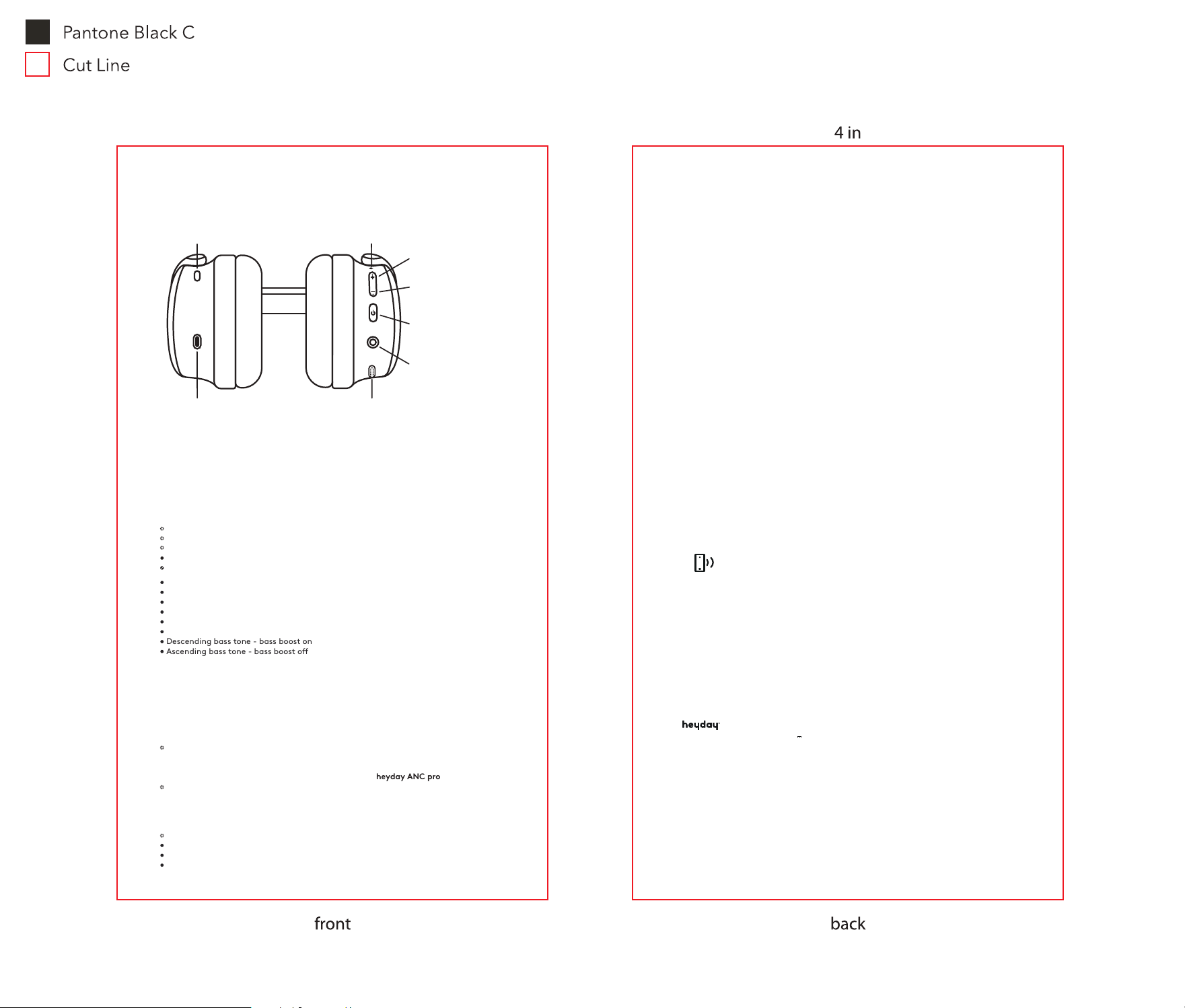
ANC button
press - ANC on/ambient/ANC o
double press - bass on/o
right sideleft side
charge port
press - vol. up
hold - next track/
reject call/transfer call
press - play/pause/
answer/end calls
double press - voice assist
triple press - redial
hold - on/o/pair
press - vol. down
hold - prev. track/
mute call
aux.
port
indicator light
mic
ANC
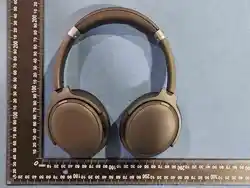
active noise-canceling headphones
6.75 in