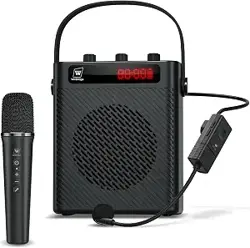
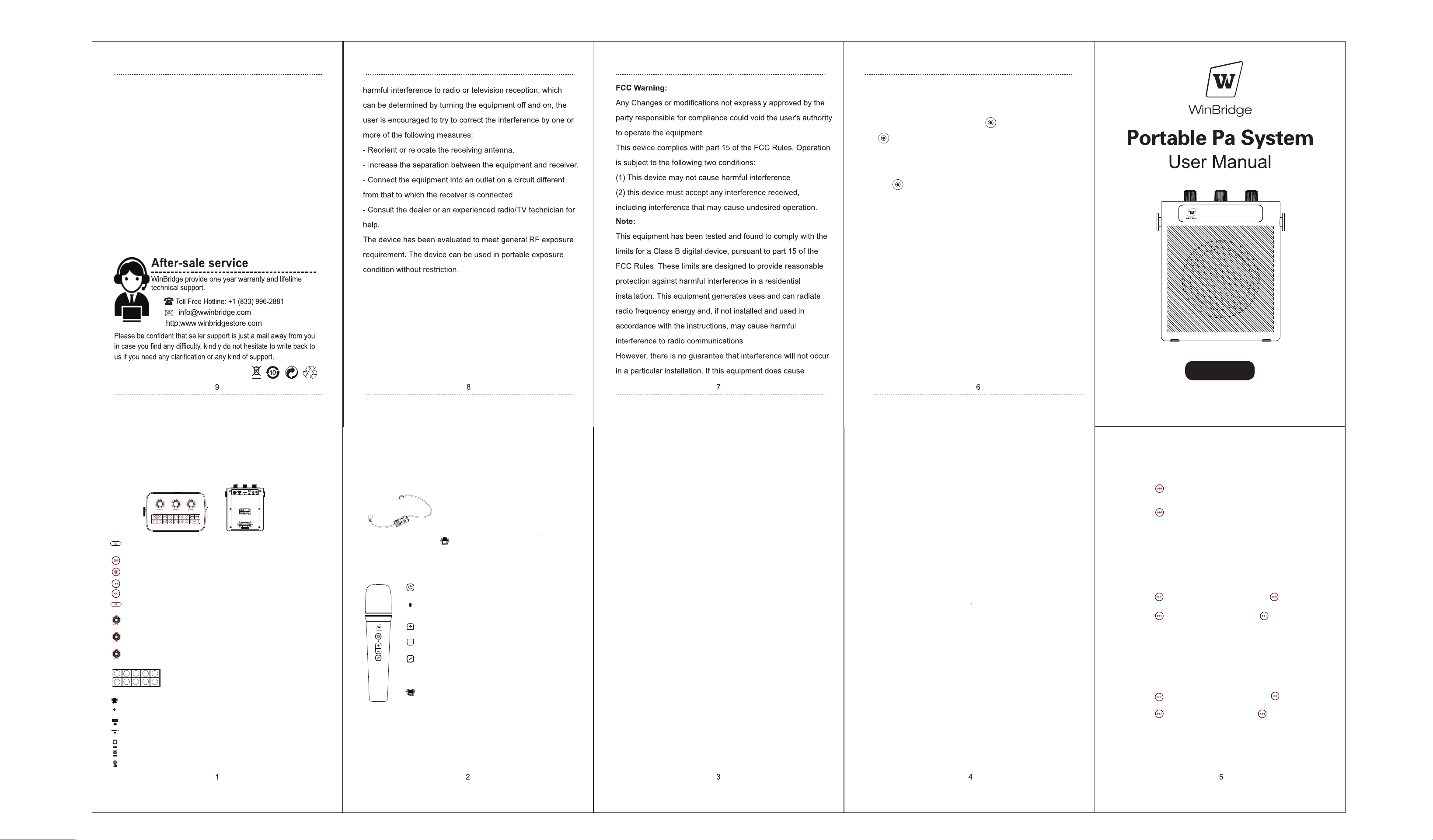
S95 Function lllustration
Manually Pairing Handheld and Speaker:
Manually Pairing Headset and Speaker:
Microphone and Speaker Auto Pairing:
Headset Microphone Charging Status:
Speaker Charging Status:
To enable record mode:
Specifications:
Frequently Asked Questions:
USB Drive Mode:
TF Card Mode
Bluetooth Pairing:
Handheld Microphone Charging Status:
Switch Key: Long press to power on and power off/ With ECHO enabled, short press to
switch mode among Acoustic mode, Profession mode, Popular mode, Hip-hop mode
Short press to switch modes.
Short press for previous track/Long press for fast rewind.
Short press for next track/Long press for fast forward.
Short press to pause.
Control the reverb volume. Rotate clockwise to increase the volume and
counterclockwise to decrease the volume.
Control the microphone volume. Rotate clockwise to increase the volume and
counterclockwise to decrease the volume.
Control the Music volume. Rotate clockwise to increase the volume and
counterclockwise to decrease the volume.
1. Turn on the speaker, short press the M key to switch to UHF mode ,
and simultaneously voice prompt 'UHF Mode'.
2. Long press the M key again for about 3 seconds until the 'UHF' on the
display screen starts flashing, while simultaneously voicing 'UHF is
waiting for pairing'.
3. Turn on the handheld microphone, then simultaneously press the '+'
and '-' buttons until the UHF on the speaker display stops flashing, and
you hear the voice prompt 'UHF paired'.
4. Pairing is successful, and the microphone can output sound.
By default, the microphone and the speaker will automatically pair
when powered on.
1.Turn on the speaker, short press the M key to switch to UHF mode ,
and simultaneously voice prompt 'UHF Mode'.
2.Long press the M key again for about 3 seconds until the 'UHF' on the
display screen starts flashing, while simultaneously voicing 'UHF is
waiting for pairing.
3.Turn on the microphone and long press the M key on the microphone
until the UHF on the speaker's display stops blinking, simultaneously
voice prompt 'UHF paired'.
4.Pairing is successful, and the microphone can output sound.
It takes approximately 1.5 hours to fully charge with DC 5V/2A
charger. The red light blinks while charging, and it turns off when
fully charged.
It takes approximately 3 hours to fully charge with DC 5V/2A charger.
The battery indicator lights flash while charging, and the indicator
lights stop flashing when fully charged.
Insert a USB drive to automatically play audio files. The display
screen shows "USB". You can select songs by pressing the numeric
keys on the device.
Short press for the previous track, long press for fast rewind.
Short press for the next track, long press for fast forward.
It takes approximately 2.5 hours to fully charge with DC 5V/2A
charger. The red light blinks while charging, and it turns off when
fully charged.
Output Power: 40W.
Battery Capacity: 2600mAh.
Frequency Range: 60Hz-18KHz.
Charging Voltage: 5V/2A.
Speaker Usage Time: 5-8 hours.
Headset Microphone Usage Time: 5 hours.
Handheld Microphone Usage Time: 10+ hours.
The switch is turned on, but there is no sound.
A: If the screen is not lighting up, the power is low.
Please charge it.
B: If the volume is set to the minimum, please
adjust the volume appropriately.
Feedback or howling
A: Align the microphone's microphone
head with the corner of the mouth and
keep a distance of 2-3 meters from the
speaker.
B: In a smaller space, reduce the volume
appropriately to avoid feedback or
howling.
Package Includes:
1* S95 Speaker.
1* Headset Mic.
1* Handheld Mic.
1* AUX Cable.
1* Type-C Charging Cable.
1* Strap.
1* Manual.
Short press for previous track, long press does not support
fast rewind.
Insert a TF card to automatically play audio files. The display
screen shows "TF". You can select songs by pressing the numeric
keys on the device.
Short press for the previous track, long press for fast rewind.
Short press for the next track, long press for fast forward.
Short press for next track, long press does not support fast
forward.
1. Short press the M key on the speaker to switch to Bluetooth mode, the
display screen will flash "BLUE." and simultaneously voice prompt
'Bluetooth Mode'.
2. Open your Bluetooth device and search for "S95" in the list of available
devices. Click to pair. When the pairing is successful, the "BLUE" stops
flashing, and simultaneously voice prompt Bluetooth paired'.
Note: In Bluetooth mode, short pressing the speaker's M key will switch to
other modes, and the Bluetooth connection will be disconnected.
1. With S95 turned on, insert USB/TF memory, front panel LED will briefly display USB/TF
when memory is detected.
2. During the display of USB/TF tap or quick press the key to enable recording.
The key must be tapped during the USB/TF detection, immediately after memory is
inserted while USB/TF is displayed on front panel LED.
3. When record mode is activated, the LED display will show elapsed recording time in minutes
and seconds.
4. Tap the key to stop, or resume the recording session.
Note: In the event the unit does not activate record mode, remove USB/TF memory and retry.
S95
Record
Type-C charging interface.
Charging indicator light.
USB Slot.
TF Card Slot.
MIC 1:Support 6.35mm wired mic.
MIC 2: Support 3.5mm wired mic.
Aux Slot.
0 1 2 3 4
98765
Numberic keys: In TF/USB Driver mode, by pressing
the numeric keys to select songs.
Handheld Microphone
Headset Microphone
Charging Light: The red light blinks while charging,
and it turns off when fully charged.
Switch Key: Long press to power on and power off.
Volume Key: Long press to increase volume.
Volume Key: Long press to decrease volume.
Hip-hop mode.
Microphone Mode: Short press to switch mode among
Acoustic mode, Profession mode, Popular mode,
Type-C charging interface.
M: Long press to connect or disconnect.
ON/OFF: When the microphone
is turned on,the LED lights up.
Type-C charging interface.
+: Short press to increase the volume.
-: Short press to decrease the volume.

