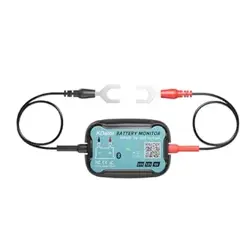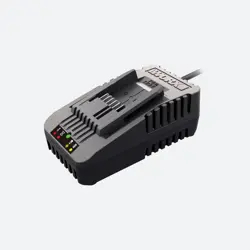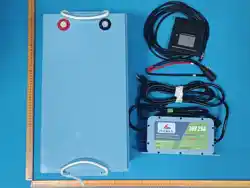

-LITHIUM IRON PHOSPHATE DEEP CYCLE BATTERY-
PRODUCT MANUAL
+(86)13798116787
SHENZHEN O'CELL TECHNOLOGY CO.,LTD
www.ocelltech.com
sales31@ocelltech.com
Clean Energy, Power Your Life
Bluetooth
LiFePO4 Battery


O'CELL: 18+ Years Pioneering
Lightweight Golf Cart Power
We craft premium lithium batteries & chargers—engineered
for 40% lighter fleets, 3X faster charging, and reliable
performance round after round.
Experience golf cart power redefined.
Explore our solutions today.
For more information see
www.ocelltech.com
or contact email:sales31@ocelltech.com
or contact Whatsapp: +(86)13798116787
Version
1.0 8/7/2025 All Product Manual
Date Chapters Reason For Change
VERSION HISTORY

CONTENTS
PAGE
NUMBER
1. PRODUCT DESCRIPTION
1.1 Battery Overview
1.2 Packing List
1.3 Battery Specs
1
4
7
8
11
17
24
24
26
27
29
31
31
2. NOTICE BEFORE USING
-Steps
-Warm Tips
3.BATTERY INSTALLATION GUIDE
4.1 Introduction of LCD Display Screen
4.2 Installation of LCD Display Screen
3.1 Battery Orientation
3.2 Battery Installation
-Equipment Needed
-Battery Connection Diagram
4.LCD DISPLAY INFORMATION
5.1 Charge & Discharge Specifications
5.2 Charger Introduction
5.3 The Voltage When Charging & Discharging
5.4 Battery Charging Logic
5.CHARGING INFORMATION
6.1 APP Download Instructions
6.2 APP Interface Introductions
10.1 Storage and Shipping
10.2 Suggestions for Long-term Storage
10.3 Maximizing the Performance of your Battery
10.4 What to Expect from your 36V Lithium-ion Battery
11.1 Safety
11.2 Warning
6.BLUETOOTH APP DOWNLOAD
AND USE INSTRUCTIONS
7.HOW TO ESTIMATE THE BATTERY CAPACITY
8.WHAT TO DO WHEN THE
BATTERY STOPS WORKING?
9.BATTERY CABLE SIZE
10.STORAGE AND SHIPPING
11.SAFETY & WARNING
12.RECYCLING
13.WARRANTY & RETURNS
1
2
3
4
5
7
7
8
9
17
19
29
30
7
7
11
12
14
15
27
27
28
28

◆ 1 PRODUCT DESCRIPTION
O'CELL 38.4V 105Ah LiFePO4 Battery
♦Case Material: ABS Case
♦Terminal:M8*1.25*12MM
M8*1.25*16MM
01
1.1 Battery Overview
EASY
INSTALLATION
SMART BMS
PROTECTION
10 YEARS LIFESPAN
PREMIUM LFP
BATTERY CELLS
10.55 in
20.51 in
9.21 in
LCD Port
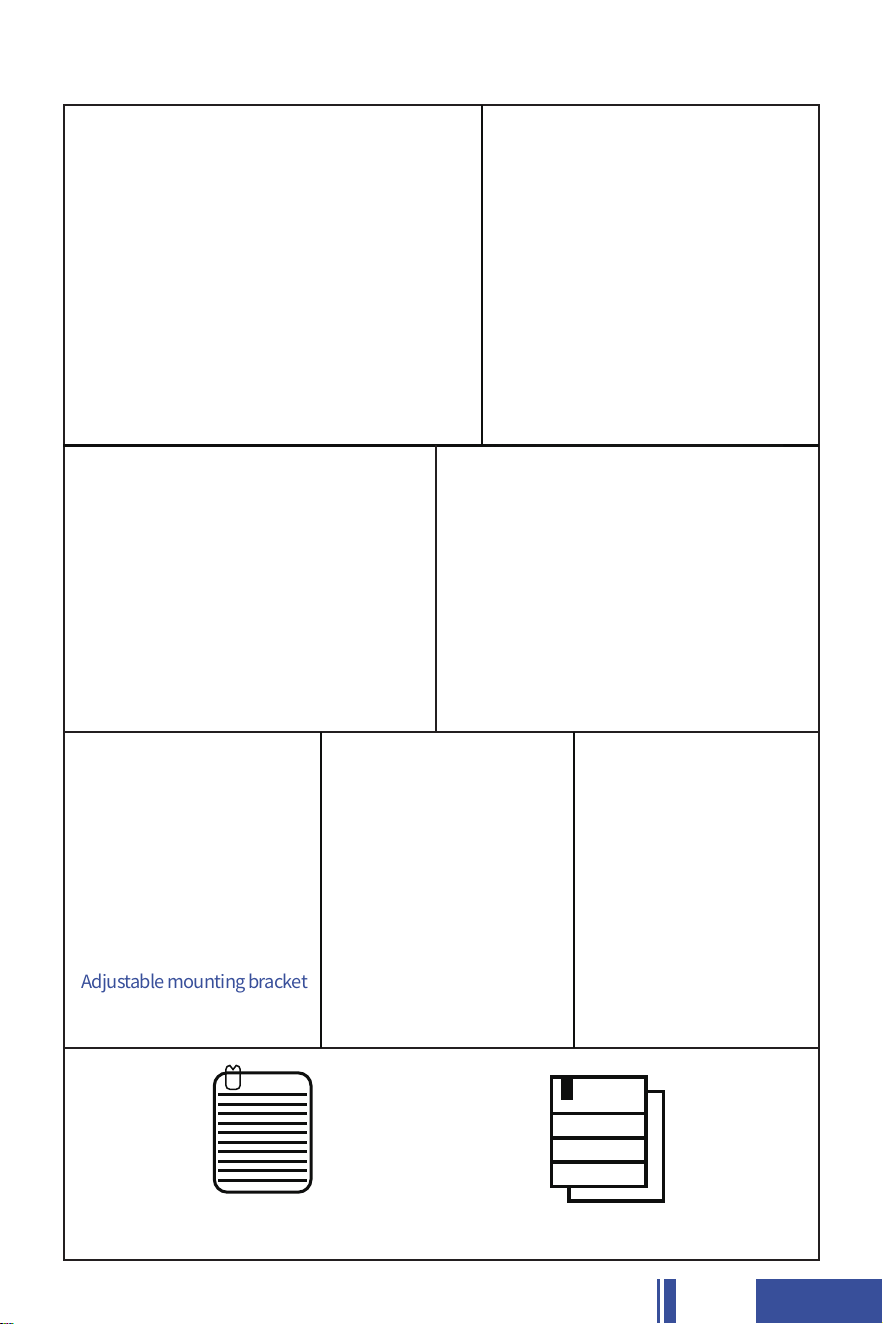
Product ManualService Card
02
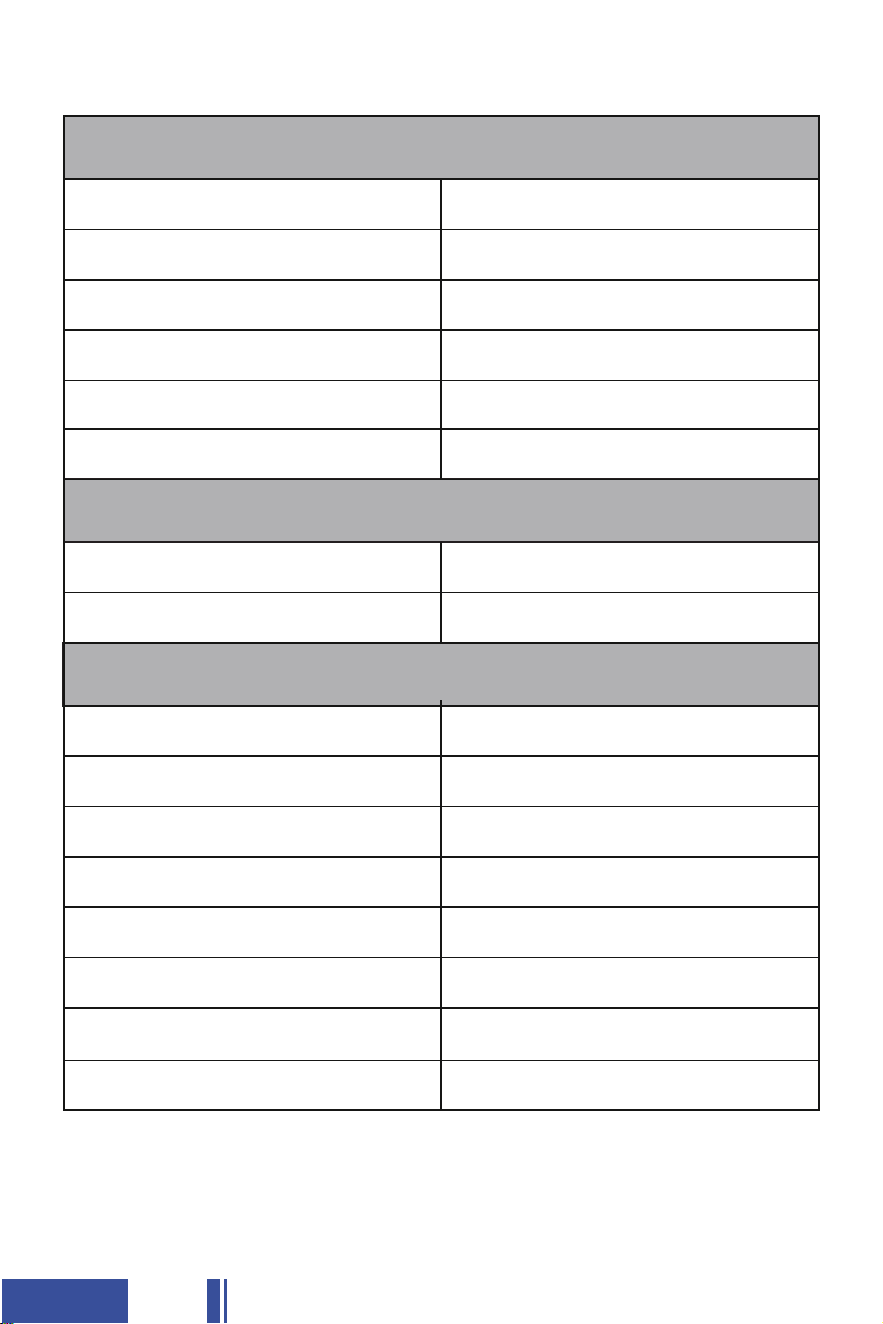
1.2 Packing List
36V 105Ah LiFePO4 Battery
LCD Display
Adjustable mounting bracket
to Quick - install bracket for
battery on golf cart
M8*1.25*12MM or 16MM Bolts
(to connect the terminals)
M4*10mm Bolts
(to secure the display)
43.8V 25A LiFePO4 Battery Charger
5M Wire
(to connect the display)
03
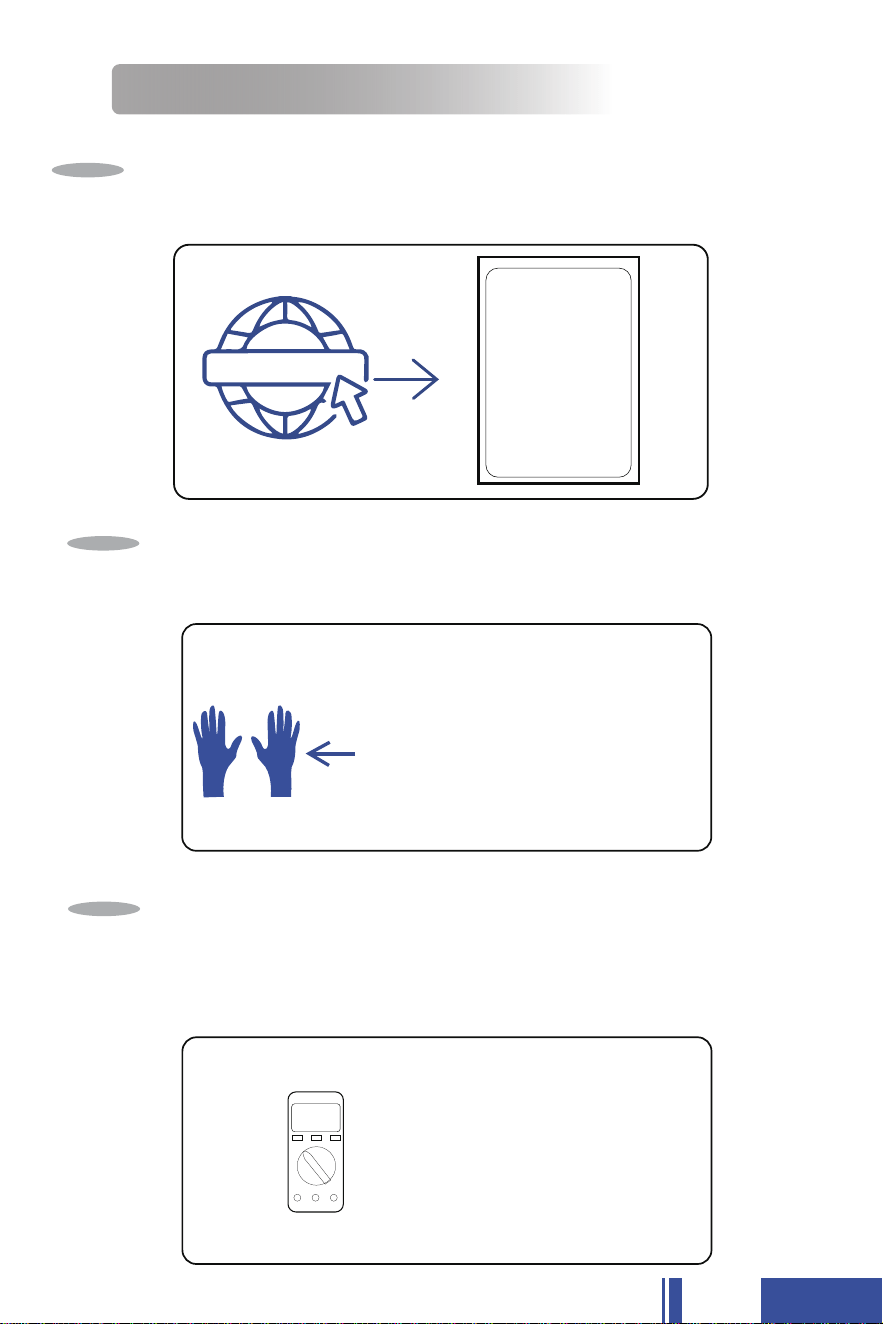
MECHANICAL SPECIFICATIONS
PRODUCT SIZE
TECHNICAL PARAMETER
Nominal Voltage
Ampere-hour Capacity
Watt-hour Energy
Dimensions(L*W*H)
Weight
BMS
Self-Discharge Rate
Charge Efficiency
Charge Method
Case Material
Maximum Connection
38.4V
105Ah
4032Wh
20.51*10.55*9.21IN
(521*268*234MM )
65.47LBS(29.7KG)
<3%/Per Month(Cell)
99%
CC/CV
ABS Case
Independent Work
Discharge Cut-off Voltage
Charge Cut-off Voltage
≥30V
43.8V
Case Flame Rating V0
200A
Cells
Resistance
Cylindrical
<20mΩ
1.3 Battery Specs
◆ 2 NOTICE BEFORE USING
Check out SHENZHEN O'CELL TECHNOLOGY CO.,LTD
and contact email: sales31@ocelltech.com if you need
Lifetime Technical Support
Step
1
WEAR INSULATING GLOVES
WEAR insulating gloves for protection before connecting. Please
pay attention to operation safety in the process of connection.
Step
2
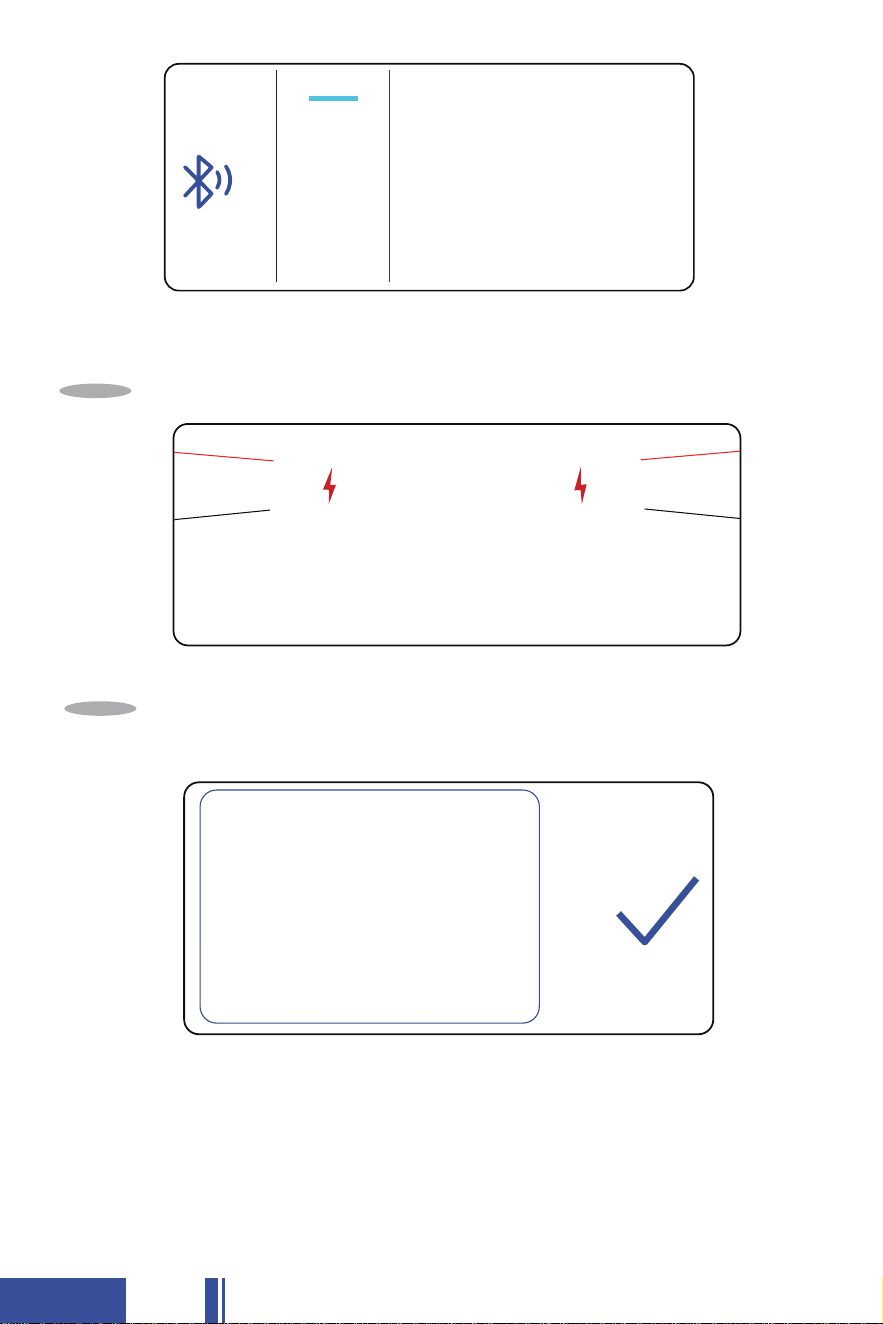
Check the voltage of the battery with Bluetooth APP
(Refer to page 17-23 ) or Multimeter.
≥36V To Step 4
<36V Contact us at sales3l@ocelltech.com by email or by
Whatsapp: +(86)13798116787 to help solve the problem.
Step
3
Insulating
Gloves
36V
04
Product Limited Warranty Agreement
Party A:
Party B:
Party A provides Lithium Iron Phosphate batteries. Based on mutual benefit, faithfulness
cooperation, and continuous development together, both parties agree to reach the following
agreement on warranty policy:
1. Technical Specification:
A) Normal working temperature range: 0 °C~45°C(charge), -20°C~60°C(discharge),
Relative Humidity: 60±25% RH;
B) Electrical and safety performance: according to the spe
cification provided by Party A;
C) Po sition:The battery could not be put upside down for a long time;
D) For more det ails,check the technical spe cificationsprovided by
2. Storage Conditions:
A) Maximum Humidity: 85% RH; Temperature should be lower than 35°C for less than 3
months storage and 25°C for less than one year storage; Battery should not be put
under the sun directly; and Battery should be at least 2 meters away from the heating
system; battery should not be upside do
wn during storage;
B) Party Aprovides the Battery around SOC, Party B has tostorage the battery at
SOC and Pa rty B needs to charge the battery once every .
Please follow up the standard charge/discharge method to activate the Battery prior to
use.
3. Warranty Period:
A) Warranty Period:
The battery will be determined to be defective if it fails to deliver less than 6 0% of its rated
capacity during the warranty period, subject to the conditions listed below:
SHENZHEN O'CELL TECHNOLOGY CO.,LTD
45-50%
45-60%
two weeks
O'CELL.
SHENZHEN O'CELL TECHNOLOGY CO.,LTD
05
Fully charge the battery using the supplied charger.
Step
4
♦
Warm Tips
It is recommended to check whether the battery is in good condition first
before installation. The unpacked original packaging is recommended
to be kept for 30 days for return or exchange.
Installation for use.
(Refer to page 7 for installation instructions)
Step
5
O'CELL-38.4V 105Ah-001

06
♦
♦
♦
♦
♦
Please install and connect the LCD display according to the actual condi-
tion of the vehicle. Refer to page 8 for LCD display specifications and
installation instructions.
Before opening the box, please check the outer box packaging for any
damage. The battery weighs 65.47LBS, if necessary, ask for help to take
the battery out of the box together.
After checking that there is no abnormal damage to the battery case,
please press the battery switch, operate according to the Bluetooth APP
guidelines (refer to page 17-23), select the corresponding battery name,
connect to the battery via Bluetooth, and check the SOC and other
parameters of the battery from the cell phone to see if there is any
abnormality.
After everything is checked, please use the lithium battery charger to
fully charge the battery first. After the battery is fully charged, check
the battery SOC, voltage and other data again, if there is no problem,
then install it according to supplied battery charger (Refer to page 12
for charger information)
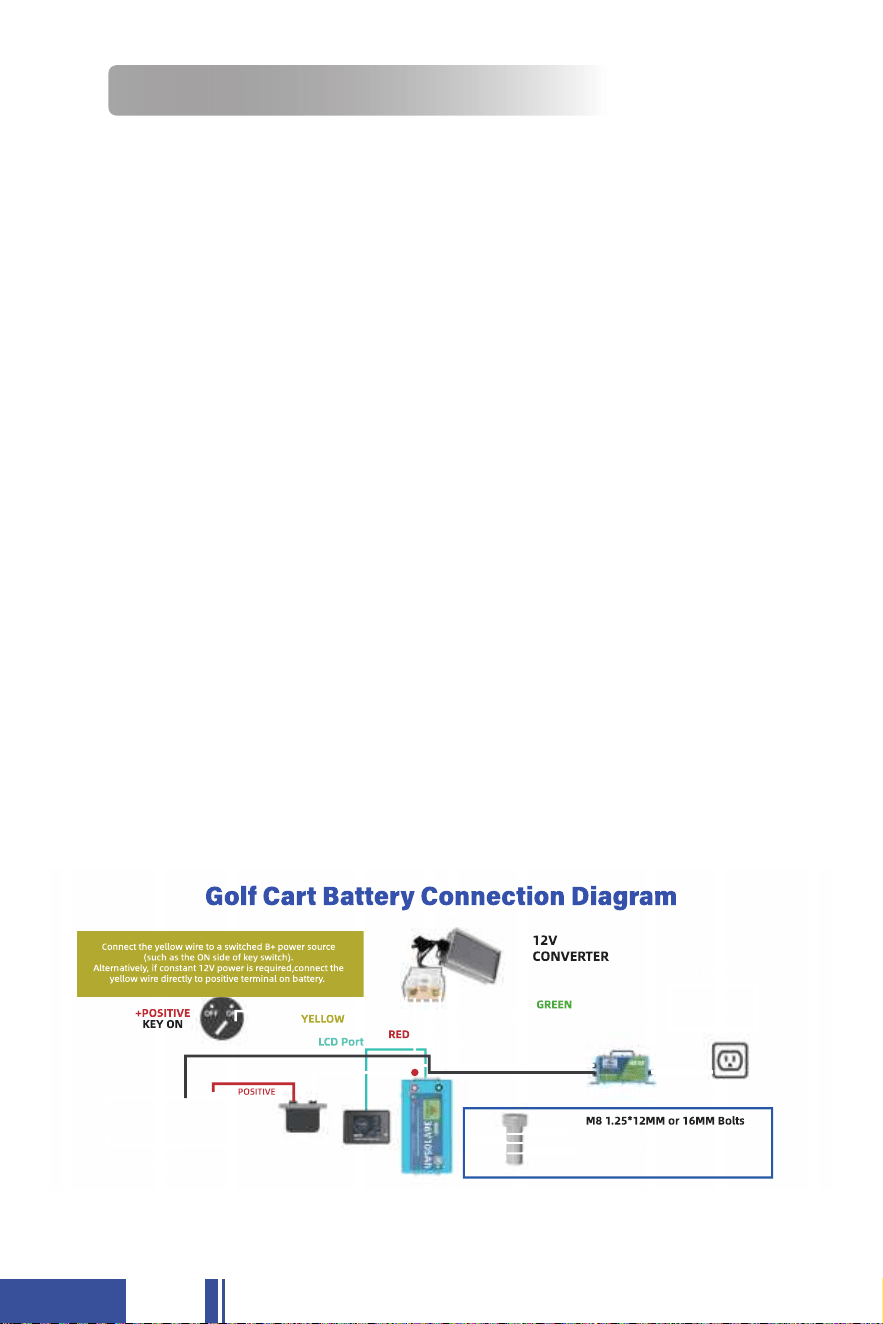
Tightly screw in the post bolts. Having loose battery terminals will
cause the terminals to build up heat resulting in damage to the battery.
07
This battery can only be placed upwards, do not place it upside down or
on its side. Please contact us at sales31@ocelltech.com if you have any
questions about the orientation of the battery.
♦
Do not install batteries in a zero-clearance compartment, over-heating
may result. Always leave at least 4"of space around all sides and top of
the battery. Keep should be noncombustible.
♦
◆ 3 BATTERY INSTALLATION GUIDE
3.1 Battery Orientation
3.2 Battery Installation
Before installation or maintenance of your batteries, have the following
equipment available:
The OC 36V 105Ah battery weighs 65.47lbs. The use of a battery lifting
strap to aid installation is recommended. Lifting straps must be designed
and rated for lifting batteries and able to securely engage integrated
lifting brackets.
*Proper personal protective equipment
*Insulated tools(eye protection and gloves)
*Voltmeter (optional)
*Battery charger
*Cables
*13mm socket
♦
Equipment Needed
Golf Cart Battery Connection Diagram

◆ 4 LCD DISPLAY INFORMATION
4.1 Introduction of LCD Display Screen
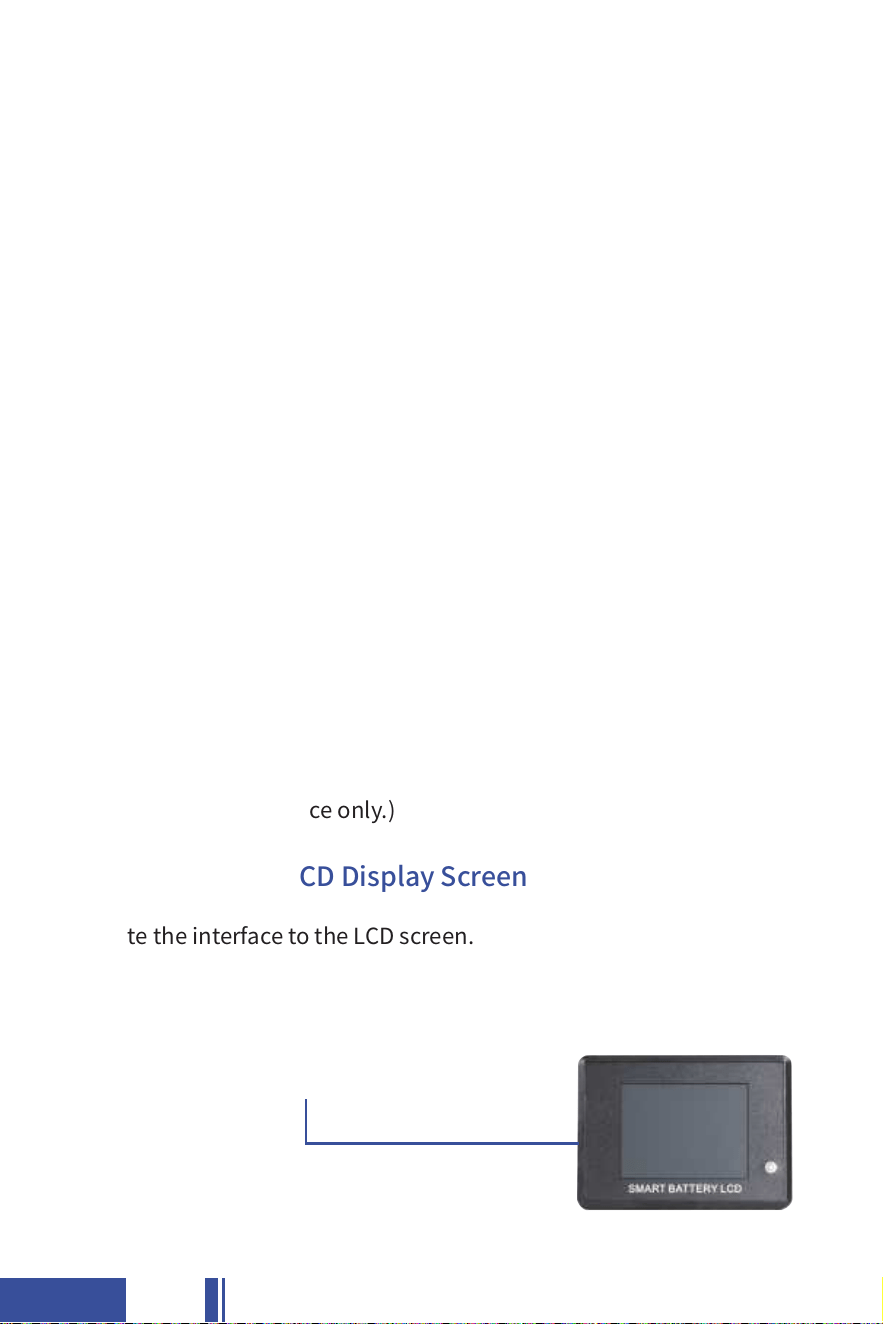
The battery comes with a 2.8-inch touch screen. You can view battery
information in real time on the LCD.
♦
The LCD screen has three pages that show the SOC condition of the
battery, the state of charging and discharging, and the voltage of each cell.
[Page 1]
♦
♦This page gives you a real-time view of the battery's SOC, current, voltage,
temperature, and time to empty. (The data is for reference only.)
08
Please refer to the sketch of the installation schematic. Please be careful
not to connect the wrong positive and negative terminals. Please install
everything according to your actual needs. Please feel free to contact us
for any installation questions.
39.97
27.50
4.2 Installation of LCD Display Screen
09
♦
♦
[Step 1]
♦Locate the interface to the LCD screen.
This page shows the charging and discharging status of the battery in
detail, including the number of cycles, high and low temperatures, and
BMS information. (The data is for reference only.)
[Page 2]
This page shows the voltage of the 84 cells of the battery in real time.
(The data is for reference only.)
[Page 3]

10
The white part of the wire is for connecting the LCD display, and the black
part is reserved for Bluetooth communication. Customers can use it if they
need to connect to control motor (or other necessary equipments).
♦
[Step 3]
♦
Connect the wire to the LCD screen and the battery separately. Make sure
the wire is connected tightly to prevent a short circuit.
*If you have questions about the installation or problems with the installation
process, please do not hesitate to contact us at sales31@ocelltech.com.
[Step 2]
♦Prepare the connection wire included in the package.
1.Connect to LCD
2.Connect to Battery
1
2

◆ 5 CHARGING INFORMATION
5.1 Charge & Discharge Specifications
Standard Charge Current 52.5A@20℃
105A@20°C
43.8V Max
3.3V 52mA
45V
Automatic
Max. Continuous Charge Current
Recommended Charge Voltage
Cell Balance
High Voltage Disconnect
High Voltage Reconnect
Charge Specifications
Standard Discharge Current
100A@20℃
200A@20℃
320A <40S
650A <2S
Disconnect Main Loop
2.5V/2S
Automatic
Max. Continuous Discharge Current
Peak Discharge Current
Short Circuit Protection
Low Voltage Disconnect
Low Voltage Reconnect
Discharge Specifications
11
5.2 Charger Introduction
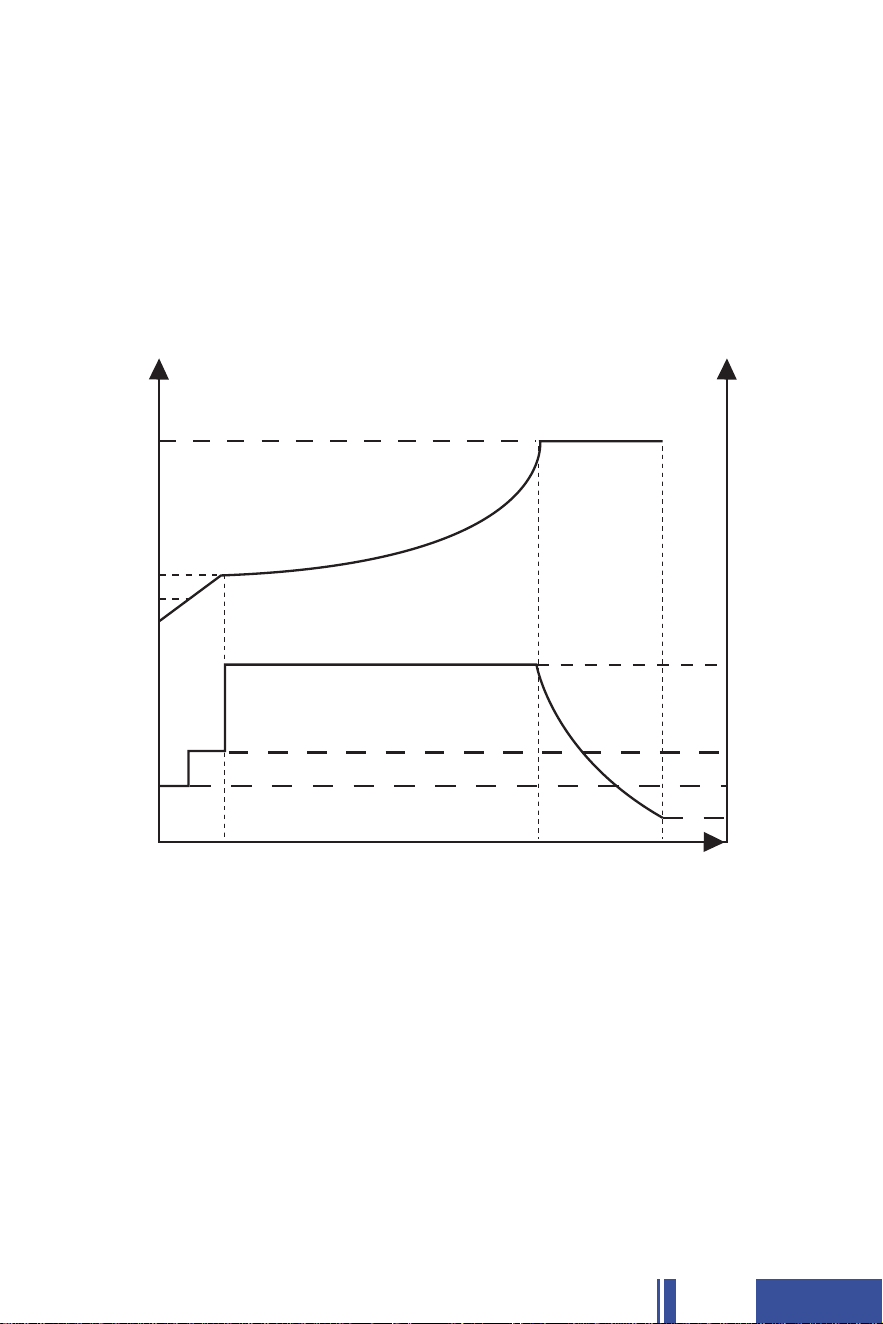
T1 stage:
When the battery voltage U1 is at the stage of 6V-31.2V, it is pre-charged
according to 1=6.25A constant current; within 2H of charging time, if it does
not reach U2=30V, it is considered that the battery is damaged and no more
charging, and then the alarm will be prompted; if the battery voltage reaches
U2=30V, then it will enter the T2 stage;
The package comes with the included 36V 25A lithium battery charger,
which is a matching charger for the O'CELL 36V 105Ah lithium battery.
The green light of the charger is always on indicating that the battery is
fully charged, and the green light of the charger is flashing indicating that
the battery is charging.
♦
12
Lithium Battery CC/CV Charging Curve)
U4
Voltage(V)
Current(A)
Time(H)
T1 T2 T3
U3
U2
U1
★

T2 stage:
This is the constant current CC charging stage. Charge according to 3=25A,
when the battery voltage reaches U5=41.25V, the charger charges the battery
with 1100W constant power, and when the battery voltage reaches U5=43.8V,
it enters T3 stage;
T3 stage:
This is the constant voltage CV charging stage. Constant voltage charging is
performed according to U5=43.8V until the charging current drops to
4=2.1A
and then limits 41.15V, 2.1A continuous output (green light on) until the AC
power is cut off. When the battery voltage is detected below 41.15V, the T1-T3
process is repeated.
13
14
5.3 THE VOLTAGE WHEN CHARGING & DISCHARGING
Based on the characteristics of Lithium Iron Phosphate (LiFePO4) batte-
ries, the voltage measured by all LiFePO4 batteries during charging/dis-
charging is not the real voltage of the battery. Therefore, after charging/
discharging and disconnecting the battery from the power source, the
voltage of the battery will gradually drop/increase to its real voltage. If
you need to test the real voltage of the battery, please disconnect all the
connections to the battery and test its voltage after putting it aside for
over 30 mins.
♦
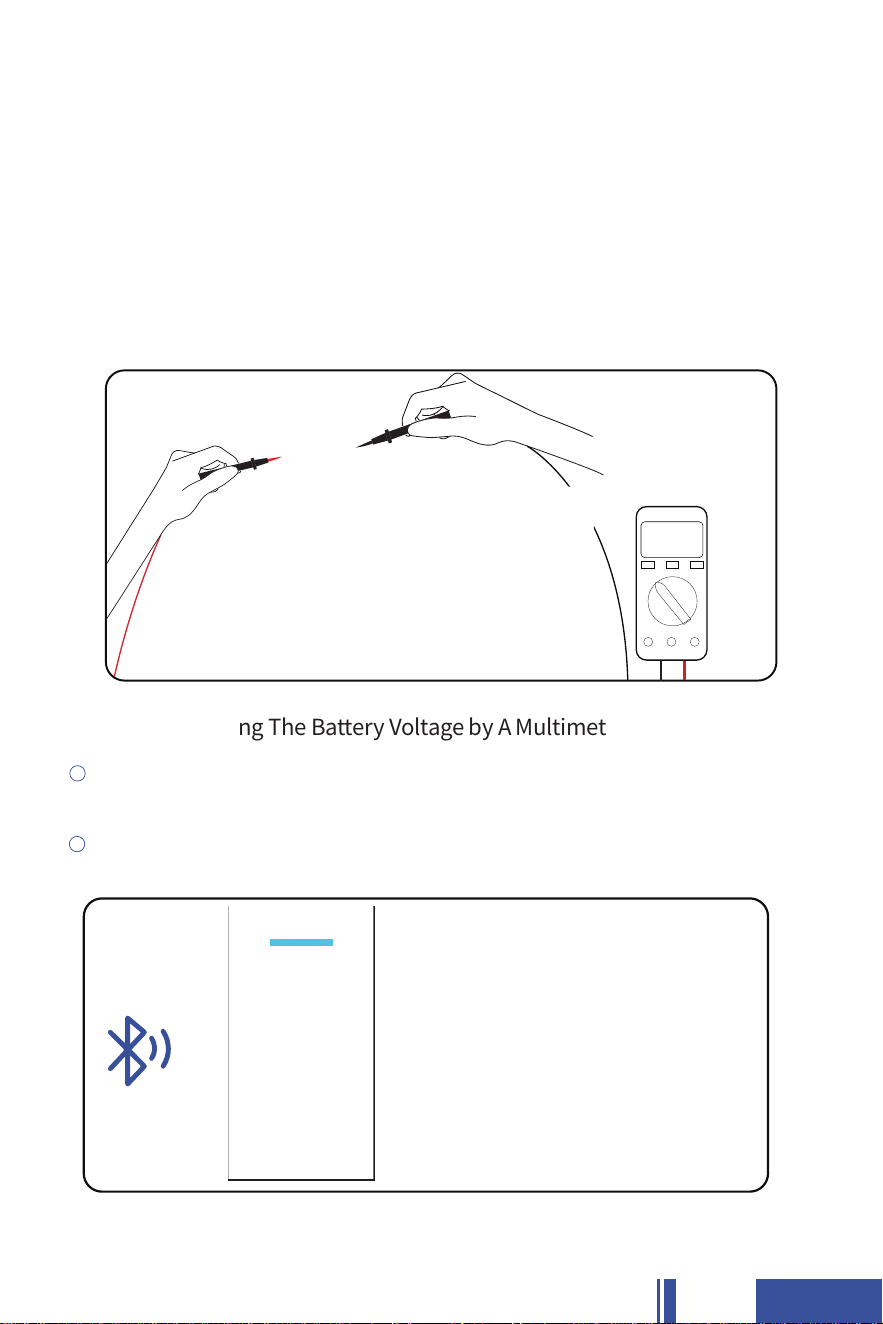
♦
1
Do not touch the metal part of the probes with your hands during use.
Put the red probe (+) tightly on the tightly screwed positive post bolt, and
the black probe (-) on the tightly screwed negative post bolt.
2
Tips When Testing The Battery Voltage by A Multimeter
43.8V
O'CELL-38.4V 105Ah-001
15
The material characteristics of the LiFePO4 battery determine that its
charging curve is obviously different from that of a lead-acid battery.
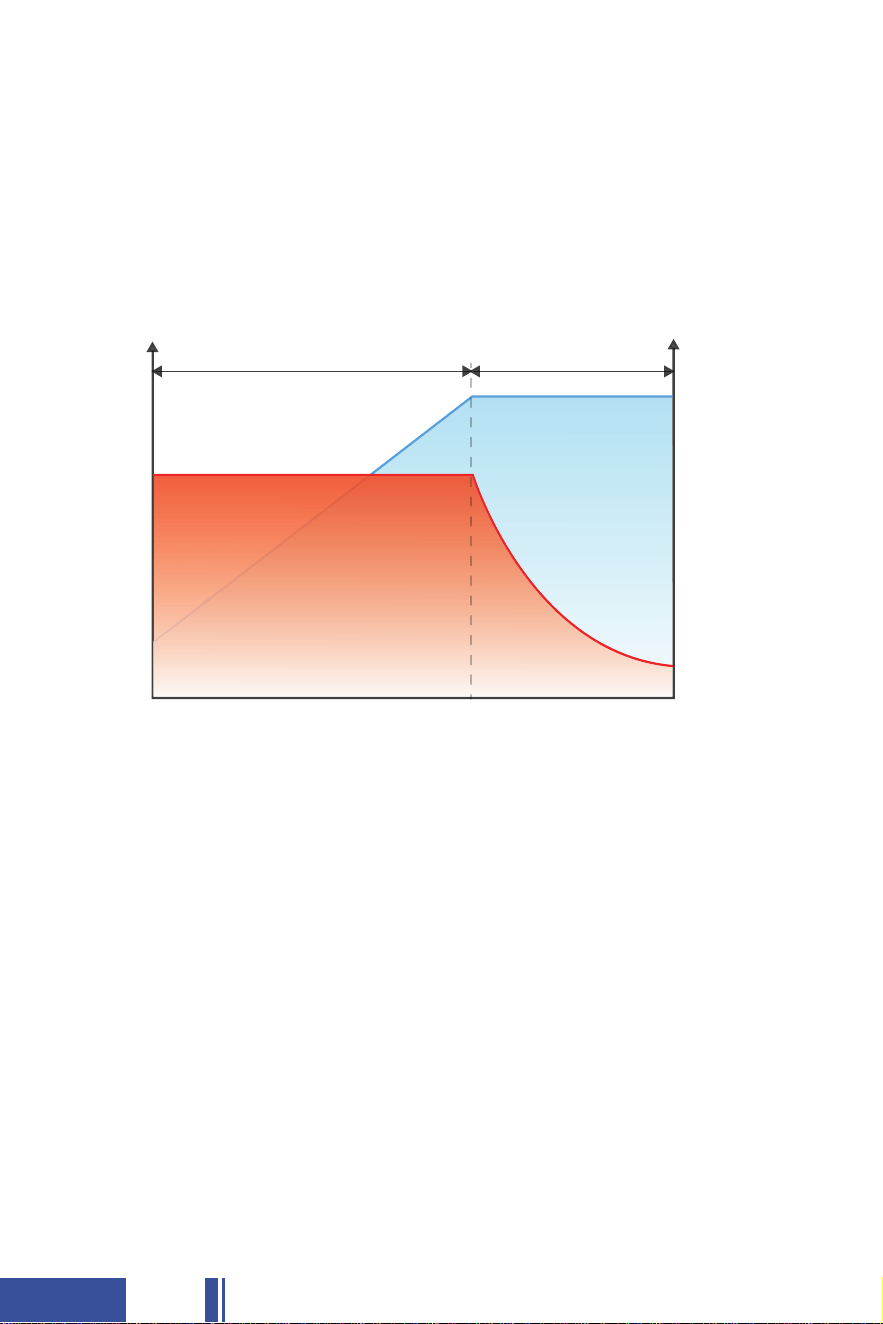
Compared with a lead-acid battery, the LiFePO4 battery has a simpler
charging process and mode. Therefore, it is recommended to select
LiFePO4 for your charging mode.
♦
5.4 BATTERY CHARGING LOGIC
LiFePO4 Battery Charging Mode
♦
In the beginning, a discharged battery will be charged with a constant
current and voltage will be climbing steadily until reaching the constant
voltage setpoint which varies for different charging methods.
♦
CC (Constant Current) Phase (T1)
The battery maintains a constant voltage during this phase while the
current gradually decreases to 2.1A (0.02C) which is also known as tail
current. At this point, the charging is cut off and the battery is fully
charged.
① Tail Current (A) = Battery Capacity* 0.02C. E.g.,105Ah*0.02C=2.1A tail current.
♦
CV (Constant Voltage) Phase (T2)
U/V
Current
I/A
CV(T2)
CC(T1)
LiFePO4 Baery Charging Curve
Voltage
①
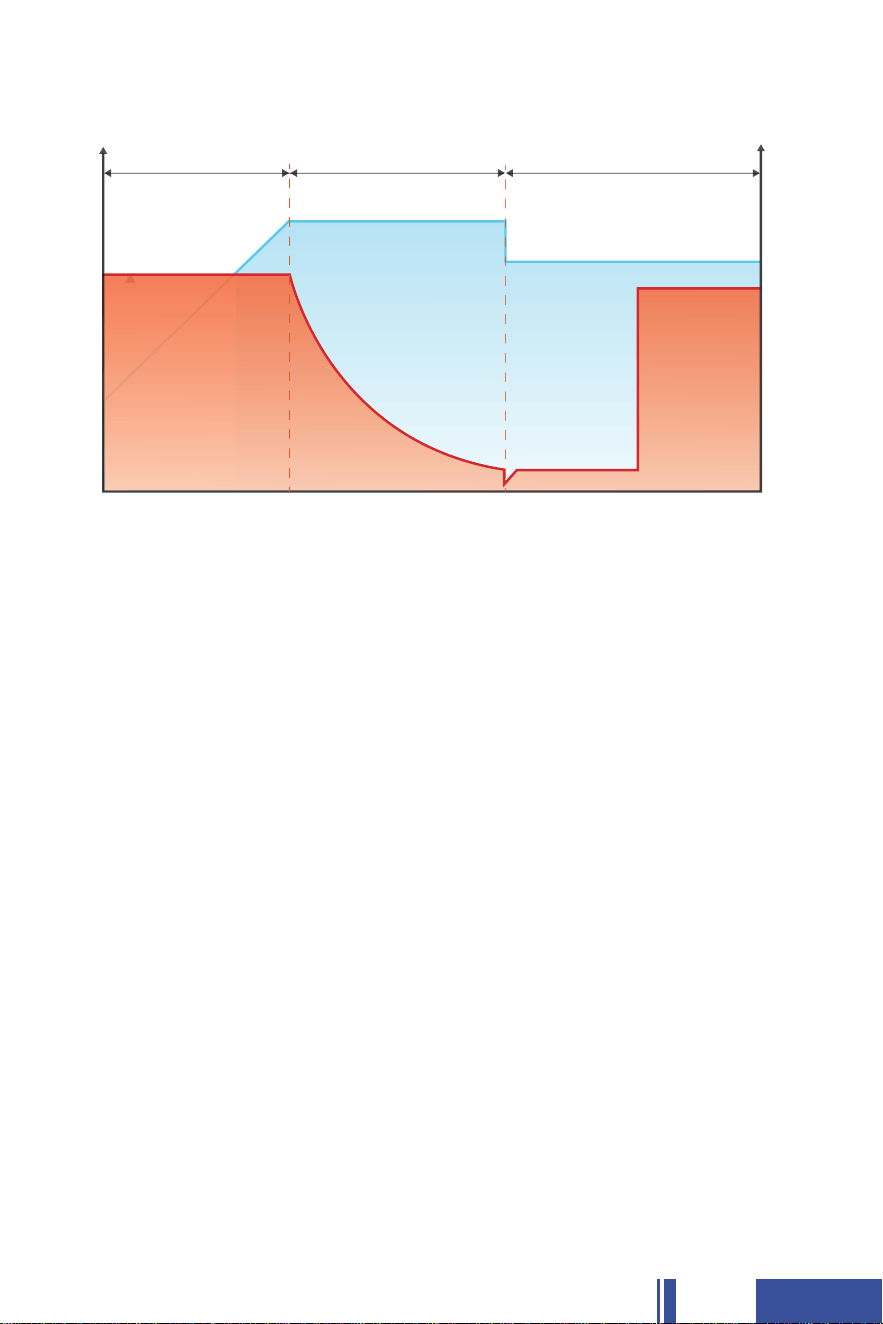
Lead Acid Battery Charging Mode
♦
In the beginning, a discharged battery will be charged with maximum
current and voltage will be climbing steadily until reaching the absorp-
tion voltage setpoint. (This phase is basically equivalent to the CC phase
of LiFePO4 battery charging.)
♦
Bulk / Boost Phase(T1)
The battery reaches the absorption voltage setpoint and holds the volt-
age constant while the current gradually decreases until the battery is
becoming full (within 10-20%). Generally, absorption will not exceed 3
hours to prevent overcharging. (This phase is basically equivalent to the
CV phase of LiFePO4 battery charging.)
♦
Absorption Phase(T2)
After the absorption stage, the voltage of the battery will reduce to the
float voltage setpoint and the current will also reduce to a low mainten-
ance mode to prevent the battery from discharging and off-setting any
self-discharge. Heavier battery discharge may set the controller back to
Bulk/Boost or Absorption to replenish energy lost while energy is avail-
able. (LiFePO4 battery does not have this charging phase.)
♦
Float Phase (T3)
Bulk(T1) Absorpon(T2) Float(T3)
Lead Acid Baery Charging Curve
U/V
Current
Voltage
I/A
16

Please scan the QR code below to download the APP, which is compatible
with Android and MAC system.
6.1 APP Download Instructions
♦
Please select the option to 'Open in browser' and follow the system
prompts to download the relevant app for your operating system.
♦
17
◆ 6 BLUETOOTH APP DOWNLOAD
AND USE INSTRUCTIONS

Please choose to click the "Log in later" to enter your phone's Bluetooth
♦
The application will automatically navigate to the Device List field,
where the user can select the device they wish to connect to. Determine
the device to be bound after the connection is established.
♦
Once all the above steps have been completed, you can start using the
app to check the battery condition. If there is anything unclear about the
above steps, please contact us before proceeding.
(sales31@ocelltech.com)
NOTE:
The data on the picture is for reference only, please refer to the specific
data shown on the actual cell phone. APP will present different versions
with time and models, each customer's APP may be slightly different,
but it does not affect the use. For any questions and inquiries, contact
us at sales31@ocelltech.com.
♦
18
O'CELL-38.4V 105Ah-001
6.2 APP Interface Introductions
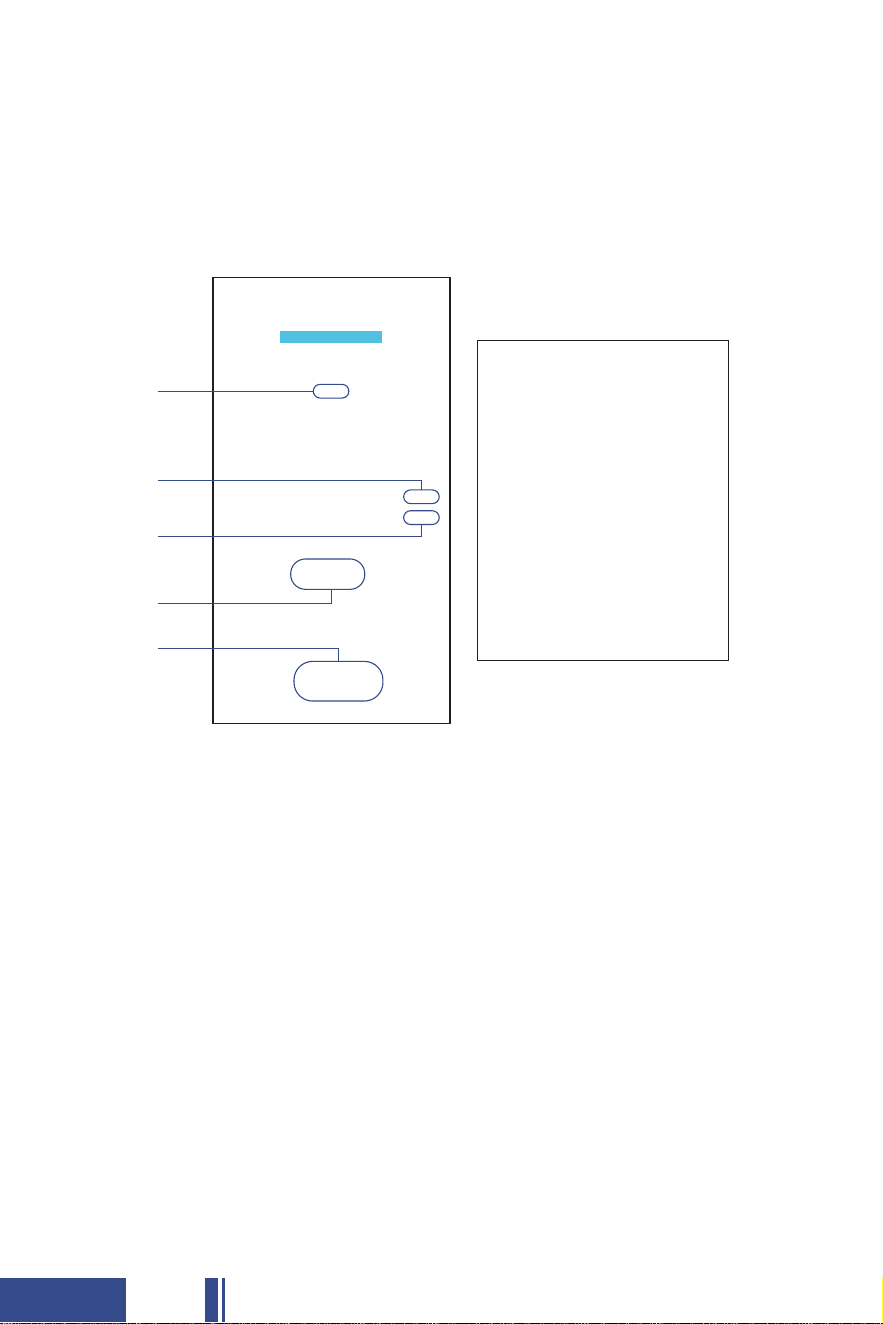
[Real-time] Interface
On the Real-Time interface, you can see the real-time status of the
battery, including battery voltage, current, power and so on. (The data
on the picture is for reference only, please refer to the actual display.)
♦
19
The SOC is not correctly connected for the first time. In order for the SOC
to calibrate automatically, you will need to set the capacity of the battery
string and charge and discharge once or twice a day.
1.
2.
3.
4.
5.
The balance will not be initiated until the set pressure difference and
balance value have been reached.
If the protection board fails to output after protection, a protection status
message will be displayed here. For example, this could be a single string
under voltage protection message.
The discharge is negative and the charge is positive. When charging at
2A, the display will show 2A. When discharging at 2A, the display will
show negative 2A.
When the cumulative discharge capacity exceeds the cycle capacity of
the set parameters, the number of cycles will be increased by one. Furt-
hermore, midway charging will not affect the metering.
O'CELL-38.4V 105Ah-001
1
2
3
4
5
20
[Basic Information] interface
You can customize the Bluetooth name. (distinguish between different
Bluetooth devices)
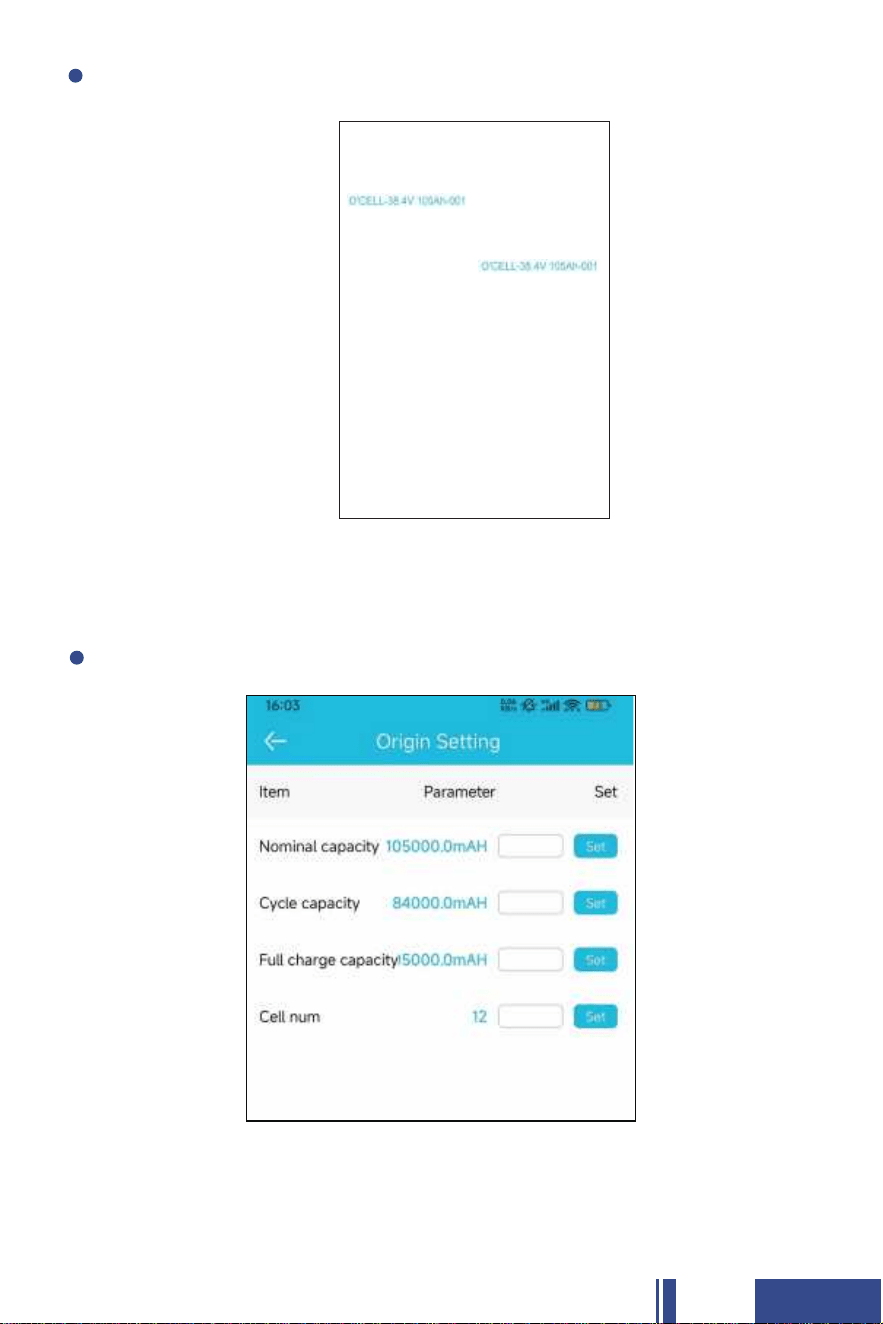
[Origin Setting] interface
The nominal capacity represents the actual capacity of the battery, while
the cycle capacity is 80% of the nominal capacity.
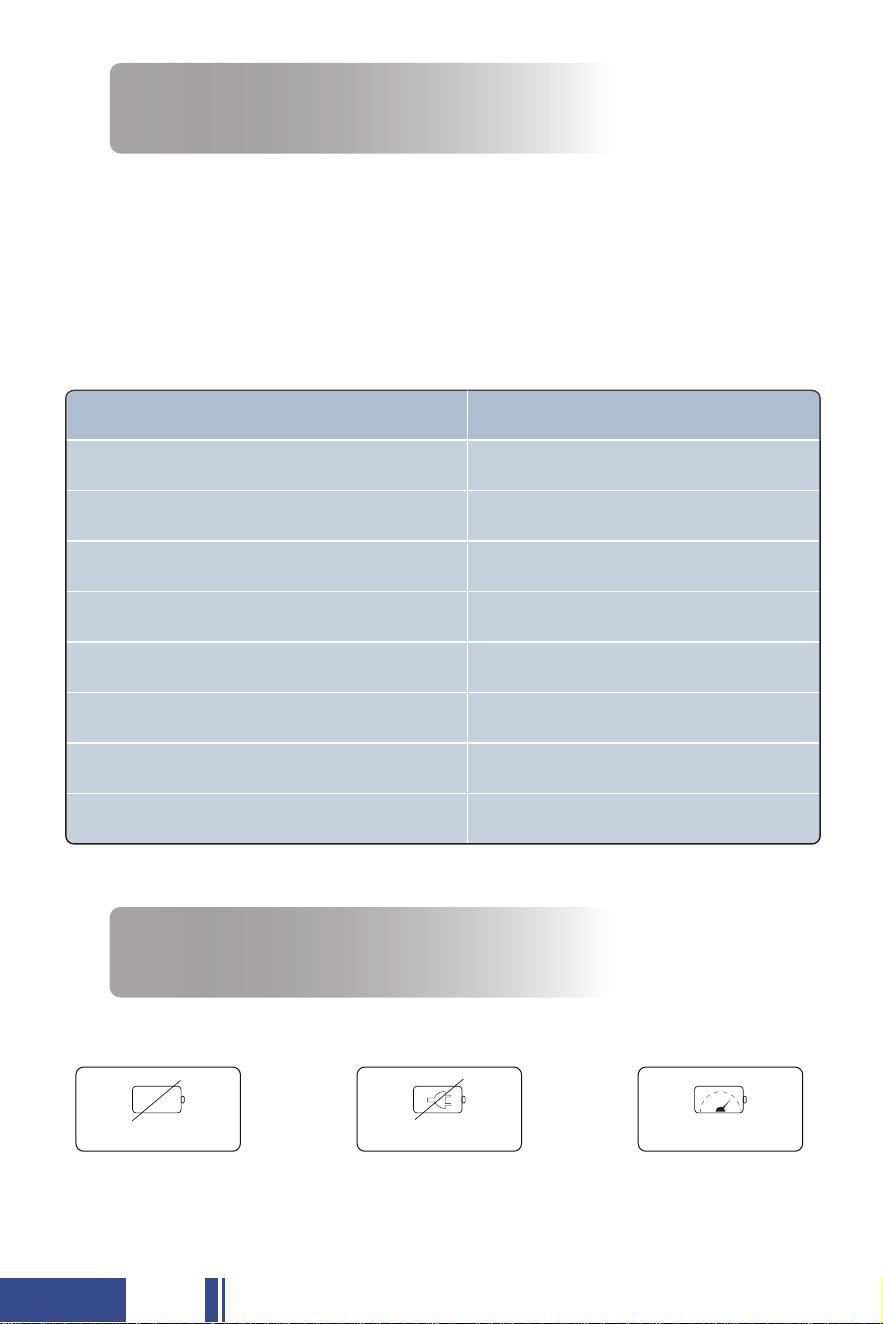
◆ 7 HOW TO ESTIMATE THE
BATTERY CAPACITY
The battery capacity could be roughly estimated by its rest voltage (not
charging/discharging voltage). As there are subtle differences in the
voltage of each battery, the below parameters are for reference only.
Rest Voltage: The voltage needs to be tested at rest (with zero current)
after 30 mins of disconnecting from the charger & loads.
♦
State Of Charge(SOC)
THEORETICAL SOC CHARGE VOLTAGE
41.4V
39.9V
39.45V
39.45V
39.3V
38.85V
38.4V
34.5V
100%
95%
50%
40%
30%
20%
10%
0%
◆ 8 WHAT TO DO WHEN THE
BATTERY STOPS WORKING?
It has 85% chance that BMS has shut it off for protection, and you could
try to activate the battery using the following ways.
♦
When the battery
or or
Can't work Can't be charged
Voltage< 27.6V
21
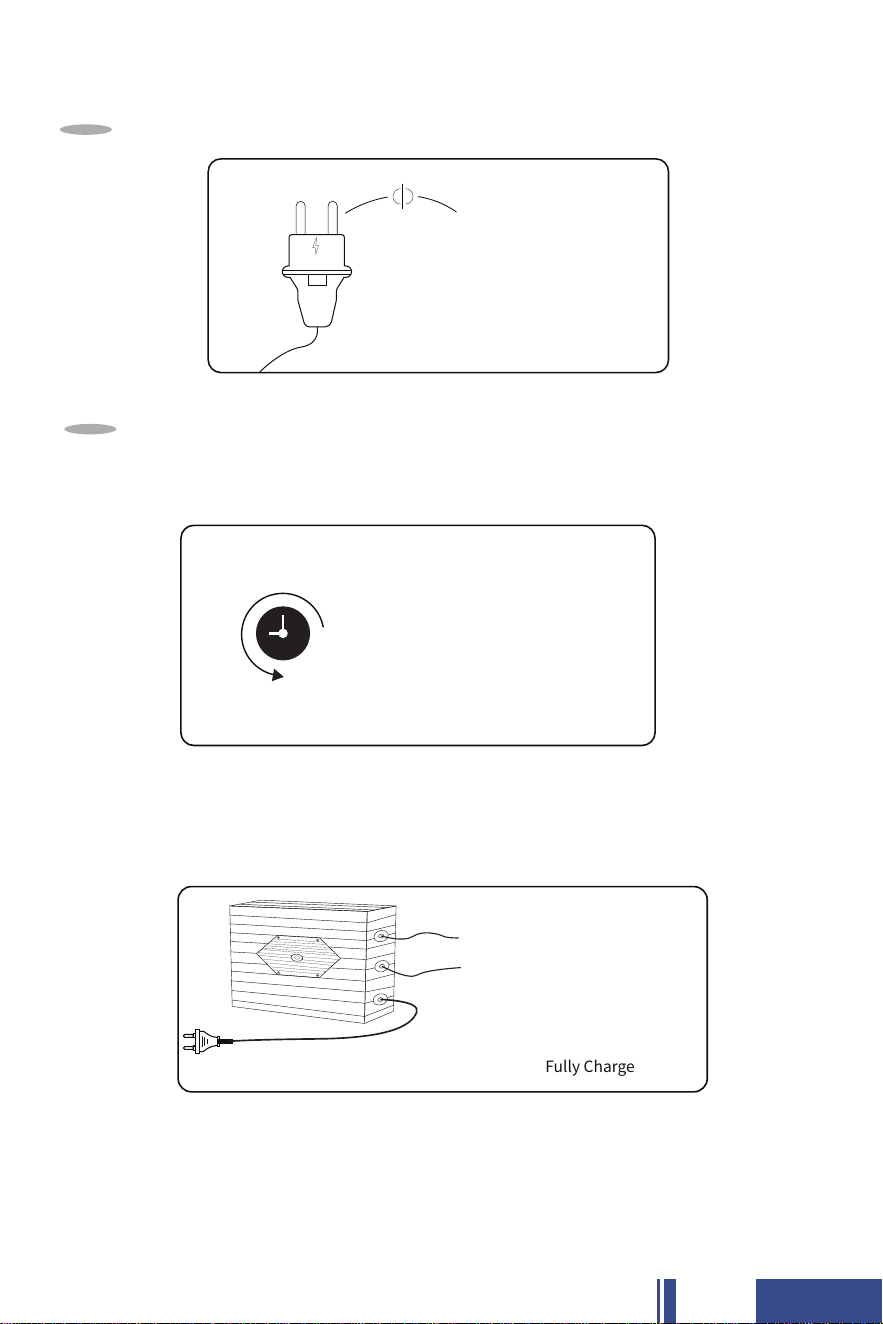
GENERAL STEPS
Leave the battery aside for 30mins
Then the battery will automatically recover itself to normal voltage(>30V) and can
be used after fully charged.
Step
2
Cut off all the connections from the battery
Step
1
Cut off
30mins
If the battery is unable to recover itself after the above steps, please try to
activate the battery using the supplied charger.
Note:
If the battery still can't be activated, please contact us at
sales31@ocelltech.com, we will provide appropriate technical support,
or refund or exchange service.
43.8V 25A lithium battery charger Fully Charge
22
◆ 9 BATTERY CABLE SIZE
Battery cables should be sized to handle the expected load and be of
sufficient length and flexibility to avoid applying undesirable mechanical
loads on the battery terminals. Refer to Table 1 for the maximum amper-
age based on the cable/wire gauge size.
♦
Table values are from NEC Table 310.15(B)16 for copper cables rated at 167°F (75°C),
operating at an ambient temperature of no more than 86°F(30°C). Lengths in excess of
6 feet (1829mm) may require heavier gauge wire to avoid unacceptable voltage drop. In
parallel battery banks, it is preferable for all cables to be the same length. For more
information refer to the National Electrical Code for correct cable/wire size, which can
be located at www.nfpa.org.
♦
TABLE 1
WARNING! SHOCK HAZARD; RISK OF FIRE.
PERSONAL PROTECTIVE EQUIPMENT RECOMMENDED IN THIS PRODUCT MANUAL
MAY BE INADEQUATE IF BATTERY IS MISUSED IN THIS WAY. REFER TO LOCAL
ELECTRICAL SAFETY GUIDELINES FOR ADDITIONAL INFORMATION RELATED
TO PERSONAL PROTECTIVE EQUIPMENT AND SAFETY PROTOCOLS
CABLE/WIRE GAUGE SIZE, AWG(mm2) AMPACITY(Amps)
20
25
35
50
65
85
115
130
150
175
14(2.08)
12(3.31)
10(5.26)
8(8.36)
6(13.3)
4(21.1)
2(33.6)
1(42.4)
1/0(53.5)
2/0(67.4)
23

◆ 10 STORAGE AND SHIPPING
A fully charged O'CELL 36V 105Ah LiFePO4 Battery can be safely stored
in climate controlled conditions for up to one year (12 months) while in
sleep mode. It is recommended that the battery state of charge is chec-
ked every month. Temperatures exceeding 77°F (25°C) will cause
the battery to self-discharge faster and will require more frequent checks.
Never put the battery into prolonged storage if the state of charge is
below 50%.
The following tips will help ensure that your batteries emerge from
storage in good condition:
10.1 Storage and Shipping
♦
♦
Prior to long-term storage of the battery, fully charge the battery.
Storing a discharged battery can result in permanent damage or
decreased run time.
Store in a cool and dry location, protected from the elements.
Place the battery in storage mode to eliminate potential parasitic loads
that may discharge the battery.
♦
♦
♦
The battery can be operated at a temperature of
-4 °F to 95°F (-20 °C to 35°C),
and a temperature between 23°F~ 77°F (-5°C~ 25°C) is ideal for long-term
storage. Store in a fireproof container and away from children.
Temperature
10.2 Suggestions for Long-term Storage
♦
For a longer-lasting product, it is best to store your battery at a 65%
charge level and recharge every 2 Weeks if it is not going to be used for
a long time.
Capacity
♦
24
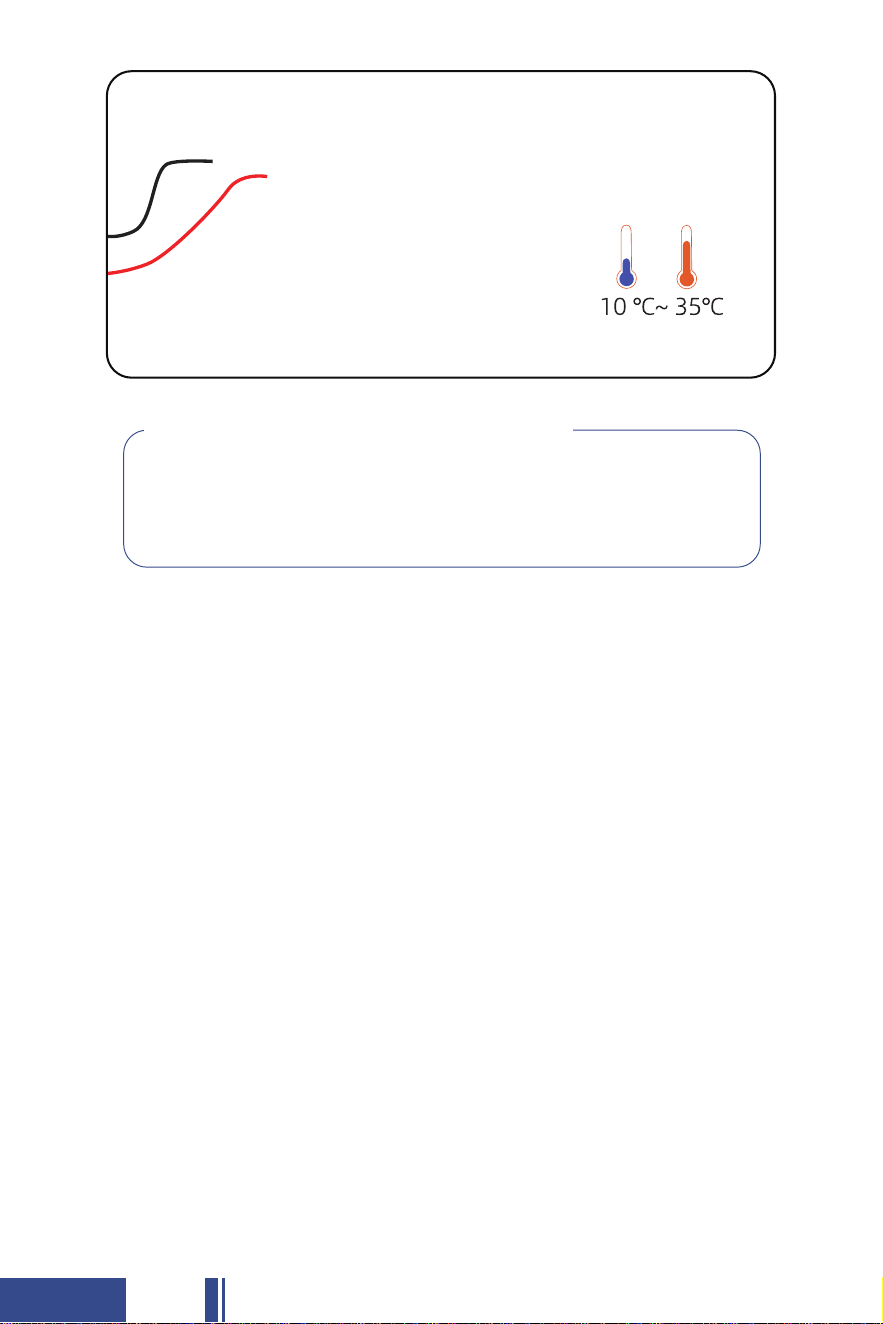
Recharge Every
2 Weeks
Your O'CELL 36V 105Ah Lithium-ion battery will deliver rated capacity
when it is new. No "break-in" period is required.
When operating batteries at low temperatures, they will deliver less than
the rated capacity.
When operating batteries at high temperatures, battery life will be reduced.
The life of a battery is difficult to predict and will vary by application,
frequency of usage and load characteristics.
10.4 What to Expect from your 36V Lithium-ion Battery
♦
♦
♦
♦
♦
♦
Follow all the procedures in this Product Manual for proper installation,
maintenance and storage.
If you have any questions or concerns about battery care, please contact
O'CELL's technical support engineers at
sales31@ocelltech.com before a problem develops.
10.3 Maximizing the Performance of your Battery
IF YOU SHIP THIS BATTERY YOU MUST COMPLY WITH STATE, FEDERAL AND
INTERNATIONAL LAWS, RULES, REGULATIONS AND REQUIREMENTS
REGARDING LITHIUM BATTERIES. YOU MUST UTILIZE A QUALIFIED SHIPPING
AGENT PROPERLY CERTIFIED FOR HAZARDOUS MATERIALS ("HAZMAT") SHIPMENTS.
25
Always Never
Always wear proper personal protective
equipment(PPE)(eye protection and gloves)
Never wear jewelty or other metal objects
when working on or around batteries
Always use insulated tools when working
on batteries
Never place objects on top of batteries
Always check connections for proper torque
Always keep sparks and flames away from
batteries. This includes sources of static
electricity
Never attempt to charge a battery when the
temperature is below 32°F(0°C) or above
113°F(45°C)
Always use short cables of appropriate size
to minimize voltage drop
Never store batteries below 50% State of
Charge
Always make sure charger is set as
recommended
Never exceed maximum charging currents
for the battery's temperature
Always charge batteries before installing
Never dispose of batteries as household waste.
Use recycling channels in accordance with
local, state and federal regulations.
Always make sure chargers are off or discon-
nected while working on batteries
Never connect or disconnect terminals from
batteries without first disconnecting loads
Always add additional O'CELL 36V Series
batteries in parallel
Never attempt to open the battery case
Always use battery lifting strap
Never physically damage the battery(this includes,
without limitation): Puncturing, dropping, crushing,
burning, penetrating, shaking, hammering, and mi-
sconnecting terminals
Always review product warning labels and
O'CELL 36V 105Ah Lithium-ion Product
Manual
Never use pressure washers to clean the
battery or immerse the battery in water
Always install batteries while powered off Never lift by the battery terminals
Never short-circuit the battery terminals
Never over-charge or over-discharge the
battery
◆ 11 SAFETY & WARNING
11.1 SAFETY
26

The electrodes of the waste battery should be wrapped with insulating
paper to prevent fire and explosion.
Battery Disposal
♦
Never disassemble the cells. The disassembling may generate an internal
short circuit in the cell, which may cause gassing, firing, explosion, or
other problems. The electrolyte is harmful. Li-Fe battery should not have
liquid from electrolyte flowing, but in case electrolyte comes into contact
with the skin, or eyes, physicians shall slush the electrolyte immediately
with fresh water and medical advice is to be sought.
Prohibition of Disassembly
♦
Do not soak the battery in which the liquid, like water, seawater and
non-alcoholic drinks, fruit juice, coffee or other drinks.
Prohibition of Dumping of Cells into Water
♦
If any abnormal features of the cells are found such as damages in a
plastic envelope of the cell, deformation of the cell package, smelling
of an electrolyte, an electrolyte leakage and others, the cells shall never
be used anymore. The cells with a smell of the electrolyte or a leakage
shall be placed away from fire to avoid firing or explosion.
Abnormal Prohibition Of Use
♦
Do not use the battery in a place with strong static electricity and a
strong magnetic field, otherwise, it is easy to damage the battery
safety protection device and bring hidden danger.
Prohibition of Using in Below Places
♦
11.2 WARNING
27

Lithium-iron phosphate batteries are potentially dangerous and shouldn't
be tossed in the trash. Waste lithium batteries should be properly recycled
according to local policies. Many websites and organizations can recycle
them for free. If you're in the U.S. or anywhere globally, search for "Lithium
Battery Disposal Near Me" online. Numerous places can safely dispose of
these batteries. Make sure to call first to confirm they're open.
♦
◆ 12 RECYCLING
O'CELL offers a Lifetime Technical Support on the batteries as well as a
30-day free return policy, for more details please refer to this link:
www.ocelltech.com
For more information and support, please visit our website or reach us at:
sales31@ocelltech.com
Whatsapp: +(86)13798116787
♦
♦
◆ 13 WARRANTY & RETURNS
36V 105Ah LiFePO4 Battery
www.ocelltech.com
Clean Energy, Power Your Life
28

SCENARIO APPLICATIONS
29

30
Your Comments Are Appreciated
Comments/Suggestions:
Please contact us with a copy of this page to sales31@ocelltech.com.
Thank You!
O'CELL Technical Team
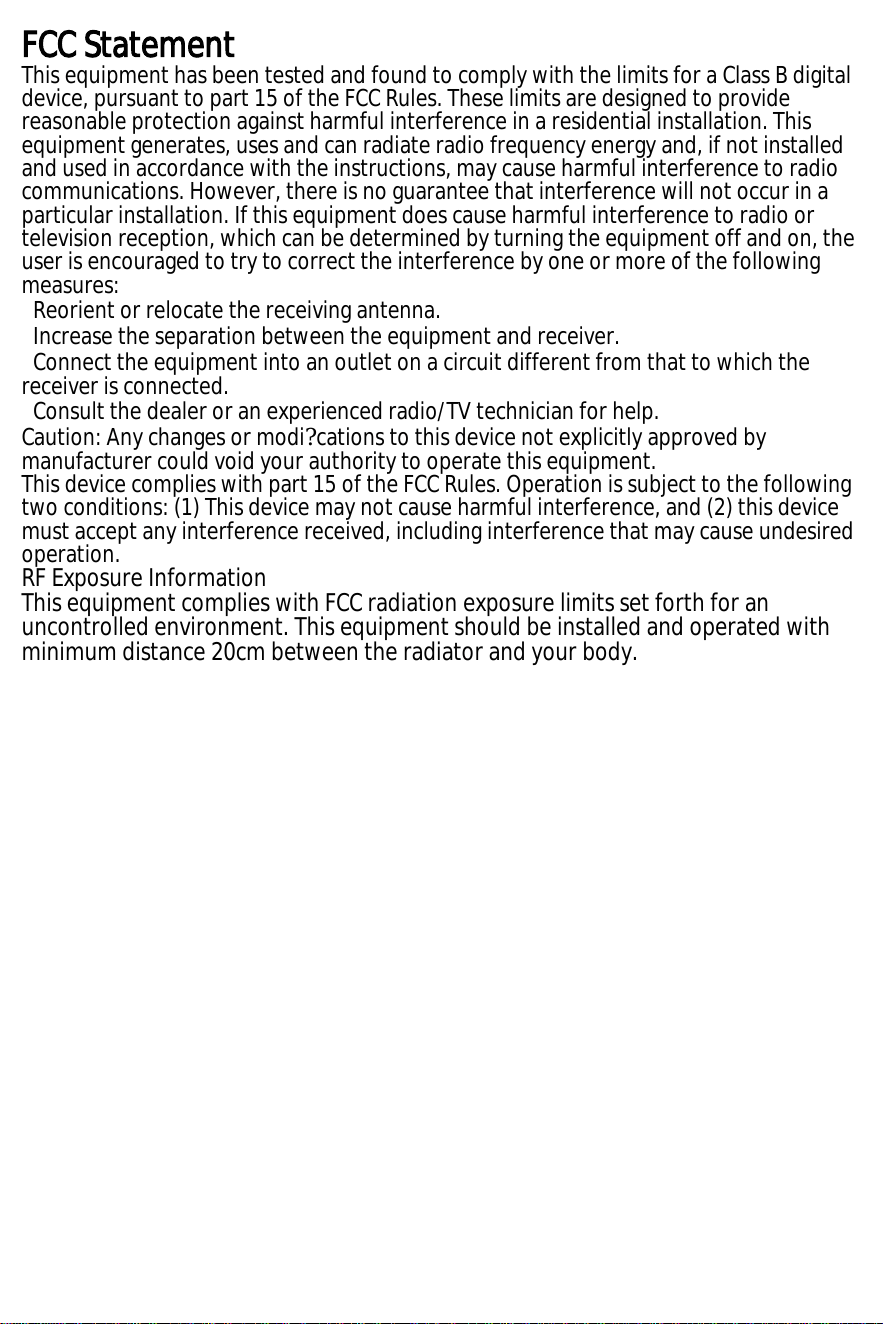
FCC Statement
This equipment has been tested and found to comply with the limits for a Class B digital
device, pursuant to part 15 of the FCC Rules. These limits are designed to provide
reasonable protection against harmful interference in a residential installation. This
equipment generates, uses and can radiate radio frequency energy and, if not installed
and used in accordance with the instructions, may cause harmful interference to radio
communications. However, there is no guarantee that interference will not occur in a
particular installation. If this equipment does cause harmful interference to radio or
television reception, which can be determined by turning the equipment off and on, the
user is encouraged to try to correct the interference by one or more of the following
measures:
Reorient or relocate the receiving antenna.
Increase the separation between the equipment and receiver.
Connect the equipment into an outlet on a circuit different from that to which the
receiver is connected.
Consult the dealer or an experienced radio/TV technician for help.
Caution: Any changes or modi?cations to this device not explicitly approved by
manufacturer could void your authority to operate this equipment.
This device complies with part 15 of the FCC Rules. Operation is subject to the following
two conditions: (1) This device may not cause harmful interference, and (2) this device
must accept any interference received, including interference that may cause undesired
operation.
RF Exposure Information
This equipment complies with FCC radiation exposure limits set forth for an
uncontrolled environment. This equipment should be installed and operated with
minimum distance 20cm between the radiator and your body.
36V 105Ah LiFePO4 Battery
www.ocelltech.com
+(86)13798116787
sales31@ocelltech.com
SHENZHEN O'CELL TECHNOLOGY CO.,LTD
www.ocelltech.com
Clean Energy, Power Your Life