User
Manual
使用说明
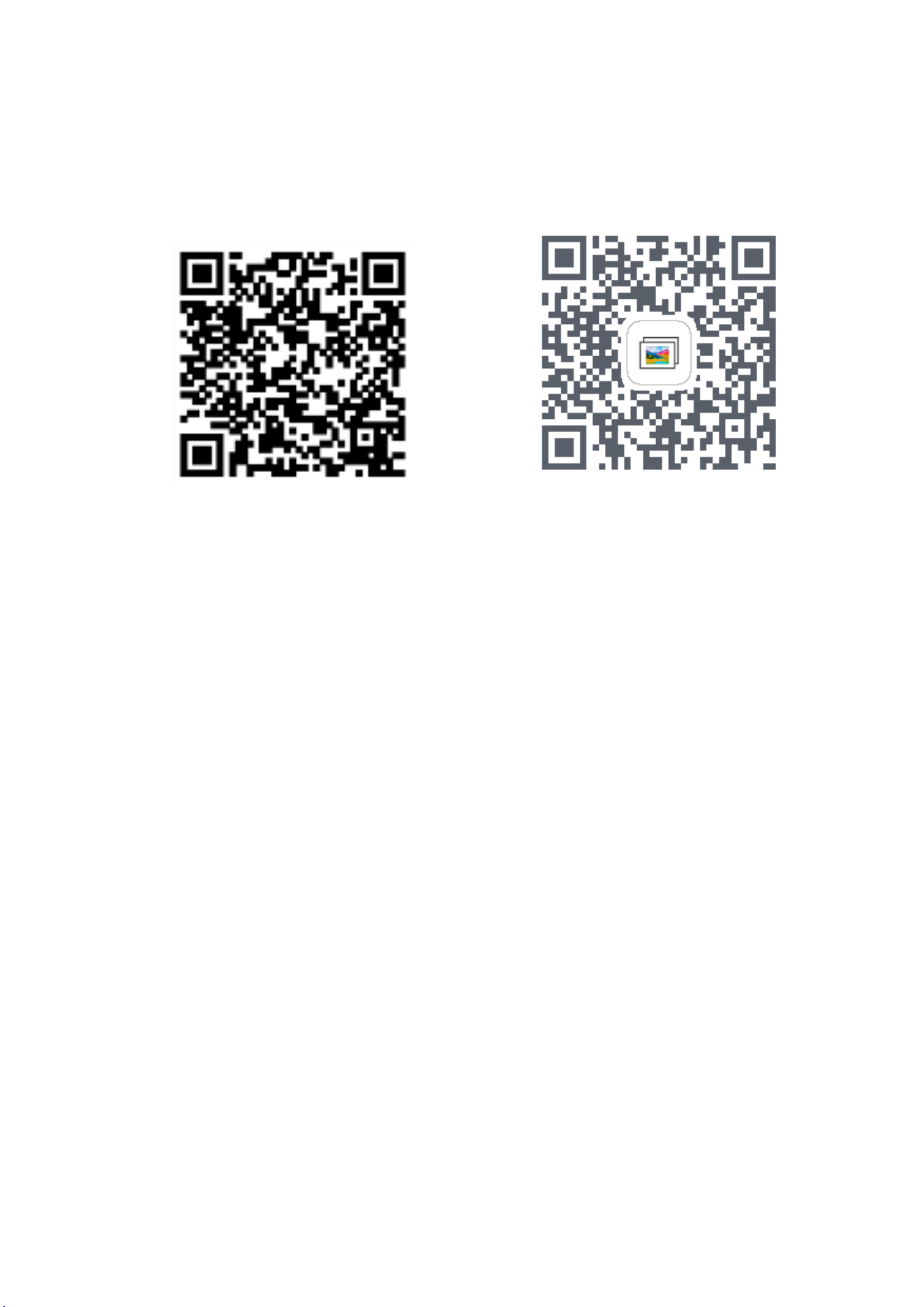
IOS APP android APP
1、Scan this QR code to quickly install
APP“AI_epaper”
2、Enable Bluetooth function on mobile phone:
Settings->Bluetooth
3、Open the Bluetooth, camera and wireless
data
permissions of mobile phone for the APP:
Setting->APP ->“AI_epaper”
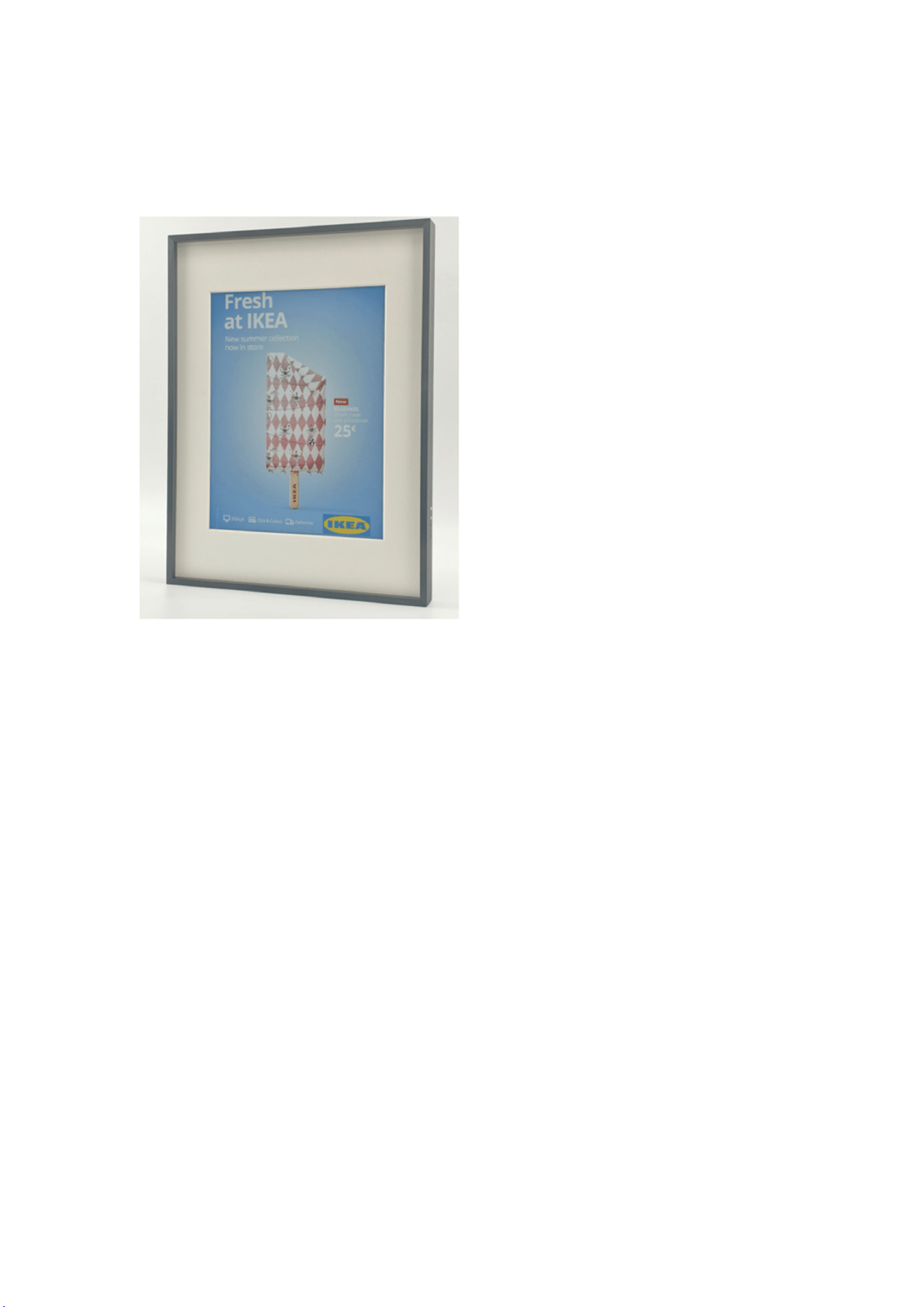
Product Info/产品信息
Device use/ 设备使用
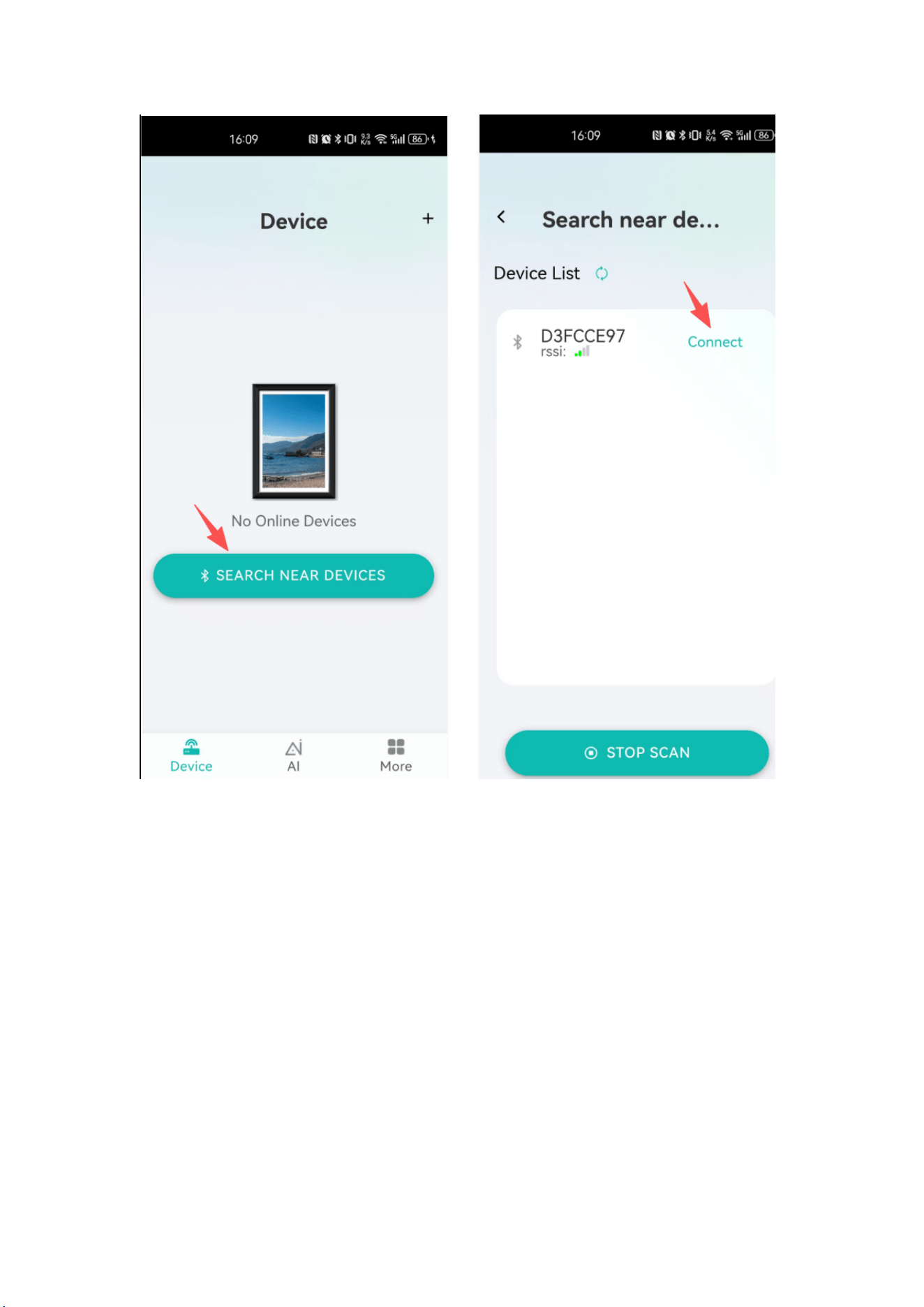
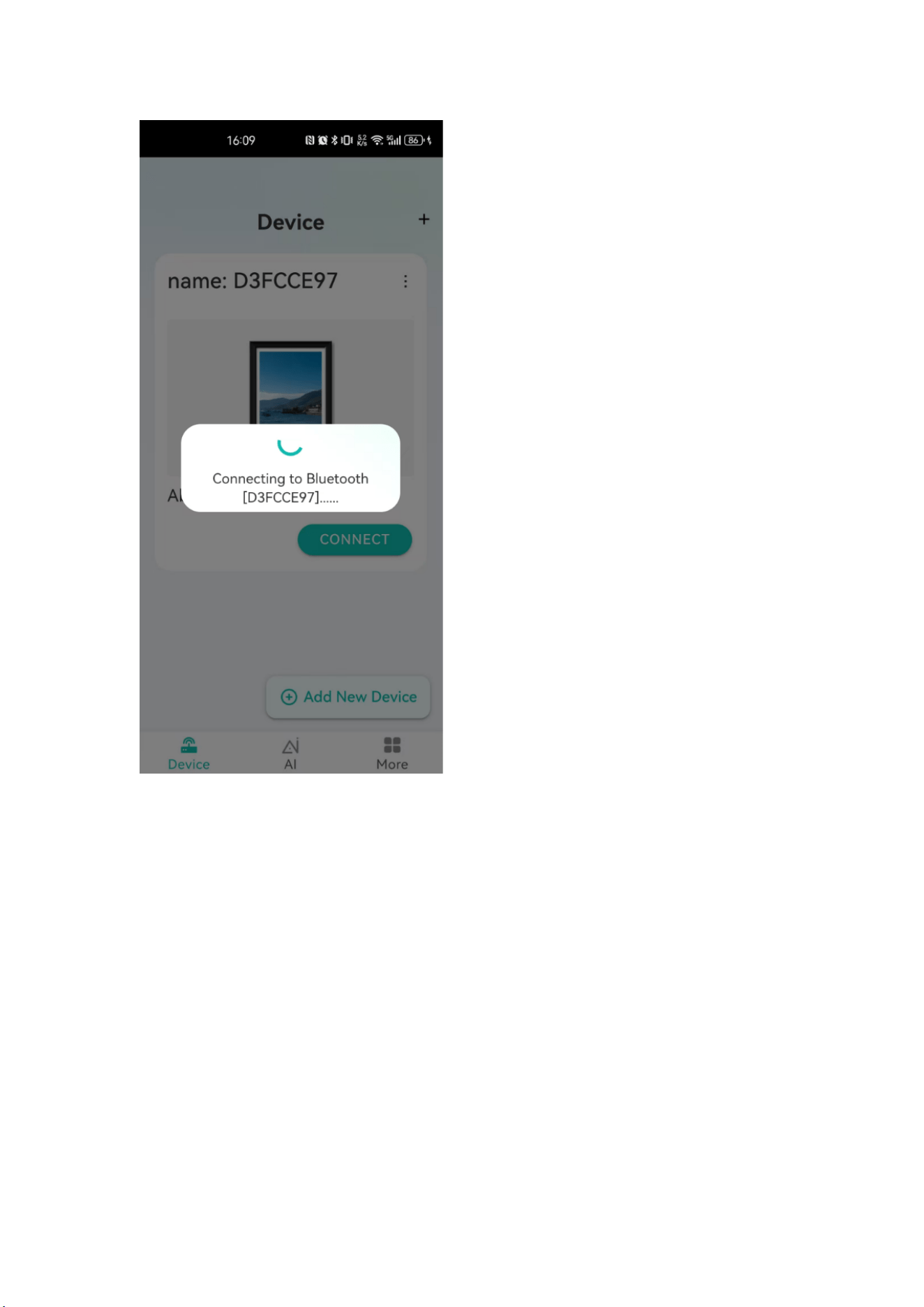
⼀、 Connecting the device
1,
Install the mobile app, start it, and enter the default page
2,click “SEACH NEAR DEVICES ”,Found corresponding device , click
“Connect”
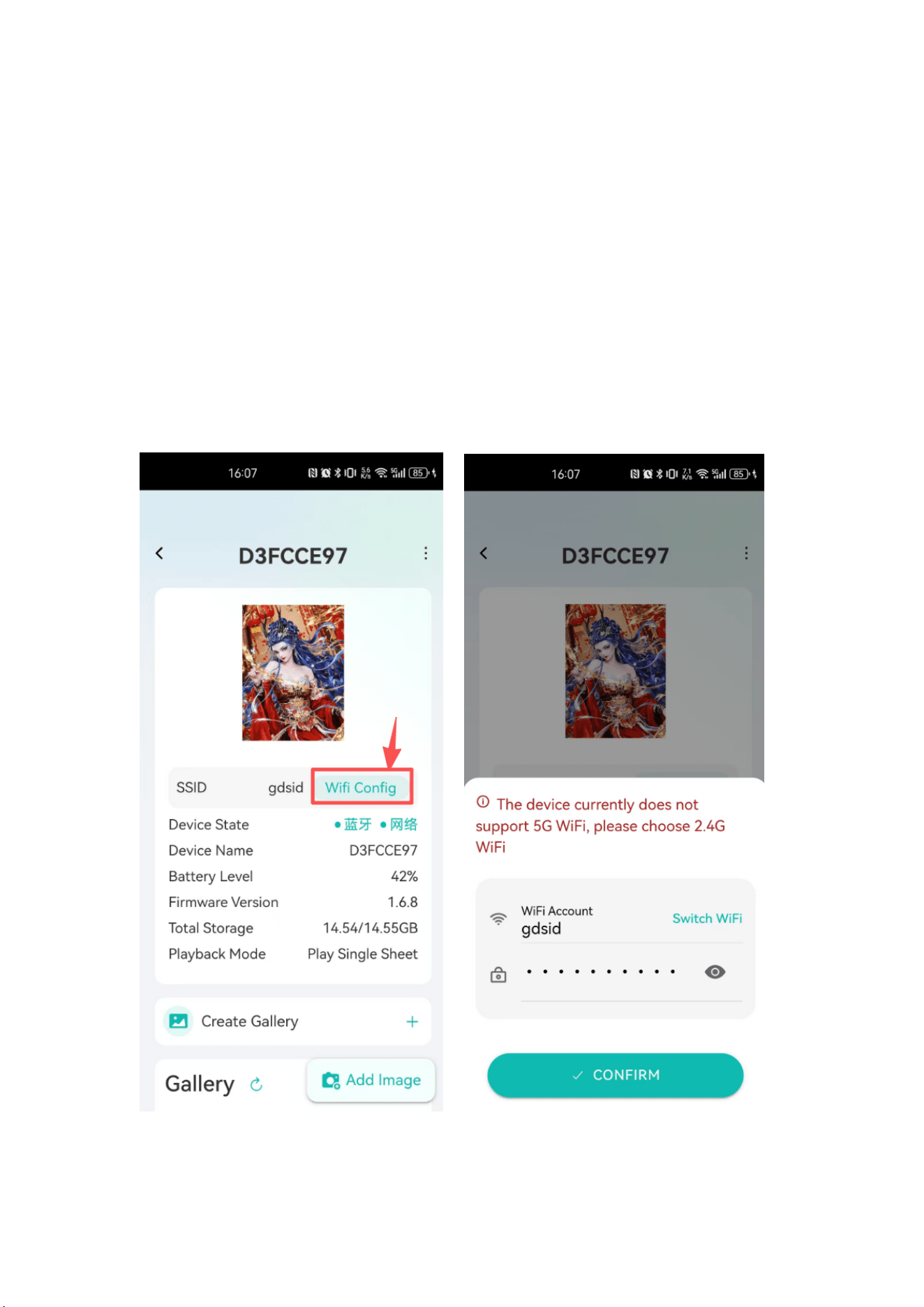
⼆, Setting WIFI config
1,After connecting the corresponding device, click on the device
network configuration(the RTOS devices need 2.4G WIFI, does not
support 5G WIFI)
2, The WIFI connected to the mobile phone will default to APP input.
To switch, you need to click “Switch WIFI”
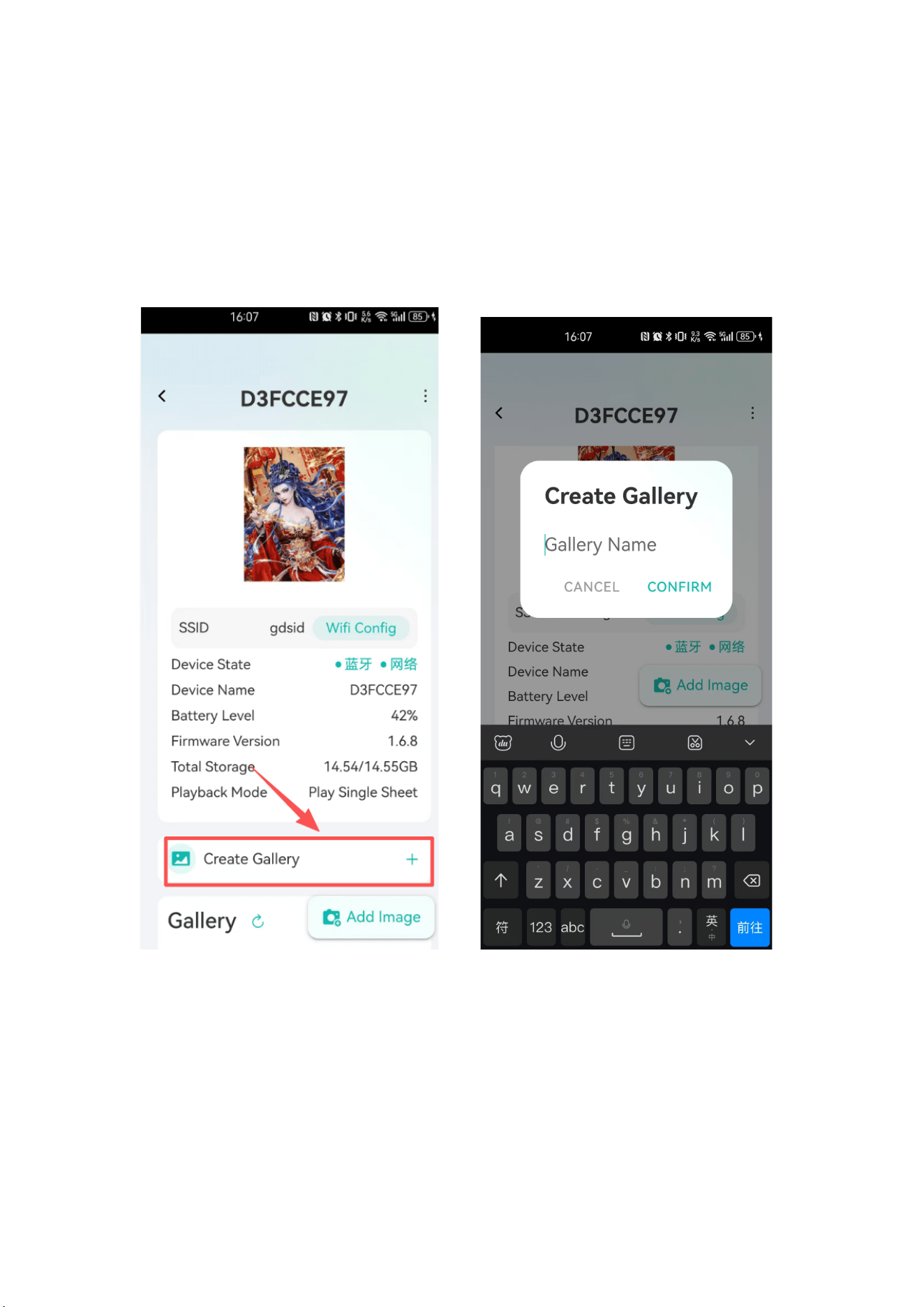
三, Create gallery
四, 1,click “Create gallery ”, input the gallery name
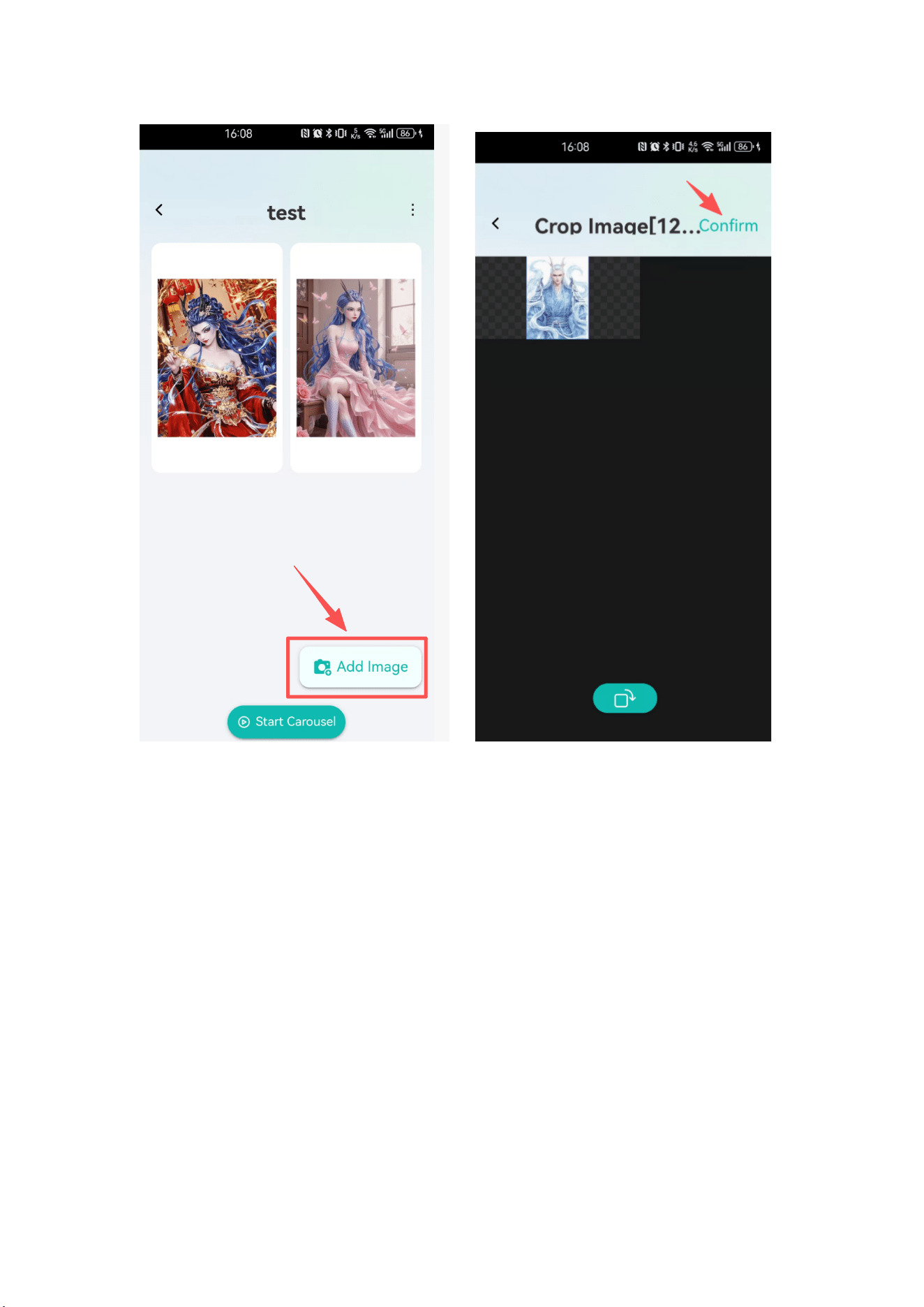
2,click “Add Image”,After selecting the images you need, click
“CONFIRM”
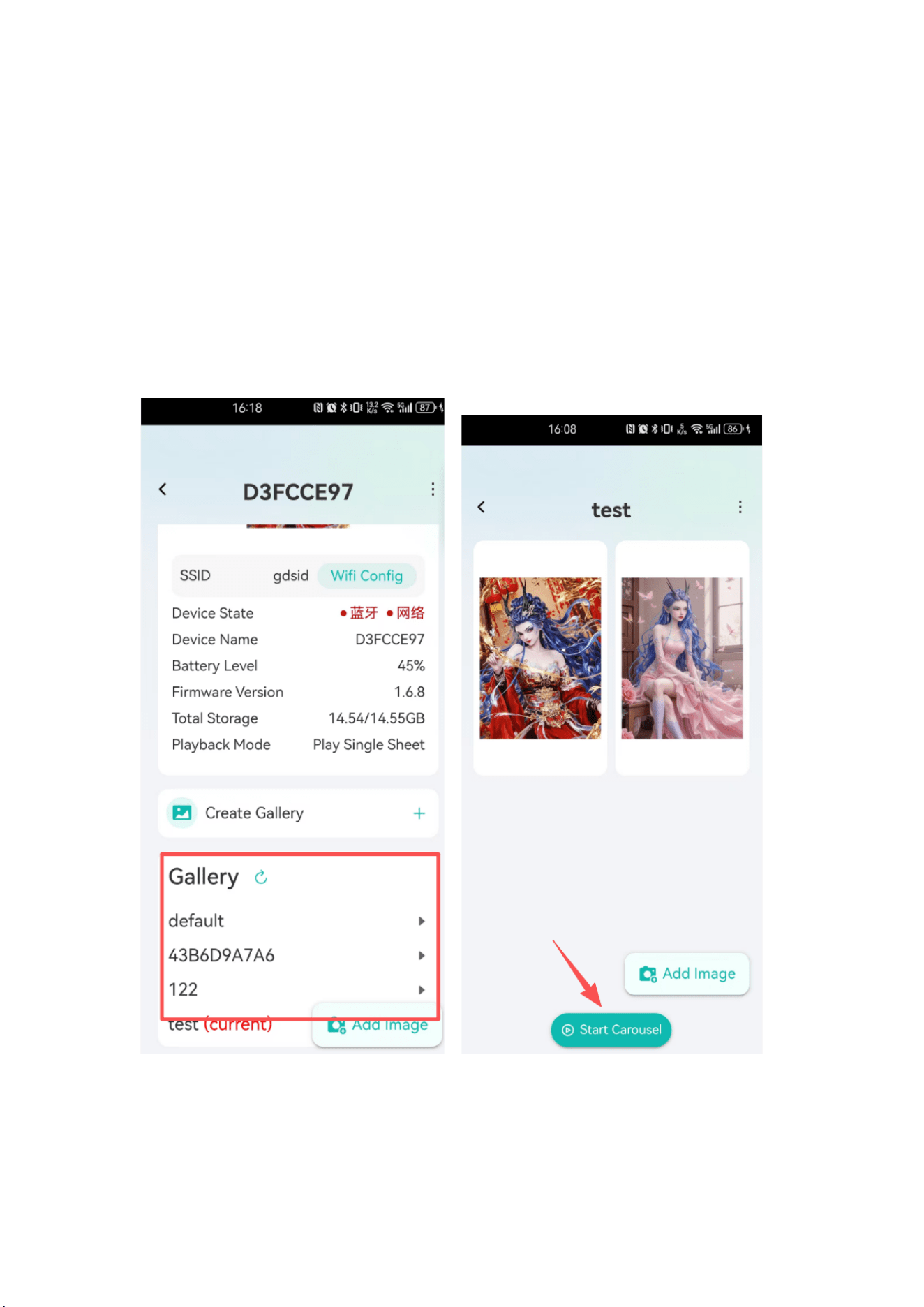
5、 Picture play
1 ,In the gallery,Click on the selected album to enter。
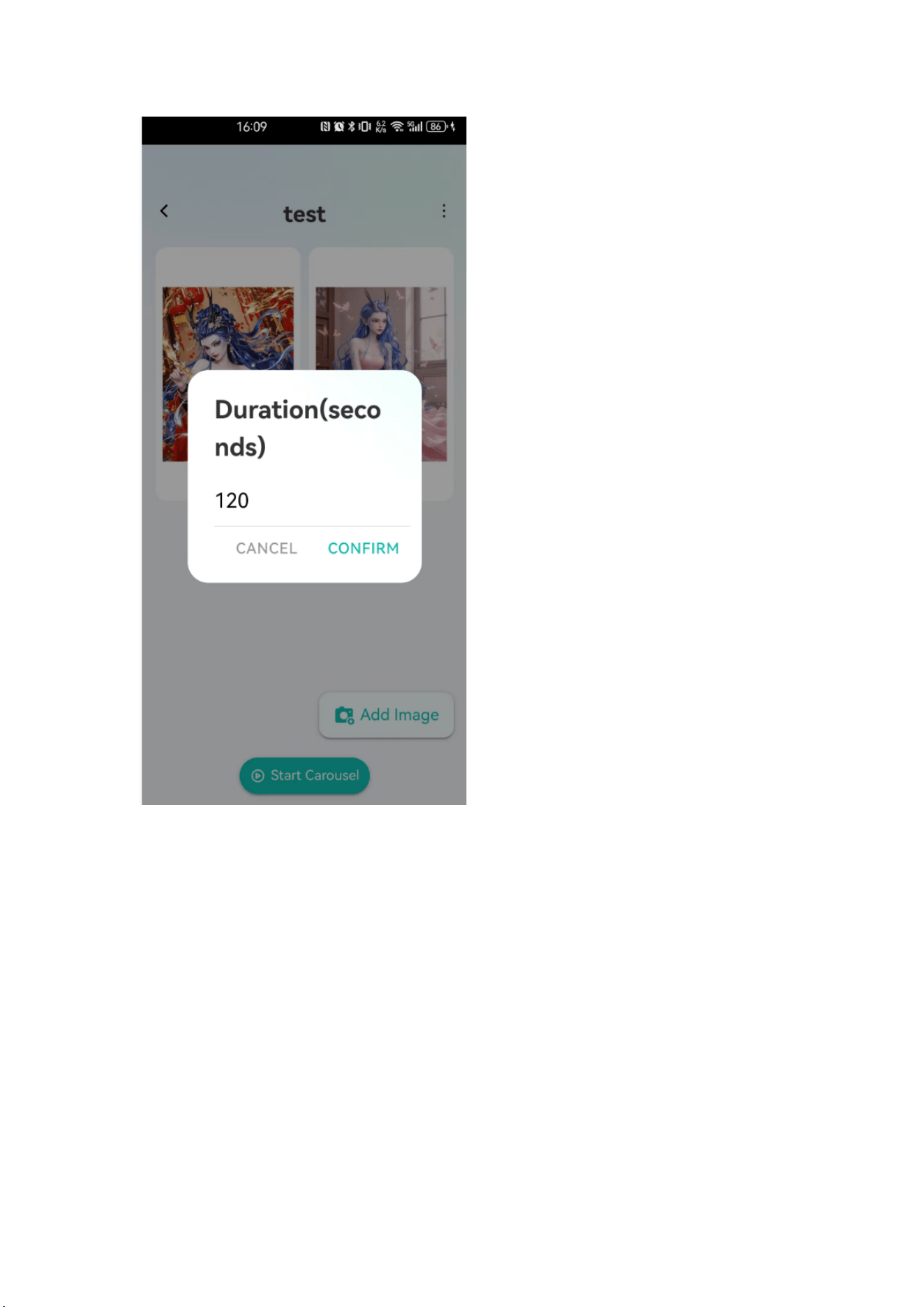
2 ,After entering the selected album, click "Start Carousel", set the
duration , and confirm to play whole gallery
3,If you want to play a single photo ,
Click on the selected photo to enter the
photo page, click "Start Carousel", to proceed
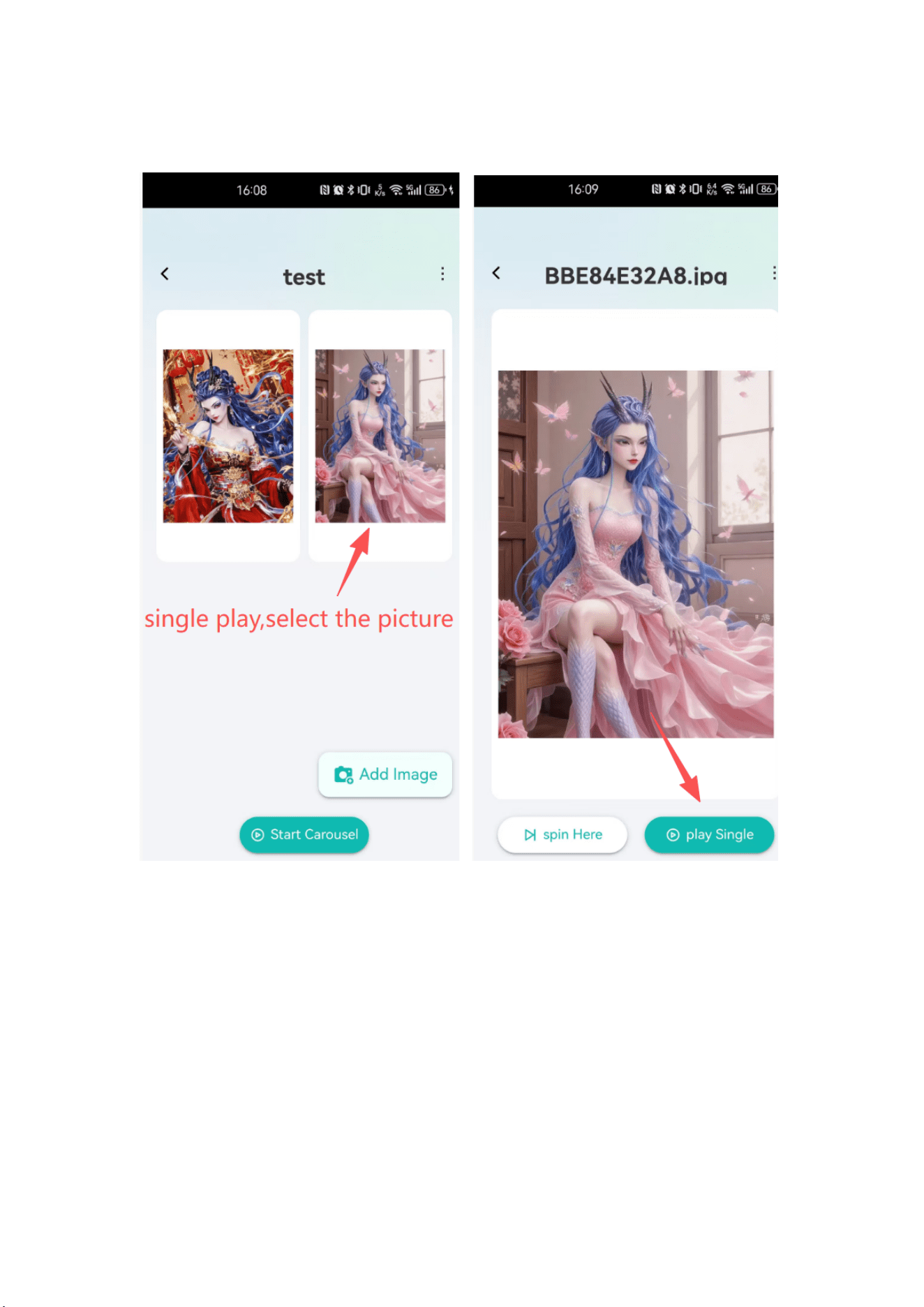
*Single picture play:Click on the selected photo to enter the photo page, click
"Start Carousel",
to proceed

FCC Warning:
Note: This equipment has been tested and found to comply with the limits for a Class B digital
device, pursuant to part 15 of the FCC Rules. These limits are designed to provide reasonable
protection against harmful interference in a residential installation. This equipment generates,
uses and can radiate radio frequency energy and, if not installed and used in accordance with
the instructions, may cause harmful interference to radio communications. However, there is no
guarantee that interference will not occur in a particular installation. If this equipment does
cause harmful interference to radio or television reception, which can be determined by turning
the equipment off and on, the user is encouraged to try to correct the interference by one or
more of the following measures:
• Reorient or relocate the receiving antenna.
• Increase the separation between the equipment and receiver.
•
Connect the equipment into an outlet on a circuit different from that to which the receiver is
connected.
• Consult the dealer or an experienced radio/TV technician for help.
Caution:
Any
changes
or
modifications
to
this
device
not
explicitly
approved
by
manufacturer
could void your authority to operate this equipment.
This
device
complies
with
part
15
of
the
FCC
Rules.
Operation
is
subject
to
the
following
two
conditions:
(1)This
device
may
not
cause
harmful
interference,
and
(2)
this
device
must
accept
any
interference received, including interference that may cause undesired operation.
This
equipment
complies
with
FCC
radiation
exposure
limits
set
forth
for
an
uncontrolled
environment.
This
equipment
should
be
installed
and
operated
with
minimum
distance 20cm
between the radiator and your body.