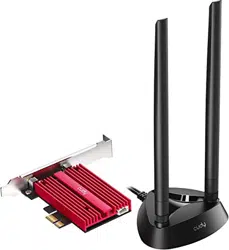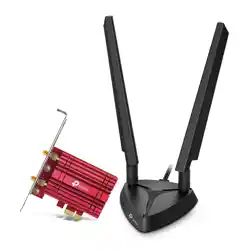

TP-Link ARCHER TXE75E AXE5400 Wi-Fi 6E Bluetooth 5.3 PCIe Adapter

Product's Documents

Below are documents related to this product, you can read online or download:
User Manual Specification
  • Archer TXE75EUN V3 Datasheet - (English) Download
Installation Instruction
  • Archer TXE75EUN V3 Quick Installation Guide - (English) Download
User Service
  • WiFi 6E Adapter Troubleshooting Guide - (English) Download
ARCHER TXE75E photo

6 GHz InstructionEnglish

This is the main product document for model ARCHER TXE75E.

The file format is pdf, 1 pages, you can download this manual here .

background
Step one:
Please download the latest version of the
driver at the ocial website
https://www.tp-link.com/support/download/
Step two:
If the adapter still cannot nd or connect to
6 GHz Wi-Fi, check the following:
1. Make sure the 6 GHz band is not prohibited by
regulations in your country.
2. Make sure your router or access point
supports 6GHz Wi-Fi.
3. The 6 GHz band requires operating system
support. Make sure you are using the
Windows 11(x64) or above.
How do I update my operating system?
To update your Windows operating system, refer
to the ocial website to download Win 11 or later
versions:
https://www.microsoft.com/software-download/
Can’t nd or connect to
6 GHz Wi-Fi?
©2023 TP-Link 7106510707 REV2.1.0

Specifications

Indexed Terms: Bluetooth 5.3

TP-Link ARCHER TXE75E Questions and Answers

Questions and Answers

Related Products