Art. No. 48772
medisana
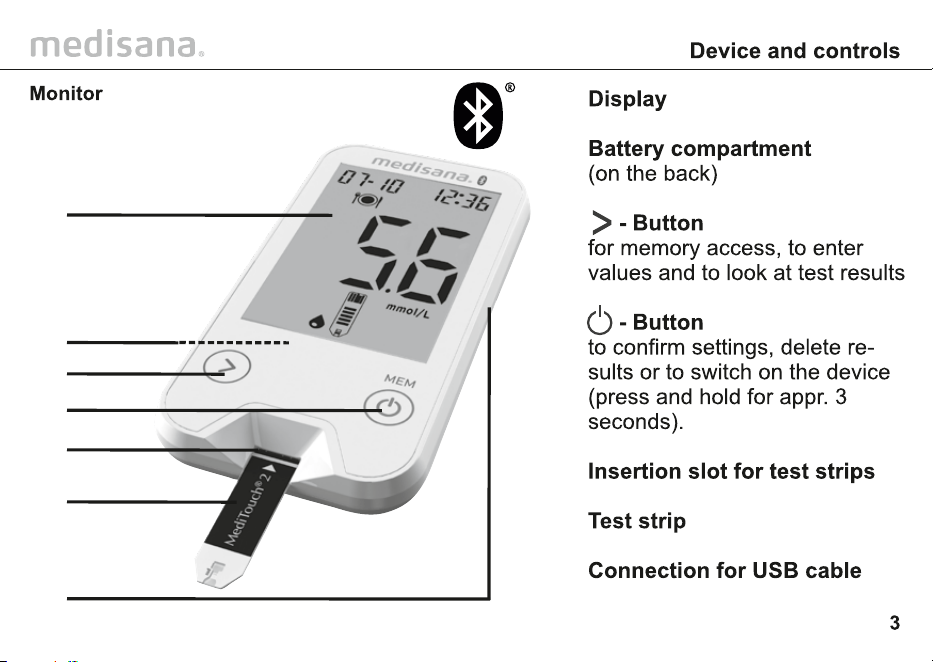
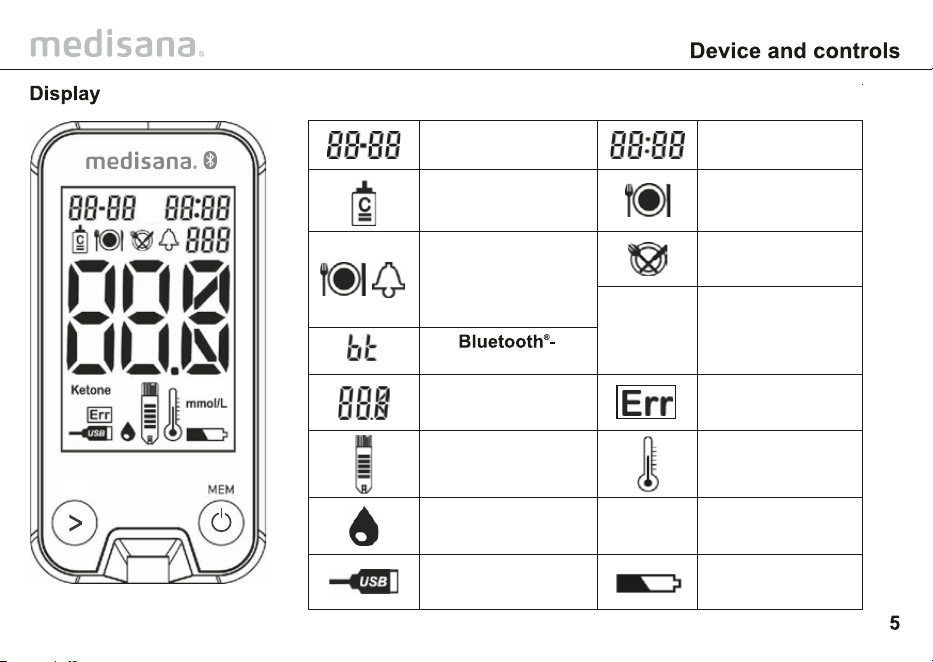
Date
(month:day) (hours:minutes)
Control solution
measurement mode
Blood glucose
reading
Insert test
strip
Apply blood or
control solution
Active USB
connection
Before
Meals (AC)
Ambient tempe-
ratur error
Unit of measure
Battery symbol
(low battery)
Ketone
Warning regarding
a possible diabe-
tical ketoacidosis.
Consult doctor!
mmol/L
Time
After
Meals (PC)
System error
Alarm (before meals
with automatic alarm
after 2 hours to
remind you to perform
a test after meals)
connection
PAP
20
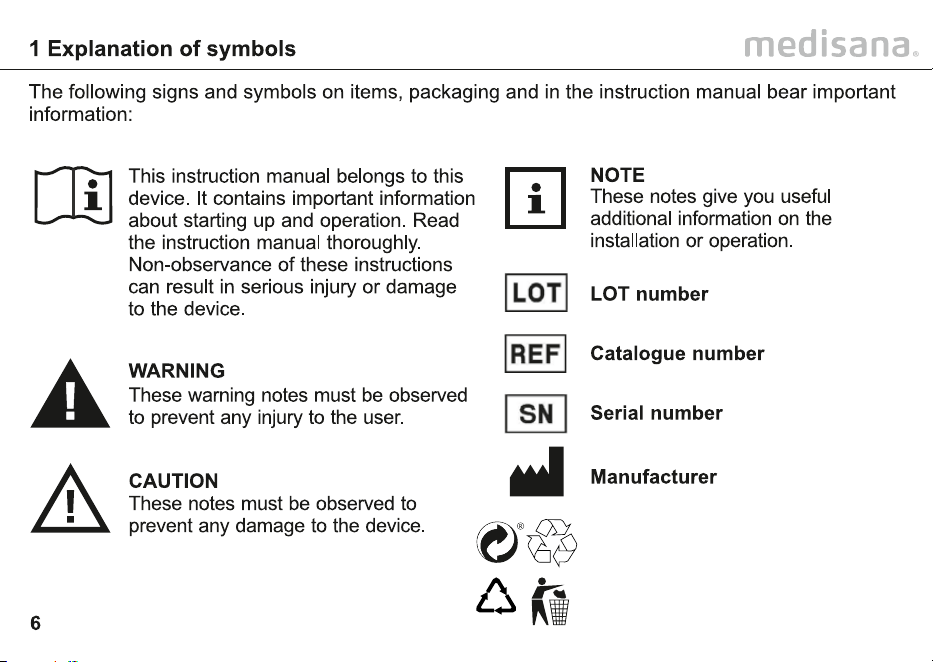
Recycling symbols/codes:
These are used to provide
information about the
material and its proper use
and recycling.
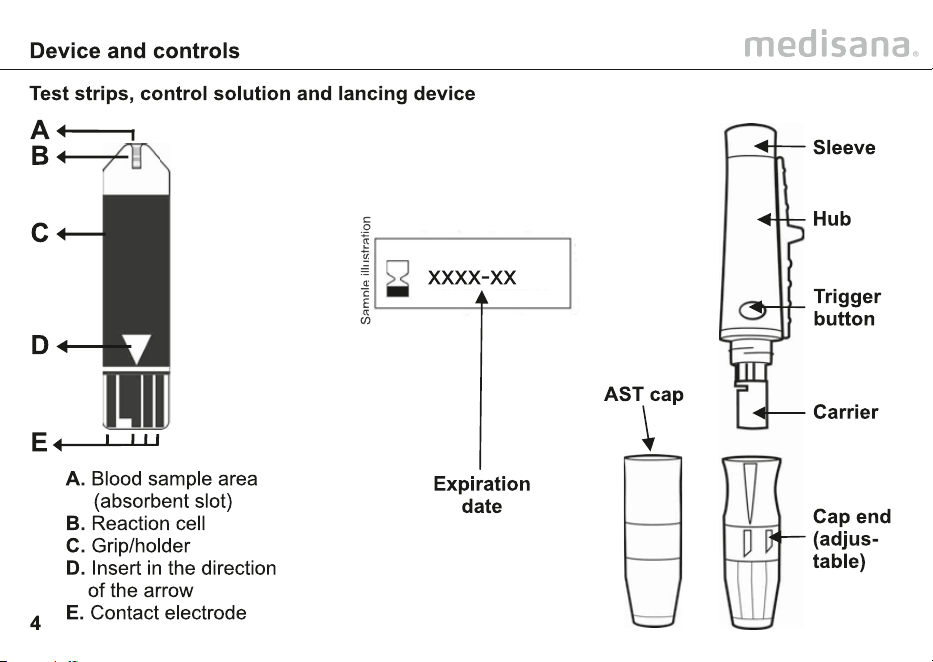
XXXX
If the test results display “HI” or “LO”, perform
medisana
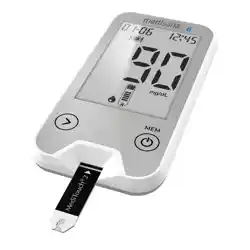
Thank you for your confidence in us and congrat-
ulations! The blood glucose monitor MediTouch
®
2 connect that you have purchased is a top
quality product from medisana.
In order to achieve the desired effect with your
medisana MediTouch® 2 connect blood
glucose monitor in the long term, we recommend
that you read the following information on its use
and maintenance carefully.
Please check first of all that the device is
complete and is not damaged in any way. In
case of doubt, do not use and contact your
supplier or your service centre.
The following parts are included:
• 1 MediTouch
®
2 connect blood glucose
monitor, (Art. 48772)
• 1 medisana lancing device
• 10 MediTouch
®
2 blood glucose test strips
• 10 MediTouch
®
lancets
• 1 MediTouch
®
2 connect control solution 4 ml
• 1 AST cap
• 2 CR2032 lithium batteries
• 1 Storage bag
• 1 Instruction manual
• 1 Teststrips manual
• 1 Control solution manual
The packaging can be reused or recycled.
Please dispose properly of any packaging
material no longer required. If you notice any
transport damage during unpacking, please
contact your supplier without delay.
medisana
medisana
480 readings with the date and time. It also
calculates the average level using the blood
glucose readings from the previous 7, 14, 30 and
90 days. This allows you to monitor any changes
and discuss them with your doctor.
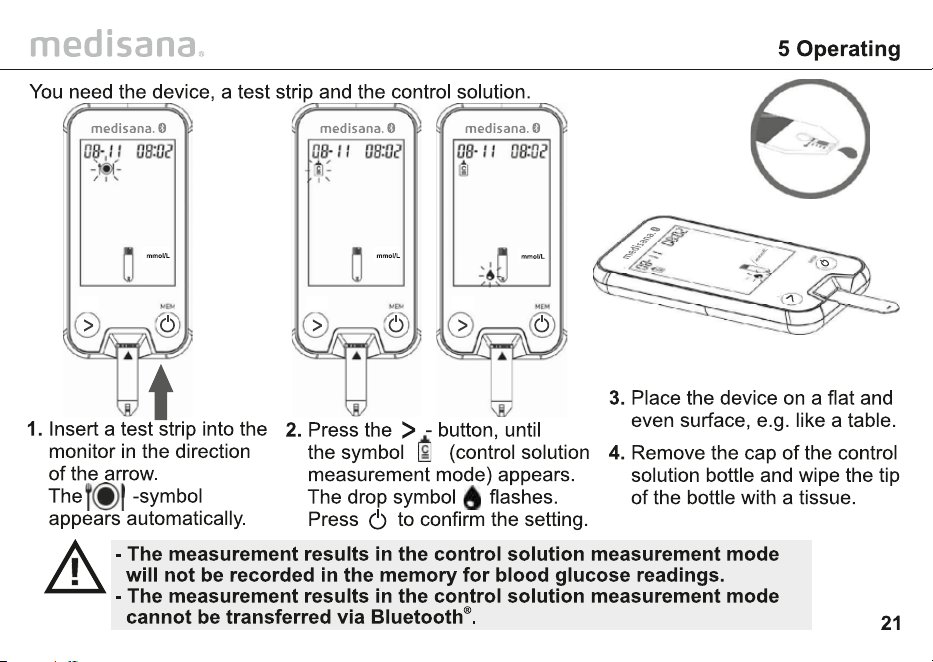
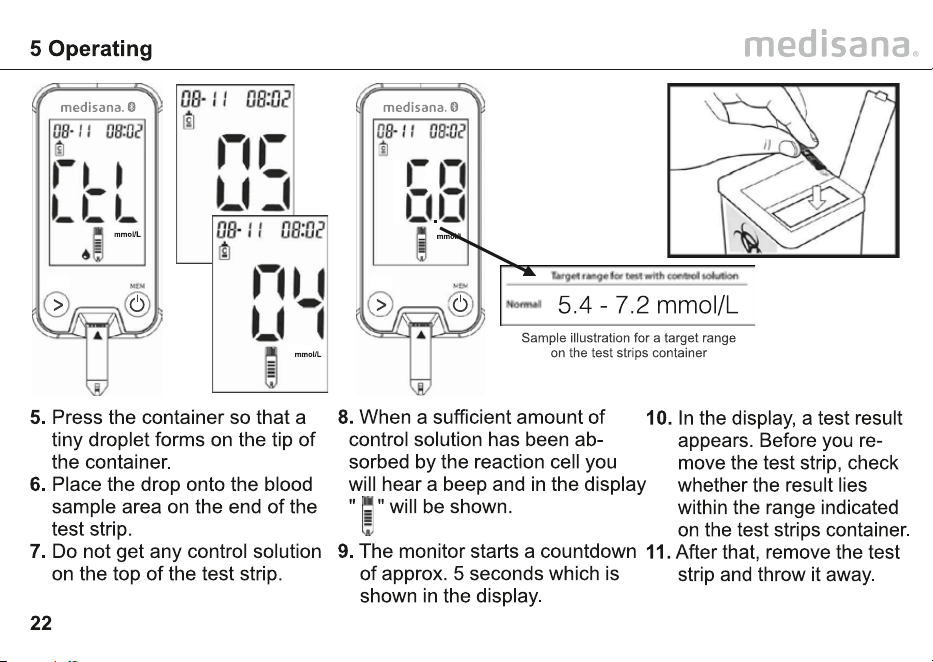
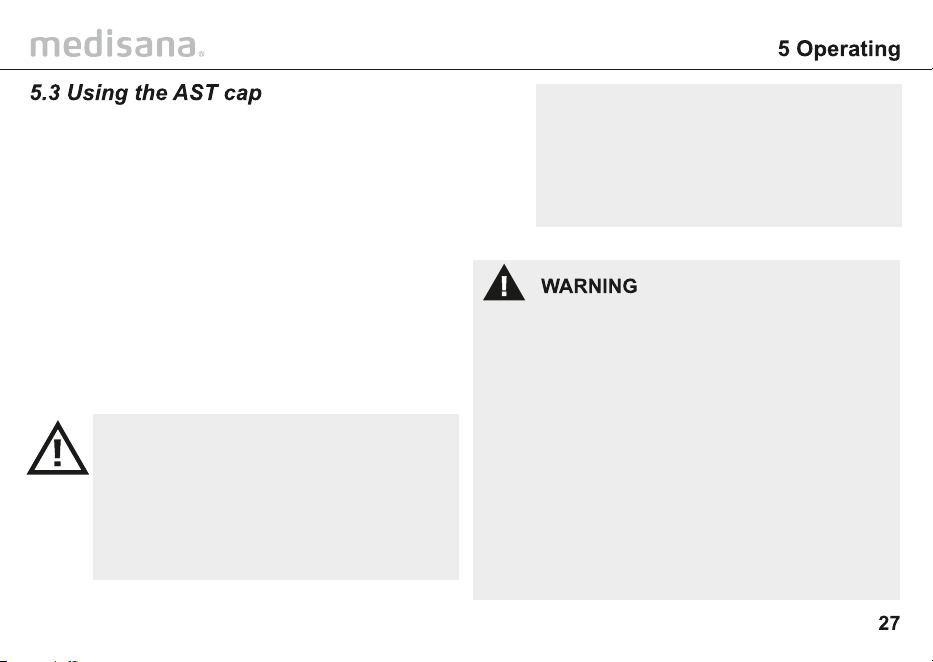
Replace the protective
cap on the lancing device
and tighten by turning it
in an anticlockwise
direction.
To use the AST cap,
check item 5.3 Using the
AST cap.
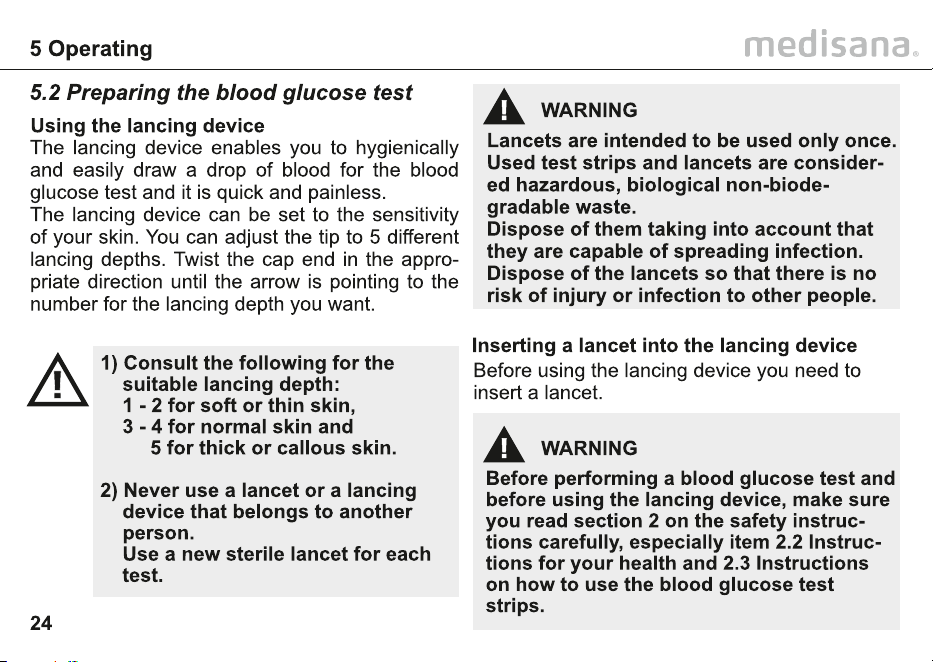
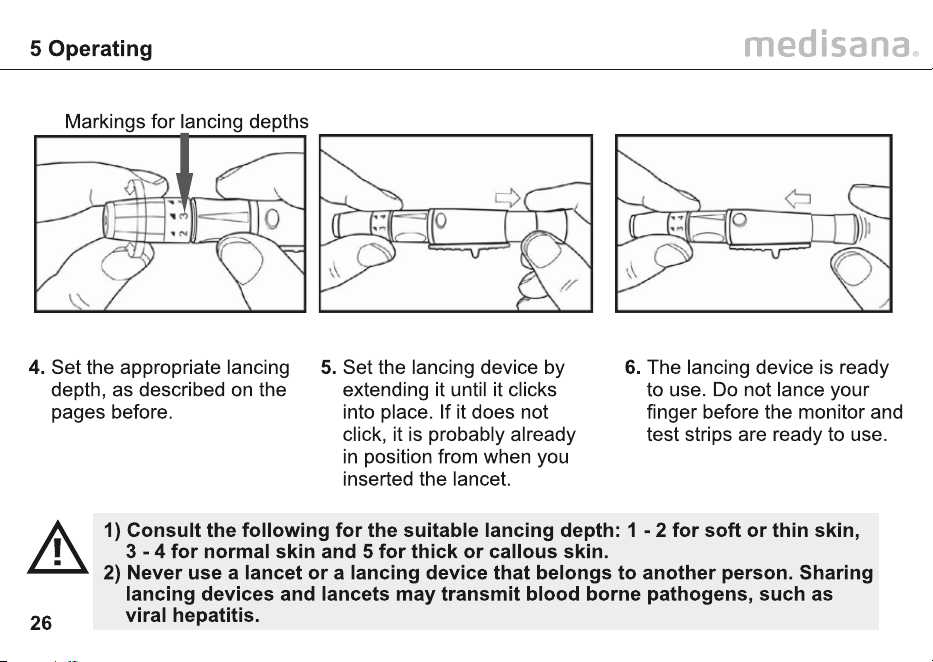
Open the lancing device by twisting
the protective cap in a clockwise
direction and then remove it. Insert
the lancet all the way (without turning
it) into the lancing device. Twist off
the protective cap on the lancet
carefully.
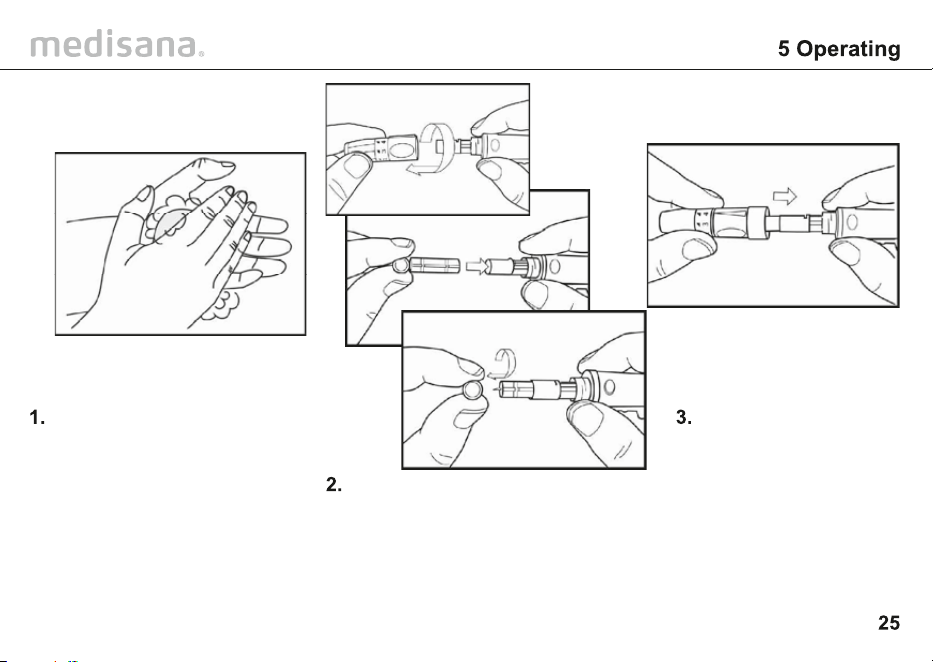
Wash your hands with soap
and warm water. Rinse and
dry thoroughly. If needed,
you can also rub the area
of skin you have chosen for
the blood sample with a
special cleansing pad.
In the case of low glucose (hypoglycemia),
the blood sample must be drawn from
the finger tip, as any changes in the blood
glucose level are quicker to detect from a
blood sample from the finger than from
any other part of the body.
The readings from a finger tip blood
sample and from another part of the body
can lead to the readings which radically
differ from one another. Therefore, always
consult your doctor before you perform a
blood glucose test using a blood sample
from another part of the body.
We recommend, only to use the
alternative site testing (AST), when:
• at least 2 hours passed after the
last meal
• at least 2 hours passed after the
last intake of insulin and / or
exercise
Discuss the readings from an AST
measurement with your doctor, if:
• The glucose results are often
fluctuating
• The results do not match the way
you feel
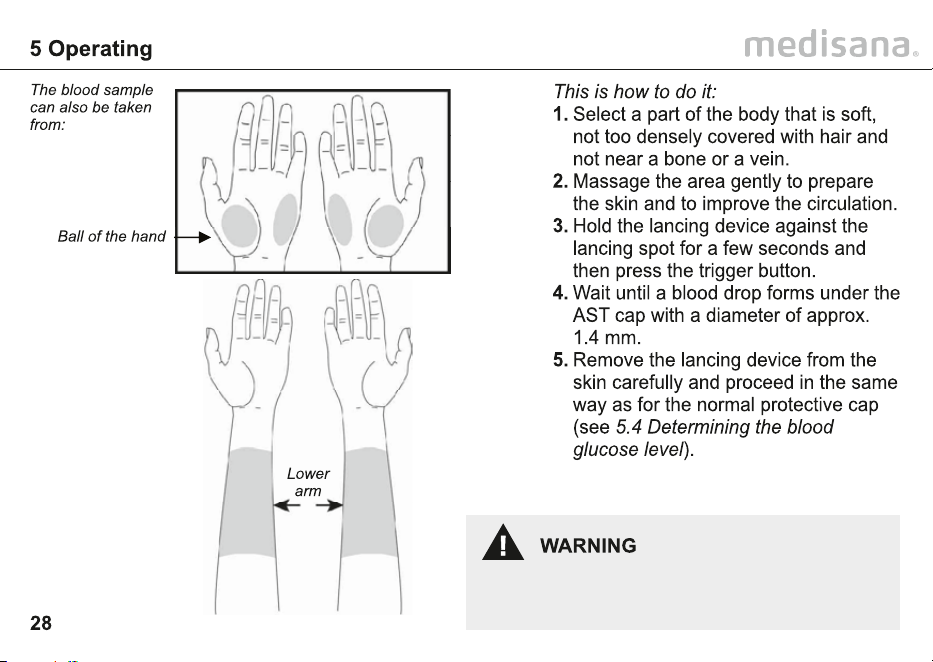
It is generally recommended that a blood sample
for a blood glucose test performed at home is
taken from the fingertip. If you are not able to
take a blood sample from your fingertip, you
can also take one from another part of the body
(AST), such as the ball of the hand or lower arm
using the lancing device.
In this case, exchange the protective cap on the
lancing device with the AST cap. After inserting
the lancet, put the transparent AST cap on the
lancing device instead of the protective cap and
tighten. Note that the AST cap is not intended to
be used for a blood sample from the fingertip.
Do NOT use the first drop of blood sample
when using the AST cap.
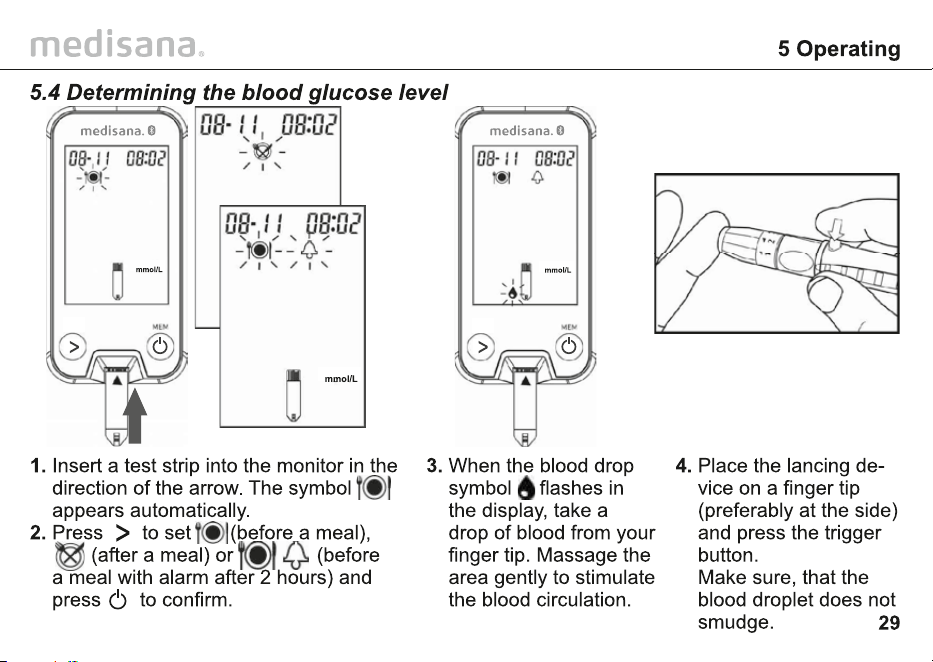
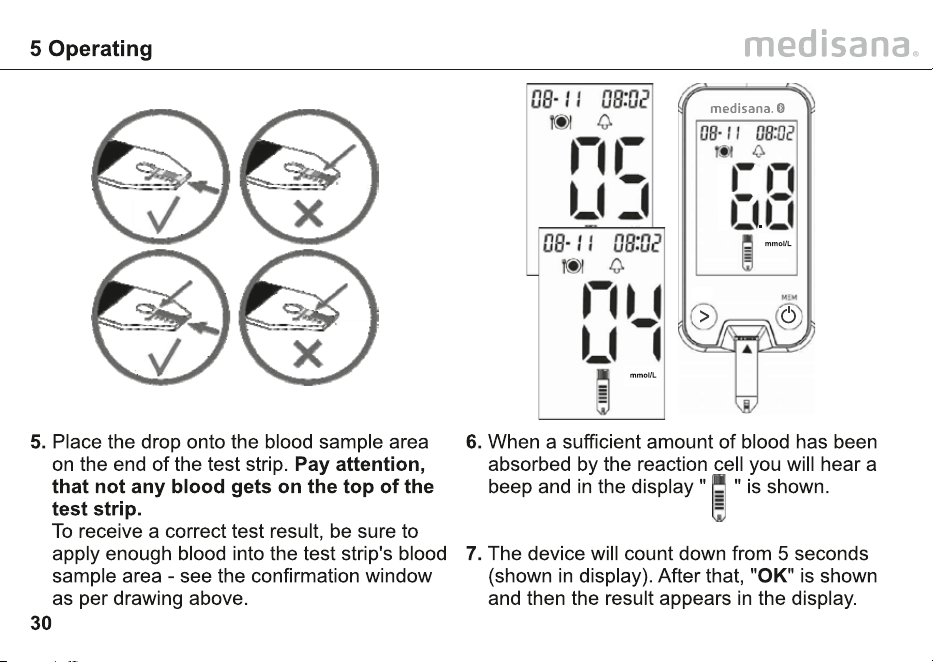
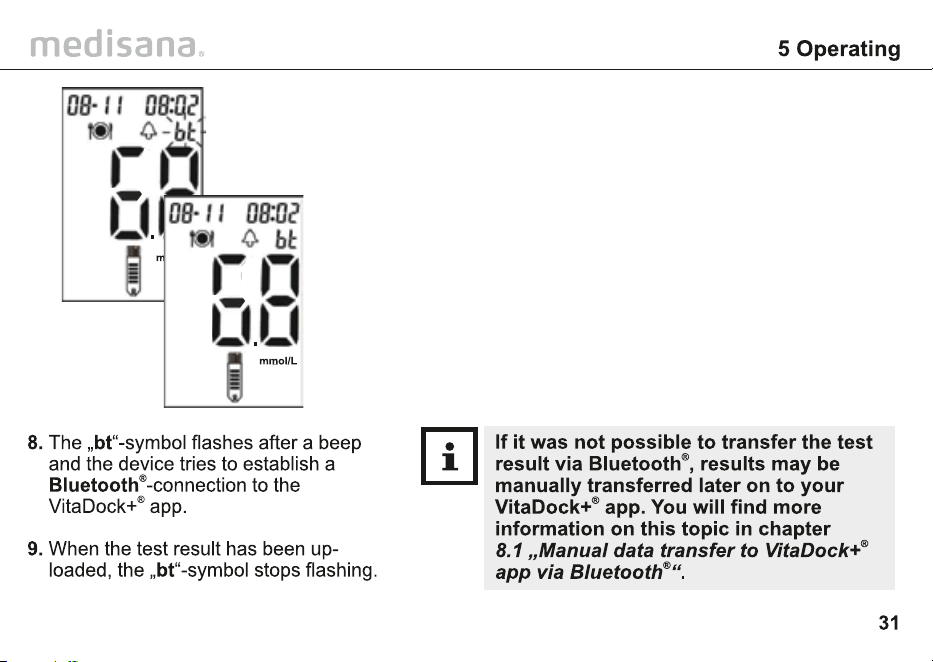
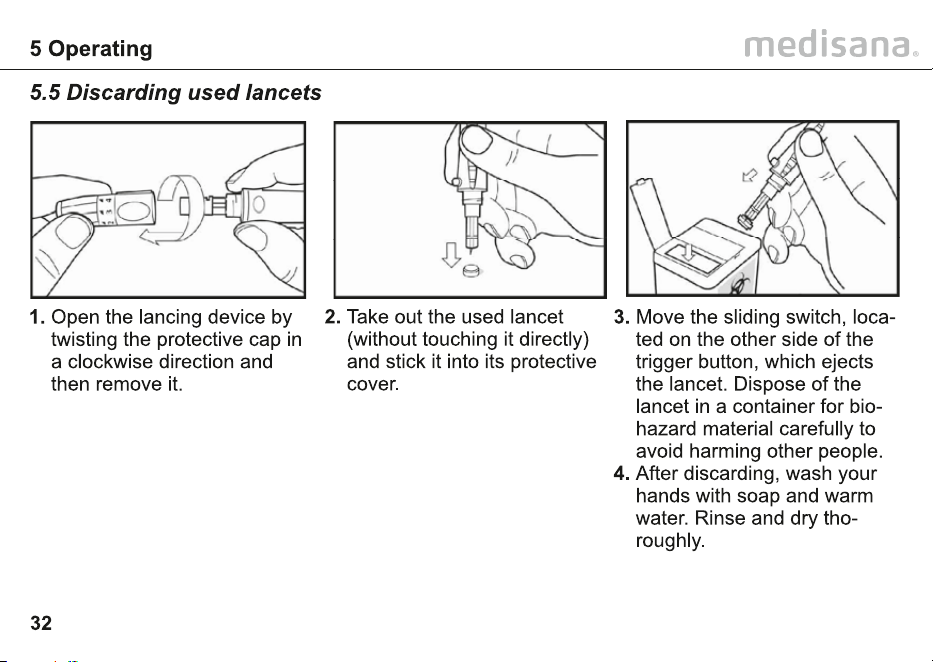
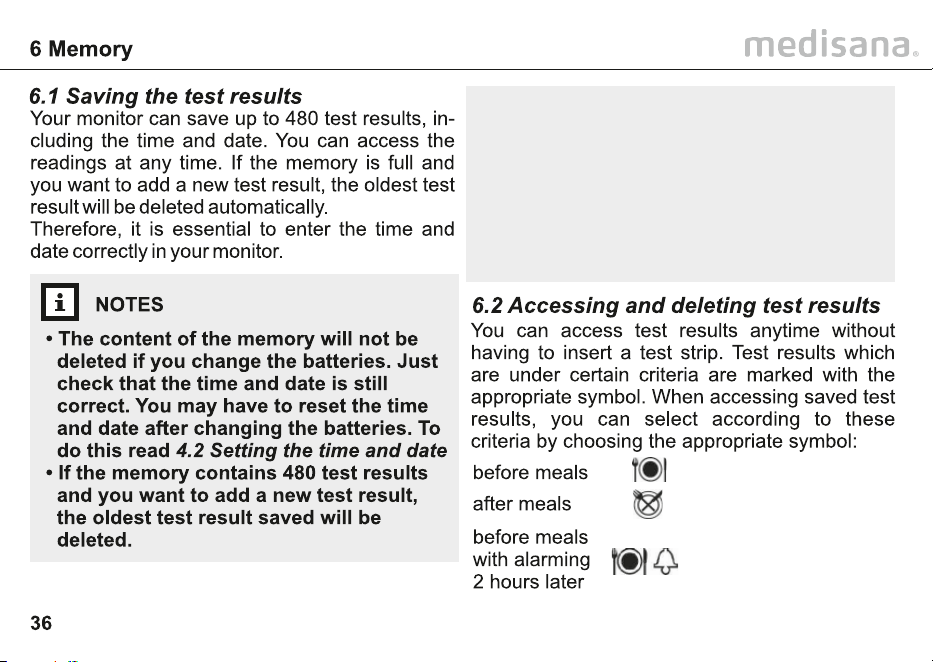
• Average values:
Using the blood glucose readings from
the previous 7, 14, 30 and 90 days, the
MediTouch
®
2 connect monitor calculates
the average value taken from the latest
(480) to the first (001) test result and all
those results AC (before a meal) and PC
(after a meal) from the past 30 days.
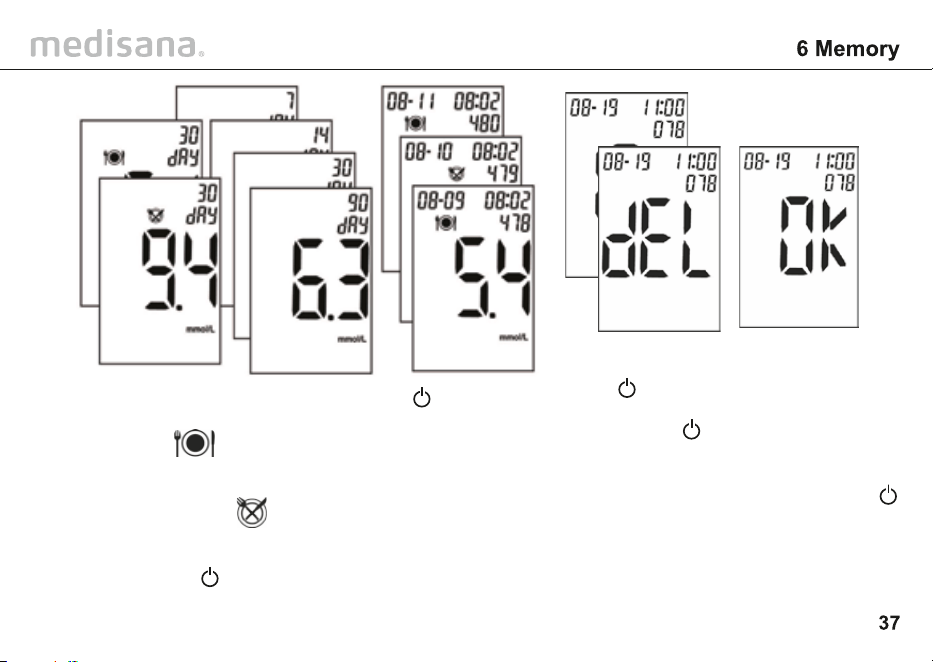
1. Press to display the 30-
day-average of the values
saved under . Further
pressing of displays the
30-day-average value of the
saved values under ,
then the total average values
of the past 7/14/30/90 days.
Press and hold for 2 se-
conds to cancel this mode.
2. Press to access the
display mode for single
values in memory. Press
to display the saved
test results one after the
other in sequence of 480
to 001 - in other words
the latest entry will be
displayed first and the
oldest last.
3. To delete a test result, simulta-
neously press and hold and
for 3 seconds. “dEL” appears
in the display.
4. Presss to delete the result.
The display shows "OK".
5. Press to further display other
saved values. Press and hold
for 2 seconds to cancel this
mode. If no button is pressed,
the monitor switches off auto-
matically after approx. 1.5 minu-
tes.
>
>
>
>
>
medisana MediTouch
®
2 connect
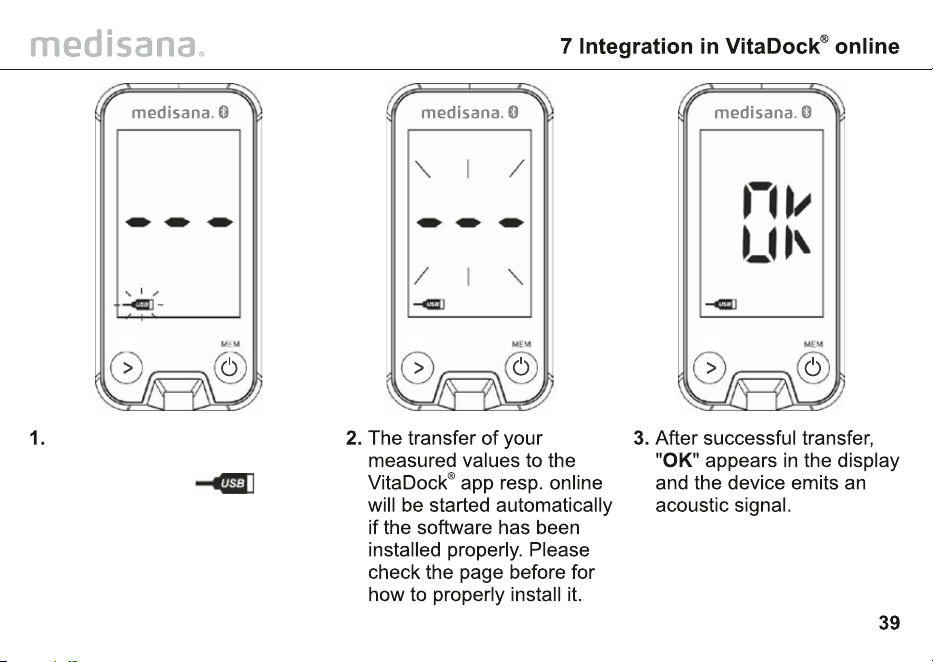
Connect the monitor to your
personal computer with the
USB-cable. The -
symbol appears in the
display.
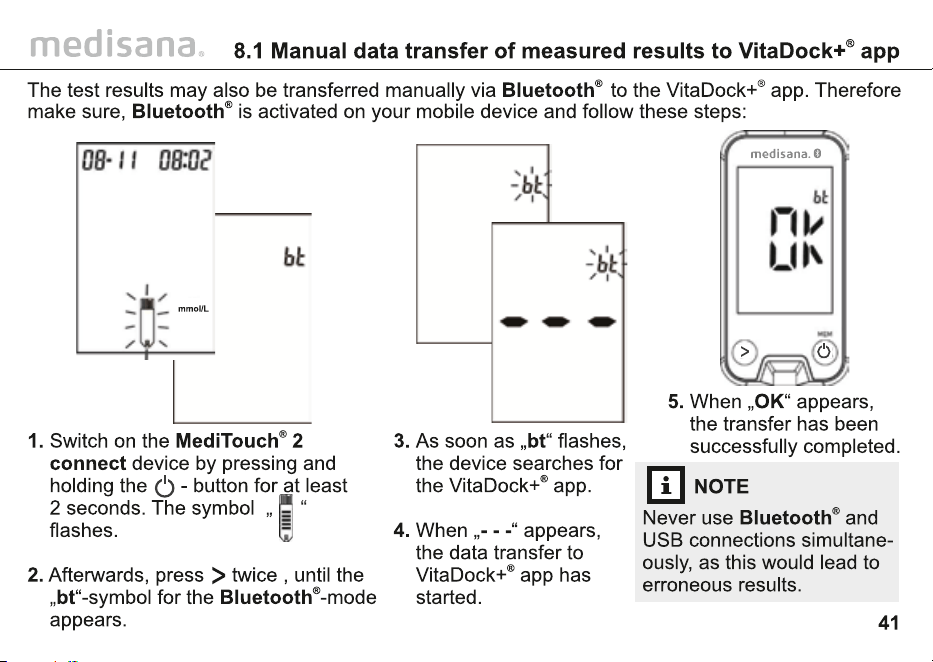
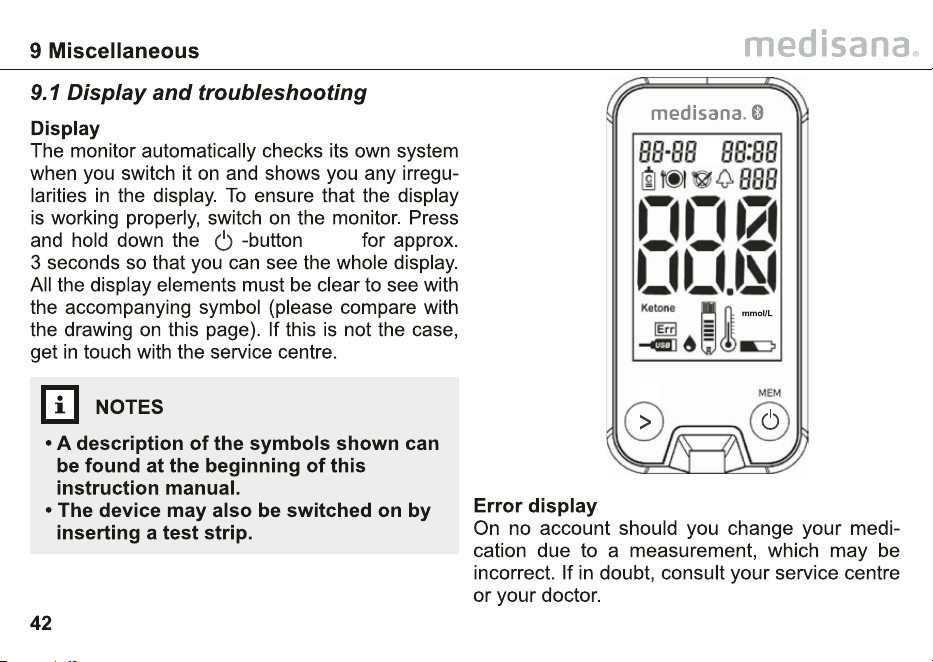
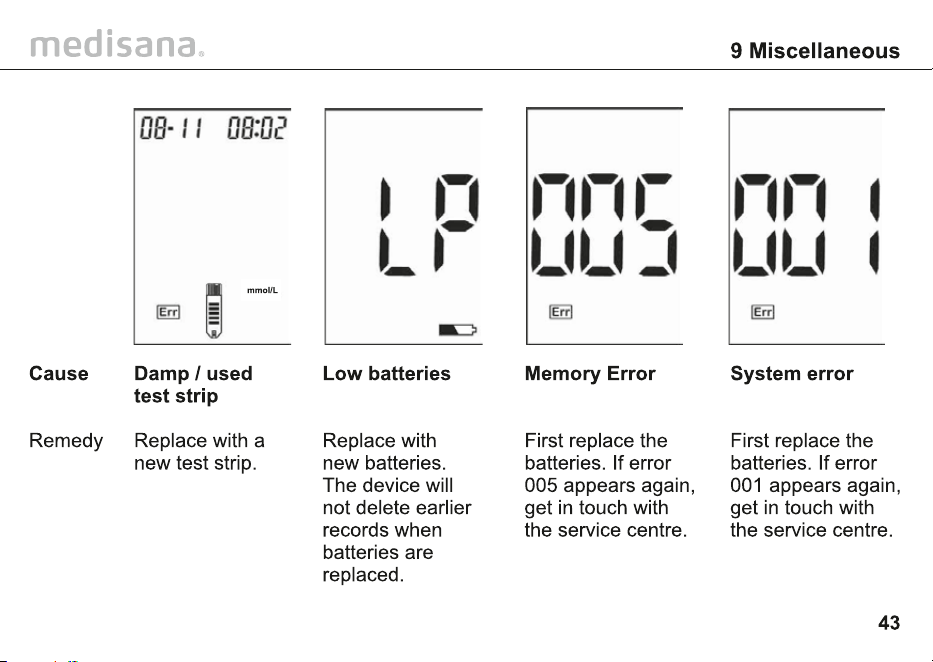
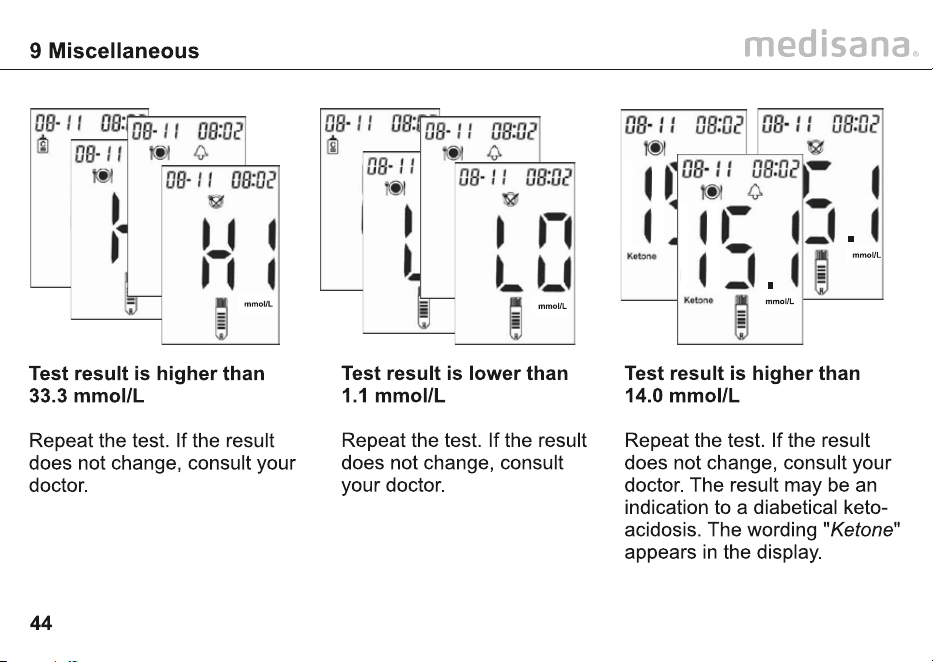
medisana
Automatic switch-off: after approx. 1.5 minutes
approx. 39 g without
The device complies with the EN 60601-1-2
standard for electromagnetic compatibility.
Enquire at medisana for details on this
measurement data.
The monitor is certified in accordance with the
requirements of EU guidelines 98/79 for in vitro
diagnostic devices.
Art. no.
Art. no.
GmbH, Carl-Schurz-Str. 2, 41460 Neuss, Germany
or can be downloaded from the medisana
Homepage (www.medisana.com).
medisana
medisana GmbH
Carl-Schurz-Str. 2,
41460 NEUSS, GERMANY
medisana


medisana GmbH
Carl-Schurz-Str. 2,
41460 NEUSS, GERMANY
48772 (79046)GB 03/2024 Ver 1.9