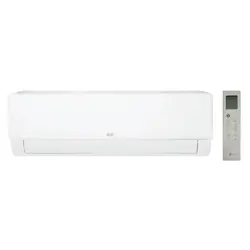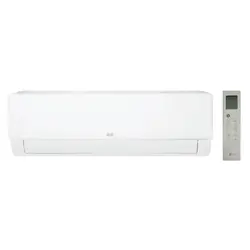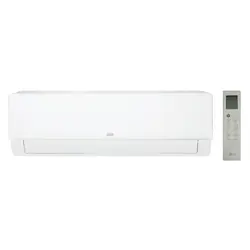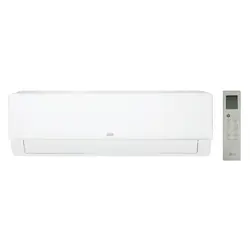
www.lg.com
www.lghvac.com
AIR CONDITIONER
Copyright © 2024 LG Electronics. All Rights Reserved
OWNER’S MANUAL
MFL69491110
Rev.01_100824
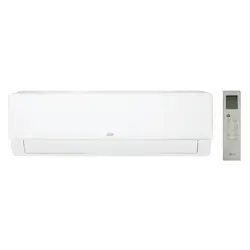
TYPE: WALL MOUNTED
K*UAB**1A, K*UAK**1A, KNMAB**1A
Read the IMPORTANT SAFETY INSTRUCTIONS completely first.
In order to use the product safely and conveniently, please read the owner’s
manual before using the product.
ENGLISH FRANÇAIS ESPAÑOL
TABLE OF CONTENTS
2
3 OPERATION
3 SEE MORE INFORMATION
3 Installing LG ThinQ Application and Connecting an LG
Appliance (On Some Models)
4 WIRELESS REMOTE CONTROL
7 NEW FUNCTIONS
9 HELPFUL TIP
9 PRODUCT OVERVIEWS
9 Wall Mounted
10 MAINTENANCE
10 Removing and Replacing the Air Filter
11 Cleaning the Air Filter
12 TROUBLESHOOTING
12 Before Calling for Service
14 APPENDIX
14 Open Source Software Notice Information
15 LIMITED WARRANTY
15 USA
17 CANADA
3
OPERATION
ENGLISH
OPERATION
SEE MORE INFORMATION
1
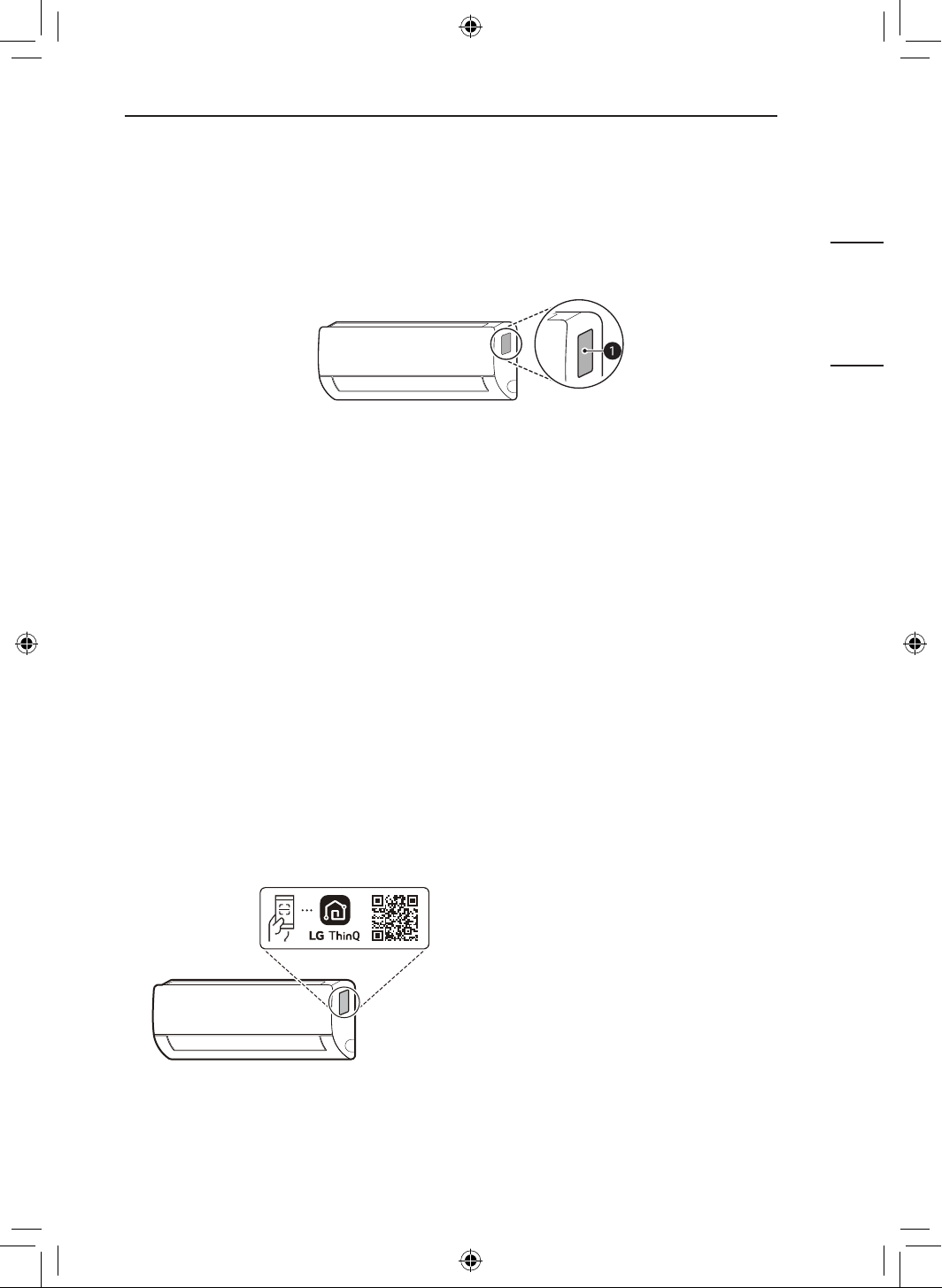
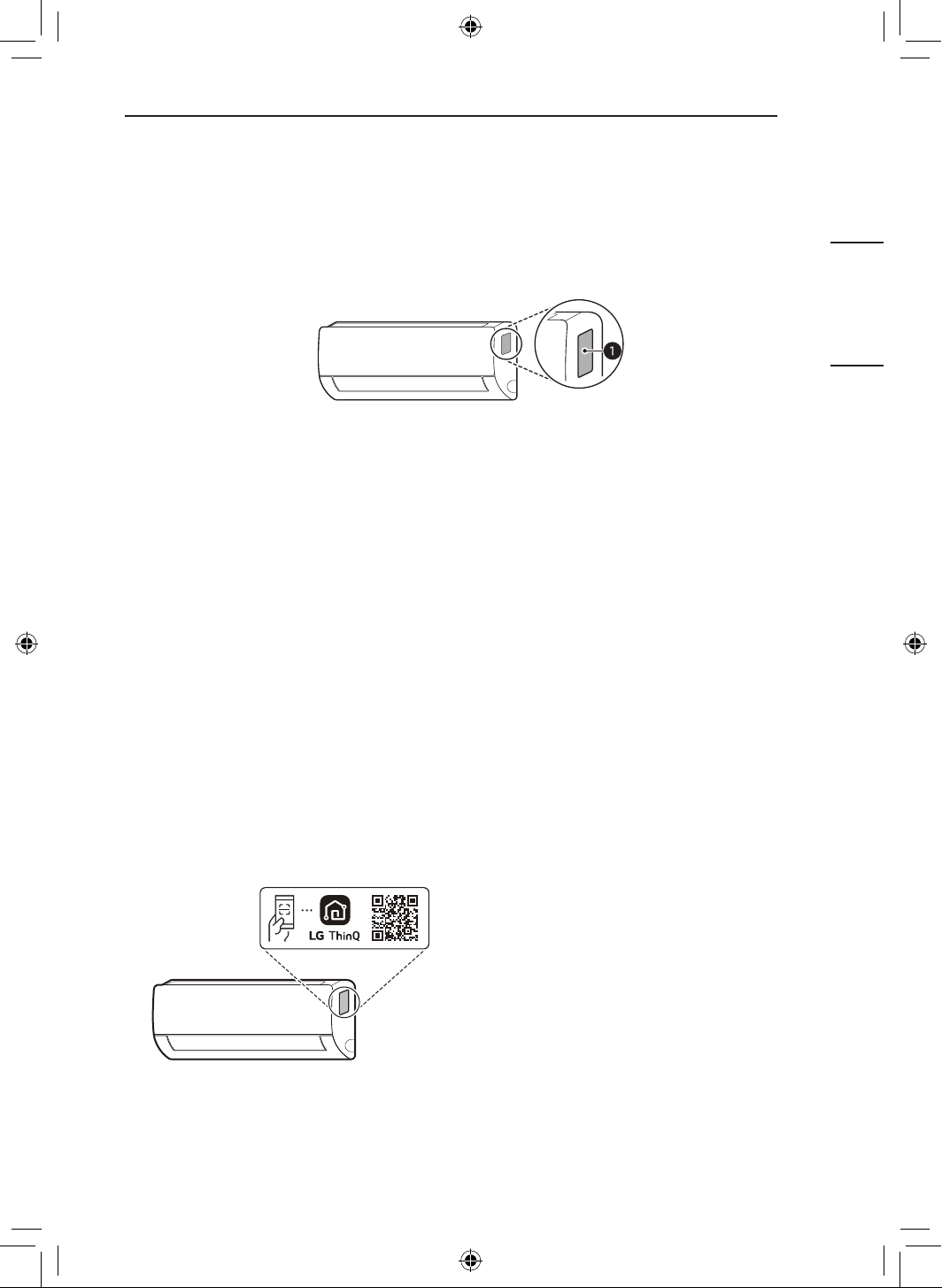
Check the model name on the label.
a
Label
2
Search for the model name at www.lg.com.
NOTE
• The image may differ depending on the product.
Installing LG ThinQ Application and Connecting
an LG Appliance (On Some Models)
NOTE
• This feature is only available on models with Wi-Fi.
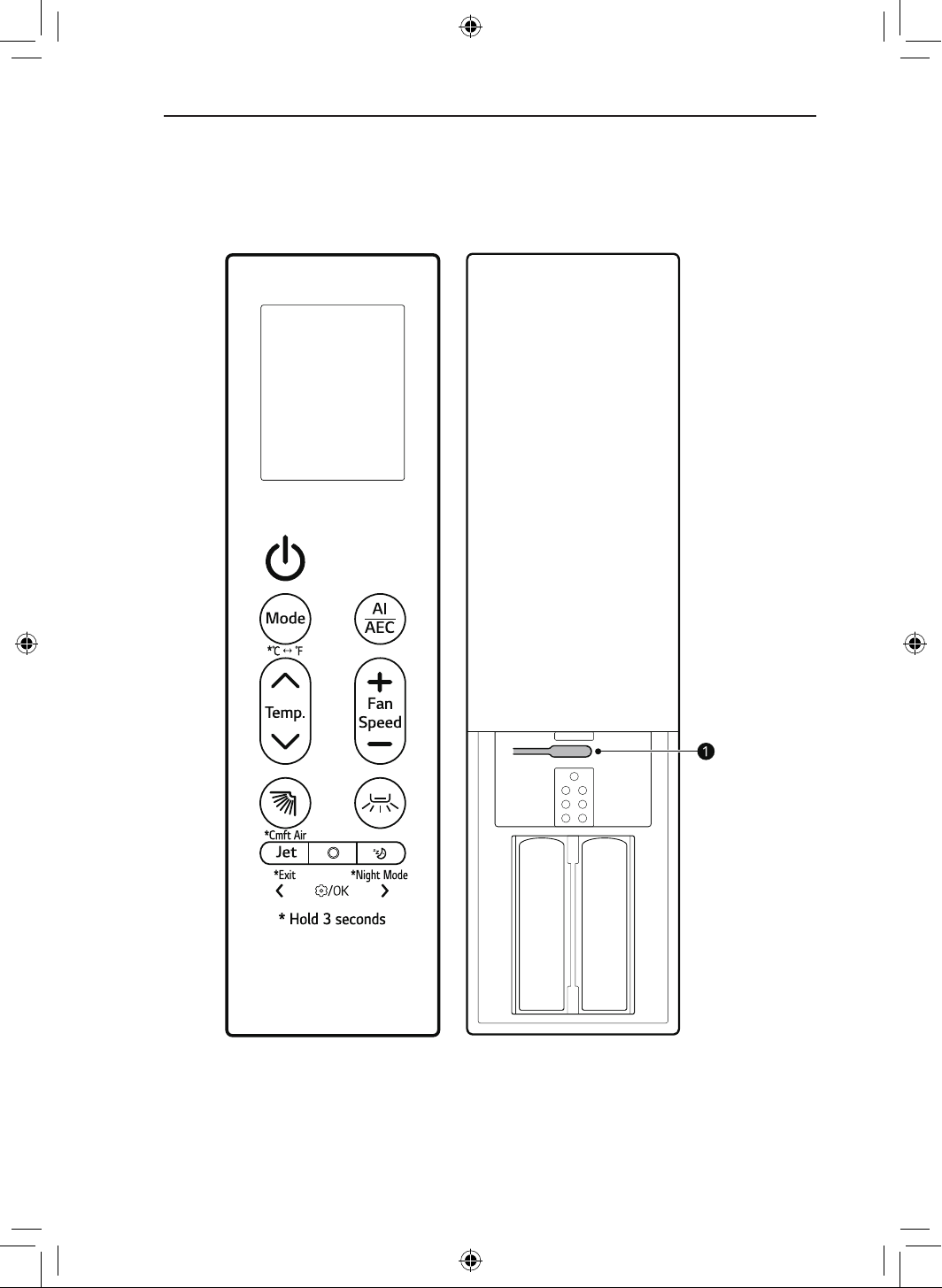
Models with QR Code
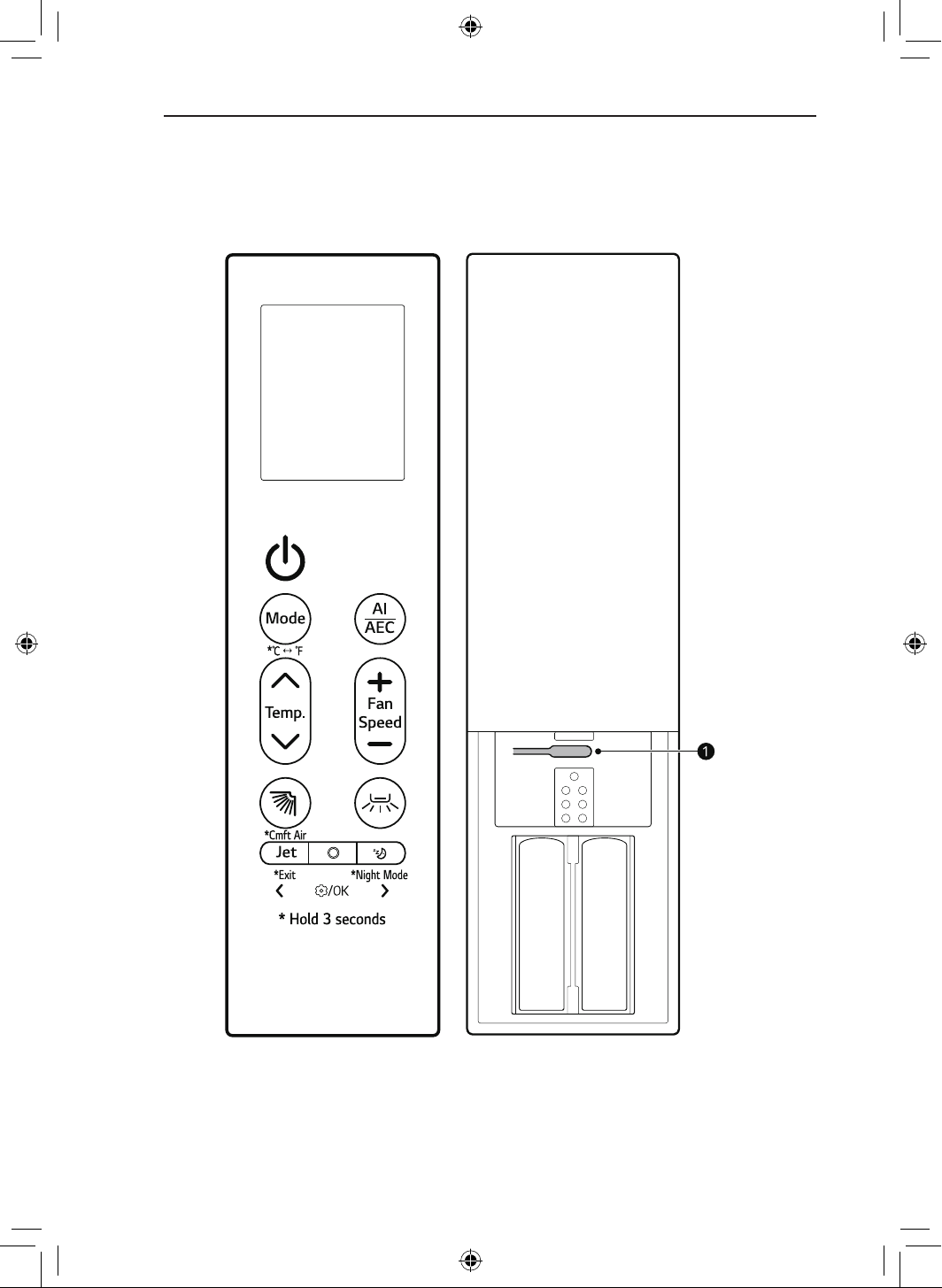
Scan the QR code attached to the product using
the camera or a QR code reader application on
your smartphone.
Models without QR Code
Search for and install the LG ThinQ application
from the Google Play Store or Apple App Store on
a smartphone.
Run the LG ThinQ application and sign in with
your existing account or create an LG account to
sign in.
Touch the add (~) button on the LG ThinQ
application to connect your LG appliance. Follow
the instructions in the application to complete the
process.
4
OPERATION
WIRELESS REMOTE CONTROL
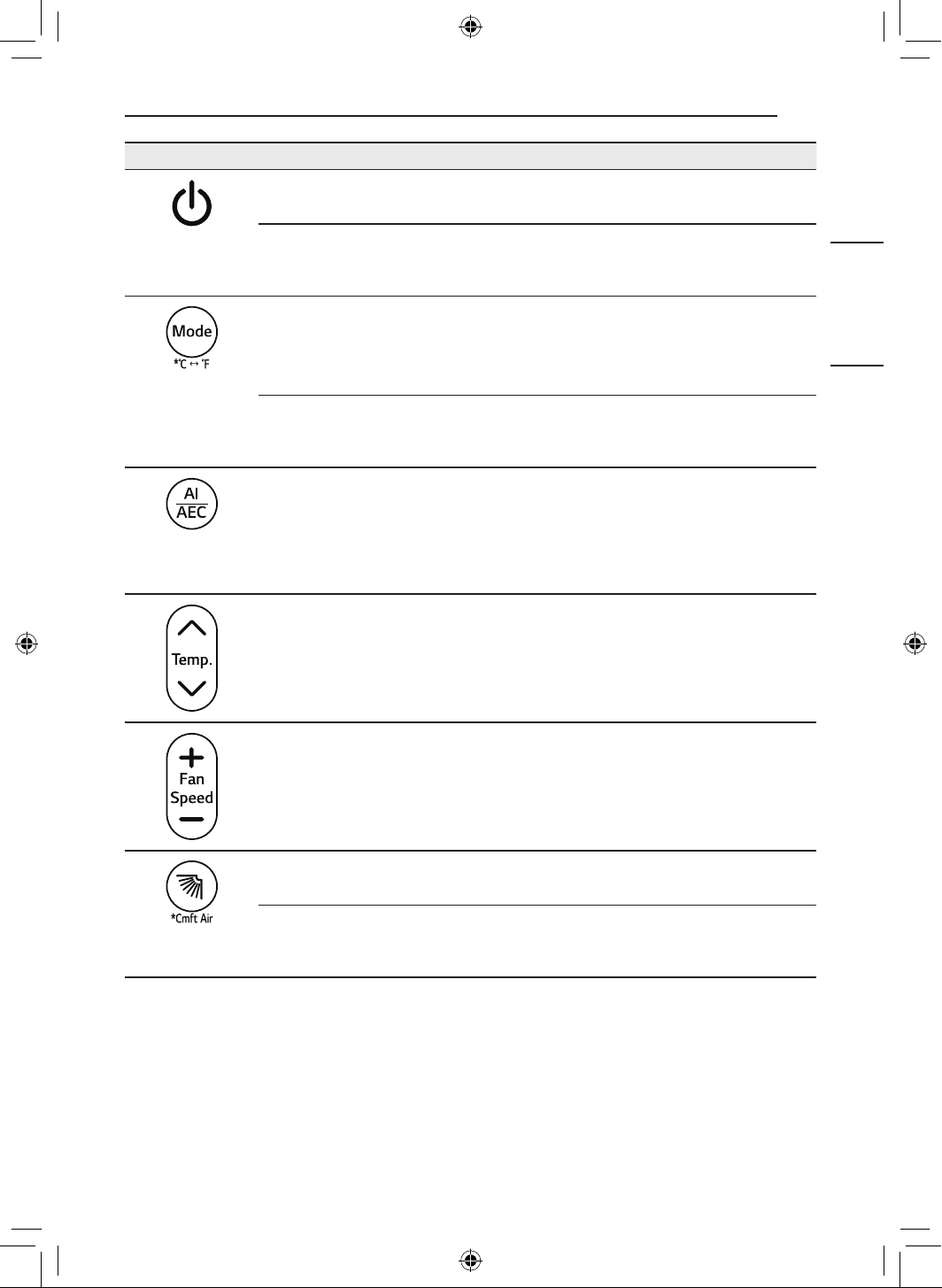
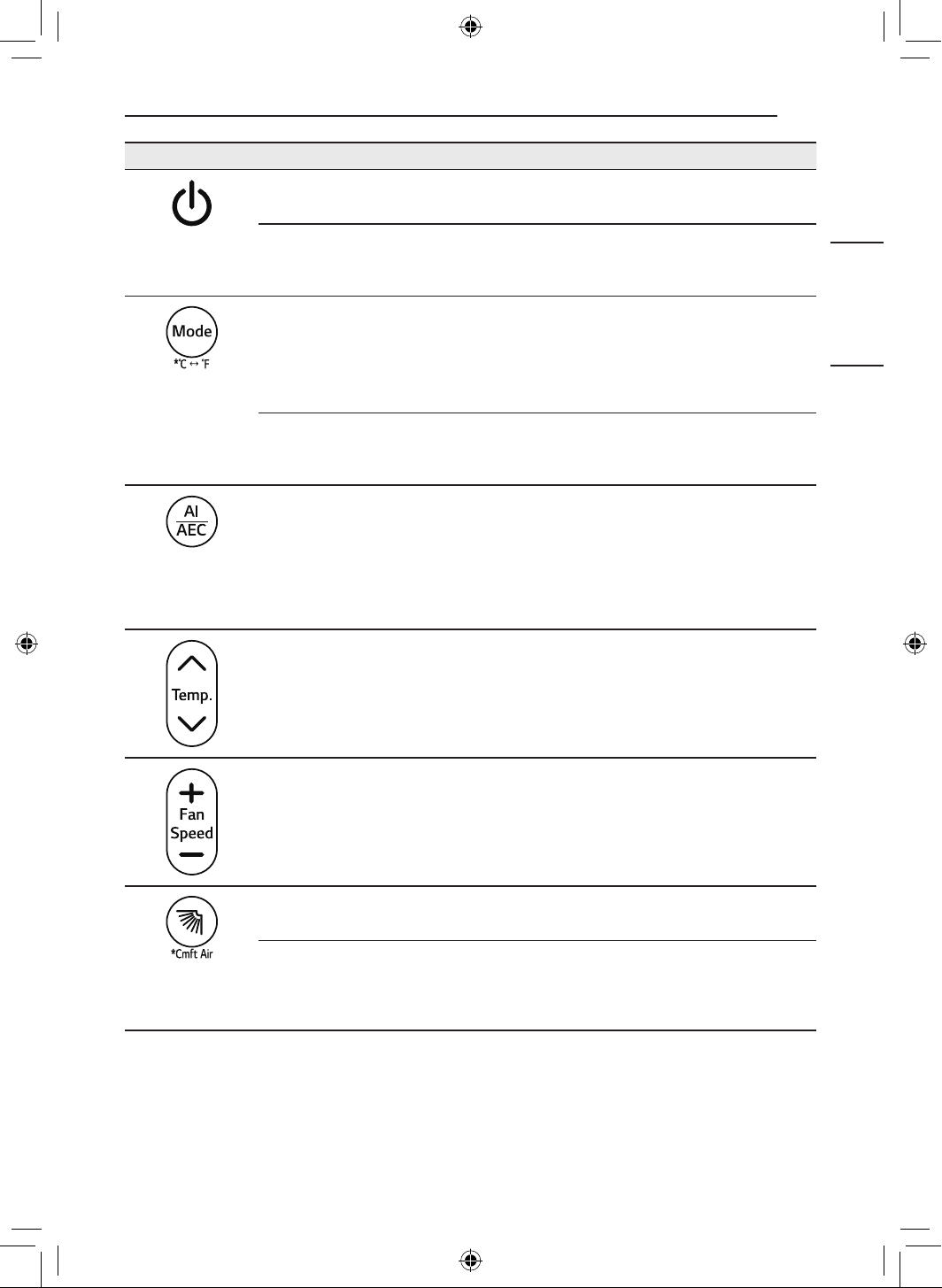
You can operate the appliance more conveniently with the wireless remote control.
For more detailed instructions, please refer to the Web-manual.
NOTE
• Some functions may not be supported, depending on the model.
5
OPERATION
ENGLISH
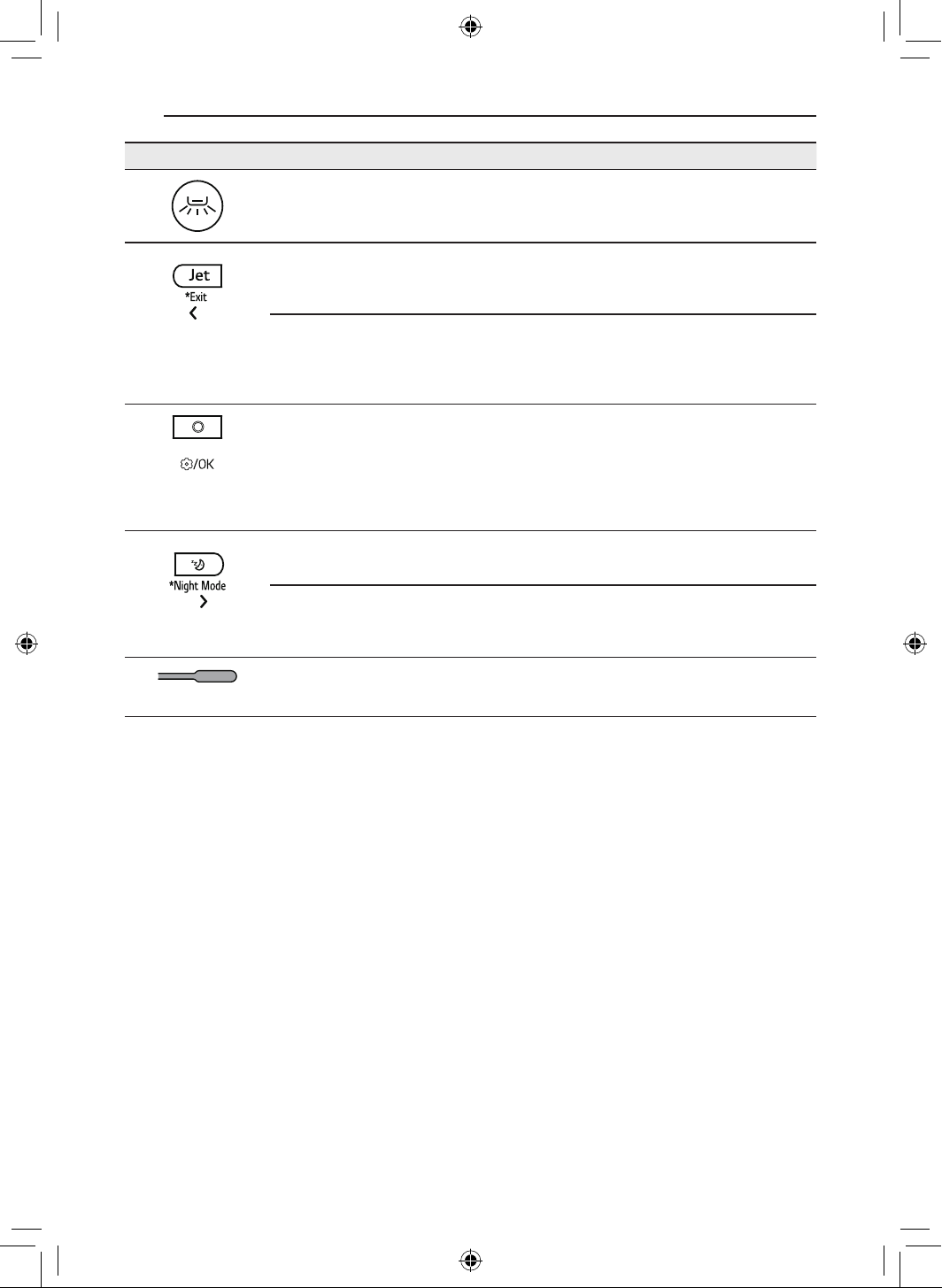
Image Description
Power
Turns the appliance on or off.
Connecting to LG ThinQ
Press and hold the Power button for about 3 seconds to prepare for connecting
appliance and Wi-Fi.
Mode
Selects the desired operating mode.
• Each press changes the mode in this order: Cooling ~ Auto ~
Dehumidification ~ Heating ~ Fan
7 & 8
Press and hold the Mode button for about 3 seconds to change units between 7
and 8
AI/AEC
Selects AI Smart Care or Active Energy Control to decrease the power input.
NOTE
• When connected to the Multi Outdoor unit, Active Energy Contorl function
may not be supported.
Temperature J, K
Adjusts the desired room temperature.
Fan Speed ~, !
Adjusts the fan speed.
y (Up-Down Swing)
Adjusts the airflow direction up and down.
Cmft Air
Press and hold the y button for about 3 seconds to adjust the airflow direction.
This will help minimize direct contact with airflow.
6
OPERATION
Image Description
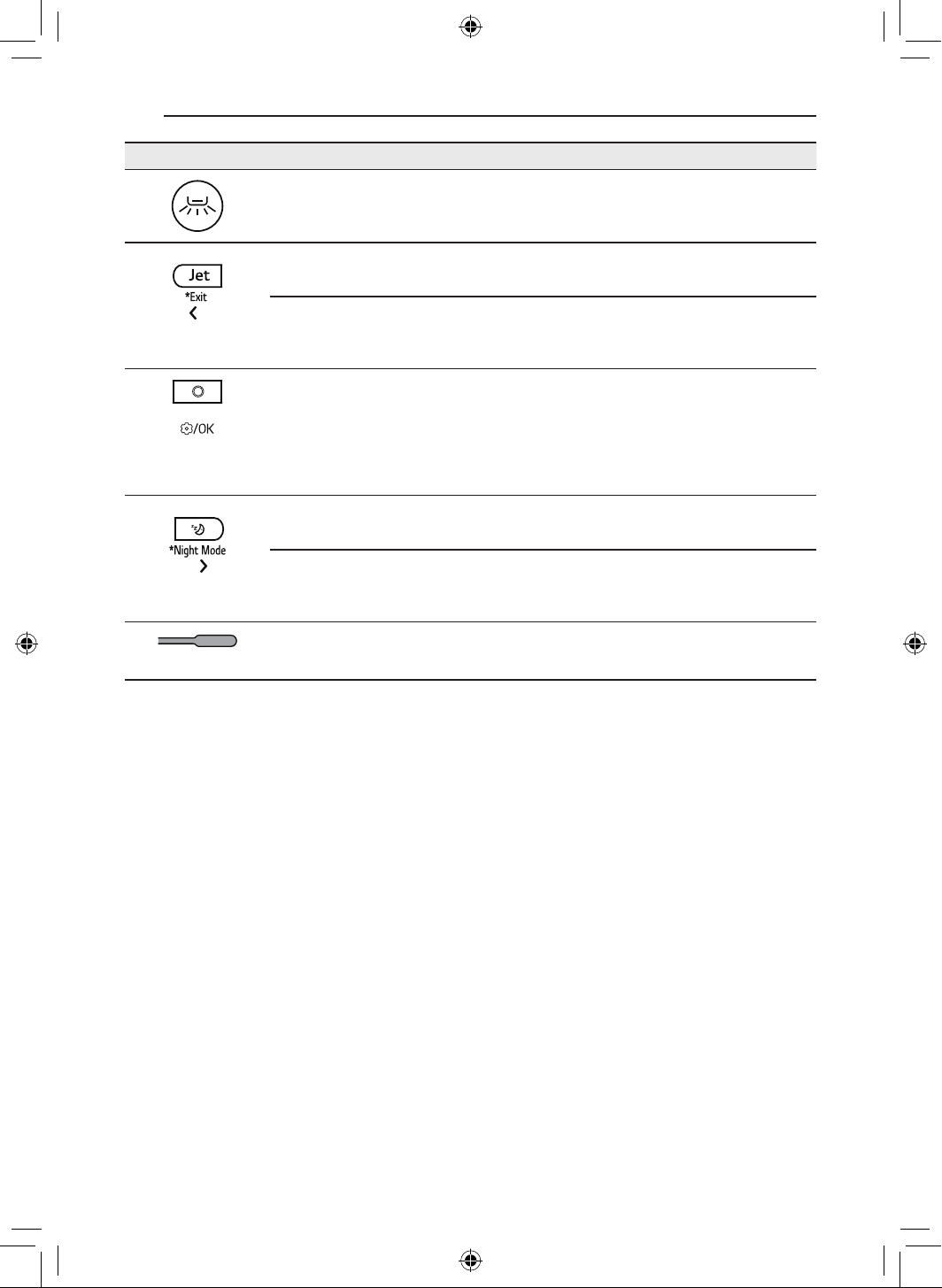
A (Left-Right Swing)
Adjusts the airflow direction left and right.
Jet
Changes the room temperature quickly and operates at maximum fan speed.
Exit
When entering the settings, press and hold the Jet button for about 3 seconds
to return the previous setting.
Function
Selects the desired function.
NOTE
• When connected to the Multi Outdoor unit, Low Ambient Heating function
may not be supported.
H (Sleep)
Automatically turns the appliance off at a desired time. Use it before sleeping.
Night Mode
Press and hold the H button for about 3 seconds to turn off the display and the
beep sound.
a
Reset
Resets the wireless remote control setting.
7
OPERATION
ENGLISH
NEW FUNCTIONS
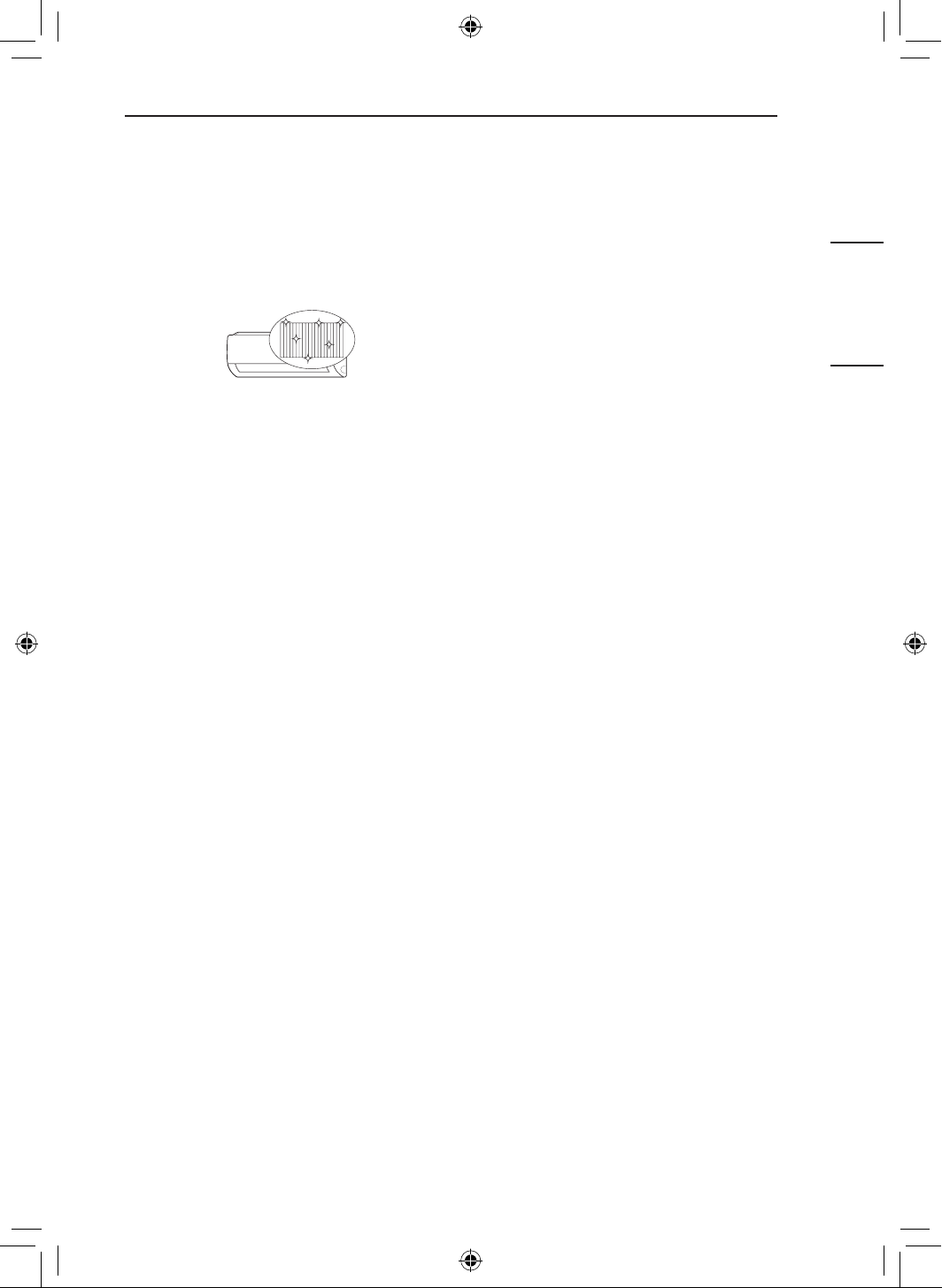
All Cleaning (On Some
Models/LG ThinQ)
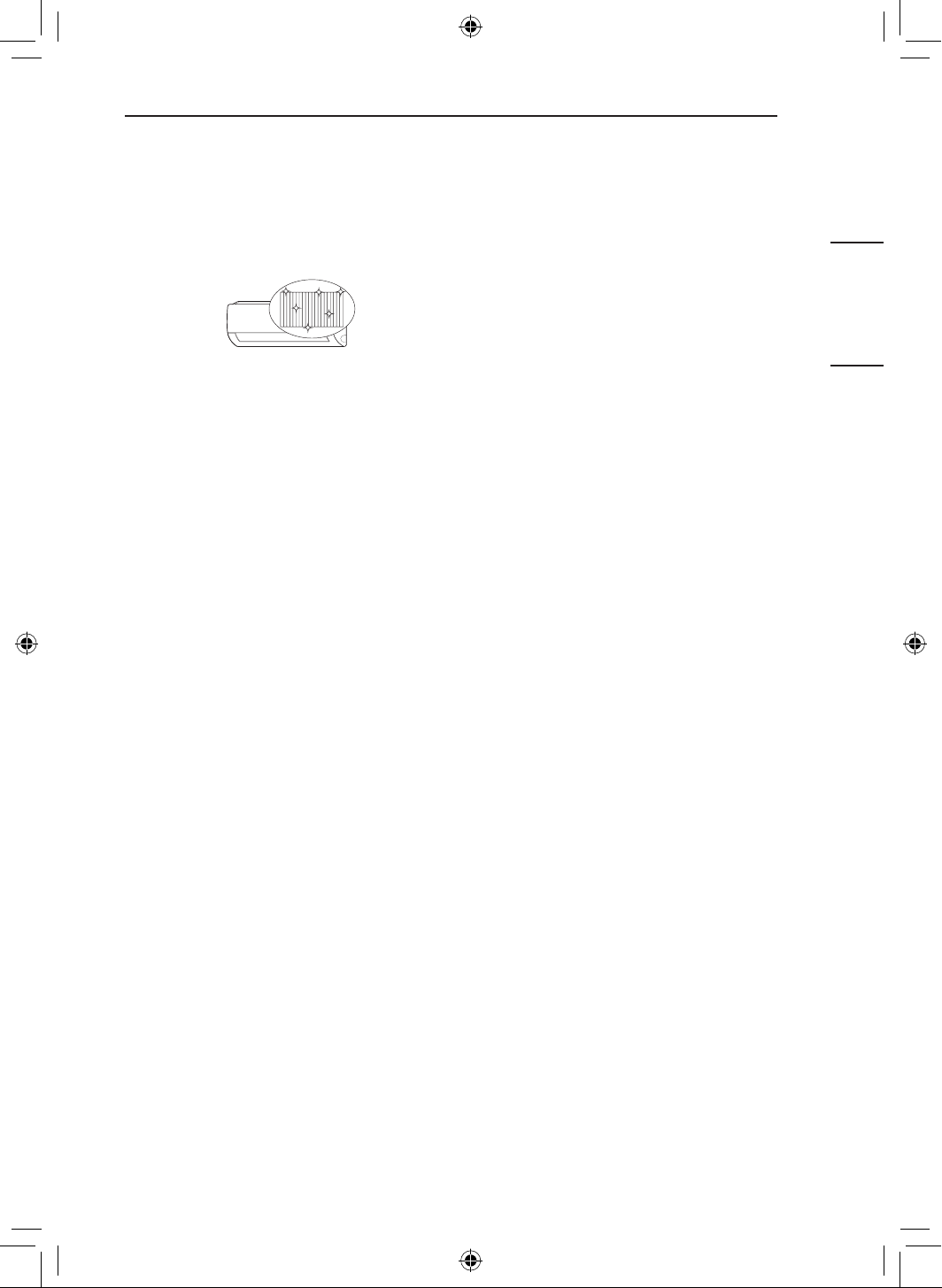
By repeatedly freezing and thawing the heat
exchanger of the air conditioner, contaminants
such as dust are washed away and the appliance
is kept clean.
After cleaning, it reduces moisture inside the
indoor unit.
On some indoor units, AL appears on the display
of the indoor unit.
NOTE
• The All Cleaning function will end after the
appliance has dried.
• If the humidity in the room is high when the All
Cleaning function is operating, the area near
the indoor unit may become foggy.
• The All Cleaning function can be used indoors
at 70 8 (21 7) to 90 8 (32 7) and outdoors at
70 8 (21 7) to 99 8 (37 7). The All Cleaning
function is a hygiene management function,
not a cooling function, so the usage conditions
may vary from the verified operation range of
the appliance.
• If the All Cleaning function is operated at a
temperature outside of the allowable range,
alarms in the LG ThinQ application and the
function does not work.
• The All Cleaning function is available even
when the appliance is running.
• If you press the t button on the appliance or
on the remote control during the All Cleaning,
the All Cleaning function is deactivated.
• During the All Cleaning, a “tick-tick-” or “tack-
tack” noise may be heard as the appliance
expands or contracts.
• After the All Cleaning, the appliance will
automatically shut off. When the power is
turned back on, it will operate in Cooling
mode.
• If the Timer function is set, the All Cleaning
function may not operate properly.
• Cool air comes out of the outlet when the All
Cleaning function is activated.
• When connected to the Multi Outdoor unit, this
functions may not be supported.
8
OPERATION
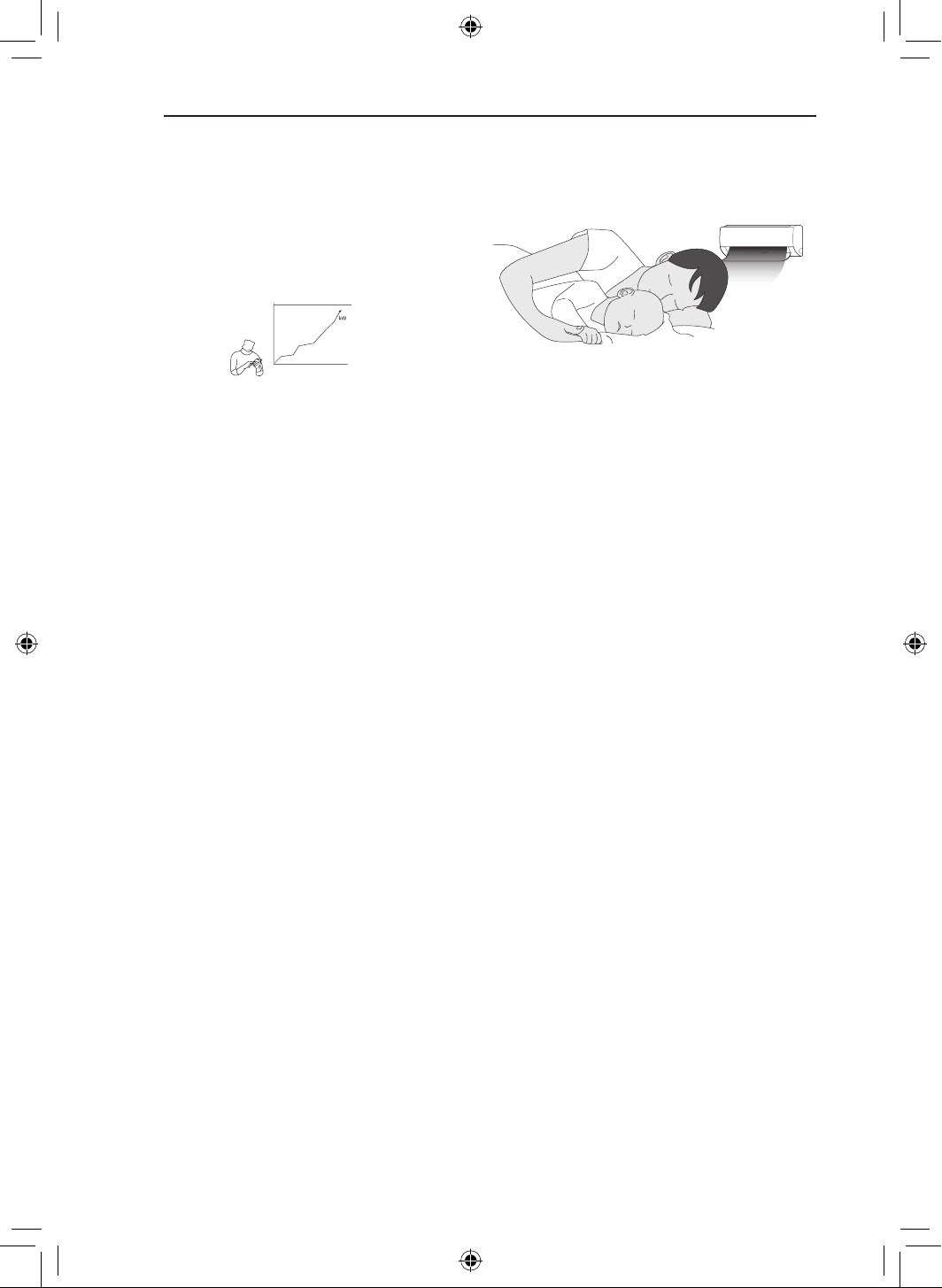
kW Manager (On Some
Models/LG ThinQ)
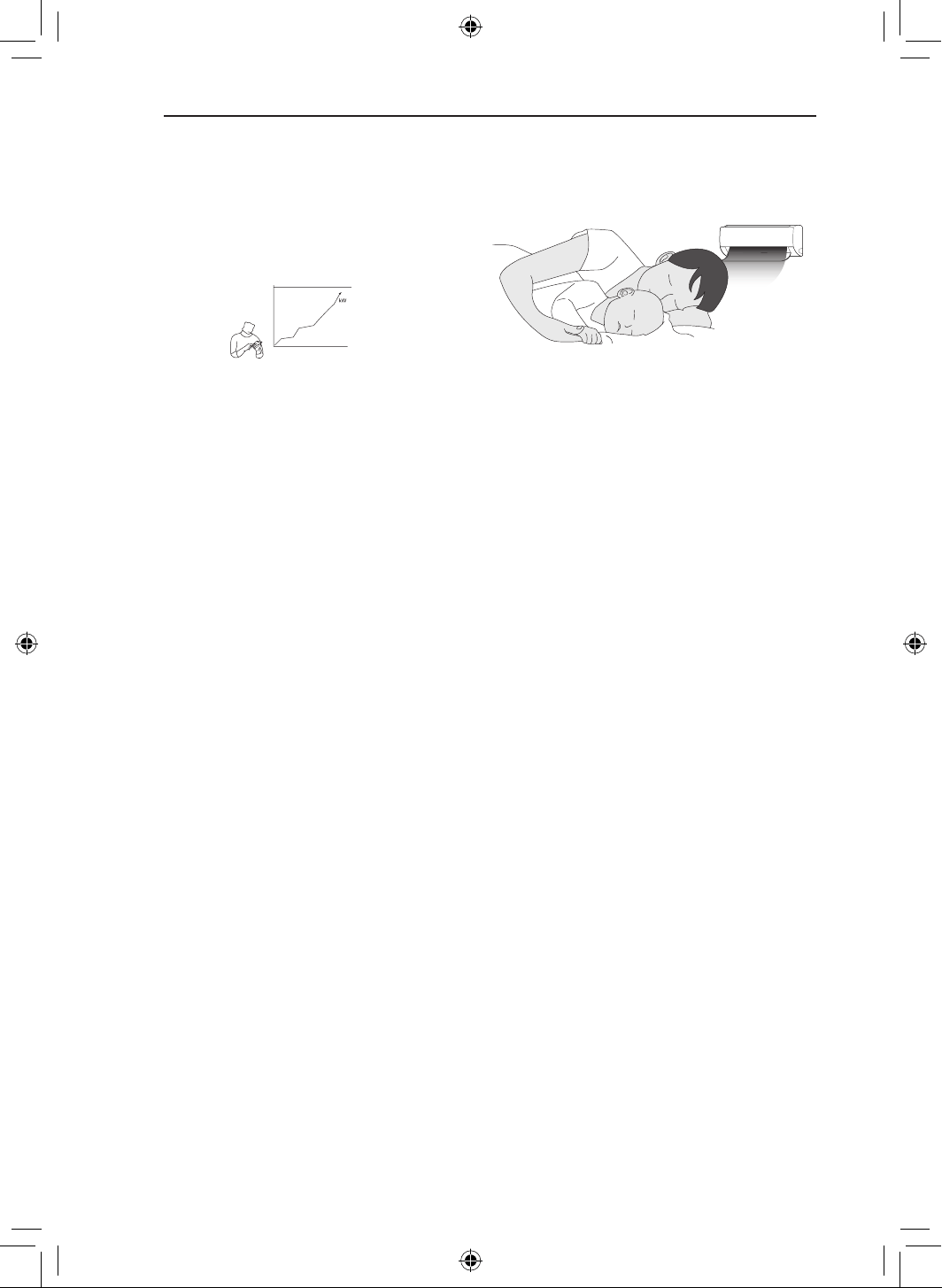
The air conditioner power consumption is
automatically adjusted based on a schedule and
target power consumption set by the user.
EO appears on the display of the indoor unit on
some models.
NOTE
• When using kW Manager function, the output
of cold air may be reduced, depending on the
remaining target power amount.
• When the target electricity consumption
is exceeded, the kW Manager function is
disabled.
• When using the Heating and Auto modes, the
kW Manager function is disabled.
• When connected to the Multi Outdoor unit, this
functions may not be supported.
• The power usage shown through the LG
ThinQ application may differ from the actual
power usage shown on your utility bill.
• Power consumption information may vary
depending on the appliance.
• Power consumption may differ from results
measured using other measuring devices.
• Depending on the environment in which
the device is installed, measured power
consumption may vary.
• Measured power consumption may vary
depending on the usage environment or usage
method of the home appliance.
• When setting the usage time, the appliance
does not automatically turn on or off.
• Even during the operation of the kW Manager
function, the function set with the remote
control is reflected first.
• Actual usage may differ.
Sleep+ (On Some Models/
LG ThinQ)
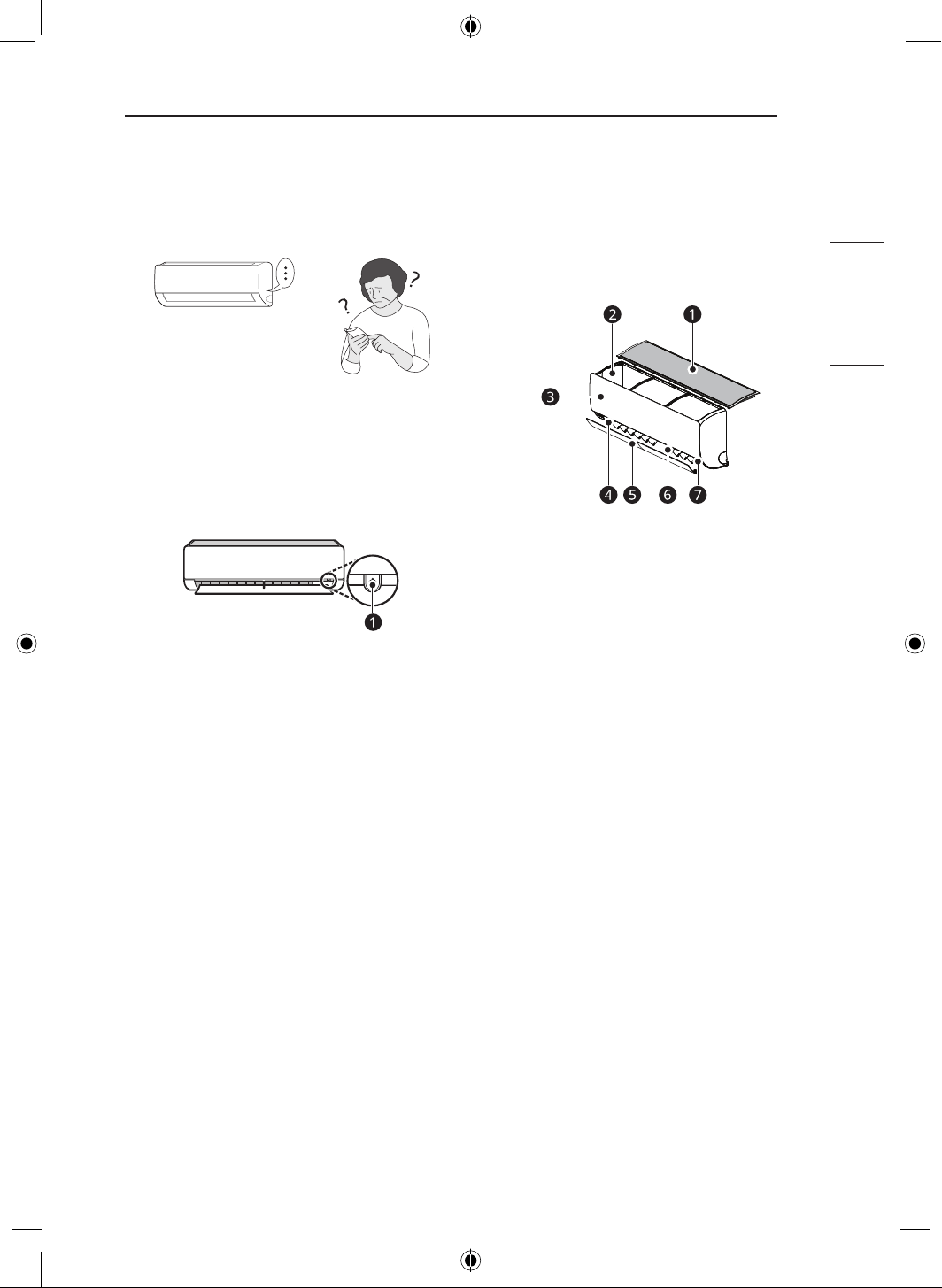
Use it before sleeping. The appliance will
automatically learn and adjust the temperature
and fan speed to create an even more
personalized sleep environment.
NOTE
• This function can be set when the appliance is
turned on.
• This function is available with the Cooling
mode.
• When connected to the Multi Outdoor unit, this
functions may not be supported.
9
PRODUCT OVERVIEWS
ENGLISH
HELPFUL TIP
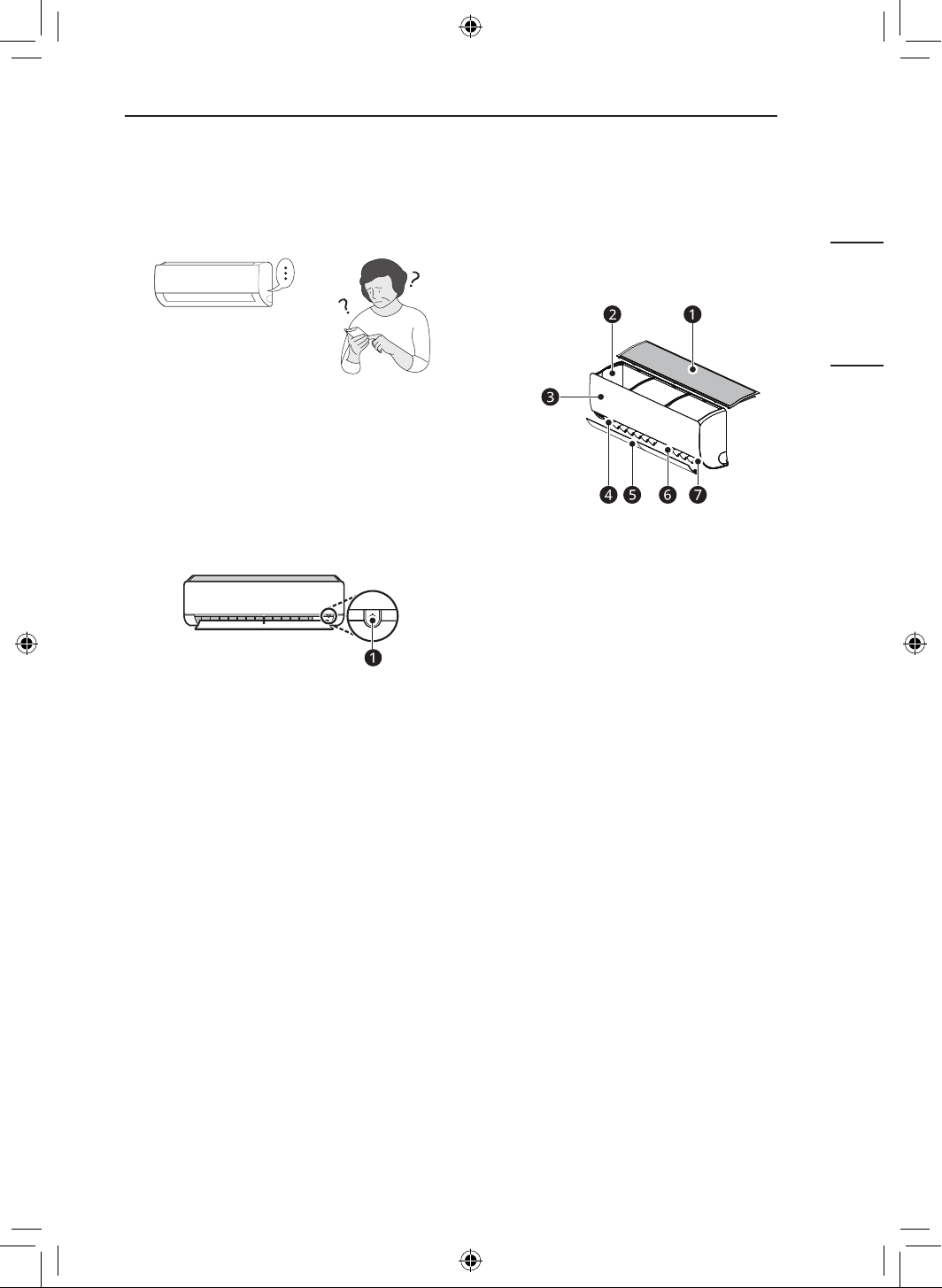
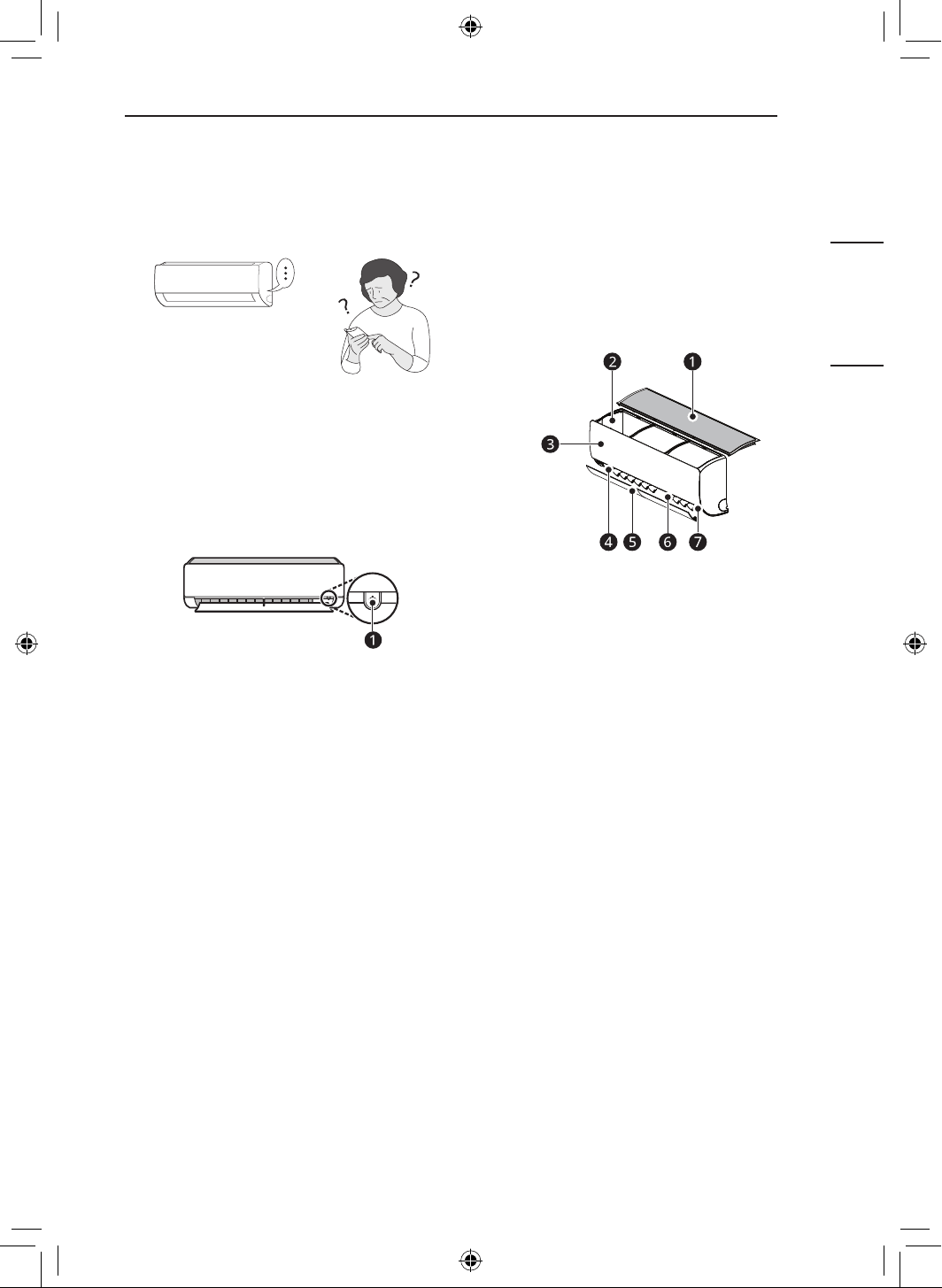
Manual Operation
If your wireless remote control is unavailable, you
can turn the appliance on and off by pressing the
POWER button
a
on the indoor unit.
1
Open the up-down vane.
2
Press the POWER button
a
.
PRODUCT
OVERVIEWS
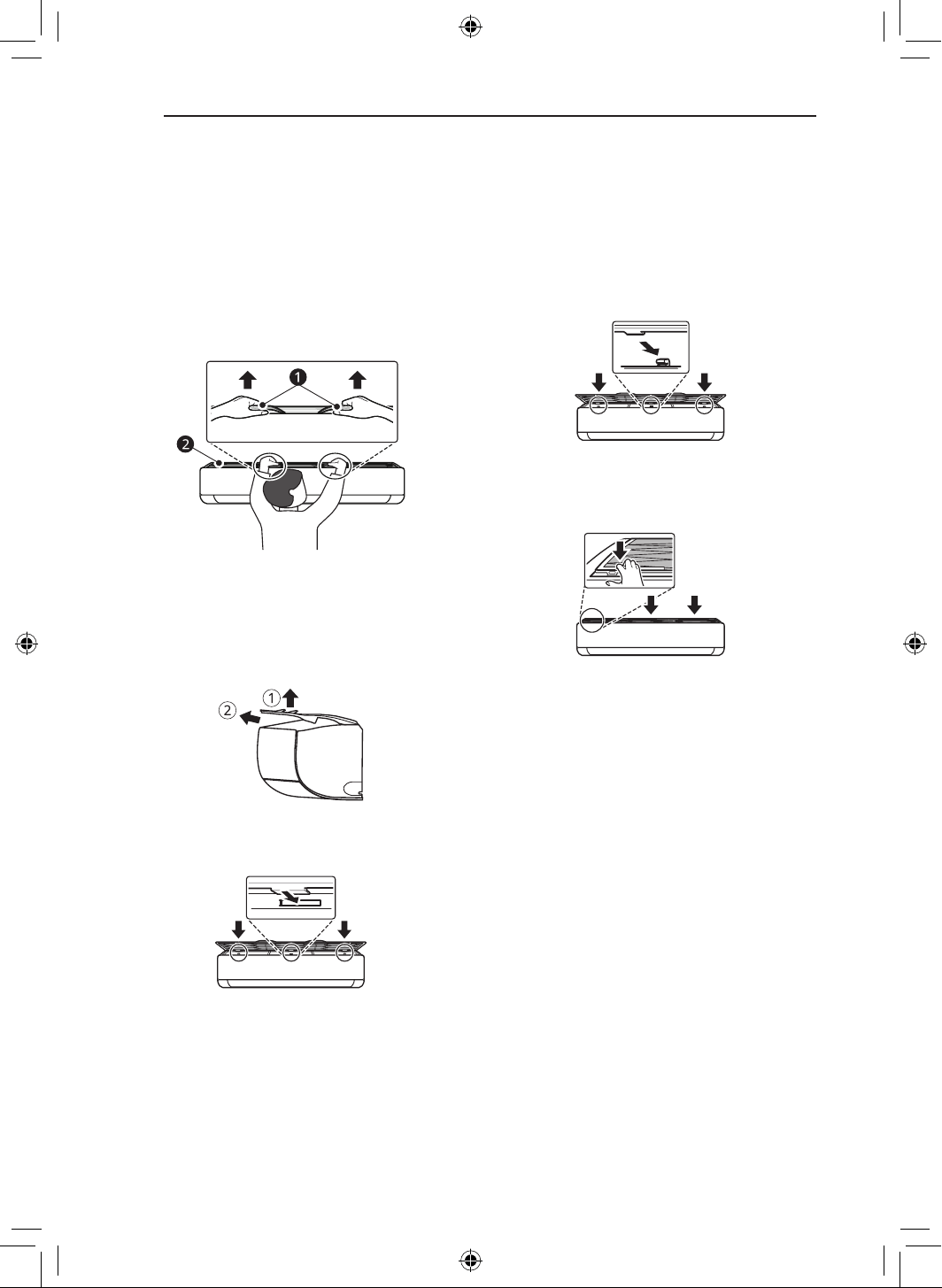
Wall Mounted
a
Air Filter
b
Air Intake Vents
c
Front Cover
d
Air Outlet Vents
e
Air Deflector (Up-Down Vane)
f
Air Deflector (Left-Right Louver)
g
Power Button
NOTE
• The number and location of parts may vary
depending on the model of the appliance.
• Features may change depending on the model
type.
10
MAINTENANCE
MAINTENANCE
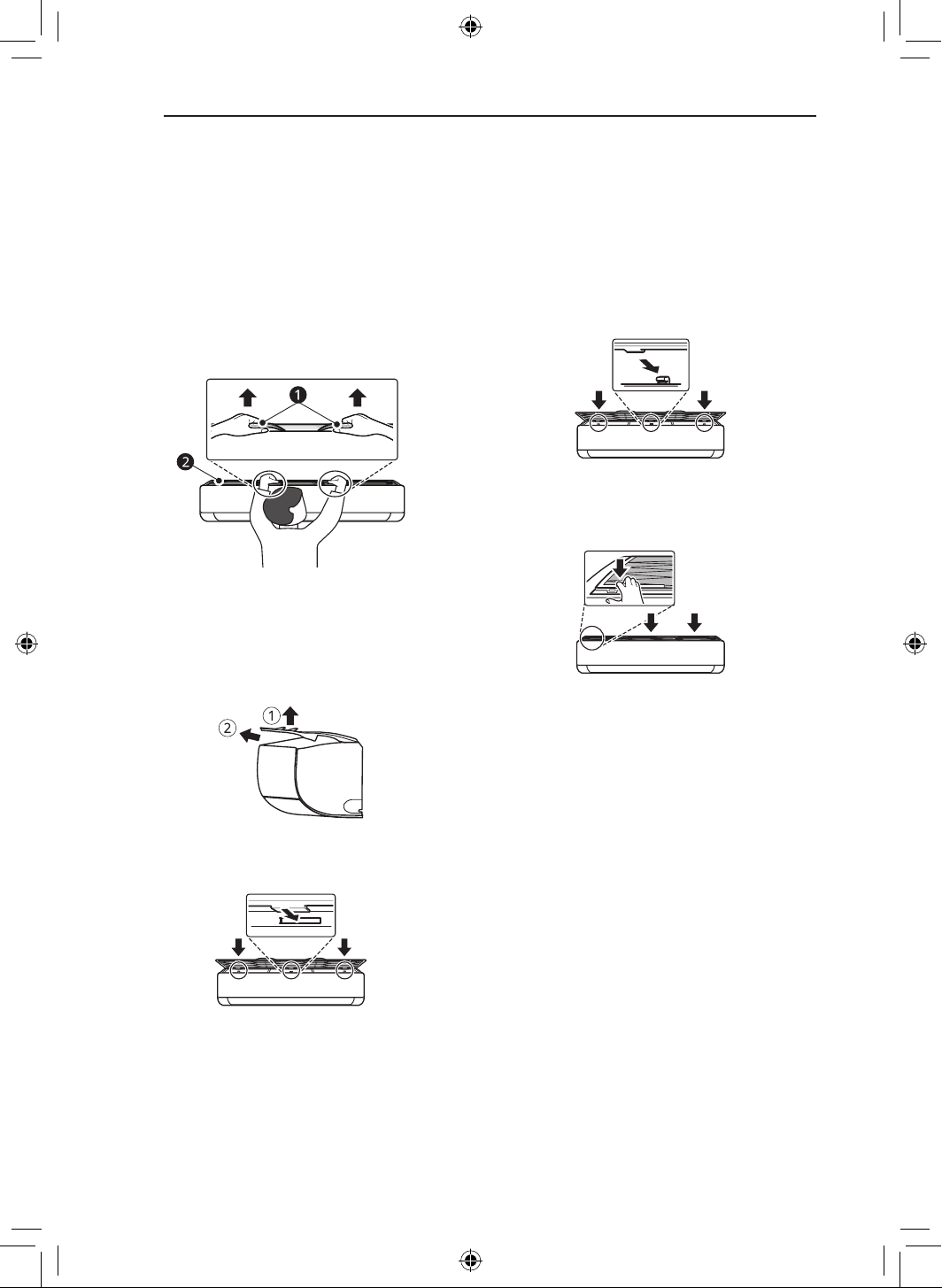
Removing and Replacing the Air Filter
1
Turn off the power to the appliance.
2
Locate the knobs of the air filter on the top
front of the appliance.
a
Knobs
b
Air Filter
3
Pull the knobs upward slightly and then lift
the entire filter to remove it.
4
Insert the hooks on the air filter into the slots
on the back of the front panel.
5
Push the hooks down until they click into
place.
6
To make sure the filter is assembled
properly, press down along the entire front
length of the filter.
11
MAINTENANCE
ENGLISH
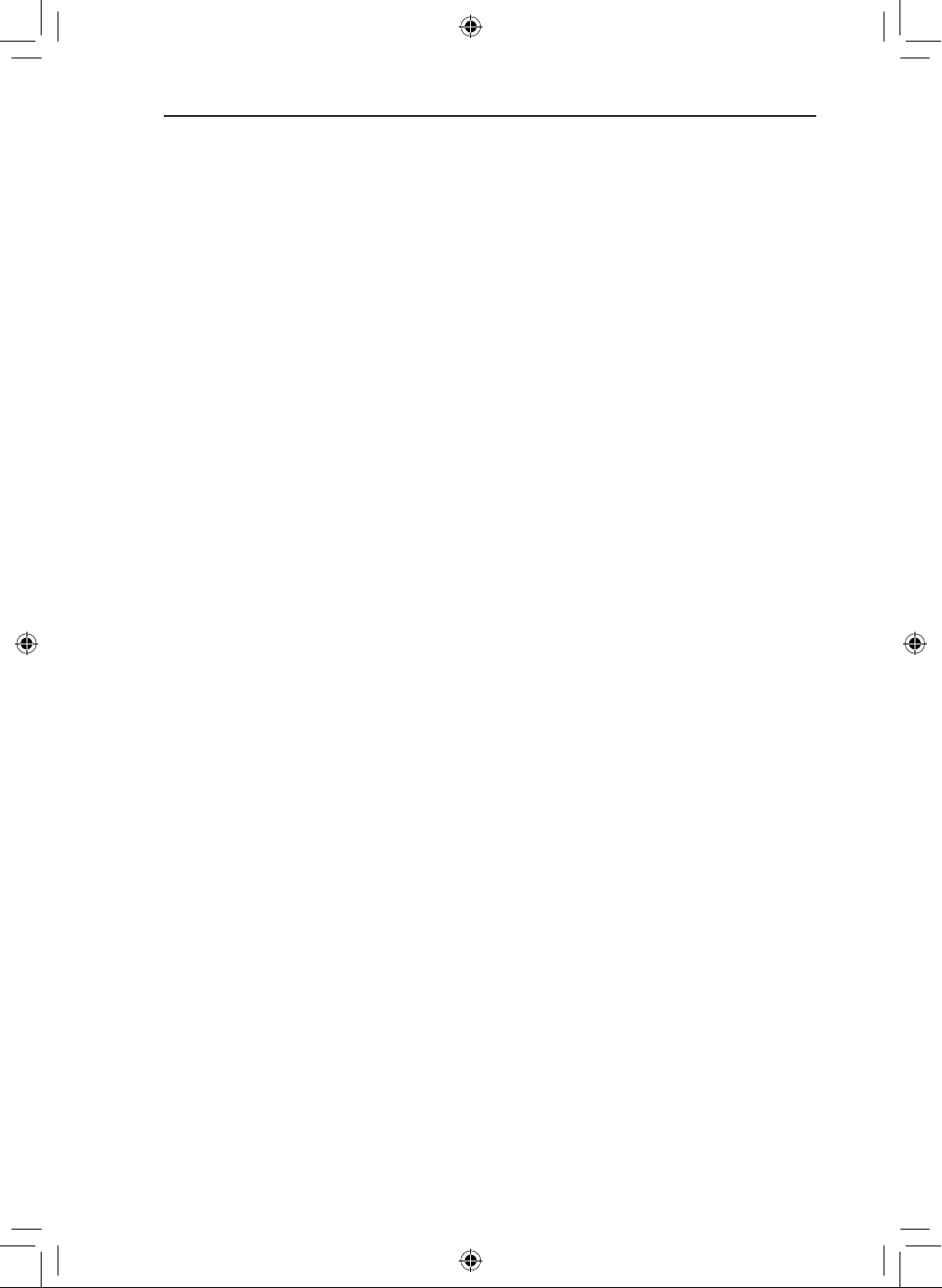
Cleaning the Air Filter
1
Remove the air filter from the appliance.
2
Clean the air filter with a vacuum cleaner
or wash it with lukewarm water and a mild
detergent.
3
Dry the filter in the shade.
NOTE
• Clean the air filter once every 2 weeks, or
more if needed.
• Do not bend the air filter, as it may break.
• Do not operate the appliance without the filter
in place.
• Assemble the air filter properly to prevent
dust and other substances from entering the
appliance.
12
TROUBLESHOOTING
TROUBLESHOOTING
Before Calling for Service
Please check the following before you contact the service centre. If the problem persists, contact your
local service centre.
Self-Diagnosis Function
This appliance has a built-in self-diagnosis function. If an error occurs, the lamp of the indoor unit will
flash in 2-second intervals. If this occurs, contact your local dealer or service centre.
The appliance does not work normally.
• Burning smell and strange sounds are coming from the appliance.
• Water leaks from the indoor unit even when the humidity level is low.
• The power cable is damaged or it is generating excessive heat.
• A switch, a circuit breaker (safety, ground) or a fuse is not operating properly.
• The appliance generates an error code from its self-diagnosis.
− Turn off the appliance, switch off or disconnect the power supply, and contact the service centre.
• R32 refrigerant leakage detecting system is activated.
− If there are error code such as 228,229 and 230, ventilate the room and contact authorized
personnel immediately.
− If there is an error code of 236, the refrigerant leak detector has a lifetime of less than 6 months.
Contact authorized personnel immediately.
The fan speed cannot be adjusted.
• The Jet mode or Auto Operation mode is selected.
− In some operating modes, you cannot adjust the fan speed. Select an operating mode in which you
can adjust the fan speed.
The temperature cannot be adjusted.
• The Fan mode or Jet mode is selected.
− In some operating modes, you cannot adjust the temperature. Select an operating mode in which
you can adjust the temperature.
The appliance does not work.
• The appliance is unplugged.
− Check whether the power cord is plugged into the outlet or the power isolators are switched on.
• A fuse exploded or the power supply is blocked.
− Replace the fuse or check if the circuit breaker has tripped.
• A power failure has occurred.
− Turn off the appliance when a power failure occurs.
− When the power is restored, wait 3 minutes, and then turn on the appliance.
13
TROUBLESHOOTING
ENGLISH
• The voltage is too high or too low.
− Check if the circuit breaker has tripped.
• The appliance was turned off automatically at a preset time.
− Turn the appliance on.
• The battery setting in the wireless remote control is incorrect.
− Make sure that the batteries are inserted correctly in your wireless remote control.
− If the batteries are placed correctly, but the appliance still does not operate, replace the batteries
and try again.
The appliance does not emit cool air.
• Air is not circulating properly.
− Make sure that there are no curtains, blinds, or pieces of furniture blocking the front of the
appliance.
• The air filter is dirty.
− Clean the air filter once every 2 weeks.
− See “Cleaning the Air Filter” for more information.
• The room temperature is too high.
− In summer, cooling the indoor air fully may take some time. In this case, select the Jet mode to
cool the indoor air quickly.
• Cold air is escaping from the room.
− Make sure that no cold air is escaping through the ventilation points in the room.
• The desired temperature is higher than the current temperature.
− Set the desired temperature to a level lower than the current temperature.
• There is a heating source nearby.
− Avoid using heat generators like electric ovens or gas hobs while the air conditioner is in operation.
• Fan mode is selected.
− During Fan mode, air blows from the appliance without cooling or heating the indoor air.
− Switch the operating mode to cooling operation.
The indoor unit is still operating even when the appliance has been turned off.
• The Auto Clean+ function is being operated.
− Allow the Auto Clean+ function to continue since it reduces any remaining moisture inside the
indoor unit. If you do not want this function, you can turn the indoor unit off.
The appliance does not emit warm air.
• When the Heating mode starts, the vane is almost closed, and no air comes out, even though the
outdoor unit is operating.
− This is normal. Please wait until the appliance has generated enough warm air to blow through the
indoor unit.
• The outdoor unit is in Defrosting mode.
− In Heating mode, ice and frost is built up on the coils when the outside temperature falls. The
Defrosting mode reduces a layer of frost on the coil, and it should finish in approximately 15
minutes.
14
APPENDIX
APPENDIX
Open Source Software Notice Information
To obtain the source code that is contained in this product, under GPL, LGPL, MPL, and other open
source licenses that have the obligation to disclose source code, and to access all referred license
terms, copyright notices and other relevant documents, please visit https://opensource.lge.com.
LG Electronics will also provide open source code to you on CD-ROM for a charge covering the cost
of performing such distribution (such as the cost of media, shipping, and handling) upon email request
This offer is valid to anyone in receipt of this information for a period of three years after our last
shipment of this product.
15
LIMITED WARRANTY
ENGLISH
LIMITED WARRANTY
USA
TERMS AND CONDITIONS
ARBITRATION NOTICE: THIS LIMITED WARRANTY CONTAINS AN ARBITRATION PROVISION
THAT REQUIRES YOU AND LG ELECTRONICS (“LG”) TO RESOLVE DISPUTES BY BINDING
ARBITRATION INSTEAD OF IN COURT, UNLESS YOU CHOOSE TO OPT OUT. IN ARBITRATION,
CLASS ACTIONS AND JURY TRIALS ARE NOT PERMITTED. PLEASE SEE THE SECTION TITLED
“PROCEDURE FOR RESOLVING DISPUTES” BELOW.
PROCEDURE FOR RESOLVING DISPUTES:
ALL DISPUTES BETWEEN YOU AND LG ARISING OUT OF OR RELATING IN ANY WAY TO THIS
LIMITED WARRANTY OR THE PRODUCT SHALL BE RESOLVED EXCLUSIVELY THROUGH
BINDING ARBITRATION, AND NOT IN A COURT OF GENERAL JURISDICTION. BINDING
ARBITRATION MEANS THAT YOU AND LG ARE EACH WAIVING THE RIGHT TO A JURY TRIAL AND
TO BRING OR PARTICIPATE IN A CLASS ACTION.
Definitions. For the purposes of this section, references to “LG” mean LG Electronics U.S.A., Inc.,
its parents, subsidiaries and affiliates, and each of their officers, directors, employees, agents,
beneficiaries, predecessors in interest, successors, assigns and suppliers; references to “dispute”
or “claim” shall include any dispute, claim or controversy of any kind whatsoever (whether based in
contract, tort, statute, regulation, ordinance, fraud, misrepresentation or any other legal or equitable
theory) arising out of or relating in any way to the sale, condition or performance of the product or this
Limited Warranty.
Notice of Dispute. In the event you intend to commence an arbitration proceeding, you must first
notify LG in writing at least 30 days in advance of initiating the arbitration by sending a letter to LG at
LG Electronics, USA, Inc. Attn: Legal Department-Arbitration 111 Sylvan Avenue, Englewood Cliffs, NJ
07632. You and LG agree to engage in good faith discussions in an attempt to amicably resolve your
claim. The notice must provide your name, address, and telephone number; identify the product that is
the subject of the claim; and describe the nature of the claim and the relief being sought. If you and LG
are unable to resolve the dispute within 30 days, either party may proceed to file a claim for arbitration.
Agreement to Binding Arbitration and Class Action Waiver. Upon failure to resolve the dispute
during the 30 day period after sending written notice to LG, you and LG agree to resolve any claims
between us only by binding arbitration on an individual basis, unless you opt out as provided below. Any
dispute between you and LG shall not be combined or consolidated with a dispute involving any other
person’s or entity’s product or claim. More specifically, without limitation of the foregoing, any dispute
between you and LG shall not under any circumstances proceed as part of a class or representative
action. Instead of arbitration, either party may bring an individual action in small claims court, but that
small claims court action may not be brought on a class or representative basis.
16
LIMITED WARRANTY
Arbitration Rules and Procedures. To begin arbitration of a claim, either you or LG must make
a written demand for arbitration. The arbitration will be administered by the American Arbitration
Association (“AAA”) and will be conducted before a single arbitrator under the AAA’s Consumer
Arbitration Rules that are in effect at the time the arbitration is initiated (referred to as the “AAA Rules”)
and under the procedures set forth in this section. The AAA Rules are available online at www.adr.org/
consumer. Send a copy of your written demand for arbitration, as well as a copy of this provision, to
the AAA in the manner described in the AAA Rules. You must also send a copy of your written demand
to LG at LG Electronics, USA, Inc. Attn: Legal Department-Arbitration 111 Sylvan Avenue, Englewood
Cliffs, NJ 07632. If there is a conflict between the AAA Rules and the rules set forth in this section, the
rules set forth in this section will govern. This arbitration provision is governed by the Federal Arbitration
Act. Judgment may be entered on the arbitrator’s award in any court of competent jurisdiction. All
issues are for the arbitrator to decide, except that issues relating to the scope and enforceability of the
arbitration provision and to the arbitrability of the dispute are for the court to decide. The arbitrator is
bound by the terms of this provision.
Governing Law. The law of the state of your residence shall govern this Limited Warranty and any
disputes between us except to the extent that such law is preempted by or inconsistent with applicable
federal law.
Fees/Costs. You do not need to pay any fee to begin an arbitration. Upon receipt of your written
demand for arbitration, LG will promptly pay all arbitration filing fees to the AAA unless you seek more
than $25,000 in damages, in which case the payment of these fees will be governed by the AAA
Rules. Except as otherwise provided for herein, LG will pay all AAA filing, administration and arbitrator
fees for any arbitration initiated in accordance with the AAA Rules and this arbitration provision.
If you prevail in the arbitration, LG will pay your attorneys’ fees and expenses as long as they are
reasonable, by considering factors including, but not limited to, the purchase amount and claim amount.
Notwithstanding the foregoing, if applicable law allows for an award of reasonable attorneys’ fees and
expenses, an arbitrator can award them to the same extent that a court would. If the arbitrator finds
either the substance of your claim or the relief sought in the demand is frivolous or brought for an
improper purpose (as measured by the standards set forth in Federal Rule of Civil Procedure 11(b)),
then the payment of all arbitration fees will be governed by the AAA Rules. In such a situation, you agree
to reimburse LG for all monies previously disbursed by it that are otherwise your obligation to pay under
the AAA Rules. Except as otherwise provided for, LG waives any rights it may have to seek attorneys’
fees and expenses from you if LG prevails in the arbitration.
Hearings and Location. If your claim is for $25,000 or less, you may choose to have the arbitration
conducted solely on the basis of (1) documents submitted to the arbitrator, (2) through a telephonic
hearing, or (3) by an in-person hearing as established by the AAA Rules. If your claim exceeds $25,000,
the right to a hearing will be determined by the AAA Rules. Any in-person arbitration hearings will be
held at a location within the federal judicial district in which you reside unless we both agree to another
location or we agree to a telephonic arbitration.
Opt Out. You may opt out of this dispute resolution procedure. If you opt out, neither you nor LG can
require the other to participate in an arbitration proceeding. To opt out, you must send notice to LG no
later than 30 calendar days from the date of the first consumer purchaser’s purchase of the product
by either: (i) sending an e-mail to [email protected], with the subject line: “Arbitration Opt Out” or (ii)
calling 1-800-980-2973. You must include in the opt out e-mail or provide by telephone: (a) your name
and address; (b) the date on which the product was purchased; (c) the product model name or model
number; and (d) the serial number (the serial number can be found (i) on the product; or (ii) online by
accessing https://www.lg.com/us/support/repair-service/schedule-repair-continued and clicking on “Find
My Model & Serial Number”).
You may only opt out of the dispute resolution procedure in the manner described above (that is,
by e-mail or telephone); no other form of notice will be effective to opt out of this dispute resolution
procedure. Opting out of this dispute resolution procedure will not affect the coverage of the Limited
Warranty in any way, and you will continue to enjoy the full benefits of the Limited Warranty. If you keep
this product and do not opt out, then you accept all terms and conditions of the arbitration provision
described above.
17
LIMITED WARRANTY
ENGLISH
CANADA
TERMS AND CONDITIONS
THE PRODUCT’S FULL LIMITED WARRANTY TERMS AND CONDITIONS ARE AVAILABLE AT
HTTPS://WWW.LGHVAC.COM
ARBITRATION NOTICE: THIS LIMITED WARRANTY CONTAINS AN ARBITRATION PROVISION
THAT REQUIRES YOU AND LG TO RESOLVE DISPUTES BY BINDING ARBITRATION INSTEAD OF
IN COURT, UNLESS THE LAWS OF YOUR PROVINCE OR TERRITORY DO NOT PERMIT THAT,
OR, IN OTHER JURISDICTIONS, IF YOU CHOOSE TO OPT OUT. FOR FURTHER CLARITY, THIS
ARBITRATION PROVISION IS NOT APPLICABLE TO CUSTOMERS RESIDING IN ONTARIO. IN
ARBITRATION, CLASS ACTIONS AND JURY TRIALS ARE NOT PERMITTED. PLEASE SEE THE
SECTION TITLED “PROCEDURE FOR RESOLVING DISPUTES” BELOW.
PROCEDURE FOR RESOLVING DISPUTES:
EXCEPT WHERE PROHIBITED BY LAW, ALL DISPUTES BETWEEN YOU AND LG ARISING
OUT OF OR RELATING IN ANY WAY TO THIS LIMITED WARRANTY OR THE PRODUCT SHALL
BE RESOLVED EXCLUSIVELY THROUGH BINDING ARBITRATION, AND NOT IN A COURT
OF GENERAL JURISDICTION. EXCEPT WHERE PROHIBITED AT LAW, YOU AND LG BOTH
IRREVOCABLY AGREE TO WAIVE THE RIGHT TO A JURY TRIAL AND TO BRING OR PARTICIPATE
IN A CLASS ACTION. FOR CLARITY, THIS PROVISION DOES NOT APPLY TO CONSUMERS
RESIDING IN ONTARIO.
Definitions. For the purposes of this section, references to “LG” mean LG Electronics Canada,
Inc., its parents, subsidiaries and affiliates, and each of their officers, directors, employees, agents,
beneficiaries, predecessors in interest, successors, assigns and suppliers; references to “dispute”
or “claim” shall include any dispute, claim or controversy of any kind whatsoever (whether based in
contract, tort, statute, regulation, ordinance, fraud, misrepresentation or any other legal or equitable
theory) arising out of or relating in any way to the sale, condition or performance of the product or this
Limited Warranty.
Notice of Dispute. In the event you intend to commence an arbitration proceeding, you must first notify
LG in writing at least 30 days in advance of initiating the arbitration by sending a letter to LGECI Legal
Team at 20 Norelco Drive, North York, Ontario, Canada M9L 2X6 (the “Notice of Dispute”). You and LG
agree to engage in good faith discussions in an attempt to amicably resolve your claim. The notice must
provide your name, address, and telephone number; identify the product that is the subject of the claim;
and describe the nature of the claim and the relief being sought. If you and LG are unable to resolve the
dispute within 30 days of LG’s receipt of the Notice of Dispute, the dispute shall be resolved by binding
arbitration in accordance with the procedure set out herein. You and LG both agree that, during the
arbitration proceeding, the terms (including any amount) of any settlement offer made by either you or
LG will not be disclosed to the arbitrator until the arbitrator determines the dispute.
Agreement to Binding Arbitration and Class Action Waiver. Upon failure to resolve the dispute
during the 30 day period after LG’s receipt of the Notice of Dispute, you and LG agree to resolve any
claims between you and LG only by binding arbitration on an individual basis, unless you opt out
as provided below, or you reside in a jurisdiction that prevents full application of this clause in the
circumstances of the claims at issue (in which case if you are a consumer, this clause will only apply if
you expressly agree to the arbitration). To the extent permitted by applicable law, any dispute between
you and LG shall not be combined or consolidated with a dispute involving any other person’s or
entity’s product or claim. Morespecifically, without limitation of the foregoing, except to the extent such a
prohibition is not permitted at law, any dispute between you and LG shall not under any circumstances
proceed as part of a class or representative action. Instead of arbitration, either party may bring an
indivi dual action in small claims court, but that small claims court action may not be brought on a class
or representative basis except to the extent this prohibition is not permitted at law in your province or
territory of jurisdiction as it relates to the claims at issue between you and LG. This does not apply to
consumers in Ontario. In accordance with provincial legislation, the consumer and LG may agree to
resolve the dispute using any procedure available, including commencing the action in the Superior
Court of Justice.
18
LIMITED WARRANTY
Arbitration Rules and Procedures. To begin arbitration of a claim, either you or LG must make a
written demand for arbitration. The arbitration will be private and confidential, and conducted on a
simplified and expedited basis before a single arbitrator chosen by the parties under the provincial or
territorial commercial arbitration law and rules of the province or territory of your residence. You must
also send a copy of your written demand to LG at LG Electronics, Canada, Inc., Attn: Legal Department-
Arbitration, 20 Norelco Drive, North York, Ontario M9L 2X6. This arbitration provision is governed by
your applicable provincial or territorial commercial arbitration legislation. For consumers in Ontario, the
applicable arbitration legislation only applies if consumers agree to submit the dispute to arbitration.
Judgment may be entered on the arbitrator’s award in any court of competent jurisdiction. All issues are
for the arbitrator to decide, except that, issues relating to the scope and enforceability of the arbitration
provision and to the arbitrability of the dispute are for the court to decide. The arbitrator is bound by the
terms of this provision.
Governing Law. The law of the province or territory of your purchase shall govern this Limited
Warranty and any disputes between you and LG except to the extent that such law is preempted by or
inconsistent with applicable federal or provincial/territorial law. Should arbitration not be permitted for any
claim, action, dispute or controversy between you and LG, you and LG attorn to the exclusive jurisdiction
of thecourts of the province or territory of your purchase for the resolution of the claim, action, dispute or
controversy between you and LG.
Fees/Costs. You do not need to pay any fee to begin an arbitration. Upon receipt of your written
demand for arbitration, LG will promptly pay all arbitration filing fees unless you seek more than $25,000
in damages, in which case the payment of these fees will be governed by the applicable arbitration
rules. Except as otherwise provided for herein, LG will pay all filing, administration and arbitrator
fees for any arbitration initiated in accordance with the applicable arbitration rules and this arbitration
provision. If you prevail in the arbitration, LG will pay your attorneys’ fees and expenses as long as they
are reasonable, by considering factors including, but not limited to, the purchase amount and claim
amount. Notwithstanding the foregoing, if applicable law allows for an award of reasonable attorneys’
fees and expenses, an arbitrator can award them to the same extent that a court would. If the arbitrator
finds either the substance of your claim or the relief sought in the demand is frivolous or brought for
an improper purpose (as measured by the applicable laws), then the payment of all arbitration fees
will be governed by the applicable arbitration rules. In such a situation, you agree to reimburse LG for
all monies previously disbursed by it that are otherwise your obligation to pay under the applicable
arbitration rules. Except as otherwise provided for, LG waives any rights it may have to seek attorneys’
fees and expenses from you if LG prevails in the arbitration.
Hearings and Location. If your claim is for $25,000 or less, you may choose to have the arbitration
conducted solely (1) on the basis of documents submitted to the arbitrator, (2) through a telephonic
hearing, or (3) by an in-person hearing as established by the applicable arbitration rules. If your claim
exceeds $25,000, the right to a hearing will be determined by the applicable arbitration rules. Any
inperson arbitration hearings will be held at the nearest, most mutually-convenient arbitration location
available within the province or territory in which you reside unless you and LG both agree to another
location or agree to a telephonic arbitration.
Severability and Waiver. If any portion of this Limited Warranty (including these arbitration procedures)
is unenforceable, the remaining provisions will continue in full force and effect to the maximum extent
permitted by applicable law. Should LG fail to enforce strict performance of any provision of this Limited
Warranty (including these arbitration procedures), it does not mean that LG intends to waive or has
waived any provision or part of this Limited Warranty.
19
LIMITED WARRANTY
ENGLISH
Opt Out. The arbitration provision requires you and LG to resolve disputes by binding arbitration instead
of court, unless the laws of your province or territory do not permit that, or, in other jurisdictions, if you
choose to opt out. The arbitration provision does not apply to consumers in Ontario. For individuals
that fall within the binding arbitration provisions, you may opt out of this dispute resolution procedure.
If you opt out, neither you nor LG can require the other to participate in an arbitration proceeding. To
opt out, you must send notice to LG no later than 30 calendar days from the date of the first consumer
purchaser’s purchase of the product by either (i) sending an e-mail to [email protected], with the subject
line: “Arbitration Opt Out;” or (ii) calling 1-800-980-2973. You must include in the opt out e-mail or
provide by telephone: (a) your name and address; (b) the date on which the product was purchased; (c)
the product model name or model number; and (d) the serial number (the serial number can be found (i)
on the product; or (ii) online by accessing https://www.lg.com/ca_en/findmodel_serial/).
In the event that you “Opt Out”, the law of the province or territory of your residence shall govern this
Limited Warranty and any disputes between you and LG except to the extent that such law is preempted
by or inconsistent with applicable federal or provincial/territorial law. Should arbitration not be permitted
for any claim, action, dispute or controversy between you and LG, you and LG agree to attorn to the
exclusive jurisdiction of the courts of the province or territory of your residence for the resolution of the
claim, action, dispute or controversy between you and LG.
You may only opt out of the dispute resolution procedure in the manner described above (that is,
by e-mail or telephone); no other form of notice will be effective to opt out of this dispute resolution
procedure. Opting out of this dispute resolution procedure will not affect the coverage of the Limited
Warranty in any way, and you will continue to enjoy the full benefits of the Limited Warranty. If you keep
this product and do not opt out, then you accept all terms and conditions of the arbitration provision
described above.
Conflict of Terms. In the event of a conflict or inconsistency between the terms of this Limited Warranty
and the End User License Agreement (“EULA”) in regards to dispute resolution, the terms of this Limited
Warranty shall control and govern the rights and obligations of the parties and shall take precedence
over the EULA.
MEMO
20
www.lg.com
CLIMATISEUR
Copyright © 2024 LG Electronics. Tous droits réservés
MANUEL D’UTILISATION
TYPE: MONTAGE MURAL
K*UAB**1A, K*UAK**1A, KNMAB**1A
Lea primeramente las INSTRUCCIONES DE SEGURIDAD IMPORTANTE
en su totalidad.
Afin d'utiliser le produit de manière sûre et pratique, veuillez lire le manuel
d'utilisation avant de l'utiliser.
FRANÇAIS
www.lghvac.com
TABLE DES MATIÈRES
2
3 FONCTIONNEMENT
3 VOIR PLUS D'INFORMATIONS
3 Installation de l’application LG ThinQ et connexion d’un
appareil LG(sur certains modèles)
4 TÉLÉCOMMANDE SANS FIL
7 NOUVELLES FONCTIONS
9 CONSEIL UTILE
9 APERÇU DU PRODUIT
9 Montage mural
10 ENTRETIEN
10 Retrait et remplacement du filtre à air
11 Nettoyage du filtre à air
12 DÉPANNAGE
12 Avantdʼappelerleréparateur
14 ANNEXE
14 Renseignements sur l’avis de logiciel libre
15 GARANTIE LIMITÉE
15 CANADA
3
FONCTIONNEMENT
FRANÇAIS
FONCTIONNEMENT
VOIR PLUS D'INFORMATIONS
1
Le nom du modèle a été vérifié sur l'étiquette.
a
Étiquette
2
Recherche du nom du modèle sur www.lg.com.
REMARQUE
• L’image peut varier en fonction du produit.
Installation de l’application LG ThinQ et
connexion d’un appareil LG(sur certains modèles)
REMARQUE
• Cette fonction n’est offerte que sur les modèles dotés du Wi-Fi.
Modèles avec code QR
Scannez le code QR joint au produit à l'aide de
l'appareil photo ou d'une application de lecture de
code QR sur votre smartphone.
Modèles sans code QR
Recherchez et installez l'application LG ThinQ
depuis le Google Play Store ou l'Apple App Store
sur un smartphone.
Exécutez l'application LG ThinQ et connectez-
vous avec votre compte existant ou créez un
compte LG pour vous connecter.
Touchez le bouton d'ajout (~) de l'application LG
ThinQ pour connecter votre appareil LG. Suivez
les instructions de l'application pour terminer le
processus.
4
FONCTIONNEMENT
TÉLÉCOMMANDE SANS FIL
Vous pouvez utiliser l’appareil plus facilement avec la télécommande sans fil.
Pour des instructions plus détaillées, veuillez vous référer au manuel web.
REMARQUE
• Certaines fonctions ne sont pas prises en charge, selon le modèle concerné.
5
FONCTIONNEMENT
FRANÇAIS
Image Description
Marche/arrêt
Permet de mettre en marche ou d’arrêter l’appareil.
Connexion à LG ThinQ
Appuyez sur le bouton Marche/arrêt et maintenez-le enfoncé pendant environ 3
secondes pour préparer la connexion de l’appareil et du Wi-Fi.
Mode
Sélectionne le mode de fonctionnement souhaité
• Chaque pression du doigt permet de changer de mode dans cet ordre :
Refroidissement ~ Automatique ~ Déshumidification ~ Chauffage ~
Ventilateur.
7 & 8
Appuyez sur le bouton Mode et maintenez-le enfoncé pendant environ
3 secondes pour changer d'unité entre 7 et 8.
AI/AEC
Sélectionne AI Smart Care ou Contrôle de l’énergie active pour réduire la
puissance absorbée.
REMARQUE
• En cas de connexion à l’unité extérieur Multi, il se peut que Contrôle de
l’énergie active fonctions ne soient pas prises en charge.
Température J, K
Permet de régler la température de la pièce.
Fan Speed ~, !
Permet de régler la vitesse de ventilation.
y (Oscillation haut/bas)
Permet de régler la direction du débit d’air vers le haut et vers le bas
Cmft Air
Appuyez sur le bouton y et maintenez-le enfoncé pendant environ 3 secondes
pour régler la direction du flux d’air. Cela permet de minimiser le contact direct
avec le flux d’air.
6
FONCTIONNEMENT
Image Description
A (Oscillation gauche/droite)
Permet de régler la direction du débit d’air vers la gauche ou la droite.
Jet
Modifie rapidement la température ambiante et fonctionne à la vitesse maximale
du ventilateur.
Exit
Lorsque vous entrez dans les réglages, appuyez sur le bouton Jet et
maintenez-le enfoncé pendant environ 3 secondes pour revenir au réglage
précédent.
Fonction
Permet de sélectionner la fonction souhaitée.
REMARQUE
• En cas de connexion à l’unité extérieur Multi, il se peut que Chauffage à
basse température fonctions ne soient pas prises en charge.
H (Sommeil)
Éteint automatiquement l'appareil à l'heure souhaitée. À utiliser avant de dormir.
Night Mode
Appuyez sur le bouton H et maintenez-le enfoncé pendant environ 3 secondes
pour éteindre l'écran et le signal sonore.
a
Réinitialiser
Réinitialise le réglage de la télécommande sans fil.
7
FONCTIONNEMENT
FRANÇAIS
NOUVELLES FONCTIONS
Nettoyage intégral (sur
certains modèles/LG
ThinQ)
La congélation et la décongélation répétées de
l'échangeur de chaleur du climatiseur permettent
d'éliminer les contaminants tels que la poussière
et de maintenir l'appareil propre.
Après le nettoyage, il réduit l’humidité à l’intérieur
de l’unité intérieure.
Sur certaines unités intérieures, AL apparaît sur
l’écran de l’unité intérieure.
REMARQUE
• La fonction de Nettoyage intégral s'arrête
lorsque l'appareil a séché.
• Si l'humidité de la pièce est élevée lorsque la
fonction Nettoyage intégral est activée, la
zone située à proximité de l'unité intérieure
peut s'embuer.
• La fonction Nettoyage intégral peut être
utilisée à l'intérieur à une température
comprise entre 70 8 (21 7) et 90 8 (32 7)
et à l'extérieur à une température comprise
entre 70 8 (21 7) et 99 8 (37 7). La fonction
Nettoyage intégral est une fonction de
gestion de l’hygiène et non une fonction de
refroidissement. Les conditions d’utilisation
peuvent donc varier par rapport à la lage de
fonctionnement vérifiée de l’appareil.
• Si la fonction Nettoyage intégral est utilisée
à une température en dehors de la plage
autorisée, les alarmes de l'application LG
ThinQ et la fonction ne fonctionnent pas.
• La fonction Nettoyage intégral est disponible
même lorsque l'appareil est en marche.
• Si vous appuyez sur le bouton t de l'appareil
ou de la télécommande pendant le Nettoyage
intégral, la fonction Nettoyage intégral est
désactivée.
• Pendant le Nettoyage intégral, un bruit de
« tic-tac » ou de « tac-tac » peut se faire
entendre lorsque l'appareil se dilate ou se
contracte.
• Après le Nettoyage intégral, l'appareil
s'éteint automatiquement. Lorsqu'il est
remis sous tension, il fonctionne en mode
Refroidissement.
• Si la fonction Minuterie est activée, la
fonction Nettoyage intégral risque de ne pas
fonctionner correctement.
• De l'air frais sort de la sortie lorsque la fonction
Nettoyage intégral est activée.
• En cas de connexion à l'unité extérieur Multi, il
se peut que ces fonctions ne soient pas prises
en charge.
8
FONCTIONNEMENT
Gestionnaire kW (sur
certains modèles/LG ThinQ)
La consommation électrique du climatiseur est
automatiquement ajustée en fonction d'un horaire
et d'une consommation électrique cible définis par
l'utilisateur.
EO apparaît sur l'écran de l'unité intérieure sur
certains modèles.
REMARQUE
• Lors de l'utilisation de la fonction Gestionnaire
kW, le débit d'air froid peut être réduit en
fonction de la puissance cible restante.
• Lorsque la consommation d'électricité cible est
dépassée, la fonction Gestionnaire kW est
désactivée.
• Lorsque les modes Chauffage et
Automatique sont utilisés, la fonction
Gestionnaire kW est désactivée.
• En cas de connexion à l'unité extérieur Multi, il
se peut que ces fonctions ne soient pas prises
en charge.
• La consommation d'énergie indiquée par
l'application LG ThinQ peut différer de la
consommation d'énergie réelle indiquée sur
votre facture d'électricité.
• Les informations relatives à la consommation
d'énergie peuvent varier en fonction de
l'appareil.
• La consommation d'énergie peut différer des
résultats obtenus avec d'autres appareils de
mesure.
• La consommation électrique mesurée peut
varier en fonction de l'environnement dans
lequel l'appareil est installé.
• La consommation d'énergie mesurée peut
varier en fonction de l'environnement ou de la
méthode d'utilisation de l'appareil domestique.
• Lors du réglage de la durée d'utilisation,
l'appareil ne s'allume pas ou ne s'éteint pas
automatiquement.
• Même pendant l'utilisation de la fonction
Gestionnaire kW, la fonction réglée à l'aide de
la télécommande est reflétée en premier.
• L'utilisation réelle peut différer.
Sommeil+ (sur certains
modèles/LG ThinQ)
Utilisez ce mode avant de dormir. L'appareil
apprend et ajuste automatiquement la
température et la vitesse du ventilateur pour
créer un environnement de sommeil encore plus
personnalisé.
REMARQUE
• Cette fonction peut être réglée lorsque
l’appareil est sous tension.
• Cette fonction est disponible avec le mode
Refroidissement.
• En cas de connexion à l’unité extérieur Multi, il
se peut que ces fonctions ne soient pas prises
en charge.
9
APERÇU DU PRODUIT
FRANÇAIS
CONSEIL UTILE
Fonctionnement manuel
Si votre télécommande sans fil est indisponible, il
est possible d’allumer ou d’éteindre l’appareil en
appuyant sur le bouton MARCHE/ARRÊT
a
de
l’unité intérieure.
1
Ouvrez le volet haut/bas.
2
Appuyez sur le bouton MARCHE/ARRÊT
a
.
APERÇU DU
PRODUIT
Montage mural
a
Filtre à air
b
Évents d'entrée d'air
c
Couvercle avant
d
Évents de sortie d'air
e
Déflecteur d’air (volet haut/bas)
f
Déflecteur d’air (ailettes gauche/droite)
g
Bouton Marche/arrêt
REMARQUE
• Le nombre de pièces et leur emplacement
peuvent varier en fonction du modèle de
l’appareil.
• Les fonctionnalités peuvent varier en fonction
du type de modèle.
10
ENTRETIEN
ENTRETIEN
Retrait et remplacement du filtre à air
1
Coupez l’alimentation électrique de
l’appareil.
2
Repérez les boutons du filtre à air situés sur
la partie supérieure frontale du produit.
a
Boutons
b
Filtre à air
3
Tirez légèrement les boutons vers le haut,
puis soulevez tout le filtre pour le retirer.
4
Insérez les crochets du filtre à air dans les
fentes situées derrière le panneau frontal.
5
Abaissez les crochets jusqu’à ce qu’un
déclic retentisse, indiquant qu’ils sont en
place.
6
Pour vous assurer que le filtre est
correctement installé, appuyez sur toute sa
longueur frontale.
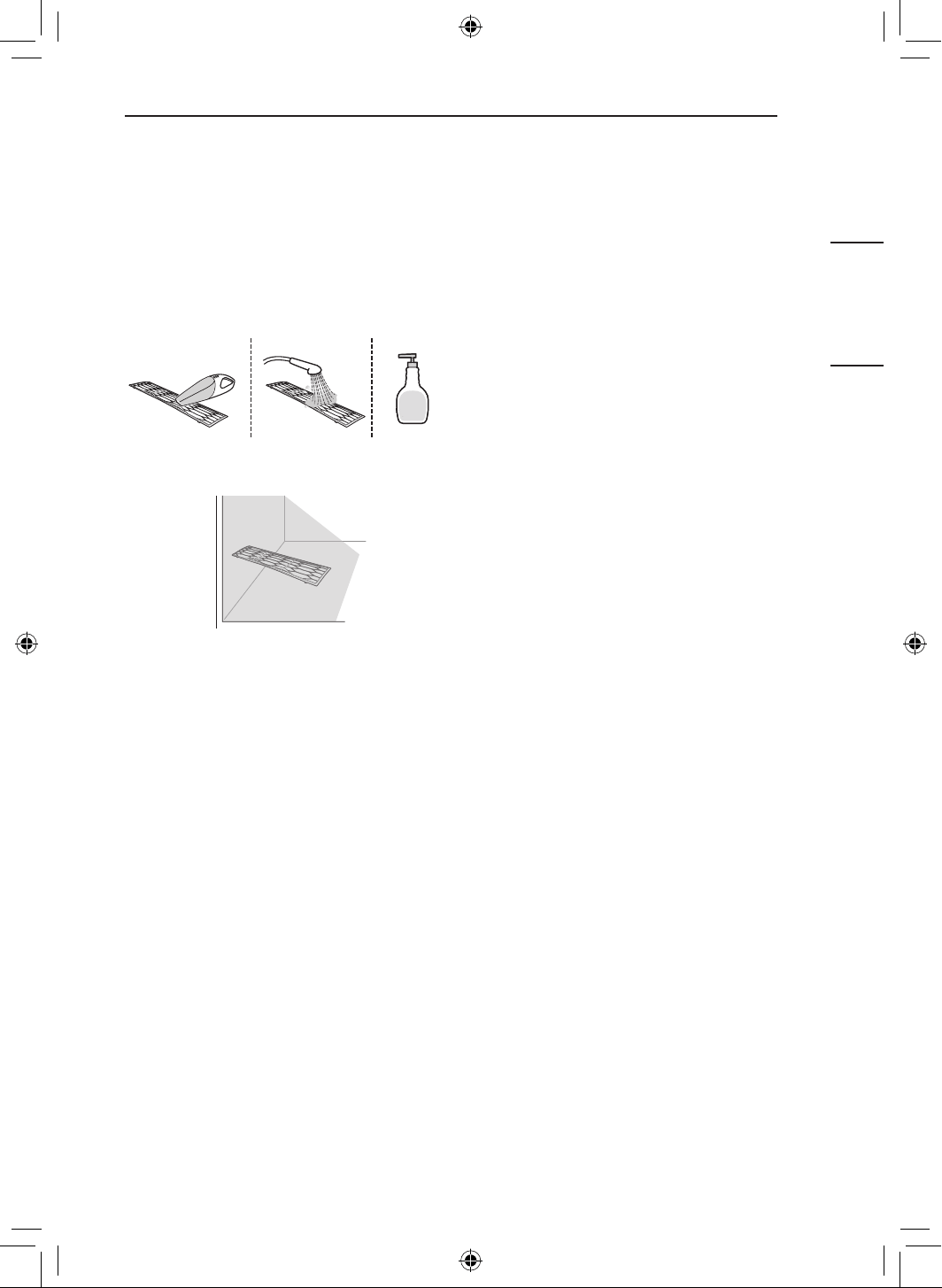
11
ENTRETIEN
FRANÇAIS
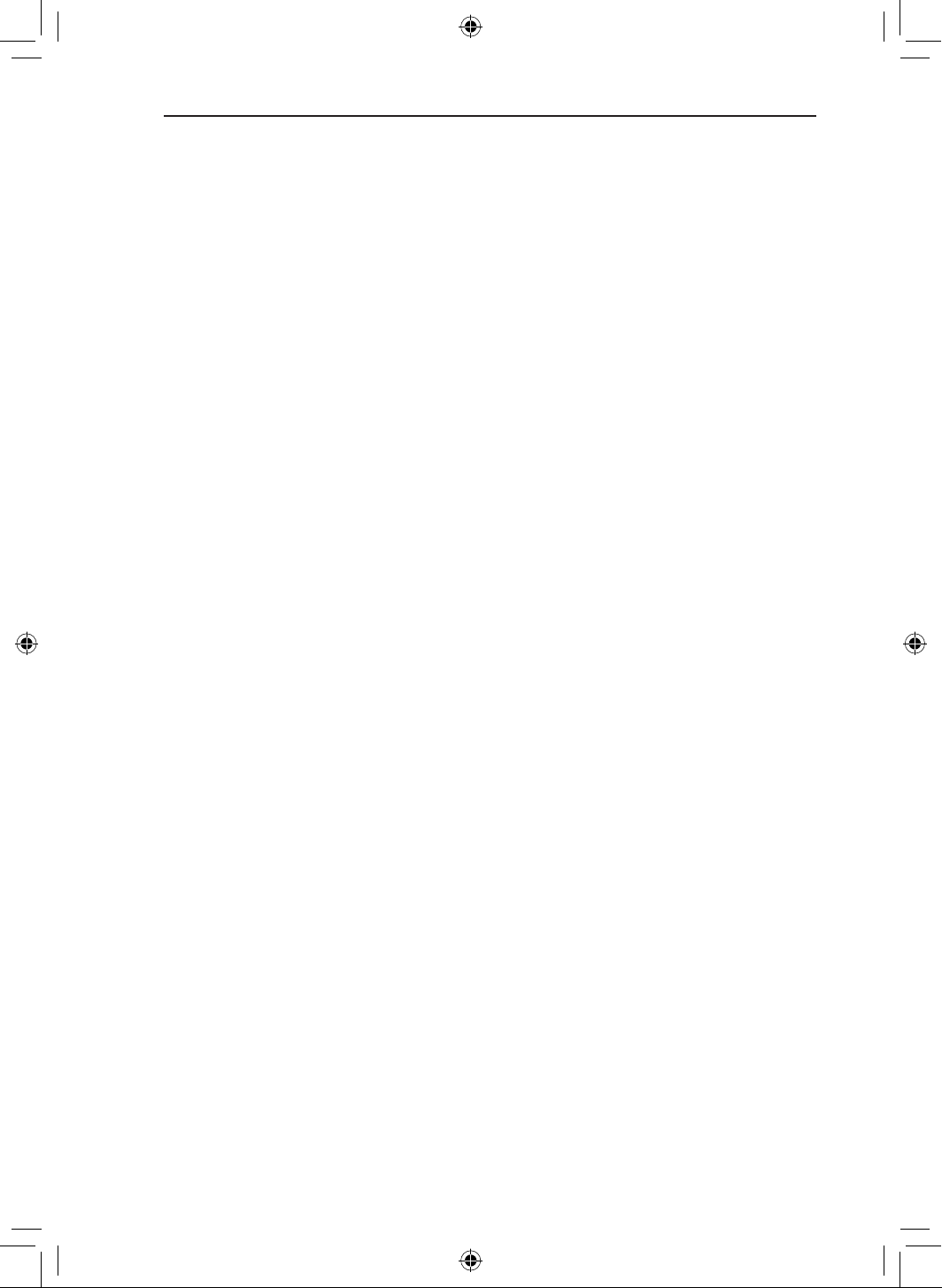
Nettoyage du filtre à
air
1
Retirez le filtre à air de l’appareil.
2
Nettoyez le filtre à air à l’aide d’un aspirateur
ou lavez-le avec de l’eau tiède et un
détergent doux.
3
Laissez sécher le filtre à l’ombre.
REMARQUE
• Nettoyez le filtre à air toutes les deux
semaines ou plus souvent, si nécessaire.
• Ne pliez pas le filtre à air, car il pourrait se
casser.
• Ne faites pas fonctionner l'appareil sans que le
filtre soit en place.
• Assemblez correctement le filtre à air, de sorte
que ni poussière, ni d’autres substances ne
s’infiltrent dans le produit.
12
DÉPANNAGE
DÉPANNAGE
Avant dʼappeler le réparateur
Veuillez vérifier les éléments suivants avant de communiquer avec le centre de service. Si le problème
persiste, communiquez avec votre centre de service local.
Fonction de diagnostic automatique
Cet appareil est équipé d’une fonction de Diagnostic automatique intégrée. En cas d’erreur, le
voyant de l’appareil intérieur clignote par intervalles de 2 secondes. Si cela se produit, contactez votre
revendeur ou centre de service local.
L’appareil ne fonctionne pas normalement.
• Une odeur de roussi ou un bruit étrange provient de l’appareil.
• De l’eau s’échappe de l’appareil intérieur même lorsque le niveau d’humidité est faible.
• Le câble d’alimentation est endommagé ou produit une chaleur excessive.
• Un commutateur, un disjoncteur (sécurité, mise à la masse) ou un fusible ne fonctionne pas
correctement.
• La fonction de diagnostic automatique de l’appareil génère un code d’erreur.
− Mettez l’appareil hors tension ou débranchez le câble d’alimentation, puis communiquez avec le
centre de service.
• Système de détection de fuite de réfrigérant R32 est activé.
− En cas de codes d’erreur tels que 228, 229 et 230, aérez la pièce et contactez immédiatement le
personnel autorisé.
− Si le code d’erreur est 236, la durée de vie du détecteur de fuites de réfrigérant est inférieure à 6
mois. Contactez immédiatement le personnel autorisé.
La vitesse de ventilation ne peut pas être réglée.
• Le mode Jet ou le mode Fonctionnement automatique est sélectionné.
− Certains modes de fonctionnement ne permettent pas de régler la vitesse de ventilation.
Sélectionnez un mode de fonctionnement qui vous permet de le faire.
Il est impossible de régler la température.
• Le mode Ventilateur ou le mode Jet est sélectionné.
− Certains modes de fonctionnement ne permettent pas de régler la température. Sélectionnez un
mode de fonctionnement qui vous permet de le faire.
L’appareil ne fonctionne pas.
• L'appareil est débranché.
− Vérifiez si le cordon d'alimentation est branché dans la prise de courant ou si les isolateurs de
courant sont activés.
• Un fusible a sauté ou l’alimentation est coupée.
− Remplacez le fusible ou vérifiez si le disjoncteur s’est déclenché.
• Une panne d’électricité est survenue.
− Mettez l’appareil hors tension lorsque survient une panne d’électricité.
− Lorsque l’alimentation est restaurée, patientez pendant trois minutes, puis remettez l’appareil en
marche.
13
DÉPANNAGE
FRANÇAIS
• La tension est trop élevée ou trop faible.
− Vérifiez si le disjoncteur s’est déclenché.
• L’appareil s’est arrêté automatiquement à une heure prédéfinie.
− Allumez l’appareil.
• La pile de la télécommande sans fil n’est pas dans le bon sens ou mal insérée.
− Vérifiez que les piles sont insérées correctement dans la télécommande sans fil.
− Si les piles sont installées correctement et que l’appareil ne fonctionne toujours pas, remplacez les
piles et essayez à nouveau.
L’appareil ne génère pas d’air frais.
• L’air ne circule pas normalement.
− Assurez-vous que des rideaux, des stores ou des meubles ne bloquent pas l’avant de l’appareil.
• Le filtre à air est sale.
− Nettoyez le filtre à air une fois toutes les deux semaines.
− Consultez la rubrique « Nettoyage du filtre à air » pour obtenir plus de renseignements.
• La température ambiante est trop élevée.
− En été, le refroidissement de tout l’air intérieur peut demander un certain temps. Dans ce cas,
sélectionnez le mode Jet pour refroidir rapidement l’air intérieur.
• L’air froid s’échappe de la pièce.
− Assurez-vous qu’il n’y ait pas de fuite d’air froid au niveau des points de ventilation de la pièce.
• La température souhaitée est supérieure à la température actuelle.
− Réglez la température souhaitée à un niveau inférieur à la température actuelle.
• Une source de chauffage se trouve à proximité du climatiseur.
− Évitez d’utiliser un générateur de chaleur, comme les fours électriques ou les tables de cuisson,
lorsque le climatiseur est en marche.
• Le mode Ventilateur est sélectionné.
− En mode Ventilateur, l’appareil expulse de l’air sans refroidir ou chauffer l’air intérieur.
− Basculez le mode de fonctionnement sur une opération de refroidissement.
L’appareil intérieur continue de fonctionner même après avoir été éteint.
• La fonction Nettoyage automatique+ est en cours d’utilisation.
− Laissez la fonction Nettoyage automatique+ se poursuivre, car elle permet de réduire l’humidité
qui reste dans l'unité intérieur. Si vous ne souhaitez pas utiliser cette fonction, vous pouvez arrêter
l'unité intérieur.
L’appareil ne génère pas d’air chaud.
• Lorsque le mode Chauffage démarre, le volet est presque fermé et aucun air ne sort, même si
l’appareil extérieur fonctionne.
− Cette situation est normale. Veuillez attendre jusqu’à ce que l’appareil ait généré suffisamment
d’air chaud pour qu’il sorte de l’appareil.
• L’appareil extérieur est réglé sur le mode Dégivrage.
− En mode Chauffage, de la glace et du givre s’accumulent sur les serpentins lorsque la
température extérieure chute. Le mode Dégivrage réduit la couche de givre sur les serpentins et
se termine en 15 minutes environ.
14
ANNEXE
ANNEXE
Renseignements sur l’avis de logiciel libre
Pour obtenir le code source contenu dans ce produit, conformément aux dispositions de la licence
publique générale, de la licence publique générale limitée, de la licence publique Mozilla et de toute
autre licence régissant les logiciels à code source libre exigeant la divulgation du code source, visitez le
site https://opensource.lge.com. En plus du code source, toutes les dispositions de licence, les avis de
droits d’auteurs et autres documents pertinents peuvent aussi être consultés.
LG Electronics mettra également à votre disposition le code source libre sur CD-ROM pour un prix
couvrant le coût de la distribution (coût du support, de l’expédition et de la manutention) sur simple
demande par courriel à l’adresse [email protected].
Cette offre est valable pour une période de trois ans après notre dernière expédition de ce produit et
s’applique à toute personne ayant reçu ces renseignements.
15
GARANTIE LIMITÉE
FRANÇAIS
GARANTIE LIMITÉE
CANADA
CONDITIONS GÉNÉRALES
LES TERMES ET CONDITIONS COMPLÈTES DE LA GARANTIE LIMITÉE DU PRODUIT SE
TROUVENT SUR HTTPS://WWW.LGHVAC.COM.
AVIS D’ARBITRAGE : LA PRÉSENTE GARANTIE LIMITÉE CONTIENT UNE DISPOSITION
RELATIVE À L’ARBITRAGE STIPULANT QUE VOUS ET LG DEVEZ RÉSOUDRE TOUT
DIFFÉREND PAR ARBITRAGE PLUTÔT QUE DEVANT UN TRIBUNAL, À MOINS QUE LES
LOIS DE VOTRE PROVINCE OU TERRITOIRE NE LE PERMETTENT PAS OU, DANS LE CAS
D’AUTRES JURIDICTIONS, SI VOUS CHOISISSEZ DE VOUS RETIRER. PRÉCISONS QUE CETTE
DISPOSITION D’ARBITRAGE N’EST PAS APPLICABLE AUX CLIENTS QUI RÉSIDENT EN ONTARIO.
EN ARBITRAGE, LES RECOURS COLLECTIFS ET LES PROCÈS DEVANT JURY NE SONT PAS
AUTORISÉS. VEUILLEZ CONSULTER LA SECTION INTITULÉE « PROCÉDURE DE RÈGLEMENT
DES DIFFÉRENDS » CI-DESSOUS.
PROCÉDURE DE RÈGLEMENT DE DIFFÉREND :
SAUF LÀ OÙ LA LOI L’INTERDIT, TOUS LES DIFFÉRENDS ENTRE VOUS ET LG DÉCOULANT OU
SE RAPPORTANT DE QUELQUE MANIÈRE QUE CE SOIT À CETTE GARANTIE LIMITÉE OU AU
PRODUIT SERONT RÉSOLUS EXCLUSIVEMENT PAR ARBITRAGE EXÉCUTOIRE, ET NON DEVANT
UN TRIBUNAL DE DROIT COMMUN. SAUF LÀ OÙ LA LOI L’INTERDIT, VOUS ET LG RENONCEZ
IRRÉVOCABLEMENT AU DROIT À UN PROCÈS DEVANT JURY ET À INTENTER OU À PARTICIPER
À UN RECOURS COLLECTIF. PRÉCISONS QUE CETTE DISPOSITION NE S’APPLIQUE PAS AUX
CONSOMMATEURS QUI RÉSIDENT EN ONTARIO.
Définitions. Aux fins du présent article, « LG » désigne LG Electronics Canada Inc., ses sociétés
mères, ses filiales et ses sociétés affiliées et tous leurs dirigeants, administrateurs, employés, agents,
bénéficiaires, détenteurs précédents des mêmes droits, successeurs, cessionnaires et fournisseurs; «
différend » et « réclamation » englobent tout différend, toute réclamation ou tout litige de quelque sorte
que ce soit (fondés sur une responsabilité contractuelle, délictuelle, légale, réglementaire ou découlant
d’une ordonnance, par fraude, fausse représentation ou sous quelque régime de responsabilité que ce
soit) découlant de quelque façon que ce soit de la vente, des conditions ou de l’exécution du produit ou
de la présente garantie limitée.
Avis de différend. Si vous prévoyez engager une procédure d’arbitrage, vous devez d’abord envoyer
à LG un préavis écrit d’au moins 30 jours à l’adresse suivante : Équipe juridique LGECI, 20 Norelco
Drive, North York, Ontario, Canada M9L 2X6 (l’ « avis de différend »). Vous et LG convenez de discuter
en toute bonne foi pour tenter de régler le différend à l’amiable. L’avis doit mentionner votre nom,
votre adresse, votre numéro de téléphone, le produit faisant l’objet de la réclamation, la nature de la
réclamation et la réparation demandée. Si vous et LG ne parvenez pas à régler le différend dans les
30 jours suivant la réception de l’avis de différend par LG, le différend doit être réglé par arbitrage
exécutoire conformément à la procédure établie aux présentes. Vous et LG convenez que, tout au long
du processus d’arbitrage, les modalités (y compris les montants) de toute offre de règlement formulée
par vous ou par LG ne seront pas divulguées à l’arbitre, jusqu’à ce que l’arbitre règle le différend.
16
GARANTIE LIMITÉE
Accord sur l’arbitrage exécutoire et renonciation à un recours collectif. À défaut de résoudre le
différend au cours de la période de 30 jours suivant la réception par LG de l’avis de différend, vous et
LG acceptez de résoudre toute réclamation entre vous et LG uniquement par arbitrage exécutoire sur
une base individuelle, à moins que vous choisissiez de vous retirer, comme il est indiqué ci-dessous, ou
que vous résidiez dans une province ou un territoire qui empêche la pleine application de cette clause
dans les circonstances des réclamations en question (dans ce cas, si vous êtes un consommateur, cette
clause ne s’appliquera que si vous acceptez expressément l’arbitrage). Dans la mesure permise par la
loi applicable, tout différend entre vous et LG ne doit pas être combiné ou consolidé avec un différend
impliquant le produit ou la réclamation de toute autre personne ou entité. Plus précisément, sans
limitation de ce qui précède, sauf dans la mesure où une telle interdiction n’est pas permise par la loi,
tou différend entre vous et LG ne pourra en aucun cas se poursuivre sous forme de recours collectif ou
d’action dérivée. Au lieu de l’arbitrage, l’une ou l’autre des parties peut intenter une demande en justice
auprès de la Cour des petites créances, mais cette demande auprès de la Cour des petites créances
ne peut être intentée sous forme de recours collectif ou d’action dérivée, sauf dans la mesure où une
telle interdiction n’est pas autorisée par la loi dans votre province ou territoire de compétence pour
une réclamation en cause entre vous et LG. Cette disposition ne s’applique pas aux consommateurs
de l’Ontario. Conformément à la législation provinciale, le consommateur et LG peuvent convenir de
résoudre le litige en utilisant toute procédure disponible, y compris l’amorce d’une action devant la Cour
supérieure de justice.
Règles et procédures d’arbitrage. Pour engager l’arbitrage d’une réclamation, une demande écrite
d’arbitrage doit être soumise par vous ou LG. L’arbitrage sera privé et confidentiel, et se déroulera
sur une base simplifiée et accélérée devant un arbitre unique choisi par les parties en vertu de la loi
et des règles provinciales ou territoriales sur l’arbitrage commercial de la province ou du territoire où
vous résidez. Vous devez également envoyer une copie de votre demande écrite à LG à l’adresse LG
Electronics, Canada, Inc., Attn: Legal Department- Arbitration, 20, Norelco Drive, North York (Ontario),
M9L 2X6. Cette disposition relative à l’arbitrage est régie par la législation provinciale ou territoriale
applicable en matière d’arbitrage commercial. Pour les consommateurs de l’Ontario, la législation
applicable en matière d’arbitrage ne s’applique que si les consommateurs acceptent de soumettre le
litige à l’arbitrage. Un jugement peut être rendu sur décision de l’arbitre devant tout tribunal compétent.
Toute question doit être tranchée par l’arbitre, à l’exception des questions relatives à la portée et à
l’applicabilité de la disposition relative à l’arbitrage et à l’arbitrabilité du différend, qui doivent être
tranchées par la cour. L’arbitre est lié par les modalités de cette disposition.
Droit applicable. Les lois de votre province ou territoire d’achat régissent la présente garantie limitée
et tout différend entre vous et LG, sauf dans la mesure où de telles lois sont supplantées par des
lois fédérales, provinciales ou territoriales applicables ou sont incompatibles avec ces dernières. Si
l’arbitrage n’est pas autorisé pour régler une réclamation, une poursuite, un différend ou un litige entre
vous et LG, vous et LG vous en remettez à la compétence exclusive des tribunaux de votre province ou
territoire d’achat pour le règlement de la réclamation, de la poursuite, du différend ou du litige entre vous
et LG.
Frais et coûts. Aucuns frais ne sont exigibles pour entamer une procédure d’arbitrage. À la réception
de votre demande d’arbitrage écrite, LG règlera rapidement la totalité des frais de dépôt de la demande
d’arbitrage, sauf si vous réclamez des dommages-intérêts supérieurs à 25 000 $. Dans ce cas, le
paiement de ces frais sera régi par les règles d’arbitrage applicables. Sauf disposition contraire aux
présentes, LG paiera tous les frais de dépôt de demande et d’administration ainsi que les honoraires de
l’arbitre conformément aux règles d’arbitrage applicables et à la présente disposition sur l’arbitrage. Si
vous remportez l’arbitrage, LG règlera vos frais et honoraires juridiques après avoir déterminé s’ils sont
raisonnables en se fondant sur des facteurs comme, entre autres, le montant de l’achat et le montant
de la réclamation. Si l’arbitre juge que le motif de la réclamation ou les réparations demandées sont
futiles ou se fondent sur des motifs déplacés (au regard des lois applicables), le paiement de tous les
frais d’arbitrage sera régi par les règles d’arbitrage applicables. Dans un tel cas, vous acceptez de
rembourser à LG la totalité des montants versés qu’il vous revient autrement de payer en vertu des
règles d’arbitrage applicables. Sauf disposition contraire et si elle remporte l’arbitrage, LG renonce à
tous ses droits de vous réclamer des frais et honoraires juridiques.
17
GARANTIE LIMITÉE
FRANÇAIS
Audience et lieu de l’arbitrage. Si votre réclamation est égale ou inférieure à 25 000 $, vous pouvez
opter pour un arbitrage conduit selon l’une des modalités suivantes uniquement : 1) sur examen des
documents remis à l’arbitre, 2) par audience téléphonique ou 3) par audience en personne selon les
dispositions des règles d’arbitrage applicables. Si votre réclamation dépasse 25 000 $, le droit à une
audience sera défini par les règles d’arbitrage applicables. Les audiences arbitrales en personne se
tiendront à l’endroit le plus proche et le plus pratique pour les deux parties situé dans votre province ou
votre territoire de résidence, sauf si vous et LG convenez mutuellement d’un autre lieu ou d’un arbitrage
par téléphone.
Dissociabilité et renonciation. Si une partie de la présente garantie limitée (y compris les présentes
procédures d’arbitrage) n’est pas applicable, les dispositions restantes demeurent en vigueur dans toute
la mesure permise par la loi applicable. Le fait de ne pas exiger la stricte exécution d’une disposition
de la présente garantie limitée (y compris les présentes procédures d’arbitrage) ne signifie pas que LG
renonce ou a l’intention de renoncer à toute disposition ou partie de la présente garantie limitée.
Option de retrait. La disposition d’arbitrage stipule que vous et LG devez résoudre tout différend par
arbitrage exécutoire plutôt que devant un tribunal, à moins que les lois de votre province ou territoire
ne le permettent pas, ou, dans le cas d’autres systèmes juridiques, si vous choisissez de vous retirer.
Cette disposition d’arbitrage ne s’applique pas aux consommateurs de l’Ontario. Pour les personnes
qui relèvent des dispositions relatives à l’arbitrage obligatoire, vous pouvez choisir de vous retirer de
la présente procédure de résolution des différends. Si vous choisissez de vous retirer, ni vous ni LG
ne pouvez obliger l’autre partie à participer à une procédure d’arbitrage. Pour vous retirer, vous devez
envoyer un avis à LG dans les 30 jours civils à compter de la date d’achat du produit par le premier
acheteur (i) en envoyant un courriel à [email protected] avec pour objet : « Retrait de l’arbitrage » ou
(ii) en composant le 1-800-980-2973. Vous devez indiquer dans le courriel de retrait ou fournir par
téléphone : (a) votre nom et adresse; (b) la date à laquelle le produit a été acheté; (c) le nom de modèle
du produit ou le numéro de modèle; et (d) le numéro de série (le numéro de série se trouve (i) sur le
produit ou (ii) en ligne en vous rendant au https:// www.lg.com/ca_en/findmodel_serial/).
Si vous vous prévalez de l’option de retrait, les lois de votre province ou territoire de résidence régissent
la présente garantie limitée et tout différend entre vous et LG, sauf dans la mesure où de telles lois sont
supplantées par des lois fédérales, provinciales ou territoriales applicables ou sont incompatibles avec
ces dernières. Si l’arbitrage n’est pas autorisé pour régler une réclamation, une poursuite, un différend
ou un litige entre vous et LG, vous et LG vous en remettez à la compétence exclusive des tribunaux
de votre province ou territoire de résidence pour le règlement de la réclamation, de la poursuite, du
différend ou du litige entre vous et LG.
Vous ne pouvez vous prévaloir de l’option de retrait que de la manière décrite ci-dessus (c’est-à-dire par
courriel ou par téléphone). Aucun autre type d’avis ne sera pris en compte pour le retrait de la présente
procédure de règlement de différend. Le fait de se retirer de la présente procédure de règlement de
différend ne compromet en aucune façon la protection accordée en vertu de la garantie limitée, et vous
continuerez à jouir de tous les avantages prévus par la garantie limitée. Si vous conservez ce produit
sans vous prévaloir de l’option de retrait, vous acceptez alors les conditions générales de la disposition
sur l’arbitrage énoncée ci-dessus.
Conflit de modalités. En cas de conflit ou d’incompatibilité entre les modalités de la présente garantie
limitée et le contrat de licence d’utilisation (« CLU ») en ce qui concerne le règlement des différends, les
modalités de la présente garantie limitée contrôlent et régissent les droits et obligations des parties et
ont préséance sur le CLU.
AIDE-MÉMOIRE
18
www.lg.com
AIRE ACONDICIONADO
Copyright © 2024 LG Electronics. Todos los derechos reservados
MANUAL DEL PROPIETARIO
TIPO: MONTADO EN LA PARED
K*UAB**1A, K*UAK**1A, KNMAB**1A
Lisez d’abord entièrement les CONSIGNES DE SÉCURITÉ
IMPORTANTES.
Para utilizar el producto con seguridad y comodidad, lea el manual de
instrucciones antes de utilizarlo.
ESPAÑOL
www.lghvac.com
ÍNDICE
2
3 FUNCIONAMIENTO
3 VER MÁS INFORMACIÓN
3 Instalación de la aplicación LG ThinQ y conexión de un
electrodoméstico LG (en algunos modelos)
4 CONTROL REMOTO INALÁMBRICO
7 NUEVAS FUNCIONES
9 CONSEJO ÚTIL
9 DESCRIPCIÓN GENERAL DEL PRODUCTO
9 Montado a la pared
10 MANTENIMIENTO
10 Eliminación y reemplazo del filtro de aire
11 Limpieza del filtro de aire
12 SOLUCIÓN DE PROBLEMAS
12 Antes de llamar al servicio técnico
14 APÉNDICE
14 Software de código abierto
15 GARANTÍA LIMITADA
15 EE. UU.
3
FUNCIONAMIENTO
ESPAÑOL
FUNCIONAMIENTO
VER MÁS INFORMACIÓN
1
Se revisó el nombre del modelo en la etiqueta.
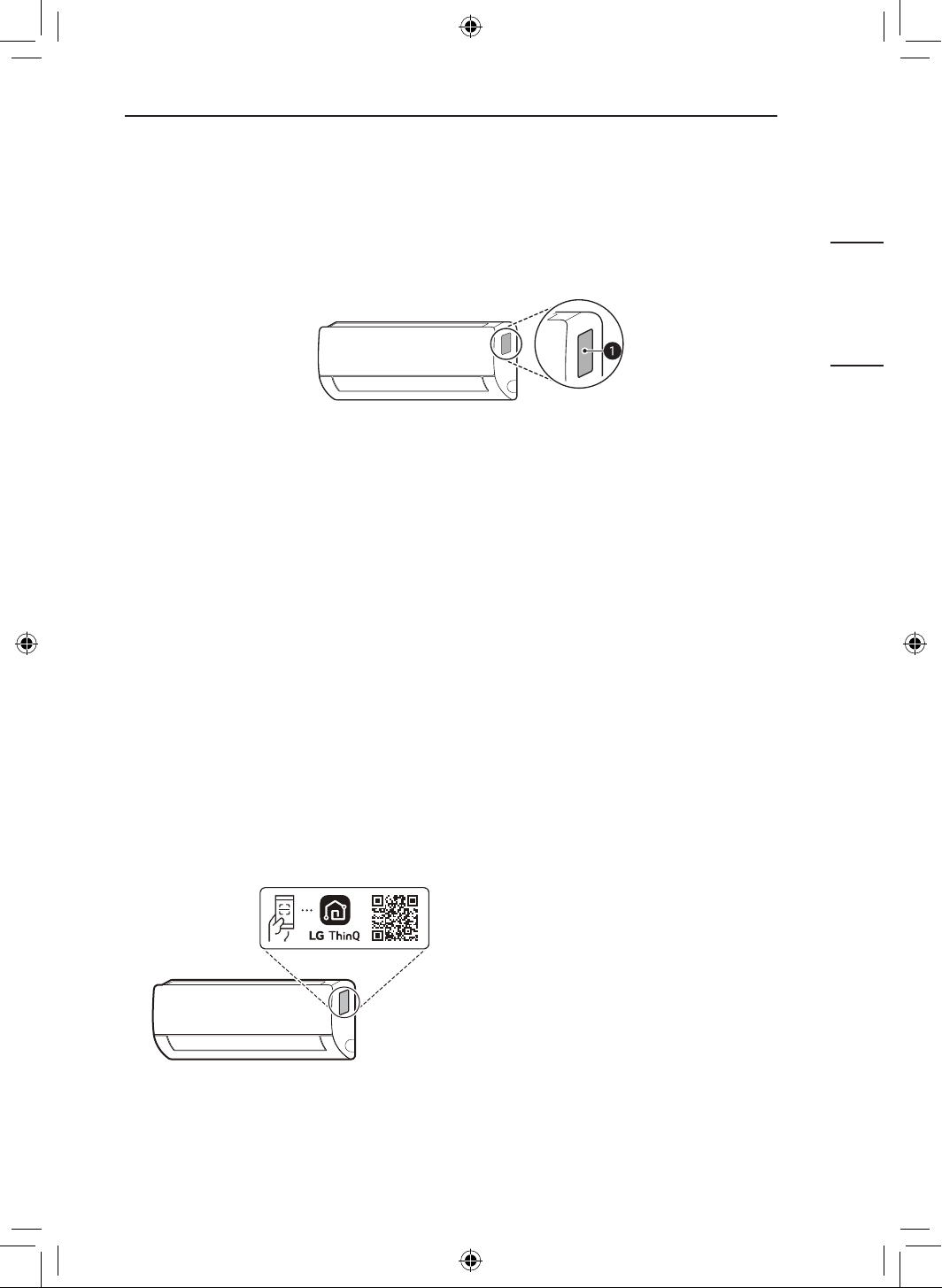
a
Etiqueta
2
Buscando el nombre del modelo en www.lg.com.
NOTA
• La imagen podría variar dependiendo del producto.
Instalación de la aplicación LG ThinQ y conexión
de un electrodoméstico LG (en algunos modelos)
NOTA
• Esta característica solo está disponible en modelos con Wi-Fi.
Modelos con código QR
Escanee el código QR adjunto al producto
utilizando la cámara o una aplicación lectora de
códigos QR de su smartphone.
Modelos sin código QR
Busque la aplicación LG ThinQ en la tienda
Google Play o App Store e instálela en su
teléfono inteligente.
Ejecute la aplicación LG ThinQ e inicie sesión
con su cuenta existente o cree una cuenta LG
para iniciar sesión.
Toque el botón para agregar (~) de la aplicación
LG ThinQ para conectar su electrodoméstico
LG. Siga las instrucciones de la aplicación para
completar el proceso.
4
FUNCIONAMIENTO
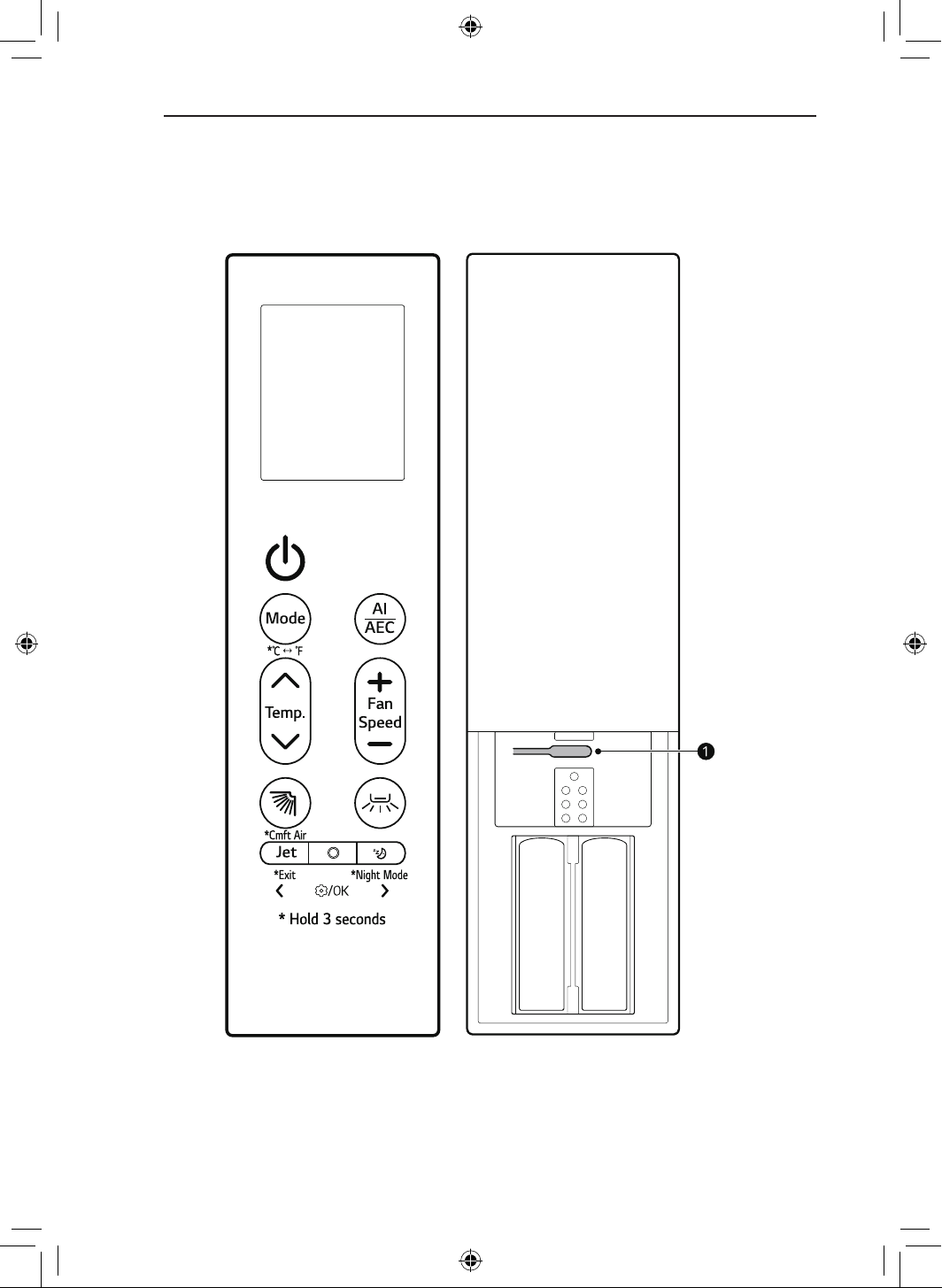
CONTROL REMOTO INALÁMBRICO
Puede operar el electrodoméstico con mayor comodidad utilizando el control remoto inalámbrico.
Para obtener instrucciones más detalladas, consulte el manual web.
NOTA
• De acuerdo con el modelo, es posible que algunas funciones no sean compatibles.
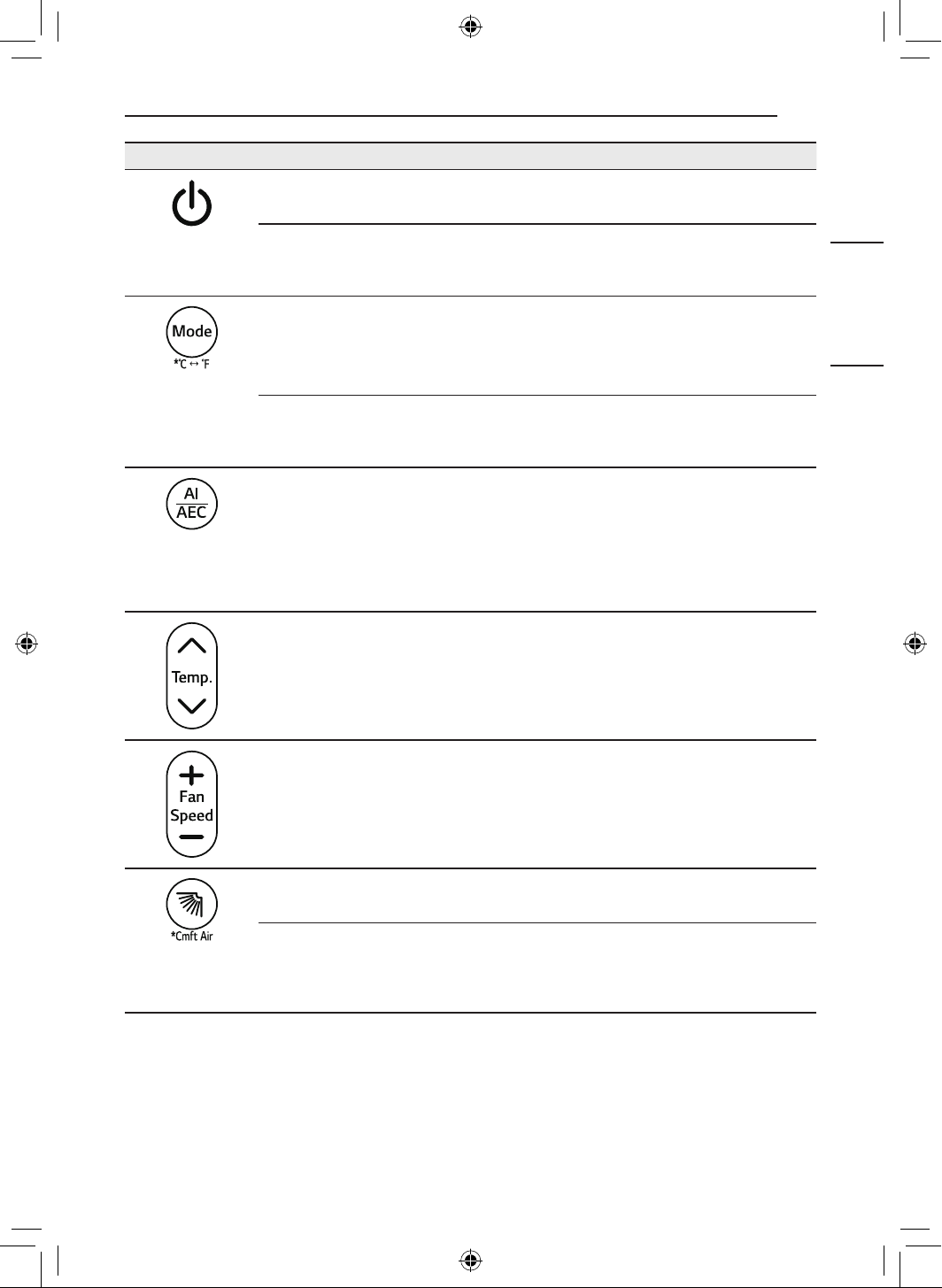
5
FUNCIONAMIENTO
ESPAÑOL
Imagen Descripción
Encendido
Enciende o apaga el electrodoméstico.
Conexión con LG ThinQ
Mantenga presionado el botón Encendido por unos 3 segundos para preparar la
conexión del electrodoméstico y Wi-Fi.
Mode
Selecciona el modo de funcionamiento que desee.
• Cada pulsación cambia los modos en el siguiente orden: Refrigeración ~
Automático ~ Deshumidificación ~ Calefacción ~ Ventilador
7 & 8
Mantenga pulsado el botón Mode por 3 segundos aproximadamente para
cambiar las unidades entre 7 y 8
AI/AEC
Seleccione AI Smart Care o Control de energía activa para disminuir la entrada
de corriente eléctrica.
NOTA
• Cuando está conectado a la unidad exterior Multi, Control de energía activa
función podría no ser compatible.
Temperatura J, K
Ajusta la temperatura de ambiente deseada.
Fan Speed ~, !
Ajusta la velocidad del ventilador.
y (Barrido arriba-abajo)
Ajusta la dirección del flujo de aire hacia arriba o hacia abajo.
Cmft Air
Mantenga presionado el botón y por unos 3 segundos para ajustar la dirección
del flujo de aire. Esto le ayudará a minimizar el contacto directo con el fujo de
aire.
6
FUNCIONAMIENTO
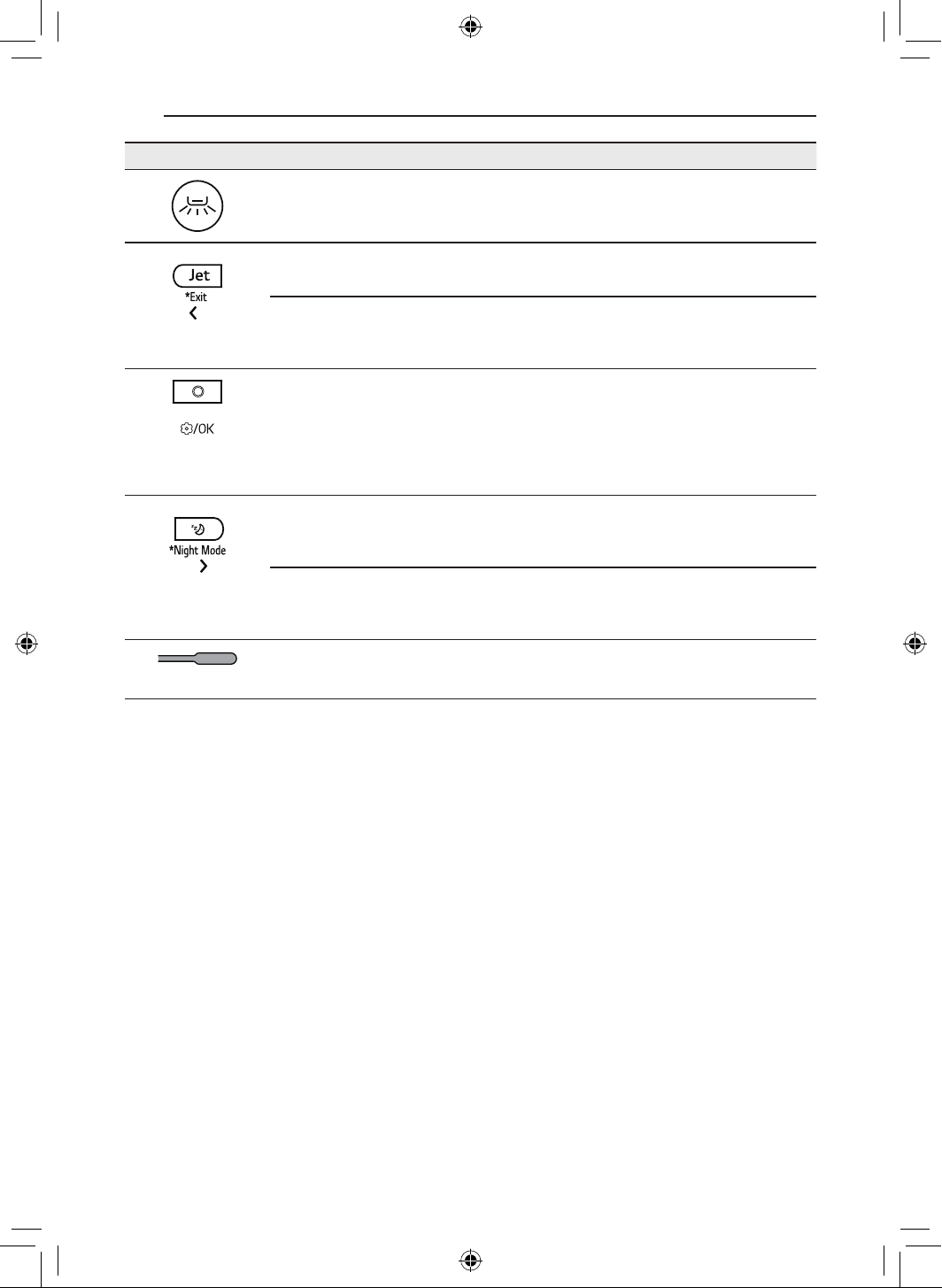
Imagen Descripción
A (Barrido izquierda-derecha)
Ajusta la dirección del flujo de aire hacia la izquierda y hacia la derecha.
Jet
Cambia la temperatura de la habitación rápidamente.
Exit
Al establecer los ajustes, mantenga presionado el botón Jet por unos 3
segundos para regresar al ajuste anterior.
Función
Selecciona la función deseada.
NOTA
• Cuando está conectado a la unidad exterior Multi, Calefacción de ambiente
baja función podría no ser compatible.
H (Sueño)
Apaga automáticamente el electrodoméstico a la hora deseada. Úselo antes de
dormir.
Night Mode
Mantenga pulsado el botón H por unos 3 segundos para apagar la pantalla y el
sonido de bip.
a
Restablecer
Restablece la configuración del control remoto inalámbrico.
7
FUNCIONAMIENTO
ESPAÑOL
NUEVAS FUNCIONES
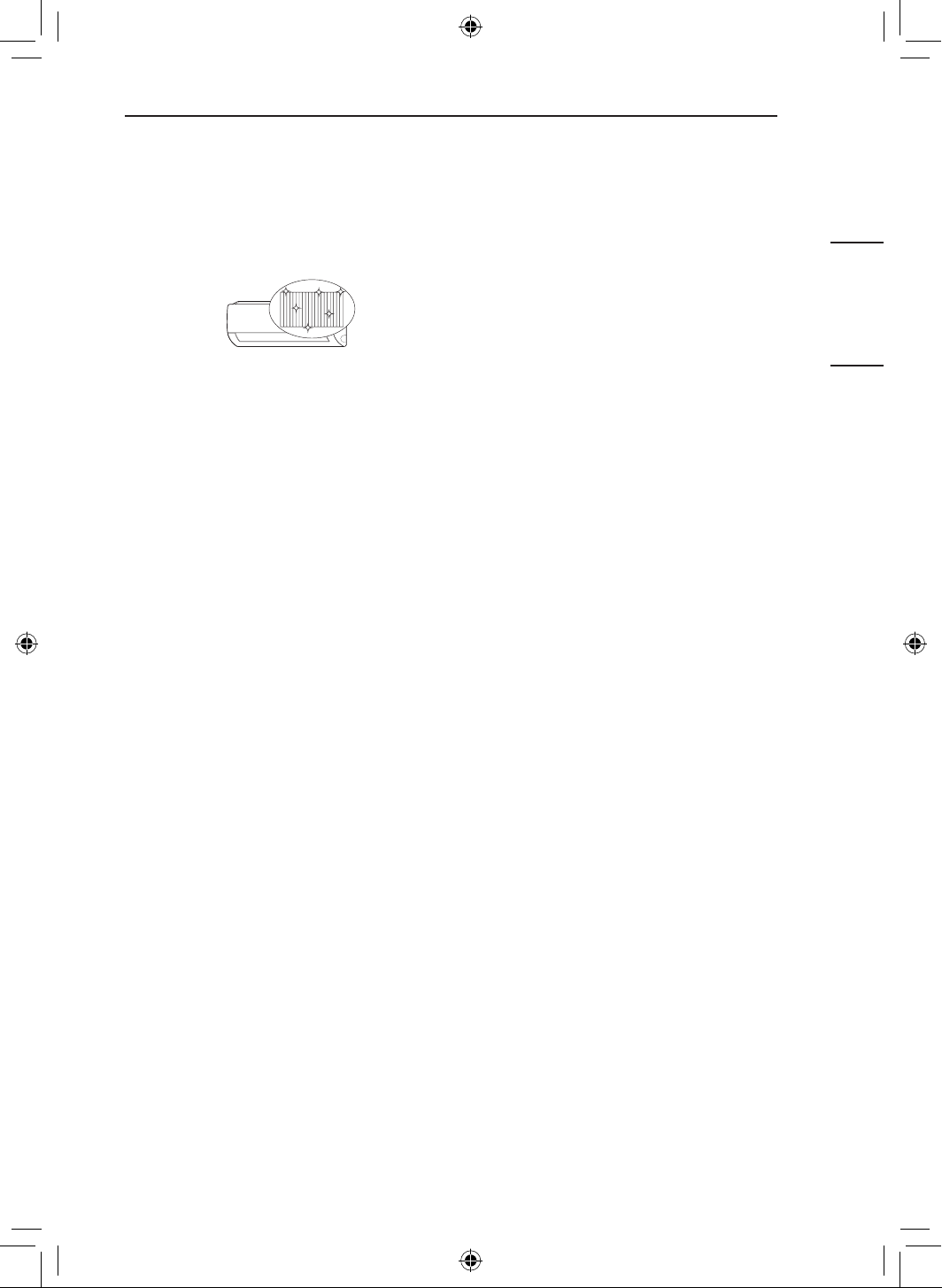
Limpieza total (En algunos
modelos/LG ThinQ)
Al congelar y descongelar repetidamente el
intercambiador de calor del aire acondicionado,
se arrastran contaminantes como el polvo y el
electrodoméstico se mantiene limpio.
Luego de la limpieza, reduce la humedad dentro
de la unidad interior.
En algunas unidades interiores, AL aparece en la
pantalla de la unidad interior.
NOTA
• La función Limpieza total finalizará cuando el
electrodoméstico se haya secado.
• Si la humedad de la habitación es alta
cuando la función Limpieza total está en
funcionamiento, el área cercana a la unidad
interior podría empañarse.
• La función Limpieza total puede ser usada
en interiores desde 70 8 (21 7) a 90 8 (32
7) y en exteriores desde 70 8 (21 7) a
99 8 (37 7). La función Limpieza total es
una función de gestión de la higiene, y no
una función de refrigeración, por lo que las
condiciones de uso podrían variar comparadas
con el rango de funcionamiento verificado del
electrodoméstico.
• Si la función Limpieza total se hace funcionar
a una temperatura fuera del rango permisible,
la función y las alarmas de la aplicación LG
ThinQ no funcionarán.
• La función Limpieza total está disponible
incluso cuando el electrodoméstico está en
funcionamiento.
• Si presiona el botón t en el electrodoméstico
o el control remoto durante Limpieza total, la
función Limpieza total se desactiva.
• Durante la Limpieza total, un ruido de “tick-
tick-” o “tack-tack” podría oírse al expandirse o
contraerse el electrodoméstico.
• Después de la Limpieza total,
el electrodoméstico se apagará
automáticamente. Cuando se enciende de
nuevo, funcionará en el modo Refrigeración.
• Si la función Temporizador se establece, la
función Limpieza total podría no funcionar
adecuadamente.
• La salida emite aire frío cuando la función
Limpieza total se activa.
• Cuando está conectado a la unidad exterior
Multi, esta función podría no ser compatible.
8
FUNCIONAMIENTO
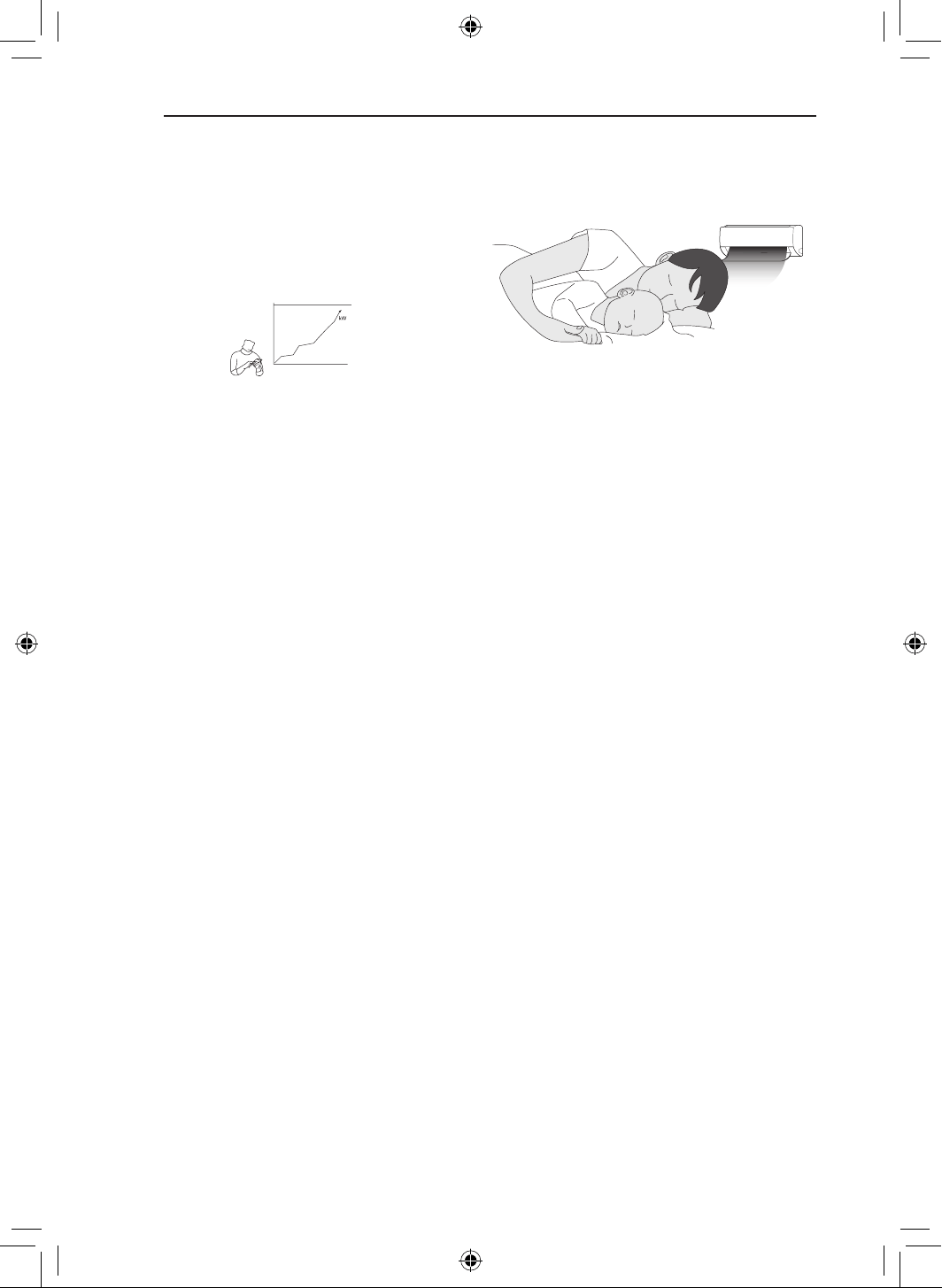
Gerente de KW (En algunos
modelos/LG ThinQ)
El consumo de energía del aire acondicionado
se ajusta automáticamente en base a una
programación y un consumo de energía objetivo
establecido por el usuario.
EO aparece en la pantalla de la unidad interior en
algunos modelos.
NOTA
• Cuando se usa la función Gerente de KW,
la producción de aire frío podría reducirse,
dependiendo de la cantidad de energía
objetivo remanente.
• Cuando el consumo de electricidad objetivo
se excede, la función Gerente de KW se
deshabilita.
• Cuando se usan los modos Calefacción y
Automático, la función Gerente de KW se
deshabilita.
• Cuando está conectado a la unidad exterior
Multi, esta función podría no ser compatible.
• El consumo de energía que se muestra a
través de la aplicación LG ThinQ podría diferir
del consumo de energía real que se muestre
en su factura de electricidad.
• La información sobre el consumo de
energía podría variar dependiendo del
electrodoméstico.
• El consumo de energía podría diferir de los
resultados medidos usando otros dispositivos
de medición.
• Dependiendo del entorno en el que se instale
el dispositivo, el consumo de energía medido
podría variar.
• El consumo de energía medido podría variar
dependiendo del entorno de consumo o el
método de consumo del electrodoméstico.
• Al establecer el tiempo de uso, el
electrodoméstico no se enciende o apaga
automáticamente.
• Incluso durante el funcionamiento de la función
Gerente de KW, la función establecida con el
control remoto se refleja en primer lugar.
• El consumo real podría ser diferente.
Sueño+ (En algunos
modelos/LG ThinQ)
Usar antes de ir a dormir. El electrodoméstico
aprenderá automáticamente y cambiará la
temperatura y la velocidad del ventilador para
crear un entorno incluso más personalizado
durante el sueño.
NOTA
• Esta función puede configurarse cuando el
electrodoméstico está encendido.
• Esta función está disponible en el modo
Enfriamiento.
• Cuando está conectado a la unidad exterior
Multi, esta función podría no ser compatible.
9
DESCRIPCIÓN GENERAL DEL PRODUCTO
ESPAÑOL
CONSEJO ÚTIL
Funcionamiento manual
Si su control remoto inalámbrico no está
disponible, puede encender o apagar el
electrodoméstico con el botón ENCENDIDO
a
en la unidad interior.
1
Abra el deflector ascendente-descendente.
2
Pulse el botón de Encendido
a
.
DESCRIPCIÓN
GENERAL DEL
PRODUCTO
Montado a la pared
a
Filtro de aire
b
Conductos de entrada de aire
c
Cubierta delantera
d
Conductos de salida de aire
e
Deflector de aire (aleta ascendente-
descendente)
f
Deflector de aire (rejilla izquierda y
derecha)
g
Botón de encendido
NOTA
• El número y la ubicación de las piezas pueden
variar según el modelo de electrodoméstico.
• Las características pueden variar según el tipo
de modelo.
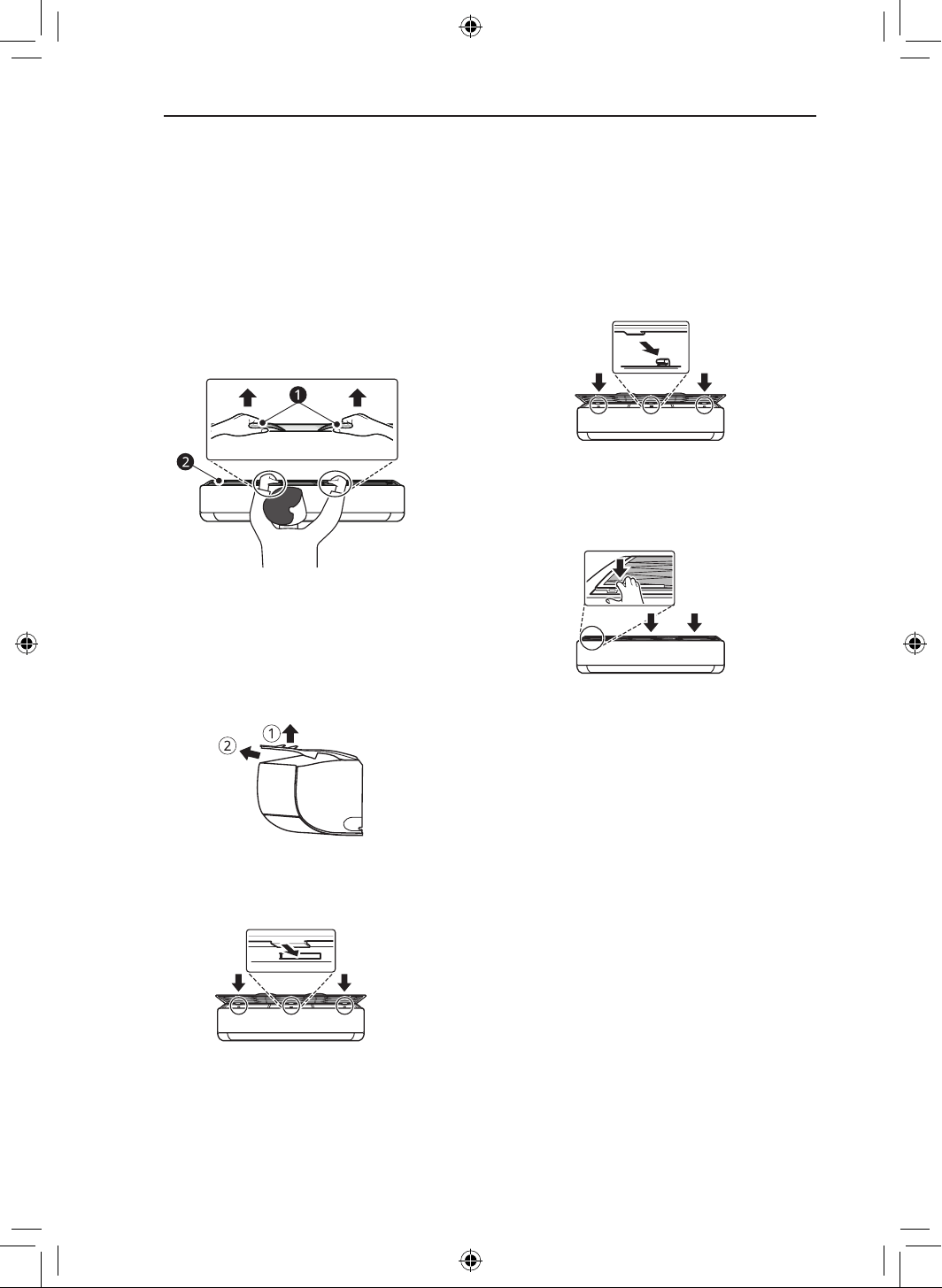
10
MANTENIMIENTO
MANTENIMIENTO
Eliminación y reemplazo del filtro de aire
1
Desconecte la electricidad del
electrodoméstico.
2
Coloque las perillas del filtro de aire en la
parte superior delantera del producto.
a
Perillas
b
Filtro de aire
3
Tire ligeramente hacia arriba de las perillas
y, a continuación, levante el filtro completo
para retirarlo.
4
Inserte los ganchos en las ranuras de la
parte trasera del panel delantero del filtro
de aire.
5
Tire de los ganchos hacia abajo hasta que
encajen en su sitio.
6
Para asegurarse de que el filtro esté
montado correctamente, presione hacia
abajo a lo largo de toda la parte delantera
del filtro.
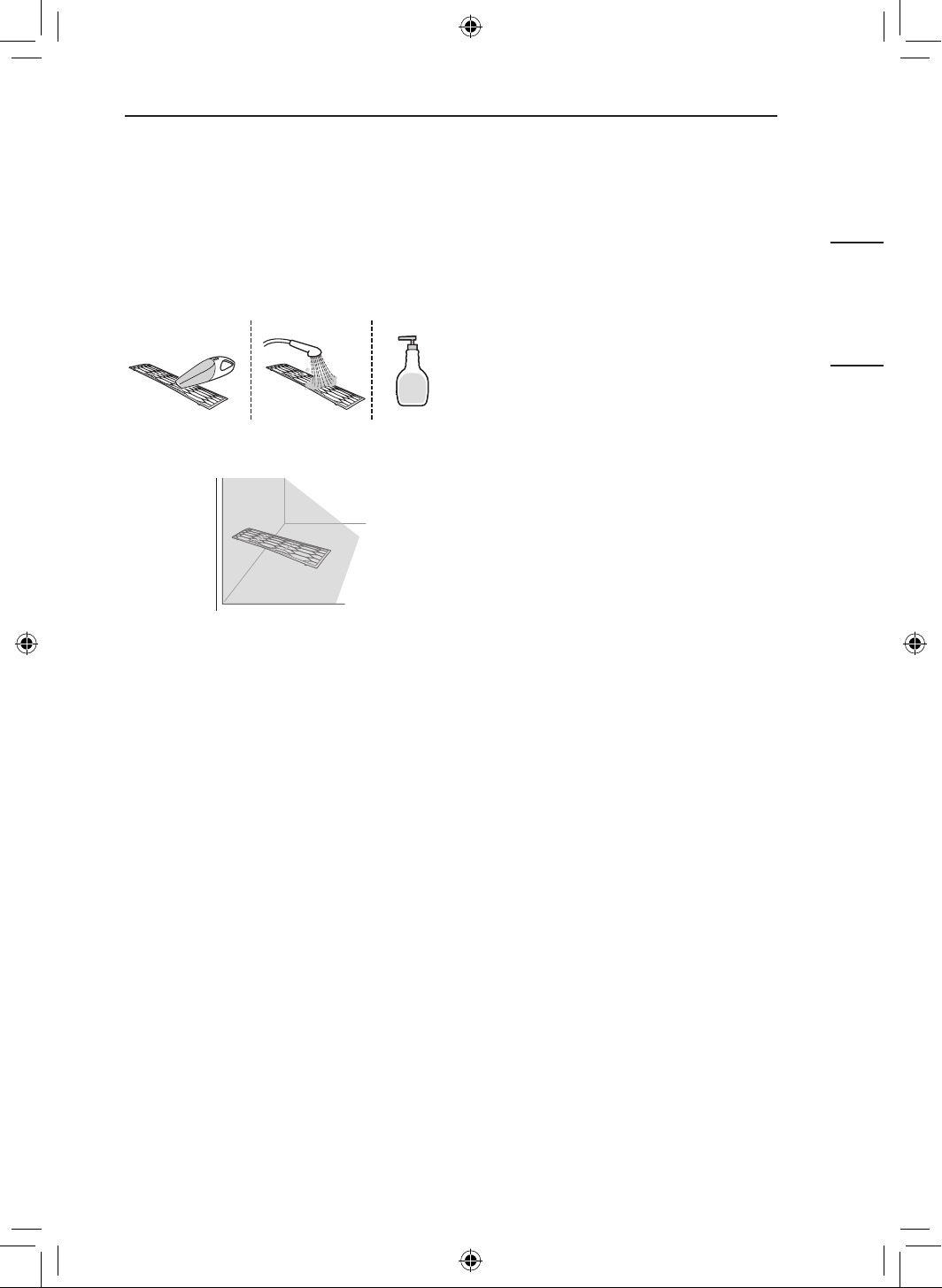
11
MANTENIMIENTO
ESPAÑOL
Limpieza del filtro de
aire
1
Retire el filtro de aire del electrodoméstico.
2
Limpie el filtro con una aspiradora o con
agua tibia con detergente neutro.
3
Deje secar el filtro a la sombra.
NOTA
• Limpie los filtros de aire cada 2 semanas o con
más frecuencia si es necesario.
• No doble el filtro de aire, ya que se puede
romper.
• No haga funcionar el electrodoméstico sin el
filtro en su lugar.
• Monte el filtro de aire correctamente para
evitar que el polvo y otras sustancias entren
en el producto.
12
SOLUCIÓN DE PROBLEMAS
SOLUCIÓN DE PROBLEMAS
Antes de llamar al servicio técnico
Verifique lo siguiente antes de comunicarse con el centro de servicio. Si el problema persiste, póngase
en contacto con el centro de servicio local.
Función de autodiagnóstico
Este electrodoméstico tiene incorporada una función de Autodiagnóstico. Si se produce un error, la luz
de la unidad interior parpadeará en intervalos de 2 segundos. Si esto ocurre, póngase en contacto con
su distribuidor o centro de servicio local.
El electrodoméstico no funciona normalmente.
• La unidad emite olor a quemado y ruidos extraños.
• Sale agua de la unidad interior, incluso cuando el nivel de humedad es bajo.
• El cable de alimentación está dañado o genera un calor excesivo.
• Un interruptor, un disyuntor (de seguridad o a tierra) o un fusible no funciona correctamente.
• La unidad genera un código de error a partir del autodiagnóstico.
− Apague el electrodoméstico, apague o desconecte el suministro de electricidad y comuníquese
con el centro de servicio técnico.
• Se activa un sistema de detección de fugas de refrigerante R32.
− Si aparecen códigos de error como 228, 229 y 230, ventile la habitación y póngase en contacto
con el personal autorizado inmediatamente.
− Si hay un código de error de 236, el detector de fugas de refrigerante dispone de una vida útil de
menos de 6 meses. Póngase en contacto con personal autorizado inmediatamente.
No se puede ajustar la velocidad del ventilador.
• Está seleccionado el modo Alta potencia o el modo Funcionamiento automático.
− En algunos modos de funcionamiento, no se puede ajustar la velocidad del ventilador. Seleccione
un modo de funcionamiento en el que se pueda ajustar la velocidad del ventilador.
No se puede ajustar la temperatura.
• Está seleccionado el modo Alta potencia o el modo Ventilador.
− En algunos modos de funcionamiento, no es posible ajustar la temperatura. Seleccione un modo
de funcionamiento en el que se pueda ajustar la temperatura.
El electrodoméstico no funciona.
• El electrodoméstico está desenchufado.
− Compruebe que el cable de alimentación esté enchufado al tomacorriente y que los interruptores
estén encendidos.
• Un fusible se fundió o el suministro de electricidad está bloqueado.
− Reemplace el fusible o compruebe si no se activó el disyuntor.
• Se ha producido una falla en el suministro eléctrico.
− Apague el electrodoméstico cuando se produzca un corte de energía.
− Cuando vuelva la electricidad, espere tres minutos y luego vuelva a encenderlo.
13
SOLUCIÓN DE PROBLEMAS
ESPAÑOL
• El voltaje es demasiado alto o demasiado bajo.
− Compruebe si se activó el disyuntor.
• El electrodoméstico se apagó automáticamente a una hora predeterminada.
− Encienda el electrodoméstico.
• La configuración de las baterías es incorrecta en el control remoto inalámbrico.
− Asegúrese de que las baterías estén colocadas correctamente en el control remoto inalámbrico.
− Si las baterías están colocadas correctamente y el electrodoméstico sigue sin funcionar,
reemplace las baterías y vuelva a intentarlo.
El electrodoméstico no emite aire frío.
• El aire no circula correctamente.
− Asegúrese de que no haya cortinas, persianas ni muebles que bloqueen el frente del
electrodoméstico.
• El filtro de aire está sucio.
− Limpie el filtro de aire cada dos semanas.
− Para obtener más información, consulte la sección “Limpieza del filtro de aire”.
• La temperatura de la habitación es demasiado alta.
− En verano, enfriar totalmente el aire del interior puede demorar. En este caso, seleccione el modo
Alta potencia para enfriar el aire del interior rápidamente.
• El aire frío se escapa de la habitación.
− Asegúrese de que el aire frío no se escape a través de los puntos de ventilación de la habitación.
• La temperatura deseada es mayor que la temperatura actual.
− Configure la temperatura deseada en un nivel inferior que la temperatura actual.
• Hay una fuente de calor en las cercanías.
− Evite el uso de generadores de calor, como hornos eléctricos o estufas de gas, mientras el aire
acondicionado está en funcionamiento.
• Está seleccionado el modo Ventilador.
− En el modo Ventilador, el aire sale del electrodoméstico sin refrigerar o calentar el aire interior.
− Cambie el modo de operación a Enfriamiento.
La unidad interior sigue funcionando incluso cuando se ha apagado el
electrodoméstico.
• Se está ejecutando la función Limpieza automática+.
− Permita que la función Limpieza automática+ continúe, ya que elimina cualquier resto de
humedad dentro de la unidad interior. Si no desea que se ejecute esta función, puede apagar la
unidad interior.
El electrodoméstico no emite aire caliente.
• Cuando se inicia el modo Calefacción, el deflector está casi cerrado y no sale aire, a pesar de que la
unidad exterior está en funcionamiento.
− Esto es normal. Espere hasta que la unidad haya generado suficiente aire caliente como para
soplarlo a través de la unidad interior.
• La unidad exterior está en modo Descongelamiento.
− En el modo Calefacción, cuando la temperatura exterior baja, se genera hielo/escarcha en las
serpentinas. La función Descongelamiento elimina la capa de escarcha de la serpentina y debe
terminar en aproximadamente 15 minutos.
14
APÉNDICE
APÉNDICE
Software de código abierto
Para obtener el código fuente bajo GPL, LGPL, MPL y otras licencias de código abierto que tienen la
obligación de divulgar el código fuente, que está contenido en este producto, y para acceder a todos
los términos de la licencia, avisos sobre derechos de autor y otros documentos relevantes, visite https://
opensource.lge.com.
LG Electronics también le proporcionará el código abierto en un CD-ROM por un costo que cubra los
gastos de dicha distribución (como el costo del medio, del envío y de la manipulación) una vez realizado
el pedido por correo electrónico a la dirección [email protected].
Esta oferta es válida para todo aquel que reciba esta información durante un período de tres años
después de que se envíe el último cargamento de este producto.
15
GARANTÍA LIMITADA
ESPAÑOL
GARANTÍA LIMITADA
EE. UU.
TÉRMINOS Y CONDICIONES
AVISO DE ARBITRAJE: ESTA GARANTÍA LIMITADA CONTIENE UNA DISPOSICIÓN DE ARBITRAJE
QUE EXIGE QUE USTED Y LG ELECTRONICS ("LG" DE AQUÍ EN ADELANTE) RESUELVAN
LOS CONFLICTOS MEDIANTE UN ARBITRAJE VINCULANTE EN LUGAR DE HACERLO ANTE
TRIBUNALES, A MENOS QUE DECIDA NO PARTICIPAR. EN EL ARBITRAJE, LAS DEMANDAS
COLECTIVAS Y LOS JUICIOS POR JURADOS NO ESTÁN PERMITIDOS. CONSULTE LA SECCIÓN
TITULADA "PROCEDIMIENTO PARA RESOLVER CONFLICTOS" A CONTINUACIÓN.
PROCEDIMIENTO PARA RESOLVER CONFLICTOS:
TODOS LOS CONFLICTOS ENTRE USTED Y LG QUE SURJAN EN RELACIÓN CON ESTA
GARANTÍA LIMITADA O CON EL PRODUCTO SE RESOLVERÁN EXCLUSIVAMENTE A TRAVÉS
DE UN ARBITRAJE VINCULANTE Y NO ANTE UN TRIBUNAL DE JURISDICCIÓN GENERAL.
"ARBITRAJE VINCULANTE" SIGNIFICA QUE USTED Y LG RENUNCIAN AL DERECHO DE UN
JUICIO CON JURADO Y A REALIZAR O PARTICIPAR EN UNA DEMANDA COLECTIVA.
Definiciones. Para el propósito de esta sección, las referencias a “LG” significan: LG Electronics
U.S.A., Inc., sus empresas matrices, subsidiarias y filiales y cada uno de sus directivos, directores,
empleados, agentes, beneficiarios, predecesores en interés, sucesores, cesionarios y proveedores; las
referencias a “conflicto” o “reclamo” incluirán cualquier conflicto, reclamo o controversia de cualquier
tipo (ya sea basado en contrato, agravio, estatuto, regulación, ordenanza, fraude, falsa representación
o cualquier teoría legal o equitativa) que esté relacionada con cualquier forma de venta, condición o
rendimiento del producto o de esta Garantía limitada.
Aviso de conflicto. En caso de que usted desee iniciar un procedimiento de arbitraje, primero debe
notificar a LG por escrito al menos 30 días antes de iniciar el arbitraje; este aviso se presentará por
carta a LG y se enviará a LG Electronics, USA, Inc., a la atención de Legal Department- Arbitration 111
Sylvan Avenue, Englewood Cliffs, NJ 07632. Usted y LG aceptan participar en discusiones de buena fe
en un intento de resolver su reclamo de manera amistosa. En la carta debe indicar su nombre, dirección
y número de teléfono, identificar el producto objeto del reclamo, y describir la naturaleza del reclamo y
la solución que busca. Si usted y LG no pueden resolver el conflicto en un plazo de 30 días, cualquiera
de las partes puede proceder a presentar una demanda de arbitraje.
Acuerdo de arbitraje vinculante y renuncia de demanda colectiva. En caso de no resolver el
conflicto durante el período de 30 días después de enviar una notificación por escrito a LG, usted y
LG se comprometen a resolver cualquier reclamo solamente a través de arbitraje vinculante sobre
una base individual, a menos que usted se excluya, conforme a lo dispuesto a continuación. Cualquier
conflicto entre usted y LG no se combinará ni consolidará con un conflicto relacionado con cualquier
otro producto o reclamo de otra persona o entidad. Específicamente y sin perjuicio de lo anterior,
no procederá bajo ninguna circunstancia cualquier conflicto entre usted y LG como parte de una
demanda colectiva o representativa. En lugar del arbitraje, cualquiera de las partes podrá iniciar una
acción individual ante un tribunal de reclamos menores, pero tales acciones en el tribunal de reclamos
menores no podrán tomarse en una demanda colectiva o representativa.
16
GARANTÍA LIMITADA
Normas y procedimientos de arbitraje. Para comenzar con el arbitraje de un reclamo, usted o LG
deben presentar una demanda escrita para arbitraje. El arbitraje será administrado por la Asociación
Americana de Arbitraje (AAA) y se llevará a cabo ante un árbitro único de conformidad con las Normas
de Arbitraje del Consumidor de la AAA, que tienen efecto al momento de inicio del arbitraje (en adelante,
las “Normas de la AAA”) y según los procedimientos establecidos en esta sección. Las Normas de la
AAA están disponibles en línea en www.adr.org/consumer. Envíe una copia de su solicitud de arbitraje
por escrito, así como una copia de esta disposición, a la AAA de la forma descrita en las Normas de la
AAA. También debe enviar una copia de su solicitud por escrito a LG en LG Electronics, USA, Inc., a
la atención de Legal Department- Arbitration 111 Sylvan Avenue, Englewood Cliffs, NJ 07632. Si hay
un conflicto entre las Normas de la AAA y las reglas establecidas en esta sección, prevalecerán las
reglas de esta sección. Esta disposición de arbitraje se rige por la Ley Federal de Arbitraje. El juicio se
puede introducir en el laudo arbitral en cualquier tribunal de jurisdicción competente. El árbitro tomará
su decisión en todas las cuestiones, excepto aquellos asuntos relativos al alcance y aplicabilidad de la
cláusula de arbitraje y de la capacidad de arbitraje del conflicto para que el tribunal determine. El árbitro
se regirá por los términos de esta disposición.
Legislación vigente. La legislación del estado de su residencia regirá esta Garantía limitada, así
como todos los conflictos entre nosotros, salvo que sea invalidada o incoherente con leyes federales
aplicables.
Tarifas/costos. No debe pagar ninguna tarifa para iniciar un arbitraje. Al recibir su solicitud de arbitraje
por escrito, LG pagará todos los gastos administrativos rápidamente a la AAA, a menos que usted
solicite más de $25.000,00 por daños, en cuyo caso el pago de estos gastos se regirá por las Normas
de la AAA. Salvo disposición contraria prevista en el presente documento, LG pagará a la AAA todos
los gastos documentales, administrativos y de arbitraje para cualquier arbitraje iniciado, de conformidad
con las Normas de la AAA y esta disposición de arbitraje. Si usted prevalece en el arbitraje, LG cubrirá
los honorarios y gastos de sus abogados, siempre y cuando sean razonables, de conformidad con
ciertos factores que incluyen, entre otros, el monto de la compra y el monto del reclamo. No obstante lo
indicado, si la ley aplicable permite una adjudicación de honorarios y gastos razonables de abogados,
un árbitro puede otorgarlos en la misma medida que lo haría un tribunal. Si el árbitro considera que el
fondo de su reclamo o la reparación solicitada en la demanda es frívola o se utiliza para un propósito
inadecuado (calificado según las normas establecidas en la Norma Federal de Procedimiento Civil 11
(b)), el pago de todos los honorarios de arbitraje se regirá por las Normas de la AAA. En tal situación,
usted se compromete a reembolsar a LG todos los fondos que haya erogado previamente, cuyo pago
es, por otra parte, su obligación según las Normas de la AAA. Salvo disposición contraria, LG renuncia
a cualquier derecho que pudiera tener para solicitarle los honorarios y gastos de sus abogados, si LG
prevalece en el arbitraje.
Audiencias y ubicación. Si su reclamo es por $25.000 o menos, puede optar por que el arbitraje sea
realizado únicamente sobre la base de lo siguiente: (1) documentos presentados al árbitro; (2) a través
de una audiencia telefónica; o (3) mediante una audiencia presencial, según lo establecido por las
Normas de la AAA. Si su reclamo excede los $25.000, el derecho a una audiencia estará determinado
por las Normas de la AAA. Cualquier audiencia de arbitraje presencial se realizará en un lugar dentro
del distrito judicial federal en el cual resida, a menos que ambas partes acuerden llevarla a cabo en otra
ubicación o mediante un arbitraje telefónico.
Exclusión. Puede excluirse de este procedimiento de resolución del conflicto. Si se excluye, ni usted
ni LG pueden solicitar al otro que participe en un procedimiento de arbitraje. Para excluirse, debe
enviar una notificación a LG en un plazo de hasta 30 días continuos a partir de la fecha de la primera
compra del consumidor del producto, por alguno de estos medios: (i) el envío de un correo electrónico
a [email protected] con el siguiente Asunto: “Exclusión del arbitraje”; o (ii) por teléfono si llama al 1-800-
980-2973. Debe incluir la siguiente información en el correo electrónico de exclusión o suministrarla
por teléfono: (a) su nombre y dirección; (b) la fecha en la cual se compró el producto; (c) el nombre o el
número del modelo del producto; y (d) el número de serie (puede encontrarse (i) en el producto o (ii) en
el sitio https://www.lg.com/us/support/repair-service/schedule-repair-continued al hacer clic en “Find My
Model & Serial Number” [Buscar mi modelo y número de serie]).
Solo puede excluirse del procedimiento de resolución de conflictos en la forma descrita anteriormente
(es decir, por correo electrónico o por teléfono); ninguna otra forma de notificación será efectiva para
hacerlo. Excluirse de este procedimiento de resolución de conflictos no afectará de ninguna manera
la cobertura de la Garantía limitada, por lo que usted continuará disfrutando de todos sus beneficios.
Si conserva este producto y no se excluye, acepta todos los términos y condiciones de la cláusula de
arbitraje descrita anteriormente.
Memorándum
17
US
Please call the installing contractor of your product, as warranty service will be
provided by them.
CANADA
Service call Number # : (888) LG Canada, (888) 542-2623
Numéro pour les appels de service : LG Canada, 1-888-542-2623