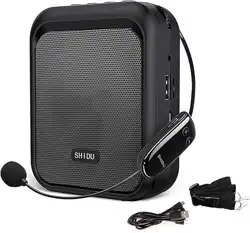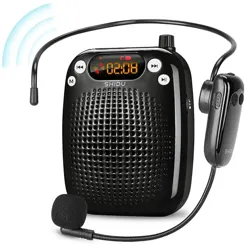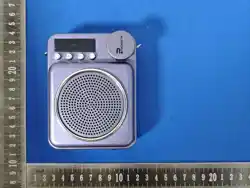

Operation
Manual
G6/SW006/X3/XF/X12/XS/G7
Before using this product, please read this manual
carefully and follow the instructions to operate the
product correctly.

◆
Safety precautions
1. Please read this instruction carefully and keep it properly.
2. Please use the accessories specified by the manufacturer.
3. Please install according to the connection instructions in
the manual.
4, it is recommended to use this product in -10℃-45℃
environment.
5, do not put the product and accessories near the fire
source or any overheating environment.
6, do not touch the product and accessories with water, do
not use the product near the water, do not immerse the
product in any liquid, to avoid the product and accessories
by water droplets or splashing.
7. Do not open or disassemble or repair the battery module
by yourself. If the battery is improperly replaced, there will
be explosion risk.
8. This product is charged by the external power adapter
(DC5V power supply). After charging, please unplug the
power supply or power socket in time to disconnect the
power grid.
9. When users do not use the product temporarily, please
turn the power switch of the product to the critical state to
avoid the loss of battery power.
10. In inflammable and explosive areas, please close the
product and follow the relevant labeling instructions to
avoid causing explosion or fire.
11. If the battery is not replaced properly, it can only be
replaced with the same type or equivalent type of battery.
12, the battery shall not be exposed to sunlight, fire or
similar overheating environment.
13. The altitude and climatic conditions applicable to this
product are determined by the power supply equipment
selected.
This product is sold without a power adapter. If you use a
power adapter to charge, you should purchase a power
adapter that has obtained the CCC certification.
This product contains rechargeable batteries.
◆
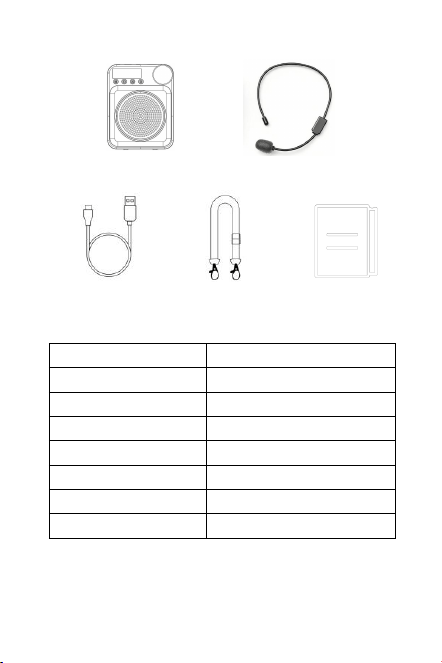
Packing list
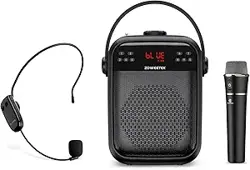
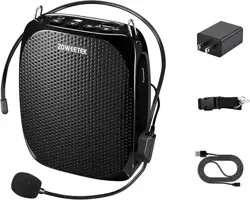
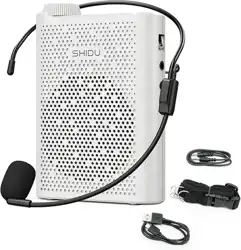
Loudspeaker wireless microphone
Tpye-C charge Lanyard Specification
◆Specification parameter
Note: 1. The above parameters are based on the experimental data of
the department.
2, with the actual use of different conditions, the parameters will
change.
Bluetooth Core
5.0
Frequency response
150Hz-20KHz
SNR
≥75dB
Distortion
2-5%
Charger pecification
5V-1A
Battery
18650Rechargeable Battery
Operating emperature
-10℃-45℃
Bluetooth range
10m(no object)
◆
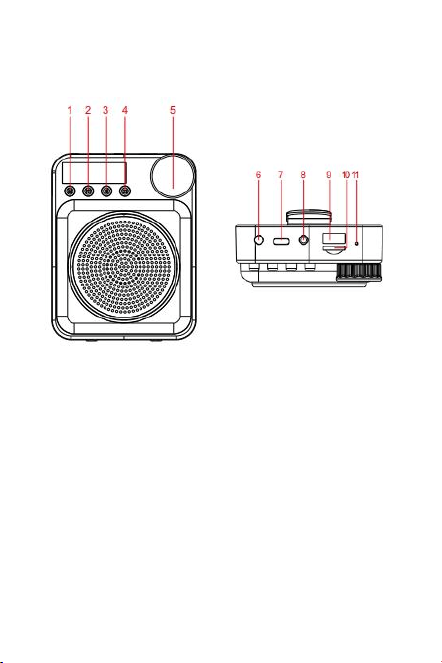
Function introduction
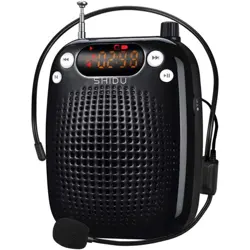
1、Menu(M)
2、Prev/Echo-
3、Play/Pause
4、Next/Echo+
5、Power/Volume knob
6、AUX jack
7、Type-c jack
8、MIC jack
9、USB Flash Drive jack
10、Micro TF jack
11、Charging indicator

◆
Instructions for use
Function
1、Menu(M)
Tap to switch between Bluetooth mode and microphone
mode; If there is a U disk /TF card, long press to record mode.
2、Prev/Echo-
Short press the previous song; Long press reverberation reduction
(sound amplification mode takes effect).
3、Play/Pause
Press while playing music to implement the play/pause
function.
4、Next/Echo+
Short press the next song; Press and hold reverberation Plus
(sound amplification mode takes effect).
5、Power/Volume knob
Press and hold the switch for 3 seconds; The encoder knob
rotates indefinitely, U16 hears the "ding" sound, which means
the highest volume, U01 means the least sound.
7、Type-c jack
Use a Type-c charging cable to charge. A 5V1A charging
head is recommended.
8、MIC jack
In the standby state, insert the plug end of the attached
microphone into the microphone jack, and put the other end on
the head to enter the amplification mode.
9、USB Flash Drive jack
USB disk inside store MP3\WMA format files, plug in can be
played directly.
10、Micro TF jack
TF card surface store MP3\WMA format files, plug in can be
played directly.
11、Charging indicator
The charging red light goes on and the full red light goes
off.

Mode
1. Bluetooth pairing
① After startup, press the function key (M) to start
Bluetooth mode. The display is blinking BLUE.
② Bluetooth name: G6
③ Open the Bluetooth pairing of the phone, select the
device name: G6, and click Connect. After the connection is
successful, the BLUE is steady on.
2、ECHO
When using microphone amplification, long press the
previous song or the next song to adjust the amount of
reverberation.
3、Microphone recording
1,Plug in the U disk /TF card, plug in the microphone.
2,long press the M key, prompting to start recording.
3,After the recording is finished, press the M key to play
the recording.
4, If you need to record more than one recording, repeat
steps 2 and 3.
When playing a recording, you can select the previous
one and press the Play key to delete the current recording.
4、Bluetooth recording
Record music played by Bluetooth to the memory card.
1,Plug in the U disk /TF card and connect the phone to
Bluetooth.
2,when playing mobile phone songs, long press the M
key to start recording.
3, Press the M key to end recording and continue playing
music.
4,If you need to record more than one piece of music,
repeat steps 2 and 3.
5、Single cycle
When playing music, double click the play button to set
the single cycle; Double-click again to resume all playback.

◆
Precautions for use
1. in order to achieve the best effect of microphone
amplification, please place the microphone head in front of
the mouth 1-2cm to the microphone head pronunciation, if
there is a loud, can be appropriate to reduce the volume or
the distance between the machine and the head slightly
apart, to prevent mutual interference;
2. If the product needs to be fixed on the wall or ceiling,
please ensure that it is fixed in place to prevent the product
from falling due to insufficient fixed strength
3.please do not dismantle the machine, refit or repair, in
order to prevent personal injury,
4.use the volume is too high, may cause hearing damage,
please adjust the volume to a safe level.
5. try to avoid frequent plug and plug microphone jack, so
as not to cause loose socket and poor contact, do not insert
the microphone and sound source wrong.
6.in order to ensure the life of the lithium battery, it is
recommended to charge after use, frequent charging will
accelerate the aging of the battery chip, long time when
not used, should be charged every two months.
7. because the magnetic horn is strong, can not put the
machine and bank card with magnetic things together, so
as not to cause the loss of magnetic and unnecessary
trouble.
8. All the accessories of this product are designed
according to the working needs of this machine. If you
need to replace the accessories, try to use the original
accessories of our company to achieve the best working
condition.
9. This product may become slightly hot during charging
and normal use, which is a normal phenomenon.
10. Please use antistatic soft cloth to clean and wipe the
product. Please turn off the power switch and disconnect all
external connections when cleaning the product. Do not
wipe with chemical substances (such as alcohol, benzene
and other chemical lotion or scrub cleaning agent);
11. Please do not fall, throw or step on the product. Please
do not disassemble the product without permission,
otherwise you cannot enjoy the company's free warranty
service.

◆Product warranty instructions
In order to let you better enjoy our company's services,
please read the following details, the company's product
warranty service is provided by the authorized technical
service center. The warranty period and the "Three
Guarantees" period of validity of this product are from the
date of sale, and within the "three Guarantees" period of
validity. If the product fails under normal conditions, it can
be repaired, replaced or returned according to the
provisions of "Three Guarantees". During the warranty
period, the product can enjoy free maintenance service in
the authorized technical service center in accordance with
the content of this warranty clause (the random accessories
are not within the scope of warranty).
The warranty period of this product is one year
During the warranty period (including the validity period of
"Three Guarantees"), paid maintenance service will be
implemented under the following circumstances, while the
"three guarantees" service will not be enjoyed:
1. The original valid warranty card and valid invoice cannot
be presented
2. The date of purchase, the name of the sales unit (valid
with seal) and other items are not completely filled in or the
warranty card is altered.
3. Failure and damage caused by irresistible natural
disasters.
4. Failure and damage caused in the process of
transportation and unloading.
5. Human failure caused by failure to operate according to
the operation methods and precautions written in the
Product Instruction Manual.
6. Failure caused by disassembly, maintenance and
modification of products without authorization of the
Company.
When warranty is required, please send the machine
together with this warranty card (original) and purchase
certificate (copy) to the authorized technical service center.
The freight shall be borne by the user.
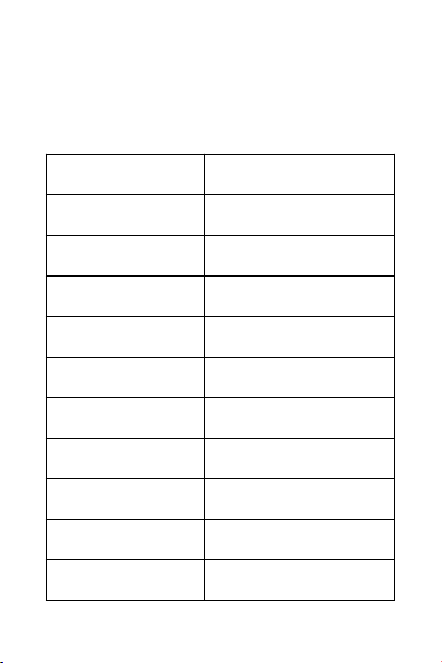
Product warranty card
Please fill in this card and keep it when you purchase the
product.
User profile
Name
Gender
Address
Zip code
Phone
Place of purchase
Date of purchase
Specification
Order number
Dealer's signature
User signature
Dealer's seal
Note:
Some features and functions of the product and
accessories described in this note are for reference only.
Huizhou Shuwen Electronics Co., Ltd. reserves the right to
modify any information in this manual at any time without
any prior notice and without any liability.
Unsecured statement:
Except as required by applicable law, no warranty of any
kind, express or implied, is given by the Company
regarding the contents of this Manual.
To the extent permitted by law, the Company shall not,
under any circumstances, indemnify any special, incidental,
indirect or secondary damages, nor shall it indemnify any
profit, data, goodwill or anticipated loss arising from the
use of the relevant contents of this Manual.
Import and export control:
To export, or import the products described in this product
manual, you must comply with applicable import and
export control laws and regulations.
Huizhou Zhongshuo Industrial Co., Ltd.
706B, Bomeitang, Huicheng District, Huizhou, Guangdong
The pictures and text shown in this package have been checked in
detail. If there is any printing error, our company will not bear the
consequences. The product in kind shall prevail.
The selected trademark has been registered and is protected by
intellectual property rights. No counterfeiting shall be allowed without
permission. Offenders shall be prosecuted.
The Company reserves the right to correct and improve the products
without prior notice. To the extent permitted by laws and regulations,
Huizhou Shuwen Electronic Co., Ltd. reserves the right of final
interpretation.

FCC Warning
This device complies with Part 15 of the FCC Rules.
Operation is subject to the following two conditions:
(1) This device may not cause harmful interference, and (2)
this device must accept any interference received, including
interference that may cause undesired operation.
NOTE 1: This equipment has been tested and found to
comply with the limits for a Class B digital device, pursuant
to part 15 of the FCC Rules. These limits are designed to
provide reasonable protection against harmful interference
in a residential installation. This equipment generates, uses
and can radiate radio frequency energy and, if not installed
and used in accordance with the instructions, may cause
harmful interference to radio communications. However,
there is no guarantee that interference will not occur in a
particular installation. If this equipment does cause harmful
interference to radio or television reception, which can be
determined by turning the equipment off and on, the user
is encouraged to try to correct the interference by one or
more of the following measures:
- Reorient or relocate the receiving antenna.
- Increase the separation between the equipment and
receiver.
-Connect the equipment into an outlet on a circuit different
from that to which the receiver is connected.
-Consult the dealer or an experienced radio/TV technician
for help.
NOTE 2: Any changes or modifications to this unit not
expressly approved by the party responsible for compliance
could void the user's authority to operate the equipment.
The device has been evaluated to meet general RF
exposure requirement. The device can be used in portable
exposure condition without restriction.