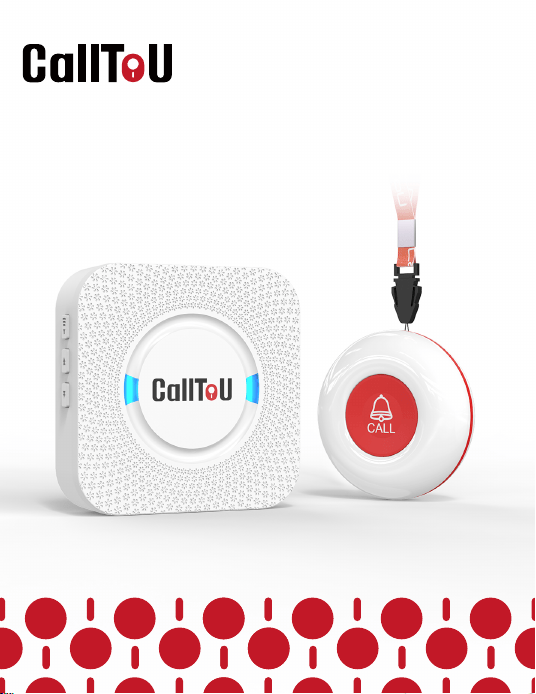
Caregiver Pager System
Model:CC01-E-01A
IINST-EN-CC01-E-01A-202504022

01
Since 2015, CallToU has been driven by a simple
belief: every golden year deserves dignity, safety,
and warmth. Through intelligent technology and
heartfelt care, we empower seniors to live independently
while giving families peace of mind.
From design to delivery, we hold ourselves to the
highest standards, ensuring every product reflects
our commitment to quality. Today, over 1 million
seniors worldwide trust CallToU to simplify daily
life and strengthen family bonds.
As pioneers in smart home care, we will never stop
innovating. Together, let’s build a future where
aging is not just supported—but celebrated.
Care Beyond Technology. Family Beyond Distance.
01
Safety Instructions
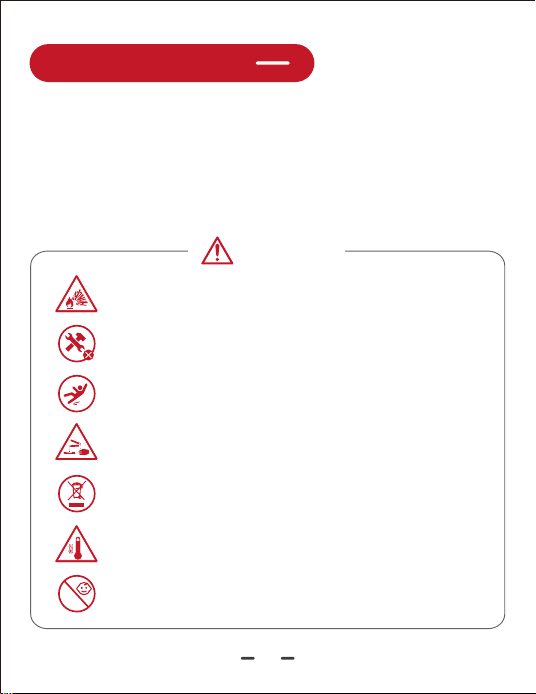
Caution
Do not place the product in or near an inflammable, explosive,
or hazardous object.
Do not use chlorine-based or acidic detergents for cleaning.
The main body may become discolored or deformed, or
toxic gases may be generated, which may harm your health.
Do not disassemble the product. Disassembly may result
in a risk of safety hazards.
Do not drop or subject it to strong impact. It will be the
cause of the failure.
Do not be mixed with other commercial wastes for disposal.
If you feel any abnormality such as getting hot or smelling strange,
please stop using it immediately. It may cause fire or electric shock.
Children should be supervised to ensure that they do not
play with the appliance.
0-3
The instruction manual contains important information to
prevent harm to the user and other people and damage to
property, and to ensure safe and correct use of the product.
Please thoroughly understand the following contents (displays
and graphic symbols)
02
pushpush
Auxiliary
Too
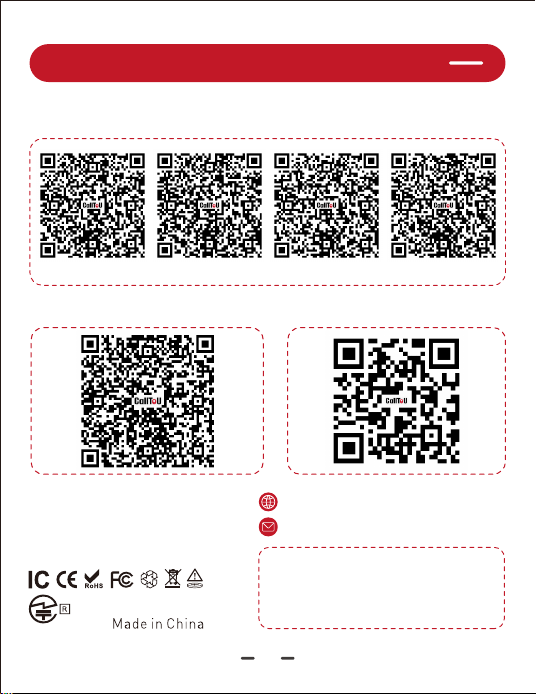
Scan QR Codes to Get More Assistance
03
QR Codes for User Manuals in Multiple Languages
QR Code for Product Operation QR Code for Brand Website
Model: E-01
FCC: 2AWYQ-E-01A
IC: 27222-E01
219-259128
www.calltou.com
Service01@calltou.com
room 605,building 2,hengdali
factory,chidian,Jinjiang,fujian,CN
Address:
pushpush
Auxiliary
Too
German French Spanish Italian
Functions
Easy to Use: Plug and play
Reliable: Works up to 500 feet(outdoor) / 300 feet(indoor).
Volume Control: 5 levels: 0dB(mute)to 110dB, suit your
environment.
55 Chimes: Choose from 55 unique melodies to create your
preferred sound.
Memory Function: The device will remember your pairing,
and chime settings even after a power outage.
55 Chimes
500ft Signal
Range
5 Level
Volumes
LED
Indicators
Memory
Function
04
• One Call Button can be paired with 30 receivers;
• One receiver can be paired with numerous Call Buttons;
• Other models of CallToU receivers and Buttons can also be
working together;
• For more information please refer to our customer service.
Easily Expandable:
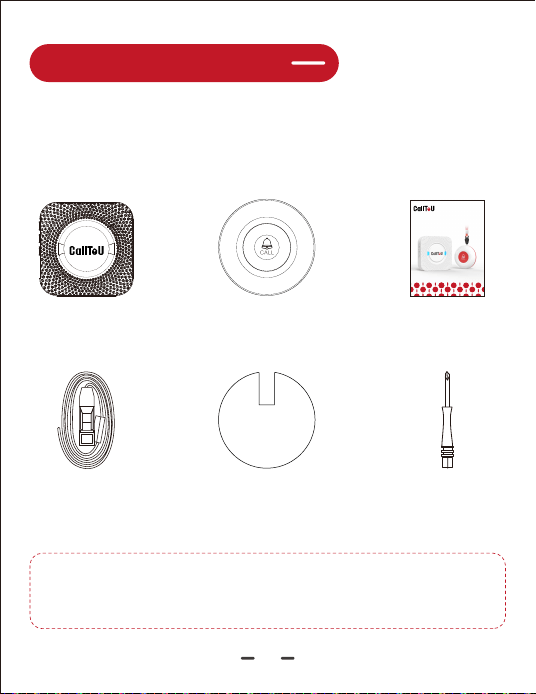
Before using the product, please review the packing list
attached below to ensure all items are present. If you notice
any missing items, please feel free to contact us.
User Guide
05
Check the Packing List
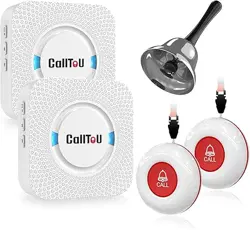
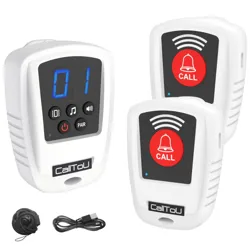
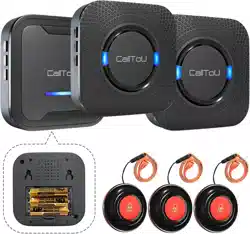
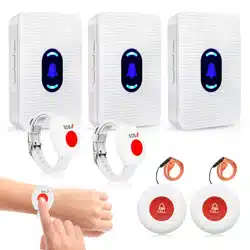
Receiver Call Button
(Containing Battery)
ScrewdriverDouble-Sided
Adhesive Tape
Lanyard
Note:
The product's color, quantity, and number of
accessories, will depend on your order.
Caregiver Pager System
CC01-E-01A
IINST-EN-CC01-E-01A-20250208
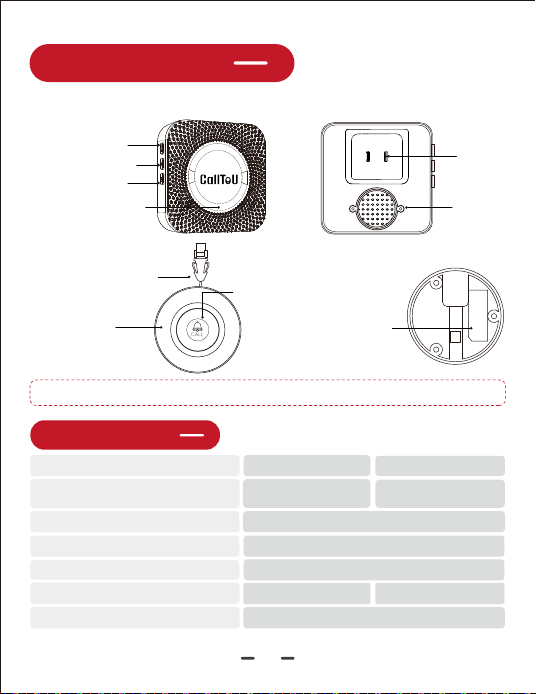
Product Diagram
06
Note: Note: The Call Button low battery indication is a blinking light.
Volume Control
Detachable Lanyard
Easy-to-Press
Silicone Cover
Bright Indicator Feedback
AC Plug
Speaker
Backward Button
Forward Button
Blue LED Indicator
Specifications
Power
AC110-260
Wide Voltage
12V 23A
Alkaline Battery
CC01 Receiver
Operating Temperature
-30℃-70℃/-22℉-158℉
Frequency
Indoor usage distance
Barrier-free distance
433MHz
500feet/150m
300feet/91m
Waterproof Level
IP55 (Call Button)--
E-01A Call Button
Receiver:
Call Button:
Detachable Bracket
(wall-mounted)
Operating Instructions
07
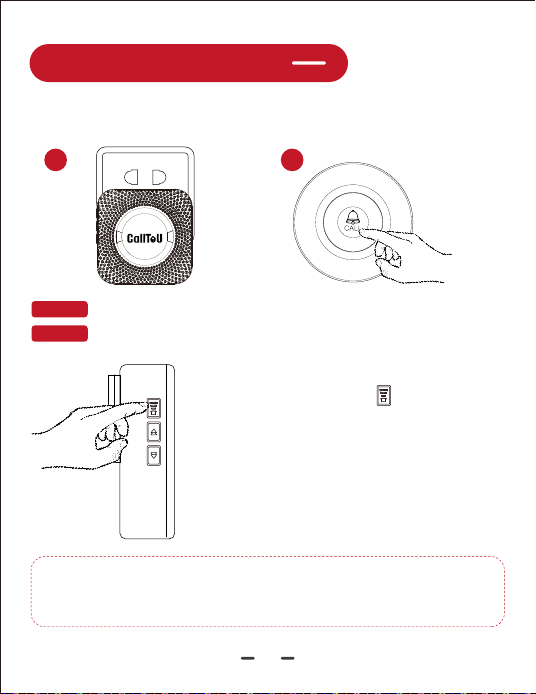
Plug & Play (Paired Before Delivery)
STEP 1 Plug the receiver into an AC socket. It will ring and flash.
STEP 2 Press the Call Button. The receiver will ring and flash.
01 02
How to Change Volume
Press the "Volume Key" on the receiver to
select your preferred volume from 5 levels,
including Mute Mode.
How to Change the Melody ?
Select the ringtone you like, and re-pair the
Call Button to successfully change the
ringtone. (How to Pair?)
※Warm Reminder:
The steps for pairing the new buttons / receivers are the same
as "How to pair"
Operating Instructions
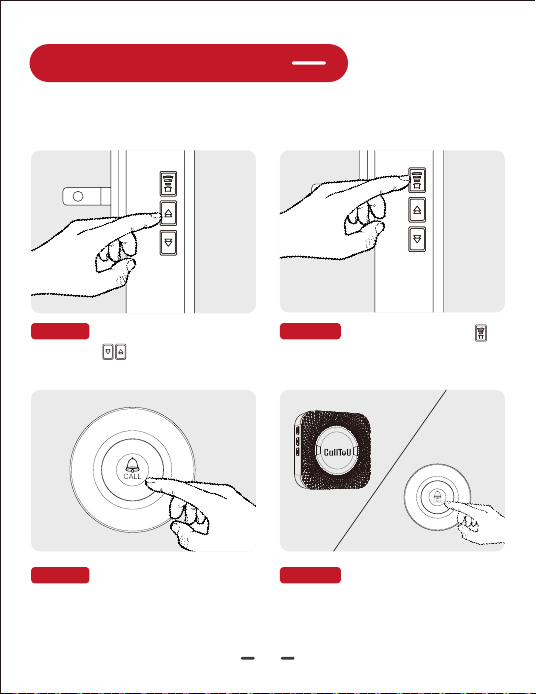
How to Pair ?
STEP 1:Press the "Forward/
STEP 2:Hold the "Volume"
button until the LED flashes
(with a "Ding").
STEP 3:Press the call button
quickly. A"Ding-Ding" confirms
pairing.
STEP 4:Test the ringtone to
finalize pairing.
08
buttons on the
receiver to select a ringtone.
Backward"
09
Operating Instructions
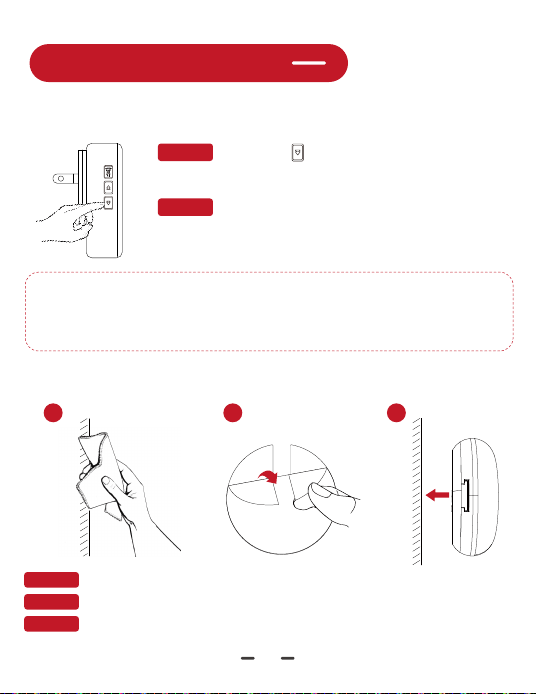
How to Clear the All Pairing Records ?
STEP 1: Press the " " for 5 seconds until it "dings"
and the light blinks to clear all buttons records.
STEP 2: After all pairing records are cleared, the
receiver enters pairing mode automatically; Please refer
to the "How to pair?" on page 8 to re-pair Call Button.
※Exit Pairing Mode:
Automatically ends after 30 seconds of inactivity
※Testing Range:
Ensure the receiver is within range for signal reception.
How to Install the Call Button ?
0302
Step 1:Clean the installation surface.
Step 2:Apply the adhesive tape.
Step 3:Press the Call Button firmly adherently against the wall surface.
01
Operating Instructions
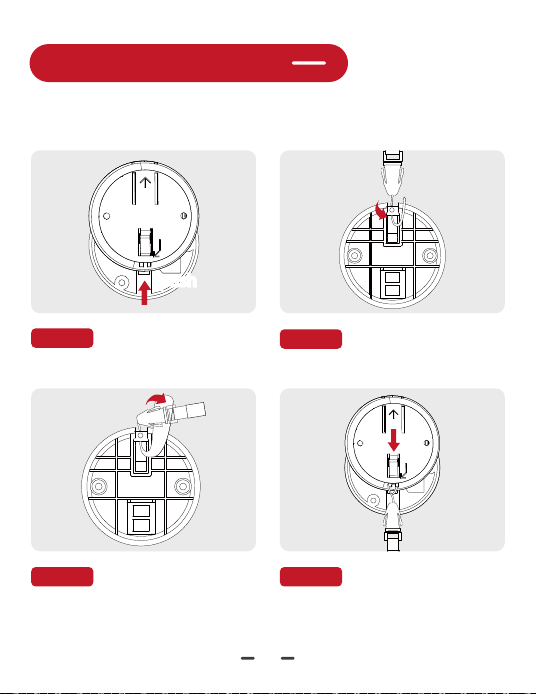
How to Attach Lanyard ?
STEP 1: Slide the back cover
in the direction of the arrow.
pushpush
STEP 2: Pass the rope
through the lanyard loop.
STEP 3: Loop the tip of the
rope over the entire lanyard.
STEP 4: Slide the back cover
back into place.
10
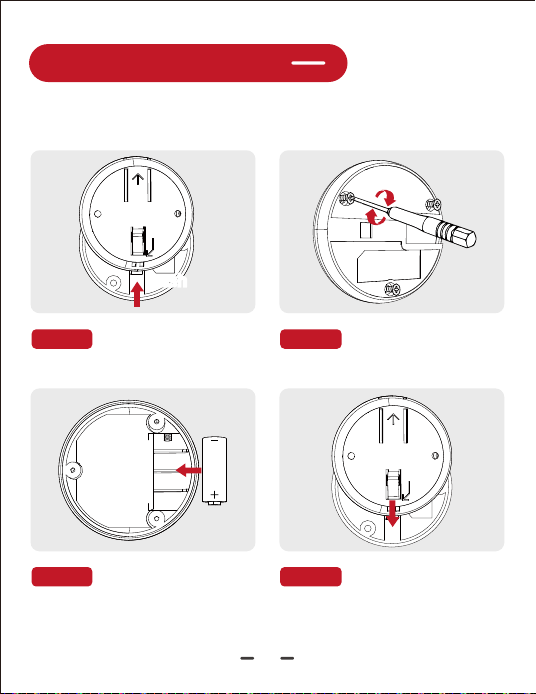
Operating Instructions
How to Replacing Battery ?
STEP 1: Slide the back cover
in the direction of the arrow.
pushpush
STEP 2: Turn the screwdriver
to open the button base.
STEP 3: Replace the 23A
12V alkaline battery.
STEP 4: Close the button
base, retighten the screws,
and close the back cover.
11

Frequently Asked Questions (FAQs)
Q: Why Is the Receiver Ringing Abnormally?
Q: Extra Purchased Buttons cannot be Paired ?
To fix the noise:
● Unplug and re-plug the receiver.
● Clear all pairing records and repair the system. (Refer to "How to Clear
All Pairing Records"/ "How to Pair?")
● If the issue persists, contact our customer service.
Q: What could be the reason for the pager system not working?
Possible causes include:
● Does the receiver make a sound or flash when pressing the volume key?
If not, check if it's powered on. If everything is fine, the Call Button may be
the issue.
● Does the Call Button light up? If not, replace the battery.
● If both are fine, clear the all pairing records and repair (refer to "How to
Clear the All Pairing Records?").
● Test the system at its maximum range; out of range, it won't work.
Q: Do I need to pair the receiver and Call Button by myself?
A: No, they are prepaired at the factory.
Q: How do I change the default ringtone?
A: To change the default ringtone, select your preferred one and re-pair (refer
to "How to Change the Melody?" ).
Q: Can I purchase multiple sets and pair them together?
A: Easily Expandable:
(1) One Call Button can be paired with 30 receivers; One receiver can be paired
with numerous Call Button;(refer to“How to Pair?”)
(2) Other models of CallToU receivers and buttons can also work together;
12

A Letter from CallToU
Many thanks for thinking of us and choosing us!
For everyone in the CallToU family, it's our honor to have you as
our customers. It's always a pleasure serving you and certainly
looking forward to more in the future.
A big thank you for helping us to grow!
Our customer service, especially in the after-sales phase,
guarantees the satisfaction of our clients. In line with this
strategy we hope you share with us your feedback at any time,
be it positive or negative. There is always room for improvement,
so if we can serve you better in any way please do inform us.
We provide 1- year limited product warranty to the original
purchaser against manufacturing defects in materials and
workmanship, not covering any normal wear and tear, improper
handling, or accidental damage.
Best regards,
CallToU Customer Care Team
CAREGIVER PAGER SYSTEM
CC01 HOME CAREGIVING - - MAKING HOME CARE EASY
FOR EVERYONE
13