
Manual de Usuario
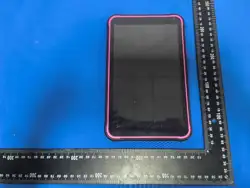
100mm
140mm
TAB-T863-3
1 2
1.Botón de encen2dido
2.Volumen + / Volumen -
3.Conector de auriculares
4.Tarjeta TF
5.Tipo-C
6.Cámara frontal
7.Micrófono
8.Flash
9.Cámara trasera
10.Altavoz
TAB-T863-3
8 9
User Manual
1. Power button
6. Front Camera
2. Volume +/Volume -
7. MIC
3. Headphone jack
8. Flash
4. TF Card
9. Rear Camera
5. TYPE-C
10.Speaker
Tablet PC
Tablet PC
Especificaciones técnicas
Procesador: A333
Sistema operativo: Powered by Android™
RAM: 3GB DDR
Almacenamiento: 32GB
Pantalla: 8 pulgadas, 800 × 1280
Pantalla: Pantalla IPS y pantalla táctil de 5 puntos
Audio: MP3, AAC, AAC+, AMR-NB, etc.
Video: H.264 / H.263 / H.265 MPEG4, VP8, VP9
Imagen: JPG, JPEG, GIF, BMP, PNG, etc.
Batería: 4000mAh, 3.8V
Adaptador: Carga TYPE-C, 5V, 2A
Cámara: Frontal 2.0 MP, Trasera 5.0 MP
Wi-Fi: 802.11 a/b/g/n/ac
Bluetooth: BT 5.0
Puertos: Micro TF / Tipo-C / Auriculares
Las especificaciones y este manual están sujetos a cambios sin
previo aviso.
Google, Android, Google Play y YouTube son marcas registradas
de Google LLC
Contenido de la caja del producto
Tablet(batería integrada en el dispositivo), cargador, cable
USB, manual de usuario
Vista general
En este manual de usuario, las especificaciones mostradas en
las imágenes y las partes indicadas en el contenido de la caja
pueden variar según el modelo.
Las imágenes son representativas.
3
4
5
Solución de problemas
SSi detectas una condición inusual en tu dispositivo, puedes
intentar resolver el problema consultando la descripción en
la tabla.
PROBLEMA
RAZÓN SOLUCIÓN
La tablet no
se conecta
a LAN ni a
Wi-Fi.
La señal
entrante es
demasiado
baja.
La señal puede ser débil
o mala. Si estás en el
suelo, la recepción de la
señal puede reducirse.
Cambia de lugar y vuelve
a intentarlo.
Saltos en
pantalla táctil
Quizás tus
manos estén
mojadas, el
software de la
tablet o la
pantalla táctil
no pueden
detectar la
operación
táctil.
Al tocar la pantalla
táctil, asegúrate de
que esté seca. Si la
pantalla táctil está
rayada o dañada,
por favor
contáctanos.
Bloqueos
intermitentes
o la tablet
deja de
responder
Puede que
haya
demasiadas
aplicaciones
en
funcionamient o.
La tablet emite
pitidos y el ícono
de la batería
parpadea.
Tu batería
está débil.
Para continuar
usando el
dispositivo,
recárgalo.
Mensaje de
error de la
cámara de la
tablet
No hay
suficiente
memoria o la
batería está
débil.
Carga la batería.
Transfiere archivos
a una PC o libera
espacio eliminando
algunos archivos
de la memoria.
La tablet no
enciende al
sacarla de la
caja.
Baja energía
Conecta el
adaptador de
corriente a la toma
de pared y luego a la
tablet. La tablet
debería encenderse.
Se recomienda
cargar el dispositivo
durante 8 horas
antes del primer
uso.
Para un dispositivo
completamente
descargado, déjalo
conectado y
apagado por lo
menos 12 horas.
No se puede
establecer
conexión con su
computadora.
Compatible
con el
conector USB
o PC, los
controladores
más recientes
no están
instalados.
Si estás usando el
cable USB con tu
dispositivo,
asegúrate de que
sea compatible. Tu
PC debe tener
instalados los
controladores
correctos y
asegúrate de
actualizarlos.
Eliminación de su dispositivo de manera ecológica
Este símbolo en el producto o en su embalaje indica que el
producto no debe tratarse como un residuo doméstico común.
En su lugar, debe llevarse al punto de recolección
correspondiente para el reciclaje de equipos electrónicos.
Si elimina este producto correctamente, podrá evitar posibles
consecuencias negativas para el medio ambiente y la salud
humana derivadas del tratamiento inadecuado de los residuos.
El reciclaje de materiales ayuda a conservar los recursos
naturales.Para obtener más información sobre el reciclaje de este
producto, por favor comuníquese con su municipio local, el
servicio de gestión de residuos domésticos o la tienda donde
compró el producto.
Sugerencias para el ahorro de energía
Cuando no esté utilizando el dispositivo, apague funciones como
el Wi-Fi y el Bluetooth. Si es necesario, desactive sonidos
innecesarios como las notificaciones de aplicaciones o el sonido
de las teclas. Según sus necesidades, reducir el brillo de la
pantalla y el volumen le permitirá usar la energía de manera más
eficiente.
Eliminación adecuada de la batería
(Para países con sistemas de recolección separados)
La marca en la batería, la guía y el compartimento de
almacenamiento indica que esta batería no debe desecharse
junto con otros residuos domésticos. Los símbolos químicos Hg,
Cd o Pb indican que la batería contiene mercurio, cadmio o
plomo por encima de los valores de referencia especificados en
la Directiva 2006/66/CE. La batería suministrada con este
producto no puede ser reemplazada por el usuario. Para obtener
información detallada sobre el reemplazo, por favor contacte con
su proveedor de servicio. No intente quitar la batería ni arrojarla al
fuego. No la desarme, aplaste ni perfore. Si planea desechar el
producto, se tomarán las medidas necesarias en el ámbito de
gestión de residuos.
Android es una marca registrada de Google LLC
6
7
Cumplimiento con la Parte 15 de las Reglas de la FCC
Este equipo ha sido probado y se ha encontrado que cumple con
los límites para un dispositivo digital de Clase B, conforme a la
parte 15 de las Reglas de la FCC. Estos límites están diseñados
para proporcionar una protección razonable contra interferencias
perjudiciales en una instalación residencial.
Este equipo genera, utiliza y puede irradiar energía de
radiofrecuencia y, si no se instala y utiliza de acuerdo con las
instrucciones, puede causar interferencia perjudicial a las
radiocomunicaciones. Sin embargo, no hay garantía de que no se
produzcan interferencias en una instalación particular.
Si este equipo causa interferencia perjudicial a la recepción de
radio o televisión, lo cual se puede determinar apagando y
encendiendo el equipo, se recomienda al usuario que intente
corregir la interferencia mediante una o más de las siguientes
medidas:
. Reorientar o reubicar la antena receptora.
. Aumentar la separación entre el equipo y el receptor.
. Conectar el equipo a un tomacorriente en un circuito diferente
al que está conectado el receptor.
. Consultar al distribuidor o a un técnico experimentado en
radio/televisión para obtener ayuda.
Precaución: Cualquier cambio o modificación a este dispositivo no
aprobado explícitamente por el fabricante podría anular su
autoridad para operar este equipo.
Este dispositivo cumple con la parte 15 de las Reglas de la FCC. La
operación está sujeta a las siguientes dos condiciones:
(1) Este dispositivo no puede causar interferencia perjudicial, y
(2) este dispositivo debe aceptar cualquier interferencia recibida,
incluyendo la interferencia que pueda causar operación no
deseada.
Cumplimiento de Exposición a Radiación de la FCC
Este equipo cumple con los límites de exposición a la radiación
de la FCC establecidos para un ambiente no controlado. El
usuario final debe seguir las instrucciones de operación específicas
para satisfacer el cumplimiento de la exposición a RF.
El dispositivo está diseñado para cumplir con los requisitos de
exposición a ondas de radio establecidos por la Comisión Federal
de Comunicaciones (EE. UU.). Estos requisitos establecen un
límite de SAR (Tasa de Absorción Específica) de 1.6 W/kg
promediado sobre un gramo de tejido. El valor SAR más alto
reportado bajo esta norma durante la certificación del producto
para su uso cuando se lleva correctamente en el cuerpo es
de 1.129 W/kg.
Mantén
presionado el
botón de
encendido
durante 10
segundos.
Technical specifications
Processor: A333
Operating System: Powered by Android™
RAM: 3GB DDR
Storage: 32GB
Screen: 8 inch 800 x 1280
Display: IPS Screen and 5 points touch screen
Music: MP3, AAC, AAC+, AMR-NB,etc.
Video: H.264/H.263/H.265 MPEG4, VP8, VP9
Picture: JPG, JPEG, GIF, BMP, PNG, etc.
Battery: 4000mAh, 3.8V
Adapter: TYPE-C Charging, 5V, 2A
Camera: Front 2.0 MP, Rear 5.0 MP
Wi-Fi: 802.11 a/b/g/n/ac
Bluetooth: BT 5.0
Ports: Micro TF/Type-C/Headphone
**Specifications and this manual are subject to change without
prior notice.
Google, Android, Google Play and YouTube are trademarks of
Google LLC.
Product Box Content
Tablet (Battery integrated in the device), Charger, USB Cable,
User Manual
General View
In this user manual, the specifications given in the visuals and
the parts indicated in the box contents may differ according to
the model.
The images are representative.
10
PROBLEM REASON SOLUTION
May the signal is weak or bad. If you
are on the ground, signal reception
may be reduced. Change another
place and try again.
11 12
Troubleshooting
If you detect an unusual condition on your device, you can try to
solve the problem in the description of the table.
Tablet no
LAN/wifi
connect.
Incoming
signal is
too low
Skip
touchscreen
May your hands
wet, tablet
software or touch
screen can not
find touch
operation.
While touching the touch screen,
make sure it is dry. If the touch
screen is scratched or If it is
damaged, contact us.
Intermittent
lockups or
Tablet stops
responding
May too many
applications
under operating
Press and hold the power button for
10 seconds.
Tablet beeps
and the
battery icon
blinks
Blinking
Your battery is
weak
To continue using the device,
recharge.
Tablet
camera head
error
message
Giving
There is not
enough memory
or the battery is
weak.
Charge the battery. Transferring files
to a PC, or open up some space by
deleting some files in memory.
MY Tablet
does not turn
on out of the
box
Low power
Plug the AC Adapter into the wall and
connect to the Tablet. The tablet
should now power on. Vucatimes
recommends to charge the device for
8 hours before first use. For a device
that is completely discharged, leave it
plugged in and turned off for at least
12 hours.
Unable to
make a
connection to
your computer
Compatible with
USB jack or pc
latest version
drivers not
loaded
If you are using the USB cable with
your device make sure it is compliant.
Your PC has the right drivers installed
and be sure to update it.
Disposal of your device in an environmentally friendly manner
This symbol on the product or on its packaging indicates that
the product must not be treated as household waste. Instead
of and delivered to the current collection point which recycles
electronic equipment.
This product is correct, you will be able to prevent the potential
negative consequences of environment and human health
arising from waste treatment of the product. Recycling of
materials will help to conserve natural resources. For more
information about recycling this product, please contact your
local municipality, the household waste disposal service or the
shop where you purchased the product.
Suggestions for Energy Saving
When you do not use it, turn off the device like wi-fi, blue tooth.
If necessary, disable unnecessary sounds such as application
notification and key sound. Depending on what you need,
reducing the brightness and volume will enable you to use
energy efficiently.
Proper Battery Disposal
(For countries with separate collection systems) The marking
on the battery, the guide and the luggage compartment indicate
that this pile of battery should not be disposed with other
household waste. Hg, Cd or Pb chemical symbols indicate that
the battery contains mercury, cadmium or lead above the
reference values specified in EC Directive 2006/66. The battery
supplied with this product can not be changed by the user. For
detailed information on replacement, please contact yourservice
provider. Do not try to remove the battery or throw it into the fire.
Do not disassemble, crush or punch. If you intend to dispose of
the product, necessary measures will be taken in the field of
waste.
Android is a trademark of Google LLC.
This equipment has been tested and found to comply with the
limits for a Class B digital device, pursuant to part 15 of the FCC
Rules. These limits are designed to provide reasonable protection
against harmful interference in a residential installation. This
equipment generates, uses and can radiate radio frequency
energy and, if not installed and used in accordance with the
instructions, may cause harmful interference to radio
communications. However, there is no guarantee that interference
will not occur in a particular installation. If this equipment does
cause harmful interference to radio or television reception, which
can be determined by turning the equipment off and on, the user is
encouraged to try to correct the interference by one or more of the
following measures:
• Reorient or relocate the receiving antenna.
• Increase the separation between the equipment and receiver.
• Connect the equipment into an outlet on a circuit different from
that to which the receiver is connected.
• Consult the dealer or an experienced radio/TV technician for help.
Caution: Any changes or modifications to this device not explicitly
approved by manufacturer could void your authority to operate this
equipment. This device complies with part 15 of the FCC Rules.
Operation is subject to the following two conditions: (1) This device
may not cause harmful interference, and (2) this device must
accept any interference received, including interference that may
cause undesired operation.
This equipment complies with FCC radiation exposure limits set
forth for an uncontrolled environment. End user must follow the
specific operating instructions for satisfying RF exposure
compliance. The device is designed to meet the requirements for
exposure to radio waves established by the Federal
Communications Commission (USA). These requirements set a
SAR limit of 1.6 W/kg averaged over one gram of tissue. The
highest SAR value reported under this standard during product
certification for use when properly worn on the body is 1.129 W/kg