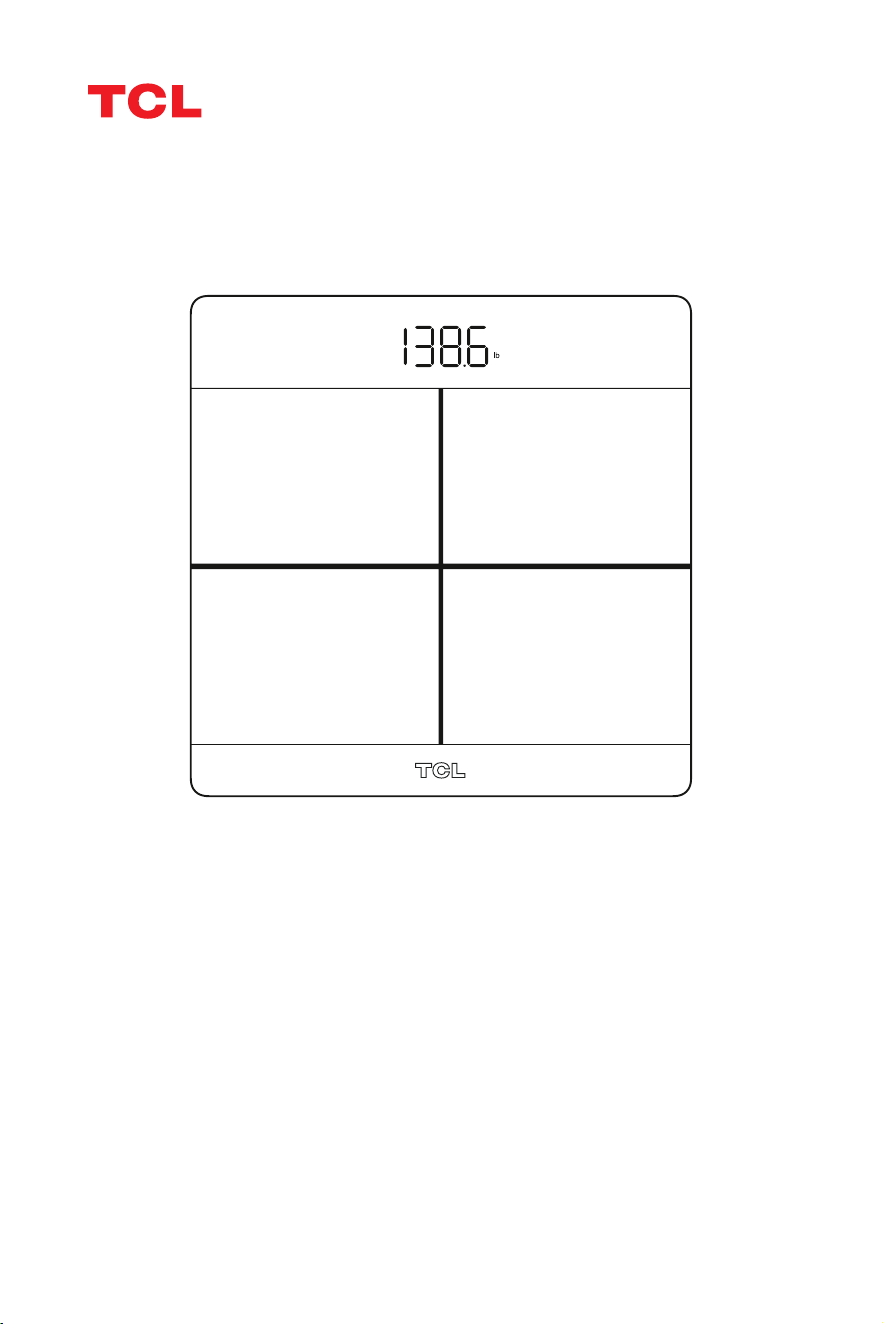
Read this manual before using and save for future reference
Model:TCL Smart Scale V1 SE
TCL Smart Scale

Contents
3. Before You Begin 3
4. Troubleshooting 6
5. Battery Advice 7
6. Disposal 7
1. What's included 2
2. Product Overview 2

1
• DO NOT use the scale if you have implanted medical devices such as pace-
makers.
• DO NOT stand on the edge of the scale or jump on it.
• DO NOT overload the scale (Max 396lb/180kg/28st).
• DO NOT drop the scale or drop objects on it as this may damage the sensors.
• DO NOT immerse the scale in water or use chemical cleaning agents. Clean
the scale with a slightly damp cloth.
• Always place the scale on a hard, dry and flat surface before measurement.
• Make sure your feet are dry before stepping on the scale.
• DO NOT use the device if damaged. The continuous use of a damaged unit
may cause injury or improper results.
• Please check the device before each use.
• Be careful when using on the wet and slippery surface.
WARNING
2
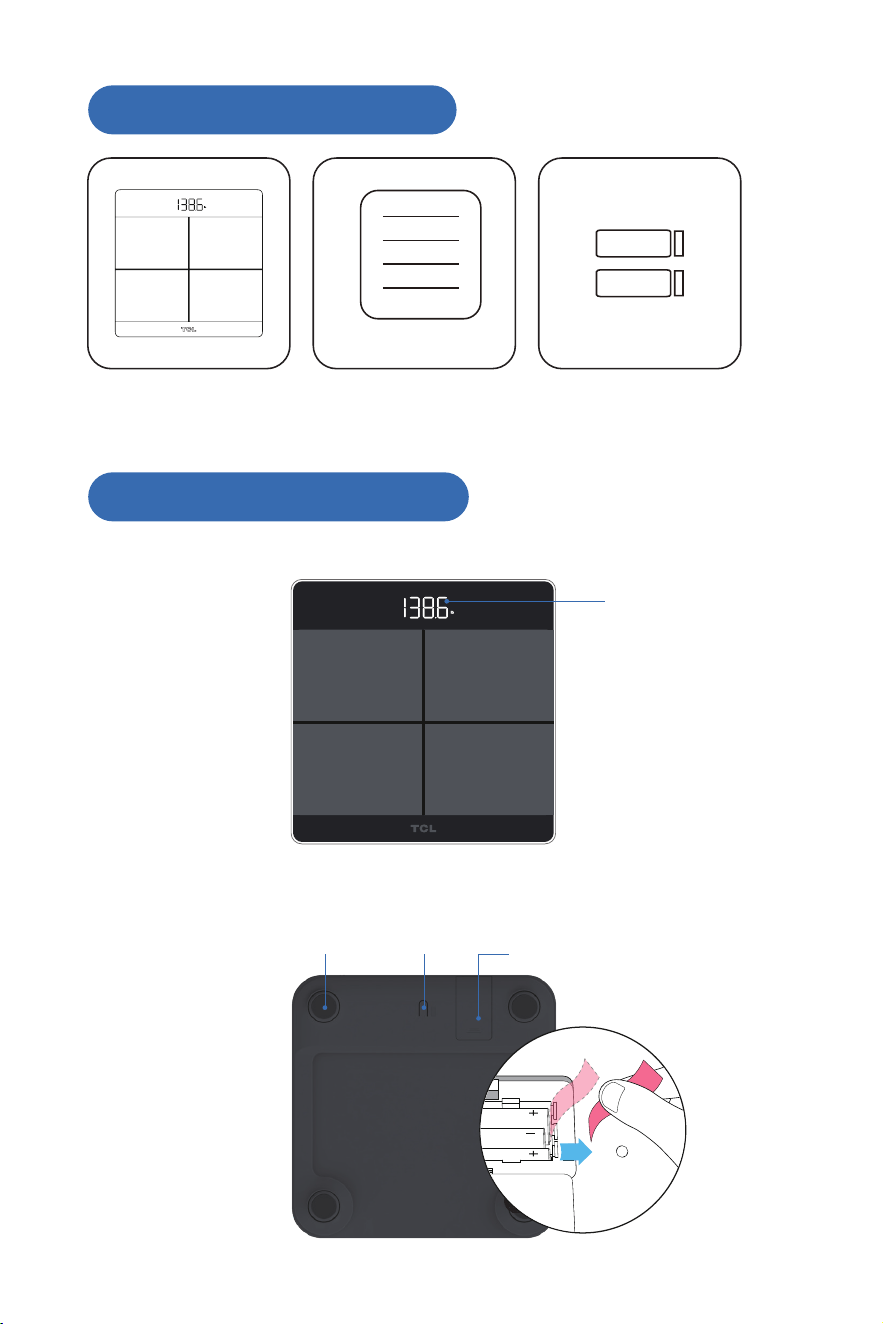
1.What's included
2.Product Overview
Smart body scale Manual Batteries ×2
3
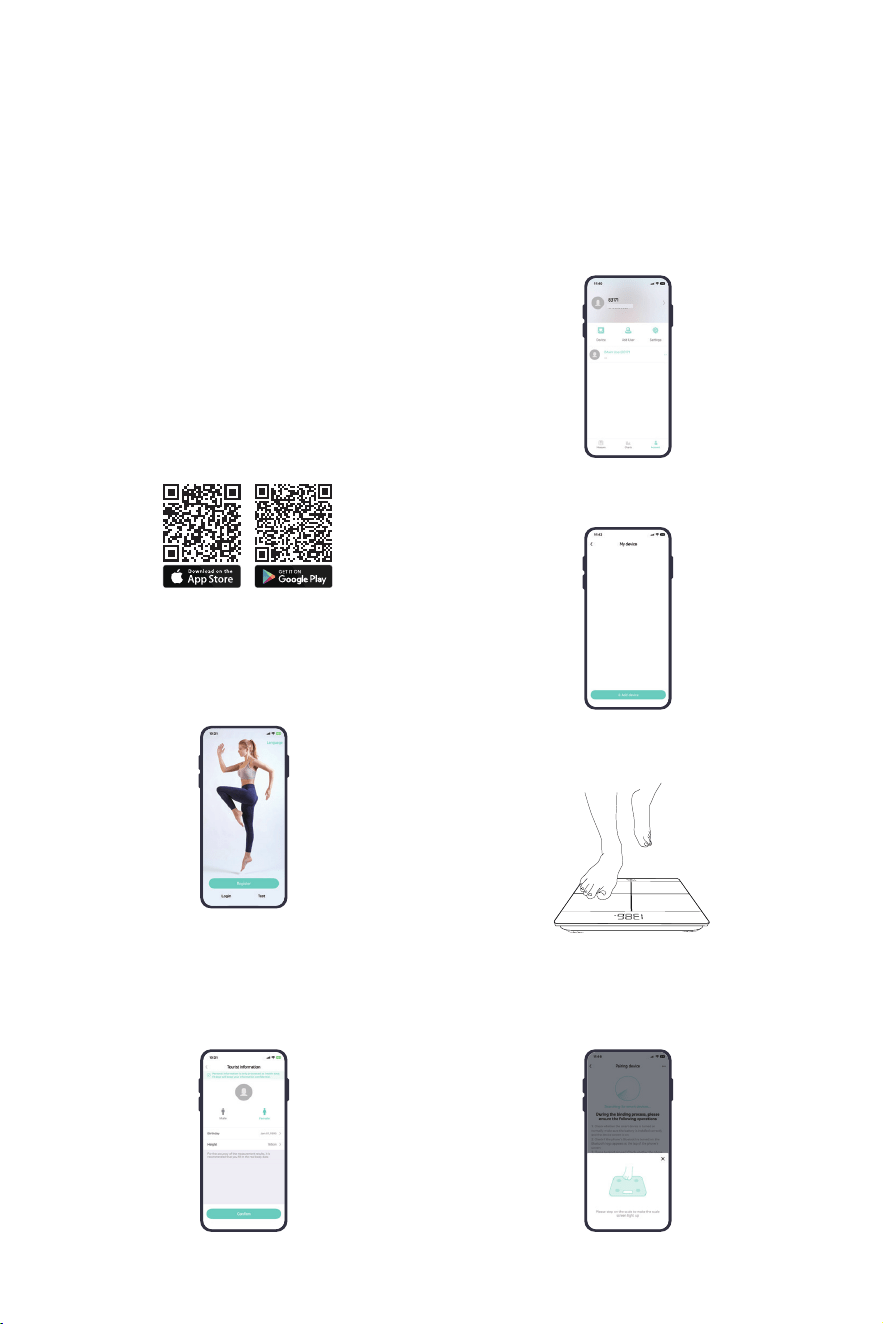
Sensor feet Battery coverUnit switch
LED screen
3
Note: Read this User guide carefully and completely and retain for future reference.
3.Before You Begin
1. Carefully remove the scale and the batteries from the packaging. Verifythat
the included items are present.
2.Check the scale for any visible damage or defects.
3.Read and follow all instructions carefully in this user guide before using your
Smart Body Scale. Failure to adhere to these precautions may result in
inaccurate readings, damage to the device, or injury.
Product Specification:
Product Size 26 x 26 x 2.4 cm
Weight Unit lb / kg
Weight Limit 11 lb - 396 lb / 5 kg - 180 kg
Weight Division 0.1 lb / 0.05 kg
Power Supply 2 AAA Batteries
Operating Temperature 5-35 °C
Operating Humidity 40%-80% RH

Inserting the batteries
4
1. Turn the scale over and place it on a smooth, level, clean and flat surface.
2.Open the battery compartment cover by pressing it down and sliding it upward.
3.Insert the 2 AAA batteries, ensuring the positive (+) and negative (-) ends
match the polarity markings inside the battery compartment.
4.Close the battery compartment cover and wait until the "0.00" digits are
shown on the display.
Weight-Only measurement
You can also use this scale as a conventional weight-measuring device.
Simply step on it to measure your weight without connecting to the Fitdays app.
Installing the Fitdays app and pairing
5
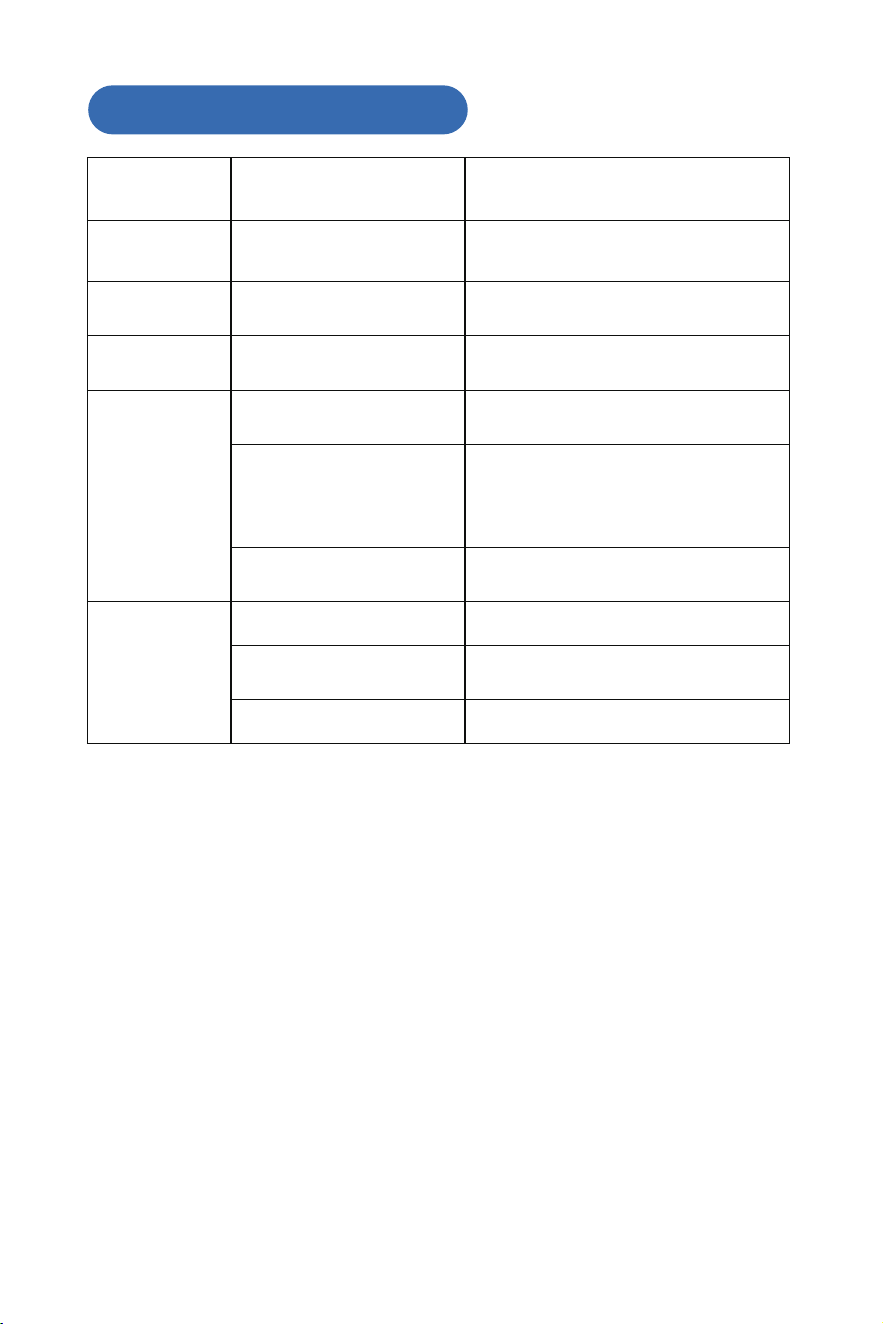
This Smart Body Fat Scale pairs with the Fitdays App. Follow the instructions
below to set up and connect your scale:
1. Search for"Fitdays"in the App
Store or Google Play, or scan the
QR code below to download and
install the app on your device.
4. At the bottom of the screen,go
to Account page and select
Device.
Ensure your device meets the
following requirements:
• iPhone/iPad requires iOS 12.0 or
above
• Android devices require version
7.0 or above.
2. Enable bluetooth on your
smartphone or tablet.
3. Open the Fitdays app
then log in or register.
Note: When registering, complete
your personal information such
as gender, birthday, and height to
ensure accurate measurements.
5. Tap + Add Device at the bottom
of the screen.
6. Step on the scale briefly to wake
it up, then wait until the display
shows " 0.00".
7. Select the Body Fat Scale icon
and follow the on-screen instruc-
tions to pair the scale with your
device.
6
4.Troubleshooting
Issue Possible Cause Solution
Display Screen
shows Lo
Low battery
Replace the batteries.
Note: Replace all batteries at the same time.
DO NOT mix old and new batteries.
Display Screen
shows Err
Overloading
Ensure the total weight on the scale DOES
NOT exceed the maximum weight capacity
specified in the user manual.
Display Screen
shows C
Unstable measuring
Place and use the scale on a hard, flat, level
and clean surface. DO NOT use the scale on
carpets or uneven surfaces.
Inaccurate
weighing
The scale is not placed on a
har
d, flat and level surface
Place and use the scale on a hard, flat and
level surface. DO NOT use the scale on
carpets or uneven surfaces.
The scale is not calibrated
before weighing.
Before each use, ensure the scale is
calibrated to avoid inconsistent readings. To
calibrate, gently step on the scale with one
foot until the readings appear on the display,
then step off and wait until the screen shows
"0.00" indicating the calibration is complete.
Standing on the scale unevenly
Stand still and evenly bal
ance your weight
between both feet while on the scale.
Failure with app
connection
Bluetooth is not enabled on your
smartphone.
Enable Bluetooth in your smartphone
settings.
The scale is not within the
required range for Bluetooth
connection.
Move your smartphone closer to the scale to
ensure it is within the Bluetooth connection
range.
The scale is not turned on
Ensure the scale is turned on and has
sufficient battery power.
7
5.Battery Advice
6.Disposal
* If the scale is not to be used for long periods, it's recom-
mended to remove the battery to avoid damage to the scale
due to possiblebattery leakage.
* Keep the battery out of reach of children.
Waste electrical products should not be disposed of with
household waste.
Please recycle where facilities exist. Check with your local
Authority or retailer for recyacling advice.
* Waste batteries should not disposed of with household waste.
* Please check with your local authority for battery recycling
advice.
* Do not mix old and new batteries, with different compositions
or of different brands in order to prevent possible leakage,
explosion.
* Do not heat or deform the batteries or expose to fire.
The packaging material is recyclable. Please dispose of it in an
environmentally friendly manner and take it to a recycling centre.
Dispose of the device in an environmentally friendly manner.
Dispose of it at a recycling centre for used electrical and electronic
devices.You can obtain more information from your local authorities.
The batteries should be removed prior to disposal of the device and
disposed of separately from the device. To protect the environment,
non-rechargeable and rechargeable batteries may not be disposed
of with normal household waste, but must be taken to suitable
collection points.
Also note the relevant statutory regulations governing the disposal
of batteries.

Note: This equipment has been tested and found to comply with the
limits for a Class B digital device, pursuant to part 15 of the FCC
Rules.These limits are designed to provide reasonable protection against
harmful interference in a residential installation.This equipment gener-
ates,uses and can radiate radio frequency energy and,if not installed and
used in accordance with the instructions,may cause harmful interference
to radio communications.However, there is no guarantee that interference
will not occur in a particular installation.If this equipment does cause harmful
interference to radio or television reception,which can be determined by
turning the equipment off and on, the user is encouraged to try to correct the
interference by one or more of the following measures:
●Reorient or relocate the receiving antenna.
●Increase the separation between the equipment and receiver.
●Connect the equipment into an outlet on a circuit different from that
to which the receiver is connected.
●Consult the dealer or an experiencedradio/TV technician for help.
Changes or modifications not expressly approved by the party responsi-
ble for compliance could void the user's authority to operate the equip-
ment.
This device complies with Part 15 of the FCC Rules. Operation is subject
to the following two conditions:
(1) this device may not cause harmful interference, and (2) this device
must accept any interference received, including interference that may
cause undesired operation.
FCC RF Exposure Statement:
This equipment complies with FCC radiation exposure limits set forth for
an uncontrolled environment. This equipment can be used in portable
exposure conditions.
FCC ID:2BG9T-SCALEV1S
FCC Statement

Customer Service
●
Call Us
United States: 1-(833)838-3931
Monday to Friday: 9:00 AM -9:00PM(PT)
Saturday and sunday: 9:00 AM - 6:00 PM(PT)
Email Us
Customer Support: [email protected]
Shenzhen TCL Smart Home Technology Co., Ltd.
702, Building G1, TCL International E City, Shuguang
Community, Xili Street, Nanshan District, Shenzhen, China
●