1
①
②
③
④
⑤
⑥
⑦
⑧
⑨
⑩
11
12
13
14
15
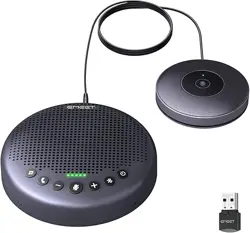
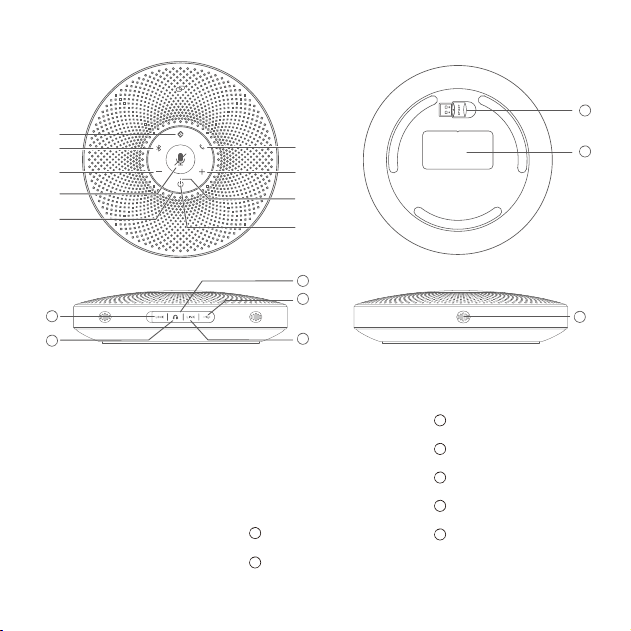
Bluetooth button
VoiceIA button
Answer/End Phone
Call button
Volume+ button
Volume- button
Mute button
Power button
Status LED
Source LED
Headset output port
Rubber plug
LOCK port
LINK Daisy Chain port
USB port (Type C)
16
17
Dongle
Nameplate
MIC hole
Buttons
Overview
15
16
17
12
11
10
14
13
③
⑤
⑧
②
④
⑦
①
⑨
⑥
2
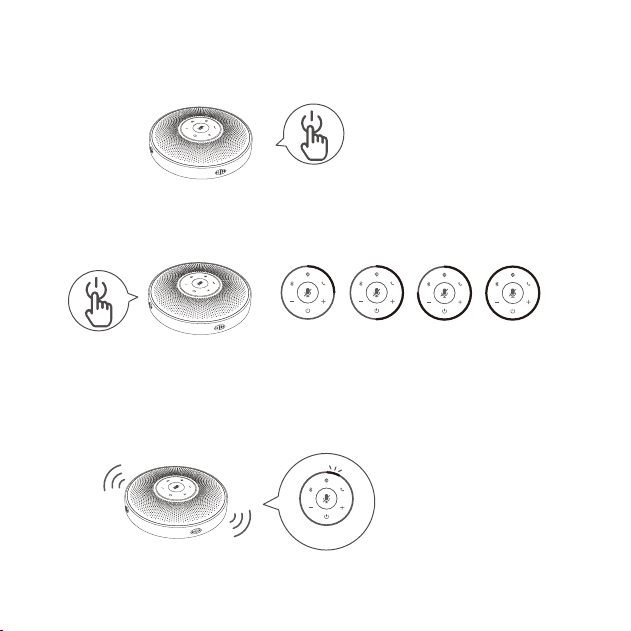
Power on/o
The Status LED turns red
to indicate low battery.
In power-on state
The Status LED turns green
to indicate the battery level.
Press the power button
when powered on.
Power On/O
Check battery level
Low battery warning
Press and hold
5%
25% 50% 75% 100%
3
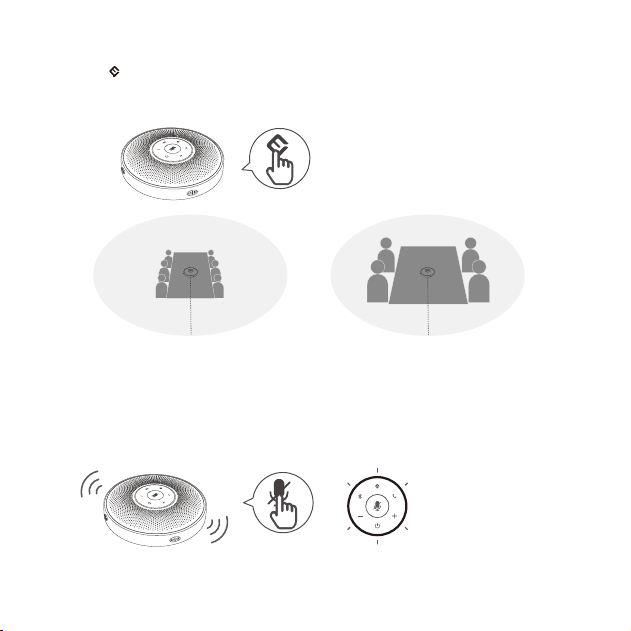
VoiceIA Button
MIC Mute Button
Turn on/o VoiceIA intelligent
noise reduction.
When the MIC is muted, the
Status LED turns red
3m(9.8ft) 1.5m(4.9ft)
VoiceIA OFF VoiceIA ON
® ®
Press
Press
mute/unmute MIC
Note : After the noise reduction mode is enabled, in order to maintain good sound pickup eect, please make a call within a sound pick-
up range of 1.5 m(4.9ft).
Short press “ ”AI Noise Reduction button to enable/disable AI noise function.
Turning on VoiceIA noise reduction can greatly reduce some noises in the meeting scene, such as from keyb-
oard tapping, air conditioning noise, and general unwanted background noise.
®
4
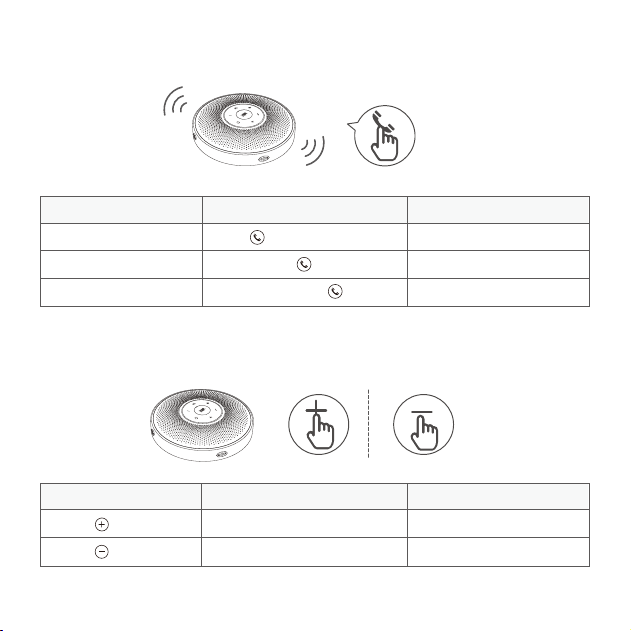
Volume+/Volume- Button
Answer/End Phone Call Button
Call going
Incoming call
Incoming call
End a call
Reject a call
Answer a call
Press and hold
Press/press and hold
Press
Press
Press
Volume up
Volume down
LED
Status LED turns blue
Status LED turns blue
Action StatusStatus
StatusAction
Status Source LED
LEDAction
Notes:
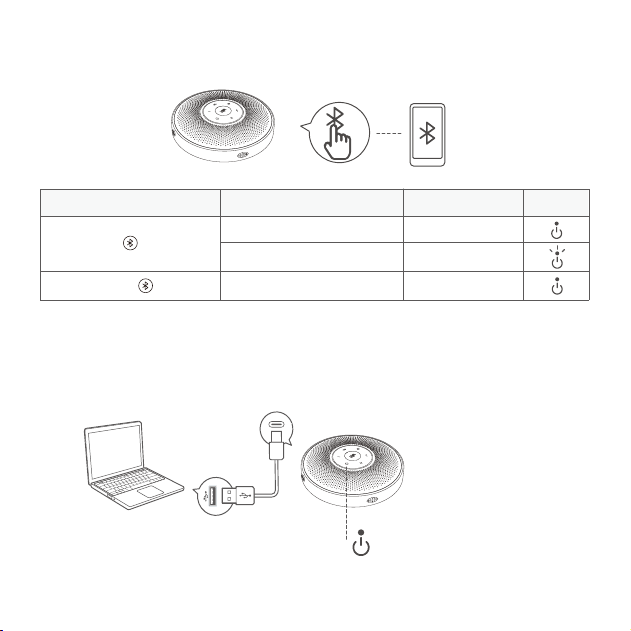
a) When turning on the device, it will reconnect to the last computer/mobile phone via Bluetooth whilst it is active.
b) Bluetooth closed means it can not be found.
5
USB Connection
Bluetooth Connection
Connect to your computer
by using a USB cable.
Bluetooth not paired
Bluetooth paired
Bluetooth closed/reconnected
Press and hold
Enter Bluetooth
pairing mode
Press
Steady blue
Flashes blue
Steady white
The Source LED turns green when
USB cable is connected.
Connect to your computer
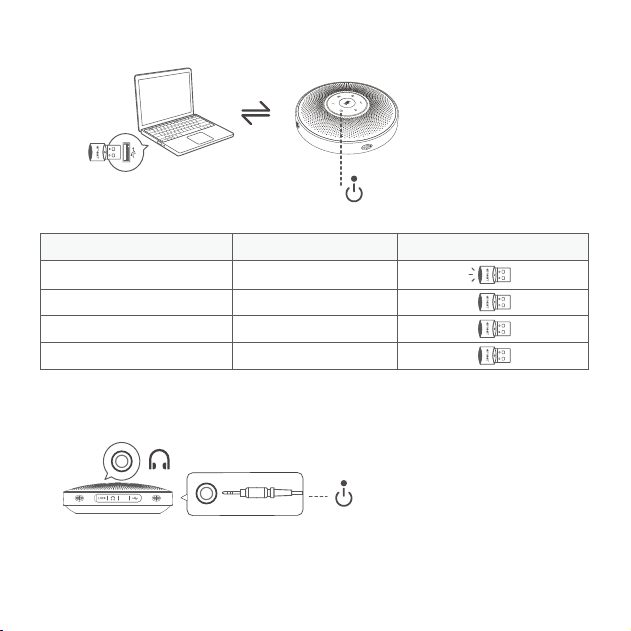
by using a USB Dongle.
6
Note: When the headset is connected, the speaker is automatically muted.
USB Dongle Connection
Headset Connection
3.5mm
The Source LED turns blue when
USB Dongle is connected.
When the headset is connected,
the Source LED turns yellow.
LINK
Connect to the headset jack using a 3.5mm headset cable.
Dongle LED LEDDongle status
Pairing
Pairing successful
Call going
Microphone muted
Steady blue
Green
Steady red
Flashes blue
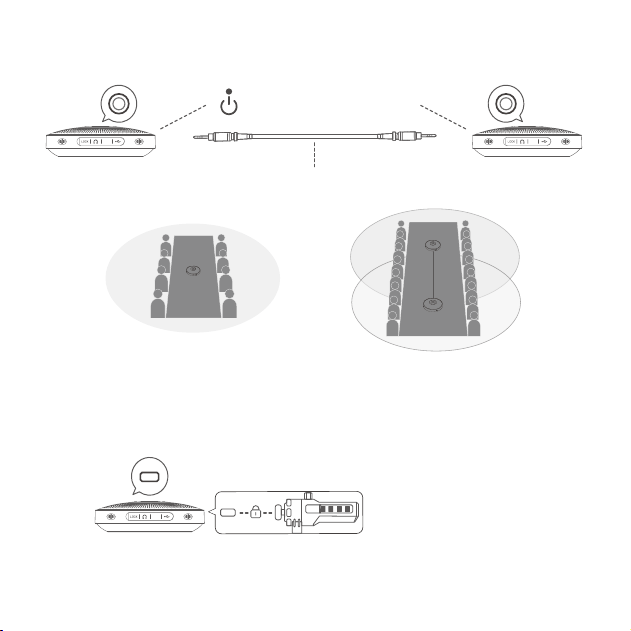
Daisy-Chain Before 8 people
Daisy-Chain After 16 people
Note: eMeet Daisy Chain cables must be purchased separately.
7
Note: The LOCK port is of a Kensington type which requires the user to buy a lock otherwise.
Daisy Chain Cable
Lock Port Setting
The Source LED turns cyan
when Daisy Chain connected.
Daisy-Chain can be carried out by connecting the LINK ports of
two products using an eMeet Daisy Chain cable.
Lock the product through the
LOCK port to prevent theft.
LINK LINK
LOCK
0 0 0 0
LINK LINK
LINK
8
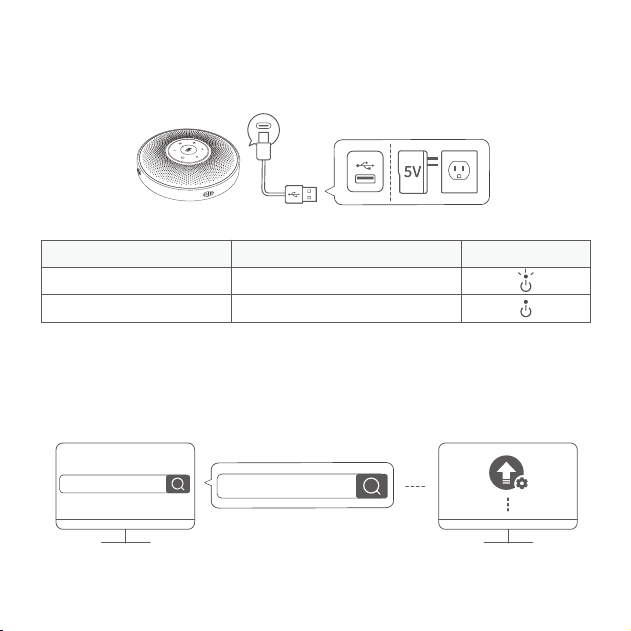
Charging
Download Application
Download the eMeet Link PC desktop app for software updates.
Fully charged in power-o state
Charging in power-o state
Yellow-green LED indicator flashing
Yellow-green LED indicator always on
www.emeet.ai/emeetlink
www.emeet.ai/emeetlink
MacOSWindows
Source LED LEDAction
9
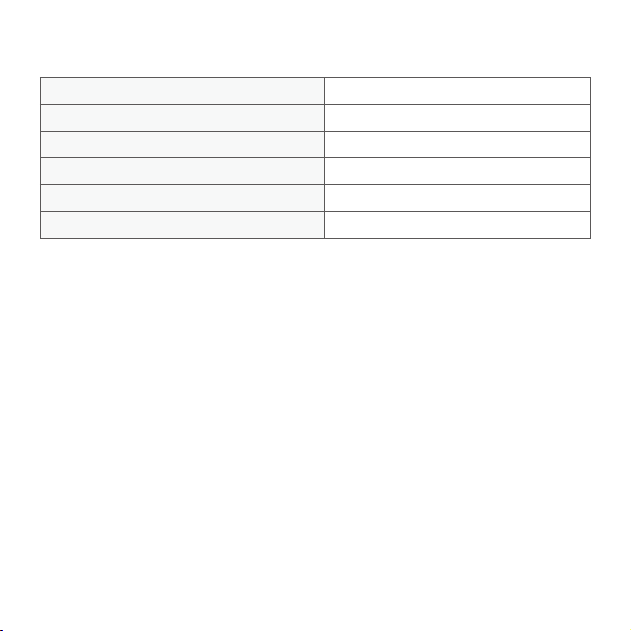
Product Parameters
Note: In case of any change in the specifications, ocial website information shall prevail.
5V/1ACharging input
Rated power
MIC diameter
SPK frequency range
Φ10mm
20Hz-20KHz
V5.0
20m (in an open environment)
5W
Bluetooth version
Bluetooth range