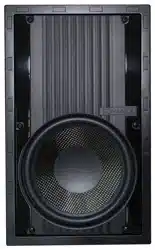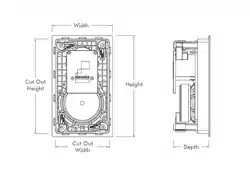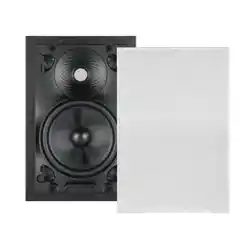

VISUAL EXPERIENCE SERIES WITH SINGLE STEREO TECHNOLOGY
VX46R SST | VX62R SST | VX66R SST | VX86R SST | VX66 SST
INSTALLATION AND SUPPORT MANUAL
2
VISUAL EXPERIENCE SPEAKERS
VX46R SST | VX62R SST | VX66R SST |
VX86R SST | VX66 SST
TABLE OF CONTENTS
2 Box Contents
2 Introduction
2 Important Safety Information
2 Installation
4 Painting
5 Technical Specifications
8 Warranty
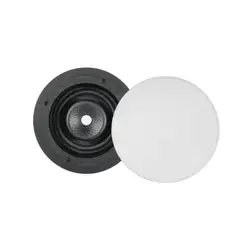
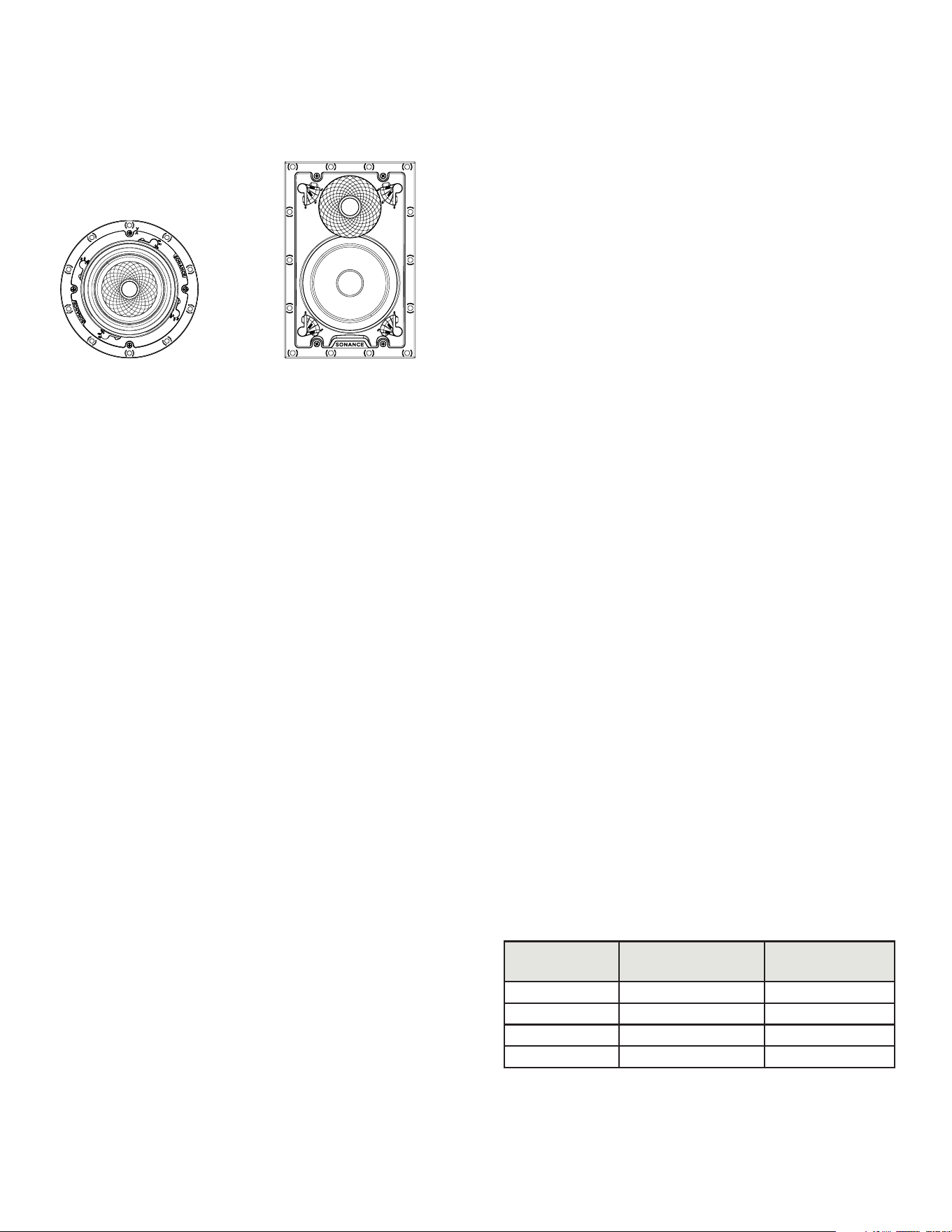
ROUND
FRONT VIEW
BOX CONTENTS
(1) Visual Experience Single Stereo Speaker
(1) Paintable VX Micro Trim Grille
(1) Cutout Template
INTRODUCTION
Thank you for selecting Sonance Visual Experience
Single Stereo Technology
®
(SST) Speakers. Sonance has
over four decades of experience in premium distributed
audio. Please take the time to carefully read through the
manual and study the illustrations. This extra time can
lead to trouble-free operation and continued musical
enjoyment.
IMPORTANT: Read this section in its entirety before
attempting use of speaker.
IMPORTANT SAFETY INSTRUCTIONS
Always follow these basic safety precautions when
using your speakers to reduce the risk of fire, electric
shock, and injury to prople or objects.
1. Read all the safety and operating instructions
before operating the speaker and retain them for
future reference.
2. Adhere to all warnings and precautions listed on the
speaker and in the operating instructions.
3. Follow all operating instructions.
SPEAKER PLACEMENT
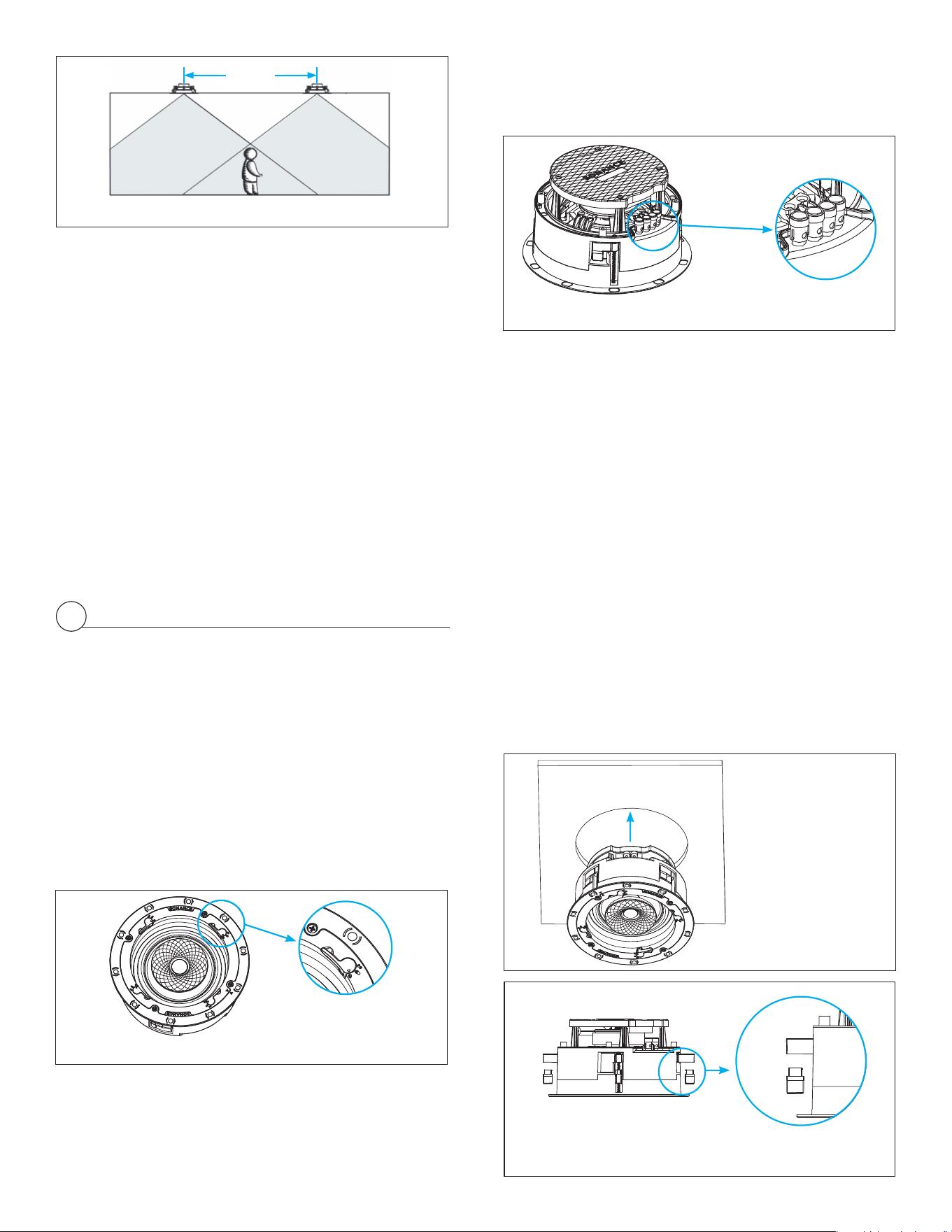
VX SST speakers reproduce both stereo channels from
a single location, it will deliver outstanding performance
from a wide variety of mounting locations where a
pair of stereo speakers would be impractical, including
hallways, bathrooms, and closets.
The table below shows how far apart SST speakers
can be spaced in distributed audio applications while
still providing good coverage for standing and seated
listeners (see Figure 1).
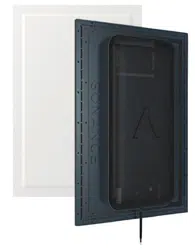
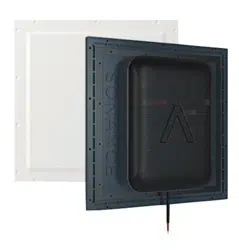
RECTANGLE
FRONT VIEW
CEILING
HEIGHT
SPACING
(STANDING)
SPACING
(SEATED)
9-Foot Ceiling 5’7” 9’5”
10-Foot Ceiling 9’7” 13’5”
12-Foot Ceiling 13’7” 17’5”
14-Foot Ceiling 17.7’ 21.5’
3
INSTALLATION
1. Determine the location for the speaker.
2. Perform an obstruction survey to be certain that
there are no studs, conduit, pipes, heating ducts,
pocket doors, or air returns in the wall cavity that
will interfere with the speaker.
3. Position the included cutout template where the
speaker is to be located and pencil an outline on the
wall or ceiling. If you are unsure about obstructions,
drill a small hole in the center of the outline and
insert a coat hanger wire into the hole to feel around
for possible obstructions.
4. Cut the mounting hole using tools appropriate for
the construction, and run the speaker wires from the
mounting hole to the amplifier location.
IMPORTANT: Consult local building codes before
running speaker wires through walls.
ONE-STAGE INSTALLATION
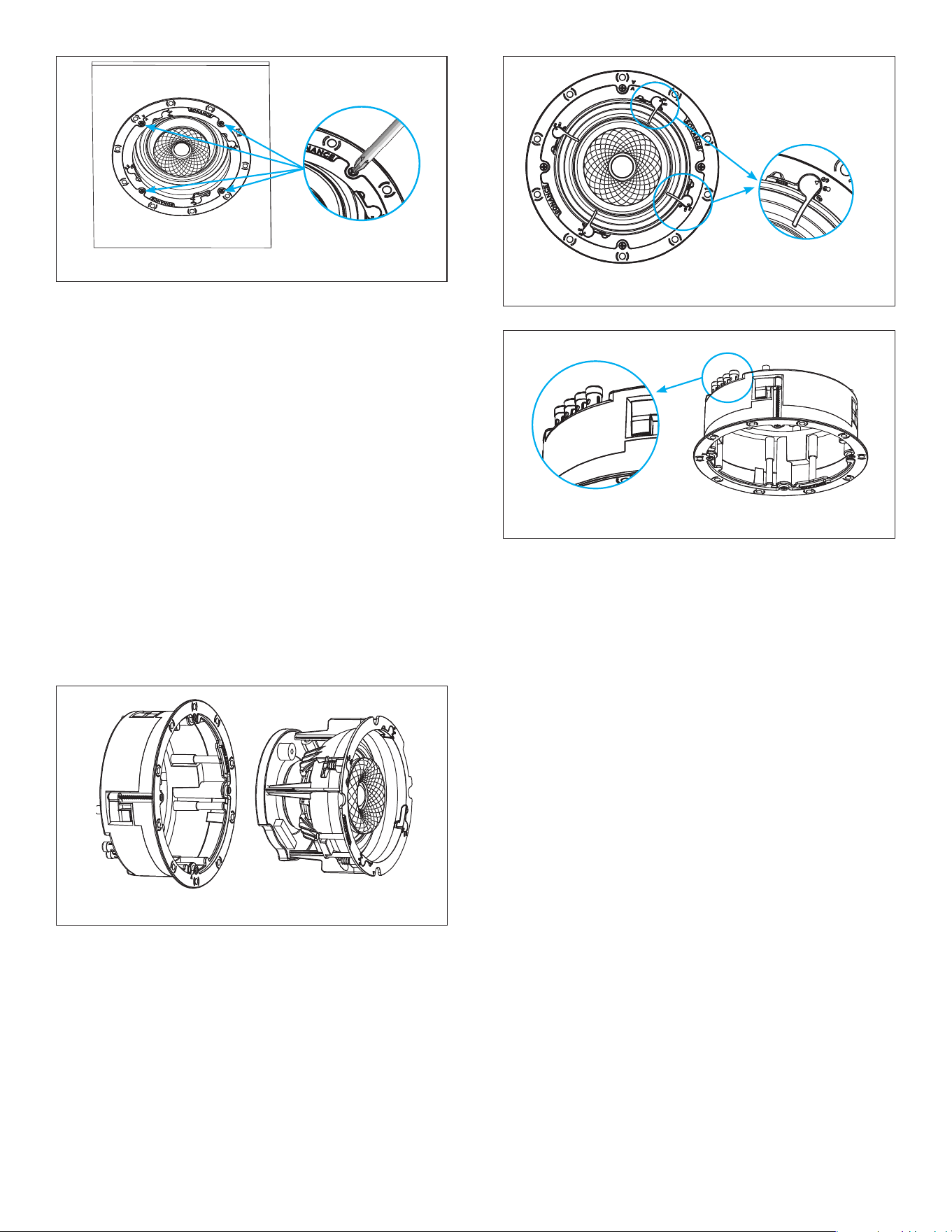
1. Leave the Sonance VX SST speaker module Flex
Frame latches in the LOCKED position as supplied
out of the box. This will ensure that your VX speaker
remains a single piece for the one-stage installation
process (see Figure 1).
Figure 1: Coverage Area
Coverage Area Coverage Area
Speaker
Spacing
Figure 1: Latch in the LOCKED Position
Figure 3:
Roto-Lock Toggle
Feet Retracted
4. The speaker’s positive post is labeled with a red dot;
the negative post is labeled with a black dot.
5. Your Visual Experience Single Stereo Speaker
®
includes dual input terminals, one pair for the left
channel, one pair for the right channel (four spring
loaded wire terminals, left and right separated
down the middle). Connect the left channel wires
to the left input terminals on the speaker, matching
positive to red and negative to black. Connect the
right channel wires to the right input terminals on
the speaker, again matching positive to red and
negative to black.
6. After making all connections, double-check that you
connected amplier “+” to speaker “+” and amplier “–”
to speaker “–”.
Sonance Visual Experience Series Speakers feature an
exclusive integral RotoLock
®
mounting system for quick
mounting directly into existing walls and ceilings.
7. Make sure all the Roto-Lock toggle feet are retracted
so that the speaker can t within the mounting hole
(see Figure 3).
Figure 2: Connection Terminals
2. Strip 1/4” – 1/2” (6mm – 13mm) of insulation from each
speaker lead. Twist the strands or tin the exposed wire
with solder to ensure that there are no stray strands.
IMPORTANT: Stray strands that touch each other can
cause a short-circuit that can damage the amplier.
Figure 4: Remove Roto-Lock Toggles Before Inserting
Speaker into Cutout Opening of Thick Surfaces
IMPORTANT PRODUCT FEATURE
i
Sonance Visual Experience speakers can be installed
using a one-stage or two-stage installation process
thanks to the innovative Flex Frame mounting system.
Read through the installation steps for each to help
decide which process works best for you, then follow the
appropriate steps to install your VX product.
3. The speaker’s connector posts are spring-loaded.
Push the top of each connector post down to open
the connector and insert the exposed wires into the
holes in the posts (see Figure 2).
4
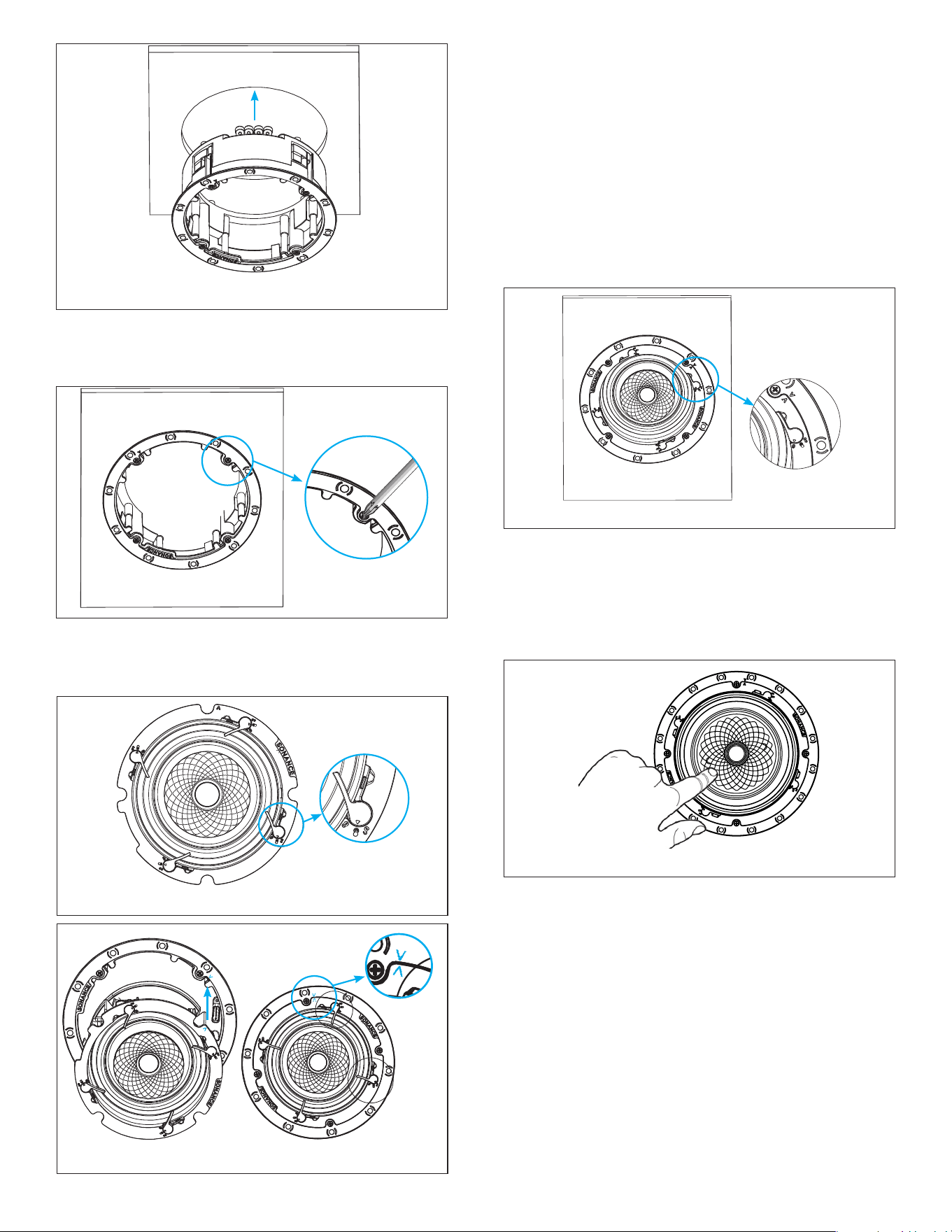
8. The Roto-Lock clamps will automatically rotate into
position and begin clamping the speaker.
Figure 5: Tightening the Roto-Lock Screws
IMPORTANT: Always use low-torque settings when
using a screw gun and go very slowly; never over
tighten.
IMPORTANT: Adjusting the tension of the Roto-Lock
Clamps to help the speaker sit at with the surface will
help ensure proper grille contact all the way around
the speaker.
TWO-STAGE INSTALLATION
Sonance Visual Experience Single Stereo Technology
®
Speakers models can be installed leveraging a unique
two-stage process which allows the installer to separate
the speaker frame from the speaker module to easily
hold, wire, and secure the frame to the installation
surface (see Figure 6). This feature makes it simple to
pre-wire with maximum visibility and maneuverability
without risk of dropping the speaker while on a ladder.
Figure 6: Speaker Frame and Module Diagram
1. Use thumb pressure to rotate the VX SST speaker
module Flex Frame latch into the UNLOCKED
position.
2. Remove the speaker module from the frame (see
Figure 7).
3. Reserve the speaker module in a safe place for step 8.
Figure 7: Remove Speaker Module from Frame
4. Secure the speaker wires to the speaker frame using
the spring loaded connector posts (see Figure 8).
5. The speaker’s connector posts are spring-loaded.
Push the top of each connector post down to open
the connector and insert the exposed wires into the
holes in the posts.
6. The speaker’s positive post is labeled with a red dot;
the negative post is labeled with a black dot.
7. Your Visual Experience Single Stereo Speaker
includes dual input terminals, one pair for the left
channel, one pair for the right channel (four spring
loaded wire terminals, left and right separated
down the middle). Connect the left channel wires
to the left input terminals on the speaker, matching
positive to red and negative to black. Connect the
right channel wires to the right input terminals on
the speaker, again matching positive to red and
negative to black.”
IMPORTANT: Always use low-torque settings when using a screw gun
and go very slowly; never over tighten.
8. Install the wired VX speaker frame into the cutout
in the installation surface. Make sure all Roto-Lock
toggle feet are retracted so that they are tucked
within the mounting hole’s borders and then insert
the speaker frame into the hole (see Figure 9).
Figure 8: Secure Speaker Wires
5
Figure 14: Pivoting the Woofer
9. Tighten the four screws on the front bafe to clamp
the Roto-Lock toggle feet into position, securing the
speaker frame to the surface (see Figure 10).
Figure 10:
Securing the Frame
11. Firmly and uidly snap the VX speaker module into
the installed VX speaker frame. Line up the bright
blue alignment n of the speaker module with the
matching blue alignment notch on the speaker
frame (see Figure 12).
12. Press rmly to snap the speaker into the frame.
Once you hear the “click,” the speaker will be secure.
Carefully remove your hand to ensure the speaker is
locked into place.
13. Use thumb pressure to rotate the VX speaker
module Flex Frame latch into the LOCKED position
(see Figure 13).
Figure 12: Aligning the Speaker Frame
Figure 11: Move Latch to Middle HOLD Position
10. Use thumb pressure to rotate the VX speaker
module Flex Frame latch into the middle HOLD
position (see Figure 11).
Figure 13: Latch in LOCKED Position
14. Sonance VX SST models feature a pivoting woofer
that can be adjusted. To adjust the woofer position,
apply pressure on the outer third of the waveguide.
Do not touch or apply pressure to the tweeter in
the center of the speaker or the woofer cone that
surrounds the waveguide. (See Figure 14)
Figure 9: Inserting Speaker Frame
15. The VX grille is held in place by several small,
powerful magnets on the speaker frame. Place the
grille against the speaker and the magnets will hold
it rmly in place. When properly installed, the grille
ange should make contact with the surface all the
way around the speaker.

6
PAINTING THE GRILLES
Sonance Visual Experience Series speaker grilles
completely cover the exposed speaker frame, so only the
grilles (not the speakers themselves) require painting.
1. Remove and save the scrim cloth from the back of
the grille.
2. Prime the grille with a metal primer/bonder in
a spray can. Carefully follow the manufacturerʼs
directions on the can.
3. We recommend using water-based latex paint on
the grilles. Thin the paint with a proper thinning
agent to a ratio of 1:1 paint-to-thinner, and strain it
through a standard mesh strainer to remove any
lumps.
4. Use a small touch-up gun or cap-spray gun with a #3
tip for painting.
• Set the nozzle with a medium to wide fan.
• Set the pressure regulator to 60psi.
• Lightly spray the front of the grille in three
quick strokes from approximately 10” away.
• Let the paint set for a minute, then turn the
grille 90º and lightly spray the grille again in
three quick strokes.
• Repeat this step until all four sides of the
grille have been evenly painted.
5. While the paint is still wet, inspect the grille and
make sure that excess paint has not collected
underneath the grille frame, and that none of the
grille perforations are lled with paint. If any are,
use compressed air to blow the paint out of the
perforations.
IMPORTANT: If you nd any grille perforations that
are plugged with paint after the paint has dried, use a
straight pin or sewing needle to carefully remove the
paint.
6. Optional step. Reattach the scrim cloth to the back
of the grille. Once the paint has dried, you may need
to use an extremely light single pass coating of 3M
Super 76 spray adhesive.
7. Once the paint has thoroughly dried, mount the
grille on the speaker.

7
VX46R SST
SKU 93682
UOM Each
Tweeter 0.75” (19mm) ceramic dome, Ferrofluid-cooled, acoustic back chamber, dual voice coil
Woofer 4.5” (114mm) Kevlar/Nomex cone, rubber surround, pivoting, dual voice coil
Dispersion Technology Sinusoidal Textured Waveguide
Speaker Pivot Coincident woofer and tweeter, +/-13° pivot
Frequency Response 58Hz - 20kHz +/-3dB
Impedance 8 ohms nominal; 6 ohms minimum
Power Handling 5 watts minimum; 80 watts maximum
Sensitivity 90dB SPL (2.83V/1 meter)
Round Micro Trim Grille (Dia) 6.77” (171.8mm)
Round Trimless Grille (Dia) 6.42” (163mm)
Square Micro Trim Grille (WxH) 6.77” x 6.77” (171.8mm x 171.8mm)
Square Trimless Grille (WxH) 6.42” x 6.42” (163mm x 163mm)
Speaker Mounting Depth (D) 4.61” (117.1mm)
Mounting Depth + Retrofit Encl. (D) 5.75” (146.1mm)
Cut-Out Dims (Dia) 5.875” (149mm)
Shipping Weight 3 lbs. (1.4kg)
TECHNICAL SPECIFICATIONS
VX62R SST
SKU 93683
UOM Each
Tweeter 1” (25mm) cloth dome, Ferrofluid-cooled, acoustic back chamber, dual voice coil
Woofer 6.5” (165mm) textured polypropylene cone, rubber surround, pivoting, dual voice coil
Dispersion Technology Sinusoidal Textured Waveguide
Speaker Pivot Coincident woofer and tweeter, +/-13° pivot
Frequency Response 45Hz - 20kHz +/-3dB
Impedance 8 ohms nominal; 6 ohms minimum
Power Handling 5 watts minimum; 125 watts maximum
Sensitivity 89dB SPL (2.83V/1 meter)
Round Micro Trim Grille (Dia) 9.62” (244.4mm)
Round Trimless Grille (Dia) 9.28” (235.6mm)
Square Micro Trim Grille (WxH) 9.62” x 9.62” (244.4mm x 244.4mm)
Square Trimless Grille (WxH) 9.28” x 9.28” (235.6mm x 235.6mm)
Speaker Mounting Depth (D) 4.92” (125mm)
Mounting Depth + Retrofit Encl. (D) 5.75” (146.1mm)
Cut-Out Dims (Dia) 8.25” (210mm)
Shipping Weight 4.5 lbs. (2.1kg)

8
VX66R SST
SKU 93684
UOM Each
Tweeter 1” (25mm) ceramic dome, Ferrofluid-cooled, acoustic back chamber, dual voice coil
Woofer 6.5” (165mm) Kevlar/Nomex cone, rubber surround, pivoting, dual voice coil
Dispersion Technology Sinusoidal Textured Waveguide
Speaker Pivot Coincident woofer and tweeter, +/-13° pivot
Frequency Response 43Hz - 20kHz +/-3dB
Impedance 8 ohms nominal; 6 ohms minimum
Power Handling 5 watts minimum; 140 watts maximum
Sensitivity 90dB SPL (2.83V/1 meter)
Round Micro Trim Grille (Dia) 9.62” (244.4mm)
Round Trimless Grille (Dia) 9.28” (235.6mm)
Square Micro Trim Grille (WxH) 9.62” x 9.62” (244.4mm x 244.4mm)
Square Trimless Grille (WxH) 9.28” x 9.28” (235.6mm x 235.6mm)
Speaker Mounting Depth (D) 4.92” (125mm)
Mounting Depth + Retrofit Encl. (D) 5.75” (146.1mm)
Cut-Out Dims (Dia) 8.25” (210mm)
Shipping Weight 4.5 lbs. (2.1kg)
TECHNICAL SPECIFICATIONS CONTINUED
VX86R SST
SKU 93686
UOM Each
Tweeter 1.2” (30mm) ceramic dome, Ferrofluid-cooled, acoustic back chamber, dual voice coil
Woofer 8” (203mm) Kevlar/Nomex cone, rubber surround, pivoting, dual voice coil
Dispersion Technology Sinusoidal Textured Waveguide
Speaker Pivot Coincident woofer and tweeter, +/-13° pivot
Frequency Response 34Hz - 20kHz +/-3dB
Impedance 8 ohms nominal; 6 ohms minimum
Power Handling 5 watts minimum; 150 watts maximum
Sensitivity 91dB SPL (2.83V/1 meter)
Round Micro Trim Grille (Dia) 11.52” (292.6mm)
Round Trimless Grille (Dia) 11.17” (283.8mm)
Square Micro Trim Grille (WxH) 11.52” x 11.52” (292.6mm x 292.6mm)
Square Trimless Grille (WxH) 11.17” x 11.17” (283.8mm x 283.8mm)
Speaker Mounting Depth (D) 5.51” (140.0mm)
Mounting Depth + Retrofit Encl. (D) 6.52” (165.6mm)
Cut-Out Dims (WxH) 10.125” (257mm)
Shipping Weight 10 lbs. (4.5kg)

9
VX66 SST
SKU 93685
UOM Each
Tweeter 1” (25mm) ceramic dome, Ferrofluid-cooled, acoustic back chamber, dual voice coil
Woofer 6.5” (165mm) Kevlar/Nomex cone, rubber surround, dual voice coil
Dispersion Technology Sinusoidal Textured Waveguide
Speaker Pivot No Pivot
Frequency Response 43Hz - 20kHz +/-3dB
Impedance 8 ohms nominal; 6 ohms minimum
Power Handling 5 watts minimum; 140 watts maximum
Sensitivity 90dB SPL (2.83V/1 meter)
Rectangle Micro Trim Grille (W x H) 8.23” x 12.12” (208.9mm x 307.7mm)
Round Trimless Grille (Dia) 11.17” (283.8mm)
Rectangle Trimless Grille (W x H) 7.88” x 11.77” (200.1mm x 298.9mm)
Speaker Mounting Depth (D) 3.48” (88.3mm)
Mounting Depth + Retrofit Encl. 3.84” (97.6mm)
Cut-Out Dims (WxH) 6.9375” x 10.75” (176mm x 273mm)
Shipping Weight 5 lbs. (2.3kg)
TECHNICAL SPECIFICATIONS CONTINUED

10
©2024 Sonance. All rights reserved. Sonance is a registered trademarks of Dana Innovations. Due to continuous product improvement, all features and
specifications are subject to change without notice. For the latest Sonance product specification information visit our website: www.sonance.com
SONANCE • 991 Calle Amanecer • San Clemente, CA 92673 USA • PHONE: (949) 492-7777 • FAX: (949) 361-5151 • Technical Support: (949) 492-7777
12.16.2024
LIMITED LIFETIME WARRANTY
Sonance warrants to the first end-user purchaser that this Sonance-brand product (“Product”), when purchased from an authorized
Sonance Dealer/Distributor, will be free from defective workmanship and materials for the life of the Product, except for the grille, which
is warranted for five (5) years. Sonance will at its option and expense either repair the defect or replace the Product with a new or
remanufactured Product or a reasonable equivalent.
EXCLUSIONS: TO THE EXTENT PERMITTED BY LAW, THE WARRANTY SET FORTH ABOVE IS IN LIEU OF, AND EXCLUSIVE OF, ALL
OTHER WARRANTIES, EXPRESS OR IMPLIED, AND IS THE SOLE AND EXCLUSIVE WARRANTY PROVIDED BY SONANCE. ALL OTHER
EXPRESS AND IMPLIED WARRANTIES, INCLUDING THE IMPLIED WARRANTIES OF MERCHANTABILITY, IMPLIED WARRANTY OF
FITNESS FOR USE, AND IMPLIED WARRANTY OF FITNESS FOR A PARTICULAR PURPOSE ARE SPECIFICALLY EXCLUDED. No one is
authorized to make or modify any warranties on behalf of Sonance.
The warranty stated above is the sole and exclusive remedy and Sonance’s performance shall constitute full and final satisfaction of all
obligations, liabilities and claims with respect to the Product.
IN ANY EVENT, SONANCE SHALL NOT BE LIABLE FOR CONSEQUENTIAL, INCIDENTAL, ECONOMIC, PROPERTY, BODILY INJURY, OR
PERSONAL INJURY DAMAGES ARISING FROM THE PRODUCT, ANY BREACH OF THIS WARRANTY OR OTHERWISE.
This warranty statement gives you specific legal rights, and you may have other rights which vary from state to state. Some states do
not allow the exclusion of implied warranties or limitations of remedies, so the above exclusions and limitations may not apply. If your
state does not allow disclaimer of implied warranties, the duration of such implied warranties is limited to period of Sonance’s express
warranty.
Your Product Model and Description: Sonance Visual Experience with Single Stereo Technology.
Additional Limitations and Exclusions from Warranty Coverage: The warranty described above is non-transferable, applies only to the
initial installation of the Product, does not include installation of any repaired or replaced Product, does not include damage to allied
or associated equipment which may result for any reason from use with this Product, and does not include labor or parts caused by
accident, disaster, negligence, improper installation, misuse (e.g. overdriving the amplifier or speaker, excessive heat or cold or humidity,
outdoor installation), or from service or repair which has not been authorized by Sonance.
Obtaining Authorized Service: To qualify for the warranty, you must contact your authorized Sonance Dealer/Installer or call Sonance
Customer Service at (949) 492-7777, must obtain a return merchandise number (RMA), and must deliver the Product to Sonance
shipping prepaid during the warranty period, together with the original sales receipt, or invoice or other satisfactory proof of purchase.
In order to initiate a warranty claim:
1. Contact Sonance Technical Support with a description of the fault, the amplifier’s serial number and the date of purchase from an
authorized Sonance dealer at: [email protected]
2. Sonance Technical Support will follow-up and may request additional troubleshooting.
3. Once a determination has been made on the fault, Sonance Customer Service will follow-up by email. Please have a scanned copy
of your Sonance Visual Experience SST Speaker sales invoice ready to send upon request to document the speaker’s warranty
status.
4. Sonance Customer Service will provide an RMA number to be included on the shipping label of the packaging. Please send the
speaker back in its original factory carton, which has been specifically designed to protect the speaker during transit.
Contact us at: https://www.sonance.com/company/contact